http://iGyaan.in Check out our new Channel http://youtube.com/iGyaanTV and Subscribe.
http://Facebook.com/iGyaan catch (more…)
Category: Videos
-
Sony Xperia SP Unboxing and Hands on Review
-
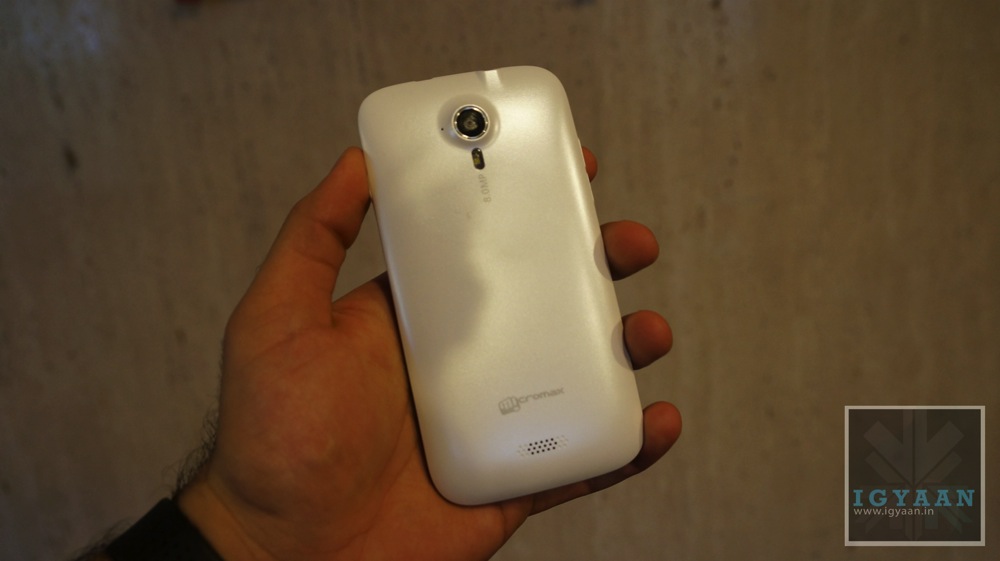
Micromax A115 Canvas 3D First Unboxing and hands on, Feat: Canvas HD – iGyaan
http://iGyaan.in Check out our new Channel http://youtube.com/iGyaanTV and Subscribe.
http://Facebook.com/iGyaan catch (more…) -
Nokia Lumia 720 Unboxing and Hands on Review – iGyaan
http://iGyaan.in Check out our new Channel http://youtube.com/iGyaanTV and Subscribe.
http://Facebook.com/iGyaan catch (more…) -
Samsung Galaxy Y Plus Duos S5303, Dual Sim Budget phone,Unboxing and full Review – iGyaan
We Review this budget Dual Sim Android Device for the Masses, The Samsung Galaxy Y Plus Duos is an Entry (more…)
-
Tomb Raider 2013 Review – iGyaan
We kick off our Gaming Reviews, With the all new Tomb Raider. Priced Rs. 2499 for Xbox and PS3. Rs.999 (more…)
-
HTC One Gaming Review – iGyaan
http://iGyaan.in Check out our new Channel http://youtube.com/iGyaanTV and Subscribe.
http://Facebook.com/iGyaan catch (more…) -
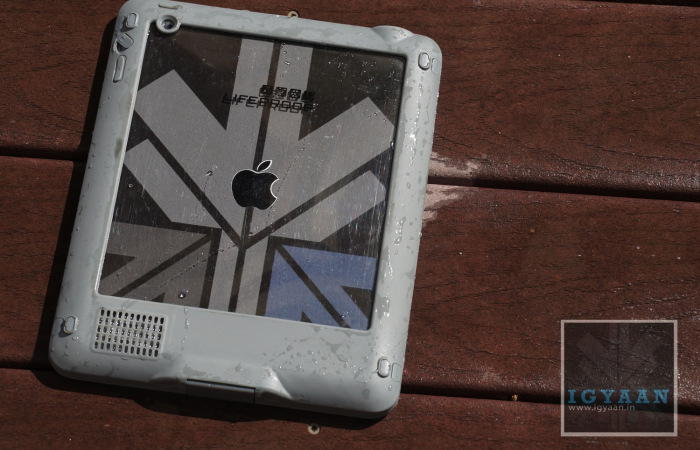
Lifeproof Nuud Waterproof, Shockproof, Dustproof case for iPad 2 / 3 / 4 Review
Build Quality and Design
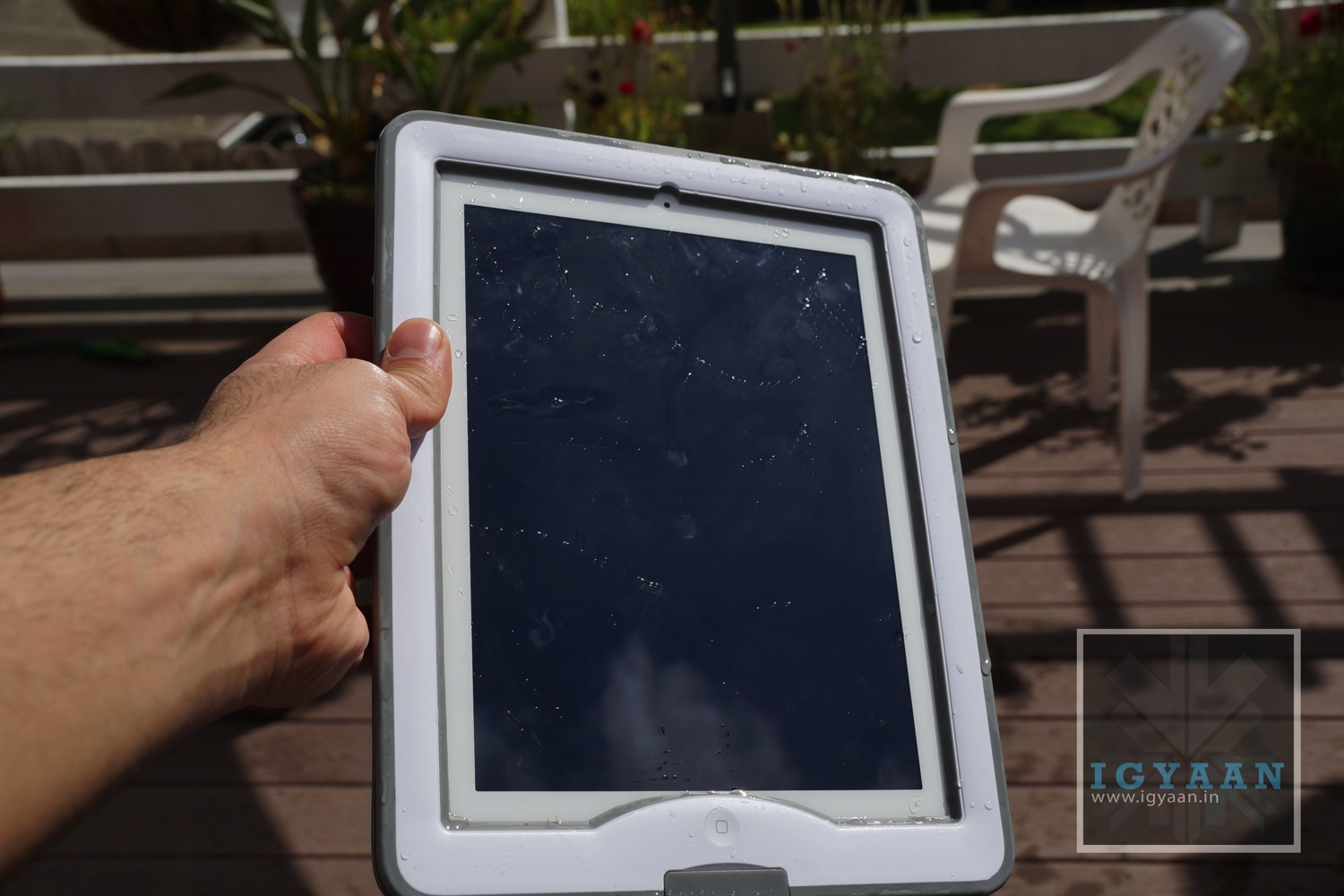
[pullquote_right] looks pleasant and works well[/pullquote_right]The Lifeproof Nüüd is a case designed to not only look but act rugged. The cover is a complete mix of technology, engineering and design along with several elements of usefulness. The solid plastic center shell is surrounded by a second layer of polycarbonate-esque material which is dived by two layers of rubber seals and specialized O-Rings that prevents water from leaking into the case when the iPad is installed.
The one thing that bothers us is the fact that the manufacturer asks to remove the screen protector (which we didn’t remove) in order to ensure a proper seal with the Lifeproof Nuud, leaving the glass of your iPad virtually exposed to possible scratching / damage.
The case definitely makes the iPad resemble a tough-book from Panasonic or one of their new toughpads. It is solid, yet not a big eyesore so it looks pleasant and works well.

Installation and Usage
The Lifeproof Nuud installation process is a tedious one, and requires patience. Ensure that the O-RIngs are in place and the angle of approach to the clips is proper, the seals all clip and the covers are all shut. The process is almost like a flight simulator training on a 486 machine (for those later than that time – in simple words its got a learning curve). Once you are thorough the initial installation you are good to go.
In the box you will get a front and back cover, two O-Rings, 2 x 3.5 mm headphone port cover screws and a extension cable to make the headphone port accessible. There is also a iPad Test unit that is supposed to simulate an iPad for initial waterproof tests, but is a total failure in terms of design and is the main reason to cause frustration to most buying the Lifeproof Nuud.


Once Perfectly installed, you will realize how this cover can be useful for you. The Lifeproof Nuud is that one cover that will allow you to use your iPad in the Swimming pool, or simply underwater. In a Jacuzzi you can enjoy watching your favorite movie without being in the constant fear of loosing your iPad to the depths of the shallow blue water.
One of the most useful features, the the front cover that transforms into a stand that is not only robust, but also convenient. The front of the Lifeproof Nuud case provides added frontal damage protection, but also lets you prop up your iPad to watch movies or at an appropriate angle to type on the onscreen keyboard.
Weather you have an adventurous lifestyle or work routine that requires rugged equipment, this case actually may be useful to all. The Lifeproof Nuud will not make your iPad in-destructable and will not work for you if you are not careful. Example – after a few major drops the case may be prone to water leakage, or may case damage to the iPad on further impacts. Its not insurance its added prevention. If you are careful enough with the case, it will actually let you exploit the iPad’s capabilities in environment which were inaccessible earlier, Underwater, Rain, Snow, Dirt or work sites.

Conclusion
A cover for those who value their possessions, yet like to enjoy them. The Lifeproof Nuud will let you use your ipad in the pool and listen to music around it, without letting you worry of damage. It will also provide you valid build design information at construction yards and lumber mills. But it will also let you watch a movie at home. This is a rugged case, and if you can get over the initial testing bits, then it works great. Although removing added films is recommended, we didn’t, and our Lifeproof Nuud works great. The question really boils down to – “Do You Need One?”, I guess everyone does and for the price, if you don’t mind the added bulk, this case is Lifeproof.
[youtube id=”6LPyrXQsB2c” width=”100%” height=”300px”]
-

Xolo X1000 Unboxing and Hands On
[youtube id=”6_AlBMVwzEo” width=”100%” height=”300px”]
With many a options available, the Android market space has yet another competitor in the Rupees 20,000 price segment. The Xolo X1000 was launched yesterday for a price that was lower than expected, but does it truly offer what the market is looking for?. Interms of Hardware we have an Intel Atom medfield platform at Single core and 2GHz on the clock, for the Graphics we have a 400 MHz GPU.
The front has a brilliant 4.7 inch SHARP™ HD 2.5 D edge curved glass display, which has a resolution of 1280 x 720p. The cameras are 8 and 1.3 MP with with former being the rear camera with full HD 1080p video, and the latter being the front facer.

[pullquote_left] Get ready for premium feel![/pullquote_left] Holding the phone in the hand for the first time might just take you by surprise, the touch and feel of the phone is far from expected (in a positive sense). The phone feels really premium and does a fantastic job of making you feel like you are holding a truly premium device.

The HD Display is truly commendable as well, with brilliant viewing angles and fantastic color reproduction, its easily one the best displays of the price segment. The response from the screen is also snappy and initially gave instant feedback. A couple of facts that did let us down start with the fact that the device runs on Android 4.0.3 and Xolo is not yet ready with a jelly bean software update yet.
Check out the video above or the images below. Stay tuned for the Gaming and benchmarks videos.


-
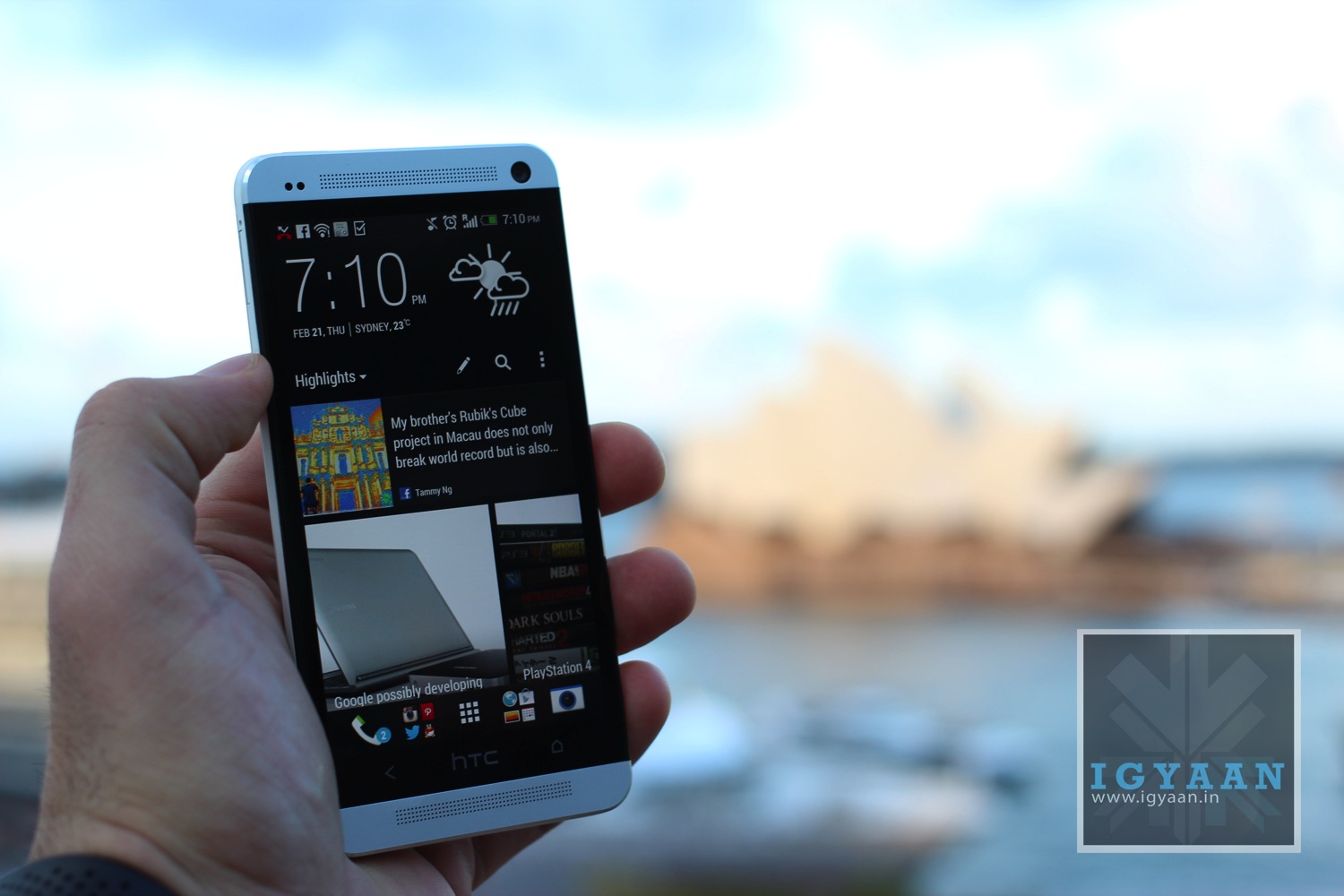
Hands on with the new HTC One
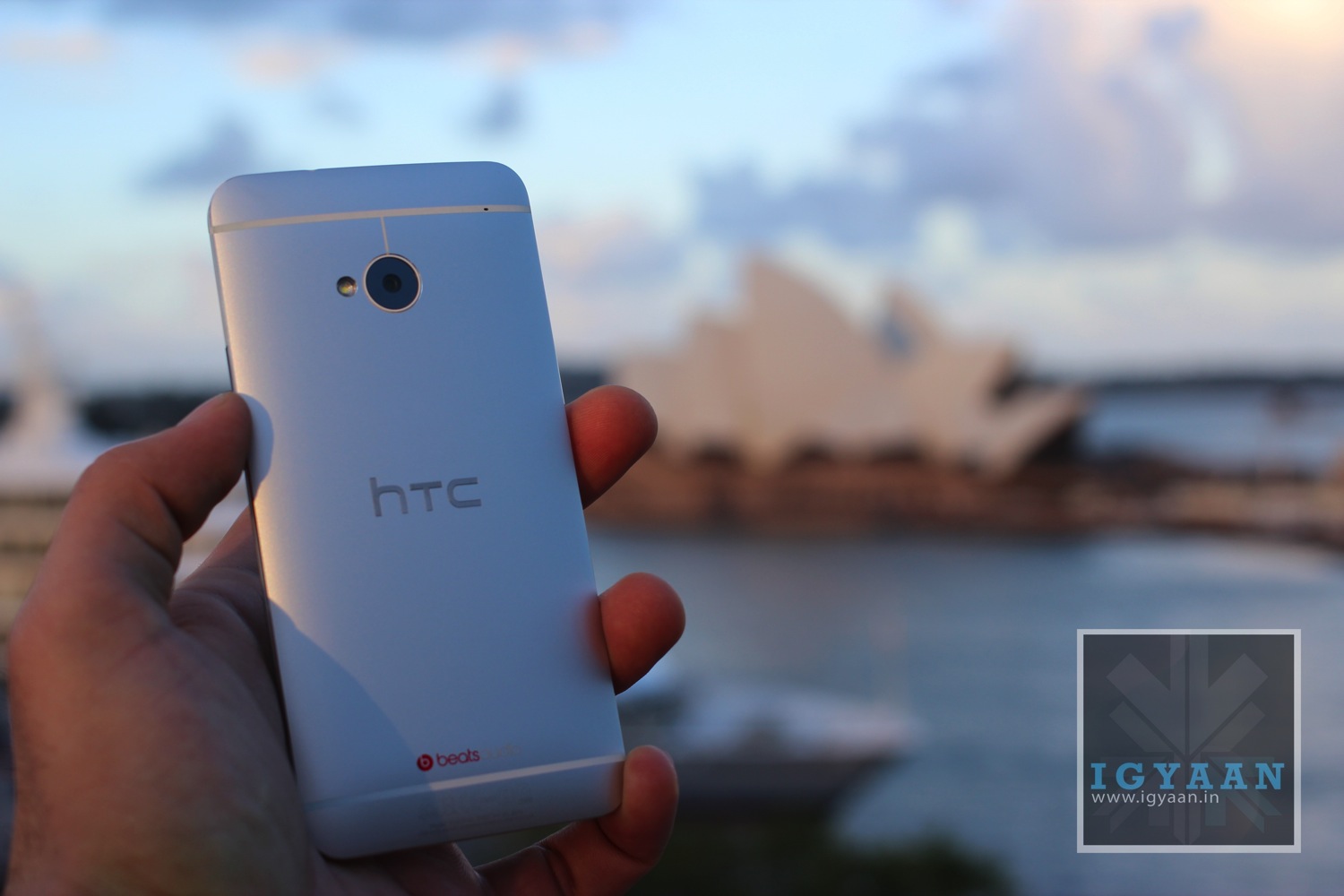
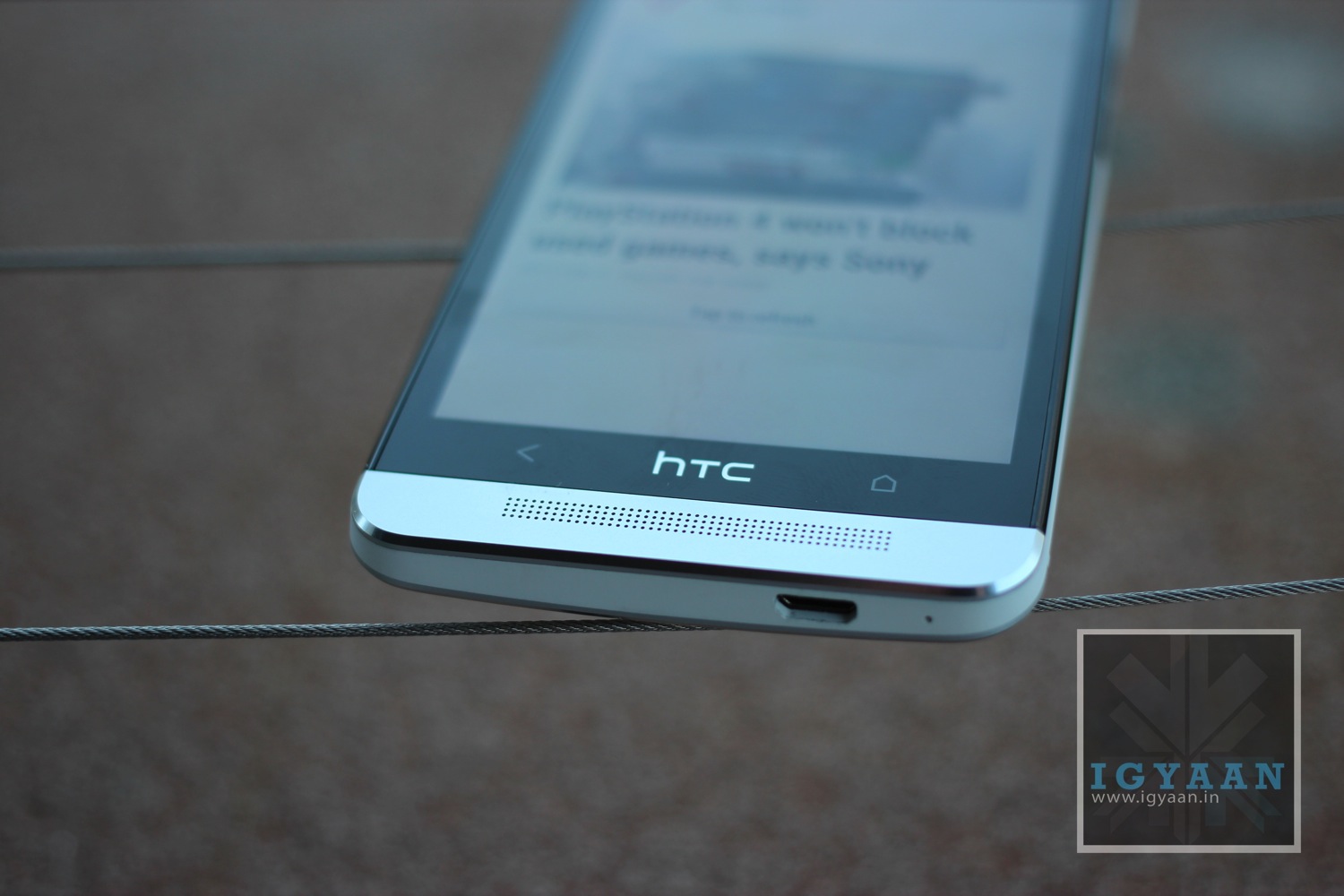
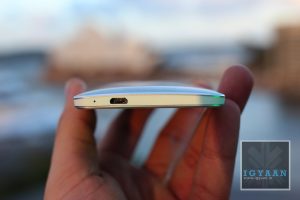
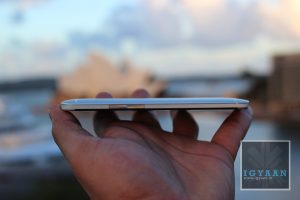
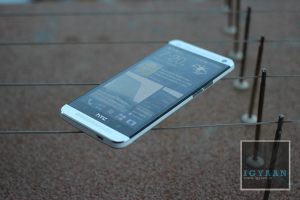
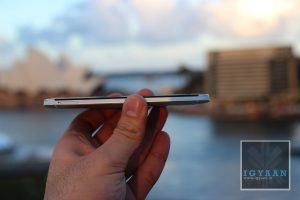
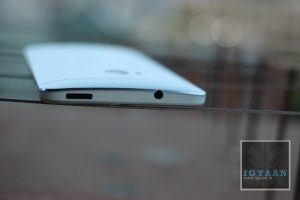
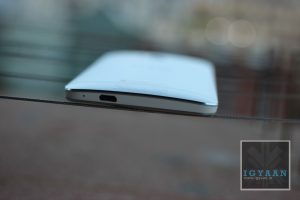
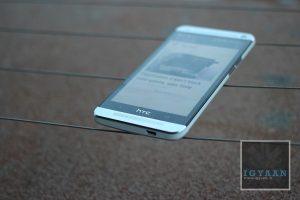
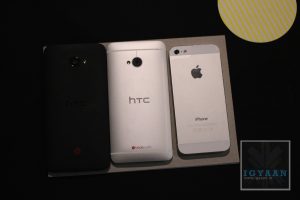
HTC has recently launched the new HTC One, a flagship for the company with impressive specs and a wonderful new design. The HTC One comes with a unibody Aluminum design which is built into a seamless unit which is 4mm at the slimmest and 9mm at the thickest. Making it only roughly thicker than the iPhone 5.

What one really needs to appreciate is the new Blink feed on the gorgeous display. The new UI lays out social feeds, news updates, calendar info, friends data and more right on the home screen of the phone in this new super smooth flowing interface.

The HTC One has a Ultra pixel camera with a larger 4 MP sensor that will allow more light to be captured allowing for a beautiful print size of upto 8 x 12 inches directly from the camera of the phone. HTC has incorporated several camera enhancements in the HTC One , most interesting being ZOE that allows a user to capture few seconds of images and HD video at the same time allowing you to relive the experiences .

HTC also claims improved battery life with the HTC One lasting almost twice that on the iPhone 5, and 30% more compared to similar tests on a Galaxy S3 or a Note 2. The phone is 10% smaller compared to the HTC One X and slightly smaller in size when compared to the Butterfly.
(More Developing)
Quick Specs Check
- Android 4.1.2 with HTC Sense 5
- Processor: Qualcomm® Snapdragon™ 600, quad-core, 1.7GHz
- Total storage: 32GB/64GBi, available capacity varies
- RAM: 2GB DDR2
- Battery: 2300 mAh embedded rechargeable Li-polymer battery
CAMERA
- BSI sensor, Pixel size 2.0 ?m, Sensor size 1/3′
- Dedicated HTC ImageChip™ 2
- F2.0 aperture and 28 mm lens
- Optical Image Stabilization (OIS)
- Smart Flash: Five levels of flash automatically set by distance to subject
- Front Camera: 88 wide angle lens with HDR capability
- 1080p Full HD video recording for both front and back cameras
- HDR Video
- Continuous shooting and VideoPic
- Slow motion video recording with variable speed playback
- HTC Zoe™ with highlights and HTC Zoe™ Share
- Retouch with Object Removal, Always Smile, and Sequence Shot
CONNECTIVITY
- 3.5 mm stereo audio jack
- NFC capable
- Compliant with Bluetooth 4.0
- Bluetooth 4.0 with aptX™ enabled
- Wi-Fi®: IEEE 802.11 a/ac/b/g/n
- DLNA® for wirelessly streaming media from the phone to a compatible TV or computer
- Support consumer infrared remote control
- micro-USB 2.0 (5-pin) port with mobile high-definition video link (MHL) for USB or HDMI connection (Special cable required for HDMI connection.)
HTC BOOMSOUND™
- Dual frontal stereo speakers with built-in amplifiers
- Studio-quality sound with Beats Audio™
- HDR Microphone
- Sense Voice
NETWORK
- GSM/GPRS/EDGE (850/900/1800/1900 MHz)
- WCDMA (1900/2100 (B2/B1) MHz)
- CDMA (800/1900 BC0/BC1/BC10, Sprint)
- LTE (1900 (B25, SPCS)
- Frequencies will vary by region/operator
SENSORS
- Gyro sensor
- Accelerometer
- Proximity sensor
- Ambient light sensor
LOCATION
- Internal GPS antenna + GLONASS
- Digital compass
AC ADAPTER
- Voltage range/frequency: 100 ~ 240 V AC, 50/60 Hz
- DC output: 5 V and 1 A
- SIZE: 137.4 x 68.2 x 9.3mm/4mm (max/min)
- WEIGHT: 143 grams with battery
- DISPLAY: 4.7 inch, Full HD 1080p, 468 PPI











-
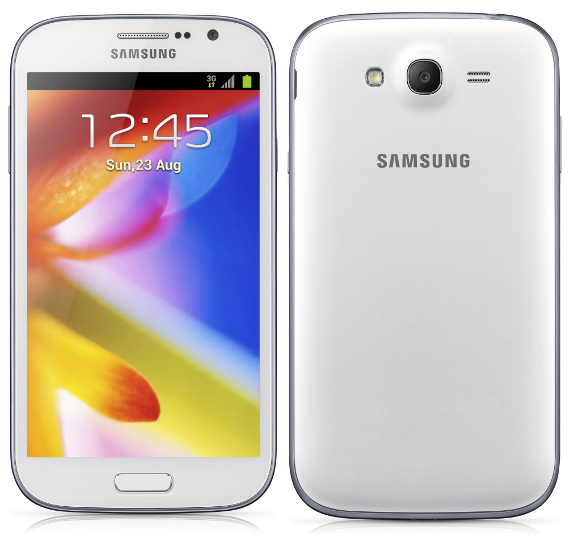
Watch the Launch of the Galaxy Grand Live on iGyaan
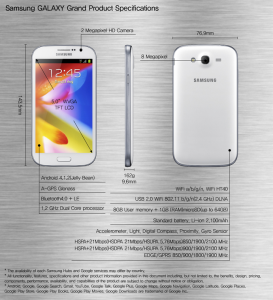
Samsung is ready to announce the Galaxy Grand for the Indian market at 12:30 on January 22nd 2013. Bookmark this page to watch it live. The Samsung Galaxy Grand is dual-SIM smartphone and features a massive 5-inch WVGA display , which as per the resolution (800 x 480 pixels) can be termed as average at best. The smartphone runs on Android 4.1.2 Jelly Bean out of the box. Under the hood, the Galaxy Grand is powered by a 1.2GHz dual-core processor coupled with 1GB of RAM so we can easily expect a smooth operation on the device for the most part.
The device looks strikingly similar to Samsung’s current flagship smartphone, the Galaxy S3 and comes with 8GB of internal storage along with a micro-SD card slot using which, users can expand the storage on the device by up to 64GB. For connectivity, the Galaxy Grand features 3G, Wi-Fi, Bluetooth 4.0, A-GPS Glonass and DLNA.
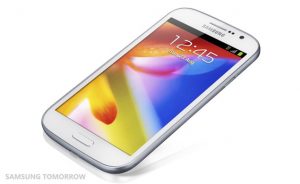
Apart from these features, Samsung Galaxy Grand comes with some unique features as well. Some of the features on the device include ‘Direct Call’, which enables users to automatically dial a call by raising the smartphone to the ear.
Popup video allows the users to watch a video in a pop-up window anywhere on the screen while running other tasks on the device. The AllShare Play feature allows the users of the device to share content across different Samsung devices using just a single account. Another interesting feature is the ‘Smart Alert’. which shows missed events such as missed calls and new messages when users pick up their phone.
The Phone will be launched tomorrow January 22nd for India, expect a full detailed hands on video along with more relevant details for the launch.
-
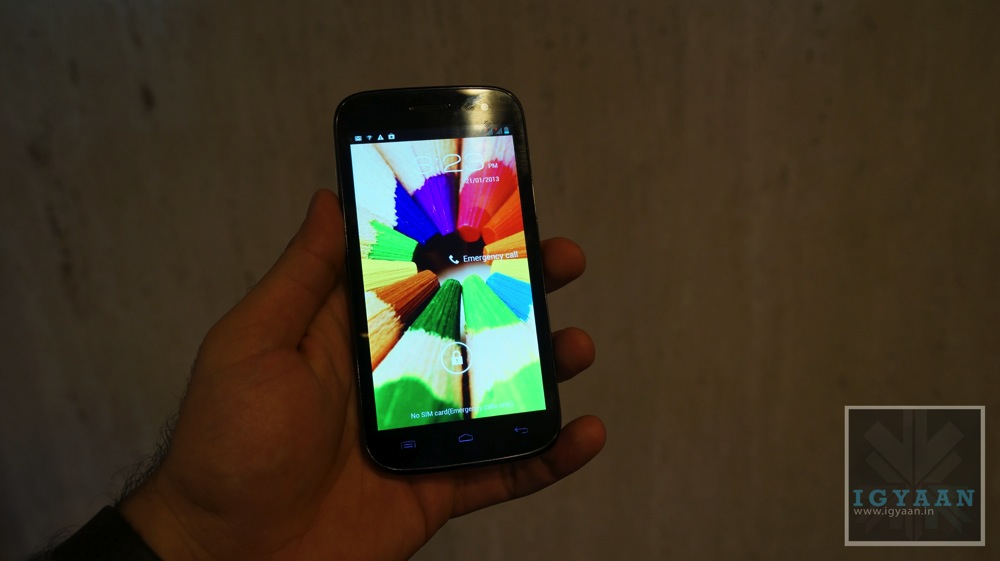
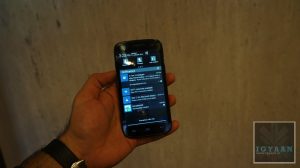
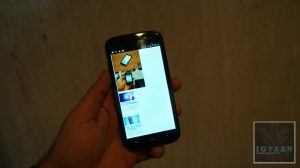
Exclusive Hands on : Micromax A116 Canvas HD

With really no reason as to why the company numbered this device A116 the Canvas HD was announced today at a press conference in New Delhi. The Device is a add on the the popular A series for Micromax and is also a lead on to the highly popular A110 Canvas 2. The Phone is priced at an MRP of 14,999., But we expect the device to be available for around the Rs. 12,000 price mark in India.The Micromax A116 Canvas HD is powered by a Mediatek MT6589 chipset that has a quad core 1.2 GHz processor and PowerVR SGX5 GPU, the device is laden with 1 GB of RAM and 4 GB of storage. The front has a nice and vivid 16.7 Million color 5 inch IPS display with a resolution of 1280 x720 hence the Canvas HD moniker.

The Micromax A116 Canvas HD is almost identical in design to the the A110 but seems a bit sleeker and more defined along the edges. The camera was non functional on the prototype unit that we handled, but the company says is better than the one on the A110. The Canvas HD also has an improved light perfonce in the front camera and an enhanced speaker if Micromax is to be believed. On the Benchmark front we found that the device was quite capable and was able to deliver a knocking performance (video soon).
Internet browsing was surprisingly smooth, and the web page was snappily laid out on the poor internet connection that we had. The phone is also backed by Mediatek’s promise of a highly efficient battery life and low heat generation. Which should ensure a good overall user experience for Micromax A116 Canvas HD owners.

Canvas HD A116 
Watch our hands on Video below and stay tuned for Benchmarks. We will also come out with an unboxing and Review in the coming week.
-
The HTC One X+ Benchmarks Blow Away the Competition!
When we first held the HTC One X+ (Plus), we really asked ourselves whether the phone is a worthy upgrade. Many companies make major design changes when launching new phones, whereas the One X+ only has added red accents.
So whats different what makes it more expensive?
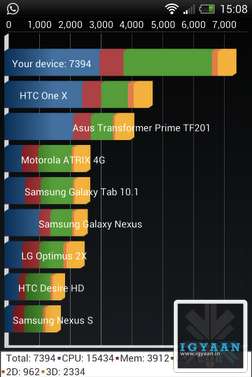
For the HTC One X+ its whats under the hood that matters. The new faster chipset shocked us when we ran benchmarks, especially with quadrant standard. The HTC One X+ beats out any Quadrant Score with 7394 Score on a stock rom, thats mighty impressive.

For Nenamark2 the HTC One X+ benchmarks were really high as well, scoring an impressive fps.

Antutu Benchmark also scored a 5 star rating on the One X+

-
Samsung Galaxy Note 2 and S Pen Tips and Tricks
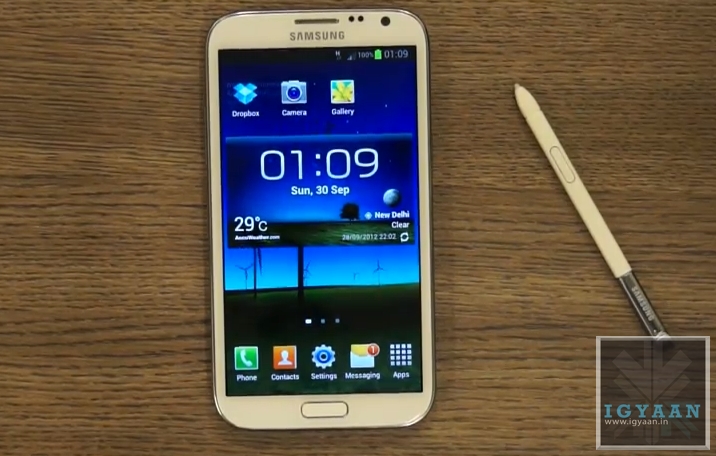
The Galaxy Note 2 is a wonderful device and even so is also the most prominent smartphone in the Android Market, but what really sets this phone apart is its ability to interact with the S Pen ( or should be call it the S Pen 2? ) Completely redesigned from the bottom up the new S Pen is more ergonomical and precise. Lets look as some of the new things you can do with the new S Pen on your Shiny new Galaxy Note 2.
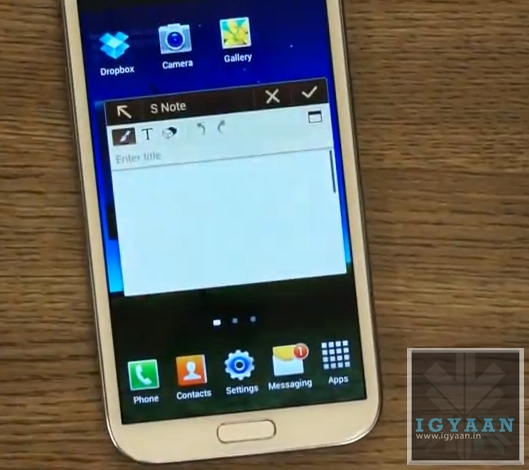
Pop Up Note.

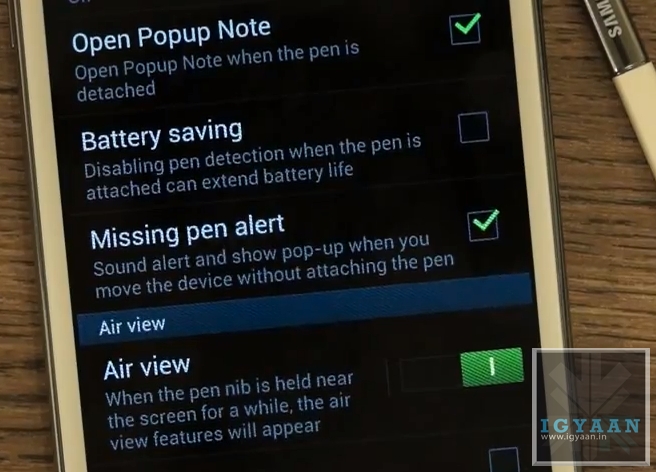
This feature allows you to enable a Pop Up Note to show up every time you pull the S Pen from the new Galaxy Note 2. This feature Can Be anablet from Settings > S Pen Settings > Enable Pop Up Note
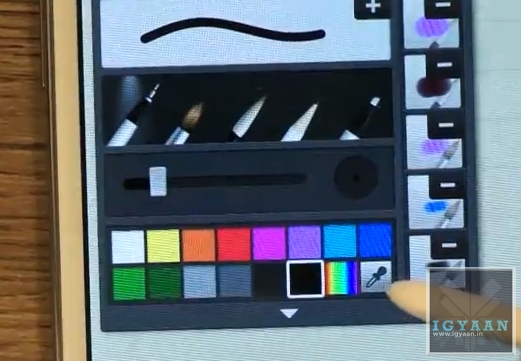
Color Selector in S Note
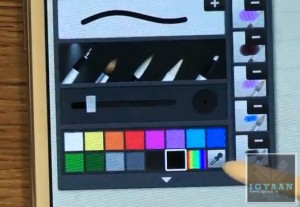
A new Color Selector dropper tool in the S Note application allows you to choose a custom color that you may pick up from the image you are editing or anywhere on screen. This will allow artists more flexibility with their designing.
Air View
One of the most versatile features of the new S Pen on the new Galaxy Note 2, the Air View feature adds a context menu to the Galaxy Note 2 and performs better than Samsung claims.
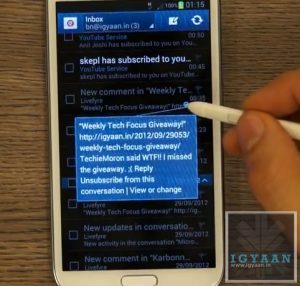
Air view adds a lot of new features :
- Scrolling: Just by hovering the Pen over the Top or bottom of Email and Message lists, you can scroll up or down. This feature will work in any app including browsers and music players. Mostly anywhere where scrolling can be enabled.
- Tooltip : Don’t know what a button is for? The Air view tooltip feature gives you a quick introduction to any button or menu item you will hover your S Pen over.
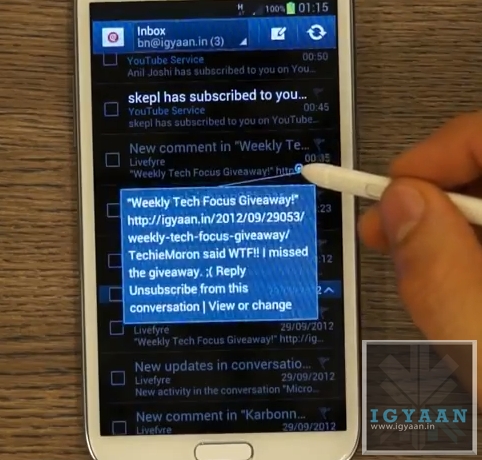
- Quick Preview : The Most useful AirView feature is the new quick preview, hovering the S-Pen over any EMail or SMS received on the new Galaxy Note II will give users a quick preview of what the content of the message is. This feature will also give you a preview of the pictures in a Gallery.
Quick Command
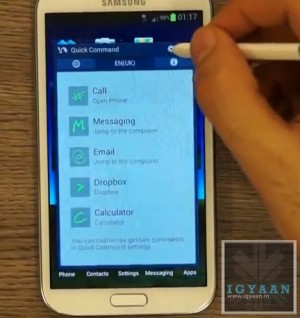
The new interface that lets you perform tasks and open applications with a quick swipe of your S Pen. Holding the button on the S Pen and dragging it an an upward direction opens up a quick command dialogue box. You can now use one of the pre set gestures or create your own, allowing you to open applications, turn on/off services like WiFi, Data, Bluetooth, etc.
Handwriting to Text
The Galaxy Note 2 mixed with the new S Pen has the best Handwriting to Text algorithms available today. It instantly converts the poorest of handwriting styles into crisp text. Although not a lot of people will use this features, but in some cases it may turn out to be much faster than typing.
Pressure Sensitivity
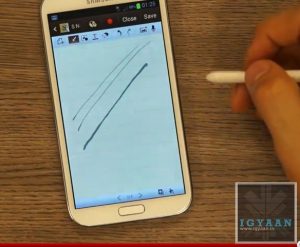
The new S Pen is really pressure sensitive allowing you to create thin or thick lines without actually changing the settings form the the pen menu. while creating strokes, a light touch will create a thin line whereas a thick stroke will create a thick line.
Missing Pen Alert
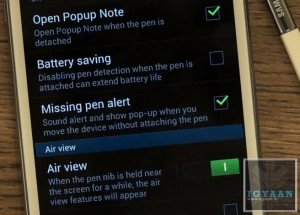
Once this feature is enabled from the Galaxy Note IIs Pen Settings Menu, the phone will vibrate every time you move 10 ft away from your phones S Pen, reminding you that you have left your S Pen somewhere. This is a feature that will really help those people who lost a lot of S Pens with the original Note.
OLD FEATURES
The Note 2 also retains most features from the original Note, including the slide left to close app gesture and slide right for menu function, among others.
Screenshot and Edit
Hold down on the Pen Button and long tap the screen with the S Pen to click a screenshot. The screenshot will immediately open up in the image editor and allow for editing, annotations and cropping. You can then share the image to various apps and services.
Video Link
-
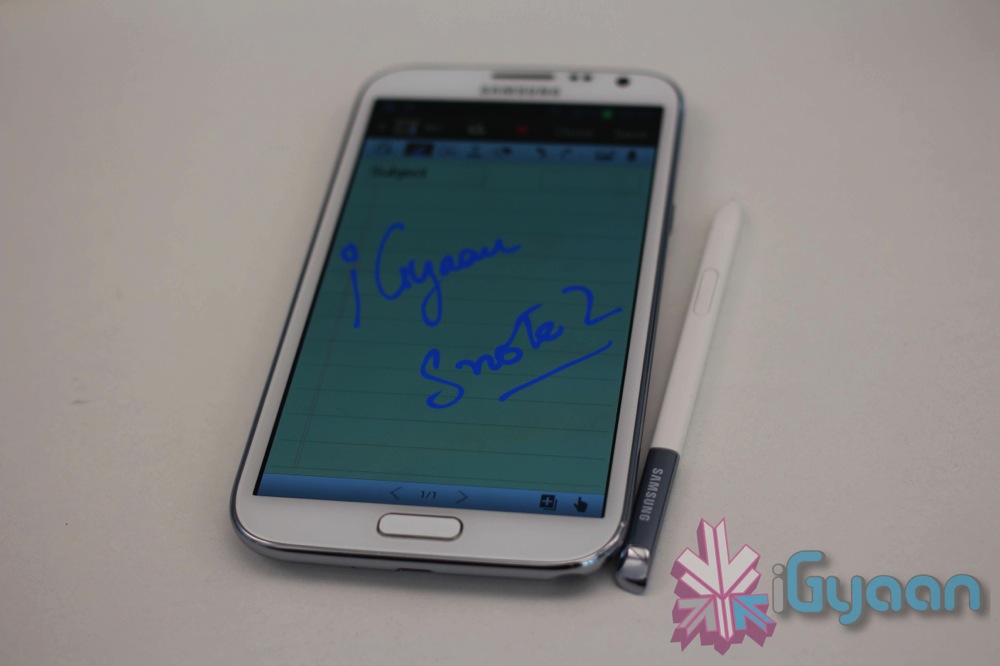
The Galaxy Note 2 Gets Benchmarked on iGyaan
We went hands on at launch in India and were able to run a series of benchmarks on the new Galaxy Note 2, keeping in Mind that the device was not yet the final build. Check out the video and stay tuned for more.
-
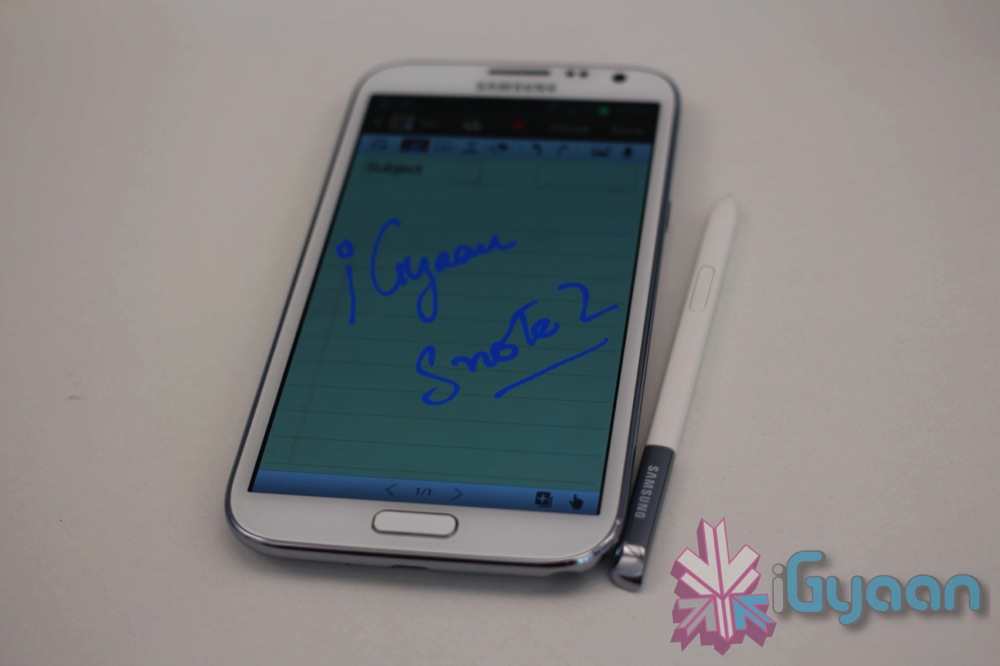
Live Coverage : Samsung will Launch the Galaxy Note 2 in India Today (Video)
Samsung will Launch the new Galaxy Note 2 in India at 2:00 PM IST at an even that will be held in Hyderabad. Make sure you bookmark this page to get the latest updates and watch the Live Video stream.