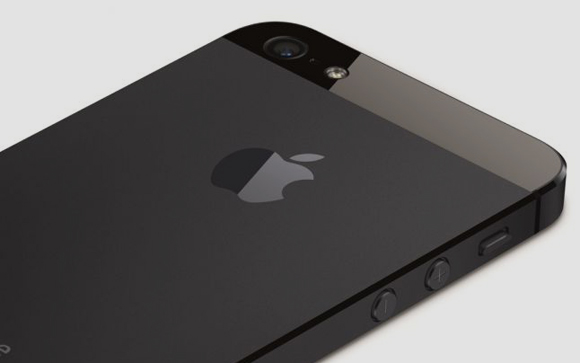
While many claim the though of a budget iPhone device will change Apple’s fate forever, most feel otherwise. The video you see above claims to have the design and build of what everyone will call a budget smartphone from the folks over at cupertino. The video showcases traditional Apple design philosophies and what may possibly the best prediction of what Apple’s budget phone could look like. But is it true? We cant say !
Instagram can take photos and video and add filters that make them look dated, but nothing was more dated than the fact it didn’t support landscape mode.
Instagram for iPhone has been updated with a couple minor improvements that could have a major impact on the way users enjoy the app.
Until now, Instagrammers have been limited to taking photos in portrait mode; while it was possible to turn the phone on its size (the photos themselves are square either way) the interface did not adjust accordingly. In version 4.0.2, iPhone users can now turn the device onto its side and shoot as if using a regular camera app. Taking a photo in landscape lets you hold on to the other side of the phone for support, potentially forging better photos in the process.
The other improvement made to the app, other than the requisite “bug fixes and performance improvements,” is the addition of Cinema Mode when using the front-facing camera. Cinema was a feature incorporated into Instagram videos on the iPhone, improving shakes and other aberrations in rendering.
Instagram hasn’t stated that these improvements will come to Android — Cinema isn’t even available using the rear camera on Android — but we hope it is sooner than later.
Apple released iOS 7 for Beta testers and App developers a couple of days back. While we updated to the new OS in almost utter haste, 48 hours into the update few things are different. There are certain things that once you switch over you will simply adore and get used to. But then there are things that, while iOS 7 is in beta, beckon the user to simply flash back to iOS 6.
Here is what we like about iOS 7
A lot of things have become easier, and although small little changes don’t make sense to the observer, in the entirety of the situation they add up to an amazing overhaul of the usage experience.
Control Center : iOS 7 Control Center, according to my personal opinion, is the most awaited change in the OS. The only reason SBSettings ever existed and the only reason I ever Jailbroke my iPhone. Yes it has existed in Android forever, but Apple put it in a different location. Notifications from the top, control toggles from the bottom. Whether it is building on someone’s idea or simply changing a creation to make your own, it makes sense. Why has no one else ever thought of this? Our money is on multiple apps enabling this bottom toggle drawer on Android in 3 -2-1…..
Page Swiping : To unlock iOS you can now swipe anywhere on the lock screen, you can also swipe back from your Text Messages and Emails to come back into your conversations. It’s not a big deal but I can’t imagine my iPhone without it anymore, and i have used it only for 48 hours with these gestures. Gizmodo shows it off in a beautiful way.
Minimal Design : As we progress into the future, a more minimal approach cleans up clutter and sort of de-stresses the effort. While many elements of the UI are truly unfinished and kiddish, the overall idea is marvelous. The interface is a lot more relaxed and “sober”, for the lack of a better word. It does a lot more with animations and highlight. Once Apple does fix the major design issues, and they must, the UI should be well appreciated by those in the iOS ecosystem.
Blocking: Over a hundred Apps on Android do this, iOS 7 has a wonderful new feature built in that simply lets you block all conversations from a particular number to you phone. Those annoying property sale messages are a thing of the past for me, any new spam number gets added almost instantly. The person calling on the other end gets a busy tone, and you don’t even get a notification. The blocking feature is also premature, I would like to select what all I want to block, only messages or only phone should be an option when they finally roll out. Another feature that would allow you to have a log of all the blocked calls or messages, which users could manually access, would make the feature perfect.
Here is what we don’t like about iOS 7
The OS is still in BETA stage and although it is a bit premature to give out opinion on Apple’s new iOS 7, these are things that may make us switch back to iOS 6.
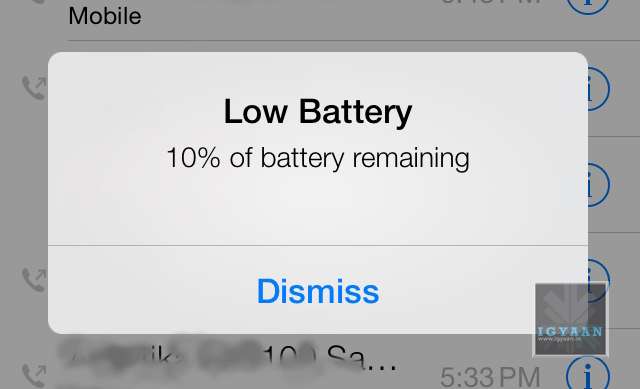
Battery Life : There is only one word : Unfortunate. The battery life on iOS 7 is lower than ever, we do understand that the OS needs to be tweaked and so do the Apps to work with the ecosystem. But an iPhone 5 on iOS 7, heats up like a firecracker and is ready to go off any moment. Even for developers, the reliability of the battery needs to be perfect, before Developers can start testing their Apps on the OS. At present, only a few may be able to get any work done.
Tap Precision : While many will debate the fact that the OS is new, the overly minimal design has made it a lot more difficult to use the iPhone or iPod on iOS 7. At some deeper level this may be Apple’s way of improving concentration with people (Apple a Day, makes you witty and gray). All Apple puns aside, the company needs to ensure that the final build is either more relaxed in terms of precision of tapping, or less minimal.
A lot more design improvements as well as software fixes are required to make iOS 7 stable and ready for public consumption. However, even with the changes that Apple has shown off, the interface lacks a certain finished feel. While some elements are overly appreciated, some bugs have forced us to revert. A phone that requires a charge every 2 hours if of no use. So, While its time for us to switch back to iOS 6.1.4 on our iPhone 5, it is safe to say Apple is headed in the right direction. Are you switching yet ?
Apple today announced the next version of their popular mobile os platform dubbed simply “iOS 7”. While it is traditional “Apple” to bring out requested changes with a lot of hype, this time around Apple has actually overhauled the entire OS.
iOS 7 actually puts together a great mix of design and usability and the fact that Apple has incorporated features that were missing from the OS makes it a lot more exciting. Lets start off with a few of the highlighted features.
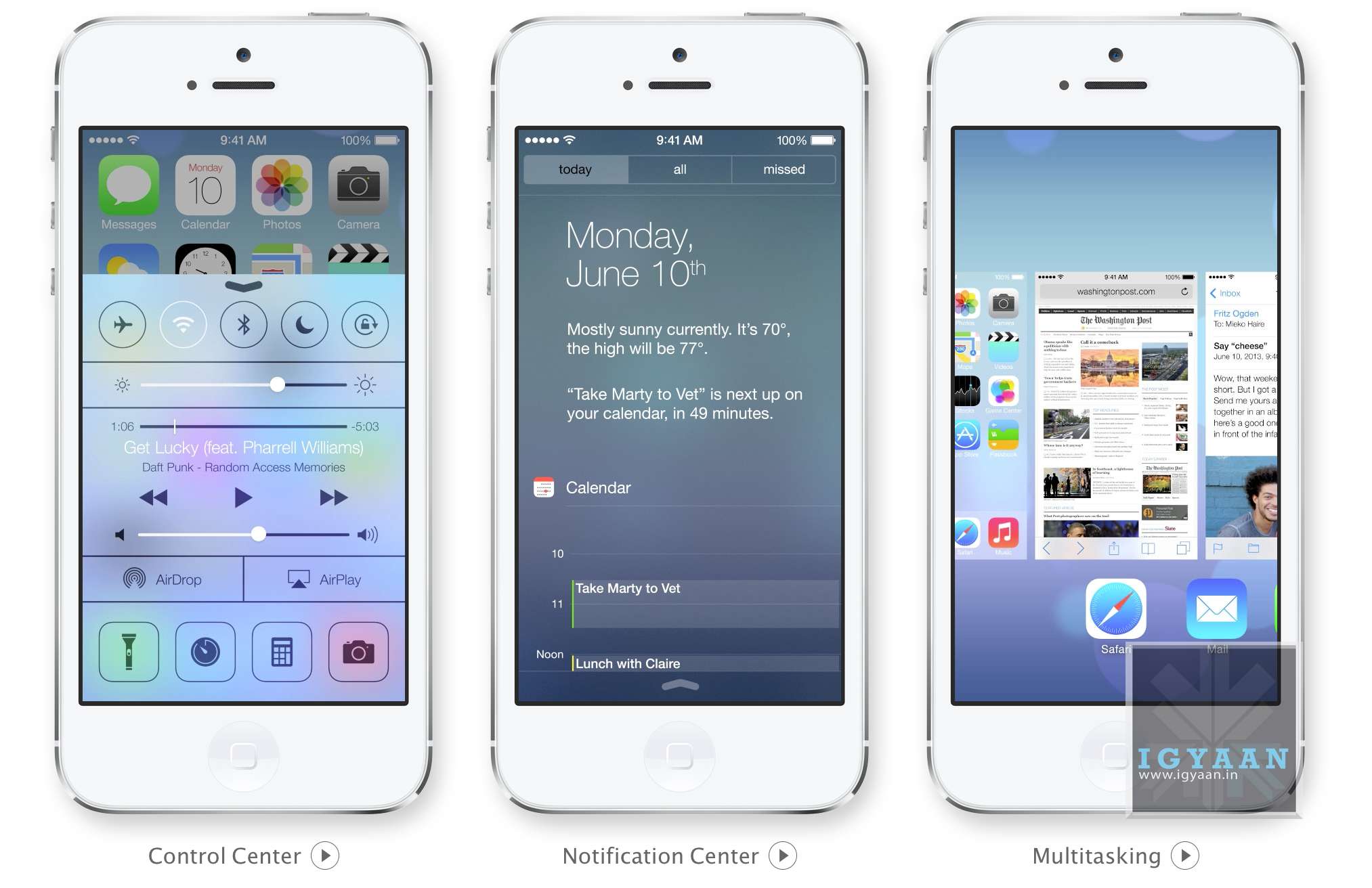
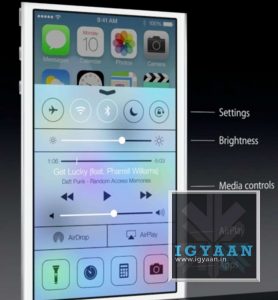
iOS 7 Control Center:
Apple has simply added all you could ask toggles into iOS, Wifi, Bluetooth, Airplane mode, and even brightness can now be accessed by simply swiping from the bottom of the screen. Access Do Not Disturb or Lock your screen’s orientation or Play, pause, or skip a song. Connect to AirPlay-enabled devices. Quickly access your flashlight, timer, calculator, and camera.
This has been one of the most anticipated features on iOS especially after the huge success of the toggles in Android, Apple has created a whole new gesture to access just toggles from the bottom of the screen.
Notification Panel in iOS 7
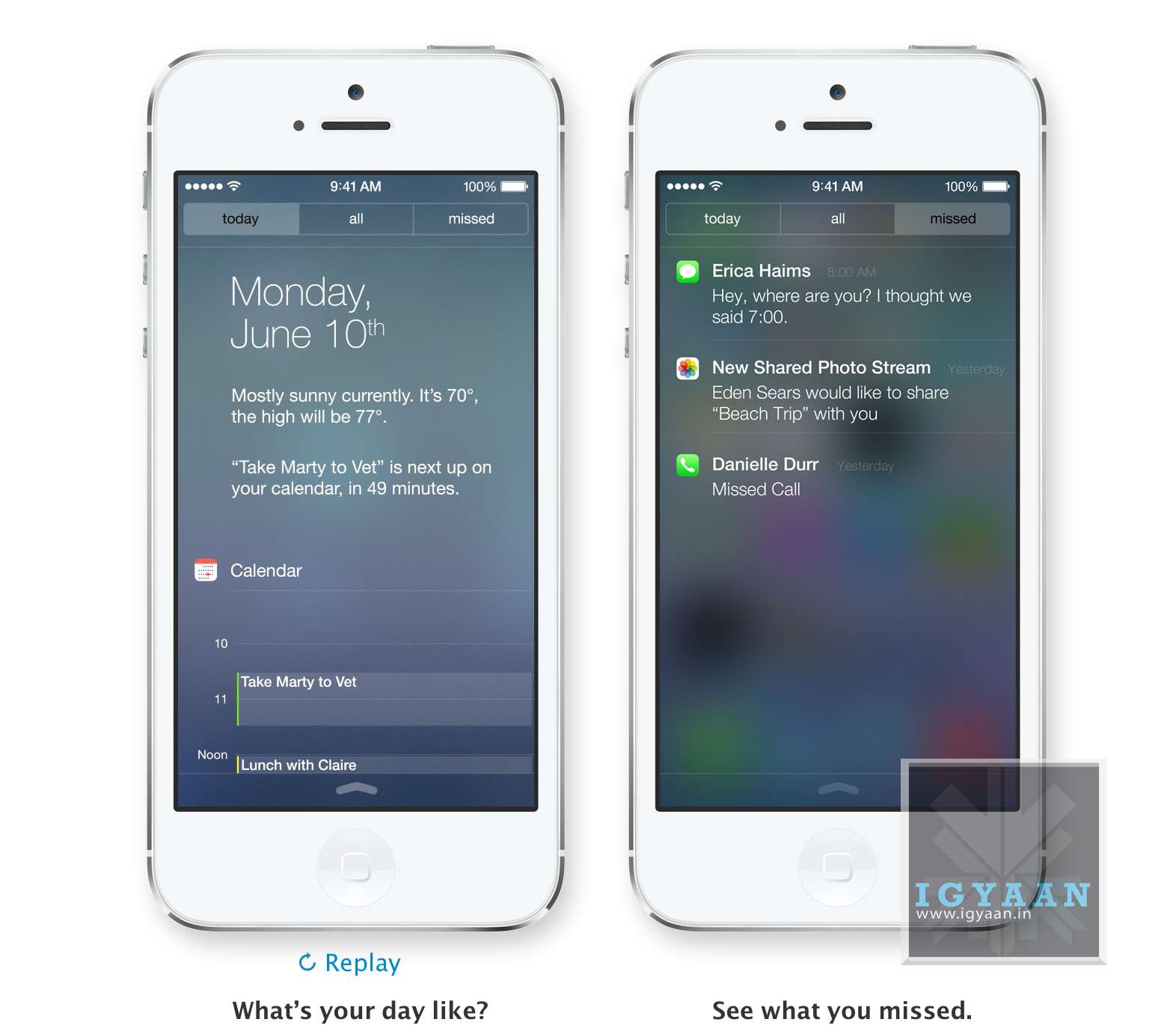
iOS7 Notification Center : Today
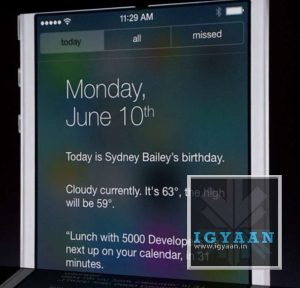
The Notification center in iOS 7 will come with a Today tab, that will only give you notifications that are relevant today; birthdays, reminders, appointments and weather etc. You can access Notification Center from any screen, including the Lock screen. Just swipe down.
iOS 7 Multitasking
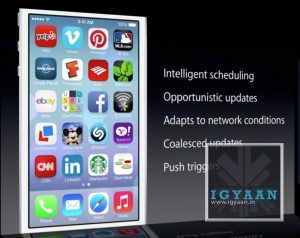
With iOS 7 Apple has allowed all App developers to access Multitasking built into the OS, which will now enable better battery utilization and allow apps to run in the background while you focus on other tasks. The good thing is that iOS 7 learns when you like to use your apps and can update your content before you launch them. So if you are up every morning checking up on Facebook and Instagram, the feeds will be updated just before you check daily.
Quitting and managing background apps uses the new card style design. Press the Home button twice to see preview screens of the apps you have open. To quit an app, just swipe it up and out of preview. iOS 7 also automatically schedules updates during power-efficient times. Like when your device is on and connected to Wi-Fi you device will be magically updated.
iOS 7 Camera and Photos
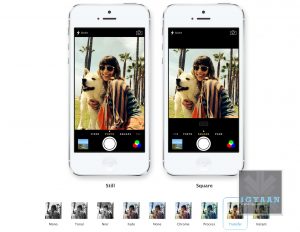
Along with changing the design of the camera interface Apple has added a square picture feature right into iOS 7, allowing users to create those famous 4×4 stills and add filters. Honestly, we can’t wait to try out the new filters.
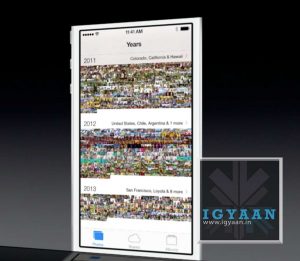
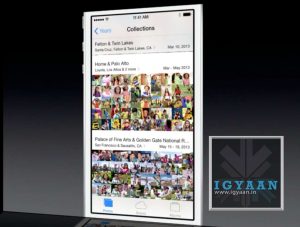
iOS Photos app has been a long list of clicked images from a camera roll, almost impossible to navigate, and that changes with iOS 7. Apple has added new features into the photos app called Collections, Moments, and Years ; essentially smart groupings of your photos and videos based on time and place. Tap Years and all your shots fill the screen. Each year holds Collections, like your trip to out of town and in that Collection are distinct Moments like from a monument on the trip or even a restaurant. An incredibly wonderful way to use all the meta data collected by the camera.
collections
filters
Photo Streams have also been updated to allow other users to add into your Photostream to allow for one consolidated Photostream between groups or even between 2 people.
AirDrop on iOS 7
iOS 7 AirDrop
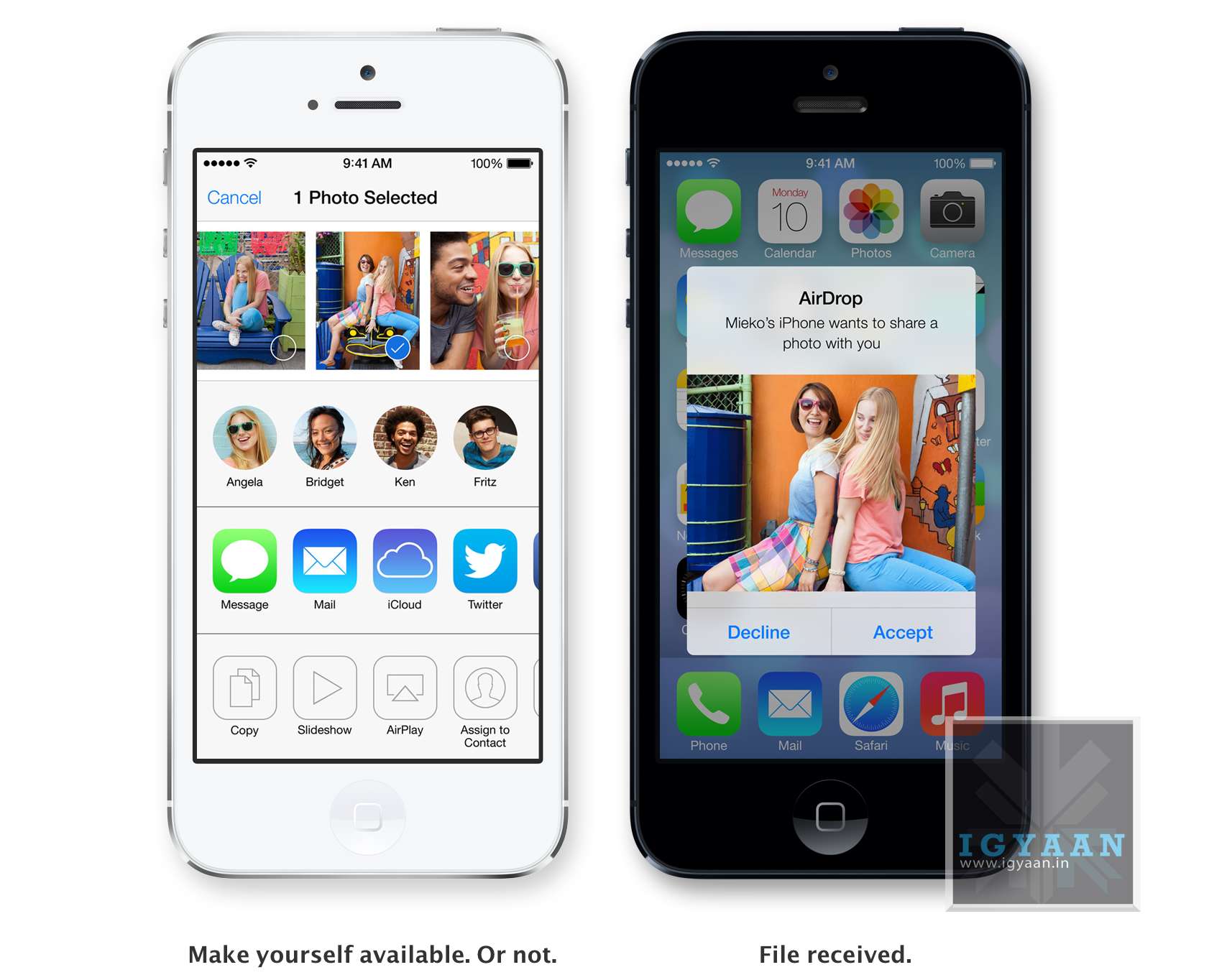
Airdrop has been excellent on the Mac, and sharing files is easier than ever. Apple has implemented the same features into iOS and now finally after almost 7 years of existence Apple devices will be able to share files amongst themselves via Airdrop. The feature will allow users to easily share photos, videos, contacts — and anything else from any app with a Share button. This will be available to other developers so they can build it into their apps.
iDevices on iOS 7 are automatically visible in AirDrop to the contacts nearby running iOS 7. But you can also make yourself visible to anyone nearby using iOS 7 or to no one at all, almost like bluetooth, but via WiFi. Recipients can choose to save whatever you send. When they do, the content is saved right where it needs to be and files can be shared to multiple users together.
Safari
iOS 7 Safari
Safari was updated on the new Mac OS X Mavericks and the same features comes to the new Safari on iOS 7. Buttons and bars stay hidden until one scrolls to reveal them, more content is then available on the screen.Browsing is now based on swipes , swipe left or right to go back or forward a page.
Just like with Safari on mac, the URL bar now allows you to search and Safari automatically suggests the closest match to what you’re looking for. The new Safari on iOS 7 lets you scroll your tabs in a new Vertical Cover-flow type UI. Shared links allows users to see all the URLs in theTwitter timeline, who posted them, and what they had to say about them. The new Reading list also enables you to remember something you read about.
However, one of the best features of iOS 7 Safari has to be the integration of iCloud Keychain. iCloud can now remember your account names, passwords, and credit card numbers for you. And Safari can enter them automatically whenever you need to sign in to a site or shop online. It works on all your iOS 7 devices and your Mac computers running OS X Mavericks. This feature makes life a lot easier for everyone, while security may be a concern initially, but one consolidated password vs a hundred makes life easier. Passwords are also suggested by Safari automatically for new signups, but we are unsure if this feature comes to Mobile Safari.
iTunes Radio
iOS 7 iTunes Radio
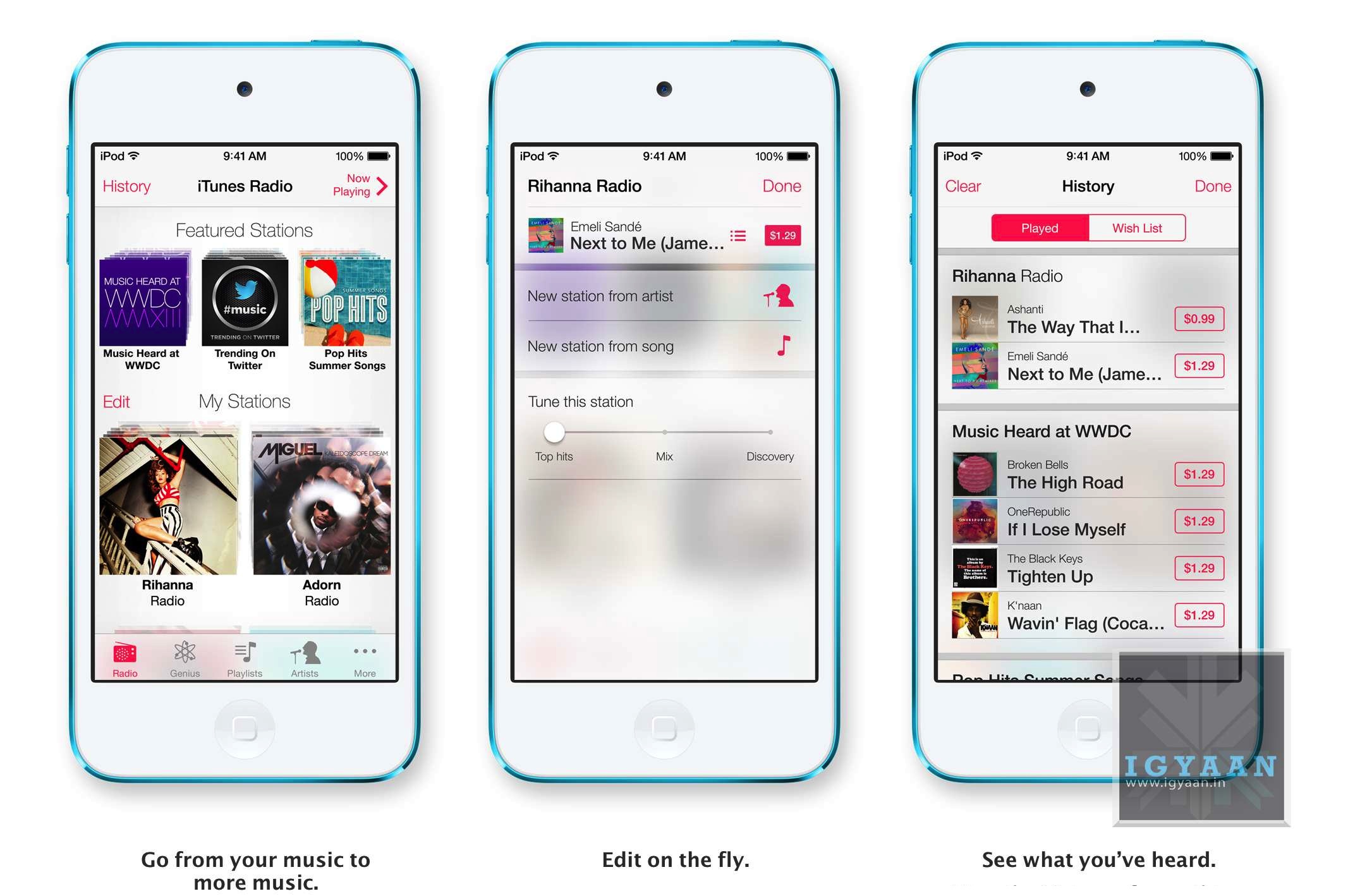
Apple’s answer to all the streaming music services, iTunes Radio features streaming radio stations directly in the Music App. It personalizes your listening experience as you listen more and more and makes songs play automatically to your preferences from the past. You can access Featured Stations, stations inspired by music you choose or already listen to, and more than 200 genre-based stations. The Ability to create new playlists ; stations while you listen in is great and you can also see a list of all the songs you have heard and instantly purchase them if you like from the iTunes Store. The only downside iTunes Radio will only be available to the US at launch.
Siri on iOS 7
Siri on iOS 7
Siri has been a true driver of sales for Apple, and rebuilding Siri was one of the things Apple was expected to do. The new Siri has a brand new voice, which is less robotic and more fluid. You can also change the sex of the voice from Female to Male and even select between several languages.
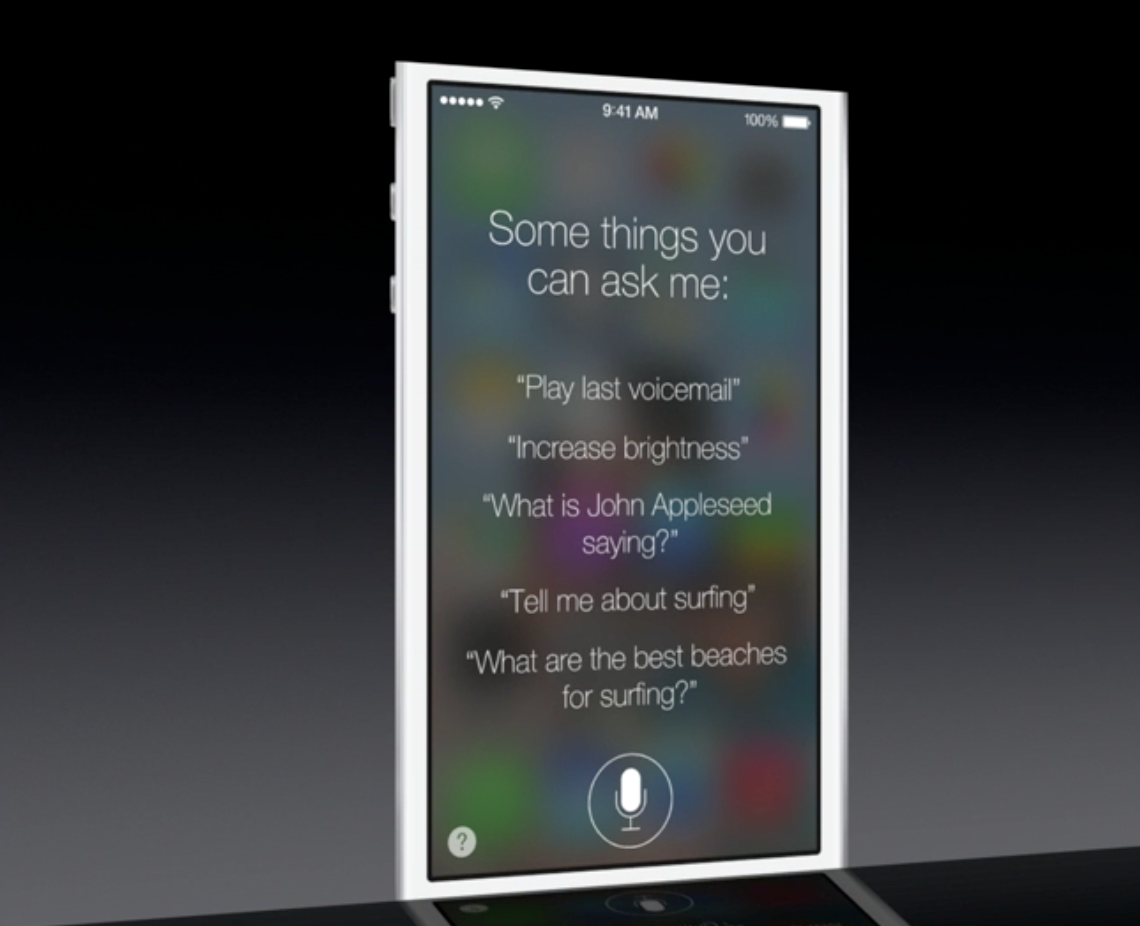
Siri is faster at answering questions and checks more sources, such as Bing, Wikipedia, and Twitter. And it takes on extra tasks, like returning calls, playing voicemail, controlling iTunes Radio, and more
The new Siri UI looks good too, when you ask Siri something, audio waves move across your screen, letting you know Siri is listening and processing your request. Answers are now shown directly in Siri, including web search results. You now also get results from Wikipedia and Twitter.
Find My iPhone
iOS 7 Find My iPhone
The biggest most notable change in Find My Phone is the ability to lock the lost device from future activations, making a stolen iPhone a simple paper weight. In case a lost phone cannot be recovered, the person who finds it cannot own it, because turning off Find My iPhone or erasing your device requires your Apple ID and password. Find My iPhone can also continue to display a custom message, even after your device is erased. And your Apple ID and password are required before anyone can reactivate it. Which means your iPhone is still your iPhone.
App Store on iOS 7
iOS 7 App Store
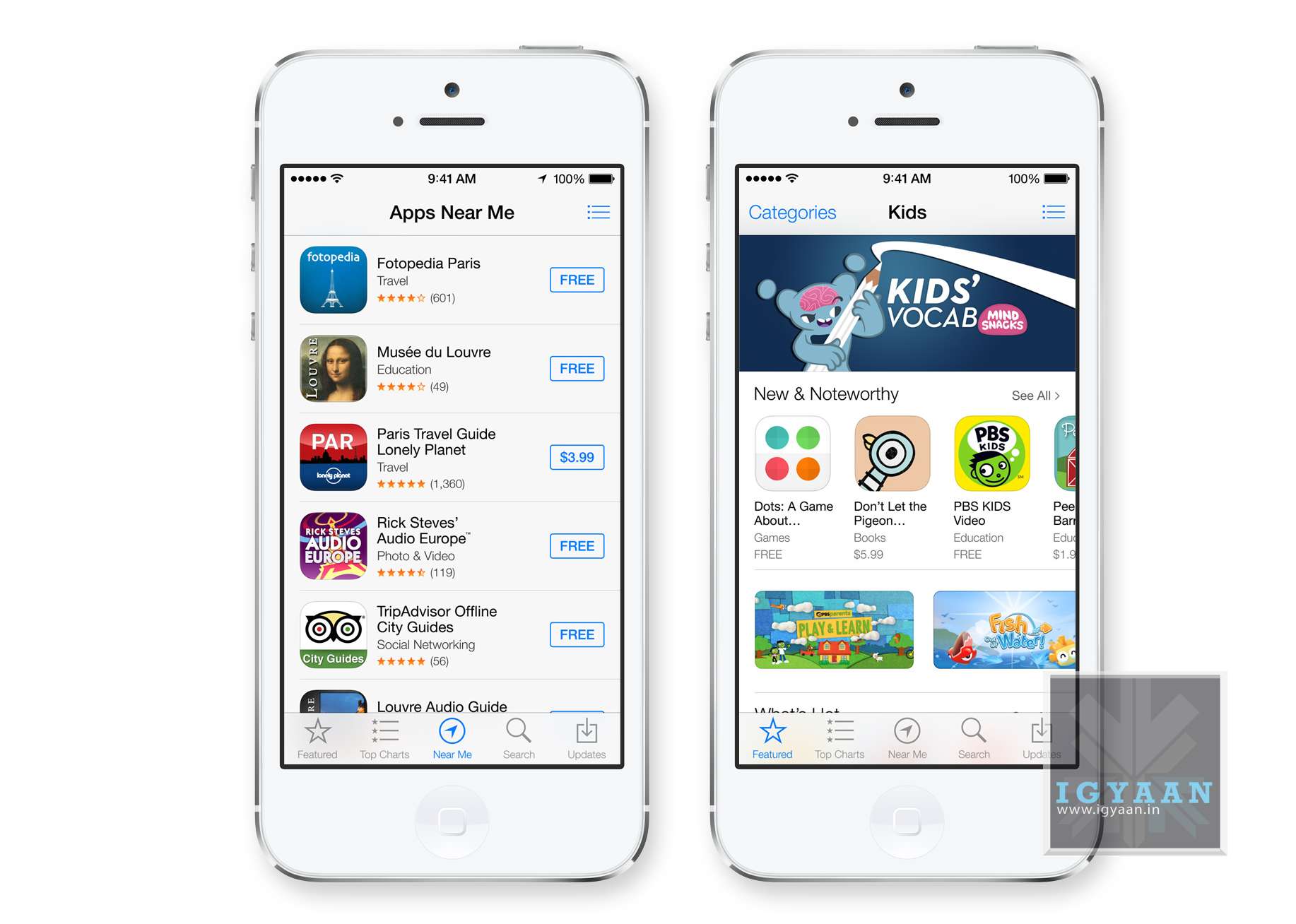
Apple has really played with location based services in the past and with the new iOS 7, the App Store shows you a collection of popular apps relevant to your current location.A special Kids category spotlights the best apps for children based on age. So now selecting apps for toddlers will be easy. iOS 7 also keeps your apps up to date automatically so you don’t need to go into the App store and update them manually.
iOS 7 in Car
While this feature may never reach Indian cars, it is worth noting that this may lead a revolutionary change to the way mobile devices connect with vehicles. I
If your vehicle is equipped with iOS in the Car, you can connect your iPhone 5 and interact with it using the car’s built-in display and controls or Siri Eyes Free. Now you can easily and safely make phone calls, access your music, send and receive messages, get directions, and more. It’s all designed to let iPhone focus on what you need, so you can focus on the road.
Many companies have claimed to offer these features via Bluetooth, and apps within ecosystems of iOS and Android but a total package of in car access would be great to have.
Apple has finally delivered on expectations for a lot of anticipating owners of iDevices. Even though most of the features could have been implemented in previous edition of the mobile OS, Apple’s new iOS 7 brings a refresh to an almost stale OS in desperate need for change. Has Apple managed to woo the audience? We think so! But, how these features actually work will determine the capability of the new iOS 7, because no body would like another iMaps fiasco!
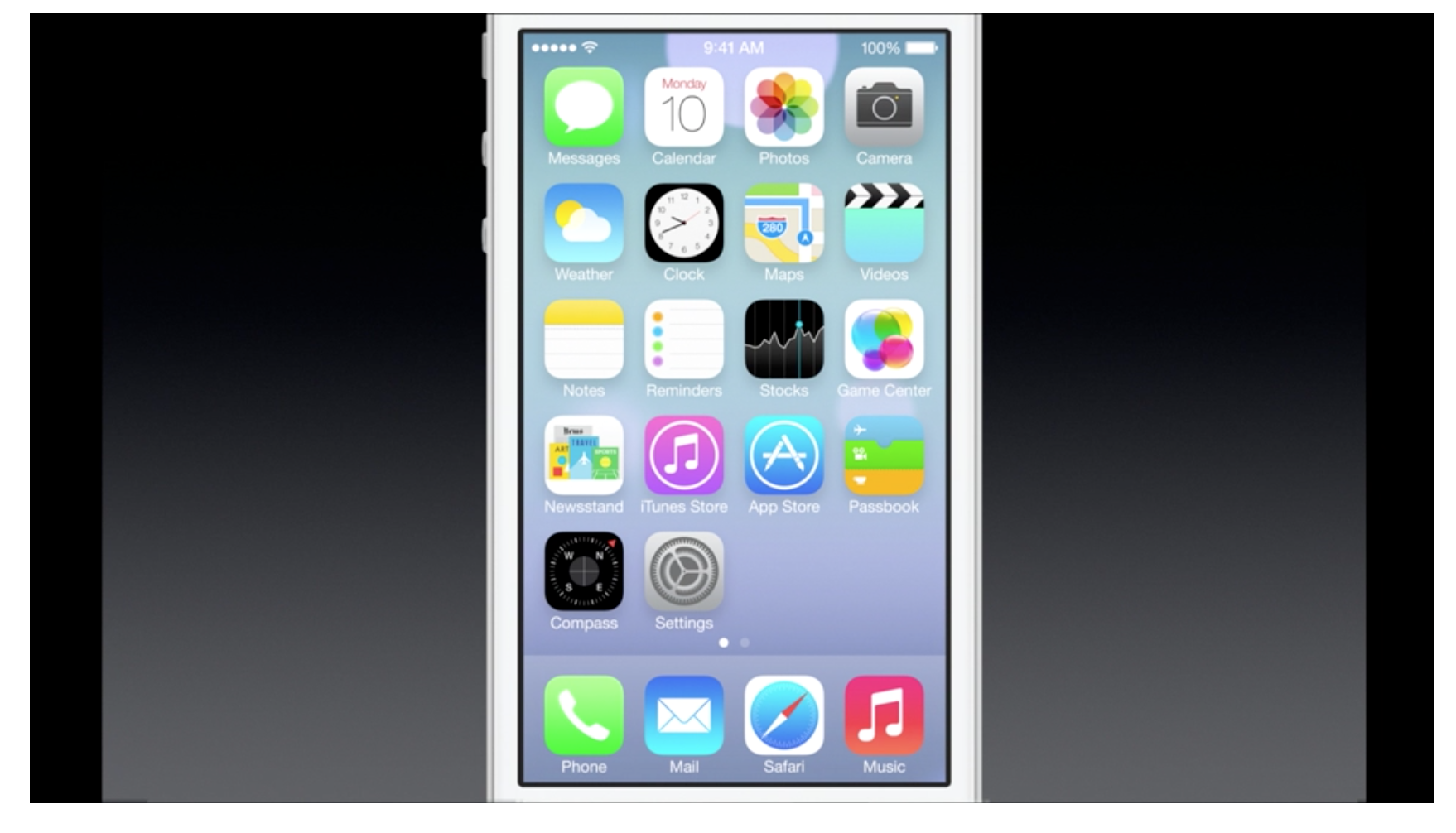
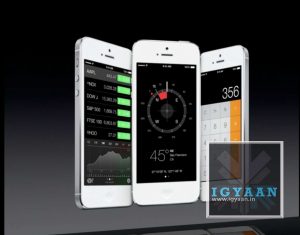
Apple has just announced “the biggest change since the launch of the original iPhone” ; iOS 7. The new interface is beautifully designed with a new layer of colors and icons. Transparency plays an important role here, along with gestures.
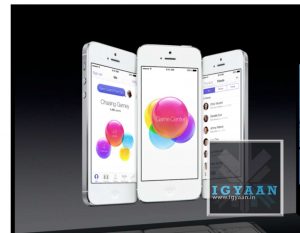
Folders have pages, for multiple apps and the Game Center now does not have any green felt.
Notification center has a today view and can be accessed from the lock screen. But the most awaited feature : control center has been made available , simply swipe from below and all your quick toggles are front and center even from the lock screen.
Multitasking is available to all Apps now, allowing better battery life.
Apple Apps
reading
game center
Notification center
control center
App updates
dialer and phone
iOS now features Air Drop, allowing sharing of files through wifi just like on mac. Select multiple people by tapping, “no need to run around the room bumping your phone” hah.
The new features of Safari from Mac have been brought to the iOS, tabs reading lists, auto fill keychains and passwords.
The new Camera allows square cropped photos with filters for apps like Instagram, along with new Photos app which features moments and collections for better organization of photos. Of Course sharing of
Siri now has been updated to look great and do more functions, Siri also has a new voice in both male and female tones.
Siri can now Increase Brightness and toggle functions.
Its 2013, and what has been almost 6 years from the announcement of the original iPhone back in 2007, Apple will today announce a new version of iOS deemed “iOS 7”. WWDC or the Worldwide Developer Conference is Apple’s yearly conference with its developers to show off what the company has designed for the developers to make functional apps in the oncoming year.
Apple iOS 7
Apple’s prized possession; the mobile os to power their extremely popular portables, has led the company for over 5 years into undeniable success. This year around John Ive’ design philosophy takes over that of Scott Forstall, which makes the design exceptions of the iOS 7 a lot flatter vs the skeuomorph designs of Forstall.
Apple may also change their closed nature towards third party apps allowing them to be set as default apps (eg. presently default browser cannot be changed from Safari), this might make the experience of iOS 7 a lot more personal.
Apple removed all Google based apps from the default apps list on iOS, including Youtube and Maps to replace with their own, this time around we are hearing of partnerships with Yahoo to provide Flickr integration along with Tumbler posting, possibly directly from the notification panel, a spot presently secured by Facebook and Twitter.
There is a also a possibility of Apple integrating quick toggles in the Notification panel or even as direct apps, something that would be widely appreciated.
Apple has also signed a deal with Sony Music among other major music companies, enabling the possibility of “iRadio” a music streaming service directly from Apple. As “the Guardian” points out a mix of iRadio and Genius playlists would put Apple in the forefront of all competition simply because the Genius playlists would automatically play music like the music you already like listening to.
Mac OS X (10.9)
Apple will also announce the next version of Mac OS dubbed 10.9 and will also include a Lion in its commercial name, this iteration of the OS for their portables and desktop is expected to be midway between a tablet and a pc, allowing more direct availability of Apps.
Apple is also expect to update key features of the OS, including notification center and Siri Integration within the OS.
Other Expectations and Rumors
iWatch : Apple wearable control device which has been heavily rumored ever since Apple changed the design of the multitouch iPod Nano from the Square watch band friendly to a vertical more media player-esque design. Although a wearable Apple product sounds interesting, many previous editions have failed to grab market attention.
Apple TV: Apple has also been toying with the TV industry for years hinting at a piece of hardware that will revolutionize the Television industry. Whether this “Jesus TV” will ever be launched is unknown. But Apple will need to update its current gen Apple TV (box), so atleast a refresh of the 100 $ TV is expected.
App Ecosystem: Rumors have suggested in the past that Apple will launch a better App Store allowing more flexibility in a way a user buys an app. Possible examples could include renting of Apps and even trial periods as seen on Windows Phone.
While it is almost always impossible to know what Apple has up its sleeve, it is almost certain that no new iDevice hardware is expected to be launched at WWDC, no new iPhone, iPad or even iPOD is expected. But, with everything so well under wraps, the world might just be shocked as Tim Cook walks onto stage with a shiny new hardware, that may set to create yet another category in the buying space. We will get you all the details during the launch.
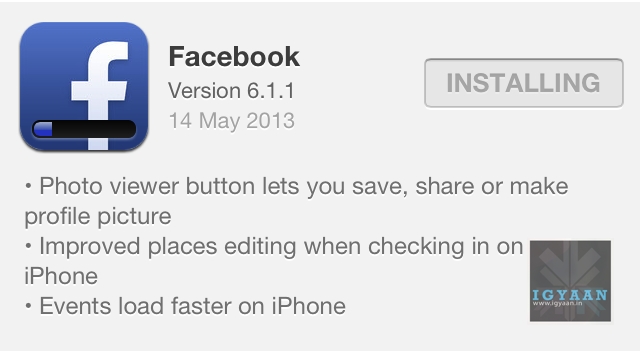
The Facebook App on iOS just got an Update on their version 6.1.1 . The new update brings about a Photo Viewer button that lets you save or share an image you are viewing from your handheld, and also set is as you profile image, making handling of images a lot better on iOS devices.
A few other improvements include , enhanced “places editing” while checking in on the iPhone on Facebook and faster load times for Events which are compressed on server side and delivered to the handsets.
Facebook has seen a growth in Mobile Platform usage for its apps by almost 200% in the last year and the company expects these numbers to grow tremendously in the coming two quarters.
Starting right now, iPhone and iPad owners can get Google Now on their devices.
Google Now is a personal assistant, Siri’s rival, if you may, which brings on a combination of Google Search and personalized everyday “cards” showing what a user wants to know about every day elements like weather, sports, and calendar items.
Google announced on Tuesday that the service, which has been available for about nine months on Android phones and tablets running Jelly Bean, will be available for free as part of an update to the Search App in the iTunes App Store.
Get just the right information at just the right time with Google Now.
– weather and traffic conditions before you start your day – updates on your favorite sports teams and breaking news stories as they happen
The app appears to be exactly the same as the Android version with the exception of users being able to swipe up to launch the Now application. Google, though, reports that 22 of the 29 card types found on the Android version of Google Now are making their way to the iOS version, with airline boarding passes, Fandango, and local events being among those not making the transition.
Google Now pulls information from all of your Google services like Search, Gmail, Calendar, Maps, Chrome browser history, and anything else that is connected to your Google account, then it provides pertinent information to the smartphone owner before they know they need it.
Our initial impression of the service is that it works seamlessly! It picked up our commands with ease and returned accurate information.
There have been some whispers floating around the web tonight that hint that Apple may be having trouble preparing for an iOS 7 launch down the road. Multiple rumors put the debut of iOS 7 some time this summer at Apple’s Worldwide Developer’s Conference with a launch a couple months later, but Apple could be struggling to meet that deadline.
In a Branch chat, which at the time of this writing is still going on, Daring Fireball’s John Gruber says, according to what he’s heard, iOS 7 is running behind schedule and that it will bring a significant user interface (UI) refresh.
What I’ve heard: iOS 7 is running behind, and engineers have been pulled from OS X 10.9 to work on it. (Let me know if you’ve heard this song before.)
Gruber went on to say that he’s heard that iOS 7 is a “significant system-wide UI overhaul” and the iOS engineers who are allowed to carry around devices with iOS 7 on them even have special privacy filters on their devices which reduces viewing angles. This is to prevent others from accidentally getting a glimpse of the new iOS design.
Back in 2007, Apple delayed the release of OS X Leopard to concentrate work on iPhone. Gruber claims that since iOS 7 development is “running behind,” it has promted OS X 10.9 engineers to be pulled from their work to lend a hand in getting the mobile OS ready in time for launch.
Rene Ritchie of iMore adds, “Ive’s work is apparently making many people really happy, but will also apparently make rich-texture-loving designers sad.”
As for what could be on the iPhone 5S, both Siegler and Panzarino say they’ve heard a lot about biometrics on the new device. The feature would apparently be used for payments and identification. Panzarino notes it wouldn’t be surprising to see AuthenTec’s biometric technology in Apple devices so soon after Apple purchased the company last July because of the urgency of the deal.
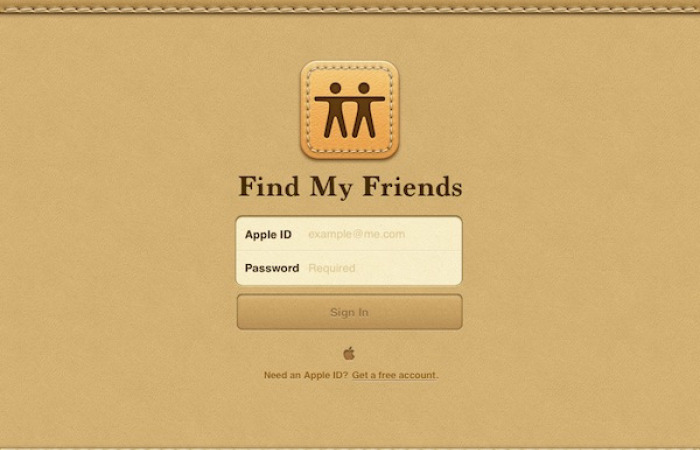
Apple has updated its Find My Friends app. Version 2.1 now features a new UI to search and set location-based notifications. Probably the nicest part of the update is the ability to set a distance threshold from a certain location.
While Find My Friends is a little harder to setup and tweak compared with the very simple Find My iPhone app, it is a nice way to share your location with friends and family who are using iOS devices.
Find My Friends “Notify Me” page now features a customizable boundary, or geofencing, option that can be expanded or contracted around a located iOS device. Users can adjust the monitored area around a device by selecting the “Change Location” button, which resets the geofencing threshold to allow for more accurate location-based notifications.
With the added functionality, users can select and manipulate the purple circle representing the geofencing around a tracked device, giving a bit more customization to the previous set threshold.
The Next Web reports :
The new interface for setting up those alerts has been tweaked to let you set the exact distance threshold from a location. This lets you fine-tune the sensitivity of an alert for, say, two different buildings on a campus. If you just wanted to know when someone is ‘home’, the older process with a ‘fixed’ zone was fine, but if you were looking to get notices when someone gets into a neighborhood, it was pretty much impossible.
Firaxis has announced that the full version of console and PC strategy title XCOM : Enemy Unknown will release on iOS.
XCOM‘s developers spoke with Joystiq on Saturday after revealing the iOS port of the award-winning strategy game during a PAX East panel. The iOS version of XCOM : Enemy Unknown, they said, will arrive fully intact, with all the features available on its PC and console counterparts.
“It is a straight port,” XCOM lead designer Jake Solomon said. “We have not made any gameplay exceptions. You play the exact same game… it’s just now fully playable on an iPhone or an iPad.”
XCOM : Enemy Unknown is a re-imagined version of the 1994 game X-COM: UFO Defense. The game puts players at the head of a secretive agency charged with protecting Earth from extraterrestrials. Players must monitor alien activity throughout the globe and respond to it with force. They can scramble jets to shoot down UFO’s, or send teams of agents into battle against alien ground forces. Players will directly control their agents in turn-based battles. They’re also in charge of researching new technologies to ensure that their team is adequately equipped to stop the alien invasion.
The game’s developers stressed that XCOM : Enemy Unknown on iOS will be a premium product and priced accordingly.
“It’s going to be priced appropriately for what it is,” Solomon said. “It’s going to be a premium price point. It is the game. It is the full game.”
Some questions remain, however. Will multiplayer make the port? Will any kind of cross-platform saving or online matches be possible?
Back in October, iOS leader Scott Forstall was, along retail SVP John Browett, removed from Apple. It was a surprising decision, even after the nightmare iOS 6 Maps issue, but it quickly emerged that Forstall, in particular, had stepped on more than a few toes within the Cupertino executive ranks. Jony Ive, head of Industrial Design and credited with molding the vast majority of the company’s recent success stories, was said to strongly disagree with Forstall’s rampant skeuomorphism within the iOS UI, and since the Englishman has taken on the role as leader of Human Interface following Forstall’s departure, it now looks as though he plans to remove all remnants of the former iOS Senior Vice President.
Jonathan Ive is pushing for a more ‘flat design’ to iOS 7, reports the WSJ.
In the past, most of the iOS designers were cut out of the loop on specifics relating to the hardware of the devices they were designing for. On prototype projects, Ive used a stealth group of software developers. However, that is slowing starting to change, says the Journal.
The Human Interface team led by Greg Christie is being briefed about industrial prototypes earlier. A source described the change as “a thawing”. Ive now sits in on the team’s review sessions to vet new designs and despite Christie being a blunt talker the sessions are described as “pleasant and cordial”.
Some suggested that in Apple’s next mobile operating system, Ive is pushing a more “flat design” that is starker and simpler, according to developers who have spoken to Apple employees but didn’t have further details. Overall, they expect any changes to be pretty conservative. For the past few years, Apple has unveiled versions of its mobile operating system in the summer.
While this report makes it sound as though there won’t be any earth-shattering changes made to the next version of iOS, a slight makeover could be in the cards. That obviously isn’t going to sit well with anyone that’s hoping for a major overhaul of iOS
Apple released iOS 6.1.3 Tuesday, a software update that makes improvements to Maps in Japan and, more importantly, fixes a bug in iOS that allowed someone to bypass the lock screen on an iPhone and access the phone app.
Built into the latest point release of iOS, 6.1.3, the fix repairs the flaw, which when exploited granted access to a device’s contacts, voicemails and photos.
The update is available for iPhone 3GS, 4 and 4S, iPhone 5, all iPads following iPad 2 and all iPod touch devices after the 4th generation iPod touch. The size of the update for the iPhone 5 is 18.2MB, while it is 28.5MB on the iPhone 4S.
The new version appears to be rolling out in waves, and iOS device owners will at some point receive a notification that their devices are eligible for an update.
The new release of iOS comes nearly a month after Apple pushed out a beta build of 6.1.3 with a fix for the lockscreen bug.
The update also contains fixes for the Apple Maps application for Japan. Apple has been tweaking the Maps app for Japanese iDevice owners since February, focusing on pronunciation and other aspects of turn-by-turn navigation.
Updating the iPhone’s mapping capability via a system software update, however, suggests that Apple is tying Maps deeper into the base operating system itself. Apple’s Map Kit Framework Reference already enables embedding maps directly into third-party apps, as well as supporting annotations, overlays, and reverse-geocoding lookups.
[toggle title=”Change Log”]About iOS 6.1.3 Software Update This update contains improvements and bug fixes, including:
Fixes a bug that could allow someone to bypass the passcode and access the Phone app Improvements to Maps in Japan For information on the security content of this update, please visit this website: http://support.apple.com/kb/HT1222.[/toggle]
Users of Apple’s iOS platform who are utilizing popular instant messaging application WhatsApp could be looking at subscription fees headed there way this year if reports prove true.
WhatsApp CEO Jan Koum recently revealed in his statement to a Dutch journalist Alexander Klopping that the service will be introducing annual paid subscriptions to its iOS app this year. Once it takes effect, users will have to pay annually to use the app instead of paying a single download fee at the outset. The new subscription model will only apply to new users, and not to existing users.
Currently, one of the perks to owning iOS is that WhatsApp for iOS is a onetime payment of $0.99. Other platforms like Blackberry, Windows Phone and Android get to download the app for free, but after a year they are expected to pay $0.99 in subscription fees every year. It’s not a very huge fee but ultimately it could cost more than its iOS counterpart.
Koum hasn’t identified an exact date on when the subscriptions would begin, nor did he clarify much on why WhatsApp decided to change its pricing model, although a likely cause could be increased competition with the likes of LINE, Kik Messenger, and KakaoTalk, along with a number of other apps, most of which have exceeded 100 million users total with the exception of KakaoTalk, who had 57 million registered users as of August 2012, and is likely coming close to the 100 million mark.
For those waiting on a desktop version of WhatsApp to be used with Windows 7, Windows 8, and Mac devices, Koum revealed that, unfortunately, a desktop version is not in the pipeline:
“We get that question asked a lot. We feel strongly that the world is moving to mobile and … we want to be mobile-only. Your phone is with you all the time, and desktop is to many becoming a secondary experience. … our answer is no, not anytime soon.”
BlackBerry will launch its Secure Work Space solution for iOS and Android devices in Q2, with a formal announcement at BlackBerry Live in May.
BlackBerry Secure Work Space promises to emulate some of the functions of BlackBerry Balance, which is an integral part of BlackBerry 10, and allows enterprises to have control over confidential data while still providing employees with a fully functioning smartphone.
BlackBerry Balance effectively creates two different profiles on any device, with administrators able to create their own application store that host custom apps as well as software from the public BlackBerry App World that has been approved for use in the workspace. Once approved, these applications can interact with other work apps and secure data.
Secure Work Space will operate slightly differently, but will provide secured client applications for email, calendar, contacts, tasks, memos, secure browsing and document editing, while additional apps can be secured and added to the workplace without the need to modify the source code
The Canadian manufacturer claims that the update will save its enterprise customers effort and expense as they will no longer have to configure and maintain expensive VPNs to provide access to data and applications behind a corporate firewall. It hopes that its reputation for mobile security and management will tempt companies who operate in a Bring Your Own Device (BYOD) environment.
“With Secure Work Space for iOS and Android devices, we’re extending as many of these (Balance) features as possible to other platforms,” said David Smith, BlackBerry’s head of mobile enterprise computing, in a statement.
BlackBerry’s move comes just as Samsung, whose line of Galaxy devices have gained great popularity, attempts to make itself a more viable option for enterprise customers with security features such as Samsung Knox and SAFE, or Samsung for Enterprise.