Category: iOS

  • Jott Messenger : How to Text Your Friends Without Using Wi-fi or Data

    Jott Messenger : How to Text Your Friends Without Using Wi-fi or Data

    Most of us got our first phones when we were 16 or maybe 14 (if you were lucky). A recent study proved that 88% of teenagers these days actually get their phones between ages 13 to 17. Naturally, no teen is spotted without his or her mobile phone today as they are active on social networking sites and are constantly texting their peers, whether in school or outside.

    In India, most schools don’t permit phones within school campus but in the US, it’s okay to carry your device and be logged in all day. However, what happens when you can’t text due to limited balance or an improper data plan? You get Jott!

    jott

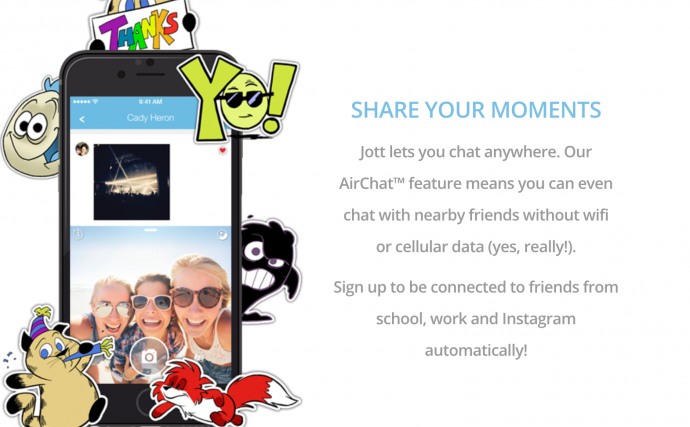
    Jott is the perfect app for Junior high schoolers and high schoolers as it functions without the internet or a data plan. Sounds ideal? Yes, this app lets you chat with anyone within a closed network and within a 100 foot radius of the school campus. This means you can stay connected all day, whether its social or just exchanging notes.

    Jared Allgood, creator of Jott has managed to push the app in the top 75 apps being used by iOS and this is no easy feat. Jott already has a huge user base of half a million users, as of March and is growing from strength to strength with 15,000-20,000 users joining the app, everyday. So how does this app work?
    jott 3

    It works using the help of a mesh network “that operates on Bluetooth low energy or using a router that can reach within 100 feet of each user,” according to Techcrunch. This is different from sending a normal text messages that uses the help of cell towers to convey your text. Thus, anyone within close proximity, that is, a 100 feet can be easily accessed and spoken to.

    Make Friends Within Your School or Any Closed Network
    jott 2

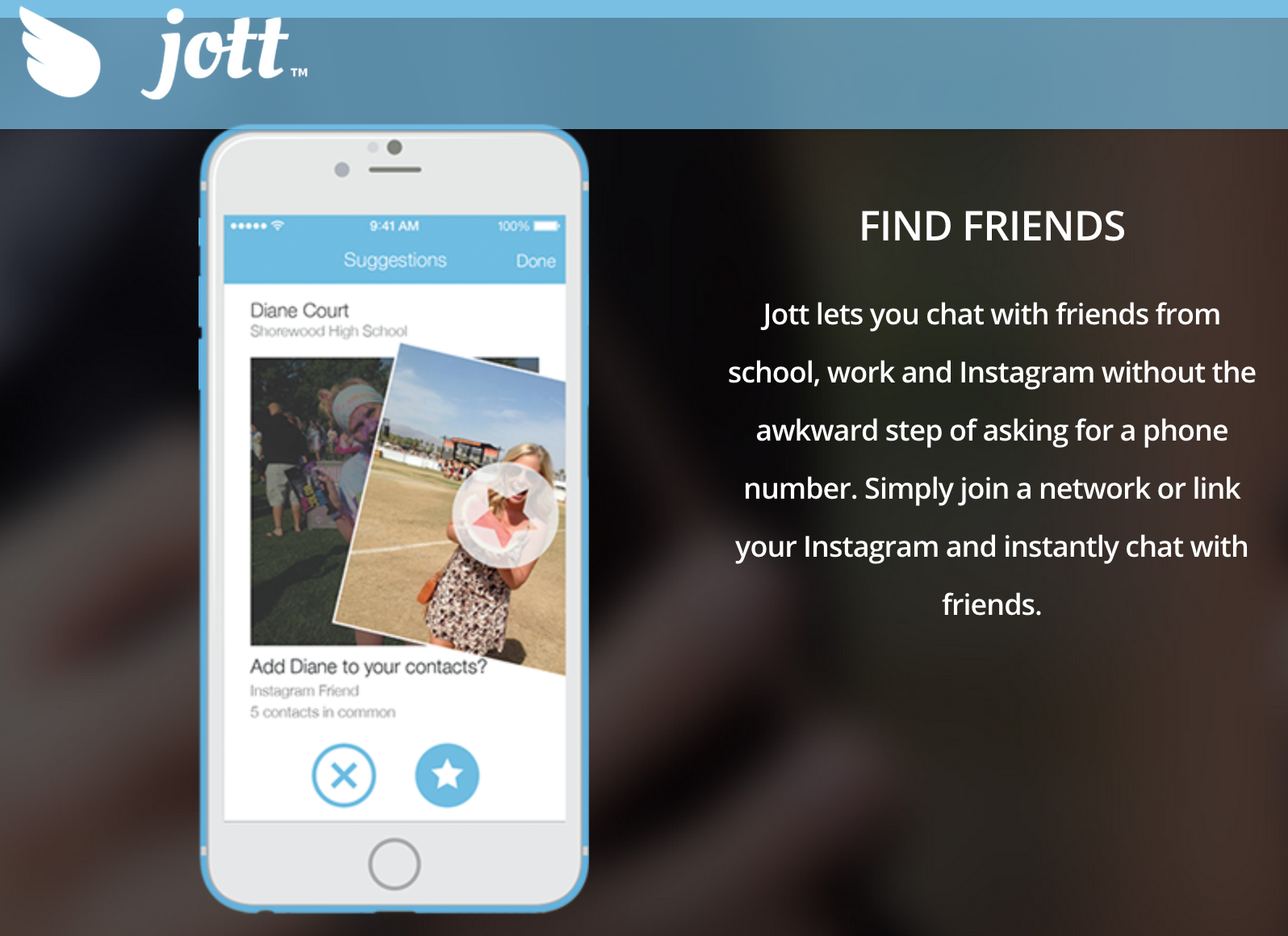
    Jott only allows you to be a part of the network, if you share your real phone number. This actually benefits students because a lot of teens find it tough to talk face to face, so they can find out their class mate’s details via the school network and then approach them. Also, even if you don’t want to use it to get a pretty girl’s number or ask someone out, you can use it for studious purposes. You can actually get that one nerdy classmates number who will send you the whole years class notes and thus save you from failing your finals. It does sound very cool, indeed.

    No Security?
    jott 1

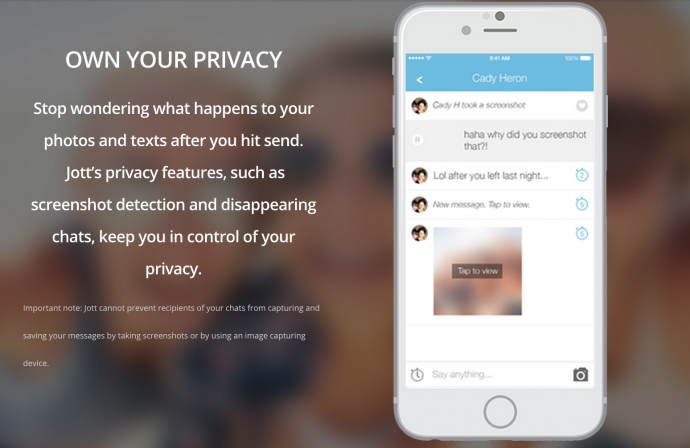
    The internet is rampant with cyber bullying and teenagers being at the impressionable age they are, can often be harassed through these types of apps. That’s why Jott stands out. It has a strong security and privacy settings where in, those who are a part of school networks (that are closed) must create an account with their actual name and age and verify that they actually go to the school, they’re claiming to be a part of. If you do give a fake ID, other students will call your bluff because they will know for sure and you will be immediately removed from the network.

    If this wasn’t enough, Jott also has disappearing messages and screenshot detection just like Snapchat. Therefore, there is no room for disaster and anyone using it is efficiently safeguarded.

    Jott had been tested and tried by Allgood, first in a set of schools until it started majorly trending and reached the phenomenal following it has today. According to Niche data, about 87% of teens text daily, compared to 61% of those who say they use Facebook. Therefore, Allgood has actually used this data to his advantage and created an app that will further simplify and revolutionise texting. We suggest you try it out today as it is available on all iOS and Android devices and can be used on your iPods and iPads as well.
  • Apple’s Next iDevice Might Feature a Front Camera Flash

    Apple’s Next iDevice Might Feature a Front Camera Flash

    The selfie has gained social, political and global recognition in the past two years, given its high popularity and almost contagious qualities, Apple may be coming up with a plan to up the selfie quotient in the next iPhone or tablet.

    Hamza Sood, a developer, said that the phone or tablet will have, not just a front facing camera flash, but also the ability to record 1080p videos along with recording slow-motion videos in 720p. Referring to the codes, Sood also derived that one might be able to take panorama shots using the front facing camera.

    So far, all the features that we mentioned, are only present in the rear cameras of smartphones. But with the new set of devices, Apple hopes to makes the selfie game, even stronger. Although these reports seem frivolous, Sood was previously right in recognising that Apple was coming out with fingerprint recognition two months before it actually came to the markets. He also identified slow motion shooting, before it finally made an appearance in the iPhone 5S.

    iPhone 6 Plus 0

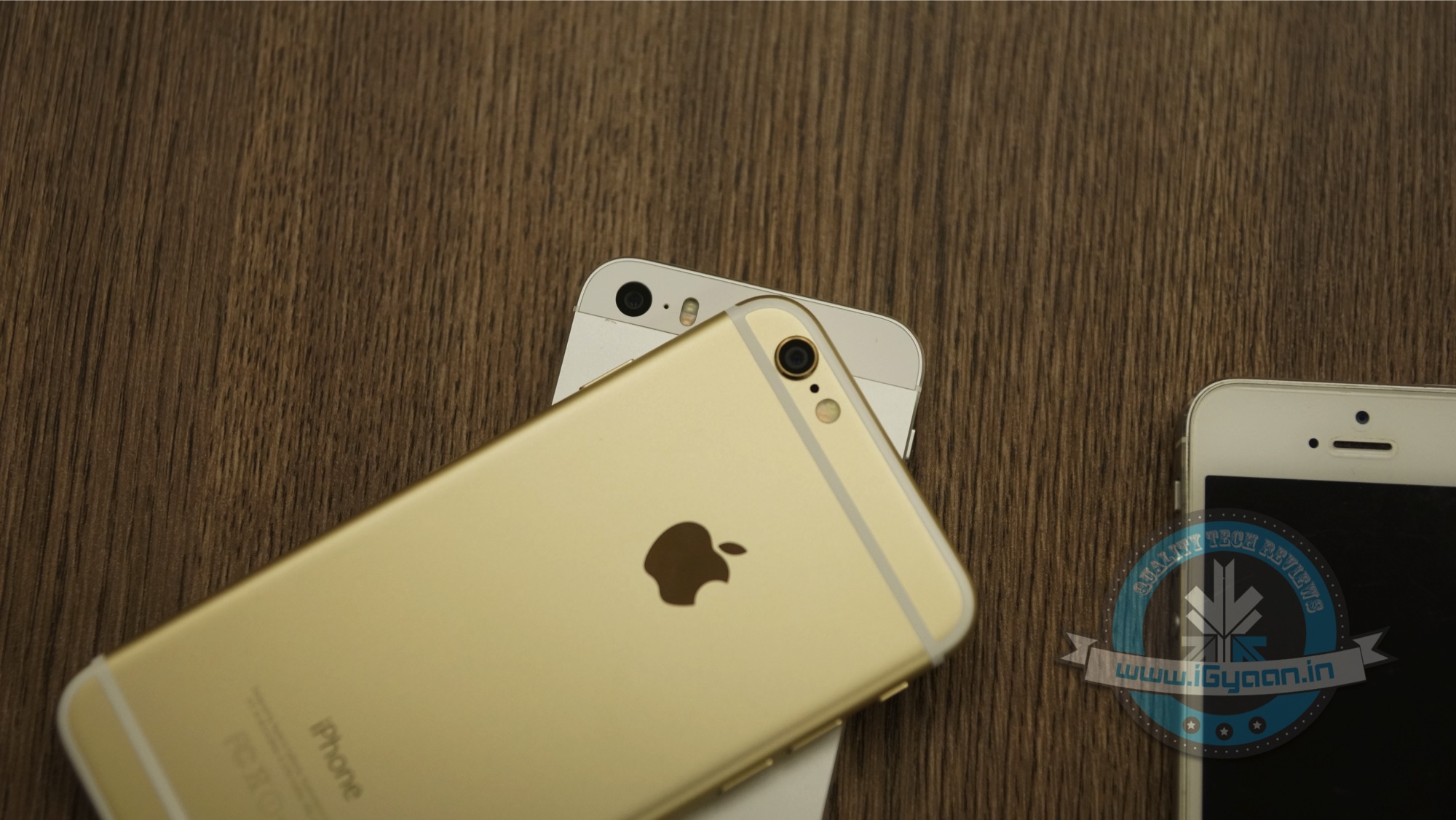
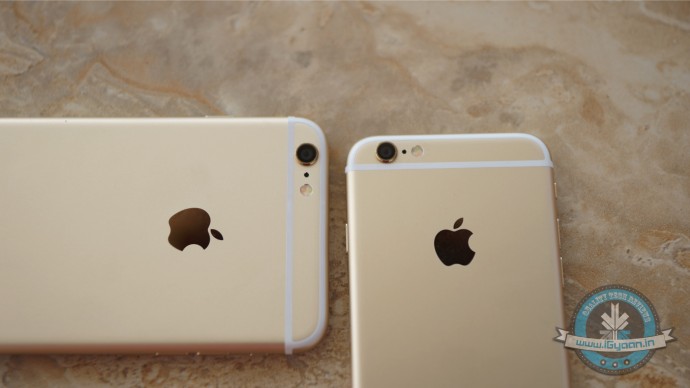
    Even though the iPhone 6s is expected to arrive later this year, we’ve already heard several rumours about the upcoming device.  As reported earlier by an analyst from KGI Securities, the forthcoming iPhone 6s will sport a bumped up camera of 12MP. Powered by a next-gen A9 processor, 2GB RAM will equip the device with newfangled features like Force Touch. Some of the changes the ‘iPhone 6s’ is said to include is a new design using an improved casing material and a newly resurrected inner design. One more microphone is said to be added near the new handset’s speakers in an attempt to improve sound quality. It is also likely that Apple will release two variants of the iPhone 6s.

    While we don’t know if the phone camera, that is slated to be bigger and better, will actually succeed, we hope to be clearer in September, when the announcement might be made.

  • WWDC15 | Apple’s Biggest Stab at Android is Open Source Swift Code

    WWDC15 | Apple’s Biggest Stab at Android is Open Source Swift Code

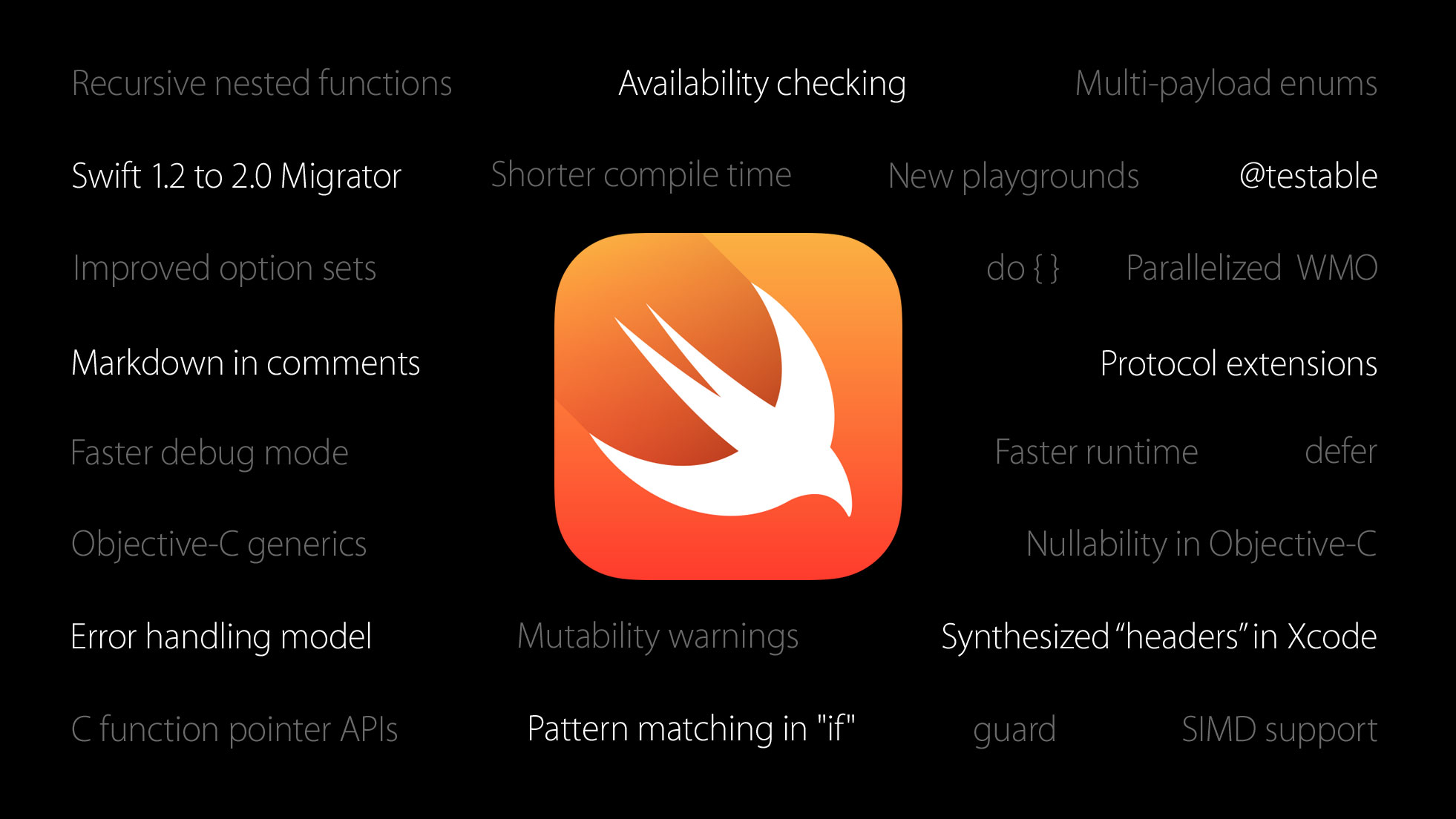
    Apple’s new launches at WWDC 2015 showed off many new features and capabilities of both the new iOS 9 and OS X El Capitan. However, the highlight of the evening was when Craig Federighi announced on the stage today that one of the most powerful coding languages, Swift,  would become “Open Source”

    Swift 2.0 adds a bunch of features that developers have been asking for, to ensure that apps written in Swift are faster and can do more.

    “Open source” means  that any developer, anywhere in the world, can contribute new features and updates to a software project — totally for free.

    apple swift open

    Google’s popular Android mobile OS, for example, is open source, which is how smartphone manufacturers can release devices with versions of Android that are slightly different from each other.

    Does this mean other manufacturers will be able to make iOS devices – probably not. However with the code becoming open-source, bug fixes and features would develop faster. Swift becoming Open Source will also allow other operating system manufacturers including Google and Microsoft to utilise the features and apply them to their code if they so choose to.

    This will allow Android forks like Cyanogen and MiUi to add enhancements to their performance and capability. However, this will also depend on inclination and need to do so from others. 

  • iOS 9’s New Low Power Mode to Allow an Additional 3 Hours on iPhones

    iOS 9’s New Low Power Mode to Allow an Additional 3 Hours on iPhones

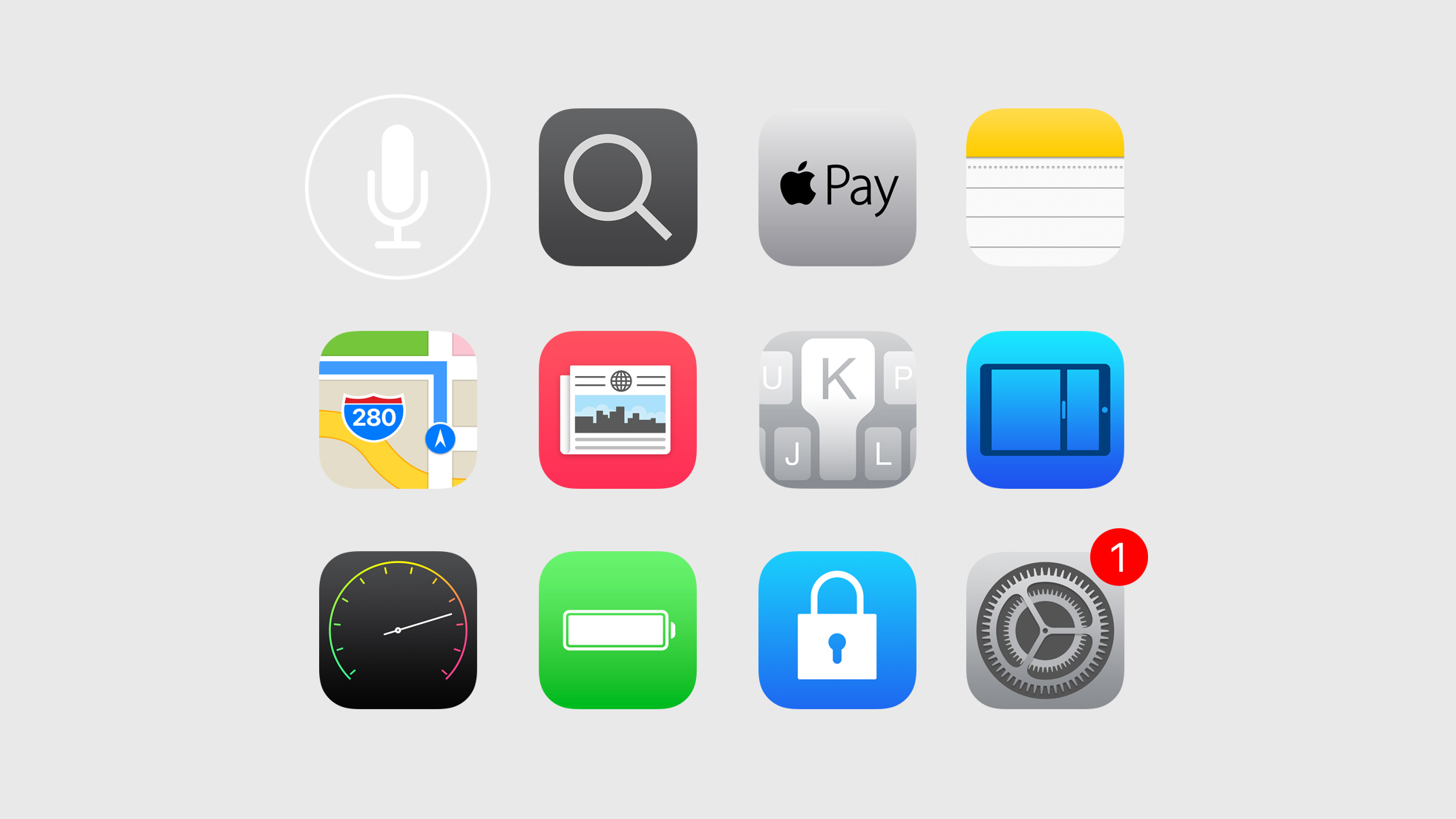
    Apple at the WWDC 2015 has just announced the new iOS 9, with many new enhancements to the OS and new apps including the new News App. One of the most important issues addressed at the launch was the battery life of iPhone devices.

    ios 9

    Apple claims that the new iOS 9 will reduce overheads and improve battery life in general by upto 1 hour. A new low power mode will allow for devices to reduce power consumption and restrict to only phone call capability, hence improving the last few minutes of battery to as much 3 hours of usage.


  • WWDC15 | Apple Launches a New “News” App on iOS 9

    WWDC15 | Apple Launches a New “News” App on iOS 9

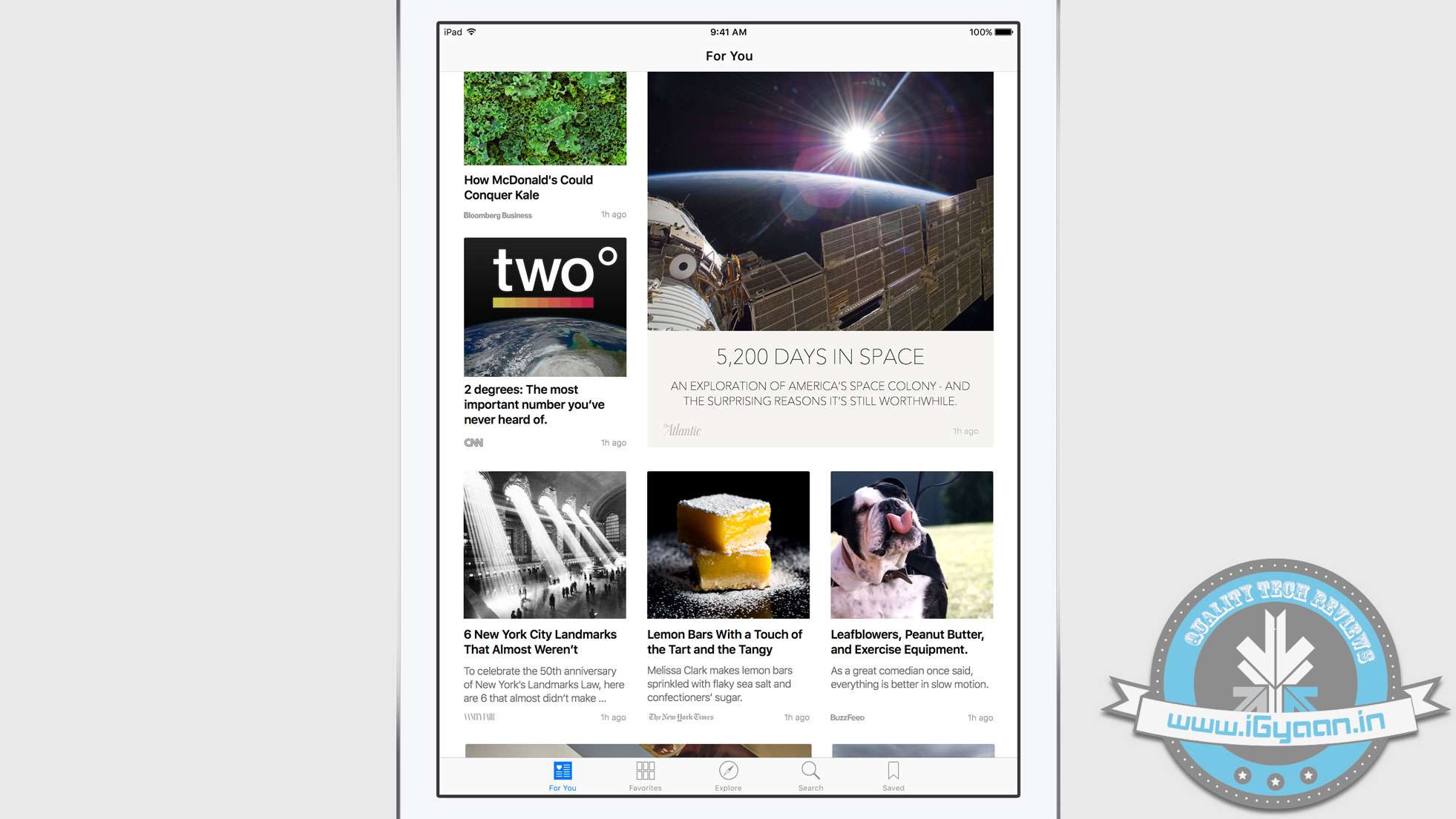
    Apple at the WWDC 2015 has launched a new “News” app for iOS allowing you to bring all your favourite news feeds to one app. We have seen this before on apps like Flipboard and even HTC’s Blinkfeed.

    ios 9 news 1

    News is designed by Apple from the ground up – claims Apple. It stars aggregating in the US, UK and Australia with the new iOS 9 update. Apple wants to allow news agencies, TV channels as well as blogs to be a part of the new News App (more details on this later).

    ios 9 news 3

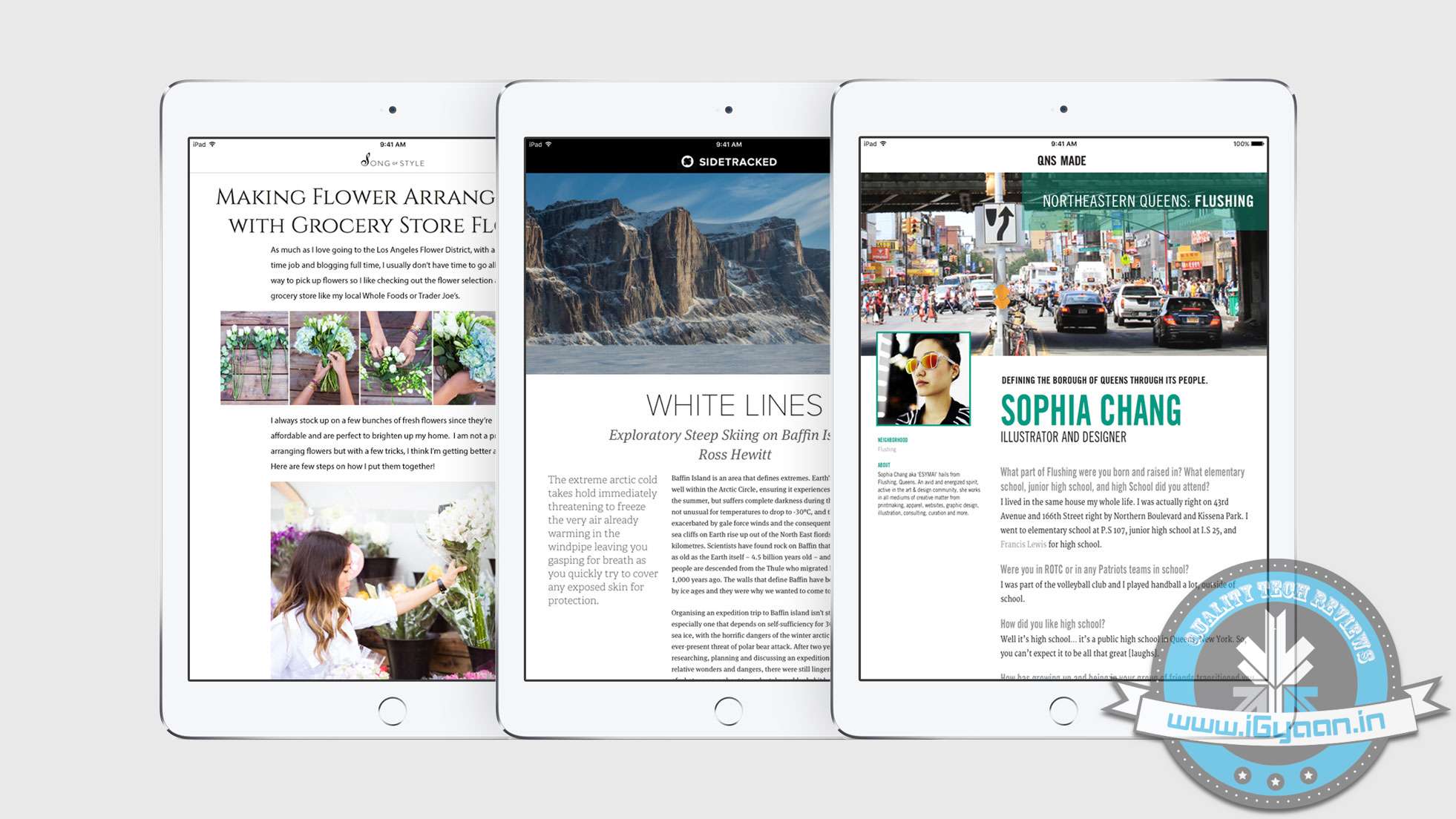
    News will allows publishers to add video, or animations, enhance text or include recipes and galleries.

    ios 9 news 4

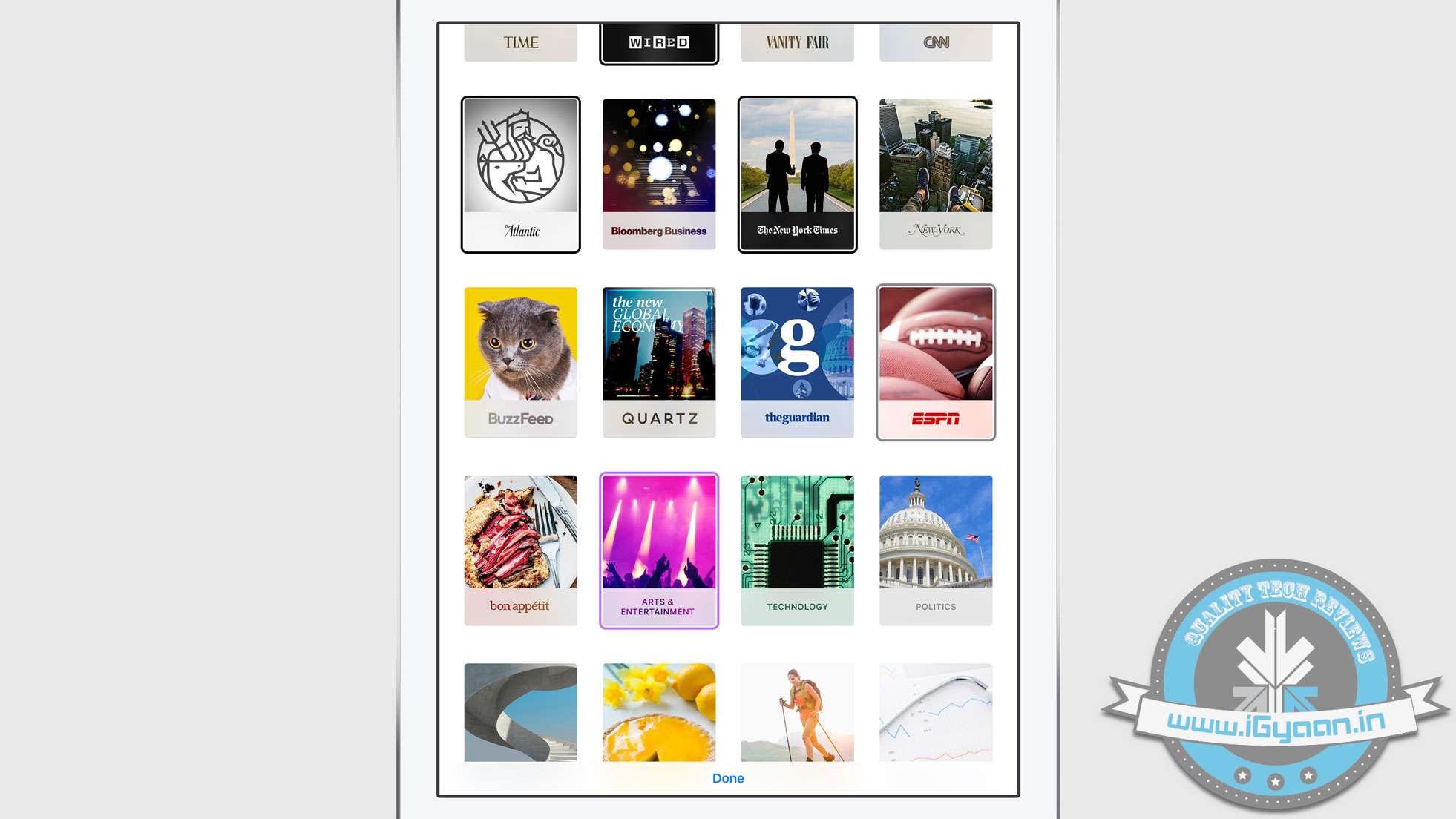
    Once you start the News App, it will allow you to select your favourite feeds and then will recommend more based on your selected interests. Apple plans to bring enhanced readability features to big publishers and then trickle them down to everyone. The more you read, the better News is at showing the stories you care about most.

    Unlike other news aggregation services, News was built in a way that respects and maintains your privacy.

    Top publishers like The New York Times, ESPN, Condé Nast, and more will be making their content available in News.You can also publish a copy from your own blog or website.

  • Here’s How to Fight the ‘Bug’ Infestation That Has Taken Over iPhones

    Here’s How to Fight the ‘Bug’ Infestation That Has Taken Over iPhones

    As of yesterday, the internet was in a frenzy with people saying how fed up they were with a code that shuts down their iPhones, Macs and Apple Watches. The hardy giant that is known for its immunity against any virus, witnessed an obstinate bug take over its OS.

    The ‘Unicode of Death’ as it is called, is said to have a code that contains Marathi and Arabic symbols. When sent as a text message, it shuts down your iPhone, causing it to reboot without prior notice and even crashes apps. The bug is so effective that it can even work when the message shows up on your home screen. code

    The crashing seems to occur in iOS 8.1, iOS 8.2 and iOS 8.3 versions and can be transferred from Android to iOS.

    We are aware of an iMessage issue caused by a specific series of unicode characters and we will make a fix available in a software update.

    While Apple issued a statement acknowledging the problem, they also gave tips for a temporary solution.The company even promised that an upcoming software update will fix the problem permanently. Until then, here are the official instructions from the company:

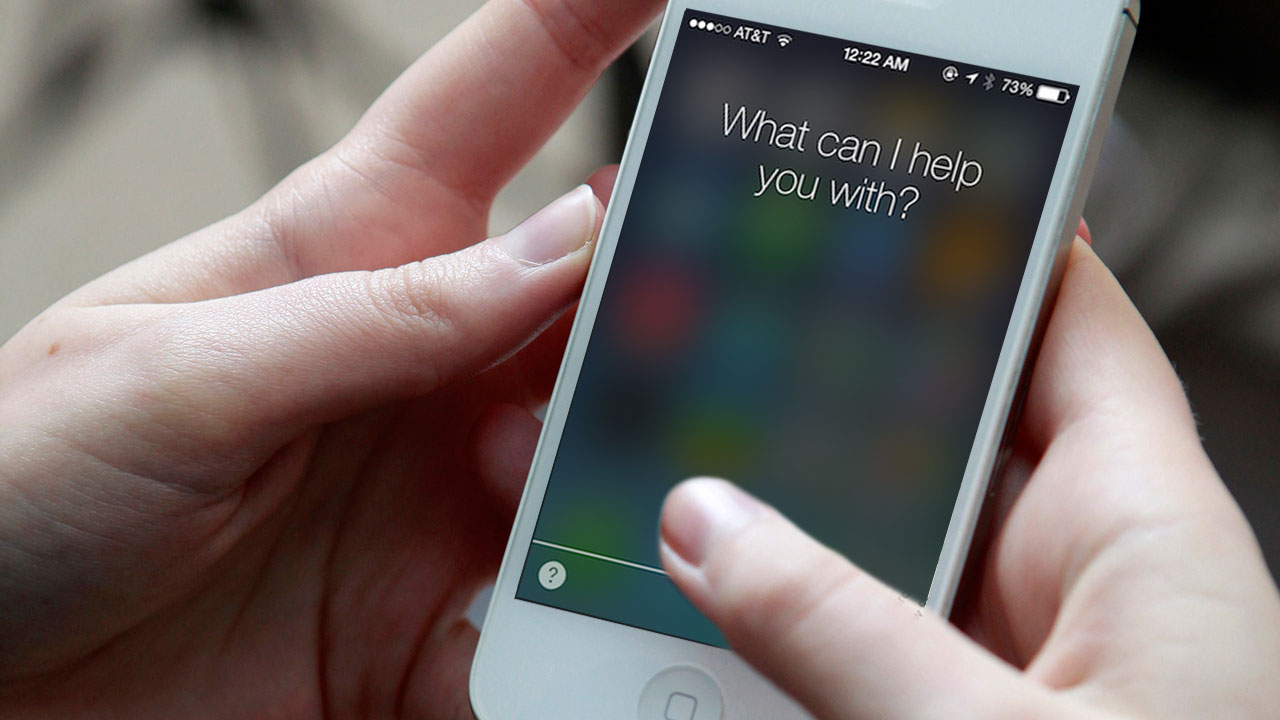
    1. Ask Siri to “read unread messages.”
    2. Use Siri to reply to the malicious message. After you reply, you’ll be able to open Messages again.
    3. In Messages, swipe left to delete the entire thread. Or tap and hold the malicious message, tap More, and delete the message from the thread.

    9to5Mac, an online magazine dedicated to Apple, also suggested three more ways to combat the bug. Keep yourself armed with these tips:

    1. Tell the offender to immediately send another message thereby cancelling the effect of the initial strand.

    2. Send yourself a message via Siri, the share sheet or your Mac.

    3. Some users said that sending a photo via the photo app can allow them to access the message history and delete the conversation.

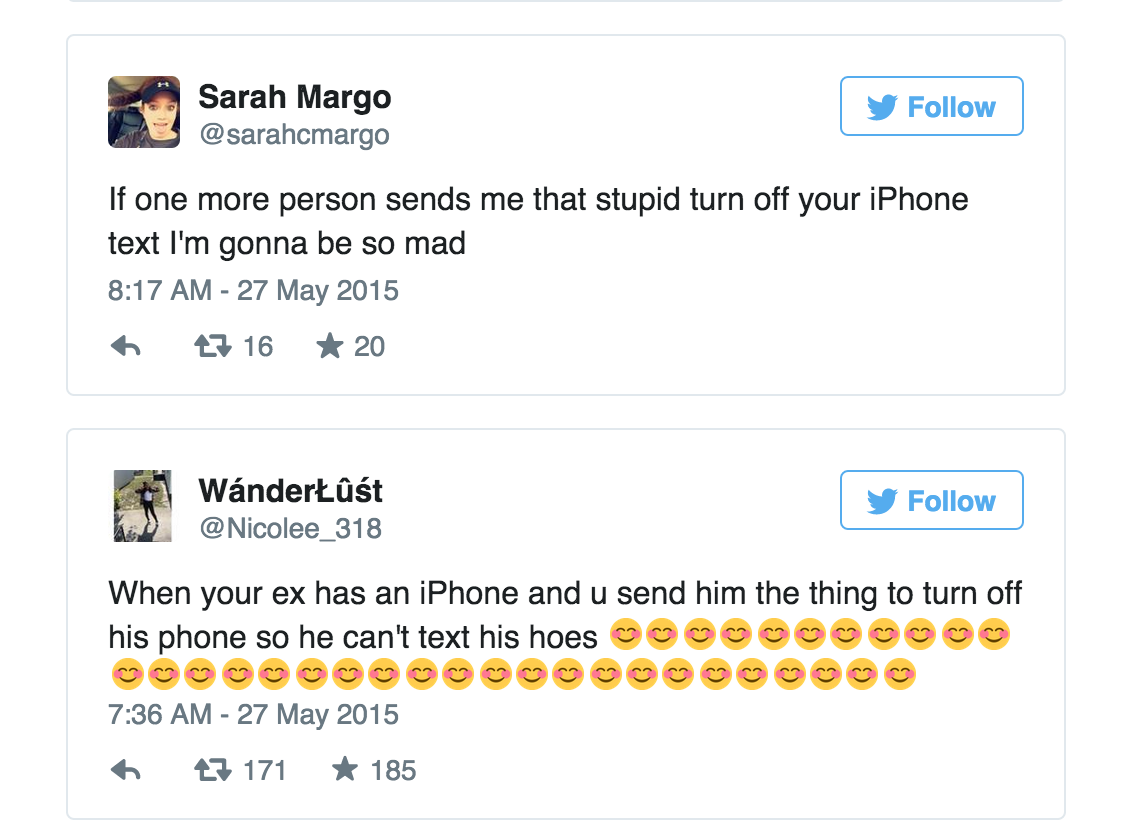
    Most people are using the code as a revenge tool against their ex-boyfriends and girlfriends and some are enjoying pranking their friends. While the problem seems to annoy some, it’s leaving others amused.

    tweet

    However, The ‘Unicode of Death’ can adversely affect your device if not handled with caution. Beware.

  • Here’s an Important WhatsApp Update for iOS That Everyone Missed Out On

    Here’s an Important WhatsApp Update for iOS That Everyone Missed Out On

    Most iPhone users have trouble admitting it, but iOS comes with several limitations. One of the major restrictions has been the absence of easy inter-app sharing; more specifically, sending images from the Photos app to WhatsApp directly.

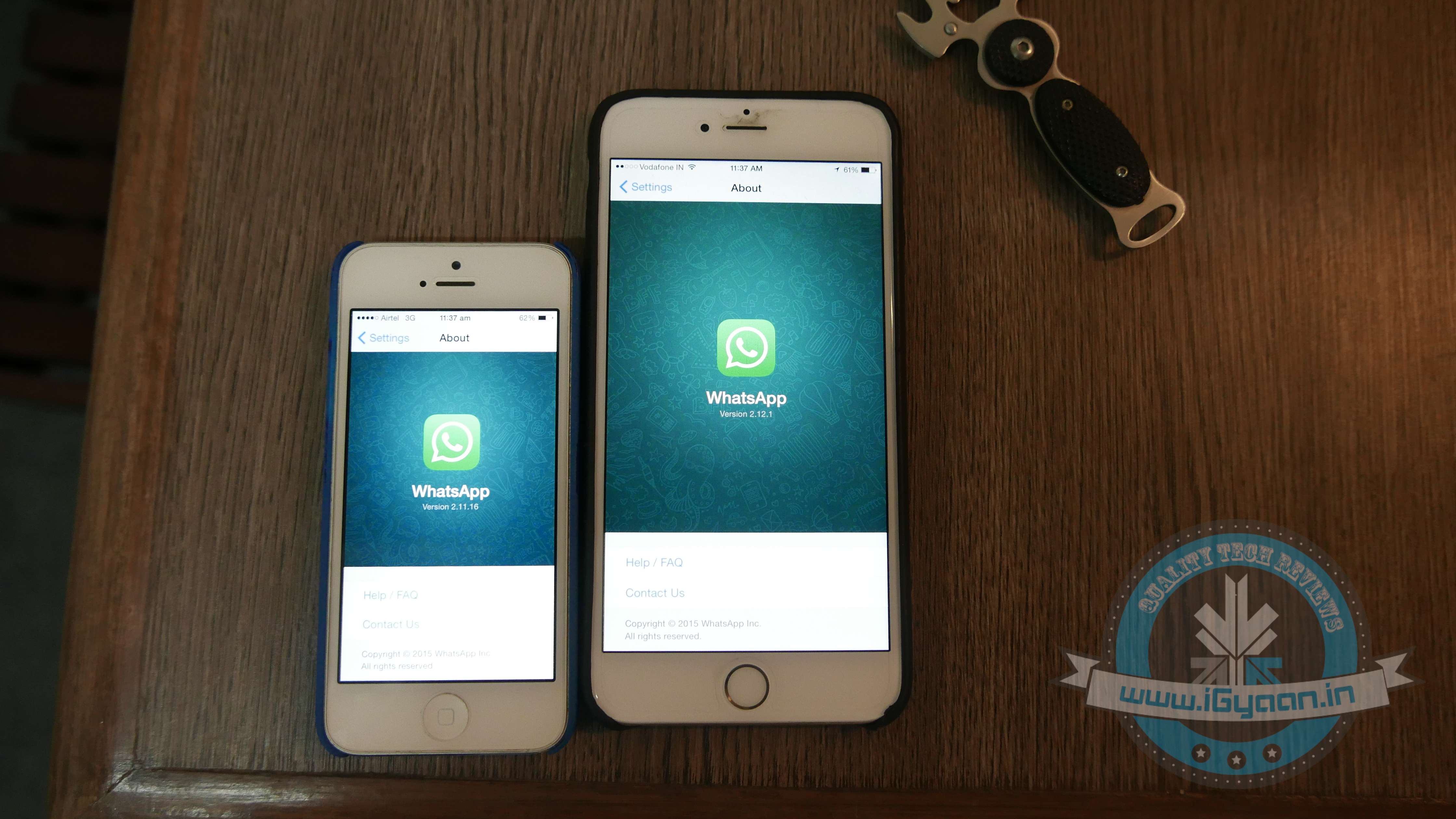
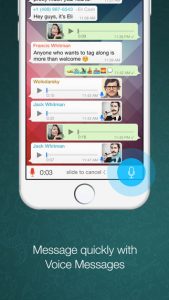
    The new WhatsApp update, Version 2.12.1, other than adding the much-awaited voice calling feature, finally gives iPhone users the right to directly share an image from the Photos app with a WhatsApp contact.

    WhatsApp 3
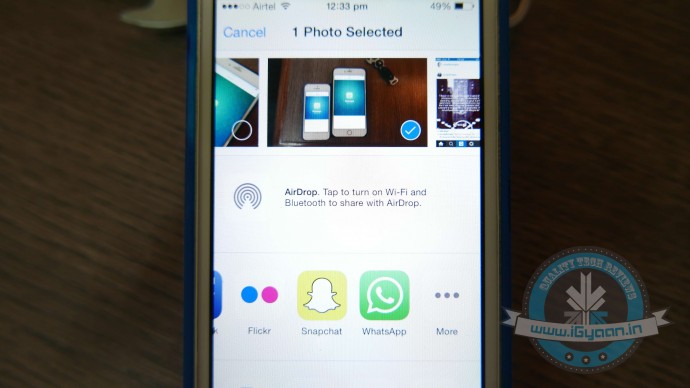
    The WhatsApp icon has been added to the list of ‘Share’ options.

    A feature that Android users have always enjoyed, was a tiresome detail missing from iOS. Earlier if an iPhone user was scrolling through old pictures on his/her smartphone and decided he/she wanted to share one that was clicked in 2013 with a friend via WhatsApp. They would have to open the WhatsApp app, find the friend, and then scroll back in time to retrieve the picture. The new WhatsApp update now cuts back on the long procedure and makes it super easy to share images.

    To enable the setup, you would first need to install the update. Then open the Photos App, choose an image and click on the Share button. Scroll through the end of the list and click on ‘More’. From the list of apps, you now have WhatsApp added as one of the sharing options. Enable it, and you’re good to go.

    For more details on the new update, click here.

  • WhatsApp Brings Voice-Calling to iOS Along With Few More Features

    WhatsApp Brings Voice-Calling to iOS Along With Few More Features

    It’s been a while since the cross-platform mobile messaging app debuted its much-talked about free calling service on Android platform. The iOS users were left behind with no access to this feature, but now WhatsApp has released the calling tool for iOS users as well.
    WhatsApp update with version 2.12.1 hit the iTunes Store, which states that upgraded app will feature voice-calling on iPhone. Users can make a call to any of their friends and relatives across the globe using the cellular data. WhatsApp stated that it has started rolling out the service, and it will slowly reach all iOS devices “over the next several weeks.”

    The latest version is not just about the voice-calling update and introduces a slew of other features, making use of iOS 8’s sharing extensions. With the new version installed, users would be able to share photos, videos, and links right to WhatsApp from other apps. To know more about the useful inter-app sharing improvements, click here. 

    iPhone users can now also edit contacts directly from the app. One can capture photos and videos within WhatsApp and can send multiple videos before cropping them. A caption can also be added along with the photos, just like Android app.

    Meanwhile, WhatsApp recorded a steep increase in its active user base. The CEO of the company said that it now serves 800 million active users, which was 600 million nearly four months back. Covering the iOS users as well, Windows is the only platform left where the voice-calling is still to arrive.

  • Snap 360 Degree Pictures on Your iPhone with 3DAround

    Snap 360 Degree Pictures on Your iPhone with 3DAround

    Well are you tired of clicking pictures from every angle to get better perspective. What if you could click a picture which can swivel around same as you see in those e-commerce websites? Well, it is now possible with your iPhones.

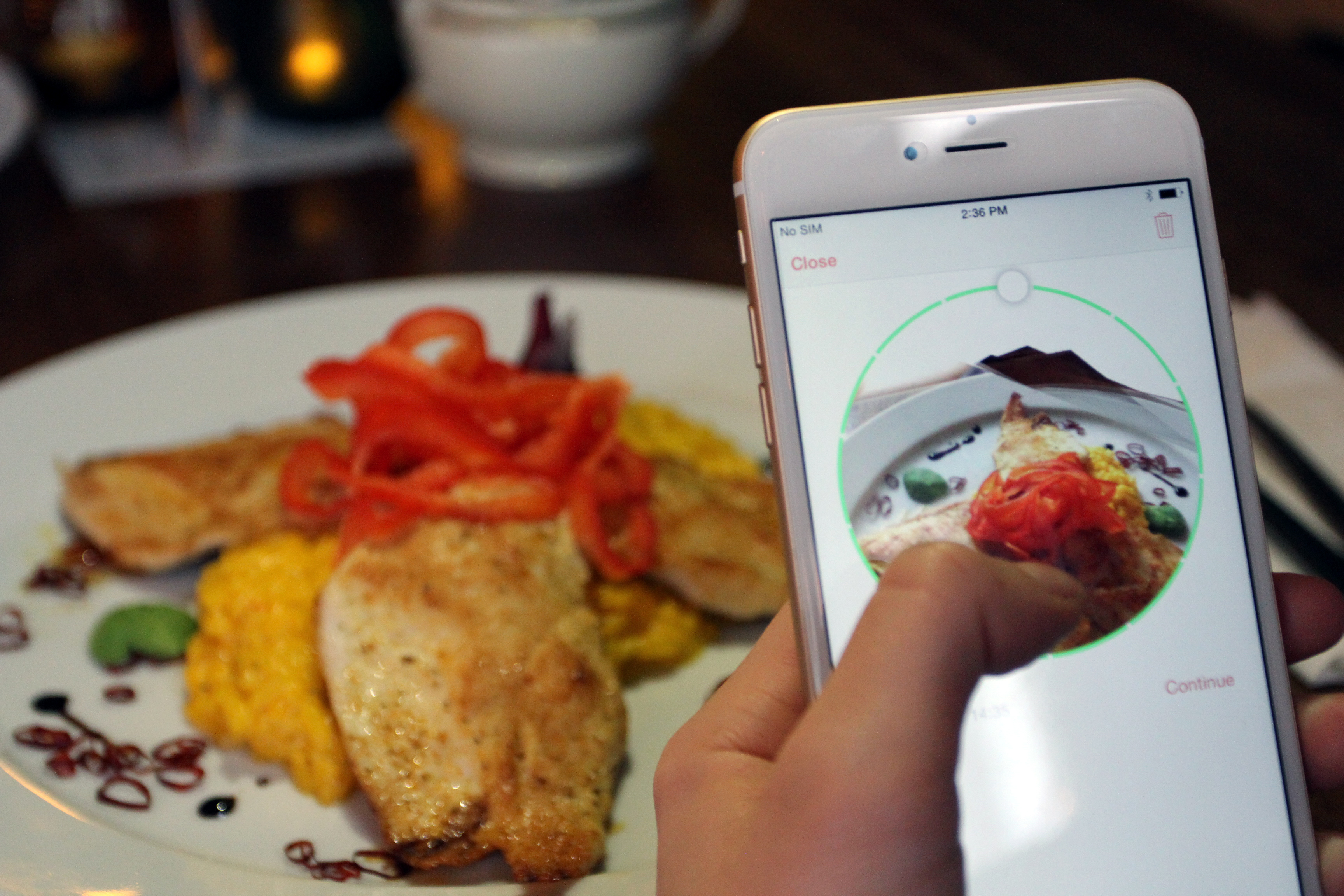
    A new iOS app, 3DAround allows iPhone 6 users to take 360 degree pictures of objects and then show them as 3D photographs. Made by Swiss software company Dacuda, this app  takes pictures that are not just 3-dimensional, but interactive too.

    dacuda-3daround-gif-small

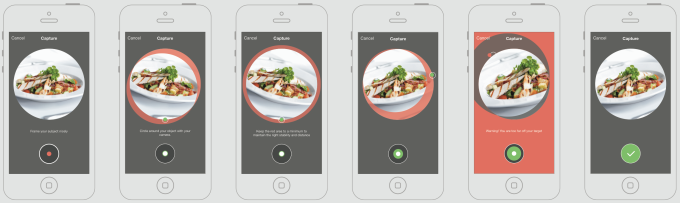
    All you have to do is revolve your camera phone around an object and 3DAround stitches together all the photos into a 3D image which the viewer can spin at will. Free to download, this app primarily targets food photography but it works just as well with any similarly sized object.

    The 3DAround app extracts depth and structure information from a success of rapid-fire photos to create the 360-degree views. You’ll be able to interactively view the swivel-able photo through the 3DAround app or WebGL-equipped browsers like Chrome, and share some version of the images to Facebook, Twitter, and Pinterest.

    screen-shot-2014-10-24-at-1-05-03-pm

    By tilting the phone, the image shifts and pans around the object with movements.

    With the recent launch of devices like HTC EVO sporting stereoscopic double cameras that can take slightly “3D” photos, 3DAround for iOS gives iPhone users an edge.  Apple’s iOS8 camera is a key component of 3DAround functionality, according to the company. The phone’s integrated gyro sensor lets the app capture in holographic detail, the presentation of all types of food.

  • Yosemite’s Popular Continuity Feature is Now Compatible With Older Macs

    Yosemite’s Popular Continuity Feature is Now Compatible With Older Macs

    Back in mid-2014, we saw the release Apple’s OS X update Yosemite. The revised version was free to upgrade. However, there was a minor glitch in this set-up, some of its prominent features only supported Macs with Bluetooth 4.0. One such feature of the new update was Continuity/Handoff, but according to the latest revelation, this feature can now run on older Apple desktops as well.
    Continuity is a term used by Apple for a range of new features that bring the iOS and Mac OS X devices closer. It offers you to seamlessly shift between Mac OS X and iOS devices; you can pick up on one device right where you left off on the other.

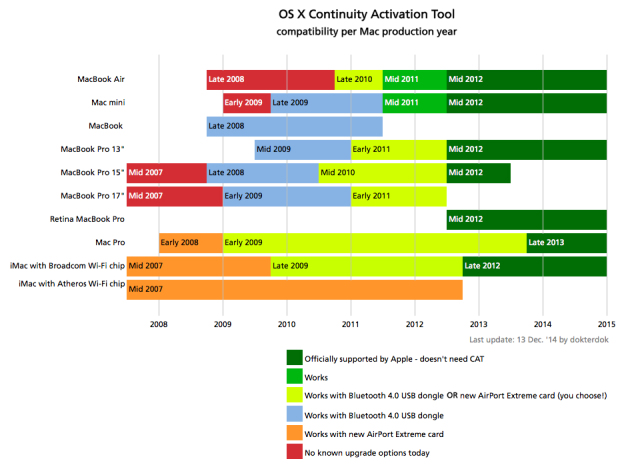
    According to an update by a user on Reddit, the Continuity/Handoff tool can be activated just by adding a simple tool on your Mac. This tool makes the hardware compatible by adding Bluetooth 4.0 dongle to run Continuity on your 2008 Macs or later.

    Continuity Activation Tool 2.0 has been released! Enable Continuity on many Macs from 2008 and later just by adding a Bluetooth 4.0 USB dongle. Many thanks to the community for the excellent beta testing work!

    Given below is a list of Macs that will support Continuity. You can also learn about the Continuity Activation Tool on github.

    apple-continuity

  • Apple to Donate Retail Revenues For World AIDS Day

    Apple to Donate Retail Revenues For World AIDS Day

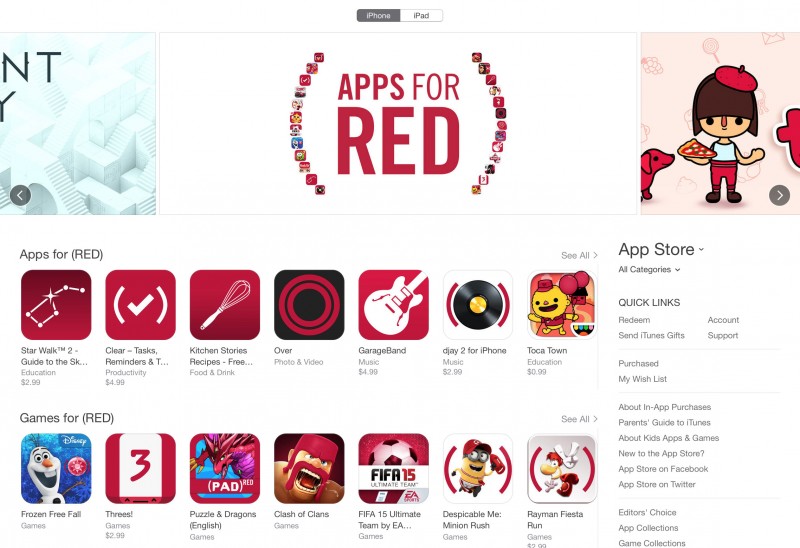
    Apple is extending hands to make the globe an AIDS-free place. Starting from today, Apple has launched a campaign for World AIDS Day 2014 to help (PRODUCT)RED. During the campaign, the company will offer special ‘Apps for (RED)’ section in the App Store that will contain 25 apps with exclusive new content that will benefit the Global Fund to fight AIDS.

    For two weeks, Apple and the participating developers will donate all global proceeds from downloads as well as in-app purchases to the Global Fund. The effort is one in a series of promotions the American multinational giant is doing during the holiday season with (RED). On Friday, 28th November, the Apple customers in the US will receive gift cards after purchasing selected Apple products. And on Monday, 1st December i.e. World AIDS Day, the company will donate an undisclosed percentage of its retail and online sales to the Global Fund.

    appsforred-apple

    “Apple is a proud supporter of (RED) because we believe the gift of life is the most important gift anyone can give,” said Tim Cook, Apple’s CEO. “For eight years, our customers have been helping fight AIDS in Africa by funding life-saving treatments which are having a profoundly positive impact. This year we are launching our biggest fundraising push yet with the participation of Apple’s retail and online stores, and some of the brightest minds in the App Store are lending their talents to the effort as well.”

    The ‘Apps for (RED)’ campaign in the App Store will run from Monday, 24th November to Sunday, 7th December, and will include special versions of apps like Angry Birds, Clash of Clans, djay 2, Clear, Paper, and more. Apple and (PRODUCT)RED have worked together for a number of years, and the latter organisation announced in June that Apple has made a contribution of $75 million. Throughout the history of their partnership, Apple has released a number of (RED) devices including iPod nano and shuffle, iPad Smart Cover, iPhone Bumper, and iPhone cases. With every (RED) product bought, Apple will donate a portion of the purchase amount to the charity.

  • BitBite is Your Mom on the Move, Tells You to Eat Right and Chew Slowly

    BitBite is Your Mom on the Move, Tells You to Eat Right and Chew Slowly

    Eating healthy is hard. With the massive amount of junk food options in the market to gobble up, a healthy diet takes a back seat. So how do you keep fit in the times when you have to be on the move and eat fast to get back to work? Your mom cannot be everywhere with you to make sure you eat right, but one tinsy tiny gadget might just take her place to maintain your eating habit.

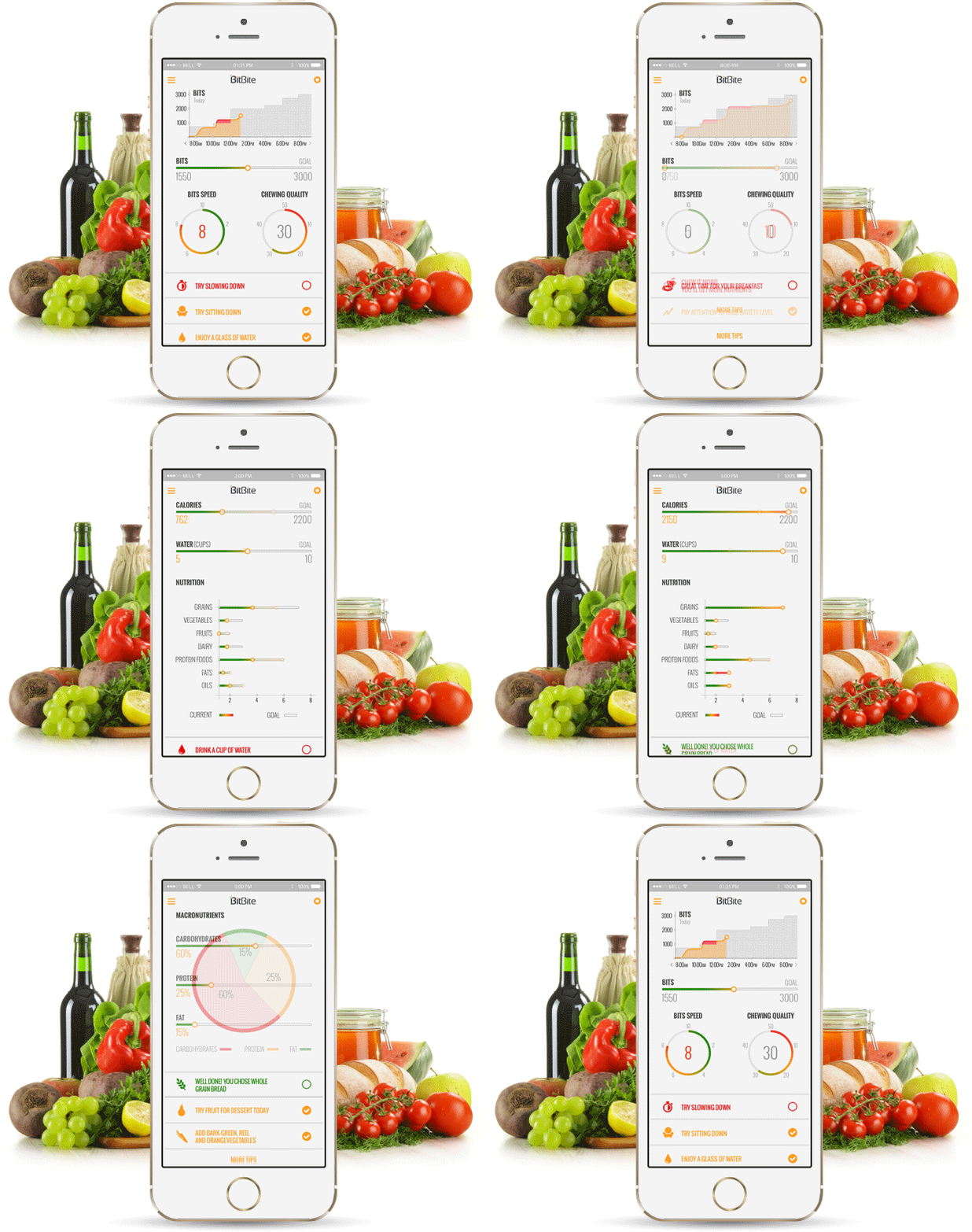
    Say hello to BitBite, a tiny wearable that slips comfortably in your ear and using sound and motion, observes if you are eating right and chewing through. This wearable tracks what you eat, when you eat and how you eat. Using the analysis of sound and tracking patterns of your jaw movement, it observes what you eat. In the future, the device will be able to suggest you healthy alternatives to what you are eating.

    The mobile app does the number crunching and analyzes your eating habits.
    The mobile app does the number crunching and analyzes your eating habits.

    According to the creators of the device, this minuscule device was developed in co-operation with dieticians and nutritionists. It contains a microphone and additional sensors that record and perform initial processing of the incoming sounds, after which the smartphone app takes care of the number crunching bit. Fortunately, unlike your mom, you can turn it off when you are really in a mood to indulge into some gooey goodness.

    If you don’t want to join the BlueDouche tribe, then there are some other options to get BitBite by which can start healthy grubbing. The device gives you the option of wearing it on your lapel with a clip in a wristband. It functions as a regular Bluetooth device when not eating.

    There are multiple attachments for the BitBite.
    There are multiple attachments for the BitBite.

    The device works with both iOS and Android devices. The company has achieved 75% of its initial goal of $60,000 on Indiegogo, with 22 days still left to go.

    Well, it’s great to see what you eat but it’s also great to indulge once in a while. We as humans have invented a plethora of amazing foods that varies with the palate of different places. Eating right is just a part of healthy living; it’s also important to exercise and drink loads of water. But it is great to see how technology can be used for the benefit of an average person, and with apps like Google Fit, it’s easier than ever to stay fit. So after reading this, get up and do some jumping jacks for your sake.

  • Apple’s Latest iOS Update to Speed Up Old Devices

    Apple’s Latest iOS Update to Speed Up Old Devices

    As expected, Apple rolled out the second update iOS 8.1.1 for iPhone, iPad, and iPod Touch. While the last update brought features like Apple Pay, return of the Camera Roll and fixed bugs with third-party extensions, iOS 8.1.1 is essentially a usability update.

    The new iOS 8.1.1 update includes a number of bug fixes, improved overall stability, and most importantly, performance improvements for older devices including the iPhone 4s and iPad 2. Apple says that the latest release should speed up the iPad 2 and iPhone 4s, two of the company’s old generation devices.

    These devices, while technically supported with iOS 8.0, suffered a performance hit as a result of increased demand for the new OS, and this update should help make life easier for those who’ve already upgraded. Updating old generation devices to the major upgrade can often result in degraded performance, making the user experience slower and worse than it had been before.

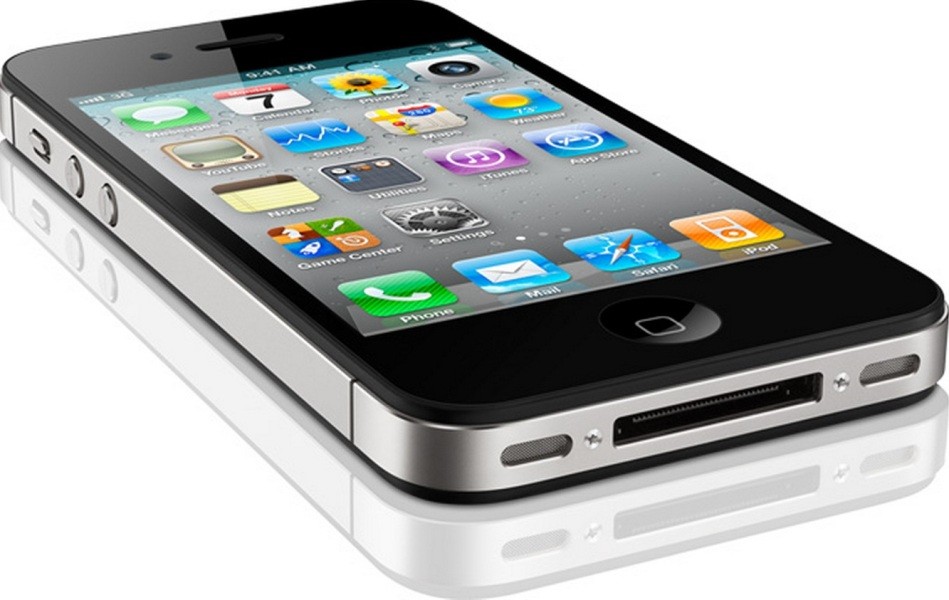
    Apple-iPhone-4S-Black
    Apple says the latest release should speed up the iPad 2 and iPhone 4s.

    The same was experienced with iOS 7 last year, and now again Apple is working to make things better for customers who are still holding onto their old gen devices. Usually, the company provides a list of particular bugs and the updates fix, but this time around, the company has not done so. Anyway, the main feature of this update appears to be increased performance for iPhone 4s and iPad 2.

    Along with the iOS update, the company has also rolled out an update for Mac devices. OS X 10.10.1, as it is called, is the first update to Apple’s Yosemite. According to the company, the new update will result in “better Wi-Fi reliability, improved Microsoft Exchange connections, and fixes for reliability in Mail when sending messages using ‘certain’ email providers.”

    The update also provides two fixes for enterprise customers. One makes the Mac App Store report that an Apple Remote Desktop update is available even when it’s not true, and another allows you to append search domains for partially qualified domain names when performing DNS lookups.

  • Google Unveils a Slick New Calendar App, Plans to Release it on iOS Soon

    Google Unveils a Slick New Calendar App, Plans to Release it on iOS Soon

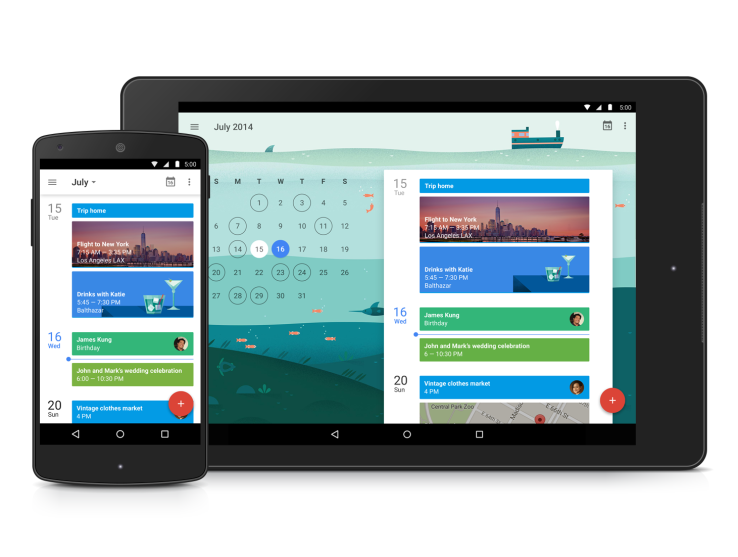
    Same as all the other official Google apps, the company has totally reworked on the Calendar app as well for the new Android 5.0 material design. According to the company, the upgrade of the Calendar app is smarter, more colourful, and all-around more helpful.

    This new app has been reinvented in the ‘Material Design’ style that’s working its way across all Google apps. The major part of the new upgrade is all about making, adding and viewing events much easier.

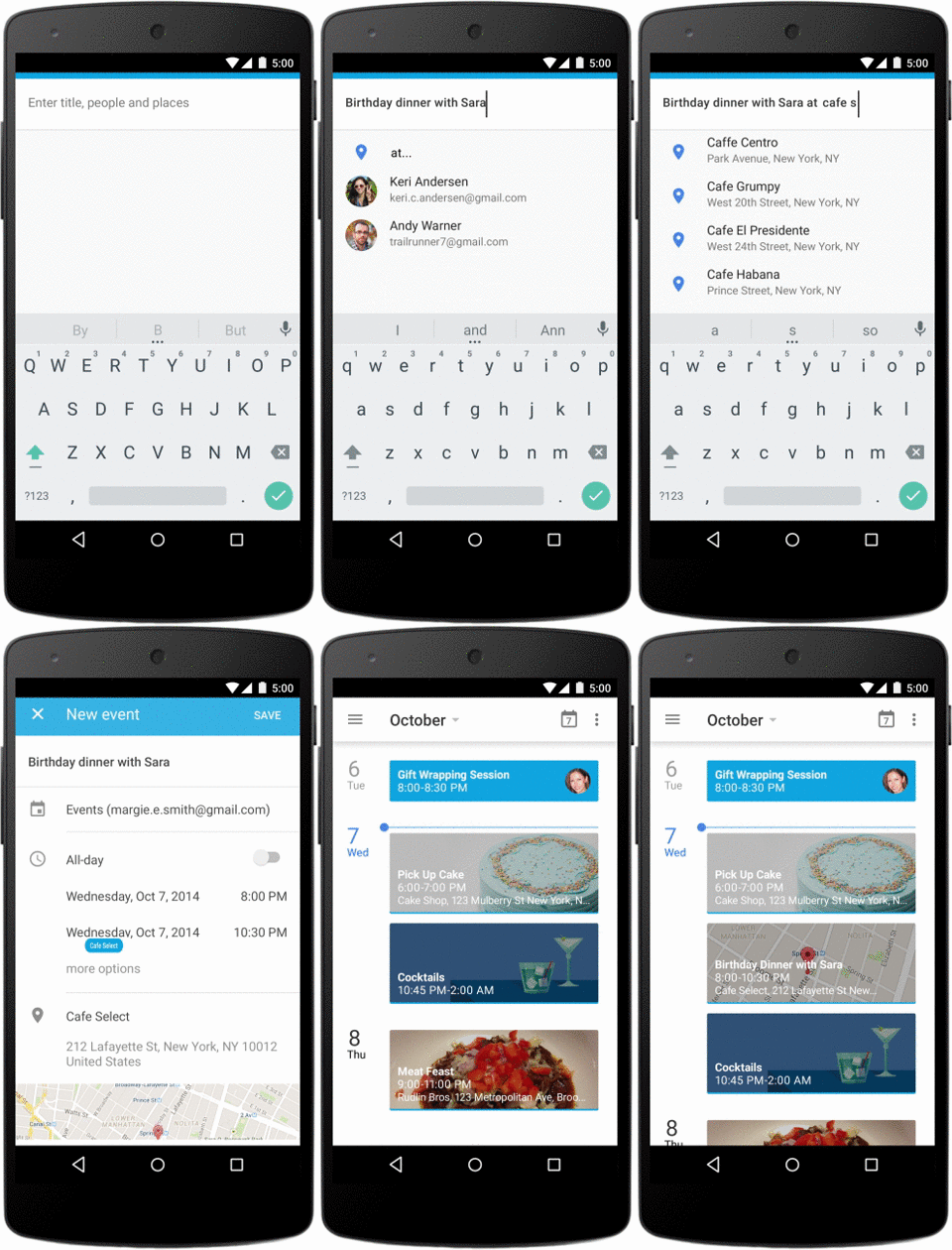
    With the new upgrade, Calendar will automatically pull events, such as booked reservations, flights, or concerts, out of your inbox and add them to your calendar. This new upgrade will also help you enter events by automatically filling in the information as you type, such as your contacts and nearby locations.

    quickcreate_timely_110114_v03_nexus5-1

    There is a new feature onboard with the new upgrade called ‘Schedule View,’ which just displays your upcoming appointments. They’re all given big, colourful backgrounds, often with images that are contextual to the events, which should make them easier to browse through. Third-party calendar apps that plug into Google have continued to add new and more intelligent features, and this release in many ways feels like Google has left no stones unturned.

    Apart from this, another surprising news is that this new Google Calendar app will be available for iOS devices too. While there have been a good number of ways to access your Google Calendar on the iPhone and iPad, including through Apple’s Calendar app, this will be the first time Google has actually released a proper Calendar app for iOS.

    The app is already available on the devices running on Android 5.0, however, the company will roll it out to the Play Store over the coming weeks for everyone running Android 4.1 and above.

  • Award-Winning App from iOS ‘djay’ Finally Comes to Android

    Award-Winning App from iOS ‘djay’ Finally Comes to Android

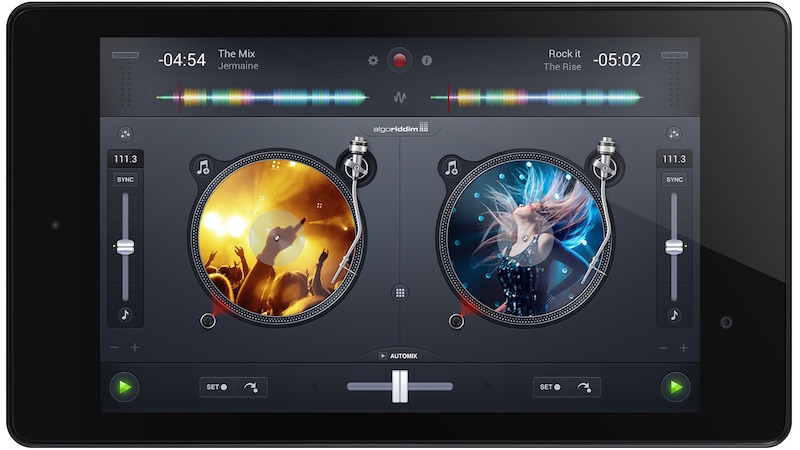
    Apple always had an upside when it comes to sophisticated apps. iOS has long been the king in terms of music performance and production apps. But now, Algoriddim, the team behind the popular music mixing app djay, has launched it for Android through the Google Play Store and Amazon App Store, making the app its first on Google’s platform.

    The dj-ing software was demoed onstage at the iPad 2 launch and it won Apple’s much craved Apple Design Award in 2011 and Apple’s App of the Year award in over 100 countries. Djay is so well-liked that it’s even being pre-installed on many of the Apple’s demo units in store.

    djay_android_tablet

    Djay 2 gives you a pair of virtual turntables on which you can load any music from your library or through Spotify (premium account required). Just about everything you can do on real turntables, you can do with djay 2. It’s not limited to the capabilities of physical turntables, though. This app has a full suite of audio effects, waveform views, a drum machine, auto-synchronization, and more.

    Spotify music is streamed directly to djay, so you don’t even need the Spotify app installed – simply log in through the music selection pane – and it performs as if the music was stored locally on your device as long as you’re online. You can pick up a seven-day free trial of Spotify Premium to use with djay through the app if you aren’t already a subscriber.

    This is a huge feature especially if you don’t typically sync your music library to your device or have a storage limitation that prevents syncing huge libraries. If you do save music directly on your device, djay for Android includes fast access to your own music library with the native Android user interface for quickly picking the desired music and returning to the turntables.

iGyaan Network
Privacy Overview

This website uses cookies so that we can provide you with the best user experience possible. Cookie information is stored in your browser and performs functions such as recognising you when you return to our website and helping our team to understand which sections of the website you find most interesting and useful.