Category: Apps and Software

Games, Apps, Softwares, Operating Systems and Software Hacks

  • WhatsApp Web Now Comes to Firefox and Opera Browsers

    WhatsApp Web Now Comes to Firefox and Opera Browsers

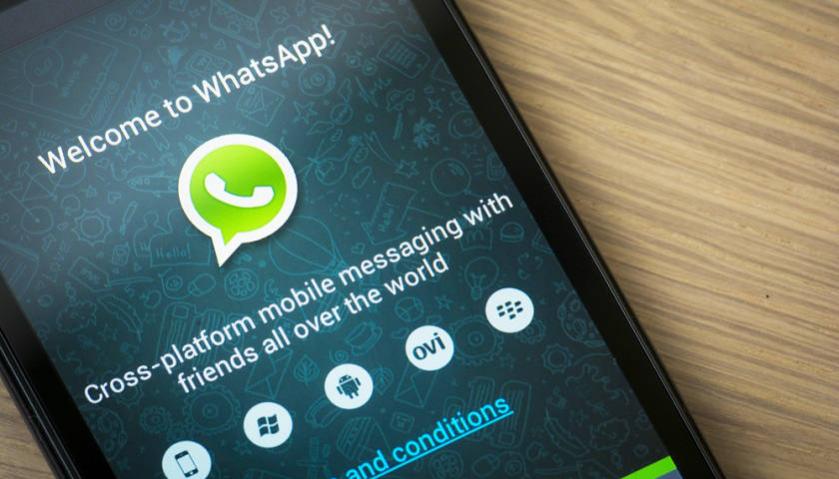
    The social networking service WhatsApp gave users a reason to switch to desktop when they introduced WhatsApp Web. Unfortunately, it was limited to Google Chrome to date, but now WhatsApp has extended its reach to Firefox and Opera too.

    Today, the company confirmed the same on Twitter –

    To launch the same on your desktop, go to WhatsApp Web on your device and scan the QR code on web.whatsapp.com. For now, the desktop version is compatible with devices running on Android, Windows and BlackBerry. The iOS handsets are yet to join the league.

  • With ‘Android for Work’, Google Wants to Make Android Devices Office-Friendly

    With ‘Android for Work’, Google Wants to Make Android Devices Office-Friendly

    Google’s Android OS is the only operating system that has touched almost every part of the globe. It has topped over all the other major softwares such as BlackBerry OS, Windows, and iOS. The search giant now intends to strengthen its stand in the enterprise environment by introducing a initiative called “Android for Work”.

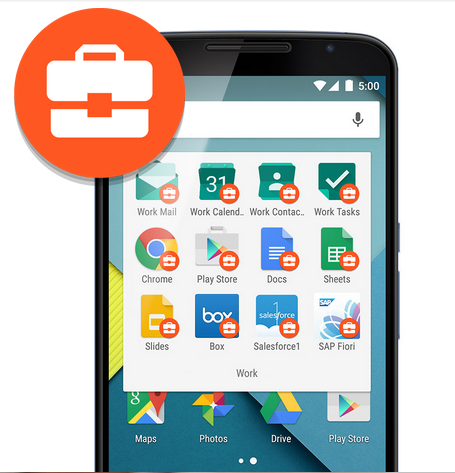
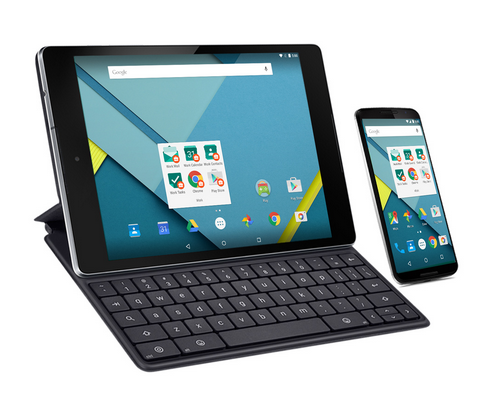
    Today, Google introduced “Android for Work” that focuses on making Android devices more office-friendly. Through this, users can manage their content and can keep their professional data separate in silos, without merging it up with personal content.

    android for work1

    Android OS lags in the business segment. However, smartphones and tablets running on Android sell like hot cakes, but they are underutilized in the workplace. Google’s mobile ecosystem was missing out on apps and features that users can bank upon for the security of their business content. The company might be able to bridge that gap with the introduction of new business centric features.

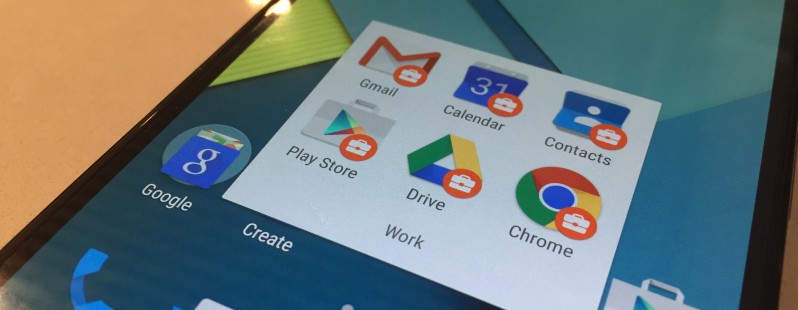
    ‘Android for Work’, works on four primary components. The gadgets running on Android Lollipop will be able to make the most of this service. IT team of a company can create profiles of the individual and can install apps to isolate their work data from the personal content. Next in the list is the Android for Work app which is built for devices running on Android 4.0 and above. The app delivers secure mail, calendar, contacts, documents, browsing and access to deployed work apps.

    android for work2

    The third component, Google Play for Work, allows IT professionals to install and manage recommended apps on the handsets of the users running Android for Work. The company has created a suite of business apps for email, contacts and calendar, which offers both Exchange and Notes and provides document editing capabilities.

    The internet search giant has partnered with well-known names like Box Citrix, VMware, HTC, LG and Sony, who are helping them in bringing out a more secure, manageable and innovative Android platform. BlackBerry has extended support through providing a cross-platform EMM (Enterprise Mobility Management) solution to manage devices.

    Google has an extensive user base, which can be used to reach out to more audience through their software. The company announced the project eight months back and has launched it now after testing it thoroughly. Google  is trying to make Android devices simple and essential for people to use at work and there will definitely be more updates coming to this initiative as enterprises are a profitable market for any tech company.

  • Microsoft Office 365 is Now Free for Eligible Students Worldwide

    Microsoft Office 365 is Now Free for Eligible Students Worldwide

    Microsoft has finally expanded the free Office 365 subscription for eligible students and teacher globally. The open service was earlier limited to the students of the US only.

    The company made the announcement through its official blog post that reads –

    Millions of students around the world are eligible for free Office from their school and today [Tuesday] we are announcing that we’ve made it easy for all eligible students globally to sign up themselves to get Office 365 and install free Office, Microsoft confirmed via its Office Blogs.

    Students just need to have a valid e-mail address, and they can sign up for a free Office 365 subscription. The users will get access to the latest versions of MS Word, MS Excel, MS Powerpoint, OneNote, Access, and Publisher. These programs can be installed on PCs, Macs and on up to five mobile devices including iPad, Android, and Windows Tablets. Students will also gain a massive storage space of 1TB on OneDrive and Office Online to keep their files safe.

    The company said that the offer can be availed only if schools do have a licensed software. The schools must license the Office in order to get benefitted from the provided service. Meanwhile, students can click here and enter the school-provided email address to access free Office. Teachers can do the same clicking here.

  • Microsoft Outlook to Drop Facebook and Google Chat Support Soon

    Microsoft Outlook to Drop Facebook and Google Chat Support Soon

    Microsoft has today disclosed its plan of removing Google and Facebook chat from its email service Outlook.com. The support will be discontinued within next couple of weeks, as per an e-mail by Outlook to its customer.

    The official notification by Microsoft says that the company is removing the Google Talk integration ‘due to Google’s decision to discontinue the chat protocol used by the Google Talk platform’. No reasons have been disclosed as to why Facebook chat support too will be discontinued.

    outlook

    “We understand that this may disappoint some of our customers, but we hope that you’ll try Skype for Outlook.com chat, and voice, video calling, so you can take advantage of the more robust ways to keep in touch with friends and family,” the e-mail message from the Outlook.com team said.

    Microsoft says that however Facebook and Google chat are coming to a halt, the People feature that keeps contacts up-to-date will remain unaffected. Microsoft is now attempting to push its own Skype chatting and calling services as an alternative chat option. The email asked its customers to activate their Skype for Outlook.com. As earlier said, the services will be there in Outlook just for few more weeks, and then Skype will be the only option to connect to the people.

  • Lollipop Update Delayed Until March for OnePlus One Devices

    Lollipop Update Delayed Until March for OnePlus One Devices

    At the launch of OnePlus One in India, the Chinese producer confirmed that it will release the latest Android update for the One devices within three months. It’s been exactly three months since (on 23rd February) and the Indian One users are still deprived of the highly acclaimed update.

    The Co-Founder of OnePlus Carl Pei took to Twitter and apologised for the company’s failure in delivering the latest Android OS on time. He announced that it will be delayed further for a few more weeks and will arrive sometime in March. The delay period is for both the operating systems – OxygenOS and CyanogenMod 12S.

    The company is said to be working on an upgrade called CM12S, which will be based on Lollipop. Meanwhile, OnePlus’ own operating system OxygenOS is in progress, and it will also run on Android Lollipop. For now, an Alpha built of OxygenOS is out. Since we already know, Indian OnePlus One devices will not receive any more updates from Cyanogen, and, as a result, current OnePlus One devices run on Google’s Android v4.4 OS.

    Users can advance to the CyanogenMod 12S by simply updating the handset, but if someone wishes to install OxygenOS on their devices, they have to wipe out their phones completely. For now, the users have to wait patiently until March for either of the upgrades.

  • Switching From Android to iOS? This iGyaan Guide Will Help You Out

    Switching From Android to iOS? This iGyaan Guide Will Help You Out

    Switching phones with different operating system is easy, but transferring data between the two can be a task. If you are an Android user and are planning to switch to iOS, then you might be concerned about your contacts, music, calendar, photos and videos. This guide will assist you in making a smoother and effortless shift between the two ecosystems.

    The first rule of safe data transfer is backing your device. This way, even if you are stuck at any step, you will have the data with you. Once all your data is backed up, follow the directions below and get started:

    Shift Contacts, Mail and Calendar

    iOS vs Android 11

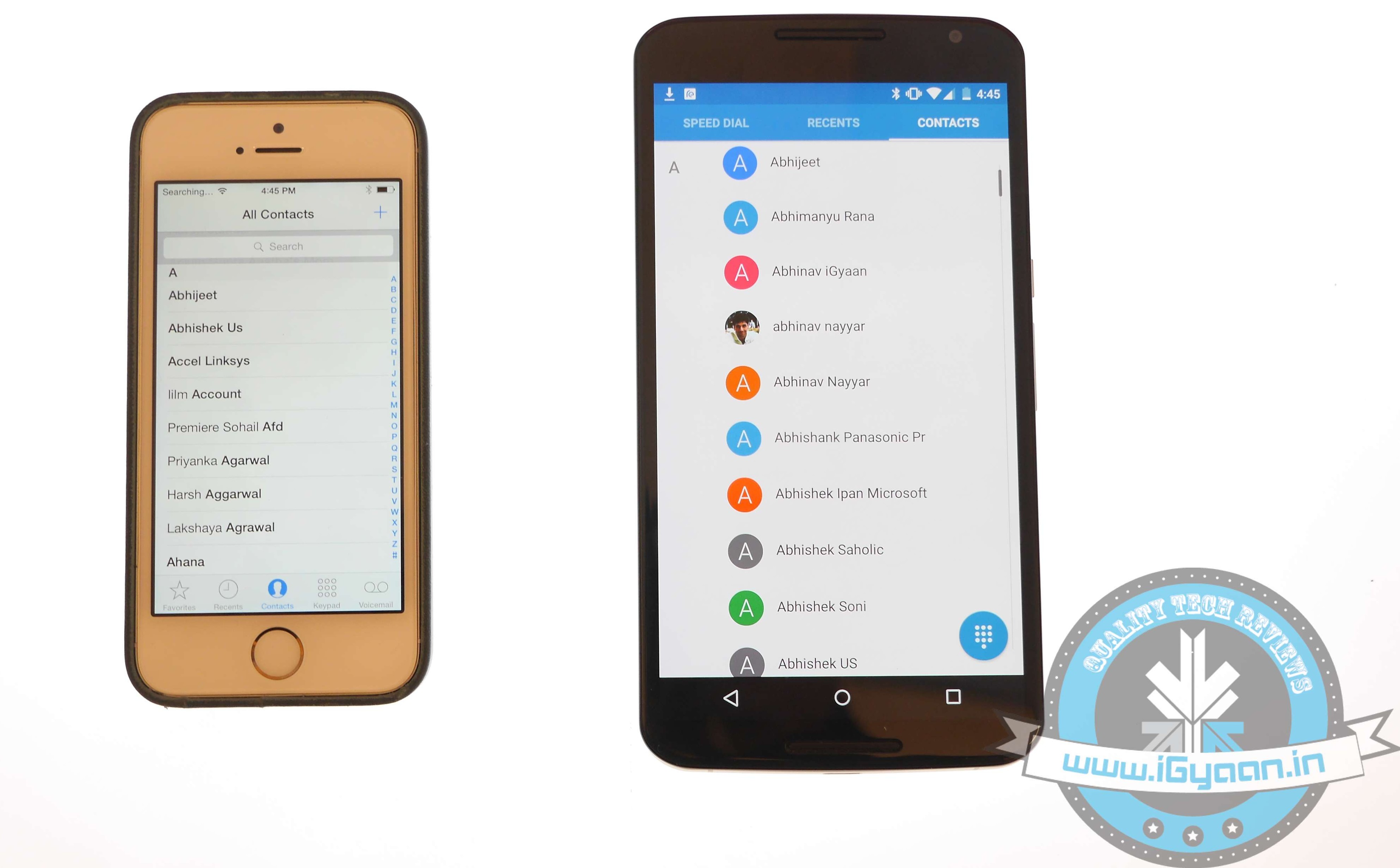
    One of the easy and quick methods to transfer contacts, emails, and calendar to the iOS is by syncing your Gmail account. Go for the below-mentioned steps on your Android:

    • Go to Settings > Accounts > Google
    • Click on your Gmail account and tap on Sync Gmail, Sync Calendar and Sync Contacts
    • This will sync your selected information to your Gmail account. Now open your iPhone and perform the following steps:
    • Choose Settings > Mail, Contacts, Calendars and add your Gmail account
    • Enable all the options like Mail, Contacts, Calendar and Notes if you wish.

    Transfer Photos and Videos

    iOS vs Android 7

    If you don’t wish to lose the pictures and videos on your Android, then Copy My Data or PhotoSync would be the best option to go for. Perform the below-mentioned method to transfer photos, as well as videos:

    • Download and install PhotoSync (or Copy My Data) on both iOS and Android.
    • Open PhotoSync on Android and make a selection of the pictures
    • Tap on the minuscule, Refresh-like red button on the top and select Phone in the next window that will appear
    • Tap on the iPhone name in the other window or type in IP address in case it doesn’t appear automatically
    • The transfer will begin.

    Transfer Music

    iOS vs Android 13

    Music transfer from Android to iOS conveniently through iTunes. Read and replicate the steps below:

    • Plug in the Android device to a computer and copy your collection to it
    • Install iTunes and go to Library > Music > File > Add Folder to Library.
    • Copy all audio files you want to have on your device
    • Now without closing the iTunes, attach your iPhone to the computer
    • Click Sync on the dialogue box that appears on attaching the iPhone

    All your songs will now appear on your iOS device.

    Transfer Messages

    iOS vs Android 2

    There are moments your messages carry important information and losing them is no option. Well, this means that you have to shift your messages to the new iOS device. Message transfer is a stressful task, but we have figured out the easiest way for you.

    • Download the Phone Transfer app on your computer
    • Connect both Android and iOS via USB to the PC.
    • A window will appear with Android device on left and iOS on the right. Flip the two if it’s not the case as the destination phone has to be on right.
    • Click on Text messages and deselect the rest and press Start Copy

    You can now read the transferred messages on the iOS devices.

    If you want to know how to transfer data from an iOS device to your Android device, then follow this easy guide.

  • WhatsApp’s Voice Calling Feature Now Coming to All Android Devices

    WhatsApp’s Voice Calling Feature Now Coming to All Android Devices

    A few days back it was being reported that WhatsApp was testing voice calling feature on select devices. The messaging giant is now all set to bring the feature to all its Android subscribers. This will be a fantastic news for the users but will also be a major cause of concern for the network operators who have already lost tremendous amount of SMS revenue to messaging apps.

    The update seems to get activated when a user with voice calling capability calls his WhatsApp contacts. Once the update is activated, the user interface also changes to feature a separate voice calling screen. A phone icon also appears next to the WhatsApp contacts, and you can also see the call logs of your device.

    It seems like the update procedure isn’t working for all users yet. There might also be a possibility that the developers might have restricted the number of people a person can invite by voice calling them. WhatsApp hasn’t officially announced the roll-out but with the number of devices supporting the feature, we can anticipate an announcement any time soon.

    With this offering, Facebook owned WhatsApp will also direct an assault at voice calling apps like Viber, WeChat and others. You can even expect a backlash from the phone companies in the form of increased data pack costs. But no matter what, the 700 Million WhatsApp users are going to get a reason to celebrate real soon.

  • This App Helps You Create a Button That Does Almost Anything For You

    This App Helps You Create a Button That Does Almost Anything For You

    Have you ever wished of a button that could do all in one click? Well, if you did, then your wish has come true.

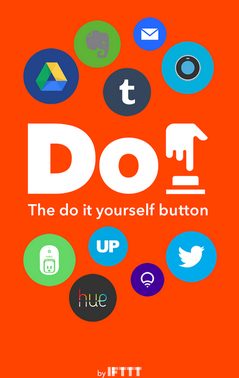
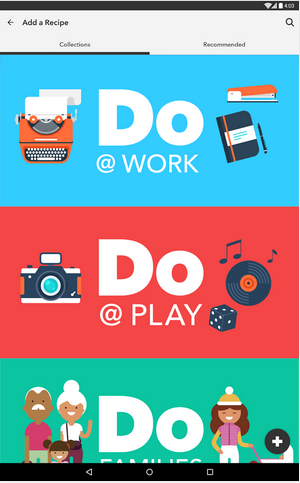
    A start-up firm IF (previously IFTTT) has built three apps, which are customised time-saving shortcut switches. These new apps are titled as Do Button, Do Camera and Do Note. These tools allow users to create recipes of actions to perform automated tasks. A user can add a maximum of three activities to make a recipe.

    The company Co-Founder and CEO Linden Tibbets says about the app:

    IFTTT is really about how do we help people manipulate that digital world, almost like a programmer can, and do it in a really intuitive way

    do switch

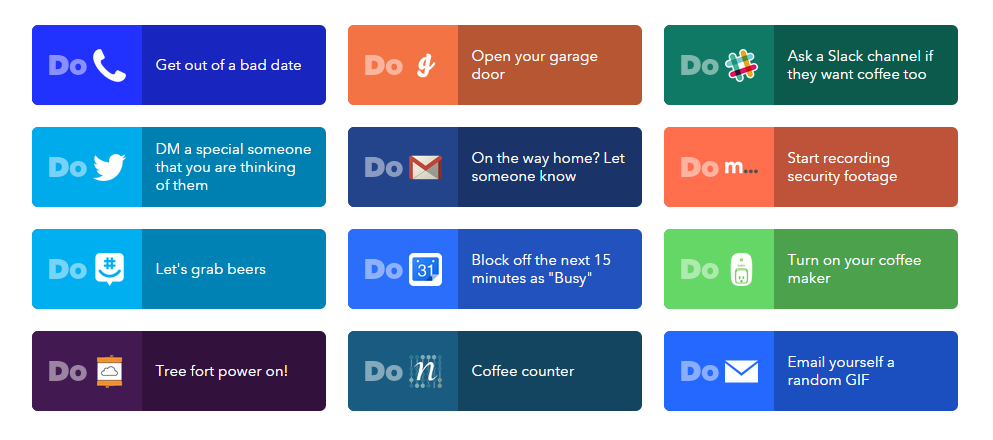
    The Do Button inculcates all the popular activities that people practice from time-to-time. From saving you from a bad date by a phone call to transferring Instagram photos on Dropbox, the Do Button does it all. Find actions and recipes and add them to the Do Button by pressing Activate. The app is compatible with both iOS and Android devices.

    do switch2

    Do Camera is just like Do Button, but it allows users to attach pictures with actions. Upload a photo on Facebook, Twitter, send the image as an email to a friend, or upload it to Evernote. The app allows users to do all this with the press of a button. Just like in Go Button, add actions and make a recipe. Users don’t have to unlock the screen as the app comes in the form of the widget on the lock screen itself.

    Do Note is the last offering by the company with the same idea; besides, it gives users freedom to make a note rather than picking the already chosen actions. Make appointment details on Calendar, send emails, create a reminder while on the go, and do a lot more. It’s like a merger of many switches into one. Do Note is available for free download on both Android and iOS platforms.

  • Pre-installed Software On Lenovo Laptops Makes Them Prone To Hacking: Report

    Pre-installed Software On Lenovo Laptops Makes Them Prone To Hacking: Report

    One of the world’s largest PC manufacturer Lenovo Group is in the news for all the wrong reasons. Cyber-security experts are reporting that the Chinese manufacturer had pre-installed a virus laden software on its laptops that apparently makes its devices prone to hacking,

    Users back in June reported of a pre-installed programme called Superfish that was an adware.

    [quote text_size=”small” author=”Robert Graham” author_title=”CEO of U.S.-based Security Research Firm Errata Security”]

    Superfish was malicious software that hijacks and throws open encrypted connections, paving the way for hackers to also commandeer these connections and eavesdrop, in what is known as a man-in-the-middle attack.

    [/quote]

    Meanwhile, Lenovo officials in January said on a web forum that Superfish has been temporarily been removed from consumer computers. The officials though did refrain from making any official comments during the Lunar New Year holiday in China.

    Security experts believe that Lenovo has been negligent, and these computers are still vulnerable even after uninstalling Superfish. The software gives itself total control to take over connections and declare them as trusted and secure, even when they are not secure. If the allegations are substantiated, it will be a major blot on the companies brand identity and may affect future sales.

  • YouTube’s New Kid-Friendly App is Coming to Android Devices on 23 February

    YouTube’s New Kid-Friendly App is Coming to Android Devices on 23 February

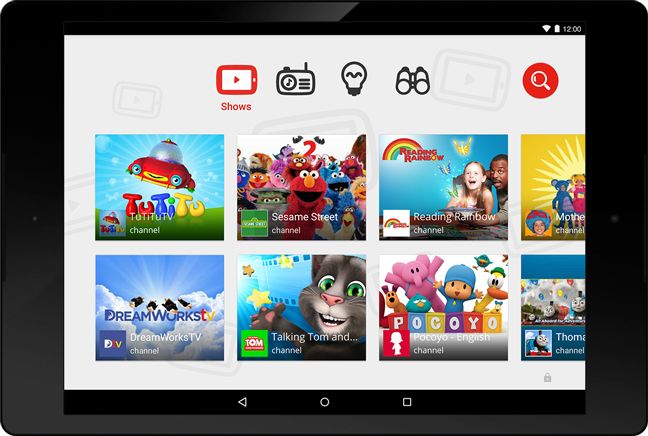
    Google’s video-sharing service, YouTube is attempting to expand its user base by including the tech generation kids to its audience. The company announced in a statement that it would launch an app for kids called YouTube Kids app, which will have children specific content to create a safer environment for kids.

    The new app will be an entirely separate division of the main YouTube service and will include age-appropriate content (videos, channels and playlists). YouTube Kids will feature a homescreen and will have eight options including kids TV shows and more. Kids can search for videos by typing in the standard search bar and can even browse through their voice.

    youtube kids1

    Richard Goldsmith, Executive Vice President, Global Distribution and International Consumer Products at Jim Henson Co. said –

    The app is extremely kid-friendly and features a variety of content, including several of our series such as Sid the Science Kid, Pajanimals, and Fraggle Rock.

    Google has partnered with many content providers like DreamWorks TV, National Geographic and The Jim Henson Co. to provide content. Earlier this month, it acquired mobile application maker Launchpad Toys Inc., the developer responsible for building Toontastic storytelling tool, to help provide kids with more games and services.

    YouTube Kids allow parents to have a control over the content and for how long will your child be watching a particular channel. The free app will be available on Android devices through Play Store from February 23, and meanwhile, it’s limited to just US kids. The company  is expected to extend the service to other nations as well. The app would be appreciated by the parents who wanted to keep their kids away from the massive inventory of non-kids friendly content on Youtube.

  • Facebook Confirms of Designing Virtual Reality Apps

    Facebook Confirms of Designing Virtual Reality Apps

    Last March, Facebook acquired virtual reality (VR) headset maker Oculus with a vision of introducing the world to futuristic social media experience. The social media giant hasn’t taken a break since then and is coming up with one or the other breakthrough. Lately, Facebook has confirmed that it is working on virtual reality apps that will assist users in creating and viewing VR content.

    The Oculus Rift headset is tested by attendees at the Eurogamer Expo at Earls Court in London.

    In a conference today, Chris Cox, Chief Product Officer of Facebook, stamped the news saying that they’re working on apps for VR.

    You realize, when you’re in it, that you’re looking at the future, and it’s going to be awesome. When you’re in Facebook, you’re just sending around these bits of experience — a photo, a video, a thought, whereas with VR, you could be sending a fuller picture.

    According to Cox, the users will be able to create VR content of their own and share the surrounding environment with other app users. Though, he didn’t elaborate what all apps are in the progression and how are they going to work.

    Facebook exhibited a small demo of the boundless platform at Sundance Film Festival this year. The company stepped forward and premiered its first short piece titled ‘Lost‘. It also confirmed to release five more flicks this year.

    This step by Facebook is commendable. It would be exciting to see the apps that would give users freedom to create VR content of their choice and share it. This will give social media  whole new space to grow.

  • With About $19 Billion Valuation, Snapchat To Become Third Most Valued Startup

    With About $19 Billion Valuation, Snapchat To Become Third Most Valued Startup

    Snapchat, the service that lets you send self-destructing text and picture messages is going places. In the latest round of funding, the company seems positive to raise its valuation to $16-19 billion. With this funding round, the company will become the third most valued startup after Xiaomi and Uber.

    Last year, Snapchat raised $485 Million and was then valued at $10 Billion. This time around the company is targeting $500 million and is expected to be valued between $16-19 Billion. The company will over all raise $1 Billion after proposed funding.

    Snapchat needs the funding as it plans to purchase the recording label Big Machine. This purchase is expected to cost Snapdeal a massive sum of $350 million. To raise its funds further, the company has said that it will be introducing ads on the platform.

    Snapchat has been gaining popularity and is said to have acquired up to 200 Million monthly active users. For comparison, Instagram has over 300 Million subscribers while Whatsapp, the most popular of the messaging app has a user base of over 700 million.

  • New Microsoft Office Update Extends Support to iCloud Storage

    New Microsoft Office Update Extends Support to iCloud Storage

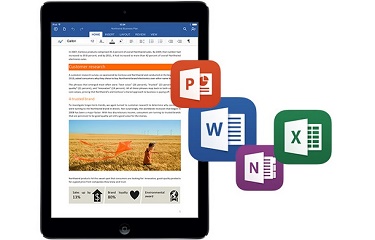
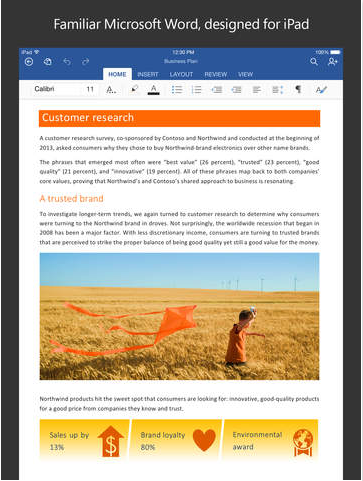
    Microsoft is expanding its horizon and is releasing app upgrades equally for all platforms. They’ve recently taken commendable steps to ensure everyone gets the chance to use their services, without being restricted to Windows. Today, the company updated the Microsoft Office app to Version 1.6, adding iCloud support for iOS customers. The new upgrade allows users on Apple devices running iOS 8 or above, to open, edit, and save Office documents to iCloud.

    microsoft office update

    With the new version, users don’t have to pay for an Office 365 subscription or to use OneDrive. They can view, edit and create docs for free. The upgrade could be a bit confusing for the regular iCloud users as the new version doesn’t allow you to add iCloud as a place in Word, Excel or PowerPoint.  One has to tap on ‘More’ section to access the saved documents on iCloud.

    File type is also a hurdle and users wouldn’t be able to overwrite the docs created with TextEdit on Mac. But you can always create a new document. Simply share your work with others by emailing a hyperlink, the file or a PDF.

  • Top 5 Apps to Help Keep a Tab on the World Cup Fever

    Top 5 Apps to Help Keep a Tab on the World Cup Fever

    The 11th Cricket World Cup, which the whole world was eagerly waiting for, commenced on 14th February. The first battle of the Indian team was with the arch-rival Pakistan and the players added one more star to their report cards with a historic win.

    Fortunately, the decisive tussle was on Sunday, and everybody cheered for India sitting in front of their TV sets. But the upcoming matches won’t coincide with the holidays, and everybody would be busy with their routine schedule. But we’ll make sure the World Cup fever doesn’t fade away.

    Catch the match with the list of apps that will offer you Live cricket experience:
    ESPN Cricinfo

    espn cricinfo

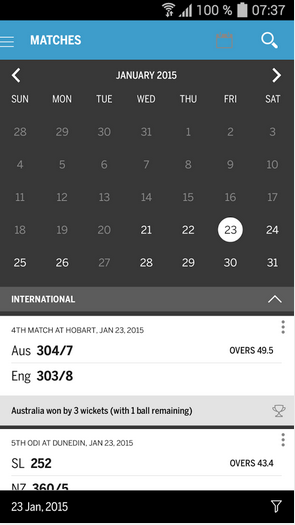
    If you wish to get updates real quick, then ESPN Cricinfo is the app to go for. The website is the oldest provider giving cricket coverage, and the app adds value to it. You can check the scoreboard, and can track the number of 6s and 4s. Player-wise scores are exhibited within the app, and it also helps new viewers by showing the bio-data of each player. Besides, it supplements with related cricket news and covers almost all updates about the World Cup matches till date.
    Cricbuzz

    cricbuzz

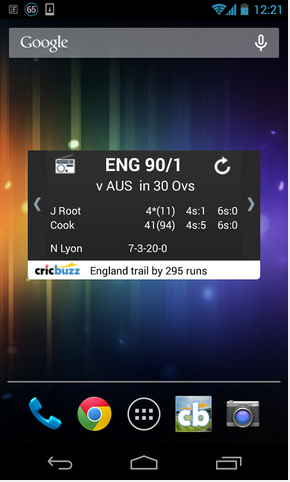
    If you’re looking out for live cricket commentary and want the scores to come in the form of a widget on your home screen, then install Cricbuzz app from the Play Store. Apart from scores and other match updates, the app allows you to watch match images, get live tweets from experts and ranking of each team along with points and rating.
    Star Sports

    star sports

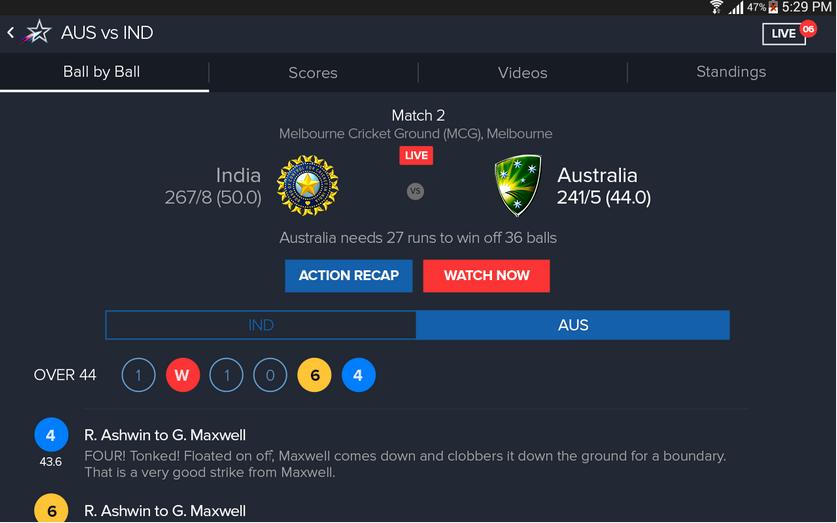
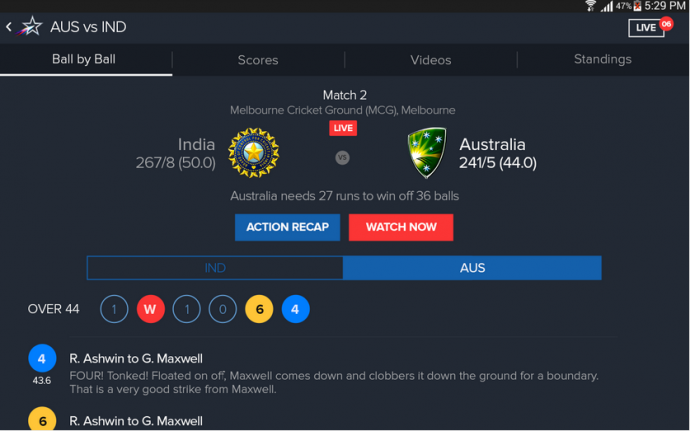
    This app is appealing and the most user-friendly one. You can fetch the status of every ball, plus it gives extra information about the scene to retain engagement. As it’s the official broadcast partner for the World Cup, users can see the complete match live on their smartphones. Also, one can see video highlights for batsmen and bowler innings, ball by ball commentary and forthcoming event details.
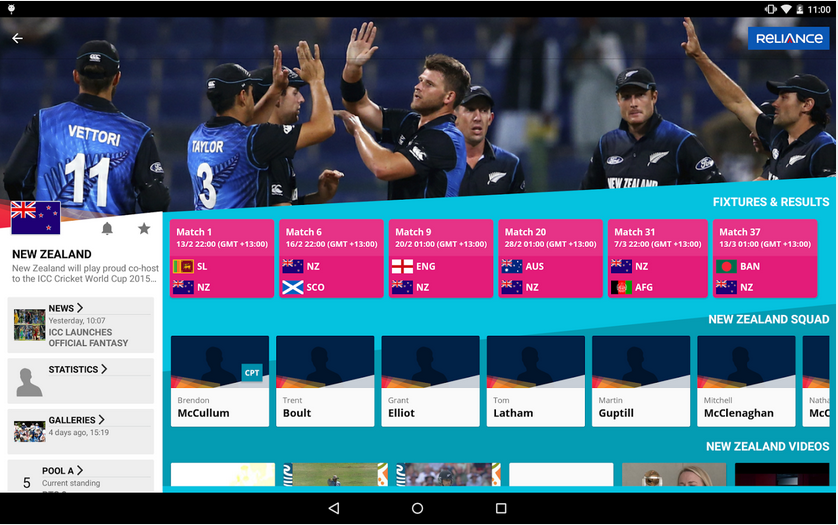
    ICC Cricket World Cup 2015

    icc cricket world cup 2015

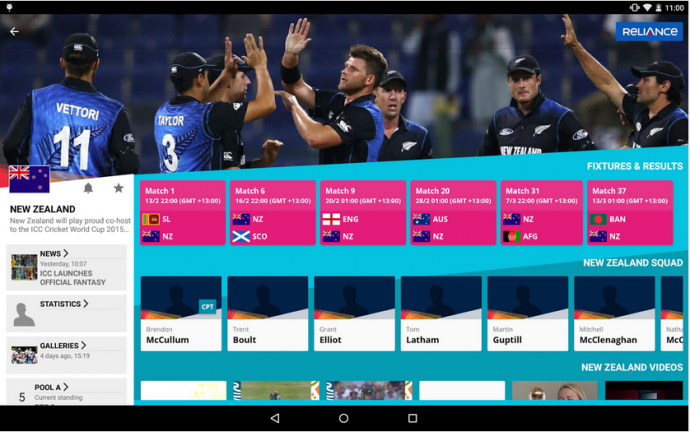
    This app by the International Cricket Council accomplishes the vital and primary needs of cricket fans. One can learn ball-by-ball scores and commentary, score notifications, tournament stats, match highlights and related news about the game. Additionally, it has polls and a social hub to get interactive through #cwc15.

    ESPN Cricket 2015

    espn cricket 2015

    This app is for die-heart cricket fans who can’t afford to miss the World Cup matches at any cost, even if they have to watch it on repeat as well. Another tool by ESPN is primarily designed to witness the World Cup live and rebuild the thrill of all 49 matches, in case someone missed a match. In all, it’s a wholesome entertainment pack, exclusively for iPhone users.
  • Samsung Following LG WebOS’ Footsteps to Make Tizen the Next Big Thing for TVs

    Samsung Following LG WebOS’ Footsteps to Make Tizen the Next Big Thing for TVs

    LG’s WebOS inclusion in TVs brought out revolutionary products. It marked the beginning of the era of smart TVs. The WebOS was well received by the tech community, and the reason is it’s snappy, engaging and a simple operating system. It seems like Samsung has understood the popularity of the WebOS and is going the LG way.

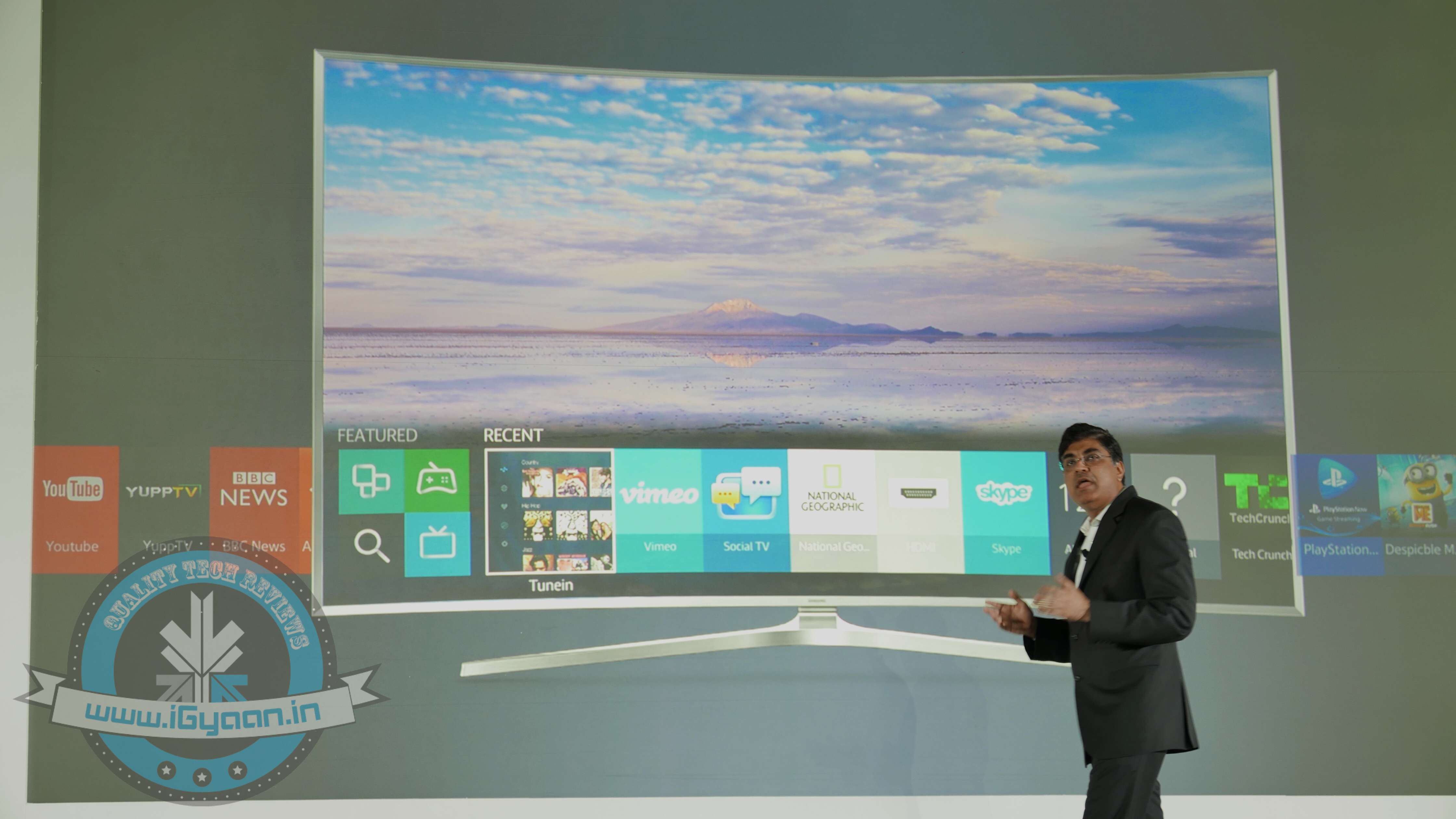
    Meanwhile, Tizen OS on TV is the mini version of WebOS. Just like WebOS, Samsung’s Tizen-based TVs feature a panel at the bottom of the screen that depicts apps. The LG’s WebOS is advanced and highlights the screen shot of the ongoing programme. The Smart Hub on Tizen OS allows for seamless navigation and throws recent apps on one screen. The content can be shared from the TV to different devices, enabling users to have a multi-screen integrated experience. It provides easy and seamless navigation across videos, games and the web. Whereas on WebOS, there’s a Launcher Bar to optimize the menu and everything is right in front of you. Through the Magic Motion remote control, users can point, click, and scroll your way through the interface.

    Samsung Thailand Forum 2015 0
    At the Samsung Thailand Forum 2015 in Bangkok, Thailand

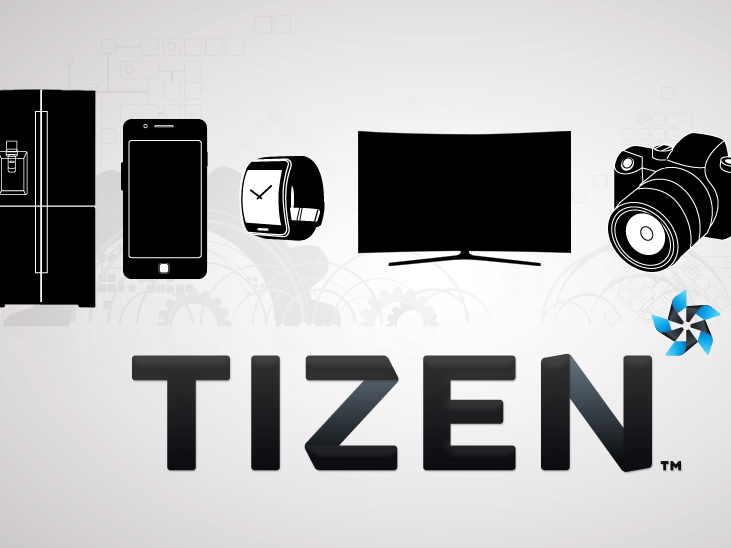
    WebOS is the heart of the TV’s user interface and with Tizen entering the game, it will take some time to make a concrete ground for itself. Samsung is leaving no stone unturned and is embedding electronic equipments with the Tizen OS. The company has announced that all forthcoming smart TVs will pack its own OS. Samsung Z1 is already running on Tizen OS, and the Korean producer has confirmed to launch Tizen-powered electronic products like refrigerators, air conditioners and washing machine in the coming future.

    We will see the Tizen OS on the new SCurve TV by Samsung. If Samsung does the significant alterations, it can draw a considerable audience to its Smart Tizen TV; becoming the second favorite OS after WebOS. Samsung is, presently, showcasing its newest innovations at the Samsung Forum 2015 in Bangkok.

iGyaan Network
Privacy Overview

This website uses cookies so that we can provide you with the best user experience possible. Cookie information is stored in your browser and performs functions such as recognising you when you return to our website and helping our team to understand which sections of the website you find most interesting and useful.