Category: Apps and Software

Games, Apps, Softwares, Operating Systems and Software Hacks

  • Apple Releases Update to Detect and Delete MacDefender ‘Scareware’: UPDATE

    Apple Releases Update to Detect and Delete MacDefender ‘Scareware’: UPDATE


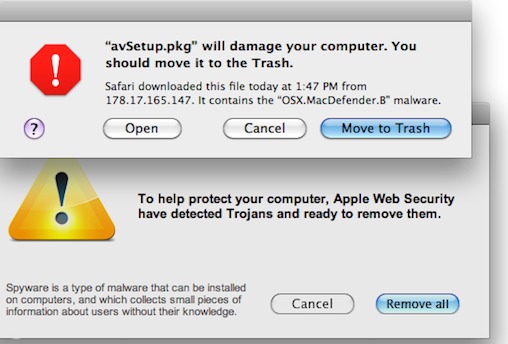
    Yesterday, Apple released an update for Snow Leopard  to detect and warn useres if they have installed a fake Mac security software called MacDefender. The term ‘Scareware’ basically means that the software will plague users with popups and alerts warning them that their computer is infested with trojans, worms and other malware. To get rid of these popups users have to fork over $60 to $80 to purchase the registered version of the useless software.

    The update, labelled 2011-003, adds a new definition to the rudimentary virus detection engine embedded in Snow Leopard, and also increases the requency with which it checks for definition updates to daily. This brings the total tally of antivirus definitions on the Mac AV engine to 6.

    This update was only offered to users running OS X 10.6 aka Snow Leopard. Macs powered by the older 10.5 Leopard OS will not recieve the same anti-MacDefender protection. Users can download the update from the apple website or update their system using the regular ‘Software Update’.


    UPDATE:

    The people responsible for the fake Mac security software has already updated their “scareware” to evade defenses Apple put in place late Tuesday, a French security company Intego confirmed today. “Apple’s [antivirus] did not detect the new sample,” said Peter James, a spokesman for Intego. According to James, the new malware file is identified as “mdinstall.pkg” and if installed, plants the phony MacDefender software on the victim’s Mac.

    Intego confirmed  that the scammers had created a new version that wasn’t detected by Apple’s new defenses. “This isn’t surprising, that there’s a new variant out almost as soon as Apple released its security update Tuesday,” said James. “[The attackers] are following the news, they’re efficient.”

  • Microsoft Windows 8 taken out of the Wraps !! – Video

    Microsoft Windows 8 taken out of the Wraps !! – Video

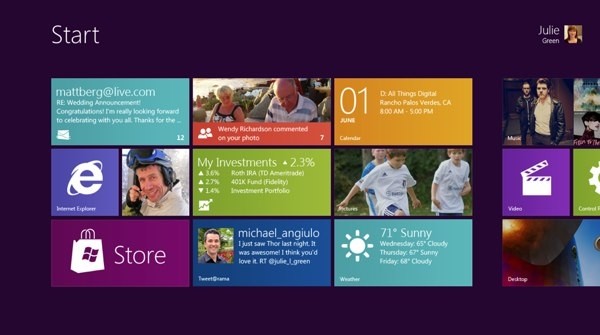
    Microsoft has just taken its Wraps off the next build of Windows, Microsoft Windows 8. Taking its inspiration hugely from the Windows Phone 7 Metro UI. Just like the Windows phone 7 Build this UI  is also designed perfectly to work with touch-screens. Therefore you can bet on a large number of Windows 8 tablets to hit once the OS is fully released for consumption.

    This next version of Windows will come with the new Internet Explorer 10 , as well as support for HTML5 and Java apps that will run better on tablet-sized devices. But, will also support all applications designed for Desktop use.


    [Build Windows]

  • Apple releases iWork to iPhone and iPod touch (PR)

    Apple releases iWork to iPhone and iPod touch (PR)

    Being a few of the most successful apps on the iPad online App store since day one of Launch, Apple has finally brought some love to iPhones and iPod Touches. The same apps will now run on all other iOS devices making them universal Apps at US% 9.99


    PRESS RELEASE

    Apple iWork Now Available For iPhone & iPod touch Users

    CUPERTINO, California-May 31, 2011-Apple® today announced that its groundbreaking iWork® productivity apps, Keynote®, Pages® and Numbers®, are now available for iPhone® and iPod touch®, as well as iPad®. Created for the Mac® and then completely redesigned for iOS and Apple’s revolutionary Multi-Touch™ interface, Keynote, Pages and Numbers allow you to create and share stunning presentations, beautifully formatted documents and powerful spreadsheets on the go. iWork apps are available on the App Store™ for $9.99 each to new users and as a free update for existing iWork for iPad customers.

    “Now you can use Keynote, Pages and Numbers on iPhone and iPod touch to create amazing presentations, documents and spreadsheets right in the palm of your hand,” said Philip Schiller, Apple’s senior vice president of Worldwide Product Marketing. “The incredible Retina display, revolutionary Multi-Touch interface and our powerful software make it easy to create, edit, organize and share all of your documents from iPhone 4 or iPod touch.”

    Keynote, Pages and Numbers import and export documents from iWork for Mac and Microsoft Office; print wirelessly using AirPrint™; and include beautiful Apple-designed themes and templates. All iWork apps now include improved document management with thumbnail images that let you find your files quickly, organize them and group them into folders using intuitive gestures. From the Tools button in the toolbar, you can easily share any presentation, document or spreadsheet without leaving the app.

    Keynote makes it easy to create impressive presentations, complete with animated charts and transitions. You can play your presentation in Full Screen view on the stunning, high-resolution Retina™ display or connect to a projector or HDTV for a large audience. Available separately, the Keynote Remote app allows your iPhone or iPod touch to control a Keynote presentation on any iOS device or Mac.

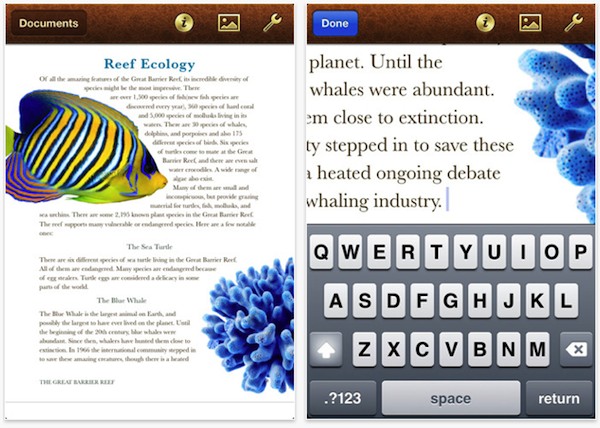
    Pages is the most beautiful word processor ever designed for a mobile device and has everything you need to create amazing documents. Pages takes full advantage of the high-resolution Retina display on iPhone 4 and iPod touch so you can see all the detail and richness of your documents. To make working with text easy on iPhone and iPod touch, Smart Zoom automatically zooms in to follow the cursor while you’re editing and zooms back out when you’re done.

    Numbers uses Multi-Touch gestures and an intelligent keyboard to help you create compelling, great-looking spreadsheets with over 250 easy-to-use functions, flexible tables and eye-catching charts. Just like Pages, Numbers takes advantage of the high-resolution Retina display and Smart Zoom to make working with text and cells on iPhone 4 or iPod touch easy.

    Pricing & Availability
    Keynote, Pages and Numbers are universal apps that run on iPad and iPad 2, iPhone 3GS and iPhone 4, and iPod touch (3rd & 4th generation). Keynote, Pages and Numbers are available from the App Store for $9.99 (US) each for new users, or as a free update for existing iWork for iPad customers. Keynote Remote is sold separately via the App Store for 99 cents (US).

    Apple designs Macs, the best personal computers in the world, along with OS X, iLife, iWork and professional software. Apple leads the digital music revolution with its iPods and iTunes online store. Apple has reinvented the mobile phone with its revolutionary iPhone and App Store, and has recently introduced iPad 2 which is defining the future of mobile media and computing devices.

  • Apple will announce iCloud and iOS5 on June 6th (PR)

    Apple will announce iCloud and iOS5 on June 6th (PR)

    Surprising piece of information from Apple, in almost a first ever in a very long time they have announced what is going to be announced before the actual announcement. According to the Press Release below Apple will announce the much awaited iOS5 and new new could based streaming service iCloud on June 6th 2011 at the WWDC.

    Lets hope that Steve Jobs has something else up his sleeve, or down his pocket, a shiny new iPhone 5 perhaps, even an iPhone 4s. You never know with Apple, But hey at least Jobs is gonna be there delivering the Keynote.


    PRESS RELEASE

    Apple to Unveil Next Generation Software at Keynote Address on Monday, June 6

    CUPERTINO, California-May 31, 2011-Apple® CEO Steve Jobs and a team of Apple executives will kick off the company’s annual Worldwide Developers Conference (WWDC) with a keynote address on Monday, June 6 at 10:00 a.m. At the keynote, Apple will unveil its next generation software – Lion, the eighth major release of Mac OS® X; iOS 5, the next version of Apple’s advanced mobile operating system which powers the iPad®, iPhone® and iPod touch®; and iCloud®, Apple’s upcoming cloud services offering.

    WWDC will feature more than 100 technical sessions presented by Apple engineers. Mac® developers will see and learn how to develop world-class Mac OS X Lion applications using its latest technologies and capabilities. Mobile developers will be able to explore the latest innovations and capabilities of iOS and learn how to greatly enhance the functionality, performance and design of their apps. All developers can bring their code to the labs and work with Apple engineers.

    For more details, visit the Apple Worldwide Developers Conference 2011 website at developer.apple.com/wwdc.

    Apple designs Macs, the best personal computers in the world, along with OS X, iLife, iWork and professional software. Apple leads the digital music revolution with its iPods and iTunes online store. Apple has reinvented the mobile phone with its revolutionary iPhone and App Store, and has recently introduced iPad 2 which is defining the future of mobile media and computing devices.

  • BlackBerry Curve ‘Apollo’ gets Leaked on Video

    BlackBerry Curve ‘Apollo’ gets Leaked on Video

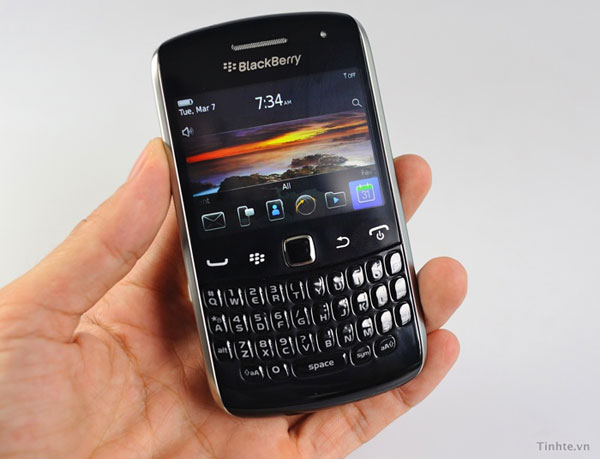
    RIM has got an exciting lineup of phones coming this year. The Curve “Apollo” however, may not be the very ‘exciting’ category. The still-unannounced smartphone popped up on Tinh te, with a Vietnamese tech showcasing the phone, it is practically impossible to understand a word he is saying (Hindi being native and all)

    The new Curve :

    • 11mm thick
    • 800Mhz Marvell Tavor CPU MG-1 processor
    • 480 x 360 screen.

  • Amazons also launches Mac Download Store

    Amazon on Thursday announced the Mac OS X online application store. The Amazon Mac Download Store will compete directly with Apple’s own Mac App Store.

    Amazon says its store has 250 of the biggest software and game titles available for Mac. In fact, they have some titles that Apple’s store doesn’t. Amazon also features games from Feral Interactive, Electronic Arts and Aspyr, utilities like Roxio Toast and other titles.

    Amazon said the “Mac Download store features an install-less download process where the customer gets just the product without any unwanted extras, making for faster and easier purchases. Plus, downloads are conveniently backed up in your Games and Software Library where you can download an unlimited number of times for personal use.”


  • Sony Ericsson also Updates Xperia Arc and Play to 2.3.3 and gives free Facebook integration

    Sony Ericsson also Updates Xperia Arc and Play to 2.3.3 and gives free Facebook integration

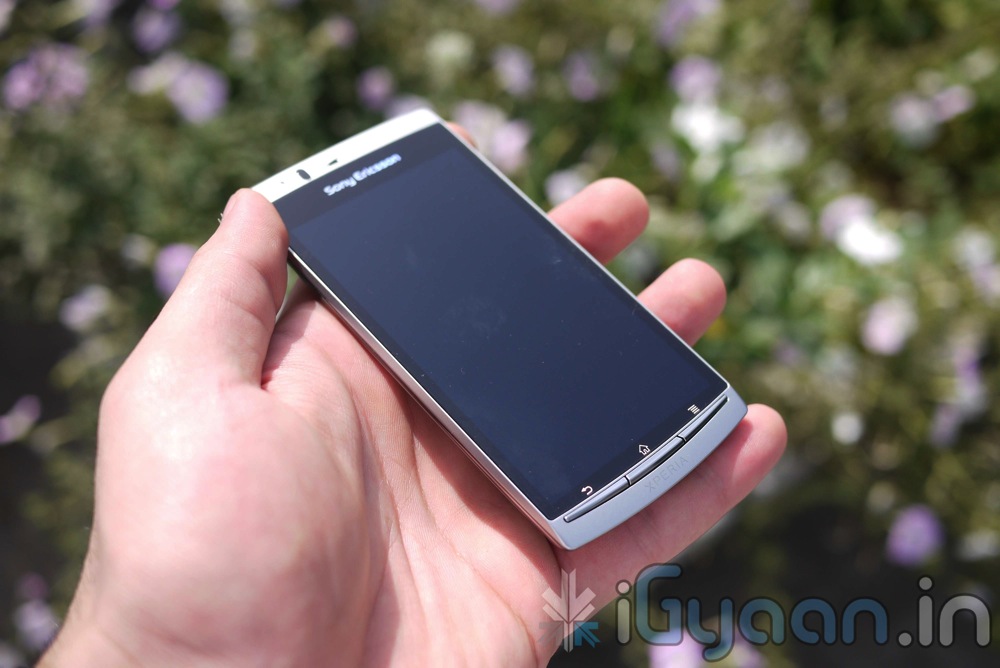
    Looks like Sony Ericsson wants its loyal users to stick around, they are pushing updates sooner than promised. The new 2.3.3 Update for Sony Ericsson with Facebook integration was talked about , sometime last week. But the version mentioned was 2.3.4 , SE has however included this in ver. 2.3.3 .

    Currently the update is available for the ARC and the Play, but all Xperia devices are set to get the Update.

    The major focus of the update is “Facebook Inside Xperia,” which allows you to sync your social media with other aspects of your phone, such as contacts, calendar, and photo gallery.

    Other improvements in the package include

    • WiFi stability
    • Overheating fix for Arc
    • Improved battery performance
    • HD video recording performance (Arc only)
    • Bug fixes

    Check out the Video below showcasing some of the features.

    CHECK OUT OUR FULL REVIEW OF THE SONY ERICSSON XPERIA ARC

  • HTC Incredible S Gets Android 2.3.3 OTA UPDATE in INDIA

    HTC Incredible S Gets Android 2.3.3 OTA UPDATE in INDIA


    Looks like this time around HTC is not leaving India behind. Yesterday our HTC Incredible S popped up with an update for The Android Version 2.3.3

    Simply press OK to accept the update via adata connection such as Wi-Fi or GPRS/3G.

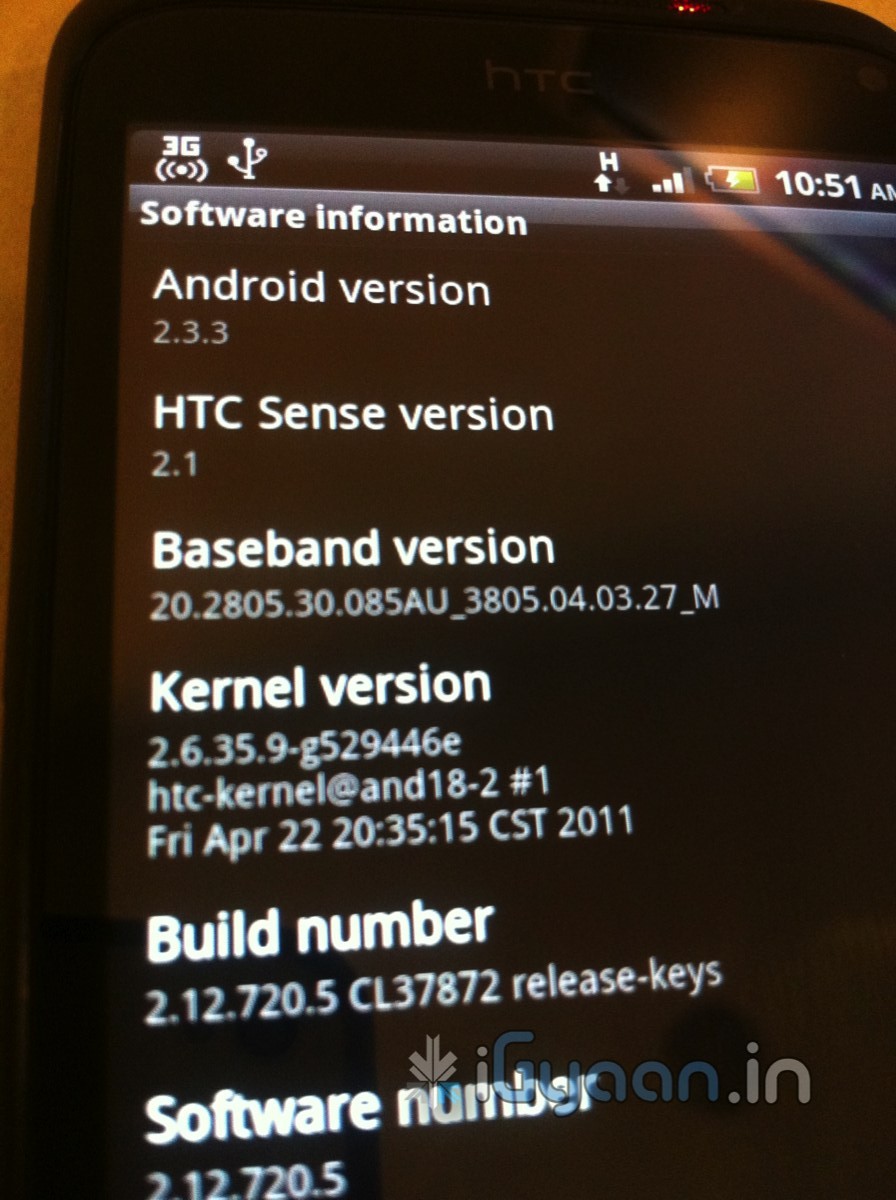
    After installing the update, you can confirm a successful update by confirming the Build number (From the Home Screen go to MENU> Settings> About Phone> Software Information> Software number).

    The new Build number after the update will be 2.12.720.5. Update: Android 2.3.3 upgrade.


    Note?Please back up your data first before upgrading your phone.


    We recommend using a free Wi-Fi hotspot or an unlimited data plan to apply this update. If not, standard data connection charges may apply

  • DIY: HOW TO : Fix Battery Drain in Samsung Galaxy POP / Fit / POP CDMA

    DIY: HOW TO : Fix Battery Drain in Samsung Galaxy POP / Fit / POP CDMA

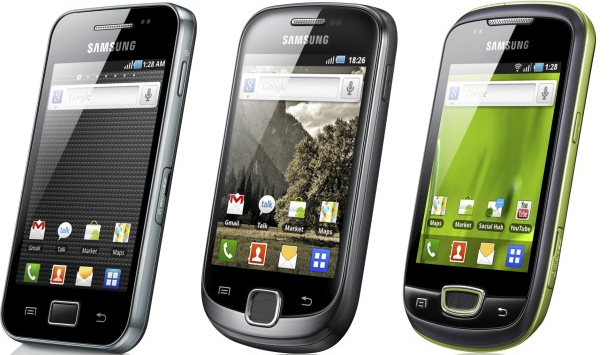
    If you have a Galaxy POP / FIT / POP cdma or even a Galaxy Ace

    You are probably complaining of the poor battery life! SO were we.


    But iGyaan has found a quick fix for all your woes. It seems that something in the devices is causing the chipset to overheat and cause the battery to drain. Sometimes enough to drain the battery in a few hours of NON-USE.


    So here is what you need to do ( incase you didn’t already know)

    • Make Sure you remember to turn off Wifi / GPS  and Location services
    • Turning off Background Data will also improve the battery life considerably.


    But we found that the above steps, may improve battery life, but do not improve it to an extent where the device is still usable. And a simple uncheck helped us resolve this predicament.

    Go to Settings < Wireless And Networks < Mobile Networks

    And turn of Cellular data / Phone data / Mobile data ( whatever it is called on your device)

    You will see a 10x improvement in battery life to say the least. And guess what ? No more overheating of the device. We found that the processor and chipset are constantly struggling to maintain a connection with the IP provided by the cellular network. In India the Cellular data is not stable and hence causes a change in IP every few minutes, Causing the device to go into a constant loop to resolve itself on the network. Hence leading to processor overload and battery drain.

    Please tell us if turning data off improved your battery life. We tested with several devices and were quite happy with the results.

    If you use cellular data often you can place a quick widget on the home screen which will toggle Cellular data when you need it.

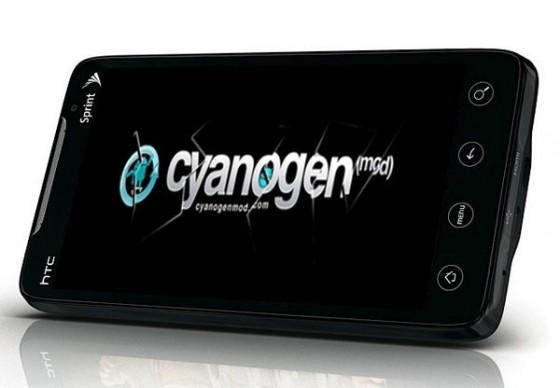
  • CyanogenMod lets you control your App Permissions yourself

    CyanogenMod lets you control your App Permissions yourself

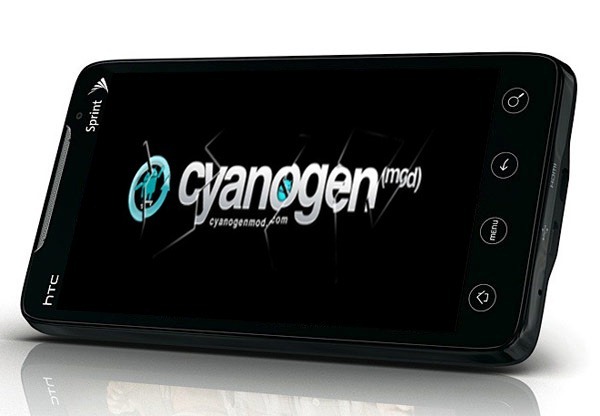
    The newest nightly builds of the CyanogenMod custom ROM include a clever patch allowing users to grant and revoke permissions individually for apps that request access to features that you wouldn’t necessarily want them to. Check out the video below, that demonstrates how the build lets you control how apps access your information.

    [Androinica]

    [CyanogenMod]

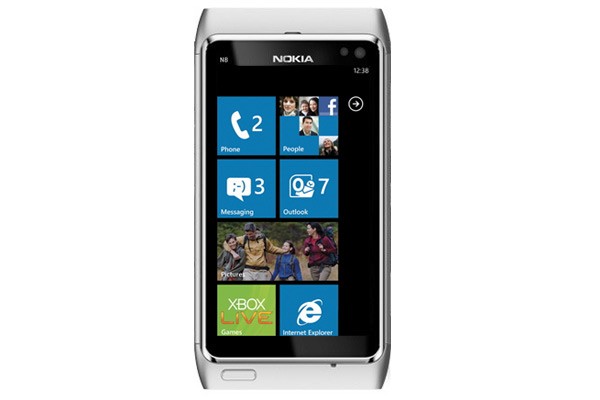
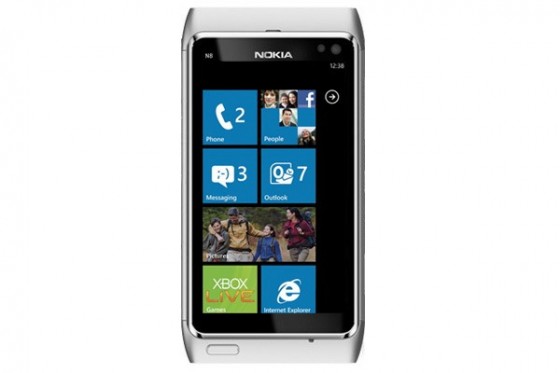
  • Nokias First Windows Phone Device will have “Mango” on it

    Nokias First Windows Phone Device will have “Mango” on it

    Nokia has confirmed during the announcement of the new Windows Phone 7 Update “Mango” that the software showcased my Microsoft will be the actual stuff we would see on the First Generation of Windows Phone Devices from Nokia.

    “Today Microsoft has announced the key new ingredients of the latest ‘Mango’ release of the Windows Phone operating system. This is the software that will be used on the first Nokia with Windows Phone device, and so should be of keen interest to Nokia-watchers everywhere.”


    [Nokia Conversations]

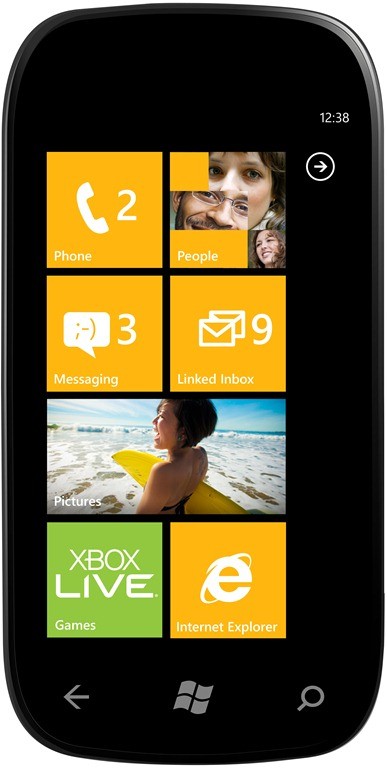
  • Microsoft Announces “Mango” Update for Windows Phone 7 – Autumn Release

    Microsoft has made the Windows Phone 7 Update official at its VIP preview event. We will be covering the details in the followups , right now you can browse below to read the Press Release. There is a major Revamp in Bing, showcased in the video below.


    PRESS RELEASE

    Microsoft Previews Next Release of Windows Phone

    “Mango” to deliver smarter and easier communications, apps and Internet experiences and bring Windows Phone to more customers around the world.

    REDMOND, Wash. – May 24, 2011 – Microsoft Corp. today previewed the next major release of Windows Phone, code-named “Mango,” through a series of media events around the world. “Mango” will deliver more than 500 new features to push the boundaries of the smartphone experience around communications, apps and the Internet. The “Mango” release will be available for free to Windows Phone 7 customers and is scheduled to ship on new phones beginning this fall. More details on device update timing will be provided closer to availability. Windows Phone will also add support for additional languages, expand access to apps by launching Windows Phone Marketplace in new countries, and partner with new OEMs to enable expansion to new markets.*

    “Seven months ago we started our mission to make smartphones smarter and easier for people to do more,” said Andy Lees, president of the Mobile Communications Business at Microsoft. “With ‘Mango,’ Windows Phone takes a major step forward in redefining how people communicate and use apps and the Internet, giving you better results with less effort.”

    Communications: Easier to Connect and Share

    The smartphone experience can be complicated by a sea of disconnected apps and accounts as people attempt to keep pace with all the ways they communicate – from calls, texts, email and instant messages (IM) to status updates, Tweets, check-ins, photo posting and tagging. To help people stay on top of that growing complexity, the “Mango” release organizes information around the person or group people want to interact with, not the app they have to use.

    • Threads. Switch between text, Facebook chat and Windows Live Messenger within the same conversation.

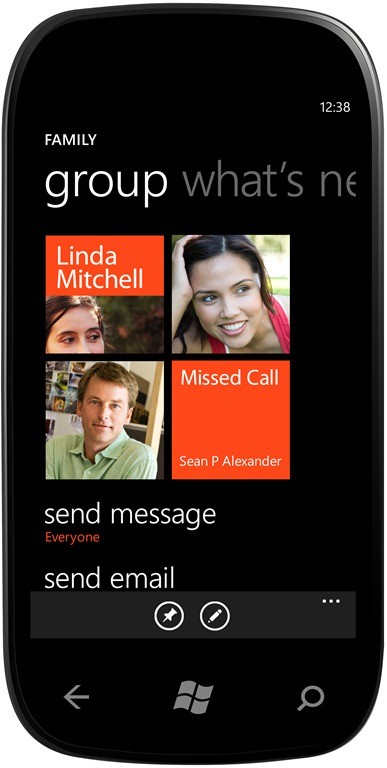
    • Groups. Group contacts into personalized Live Tiles to see the latest status updates right from the Start Screen and quickly send a text, email or IM to the whole group.

    • Deeper social network integration. Twitter and LinkedIn feeds are now integrated into contact cards, and “Mango” includes built-in Facebook check-ins and new face detection software that makes it easier to quickly tag photos and post to the Web.

    • Linked inbox. See multiple email accounts in one linked inbox. Conversations are organized to make it easy to stay on top of the latest mail.

    • Hands-free messaging. Built-in voice-to-text and text-to-voice support enables hands-free texting or chatting.

    A Smarter Approach to Apps

    Windows Phone will challenge the way people think about apps. Today their usefulness is measured by what can be done within the app, but Microsoft sees the promise of apps in how they can be integrated directly into the core experiences of the phone. In addition to making it easy to get timely notifications and updates from apps right from the Start Screen, the “Mango” release also will surface apps as part of search results and within Windows Phone Hubs. As a result, a useful app is more likely to be right there when needed.

    • App Connect. By connecting apps to search results and deepening their integration with Windows Phone Hubs, including Music and Video and Pictures, “Mango” allows apps to be surfaced when and where they make sense.

    • Improved Live Tiles. Get real-time information from apps without having to open them. Live Tiles can be more dynamic and hold more information.

    • Multitasking. Quickly switch between apps in use and allow apps to run in the background, helping to preserve battery life and performance.

    Taking the Internet Beyond the Browser

    In addition to including Internet Explorer, the “Mango” release will connect the power of the Web to the unique capabilities of Windows Phones, such as location awareness, camera and access to apps, to present a way of viewing the Web that is more localized, actionable and relevant.

    • Internet Explorer 9. A browser based on the powerful Internet Explorer 9 and including support for HTML5 and full hardware acceleration.

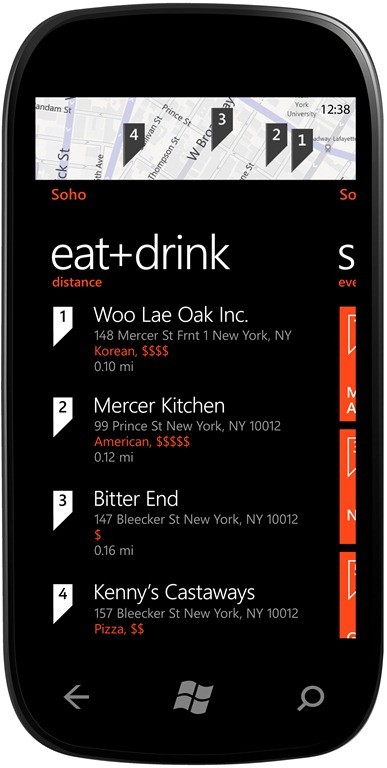
    • Local Scout. Provides hyperlocal search results and recommends nearby restaurants, shopping and activities in an easy-to-use guide.

    • Bing on Windows Phone. More ways to search the Web, including Bing Vision, Music Search and Voice so it’s easy to discover and decide.

    • Quick Cards. When searching for a product, movie, event or place, see a quick summary of relevant information, including related apps.

    Strengthening the Ecosystem

    The Windows Phone ecosystem has grown steadily since Windows Phone 7 first launched in October, with more than 17,000 apps currently available on Windows Phone Marketplace and Windows Phone handsets available from a range of partners worldwide, and Microsoft’s recently announced partnership with Nokia. “Mango” will further expand and strengthen the Windows Phone ecosystem through new partnerships with Acer Inc., Fujitsu Ltd. and ZTE Corp., which today announced plans to deliver new Windows Phone devices in markets around the world. Furthermore, Microsoft announced it will support additional languages, including Brazilian Portuguese, Simplified and Traditional Chinese, Czech, Danish, Dutch, Finnish, Greek, Hungarian, Japanese, Korean, Norwegian, Polish, Portuguese, Russian, and Swedish, and will greatly expand the list of countries where consumers have access to apps via Windows Phone Marketplace. As well, a beta release of the free Windows Phone Developer tools, which will be used to create the next generation of “Mango” apps and games, will be posted for public download to Microsoft’s website within 24 hours of today’s events. More information about what “Mango” means for developers, the tools and a link to the public download page is available at http://windowsteamblog.com/windows_phone/b/wpdev/archive/2011/05/24/developer-news-beta-mango-tools-available-today.aspx.
    Founded in 1975, Microsoft (Nasdaq “MSFT”) is the worldwide leader in software, services and solutions that help people and businesses realize their full potential.

    Some information relates to pre-released product that may be substantially modified before it’s commercially released. Microsoft makes no warranties, express or implied, with respect to the information provided here.

    *Data plan required; carrier fees apply. Apps from Marketplace. Features and services vary by area, phone, carrier and service plan.
  • “Next generation of Windows systems” To come in 2012 Says Steve Ballmer

    “Next generation of Windows systems” To come in 2012 Says Steve Ballmer


    The Company is yet to confirm its plans for Windows 8 Operating System, But Microsoft CEO Steve Ballmer said at the company’s developer forum in Japan, That “next generation of Windows systems” will be coming out next year, and that “there’s a whole lot more coming,” including “slates, tablets, PCs, a variety of different form factors.” – According to a Winrumors report Microsoft may demo the new  Windows 8 Tablet UI at the D9 conference later next week.

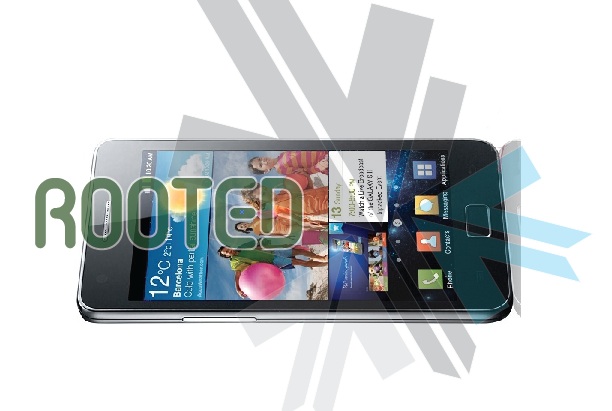
  • DIY : How To Root The Samsung Galaxy S2 i9100

    DIY : How To Root The Samsung Galaxy S2 i9100

    We show you how to Root the Dual core monster from Samsung. The Galaxy S2 has been rooted and we have easy instructions for you:

    NOTE: Rooting is not recommended for the faint of Heart, and can possibly brick your phone, Void warranty and make you feel invariably sick.


    What you need:

    • A Samsung Galaxy S2 (Duh!)
    • A Windows PC
    • A USB DATACABLE
    • Odin Downloader (Download HERE)
    • Download the attached XWKDD, but do NOT extract the .tar file (Download Here)
    • Download and extract SuperOneClick
    • Put device in USB debugging mode: Settings -> Applications -> Development -> USB debugging

    Step One


    Reboot your device into download mode Turn the device off, then power it on again by pressing and holding VolumeDown + Home + Power simultaneously.


    Step Two

    Start ODIN Downloader


    Step Three

    • Connect the device to your computer using USB
    • Wait a few seconds, the ODIN screen should show you that a device is now connected.
    • tick the checkboxes next to “Auto reboot” and “F. Reset Time” and leave everything else as is.
    • Press the “PDA” button, and select the “XWKDD_insecure.tar” file.
    • Press “Start”. ODIN you should now be flashing the kernel, and the device should reboot.
    • DO Not Remove the cable and Wait until the device is rebooted.


    Step Four

    • Once the device is rooted and while still connected via USB
    • Start SuperOneClick, and press ROOT
    • Reboot the device


    And You Are Done ! Enjoy your rooted Beast.

    The Files And Instructions are made by iGyaan with the help of information from XDA DEVELOPERS

  • Windows Phone 7 to come with over 500 new Features; says Ballmer

    While at the Japanese Microsoft Developers Forum, Microsoft’s CEO confirmed that the next Windows Phone update, codenamed Mango, will add “over 500 new features” to the mobile operating system. Microsoft had earlier detailed the new Mango Update showcasing the basic new features including

    • Bing Audio
    • Bing Vision
    • Turn-by-turn navigation in Bing Maps
    • Native podcast player
    • Speech recognition

    To name a few, Check out the Video of Steve Ballmer, at the Forum below.

iGyaan Network
Privacy Overview

This website uses cookies so that we can provide you with the best user experience possible. Cookie information is stored in your browser and performs functions such as recognising you when you return to our website and helping our team to understand which sections of the website you find most interesting and useful.