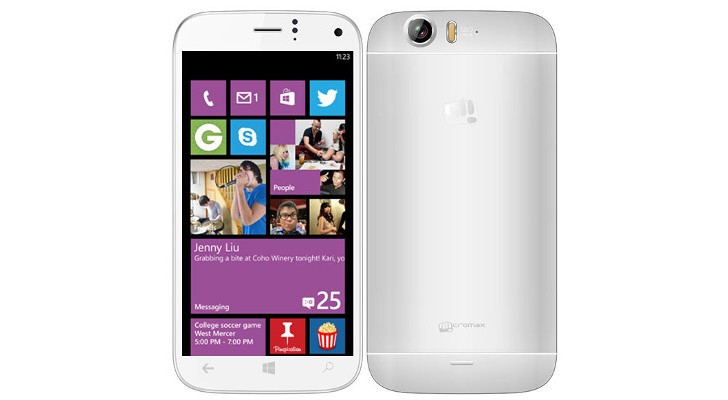
The biggest Indian mobile company is having quite a good year. According to several leads, Micromax has just decided to cross the Rs. 20K point and enter into the premium segment with a Windows phone. Microsoft identified Micromax as one of its hardware partners at its build conference.
The phone is reported to be have a 5-inch full HD 1080p screen. The battery stands at 2600 MaH. It is expected to be priced around 23,000-25,000 INR.
In a first for Micromax, the Smartphone will be powered by Snapdragon 800 chipset with 2GB RAM. It will run Windows 8.1 operating system.
The main camera is a 13 megapixel shooter with LED flash. The selfie shooter is a 5 megapixel camera. The phone will have 16 GB of internal memory expandable to 64 GB which is a welcome step.
The specs look pretty impressive for a Micromax Windows phone. We hope to bring you a hands on review, as soon as we can, to tell you if it’s worth the glitter.
[poll id=”2″]
P.S: We would like to Thank AmitAgarwal2 for bring the update on the leak on this Story. The source on twitter Leakster Inc has stated that the Snapdragon device and the Windows phone are two different devices. As this is still a leak story we won’t confirm anything yet but we appreciate AmitAgarwal2 for being an awesome IGyaani .
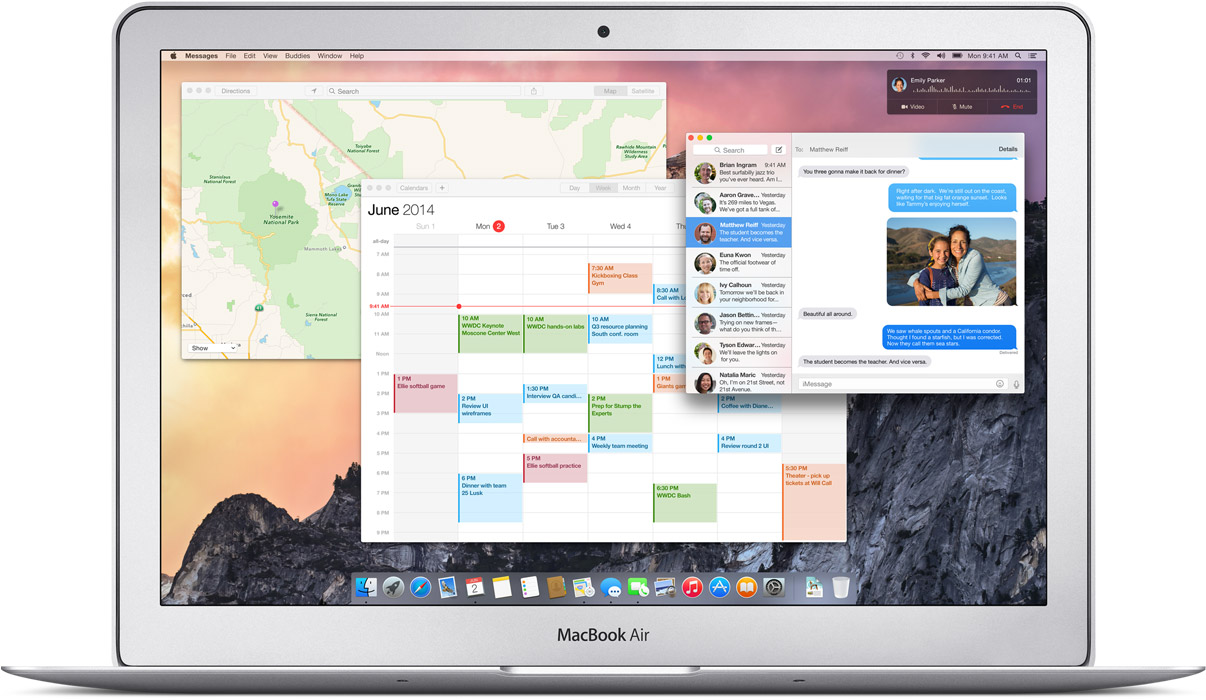
The Mac OS X Yosemite is out and for the first time mobile devices and computers can interact seamlessly across the Apple universe. You can trust Apple to learn from existing technology and create a refined version, with some sweet graphics and names added to it.
The possibilities on the Yosemite may be revolutionary. Of course they took their “inspirations” from existing technologies, but what they have come out with is indeed progressive for the entire industry.
After taking a departure from naming OS X after the big feline family, the naming conventions for the OS X will now be based cities of California, starting with the Mavericks. BTW, we do agree that OS X Weed was a pretty chill name for an OS but Yosemite does just fine.
We will now tell you why you should get really excited about the OS X Yosemite’s connection capabilities.
Seamless Interconnectivity Between Yosemite and iOS
Connectivity never seen before
Apple has absorbed the value of “Continuity” based apps and has given it the Apple spin. Using the benefit of their conformed device ideology they are able to do multi device interconnection way more easily than others. Apart from giving Airdrop the ability to work between the iOS and the Mac they have added an ingenious new feature called the Handoff.
Handoff:
Handoff set a milestone in terms of inter-connectivity
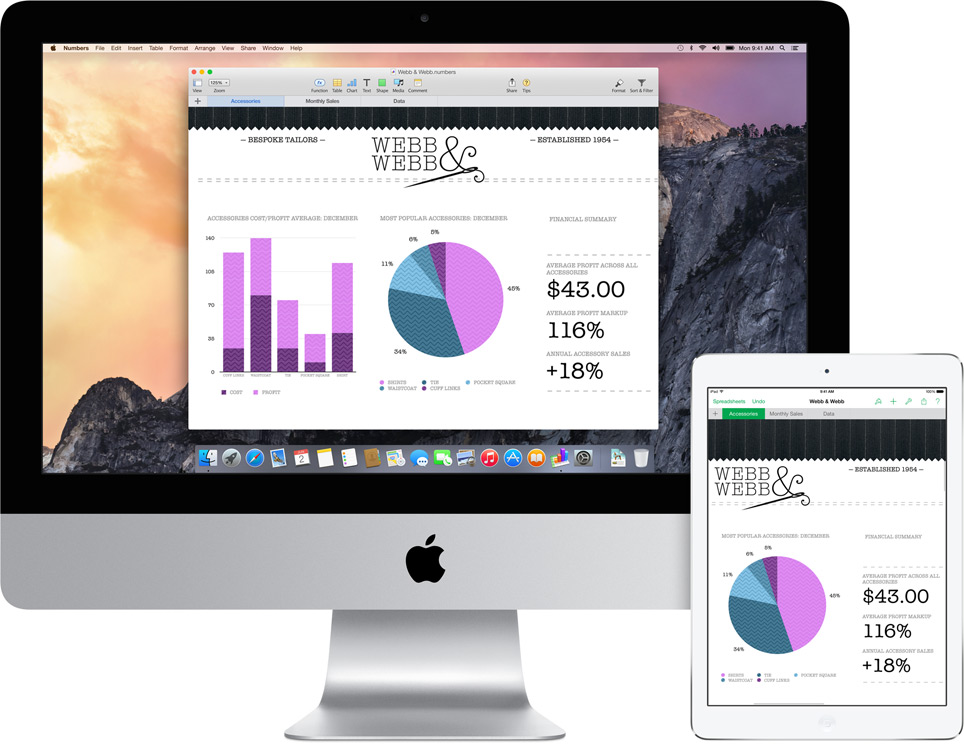
This is definitely a feature that will shut up the critics of Apple’s proprietary controlled devices. It gives you mirrored access across all Apple platforms for instant access. For example, the iPad recognizes what you’ve been working on and prompts you about it. You can stop working on the Mac, pick up your iPad and start working on your project right way without a second of lag.
There is no need for third party apps. There is no need to open a cloud app and download the file, it’s always there.
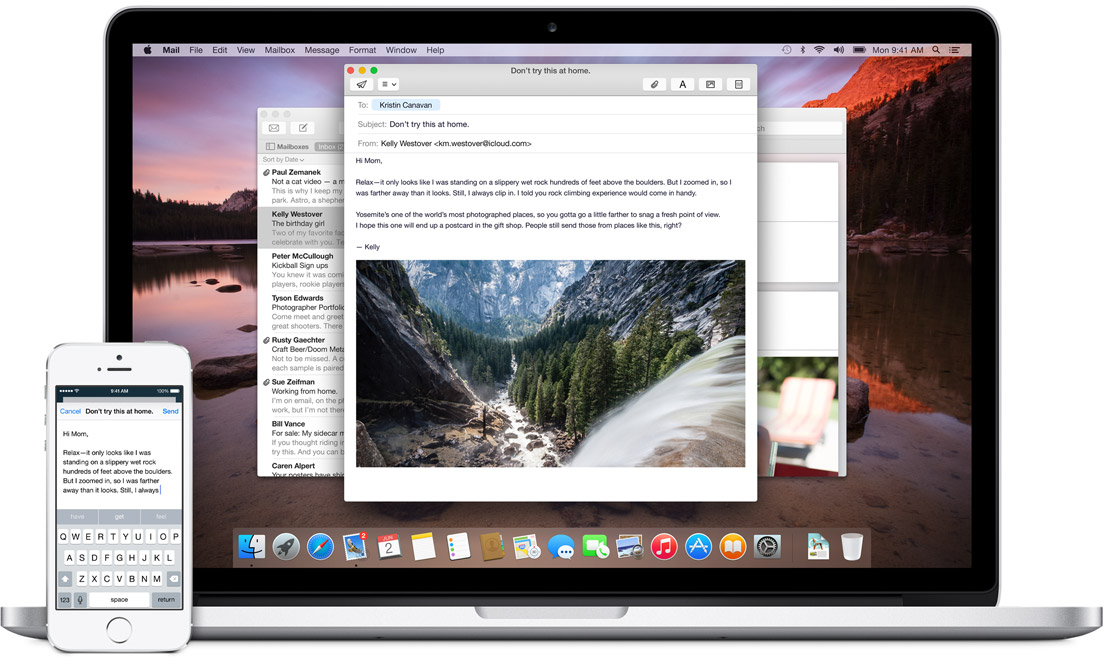
Not impressed yet? then check this out; you can start working on an email on your iOS phone and your Mac will recognize it and ask you if you want to work on its bigger keyboard. Who would not love that?
It is this ease of access that other hardware and software manufacturers should aspire to achieve.
Instant Hotspot:
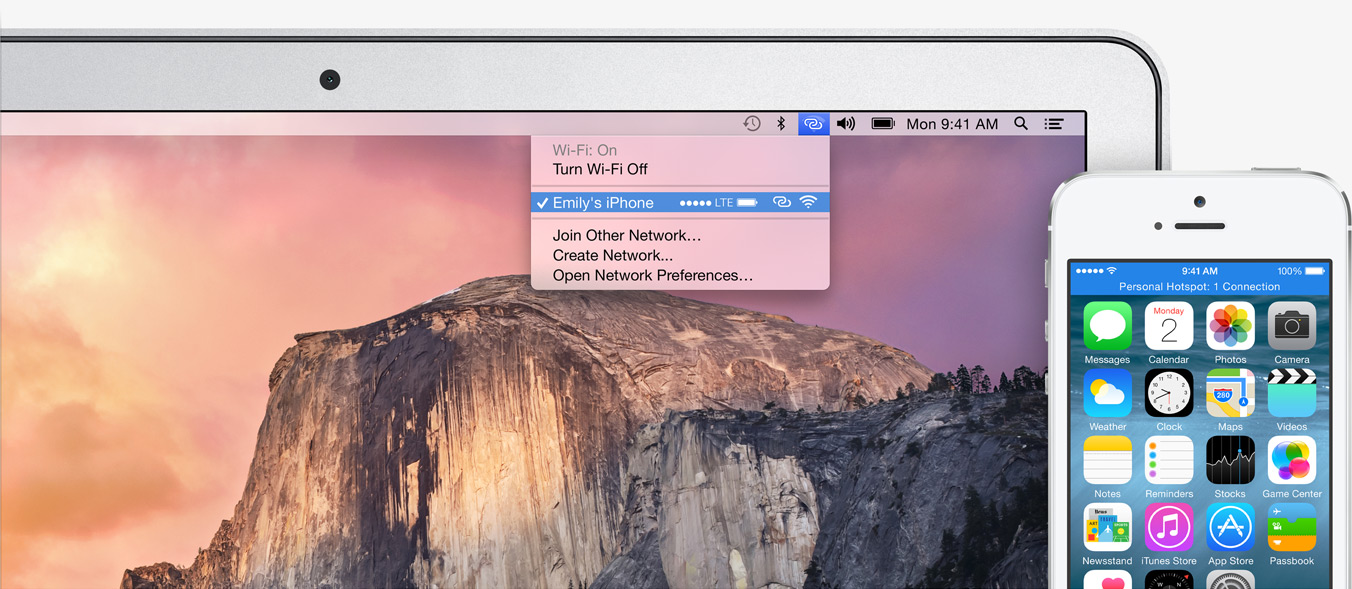
Effortless Wifi tethering through the iPhone
This will be a rather helpful feature for folks constantly on the move or have irregular access to a Wifi connection. The Mac’s wifi identifies your phone and without any configurations sets up a hotspot with the phone and voila, you are connected.
SMS and Phone Access from Mac’s:
This is definitely the future of interlinked digital devices. Apple definitely was to be the first company to benefit from this because of its enormous hardware ecosystem.
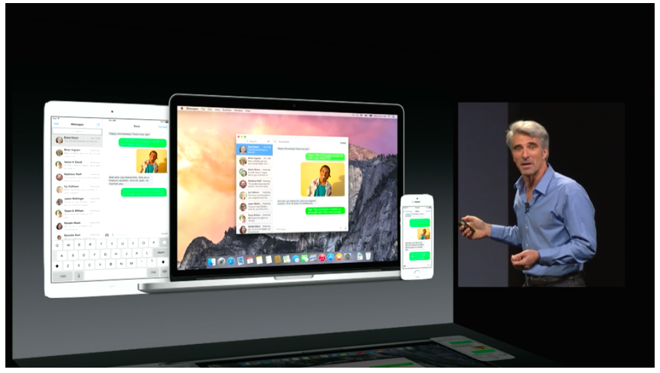
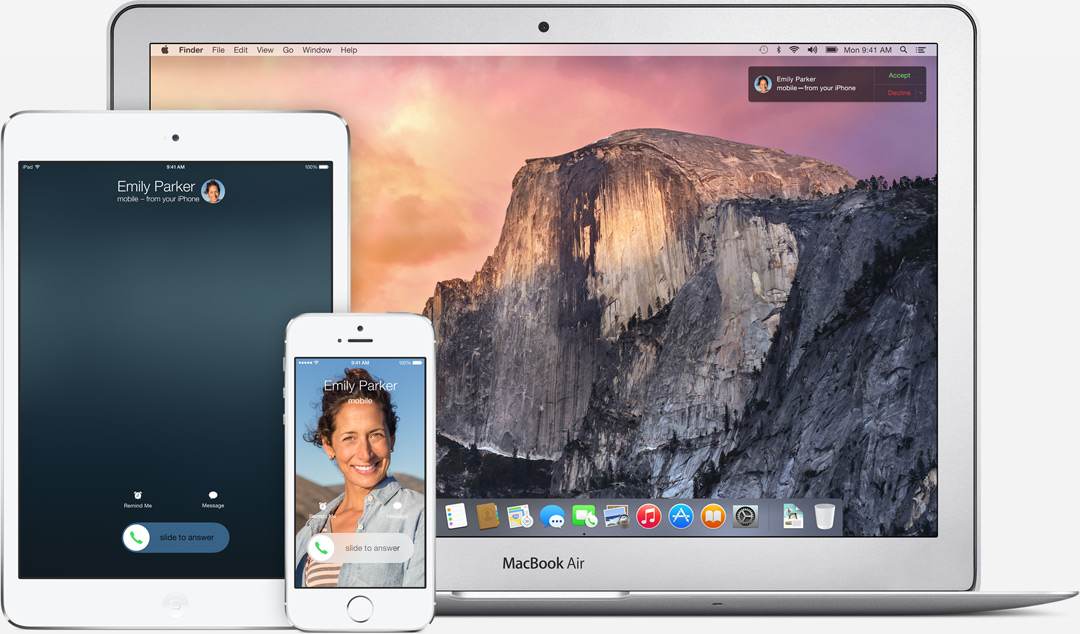
SMS can now be answered from all Apple devicesPhone calls can now be received and answered from all Apple devices
With the SMS and Phone integration in the Yosemite, you can send and receive text messages as well as phone calls across all Apple devices. Not just that, you can also dial a number you see on a website right away from your macs.
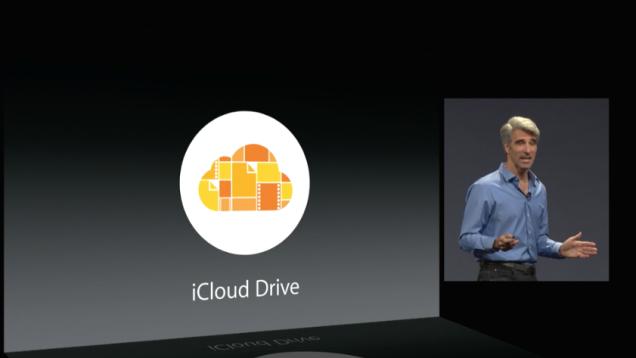
iCloud Drive:
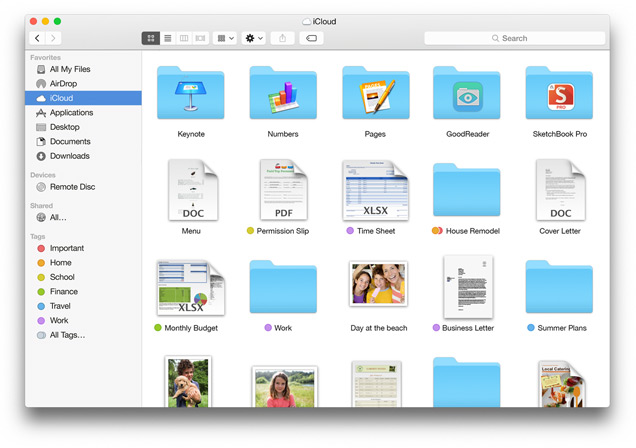
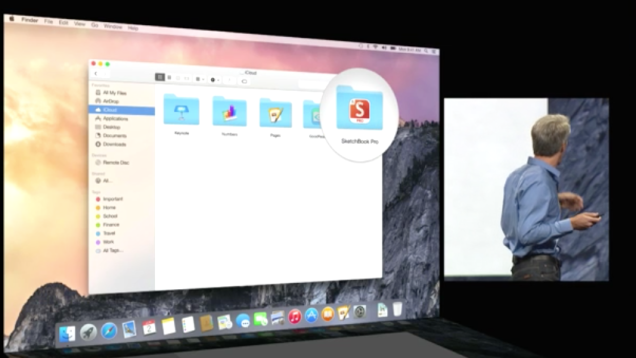
The iCloud is built in the Finder itself so you don’t need third party apps like Dropbox or Google drive. These apps and files will appear in the exact form you have customized it on any of your devices. Here is something to cheer for the iCloud drive, it works on Windows too (Truly Winning.) The apps you use also get individual folders on the drive.
Cloud to the next level
This update has the potential to fulfill Steve Jobs dream of destroying the Dropbox. (First the Android and then the Dropbox, Jobs sure wanted to kill a lot of jobs.)
Mail:
Maildrop is an interesting feature. It allows you to instantly send up to 5 GB(yes, you heard that right) from one Apple account to another. What it really does is use the iCloud as a transfer medium for the attachment to bypass size restriction on the mail server on receivers end. It will simply show up as an attachment may whatever be the size on the mail app. On a non-Apple PC, you will receive a link to securely download the file from iCloud.
We needed Markup, we just didn’t know
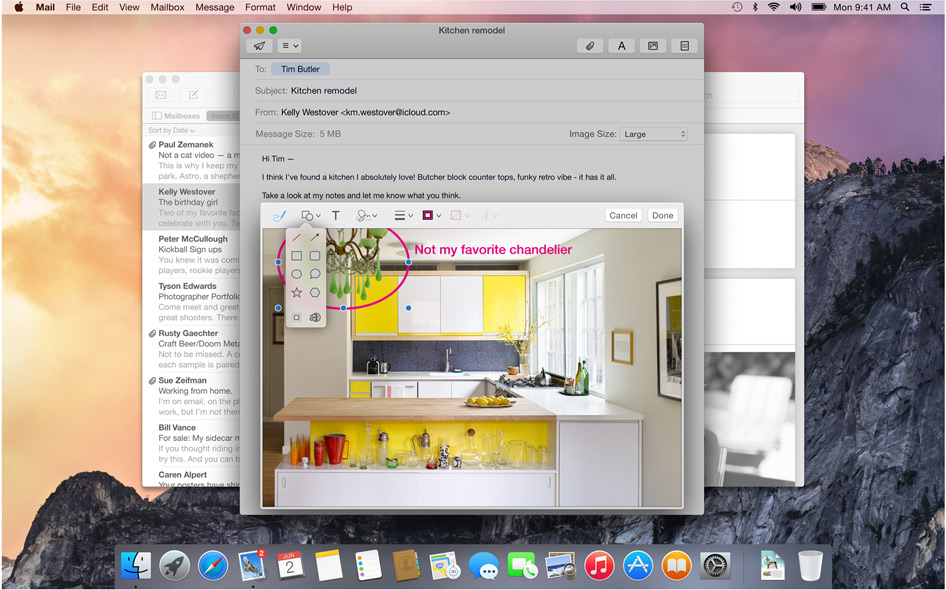
Markup feature allows you to add annotations or write texts on Jpegs. It even lets you sign PDF’s right in the mail itself. The feature also recognizes the hand drawn symbols and gives them a digital look instantly.
Safari:
Visual and Functional Reconstruction of Safari
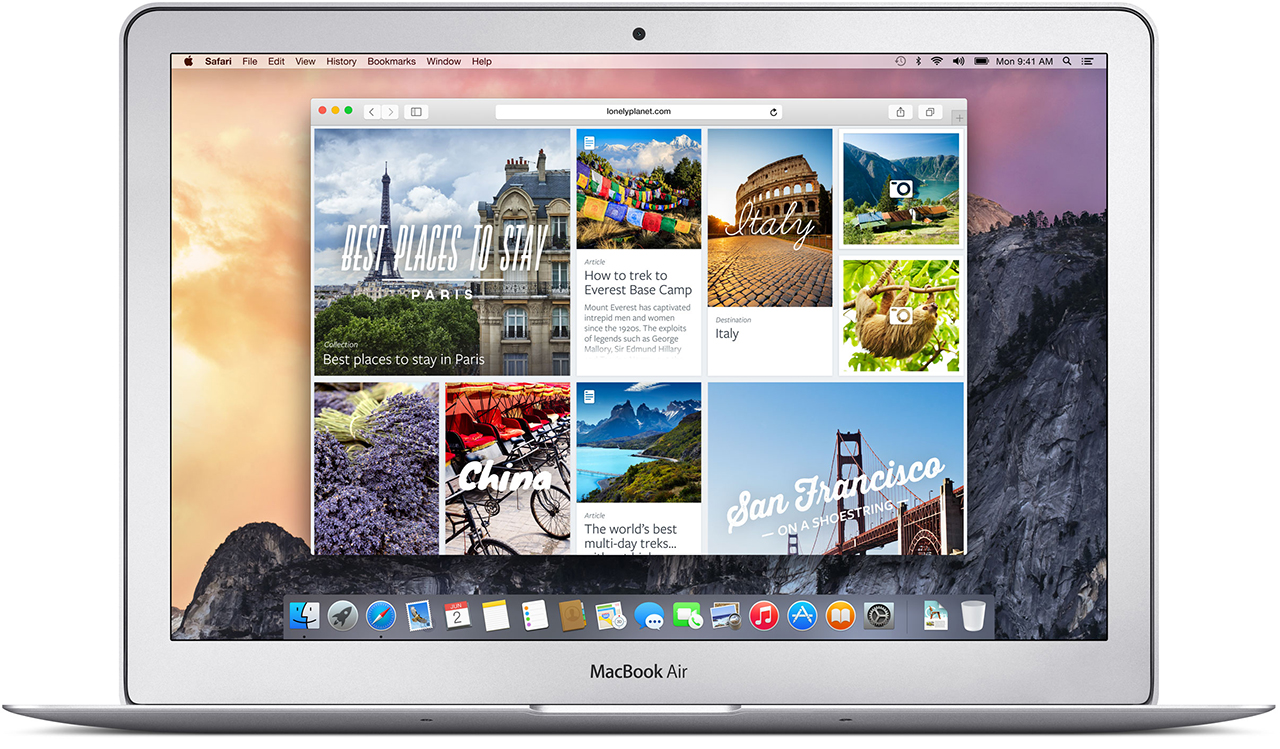
Safari has got a visual renovation with a sleeker look. The browser now has a slimmer address bar to maximize browsing area. The favorites links can be accessed by clicking on the search bar. Safari is now integrated with spotlight searches to give better results and undermine Google even in the browser where it has thrived since its inception.
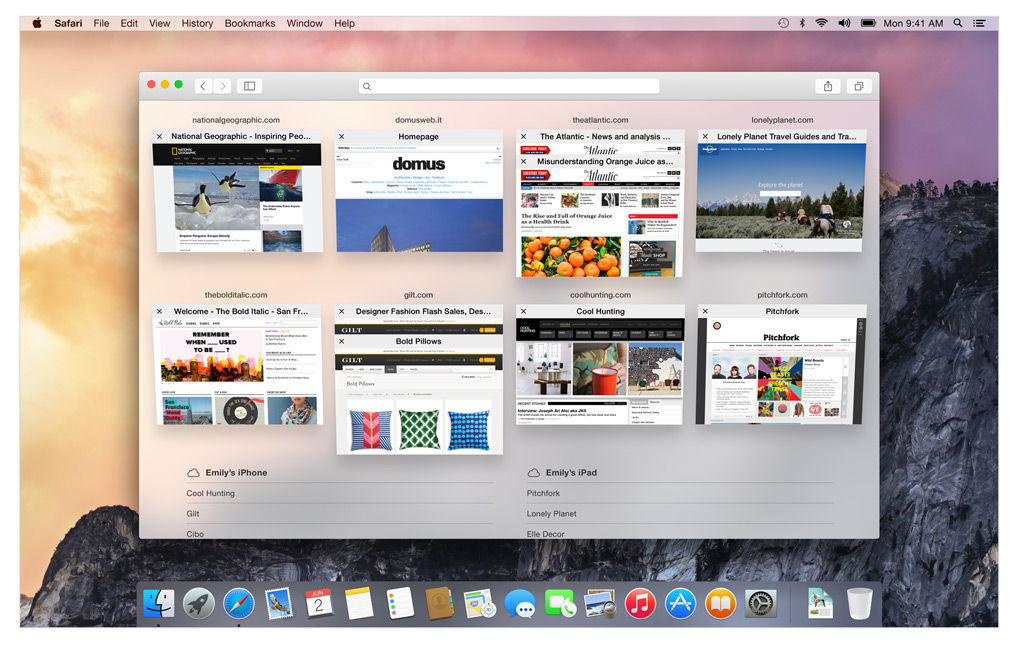
Tab view makes internet browsing simpler
The Tab View is without a doubt the best feature on the new Safari. This gives a bird’s eye view of all the tabs and by organizing each tab according to its corresponding website it gives a cleaner and more efficient browsing experience. As has been with Apple, the animations are impressive.
Spotlight:
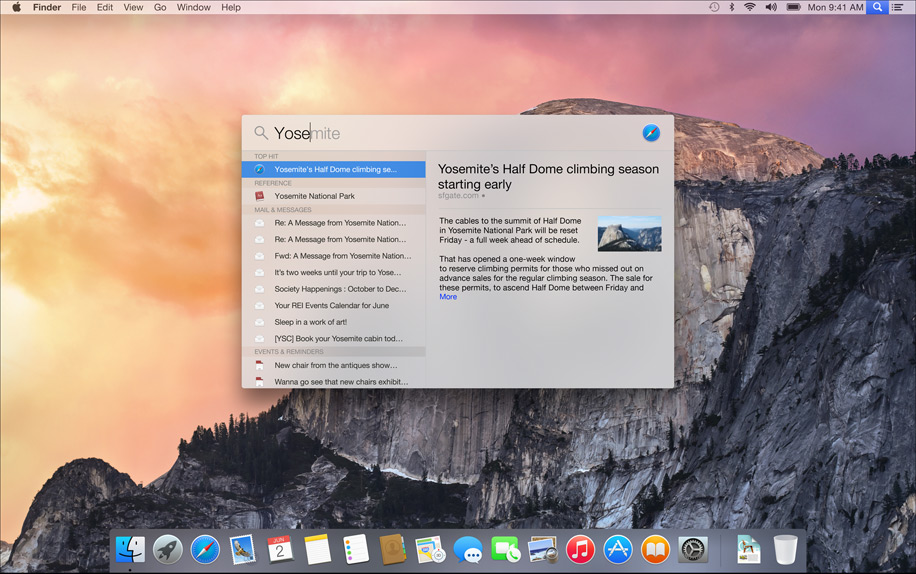
The only search you’ll need
This is also where things got interesting, its almost like Spotlight got an adrenaline shot. When the magnifying glass icon is clicked a search bar opens in the middle of the screen. It is a fast and convenient way of opening Apps and files. While searching for a file, spotlight gives a preview of the content of the document.
Not just that Apple has integrated the internet sourcing ability on the Spotlight. This allows more in-depth search results for your query and would completely make Google obsolete on the Mac.
Spotlight can also be used for instant conversions and much more. This added utility will be really easy to get hands on and quite possibly make you wish your other systems had it too. It is essentially a one-stop shop for instant information.
Design:
Clarity is added through Translucence
Translucency is the key element inducted into the Yosemite. From the Docks, it is especially noticeable in the drop down menus and the finder. New toolbars and windows are giving it a fresh new look. The dark mode indeed looks enticing to start using right away.
The clean and consistent design throughout the OS gives a sense of, dare I say it again, continuity which will be really appreciated during extended uses.
The new Today view in Notification Center gives you a quick look at everything you need to know now — upcoming events, reminders, stocks, weather, and more. It is really handy and reminds you of the notification panel on the iOS 6 and 7. You can extend the panel to add widgets from the Mac App Store to customize according to your needs.
ITS FREE:
Yes, it is free, the most featured packed Apple OS is releasing this fall and it is for FREE. Not just that, there is also an update that’s gonna get a lot of people excited. Apple will let you be a part of the Public Beta program for the OS X Yosemite. Though there will be some glitches, but it will give the fan-boy a feel of being an Apple developer.
Conclusion:
In the 25th installment of the WWDC, Apple made a good bet of focusing only on its two operating systems and interlinking them together. This was one of the most feature intensive update in a long while. This will be a revolutionary idea and we will probably see all the Apple competitors trying to provide better integration across multiple platforms on the lines of the Yosemite. It’s time that the Apple naysayers should take a break and introspect about what they are doing with their lives.
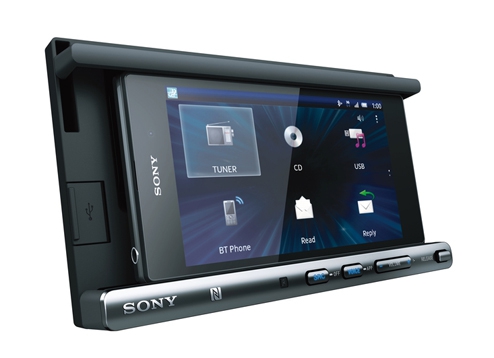
Today Sony India announced XSP- N1BT, a smart docking system that may make those long and tedious drives back from work slightly less painful.
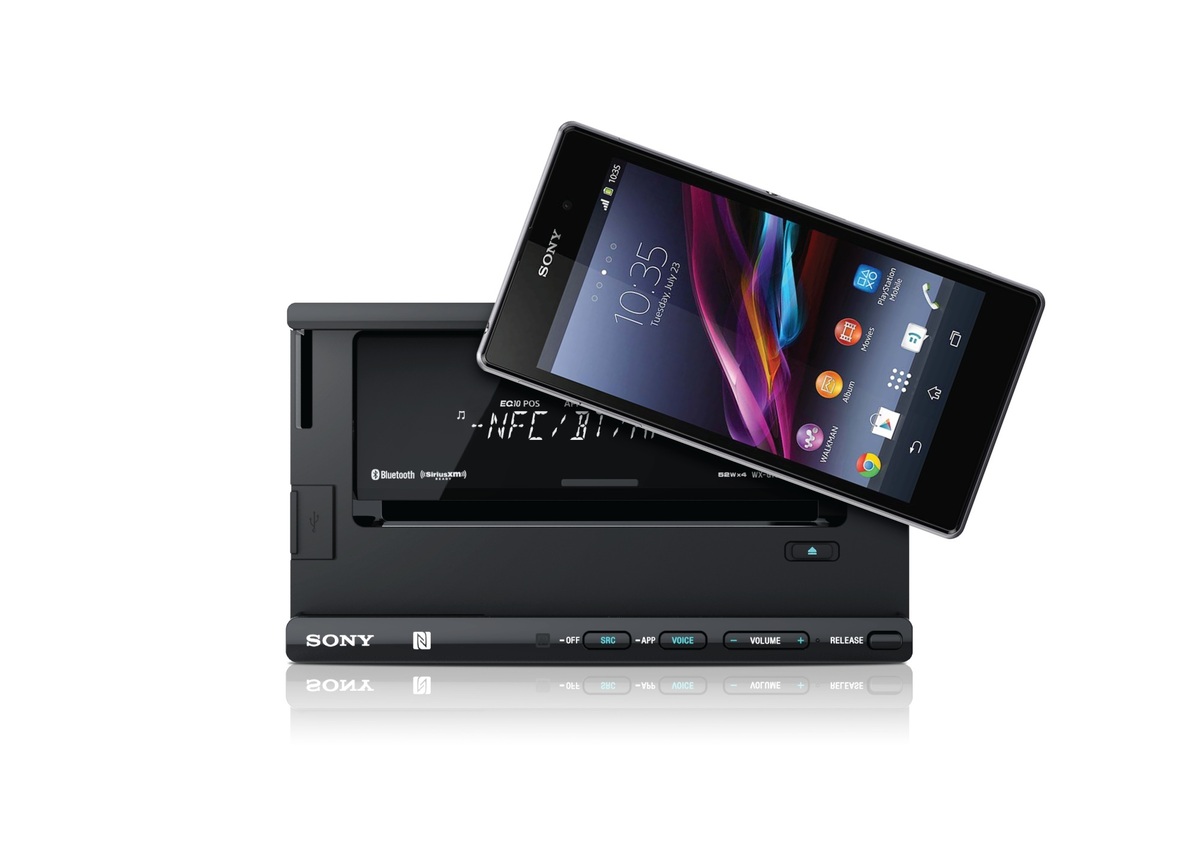
Sony XSP- N1BT can be propped on the dashboard, and the phone can be connected onto the dock. Their docking system accommodates various sizes of Smartphone’s from various brands. Android Smartphone users can utilize the one touch Near Field Communication Connection for quick Bluetooth pairing.
First, you’ll need to download “App Control” onto your phone. Once the app is downloaded and the phone is connected, you’d have easy access to your music, radio, navigation, phone calls, and text messages. The app will then help you control the car audio system as well as give you control of all of your Smartphone’s other apps (think Souncloud.)
Since this device is made specifically keeping drivers in mind, they have included a much-needed voice control system. Instead of pulling over and struggling to set a destination on your navigation app, this voice command function will give you control over your Maps. It will also reads out the incoming texts and emails (this can be turned off).
While its main attraction is the docking system, it can also used as standalone device with CD, USB, radio and tuner functions. Lastly, the device has charging capability with an optimally designed compact USB cable for any type of Smartphone. Since everyone is constantly complaining about their drained battery, we suspect this feature would be appreciated.
Priced at Rs 12,990, the device is available in all major car accessories stores.
The Galaxy Note 4, successor to the Note 3 which was the bestselling phone from Samsung’s stable, is around the corner. Note 3 was a benchmark on which most of the future premium devices were designed, like the Galaxy Tab pro.
So here we give you a roundup of all the things we know about the upcoming Samsung Galaxy Note 3. (more…)
Simply clicking a photo and posting it? That’s an old story now. Smartphones are becoming smarter and so are our day to day lives with it. These days, app stores are flooded with photo editing apps that offer you range of filters and smart editing options. But choosing the best one from these option is a hard task. So, we have assembled a list of the best photo-editing apps for you to use on your smartphones.
Photoshop Touch
What a surprise, Photoshop tops the list. But before you get your hopes up too high, you should know that this app doesn’t come close to the power of its desktop counterpart. You can do some of the basic Photoshop things like working with layers. However, it’s mixed in with more conventional mobile photo editing features like filters and mild adjustments like color correction. There are some cool features like camera fill and using Adobe Creative Cloud, it is compatible with the desktop version Photoshop.
VSCO Cam
If you’re looking for a smooth app that has gorgeous effects and features, VSCO is the one for you. VSCO has great presets, cool features like viewing before and after photos, and a wide range of filters. A lot of people seem to prefer it over Instagram. The app uses a grid scheme that allows you to publish your photos. It is sleek and easy to use. It only launched on Android recently, after premiering as an iPhone app, so there is still certain adjustments to be made. Features like separate exposure and focus locking are not yet included. Everything here is simple and works well, even if they don’t have a million extra features.
Photoshop Express
Another one from Adobe, this app is one of the most user-friendly photo-editors I have used. Simple and spontaneous, Photoshop Express lets you make the essential adjustments to crop, exposure, color, tint, hue, saturation, contrast and levels with ease. You can add many of the classic filters from Photoshop, including “Lens zoom,” “Grain” and “Glow.” And it’s free so, if you don’t already have it, you should be downloading it now.
Cupslice Photo Editor
Cupslice is a photo editor with a little more skill and buff, even if the features aren’t as heavy as some of the others I have listed. It comes with over 50 effects to start along with your basic editing tools. It also includes a number of stickers you can add to photos and that number gets updated every week. It’s a nice, simple app that should suit the needs of most people.
Photo Editor by Aviary
Photo Editor by Aviary is a very specific and composed photo editor. In addition to the most popular features such as filters, stickers, frames etc. This photo editor by Aviary provides you with addition features such as red-eye correction, tooth whitening and many more. It’s fairly amazing app providing solution to pretty much every problem with your clicks. This straightforward app would be useful addition to your smartphone.
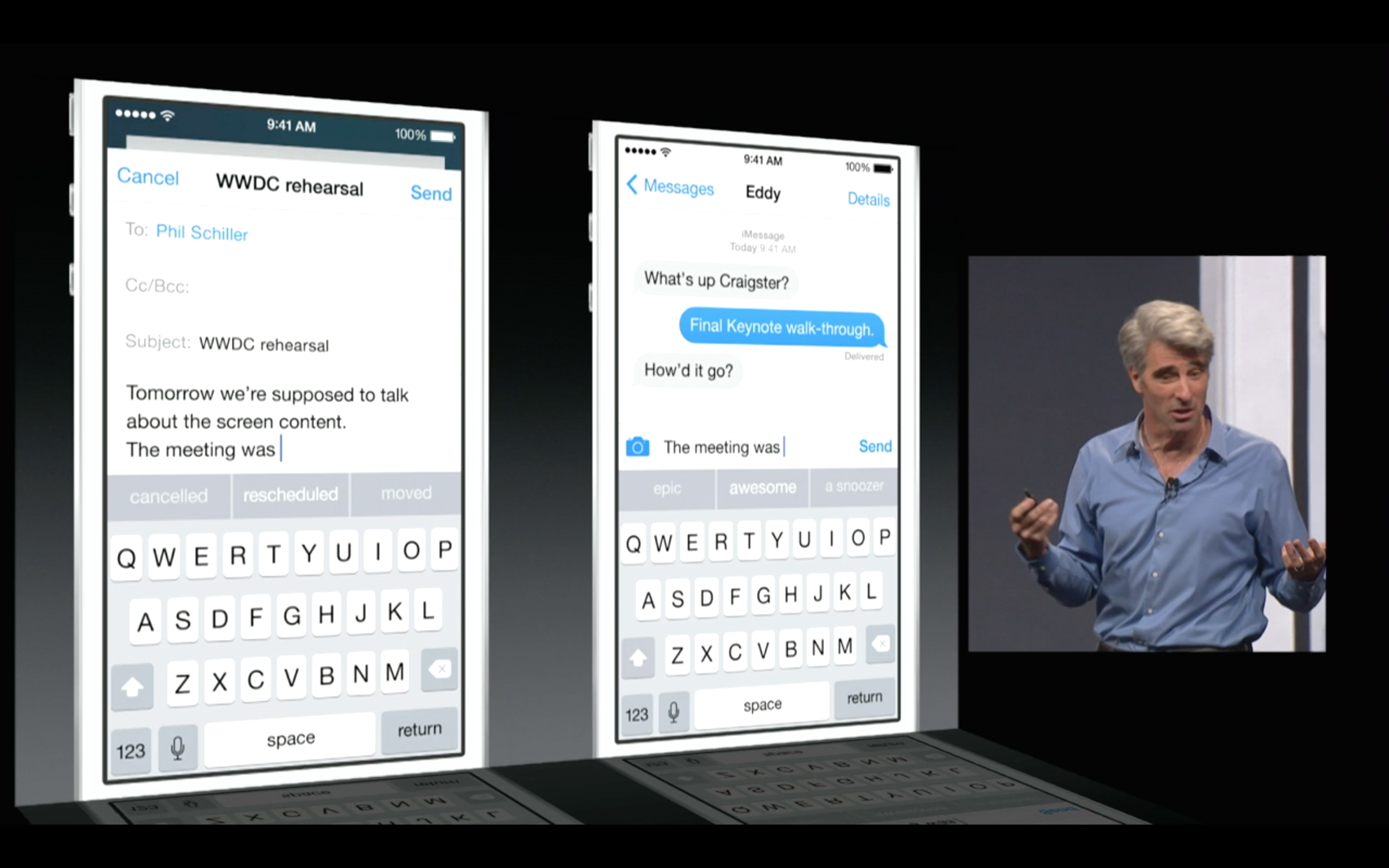
Apple’s new iOS 8 comes with a brand new keyboard that will predict content and learns the phrases you use most and fills them in. The new Keyboard isn’t actually new, and Android users have been enjoying this with SwiftKey and many other forms of Android Keyboards.
However, for iOS users this is something people have been asking for a very long time. the keyboard studies your messages and conversation patterns and delivers options based on that. Its about time we say!
Update: Apple has also announced that 3rd Party keyboards will be allowed to be installed onto your iPhone/ iPad (Finally!). So you can now finally get the Swype keyboard you always wanted.
Apple has just announced a new Mac OS at WWDC 2014, dubbed Yosemite, with great new feature and visual enhancements. However one new feature in the new redesigned Mail for Mac is taking a straight dig at Dropbox. Now with MailDrop every time you send an email with a file larger than the recipients server can accept, apple will automatically upload the large file to iCloud and create a download link for the user on the other end.
Unless the recipient is on a Mac, who will then see the attachment in MailDrop like a regular attachment, if you open it on a PC you will get a simple download link. The attachments can be unto 5 Gb in size and the service comes free.
The new iCloud drive lets you dump images or whatever files you want to to your online cloud, with access available on iOS and Mac. Basically urging all iDevice users to dump third party services (aka dropbox).
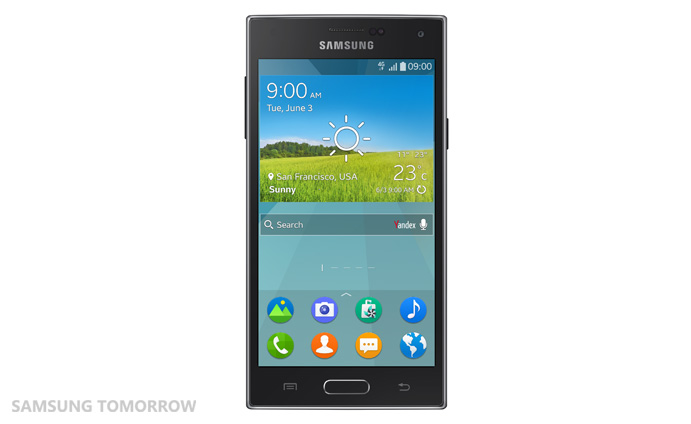
Seems like even Samsung is getting bored of it similar looking phone line up. The company is now in the process of releasing another Linux based OS by the name Tizen. The first phone to run on this OS will be the Samsung Z. This is a huge step from Samsung to move away from Google based Android OS and create its own unique identity.
Samsung wants an OS that can be used across its ecosystem. Tizen has already been used by Samsung on the Galaxy Gear 2 which had some good features. The Samsung Z will be its first full-fledged phone avatar of the operating system and we’ll definitely be waiting to get our hands on it.
The phone was supposed to be released at the World Mobile Congress in 2014 but it got delayed. It is now most likely to be slated to launch in the Russian market by September of this year.
The Samsung Z will be powered by a 2.3 GHz quad core processor and have a 4.8 inch super AMOLED screen. It will have a decent 2600 MaH battery. Samsung has said that the phone has ability to give maximum run time for the battery size because of its superior power saving measures.
The main camera on the phone is an 8 megapixel shooter and it will have a 2.1 megapixel selfie camera (front camera). It has an internal memory of 16 GB, which is expandable upto 64 GB via Micro SD.
Samsung Z almost looks like the usual TouchWiz fare.
Samsung has stated that it opted for Tizen because it is said to give faster boot up time and better multi-tasking capabilities. The OS also promises superb 2D and 3D graphic quality, smoother scrolling and an improved rendering performance for web browsing. Currently Tizen version 2.2 looks like a close cousin of the Android Jellybean with minute variations. So its to be seen if the above mentioned capabilities will inspire people to go for a device with a heart of Tizen.
One of the major reasons Samsung is putting its cards on Tizen is for its ability for multi-platform integration. It can be used in mobiles, wearable’s, vehicle infotainment and TV’s. In fact, Samsung just released an SDK to create apps for the Tizen based TV systems. These TV’s will have support for hand gestures, mobile device pairing and voice commands. Something most of the Smart TV’s have been banking on.
Samsung is the largest Android device manufacturer and its complete departure in the future from the market in favor of the Tizen will create a huge void. That open market space would be left for other competitors to conquer. As of now and for some considerable future, Android will continue to be the lead OS for the mobile market. It’s yet to be seen if Tizen has the boldness to take on an OS being used by majority of smarphone users.
Augmented reality has come a long way. My first experience with the technology was while playing Agent V on the Nokia 3230. It was kind of rudimentary but it got the imagination rolling for a lot of fellow enthusiasts regarding the future of the technology.
Augmented reality (AR) is a digital overlay onto the real world. It enhances the real world with digital data, and therefore it is much more interesting than a completely fabricated environment of virtual reality systems. It is an ideal Reality-Virtual connect.
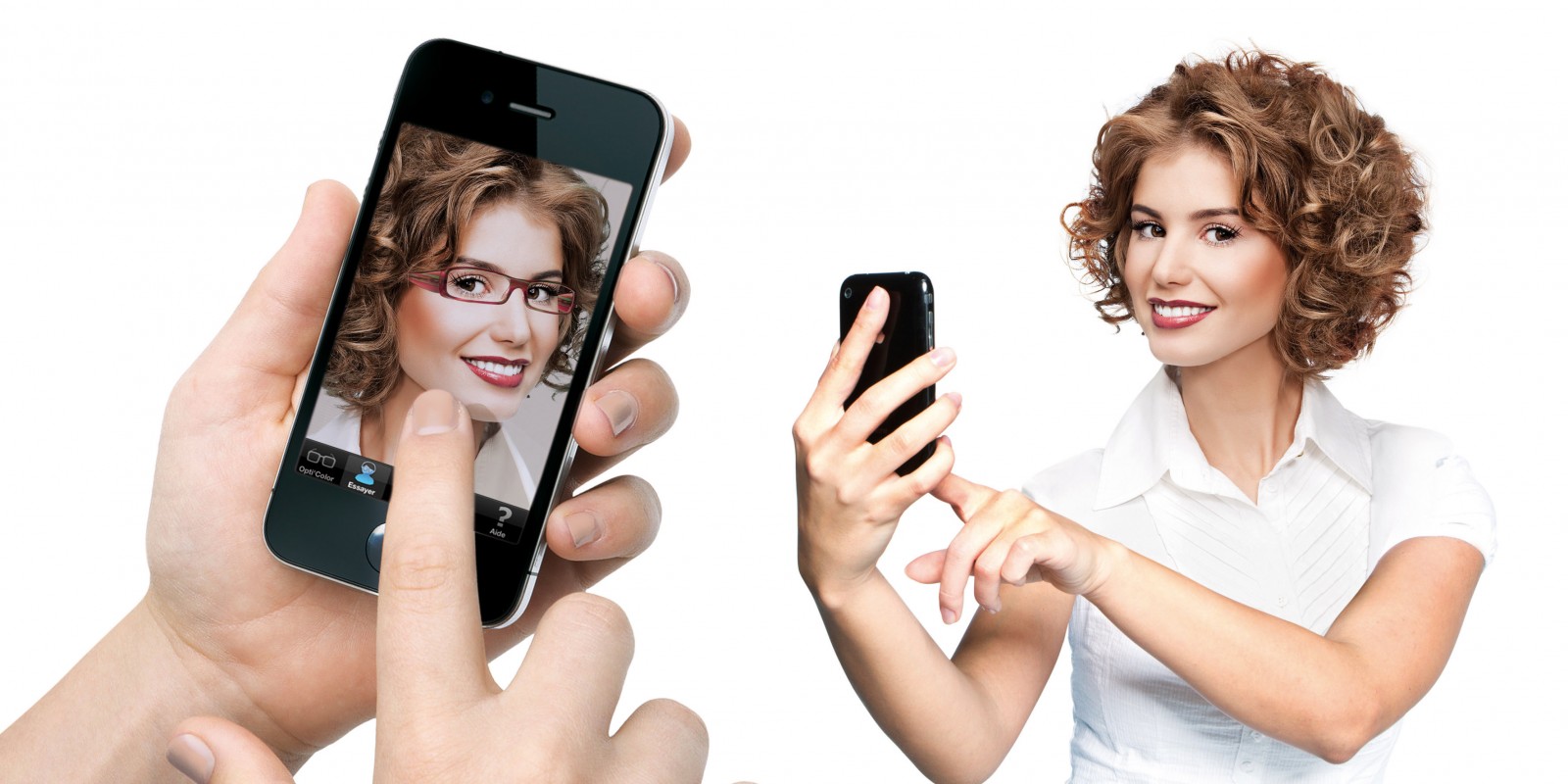
Try your Accessories right where you are.
AR presently is used in many different fields, from mobile games to areas of industrial maintenance. Its ease of integration across many mediums give it universal accessibility. One industry is presently experimenting a lot with AR is fashion.
It can help in literally every field of fashion, right from designing to marketing to retail sales. Some of the biggest names such as Hugo Boss, Burberry, Ebay’s with its “See It On” app have started inducting AR in their business model.
For example: The Hugo Boss store at Westfield Stratford City, features an 8-meter, media wall that allows customers to “dress” onscreen models who respond to consumers’ movements by looking at them, moving towards them and walking alongside them.
The coolest and the most advantageous aspect of AR is its flexibility of integration across a multitude of mediums like computers, mobiles, eyeglasses and even contact lenses with AR capabilities are in development. These will give the companies much more innovative ability to reach to the customers.
Cassete Playa makes things interesting with AR
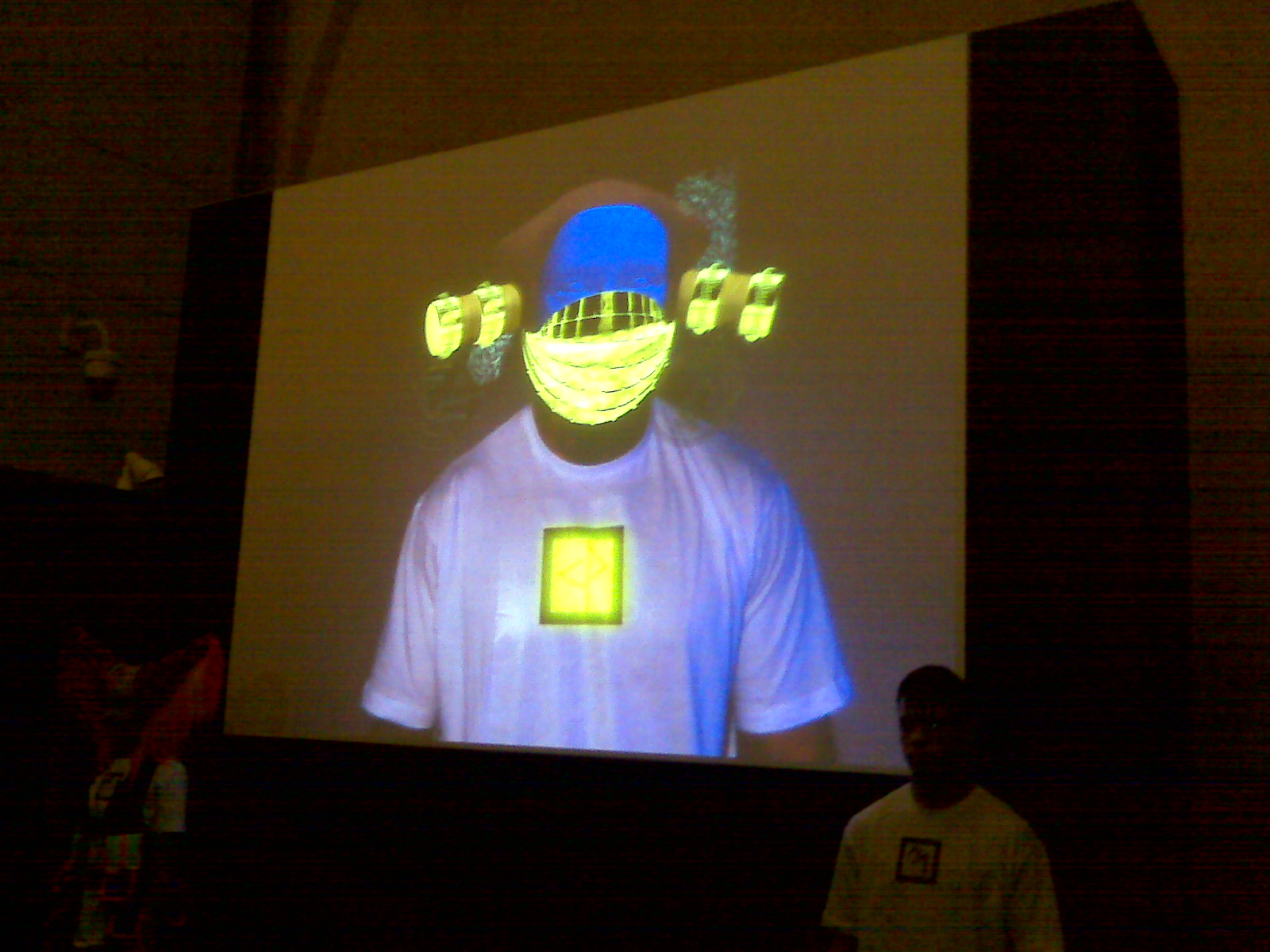
London fashion label Cassette Playa is making it more interesting with their T-shirts. When seen through a Webcam, an AR code on the T-shirt is activated to reveal, for example, horns growing from the wearer’s head.
The fact that when people see fashion they imagine it on themselves is what encourages the company’s to give a more physical feel. The race is on towards a virtual changing room and AR is the best way forward.
If you are a person who hates shopping and the frustrating multiple visits to the changing room this may be a boon. The only issue is that if you have fat thighs like me you won’t be able to do the usual squats to make sure you are not getting choked by your jeans.
Even Google is getting in the game with its Google Glass. The company recently hired fashion executive Ivy Ross to market the glass to the general public. Ross has worked with industry giants like Calvin Klein, Swatch, Gap, Coach, and more. Guess we can anticipate a fashion trial app on the Glass too.
Virtual Trial Room with AR on Banana Flame
There are of course some dissenting voices who say practical application will take some time and its still in a marketing gimmick phase. But these critics do agree that virtual trial rooms are the more economical way forward and if history teaches us anything it’s that economic decisions always win.
It would be a wonderful technology to keep our eyes on. Maybe the days of boyfriends and husbands desperately looking for seats while their ladies take their sweet time deciding on their perfect attire is close to being history, hopefully.
Two weeks back we were introduced to Galaxy S5 Active, through a leaked video by TK TechNews. And now Samsung’s Galaxy S5 Active is available today on AT&T. Unlike it’s other counterparts, it is rugged and tough.
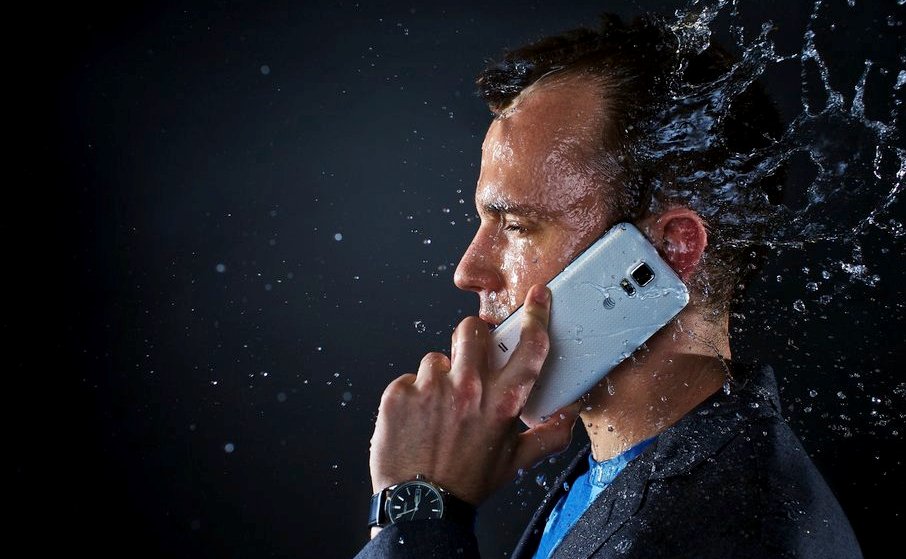
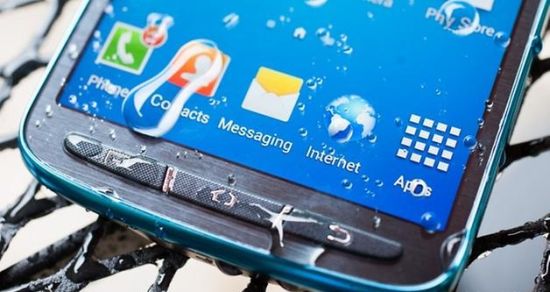
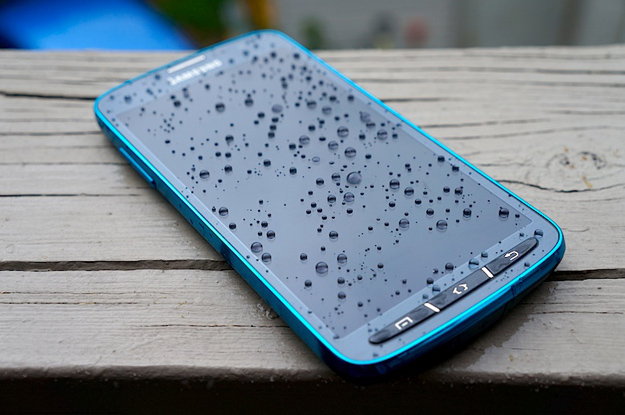
The Galaxy S5 Active has the same full-HD AMOLED 5.1-inch screen. Its 16-megapixel camera and fingerprint sensor are also lodged into the rugged smartphone. That said, water-resistance is now part of the original Galaxy S5’s bag of tricks. There’s also the shock-resistant, dust-proof shell and a burlier look. Even if it’s a dreamy rendered view we’re seeing here, the metallic details and finish could well win over Galaxy fans that aren’t pro-plastic.
There’s an extra “convenience key” on the side of the phone that gives you easy access to all the phone’s apps that are related to outdoor activity.
Although the casing looks hardier than that of the Galaxy S5, it’s reasonably slim — a far cry from the bulky “rugged” phones of yesteryears that often looked closer to military hardware than something you’d carry in your pocket. It’ll be offered in “camo green,” “titanium grey,” and “ruby red” colorways.
The critics though are questioning the need for this phone as its predecessor, the Galaxy S4 Active, since the regular Galaxy S5 already offers more protection against the elements than most other devices on the market. Without a whole lot of extra functionality to define it against the water-loving Galaxy S5, the S5 Active’s main appeal could well end up boiling down to its tough-guy exterior.
The phone currently is only available in the USA. you can buy the S5 Active for $200 with a new, two year contract, for $27.50 per month with AT&T Next 18, for $35.75 per month with AT&T Next 12.
AT&T is also knocking $50 off the price of the Samsung Gear Fit if you buy it alongside the Galaxy S 5 Active.
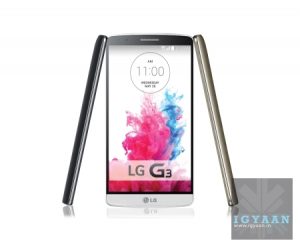
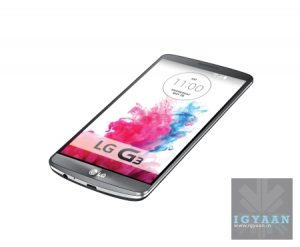
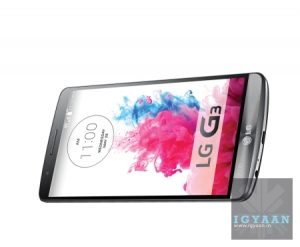
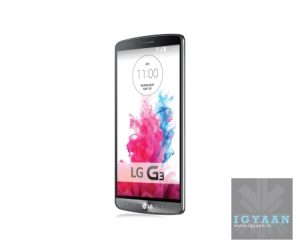
LG today officially announced the new LG G3 with most of the specs that have leaked all over the internet in the past. The new phone however, has a few tricks up its sleeve.
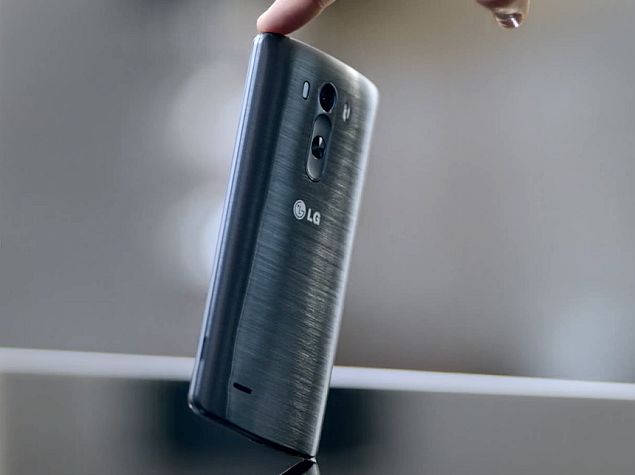
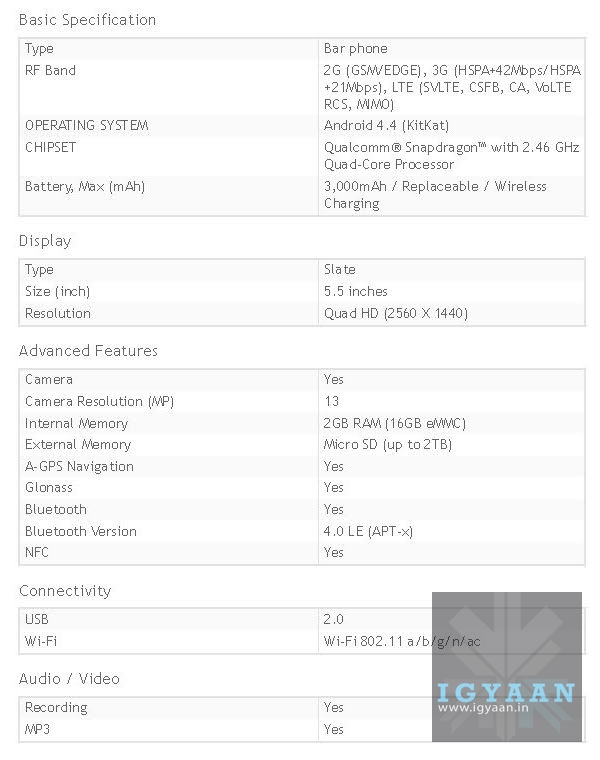
The G3 has been a design revision on the G2 with subtle changes, including a new metal-esque design (completely plastic though) and newer improved rear buttons and capabilities. The design curves out like the HTC One M8, being 2.75mm at the edges, 8.9mm at the thickest point. On the Hardware front there don’t seem to be many surprises either, powered by a Qualcomm Snapdragon 801 chipset the Quad Cores are clocked at 2.5GHz, with two variants the 2GB RAM/16GB Storage and the 3GB RAM/32GB Storage variant. Other features include a removable 3000 mAh battery and support for micro SD cards (we read upto 2 TB).
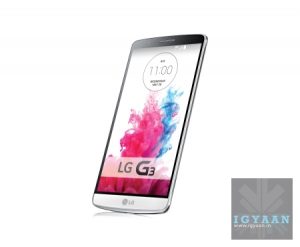
LG has continued with the reduced bezel design and the large 5.5 inch phone does not feel that big thanks to the shape. As for the front the LG G3 does actually feature the Quad HD display with 538ppi i.e. 2560 x 1440 px.
The phone is equipped with wireless charging capabilities, and docks will be available separately. The optics are the key points of conversation with the handset sporting a 13 MP camera with OIS and a Laser (infrared based) focus system, which claims to be razor sharp and extremely fast.
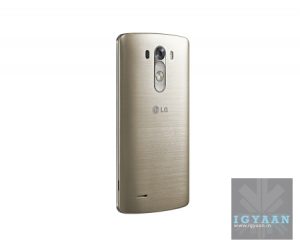
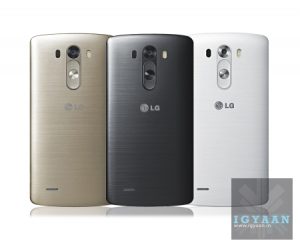
The Paint finish is also self healing like the G Flex but its not as good and the “metallic skin” on the phone will be available in five colors as of now, metallic black, silk white, shine gold, moon violet and burgundy red.
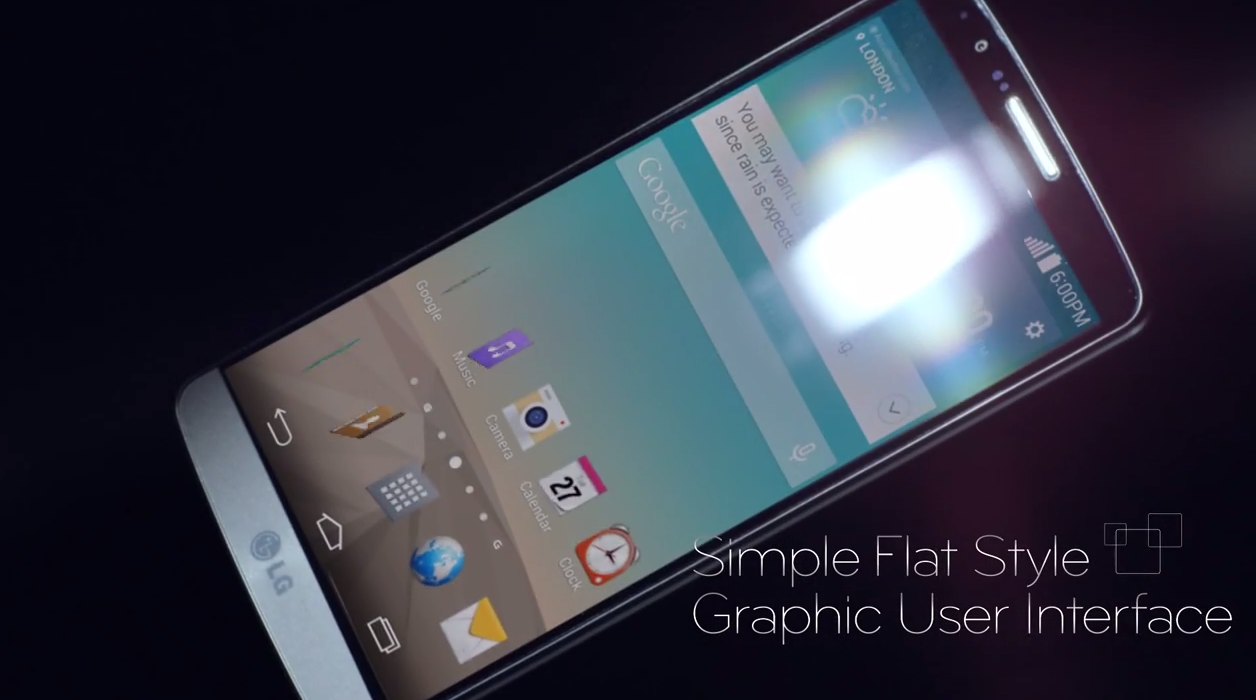
LG has made significant improvements to the interface and the access of tasks has become much smoother. LG claims this phone is a simper handset where the time from making the decision to executing the task has been decreased. The interface has been cleaned out and there is a minimal approach everywhere including using features like the new camera.
LG is expected to launch the new G3 in India in the coming month and we will get you more insights into that soon.
Key Specifications*:
– Chipset: Qualcomm Snapdragon™ 801 (up to 2.5GHz Quad-Core)
– Display: 5.5-inch Quad HD IPS (2560 x 1440, 538ppi)
Over the past weeks we have seen LG’s latest marvel, get leaked front, side and centre. This time around the Korean manufacturers latest flagship the LG G3’s press images have leaked along with the full list of specifications.
The new marvel will feature a 5.5 inch QuadHD display with a resolution of 2560 x 1440px. The first flagship to have such a resolute, the new G3 will also feature wireless charging for its 3000 mAh battery and a Snapdragon 801 chipset with 2.46 GHz on the clock. Just like last years G2, the LG G3 will also feature Optical image stabilization.
The images of the LG G3 show that the company will launch the phone in 3 colors, White, Grey and a new Copper Gold to match up to the other manufacturers. Interesting elements include the fact that the handset will support upto 2TB microSD cards. Another good news for prospective buyers is the fact that the phone will feature Globally unlocked LTE at launch even in India.
Yesterday a couple of videos teased the LG G3:
With the event scheduled for tomorrow, it seems that LG may not have any surprises left to share. Unless they pull “an Apple” on stage and use the words “One More Thing”. Either way, an anxious lot of people wait for the final launch.
Your health is in your hands. Seriously, it’s right there—or it can be, in the form of flashy petite apps downloaded to your smartphone. But with so many options to select from, it can be hard to know which apps really facilitate desirable results. At a time when storage space is dear and your vigor even more so, we’ve hand-selected fitness apps and games intended to help you facilitate a healthier you. Here is to using our phones to get fit!
Fitness Point Pro: Is a simple app, made for gym rats who are dedicated to follow a fitness regime. A paid app, this would a super cheap replacement of your trainer. By downloading the app, you get access to a database full of exercises as well as a detailed description of each exercise with animation. The animations being the main selling point.They ensure you follow exercises correctly, steering clear of injuries. This app also encourages you to create new workouts, as well as suggests combinations. And you receive a calendar view of each and every log, not to mention both day and month views for training and exercises.
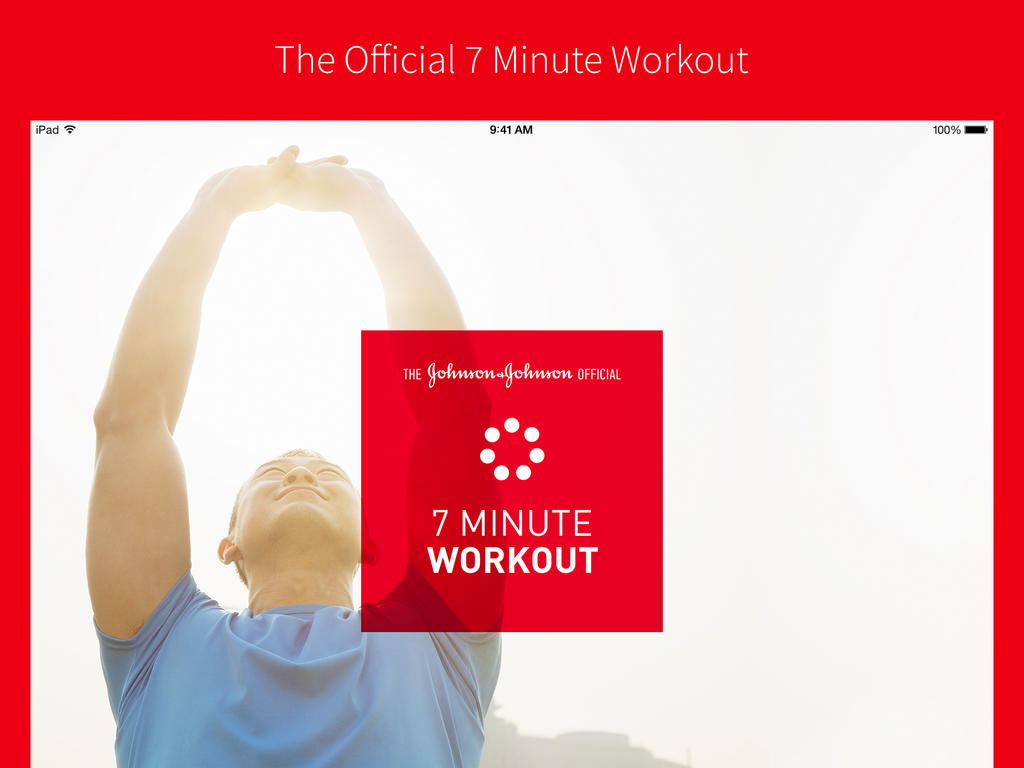
Johnson & Johnson Official 7-Minute Workout App: This app is one of most user-friendly app you would ever use – it has 36 exercises, 13 pre-designed workouts, and a custom workout feature to help you design your own 7-minute workout. You can choose the length of rest intervals, the number of times you want to run through a particular circuit, and tunes from your personal music library to further personalize your session. And with audio and visual instruction, you’re sure to get in a good workout anywhere there’s a floor, wall, and a chair.
Zombies, Run! 5K Trainer: This app is one of my favorite app in this list, nothing related to it’s name. Okay, we’re lying. The app works exactly the way it reads. Can you think of any better way to train for that 5K than to flee from hordes of zombies? Part interactive horror flick, part personal trainer, this app guides you through interval training while involving you in an apocalyptic story through which you’re meant to save humanity over the course of eight weeks. It’s a great way to keep yourself motivated, while having a little flesh-eating fun on your way to a win.
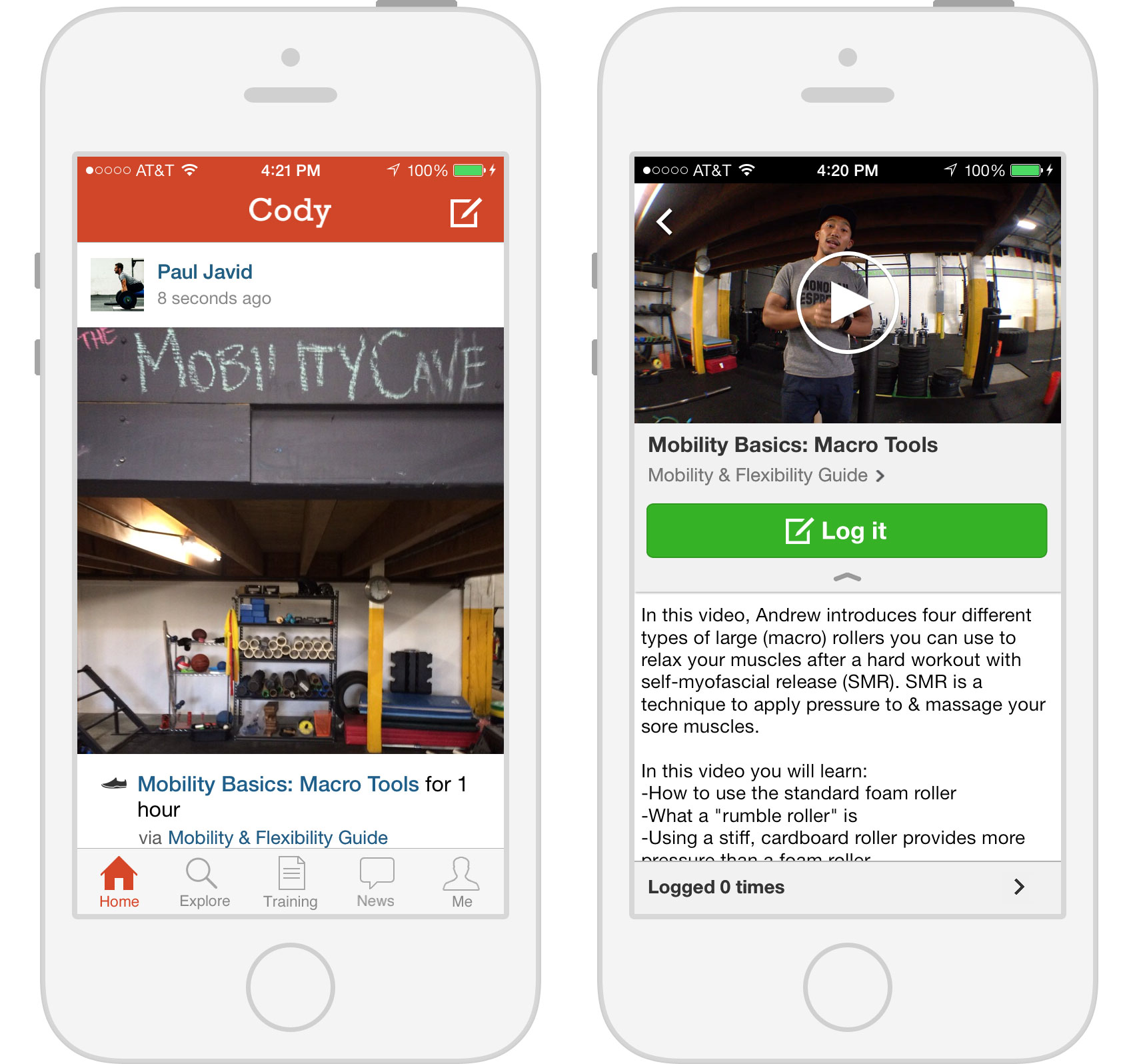
Cody: This one uses a strong social element to motivate its users to stay fit. Why do get fit alone when you can get fit with friends? Cody offers users inside connections to a fitness community where they can share and discover workouts (complete with video, photo, and text instructions) by following new and old friends. Users get their own cheering section! Friends can like and comment on each other’s workout activity. Cody also allows users to track their progress via a timeline packed with stats and highlights.
Fitocracy Macros: It’s way more than just a regular calorie-counting app. Fitocracy Macros tracks the calories you take in from macronutrients (protein, fat, and carbs). This macro-centered strategy is supposed to help prevent the low energy, hunger, and crankiness that other diets cause. Plug in your stats, body type, fit goal, and you’re set! The only downside is that you’ll have to research how many calories are actually in the macros you munch on, but that aside, it’s a simple and easy app that helps you reach your dieting goals.
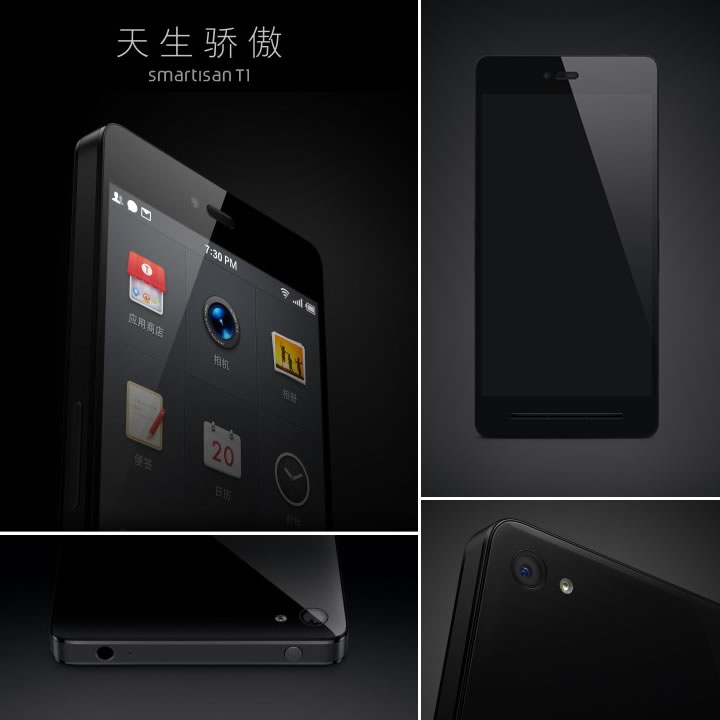
The Chinese are at it again. No, they didn’t takeover a new part of the South China Sea or any part of the Indian territory. We are talking about the new Smartisan T1. This is an innovative product that promises a fresh Android experience.
Any Chinese phone whose heart is made of a Snapdragon 801 processor is worth a notice and believe us when we say this, there is a lot to notice about the Smartisan T1. The T1 has Gorilla glass 3 on both sides, giving it a rather iPhone-ish appeal. The phone follows the same obsession with symmetrical design that iPhone has retained for quite a while.
Folks who appreciate the feel of pressing a real button are in for a treat since this phone has lot many physical buttons. It has three elegantly placed physical buttons under the screen which are a departure from the monotonous capacitive touch panels. It has two sets of rockers on both sides, one for brightness and the other one for volume.
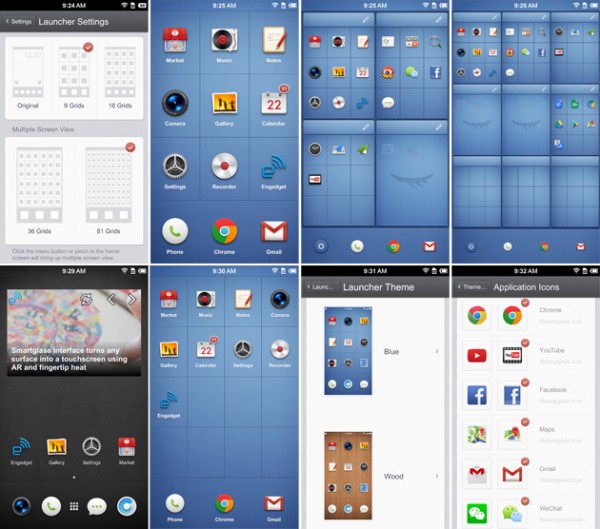
Not just that, it also lets you change the functions of the physical buttons. For the first time in a phone, you can select the functionality according to your hand inclination (right or left handedness). The USP of this device is its high customizable features.
Even with all its unique customizable features, the main screen looks rather clean and crisp. The T1 allows you to click a photo from the standby screen by pressing rockers on both sides together. This is great for people who like to take a lot of pictures and want quick access to the camera to not miss any moment worth capturing.
Though there is a giant downer, the phone will only be available in China and might release in States after a year. Hopefully, some other low-end Chinese OEM will copy the design and sell it to one of the Indian companies.
Major phone manufacturers must take notice of this innovative new product. Instead of adding bloatwares, they should focus on making the mobile experience easy for everybody.
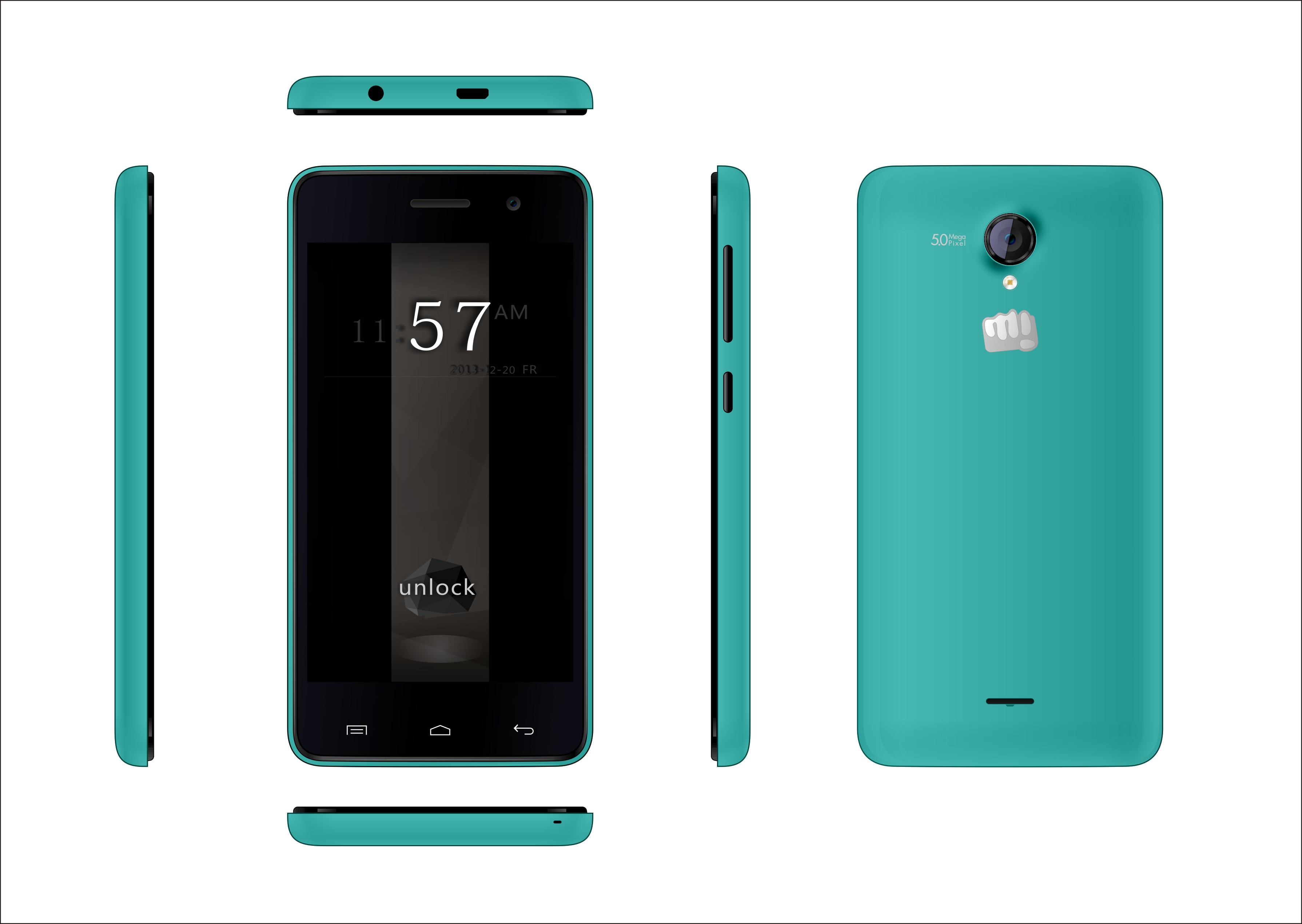
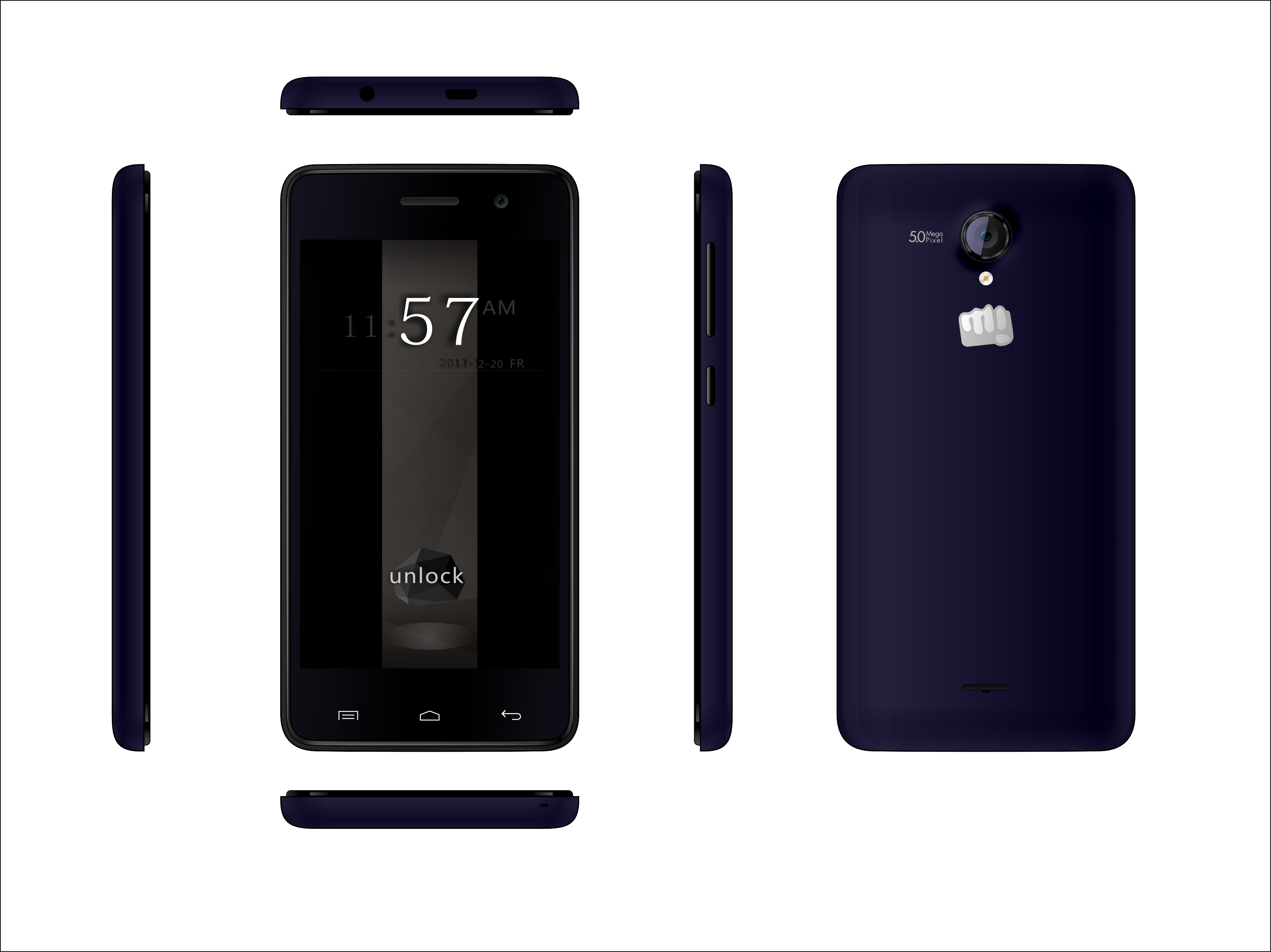
Micromax’s new Unite 2 is priced to excite the buyers of the Moto E, however it wasn’t how the company planned it. The Unite 2 was supposed to be priced for a higher price, and since the launch of the Moto E, many companies seem to have revised their pricing schemes and Micromax seems to be one of them.
The Unite 2 does some of the magic of the Motorola Moto E, as Micromax claims that the handset will stay updated with FOTA “Free Over the Air” updates. But Micromax is using a new approach to the handset as it will be one of a few handsets that support Indian Languages. The Micromax Unite 2 will support 21 Indian languages and will come with Android 4.4.2 Kit Kat out of the box.
Micromax Unite also beats the Moto E on paper, as the new Unite 2 also has a 1.2 Quad Core processor, a 4.7 inch display with 800 x 480px resolution, 2000 mAh battery and a 5 MP main camera.
Design wise the Unite 2 is also taking its cues from the Moto E by offering replaceable back panels. and a similar design but build quality details are vary and we couldn’t get confirmation on the use of reinforced plastics or gorilla glass.
The idea is really novel, however will it give people the kind of assurance they have gotten in the past with Motorola and their Moto G and X. Micromax is trying to bring the better specs and pricing to the market with this handset, they have also made it more localized by adding multi language support, but it really comes down to experience. If Micromax can deliver a good package, they might be able to save their most important price market which is currently been highjacked by one of the oldest manufacturers of cellphones.