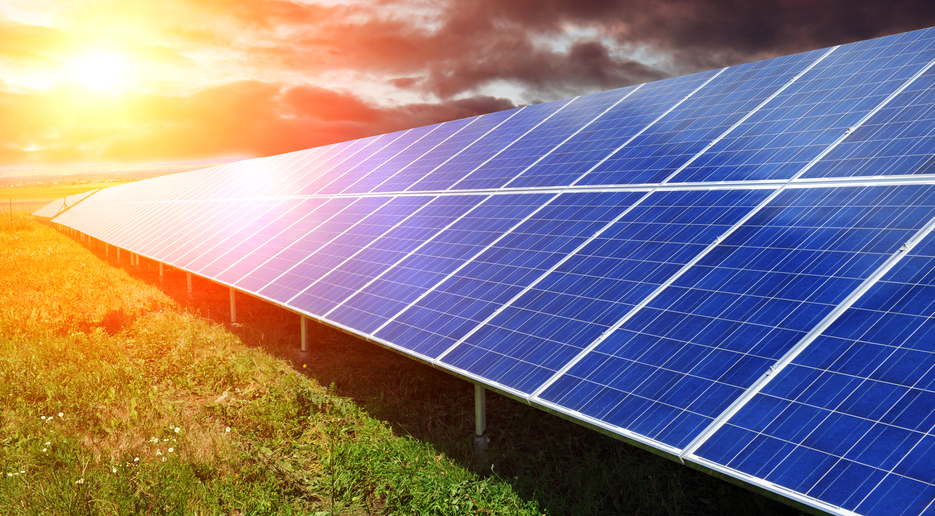
Cochin becomes India’s first city to have an airport entirely powered by solar energy. This comes as great news for a country already struggling with electricity deficit. The city, famous for its beauty and the consequent tourism, now has another feather added to its cap. The airport is also the largest in the world to operate completely on solar power.
The solar plant was constructed by German engineering giant Bosch with a specification of 12 MWp. It consists of 46,150 solar panels across 45 acres to generate power. The airport further possesses 100 kilowatt peak (kWp) rooftop photovoltaic (PV) plant which was first built in 2013.
According to the Airport Authority’s website, the plant would be able to cut down on carbon emissions over the next 25 years in quantities equivalent to planting 3 million trees, or not driving 1.2 billion km (750 million miles). Inspired by the success of the Cochin airport, the government of India plans to equip 30 airports across the country in the same manner.
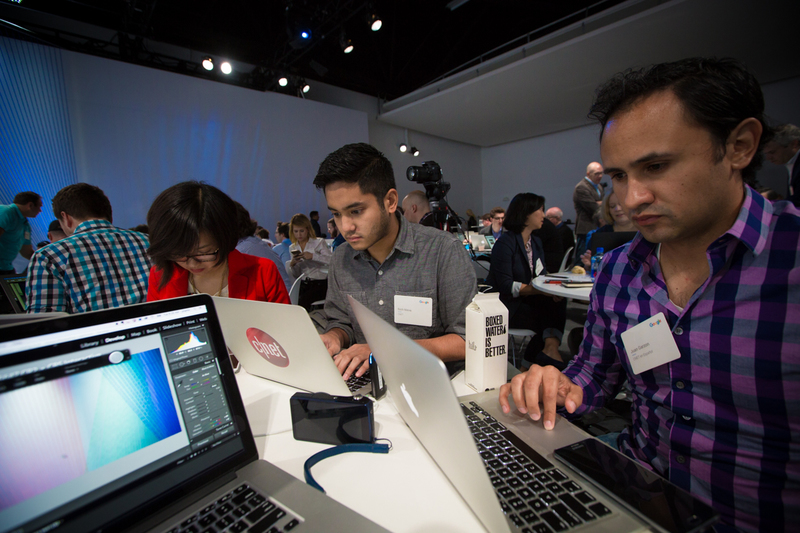
September ’15 brought with it two of the biggest events of the tech world – the Apple and the Google Nexus event. Both events took place in San Francisco within a little more than a fortnight of each other. Apple launched its new gadgets on the 9th of September, while Google Nexus had 29th marked on the calendar as the date for its official launch.
Google Nexus Event ’15
It’s a fact universally acknowledged that the world loves to hate on Apple. Consequently, Google ends up receiving more sympathy (for the lack of a better word) votes.
Location:
Apple hosted the event at the ridiculously huge Bill Graham Civic Auditorium with a seating capacity of 7000 people. Google on the other hand was a smaller-scaled, cosy affair with its choice of Left Space, a small studio space in San Francisco. This was a stark difference between the two events.
However, both events were colourful, blingy and complete with their fair amount of hoopla.
Internet Crazies:
Apple as always, began the whole song and dance weeks before the actual event. All over the internet, social media platforms had begun to flood with images and memes regarding the event, upping the anticipation.
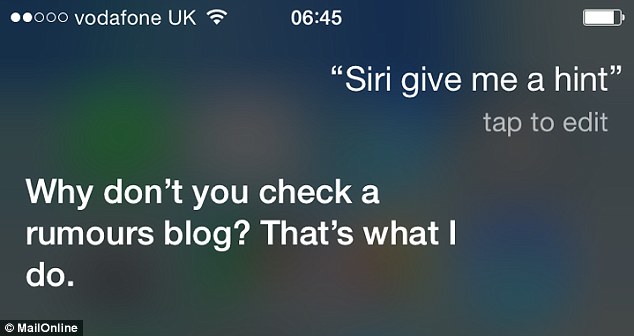
Google was quiet in this aspect. The audience didn’t get to see them as significantly on the internet as Apple before an event. While Siri jokes were doing the rounds right before 9th September, things were fairly silent on the Google Nexus front before 29th September.
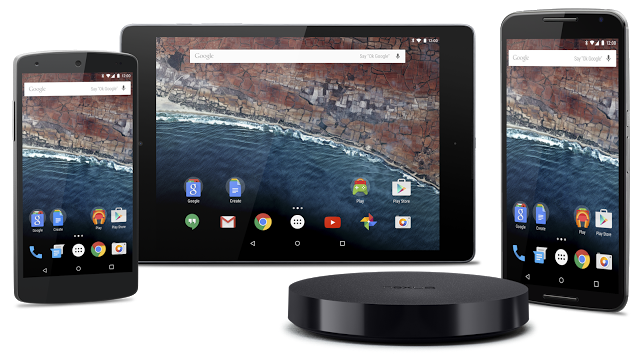
Apple and Google both launched two new phones each, namely the iPhone 6s and 6s Plus, and LG Nexus 5X and Huawei Nexus 6P. Tablets with keyboards as additional accessories were also part of the launch. Along with these releases, there were updates in terms of software, app store, and accessories related to the devices -basically lots of tech-lingo and fancy gadgets with fancier price-tags. However, Apple was ready with a new video for each of its gadget and launch. Google was once again lacking in this category with no videos at their event. We don’t know if that’s a good or bad thing though. You decide.
Cook vs Pichai:
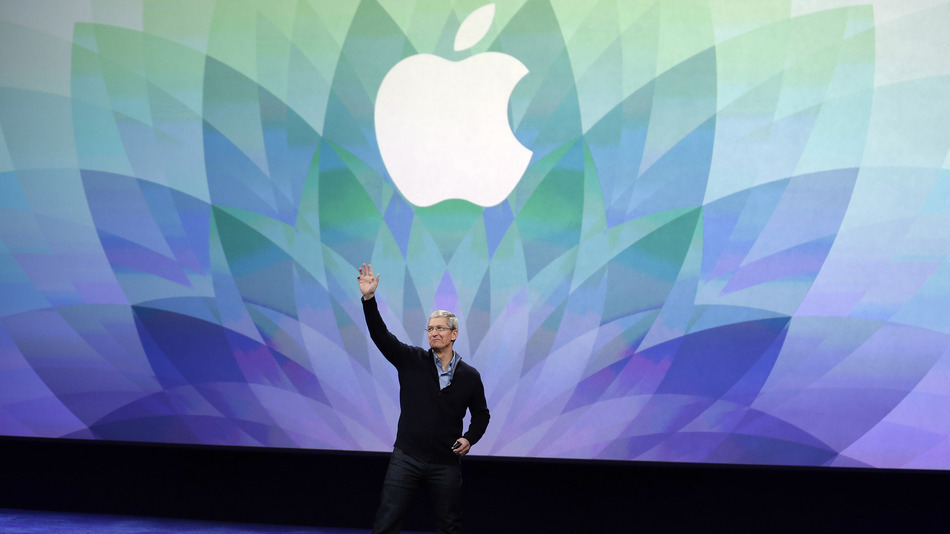
When Tim Cook took the stage, there was a moment of absolute silence as the air in the room changed. One of the most powerful people of the tech world had presented himself and the only natural reaction was to devote undivided attention to him.
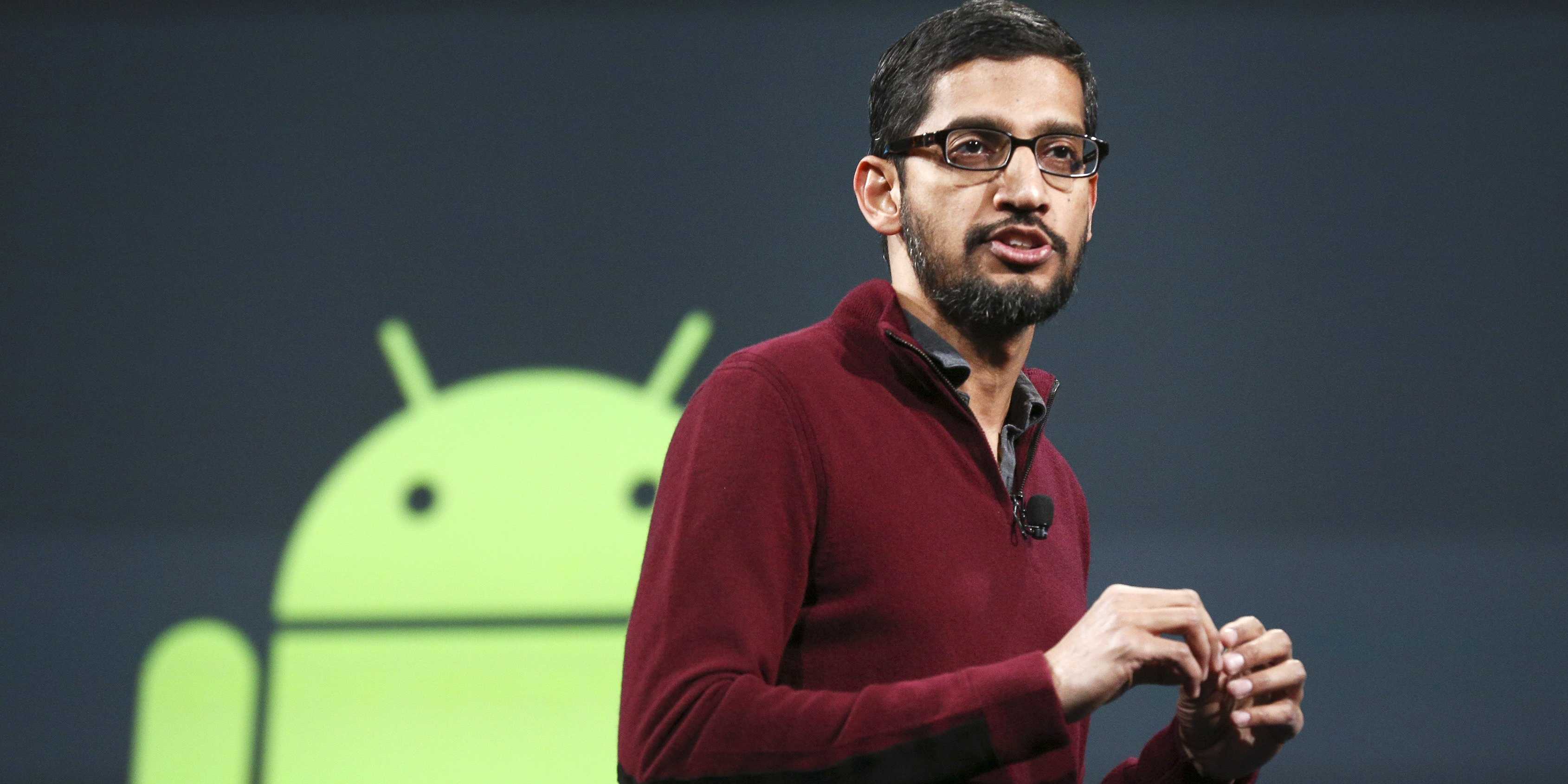
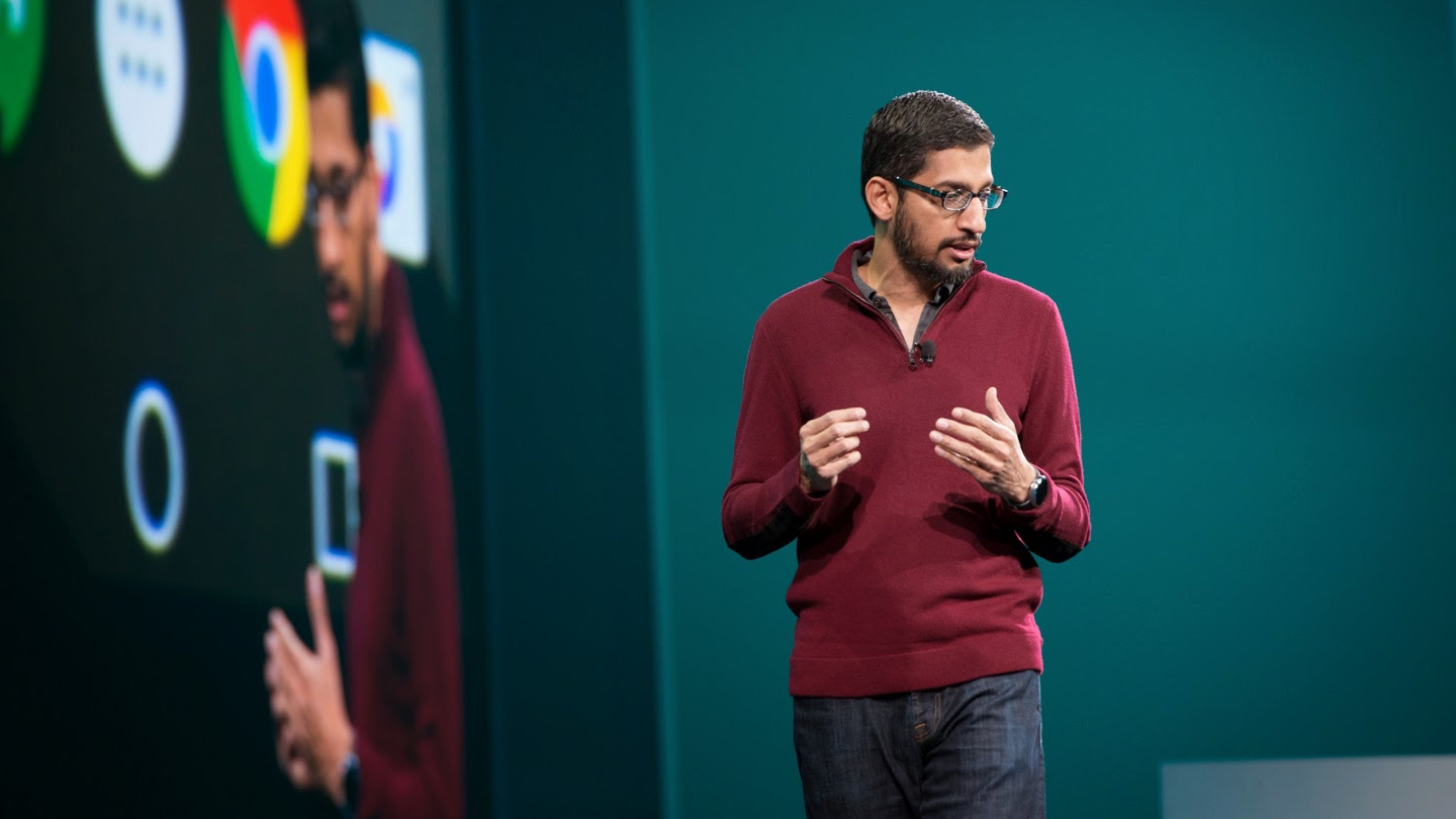
Tim Cook at the September Apple eventSundar Pichai talks at the Google Nexus event.
When Sundar Pichai came on stage, he seemed like someone you would want to talk to. It was a nice, approachable person standing before you who would lead you by the hand through the technicalities of the new launches. The glamorous grandeur of Tim Cook had been replaced by the modesty and simplicity of Sundar Pichai.
One event was definitely a toned down version of another, though there’s pretty much a single, stable bottom line -two events of warring companies waging an eternal battle of the most up to date gadgets, changing the face of the tech-world with their undying determination to invent and innovate. Did one event work for you more than the other? Let us know in the comments below.
The iOS 9.0.2 comes only a week after the release of iOS 9.0.1, the first update of iOS 9 which was released to buyers on 16th September. This update promises users a smoother, glitch free experience and boasts of various features. The list of new things in the update are, as revealed by Apple in an official statement, are as follows:
“This update contains bug fixes and improvements including:- Fixes an issue with the setting to turn on or off app cellular data usage
– Resolves an issue that prevented iMessage activation for some users
– Resolves an issue where an iCloud backup could be interrupted after starting a manual backup
– Fixes an issue where the screen could incorrectly rotate when receiving notifications
– Improves the stability of Podcasts.”
The most important feature of this new update is fixing the lock screen vulnerability. Earlier, hackers had come up with a basic seven step procedure to use Siri to gain access to the user’s contacts and photographs. The latest iOS 9 update has taken care of this security threat.
iOS 9 had rolled out last month with some significant changes to Siri and the entire user interface experience. It includes not only some major updates to the App store and all Apple-based apps but also allows for a multi-tasking feature for the iPad screen.
This update, which comes within a week of the last one, fixes bugs related to iMessage, iCloud, Podcasts and security on the latest iPhones. Let’s hope the new iOS offers the smoothness Apple promises, and not lands the company in another series of update fails, system glitches and hacking trouble that seems to have plagued the company recently.
After purchasing land in Monterey, San Jose, Reno, and Oregon, Apple has gone ahead to secure land for a second ‘spaceship’ campus in Silicon Valley. The size of the campus will be a whopping 777,000-square-feet and it will be located at Central Expressway and Wolfe Road in Silicon Valley.
Though the exact details of the deal have still not been revealed, it is speculated that the land has only been leased and not purchased. This is Apple’s second project in Sunnyvale, California and will definitely draw inspiration in terms of its design and structure from the first campus. Once successfully completed, this could mean 3,000 extra jobs in the area.
World’s first 3D printing pen, 3Doodler, made its debut about two years ago in 2013. Yes, it is what the name suggests – a device that lets you doodle physical objects in thin air. We know what you’re probably thinking:
Shakalaka Boom Boom pencil in the house, boys and girls.
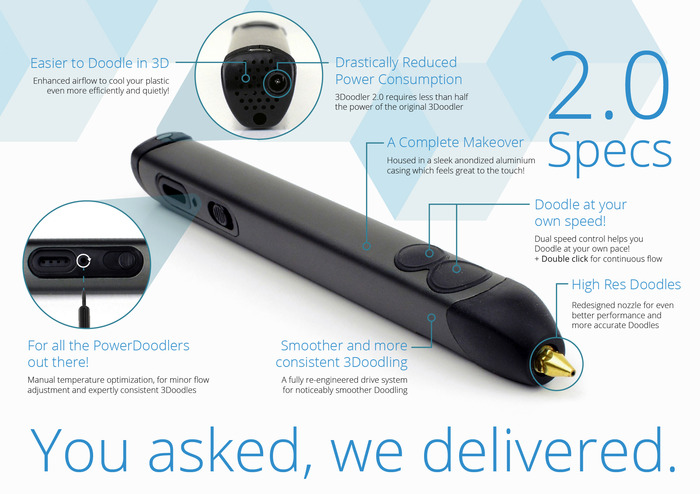
What we’re talking about instead is a prettier, less creepy and more-within-your reach sort of an option. Developed by Peter Dilworth and Maxwell Bogue of WobbleWorks LLC, the updated version of 3Doodler called 3Doodler 2.0 made its debut earlier this year. Began as a Kickstarter campaign in 2013, 3Doodlers make use of plastic thread which is melted, shaped into an object desired by the doodler and then left to cool.
The updated model is a sleeker, lighter and more convenient version of 3Doodler and is available at a price of around Rs.10,000 in India. Surprisingly enough the older model is available on Amazon for about Rs.24,000. 3D doodling can be used for numerous purposes including design, miniature modelling, in architecture and interior designing, for arts and crafts projects, or for creating the best Halloween masks, if all else fails.
For a closer look at the wonders this little device is capable of, take a look at the video below:
Prime Minister Narendra Modi’s visit to the Silicon Valley was a lot more than just a meeting to bring the heads of Google, Microsoft and Facebook together to invest in India. Beyond the ‘Digital India’ campaign lies a call for young computer engineers in India to create.
The PM has seen the future, and it is a digital future. Think about it. Everything we see, hear about, learn, or need is most likely found on the internet or through an app. There’s practically an app for everything today. There was a time when standard phone messaging was all that existed until someone developed Whatsapp and Snapchat and completely changed the way people interact through messages. Now standard SMS has practically become obsolete.
Every programmer needs to know coding to bring their ideas online. If you’ve always dreamed of creating an iOS or Android app, or full-fledged website, then Siddhant Puri, an Electric Engineer and Computer Science graduate from UC Berkeley, has some tips and suggestions on how to get started.
Why learn coding?
“Obama & will.I.am tried to learn how to code. It’s strange how the tables have turned. Society suddenly respects that kid who used to be on the computer on IRC channels just derping on the internet and learning more about it.” – Siddhant Puri
Until a few years ago, you would be scouring all over your city looking for various products, and then there came apps such as Amazon and eBay that made sure you wouldn’t need to leave your house to buy something.
Apps have not only made life ridiculously easy for us but it has also opened up new possibilities and opportunities for those who have created the apps and made them what it is today. Anyone can create an app based on a simple idea. But before they can do that, they need to know the ‘how to’ aspect. This is where coding comes into play.
A programmer fails 10,000 times before progressing.
The first thing you need to do is know what you want to create. “Instead of learning for the sake of learning, learn with a purpose,” says Puri. It can be an app or a personal website, as long as it is something definitive. Secondly, patience is the key for any programmer. Every website or app will come with its own set of bugs and glitches which can drive you insane if you’re not patient enough about it.
You can always Google for help related to what you want to do and how to go about it. However, here are a few helpful sites suggested by Puri that can help you get started.
Treehouse: This is a paid website where you can learn practically everything from web designing to app development. The site offers hundreds of courses across various topics such as HTML, Javascript, WordPress, iOS, and Android that allows for an in-depth study. The website is useful for both beginners and professionals alike, and it’s worth every penny.
StackOverflow: This is basically Reddit for programmers. It is a place where questions related to bugs and glitches or any programming related queries can be posted and can be answered by anyone.
Coursera: This is a course conducted by University of Michigan. It is a 2-month course that covers the fundamentals of programming using Python and is useful for anyone who has a lot of time on their hands. The applications have already begun and the deadline for the current session (September 15 – November 9) end on October 6th.
Codecademy: With over 25 million users, Codecademy is a great place to learn the basics of coding and connect with other young entrepreneurs. Watch how one developer made it big by joining Codecademy.
Udacity: Offers full programs that guide you step by step. This is perhaps one of the most thorough sites out there that helps you immerse yourself in coding, but it is an expensive affair. “I’ve personally met the team and the course managers and they are a very determined group of people trying to make this process very fruitful for you. This would be my recommendation if money was not an issue,” Puri says.
Finally, whatever course you do plan on taking, and if you are determined to learn the art of coding, you need to stick to it. Having a mentor or finding a community will really help you with your goal.
“And make sure the first line of code you print is HELLO WORLD.”
Why ‘Hello World’? It’s because it is typically one of the simplest programs possible in most programming languages, it is by tradition often used to illustrate to beginners the most basic syntax of a programming language.
So get to it, dreamers.
A special thanks to Siddhant Puri for sharing his experience straight from Silicon Valley.
Apple released the latest upgrade to its desktop operating system on Wednesday. The OS X El Capitan is now available as a free upgrade for all Mac users using a 2009 model or newer, and also for some 2007 models as well.
Apple has tried to redefine the Mac experience with a host of new improvements, both big and small, that adds a little something extra to your Mac. From Notes and Safari to Spotlight and Split View, there’s something to be found everywhere.
Find the cursor
This is perhaps the smallest improvement, but an improvement nonetheless. Mac users have found it a bit of problem when it comes to locating the little mouse on the screen. However, with the new upgrade, all you have to do is quickly move your fingers across the trackpad or shake the mouse quickly and the cursor grows in size so that you can spot it easily on screen.
Split View
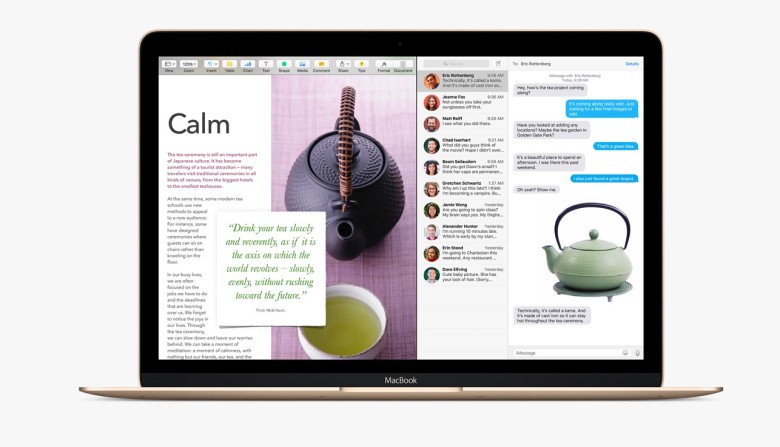
Apple has already introduced the Split View feature with the iOS 9 for the iPads, now El Capitan OS follows suit. Split view allows two applications to run side by side. There are two ways you can get the split screen activated. You can click and hold the green zoom button of a window and then drag it into place, or open up Mission Control (F3) and drag the two apps of your choice into the same thumbnail at the top.
Spotlight search with natural language
By natural language we mean the way you would naturally speak when looking up something. For example, you could enter “find mail from Sam regarding flight details” and you will get exactly what you were looking for. Basically, Spotlight now has a better grasp of language.
New Mail gestures
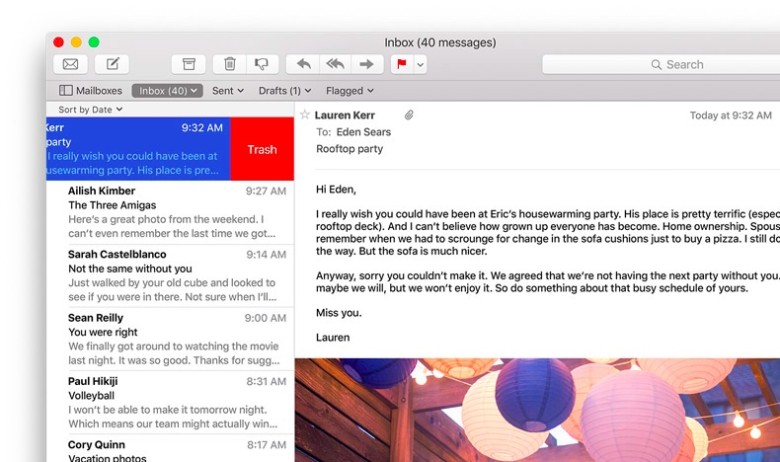
Like the Split View, Apple has borrowed from iOS for the Mail app as well. OS X El Capitan can now allow you to delete mails and access other options by using two fingers to swipe on an item. Mail also recognizes contacts and events in you messages and helps you call or add events to your calendar.
More to do with Notes
The latest iOS 9 brought a whole bunch of changes to the Notes app. The same changes can now be found in the Mac. You can create checklists, import maps and pictures, or insert text formatting. The improvements are still short of Evernote, but the company is getting close.
Send individual videos via AirPlay
Earlier, if you wanted to send a video from Safari to your friends or to the AppleTV, you would have had to share your entire browser window for that. With the new upgrade you can now send just the video. In Safari, click on the AirPlay option just below a YouTube video and you can select your desired destination. It works with YouTube right away, with support for other services to come soon.
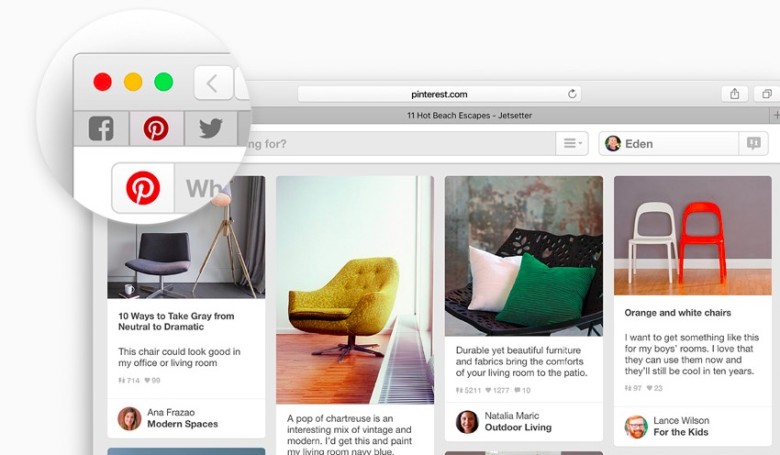
Pin tabs in Safari
You can now pin sites that are most frequently visited to a new browser tab at the left-hand side of the tab bar. This allows you to quickly access them with just a click. Pinned sites automatically open when the browser is opened.
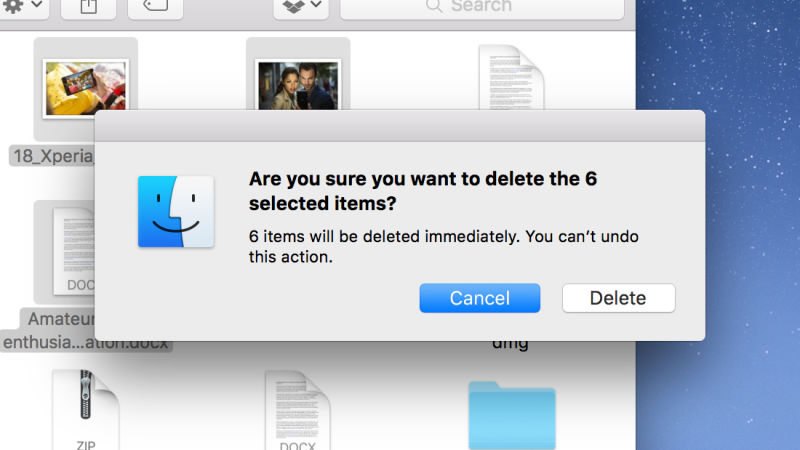
Skip the Trash
This gives you the option to permanently delete any file you like rather than temporarily deleting them. It saves you the trip of having to go to the trash bin. Press Option+Cmd+Delete to erase files immediately. You can find the option in the Files menu once you select the files you want deleted.
Hide menu bar
The new update gives you more screen space by making the menu bar disappear at the top of your interface automatically the same way as the bottom dock. Go to System Preferences via Apple menu, then go to General heading, and select Automaticallyhide and show the menu bar.
In line with the enthusiastic ‘Make in India’ initiative that was kickstarted by Narendra Modi in September 2014, the latest to join the bandwagon is Asus. The Taiwanese Smartphone manufacturer has declared that they will start manufacturing smartphones locally, in Sri City, Andhra Pradesh.
This is a great move by the company as it will christen them into the highly competitive Indian Smartphone market. They ambitiously aim to produce 1.5 lakh phones by the end of this financial year, thereby contributing to 80% of the sales in India, as per reports.
Asus India Country Manager (System Business Group) Peter Chang told PTI:
“India offers us a huge opportunity as smartphone penetration is just 10 per cent. We are excited to announce our local manufacturing facility that will cater to the growing demands of the market,”
Asus isn’t the only one aiming high in the subcontinent. Seeing that India is likely to take over the global Smartphone market in the next few years by throwing USA off its currently held no. 2 position of being one of the largest smartphone manufacturers in the world.
“We are aggressively targeting the Indian market. We aim to achieve five per cent market share in the country by next year.”
Keeping this information in mind, we had earlier told you that Xiaomi, Huawei and Motorola were just some companies that had already begun making their handsets in India and are hoping to make grand profits given the exponential growth the country has, backed by the ‘Make in India’ initiative.
OnePlus came out with its Flagship OnePlus 2 a few months ago. Prior to the launch of the OnePlus 2, the company stated that it is working on a second device for 2015. There have been rumours that this second device will be a scaled down version of the OnePlus 2. The expected phone has been called OnePlus Mini or OnePlus X by many, and more recent rumours are tilting towards X, so we’ll go with X.
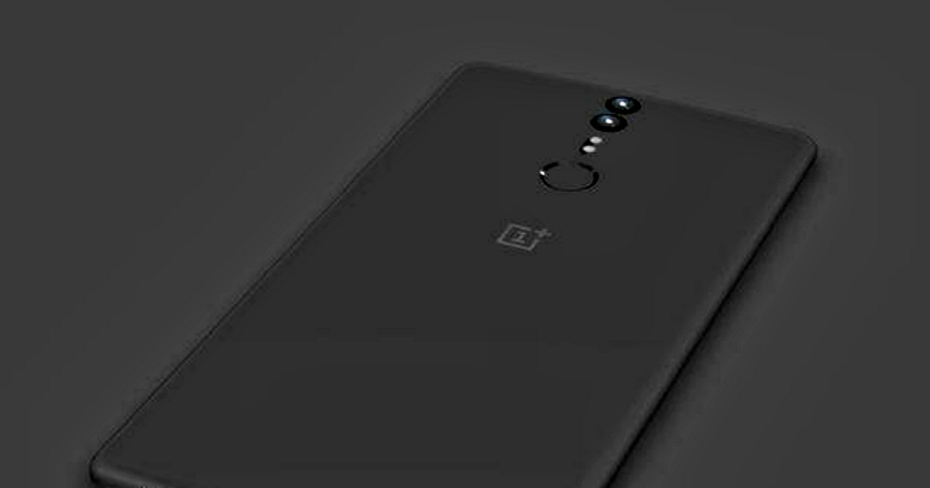
We have already seen leaked renders of the upcoming device like the one shown above. The upcoming OnePlus X is rumoured to sport a design different to the OnePlus 2, and if this is the case it might certainly be called X rather than Mini. The reason behind the design change, apparently, is because not everyone liked the look of the OnePlus 2. If the images are true, the new device does have a clean, sleek look to it as compared to the recent flagship.
Some specs of the upcoming OnePlus device have also been leaked, which suggest that the phone will sport a 5-inch display, which is 0.5 inches smaller than the OnePlus 2 and will be powered by a Snapdragon 801 quad-core processor. The fingerprint scanner is likely to be located below the rear camera.
If the SoC rumour is true, you can expect OnePlus’ upcoming device to fall just below $250 (Rs.16000 approx.) However, that’s only a general guess at the moment. The phone is expected to come out in October, according to Gizmochina.
Facebook has just updated a new profile picture feature for iOS users. Now, your Facebook display picture could be a GIF of yourself.
iOS users will have to check their profiles on the mobile app in order to find the notification. Once on the app, you’ll have to click on the ‘more’ tab and select your name to go to your profile. Then you will be asked to add a new summary bio. After editing that you’ll have to loop a profile video.
For this, you will find an icon between the camera and video symbol on your profile picture. Click on that, and pick whether you want to take a video or upload one. The video is supposed to be only seven seconds long.
The last step is to add featured photos, for this you will find a space for inserting five pictures below the ‘About Me’ section. You’re done. Your profile will look somewhat like this now :
Image Source : wired.com
However, there are a couple of things you need to know about this feature. Firstly, that it’s not yet available to all users and as of now, just a select few have got it. Secondly, the profile GIF can be viewed all across Facebook, but can only be edited via the mobile app. So go check your Facebook as soon as possible and tell us what you think about this cool new feature.
Just a couple of days ago, Google officially launched the Nexus 5X and the Nexus 6P devices. The initial response to the devices have been mixed, to say the least. There have been some strong criticism directed towards the Nexus 5X, in particular. Google has come out with a few answers to questions posed by Redditors.
Some of the main issues revolved around the lack of a Qi wireless charging support (a first since the Nexus 4) and a limited 2 GB RAM and 16 GB internal storage as the baseline. Google answered the former by stating that they felt the USB Type-C charge was good enough and a wireless charge seemed unnecessary, and would have also added to the thickness of the device. “With this year’s Nexii, we support USB Type-C which has a reversible connector so there’s no more guessing. AND it charges incredibly swiftly: 1% to 100% in 97 mins on the 6P for example (the first ~45 mins of charging is especially fast). Meanwhile, wireless charging adds z (thickness),” the Nexus team said in an AMA on Reddit.
As for the latter question regarding the 2 GB RAM and 16 GB storage, which was offered two years ago with the Nexus range, the company stated that what they wanted to offer with the Nexus 5X is good value for money. “We like to think we’re striking a strong balance between premium features/experiences and affordability,” said Krishna Kumar, the product manager Google put in charge of the Nexus 5X team.
The team also answered a frequently asked question on the site as to whether the cameras on the Nexus 5X and Nexus 6P were identical. Kumar replied saying yes.
Both devices have the same camera – a 12.3MP camera, with large 1.55um pixels, which works great in all conditions – especially low light. And both have LDAF for fast auto-focus.” Dave Burke later adds, “[they have the] same sensor (IMX377) and F/2.0 optics. But 6P has more CPU/GPU horsepower so has a few additional features like 240fps slomo (vs 120fps on 5X), Smartburst, and EIS.”
And finally, regarding the naming of the devices as X and P, the Nexus team stated, “X for the core of the Nexus brand (plus it sounds cool!), P for premium.”
The Department of Telecommunications (DoT) has approved a proposal by the Telecom Regulatory Authority of India (TRAI), stating that there will soon be a single emergency number in India.The existing numbers are – 100, 101, 102 and 108. These will exist for a period of one year before being re-routed to a single emergency number 112.
“These numbers will be closed in a phased manner (following a public awareness campaign),” said the DoT.
This number will be accessible to all, even those who do not have a GPS enabled cellphone. However, reportedly, DoT has suggested the telecom regulator to study the impact of enabling all mobile phones with GPS before finalizing the view.
A statement issued by the TRAI mentioned that they would soon be finalizing a date for the incorporation of GPS on all mobile phones in order to have a more accurate location information. Until this works out, we’ll still have to remember a set of numbers.
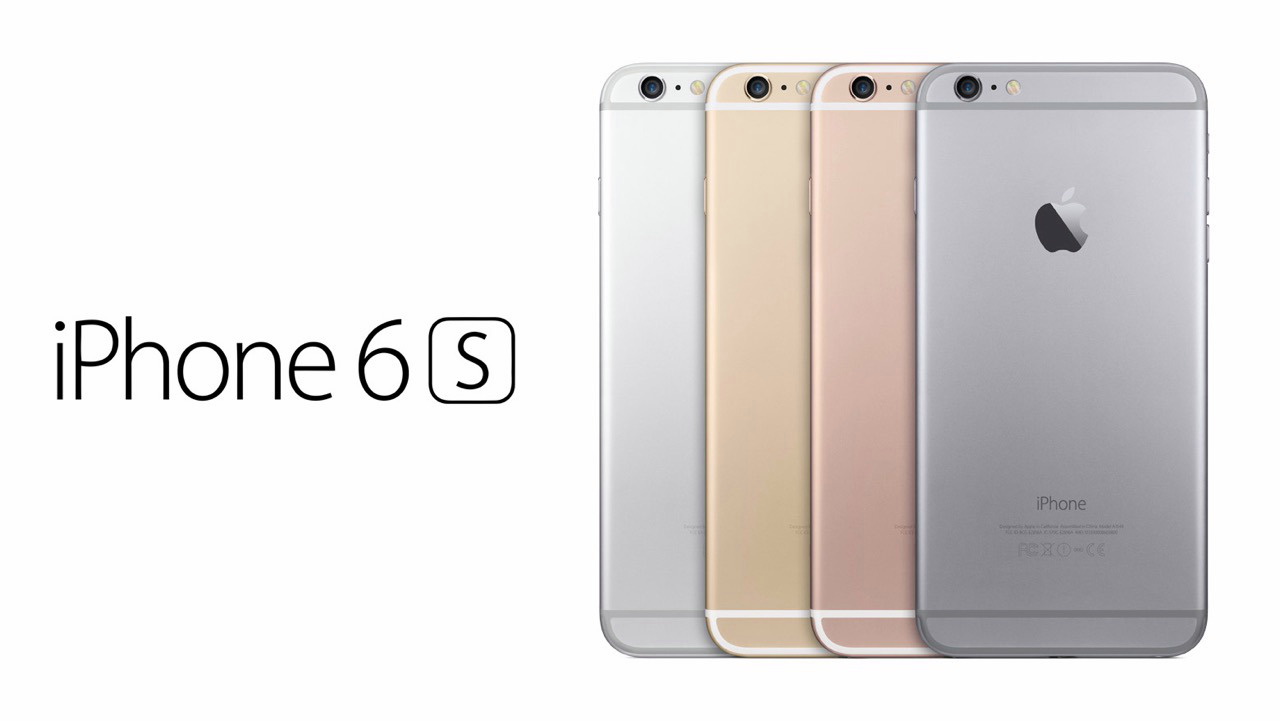
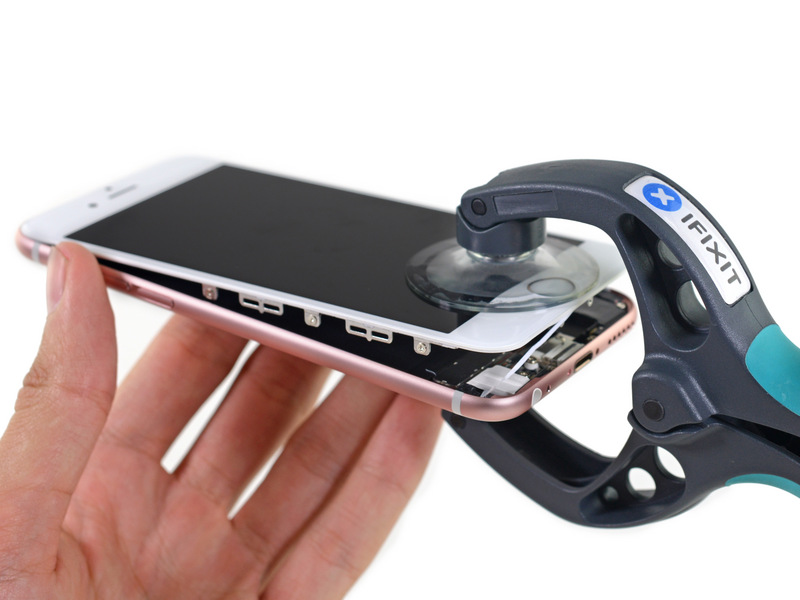
Here’s some very cool news for iPhone 6s users – it is reportedly waterproof. How do we know? Well, some people at iFixit decided to dunk their iPhone 6s into the water in order to see what happens. They found that the iPhone 6s is actually somewhat water-resistant. However, you’re probably wondering why Apple didn’t announce this game changing feature. It’s because the iPhone 6s is not entirely waterproof. So, let’s find out how waterproof the iPhone 6s really is.
Image Source : iFixit
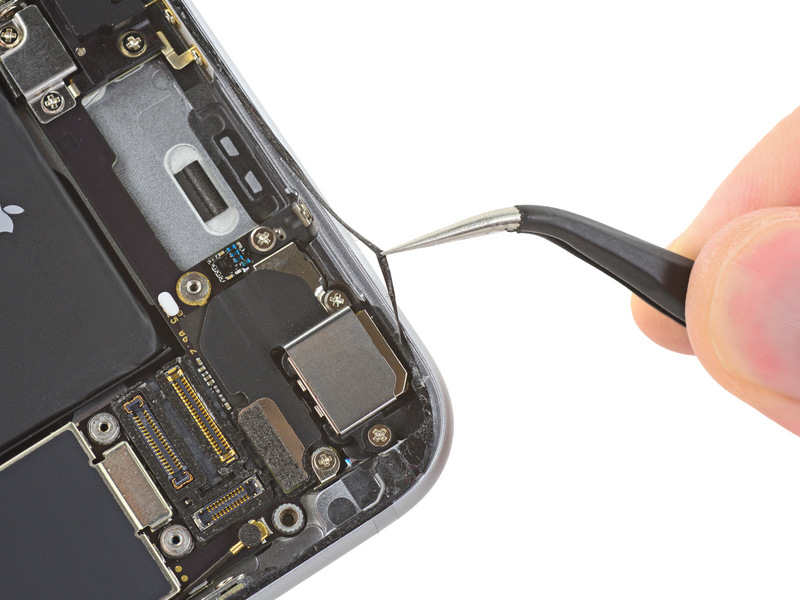
iFixit, a private company, broke down the iPhone 6s for us all, and found that the new device actually has some of the waterproof tech that Apple has already patented. Apple has redesigned the iPhone’s internal structure in order to bring this product closer to its goal of making a fully water-resistant smartphone.
Image Source : iFixit
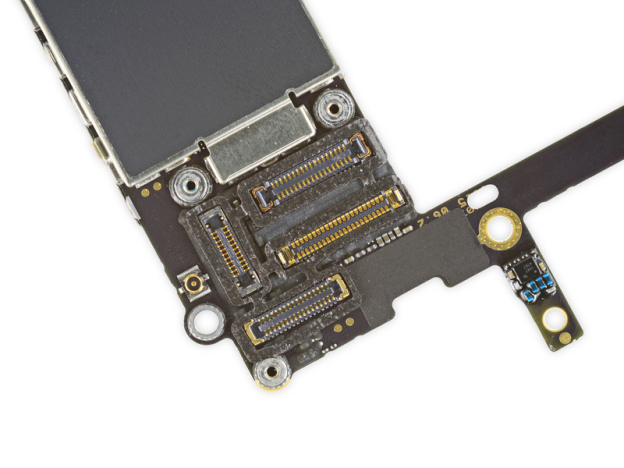
The purpose of the glue band around the display screen is reportedly more than just to make the screen stick better to the metal. It’s actually also to keep liquids out. When iFixit took a close look at the logic board, they found that every cable connector was surrounded by a small silicon seal, that keeps the water away. This is also reportedly the first time, that Apple has used such a technology.
However, as mentioned before, the reason Apple hasn’t marked this iPhone as waterproof is because all its components haven’t been water-proofed. For example, its headphone jack and speakers will still let water flow in. But, we can most definitely anticipate Apple to create a fully water-proof iPhone soon enough. Let’s hope till then.
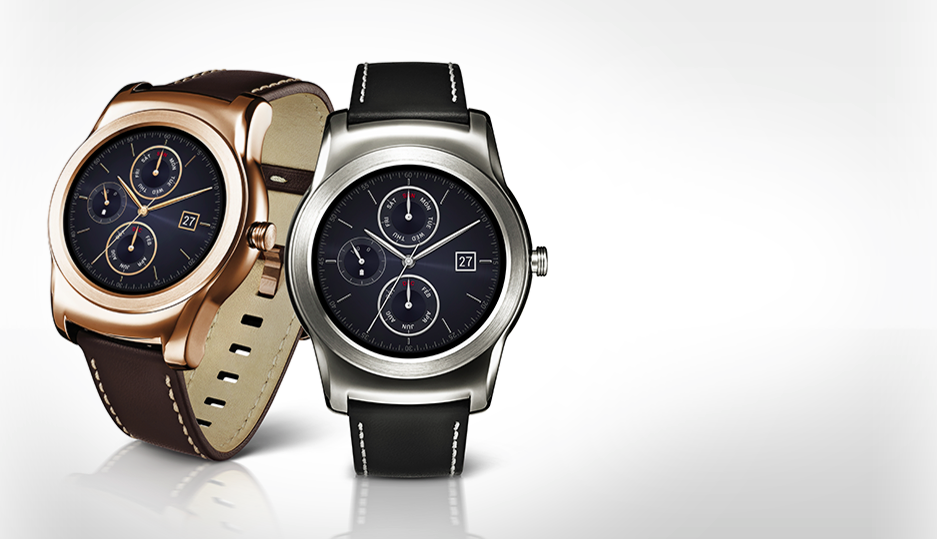
LG Watch Urbane 2nd Edition is now officially the first Android Wear device with a 4G LTE support. Though this feature is enough to make waves in the tech world, the Watch also carries many other interesting things sure to lure buyers into giving this device a try.
https://youtu.be/FdRymDRtPJA
Firstly, on the display and resolution front, Urbane is equipped with a 1.38-inch fully circular P-OLED display, and 480 x 480 pixels along with 348 ppi. Secondly, Qualcomm Snapdragon 400 SoC, 768MB of RAM, and 4GB of built-in memory are some of the other features to be part of the deal. Lastly, the Watch aims to win the buyers over with its built-in sensors which include accelerometer, gyro, compass, barometer, heart rate sensor, and GPS.
The IP67-certified stainless steel body of the gadget -44.5 mm in width and 14.2 mm in thickness -further makes it a device worth noticing. All of this along with a 570 mAh hexagonal battery by LG Chem constitute the long list of fancy components of the Watch.
LG has shown great utilisation of Android Wear, Google’s operating system for Android wearable devices, in the past as well. LG Watch Urbane, the all-metallic luxury previously launched by the company is an example of this. The Watch came with a 1.3-inch circular P-OLED (320x320p resolution) display, along with Qualcomm Snapdragon 400 chipset paired with 512 MB RAM, along with a 4GB inbuilt memory and 410mAh battery.
Clearly, its successor, Urbane 2nd Edition is a significant upgrade in display, battery and RAM. While all the other specs are mostly similar, these additions definitely gives an edge to LG’s latest edition to the world of Android Wear.
Last night, at the Google I/O Conference, we got a first look at the next big Android update. Google detailed the new features that are going to be made available with Android Marshmallow.
We’ve already spoken about all the major announcements, we’re now bringing the spotlight to Android M. Are you wondering what sets it apart from Lollipop? Check out the list below.
Clearer Security Permissions
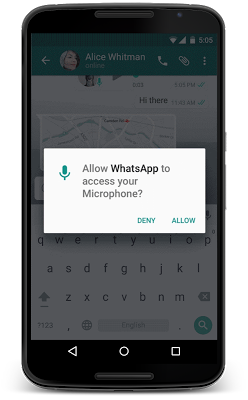
When you launch a newly downloaded app, do the permissions you’re ‘Accepting’ ever worry you? To make things simpler for users, Google has removed that step and instead you’re now going to be asked for a permission, when you choose to use a particular feature within an app. For example, if you’re using WhatsApp and you would like to send a picture directly from the chat box, a pop-up will appear requesting WhatsApp to access your camera.
So how this essentially helps you is that instead of hurriedly accepting the permissions on downloading an app, this way, you know exactly the functions a particular app has access to. This change is very similar to the way iOS handles their app permissions.
Now on Tap
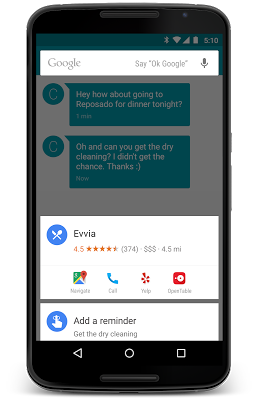
The company has taken Google Now one step further with ‘Now on Tap’. This feature is not just available with a single tap of a button, it can now be launched while you’re viewing a particular webpage or an app. For example, if you’re viewing a friend’s Facebook profile, you can use Now on Tap to find out more details about the person. It may then link you to the person’s Twitter and Instagram profile.
Another quick example, if you’re discussing a restaurant with a friend via chat, Now on Tap can give you details about the eatery. All in all, it can be launched to give context to anything you’re doing – without having to leave an app.
‘Doze’ to Save your Battery
With the new feature ‘Doze’, Android gives your phone the ability to detect if the smartphone has been left unattended for a while. In which case, M will reduce the background activity, giving the phone longer battery life.
Android Pay
At the conference Google also announced Android Pay. Like every other mobile payment system, it will enable Android users to simply and securely use their Android phones to pay in stores or for Android Pay partner apps. Google has taken this one step ahead, it has added useful fingerprint support which allows users to confirm a purchase with their fingerprint. The newly-added fingerprint support can also be used to unlock devices. The company promises that it works consistently across a range of devices and sensors.
Image Credit: Gazette Review
This is only the first look at the latest version of Android. At the conference, Google stressed upon the fact that the company will continue to work on developing it further. Android M is expected to release later this year.
Easier to “Cut, Copy, Paste”
Google understands the number of time we need to copy and paste text from one tab to another. Hence it is going to be making our life easier by bringing the options right above the text we want to cut, instead of at the top of the screen. It may not seem like a major change, but it’s small features like these that combine to make our phone usage quick.