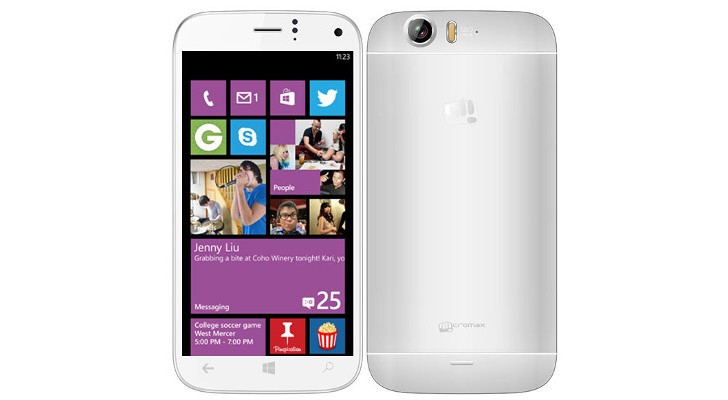
The biggest Indian mobile company is having quite a good year. According to several leads, Micromax has just decided to cross the Rs. 20K point and enter into the premium segment with a Windows phone. Microsoft identified Micromax as one of its hardware partners at its build conference.
The phone is reported to be have a 5-inch full HD 1080p screen. The battery stands at 2600 MaH. It is expected to be priced around 23,000-25,000 INR.
In a first for Micromax, the Smartphone will be powered by Snapdragon 800 chipset with 2GB RAM. It will run Windows 8.1 operating system.
The main camera is a 13 megapixel shooter with LED flash. The selfie shooter is a 5 megapixel camera. The phone will have 16 GB of internal memory expandable to 64 GB which is a welcome step.
The specs look pretty impressive for a Micromax Windows phone. We hope to bring you a hands on review, as soon as we can, to tell you if it’s worth the glitter.
[poll id=”2″]
P.S: We would like to Thank AmitAgarwal2 for bring the update on the leak on this Story. The source on twitter Leakster Inc has stated that the Snapdragon device and the Windows phone are two different devices. As this is still a leak story we won’t confirm anything yet but we appreciate AmitAgarwal2 for being an awesome IGyaani .
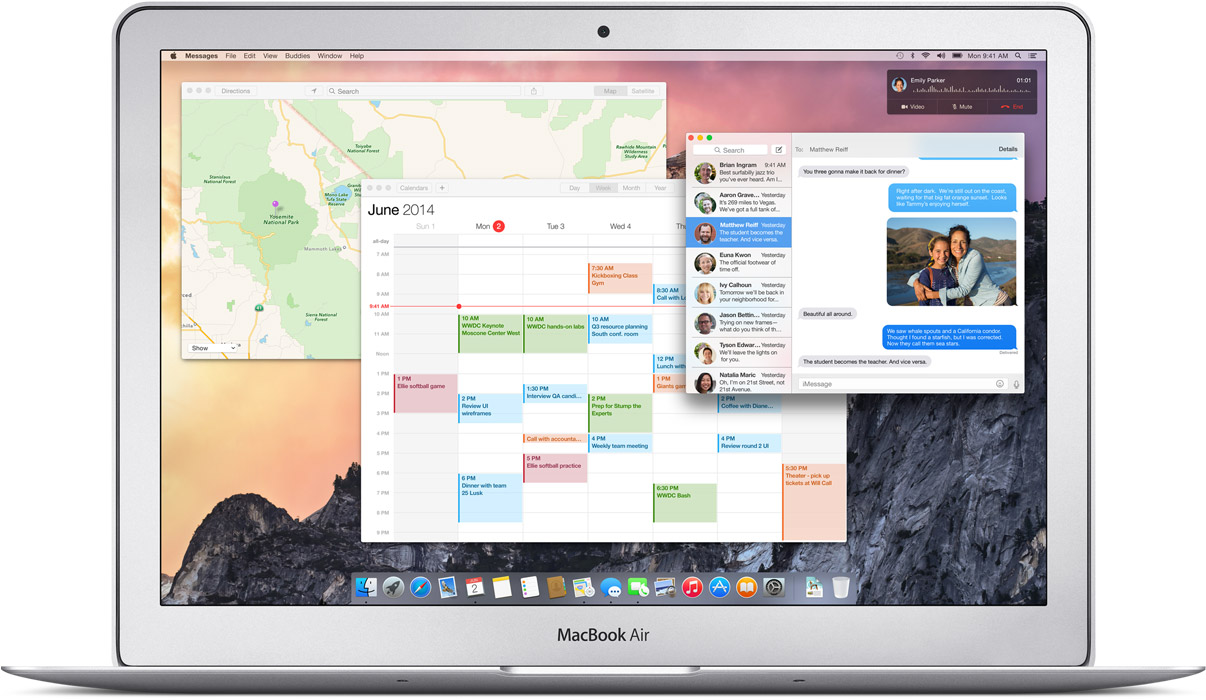
The Mac OS X Yosemite is out and for the first time mobile devices and computers can interact seamlessly across the Apple universe. You can trust Apple to learn from existing technology and create a refined version, with some sweet graphics and names added to it.
The possibilities on the Yosemite may be revolutionary. Of course they took their “inspirations” from existing technologies, but what they have come out with is indeed progressive for the entire industry.
After taking a departure from naming OS X after the big feline family, the naming conventions for the OS X will now be based cities of California, starting with the Mavericks. BTW, we do agree that OS X Weed was a pretty chill name for an OS but Yosemite does just fine.
We will now tell you why you should get really excited about the OS X Yosemite’s connection capabilities.
Seamless Interconnectivity Between Yosemite and iOS
Connectivity never seen before
Apple has absorbed the value of “Continuity” based apps and has given it the Apple spin. Using the benefit of their conformed device ideology they are able to do multi device interconnection way more easily than others. Apart from giving Airdrop the ability to work between the iOS and the Mac they have added an ingenious new feature called the Handoff.
Handoff:
Handoff set a milestone in terms of inter-connectivity
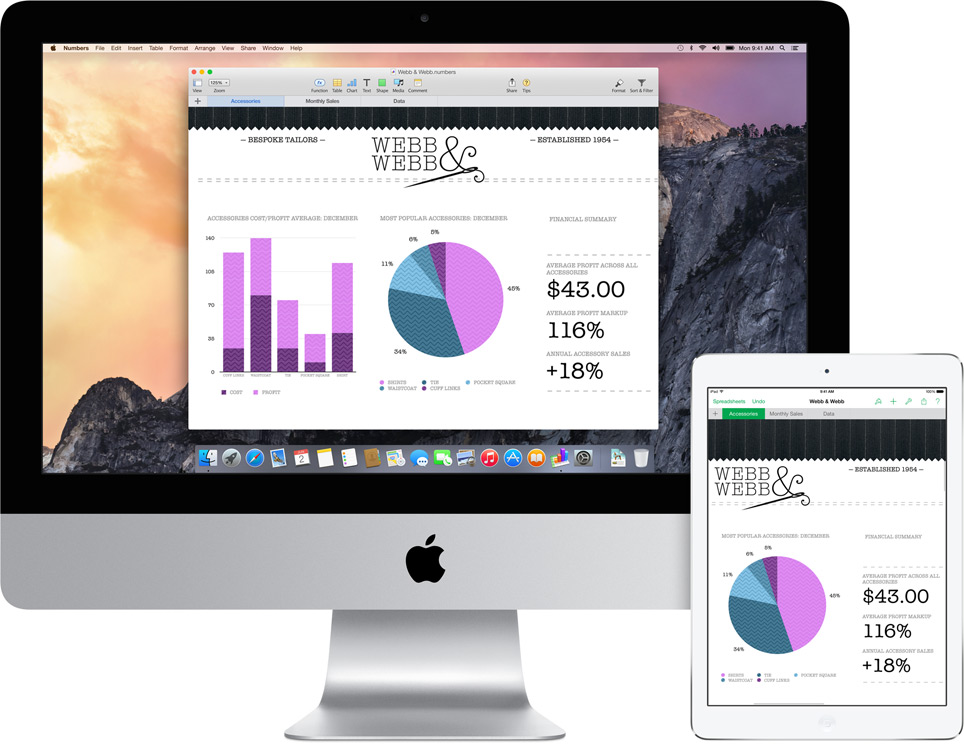
This is definitely a feature that will shut up the critics of Apple’s proprietary controlled devices. It gives you mirrored access across all Apple platforms for instant access. For example, the iPad recognizes what you’ve been working on and prompts you about it. You can stop working on the Mac, pick up your iPad and start working on your project right way without a second of lag.
There is no need for third party apps. There is no need to open a cloud app and download the file, it’s always there.
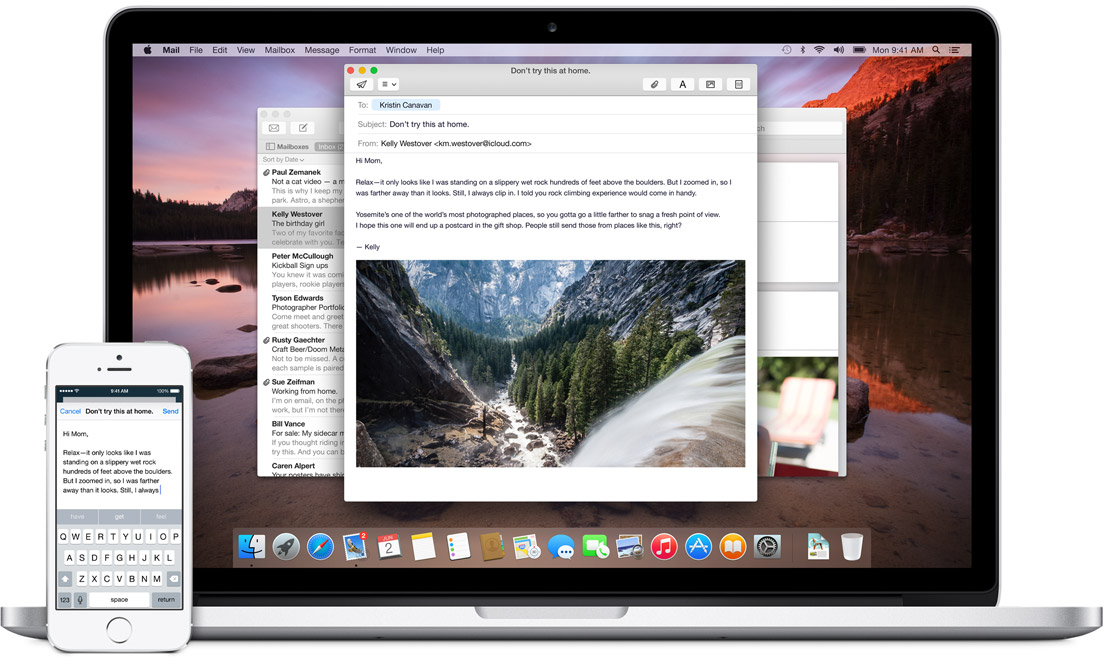
Not impressed yet? then check this out; you can start working on an email on your iOS phone and your Mac will recognize it and ask you if you want to work on its bigger keyboard. Who would not love that?
It is this ease of access that other hardware and software manufacturers should aspire to achieve.
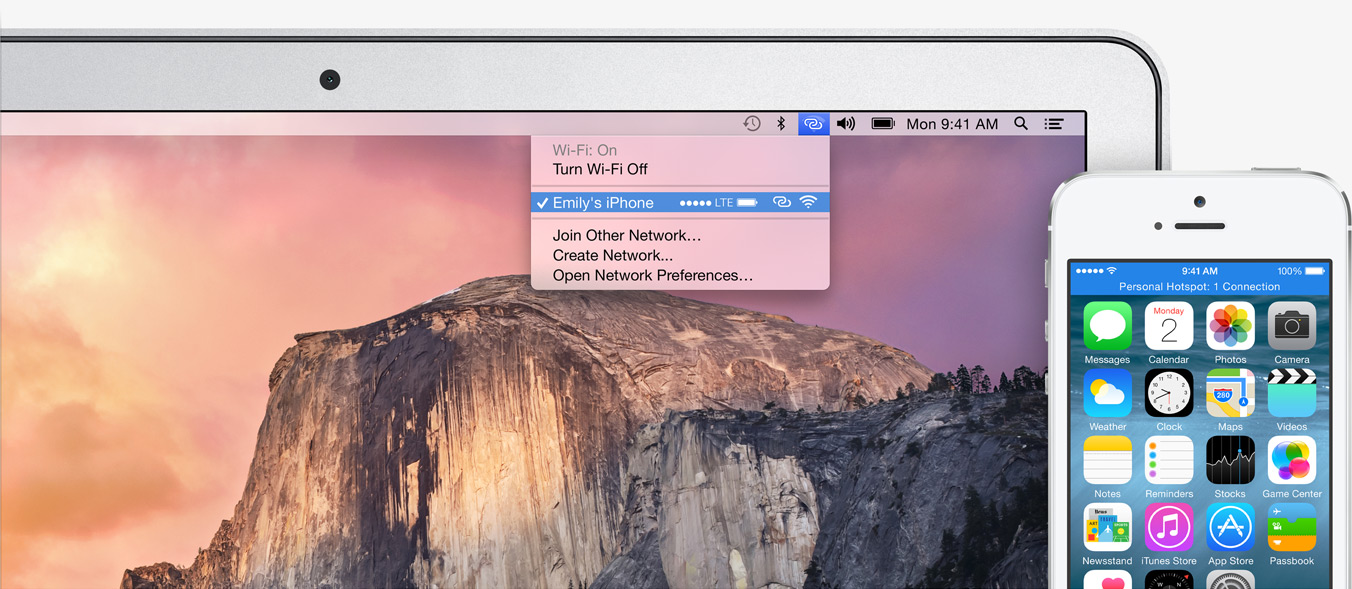
Instant Hotspot:
Effortless Wifi tethering through the iPhone
This will be a rather helpful feature for folks constantly on the move or have irregular access to a Wifi connection. The Mac’s wifi identifies your phone and without any configurations sets up a hotspot with the phone and voila, you are connected.
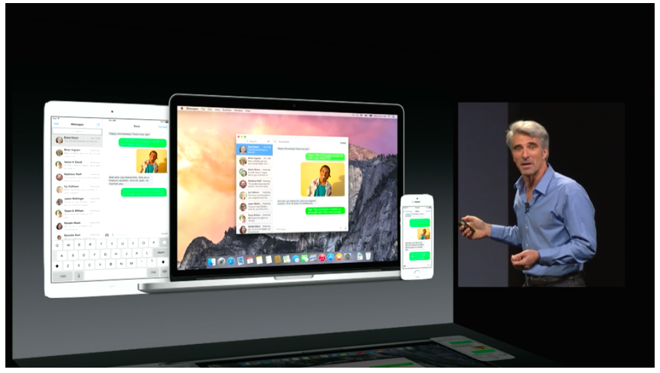
SMS and Phone Access from Mac’s:
This is definitely the future of interlinked digital devices. Apple definitely was to be the first company to benefit from this because of its enormous hardware ecosystem.
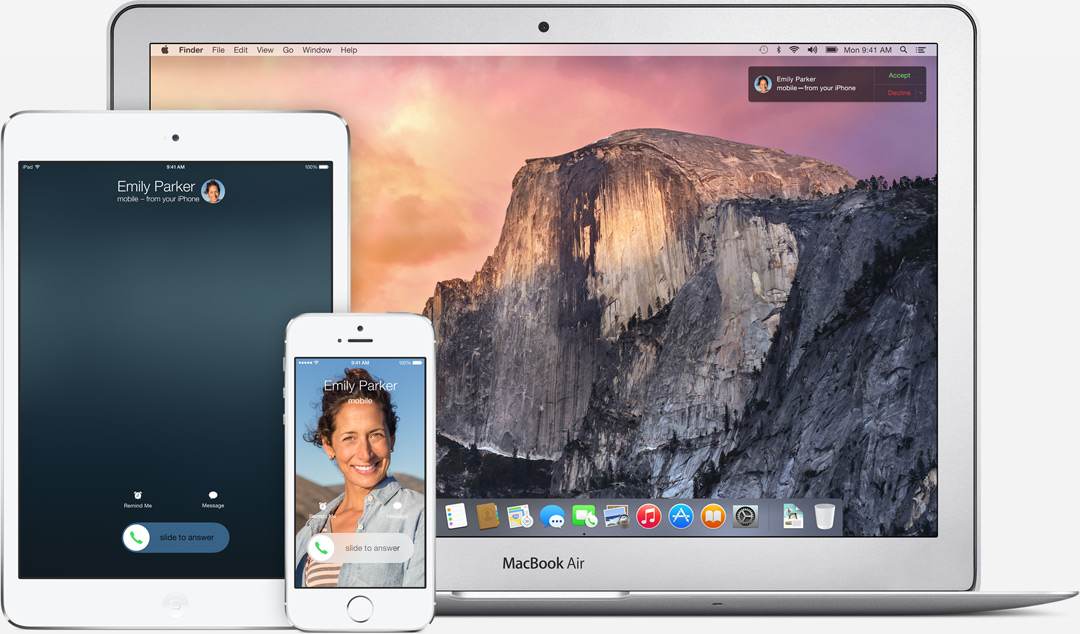
SMS can now be answered from all Apple devicesPhone calls can now be received and answered from all Apple devices
With the SMS and Phone integration in the Yosemite, you can send and receive text messages as well as phone calls across all Apple devices. Not just that, you can also dial a number you see on a website right away from your macs.
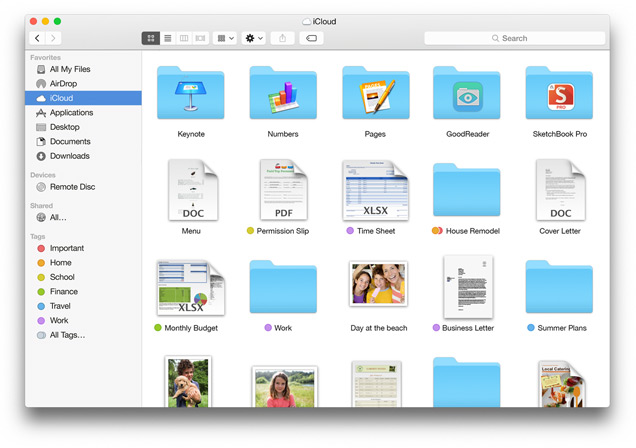
iCloud Drive:
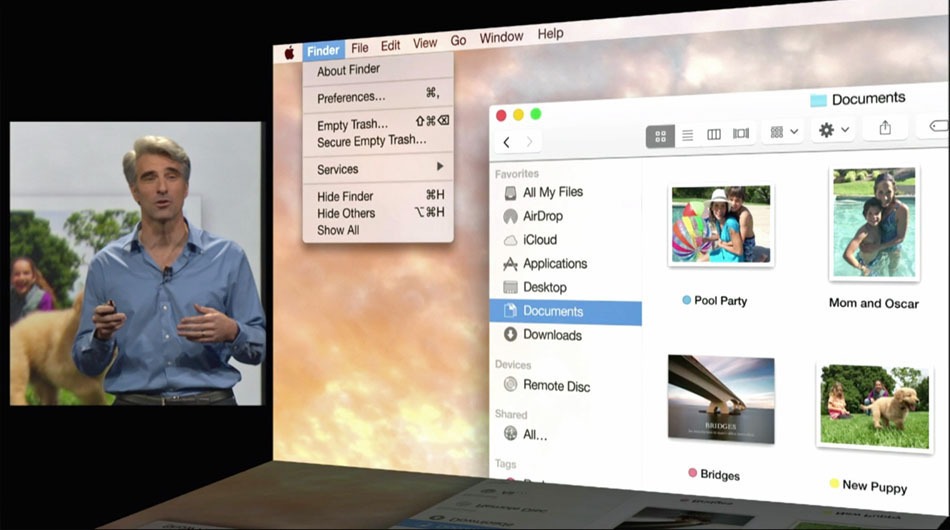
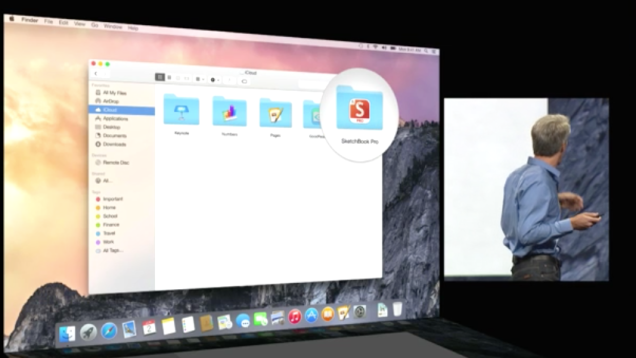
The iCloud is built in the Finder itself so you don’t need third party apps like Dropbox or Google drive. These apps and files will appear in the exact form you have customized it on any of your devices. Here is something to cheer for the iCloud drive, it works on Windows too (Truly Winning.) The apps you use also get individual folders on the drive.
Cloud to the next level
This update has the potential to fulfill Steve Jobs dream of destroying the Dropbox. (First the Android and then the Dropbox, Jobs sure wanted to kill a lot of jobs.)
Mail:
Maildrop is an interesting feature. It allows you to instantly send up to 5 GB(yes, you heard that right) from one Apple account to another. What it really does is use the iCloud as a transfer medium for the attachment to bypass size restriction on the mail server on receivers end. It will simply show up as an attachment may whatever be the size on the mail app. On a non-Apple PC, you will receive a link to securely download the file from iCloud.
We needed Markup, we just didn’t know
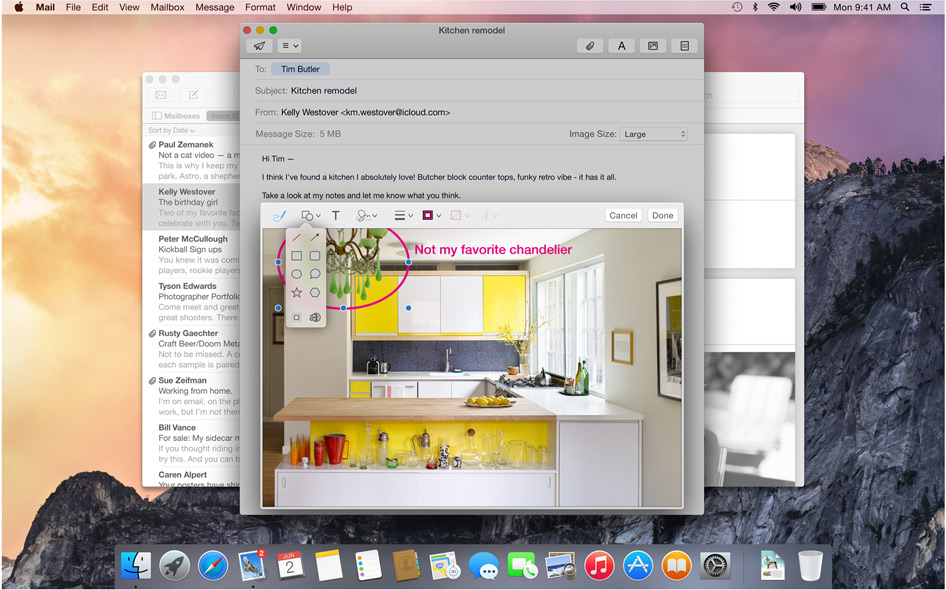
Markup feature allows you to add annotations or write texts on Jpegs. It even lets you sign PDF’s right in the mail itself. The feature also recognizes the hand drawn symbols and gives them a digital look instantly.
Safari:
Visual and Functional Reconstruction of Safari
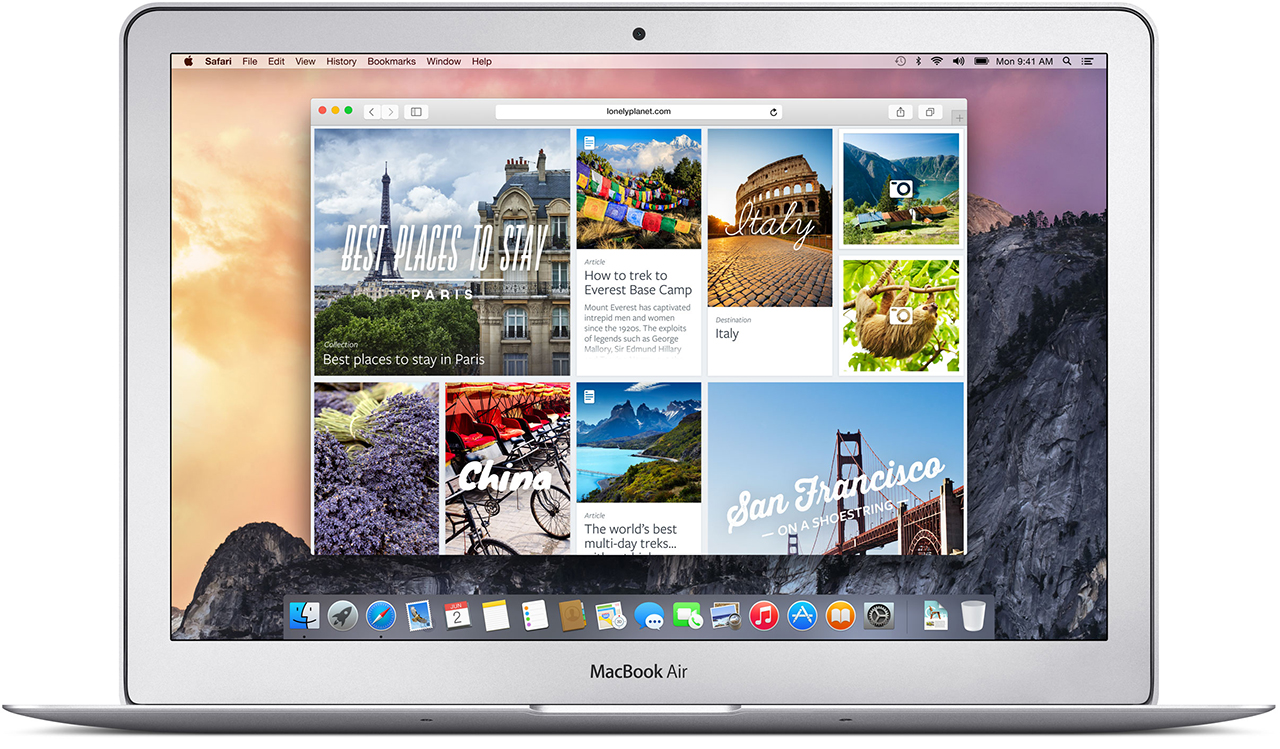
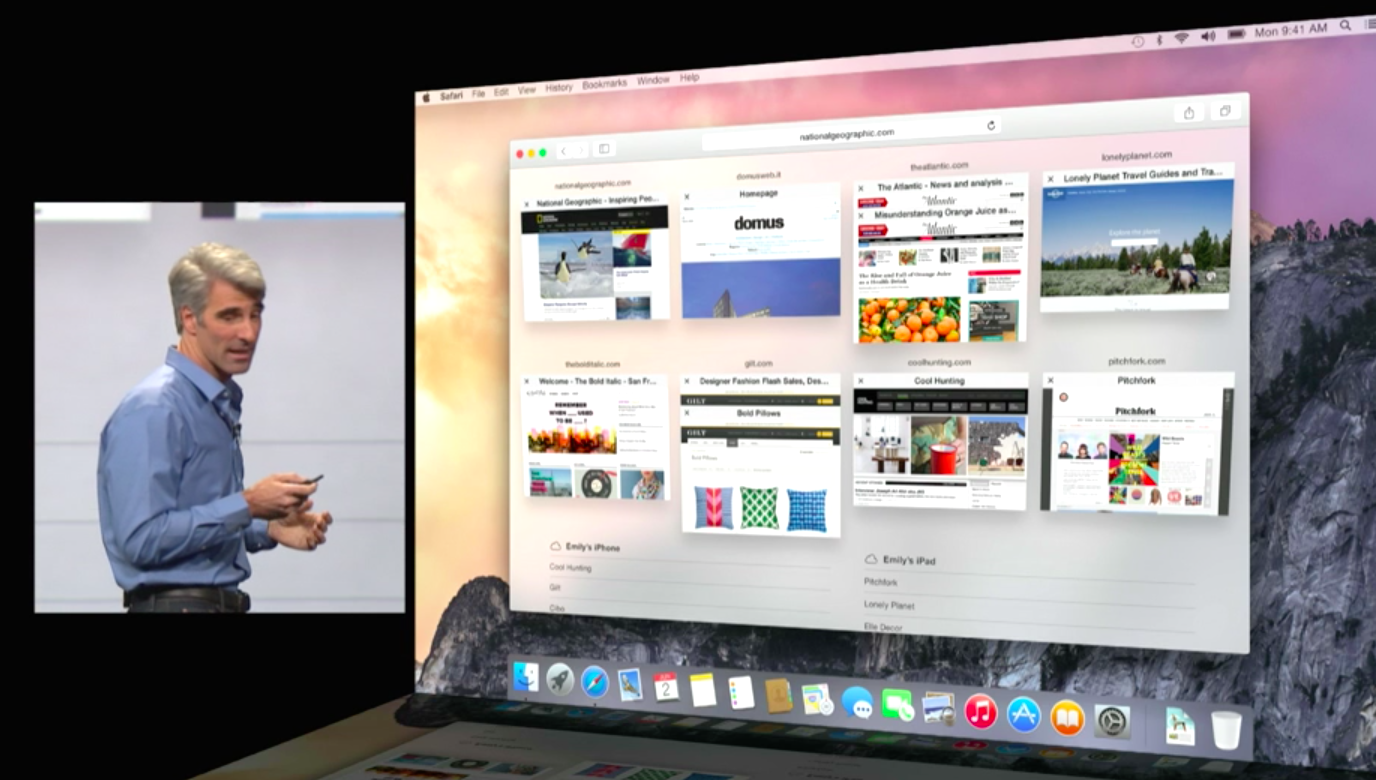
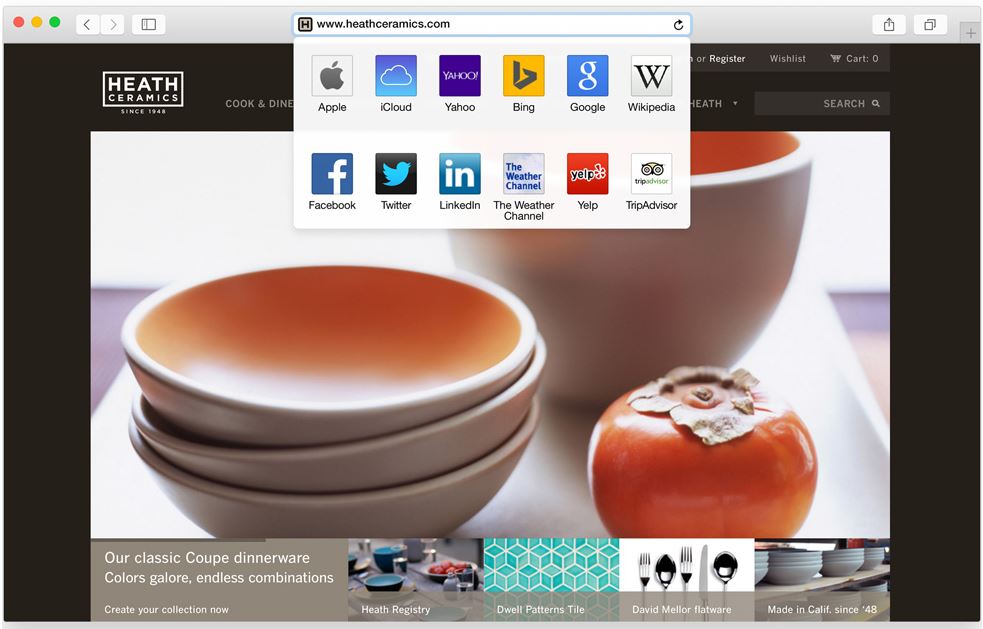
Safari has got a visual renovation with a sleeker look. The browser now has a slimmer address bar to maximize browsing area. The favorites links can be accessed by clicking on the search bar. Safari is now integrated with spotlight searches to give better results and undermine Google even in the browser where it has thrived since its inception.
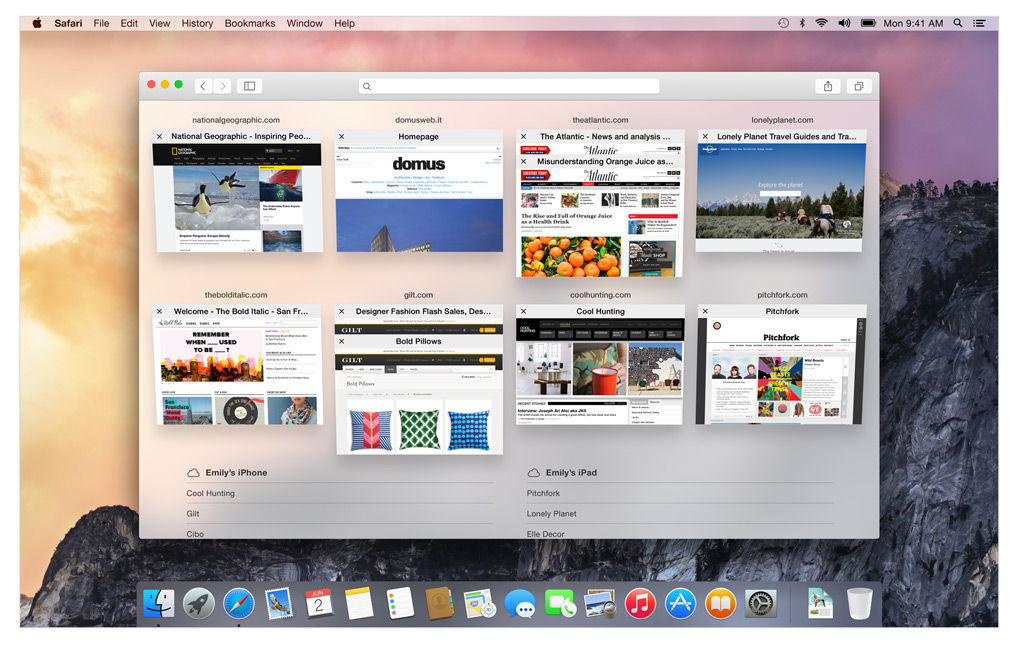
Tab view makes internet browsing simpler
The Tab View is without a doubt the best feature on the new Safari. This gives a bird’s eye view of all the tabs and by organizing each tab according to its corresponding website it gives a cleaner and more efficient browsing experience. As has been with Apple, the animations are impressive.
Spotlight:
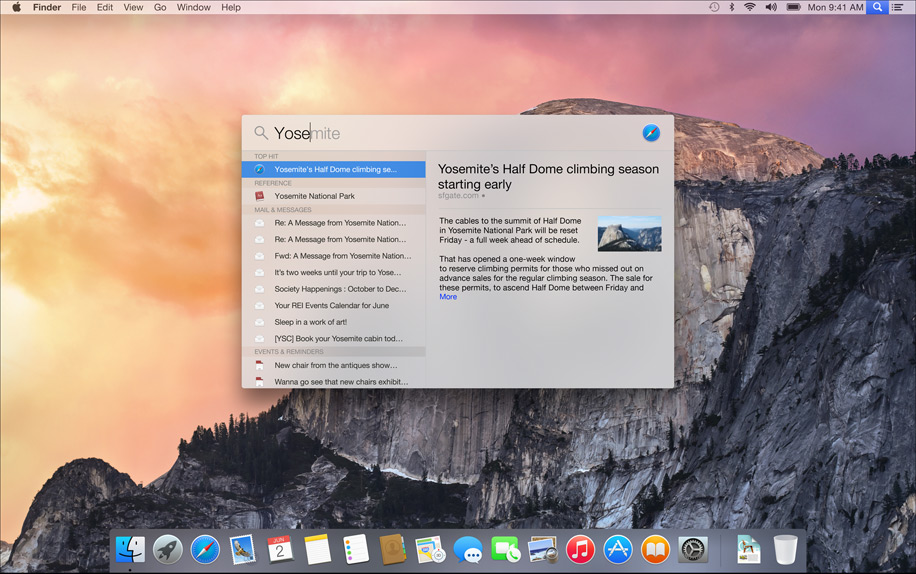
The only search you’ll need
This is also where things got interesting, its almost like Spotlight got an adrenaline shot. When the magnifying glass icon is clicked a search bar opens in the middle of the screen. It is a fast and convenient way of opening Apps and files. While searching for a file, spotlight gives a preview of the content of the document.
Not just that Apple has integrated the internet sourcing ability on the Spotlight. This allows more in-depth search results for your query and would completely make Google obsolete on the Mac.
Spotlight can also be used for instant conversions and much more. This added utility will be really easy to get hands on and quite possibly make you wish your other systems had it too. It is essentially a one-stop shop for instant information.
Design:
Clarity is added through Translucence
Translucency is the key element inducted into the Yosemite. From the Docks, it is especially noticeable in the drop down menus and the finder. New toolbars and windows are giving it a fresh new look. The dark mode indeed looks enticing to start using right away.
The clean and consistent design throughout the OS gives a sense of, dare I say it again, continuity which will be really appreciated during extended uses.
The new Today view in Notification Center gives you a quick look at everything you need to know now — upcoming events, reminders, stocks, weather, and more. It is really handy and reminds you of the notification panel on the iOS 6 and 7. You can extend the panel to add widgets from the Mac App Store to customize according to your needs.
ITS FREE:
Yes, it is free, the most featured packed Apple OS is releasing this fall and it is for FREE. Not just that, there is also an update that’s gonna get a lot of people excited. Apple will let you be a part of the Public Beta program for the OS X Yosemite. Though there will be some glitches, but it will give the fan-boy a feel of being an Apple developer.
Conclusion:
In the 25th installment of the WWDC, Apple made a good bet of focusing only on its two operating systems and interlinking them together. This was one of the most feature intensive update in a long while. This will be a revolutionary idea and we will probably see all the Apple competitors trying to provide better integration across multiple platforms on the lines of the Yosemite. It’s time that the Apple naysayers should take a break and introspect about what they are doing with their lives.
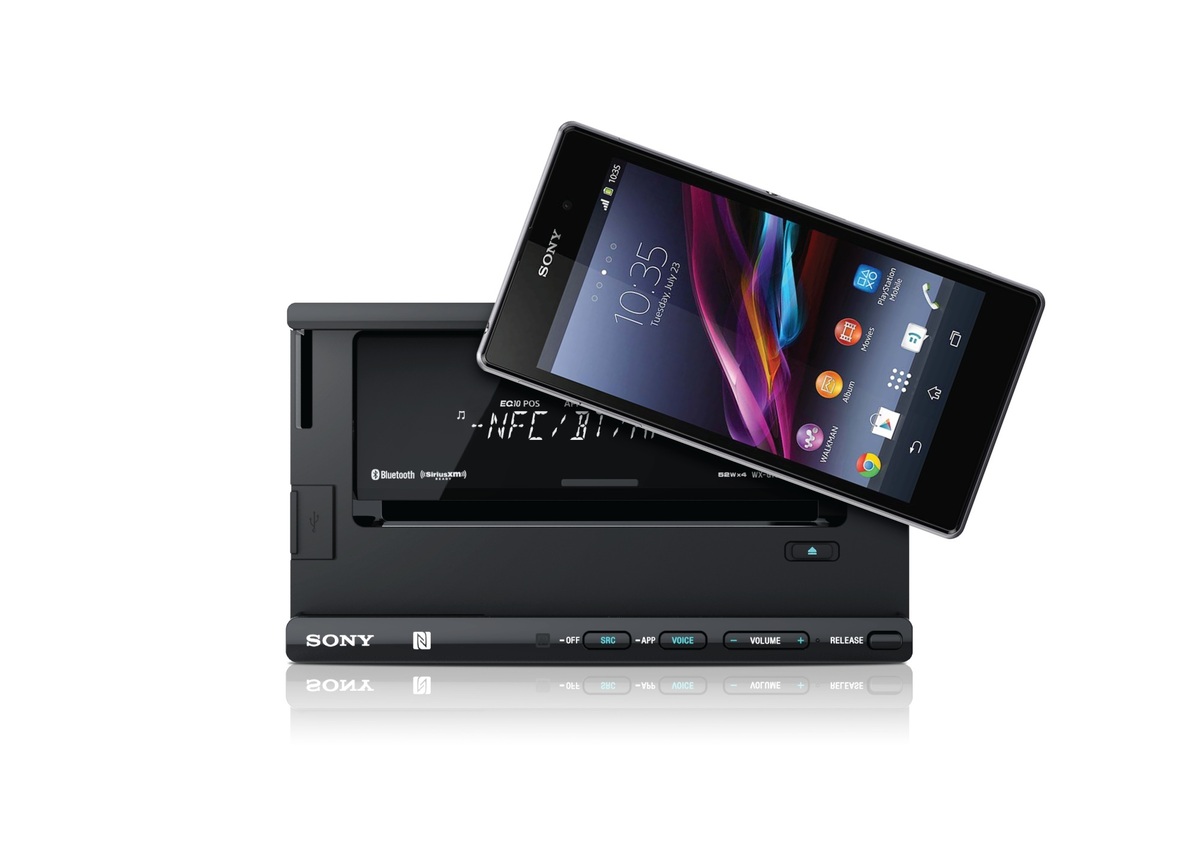
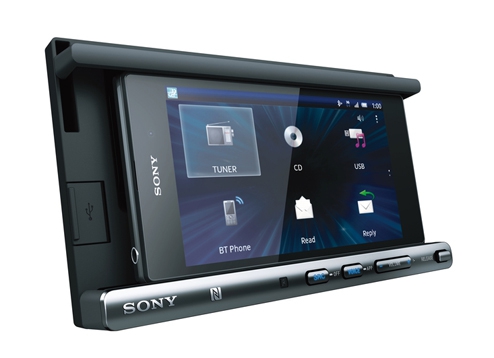
Today Sony India announced XSP- N1BT, a smart docking system that may make those long and tedious drives back from work slightly less painful.
Sony XSP- N1BT can be propped on the dashboard, and the phone can be connected onto the dock. Their docking system accommodates various sizes of Smartphone’s from various brands. Android Smartphone users can utilize the one touch Near Field Communication Connection for quick Bluetooth pairing.
First, you’ll need to download “App Control” onto your phone. Once the app is downloaded and the phone is connected, you’d have easy access to your music, radio, navigation, phone calls, and text messages. The app will then help you control the car audio system as well as give you control of all of your Smartphone’s other apps (think Souncloud.)
Since this device is made specifically keeping drivers in mind, they have included a much-needed voice control system. Instead of pulling over and struggling to set a destination on your navigation app, this voice command function will give you control over your Maps. It will also reads out the incoming texts and emails (this can be turned off).
While its main attraction is the docking system, it can also used as standalone device with CD, USB, radio and tuner functions. Lastly, the device has charging capability with an optimally designed compact USB cable for any type of Smartphone. Since everyone is constantly complaining about their drained battery, we suspect this feature would be appreciated.
Priced at Rs 12,990, the device is available in all major car accessories stores.
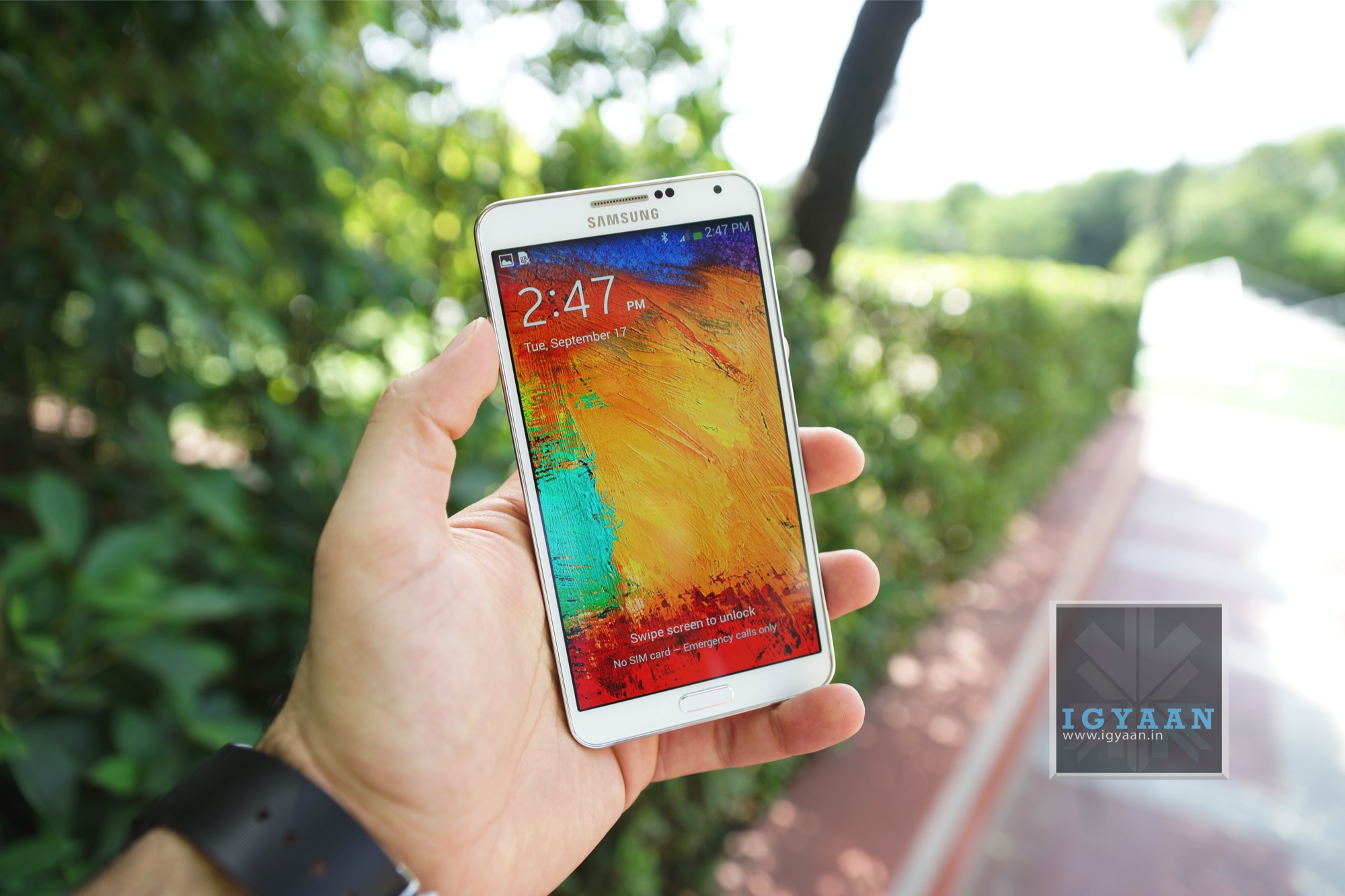
The Galaxy Note 4, successor to the Note 3 which was the bestselling phone from Samsung’s stable, is around the corner. Note 3 was a benchmark on which most of the future premium devices were designed, like the Galaxy Tab pro.
So here we give you a roundup of all the things we know about the upcoming Samsung Galaxy Note 3. (more…)
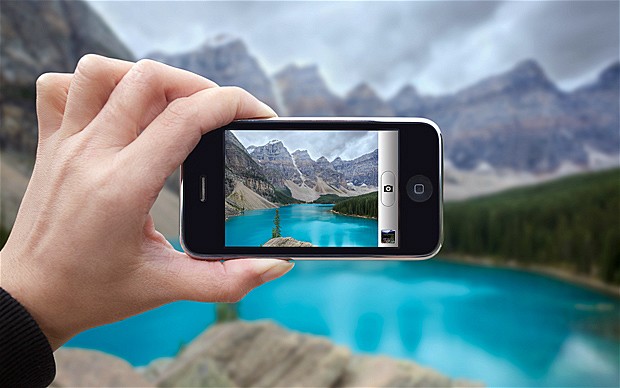
Simply clicking a photo and posting it? That’s an old story now. Smartphones are becoming smarter and so are our day to day lives with it. These days, app stores are flooded with photo editing apps that offer you range of filters and smart editing options. But choosing the best one from these option is a hard task. So, we have assembled a list of the best photo-editing apps for you to use on your smartphones.
Photoshop Touch
What a surprise, Photoshop tops the list. But before you get your hopes up too high, you should know that this app doesn’t come close to the power of its desktop counterpart. You can do some of the basic Photoshop things like working with layers. However, it’s mixed in with more conventional mobile photo editing features like filters and mild adjustments like color correction. There are some cool features like camera fill and using Adobe Creative Cloud, it is compatible with the desktop version Photoshop.
VSCO Cam
If you’re looking for a smooth app that has gorgeous effects and features, VSCO is the one for you. VSCO has great presets, cool features like viewing before and after photos, and a wide range of filters. A lot of people seem to prefer it over Instagram. The app uses a grid scheme that allows you to publish your photos. It is sleek and easy to use. It only launched on Android recently, after premiering as an iPhone app, so there is still certain adjustments to be made. Features like separate exposure and focus locking are not yet included. Everything here is simple and works well, even if they don’t have a million extra features.
Photoshop Express
Another one from Adobe, this app is one of the most user-friendly photo-editors I have used. Simple and spontaneous, Photoshop Express lets you make the essential adjustments to crop, exposure, color, tint, hue, saturation, contrast and levels with ease. You can add many of the classic filters from Photoshop, including “Lens zoom,” “Grain” and “Glow.” And it’s free so, if you don’t already have it, you should be downloading it now.
Cupslice Photo Editor
Cupslice is a photo editor with a little more skill and buff, even if the features aren’t as heavy as some of the others I have listed. It comes with over 50 effects to start along with your basic editing tools. It also includes a number of stickers you can add to photos and that number gets updated every week. It’s a nice, simple app that should suit the needs of most people.
Photo Editor by Aviary
Photo Editor by Aviary is a very specific and composed photo editor. In addition to the most popular features such as filters, stickers, frames etc. This photo editor by Aviary provides you with addition features such as red-eye correction, tooth whitening and many more. It’s fairly amazing app providing solution to pretty much every problem with your clicks. This straightforward app would be useful addition to your smartphone.
Lack of internet connectivity sounds may be a problem of the past for a few. Well, that’s certainly not the case for most of the German villages around the Danish border. Small towns and villages with population of mere 600 people can’t connect to the internet. But for the Germans, this sounded more like a challenge than a problem. The people of a small village called Löwenstedt have come up with a solution; building their own network. History of innovation and development triggers with the absence of it, this German village proved it right.
The village’s Mayor said that they never found a company willing to supply the necessary fibre-optics, which will be around 22km of stretch. Some 58 other communities in Northern Friesland face similar difficulties and so the idea was born of clubbing together businesses, individuals and villages to secure access to a modern technology that is taken for granted in most German towns and cities.
This network will work wonders not only the youth to get connected to the outer world easily, the network will also be used to establish more business, effective trade and help in the agriculture sector which is biggest part of economy in the village.
The firm working with the village people has collected more than €2.5 million ($3.4 million) in funds with the help of 925 shareholders who each contributed a minimum of €1,000. 94% of household from the village already signed up to the network for two years even before it started functioning.
Peter Kock, who runs an agricultural technology supply firm in the village, couldn’t be happier with this initiative. “It’s brilliant. There’s no comparison,” he said. Now data files that used to take two hours to load onto his computer screen now appear in just 30 seconds. This not only helped his business growing but also benefited his customers who can now easily check the availability spare parts online.
For now, however, it is only the village of Löwenstedt that has succeeded in mobilizing the solidarity of its inhabitants to build a high-speed Internet network. Other villages have been slower and have found it more difficult to follow Löwenstedt’s lead.
What villagers of Löwenstedt has done, this has been done earlier around the world. Companies don’t want to do the “last mile/km” because they will not get the money back in subscriptions. Even now after putting in the system, only 68% of the population is subscribed; to most companies that is unacceptable. Especially if your young population is leaving in droves and the majority of the local population is over 50.
So, its here, the moment you were all waiting for, the 25th edition of the Apple Developers conference. The WWDC 2014 brought out the Big Boy Mac OSX Yosemite. Now I should let you know I took incredible amount of pain to bring you this, battling through the laggy video on an Indian internet speed.
Lets see some of the most innovative new features of the new Yosemite.
The Looks:
Translucence is a dominating feature of the Yosemite
A lot of translucence added to the new OSX, it is especially noticeable in the drop down menus and the Dock. New toolbars and windows are giving it a fresh new look. The notification center brings it closer to a mobile device experience.
The new Today view in Notification Center gives you a quick look at everything you need to know now — upcoming events, reminders, stocks, weather, and more. You can also add widgets from the Mac App Store to customize what you see.
The entire cleaned up look is visually appealing.
Search Feature:
Spotlight has got the biggest Makeover
It seems like spotlight got an adrenaline shot. A Search bar is provided at the center of the screen. The search gathers information from the internet thereby giving you more in-depth results in terms of newsfeeds, Wikipedia and maps. It also adds better scrolling ability through the results.
Apple has gone out of its way to make Google obsolete for Mac users.
iCloud Drive-
iCloud Drive gives you more ease of access to the files on the cloud. It is now capable of 5 GB attachments and will work with any type of files. Now that’s some cloud storage we can get back on.
Safari:
Functional Reconstruction of Safari
Safari has also got a visual renovation with a sleeker look. The browser now has a slimmer address bar to maximize browsing area. Safari is stated to give 2 hours longer battery life on streaming video from Netflix. Apart from this, it gives more efficient tabbed browsing performance. You also get the ability to browse through all your open tabs more efficiently.
Tabbed Browsing overview makes internet even simpler
They have also powered Safari with better search capabilities; it reaches wider and includes sourced information from Wikipedia, Bing, Maps and iTunes. It has added a tab which gives easy access to favorite links without looking too cluttered.
A drop down menu with your favorite sites
Handoff:
Handoff set a milestone in terms of inter-connectivity
Apple has recognized the value of “Continuity” amongst the many screeens we posses now. Yosemite and even iOS 8’s primary function is to provide greater inter-connectivity amongst the devices. So here is this cool new feature that lets you do just that. It allows you to work on the same file from the Mac as well as your iPad while on the move. You can also work on an email from multiple devices. This is definitely one of the feature that all hardware and software makers should take notice of.
It is also a part of this increased inter-connectivity that the Yosemite now allows you to receive SMS texts on you Mac and iPads. By connecting to iCloud all your devices act as extentions of each other. You can get phone calls on these devices too. Also your Macs can now recognize your iPhone and give you the option of making it a hotspot.
Phone call, SMS can now be answered from all Apple devicesPhone call, SMS can now be answered from all Apple devices
There is also an update thats gonna get a lot of people excited. Apple will let you be a part of the Public Beta program for the OS X Yosemite. For Free. Though there will be some glitches but it will give the fan-boy’s a feel of being an Apple developer.
Conclusion
At the 25th installment of the most awaited tech conferences of the year, Apple seems to have found its groove back. The clean OS coupled with multiple new ease of access features makes Yosemite a better upgrade over the last few outings.
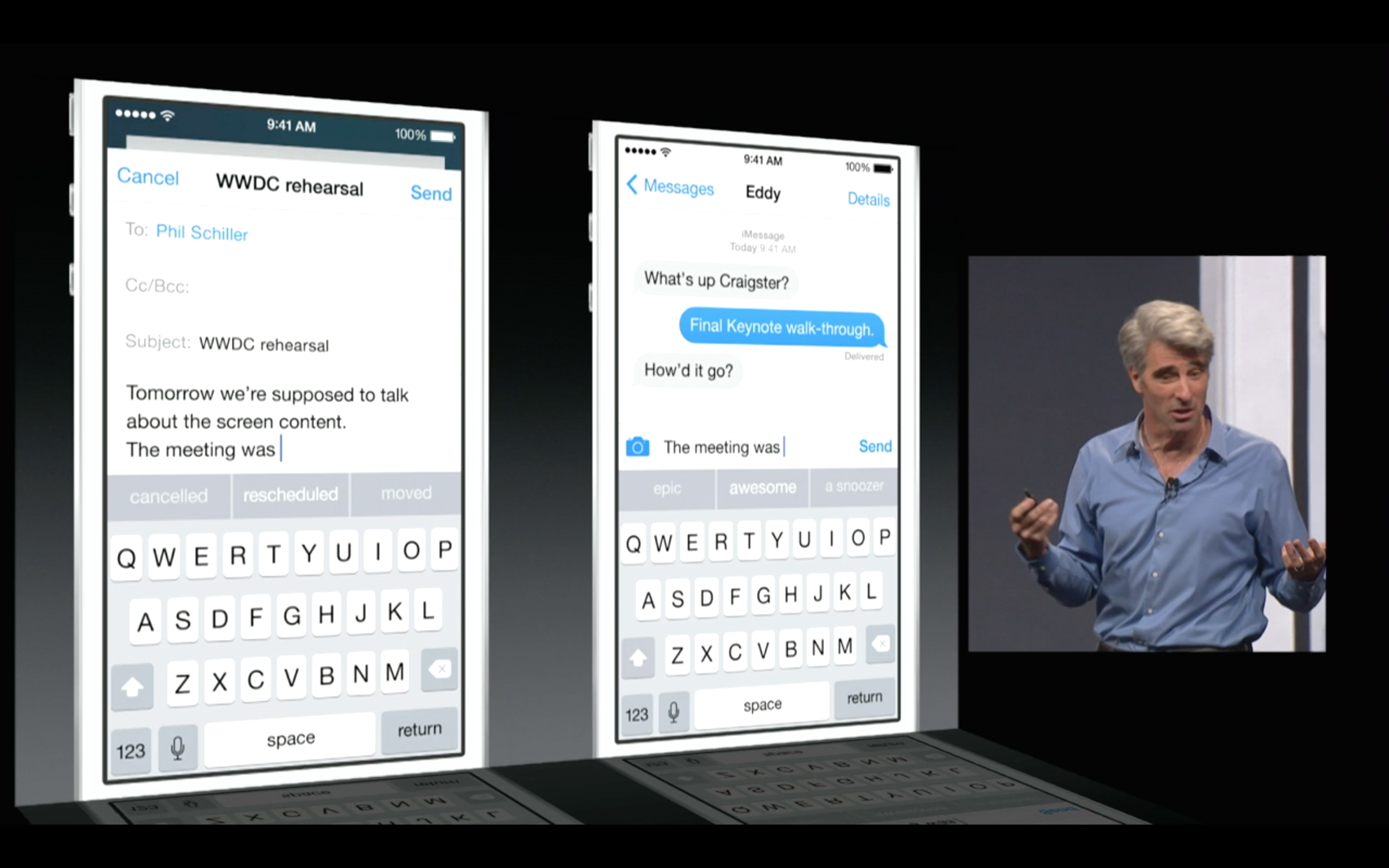
Apple’s new iOS 8 comes with a brand new keyboard that will predict content and learns the phrases you use most and fills them in. The new Keyboard isn’t actually new, and Android users have been enjoying this with SwiftKey and many other forms of Android Keyboards.
However, for iOS users this is something people have been asking for a very long time. the keyboard studies your messages and conversation patterns and delivers options based on that. Its about time we say!
Update: Apple has also announced that 3rd Party keyboards will be allowed to be installed onto your iPhone/ iPad (Finally!). So you can now finally get the Swype keyboard you always wanted.
Apple has just announced a new Mac OS at WWDC 2014, dubbed Yosemite, with great new feature and visual enhancements. However one new feature in the new redesigned Mail for Mac is taking a straight dig at Dropbox. Now with MailDrop every time you send an email with a file larger than the recipients server can accept, apple will automatically upload the large file to iCloud and create a download link for the user on the other end.
Unless the recipient is on a Mac, who will then see the attachment in MailDrop like a regular attachment, if you open it on a PC you will get a simple download link. The attachments can be unto 5 Gb in size and the service comes free.
The new iCloud drive lets you dump images or whatever files you want to to your online cloud, with access available on iOS and Mac. Basically urging all iDevice users to dump third party services (aka dropbox).
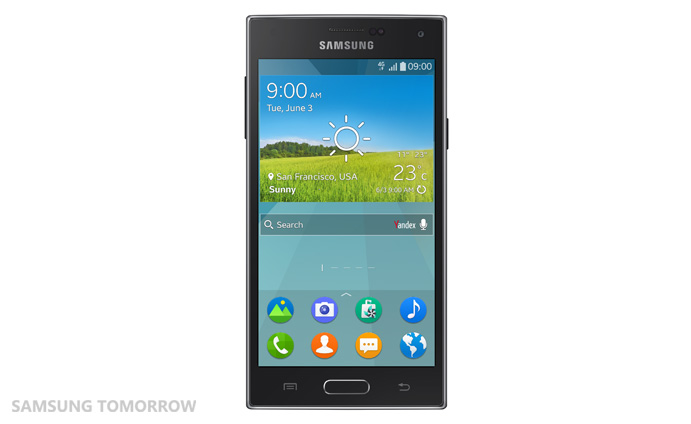
Seems like even Samsung is getting bored of it similar looking phone line up. The company is now in the process of releasing another Linux based OS by the name Tizen. The first phone to run on this OS will be the Samsung Z. This is a huge step from Samsung to move away from Google based Android OS and create its own unique identity.
Samsung wants an OS that can be used across its ecosystem. Tizen has already been used by Samsung on the Galaxy Gear 2 which had some good features. The Samsung Z will be its first full-fledged phone avatar of the operating system and we’ll definitely be waiting to get our hands on it.
The phone was supposed to be released at the World Mobile Congress in 2014 but it got delayed. It is now most likely to be slated to launch in the Russian market by September of this year.
The Samsung Z will be powered by a 2.3 GHz quad core processor and have a 4.8 inch super AMOLED screen. It will have a decent 2600 MaH battery. Samsung has said that the phone has ability to give maximum run time for the battery size because of its superior power saving measures.
The main camera on the phone is an 8 megapixel shooter and it will have a 2.1 megapixel selfie camera (front camera). It has an internal memory of 16 GB, which is expandable upto 64 GB via Micro SD.
Samsung Z almost looks like the usual TouchWiz fare.
Samsung has stated that it opted for Tizen because it is said to give faster boot up time and better multi-tasking capabilities. The OS also promises superb 2D and 3D graphic quality, smoother scrolling and an improved rendering performance for web browsing. Currently Tizen version 2.2 looks like a close cousin of the Android Jellybean with minute variations. So its to be seen if the above mentioned capabilities will inspire people to go for a device with a heart of Tizen.
One of the major reasons Samsung is putting its cards on Tizen is for its ability for multi-platform integration. It can be used in mobiles, wearable’s, vehicle infotainment and TV’s. In fact, Samsung just released an SDK to create apps for the Tizen based TV systems. These TV’s will have support for hand gestures, mobile device pairing and voice commands. Something most of the Smart TV’s have been banking on.
Samsung is the largest Android device manufacturer and its complete departure in the future from the market in favor of the Tizen will create a huge void. That open market space would be left for other competitors to conquer. As of now and for some considerable future, Android will continue to be the lead OS for the mobile market. It’s yet to be seen if Tizen has the boldness to take on an OS being used by majority of smarphone users.
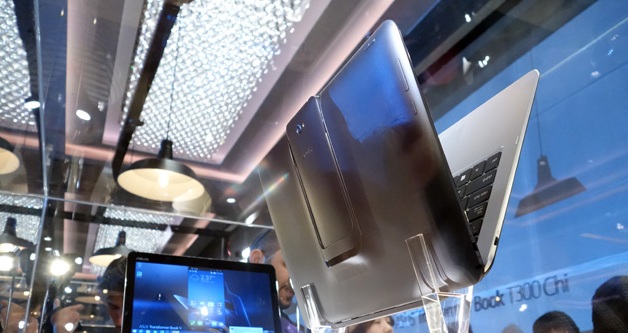
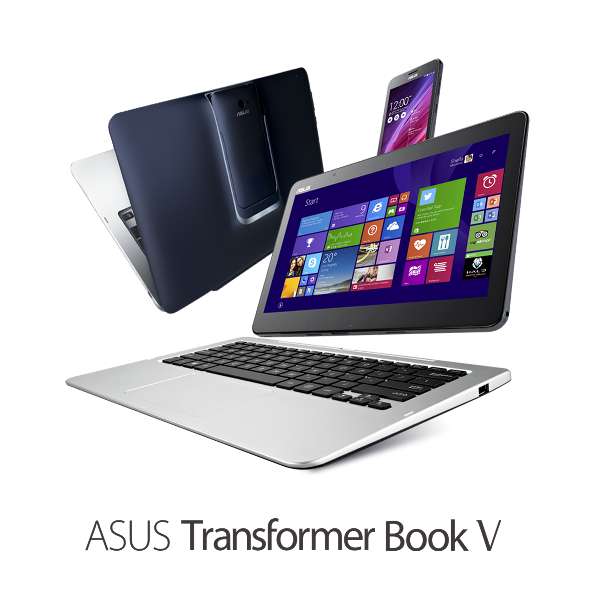
New technology and innovations are flooding in everyday. With the ever growing laptop and smartphone market, companies are trying to woe buyer by introducing crazy ideas and innovation in their products. Asus Transformer Book V is an outcome of this rat-race. Asus announced that they are working on this new piece of hardware which can be used as a tablet, laptop and a phone.
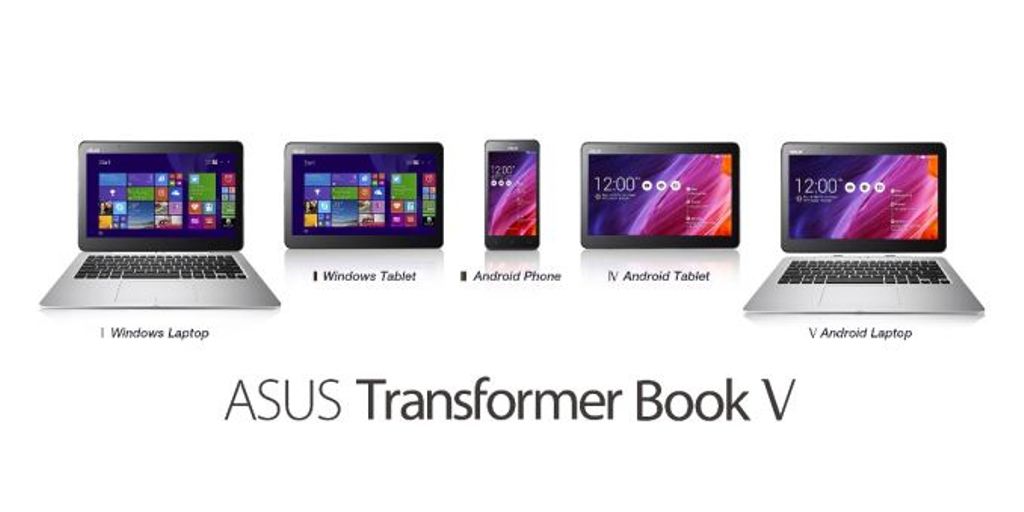
The 3-in-1 device with dual operating system support means it offers five different modes. These include an Android smartphone, an Android tablet, a Windows tablet, a laptop running Android and a Windows 8.1 laptop.
A 12.5 inch laptop/ tablet screen run on Windows 8.1 is powered by Intel Broadwell Chip. The tablet can be used independently as an Android device, when combined with a keyboard dock it turns into an Android laptop and with a mere switch of a key it will turn into a powerful Windows laptop.
With a tap on the screen,the user can switch between Windows 8.1 tablet and an Android 4.4 Kitkat tablet, but only when the phone is docked. The tablet alone has built-in storage of up to 128GB. The un-docked phone of the Asus Transformer Book V runs Android 4.4 Kitkat, and Asus claims it is the world’s first 5in LTE smartphone powered by a quad-core Intel Atom processor. The phone is also powered by a impressive 2,500mAh battery that provides up to 10 hours of web browsing time.
Asus is known for its amalgamation of several form-factors in the same device. Earlier they have promoted this hybrid structure through their FonePad, PadFone and Transformer Book. We may not see this amazing hardware soon. Unless it is powered by an Intel Broadwell chip and launches at the same time as the processor, they it may hit the market this autumn. Asus did not give any pricing or availability details for the Transformer Book.
The company is attempting to create the perfect device for multi-taskers. The Transformer Book V is aimed to bring in greater flexibility for users so that they can easily switch between work and entertainment.
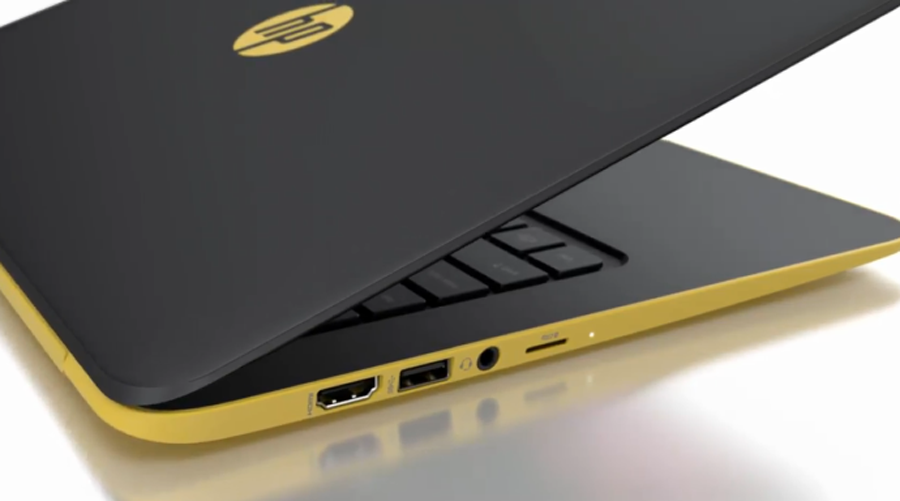
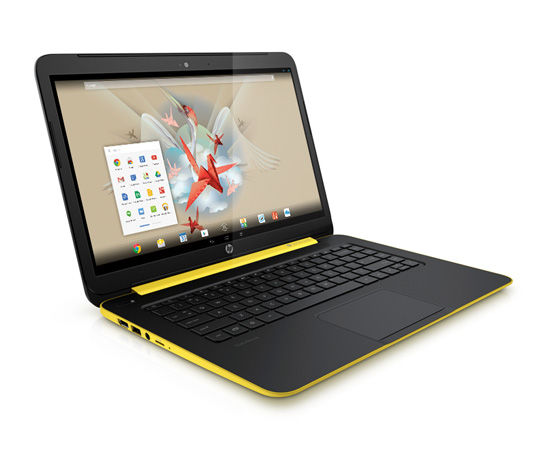
HP is close to releasing a 14-inch Slatebook, which will run on the Android operating system(OS). An Android operating system sounds more functional than an internet only Chrome OS. This also begs the question why Google went with the chrome OS when they already had a winner in the Android.
This Slatebook will be on the shelves in the US markets on 20thJuly. It is powered by a NVIDIA® Tegra® 4 mobile processor with quad-core CPU (1.8 Ghz) GPU to run high-end graphics and optimize performance. Also a powerful processor is needed for the Full HD 1080p touchscreen on the device.
The memory included is a 2GB 1600MHz DDR3L SDRAM which is good enough for the Android Jellybean 4.3. Its a lighter OS in comparison to the other notebook operating systems. This will be a device for people who prefer functionality over performance. A touchscreen will also add to the convenience for such users. The stated 9 hours of battery life is great for multimedia enthusiasts.
This slatebooks dual color design(yellow and black) adds to its youthful appeal. The integrated Beats Audio™ – Quad speakers will be a treat for the multimedia lovers. HP could have added a swivel to the device so that it could be used as a tablet. This would have probably created a MOTO G like revolution laptop devices, but maybe they wanted to keep this one plain and simple.
The increased connectivity between the laptop and an android phone will certainly attract a lot of people towards this device. Android is the world’s most used OS and this might just be the big break that Google was looking for to enter the laptop OS market.
With its SuperSpeed USB 3.0, a USB 2.0 and an HDMI version 1.4b Jacks, the device will give a complete laptop experience with a portable OS. The device is priced at $399 on the website, but it is expected to sell at $429.
Looks like HP has found the droids it was looking for.
Gionee’s recent arrival into the mobile market has proved the theory that not all “Chinese Goods” are poorly made. A few recent handsets from the company have proved to be quite the segment leaders. The Gionee S5.5 being the slimmest phone in the world and the Gionee E7 with its impressive camera.
We got a chance to sit down with the Country Head of Gionee in India, Mr. Arvind Vohra , and discuss the company, its operations and its future in a market like India.
We started of by discussing why he chose Gionee as a brand and how important it was to him, the answer seemed quite obvious. He believed in the company and its operations and the fact that he knew the global president personally helped.
Arvind claims that service is a key ingredient to providing a hardware, and as a manufacturer if he doesn’t have the right parts then the whole process is flawed.
[quote text_size=”small” author=”Arvind Vohra”]
As a Manufacturer, if i don’t have spare parts, then there is something very wrong.
[/quote]
Operating in a market like India has become much more easier than before, and most of the challenges are overcome by doing everything in the manner its supposed to be done. As far as comparing India with any other market , he feels since he hasn’t worked anywhere else therefore he does not have a benchmark.
[quote text_size=”small” author=”Arvind Vohra”]
There are no problems in operating in India, things have become much easier. You can register a company in three weeks, and as long as you do everything right you will be in a good place.
[/quote]
He is very keen on “exploiting OTA” updates and claims that most devices will get the OTA update for KitKat in the coming weeks. Which is avery big thing for the market he is operating in. The Elife series phones will be always be OTA supported as long as the hardware allows.
The next lineup of devices will include LTE phones, as Arvind feels that the country is ready to exploit the resource, and if Gionee can provide hardware then they will.
[quote text_size=”small” author=”Arvind Vohra”]
We like to exploit the OTA updates, and almost all our devices launched recently will get the OTA KitKat Update. Going forward all our devices will launch with LTE, especially since China is transitioning we feel India will soon be ready.
[/quote]
Arvind sees no point of a tablet and fails to understand why people use them, the day he finds the real use of tablets he will start making them.
Watch the full video below and stay tuned for our next #LetsTalkShop
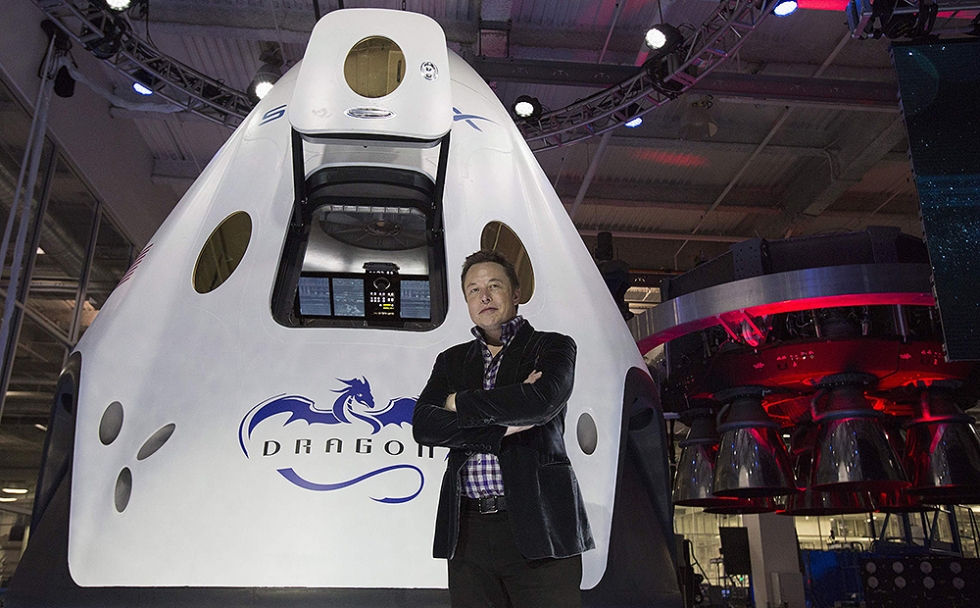
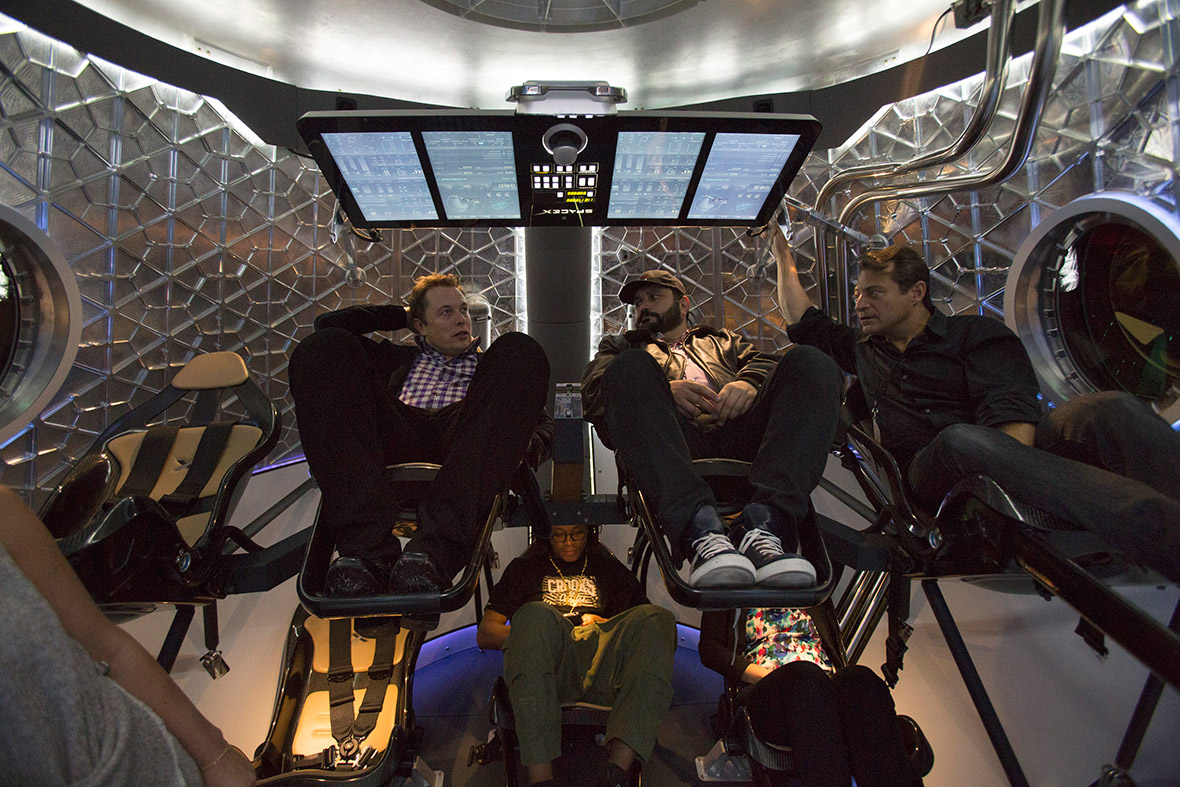
California based Private space enterprise SpaceX has finally revealed its Dragon V2 Space Capsule. The dragon V2 is different from its predecessor because it is capable of carrying an extremely valuable cargo, the human Astronauts.
The company’s owner Elon Musk is the real life inspiration for Iron Man. He is a phenomenal human being. He is the co-founder of PayPal, CEO and CTO of SpaceX and CEO of the world’s best electric car brand called Tesla Motors. He plans to bring in a transportation revolution with his Hyperloop proposal. He is one of the most respected and revolutionary tech entrepreneurs.
SpaceX was founded in 2002 with rocket propulsion engineer Tom Mueller. The companies economical space travel model was so well appreciated, that in 2008 SpaceX was awarded a $1.6 billion contract with NASA. As per the agreement Space X will send 12 flights of its Falcon 9 rocket and Dragon spacecraft to the International Space Station(ISS). With the retirement of the iconic Space Shuttle program in 2011, American ingenuity in space was at peril. Luckily Space X was there for rescue.
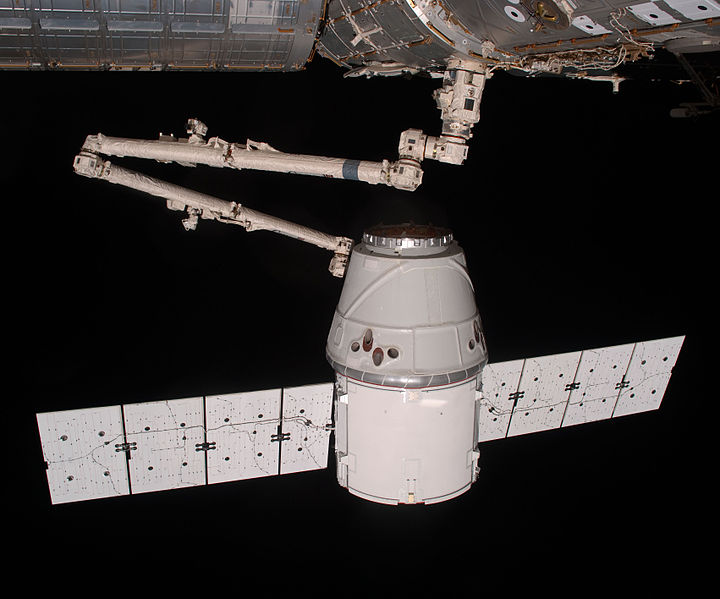
The Dragon spacecraft first docked with the ISS in 2012
The first SpaceX Dragon spacecraft successfully launched and docked at the ISS in 2012. It was basically a test mission to assess the capabilities of the Dragon to deliver payload to the ISS. Since then, it has completed 3 of its 12 missions. These were Cargo missions but the Dragon V2 will be capable of human flights which are extremely important considering our severely restricted means of access to space. Space research also is facing several issues because of the increased tensions between the West and Russia.
The 4.5 meter tall Dragon V2 will be the first space craft to land vertically on any surface like a helicopter. This will take us miles ahead in terms of reusability and making space travel more economical. Space X experimented with the Grasshopper rocket to achieve vertical launch and land capability. This technology will help in reducing the costs of building new rockets for every mission.
The Spacecraft has multiple backups for safety. It is powered by a main and backup engine which will ensure safe landings of the astronauts on surface; if one fails the other will take over. Dragon V2 also has a parachute as the ultimate time tested backup for landing.
Dragon V2 is fully capable of transporting Astronauts
The need for the manned SpaceX Dragon 2 to succeed is direr considering that Russia plans to do away with the ISS missions by 2020. Currently the Russian Soyuz is the only way to carry astronauts to and from the ISS. This will be a big step back for all of us if we don’t have access to space based research anymore.
Apart from Space X, Boeing and Sierra Nevada Corporation Space Systems have also cleared first step of NASA certification. Even President Barack Obama has encouraged more private investment in space exploration to speed up the research process.
Elon Musk wishes to now enter into the arena of planetary exploration with a trip to Mars. It is the only way we can ascertain the survival of the future for our species against the threats faced by our own self (global warming, wars, etc) or circumstances which are not in our control (asteroid strike or a super volcano eruption). We are in essence surviving on a living planet highly capable of getting bruised.
Space exploration has always been an aspirational area of interest for everyone, it entices us all. Throughout our history the heavens have enticed us. A scientific colleague of Carl Sagan once told him about a Stone Age tribe which was ignorant about all our scientific and technological achievements but they knew one thing, we had landed on the moon. It was a disappointment to them to know that no one goes there anymore.
In the last century, we have taken the human curiosity worth of 20,000 centuries to flight by gaining the ability to leave the surface and take a look back at our grand blue planet. If we stop now, we won’t just be disappointing that one Stone Age tribe, but all our predecessors who went to great lengths to ascertain the survival of our species. Elon Musk and the engineers at Space X deserve our gratitude for keeping that hope and curiosity alive and giving it wings to fly high.
Even though the Android 4.4 Kitkat was released in September last year and praised unanimously, companies have been rather slow in incorporating the advanced OS on their phones. There is an even bigger shortage in the budget phones category, where the 4.2.X Jellybean still rules the game. Moto G created a revolution by bringing a feature packed device into the budget market, giving its competition a run for their money.
LG L70 is LG’s answer to the one of a kind Moto G. The phone is in the same price bracket as the Moto G, but the specs create all the difference between these two machines. So we put the L70 to test to see how it fares against the high standards set by Moto G.
Design and Display
The overall design is fairly generic and seems like this aspect of the phone wasn’t given too much importance. The perforated back panel is extremely slippery and it is advisable to get a protective case.
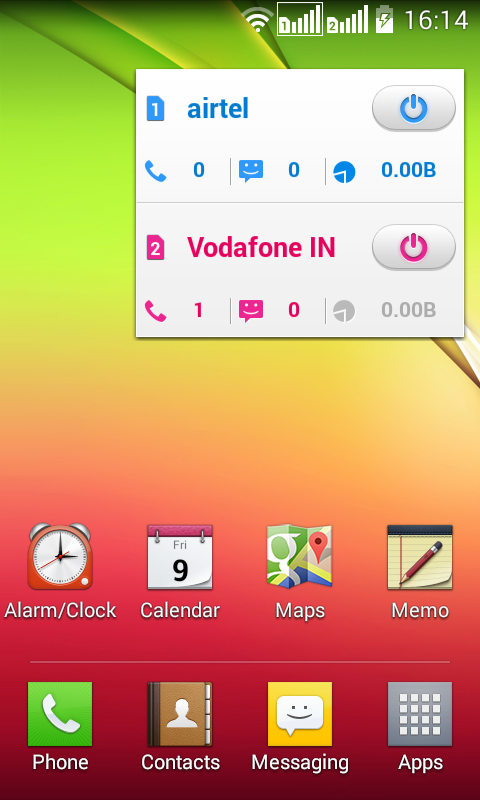
To open the back panel one needs to press down on the micro USB slot. It has a two layered SIM card slots, which are fairly easy to insert the cards in, but a tad bit hard to pull out. The phone adds an addition to the usual fare of three capacitive buttons in the form of a dedicated SIM swapping button. It can easily cause a bit of confusion initially but you can get used to it.
The display is a 4.5 inch, 480X800 pixel screen with a 207ppi density. It is a Corning Gorilla glass 2 screen with 5 point multi-touch. The screen is a downer in comparison to stunning 720p screen of the Moto G.
Hardware
The phone comes with a Qualcomm MSM8210 Snapdragon 200 chipset and a Dual-core 1.2 GHz Cortex-A7 CPU. The internal memory is 4GB which is expandable to 32GB. The CPU tends to get over burdened by large apps.
Operating System
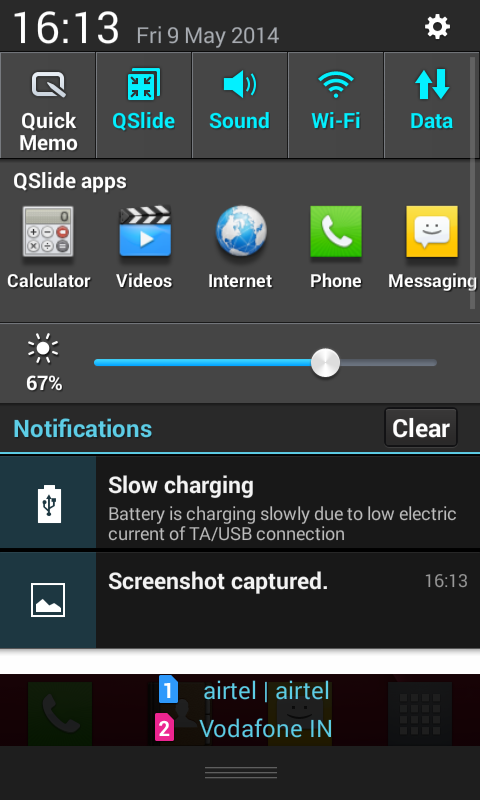
The device comes with LG’s customized version Kitkat 4.4 right out of the box. It is of course one of the Android OS. The browser on the device was fairly laggy and didn’t give a good browsing experience. In the drop down menu, LG has added an option called Qslide which gives access to all the necessary utilities from the menu itself. Though it lets you customize the apps through Qslide, but you can’t add your own apps onto the menu.
According to LG, the Knock code is the USP of the device which is basically one of the hundreds of unlock gimmicks being employed by several companies to differentiate themselves in the market. LG has also added some bloatwares which slow the handset down. The dialer of the phone needs to be commended for the most realistic design. For people who enjoy and miss the feel of pressing physical buttons, this is the closest it comes to that experience.
The Quick Memo option is kind of like the S-note on Samsung devices, but for a fraction of the price it gives good handwriting recognition even when written with the finger. Also, fairly simple to get used to.
Camera
The camera on the L70 is a 5 megapixel autofocus with LED flash. The main camera is capable of good color reproduction, in daylight as well as indoor light. The flash is capable of maintaining details even at close quarters, so it would be great for some Saturday night party shot.
For a selfie obsessed person, the front VGA cameras would be a bit of a disappointment, but it is still better than other budget phones. The L70 has 9 focus points and gives a good autofocus results. Although, the moving subjects tend to get blurry.
Conclusion
The phone is a not at all a competitive effort on the part of LG against the rule of Moto G. The design of the device is dated and doesn’t inspire you to flaunt the device. The UI is capable of great things, but the hardware seems to be a roadblock. Maybe LG will get back on the design board and give the customers a more comprehensive device without the flaws of the present device.
So to answer the question, Moto G is still the king of Rs10,000 to 15,000 price band.