Blog

  • DIY : Clean Your Laptop Inside Out

    DIY : Clean Your Laptop Inside Out

    Most of us recognise the noise – the incessant whirring of an overworked laptop fan, struggling to keep a computer cool. You might put it down to old age, assuming that notebooks always get noisier and hotter until, eventually, they just stop working.

    That doesn’t have to be the case though. When your laptop is starting to get on a bit, overheating and shutting down on its own, it might not be worn out – it might just be dirty.

    However clean you keep the outside of your notebook, dust inevitably gets sucked into fans, crumbs fall into keyboards and fluff gets into vents.

    Follow these tips to keep the inside and outside of your laptop clean and running faster and smoother. 

    Note : Before cleaning any laptop, we suggest the laptop first be turned off and unplugged.

    To give your laptop a thorough cleaning, you will need:

    – Compressed Air Can
    – Rubbing alcohol
    – Cotton swabs (Q-Tips)
    – Dish soap (without bleach) or some other mild detergent
    – Paper towels
    – Flathead screwdriver
    – Towel

    1. To clean the keyboard.

    So your laptop keys stick for one reason or another. Perhaps you spilled a drink on it, or you just like to eat and surf the web at the same time. Your keys were basically snapped onto your keyboard at the factory and therefore can be unsnapped.

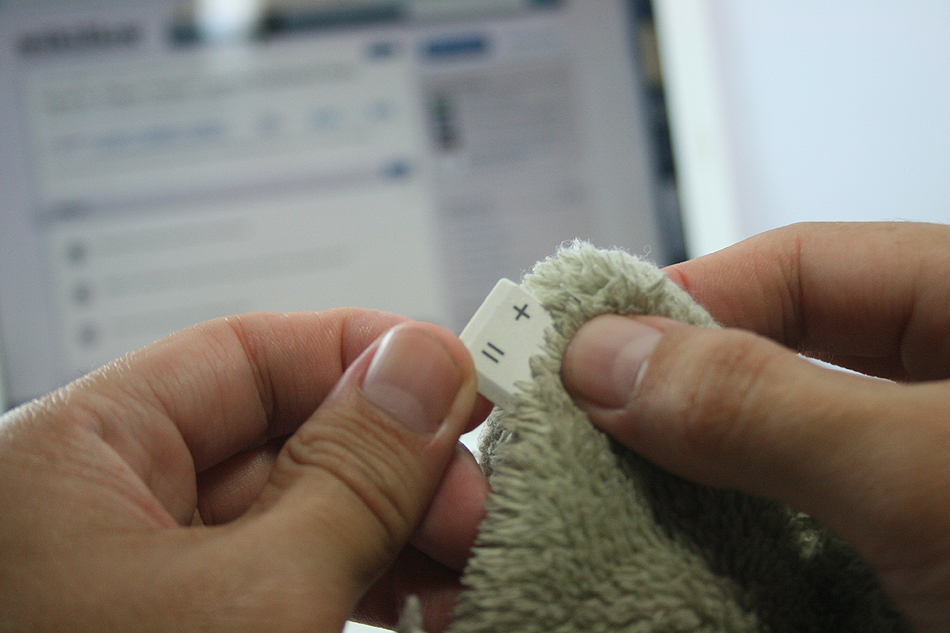
    Grab onto a corner of a key and firmly lift up.  You may be required to pry on more than one corner at a time to unsnap each key.  If a key (especially larger ones) prove difficult, wiggle a flathead screwdriver underneath the key and rotate the blade in several places to “persuade” it to let go.

    This process will take some time, be patient and don’t rush this part… that’s a sure way to break something important. Clean the keys one by one with the soap and cotton swabs.
    laptop

    Some of your larger keys may have one or several metal guide bars on their underside.  These bars slide into slots on your keyboard, so make sure not to bend the bars or their slots on your computer.

    Dip your cotton swab into the rubbing alcohol and begin to clean around each key post.  Remember if any liquid made its way under your keys to remove the key carriers as well and soak them with the keys.

    Once your keys are cleaned, wait for them to dry out and start popping them back in and you’re done!

    2. Cleaning the insides of the laptop

    When you can see dust and hair in or on the vents on the bottom and sides of the case, you can bet there is more inside the laptop. The only way to get it all out is to open the case. Don’t attempt to blow it out from the outside. This will only clog it up inside the case. All laptop cases will come apart fairly easily. There are several small screws that hold the case together.

    laptop

    There will probably be little rubber or plastic caps covering screws that hold the display on. Most all cases will be disassembled from the bottom. Make sure that the power cord and battery are removed before starting. Remove the hard drive and place in a secure place out of the way.

    Note : DO NOT USE MAGNETIC SCREWDRIVERS OR CORDLESS TOOLS.

    When the case is completely apart, you will see the ‘dust bunnies’ hiding near the case cooling fan and cpu cooling heat sink. Remove large pieces with a pair of tweezers. Compressed air in a can will work well to blow out the dust on and around the motherboard and keys.

    Be sure to hold the case upright when using air in a can. If the can of air is tilted downward when spraying, the gas inside will become a liquid. This will damage the components inside the laptop. When reassembling the laptop, be sure to use the right screws in the right places. Some screws are longer than others, and need to be used where they were originally. Pay particular attention to any ribbon cables and their connectors.

    The keyboard and mouse pad will use this. Make sure that the compression or wedge connectors are tight before proceeding to the next step. You don’t want to have to open the case again until it is time to clean it again. When you are finished, your laptop will be as good as new.

    3. Fans And Vents

    As for case fans, these can be removed and the blades wiped clean with cotton buds. It’s never a good idea to blow compressed air into them, because they may be forced to spin in the wrong direction, damaging them.

    laptop

    Before you close your machine up, take a good look down the sides of the case to locate the vents and passive heat sinks. Use your can of compressed air to carefully blow dust out of the case.

    4. Cleaning the outsides of the laptop

    Cleaning the exterior portion of the laptop case can help keep the laptop looking new. The exterior case of a laptop can be cleaned by using a damp cotton cloth that has been dampened with water.

    It is not recommended that the exterior case of the laptop be cleaned with household cleaning solutions. However, if there is a substance on the laptop that cannot be cleaned with water, we suggest using rubbing alcohol.

    5. Cleaning the LCD Screen

    It’s very easy to get streaks on your screens from just a couple of finger swipes. LCD wipes or a soft dust-free cloth sprayed with your home-made solution of distilled water and white vinegar can clean that up in a jiffy.

    laptop


    First, use the canned air to get rid of the bigger bits of dust. Then rub the moistened cloth or wipe the screen in circular motions.

    Disclaimer : Although these methods have been used to measurable success by various people, you should do so at your own risk. Make sure that the ports and other sensitive parts of your device are not exposed to the ingredients you use!

  • Hitcase Pro for iPhone 5 Review

    Hitcase Pro for iPhone 5 Review

    Since the beginning of the smartphones, as a matter of fact, since the beginning of mobile phones, we have been finding ways to have our handhelds resist the elements. While technology has come a long way, there are always restrictions when it comes to water resistant and dust proof designs. The Hitcase Pro for the iPhone 5 aims to achieve that with a design that does not stall the daily usability of the iPhone 5. 

    Build Quality

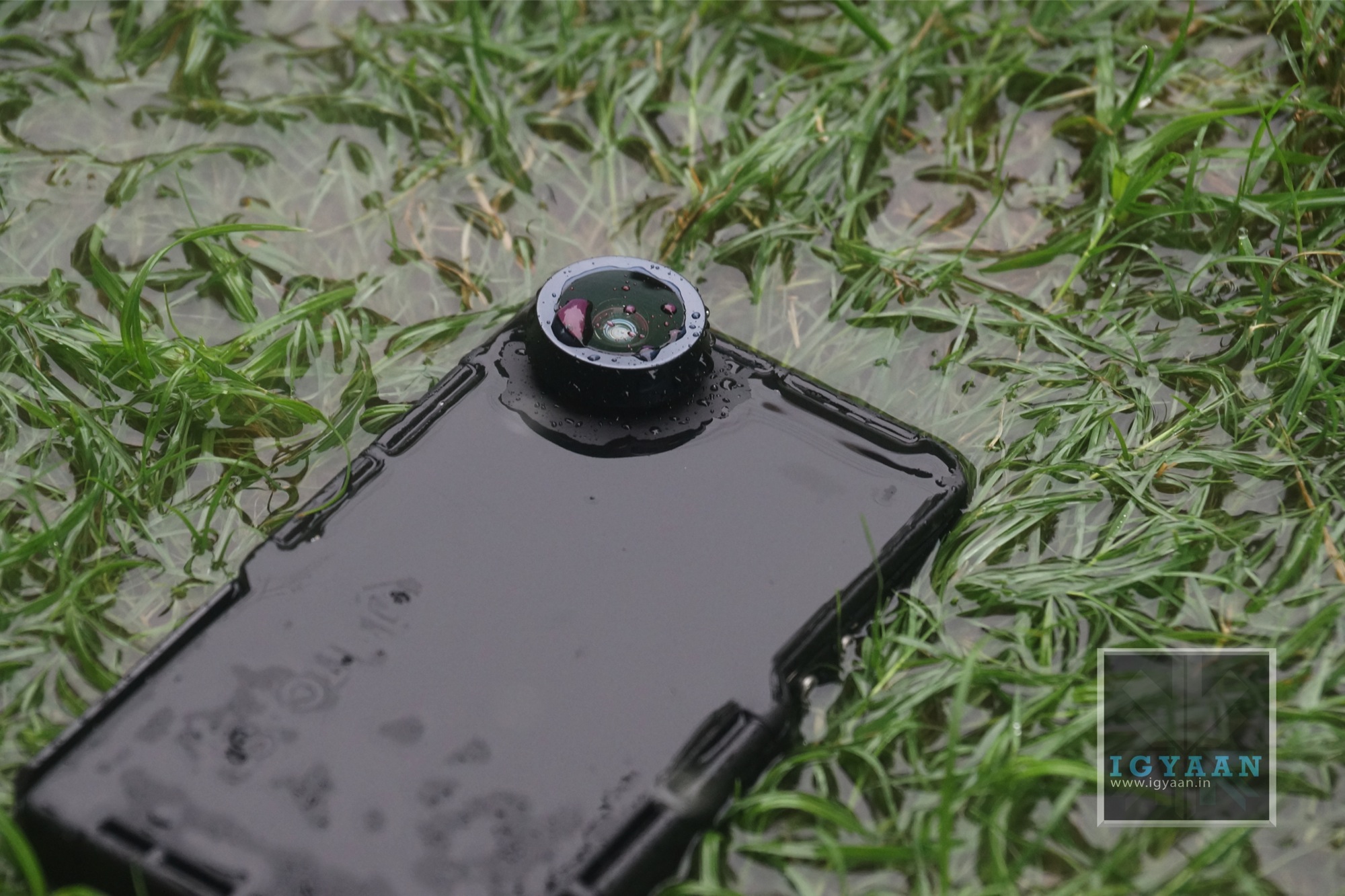
    The Hitcase Pro is very well built, to say the least. The moment you go hands on with this case, you don’t feel like you have lost your iPhone in a big pit of protection. Designed keeping the Go Pro in mind, the case has a very strong railside mount, you also have a metal engulfed wide angled lens that unfortunately is very prone to scratching. 

    hitcase pro iphone 5 review 2

    The case is built from a composite of ABS and Polycarbonate and is layered with a rubberized coating all around that not only keeps the case clean but also provides ample grip. The case locks in from three sides, almost like a food box, but seals the phone completely to the point where you don’t feel afraid dunking it in water. The H-Seal on the inside of the case is made out of Poron and should last a really long time.


    Features

    The Hitcase Pro not only protects the iPhone when you go into water or sand, it also retains the usability of the iPhone 5. The Hitcase Pro also features a great 170 degree 3 X Wide angle lens that is an absolute treat for photographers. The lens also allows close up shots upto 3X and makes focusing on subjects really easy. 

    The Lens also adds a Go-Pro Style video effect to the video – where you get a wide angle video frame, that captures a lot more in the same 16:9 aspect ratio. 

    The free app called Vidometer, captures GPS tracking info along with speed, G force, altitude and angle of approach and displays it directly on the video. This can come in handy when you look at your footage later on. 

    mzl.fufcrpuc.320x480-75

    The Hitcase Pro can be used 33 ft/10 Meters underwater thanks to the IP68 rating. The railside mount allows you to use the Hitcase Pro with all sorts of Go Pro mounts and gear. The Included TiltR and StickR mounts also help those who have no Go Pro mounts. A Wrist strap also ensures the safety of your phone and case when you are at great heights and decide to hold onto the case vs mounting it.

    The only downside to the case, is that the microphone gets really muffled up taking phone calls becomes slightly difficult as you will find yourself screaming to the person on the other side. 

    hitcase pro iphone 5 review 9

    Conclusion

    Despite the availability of several cases for the iPhone 5 in the Market, the HitCase Pro for the iPhone 5 is easily the most robust design. It allows the use of the phone while being packaged in a Waterproof and Dustproof cage. Whats more, the 170-degree wide angle lens and Railside mounts make the use of the case in extreme/ adventure sports very easy. Allowing you to use your iPhone as the primary camera, will almost replace the need for a dedicated rugged camera for a lot of folks. If the speaker and Microphone volume levels are something you can deal with, The Hitcase Pro is the best action case for the iPhone 5

  • Lava Iris 504Q Unboxing And Hands-On

    Lava Iris 504Q Unboxing And Hands-On

    The Lava Iris 504Q is a smartphone targeted at the likes of Micromax and Karbonn with their Canvas and Titanium series. Powered by a Mediatek Processor (6589) the company is trying to differentiate the product from the mass of multiple devices in the market with features like gesture control and software enhancements. 

    The handset is manufactured well and almost resembles the HTC Butterfly from a distance, thanks to the resemblance to the earpiece grill. The back of the Lava iris 504Q is a soft touch plastic, that almost feels rubberized for added grip. 

    lava iris 504q

    The new Lava Iris 504q has a slim 8.4mm thickness that makes it the slimmest handset in its category.  It brings HD experience to a 5 inch IPS screen with OGS display technology and a resolution of 1280×720 pixels.  Powered by a Quad Core 1.2GHz processor and running on the latest Android 4.2 (Jelly Bean), the Iris 504q comes with an intelligent flip cover.

    This device sports an 8MP camera with rear auto-focus and BSI sensor. Lava Iris 504q also packs in 1GB RAM and an internal memory of 4 GB, which is expandable up to 32 GB.

    For a price of Rs.13499/- in the market Lava has added yet another competitor in the Quad Core dual sim market.

    You can watch our unboxing and hands-on below. We’ll be back with the gaming and full-review soon!

    [youtube id=”EbTC_qg113k” width=”100%” height=”300px”]

  • Micromax Canvas Lite A92 launched at Rs. 8499

    Micromax Canvas Lite A92 launched at Rs. 8499

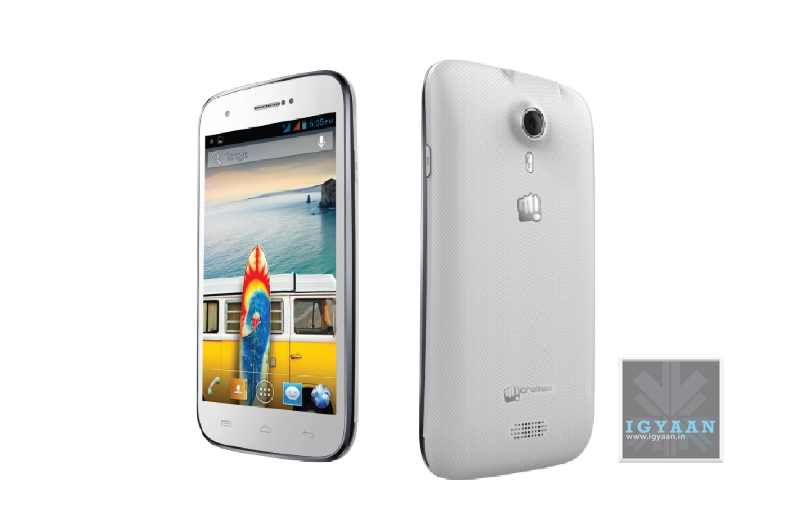
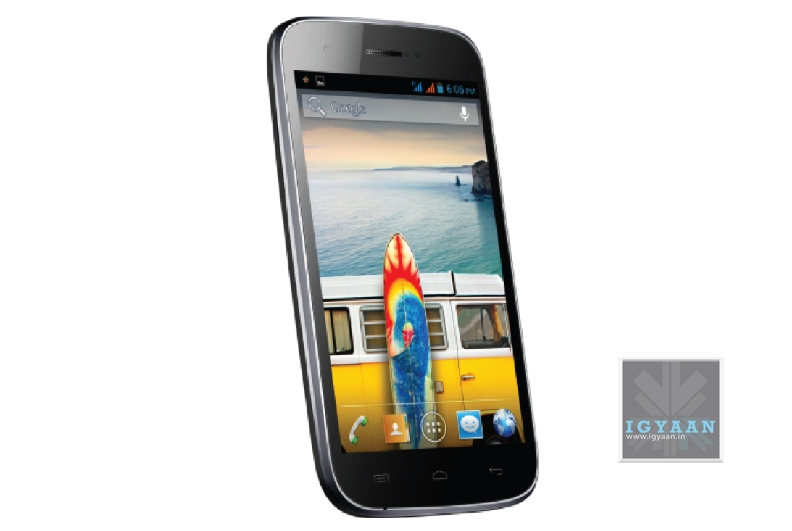
    While many are awaiting the new Micromax Canvas 4 A210, the company is not shy of releasing more handsets. Micromax has today launched the new A92 Canvas Lite for a price of Rs. 8499. The specifications of the Micromax Canvas Lite A92 match those of the original Canvas A100 with a 5 inch 480 x 800 px display, A Mediatek 6577 Dual Core 1 Ghz Chipset. The Micromax Canvas Lite A92 will also have 4GB of inbuilt storage, expandable via microSD and 512 MB of RAM.

    Micromax Canvas Lite A92 black

    The Canvas Lite A92 also has the same set of cameras as seen on the Canvas A100, a 5 MP main shooter along with a front facing camera (0.3 MP). While the company has phased out the A100, this is a great way for the company to relaunch older hardware with a new name. For the price the specifications are quite okay, but considering that with a couple thousand more nowadays you can get a Quad Core chipset and a 720p display. Would you be interested in buying a Micromax Canvas Lite A92?

  • Indian Company Rolocule Launches Motion Tennis For iOS, Turns Your iPhone Into A Wii Like Console

    Indian Company Rolocule Launches Motion Tennis For iOS, Turns Your iPhone Into A Wii Like Console

    There are a lot of things that Apple has done since coming out with the iPhone that have turned the industry around. There are a lot of things that companies producing apps to be sold for Apple products that are helping to further the Apple stranglehold on the industry. 

    Apple may not have turned the Apple TV into a console yet, but that hasn’t stopped one game developer from trying it, with Pune-based company Rolocule Games launching Motion Tennis, turning the iPhone into a Wii style motion-controller for the set-top box.

    As SlashGear reports, the game relies on AirPlay Mirroring, more commonly associated with screen sharing, but used by Rolocule Games to translate gyroscope and accelerometer data from how the iPhone is swung into Wiimote-like motion information to control the virtual players on-screen.

    The game works just as that Wii title does, as the player swings his or her iPhone in order to make the player on screen swing. The game uses the iPhone’s accelerometer in order to determine how the player is holding the iPhone and, in turn, translates a swing and hit into a normal shot, a slice or a lob.

    The game is available in the app store for $7.99 (you will also require an Apple TV to play the game) in the App Store and despite its unique gaming perspective, users will be able to play multiple functions including single player versus the computer with four different difficulties, a co-op doubles match with two human players going against two computer players and a final mode of survival. In survival, the first player to miss a point loses the match. 

    The game studio, based in India, has previously released a series of touch-based tennis, badminton and squash games. Motion Tennis is new in that it brings gameplay to the television using motion gestures.

    Rolocule’s Linkedin page description reads : Rolocule Games is an award winning game development and research studio located in Pune, India. Its mission is to entertain universally, by blending technology with art and creating most enjoyable experience for everyone and strongly believes that art and technology often creates magic.

    We’re glad to see an Indian company gaining accolades world-wide for a truly innovative concept. Well done. 

  • Apple, TSMC Ink Deal Involving A-Series Chips For iOS Devices Starting 2014

    Apple, TSMC Ink Deal Involving A-Series Chips For iOS Devices Starting 2014

    The Wall Street Journal is reporting that Apple has inked a deal with TSMC (Taiwan Semiconductor Manufacturing) for the company to produce iPhone and iPad processors starting in 2014.

    The deal was closed after the company met requirements from Apple regarding their speed and power usage. Samsung will remain Apple’s primary supplier for these components through 2014, according to TSMC executives. Apple is one of Samsung’s biggest customers for processors and memory chips. But the two firms compete directly in the mobile-phone market and have spent the better part of the past two years suing and countersuing over the look, feel and features of their gadgets.

    The report states that TSMC plans to start producing the chips in early 2014 using 20-nanometer technology, which would make chips smaller and more energy efficient.

    The two companies have been discussing their arrangement since 2010, with serious discussions on the process of creating the chips starting in 2011.   

    TSMC executives told the WSJ that Apple had asked to either invest in the company or to have TSMC set aside a factory specifically for Apple chips. Executives said they had denied both options because they wanted to keep TSMC’s independence and manufacturing flexibility intact.

    We’ll see how this deal plays out for Apple and Samsung, it’s definitely worth keeping an eye on.

  • Digg Reader Goes Official, Android App Pending

    Digg Reader Goes Official, Android App Pending

    Betaworks, the company that bought news site Digg last summer for $500,000, launched its eagerly anticipated Reader app today.

    Digg Reader had launched in beta on June 26, rolling out first to survey participants, then to the entire pack of early-access users.

    “This beta version is aimed first and foremost at Google Reader users looking for a new home in advance of its imminent shutdown,” the Digg team wrote in a blog post.

    The company has been cranking away at its software, having made the iOS app available earlier this month. Now the the Web version is available, with only the Android app pending. Digg’s iOS app has been updated to include the newly launched Digg Reader. This includes the ability to import your current Google Reader feeds right into the app.

    Google announced in March that it would shut down the RSS reader, blaming a decline in use. This led to a plethora of other companies ramping up their efforts in creating the perfect replacement. 

    A Google account will be required to sign up for Digg Reader, and RSS subscriptions can be pulled in with ease. Once subscriptions are set up, uses can Digg and save stories as they like, or share links to Facebook and Twitter.

    A post on the Digg blog stated: “Once you connect your Google Account, you’ll find all of your feeds and folders set up and ready to go,” the blog post notes. “And even if you’re not a Google Reader refugee, come on in! You can build up your list of sources by browsing recommended publishers or searching for feeds via the ‘Add’ button.”

    The iOS app is still pretty new and doesn’t include a lot of options. That said, it’s a simple RSS reader that handles the import from your Google Reader account just fine. Since it’s integrated into Digg’s app, it’s just an update, and you can snag it right now.

  • Report : Micromax Canvas 4 A210 to launch for Rs. 16,900

    Report : Micromax Canvas 4 A210 to launch for Rs. 16,900

    Although many websites are reporting that the Micromax Canvas 4 A210 will launch for upwards of 24 thousand Rupees, the truth is far from the rumors. Micromax is all set to officially announce and launch the Canvas 4 at an event being held on 8th of July. The event will showcase the product and will also announce official pricing. According to sources close to iGyaan, the Micromax Canvas 4 A210 will launch at a price under Rs. 20,000/-. While the market price will be Rs. 16,999/- at the beginning.

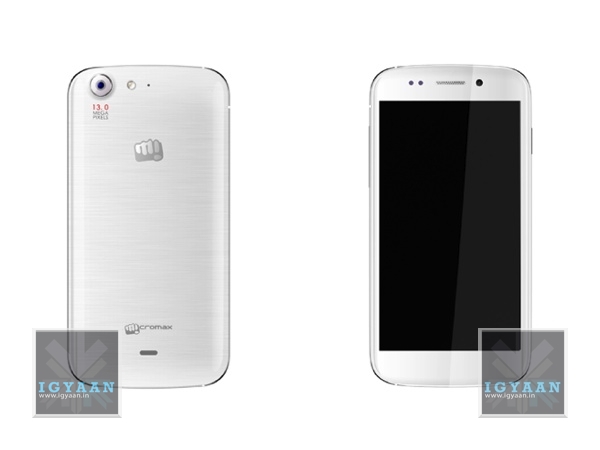
    Micromax has also initiated this phone, with its key feature being a blow to unlock software, and a 5 MP camera in the front ensuring that the users have nothing to complain about lack of basic features. The main camera is a 13 MP autofocus camera and the back panel is glazed just like on Samsung Galaxy phones. 

    canvas 4 sides

    Micromax is also planning to launch the Canvas 4 A210 in White and Black colors, with a graphic texture back panel. The Micromax Canvas 4 A210 is expected to be under 9 mm in thickness, where the 8.9mm standard may come into play. The 5 inch 1280 x 720 p  display indicates that the phone will be at-least 144 mm high (5.67 inches ) and 76 mm wide (2.87 inches).

    We will get you more details when available, and you can expect iGyaan style videos to follow suit. 

  • BlackBerry CEO : BlackBerry Messenger Coming to iOS and Android ‘Before the End of Summer’

    For those millions of eager iOS and Android users who are dreaming of a day that you’ll be using BBM on your device you’ll have to a bit longer. During the quarterly call, CEO Thorsten Heins stated that BBM for iOS and Android will be released “before the end of the summer.”

    It was originally rumored that BlackBerry Messenger would make its way to iOS and Android on June 27, but obviously that didn’t happen. 

    T-Mobile UK confused the entire Internet as they released a teaser image of BlackBerry Messenger running on a Samsung Galaxy S3 announcing BlackBerry’s popular messenger would be making its way to both iOS and Android on June 27. 

    Competing with top messaging services like WhatsApp, Viber, Google’s Hangouts and Apple’s iMessage, BlackBerry is betting on its messaging platform to stay relevant, and hopefully, to keep consumers engaged on its product and services. Blackberry Messenger allows users to communicate by text through data connection instead of traditional SMS text charges. It is also faster than traditional texting.

    The app will be free and will work with devices running iOS 6 or later and Android OS 4.0 (Ice Cream Sandwich) or higher. At first, Blackberry Messenger for iOS and Android will be limited to messaging and groups, but, later, an update will bring other popular BlackBerry features, including BBM Voice, screen share, and BBM Channels. 

    Also, Blackberry had promised a BlackBerry 10 update for its aging PlayBook tablet, which was released over two years ago, but has reneged on the offer. According to CEO Thorsten Heins, the device just never felt right with the test versions of BlackBerry 10. The experience was not up to the company’s high standards. This is likely due to the older dual-core Cortex-A9 architecture of the 1Ghz Snapdragon chipset, along with the monumental task of having to re-engineer core aspects of the BlackBerry 10 experience.

  • HTC One Google Edition ROM Now Available For Rooted Devices

    HTC One Google Edition ROM Now Available For Rooted Devices

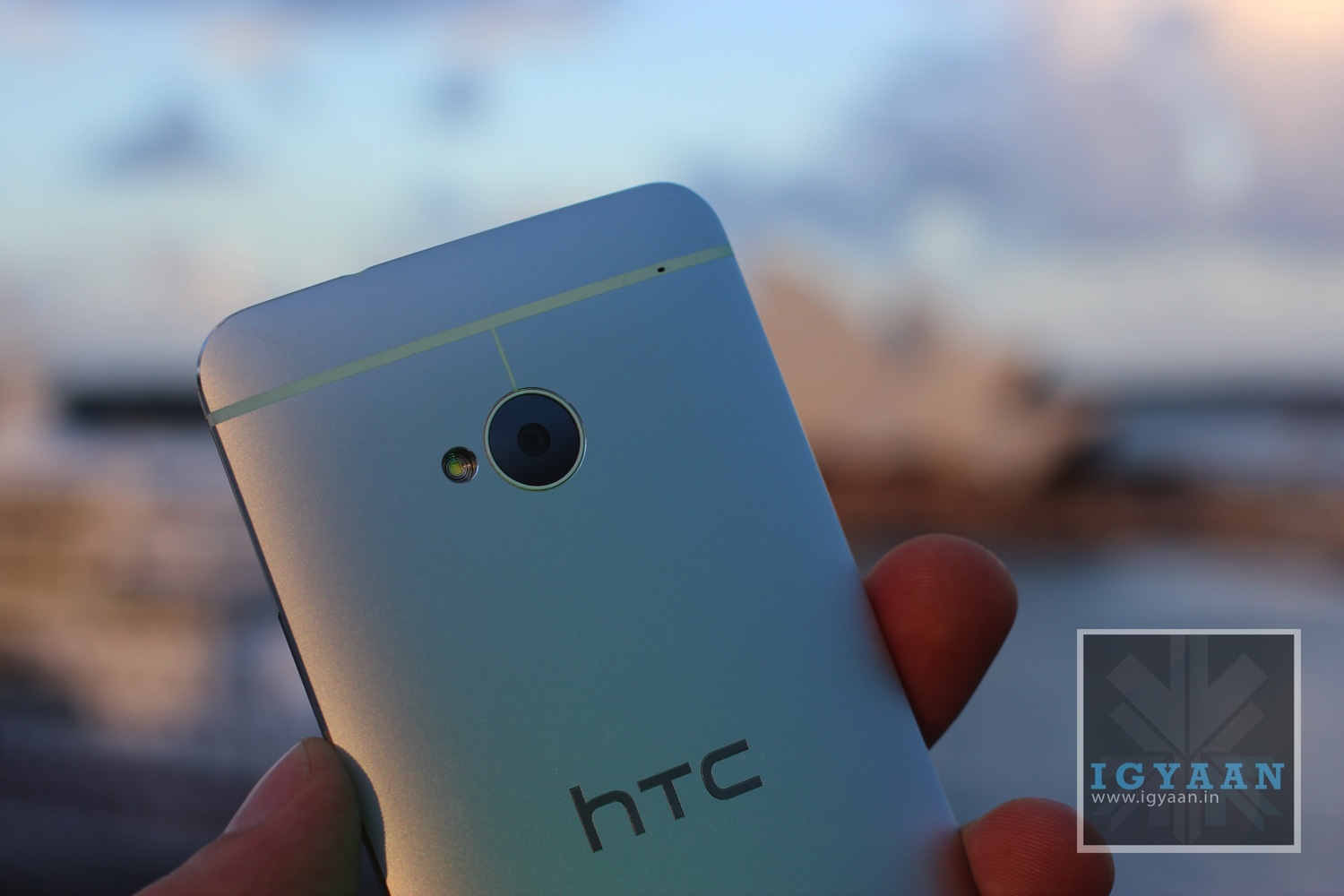
    If you’re an HTC One owner and are not entirely enthused by the Sense 5.0 experience, especially since it runs atop older Jelly Bean software, you’re in luck.

    A flashable version of the HTC One Google Edition is now available to download, and it appears to mimic the experience that U.S. buyers will have when their phones begin arriving on July 9th. The ROM was built from a system dump uploaded by Android Central’s Jerry Hildenbrand and has been altered slightly to be compatible with all HTC One models, but is otherwise unchanged.

    The new HTC One Google Edition ROM will work with the GSM version of the HTC One, and it will give your handset the same experience you would get on the Google Play edition of the HTC One.

    Notable improvements include lockscreen widgets and Photosphere, along with an improved stock camera app. You’ll have to already have an unlocked bootloader and/or S-OFF, and a custom recovery, along with the know-how to install it.

    If you’re interested, head to XDA-Developers and get downloading.

    Meanwhile, the team at Sammobile claim to have an early 4.3 build for the Samsung Galaxy S4. They claim that this is from a Google Play Edition variant of the S4, and the build is completely functional when tested on other Galaxy S4?s, but there’s no way to verify the validity of the claim. Since Google has not yet announced Android 4.3, and it doesn’t seem that there are any significant changes to the OS, this could well be a very clever fake with an edited build.prop to say 4.3.

  • Peugeot Citroen to allow GM takeover due to financial troubles

    Peugeot Citroen to allow GM takeover due to financial troubles

    Reports suggest that the founding family of PSA Peugeot Citroen is running out of cash and could step back to let US-owned GM take over the ailing business. Sources have already warned that PSA could get close to not having enough free cash to run the business by the end of 2013, having burned 3 billion euros in operating cash last year. GM, which operates Vauxhall, Opel and Chevrolet in Europe, already owns 7% of PSA having invested in March 2012.

    Both GM and PSA are suffering from over-capacity, in spite of plans to scale back production. A report from news agency Reuters suggests that if GM were to take control of PSA, it would want to shut down factories and make redundancies in France and Germany, something that would be especially unpopular with French president Francois Hollande.

    Peugeot is reported to have sought finance for the business elsewhere, but a lack of willing bidders has forced it to turn to GM, which owns seven percent of the current business. The move was made with the support of current PSA Chief Executive Phiippe Varin.

    The Peugeot family initially asked for financial support from Chinese partner Dongfeng, but turned to GM when those talks came to nothing. According to Reuters, GM is ‘playing hardball’ by holding out for assurances that it can cut plants and jobs at a reasonable cost. It’s also reported that any decision is unlikely to be made before the German general election in September.

    The Peugeot family has now accepted that they’ll lose control.

    Plans are already afoot to produce a range of Peugeot, Citroen, Vauxhall and Opel models with shared engines and platforms, including a new Vauxhall Zafira, Peugeot 3008 and Citroen C3 Picasso.

    Overall the Peugeot family owns a 25.4 per cent stake in the company, but controls 38.1 per cent of the voting rights. Peugeot currently employs 77,000 people in France, while sales of Peugeots and Citroens fell 13.9% in the first five months of 2013 versus 2012, slightly worse the GM Europe’s drop of 11.0%. Neither Peugeot nor GM has commented on the story.

    [Reuters]

  • Micromax Canvas 4 Pre-Orders Begin

    Micromax Canvas 4 Pre-Orders Begin

    The next big thing from Micromax, the Micromax Canvas 4, is now up for pre-order on their official website.

    To pre-order the Micromax Canvas 4, you will have to pay an initial amount of Rs. 5,000. When the device is officially released, on July 8, customers will have 7 days to pay the rest of the amount (If the consumer fails to pay the remaining amount by 15 July, the order gets automatically cancelled), which is rumoured to be around the Rs. 15,500 price mark.

    The official specifications and other details of the phone, including the price, will be revealed on July 8th. Micromax has also said that consumers will also have the option of cancelling their orders, but only between 8 – 15 July. 

    The Micromax Canvas 4 will start shipping on July 10, and Micromax is promising to deliver your unit within 7 business days thereafter. You can check out the rest of the terms of pre-booking on Micromax’s website.

    micromax canvas 4

    While there is no real news on the Micromax Canvas 4 we expect the following specs :

    • 5 inch Full HD 1920 x 1080p Display
    • The Mediatek 6589 chipset (Quad core)
    • 8 – 16 GB inbuilt storage
    • 2 GB RAM
    • 13 MP camera
    • 2-5 MP front camera
    • Dual Sim capability 
    • Android 4.2.2

    micromax canvas 4

    Micromax has also teased a new feature of the Canvas 4 and people suspect that users can blow to unlock the screen and need not have to come in contact with the smartphone. 

  • Apple Patents New Multifunction Port Which Combines USB and SD Card

    Apple Patents New Multifunction Port Which Combines USB and SD Card

    Apple is known for slimming down its hardware and removing anything it feels can be avoided. The company was one of the first to begin the push away from optical media. Now, in line with its design ideology of slimming down on buttons and ports and replacing them with a flat, sleek exterior, Apple has filed a patent to combine the standard USB slot with the standard SD card slot into a single new hybrid port. 

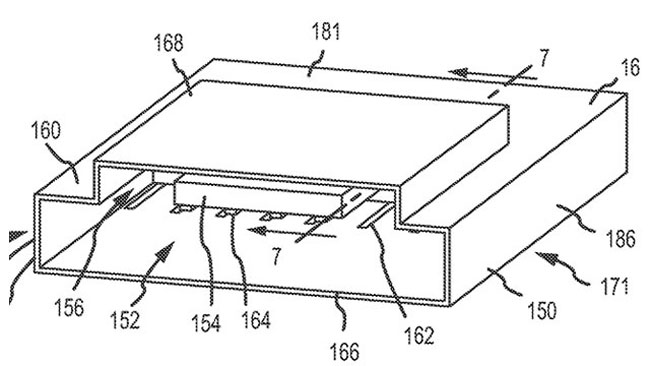
    The patent, which was originally filed in December 2011 and published earlier today, refers to a “combined input port” that would let Apple put SD card slots onto even its smallest 11-inch MacBook Air, which currently comes equipped with just USB and Thunderbolt ports. The new technology could also lead the way to thinner versions of the larger 13-inch MacBook Air and MacBook Pro models. It could also provide a way to add additional ports to the side of a MacBook, since there won’t be a need to separate the card reader from a USB port.

    “A first set of contacts is positioned on the substrate at a first depth into the receiving aperture” Apple’s application explains, “and a second set of contacts is positioned on a first surface of the outer wall at a second depth into the receiving aperture.” In the image below, of the port in cross-section, a USB plug is inserted and makes contact with the first set of contacts.

    apple

    It’s unclear if the patent, which was filed almost two years ago, will be implemented in the next generation of Apple laptops. Patents don’t always lead to a final products, so Apple could have ditched this idea long ago.

    [Via]

  • Google Begins New Program To Loan Out Street View Trekkers

    Google Begins New Program To Loan Out Street View Trekkers

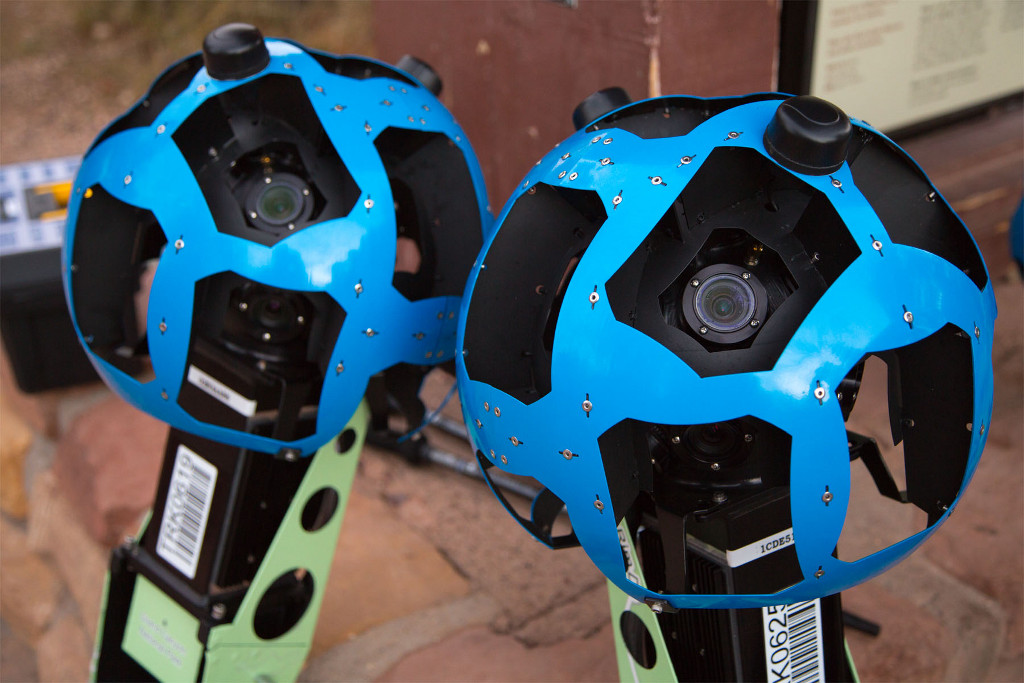
    Google has announced that they are opening up their Street View Trekker program to third-party non-profits. Google is looking to expand Street View imagery off the beat path. To do this, they need to take their Trekker backpacks by foot into areas not accessible by cars or other imaging devices.

    The Street View Trekker is a compact version of the same tech used in Google’s Street View cars. The pièce de résistance is a 15-lens camera, mounted atop a spire-like appendage, that can capture 46MP images.

    “With 360-degree interactive imagery of the islands, people all over the world can see and explore the beautiful islands before they go, including some remote and hard-to-reach places they may never have discovered on their own,” Google Street View program manager Deanna Yick wrote in a blog post.

    Until recently, only Google and select third parties got the opportunity to strap on a Street View Trekker, but now interested organizations can fill out a form to line up for a chance at borrowing one. If you snap top-notch stuff, Google may add your work to its Street View collection, which includes the Galapagos and the Grand Canyon.

    As SlashGear reports, the loan scheme is open to tourism boards, non-profits, government agencies, universities, and research groups, with Google asking for details on proposed visits, expectations around what sort of photography might be captured, and why it’s thought that it could benefit Street View. There’s also the thorny matter of whether special permissions are required. “Even for public parks we often need to get written permission, legal releases and/or filming permits from the organization that manages the site” Google points out.

    In typical Google style, the company has a YouTube video for the new initiative:

    [youtube id=”SuiEmxDklKw” width=”100%” height=”300px”]

  • Google Street View Maps Gunkanjima, The Freaky Abandoned Island That Inspired Skyfall

    Google Street View Maps Gunkanjima, The Freaky Abandoned Island That Inspired Skyfall

    If you’ve seen 007 : Skyfall then we’re sure you must have noticed the eerie island where Raoul Silva operated from. Well, now you can take a virtual tour of that island, called Gunkanjima (Japanese for Battleship Island, due to it’s resemblance) thanks to Google.

    Gunkanjima is one among 505 uninhabited islands in Nagasaki Prefecture about 15 kilometers (9 miles) from Nagasaki itself. The island was populated from 1887 to 1974 as a coal mining facility. 

    Gunkanjima
    The island is called Battleship Island because of it’s resemblance to a military warship.

    It is known for its coal mines and their operation during the industrialization of Japan. Mitsubishi bought the island in 1890 and began the project, the aim of which was retrieving coal from undersea mines. They built Japan’s first large concrete building (9 stories high), a block of apartments in 1916 to accommodate their burgeoning ranks of workers.

    Concrete was specifically used to protect against typhoondestruction. In 1959, the 6.3-hectare (16-acre) island’s population reached its peak of 5,259, with a population density of 835 people perhectare (83,500 people/km2, 216,264 people per square mile) for the whole island, or 1,391 per hectare (139,100 people/km2) for the residential district.

    Gunkanjima

    As petroleum replaced coal in Japan in the 1960s, coal mines began shutting down all over the country, and Hashima’s mines were no exception. Mitsubishi officially announced the closing of the mine in 1974, and today it is empty and bare, which is why it is called Ghost Island. Travel to Hashima was re-opened on April 22, 2009 after 35 years of closure.

    Despite being off-limits to travellers, the island has become an irresistible magnet for urban explorers who go to extraordinary lengths to investigate and photograph the island’s abandoned buildings.

    Google is giving users 360° panoramas of Battleship Island, and some of the imagery collected with the Google Trekker goes beyond the cordoned-off areas for tourists and into paths that are off-limits. It still remains illegal to venture inside the city’s walls, meaning urban explorers must go to great lengths to covertly trespass the island.

    The crew of Skyfall couldn’t film on the island itself due to its dangerous state of disrepair, so production designer Dennis Gassner visited the island instead and recreated a section at Pinewood Studio in the UK, with other parts rendered digitally.

    You can watch the video below.

    [youtube id=”c5kmKO_gGsc” width=”100%” height=”300px”]

iGyaan Network
Privacy Overview

This website uses cookies so that we can provide you with the best user experience possible. Cookie information is stored in your browser and performs functions such as recognising you when you return to our website and helping our team to understand which sections of the website you find most interesting and useful.