Tag: Browser

  • Safari Crashing on iPhones and Macs World Over

    Safari Crashing on iPhones and Macs World Over

    Just this morning Apple couldn’t stop talking about its quarterly profits. But now comes another update from the company which it would try its best to shove under the carpet. The Safari browser is crashing all over the world when the user tries to run a search from the address bar in both iOS and OS X.

    We hate to say it but a glitch like this would have been unthinkable when Steve Jobs was around. But ah, gone are the good old days as users struggle with crashing browsers globally.Safari on iPhone

    Steven Troughton-Smith, an iOS developer, says Safari’s search engine suggestion feature is to be blamed for this. The problem can be taken care of by disabling this feature or by using the browser in private mode for now, according to Smith. Additionally, not everyone has faced this problem because some users have the search suggestions cached locally or they’re still able to reach Apple’s servers owing to a DNS cache.

    Apple is yet to release an official comment -we’ll update you as soon as it does.

  • Microsoft Introduces ‘Microsoft Edge’, the New Windows 10 Browser

    Microsoft Introduces ‘Microsoft Edge’, the New Windows 10 Browser

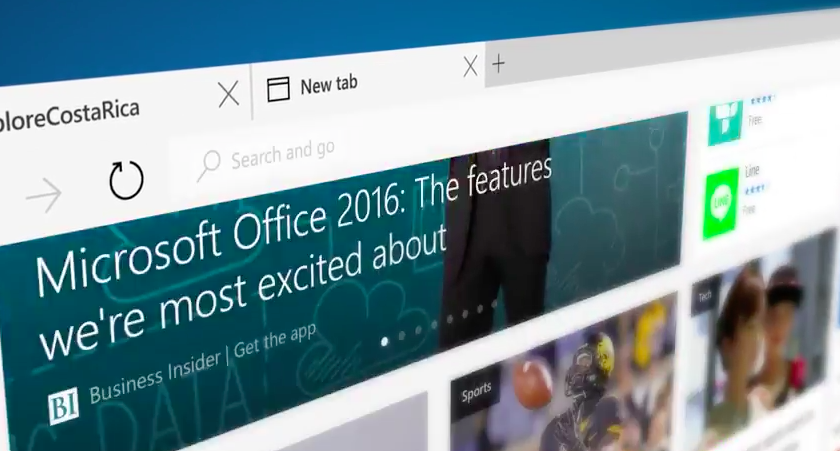
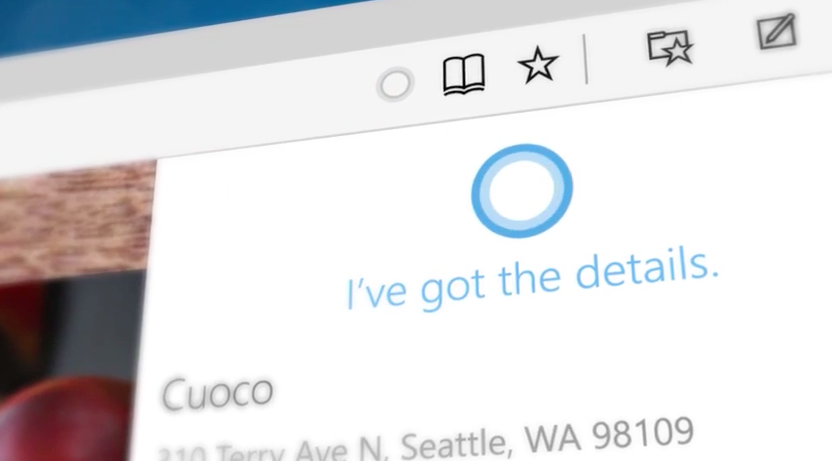
    Work on a new browser for Windows 10 has been underway since January. For months it  had been codenamed as Project Spartan, today Microsoft has finally unveiled this browser with a new name, Microsoft Edge. New features like faster rendering, voice assistant Cortana, note-taking mode, customizable reading note, these gave the Project Spartan an ‘edge’ upon the traditional Internet Explorer.

    Here are the new developments:

    Break-up with Internet Explorer

    It is definitely a replacement for the Internet Explorer because it features a new and faster rendering machine called EdgeHTML. With a basic and minimal designing layout, it looks like a browser from the future. It will be set as the default browser for Windows 10 and, as claimed by Microsoft, the only one that will be used by the customers.

    windows 10

    Microsoft Edge’s logo

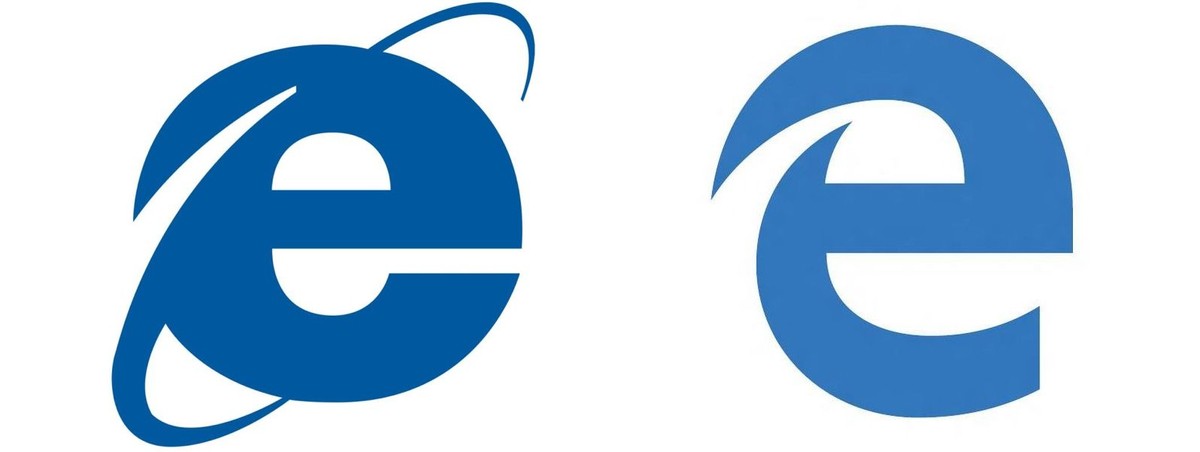
    Logo of the Edge browser does not stray far from its original logo of the Internet Explorer. The lower-case Explorer ‘e’ was not exactly a favourite among users after the entry of Mozilla or Chrome. The Edge’s logo is almost the same, just added a futuristic look to convey a message that it knows where it came from.

    edge logo
    Then and Now

    Edge will not support Extension until after RTM

     Though the browser is loaded with new features like Cortana, customizable reading note, etc., the company says the browser is not yet ready to be integrate RTM support on Microsoft Edge. It has said the Edge will continue to iterate through updates in the Windows Insider Program. Although still far off, Microsoft is now making it easier for developers to port extensions from other browsers.

    Check out the video below by Microsoft introducing Microsoft Edge

    https://www.youtube.com/watch?v=iH1D31YHsgY

  • Check Out Vivaldi, a New Browser Aimed at Power Users

    Check Out Vivaldi, a New Browser Aimed at Power Users

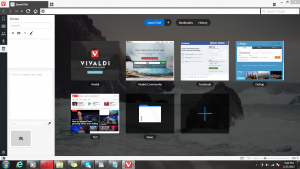
    Former CEO and Co-Founder of Opera, Jon von Tetzchner has announced the first preview of ‘Vivaldi’, a new Chromium based browser built primarily for power users. The new browser is still in its Beta phase, and is available for Windows, Mac and Linux.

    It features utilities like Quick Commands, the familiar Speed dial that shows your favourite tabs on the new tabs page along with gesture-based mouse controls. In addition, it gets some new nifty tricks like organising multiple tabs into one stack for easy and clutter free browsing. Another new feature allows users to take notes right in the browser along with taking screenshots.

    vivaldi_browser_teaser_page

    The new browser takes a lot of inspiration from Opera, and von Tetzchner duly acknowledges that.  Vivaldi uses the Chromium (Blink) rendering engine found in Chrome and is built entirely using the latest web technologies including React, Node.js along with a number of node modules.

    As of now, only the technical preview for the browser is available. Though in the coming months, it is likely to add sync, mail support, improved performance and extensions. In addition, the browser will be shaped by the community; hence it will be driven by user demands.

    You can download a technical preview of the Vivaldi browser here. We tried it out for a while, and it seems to be a rather snappy browser that pays homage to Opera. The browser’s interface subtly changes colors as you navigate from one site to another to match the dominant color on the page. It’s certainly got a potential for power users, with nifty features like ‘quick commands’ that helps you search or run commands, identical to OS X’s Spotlight.

  • Mozilla Will Include Ads In Its Firefox Browser

    Mozilla Will Include Ads In Its Firefox Browser

    Ads are coming to the New Tab page of Mozilla Firefox. The company announced the new move, Tuesday, during the annual meeting of the Interactive Advertising Bureau in California.

    This is a slight paradigm shift for sure, considering how New Tab pages have remained ad-free before. Darren Herman,  Mozilla’s VP of Content Services, says the content in the new Directory Tile program will  include “pre-packaged content for first-time users.  Some of these tile placements will be from the Mozilla ecosystem, some will be popular websites in a given geographic location, and some will be sponsored content from hand-picked partners to help support Mozilla’s pursuit of our mission.”

    Darren says that Mozilla is “excited about Directory Tiles because it has inherent value to our users, it aligns with our vision of a better Internet through trust and transparency, and it helps Mozilla become more diversified and sustainable as a project. While we have not worked out the entire product roadmap, we are beginning to talk to content partners about the opportunity, and plan to start showing Directory Tiles to new Firefox users as soon as we have the user experience right.”

    The revenue opportunity is significant, as Mozilla sees 100 billion tile impressions in the U.S. alone each year, according to a company spokesperson. 

  • Chrome Updates the Web Store Policy Keeping Chrome Extensions Simple

    Chrome Updates the Web Store Policy Keeping Chrome Extensions Simple

    Google has updated its Chrome Web Store policy to keep Chrome fast enough by restricting the extensions on the web browser.

    This new policy from Google will start implementing today. With this update, Google is aiming towards extensions that have a single purpose, which is narrow and easy-to-understand. The multi-purpose extensions can crowd the browser UI and slow down the web browsing experience.

    chrome-internet

    The blog from Erik Kay (Engineering Director) notes, a simple and speedy browsing experience has been part of the core principle of Chrome since the beginning. It further notes that Chrome will not use any toolbars as more toolbars reduces the capabilities of the browser. Users would have more control over features they add to their browser. For more information check out the source link below.

    [Chromium]

  • Google Chrome now Shows Which Tab is Playing that Unwanted Music

    Google Chrome now Shows Which Tab is Playing that Unwanted Music

    Unwanted music from websites is that one possible thing that annoys almost everyone. But when you have multiple tabs open, finding the culprit is almost impossible. Google Chrome’s new 32 beta update fixes that by adding a small speaker icon on the tab that’s playing the music.

    It also lets you know which tabs are using your webcam, or streaming to your TV over Chromecast. Additionally, the Safe Browsing features now automatically blocks malware files, instead of advising you to merely proceed with caution.

    Interested ? We have linked the download page below, check it out!

    [google]

  • Chrome 29 for iOS Brings Voice Search With Pronoun Support

    Chrome 29 for iOS Brings Voice Search With Pronoun Support

    Google just updated Chrome for iPhone and iPad, this new update Chrome 29.0.1547.11 contains some new features which include:

    • Geting back to your Search Results faster
      • Do a search and click a result. Not what you wanted? Now when you hit back, your search results will instantly appear, ready for you to choose the next one.
    • Data cost savings enhancements
      • View your data savings in Bandwidth Management Settings.  
      • Please Note: This feature is being rolled out incrementally and will be available to all users over time. 
    • Voice search pronoun support
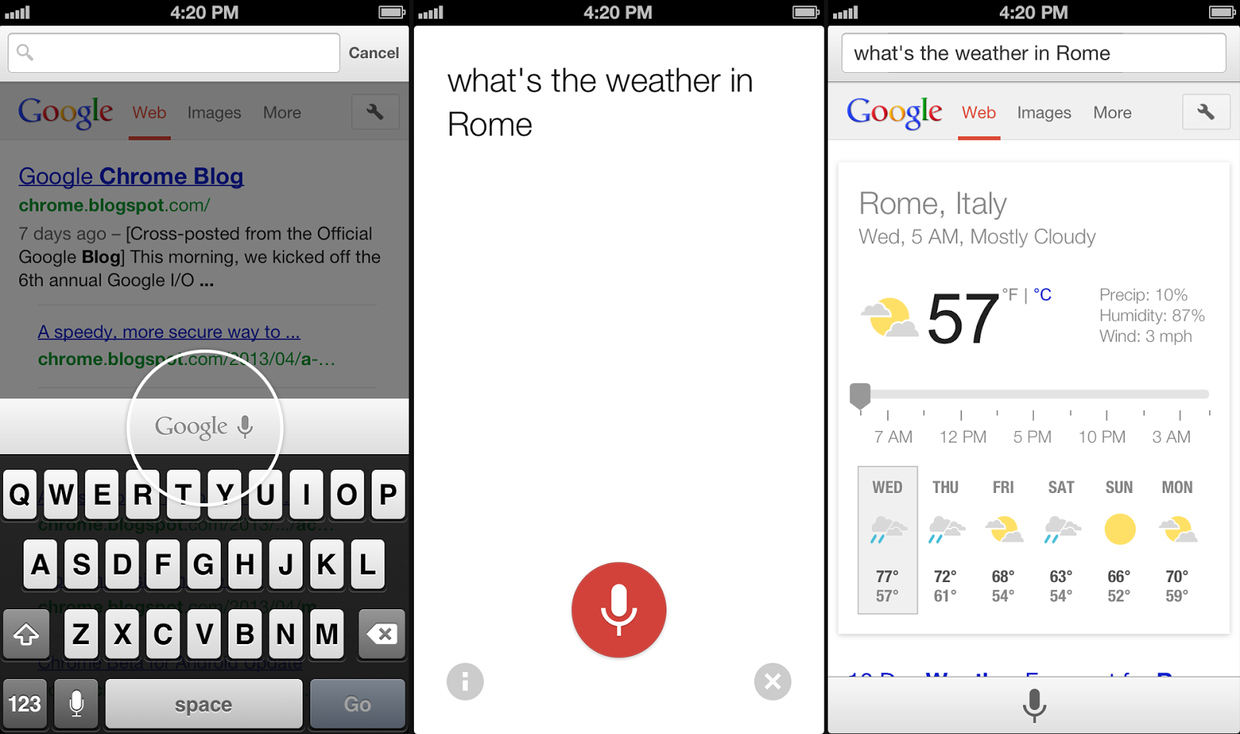
      • Try queries like: “Who is the president of the United States?” followed by “Who is his wife?”
    • Improvements to Single Sign On with other Google Apps 
    • Stability / security improvements and bug fixes


    Which means, the browser’s voice search now supports contextual pronouns like “her” or “them;” ask a question and you can run a follow-up search without mentioning the subject by name. The update also lets you quickly jump back to search results if you visit the wrong result, and it’s now easier to view bandwidth savings.

    All this will come in the new update available at the app store, as shown on the Google blog by Karen Grünberg who is a Technical Project Manager for Google Chrome.  

  • Google Chrome Beta Receives First Update To Fix Bugs

    Google Chrome Beta Receives First Update To Fix Bugs

    chrome

    Google Chrome beta for Android was released just five days ago, but it has already received its first update in what looks to be a coming trend. The desktop beta and developer channels receive weekly updates and Google is unlikely to slow down its improvement schedule for mobile, especially since both versions share a significant proportion of code.

    These bug fixes are mainly about interaction with specific websites, but there are some overarching performance improvements on some devices. These are also a number of outstanding bugs to contend with, including poor performance on the Galaxy Nexus and Nexus S. And while the beta version did decrease the propensity for crashing on the Nexus 10, it didn’t eliminate it altogether. Hopefully this will be addressed in the coming weeks.

    If you’ve already downloaded the Chrome beta via the non-searchable Play Store link, you’ll see an update available for you today. If not, head to this link and get downloading. Chrome beta, like its sibling, is available for Android 4.0+ devices only.

    This update contains a number of fixes, including:

    • 164632 – Edit Bookmark is broken
    • 167351 – Youtube video controls are lost after returning from fullscreen
    • 167016 – Some Samsung Galaxy S2 freezes
    • 168062 – Double tapping on non-zoomable sites scrolls the page to the top briefly before returning to original position
    • 167379 – Sometimes tabswitcher is frozen
    • 166998 – Tab content stretched out while returning to it through side swipe gesture
    • 168632 – Crash – Stack Signature: TabAndroidImpl::FromWebContents
    • 168388 – Sync signed in info text’s font size is too small
    • 168430 – Bookmark star icon doesn’t turn grey/white immediately after bookmarking URL /deleting URL from bookmarks

    Known Issues:

    • Performance is sluggish, noticeably on Galaxy Nexus and Nexus S
    • Frequent freeze on devices with specific versions of Qualcomm GPU driver
    • Text autosizing may break formatting on some sites
    • Video continues playing after exiting fullscreen on android phones
    • [HTC Droid DNA] Getting crash on tabswitcher mode
    • 163439 – yahoo.com page links are not working
    • 166233 – Cannot submit comments on facebook posts or pictures
    • 165244 – Text handler jumps or disappears when moving
    • 162486 – iframe scrolling broken
    • 158633: Tap disambiguation overaggressive
    • 169910 – Flickering while opening new tab

    [Mobile Syrup, Android Task Force]

  • Google+ Update lets you open iOS links in Chrome, Allows Androids to join Hangouts on Air.

    Google+ Update lets you open iOS links in Chrome, Allows Androids to join Hangouts on Air.

    Google has let out a sly update to their Google+ apps on Android and iOS. The biggest addition is now allowing, Android phones to join Hangouts on Air, a feature we might use as soon as Today.

    For iOS the app, it now allows you to open links in Chrome instead of Safari, making the dreams of a default chrome browser more real than ever.

    What’s in this Android version:

    – Teens can now create and join Hangouts from mobile
    – Join Hangouts on Air from mobile
    – Floating timestamp in photos view
    – Shortcuts for post creation
    – Ability to report abuse in Events

    What’s in this iOS version :

    ? Web links in posts now open in Chrome (if installed)
    ? Teens can now join and create Hangouts 
    ? Instant Upload bug fixes to improve performance

    [App Store] [Google Play]

  • Now Download BitTorrent files through your Browser

    Now Download BitTorrent files through your Browser

    Whoops! Something went wrong!

     BitTorrent just announced Torque, a new JavaScript interface that’ll let you download BitTorrent files right from your browser making the process much easier now.

    N o more need of pesky desktop clients for torrenting anymore but the possibilities of BitTorrent in the browser don’t just end there. Web Developers will be able to make tools like torrent video streaming, drag and drop file transfer, social sharing and more once Torque is completed. It’s BitTorrent finally modernized for the browser and potentially a lot easier to use. Torque is only in alpha right now but it could lead to a huge shift in Torrents.

  • Google Chrome comes to iOS, iPhone and iPad

    Google Chrome comes to iOS, iPhone and iPad

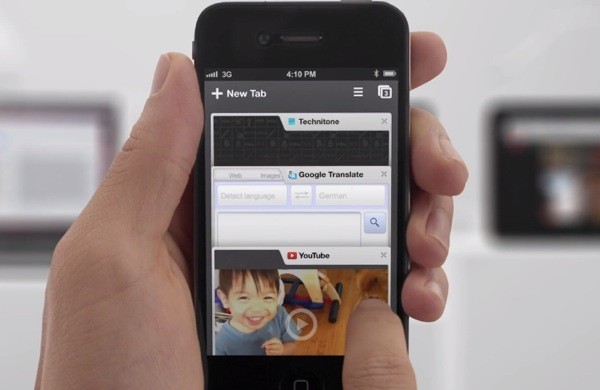
    While the whole world was skeptical, Google just went ahead and put Chrome mobile on iOS. Both iPad and iPhone users will get the app, either with incognito browsing, syncing and that unique tabbed browsing interface intact.

    With the restrictions on the Apple App Store the Chrome webkit will not be allowed on iOS, but either way the download is now live!

    [App Store]

  • Dolphin Browser arrives in BlackBerry App World

    Dolphin Browser arrives in BlackBerry App World

    Dolphin Browser is one of the most popular mobile browsers on iOS and on Android, and now its available with dev permissions on the Blackberry App World. Now you can finally replace the controversial Blackberry browser.

    Currently only supported on the Playbook, and an older version of 7.2 vs the 7.5 available on Android, You can hit the App world on your tab to download it today.

    [BlackBerry App World]

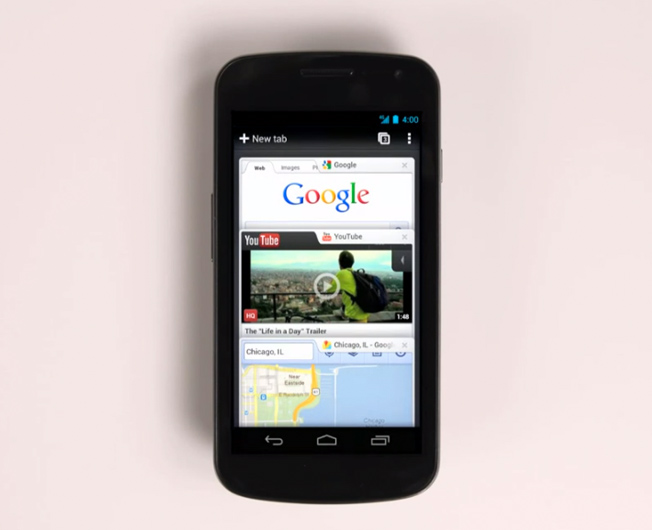
  • Google Launches Chrome browser for Android Devices (video)

    Google Launches Chrome browser for Android Devices (video)

    Nothing less than expected, Google on Tuesday announced the first beta release of its Chrome Web browser for Android-powered smartphones and tablets. With Chrome, Google is focused on aligning its mobile browsing experience more closely with its desktop browser.

    Like the desktop version, Chrome for Android Beta is focused on speed and simplicity, but it also features seamless sign-in and sync so you can take your personalized web browsing experience with you wherever you go, across devices.

    – Sundar Pichai, Google’s SVP of Chrome


  • Chrome 15 now the worlds most popular browser, IE 8 bites the dust (Report)

    Chrome 15 now the worlds most popular browser, IE 8 bites the dust (Report)


    According to a new report from  StatCounter,Chrome 15 recently reached a total global market share of 23.6% compared to Microsoft’s Internet Explorer 8 market share of 23.5%. IE is still the most popular browser if all versions of the Browser are added. Chrome 14 and 15 are said to be most popular of chrome version and possibly the reason of this overtake. Microsoft and their IE team is banking hard on the push they want to receive from IE9 and IE10, possibly to remain strong. If that does not hold true, chrome may not be far away from global victory. check out the full report below

    [box type=”note” style=”rounded” border=”full”]

    Chrome 15 Becomes World’s Most Popular Browser

    Boston, USA; Dublin, Ireland; Thursday, 15th December, 2011: Google’s Chrome 15 has become the most popular web browser version worldwide for the first time on a weekly basis, according to StatCounter, the free website analytics company. The firm’s research arm StatCounter Global Stats reports that in the last full week in November, Chrome 15 took 23.6% of the worldwide market compared to Microsoft’s Internet Explorer 8 at 23.5%. If one aggregates all versions then IE still leads the global market with Chrome in second position, having overtaken Firefox in November.

    “Google announced Chrome for business exactly a year ago and IT administrators appear to have embraced it in a remarkably short time,” commented Aodhan Cullen, CEO, StatCounter. “Looking at the daily stats, Chrome 14 and 15 have been overtaking IE8 at weekends since the beginning of October. However, Chrome 15 overtook IE8 for the first time during the five day working week, in week commencing 5th December. It looks as if people favour Chrome on weekends at home but office commercial use has now caught up.”

    In the US Internet Explorer 8 continues to be the most popular browser version with 27.0% for week commencing 5th December compared to 18.1% for Chrome 15. However, in the UK Chrome 15 overtook IE8 in the week commencing November 7th. Last week (commencing 5th December) Chrome 15 had 24.7% in the UK compared to IE8 on 21.1%.

    StatCounter Global Stats are based on aggregate data collected on a sample exceeding 15 billion page views per month (4 billion from the US) from the StatCounter network of more than three million websites.

    As well as free web research, StatCounter (http://statcounter.com/) provides free web analytics. This allows website owners, developers and bloggers to capture valuable intelligence on their site in real time including number of visitors, visitors by country/region, search terms, popular pages, download stats, exit links and other data.

    In September StatCounter announced its new website with added features.

    [/box]

  • Firefox gets updated to 9, faster Javascript and Lion compatibility added. links

    Firefox gets updated to 9, faster Javascript and Lion compatibility added. links

    Firefox browser has been updated to version 9. This version offers better compatibility on Mac computers running on Mac Lion 10.7, and a faster and juiced up Javascript handling. This is set to improve overall browsing speeds on the browser. Mozilla is claiming a overall 30% boost in performance post the JavaScript optimizations.  Firefox 9 also improves theme integration and swipe navigation for Mac OS X users. Want to take it for a test spin ? Download your version below

    [Mozilla Windows]

    [Mac

    [Linux]

iGyaan Network
Privacy Overview

This website uses cookies so that we can provide you with the best user experience possible. Cookie information is stored in your browser and performs functions such as recognising you when you return to our website and helping our team to understand which sections of the website you find most interesting and useful.