Tag: cydia

  • Spire Installer brings Siri to any Jailbroken iOS device legally, Requires a Proxy iPhone 4S

    Spire Installer brings Siri to any Jailbroken iOS device legally, Requires a Proxy iPhone 4S

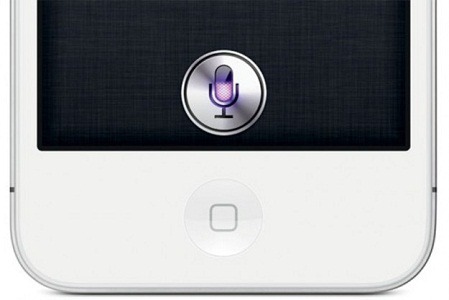
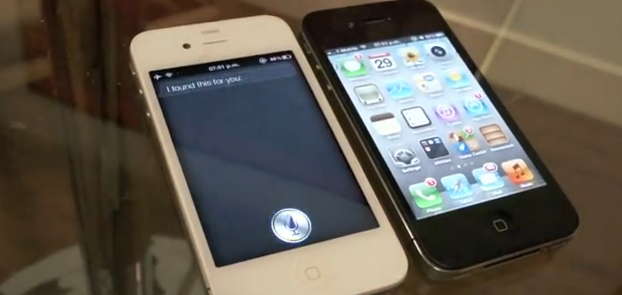
    While Apple has limited Siri usage to just the iPhone 4S, iOS hackers Grant Paul (aka chpwn), Steven Troughton-Smith and Ryan Petrich have initiated a download of Siri using Spire Installer on any Jailbroken iPads, iPhone 4, iPod touches and the iPhone 3GS considering that the device runs on iOS 5 (Interesting since an untethered jailbreak for iOS 5.0.1 just came out). The Installer legally downloads a 100MB Siri installation directly from Apple and this is all legal mind you.

    The Siri port to run however requires a proxy iPhone 4S with instructions available on the link below. The team reports that once iPhone 4S is jailbroken the need for a proxy device may be eliminated altogether.
    [chpwn blog]

  • Siri Fully ported and running on iPhone 4 and iPod Touch 4th gen yet with no future

    Siri Fully ported and running on iPhone 4 and iPod Touch 4th gen yet with no future

    Troughton-Smith has been able to successfully port Siri to the iPhone 4 along with a full connection to Apple Servers. The video below not only shows the Siri functionality on an iPhone 4, but is in depth and shows a side-to-side comparison against its newer, faster sibling, the iPhone 4S. The port proves that the software can easily be enabled on the older device and hence points a finger at Apple for not doing so.

    Smith did use a jailbroken iPhone 4s to port the necessary files to the older iPhone 4 which was also jailbroken. When asked if he would seed Siri as a package on Cydia he replied

    No, I could not be a part of that. I have no doubts that others will package this up and distribute it quasi-illegally, or try and sell it to people. I am only interested in the technology and making it work; proving that it works and works well on the iPhone 4 and other devices.

    So despite the fact it can be done, Smith will not be the one to enable it on your device. Apple has to man up to the truth and enable it for the users, until some Jailbreak dev who is not afraid of Apple Law-Suits does it anyway.


  • Lion Ultimatum Theme for Jailbroken iPhones brings Desktop looks to boring iOS

    Lion Ultimatum Theme for Jailbroken iPhones brings Desktop looks to boring iOS

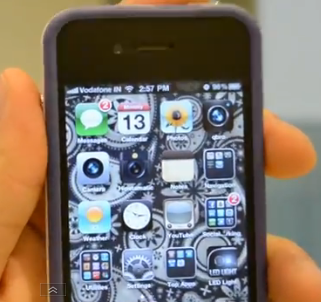
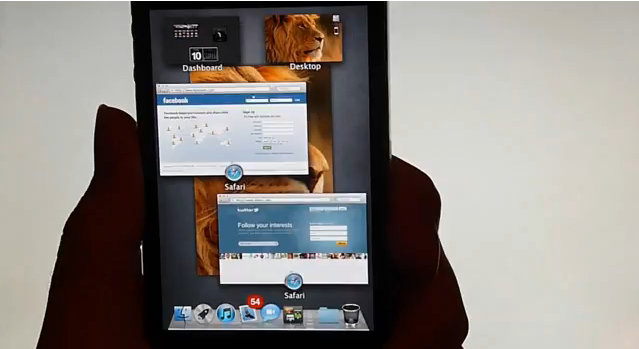
    Want to add flavor to your jailbroken iPhone? The new theme called LION Ultimatum from a theme creator SirTimothy1 brings IOS like looks on Dreamboard. The them also requires you to have your device already jailbroken. This theme comes with a functional file manager and Finder menus, a scrollable dock and draggable windows, along with Stacks, Launchpad, Mission Control and Dashboard. There’s also a customizable lock screen that provides access to the dialer, email and messages. The keyboard can also be modified to resemble the design of MacBook Pro or the traditional Apple Keyboard, thanks to integration with ColorKeyboard. 

    [ModMyi]

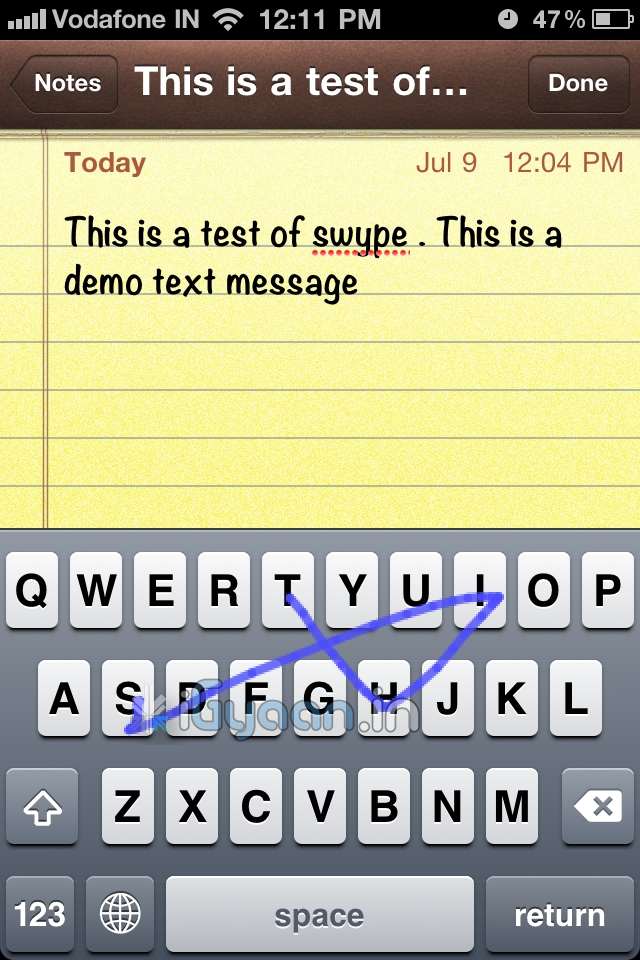
  • Swype Comes to iPhone, IPod and iPad Courtesy Jailbreak : How To

    Swype Comes to iPhone, IPod and iPad Courtesy Jailbreak : How To


    The most popular keyboard from the Android OS has finally been ported to iOS via Jailbreak. So , if you have already Jailbroken your device, follow the step by step below to add swype to your device


    Step 1:

    •  Open Cydia and move to Manage tab

    Step 2:

    •  Tap on Sources > Edit > Add

    Step 3: 

    • When you tap on add, a window will pop up asking for a URL, type following URL:
    • http://wynd.x10.mx
    • Then tap on Add.

    Step 4: 

    • Once repo is added and packages are downloaded.
    • Go to the “Changes” Screen and Tap on “Swype”
    • Tap Install

    Step 5

    • Once Installed Respring Your Device
    • Swype is enabled on your standard keyboard
    A quick Video Demo is coming up shortly


  • iPad 2 Jailbreak Around the Corner

    iPad 2 Jailbreak Around the Corner

    The iPad 2 Jailbreak has been long overdue. Many iPad 2 users have lost hope of there ever being a jailbreak. In response to a tweet from Whyike, jailbreak developer Comex said that ‘Its almost Ready’. There has been no information from Comex about which firmware the jailbreak will unlock.

    With the release of iOS 5 around the corner, there is speculation that the release of the 4.x jailbreak would be pointless. The only thing that would make this jailbreak worthwhile is if it is a hardware related, which iOS5 would not be able to patch. The more plausable reason for it not being released is that the new iOS has patched whatever exploit Comex has found for the jailbreak.

  • Make calls from you iPad 3G : PhoneIt-iPad

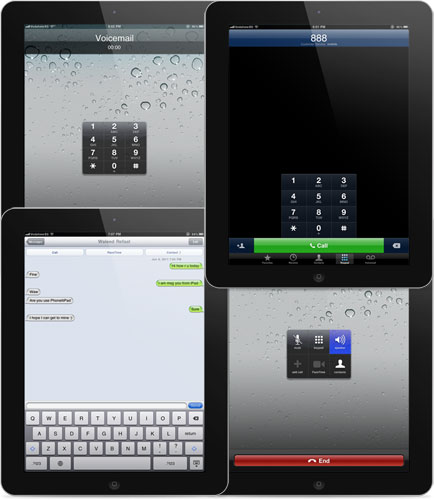
    Make calls from you iPad 3G : PhoneIt-iPad

    The team from iPhoneIslam that hacked Facetime into iPhone 3Gs is back with what people though was impossible making calls from the iPad. Since the day the iPad was launched people wanted to use it as a phone. This new app allows just that but with a pretty knacker. The app costs 20$ or about Rs. 900, well worth it for converting your iPad 3G into a large iPhone.

    [iPhoneIslam]

  • Jailbroken iOS 5  Gets Custom Widgets in Notification Panel

    Jailbroken iOS 5 Gets Custom Widgets in Notification Panel

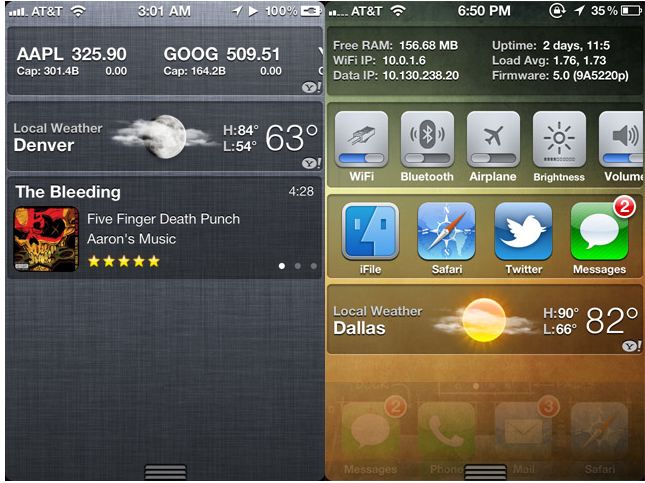
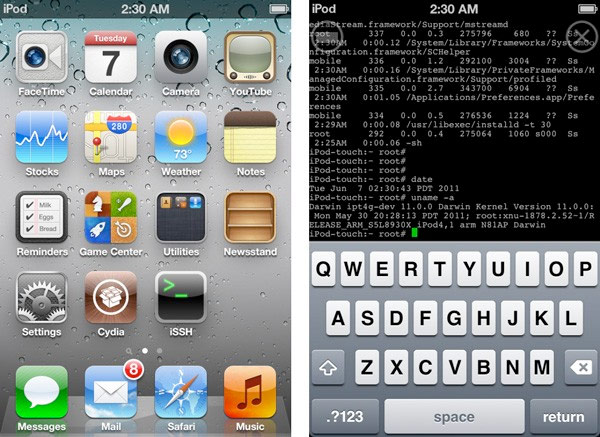
    Looks like the devs are on the move, the recently released jailbreak for the iOS5 has already been put to the test. This hack comes in the form of  new third-party applications that allow users to tweak the Notification Center with new widgets.

    UISettings : Allows users to add quick launch toggles – WiFi / Bluetooth / Data. etc

    MusicCenter(upcoming) : Allows users to view names and thumbnails of the Artwork of the currently playing track.


    [Via]

  • App a Day – 3D Board for iOS

    App a Day – 3D Board for iOS

    Have you ever wanted to turn your iPhone screen into a 3D screen? Well now you can. With the 3D board application, your home screen turns into a glasses free 3D screen. The wallpaper moves and shifts based on how you’re holding the phone. It is available from the BigBoss repository in Cydia for $2.99. All in all its a fun application to fool your friends into thinking you’ve replaced your iPhone’s Retina Display with a 3D Retina Display. Check out the video for more info.

  • iOS 5 Beta : Jailbroken courtesy Redsnow 0.9.8b1 for Mac

    iOS 5 Beta : Jailbroken courtesy Redsnow 0.9.8b1 for Mac


    Did you update your iDevice to the iOS 5 BETA. Then this is possibly the best news for you. Redsn0w 0.9.8b1 has been released for Mac users, but given that it’s a tethered solution, you will have to plug in your phone everytime you need to boot up jailbroken.

    This Jailbreak is meant only for developers who already have an activated iOS5 device. so make sure you know what you are  doing before you take the plunge.

    [Dev-Team Blog]

  • WP7 Metro UI on iPhone 4 – We go Hands on!

    WP7 Metro UI on iPhone 4 – We go Hands on!

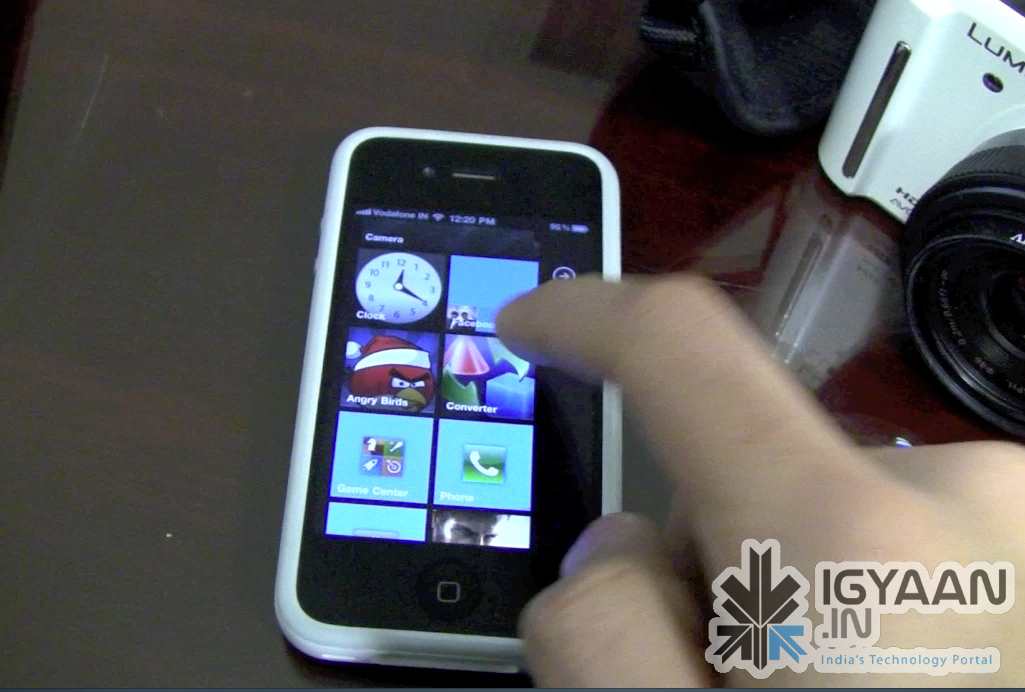
    You have a Jailbroken iPhone/iPod/iPad? Do you love the new Metro UI from Microsoft Windows Phone 7?  Then this bit of information might just make you very very excited! Don’t get naughty!

    The video below previews a beta version of a Theme designed by Wynd, The theme is called OS7 and is fairly easy to Install. Check out the video Below and head on over to the source link to try it for yourself.


    Source modmyi

iGyaan Network
Privacy Overview

This website uses cookies so that we can provide you with the best user experience possible. Cookie information is stored in your browser and performs functions such as recognising you when you return to our website and helping our team to understand which sections of the website you find most interesting and useful.