Tag: email

  • Google Updates Gmail For Web With New UI And Features

    Google Updates Gmail For Web With New UI And Features

    Gmail is the most popular email service in the world. It has over 1.2 billion active users and so far, there aren’t many rivals to it. Despite the popularity, Google has ignored Gmail for web for way too long. The UI has been the same for many years which, honestly, is the one thing that most users care about. However, that has finally changed as Google has announced a few changes for Gmail in a new blog.

    In its blog, Google has talked about the new UI design which is rolling out to all Gmail users along with a few but, important changes with regards to security. The new Gmail for web now looks more similar to the Gmail app in terms of design. Google has also added a new shortcut bar on the right-hand side of the inbox. In that bar, users can access the Calender app to set reminders about follow-up emails. There is also a marketplace where users can download shortcuts for apps like Trello etc. Gmail will also “nudge” users to follow up and respond to messages with quick reminders that appear next to their email messages to help make sure nothing slips through the cracks.
    The inbox has three modes, in Default, the attachments in an email are present right in the inbox, meaning users can cess attachments without clicking on the email. However, that can feel a bit congested hence, the other two modes, Comfortable and Compact move to a traditional way of showing attachments. One interesting feature trickling down to Gmail for web from the Gmail app is Smart Reply. It essentially allows users to send quick replies that Gmail suggests like “Got It,” “I’ll be there” and many more. These suggestions of quick replied obviously depends on the email users are replying to.

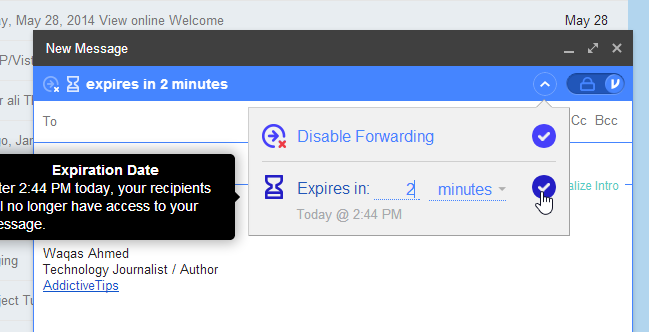
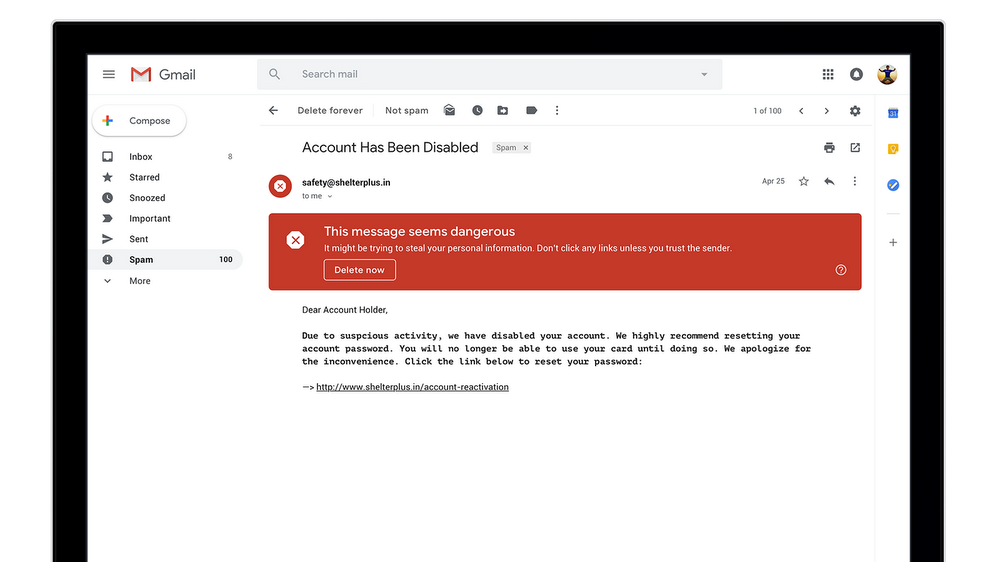
    In terms of security, Google has updated the warning message for risky emails. Now, it is a huge red box which is much harder to ignore and should help users identify risky emails and deal with them accordingly. A new Confidential Mode is Google’s email version of Snapchat. It allows users to remove the option to forward, copy, download or print messages—useful for when they have to send sensitive information via email like a tax return. Users can also make a message expire after a set period of time to help them stay in control of their information.
     Google has not rolled out this feature to everyone and is not readily available as a default option. To check if you have received this update, click on the settings icon in the top-right corner. If the new Gmail is available to you, the top option should be “Try The New Gmail.”
  • Gmail’s New Features Help Save Time and Protect Privacy

    Gmail’s New Features Help Save Time and Protect Privacy

    Gmail has recently announced two new features that will be available on the emailing website. The first one is a minor change brought about within the search engine tab. Previously, when you wanted to look for a mail, you would have to navigate through all three different files – Inbox, Spam and Trash, separately. However, the new change will allow Gmail to look for your email directly from the main search tab on the inbox screen page. This search will automatically look for files throughout your Gmail profile, including the Trash and Spam. This feature will not be available on the phone apps but only on the web.

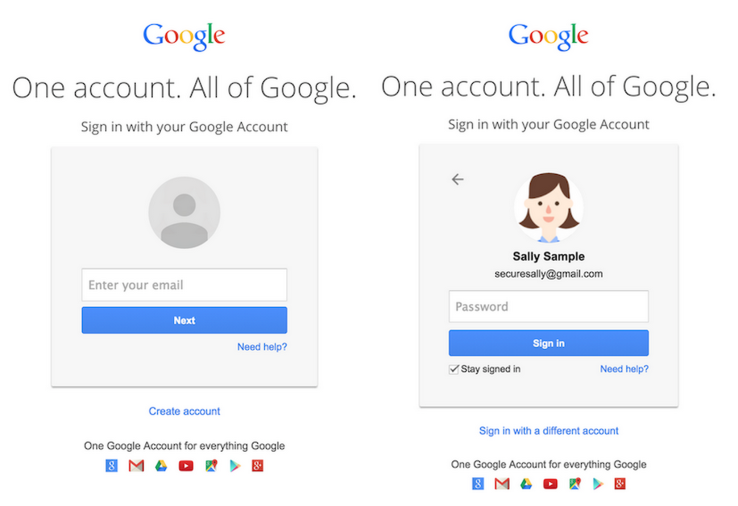
    gmail login

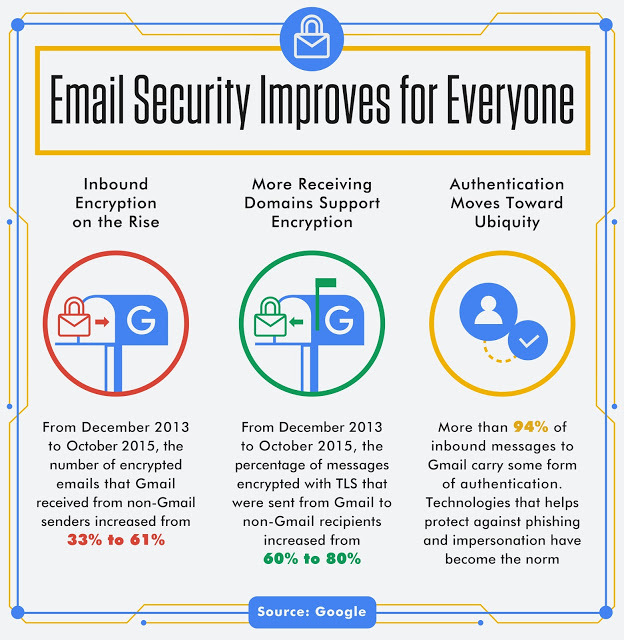
    Secondly, Gmail is increasing its security by warning you about emails that arrive over un-encrypted connections. Un-encrypted emails increase the risk of your personal information getting leaked and also makes you prone to getting attacked by viruses and other harmful activities. While Gmail to Gmail messages are mostly encrypted, there are still many email servers who do not use encryption. Therefore in the weeks to come, you might receive something like this:

    Gmail Encrytion message Hopefully, all of this protects us from everything that we stand to lose – time and privacy. Who says only celebrities get all the attention?

  • Google’s New Smartphone App Will Answer Emails For You

    Google’s New Smartphone App Will Answer Emails For You

    Allowing you to take laziness to the next level, Google’s new email app will come up with responses for emails and thereby saving your brain cells the extra effort. The Smart Reply feature of the Inbox by Gmail app was unveiled on Tuesday and offers three responses that can be customised by the user.

    Smart Reply, Google’s smartphone app, uses deep learning, a modified version of Artificial intelligence to make the appropriate replies. Over time, the app would study the pattern of responses to emails, and suggest responses based on the most and least often used ones.

    The president of the Google for Work program, Amit Singh commented on this, “The possibilities of machine learning are endless.”

    Users tend to keep replies short on mobile phones and it was precisely this style of emailing on phones which led to the development of Google’s newest app. Google has also made sure to include or exclude responses which are more commonly used or steered cleared of. This ensures no private replies get mixed with business emails and vice versa. Smart Reply is expected to be available by the end of this week as part of the Inbox app that is compatible with both Android and iOS devices.

    [tw-button size=”medium” background=”#07ABE2″ color=”” target=”_blank” link=”http://gmailblog.blogspot.in/2015/11/computer-respond-to-this-email.html”]Official Gmail Blog[/tw-button]

  • Excited About Gmail’s ‘Undo Send’ Feature? Then You Should Check Out Sidekick

    Excited About Gmail’s ‘Undo Send’ Feature? Then You Should Check Out Sidekick

    Gmail has just rolled out, perhaps, the most useful update. Yes, we’re talking about the ‘Undo Send’ feature. Google had been working on this feature for the past six years, and the work is now an official setting in the Gmail interface. As the name suggests, Undo Send pauses posting your email for a few seconds after you click Send, so you can take it back if you, for example, spell someone’s name wrong. When it started in 2009, Undo Send would pause sending your emails for five seconds, but now, it lets users choose if they want to retain their mail for 5, 10, 20 or 30 seconds.

    Gmail Undo Send

    But, when you send an urgent email to someone, how do you know whether they have opened the mail or not? For example, when you are applying for a job, sending an email to a valued company, knowing when it is opened is necessary information. If you want to really control your email, Sidekick is what you should check out.
    Sidekick is developed by HubSpot, a software company formed by Brian Halligan and Dharmesh Shah from Massachusetts Institute of Technology in 2006. This app is installed as a Chrome extension and can be accessed using your Gmail account. But don’t worry; Sidekick can also be accessed by Outlook desktop, Apple Mail and Outlook.com.

    But, you should also know that Sidekick could be used against you. The next time you say, “I didn’t see that email,” when you actually have opened it, the sender may have proof that your statement just isn’t true.

    Here’s everything this nifty addition can do:

    To get started with Sidekick, you need to create a free account here. You can also login using your Google account, which is a convenient sign-up process. After that, you can install Sidekick Chrome extension from here.

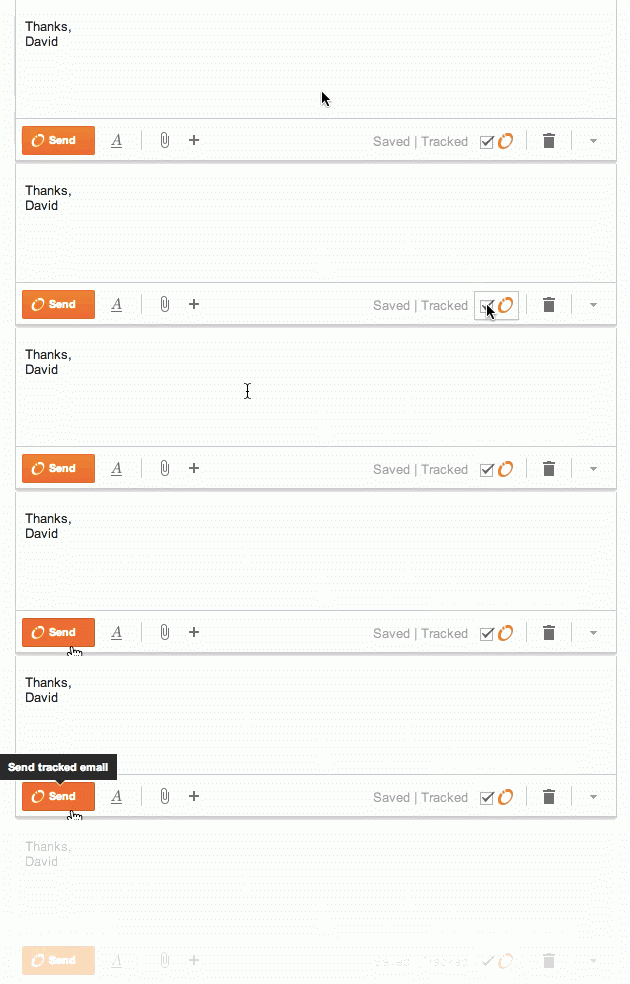
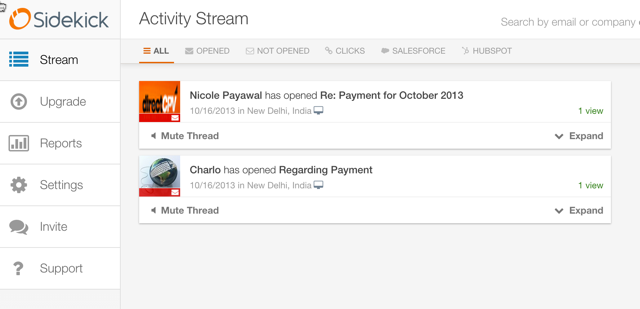
    Once everything is configured, Sidekick will take up the responsibility to track down which of your emails have been opened and which remain unopened. To make things more amazing, Sidekick also keeps track whether links inside the mail have been clicked on or not. You also have the option to ‘untrack’ any email too.

    sidekick

    Sidekick can also show you the information of people to whom you are sending a mail. When you receive an email, the Sidekick sidebar will show you your email history, links to their social media accounts and information about their company if the email was sent from a business account.

    Sidekick-dashboard

    But, the newest feature of this app is the Scheduling option. This is a gift especially for people who live in different time zones. After you have composed a mail, you will see an option to schedule the mail to whatever time fits you. Awesome, right?

    Schedule-Gmail-email

    Sidekick also has free iOS and Android apps, which let you track everything from your smartphone. Although the scheduling feature is yet to come out with the mobile version.

    Sidekick is free for unlimited tracking the first month you register. After that, you get 200 free tracks per month. If you find that you want unrestricted tracks, you can pay a monthly fee of $10.

    It is great that slowly, many mail apps are coming up that give users the power to monitor and control emails as per their convenience.

    Watch the video below to get a better idea about how Sidekick is helpful.

  • Google Makes the Gmail App an Integrated Inbox for All Your Email Accounts

    Google understands the need of users to maintain several accounts at a time, and has found out a hassle-free solution to help  bring them all in one place. Google has announced a Gmail update for Android users that makes Inbox a unified place to access emails from your multiple accounts. Which simply means, whether you have a Yahoo account or an Outlook ID, you can add them all to send and receive messages through the consolidated Gmail app.

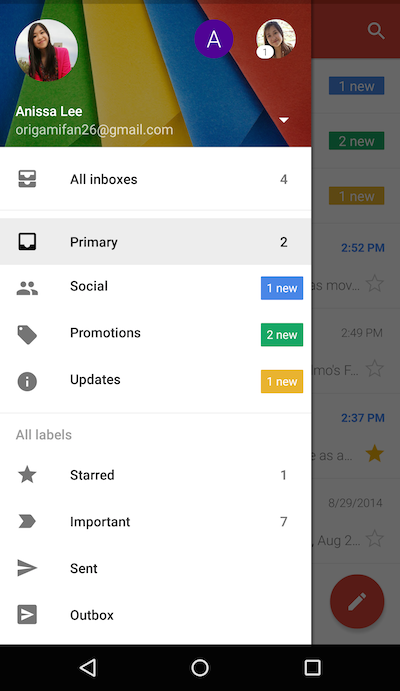
    The Gmail update holds a new option called ‘All Inboxes’. This option comprises of a list of all your added accounts and one can continue the conversation from different handles through ‘All Inboxes’. This upgrade relieves users from the inconvenience of hopping from one tab to another.

    gmail

    Along with providing a combined Inbox, the internet giant has added a slew of other features too. Like Gmail, Google has added a threaded conversation support to other accounts as well, which keeps the emails in an organized manner. The messages remain stacked at a place as one conversation. Also, the upgrade opts for a smarter search tool. Users can find better results with the improved auto-complete feature which makes their search quicker.

    gmail update

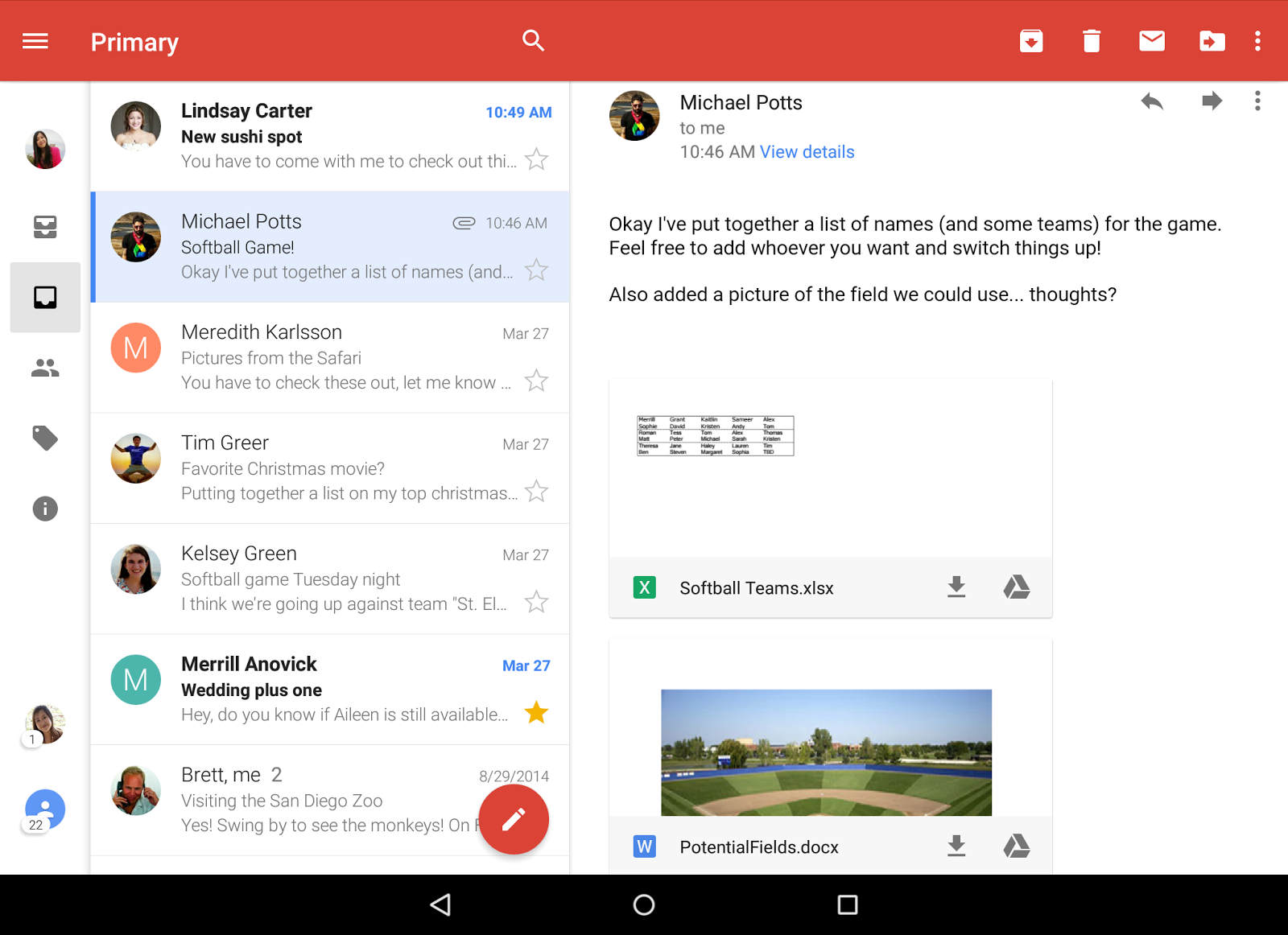
    Followed by them are a few other inclusions like more responsive animations and larger attachment previews. A button of ‘Save to Drive’ can be spotted in the update where users can save the files with a single tap.

    The official blogpost of Gmail states that the upgrade was made available from yesterday onwards, and Android users can update Gmail to find the changes. Meanwhile, the company hasn’t notified about its roll out for iOS users as of now, but it is expected to arrive soon.

  • Gmail’s Redesigned App to Support Yahoo and Outlook Accounts

    After the release of the long awaited Android L and its associated Material Design, it seems Google wants to take its feature a step further. Android Police has accessed Gmail 5.0 app for Android and discovered support for Yahoo and Outlook accounts. This will be a big blow to the independent apps of these mail clients; people might find it more convenient to access all their accounts from one place.

    The new Android OS was appreciated for its ease of use and simplified view with updated iconography and tweaked buttons. A companion video shows how the new update keeps the interface similar to what we have gotten used to, but adds more functionalities to the app.


    This will be a great new feature for folks who use multiple accounts for different purposes. It will work out for business and personal users and by using a single app to access all the mails will save a lot of precious time. Ok Google, we are waiting for our updates!

  • Using Virtru To Secure Confidential Emails

    Using Virtru To Secure Confidential Emails

    You may have come across a situation when you need to send some personal information to someone, but wondered if email is a secure enough channel? In that case, Virtru can help you out.

    Identity theft is huge problem on the internet. You don’t know when and from where your confidential information can be hacked. Be it your credit card payment, bank details or just an address, hackers find way to get it. An email message may only be virtual but if it falls in immoral hands, the cost and damages can be very fatal. The service offers encryption, message tracking, and the option to delete sent messages after the work is done.

    Secure-Email-Digital-Privacy-for-Consumers-Enterprise-_-Virtru

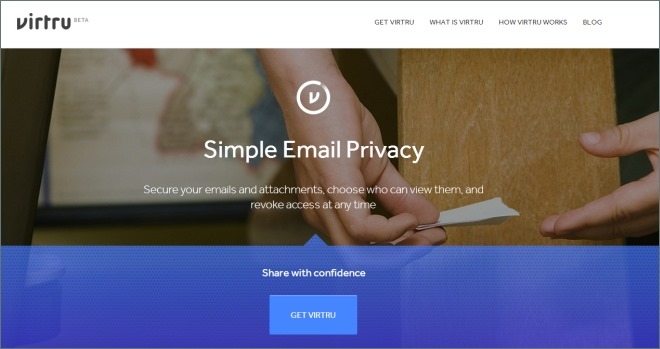
    With Virtru, you can decide when to keep your digital content private and secure even after it’s shared online. You can manage and revoke access to emails, photos, files and other content at any time, right from within your favorite programs like Gmail, Outlook, and Mac Mail on your desktop or smartphone.

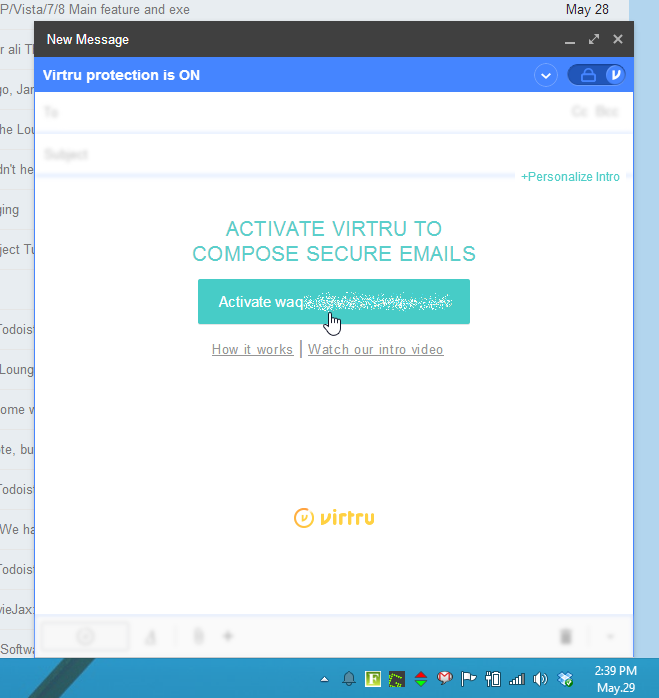
    Virtru-Activate

    There are ample of ways to encrypt your email much like a full PGP encryption, but all of them can be difficult and complicated to set up and use. Virtru took this seriously and created an add-on that makes encryption automatic—every message you send and choose to be secure is encrypted before it leaves your computer.

    Setting it up is easy as well, and doesn’t require as many of the hoops as other tools do. The service provides you a dashboard which can be used to see if your messages have been forwarded to others or read by the recipient. You get access to files or recall messages at any time.

    Virtru provides you a multi-platform service. At present it supports Firefox and Chrome, while Internet Explorer and Safari versions are not available yet. Apps are available for Android and iOS, which give you most of the same options as their web browser equivalent.

    Virtru_Options

    When you send email through Virtru, it by design encrypts your email message and transfers it through its own server instead of that of your email provider. The original email message is replaced with a link to the Virtru website where the message can be then read.

    It is a great way for securing your emails while not bothering about PGP encryption, which mostly goes over your head. It’s compatibility and multi-platform service makes it one of the best software for encrypted Emails.

  • Google Tests Showing Gmail Messages in Search Results

    Google Tests Showing Gmail Messages in Search Results

    Google is creating an information bridge between its influential Internet search engine and its widely used Gmail service in its latest attempt to deliver more personal responses more quickly.

    The experimental feature unveiled Wednesday will enable Google’s search engine to mine the correspondence stored within a user’s Gmail account for any data tied to a search request. For example, a query containing the word “Amazon” would pull emails with shipping information sent by the online retailer.

    Such Gmail results will typically be shown to the right of the main results, though in some instances, the top of the search page will highlight an answer extracted directly from an email. For example, the request “my flight” will show specific airline information imported from Gmail. Something similar could eventually happen when searching for a restaurant reservation or tickets to a concert.

    Although Google has a commanding lead in Internet search, it remains worried about the threat posed by social networking services such as Facebook Inc. As social networks have made it easier to share information online, the Web is starting to revolve more around people than the keywords and links that Google’s search engine.

    Google has been trying to adapt by building more personal services and plugging them into its search engine.

    Blending email information into general search results could raise privacy worries. Google is trying to mitigate that by showing Gmail results in a collapsed format that users must open to see the details. For now, users must sign up to participate.

    Google Inc. ran into trouble over privacy in 2010 when it tapped the personal contact information within Gmail accounts to build a social networking service called Buzz. Google set up Buzz in a way that caused many users to inadvertently expose personal data from Gmail. An uproar culminated in a Federal Trade Commission settlement requiring the company to improve its privacy controls and undergo audits for 20 years.

    Google is treading carefully as it hooks Gmail up to its Internet search engine. The new feature initially will be available to 1 million Gmail users who sign up at HTTP://G.CO/SEARCHTRIAL . That’s a small fraction of the more than 425 million Gmail accounts that have been set up since Google launched its free email service eight years ago to compete against the offerings from Yahoo Inc. and Microsoft Corp.

    After getting feedback from the test participants, Google hopes to give all Gmail users the option of plugging their accounts into the main search engine, according to Amit Singhal, a senior vice president for the company.

    Singhal said Google is also willing to display information from other email service in its main search results. The gesture could avoid spurring additional complaints about Google abusing its position as the Internet’s search leader to favor its other services. That issue is the focal point of an antitrust investigation by antitrust regulators in the U.S. and Europe.

    Microsoft said it has no plans to make information in its competing Web mail service available to Google’s search engine. Yahoo, which operates another Gmail rival, had no comment.


  • Hotmail.com relaunched as Outlook.com

    Hotmail.com relaunched as Outlook.com

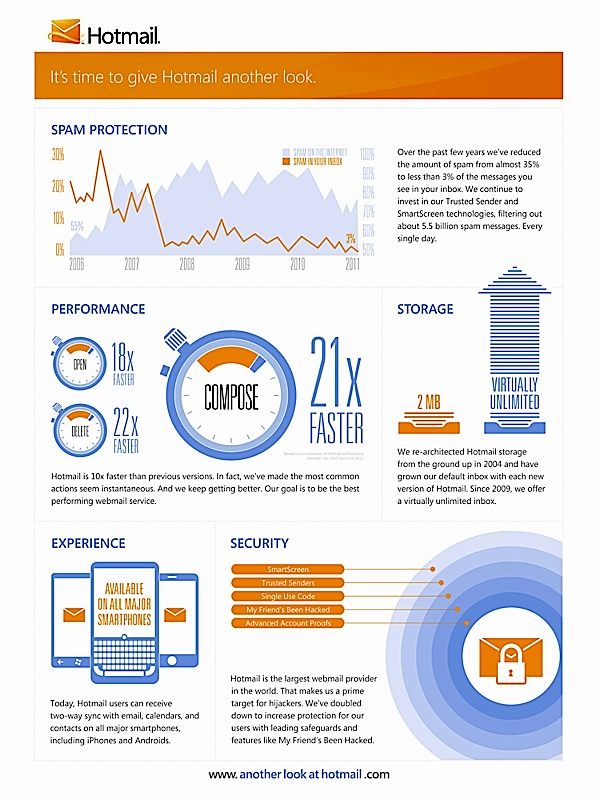
    Microsoft has ditched Hotmail after 16 years, relaunching the service in favour of the revamped Outlook.com.

    Microsoft said its new service, available to preview at Outlook.com, would reimagine the way people use email and be the first major improvement in eight years.

    Although it still claims 350 million users worldwide, Hotmail has been usurped as the leading email provider since Google launched Gmail in 2007. Google claims to have signed up 425 million users in the past five years.

    According to the web metrics firm ComScore, Hotmail still boasts more traffic than any of its rivals. In June 2012, Hotmail had 324 million monthly visitors, compared to 290 million at Yahoo mail and 278 million at Google’s Gmail.

    However, Hotmail users will be invited to transfer their accounts to the Outlook.com portal. The relaunch is part of a wider overhaul of Microsoft’s widely-used software products, including its Windows operating system and Office services.

    Microsoft said Outlook.com would offer a less-obtrusive email experience, with fewer display ads and new connections to social networks including Facebook and Twitter.

    Users will be able to see status updates from friends and followers on Facebook and Twitter with a new feature on the revamped email site.


    [quote]

    “We think the time is right to reimagine email. So today, we’re introducing a preview of Outlook.com,” said Chris Jones, Microsoft’s corporate vice president of Windows Live.

    “We realised that we needed to take a bold step, break from the past and build you a brand new service from the ground up.”

    [/quote]


    The demise of Hotmail brings to an end one of the earliest great brands of the consumer internet. Microsoft bought Hotmail from the entrepreneurs Sabeer Bhatia and Jack Smith for a reported a $400m in 1997 – a full decade before Google arrived on the email scene.

    Hotmail quickly became known as the younger person’s email service as it was allied with Micrsoft’s instant-messaging platform, MSN Messenger.

    After its initial success Hotmail faced intense rivalry in the US and Europe, first from email services from the likes of Yahoo and AOL, and more recently Google, with bigger storage capacity and tidier interfaces.

  • Now Google Plus Hangout directly from GMail

    Now Google Plus Hangout directly from GMail

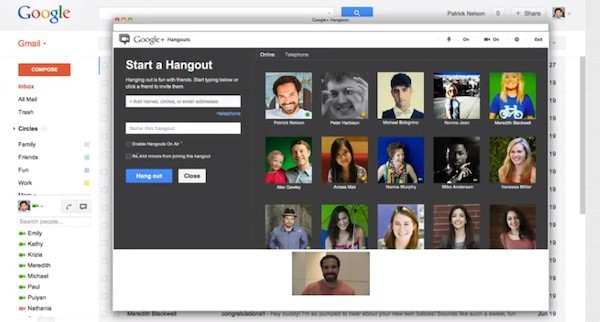
    Google has really begun to promote their new Hangouts. You can now start a Hangout with up to nine friends or colleagues straight from Gmail with a click of a button. It provides access to people with an Android or iOS device and those on Google+ in a web browser.


    [toggle_box title=”Google Hangouts” width=”Width of toggle box”]


    Since the introduction of Gmail video chat back in 2008, many of you have told us that you love the direct, personal communication it provides. That’s why we’re excited to announce that video chat is being upgraded to a more modern video calling technology — Google+ Hangouts. 

    Unlike the old video chat, which was based on peer-to-peer technology, Hangouts utilize the power of Google’s network to deliver higher reliability and enhanced quality. You’ll be able to chat with all the same people you did before and, in fact, with Hangouts you’ll now be able to reach them not only when they are using Gmail but also if they are on Google+ in the browser or on their Android or iOS devices.

    All Gmail users will benefit from this upgrade, but if you and the person you’re chatting with also use Google+, you’ll get even more from the Hangouts experience. You’ll be able to video chat with up to nine people at once, watch YouTube videos together, collaborate on Google documents and share your screen. Plus, Hangouts has a bunch of fun effects that you can try out…because any conversation is better when you’re wearing a virtual mustache or pirate hat.

    [/toggle_box]

    [Official Gmail Blog]


  • Leaked Hotmail Metro Style teases the future

    Leaked Hotmail Metro Style teases the future

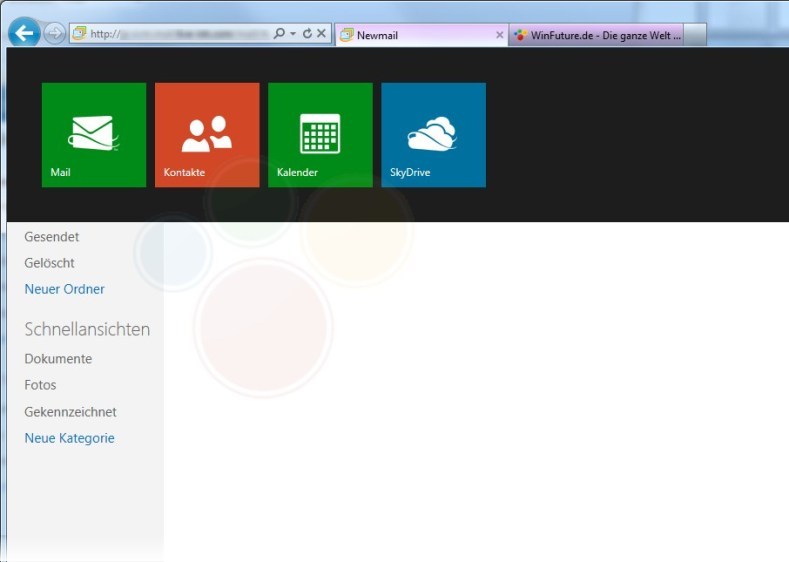
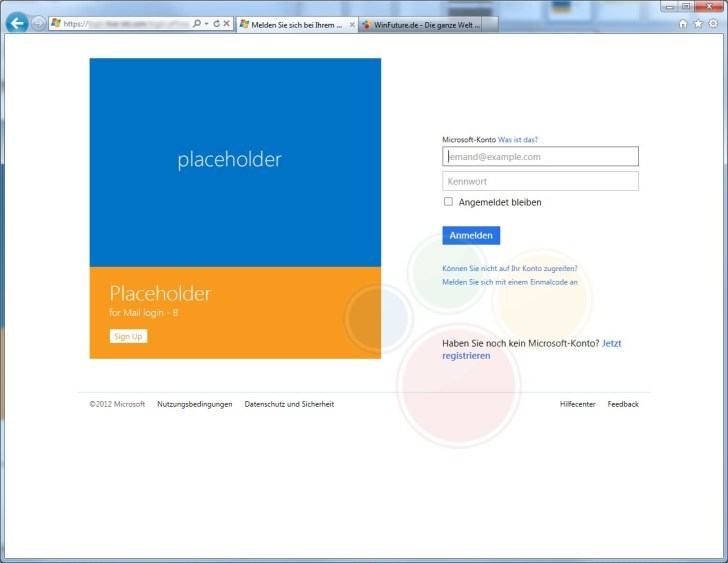
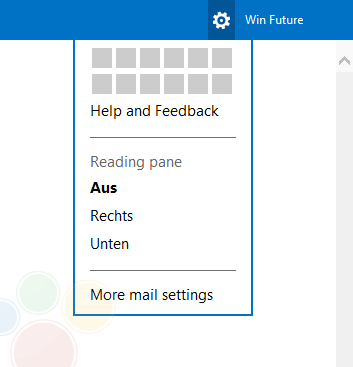
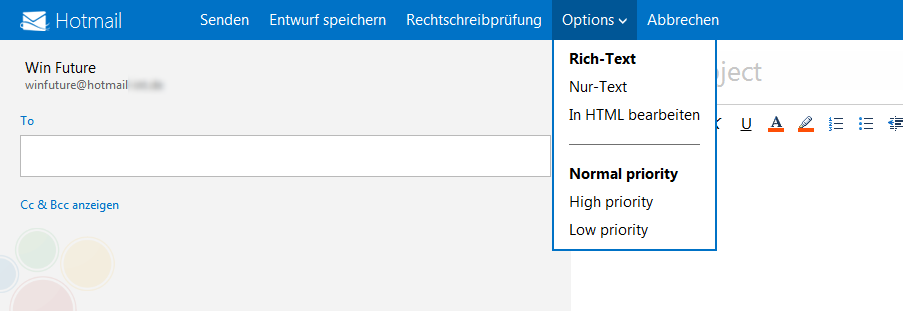
    Leaked images of a future build of Hotmail suggest that Microsoft is bringing it into Metro style. It seems like Microsoft has been able to keep the development of this project under wraps, until it is almost ready to be released.

    In the images you will see certain metro elements, but, also the fact that it all looks very incomplete. Certain icons aside everything else looks very bland and generic hotmail. 

    Details on tool out of the upgrade are still sketchy, most rumors point to alongside the final release of retail Windows 8.

    [WinFuture]

  • RIP: Google Ends support for Gmail app on Blackberry

    RIP: Google Ends support for Gmail app on Blackberry

    Oh No! Google is ending support for the Gmail app on the Blackberry platform, woe is the Blackberry user. Plagued by downfalls and poor support Blackberry seems to be heading for a downfall. Google has announced that it will end support of the Gmail app for BlackBerry phones on November 22nd.

    Fortunately those who already have the app installed will be able to continue using it indefinitely, but it will no longer be supported by Google.

    Deprecation of Gmail App for BlackBerry

    Released on 11/08/2011

    Beginning November 22, 2011, we will end support for the Gmail App for Blackberry (installed native app). Over this past year, we’ve focused efforts on building a great Gmail experience in the mobile browser and will continue investing in this area.

    Users may continue to use the app, if installed, however it will not be supported by Google, or available for download starting November 22. BlackBerry users can continue to access Gmail through the mobile web app at http://www.gmail.com in their BlackBerry web browser.Learn more.

    Editions included: 
    Google Apps, Google Apps for Business, Government and Education

     [Google]

  • Google starts up new Gmail for users.

    Google starts up new Gmail for users.

    Google’s new Gmail got us previewed earlier this year, and now its finally ready to roll out. In the coming few days you should see a “switch to the new look” link in the bottom right corner of Gmail which, if clicked, will open up a range of new features and design changes.  Easiest way to learn more is to watch the generously provided Video below.

    [Official Google Blog]

  • Microsoft releases a Hotmail Android App

    Microsoft releases a Hotmail Android App

    Microsoft has announed and launched a hotmail Android App with dual way syncing for email contacts and calendar. Adding some interesting features in the app.

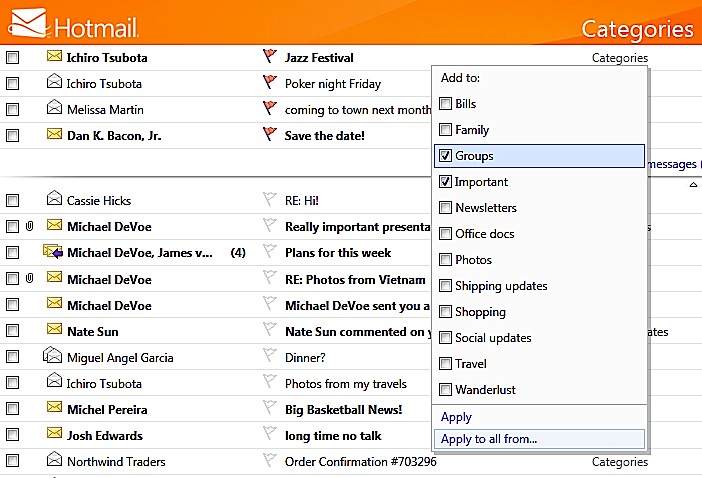
    • Automatically categorize incoming mail as newsletters.
    • Unsubscribe to whole newsletters
    • Flagged messages will on top of the inbox
    • Manage and edit folders 
    • Apply categories to individual emails
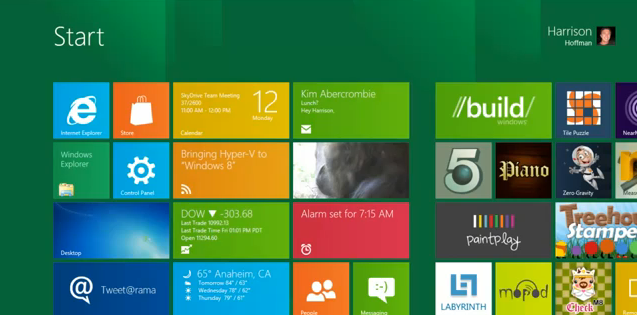
  • Microsoft Metro Apps Shown in a Video

    Microsoft Metro Apps Shown in a Video

    Windows is using videos to get users accustomed to the new OS. With over 3 million Downloads. the new Windows 8 is gathering a lot of attention. Check out the full video of it in action below

iGyaan Network
Privacy Overview

This website uses cookies so that we can provide you with the best user experience possible. Cookie information is stored in your browser and performs functions such as recognising you when you return to our website and helping our team to understand which sections of the website you find most interesting and useful.