Tag: Google Now

  • Cortana Comes to iOS and Android, With Especial Features for Cyanogen

    Cortana Comes to iOS and Android, With Especial Features for Cyanogen

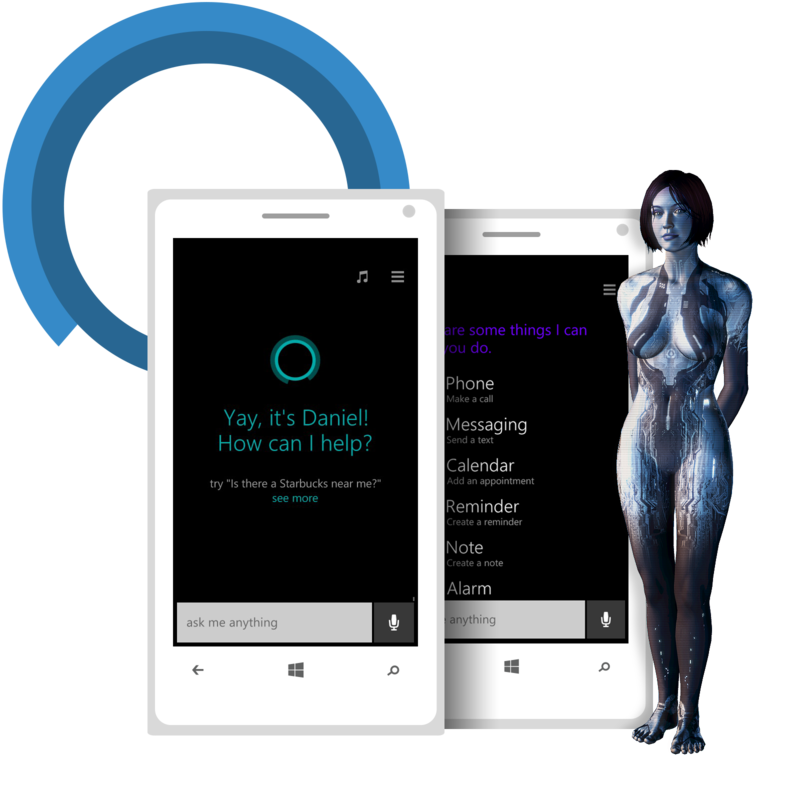
    Microsoft revealed in an official announcement that Cortana is now available on select iOS, Android and Cyanogen OS powered devices. It is available in the US and China for iPhones running iOS 8 and above and Android 4.1.2 and above. For OnePlus One powered by Cyanogen OS in the US, it will be made available later this month with the 12.1.1 over-the-air update.

    “…as a result of our close partnership with Cyanogen, we created a more integrated experience to enable Cortana’s voice activation ‘Hey Cortana’ on Cyanogen devices so you can call on her while on any screen or when you’re immersed in an app,” says Microsoft.
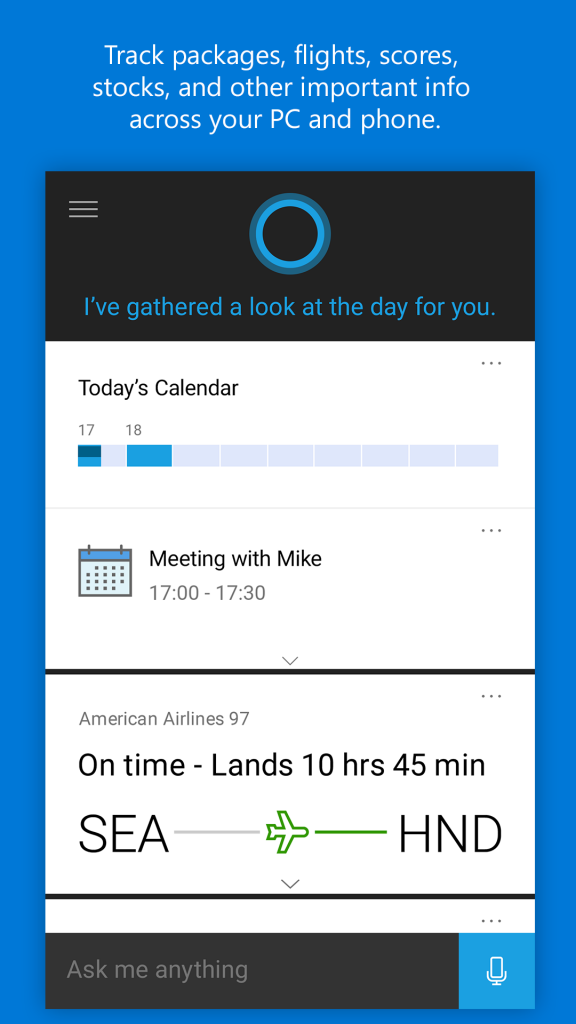
    CortanaThe Android and the iOS version of Cortana look pretty much the same as the Windows version that came out earlier this year in July. However, there will be some differences in the capabilities of the assistant across various operating systems owing to API availability of the respective platforms.
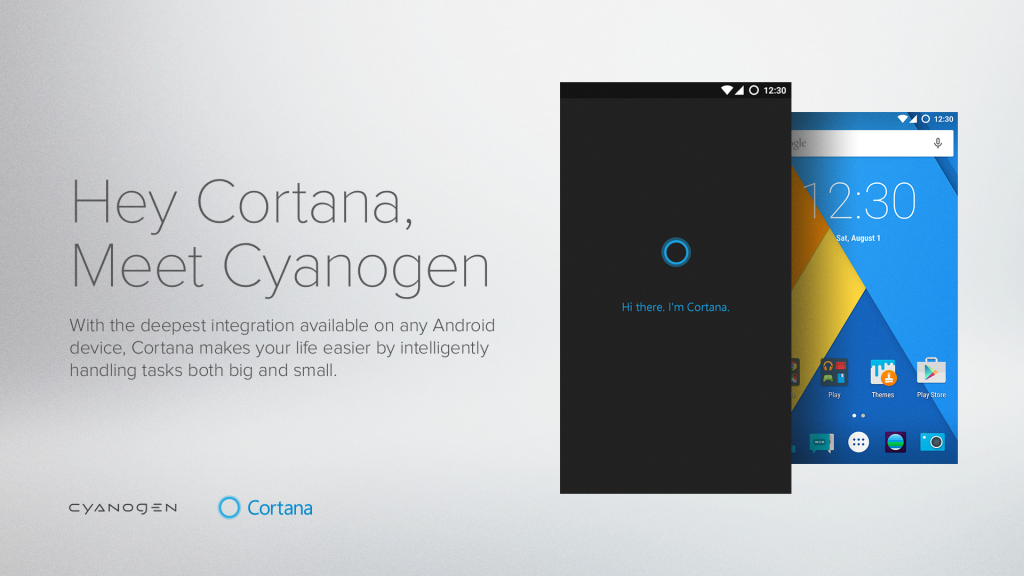
    Cortana and Cyanogen

    It would be interesting to see if Cortana on an iOS device makes its mark. Features like “Hey Cortana” hands-free capability and SMS replies from the PC for missed calls would be missing on iPhones, putting the voice-enabled personal assistant at a disadvantage over Siri. In a recent survey where Cortana, Siri and Google Now were put to test, Siri had emerged as the winner in accuracy. Let’s see if Cortana’s presence on Android and iOS devices can change that. It’s available in the App Store and the Google Play Store in the US as of now.

  • Google Now Lets You Hear and Reply to Messages With Voice Command

    Google Now Lets You Hear and Reply to Messages With Voice Command

    Google Now has come out with yet another feature that will allow you to ask to hear your last messages and then proceed to give them to you.

    The voice command “show me my last messages” will lead Google Now to list your newest five SMS messages. It would first ask if you wish to hear them, followed by if you wish to reply to them. However, the user has to word the command either as “show me my last messages” or “show me my latest messages” for Google Now to decipher it correctly. A variation of these two manners might lead Google Now to simply open your Gmail messages and leave it at that.

    Additionally, this feature only works with carrier SMS messages. It is pretty much useless for Google Voice for SMS as of now. But if you use carrier SMS, it doesn’t care much for the default SMS app and should work with anything.


  • Siri Beats Google Now and Cortana in Accuracy Tests

    Siri Beats Google Now and Cortana in Accuracy Tests

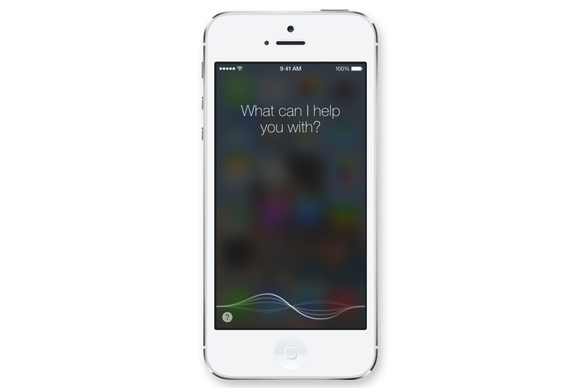
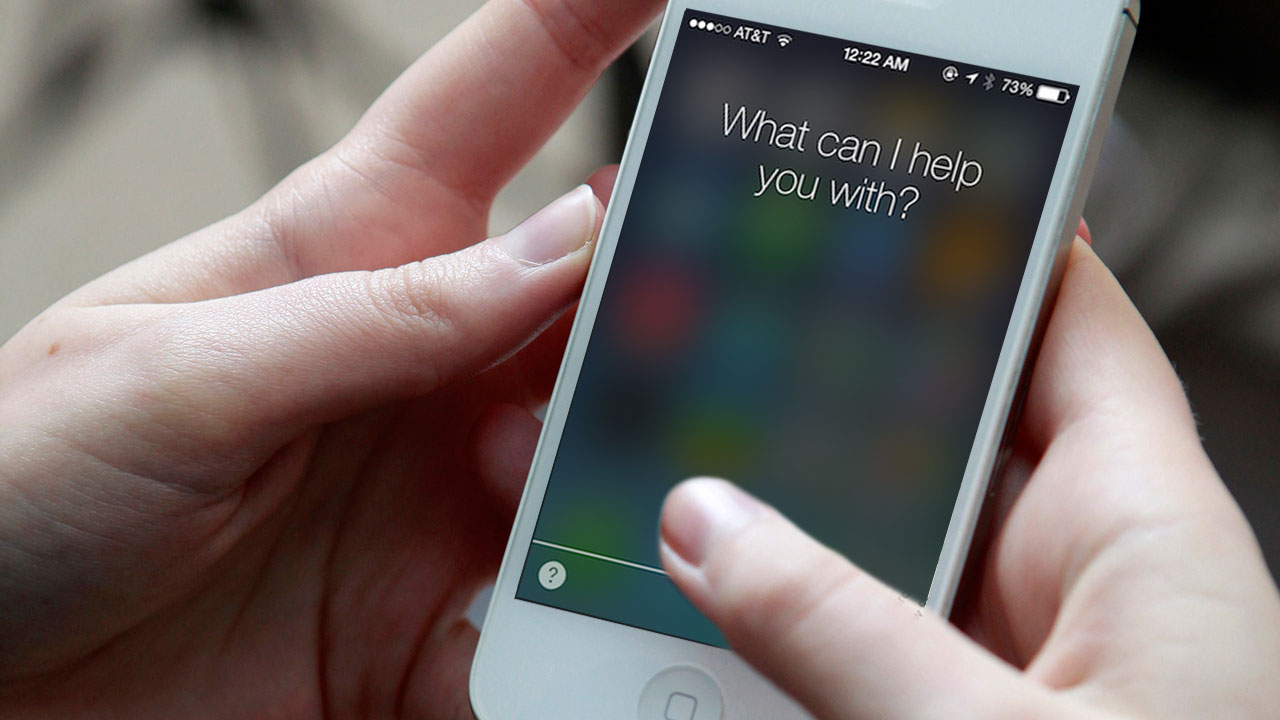
    Ever wondered who will take the cake in a face-off between Siri, Cortana and Google Now? You are not the only one if you have because a company called Experts-Exchange in the US thinks just like you. The three virtual voice activated personal assistants were put to a test where they were asked four questions each and given three tasks to complete. The participants had to keep a record of the follow-up question each assistant required and closely watch for accuracy.ios 7

    The following questions were made part of the test:

    • Who won the Super Bowl in 1978?
    • How many calories in a muffin?
    • Where can I buy tires?
    • When is “Kung Fu Panda 3” coming out?

    The three tasks that the virtual assistants were supposed to perform included:

    •  Ask your phone to set an appointment
    • Turn the Wi-Fi setting on
    • Send a text message.

    In terms of the stats, when the first question was asked about the Super Bowl in 1978, Siri answered correctly 95.3% of the times, satisfying 86.1% of the participants. Google Now answered it correctly 88% of the times, and 80% of the times it responded with a web search. As far as Cortana goes, the wrong answer was given a mere 3.3% of the times. CortanaHero

    When asked to set an appointment, Siri once again took the lead by being correct 92.3% of the times, satisfying 89.2% of the users. This was followed by Google Now being correct at 81.3% and satisfying 80% of the users. Cortana came in last with 73.3% and 70% respectively.

    The total number of satisfied users for the three virtual assistants were 81% for Siri, followed by Google Now at 68% and Cortana at 57%. Siri also had the lowest number of incorrect answers, and found itself in a tie with Google Now for having least answers that were responded with a web search. google-now-sign

    While the test results should be a matter of concern for Google and Microsoft, it should be noted that there was a certain pattern that both, virtual assistants as well as participants, followed. People living in the Western states seemed more satisfied with Siri than those living in the Eastern parts of the country. Conversely, Google Now and Cortana saw themselves faring better with people from Eastern states.

    Also, follow-up questions with Google Now and Cortana were twice as much for women as men. On the other hand, Siri asked more follow-up questions with men than with women.  This suggests a pattern and structure in the manner the questions were put forth by both men and women.

    Have you ever conducted a similar face off? Which is your favourite virtual voice activated personal assistant? Let us know in the comments below.

    Source: [tw-button size=”medium” background=”#07ABE2″ color=”” target=”_blank” link=”http://www.phonearena.com/news/Testing-shows-Siri-beating-out-Google-Now-and-Cortana-for-accuracy-user-satisfaction-and-more_id75601″]PhoneArena[/tw-button]

  • This Is How Siri and Google Now Can Help Hackers Break Into Your Phone

    This Is How Siri and Google Now Can Help Hackers Break Into Your Phone

    Next time you think of leaving your wired headphones plugged into your iOS or Android phone, think again. The wires of headphones act as antennae which can be used to hack into your phone with the right equipment. Welcome to the world of hacking where radiowaves are the newest tool.

    A group of researchers at a French government security unit have figured out a way to send silent commands to phones. All that they needed was a laptop and an antennae -things that fit pretty much in a bag.siri

    Like FM radio chips, the antenna on the headphones catch radiowaves to convey the command of the hacker to your handset. Depending on these commands, your phone can be used to make calls, send messages, open websites, subvert governments or spark a revolution. However, since this specific kind of hacking doesn’t disable the display of the phone, users are highly likely to realise if their phones start obeying ‘silent’ instructions.google now launcher

    This test was conducted from a distance of 6 feet, with above average gadgets. If they throw in slightly fancier gadgets, hacking would be possible from a distance of up to 16 feet. Looks like it’s time for Apple and Google to sit up and listen.

  • Google Now Has Your Entire Recording History, Here’s How You Can Delete It

    Google Now Has Your Entire Recording History, Here’s How You Can Delete It

    Here’s something you probably didn’t know. Google has the entire recording history of your Google Now conversations. All the questions you’ve asked Google Now is stored by Google in a vast pool of information that it has already on you. You can find your recording history in the archives and The Guardian’s Alex Hern tells you how.

    Hern recently discovered all the recording he had ever had with Google Now and felt a little unnerved about it since some of the recording was done when he wasn’t exactly sober. “I found a recording of me asking for the nearest Waitrose in Glasgow (well, I am a Guardian journalist), lazily doing Fahrenheit conversions for cooking, trying to get driving directions to an Ikea, and just hurling random obscenities as a dumb, unfeeling computer,” he writes in an article.

    nest-google-now-1

    This is not the only way Google has collected user information. The company also offers location history, showing users every location that it has tracked them to, through apps like Google Maps. Such features can make one feel very uneasy as it brings into question just how much companies like Google know about you. Google has already stated that it would start suggesting tailor-made ads based on the users Gmail account and YouTube search.

    But why does Google need to store your voice recordings? According to the company it is to “help recognize your voice and improve speech recognition.”

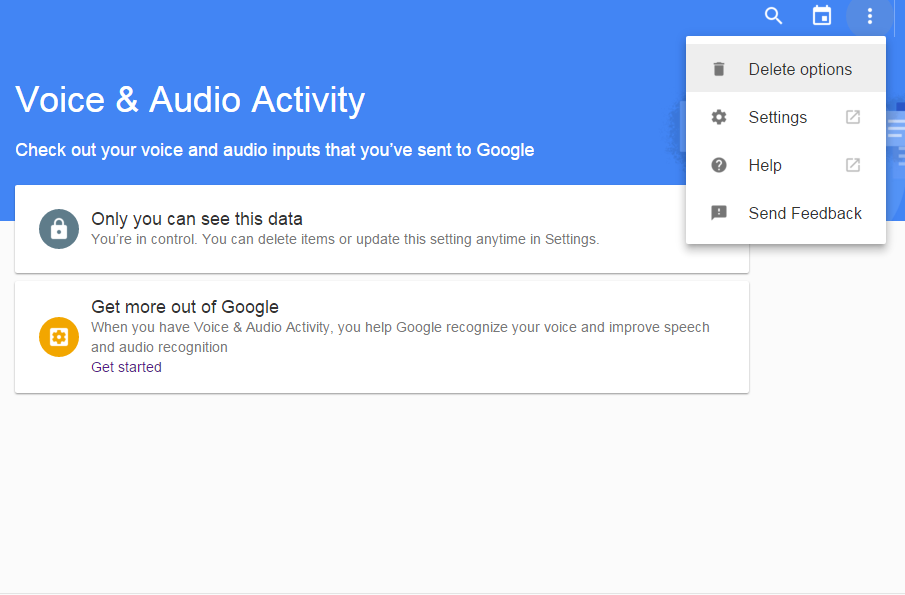
    However, there is a way to delete the cache of recordings. All you have to do is log into your Google account and open the page for your Voice and Audio Activity Controls. To delete in bulk, click on the three-dots menu icon and select ‘Delete options’.

    Untitled 1

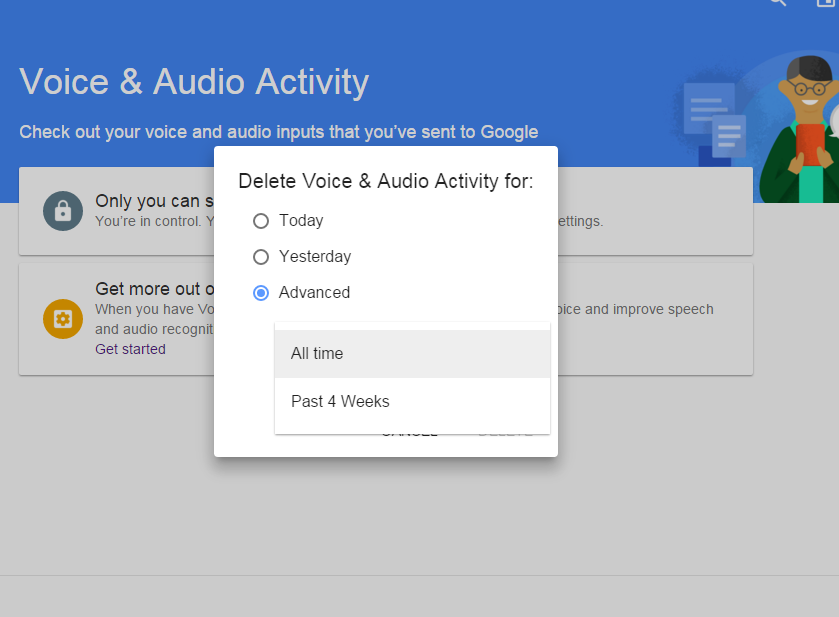
    The ‘Delete option’ will give you three choices. You can choose to delete voice activity for ‘Today’, ‘Yesterday’, and by selecting the ‘Advance’ option, you can remove activity for ‘All Time’

    Google Now 1

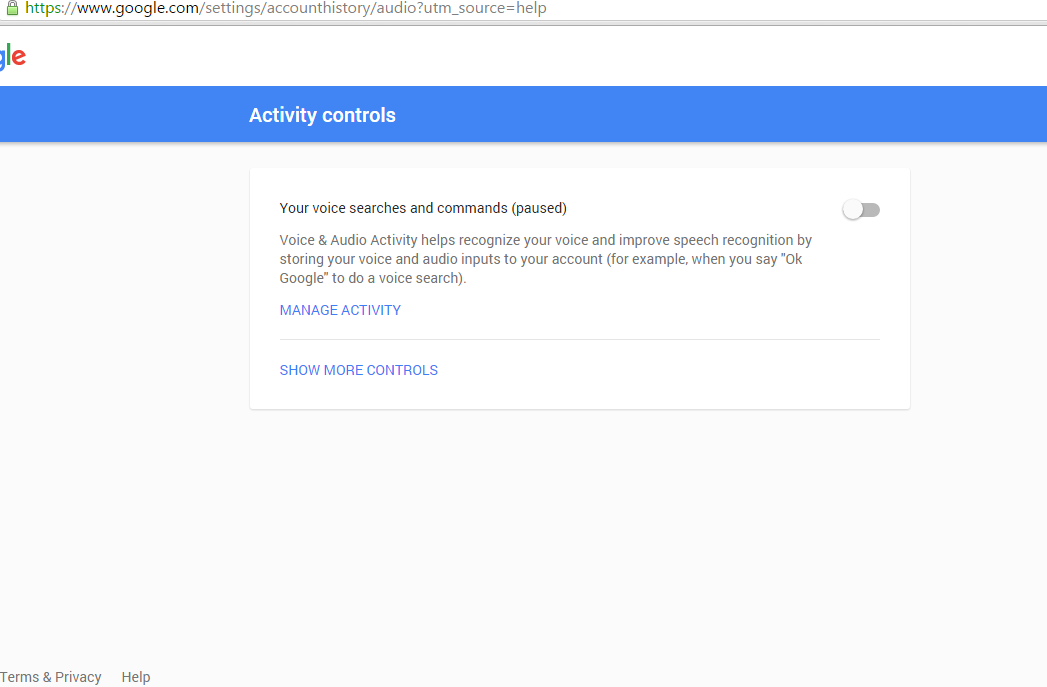
    You can also turn off the voice activity as well from ‘Activity controls’, but it won’t stop Google from storing the recordings it already has. It will, however, be kept under an anonymous identity which can be traced back to your account.

    Google Now

  • Now Use Your Home Button to Summon Cortana Instead of Google Now

    Now Use Your Home Button to Summon Cortana Instead of Google Now

    Just last month, Microsoft released a private beta version of its Cortana digital assistant which had similar features to the Windows 10 and Windows phone version. Now, Microsoft, while going further in Android’s direction, has come up with an updated app. You will now be able to replace the Google Now shortcut (by pressing and holding the home button) with Cortana, instead.

    The updated Cortana version will not include the “Hey Cortana” support because of hardware limitations that prevent her from always listening to your command. This new update lets Microsoft take over a common way of launching Google Now, although, you will still be able to access Google Now’s features. Microsoft hopes that Android users will experience Cortana and even make it their default home button setting, if possible.

    Click here if you want to test Cortana.

  • Yahoo May Bring Out an Independent Siri-Like Personal Assistant App Soon

    Yahoo May Bring Out an Independent Siri-Like Personal Assistant App Soon

    During a conference call a few day back, CEO of Yahoo, Marissa Mayer spoke about a special new product the team has been working on. The new service will go against the likes of Apple’s Siri, Google Now or Microsoft’s Cortana. She stated that Yahoo is developing an interest in search in the mobile sector and will focus on “what happens when you involve context and personal information like email.”

    According to Business Insider, the new service has been code-named ‘Index’ and it will come in the form of a smartphone app. Yahoo hopes to release a beta version of the same by the second quarter of this year.

    Mayer explains the new app would search information somewhat like Google Now, and probing for information in the user’s inbox may help people give better results. Quoting an example to help understand the working of the app, she explained that if a user had booked a flight from John F. Kennedy Airport, then Index would find information related to the airport or flight, by using the information in the inbox – instead of fishing out information about President Kennedy.

    The voice assistant idea may seem unoriginal from the user point of view, but Yahoo is willing to place a bet on this ambitious project.

  • New Update Brings Third-Party Integration to Google Now

    New Update Brings Third-Party Integration to Google Now

    Google Now, the service which focuses on bringing real-time information to your mobile device including traffic updates, scores, stock changes, travel times, your flight status, got a notable update today.

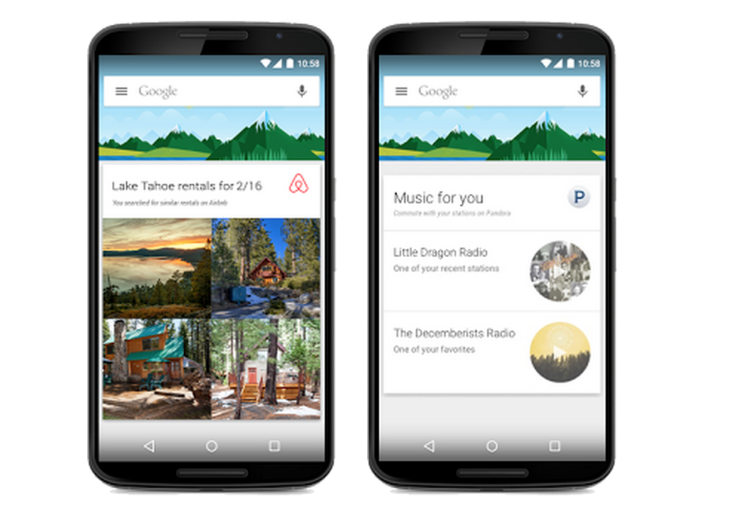
    The new update brings the information from over 40 Android applications, in order to show things like last-minute hotel deals to home-buying tip. The update integrates popular apps like Trip Advisor, Book My Show, CricInfo, Lyft, Ford, Runtastic and many more.

    google nowThe integration is optional, too, and you’ll be able to disable it from Google Now’s settings once the update is available on your device. Earlier, Google Now could pull lots of data from other apps through the email notifications they send you, but this direct app integration is new.

    The new card-based feature only comes with a third-party app download, of course. You wouldn’t see a Lyft  notification without the Lyft app installed. If you’re curious what you might end up seeing, Google has a full list of the new cards which is linked in teh source below.

    The update makes Google Now very powerful. Google’s idea behind all of this is that you should get the information you need when you need it, without even having to ask for it. Obviously, there are some privacy concerns related to this update, but Google assured that no private information will  be shared with third-party applications.

  • Google App Gets Styled with Material Design Update, Features In-App Search Option

    Google App Gets Styled with Material Design Update, Features In-App Search Option

    Google’s Material Design is making its way to all the company’s services to make sure its apps look consistent once the new Android Lollipop 5.0 rolls out to the larger public. Well, recently, Google’s search for Android or Google Now has got its makeover, Material Design style.

    However, the new update doesn’t only come with a new design, but also with the ability to search within apps installed on your phone. That means if you want to play a track from your Spotify’s playlist, Google Now will do it for you. In case, you need to check the dates of your next flight, you just need to say ‘Ok Google’.

    kbik5sldtc6upibswpek

    Of course, this won’t be working with all your apps right away, developers need to tweak their apps to enable the functionality first. Apart from this, the new update gives the app better voice search and also, the app will now prompt you regarding the plans you make on your mails and Hangout. This way, it will remind you that you have to meet a friend for a coffee on Sunday morning.

    Confirming your choice will at last add the event to your Google Calendar, something we have been expecting. Interestingly,Google has added another option for when you can’t decide to go or not, Google Now will decide it for you too.

  • Android Released the Google Now Launcher for Everyone

    Android Released the Google Now Launcher for Everyone

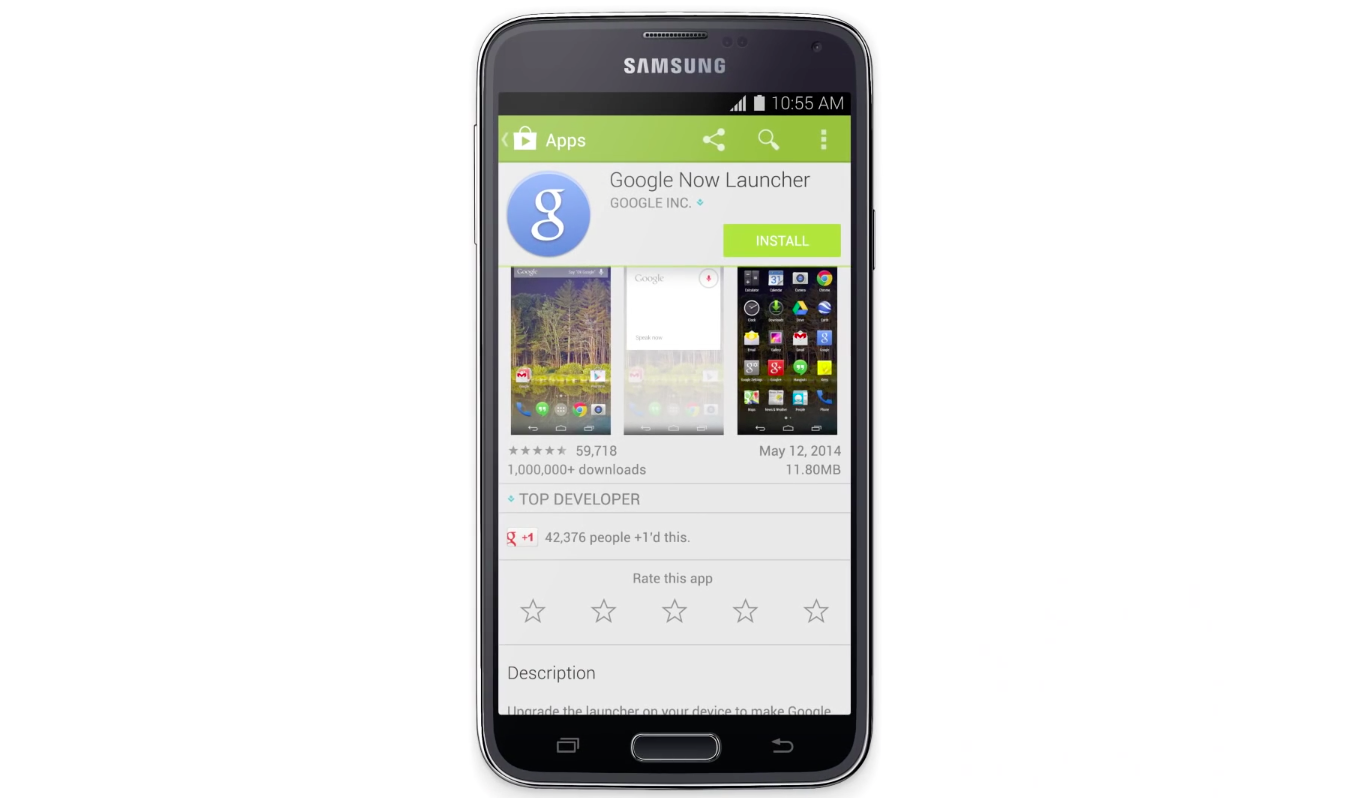
    If you were one of them who were waiting for Google Nexus device like ability to have a Google Now Launcher on your Android phones, you’re going to be really happy today. Google has released the Google Now launcher for all Android 4.1 devices and above. Though some phones might not support it yet.

    This update allows Android users to access a left panel which opens into Google Now. It also allows you to use the “OK Google” hot word on the main screen. This option is currently compatible with HTC One M8, One E8, One Mini 2, Desire 816, Huawei Ascend P7 and LG G3, among others.

    Proprietary systems like HTC’s Blinkfeed get replaced after installing this update and instead you have the Google Now panel which is customizable to your liking. This will be a good addition for folks with stock Android devices who want a customizable information panel easily accessible with one swipe.

    This is one more offering from Google that is now finding a wider user base. Google’s minimalistic looking apps also provide great functionality and that’s why they are preferred.

    You can download the app from the Play store: [button link=”https://play.google.com/store/apps/details?id=com.google.android.launcher” size=”small” text_size=”gamma” newtab=”on”]Google Now LAuncher[/button]

  • You Can Now Correct Google Now by Simply Saying “No! I Said”

    You Can Now Correct Google Now by Simply Saying “No! I Said”

    A new update for Google Now, a voice-based smart assistant, is tiny but a significant one. The new update will let users correct the search engine when it doesn’t correctly understand what they ask for.

    Voice searches with Google Now can sometimes be excruciatingly irritating. Its accuracy is predicated on many factors, such as the quietness of your surroundings and the clarity of your speech and the worst of all its inability to correctly perceive non-American accents, so results can be pretty inaccurate at times.

    google-now-sign

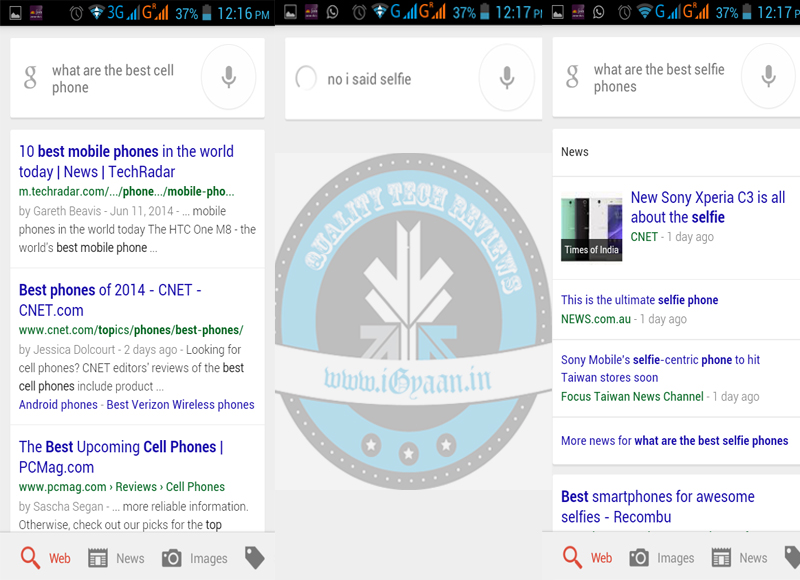
    So Google, acknowledging this problem, provided an update of a correction hot phrase which starts with “No, I said,” and has to be followed by the word or words Google Now has misunderstood. So, by simply saying “No, I said” you can change certain words with your voice that Google Now misunderstood.

    For example you want know what are the best ‘selfie’ phones available, but Google Now translated it to ‘cell’ phones. So, if you just say “OK Google: No, I said selfie, Google Now will correct itself and then search for what you meant in the first place, presumably because it can figure out which word is most likely to be wrong.

    google now

    Word correction is one of the latest Google Now features that Google has made available to the users. The virtual assistant has come a long way and learned many other cool new tricks recently. Google Now lets users control media with their voice, and it can create event cards based on email conversations, better manage call reminders, and tell you when to get off your bus or train. Google now features are also present on Android Wear based devices which will surely make life easy for many.

  • A Simple Trick That Allows You To Access ‘Ok Google’ From Anywhere

    A Simple Trick That Allows You To Access ‘Ok Google’ From Anywhere

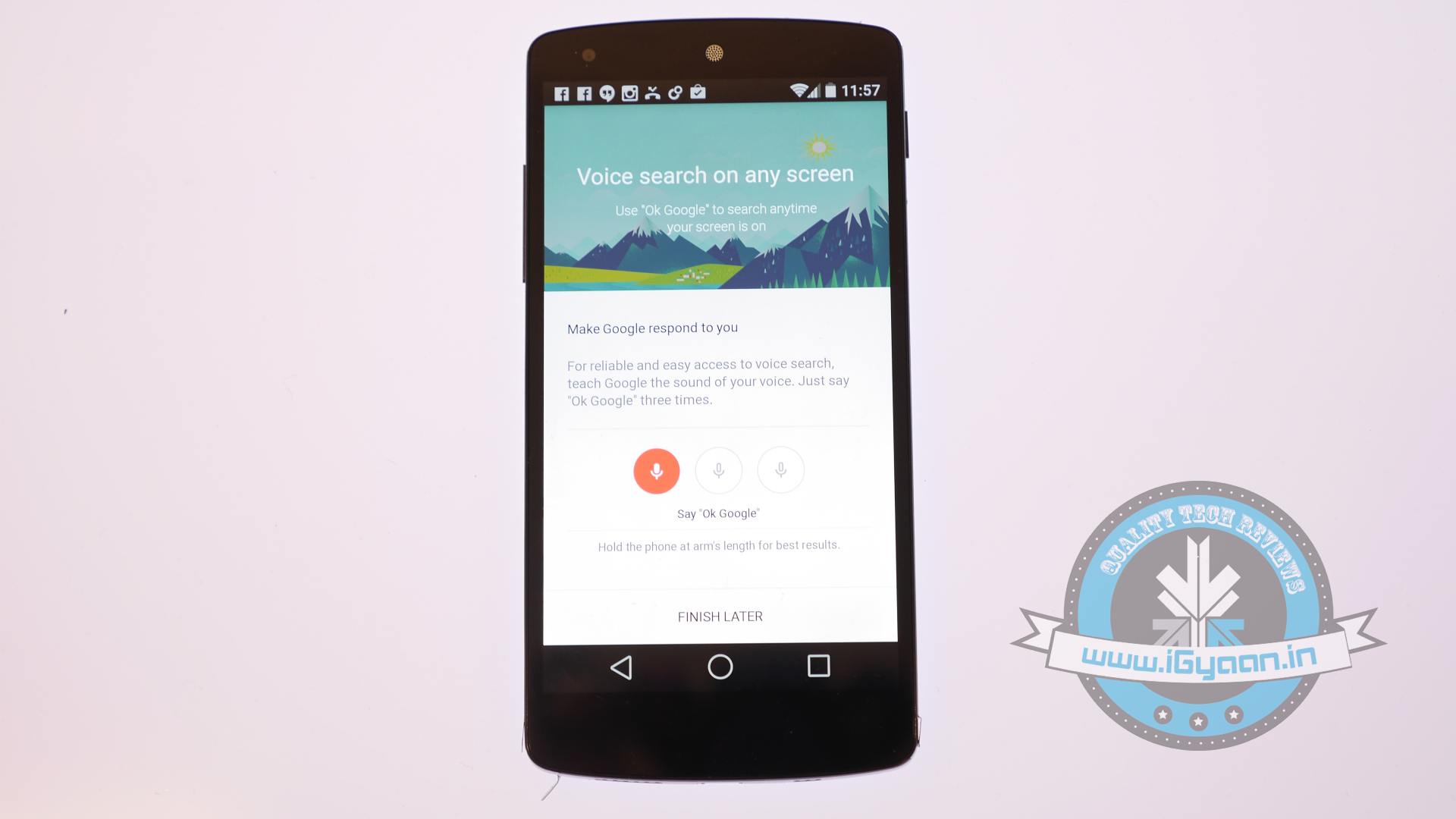
    Moto X had a great feature which allowed users to reach Google Now from anywhere, even from the lock screen. It is a particularly useful feature when you are on the move or want to write a reminder instantly. Google announced that it will bring the Moto X like ability to all Android phones but that will take a while. Now a reddit user pr01etar1at has figured out a crack to have the same features on your 4.3 and above phones before Google officially releases it for your phone.

     OK google2Following some simple steps you can have Ok Google hotword detection from anywhere on your device. We would like to warn you though that this might not work on all phones.

    All you need to do is search for “Ok Google Everywhere” on your search bar. Now when you go back to the Voice setting menu, you will get new options in the voice detection section. The options will let you set the detection capability according to your discretion.

    One suggestion that we’d like to give Google is giving an option for customizing the hotword. Considering the fact that Google’s Android is the World’s most selling operating system, once folks get a hang of this voice assistant, we’ll start listening to “Ok Google” everywhere. A personalisable hotword would come really handy for situation like those.

  • Google Search, Now You Can Talk to Ask for Help

    Google Search, Now You Can Talk to Ask for Help

    Google Search is making it easier for users to find the information they are seeking within their own Gmail, Google Calendar or Google+ accounts just by making a request using their own voice.

    The upcoming new features are bringing the technology that Google Now users have been using for about a year. Google Search is now being engaged to provide a better experience for users as part of a new service that is rolling out to all U.S. English-speaking users over the next several days,”Soon you’ll be able to find this info instantly in Google Search if it’s in your Gmail, Google Calendar or Google Plus. For example, just ask or type, ‘What’s my flight status?’ or ‘When will my package arrive?” Said Roy Livne, Product Manager.


    We’ve been offering this kind of info—flights, reservations, appointments and more—for more than a year in Google Now,”. “We’ve gotten great feedback on how convenient it is, especially when you’re on the go. Now that it’s in Google Search, you can get it anytime you need it.” Said Roy Livne, product manager for Google Search, on The Official Google Blog.

    Google Now, which was introduced for Android devices by Google in June 2012, it presents its information to users through a series of flip-through “cards” that are visible on the screen of a device, providing a different piece of information on each card. The “cards” appear at the moment they are needed by users, such as the train schedule card appearing when they are heading to the local train station. 

    As per the blog, the information is secure, via encrypted connection, and visible only to you when you’re signed in to Google. Likewise, you can also control whether you want the service on or off. Whenever you don’t want to see it, simply click the globe icon at the top of the search results page to turn it off for that search session. To turn it off permanently, visit the “Private results” section in search settings.

    So if you haven’t tried it, you should! Its definitely worth an attempt!

  • Google Now Lands On iOS, Works Seamlessly!

    Google Now Lands On iOS, Works Seamlessly!

    Starting right now, iPhone and iPad owners can get Google Now on their devices. 

    Google Now

    Google Now is a personal assistant, Siri’s rival, if you may, which brings on a combination of Google Search and personalized everyday “cards” showing what a user wants to know about every day elements like weather, sports, and calendar items.

    Google announced on Tuesday that the service, which has been available for about nine months on Android phones and tablets running Jelly Bean, will be available for free as part of an update to the Search App in the iTunes App Store.

    Get just the right information at just the right time with Google Now. 

    – weather and traffic conditions before you start your day 
    – updates on your favorite sports teams and breaking news stories as they happen

    The app appears to be exactly the same as the Android version with the exception of users being able to swipe up to launch the Now application. Google, though, reports that 22 of the 29 card types found on the Android version of Google Now are making their way to the iOS version, with airline boarding passes, Fandango, and local events being among those not making the transition.

    Google Now

    Google Now pulls information from all of your Google services like Search, Gmail, Calendar, Maps, Chrome browser history, and anything else that is connected to your Google account, then it provides pertinent information to the smartphone owner before they know they need it. 

    Google Now

    Our initial impression of the service is that it works seamlessly! It picked up our commands with ease and returned accurate information. 

    Job well done Google!

  • Newly Discovered Code In Google Page Hints At Google Now For Web

    Newly Discovered Code In Google Page Hints At Google Now For Web

    Google Now is arguably the single best feature found in Android Jelly Bean, and soon, it seems, it will also be added to Google’s homepage. Some code from a page that’s tested by Google offers more information about this feature.

    Google Now

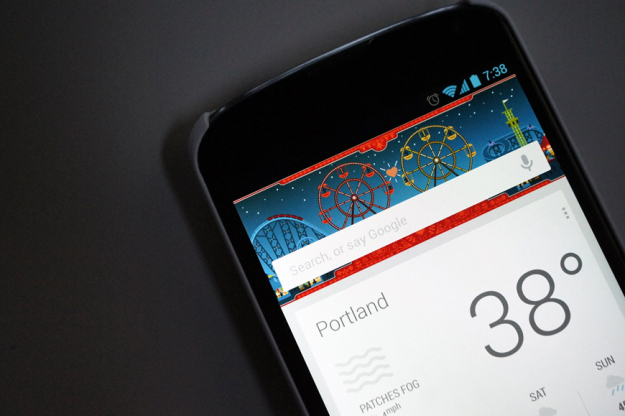
    Google Now brings you search results before you even go looking for them. Just swipe up, inside of Google’s search app, and Google Now activates. From there, the Google search app delivers today’s weather, your Google Calendar appointments, directions to home or work (depending on what time of day it is), a heads up to nearby events, the score from your favorite sports team’s latest game, boarding passes, package tracking, dinner reservations and a lot more.

    Source code for the page in testing encourages you to, “get started with Google Now,” because it provides, “just the right information at just the right time.” It has the option to change your home and work locations as, “Google Now uses your Home location to show relevant information like weather, traffic conditions, and nearby places.”

    As TechCrunch reports, previous discoveries have indicated that Google Now is probably being worked on for Chrome desktop browser integration, and for inclusion in Google’s iOS search app. But bringing it to the Google homepage means it’ll be broadly accessible. It also means Google will have an opportunity to deliver more via its homepage, sort of like an iGoogle, but hopefully better at its job of providing you with relevant, personalized content.

    There are also plenty of references to “now_card.”

    Google Now on the internet, yes please!

    [TechCrunch, Engadget]

iGyaan Network
Privacy Overview

This website uses cookies so that we can provide you with the best user experience possible. Cookie information is stored in your browser and performs functions such as recognising you when you return to our website and helping our team to understand which sections of the website you find most interesting and useful.