Tag: google

  • Is Your Phone Eligible To Android 4.4 KiKat? Check here!

    Is Your Phone Eligible To Android 4.4 KiKat? Check here!

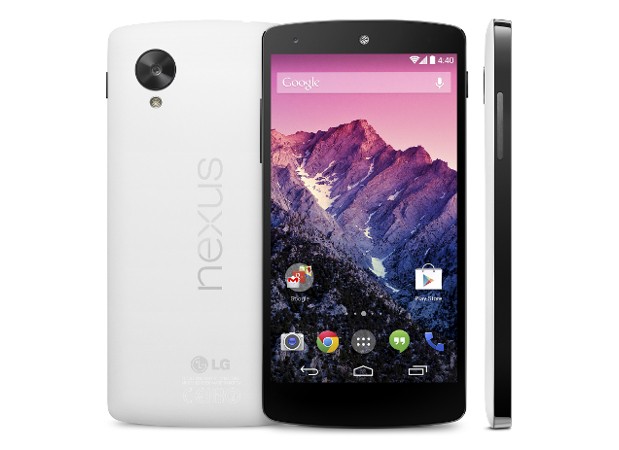
    Everyone of us are aware, but if in case anyone missed it out, Google just launched its flagship Nexus 5 in the markets globally. The device is coming soon in India and is already given a price tag of 28999 INR for the 16 GB model.

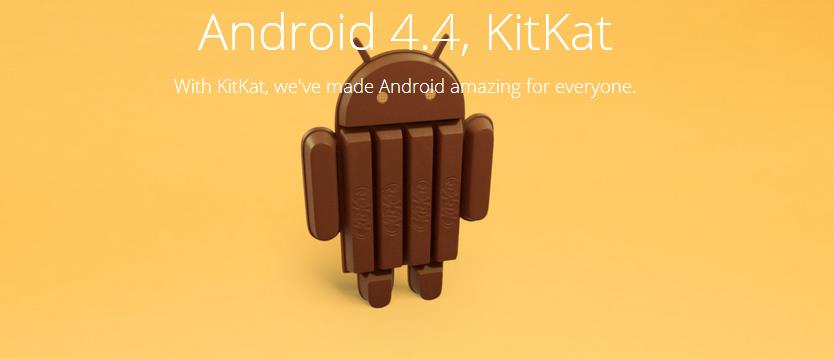
    Nexus 5 features the latest Android operating system 4.4 KitKat, its the first device to run this version of the OS. However, after the official launch other phone makers are working hard to give there users a great experience with the latest software update. Here is a list of Smartphones which will soon get the latest Android update soon:

    • Samsung Galaxy S4 will get the latest Android update soon.
    • HTC One Play Edition will get the update withing 15 days,
    • Whereas, the standard HTC One is said to get the update in 90 days
    • Nexus 4
    • Nexus 7
    • Nexus 10

    These are the devices which are likely to get the update soon, while there could be some more. We will keep you updated with the news for getting your smartphone a taste of Kitkat!

  • Android 4.4 KitKat Users Can Say ‘Ok Google’ to Search Without a Single Touch

    Android 4.4 KitKat Users Can Say ‘Ok Google’ to Search Without a Single Touch

    Google has announced the “oh so leaked” Nexus 5 officially and this time around it has popped up on the Indian Play Store as well. The Nexus 5 has a lot of specs similar to the LG G2 a 2.2 Ghz quad-core Snapdragon 800 and 2GB of RAM, a 4.95-inch 1080p display. 

    However, what we are going to talk about is the benefits of the latest Android 4.4 aka KitKat. Google has added a plenty of useful features to the its latest version of Android, the Android 4.4 will have a new immersive mode which will hide everything in the background and will just show your up what you want to see, be it reading a book watching a movie or even playing a game. The Google Hangouts have been talked about lately and will supposedly allow to send and receive messages, all the SMS and MMS will be kept in the Hangouts app so that you do not miss any important message, claims Google. 

    ‘Okay Google’, these Touchless Controls are a part of the new Android, although these are not new but are advanced. With the Nexus 5 launch, users will have the ability to set hot keywords as a means of activating or “waking up” Now voice search. Which means you will be able to link any word you’d like to start voice commands on Google Now. Overall, speech recognition is said to be made 25% more accurate and manual access to Google Now can be triggered by a swipe to the left.

    Google Cards will be improved, as it will now display information based on a user’s current activity, for example if you are near a theater it might show up with ticket availability, or if you search for any TV show it might give you updates for the show itself.

    [youtube id=”6QHkv-bSlds” width=”100%” height=”300px”]

  • Google Now Selling Accessories to Explorer Edition Owners For Google Glass

    Google Now Selling Accessories to Explorer Edition Owners For Google Glass

    While Google Glass is still away from people, the developers have been trying new ways to use it and enhance its usability. So, the Glass was available to the developers way back and now Google has also started selling out accessories for the wearable device.

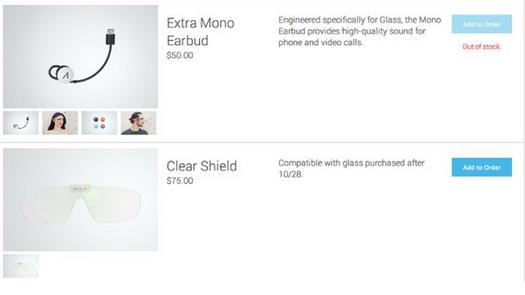
    The option in the store are, a visor like protection for the Glass or may be your eye which is priced at $75, also what is listed is an ear-bud for $50 but is not available as it says out of stock. This can be great for developers as these accessories might come handy for them for researches before Google makes Glass Public. However, this step from the company hints the public availability of the Glass soon.

    Wearable tech may signal the next shift in form factors.


  • Nexus 5 Might Launch On 1st November in Black and White Color

    Nexus 5 Might Launch On 1st November in Black and White Color

    We have been waiting for some official news for the Nexus 5, the wait continues as what we are going to talk about is still not official but does gives us a hint of when this much awaited phone can be official.

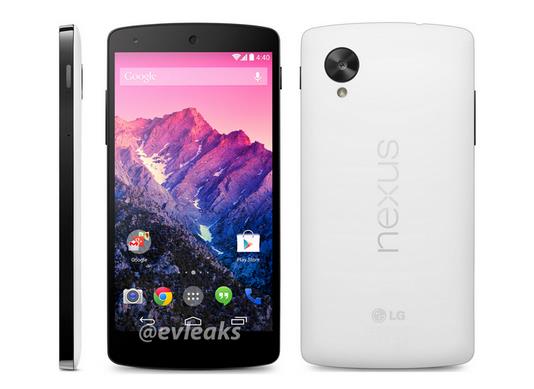
    The latest leaked render from evleaks shows Nexus 5 with a white back, the post shared on twitter says “In white. 11/1.” It’s definitely an unclear statement, but if we consider the previous leaks and the Google Play Store listing this might just be the right time to launch the Nexus 5. As per the rumors the smartphone will feature a 4.95 inch Full HD 1080p display, and will be powered by a 2.3 GHz Snapdragon 800 CPU. The device is said to be available in both 16 and 32 GB variants with a black and white color options and ofcourse the leaked pricing of $349 which can undoubtedly make this phone a hot seller once it is available in the market. Stay tuned for more news on Nexus 5!

  • Nexus 5 Retail Box Leaks Out, Showing White Color Device

    Nexus 5 Retail Box Leaks Out, Showing White Color Device

    We have seen Nexus 5 leaks every now and then, rumors from how the device would look like to Google accidentally showing the listing of the device on the play store.

    nexus 5 box

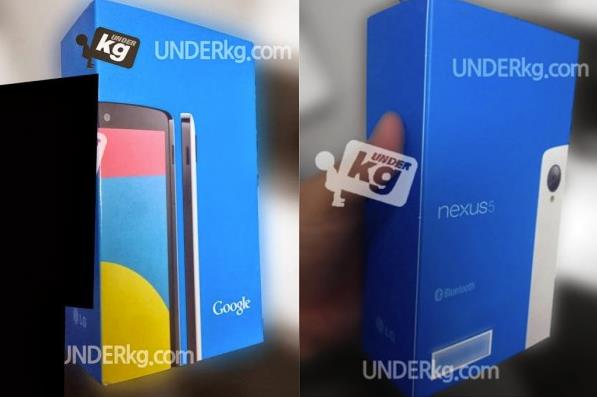
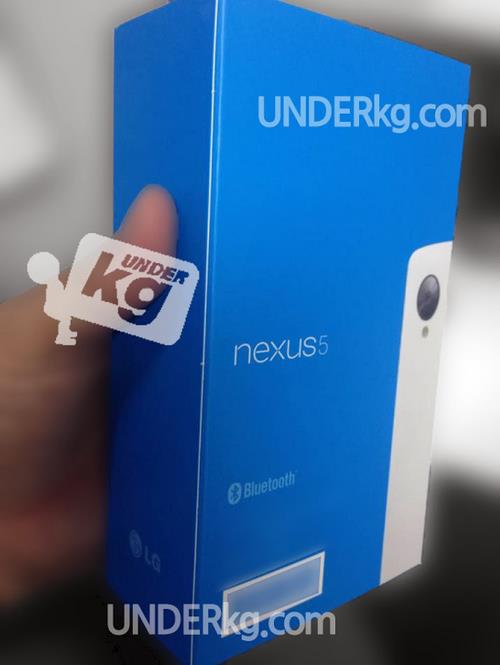
    Now what has leaked out is the packaging of the device, the alleged box is said to be the retail packaging for the upcoming nexus 5. The leaked images were seen on Korean site Underkg.com. In the pictures of the Nexus 5 boxes, which you can see above, it appears that the white version of Google’s next flagship Android phone will keep its regular black front, but bring a white rear to the Nexus series.

    white box

    As mentioned above these are rumors, can be fake. However, we have seen white nexus device before so it will not be something new if the upcoming nexus 5 will also be available in white color as seen in the leaked images. Expected release date is 28 of October, official news still away.


  • Google Posts $14.9 Billion USD Revenue in Q3

    Google Posts $14.9 Billion USD Revenue in Q3

    Google had yet another winning quarter in Q3, bringing home $14.9 billion USD in revenue and $2.97 billion in net income, or $8.75 per share. This represents a 12% revenue increase from this time last year, and a 6% uptick from the Q2 of this year.

    While Android is not specifically broken down in its earnings, as the company gives the software away for free and accrues advertising revenue from the use of its mobile services, mobile ad units continue to cost significantly less than their desktop counterparts, dragging down growth throughout the division.

    Google’s $12.5 billion Motorola acquisition is still not bearing fruit, as the handset company posted losses of $248 million on revenue of $1.18 billion. A year ago those losses were just $192 million on revenue of $1.78 billion.

    While the Moto X was not on sale for much of the quarter, which comprised the period between July 1st and September 30th, it was still available for just over a month. That being said, Google admits to spending a lot of money marketing the product, and Google’s Chief Financial Officer, Patrick Pichette, called the Motorola acquisition a “long-term bet” during today’s earnings call.

    According to Motorola CEO, Dennis Woodside, the Moto X is the first in a series of redesigned products. We’re expecting a low-cost Moto X variant to be announced in the coming months, but we wouldn’t be surprised to see the company come out with a revamped tablet line-up in the near future, too.

  • Pros and Cons of Buying a Google Chromebook in India

    Pros and Cons of Buying a Google Chromebook in India

    -By Rohan Naravane

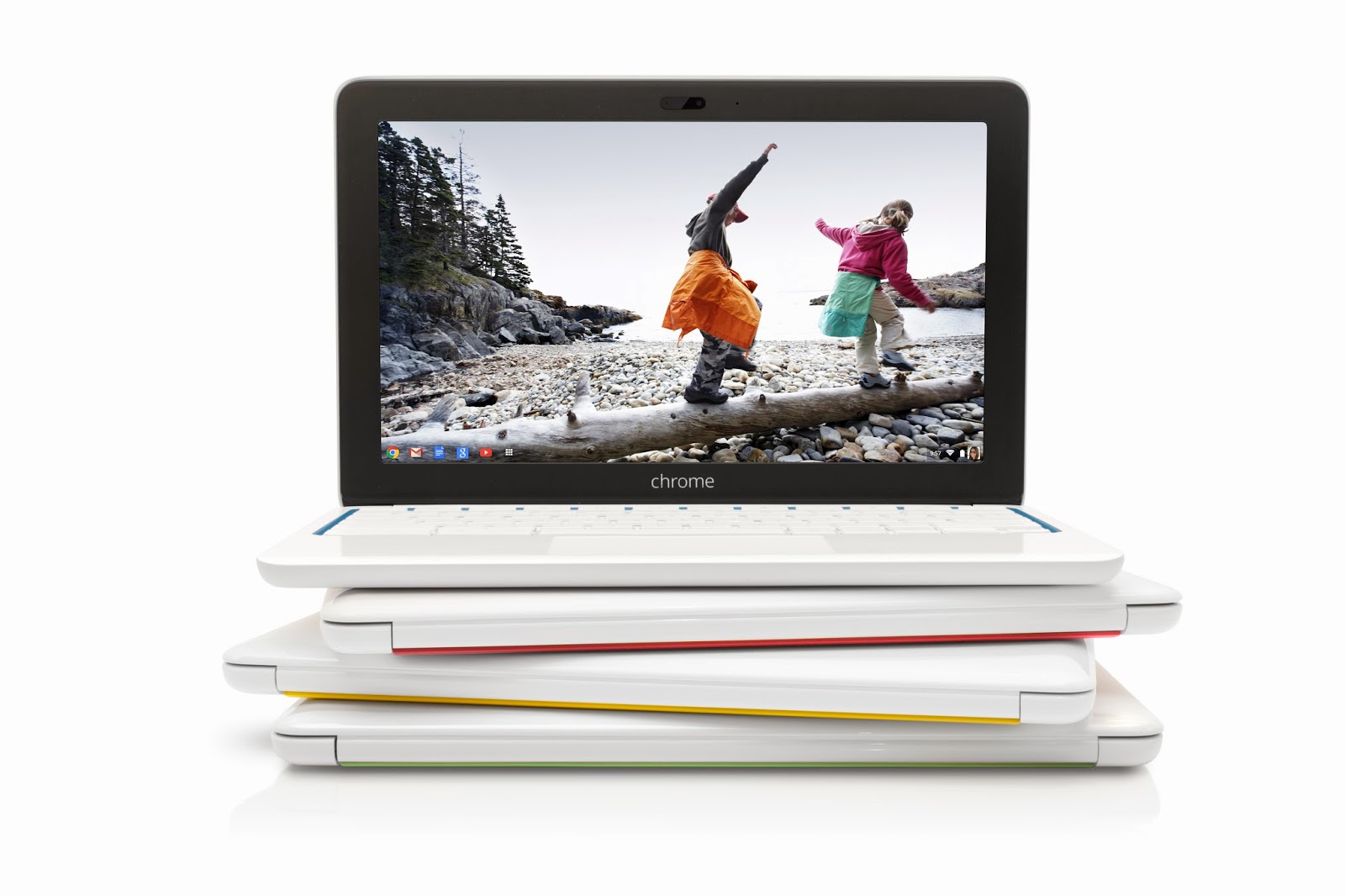
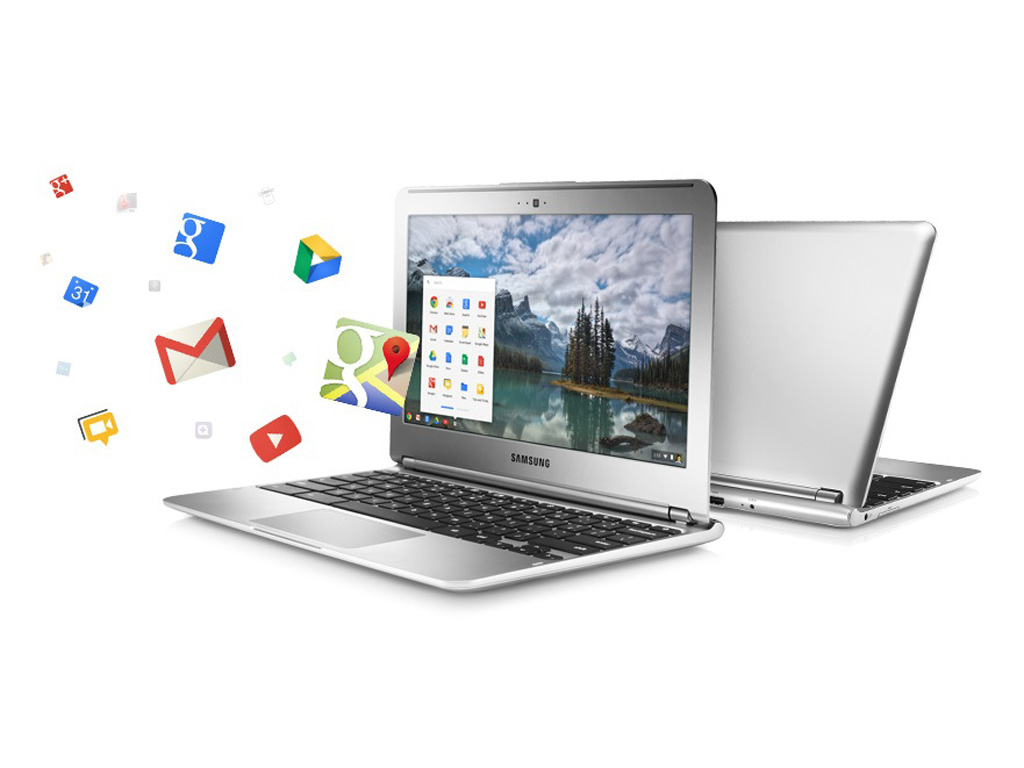
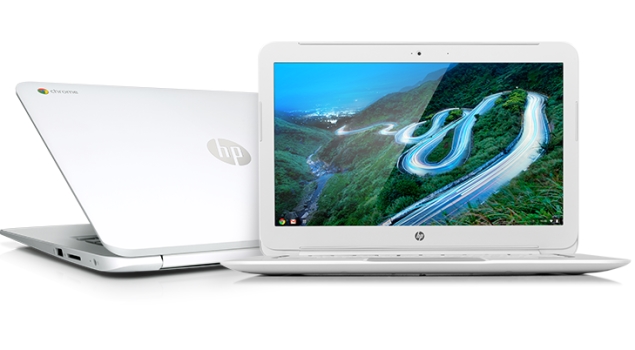
    Google announced the launch of their cloud-centric ChromeBooks in India. Two models; namely the Acer C720 and HP Chromebook 14 are going to be sold via select outlets of Croma and Reliance Digital and online via Flipkart.com. Priced at Rs. 22,999 and Rs. 26,990 respectively, these will go head-to-head with a variety of traditional Netbooks and Laptops available at those price points. With respect to hardware, they’re almost similar but instead of running Windows or Linux as their OS, they run Chrome OS. Chrome OS is a lightweight Linux-based Operating System designed to work purely with web applications. That means, there are very few ‘native’ apps baked into the OS; most of the work you’ll do is online, powered by the built-in Chrome browser. So, what are the Pros and Cons of buying a Chromebook in India over a regular laptop? 

     google-chromebook

    Pros of a Google Chromebook:

     
    • Instant Boot: Chrome OS strips many of the unnecessary processes that a typical computer goes through when you power it on. Thus, a Chromebook is able to typically boot up in about 10 seconds. This is pretty fast; considering a regular laptop running Windows or Linux may take as long as a full 30 seconds for the same. When you close the lid, the Chromebook goes into sleep mode. But when left unused for an extended period, it may shut off to save battery. The good thing is, when you start it again, it would be less agonising of a wait before you can get back to using it. 
     
    • Multi-user features: Chromebooks are designed to be shared. The multiple-login feature, that allows multiple users to keep their data and settings private, and the Guest mode that protects your data when somebody else is using it aren’t unique features as they’re available in other Operating Systems too. But one unique thing is — since very little data is residing on the Chromebook itself, when you log into your Google account on any Chromebook, your desktop, shortcuts, wallpaper…basically everything you personalised shows up the way you left it on any other Chromebook. 
     
    • Virus Protection and Auto Updates: Chrome OS is fairly immune to viruses as it is based on Linux, which by itself has been reasonably virus-free as compared to Windows. Beyond that, Google has baked in the Verified Boot, which stores the initial booting code in read-only memory, so a malicious app cannot take over when your Chromebook boots up. Then there’s the Trusted Platform Module (TPM); a specialised chip that serves hardware-based authentication. Also, all the apps installed from the Web Store run in a sandboxed mode, which means a malicious app cannot mess up the core of the OS. Finally, since there aren’t any apps natively installed in Chrome OS; web-apps by default run their latest version. And Chrome OS updates by itself; much like how the Chrome browser does on other Operating Systems. 
    hp-chromebook-14-635 

    Cons of a Google Chromebook:

     
    • Cannot use native applications: Because Chrome OS is a Linux-based OS that boots into the Chrome browser, there’s no scope for installing native applications. So, if you need to use Tally, Photoshop, MS Office, Skype or any other typical applications people use on computers, beware that you cannot install them on a Chromebook. Sure, you can use web-based alternatives to these apps that may be available on the Chrome Web Store, but they may not provide you with the kind of usability you’re used to. 
     
    • Can’t use Printers and Scanners in a Typical fashion: Google promotes the use of ‘Cloud Print’ with their Chromebooks. What this means is, you’ll need to have a Cloud Print Ready Printer , or have a printer connected to a computer with Internet and Chrome browser installed with Cloud Print set up, to be able to fire a Print from your Chromebook. So, although you may have noticed the USB ports on that Chromebook, you can’t simply plug it in and print or scan, like you can on a regular computer. 
     
    • Can’t store a lot of files locally: Many Chromebooks (especially the ones mentioned above) come with a 16GB SSD as the primary storage. Out of this, roughly 10GB is available to the user. So, if you intend to tank up the Chromebook with photos, videos, music and other big files, you’ll be running out of space pretty soon. Then again, the concept of Chromebook involves you not having to store anything locally, but rather store it on the Internet (Google offers 100GB of cloud storage complimentary for the first two years). In comparison, typical laptops in its price range come with an ample 500GB hard disk that you can fill up to your heart’s desire. 
     
    • Can’t use discs: Chromebooks don’t come with optical drives, nor do they support external ones that connect over USB. If you require to use CDs and DVDs from time to time, the Chromebook is a no-go for you. 
     
    • It needs the Internet to work (most of the time): Although Chrome OS has supports apps to work offline, the crux of the matter is that your content is still online. With the puny 10GB internal storage, most of us possibly cannot have everything we need stored in that much space. So, to retrieve something, the Chromebook is going to need the Internet. And in a country like India where easy-to-connect, open WiFi networks are non-existent, it could be cumbersome when you’re out in the open. Sure, you can use a 3G dongle, but then be prepared to incur the expenditure to access every file that could have just resided on a typical computer. 


    Weighing the Pros and Cons suggests that the Chromebooks are suitable only to a certain type of audience — the kinds who are assuredly going to have Internet omnipresent, and for whom the only application they use on a computer is the web browser. Some people argue that Chromebooks aren’t meant to replace computers; rather serve as inexpensive 2nd computers. Compared to their cost in the US, the Chromebooks launched in India are being sold good 25 to 35 percent higher. In fact, their India pricing is at par with traditional laptops from the same manufacturers. This makes a tough case for Chromebooks to the Indian consumer. But even if it got cheaper, would you want to get one? Or are you not yet ready to migrate to a cloud-only computer? 


    Rohan Naravane manages the content for PriceBaba.com. He is usually found rambling tech on Twitter @r0han.

  • Latest Chrome OS Update Brings Drag-and-drop Features For Touchscreens

    Latest Chrome OS Update Brings Drag-and-drop Features For Touchscreens

    The Chrome OS users have been enjoying the latest OS features and the touchscreen benefits since September. The latest update of the chrome OS, brings up touchscreen text selection and drag and drop support.

    The platform’s latest version also brings up a number of other changes including the ability to choose audio sources from the tray menu and the addition of on-by-default Quickoffice editor for Word and Excel. Users can now also check their connection using a diagnostics tool and share folders and files direct from the File app. If you’re using any Chrome OS device, you can expect to get the OS 30 update in few days from now.

     Some highlights of these fixes are:

    • Audio source selector in the tray menu
    • Quickoffice (Beta) editor for Word & Excel files on by default
    • Improved UI for release channel switcher – owner accounts 
    • Touch enabled text selection on touch devices
    • Touch enabled drag and drop on touch devices
    • Connectivity diagnostics tool enabled on the Chrome offline page
    • Ability to share folders and files from Files app
    • Better sandboxing for Native Client
  • Leaked Video: This is How Nexus 5 Looks Like, Epic Sunday Treat!

    Leaked Video: This is How Nexus 5 Looks Like, Epic Sunday Treat!

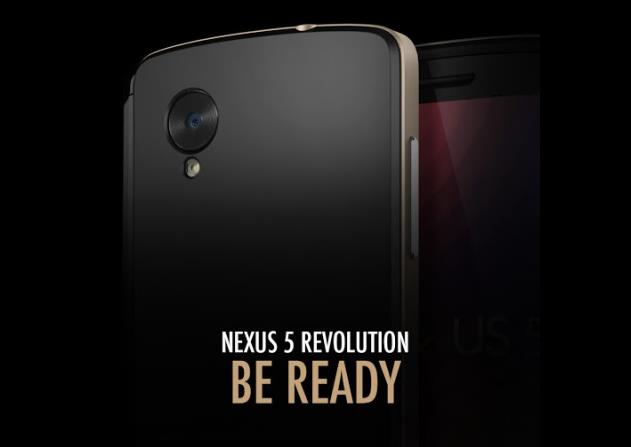
    Leaked information, specifications and other details are spinning in the rumor mills for the Nexus 5 from a couple of days now. Just a day before we saw an image for the Nexus 5, which shows the Nexus 5 revolution and now what has leaked out is a video showing almost everything for the Nexus 5.

    The seven minute video shows the device from all angles as well as running various applications but without any sound. The phone showed in the video is very much similar to what we all have seen in the leaked images, the android version on the device is showed as Key Lime Pie which seems a little strange at the first glance but the description of the video clearly says that this video was recorded when the software of the phone was in the earlier stage. 

    nexus 5

    However, the rumored specifications of the Nexus 5 are a 4.95 inch full HD IPS LCD display, supposedly the device will be powered by a 2.3 GHz Quad-Core processor with a Snapdragon 800 chipset along with a 2 GB of RAM, 8 MP camera, a 1.3 MP front facing camera. The device is believed to be run on Android 4.4 KitKat.

    This is a leaked video, so people anxiously waiting for the device can calm down as the official news should not be away!

  • Google Play To Feature “Designed for Tablets” Apps Section From November 21st

    Google Play To Feature “Designed for Tablets” Apps Section From November 21st

    In an obvious move that should have coincided with the release of the Nexus 10 last year, Google plans to make ‘Designed for tablets’ the default view for tablet users browsing the Play Store.

    Starting on November 21st, users will find their app selection limited to just those apps that have been optimized for large-screen usage. Non-tablet apps will still be downloadable, but will have the caption “Designed for phones” appended to its Play Store release.

    Android tablet users can of course still switch views so they can see all apps or games. Yet Google is clearly confident enough now that there are enough tablet apps out there to make bring the section to the forefront.

    Google claims that over 70 million Android tablets have been activated, though it’s unclear how many of them are still being used or capable of running modern apps and games. Many Android tablets have substandard hardware and older versions of Android that render them incapable of performing optimally with tablet-optimized apps.

    At the same time, companies are weary of spending time and resources creating tablet-optimized apps. Though the number has exploded — 70 million activations sounds like a great number — substantive data continually shows Android behind iOS in terms of actual usage. Building great tablet apps should bridge that gap somewhat, but Google needs to ensure that the experience is consistent throughout its ecosystem, on any number of screen sizes and resolutions.

  • Google Chrome Saves Sensitive User Data In Plaintext

    Google Chrome Saves Sensitive User Data In Plaintext

    Google Chrome browser may be storing sensitive data in such a way that it would be relatively easy for a malicious third party to dig it up and steal your identity, among other things.

    Security researchers at Identify Finder said they performed a series of deep scans on several employee computers using the latest version of Sensitive Data Manager (SDM). The scans revealed a bunch of Google Chrome SQLite and protocol buffers storing user information such as names, addresses, email addresses, phone numbers, bank account info, credit card details, and even social security numbers.

    “We confirmed with each employee that sensitive data, such as social security and bank account numbers, were only entered on secure, reputable websites,” claims Identity Finder.

    The data is not protected in the cache, which means that anyone with access to it can extract the information. This does not necessarily mean local access, as malicious software running on a user’s computer, and even social engineering, may yield the same results.

    Handing over the computer to a computer repair shop, sending it in to the manufacturer, or selling it may provide third parties with access to sensitive information stored by the browser.

    Google Chrome is the world’s third most popular web browser with a 16% market share; Firefox has a 19% share and Internet Explorer holds a 58% share, according to Net Applications.

    This is the second finding of a profound Chrome shortcoming in three months. Last July, NSS Labs analyzed the privacy mechanisms built into Internet Explorer, Firefox, Chrome and Safari and found Chrome offering the poorest privacy protection.

    A statement by Google on The Verge reads : 

    Google Chrome is the most secure browser and offers you control over how it uses and stores data. Chrome asks for permission before storing sensitive information like credit card details, and you don’t have to save anything if you don’t want to. Furthermore data stored locally by Chrome will be encrypted, if supported by the underlying operating system. For example, Chrome OS encrypts all data stored locally by default. We recommend people use the security measures built into their operating system of choice.
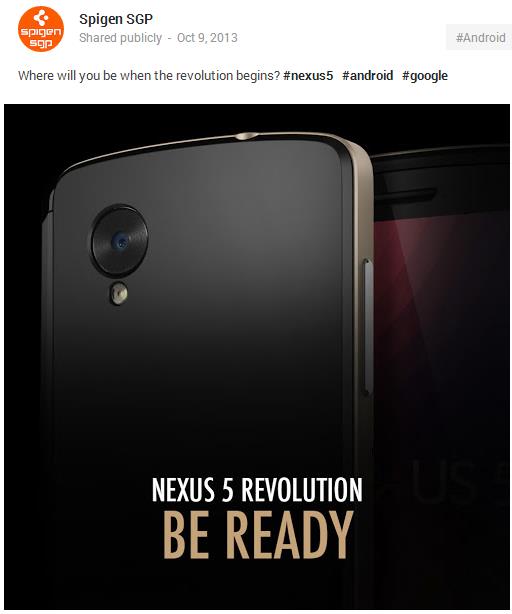
  • Nexus 5 Images Leaked Again: Nexus 5 Revolution Be Ready

    Nexus 5 Images Leaked Again: Nexus 5 Revolution Be Ready

    Case maker SPIGEN leaked the Nexus 5 images yet again with a photo showing back of the device. The recently leaked image shows the large camera sensor at the back of the device which is supposedly a 8 MP camera as per the manual that leaked out previously.

    According to an earlier leak by SPIGEN, the Nexus 5 will launch on October 31, but the latest information shows October 30 is the date. Earlier this month, the rumored Nexus 5 showed up with leaked battery, pricing and storage details. The report showed us that the 16 GB Nexus 5 model will supposedly be priced at $299, while the 32 GB Nexus 5 might be priced at $399.

    nexus 5

    However, the rumoured specifications of the Nexus 5 are a 4.95 inch full HD IPS LCD display, supposedly the device will be powered by a 2.3 GHz Quad-Core processor with a Snapdragon 800 chipset along with a 2 GB of RAM, 8 MP camera, a 1.3 MP front facing camera. The device is believed to be run on Android 4.4 KitKat. While these are some leaked specification, the official news should not be away. Stay tuned!

    [via]


  • Rumour : Next Version Of Google Hangouts To Replace Stock Messaging App

    Rumour : Next Version Of Google Hangouts To Replace Stock Messaging App

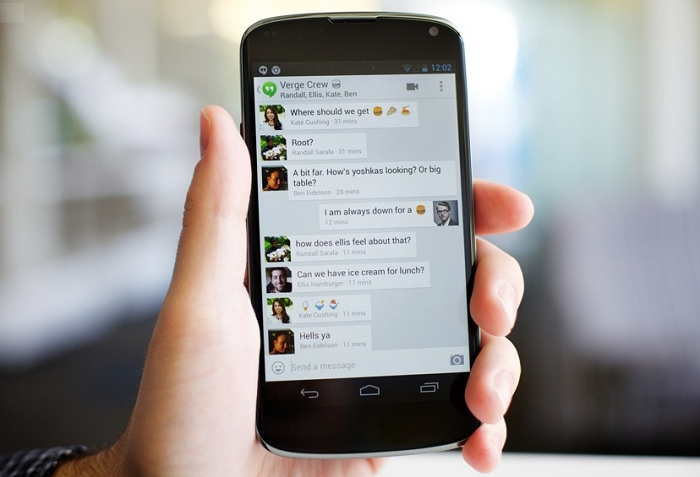
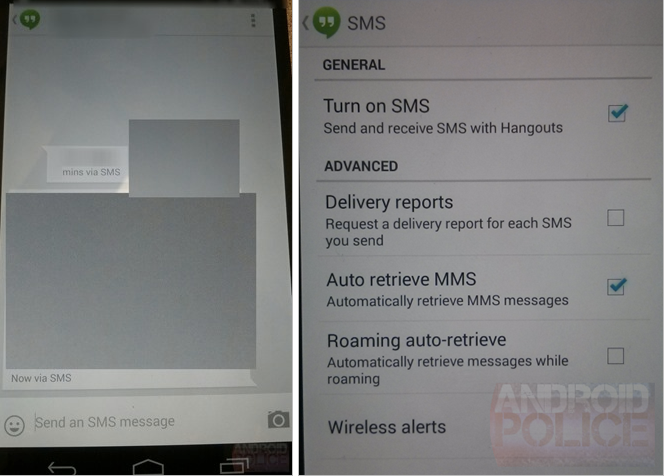
    The next version of Google Hangouts for Android will likely replace the stock Messaging app with a single, unified Hangouts version that detects whether the respondent is also using Google’s new multi-platform chat-and-conference service, and if so will send the message over data, and if not will send it via SMS.

    The revelation was made by Android Police who, after hearing rumours of the service consolidation in Android 4.4 KitKat, received some pretty convincing screenshots showing Hangouts sending messages “via SMS.”

    hangouts

    Messages sent via SMS will show “via SMS” next to the timestamp so that you can always figure out the protocol used for each message delivery. You can request delivery reports for sent SMSes – a feature that is part of the SMS protocol that some of you may be using regularly.

    The fundamental question is whether this will be an Android 4.4-only thing, and how it will work with previous versions. It’s not like Google can update Play Services and all of a sudden hundreds of millions of Android users have a single, unified SMS app. More likely, Hangouts, like many third-party SMS apps, will ask to become the “default” and take over the role of the stock messaging app. Nexus devices will probably receive an update to remove the legacy Messages app and go forth with just Hangouts.

    Guess we’ll have to wait and see!

    [Via]

  • Google Forms An Alliance With Top Companies For Affordable Internet Worldwide

    Google Forms An Alliance With Top Companies For Affordable Internet Worldwide

    Google has kick-started an initiative to bring the Internet to third world countries with the help of its peers in the technology sector as well as a handful of American, British and other organizations.

    Called the Alliance for Affordable Internet, group aims to steer countries toward policy and regulatory change that will encourage better wireless and wired Internet access, CNet reported.

    Google says that A4AI will work with countries around the world to influence policy changes that will make Internet more affordable. How affordable? Google says that ISPs in developing countries charge up to 30 percent of a person’s monthly income for basic broadband services. With effective policy change, Google says it can bring down costs to the UN Broadband Commission’s recommended target of 5 percent of a person’s monthly income.

    “A4AI has a specific goal in mind: to reach the UN Broadband Commission target of entry-level broadband access priced at less than 5 percent of monthly income worldwide,” Jennifer Haroon, principal executive of Google’s access program, wrote in a blog post.

    Microsoft, Yahoo, Facebook, Cisco and Intel are just a few of the more than 30 members drawn from technology firms, public sector groups and foundations around the world.

    If A4AI achieves its goal, the two-thirds of the world that is not currently online will be able to connect to the Internet for a reasonable price.

  • Nexus 5 full details emerge in Leaked LG Service Manual

    Nexus 5 full details emerge in Leaked LG Service Manual

    In a twist of events Google has not been able to keep the upcoming device under wraps. The first images of the Nexus 5 came thanks to Google’s own Android Kit Kat unveil video, post which a barrage of images started to pop over on to the inter webs. 

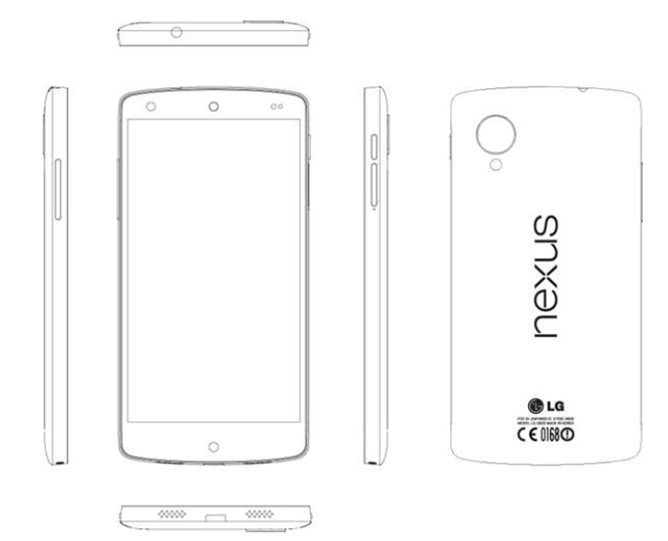
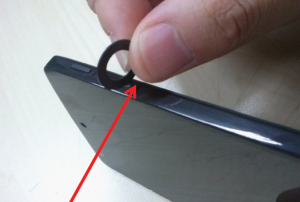
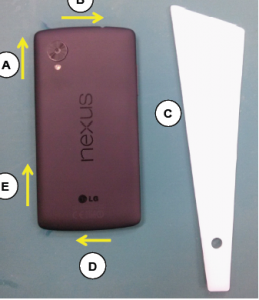
    Now a leaked LG service manual with the model number LG D821 has emerged which gives of the complete low down on the new Nexus 5 and its design. According to the leaked resource the handset will have 4.95-inch display, a 2.3 GHz Snapdragon 800 processor, 2GB of RAM, inductive charging and NFC. This particular model’s LTE bands (1, 3, 5, 6, 7, 8 and 20) are optimized for Asia and Europe.

    On the optics front there’s an eight-megapixel camera with OIS on back and a 1.3-megapixel front camera for selfies. Storage is a steady 32GB and is powered by a 2300 mAh juice pack. The LCD IPS display has a 1080p resolution and screen tethering is supported via a Slimport (just like the Nexus 4).

    The Hardware will have the usual array of sensors, but one unique one which measures pressure, there is also a notification light and a microSim Slot. 

    LG D821

    [VIA]

iGyaan Network
Privacy Overview

This website uses cookies so that we can provide you with the best user experience possible. Cookie information is stored in your browser and performs functions such as recognising you when you return to our website and helping our team to understand which sections of the website you find most interesting and useful.