Tag: IceCreamSandwich

  • Google Testing Ice Cream Sandwich on Nexus S – Works Great

    Google Testing Ice Cream Sandwich on Nexus S – Works Great

    Google employees are testing Ice Cream Goodness on the Nexus S and apparently it works great. This means that if you are rocking a Nexus S  you are only weeks away from receiving an official update to the next delicious version. The company is also hoping to remove any and all kinks during this test process so that they can deliver a very stable bug free version for an update.

    Tasty treats anyone?


    [Android Police]

  • Nokia N900 gets Ice Cream Sandwich, we say wooo!

    A hacker with his estranged N900 has managed to get some desert love on his not so shiny N900. The hack is an extremely early build and is even referenced as being “pre-pre-alpha,”. But still to have Google’s latest OS running on a N900 will give some Nokia fanboys a thrill they could have had, but may now never get. Nokia+Android.

  • Galaxy Nexus Priced at US$ 750, India Price?

    Galaxy Nexus Priced at US$ 750, India Price?

    The Galaxy Nexus got priced at a whopping US $ 750 which equals way over 35,poo Indian, to be a bit more precise, somewhere in the 37,500 mark. Does this mean a mass slaughter for hopes of all aiming to buy the galaxy Nexus? 

    The device has been on the Holiday wish-list of many a folk since the day it was announced. A price that high would really diminish expectant sales of the Galaxy Nexus. If Samsung India really wants to capture the market with this Google Phone then trust us Sammy, a price close to 30,000 would win a lot of Indian Hearts. We are no experts when it comes to market analysis (or are we) But Samsung has already flooded the field of opportunity with the S2 and the Note, now the higher price Nexus would just mean poor sales throughout.

  • Asus Transformer Prime goes up for Pre-Order in the US 32GB for $500

    Asus Transformer Prime goes up for Pre-Order in the US 32GB for $500

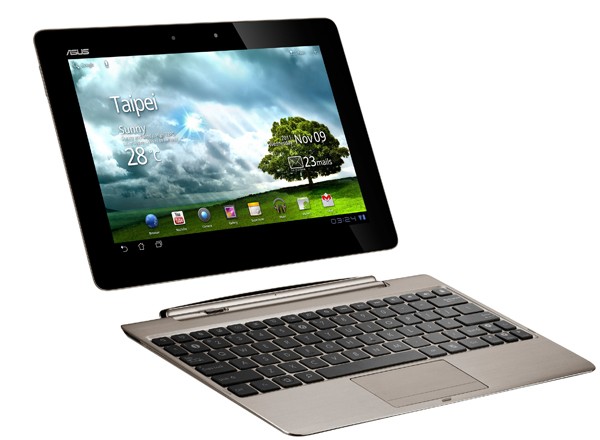
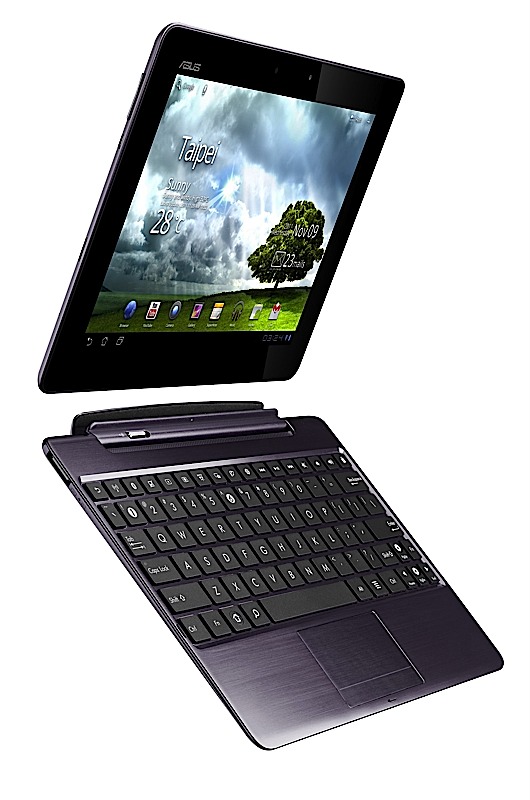
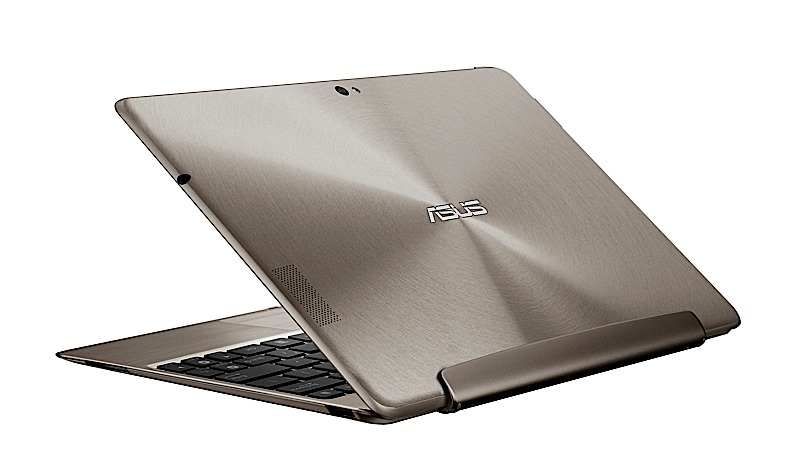
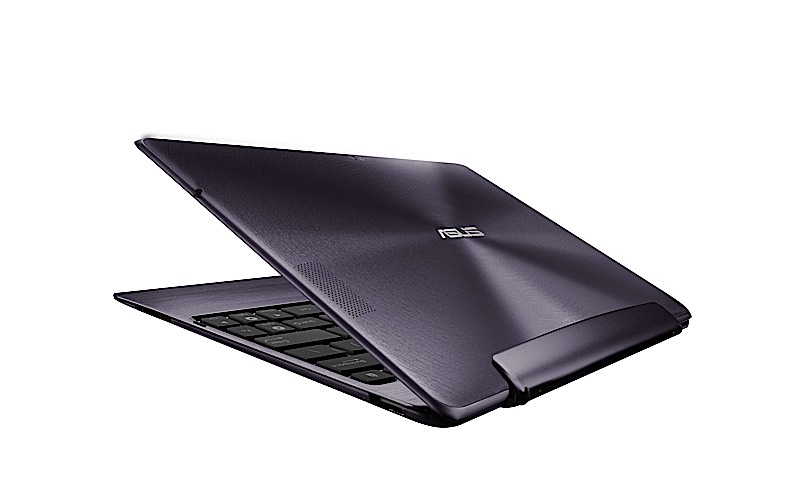
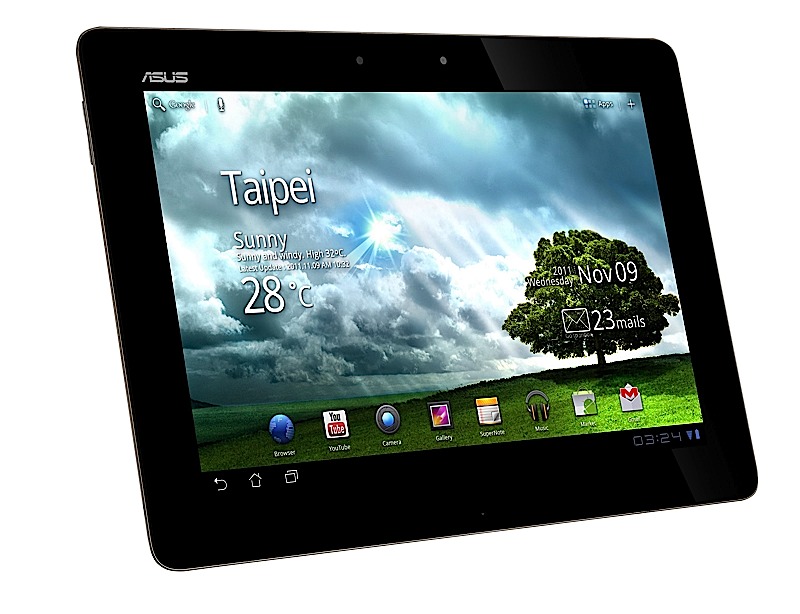
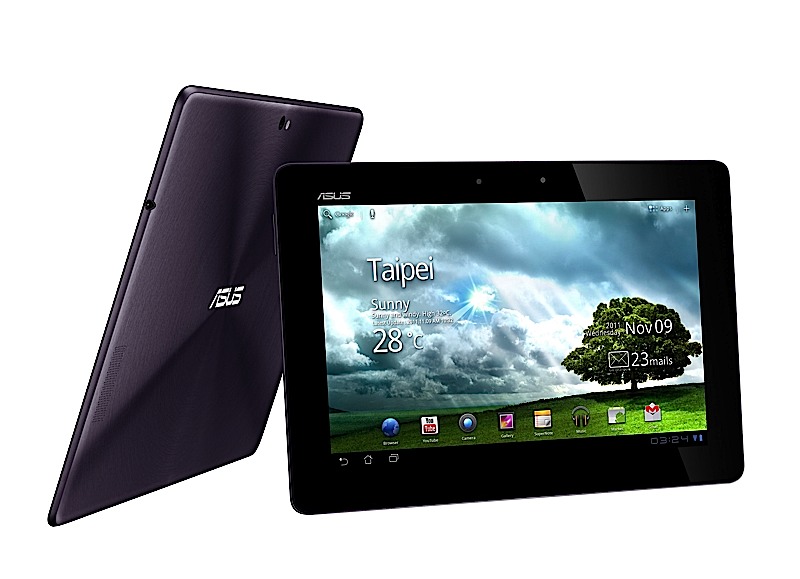
    The Asus Transformer prime with Nvidia Tegra 3 and Ice Cream Sandwich has gone up for preorder in the United States. Making it the first Nvidia Tegra 3 tab and the first tablet with Ice Cream Sandwich. This Hybrid tablet will be available in December and will feature a 1.3GHz quad-core processor, 1GB of DDR2 RAM, an 8 megapixel rear camera and a 1.2 megapixel front camera. It will initially come with Android 3.2 which will be later upgraded to ICS.

    It will be available in two color options of amethyst gray or champagne gold and two storage sizes 32 GB for US$500 and 64GB for US $ 600 (Rs 25000 and 30,000 respectively).

    [ASUS]

  • Lenovo to release an Android Ice Cream Sandwich Tablet By end 2011, with 1.6GHz Tegra 3

    Lenovo to release an Android Ice Cream Sandwich Tablet By end 2011, with 1.6GHz Tegra 3

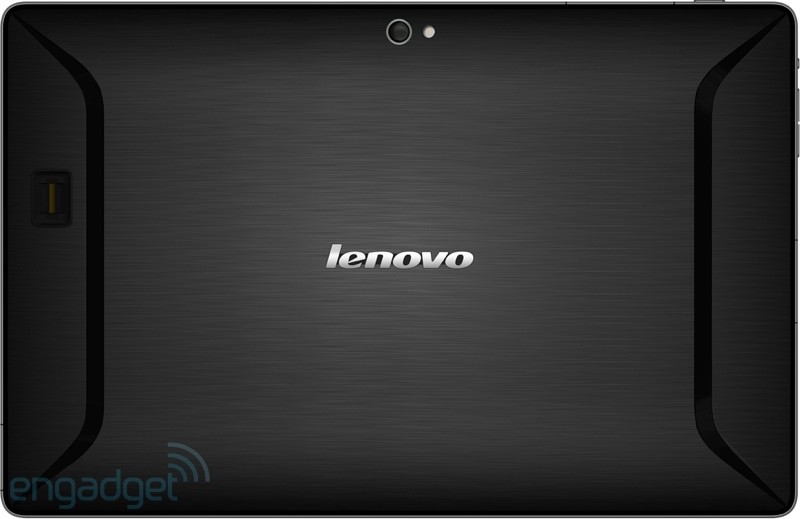
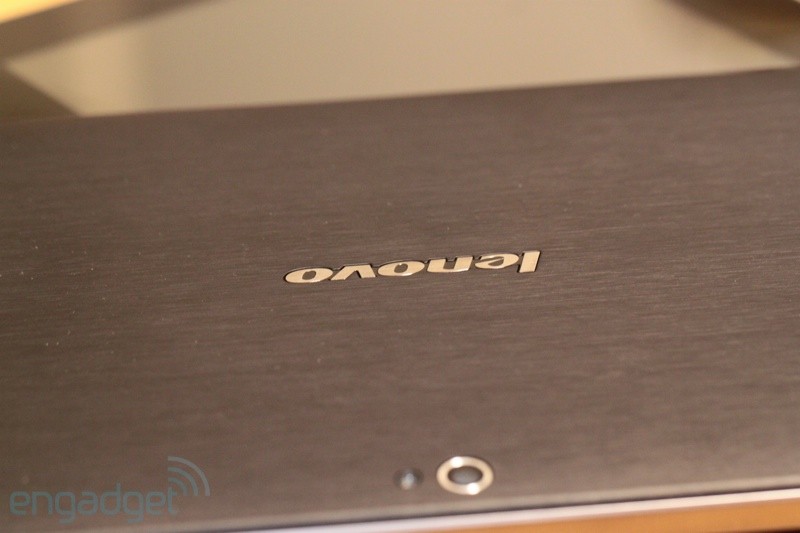
    Did you think Tegra 3 device were far from production? Well, You thought wrong. Folks over at Engadget have exclusive information on the upcoming Lenovo Tab. the device will feature a 10.1 inch display of unknown pixel density. The device also packs a whopping 1.6GHz QUAD CORE Nvidia Tegra 3 Chipset, and 2GB of DDR 3 RAM at 1600 MHz.

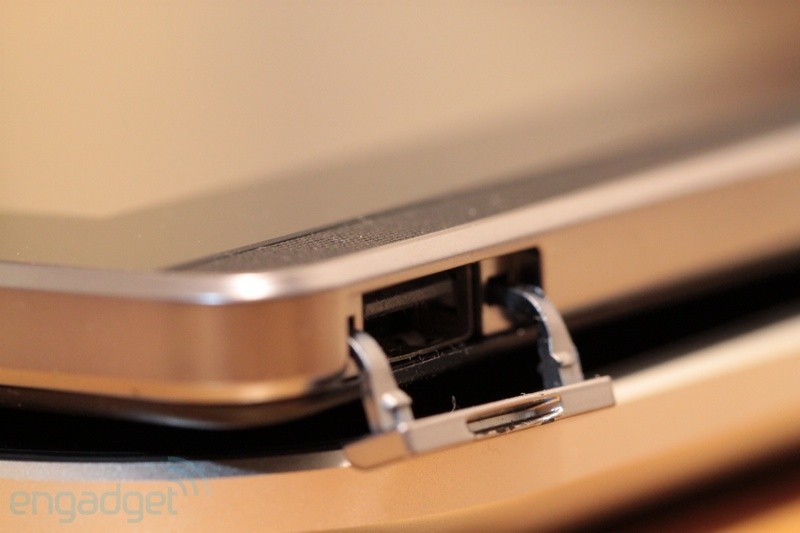
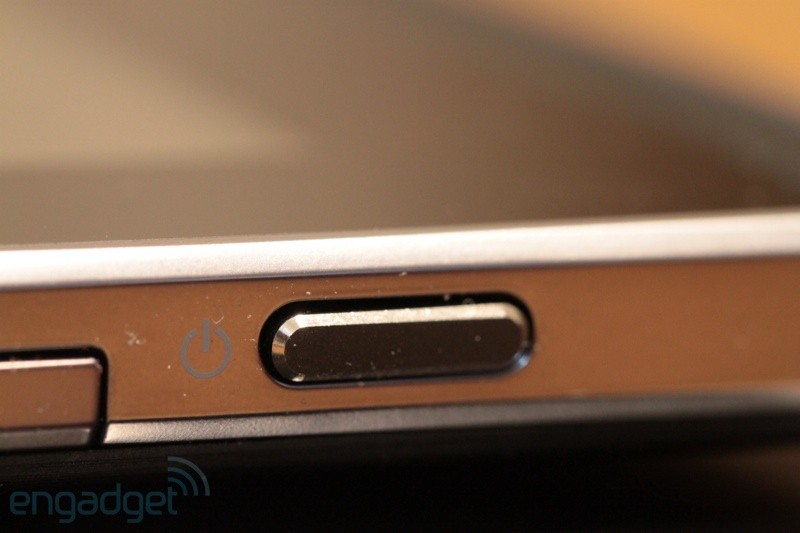
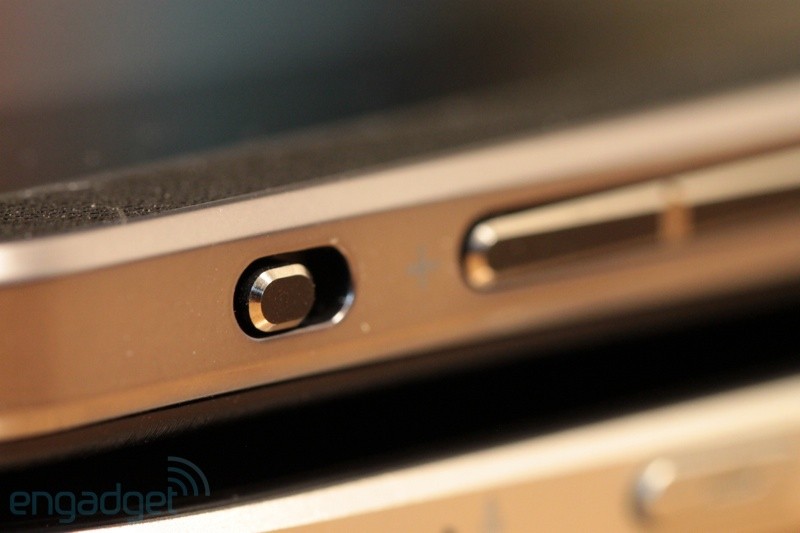
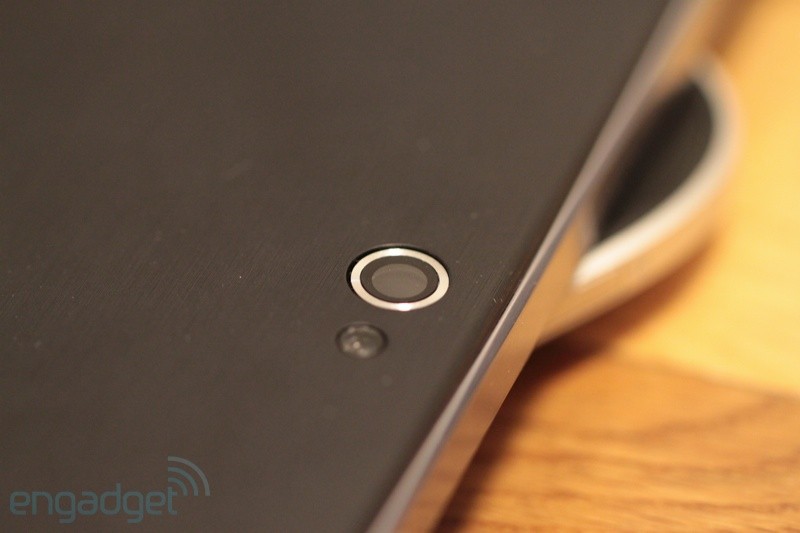
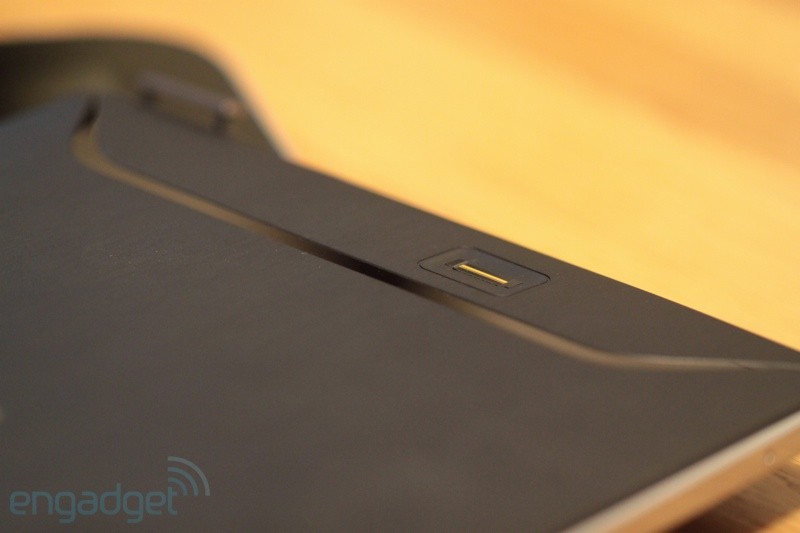
    The images also reveal a pop out USB host with a standard size USB port, a biometric reader at the back for security locks. The device should be one of the many Tablets on Tegra 3 but looks like Lenovo this time around may actually be the first to launch a device of such massive proportion.

    [Engadget]

  • ASUS launches the new Transformer Prime with Tegra 3 and 12 Hour Battery (PR)

    ASUS launches the new Transformer Prime with Tegra 3 and 12 Hour Battery (PR)

    Asus has officially announced its revision to the Asus EeePad Transformer, this one dubbed the “Transformer Prime” will feature enhancements inside out. The major changes include the all new Nvidia Tegra 3 SOC with quad core processors and 12 core GPU, the enhanced 10.1 inch Super IPS LCD display. The new tab will also feature a 8.3mm-thick/ thin body, mini-HDMI output, microSD slot ( for next Gen. upto 64GB) 

    The pricing has also been revised to tackle the market by surprise, the tablet launches worldwide in December for a price of US $ 499 for the 32 GB version ( Approx. Rs 25,000/-) and US $ 599 for the 64GB Version (Approx. Rs 30,000). The display has a resolution of 1280 x 800 and is a Gorilla Glass display with a 178-degree viewing angle and a brightness of 600 nits. The battery is going to run upto 12 hours on the tablet alone, thats before adding the extended battery pack from the dock. The tablet will have 1 GB of RAM and an 8 MP auto focus, f/2.4 lens, backlit illuminating sensor ( similar to the one seen on the iPhone 4S). The device will have 1080p video capture and a front facing 1.2 MP camera for video chats on their upgraded version of Ice Cream Sandwich ( aka Android 4.0)

    [toggle title_open=”Press Release” title_closed=”Press Release” hide=”yes” border=”yes” style=”default” excerpt_length=”0″ read_more_text=”Read More” read_less_text=”Read Less” include_excerpt_html=”no”]ASUS Announces the Eee Pad Transformer Prime
    Featuring the NVIDIA® Tegra® 3 Quad-Core Processor the Transformer Prime is designed to greatly enhance the mobile computing experience

    Fremont, CA (November 8, 2011) – ASUS officially announces the world’s first tablet with the NVIDIA® Tegra® 3 quad-core processor – the ASUS Eee Pad Transformer Prime. The Eee Pad Transformer Prime is ultra-thin at 8.3mm (0.33″) and lightweight at 586g (1.29lbs) while featuring a stylish metallic swirl design with class leading enhancements including ASUS SonicMaster audio technology, an HD 8MP rear auto-focus camera with LED flash and battery life rated for up to 18 hours* when combined with the optional mobile dock. Pricing will range from $499** (32GB) to $599** (64GB), with the optional mobile dock accessory priced at $149**.

    Incredibly Slim yet Incredibly Powerful
    Featuring an ultra-slim form factor, the Transformer Prime is only 8.3mm (0.33″) thin and weighs in at a mere 586g (1.29lbs without dock). This makes watching movies, surfing the web, playing games, taking photos, finishing up homework or video chatting with friends or family so easy and natural that you’ll wonder if the Transformer Prime was designed specifically with you in mind. Its innovative metallic swirl design is made of aluminum for a secure yet extremely comfortable grip that comes in two gorgeous colors: Amethyst Gray and Champagne Gold.

    The Transformer Prime is the world’s first tablet to feature NVIDIA’s next-generation quad-core Tegra® 3 processor. With the quad-core CPU, 12-core GeForce® GPU and vSMP technology, the Transformer Prime delivers an optimum user experience featuring smooth multitasking capabilities, lightning fast app loading, a rich and fluid web experience, full 1080P HD video for realistic media playback or recording and of course, incredible gaming performance that allows you to experience games in an entirely new way.

    Fantastic Battery Life
    While the Transformer Prime is extremely slim and light, ASUS did not forget about battery life. Thanks to the advanced power management features of the Tegra® 3 processor and ASUS optimizations the Transformer Prime has a battery life of up to 12 hours*, but when combined with the mobile dock, it lasts up to an incredible 18 hours*, the longest battery life of any current tablet. That’s enough battery life for a trans-ocean flight, all-night game session, viewing several movies on a long road trip or even video recording, editing, and then playing back your child’s school play all in 1080P HD clarity.

    Unrivaled Visuals
    The Eee Pad Transformer Prime boasts a wide 178° viewing angle IPS display, protected by Corning® Gorilla® Glass, which features new ASUS technology to enhance the brightness of the screen for a better outdoor reading experience while still offering a remarkably vivid and brilliant viewing experience of photos, books, videos, movies and web pages indoors. Thanks to Multi-Touch technology, you can use your fingers to do everything from swiping through photos, surfing the web, playing the latest games, typing emails, instant messaging, reading books or magazines, and starting your favorite movie.

    A 1.2MP front camera allows for instant photos or high-quality video conferencing with friends, family or coworkers while an 8MP rear camera with auto-focus and LED flash takes brilliant photos or video thanks to a large F2.4 aperture, back illuminated CMOS sensor, touch-to-focus depth of field and low-light noise reduction to provide the clearest and sharpest photos or even 1080P HD videos.

    Advanced Audio
    The Transformer Prime offers impressive audio capabilities in a tablet, powered by ASUS exclusive SonicMaster technology, renowned for crisp and acoustically accurate audio. It produces crystal clear sound with a wide sound stage, increased audio fidelity, and distinct vocal enhancements for an immersive audio experience with your favorite music track, video, or movie.

    Unlimited Productivity
    The Transformer Prime is offered with either 32GB or 64B flash storage options for quick, efficient and reliable access to your applications. Both models feature a micro SD card slot, 3.5mm combo audio jack and micro HDMI port so sharing both what’s inside and on-screen is quick and easy. However, the function that gives the Transformer Prime its namesake is the mobile dock, which gives new meaning to the term versatility. This innovative and convenient design seamlessly provides the user with a keyboard and touchpad, along with limitless expandability options via the USB port and SD card slot.

    ASUS will include several innovative applications like SuperNote that is fantastic for its ability to take, draw or record notes and Polaris® Office which is great for staying productive with the ability to read, edit or create Word, Excel and PowerPoint (MS Office 97-2007) compatible files. Thousands of top rated applications and games are also available at Android Market that fully takes advantage of the Transformer Prime’s amazing features and power.

    *Battery life will vary based on usage patterns and options.
    **Pricing will vary by country and SKU. North American MSRP pricing listed.[/toggle]


  • HTC Announces Ice Cream Sandwich upgrades for their devices.

    HTC Announces Ice Cream Sandwich upgrades for their devices.

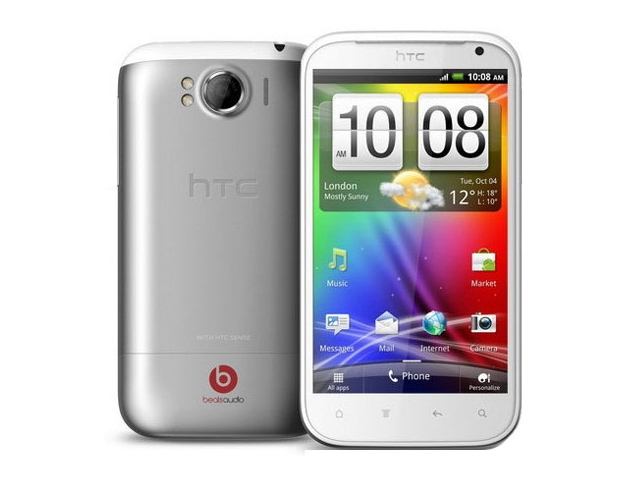
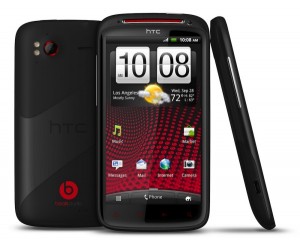
    HTC has announced the first wave of upgrades for their devices in a statement made on Facebook. Confirming that the HTC Sensation and Sensation XE will definitely get the upgrade, but leaving out majors from the announcement including Incredible S and Desire S. This announcement was made for the US division, but is applicable to worldwide devices.

    HTC knows how excited our fans are to get their hands on Google’s latest version of Android, Ice Cream Sandwich, so we’re thrilled today to announce the first wave of HTC phones that will receive upgrades: We can confirm the brand new HTC Vivid is upgradeable to Ice Cream Sandwich. In addition, Ice Cream Sandwich is coming in early 2012 to a variety of devices including the HTC Sensation, HTC Sensation XL and HTC Sensation XE, as well as the HTC Rezound, HTC EVO 3D, HTC EVO Design 4G and HTC Amaze 4G through close integration with our carrier partners. We’re continuing to assess our product portfolio, so stay tuned for more updates on device upgrades, timing and other details about HTC and Ice Cream Sandwich.

    [HTC (Facebook)]

  • LG Slaps rumors, Says Optimus 2X to Get ICS Android 4.0

    LG Slaps rumors, Says Optimus 2X to Get ICS Android 4.0

    Worried that your recent LG Optimus 2X purchase may not be future proof? Think again, LG has confirmed that the Optimus 2X will intact be getting the Android 4.0 update, and this information was put up on their FB page. There are no details as to when this will happen, or how, since most are still awaiting the 2.3 version of the LG firmware. 

    “[LG Official Statements on Ice Cream Sandwich OS Update]
    LG firmly denies the rumors that claim LG will not be providing the Ice Cream Sandwich (ICS) OS update for the LG Optimus 2X. These rumors are NOT true. LG is currently in the process of planning the ICS OS update for the LG Optimus 2X as well as other LG high-end smartphones. Detailed information on the ICS OS update schedule for specific models will be announced, once the ICS OS is publicly released by Google. Please stay tuned for more updates from LG.
    Thank you very much.”

    [LG (Facebook)]

  • Most Android Honeycomb Tablets will upgrade to Ice Cream Sandwich

    Most Android Honeycomb Tablets will upgrade to Ice Cream Sandwich

    The air has been cleared over the tablet to Android 4 controversy and it seems all but most Honeycomb tablets will be updated to the latest build of Android from their companies. The only thing that lies in the middle is the timeline, and since we all know that companies like to take their own sweet time ironing out the kinks, we would say it should be a while.


  • iPhone 4S vs Galaxy Nexus Vs Galaxy S2 Vs HTC Sensation XE : Spec Wars

    iPhone 4S vs Galaxy Nexus Vs Galaxy S2 Vs HTC Sensation XE : Spec Wars

    Before the journey, Here are the major and upcoming smartphones of India in a spec by spec battle.

    Sure there are others and we will continue to add them.


     Price  TBD  TBD INR : 28500   TBD  
     Processor  Dual-core Apple A5   1.2GHz dual-core  1.2GHz dual-core Samsung Exyno  Dual core, Qualcomm 8260, 1500 MHz  
     Display  3.5 inches, 960 x 640
    IPS LCD 
    4.65-inch curved glass
    HD Super AMOLED
    1280 x 720
      4.3 inch , 800 x 480 Super AMOLED Plus  4.3 Inch, 540 x 960 SLCD  
     Primary Camera  8 megapixel AF, f2.4 lens, BSI sensor, LED flash  5 megapixel with zero
    shutter lag
     8 megapixel AF, LED flash  8 megapixel AF, LED flash  
     Front Camera VGA 1.3 megapixel 2 megapixel VGA  
     Cellular  Quadband GSM, quadband HSPA+ 14.4, CDMA / EDVO Rev. A  LTE or HSPA+, GSM  Quadband GSM, quadband HSPA+ 21 / 42    Quadband GSM, quadband HSPA+ 21 / 42   
     Wifi  802.11b/g/n  802.11 a/b/g/n  802.11a/b/g/n   802.11a/b/g/n  
     NFC  N/A Yes  NO   NO  
     Memory   Unknown (likely 512MB)  1GB RAM  1GB RAM  768 MB  
     Storage 16GB / 32GB / 64GB internal  16GB / 32GB
    internal storage
     16GB / 32GB internal, microSDHC expansion  1GB inbulit, microSDHC expansion  
     OS  iOS 5  Android 4.0
    Ice Cream Sandwich
     Android 2.3.4 with TouchWiz 4.0  Android 2.3.4 with Sense  
     Battery  1420+mAh, embedded  1,750mAh  1650mAh, removable  1730 mAh, Removable  
     Quoted Batt life Talk 8 hours on 3G, 14 hours on 2G
    40 hours audio, 10 hours video 
    TBD  7-8.7 hours on 3G, 5 hours video  7.16 hours on 3g, 6 Hours video  
     Weight  140 grams / 4.9 oz.  135g / 4.76oz  116 grams / 4.1 oz  151 grams / 5.33 oz   
     Dimensions  115.2 x 58.6 x 9.3mm  135.5 x 67.94 x 8.94 mm  125.3 mm x 66.1 mm x 8.49 mm   126.1 x 65.4 x 11.3 mm  


  • Google Confirms Ice Cream Sandwich will run on Nexus S and other Gingerbread Devices

    Google Confirms Ice Cream Sandwich will run on Nexus S and other Gingerbread Devices

    Google has officially confirmed that all Gingerbread devices should be able to get some Ice Cream Sandwich love. Starting with the Nexus S devices will soon get their upgrades as they go along. 

    Currently in the process for releasing Ice Cream Sandwich for Nexus S. Theoretically should work for any 2.3 device.”

    -Gabe Cohen, Google Android Team

    Glad you bough that Nexus S huh?

  • Google Officially calls Android Ice Cream Sandwich, Shouts Android 4.0

    Google Officially calls Android Ice Cream Sandwich, Shouts Android 4.0

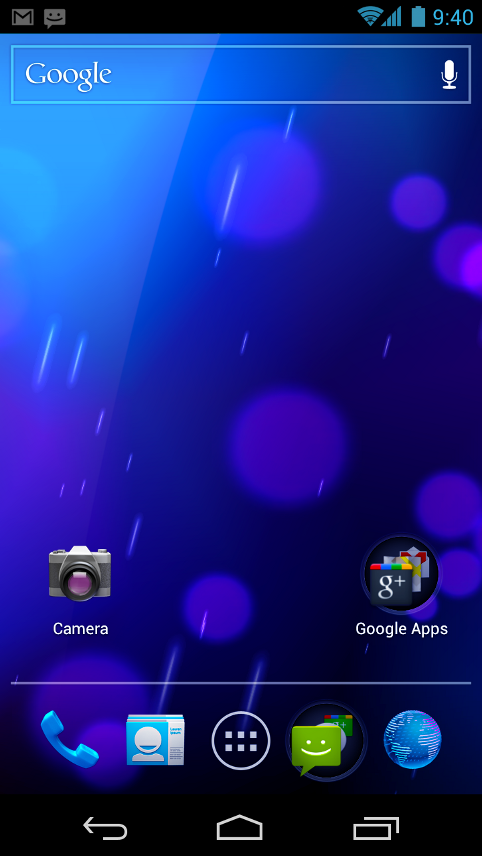
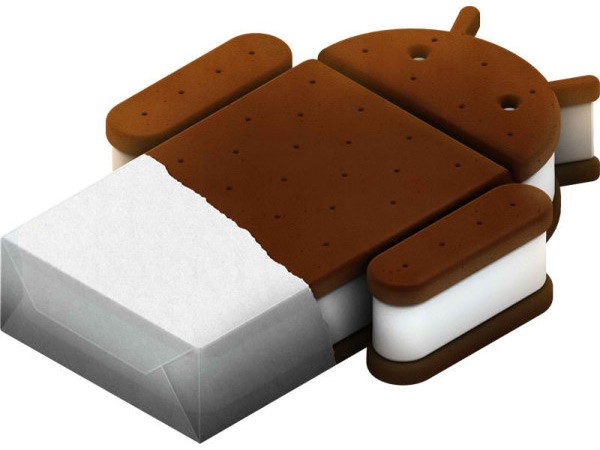
    The number is finally FInal, Google has announced Ice Cream Sandwich as the next Revision of Android, and has called it Android 4.0. This update will bring a major overhaul to the UI that we know and love, and bring along a whole bucketful of features.

    Here’s some of the things in Ice Cream Sandwich:

    • Virtual buttons in the UI(like Honeycomb)
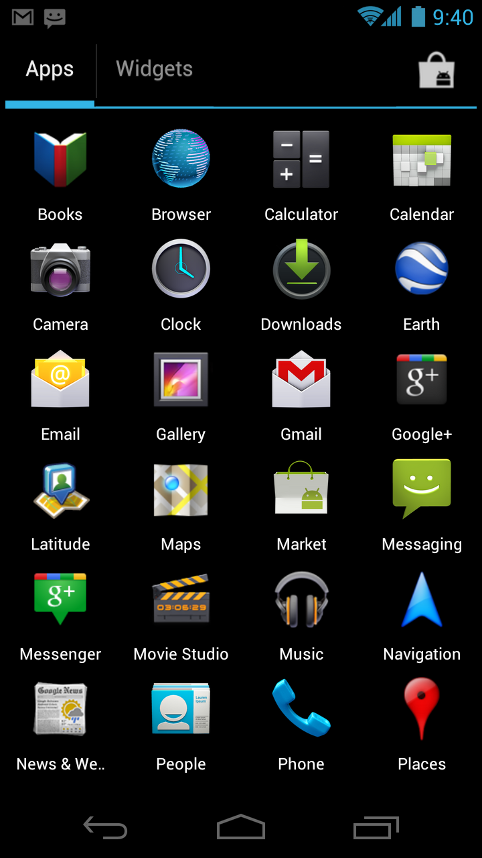
    • Widgets are in a new tab, listed in a similar list to apps
    • Folders are much easier to create, with a drag-and-drop style similar to iOS
    • A customizable launcher
    • New phone app with visual voicemail functionality that lets you speed up or slow down voicemail messages
    • Pinch-to-zoom functionality in the calendar
    • Gmail has offline search, a two-line preview, and new action bar at the bottom
    • Swipe left or right to switch between Gmail conversations
    • Integrated screenshot capture by holding power and volume down buttons
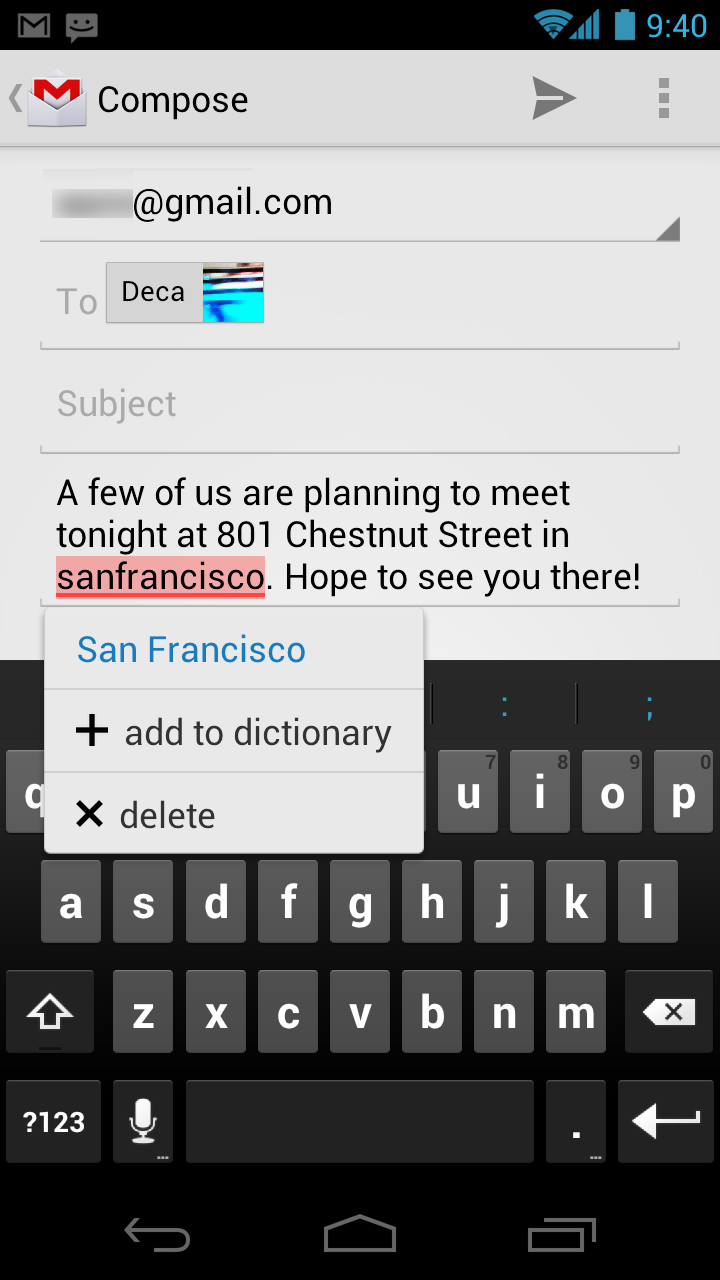
    • Improved error correction on the keyboard
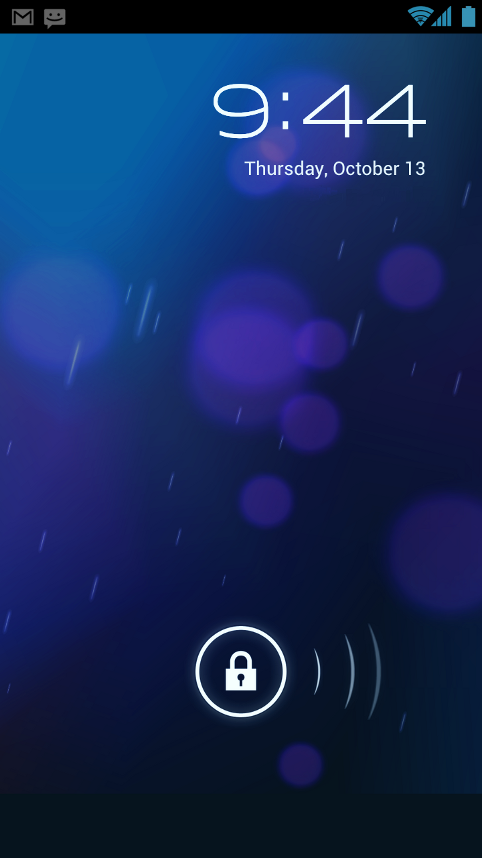
    • Ability to access apps directly from lock screen (similar to HTC Sense 3.x)
    • Improved copy and paste
    • Better voice integration
    • Face Unlock, a facial recognition service
    • New tabbed web browser, allowing up to 16 tabs
    • Browser now automatically syncs your Chrome bookmarks
    • Modern “Roboto” font
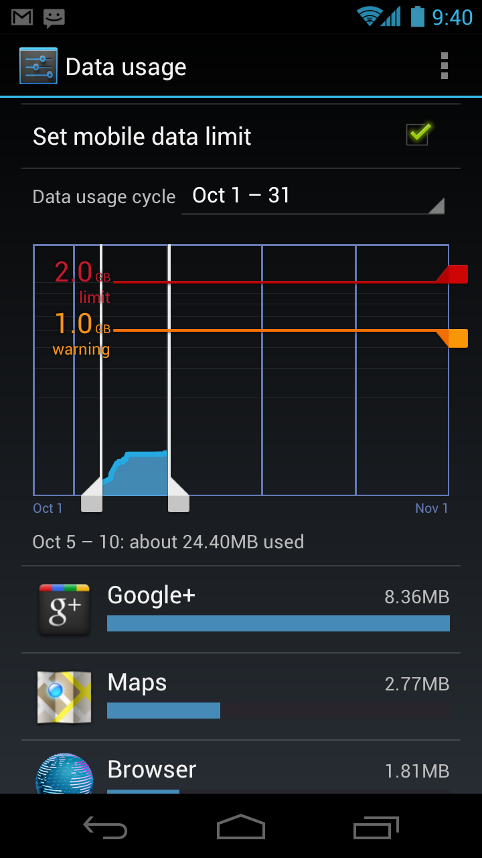
    • Data Usage section in settings lets you monitor and disable data when you go over your limit
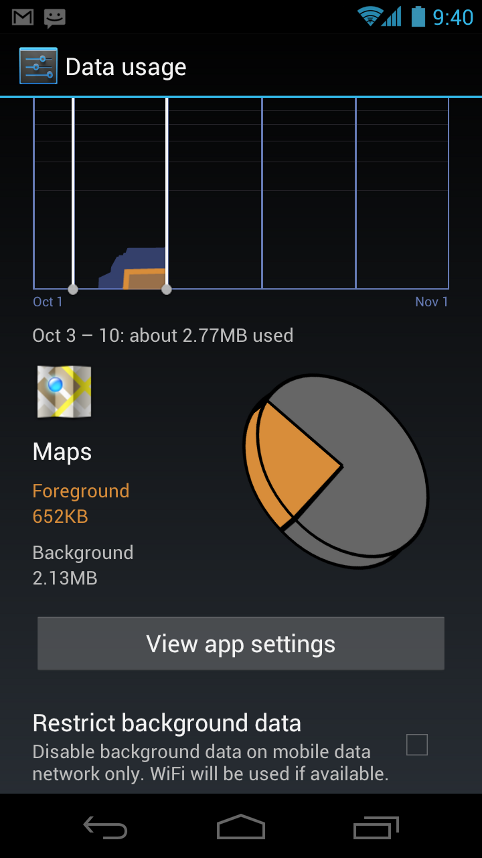
    • Ability to kill off apps that are using data in the background
    • Camera app: zero shutter lag, time lapse settings, zoom while recording
    • Built-in photo editor
    • New gallery layout, organized by location and person
    • Refreshed people app with social network integration, status updates and hi-res images
    • Android Beam, a NFC feature that lets you exchange websites, contact info, directions, YouTube, etc.

    Android 4.0 for Users

    Simple, beautiful, beyond smart

    Android 4.0 builds on the things people love most about Android — easy multitasking, rich notifications, customizable home screens, resizable widgets, and deep interactivity — and adds powerful new ways of communicating and sharing.

    Refined, evolved UI

    Focused on bringing the power of Android to the surface, Android 4.0 makes common actions more visibleand lets users navigate with simple, intuitive gestures. Refined animations and feedback throughout the system make interactions engaging and interesting. An entirely new typeface optimized for high-resolution screens improves readability and brings a polished, modern feel to the user interface.

    Virtual buttons in the System Bar let users navigate instantly to Back, Home, and Recent Apps. The System Bar and virtual buttons are present across all apps, but can be dimmed by applications for full-screen viewing. Users can access each application’s contextual options in the Action Bar, displayed at the top (and sometimes also at the bottom) of the screen.

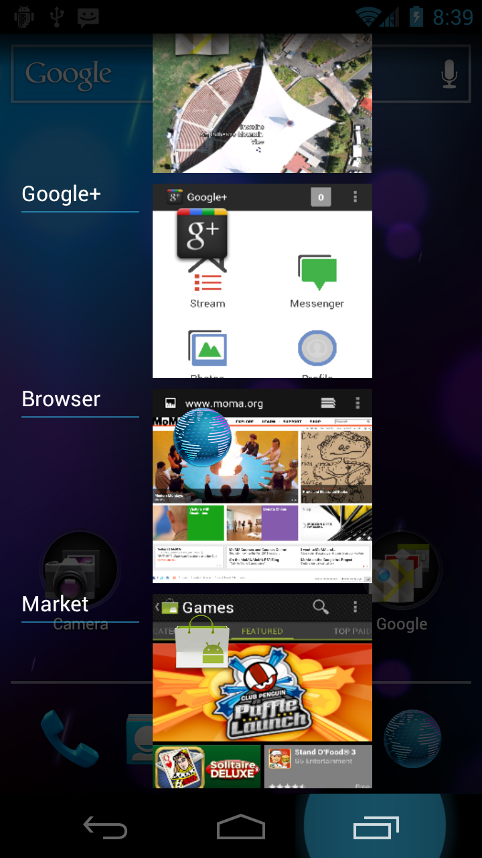
    Multitasking is a key strength of Android and it’s made even easier and more visual on Android 4.0. The Recent Apps button lets users jump instantly from one task to another using the list in the System Bar. The list pops up to show thumbnail images of apps used recently — tapping a thumbnail switches to the app.

    Rich and interactive notifications let users keep in constant touch with incoming messages, play music tracks, see real-time updates from apps, and much more. On smaller-screen devices, notifications appear at the top of the screen, while on larger-screen devices they appear in the System Bar.

    Home screen folders and favorites tray

    New home screen folders offer a new way for users to group their apps and shortcuts logically, just by dragging one onto another. From the All Apps launcher, users can now simply drag an app to get information about it or immediately uninstall it, or disable a pre-installed app.

    On smaller-screen devices, the home screen now includes a customizablefavorites tray visible from all home screens. Users can drag apps, shortcuts, folders, and other priority items in or out of the favorites tray for instant access from any home screen.

    Resizable widgets

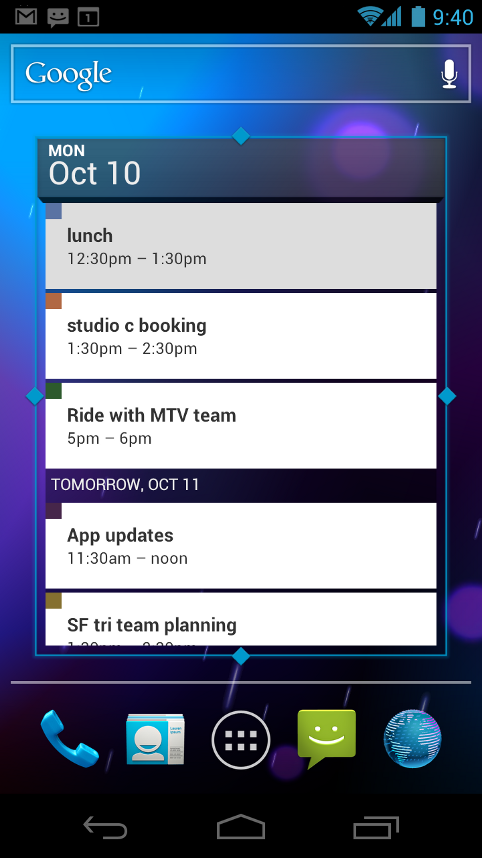
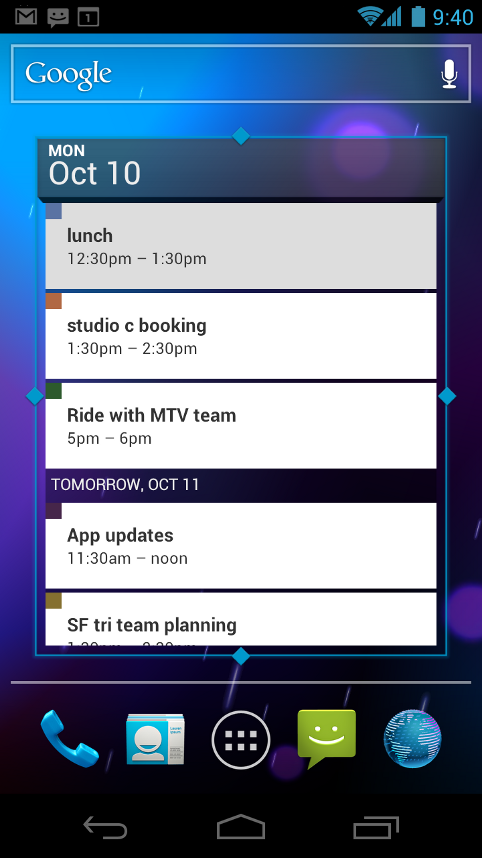
    Home screens in Android 4.0 are designed to be content-rich and customizable. Users can do much more than add shortcuts — they can embed live application content directly through interactive widgets. Widgets let users check email, flip through a calendar, play music, check social streams, and more — right from the home screen, without having to launch apps. Widgets are resizable, so users can expand them to show more content or shrink them to save space.

    New lock screen actions

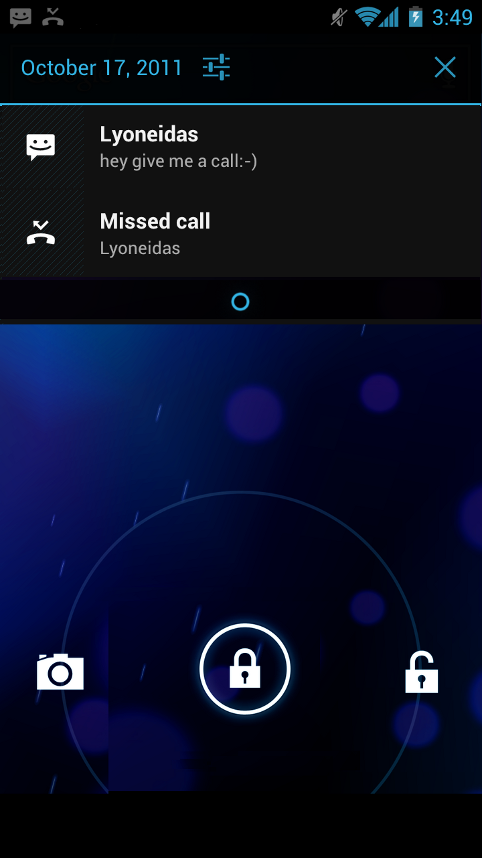
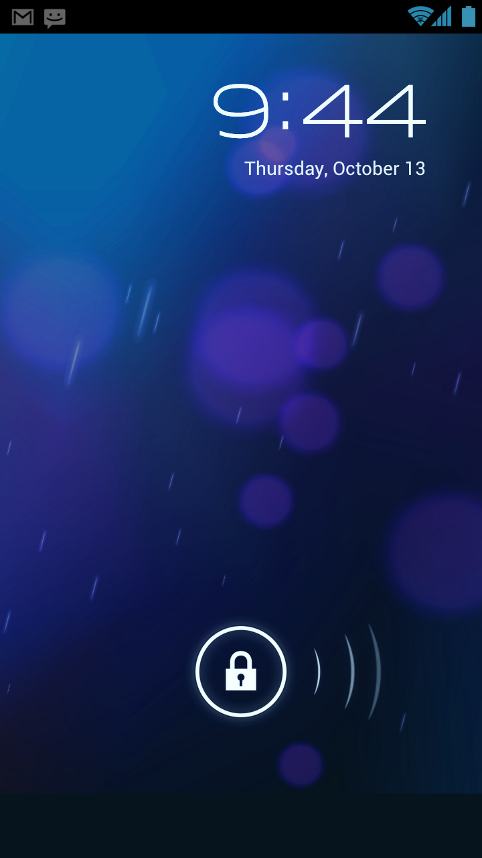
    The lock screens now let users do more without unlocking. From the slide lock screen, users can jump directly to the camera for a picture orpull down the notifications window to check for messages. When listening to music, users can even manage music tracks and see album art.

    Quick responses for incoming calls

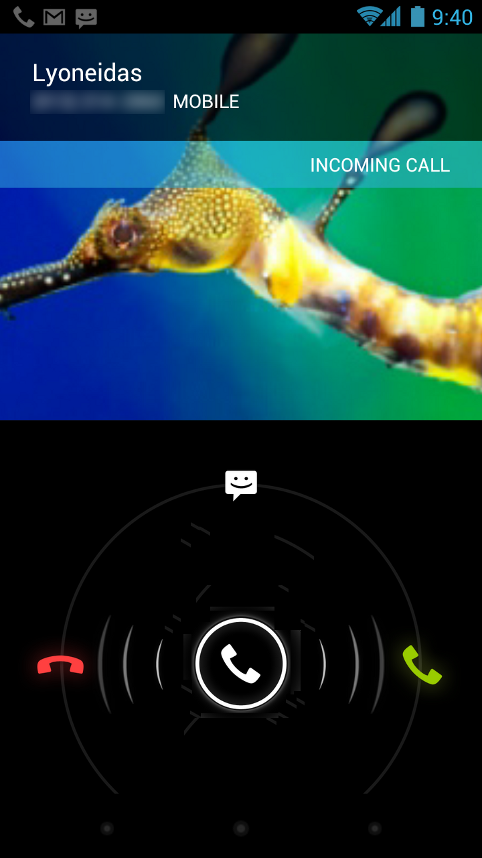
    When an incoming call arrives, users can now quickly respond by text message, without needing to pick up the call or unlock the device. On the incoming call screen, users simply slide a control to see a list of text responses and then tap to send and end the call. Users can add their own responses and manage the list from the Settings app.

    Swipe to dismiss notifications, tasks, and browser tabs

    Android 4.0 makes managing notifications, recent apps, and brwoser tabs even easier. Users can now dismiss individual notifications, apps from the Recent Apps list, and browser tabs with a simple swipe of a finger.

    Improved text input and spell-checking

    The soft keyboard in Android 4.0 makes text input even faster and more accurate. Error correction and word suggestion are improved through a new set of default dictionaries and more accurate heuristics for handling cases such as double-typed characters, skipped letters, and omitted spaces. Word suggestion is also improved and the suggestion strip is simplified to show only three words at a time.

    To fix misspelled words more easily, Android 4.0 adds a spell-checker that locates and underlines errors and suggests replacement words. With one tap, users can choose from multiple spelling suggestions, delete a word, or add it to the dictionary. Users can even tap to see replacement suggestions for words that are spelled correctly. For specialized features or additional languages, users can now download and install third-party dictionaries, spell-checkers, and other text services.

    Powerful voice input engine

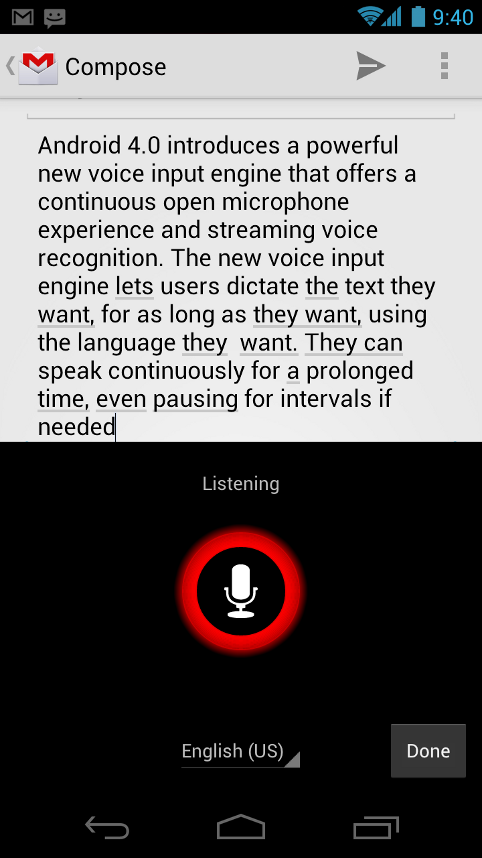
    Android 4.0 introduces a powerful new voice input engine that offers a continuous “open microphone” experience and streaming voice recognition. The new voice input engine lets users dictate the text they want, for as long as they want, using the language they want. Users can speak continously for a prolonged time, even pausing for intervals if needed, and dictate punctuation to create correct sentences. As the voice input engine enters text, it underlines possible dictation errors in gray. After dictating, users can tap the underlined words to quickly replace them from a list of suggestions.

    Control over network data

    Mobile devices can make extensive use of network data for streaming content, synchronizing data, downloading apps, and more. To meet the needs of users with tiered or metered data plans, Android 4.0 adds new controls for managing network data usage.

    In the Settings app, colorful charts show the total data usage on each network type (mobile or Wi-Fi), as well as amount of data used by each running application. Based on their data plans, users can optionally set warning levels or hard limits on data usage or disable mobile data altogether. Users can also manage the background data used by individual applications as needed.

    Designed for accessibility

    A variety of new features greatly enhance the accessibility of Android 4.0 for blind or visually impaired users. Most important is a new explore-by-touch mode that lets users navigate without having to see the screen. Touching the screen once triggers audible feedback that identifies the UI component below; a second touch in the same component activates it with a full touch event. The new mode is especially important to support users on new devices that use virtual buttons in the System Bar, rather than dedicated hardware buttons or trackballs. Also, standard apps are updated to offer an improved accessibility experience. The Browser supports a script-based screen reader for reading favorite web content and navigating sites. For improved readability, users can also increase the default font size used across the system.

    The accessibility experience begins at first setup — a simple touch gesture during setup (clockwise square from upper left) activates all accessibility features and loads a setup tutorial. Once accessibility features are active, everything visible on the screen can be spoken aloud by the standard screen reader.

    Communication and sharing

    Contacts and profiles are integrated across apps and social networks, for a consistent, personal experience everywhere — from incoming calls to emails.

    Designed for the way people live, Android 4.0 integrates rich social communication and sharing touchpoints across the system, making it easy to talk, email, text, and share.

    People and profiles

    Throughout the system, a user’s social groups, profiles, and contacts are linked together and integrated for easy accessibility. At the center is a new People app that offers richer profile information, including a large profile picture, phone numbers, addresses and accounts, status updates, events, and a new button for connecting on integrated social networks.

    The user’s own contact information is stored in a new “Me” profile, allowing easier sharing with apps and people. All of the user’s integrated contacts are displayed in an easy to manage list, including controls over which contacts are shown from any integrated account or social network. Wherever the user navigates across the system, tapping a profile photo displays Quick Contacts, with large provile pictures, shortcuts to phone numbers, text messaging, and more.

    Unified calendar, visual voicemail

    To help organize appointments and events, an updated Calendar app brings together personal, work, school, and social agendas. With user permission, other applications can contribute events to the calendar and manage reminders, for an integrated view across multiple calendar providers. The app is redesigned to let users manage events more easily. Calendars are color-coded and users can swipe left or right to change dates and pinch to zoom in or out agendas.

    In the phone app, a new visual voicemail features integrates incoming messages, voice transcriptions, and audio files from one or more providers. Third-party applications can integrate with the Phone app to add their own voice messages, transcriptions, and more to the visual voicemail inbox.

    Rich and versatile camera capabilities

    The Camera app includes many new features that let users capture special moments with great photos and videos. After capturing images, they can edit and share them easily with friemds.

    When taking pictures, continuous focuszero shutter lag exposure, and decreased shot-to-shot speed help capture clear, precise images. Stabilized image zoom lets users compose photos and video in the way they want, including while video is recording. For new flexibility and convenience while shooting video, users can now take snapshots at full video resolutionjust by tapping the screen as video continues to record.

    To make it easier to take great pictures of people, built-in face detection locates faces in the frame and automatically sets focus. For more control, users can tap to focus anywhere in the preview image.

    For capturing larger scenes, the Camera introduces a single-motion panorama mode. In this mode, the user starts an exposure and then slowly turns the Camera to encompass as wide a perspective as needed. The Camera assembles the full range of continuous imagery into a single panoramic photo.

    After taking a picture or video, users can quickly share it by email, text message, bluetooth, social networks, and more, just by tapping the thumbnail in the camera controls.

    Redesigned Gallery app with photo editor

    The Gallery app now makes it easier to manage, show, and share photos and videos. For managing collections, a redesigned album layout shows many more albums and offers larger thumbnails. There are many ways to sort albums, including by time, location, people, and tags. To help pictures look their best, the Gallery now includes a powerful photo editor. Users can crop and rotate pictures, set levels, remove red eyes, add effects, and much more. After retouching, users can select one or multiple pictures or videos to share instantly over email, text messaging, bluetooth, social networks, or other apps.

    An improved Picture Gallery widget lets users look at pictures directly on their home screen. The widget can display pictures from a selected album, shuffle pictures from all albums, or show a single image. After adding the widget to the home screen, users can flick through the photo stacks to locate the image they want, then tap to load it in Gallery.

    Live Effects for transforming video

    Live Effects is a collection of graphical transformations that add interest and fun to videos captured in the Camera app. For example, users can change the background behind them to any stock or custom image, for just the right setting when shooting video or using Google Talk video chat. Also available is Silly Faces, a set of morphing effects that use state-of-the-art face recognition and GPU filters to add great effects to facial features during video capture. For example, you can use effects such as small eyes, big mouth, big nose, face squeeze, and more. Outside of the Camera app, Live Effects is available during video chat in the Google Talk app.

    Sharing with screenshots

    Users can now share what’s on their screens more easily by taking screenshots. Hardware buttons let them snap a screenshot and store it locally. Afterward, they can view, edit, and share the screen shot in Gallery or a similar app.

    Cloud-connected experience


    The Browser tabs menu (left) lets you quickly switch browser tabs. The options menu (right) gives you new ways to manage your browsing experience.


    Benchmark comparisons of Android Browser.

    Android has always been cloud-connected, letting users browse the web and sync photos, apps, games, email, and contacts — wherever they are and across all of their devices. Android 4.0 adds new browsing and email capabilities to let users take even more with them and keep communication organized.

    Powerful web browsing

    The Android Browser offers an experience that’s as rich and convenient as a desktop browser. It lets users instantly sync and manage Google Chrome bookmarks from all of their accounts, jump to their favorite content faster, and even save it for reading later in case there’s no network available.

    To get the most out of web content, users can now request full desktop versions of web sites, rather than their mobile versions. Users can set their preference for web sites separately for each browser tab. For longer content, users can save a copy for offline reading. To find and open saved pages, users can browse a visual list that’s included with browser bookmarks and history. For better readability and accessibility, users can increase the browser’s zoom levels and override the system default text sizes.

    Across all types of content, the Android Browser offers dramatically improved page rendering performancethrough updated versions of the WebKit core and the V8 Crankshaft compilation engine for JavaScript. In benchmarks run on a Nexus S device, the Android 4.0 browser showed an improvement of nearly 220% over the Android 2.3 browser in the V8 Benchmark Suite and more than 35% in the SunSpider 9.1 JavaScript Benchmark. When run on a Galaxy Nexus device, the Android 4.0 browser showed improvement of nearly 550% in the V8 benchmark and nearly 70% in the SunSpider benchmark.

    Improved email

    In Android 4.0, email is easier to send, read, and manage. For composing email, improved auto-completion of recipients helps with finding and adding frequent contacts more quickly. For easier input of frequent text, users can now create quick responses and store them in the app, then enter them from a convenient menu when composing. When replying to a message, users can now toggle the message to Reply All and Forward without changing screens.

    For easier browsing across accounts and labels, the app adds an integrated menu of accounts and recent labels. To help users locate and organize IMAP and Exchange email, the Email app now supports nested mail subfolders, each with synchronization rules. Users can also search across folders on the server, for faster results.

    For enterprises, the Email app supports EAS v14. It supports EAS certificate authentication, provides ABQ strings for device type and mode, and allows automatic sync to be disabled while roaming. Administrators can also limit attachment size or disable attachments.

    For keeping track of incoming email more easily, a resizable Email widget lets users flick through recent email right from the home screen, then jump into the Email app to compose or reply.

    Android Beam lets users share what they are using with a single tap.

    Innovation

    Android is continously driving innovation forward, pushing the boundaries of communication and sharing with new capabilities and interactions.

    Android Beam for NFC-based sharing

    Android Beam is an innovative, convenient feature for sharing across two NFC-enabled devices, It lets people instantly exchange favorite apps, contacts, music, videos — almost anything. It’s incredibly simple and convenient to use — there’s no menu to open, application to launch, or pairing needed. Just touch one Android-powered phone to another, then tap to send.

    For sharing apps, Android Beam pushes a link to the app’s details page in Android Market. On the other device, the Market app launches and loads the details page, for easy downloading of the app. Individual apps can build on Android Beam to add other types of interactions, such as passing game scores, initiating a multiplayer game or chat, and more.

    Face recognition lets you unlock your phone with your face.

    Face Unlock

    Android 4.0 introduces a completely new approach to securing a device, making it even more personal — Face Unlock is a new screen-lock option that lets users unlock their devices with their faces. It takes advantage of state-of-the-art facial recognition technology to register a face and to recognize it later when unlocking the device. Users just hold their devices in front of their faces to unlock, or use a backup PIN or pattern.

    Wi-Fi Direct and Bluetooth HDP

    Support for Wi-Fi Direct lets users connect directly to nearby peer devices over Wi-Fi, for more reliable, higher-speed communication. No internet connection or tethering is needed. Through third-party apps, users can connect to compatible devices to take advantage of new features such as instant sharing of files, photos, or other media; streaming video or audio from another device; or connecting to compatible printers or other devices.

    Android 4.0 also introduces built-in support for connecting to Bluetooth Health Device Profile (HDP) devices. With support from third-party apps, users can connect to wireless medical devices and sensors in hospitals, fitness centers, homes, and elsewhere. In addition, for connecting to higher quality Bluetooth audio devices, Android 4.0 adds support for Bluetooth Hands Free Profile (HFP) 1.6.
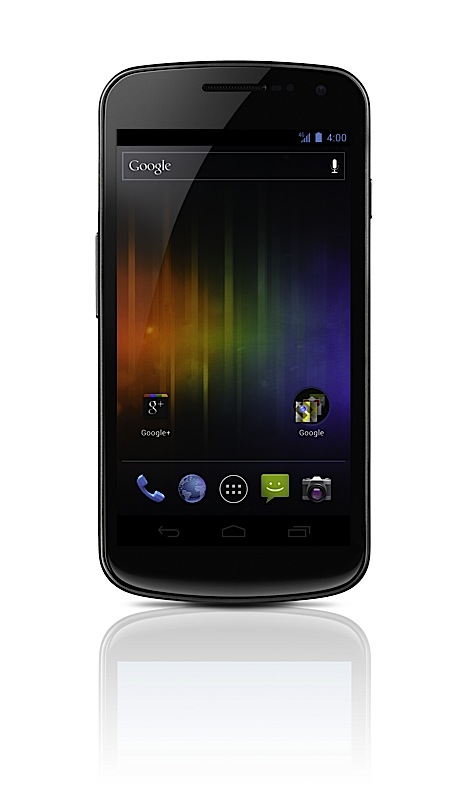
  • Samsung Galaxy Nexus is Official : 4.65 HD Amoled Display, First ICS

    Samsung Galaxy Nexus is Official : 4.65 HD Amoled Display, First ICS

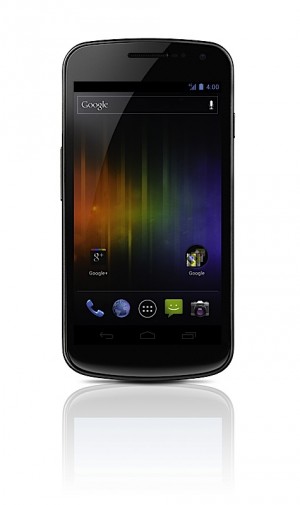
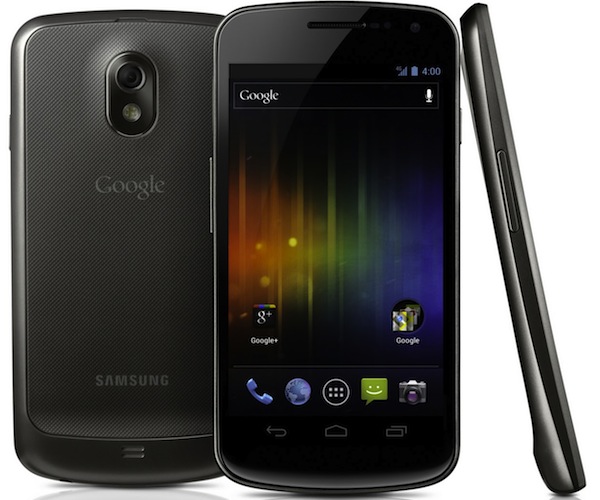
    Samsung and Google have today announced the new Samsung Galaxy Nexus with Android Ice Cream Sandwich 4.0. Google has finally revealed the version number as 4.0.
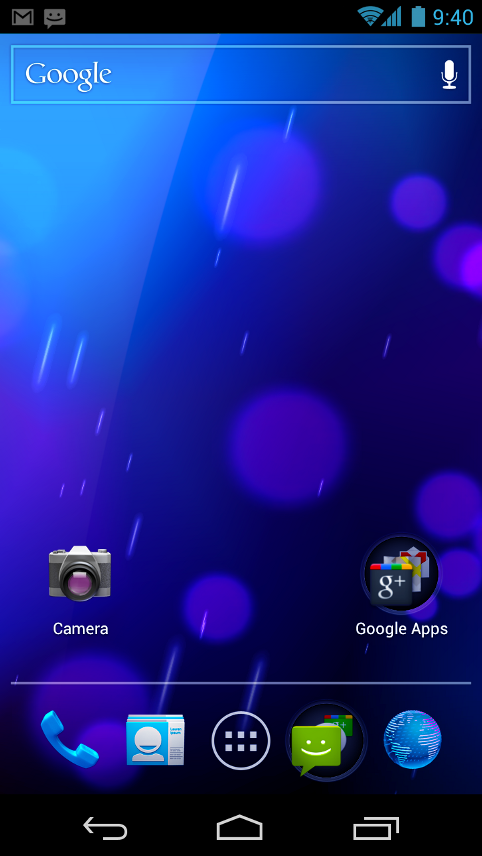
    Other specs include:

    • HD Super AMOLED display (1,280 x 720)
    • 1.2GHz dual-core processor
    • 5 megapixel rear camera (with LED flash)
    • 1.3 megapixel front-facing cam
    • 1080p video recording
    • 3.5mm headphone jack
    • Bluetooth 3.0
    • USB 2.0
    •  802.11a/b/g/n WiFi
    • Embedded NFC module
    • Accelerometer
    • Compass
    • Gyroscope 
    • Proximity sensor
    • Barometer ?-
    • 1GB of RAM
    • 16 or 32GB  internal storage 
    • 1,750mAh battery
    • HSPA+ , LTE versions 
    [toggle title_open=”Press Release” title_closed=”Press Release” hide=”no” border=”yes” style=”default” excerpt_length=”0″ read_more_text=”Read More” read_less_text=”Read Less” include_excerpt_html=”no”]Samsung and Google introduce GALAXY Nexus

    World’s First Smartphone to feature Android 4.0 Ice Cream Sandwich and a HD Super AMOLED display

    Hong Kong – October 19, 2011 – Samsung Electronics Co., Ltd, a leading mobile device provider, and Google, today announced GALAXY Nexus™, the world’s first smartphone running Android™ 4.0, Ice Cream Sandwich, the latest release of the Android platform. GALAXY Nexus features a 4.65″ HD Super AMOLED display technology at 720p resolution and a 1.2GHz dual core processor.

    “Samsung and Google have closely collaborated to push the mobile experience forward. We are pleased to deliver the best Android smartphone experience for customers with GALAXY Nexus. We will continue to move forward with Android to provide the compelling consumer experience in mobile world,” said JK Shin, President and Head of Samsung’s Mobile Communications Business.

    “Ice Cream Sandwich demonstrates the Android platform’s continued innovation with one release that works on phones and tablets and everything in between. Features like Android Beam and Face Unlock show the innovative work our team is doing, and GALAXY Nexus showcases the power behind Ice Cream Sandwich,” said Andy Rubin, Senior Vice President of Mobile for Google.

    The first smartphone to feature Android 4.0, Ice Cream Sandwich
    Ice Cream Sandwich brings an entirely new look and feel to Android. It has a redesigned user interface with improved multi-tasking, notifications, Wi-Fi hotspot, NFC support and a full web browsing experience. GALAXY Nexus features software navigation buttons, a first for Android smartphones. The lock screen, home screen, phone app, and everything in between has been rethought and redesigned to make Android simple, beautiful, and useful.

    Ice Cream Sandwich also features a new People app, which lets you, browse friends, family, and coworkers, see their photos in high-resolution, and check their latest status updates from Google? and other social networks. GALAXY Nexus features a redesigned camera which introduces panorama mode, 1080p video capture, zero-shutter lag, and effects like silly faces and background replacement.

    GALAXY Nexus is also connected to the cloud, keeping your email, contacts, and all other data synced across your devices. You have access to more than 300,000 apps and games from Android Market™, or, in certain countries, you can buy and read books, or rent movies and stream them instantly from your phone. In the U.S., you can also upload your music to the cloud with Music Beta by Google and listen anywhere, even when offline.

    Ice Cream Sandwich introduces innovations such as Face Unlock which uses facial recognition to unlock your phone. Using NFC technology, Android Beam allows you to quickly share web pages, apps, and YouTube™ videos with your friends by simply tapping your phones together. You can even use fun effects while shooting video or video chatting with Google Talk™.

    Google Experience
    GALAXY Nexus is designed to provide a “pure Google,” experience, and with it, you will be the first to receive software upgrades and new applications as they become available.

    It also features a number of Google Mobile services, including: Android Market, Gmail™, Google Maps™ 5.0 with 3D maps and turn-by-turn navigation, Google Earth™, Movie Studio, YouTube™, syncing with Google Calendar™, and a redesigned Google? app.

    Best-in-class hardware meets the most advanced software
    GALAXY Nexus is the first smartphone to feature a 4.65” display with a market-leading resolution of 720p (1280×720), ensuring you can enjoy GALAXY Nexus’ immersive entertainment capabilities and fast web browsing in superior clarity.

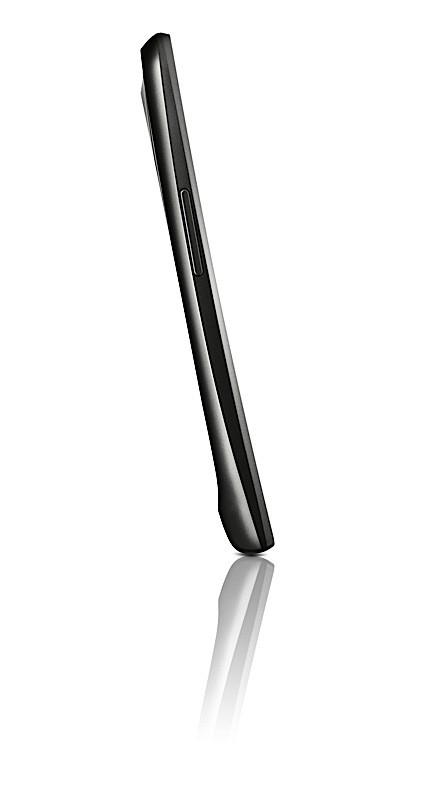
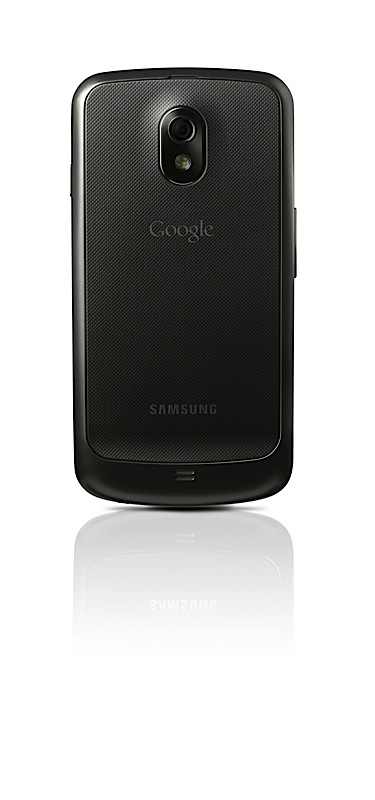
    Succeeding the original Contour Display of Nexus S, GALAXY Nexus comes with a rounded shape that fits perfectly within your palm or to your face for phone calling. Hyper-skin backing on the battery cover improves the ergonomic feel of the device and makes the phone slip-resistant. At just 8.94mm thick, with a minimal 4.29mm bezel, GALAXY Nexus provides superb portability alongside an expansive screen.

    GALAXY Nexus also features an ultra-fast 1.2GHz dual core processor, providing superior power and speed, ensuring you can take full advantage of GALAXY Nexus’ enhanced multitasking capabilities with ease, or enjoy the large, vivid display to its full capacity with high-definition gaming or video streaming. LTE or HSPA? connectivity combined with a dual core processor delivers high-speed web browsing which ensures you always have the web at your fingertips, wherever you are.

    GALAXY Nexus will be available in the U.S., Europe, and Asia beginning in November and gradually rolled out to other global markets.
    For multimedia content and more detailed information, please visit www.samsungmobilepress.com/

    Note to Editors:
    GALAXY Nexus Product Specifications
    Network
    HSPA? 21Mbps/HSUPA 5.76Mbps 850/900/1900/1700/2100
    EDGE/GPRS 850/900/1800/1900
    ?LTE version will be available depending on the region.
    Processor
    1.2 GHz Dual Core Processor
    Display
    4.65″ 1280X720 HD Super AMOLED
    OS
    Android 4.0, Ice Cream Sandwich
    Camera
    Main(Rear) : 5 MP AF with LED Flash with zero shutter lag and fast shot2shot
    Sub (Front) : 1.3MP for Video Call
    Video
    Codec : MPEG4/H.263/H.264
    Playback : 1080p@ 30fps
    Recording : 1080p Full HD Video@ 30fps
    Audio
    Codec : MP3/AAC/AAC?/eAAC?
    3.5mm Ear Jack
    Google™Mobile Services
    Android Market™, Gmail™, Google Earth™, YouTube™, Movie Studio
    Google Maps™ 5.0 with 3D maps and turn-by-turn navigation
    Syncing with Google Calendar™, Google? app
    Connectivity
    Bluetooth® technology v 3.0
    USB 2.0
    Wi-Fi 802.11 a/b/g/n (2.4GHz/ 5GHz)
    NFC
    Sensor
    Accelerometer, Compass, Gyro, Light, Proximity, Barometer
    Memory
    1GB(RAM) ? 16GB/ 32GB Internal memory
    Size
    135.5 x 67.94 x 8.94mm, 135g
    Battery
    Standard battery, Li-on 1,750 mAh
    ? Specifications above may differ on the LTE version.
    ? All functionality, features, specifications and other product information provided in this document including, but not limited to, the benefits, design, pricing, components, performance, availability, and capabilities of the product are subject to change without notice or obligation.[/toggle]

  • Samsung and Google All set to release ICS with Galaxy Nexus Tomorrow

    Samsung and Google All set to release ICS with Galaxy Nexus Tomorrow

    The Google Samsung Ice Cream Sandwich event is tomorrow, hopefully we get to see some “Prime” love with the new Galaxy Nexus. Oh yeah and we will bring you the latest right here on iGyaan.

    Its at 7:30 AM IST Stay Tuned


    (Update: thanks janish for the time fix)

  • Google starts up @ Android Twitter account to bring on the Ice Cream Sandwich

    Google starts up @ Android Twitter account to bring on the Ice Cream Sandwich

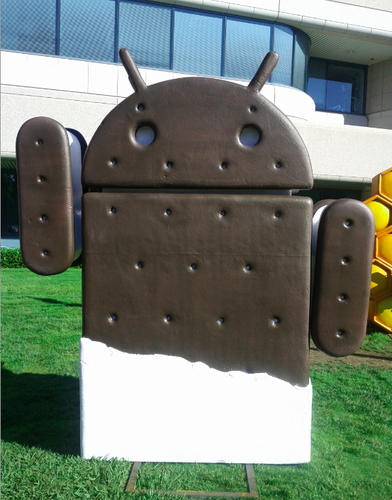
    Google is finally putting the @Android account to use, and seems to be calling all Android lovers to follow. They have opened the floodgates of information as ICS approaches and added a new statue at their campus !

    [@Android (Twitter)]

iGyaan Network
Privacy Overview

This website uses cookies so that we can provide you with the best user experience possible. Cookie information is stored in your browser and performs functions such as recognising you when you return to our website and helping our team to understand which sections of the website you find most interesting and useful.