Tag: ios 8

  • iOS 8.1.3 Update Now Available, Demands Less Storage Space

    iOS 8.1.3 Update Now Available, Demands Less Storage Space

    Finally the Cupertino giant rolls out the iOS 8.1.3, a new update for its mobile devices that fixes a variety of bugs, and doesn’t even rob users of a major chunk of their phone’s storage, as the update is just about 247 MB. Users have been cribbing about free space with the launch of the iOS 8, as they had issues updating because of the massive size of the download. Other major fixes include zapping a bug that prevented app results from popping up in Spotlight search.

    In addition, it also fixes a bug that prevented users from using their Apple ID password for use with Messages and FaceTime. It also fixes a bug that did not allow multitasking gestures from working properly. Also added is a configuration option for education standardized testing via Apple’s devices.

    These issues might have resolved some of the more common users concerns about iOS 8, especially the amount of storage space the update demanded. To update the device, go to the Settings menu, select General and choose software update. For more information, you can head over to Apple support.

    Do let us know your thoughts about the new update.

  • New Stats Show iOS 8 is the Least Successful Upgrade by Apple

    New Stats Show iOS 8 is the Least Successful Upgrade by Apple

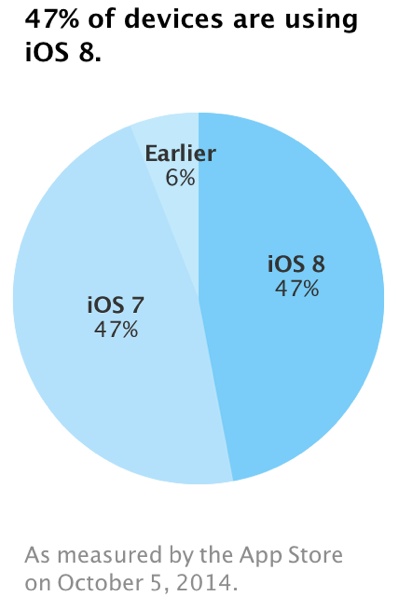
    Latest figures show that Apple’s iOS 8 usage has grown by a mere 1 per cent in the last three weeks. Which means fewer than half of its users are running iOS 8, nearly three weeks after launch. Compared to previous roll outs of new versions of iOS, these figure are shockingly low.

    Despite the introduction of custom keyboards, the Notification Center widgets and a lot more, there has been a slow adoption. By September 21, iOS 8 was installed on 46 per cent of devices, 47 per cent of iOS users continue to stick to iOS 7, possibly due to a number of bugs that had plagued the launch of iOS 8.

    By this point last year, iOS 7 uptake was already hovering around 60 per cent, according to analytics firm Fiksu. Apple said on its developer pages that it measures usage from App Store visits over a period of time. Figures are typically released every two or three weeks. iOS 8, which comes re-installed on the iPhone 6 and iPhone 6 Plus, has been dogged with problems from its initial release.

    ios8adoptionnumbers

    Just ahead of the launch of iOS 8, all Health Kit-enabled apps were pulled from the App Store due to a major HealthKit bug. A fix was quickly released, but the update, iOS 8.0.1, disabled the cellular service and Touch ID functionality on iPhone 6 and 6 Plus devices. iOS 8.0.2 fixed the problems introduced with iOS 8.0.1 and brought several other bug fixes. The publicity surrounding the iOS 8.0.1 issue may have discouraged some users from updating.

    It is said that the major problem with the new iOS 8 is also the large file space; it needs almost 4.6GB of free space to install and then update. Users with 16GB and 8GB iPhones struggle to spare that much memory for the upgrade.

  • Dropbox Update Fixes iOS 8 Issues and Adds New Features

    Dropbox Update Fixes iOS 8 Issues and Adds New Features

    Dropbox has updated its iOS app to fix a number of issues which arose with the latest version of Apple’s mobile operating system. The file-sharing application has rolled out its iOS 8 upgrade, which now includes a new Notification Center widget of its own, offering a quick overview of your files and recent changes.

    The problem was spotted just before the release of iOS 8. There was a bug in the operating system that broke Dropbox’s automatic backup of photos and videos. The compatibility issue led to the feature being temporarily put down for iOS, but Dropbox swiftly fixed this backup problem.

    dropbox-for-ios

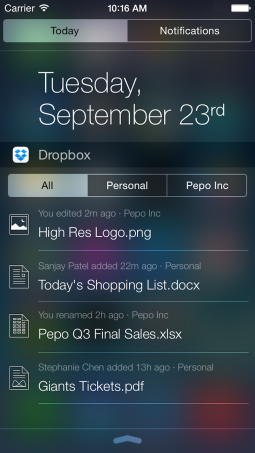
    With this upgrade, the biggest iteration is that Dropbox can now be added to the iOS 8 Notification Center, providing a view of your most important files, including those associated with business or personal. For those with only either of the two, you’ll just see a single list, instead of three separate tabs which were earlier left empty consuming unnecessary space.

    The widget is another major change in the upgraded version. You can track newly added files, as well as changes like renamed files and edits directly from widget. With a tap on a file name, you can quickly launch Dropbox without needing to locate the app on your phone.

    screen-shot-2014-09-23-at-1-24-28-pm

    Also, the app includes new Shared Folders feature, which can now be created and managed on the go from the Dropbox app on iPhone and iPad. You can also share the link to a folder from an action menu in the app, or invite users to a folder and manage their access levels.

    Another feature is that with iOS 8 supports app extensions, so you’ll now be able to import and export files to and from other iOS apps that support Apple’s “Storage Provider App Extensions” functionality. And, for Business or Pro users, the new upgrade enables the users to set and manage read-only permissions on shared folders via the Dropbox app, for control over what’s being shared.

  • Twitter for New iOS 8 Gets a Major Makeover

    Twitter for New iOS 8 Gets a Major Makeover

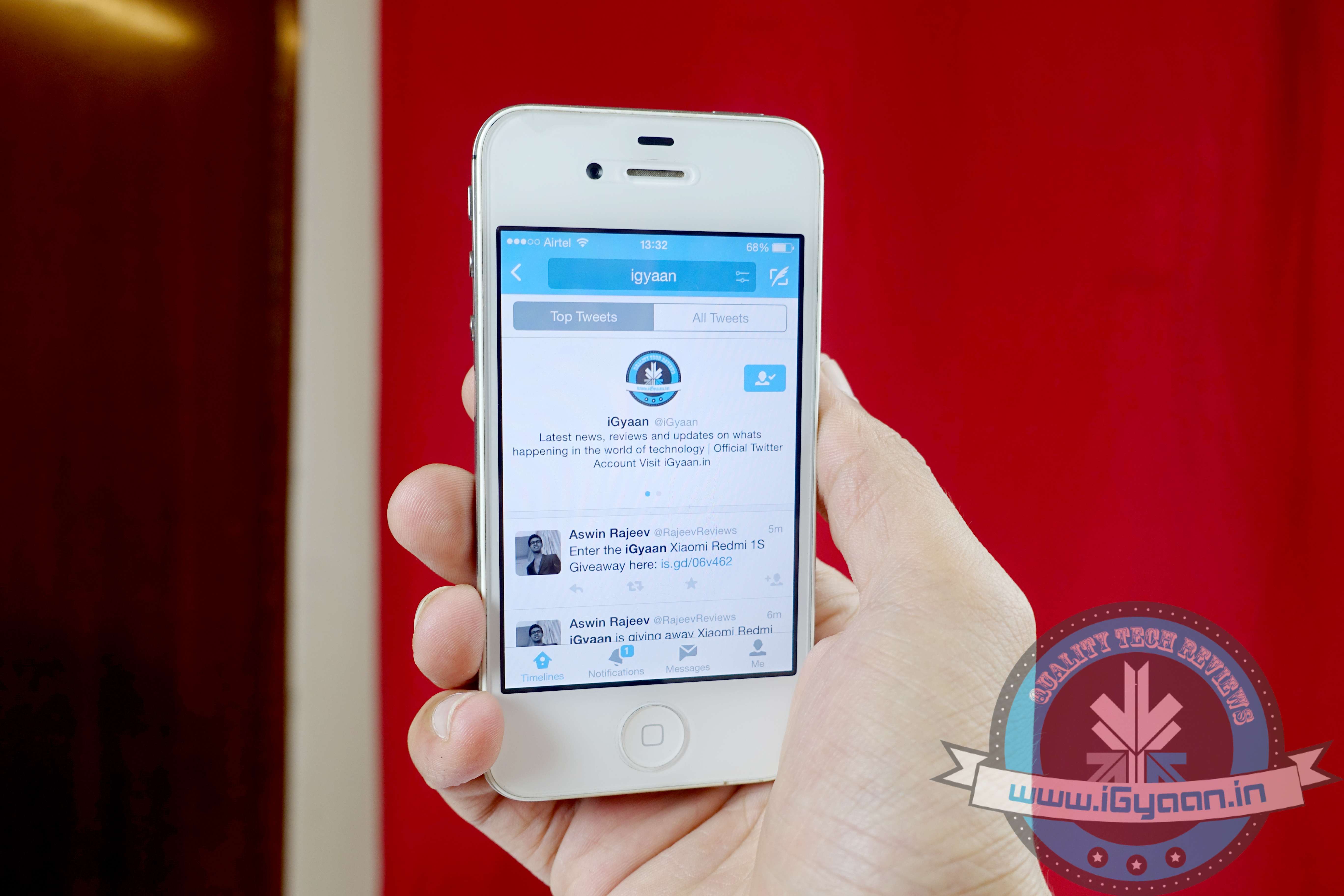
    With the new Apple iOS 8 update, Twitter app for the iPhone just got slicker. Earlier layout of the Twitter app for iOS was clustered and has been criticised for not being user friendly. With the new updated look, Twitter seems have used the earlier feedback to make the new and improver interface more user friendly and declustered.

    The updated app has got  a brand new design for profiles, which brings your bio front and center. Earlier users had to swipe the user name window to see the bio. Also, the company has added different timelines for tweets, pictures/GIF uploaded and favorite tweets for easy reading.

    The new profile layout will show up on both iOS 7 and iOS 8. So, if you haven’t upgraded yet to the new iOS, you can still enjoy the new layout in your iPhone. However, you get some extra perks with iOS 8 such as the power to retweet, follow and favorite posts right from the notification center.

  • Top 5 Third-Party Keyboard Apps for iOS 8

    Top 5 Third-Party Keyboard Apps for iOS 8

    iOS is finally here! According to Apple, the iOS 8 is the biggest iOS upgrade since Apple store’s origin. The new upgrade includes better photo-centric features with Photos app for the smarter shutterbug; messages with capability to share video and audio messages directly. However, the best feature to debut with iOS 8 is third-party keyboard apps support.

    There will be a wave of new Keyboard software apps in coming months but ahead of them some app already made their debut. We have rounded up 5 keyboard apps for iOS 8, to let you decide which one suits you better.

    1. Swype

    Swype is already very popular with the Android community, with some manufacturers use Swype for their devices’ default keyboard. It was one of the first keyboards to let you drag your finger around on the screen, connecting the letters in a word, to type, instead of pecking at the screen. The app costs you 99 cents, and is also available for iPad, provides further customization options with five different themes.

    2. Swiftkey

    Swiftkey is another keyboard app which has been a favorite of Android users. The app is loved for its predictive-typing, adaptability and getting smarter the more you use it. It also incorporates a lot of flair with colorful skins, emojis, and multiple keyboard layouts.  It also supports swipe-style input (called SwiftKey Flow). The free app is cloud-connected, so it can remember your personal language patterns and preferences across devices.

    3. Fleksy

    Fleksy almost same as the Swiftkey with its predictive-typing features, which try to understand what you want to type before you even tap the screen. In Android community, Fleksy is known as “world’s fastest keyboard”. It supports gesture-based typing, but also allows users to choose between small- or large-size keyboards.The $0.99 app comes with 800 of its own emojis, and amazing 40 languages support.

    4. Ginger

    Well, Ginger is little bit different from others in this list. It helps you improve your grammar and writing style as you type. Apart from basic text prediction, it is packed with tools to proofread, check your grammar, find synonyms, rephrase awkward sentences, and translate texts into other languages. There’s also a dictionary that you can customize with names, locations, slang, and unique words. It comes with a colourful theme, which is customisable too. However, the app is still in its process to come to the App Store.

    5. PopKey

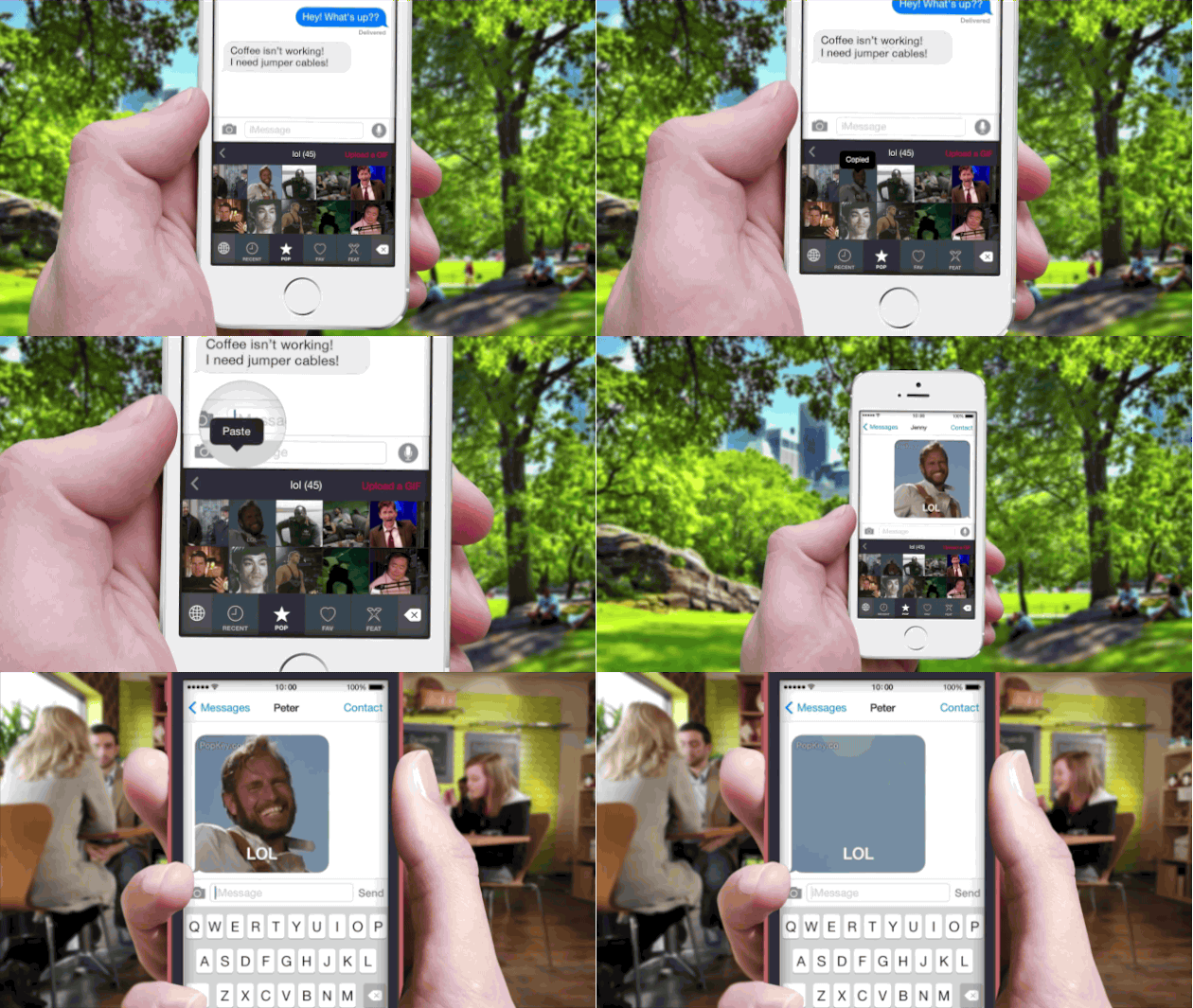
    PopKey is one of a kind emoji-style keyboard app which is solely dedicated to GIFs. The app will allow users to quickly find and message their favorite GIFs with just a few taps. The GIFs will include dozens of themed categories that get updated in real-time with the latest trending topics and events.

  • Apple Posted a Guide to Help Android Users Switch to an iPhone

    Apple Posted a Guide to Help Android Users Switch to an iPhone

    Apple is rolling out the new iOS 8 update tonight and the iPhone 6 devices are all prepped to be shipped. According to The Verge, the company appears to be expecting that a lot of people will be switching from Samsung, HTC, and other devices to their new iPhone.

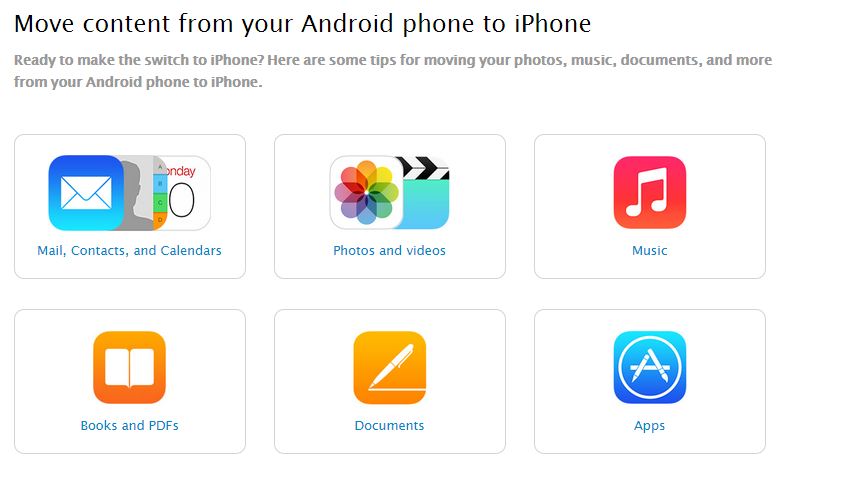
    To help users switch from Android to Apple devices, the company has provided a handy guide for moving all your digital documents from Android to an iOS device. The guide explains how Android users can transfer their important data including contacts, pictures, music, documents, and calendars from their old device to their new one.

    apple transfer

    It is said that users can move information over through iTunes and iCloud. However, it seems that the company hasn’t come up with any tools moving data between operating systems. The company also pointed out user ‘probably’ find the apps they like, but they’ll need to head to the Apple’s App Store and find them on their own.

    The two new phones by Apple – the iPhone 6 and 6 Plus, announced last week, went up for pre-order on 12th September. Apple reports that within the first 24 hours they recorded more than 4 million orders.

  • iOS 8 Update Will be Available for India Tonight

    Apple users have been eagerly waiting for the latest iOS 8 software update. Following the announcement of the latest iPhones and smartwatch, Apple has now announced it will be rolling out the iOS 8 update this month and it is finally going to launch tonight after 10.30pm IST.

    It will, of course, come pre-loaded on Apple’s new iPhone 6, but if you have no plans to upgrade your smartphone, you’re in luck. Current Apple phones users after the iPhone 4s model can upgrade to iOS 8. Read about all the new features of the iOS 8 here.

    iOS 8

    The devices which are compatible with the new upgrade include the iPhone 4S, iPhone 5, iPhone 5C and iPhone 5S. The 5th generation iPod touch and all iPads except for the original one are also compatible with the iOS 8 update.

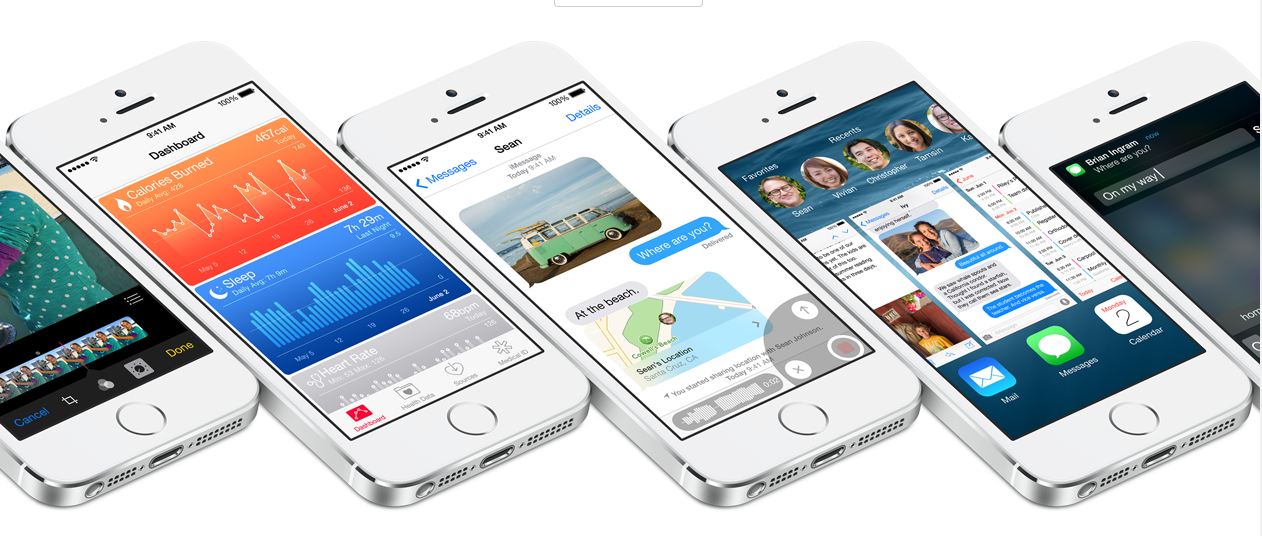
    According to Apple, the iOS 8 is the biggest iOS upgrade since Apple store’s origin. The new upgrade includes better photo-centric features with Photos app for the smarter shutterbug; messages with capability to share video and audio messages directly (aka Whatsapp). Notifications have been given a major facelift as well to aid better iOS experience for iPhone/iPad users. Also third-party keyboard apps will be supported in iOS 8 for typing convenience.

  • Popkey for iOS 8 is the World’s First Animated GIF Keyboard

    Popkey for iOS 8 is the World’s First Animated GIF Keyboard

    When iOS 8 was announced back in WWDC 2014, one of the main highlights of the new update was the inclusion third-party keyboard apps. This meant that developers would be able to bring third-party keyboard apps to the iPhone, a feature users have been waiting for since practically the launch of iOS.

    With this new feature, apps like SwiftKey was expected to be part of the new OS but a new keyboard app is something most iPhone users probably never even expected. The upcoming Popkey keyboard app offer users a totally different keyboard which comprised entirely of animated GIFs.

    popkey

    With this new keyboard you’ll be able to browse featured and trending GIFs, upload your own, save your favorites, and quickly access the GIFs you recently used. You can also browse based on keywords: For instance, tapping LOL will bring up a collection of funny GIFs. There are separate sections for “LOL,” “shocked,” “facepalm,” “swag” and other ideas/words frequently expressed in GIF form.

    While iMessage already supports inline GIFs (via copy and paste), Adrian Salamunovic, co-founder of WorkshopX, the company behind PopKey, says this app streamlines the process of searching and sending. Much like the existing emoji keyboard in iOS, PopKey contains different themed sections, each of which will include dozens of GIFs. But rather than keywords, the app is organized by reactions and emotions.

    There’s no firm launch date for PopKey, but you can sign up to be notified when the app launches on their website.

  • Apple to Roll out iOS 8 on 17th September

    Apple to Roll out iOS 8 on 17th September

    We all saw the launch of the new iPhone 6, iPhone 6 Plus and Apple Watch on 9th September. We were all so excited to see the new designs of the hardware that we almost forgot that these new hardwares will be powered by the company’s new mobile software, iOS 8.

    First appeared back in June at WWDC 2014, iOS 8 is one of the biggest software updates of the company in recent years. Tim Cook, CEO of Apple, at the  September 9th event also announced that the company will roll out the new iOS 8 to the public on September 17, just a week after the Apple event. It comes with great new features which have been previewed by us in the video below.

    The new iOS come with interactive notifications, third-party keyboard support, new photo editing tools, Snapchat-like self destructive messaging, new integrated health programing system called HealthKit and many more. Check out our full review here.

  • Apple Releases iOS 8 Beta 5 to Developers

    Apple Releases iOS 8 Beta 5 to Developers

    Apple today released the iOS 8 Beta 5 to developers, two weeks after releasing the fourth beta update and two months since introducing the new mobile operating system at the Worldwide Developers Conference. The update, build 12A4345d, is available through Apple’s over-the-air updating mechanism on iOS devices and can also be downloaded via the iOS Developer Center. Apple has also released a new Apple TV software beta update.

    iOS 8 introduces a range of new features, including improved integration with OS X through Continuity, a Health app, Family Sharing features, interactive notifications, a new QuickType Keyboard and improvements to several apps like Safari, Mail, and Messages. Each beta update thus far has brought refinements and additional features to iOS 8, with beta 4, for example, bringing a new Tips app and a redesigned Control Center, among other improvements.

    Currently, iOS 8 is only available to registered developers, but the operating system is expected to be released to the public this fall after several beta iterations. We may be getting close to the end of the beta testing period, however, as one rumor has suggested iOS 8 beta 5 may be the final beta version while another indicates it’s the second-to-last beta before a golden master.

    The 269 MB download, which can be accessed via the iOS Developer Center, is just the latest in a string of developer updates for iOS 8 since it was first released a couple of months ago.

    What are you looking forward to most in the final Beta version of iOS 8?

  • All You Need to Know About The New iOS 8

    All You Need to Know About The New iOS 8

    WWDC 2014 unveiled some of the most important upgrades since the introduction of the App Store. One of the most highlighted upgrade was the iOS 8. The company added tons of developer tools for home mechanization, heavy gaming performance and extensions in abundance. There’s a lot of polished new apps and add-ons that will earn rave reviews from fans, once it drops later this fall.

    Let us introduce you to the Apple iOS 8. We tested out the Beta version on iPhone 5, and like they’ve said – it’s quicker, more productive and more integrated than ever before. Here’s what’s new on board:

    Photo Library and Photography
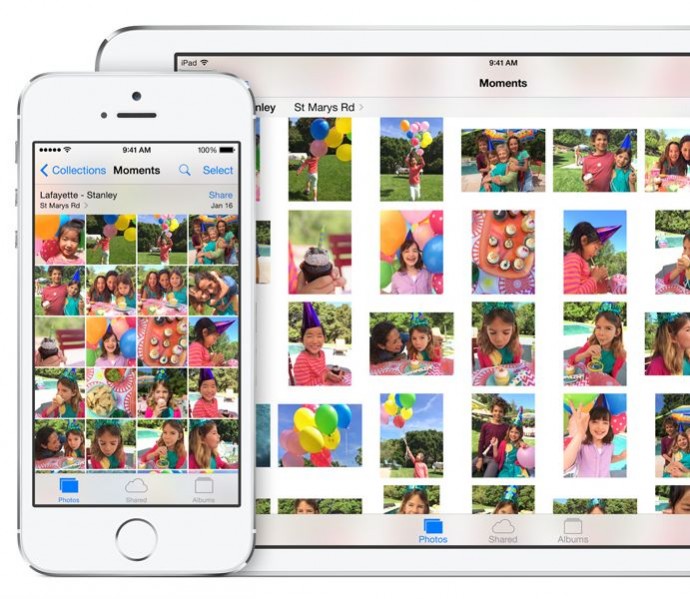
    photo apple

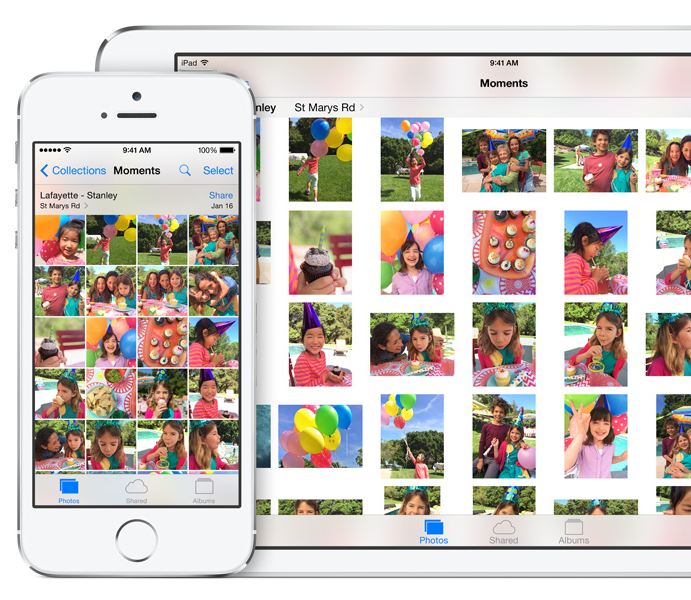
    Apple added the powerful iCloud Photo Library which ensures all your edits are automatically synced between devices. The new iOS 8 also includes new photo editing tools which give users manual control over the exposure, shadows and color of the photograph. If a user is focusing on clicking an overly bright object, the brightness can be directly reduced by swiping the screen and reducing the exposure. Along with the new editing functions, Apple has made the Photo Library more user-friendly by adding the ability to search based on location, time or albums.

    Bye-Bye Snapchat
    mesage

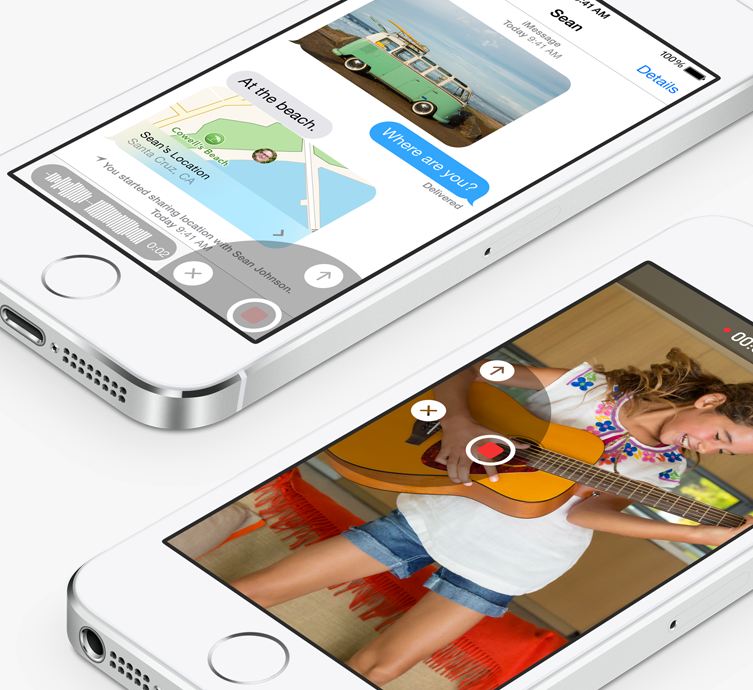
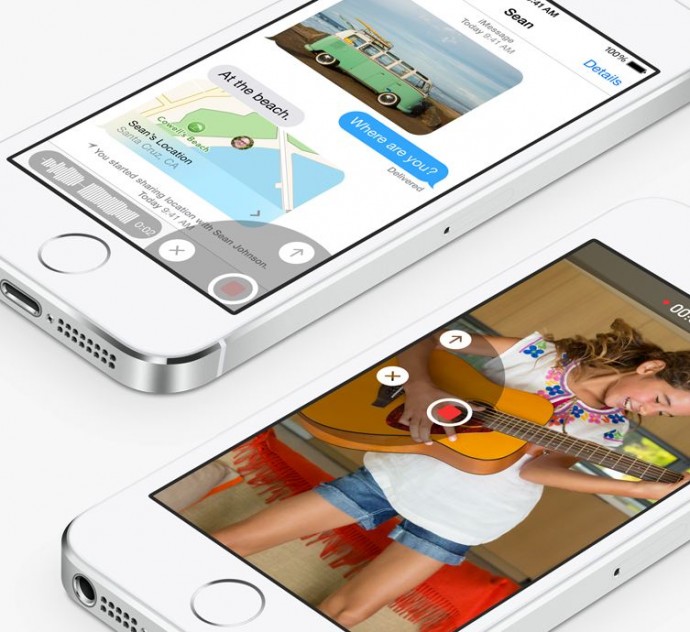
    Apple has taken a great leap with the iMessage by including features such as ability to not only send quick video and voice messages, but also the option to make them expire. The Tap to Talk feature lets you share video and photos with a simple gesture, option to leave a conversation, label threads and add/remove contacts mid-convo. The option to add DND to specific threads will put all the leading chatting apps to shame.

    QuickType and Third-party Keyboards
    keyboard

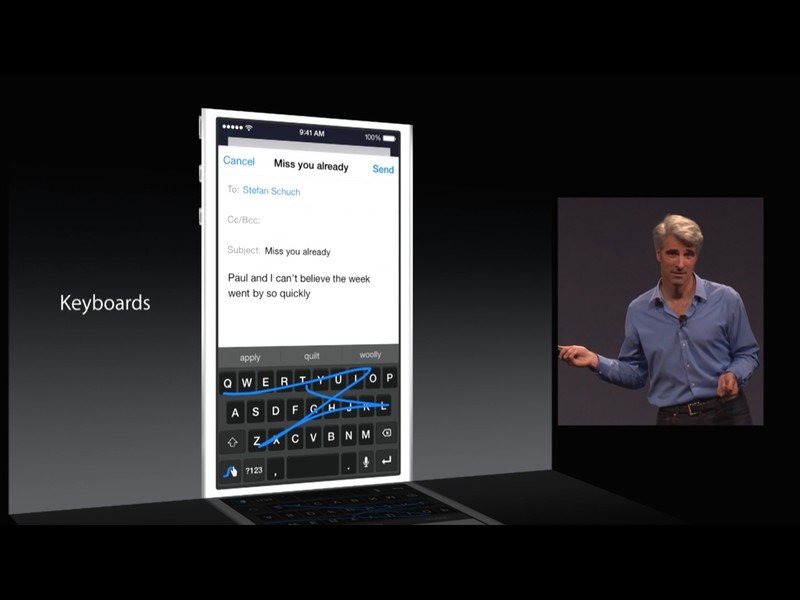
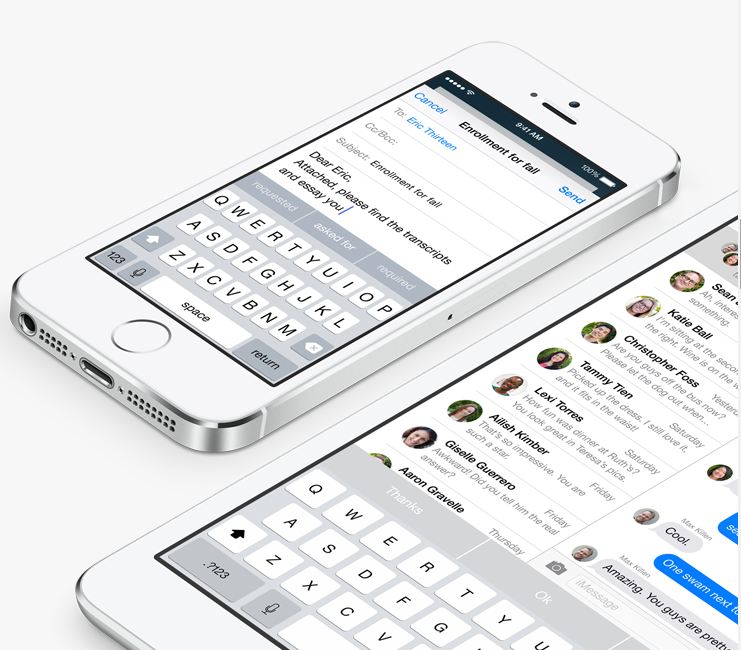
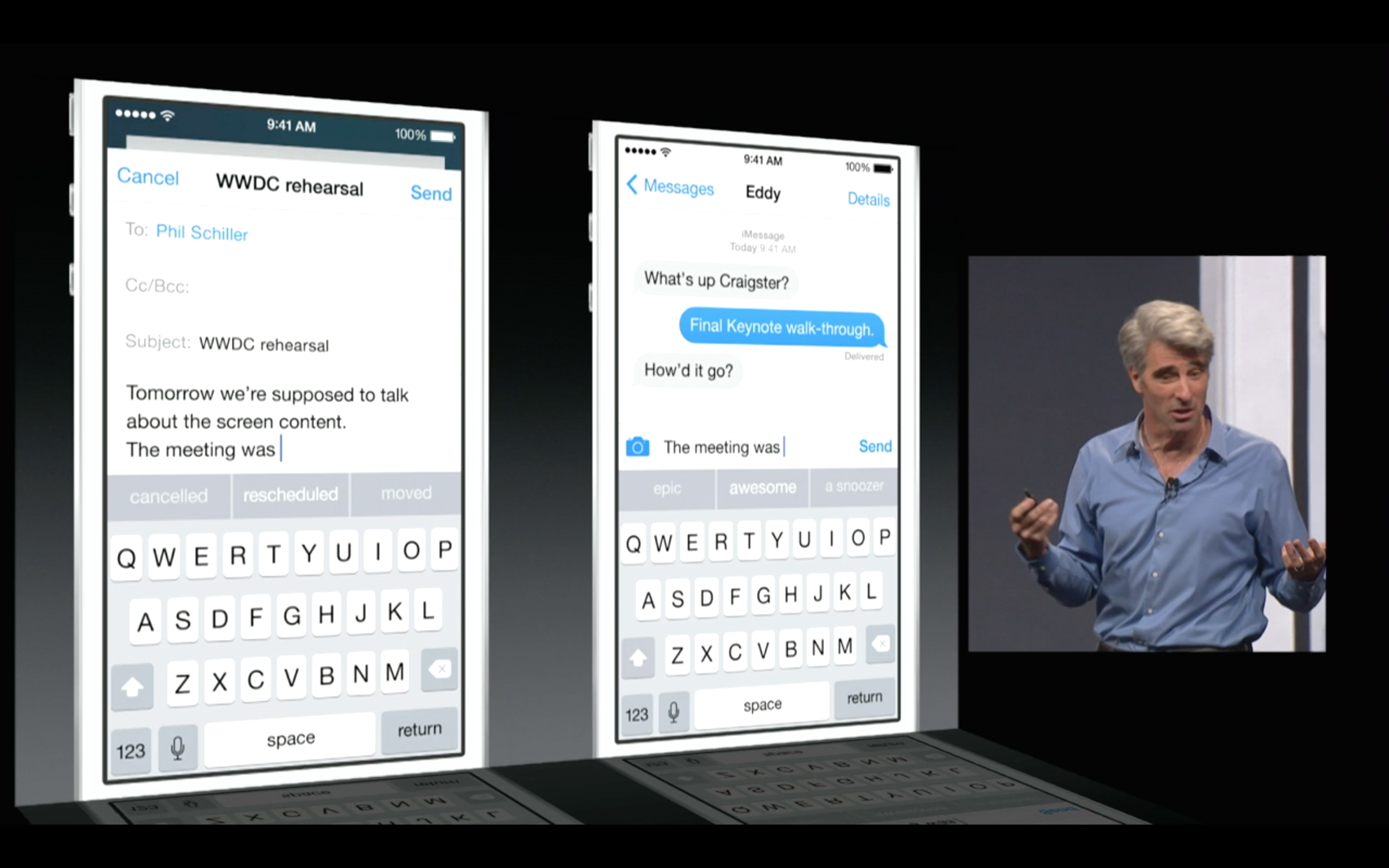
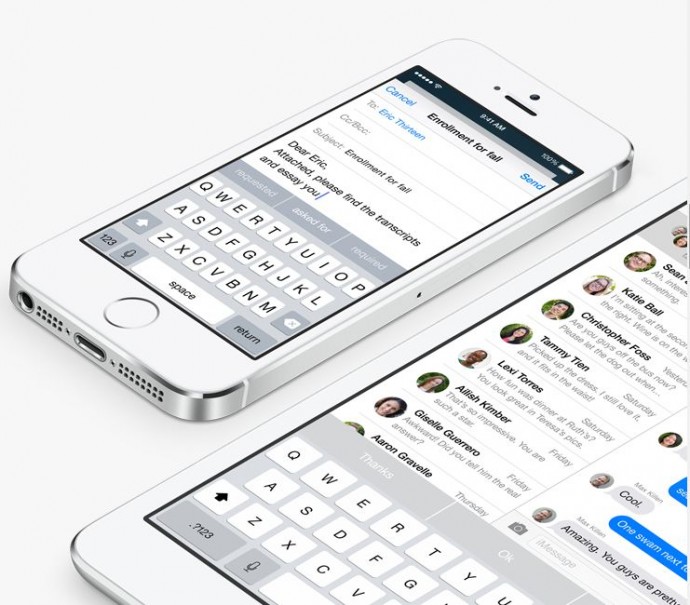
    Apple is including third-party keyboards to the new update as well, so you can Swype with the best of them, or you can find a keyboard where you actually understand when the Shift key is on. They have also introduced the new predictive typing feature called QuickType which gives personalized suggestions while taking content in the context. It not only helps while you’re tying out a message, but when you receive a message, it understands it and offers possible responses. As the name suggests QuickType is quicker and easier than ever.

    Health Connect
    health

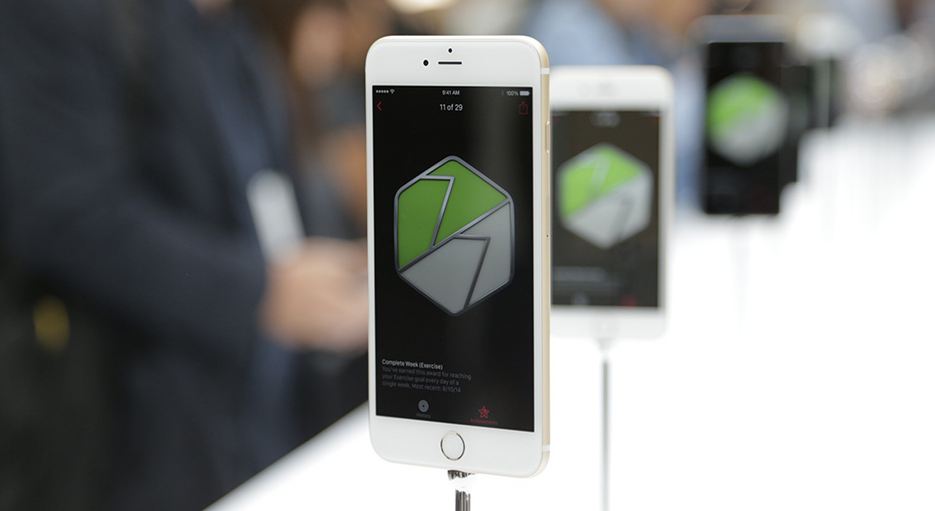
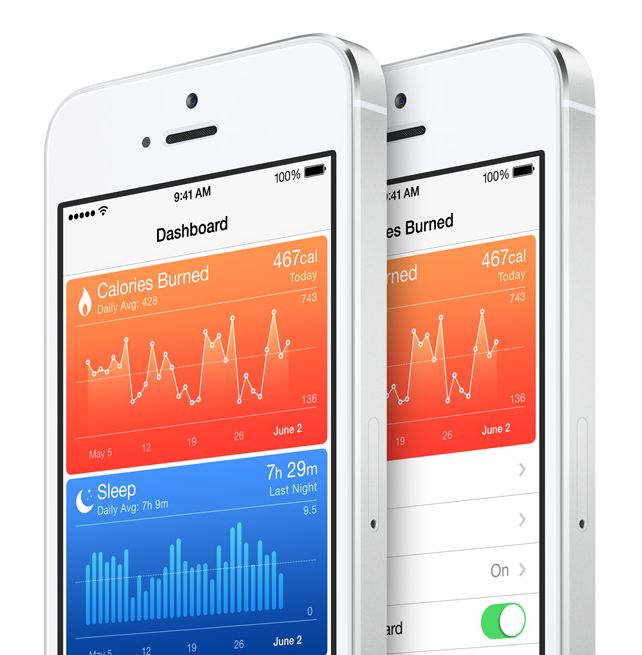
    Apple introduced a new integrated programming system called HealthKit. Through this, users will be able to connect applications and develop a central database of all their health data. It has an extensive list of functions. The fitness tab has integrated Nike Fuel and can monitor and record your fitness numbers which includes your Body Fat Index, distance that you run, calorie intake, the steps climbed and the hours you’ve slept.

     The new Health feature will also include the information from other apps you have purchased in the app store, as well as connect with your personal doctor through a dedicated application. If you get your blood pressure or your sugar blood checked from your hospital, your iPhone will receive a notification and store the results. You will be able to store it privately or share this information easily with other doctors. So essentially, a combination of your entire medical and fitness history will be in your hands, all the time.

    Sharing is Caring
    sharing

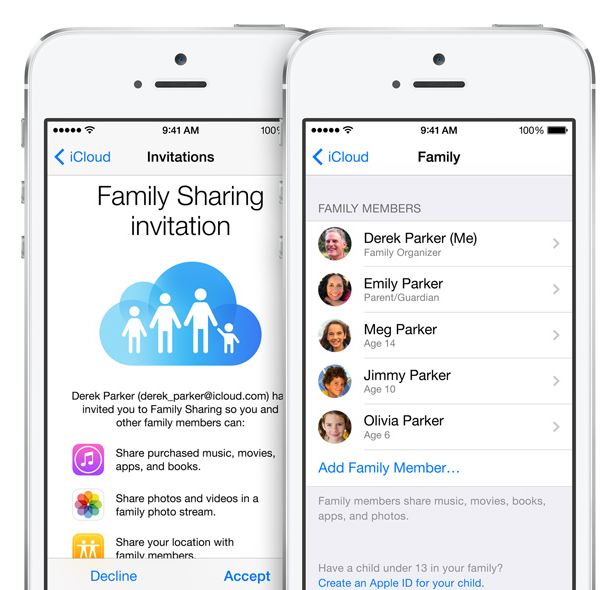
    Apple’s innovative Family Sharing lets you share your apps with up to 6 different people so they can enjoy all your apps without buying them on their own. The new feature will be connected through your credit card to their account. But don’t fret about the privacy settings, iOS 8 will require a consent from you before anyone cause use the privy information.

     App Store Makeover
    app

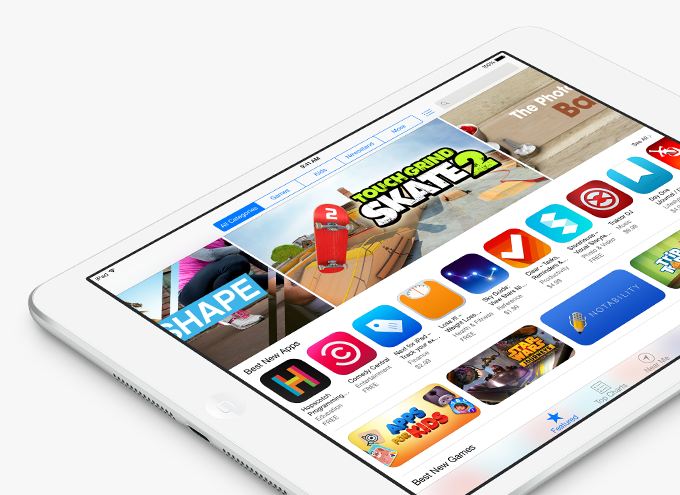
     One of the most exciting new feature in iOS 8 is the updated App Store. It has new searching features and they’ve also added categories for easy excess. They’ve added the facility to create video previews of their apps, so you get a better idea what you’re buying, and if you’d like to test new apps, the new TestFlight feature gives developers the ability to propel you access. And yes, there’s finally providing “App Bundling”, so you can get big deals on a number of apps at once.

    Siri Becomes Cooler
    siri-ios-7

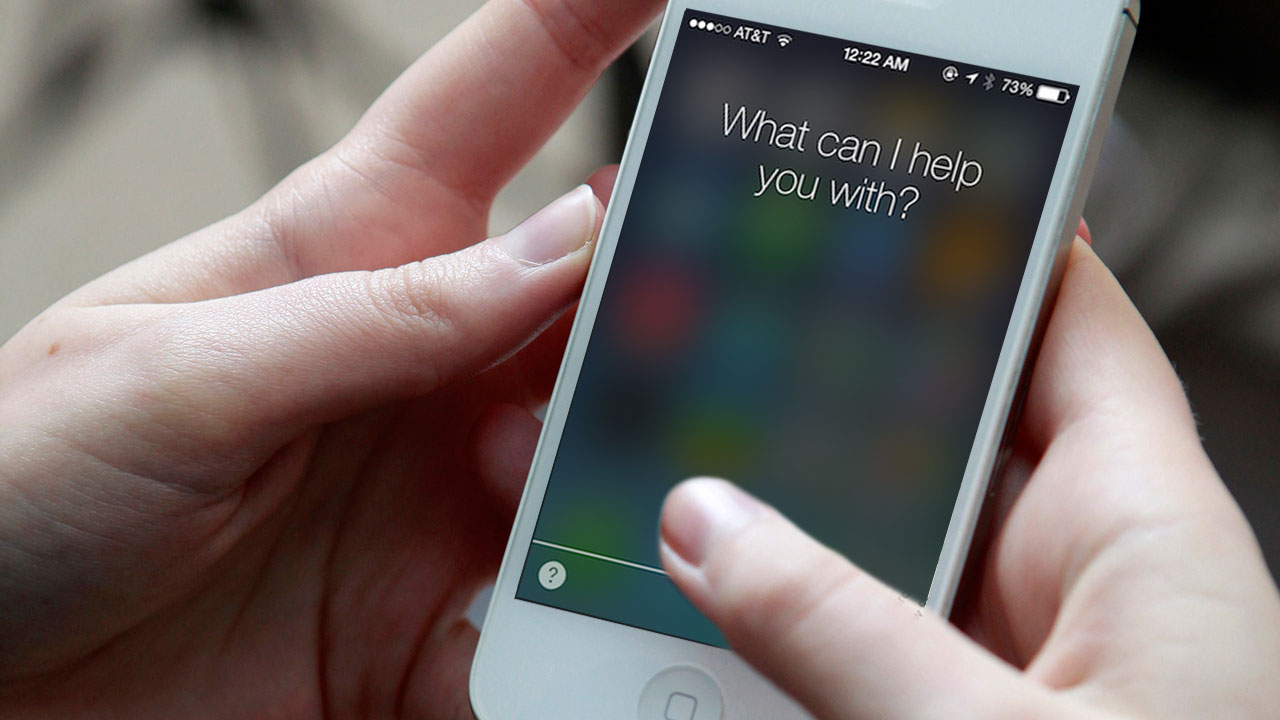
    Siri can now be activated by saying “hey Siri,” rather than pressing the home button. She can now understand more languages and accents. The best part? Apple has gone ahead to integrate a music-recognition feature, so you can know which tune is being played instantly, without wasting time to open an app. You have the option to download the song instantly from the iTunes, and if you’ve installed Shazam, you can save the song in your tabs.

    Last Bits of Improvements

     Some of the last bits of new features include: iOS 8 allows you to directly reply to your messages from the NC panel, Touch ID can now be used with third-party apps so you not at all have to enter your password again, phone calls can be answered from your Mac, and AirDrop is now attuned with iPhones and Macs.

    Like it always happens, the features of iOS 8 Beta 1 are subject to change, but based on the specification of WWDC’s offerings and the added APIs for developers, iOS 8 will be an exciting update once it’s accessible for users later this fall.
  • iOS 8 Finally Gets a New Keyboard with QuickType + 3rd Party Keyboards via Plugins

    iOS 8 Finally Gets a New Keyboard with QuickType + 3rd Party Keyboards via Plugins

    Apple’s new iOS 8 comes with a brand new keyboard that will predict content and learns the phrases you use most and fills them in. The new Keyboard isn’t actually new, and Android users have been enjoying this with SwiftKey and many other forms of Android Keyboards.

    Predictive quicktype

    However, for iOS users this is something people have been asking for a very long time. the keyboard studies your messages and conversation patterns and delivers options based on that. Its about time we say!

    Update: Apple has also announced that 3rd Party keyboards will be allowed to be installed onto your iPhone/ iPad (Finally!). So you can now finally get the Swype keyboard you always wanted.

iGyaan Network
Privacy Overview

This website uses cookies so that we can provide you with the best user experience possible. Cookie information is stored in your browser and performs functions such as recognising you when you return to our website and helping our team to understand which sections of the website you find most interesting and useful.