Tag: iOS

  • Facebook Allows Editing Your Typing Errors

    Facebook Allows Editing Your Typing Errors

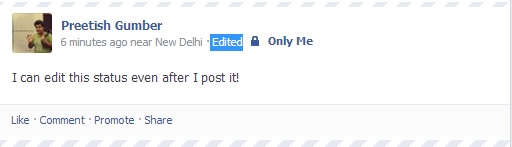
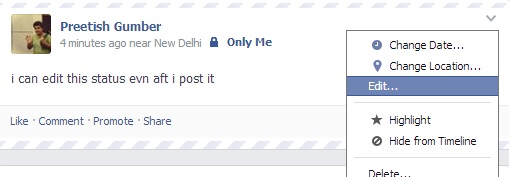
    Facebook has started to let you edit post’s text after you publish it. The feature comes to the web and Android in an update today, and to iOS soon. Previously you had to delete your post, lose all your Likes and comments, and repost to edit something.

    Android users also get emotion and activity sharing, events at a glance, and photo album creation today. Now, you are able to edit all posts and comments from the web. To edit posts, you’ll be able to click the down arrow in the top right of one of your posts and select ‘Edit Post’ to change the text, then click done editing.The revisions and original post will still be viewable if friends check your post’s edit history, though. Editing the comments came into the picture a while ago.

     hmmmm


  • Fake iMessage App For Android Surfaces, Raises Security Concerns

    Fake iMessage App For Android Surfaces, Raises Security Concerns

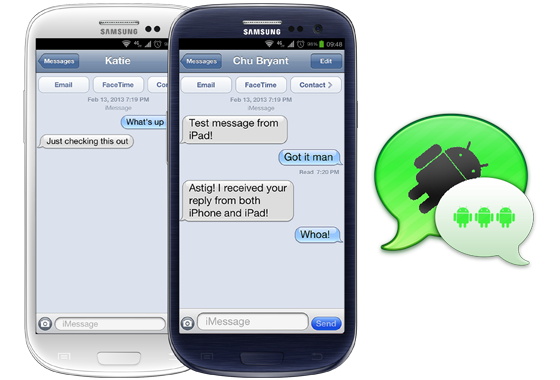
    There’s something fishy about this iMessage app for Android, and it’s not the fact that it’s using an outdate iOS 6 skin. While that should be a first warning sign, the reality is that the app, which recently appeared in the Google Play Store, is the work of a third-party developer. It by no means provides official cross-platform access to Apple’s popular messaging service.

    9to5Mac reports that scrutiny of the .apk file – the form the program takes outside the Play Store ecosystem – suggests that there is a serious potential risk to personal data. The app works by using the developer’s own server as a proxy to spoof messages into appearing to come from an iPad Mini, thus bypassing the strict “Apple Only” nature of the iMessage protocol. However, in doing so, it means that the developer has access to all of your message data.

    People that have tried the app reported varying results – some report that they can only message other Android users, while others have only some Apple contacts.

    In addition to these security flaws, the iMessage app requires you to sign in with a working Apple ID. As you probably already know if you have one, your Apple ID stores payment information and personal data, and serves as your gateway into a number of Apple services.

    The iMessage for Android app is available as a free download in the Google Play Store and is by a developer called Daniel Zweigart.

  • FIFA 14 Now Available for Free on Android and iOS

    FIFA 14 Now Available for Free on Android and iOS

    FIFA 14 comes up with over 16,000 athletes playing for 600 teams within 34 stadiums spread across 33 leagues.

    The game will be available on app store and Google play store free of cost, with EA hoping to bring in revenue by way of in-app purchases, which includes Ultimate Team points or even for the unlocking of additional game modes. The game not only includes currency that lets you spend cash to save time, but there are three modes (Manager, Tournament, and Kick Off) that are only available after a paid upgrade.

    fifa 14

    While the company claims that this game has high quality graphics, the file size of this game in play store is 1.35 GB and in the app store the file size is 1.17 GB. FIFA 14 is playable in English, French, Italian, German, Spanish, Japanese, Chinese, Korean, Dutch, Russian, and Brazilian Portuguese. 

  • BlackBerry : BBM App Won’t Relaunch This Week

    BlackBerry : BBM App Won’t Relaunch This Week

    BlackBerry has provided an update to the millions of eager BlackBerry Messenger users who are waiting for the app to arrive on both iPhone and Android.

    The app was successfully launched on iPhone in several countries on time on Saturday, but the Android version was met with difficulty and never arrived. Many Android users resorted to install leaked and “unreleased, older version” from various file sharing sites that apparently “resulted in volumes of data traffic orders of magnitude higher than normal for each active user and impacted the system in abnormal ways.” BlackBerry then paused the launch on both platforms. The app had been installed over 1.1 million times.

    Andrew Bocking, head of BBM at BlackBerry, took to the company blog and informed the masses that “the team is now focused on adjusting the system to completely block this unreleased version of the Android app when we go live with the official BBM for Android app. We are also making sure that the system is reinforced to handle this kind of scenario in the future.”

    As for a release of BBM for iPhone and Android? Well, nothing concrete from BlackBerry. Bocking noted that getting BBM to operate as it should is not a “simple task” and “will take some time and I do not anticipate launching this week.”

    [Via]

  • Blackberry pauses BBM Android and iOS rollout following Leaked apps

    Blackberry pauses BBM Android and iOS rollout following Leaked apps

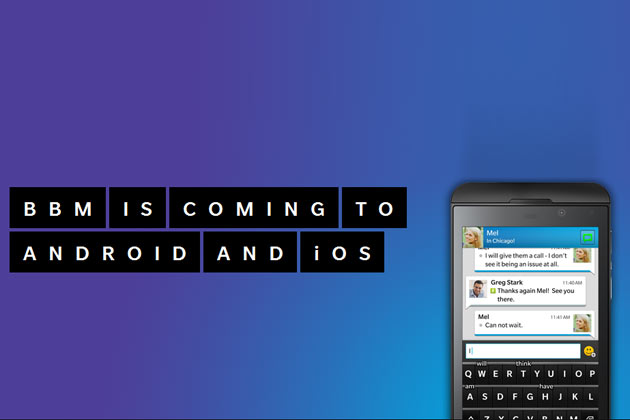
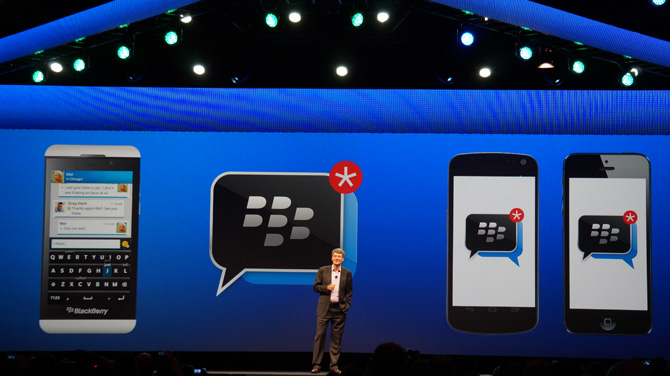
    Blackberry has stopped seeding the Blackberry messenger for iOS and Android apps following a leaked Android app that caused server and stability issues with the Blackberry messaging network.There were too many simultaneous users, the company says; with over 1.1 million active clients in the first eight hours of the initial seed.

    BlackBerry says that it has tried to address the problems caused by the leaked app throughout the day, but to no avail, requiring it to halt its launch plans. The company says that those that have already downloaded the iOS version of the app will still be able to use it, but it will not be releasing it to any new markets at this time. The leaked version of the Android app will be disabled.

    BBM-iOS-Android

    Blackberry now plans a  “staggered country roll-out” for Android and will soon restart the rollout for iOS. The company was hesitant in giving a timelinefor this new rollout, only saying 

    our teams continue to work around the clock to bring BBM to Android and iPhone, but only when it’s ready and we know it will live up to your expectations of BBM.”


    The company’s official statement is below:

    Prior to launching BBM for Android, an unreleased version of the BBM for Android app was posted online. The interest and enthusiasm we have seen already – more than 1.1 million active users in the first 8 hours without even launching the official Android app – is incredible. Consequently, this unreleased version caused issues, which we have attempted to address throughout the day.

    Our teams continue to work around the clock to bring BBM to Android and iPhone, but only when it’s ready and we know it will live up to your expectations of BBM. We are pausing the global roll-out of BBM for Android and iPhone. Customers who have already downloaded BBM for iPhone will be able to continue to use BBM. The unreleased Android app will be disabled, and customers who downloaded it should visit www.BBM.com to register for updates on official BBM for Android availability.

    As soon as we are able, we will begin a staggered country roll-out of BBM for Android and continue the roll-out of BBM for iPhone. Please follow @BBM on Twitter for the latest updates and go to www.BBM.com to sign-up for updates about BBM for Android and iPhone. These issues have not impacted BBM service for BlackBerry.

  • BlackBerry BBM For Android, iPhone Released

    Most users now will be able to install BlackBerry’s iconic BlackBerry Messenger (BBM) app on their Android devices and iOS devices starting today.

    It’s been a long wait for the BlackBerry Messenger service to go cross platform, but after months of anticipation BBM for Android and iPhone apps will go live today.

    “BBM for Android will be available at 12 pm on Saturday 21,” an official statement from the company confirmed in the run up to the launch. The BBM Android app will be available as a free download and allow users to chat for free with follow BBM users across all platforms. The first time BBM will have been made available to none BlackBerry handset users, the BBM Android app will precede the BBM iOS app by a matter of hours, with the iPhone bound iteration to be rolled out just after midnight. 

    It’s features include everything you’ve come to expect from the program: traditional instant messaging, group chat for up to 30 people, and user profiles.

    In order to use the app, you will need to signup for a BlackBerry ID, which will only take a few minutes. Signup is done through the app once its installed. For those concerned about privacy, you’ll be happy to hear that BlackBerry will assign you a PIN and you will not need to disclose your phone number or email to anyone in order to begin messaging.

    For millions, the app will be a matter of nostalgia. There are a large number of Android and iPhone users who have owned a BlackBerry at one time or another.

    If you can’t see the app on your App Stores yet, wait for a few hours!

    Note : As many of our followers have notified us, there are a lot of fake apks floating around, so be careful while installing the app. BBM for iOS has already been put up on the Australian App Store, so we expect other stores to follow suit soon!

  • Google ‘Freeing Quickoffice for Everyone’, With 10 GB Google Drive Storage

    Google ‘Freeing Quickoffice for Everyone’, With 10 GB Google Drive Storage

    Google is adding 10 GB of free storage to your Google Drive account when you log into your Google account with the new Google Quickoffice before September 26, 2013. 

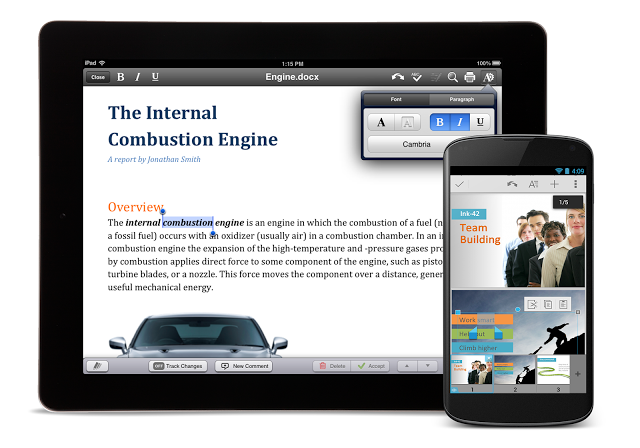
    As per Google blog, you can get the new, free Quickoffice app for Android and iOS phones and tablets on Google Play and in the App Store. Simply sign in with your Google Account to start editing Microsoft Office documents, spreadsheets and presentations on mobile. You will also notice a number of new features, including a refreshed icon, the ability to create .ZIP folders, and view charts in Excel and PowerPoint files. 

    quickoffice

    As per the blog by Alan Warren(Engineering VP, Google), the free 10 GB will be available for two years and Google has discontinued previous versions of Quickoffice apps from play store as well as app store.

  • Now Get Handwriting Support in Google Translate for iOS devices

    Now Get Handwriting Support in Google Translate for iOS devices

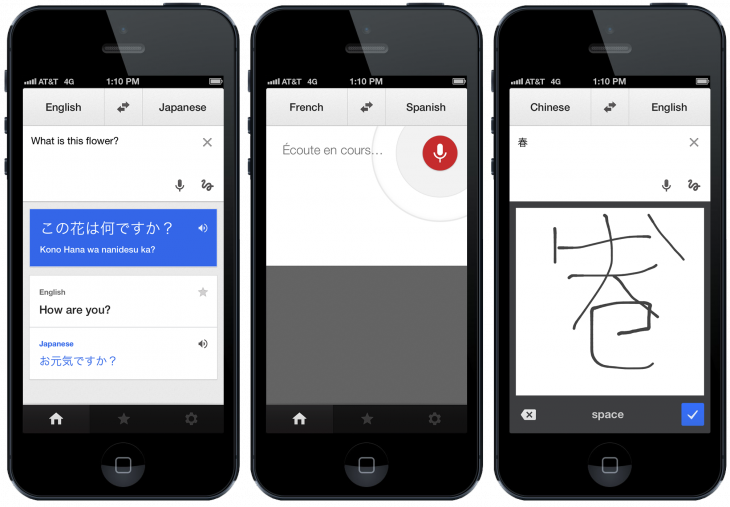
    Google Translate app for iOS has got a slow but useful update today, which added a new look and gave handwriting support. This feature was already available on the Android app two years ago, and also to its web app earlier this year, but after this update your iOS device will also be able to recognize what you have written on the screen. 

    The user interface and icons have been changed and now fit in with the newly available iOS 7’s  landscape and now the app supports more than 70 languages, which includes seven new languages.(including Marathi)

    Google says handwriting is now supported in 49 languages, which should be a boon for the world’s travelers, and at the low price of free is worth throwing on your phone on the off chance you’ll need it. It’s available to download now on iPhones and iPads running iOS 5.1 or later, or if you’re running iOS 7, you can just lie back and let the background update do its thing.

     
  • YouTube To Add Offline Video Playback To Its Mobile Apps

    YouTube To Add Offline Video Playback To Its Mobile Apps

    Aside from background playback — the ability to turn off the screen and continue listening to content — the main drawback to YouTube on mobile is its inability to play clips without a network connection.

    Keeping on top of your YouTube subscriptions can be a pain without reliable cellular connectivity, as there’s currently no way to officially download videos for offline playback. That’s set to change in November, however, with the video site announcing that it will add the long awaited feature in an update to its mobile apps.

    Google posted that later this year it will scratch at least one of those itches, allowing ”people to add videos to their device to watch for a short period when an Internet connection is unavailable.”

    As the YouTube team says on its blog that viewers will be able to keep offline videos “for a short period”, with AllThingsD claiming that there will be a 48-hour window.

    This may seem like a minor update, but offline caching is becoming an integral part of the mobile experience, especially for those users who have limited bandwidth who want to preload music videos and other clips over WiFi before leaving on a morning commute.

    No word on whether background playback will be added at a future date, but we’re pretty excited for this development.

  • Chrome 29 for iOS Brings Voice Search With Pronoun Support

    Chrome 29 for iOS Brings Voice Search With Pronoun Support

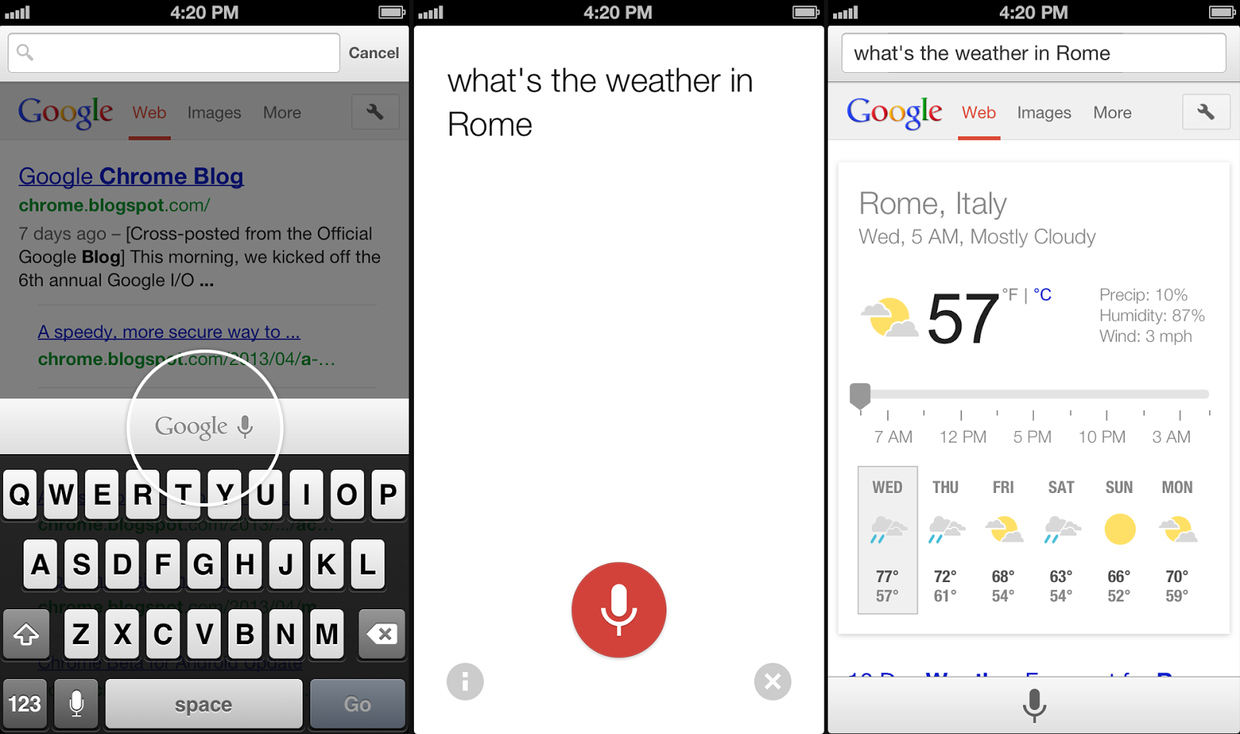
    Google just updated Chrome for iPhone and iPad, this new update Chrome 29.0.1547.11 contains some new features which include:

    • Geting back to your Search Results faster
      • Do a search and click a result. Not what you wanted? Now when you hit back, your search results will instantly appear, ready for you to choose the next one.
    • Data cost savings enhancements
      • View your data savings in Bandwidth Management Settings.  
      • Please Note: This feature is being rolled out incrementally and will be available to all users over time. 
    • Voice search pronoun support
      • Try queries like: “Who is the president of the United States?” followed by “Who is his wife?”
    • Improvements to Single Sign On with other Google Apps 
    • Stability / security improvements and bug fixes


    Which means, the browser’s voice search now supports contextual pronouns like “her” or “them;” ask a question and you can run a follow-up search without mentioning the subject by name. The update also lets you quickly jump back to search results if you visit the wrong result, and it’s now easier to view bandwidth savings.

    All this will come in the new update available at the app store, as shown on the Google blog by Karen Grünberg who is a Technical Project Manager for Google Chrome.  

  • Apple Patents New iOS Unlocking Features

    Apple Patents New iOS Unlocking Features

    A patent just awarded to Apple allows for a user of an iOS to lock or unlock a device based on a gesture — perhaps the equivalent of a child-proof cap.

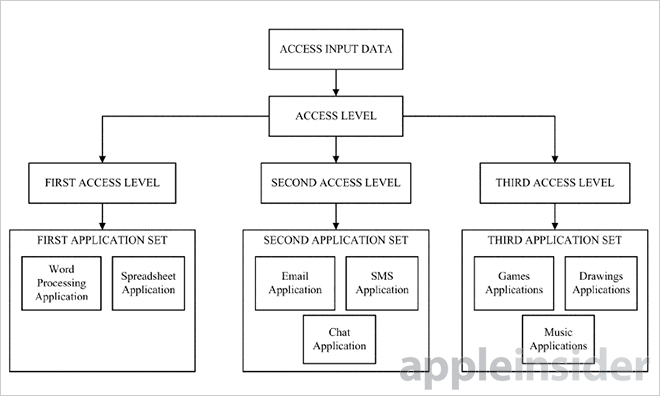
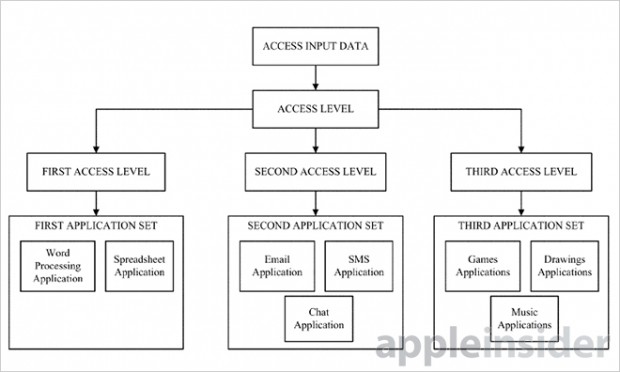
    The patent, as spotted by AppleInsider and reported by TechCrunch, would allow access to one set of apps — let’s say games for instance — with the drawing of a letter with a fingertip, and then another set, say email, with another, separate gesture.
    apple

    Apple’s U.S. Patent No. 8,528,072 for a “Method, apparatus and system for access mode control of a device,” describes a system that creates user access modes guarded by predetermined gesture inputs. 

    Currently, as Apple Insider reports, Apple’s iOS offers passcode unlocking as a means of access control. Under this method, users must input a simple code or password to gain complete access to the device. Apple also provides a certain level of user configuration, allowing access to Siri, Passbook and Reply with Message even when a device is locked. 

    Such unlocking methods are definitely not new and various Android devices in the past along with custom ROMs have allowed similar functions, whereby a user can “draw” a letter or a shape to launch a specific app, such as the drawing of an envelope that would launch the email app.

    This patent by Apple is also accompanied with the effective feature of “Guest Mode”. In this feature Apple will build a lock screen launcher that will easily be accessed by the user through gestures, voice, keyboard, mouse or stylus, already covered in the Apple patent.

  • BBM for Android gets shown of in a Video

    BBM for Android gets shown of in a Video

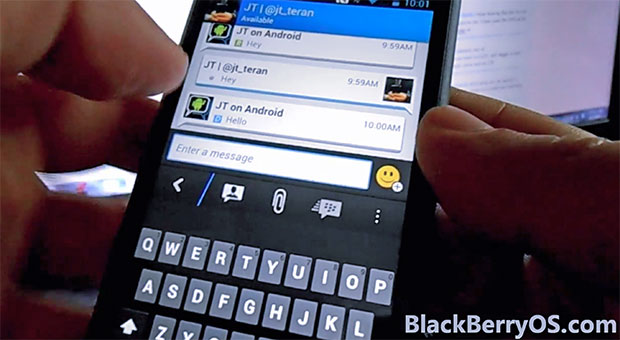
    Event though the BBM for iOS and Android has not yet arrived, videos are starting to leak out and that is a good sign. Folks over at BlackberryOS have got hold of a test video of the new BBM for Android and it might just live up to the hype. Apart from the swipe in from the sides to chose chats and setting, the video shows the ability to transfer contacts through NFC, which is good sign that the messaging app will make the most of these the new features that are present in Android Devices. 

    Let us know below what you think.

  • iOS 7 To Be Launched On September 10

    iOS 7 To Be Launched On September 10

    September 10 is the date we’re currently marking in the diaries for the iPhone 5S and 5C reveal, and that may have just been reinforced by a claim that we’ll see the release of iOS 7 that very same day.

    According to an email sent to developers from Nuance, the company behind Siri, the general availability date for iOS 7 is set for September 10.

    The Next Web contributing writer Owen Williams posted the below email from Nuance to his personal blog, it reads:

    As you are probably aware, iOS 7 GA will be released on September 10th.

    The NDEV Program has pre-qualified that SpeechKit 1.4.5 works properly on iOS 7, but we encourage you to conduct own testing to ensure that when the upgrade happens, your Nuance speech services continue to work seamlessly.

    It asked developers using its API to conduct testing to ensure that their services work on iOS 7 even though its SpeechKit 1.4.5 is pre-qualified to work properly on iOS 7. Nuance is the voice recognition focused company which has also worked on Siri, Apple’s intelligent voice assistant.

    Historically, Apple has released iOS Golden Master versions to developers on the same day as the announcement of new iPhones, giving developers time to test their apps with the final version of the new iOS before its release it to the general public a couple of days before the launch of the new iPhone.

    [Via]

  • iOS 7 Beta 6 Release Seeding Early With Minor Fixes

    iOS 7 Beta 6 Release Seeding Early With Minor Fixes

    Rumours are that Apple will be holding a media event on September 10th – this is where they’ll possibly unveil the ‘iPhone 5S’ and the low-cost ‘iPhone 5C.’ Late last night, Apple inched closer to a final ‘golden master’ version of the upcoming iO7 7 and seeded iOS 7 beta 6 to developers.

    The update comes a week after the previous update and just hours after a report pegged the Beta 6 update for next week. The focus of the small update appears to be on an emergency issue with iTunes in the Cloud which requires a workaround.

    This update addresses an issue with iTunes in the Cloud, where some purchases may download or play unexpected items. If you have any devices running previous versions of iOS 7 beta, you must:
    1. Install iOS 7 beta 6
    2. Install the ResetMusicAndVideosLibraries configuration profile
    3. From Settings > Music, tap the Reset Media Library button
    4. Restart the device

    It’s only a 13.5MB OTA download (build 11A4449d) and according to the change log in the iOS Developer Center shows it brings a quick fix.

    iOS 7 is scheduled for release in the fall of this year, with updates to Apple’s iPhone and iPad lineups expected around the same time. If past history is any indication, iOS 7 should be made available to the public just a few days before the launch of the next-generation iPhone.

  • Apple’s Next iPhone event slated for September 10th

    Apple’s Next iPhone event slated for September 10th

    Apple’s next big game changing event is slated for 10th of September if AllThingsD are to be believed. The next editions of the iPhone are slated to have 4.7 and 5.7 inch display and a cheaper variant popularly known as the plastic clad – iPhone 5C.

    It is also easy to assume that iOS7 will be pushed out to all the remaining iPhones officially around that very time. iPod Lovers can expect an iPod refresh ranging from a new iPod Shuffle all the way over to a iPod touch to match the dimensions of the next iPhone. 

    If the event is anything like last years, then an iPad refresh might be on the table, with a new iPad mini with retina display and a new iPad 5. 

    [AllThingsD]

iGyaan Network
Privacy Overview

This website uses cookies so that we can provide you with the best user experience possible. Cookie information is stored in your browser and performs functions such as recognising you when you return to our website and helping our team to understand which sections of the website you find most interesting and useful.