Tag: ipodtouch

  • Apple iOS 5.0.1 is live, fixes battery woes and problems with sync

    Apple iOS 5.0.1 is live, fixes battery woes and problems with sync

    Ready for the first OTA iOS update ever? The iOS 5.0.1 as promised by Apple is already being pushed out. The new update fixes the battery life problems as seen in the existing version of iOS aka iOS 5. This update will also enable app swatting gestures on the iPad which were earlier available only to developers. The best part about it is that you can now get a OTA of just 44.7 MB instead of opting for a 700+MB download on iTunes.

  • GarageBand comes to iPod Touch and iPhone (PR)

    GarageBand comes to iPod Touch and iPhone (PR)

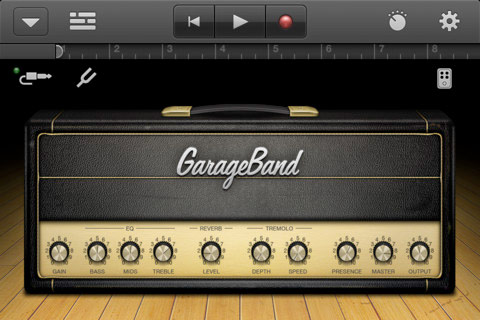
    This is one of those moments where some of you go like “whatever” and some are like “awesome”. The popular Apple official GarageBand app for the iPad has been converted to fit the iPhone and iPod Touch.  The app enables users to record and mix up to eight tracks and then share the finished product with friends or send it to your Mac to keep working on it in GarageBand for Mac or other softwares like Logic Pro.

    The App costs $4.99 and costs nothing if you already bought it for the iPad.

    Get it Here

    US Store:

    GarageBand - Apple

    India Store:

    GarageBand - Apple


    [toggle title_open=”Press Release” title_closed=”Press Release” hide=”yes” border=”yes” style=”default” excerpt_length=”0″ read_more_text=”Read More” read_less_text=”Read Less” include_excerpt_html=”no”]


    GarageBand Now Available for iPhone and iPod touch Users

    CUPERTINO, California-November 1, 2011-Apple® today announced that GarageBand®, its breakthrough music creation app, is now available for iPhone® and iPod touch® users. Introduced earlier this year on iPad®, GarageBand uses Apple’s revolutionary Multi-Touch™ interface to make it easy for anyone to create and record their own songs, even if they’ve never played an instrument before.

    “GarageBand on iPad has been a big hit and we think customers will love using it on their iPhone or iPod touch,” said Philip Schiller, Apple’s senior vice president of Worldwide Product Marketing. “The innovative Multi-Touch interface combined with Smart Instruments makes it easy to create great sounding music, even if you’ve never studied music or played an instrument before.”

    GarageBand features a collection of fun Touch Instruments that sound great and make it easy for beginners or experienced musicians to play and record keyboards, guitars, drums and basses in a wide variety of styles. Smart Instruments now allow you to choose from an extensive new library of custom chords so you can play and strum along with your favorite songs.

    You can plug your electric guitar into iPad, iPhone or iPod touch to play and record through classic amps and stompbox effects, or record your voice or any acoustic sound using the built-in microphone. GarageBand allows you to record and mix up to eight tracks and then share your finished song with friends or send it to your Mac® to keep working on it in GarageBand or Logic® Pro.

    Pricing & Availability
    GarageBand 1.1 for iPad, iPhone and iPod touch is available on the App Store™ for $4.99 (US) to new users, or as a free update for existing GarageBand for iPad customers. GarageBand is a universal app that runs on iPad, iPad 2, iPhone 3GS, iPhone 4, iPhone 4S and iPod touch (3rd & 4th generation).

    [/toggle]


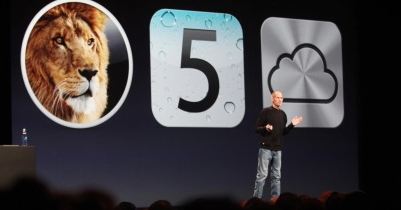
  • iOS 5 now live along with Mac Lion 10.7.2 – iCloud , iMessage Notifications and lots more are a Go

    And just like the iOS 5 is being seeded to Users across the world. If you’ve got an iPhone 3GS, 4, third- or fourth-gen iPod touch, or either of the iPads you can download Apple’s latest and greatest mobile OS right now. Its not currently supported in Jailbreak so you would want to stay hands off for the time being. Stay tuned for our full review of the OS coming up shortly.

    [Apple]

  • Lion Ultimatum Theme for Jailbroken iPhones brings Desktop looks to boring iOS

    Lion Ultimatum Theme for Jailbroken iPhones brings Desktop looks to boring iOS

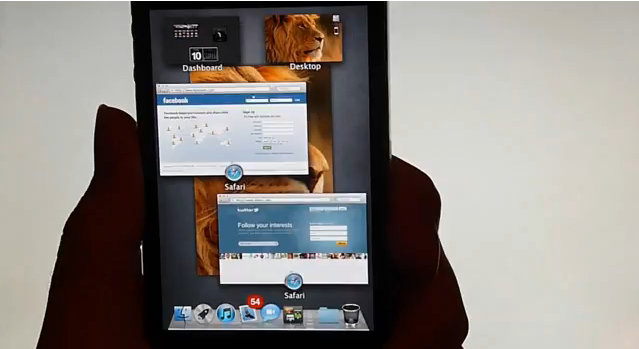
    Want to add flavor to your jailbroken iPhone? The new theme called LION Ultimatum from a theme creator SirTimothy1 brings IOS like looks on Dreamboard. The them also requires you to have your device already jailbroken. This theme comes with a functional file manager and Finder menus, a scrollable dock and draggable windows, along with Stacks, Launchpad, Mission Control and Dashboard. There’s also a customizable lock screen that provides access to the dialer, email and messages. The keyboard can also be modified to resemble the design of MacBook Pro or the traditional Apple Keyboard, thanks to integration with ColorKeyboard. 

    [ModMyi]

  • Apple launches iCloud and iWork betas, Pricing for advanced users.

    Apple launches iCloud and iWork betas, Pricing for advanced users.

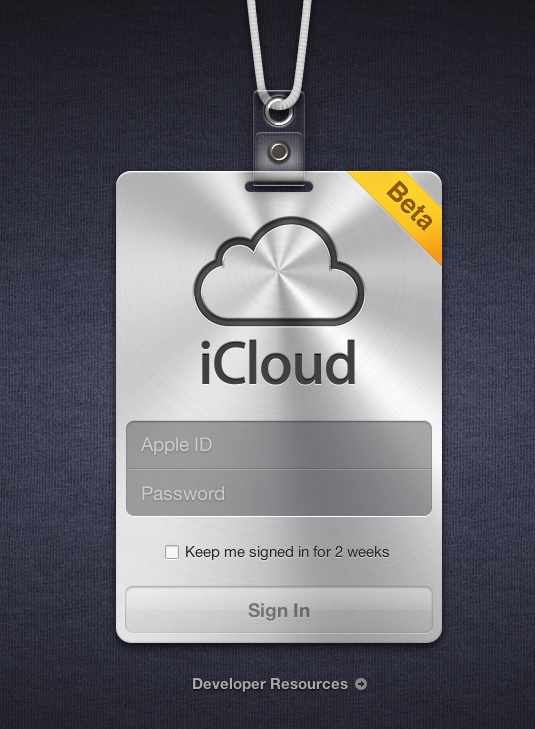
    Apple’s iCloud goes into a beta test mode , with the official site iCloud.com now a host to the beta signup page for a developer only preview of the cloud madness.  For those on iOS5 and Lion 10.7.2 in the test phases can login with their dev account ID and ease the cloud sweetness.

    If you exhaust the free 5Gb of data and need more, then the following pricing applies

    10Gb : US $ 20

    20GB: US $ 40

    50Gb: US $ 100

    A screenshot below shows the iWork icon already included in the beta.


    [MacRumors]

  • Is Apple Killing The iPod?

    Is Apple Killing The iPod?

    Apple’s iPod has been around for the last ten years. When it was launched it was a revolutionary product that defined an industry. We’re sure that the iPod will be around for some time but is the end in sight? According to an analysis by Fortune magazine, iPod sales hit their peak during the holiday season of 2008. Since then, sales have been pushing south at a steady pace.

    Apple’s jumped from around 22.7 million iPods sold at the end of 2008 to an expected 8.39 million iPods sold within the third quarter of 2011. These numbers do include the bump in sales received during the holidays, but, when comparing sales with the previous year, there is a 7.2% drop from Q3 of 2010.

    Apple has decided to concentrate its efforts in its smart phone and tablet sales. When you think about the features that are built into Apple’s product line, the decline in sales starts to make sense. The more of Apple’s user base that shifts to the iPad or the iPhone, the more its antiquated iPod line looks like a meager purchase. The only huge difference between an iPod and an iPhone for example is price and capacity. While music lovers can store many many more songs in their iPods, and pay less for it, they are giving up a huge number of features.

    It costs less money to shift from a low capacity iPhone to a high capacity one, than it does to purchase an iPhone and an iPod. And this is not considering those people who have already bought an iPhone and an iPad both. Why would people want all three? We highly doubt that users who use an iPad and/or an iPhone will be wanting to add an iPod touch to their collection.

    Apple’s expected to hit around 7.9 million in third quarter sales for the iPad 2, and around 18.3 million in iPhone sales.

  • Swype Comes to iPhone, IPod and iPad Courtesy Jailbreak : How To

    Swype Comes to iPhone, IPod and iPad Courtesy Jailbreak : How To


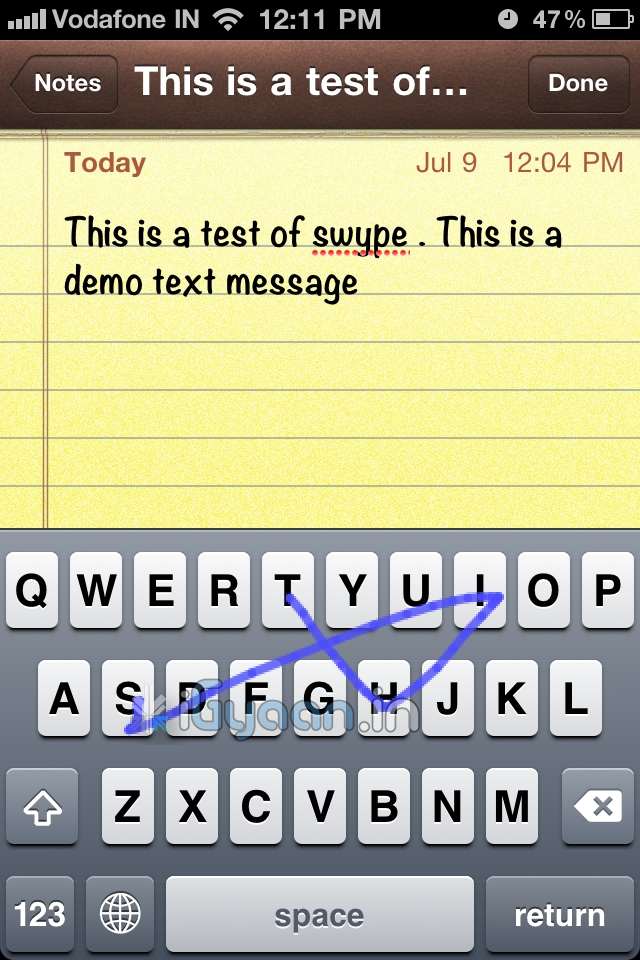
    The most popular keyboard from the Android OS has finally been ported to iOS via Jailbreak. So , if you have already Jailbroken your device, follow the step by step below to add swype to your device


    Step 1:

    •  Open Cydia and move to Manage tab

    Step 2:

    •  Tap on Sources > Edit > Add

    Step 3: 

    • When you tap on add, a window will pop up asking for a URL, type following URL:
    • http://wynd.x10.mx
    • Then tap on Add.

    Step 4: 

    • Once repo is added and packages are downloaded.
    • Go to the “Changes” Screen and Tap on “Swype”
    • Tap Install

    Step 5

    • Once Installed Respring Your Device
    • Swype is enabled on your standard keyboard
    A quick Video Demo is coming up shortly


  • App A Day : TRANSFORMERS: DARK OF THE MOON for iPhone, iPad and iPod Touch

    App A Day : TRANSFORMERS: DARK OF THE MOON for iPhone, iPad and iPod Touch

    Just as the movie releases the Game for iOS is out by EA and it delivers 13 levels of non-stop action spread across various settings, from cities like Chernobyl and Atlantic City to the Moon. Just like in the movies, the Autobots can transform between robots and vehicles.

    The fight is basically between the Transformers and Decepticons You may unlock up to 13 weapons, each of which may be upgraded using blue energon cubes that you’ll be collecting as you roam about. In this same manner, you can also upgrade your character’s skills. All these upgrades may be performed between levels in the lab. In addition to the weapons, you have two types of special attacks, including one that allows you to lock onto multiple targets. You can also attack the Decepticons at close range with a melee attack button.

    Although there is a lot of fighting and action involved, it just seems like the same thing over and over again. The game gets really repetitive and feels like a drag after some time.

    The lack of a better storyline fails to impress us with this game.

    [xrr rating=2.25/5 label=”We Rate it : ” imageset=shiny_yellow_star display_as=fraction_stars]

    Released: Jun 28, 2011
    Version: 1.0.0
    Size: 175 MB
    Requirements: Compatible with iPhone, iPod touch, and iPad. Requires iOS 3.0 or later


    Download

    TRANSFORMERS: DARK OF THE MOON - Electronic Arts

    TRANSFORMERS: DARK OF THE MOON – Electronic Arts

  • Apple Introduces iOS 5 with 200 New Features

    Apple Introduces iOS 5 with 200 New Features

    Apple is announcing the new iOS5 for iDevices , with a whole list of changes that ensue.

    Top 10 features

    1. Notification Center
    2. Newssatnd
    3. Twitter Integration
    4. Reminders
    5. New way to take pictures (camera)
    6. Safari integration
    7. Game Center
    8. Wireless syncing and OTA software updates
    9. New Keyboard
    10. iMessage

    There are more than 200 new features . we will detail them soon

    More developing …….soon!


  • Apple launches iMessage to target BBM, inter iPhone connectivity over wifi + 3g , pictures , voice and video + text instant messaging

    Apple launches iMessage to target BBM, inter iPhone connectivity over wifi + 3g , pictures , voice and video + text instant messaging

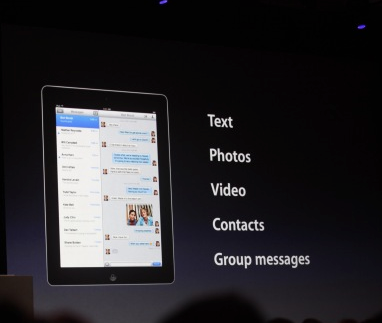
    Apple has just announced then new iMessage service at the WWDC as a part of the new iOS 5

    Includes delivery receipts, with the option to read them. A typer indicator, so you know if the other person is snoozing, and you can push to all your devices. It handles text messages, photos, video, contacts, group messaging.

    • Works on 3G + Wi-Fi
    • Supports iPhone, iPad and iPod touch
  • Apple releases iWork to iPhone and iPod touch (PR)

    Apple releases iWork to iPhone and iPod touch (PR)

    Being a few of the most successful apps on the iPad online App store since day one of Launch, Apple has finally brought some love to iPhones and iPod Touches. The same apps will now run on all other iOS devices making them universal Apps at US% 9.99


    PRESS RELEASE

    Apple iWork Now Available For iPhone & iPod touch Users

    CUPERTINO, California-May 31, 2011-Apple® today announced that its groundbreaking iWork® productivity apps, Keynote®, Pages® and Numbers®, are now available for iPhone® and iPod touch®, as well as iPad®. Created for the Mac® and then completely redesigned for iOS and Apple’s revolutionary Multi-Touch™ interface, Keynote, Pages and Numbers allow you to create and share stunning presentations, beautifully formatted documents and powerful spreadsheets on the go. iWork apps are available on the App Store™ for $9.99 each to new users and as a free update for existing iWork for iPad customers.

    “Now you can use Keynote, Pages and Numbers on iPhone and iPod touch to create amazing presentations, documents and spreadsheets right in the palm of your hand,” said Philip Schiller, Apple’s senior vice president of Worldwide Product Marketing. “The incredible Retina display, revolutionary Multi-Touch interface and our powerful software make it easy to create, edit, organize and share all of your documents from iPhone 4 or iPod touch.”

    Keynote, Pages and Numbers import and export documents from iWork for Mac and Microsoft Office; print wirelessly using AirPrint™; and include beautiful Apple-designed themes and templates. All iWork apps now include improved document management with thumbnail images that let you find your files quickly, organize them and group them into folders using intuitive gestures. From the Tools button in the toolbar, you can easily share any presentation, document or spreadsheet without leaving the app.

    Keynote makes it easy to create impressive presentations, complete with animated charts and transitions. You can play your presentation in Full Screen view on the stunning, high-resolution Retina™ display or connect to a projector or HDTV for a large audience. Available separately, the Keynote Remote app allows your iPhone or iPod touch to control a Keynote presentation on any iOS device or Mac.

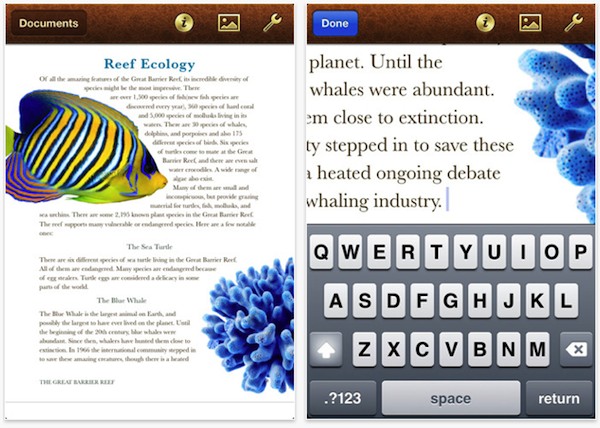
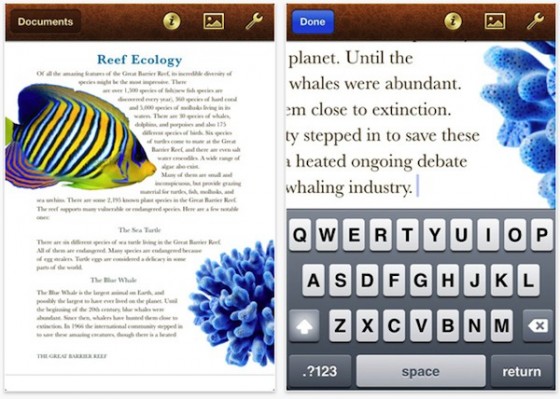
    Pages is the most beautiful word processor ever designed for a mobile device and has everything you need to create amazing documents. Pages takes full advantage of the high-resolution Retina display on iPhone 4 and iPod touch so you can see all the detail and richness of your documents. To make working with text easy on iPhone and iPod touch, Smart Zoom automatically zooms in to follow the cursor while you’re editing and zooms back out when you’re done.

    Numbers uses Multi-Touch gestures and an intelligent keyboard to help you create compelling, great-looking spreadsheets with over 250 easy-to-use functions, flexible tables and eye-catching charts. Just like Pages, Numbers takes advantage of the high-resolution Retina display and Smart Zoom to make working with text and cells on iPhone 4 or iPod touch easy.

    Pricing & Availability
    Keynote, Pages and Numbers are universal apps that run on iPad and iPad 2, iPhone 3GS and iPhone 4, and iPod touch (3rd & 4th generation). Keynote, Pages and Numbers are available from the App Store for $9.99 (US) each for new users, or as a free update for existing iWork for iPad customers. Keynote Remote is sold separately via the App Store for 99 cents (US).

    Apple designs Macs, the best personal computers in the world, along with OS X, iLife, iWork and professional software. Apple leads the digital music revolution with its iPods and iTunes online store. Apple has reinvented the mobile phone with its revolutionary iPhone and App Store, and has recently introduced iPad 2 which is defining the future of mobile media and computing devices.

  • iDVM is the Digital Voltage meter companion for your iDevice

    iDVM is the Digital Voltage meter companion for your iDevice

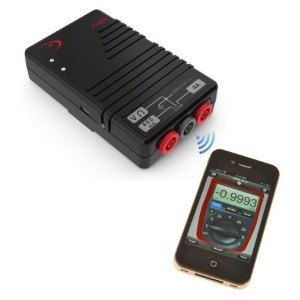
    iDVM Digital Multimeter — the world’s very first iDevice-enabled voltmeter, from Redfish Instruments. Designed specifically for auto/ electrical engineers in mind the Device uses Ad-hoc wireless network to connect with whatever iDevice you have. Once you’ve purchased the multimeter and downloaded the accompanying iDVM app, you’ll be able to gather electrical measurements from up to 30 yards away from your target, log data over extended periods of time and export your findings in spreadsheet or graph displays.

    Priced at just $220 (Inr 10,000)


    Press Release

    Redfish Instruments Introduces World’s First iPhone-Enabled Wireless Multimeter

    SANTA CRUZ, Calif.–(BUSINESS WIRE)–Redfish Instruments, Inc., a provider of iPhone- and iPad-enabled electronic test and measurement equipment, announced today the introduction of the iDVM™ Digital Multimeter. The iDVM multimeter wirelessly connects to an iPhone, iPad, or iPod Touch via an ad hoc wireless network allowing users to acquire, visualize, and share electrical measurement data on their Apple devices. The iDVM app can be downloaded free from the Apple App Store.

    According to Patrick O’Hara, Redfish Instruments’ president and CEO, “The unique pairing of the iPhone or iPad with a digital multimeter provides a user experience that is truly revolutionary. Not since the advent of the LCD has the multimeter been so substantially enhanced.” Regarding the market opportunity, Mr. O’Hara commented, “The iPhone and iPad provide a known user interface that permits customers to interact with electronic test and measurement tools that was not possible prior to this post-pc era. We believe that our new iDVM voltmeter is the first of many new uses for this tremendous interface; we’re excited to be an early pioneer.”

    Traditionally, multimeters have not provided an easy method of exporting or saving data. The iDVM permits a user to log data over an extended period of time using the iPhone or the iPad as the storage device. For example, service engineers can use the iDVM to collect data and store it in a report for submission to their clients, or keep the data on the voltmeter for their own records. Using the GeoTag feature of the iPhone or iPad, service engineers can even identify their location as part of the data. The iDVM is built in the USA using all USA-made parts, and uses rechargeable batteries.

    The iDVM was designed for a wide range of users-from automotive technicians, to advanced embedded systems engineers, to electrical or building contractors, to field service workers.

  • Untethered Jailbreak released for iOS 4.3.2, iPhone 4 still tethered

    Untethered Jailbreak released for iOS 4.3.2, iPhone 4 still tethered

    The latest version of iOS 4.3.2 was released by Apple just days after the jailbreak for the iOS 4.3.1 came out. But, in an exciting turn of events looks like the newest version is still vulnerable to i0n1c’s untethered jailbreak method. Although a lot of failures occurred and the Dev-Team decided to pull the iPhone 4 jailbreak from  redsn0w, leaving iPhone 4 users to rely on a tethered jailbreak, atleast till i0n1c has a chance to fix the venerability patch for iPhone 4.

    You can download the latest version of Redsn0w Here.

    Please Note : Jailbreak does not mean unlock, if your device is locked to a carrier network this will not work to unlock your device.


  • redsn0w 0.9.6rc9 brings Untethered Jailbreak goodness to iOS 4.3.1 on all except iPad 2

    redsn0w 0.9.6rc9 brings Untethered Jailbreak goodness to iOS 4.3.1 on all except iPad 2

    The easiest and safest jailbreak solution for all those who were on 4.3.1 and needed just a jailbreak, redsn0w 0.9.6rc9, gives you just that.

    Supported devices Include– iPhone 3GS, 4 (GSM); iPod touch 3G, 4G; iPad 1; and Apple TV 2G.

    Be advised that this is not an unlock solution just a jailbreak.

    [Dev-Team]

  • Apple Releases iOS 4.3, just before they ship the iPad 2

    Apple Releases iOS 4.3, just before they ship the iPad 2

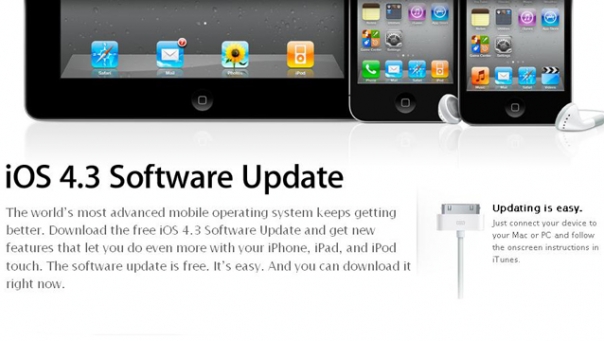
    You can now download iOS 4.3 for you iPhone, iPad or iPod touch.

    The new software brings a speed boost to the mobile Safari web browser through a new JavaScript engine, personal hotspot Internet sharing functionality for iPhone 4 users, and a feature that lets users share the iTunes library around their home.

    The update also adds support for the new iPad 2 and additional functionality for AirPlay, a wireless feature that allows streaming of videos from an iDevice to an HDTV.

    Here is the total spec Sheet

    (% For all those relying on unlocks to use their devices should stay away from the update )

    About iOS 4.3 Software Update 

    This update contains new features and improvements, including the following:

    • Personal Hotspot*
      Share iPhone 4 cellular data connection with up to 5 devices (combination of up to 3 Wi-Fi, 3 Bluetooth, and 1 USB)
    • iTunes Home Sharing
      Play music, movies and TV shows from a shared iTunes library on a Mac or PC (requires iTunes 10.2)
    • New AirPlay features**
      Play videos from the Photos app including the Camera Roll album, iTunes previews, enabled third-party apps and websites on Apple TV
      Play slideshows from Photos on Apple TV using transitions available on Apple TV
    • Faster Safari performance with Apple Nitro JavaScript engine
    • HD video out using the Apple Digital AV Adapter***
      View 720p HD videos from Videos app, iPod app, Photos, YouTube, Safari, Keynote, and enabled third-party apps on an HDMI display
    • Ping features
      Push notifications for comments and follow requests
      Post and Like songs directly from the Now Playing screen
      Parental controls
    • New Settings
      Messages setting for number of times to repeat an alert
      iPad side switch setting to lock screen rotation or mute audio notifications and sound effects
      Single tap conference call dialing with a pause to send a passcode
    • Bug fixes
    *Requires iPhone 4 with tethering data plan
    **Requires Apple TV (2nd generation) running software version 4.2 or later
    ***iPhone 4, iPad, iPod touch (4th generation) 

    For information on the security content of this update, please visit:
    http://support.apple.com/kb/HT1222

iGyaan Network
Privacy Overview

This website uses cookies so that we can provide you with the best user experience possible. Cookie information is stored in your browser and performs functions such as recognising you when you return to our website and helping our team to understand which sections of the website you find most interesting and useful.