Tag: Jailbreak

  • Here’s How You Can Jailbreak Your iOS 9 iPhone Or iPad

    Here’s How You Can Jailbreak Your iOS 9 iPhone Or iPad

    Jailbreak for iOS 9 is now official thanks to the team at PanGu. For the uninitiated, Jailbreak is what you do when you want more from your operating software. Jailbreaking allows for more customization of your device and gives you apps that are otherwise not found in the app store. Jailbreak for iOS is especially useful because Apple has a tougher screening process when it comes to the apps it selects for the App Store.

    The name suggests that this is something that can involve some risks. With jailbreaking, you are in fact changing the way your iPhone or iPad functions in certain areas and you also have access to features that Apple has not incorporated. So, jailbreaking does come with its own set of risks, and it’s always advised to backup your data in iTunes before you proceed with jailbreaking your iPhone or iPad.

    How to Jailbreak iOS 9:

    1. Download an anti-bug/ bug-fixing app

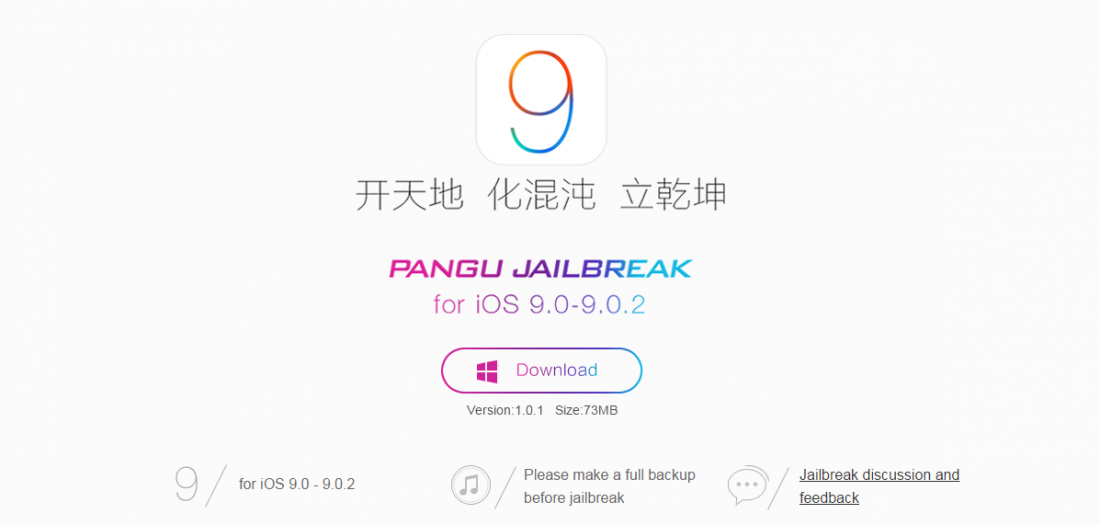
    Jailbreaks often have some bugs. Before jumping straight to jailbreaking your device, you should download a tool that fixes the various bugs. So the first thing you want to do is download Pangu’s jailbreak tool.
    Jailbreak

    2. Back up your device

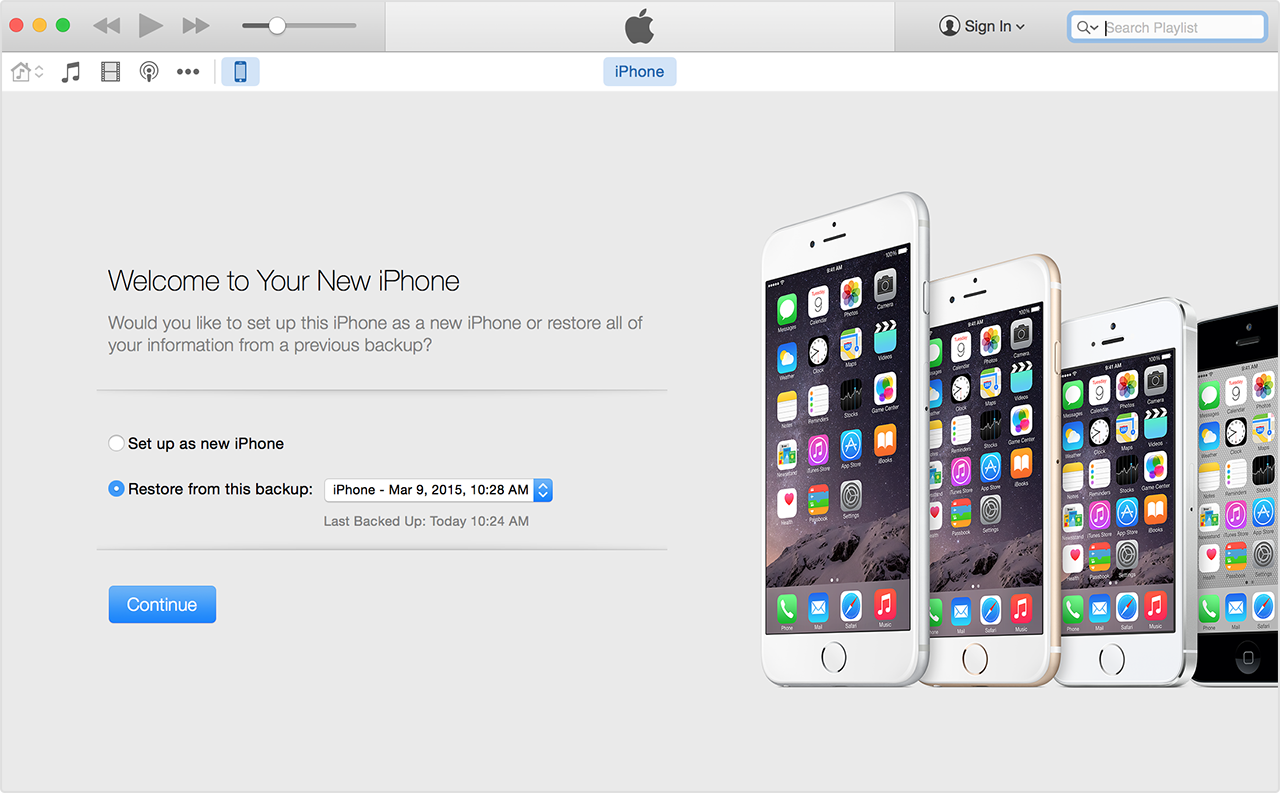
    While your tool downloads, you can use the time to backup your iPhone in iTunes. You need a fresh install of iOS 9.0.2  and set up your device as a new device to apply the jailbreak. So, you need to download iOS 9.0.2 through your PC via USB. It is advised that you shouldn’t download through Wi-Fi as that may cause some issues.  Once you’ve backed up your device, click ‘set up as new iPhone’.
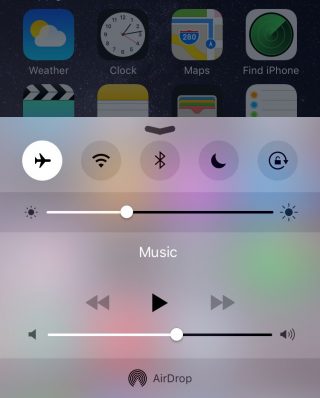
    A couple of more steps before you begin jailbreaking require you to switch off ‘Find my iPhone’ and Wi-Fi, disable passcode and switch to airplane mode.
    Airplane Mode

    3. Follow the instructions running on the PanGu tool

    Run the PanGu tool and the program will tell you if your phone is ready. Follow the instructions clearly when the program begins. After about 50 percent, the device will restart and you will have to unlock your phone and enable airplane mode once again as well as click on the PanGu icon on your device.

    4. Watch out for the Cydia icon

    You’ll know your jailbreak has worked when you see the Cydia icon in your device. If it’s there it means you’ve had a successful jailbreak and you may proceed to restore your backed up data. Once you restore your data, all your files will be there including Cydia.

    cydia

    5. Restore your device and check out the tweaks

    There are some pretty neat tweaks offered here. A tweak called Universal Force brings the latest 3D Touch feature to your older devices. You won’t get the full features of the 3D Touch, though, but what Universal Force does offer is that it gives you the peek and pop functionality for your apps, pictures and mail. You can press and hold on a picture in your gallery for a quick peek along with options to Copy, Share, Favorite or Delete the picture all from your Photos grid.
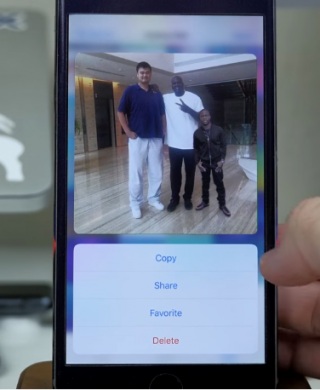
    Jailbreak 1

    A Better5IconDock tweak lets you have 5 icons in your dock rather than just 4. So there is extra room to add your most frequented app.

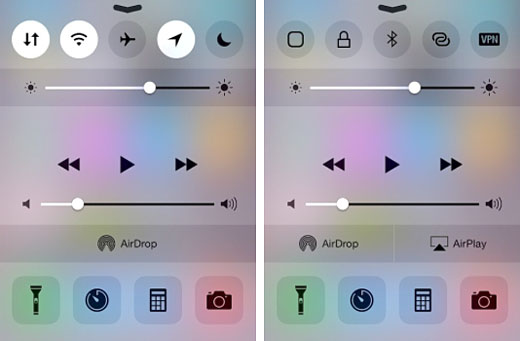
    Finally, CCSettings for iOS 8 gives you one of the best tweaks where you can now have a ton of different toggles in your Control Centre rather than the traditional 5 limit.  There are loads of other tweaks that give your iPhone and iPad some flavour and some fun features to play around with.
    Source: [tw-button size=”medium” background=”#07ABE2″ color=”” target=”_self” link=”http://www.forbes.com/sites/antonyleather/2015/10/18/how-to-jailbreak-your-ios-9-ipad-or-iphone/3/”]Forbes[/tw-button]

  • These Hacks Help You Get iPhone 6s’ Best Features on Your Old iPhone

    These Hacks Help You Get iPhone 6s’ Best Features on Your Old iPhone

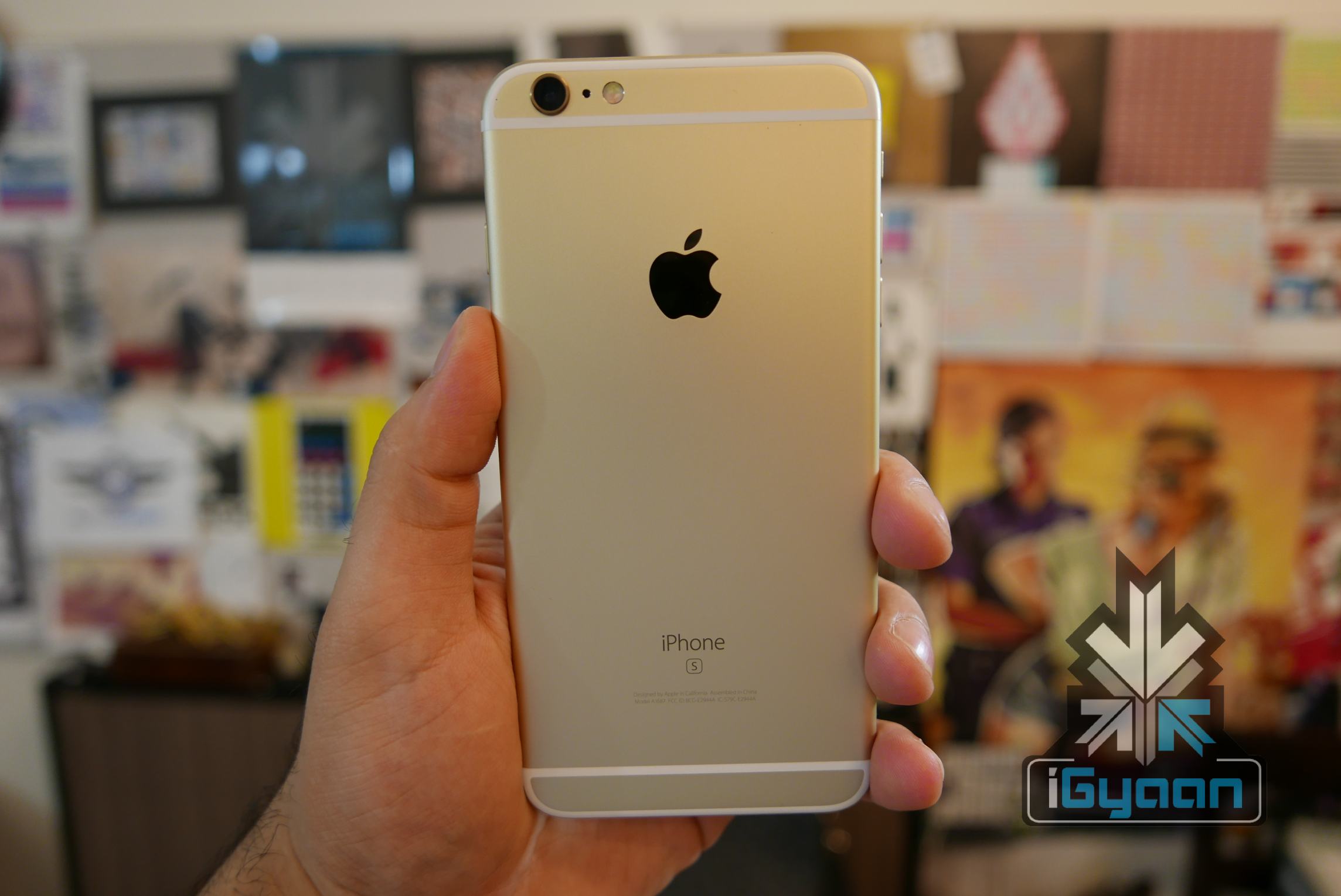
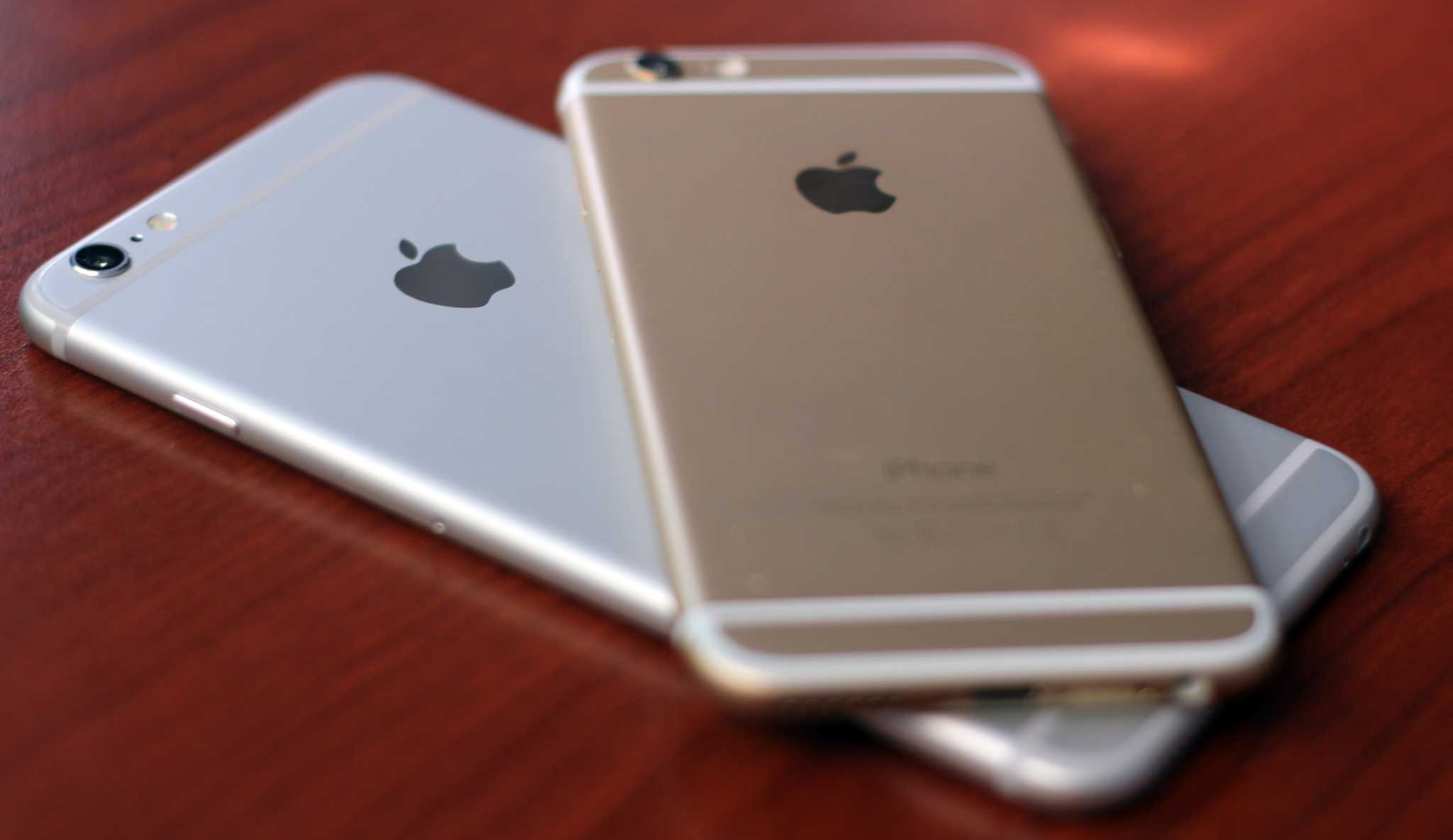
    iPhone 6s and iPhone 6s Plus are up for grabs in the country since last night. With the price bracket between Rs.62,000 and Rs. 92,000 the cost is a major discouragement for a lot of buyers. However, if you already own an iPhone 6 and want the features of its successors without burning that hole in your pocket, here are some quick jailbreak hacks for you.iPhone 6s and 6s plus igyaan 3

    The most talked about feature of the new iPhones is 3D Touch which allows the device to differentiate between three kinds of touch. Though the device necessarily has to be pressure sensitive for this to work, jailbreak tweaks allow the user to swipe up to be able to use 3D Touch on their iPhone 6. Jailbreak tweaks like Forcy, UniversalForce and Hapticle allow you to use the feature on your device.

    Another highlight of the iPhone 6s and 6s Plus is Live Photos. This feature does not require new hardware and therefore can work on the older iPhone models as well. The Live Photos enabler tweak, however, hasn’t been working for everyone. Some users have complained of over-heating while others have mentioned freezes. Many users have managed to successfully jailbreak, yet glitches continue.iPhone 6s and 6s plus igyaan 4

    If you really want the features of the new iPhone, simply buying the device is your best bet. You could try jailbreaking, but less for the features and more for the adrenaline rush of using something  you’re not allowed to be using.

  • Watch the Launch of Micromax’s New Products Live on iGyaan

    Watch the Launch of Micromax’s New Products Live on iGyaan

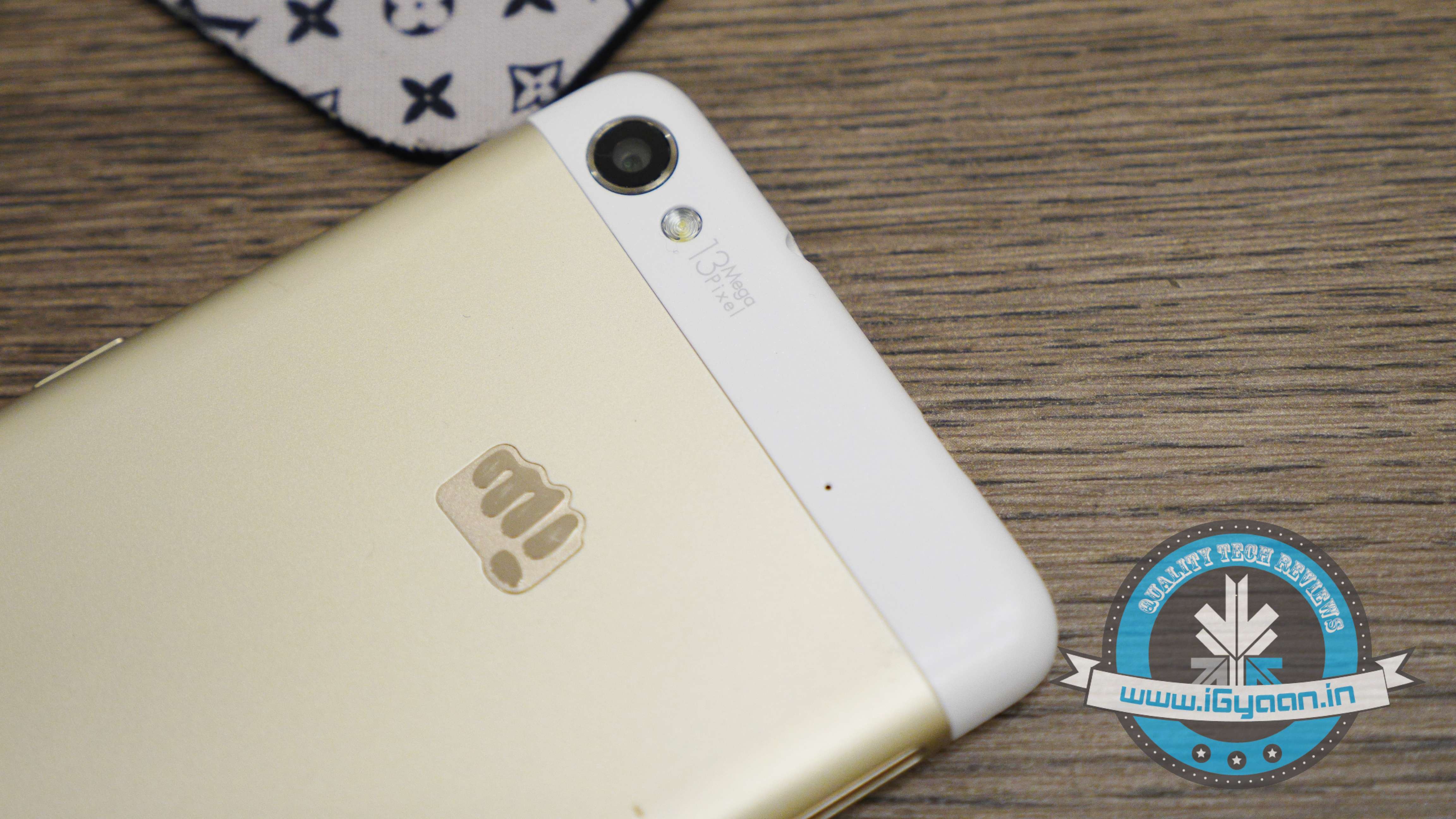
    The next flagship by Micromax is scheduled to launch today in the national capital of India. Media invites have been sent by the homegrown firm for the event starting at 12 PM. Although the event will carry out in an enclosed dark room, Micromax has added support for everyone to witness the jailbreak of its device, live. It is expected to disclose more than one product at the launch.

    micromax

    Micromax has designed a special page for the unveiling of its upcoming flagship. A countdown appears on top of the page, beneath which is a video with shows a prisoner trying to escape from the jail.

    Find out who he is and watch the show live below.

    https://youtu.be/_f_GvcCVg5Y

  • iOS 6.1 Jailbreak Evasi0n goes live

    iOS 6.1 Jailbreak Evasi0n goes live

    evasi0n ios 6.1 jailbreak iphone 5 jailbreak

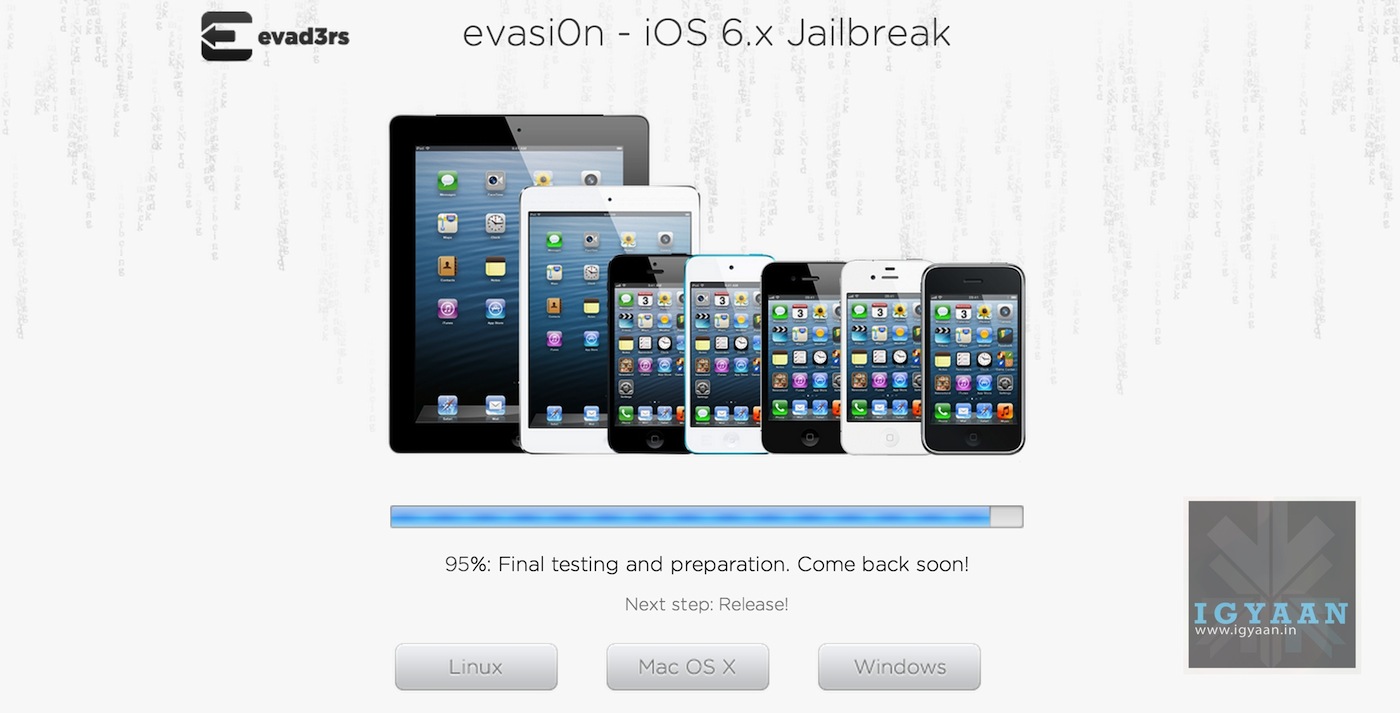
    We earlier reported that the iOS 6.1 jailbreak was 95% complete, now its gone live. As mentioned in our previous post, Evasi0n supports all 20+ variants of iOS devices, including the  iPhone 5, on iOS 6.0 through iOS 6.1. 

    The release of the new userland-based Evasi0n iOS 6.1 jailbreak tool means that users now have an extremely efficient way of making a complicated background process seem extremely simple.

    So head on over to evasi0n.com and download the compatible version with your computer and get on going.


  • iOS 6.1 Jailbreak 95% ready for iPhone 5, 4s, 4, 3GS, iPad 4, 3, 2 and iPod Touch

    iOS 6.1 Jailbreak 95% ready for iPhone 5, 4s, 4, 3GS, iPad 4, 3, 2 and iPod Touch

    ios 6.1 jailbreak 0


    Waiting on that jailbreak to unleash the creativity on the iPhone 5, or the new iPad for that matter? The Team Evad3rs have updated their website and are showing that 95% of the iOS 6.1 jailbreak is ready with only a few hours to go up until release. 

    So hold your breath because this is going to come sooner than you think. 

    What is the most used feature after Jailbreaking?, for us we prefer toggles in the notification panel, so SB settings is all we need from the jailbreak. Now with team Hackul0us and Install0us gone from Cydia, we feel that number of Jailbreaks on iOS 6.1 may be limited to those who do it for the heck of it.

    According to team EVAD3RS the jailbreak had been readied on iOS 6.0 and 6.0.1 , but they wanted to release an iOS 6.1 Jailbreak so that Apple does not patch up the exploit in the iOS 6.1 update.

  • Rejoice! iOS 6 Jailbreak Confirmed, May Come Out On Sunday!

    Rejoice! iOS 6 Jailbreak Confirmed, May Come Out On Sunday!

    jailbreak

    After many tantalizing hints, the team behind the upcoming evad3rs jailbreak has confirmed it will come as early as Sunday. The crew, noted jailbreak developers @pod2g, @planetbeing and @musclenerd, are working hard on the front-end code for the jailbreak, but the team members have individually assured the world that it is untethered and compatible with iOS 6.0, 6.0.1, 6.0.2 and the newly-released 6.1.

    According to the team, the new jailbreak will support every iOS device on the market except for the Apple TV 3rd gen, including the iPhone 5 and iPad 4. While jailbreak has since lost some of its steam due to the addition of many consumer-facing features in iOS 6, many users still clamor for the enhanced experience of BiteSMS and Infinidock, among others.

    [quote]”We (+ @MuscleNerd @planetbeing @pimskeks) are the @evad3rs. We don’t take any donations ATM, please don’t be fooled at donating to others,” tweeted Pod2g.[/quote]

    For those unaware, the iOS jailbreak eliminates the limitations forced by Apple on devices running the company’s latest operating system through the use of software tweaks on devices that include iPhones, iPads, and more. A tethered system means the procedure must be repeated every time the smartphone reboots.

    The information about evad3rs possession of the jailbreak was revealed by pod2g to iDigitalTimes.

    [quote]The hacker talked about the success of the team of developers saying:  “6.0 is jailbroken, 6.1 beta 4 also. Now we are waiting 6.1 to confirm and release. For your information and this is important to me that everybody knows about it also, this jailbreak will be @planetbeing and @pimskeks.”[/quote]

    Pod2g also added that he was only a small part of the jailbreak’s discovery as the majority of the work was done by @planetbeing and @pimskeks.

    While the team allegedly has the iOS 6 untethered jailbreak, they are holding on to it until Apple releases iOS 6.1.

  • Newest version of ultrasn0w 1.2.7 out, unlocks all iPhone 3Gs and 4 on iOS 5.1.1

    Newest version of ultrasn0w 1.2.7 out, unlocks all iPhone 3Gs and 4 on iOS 5.1.1

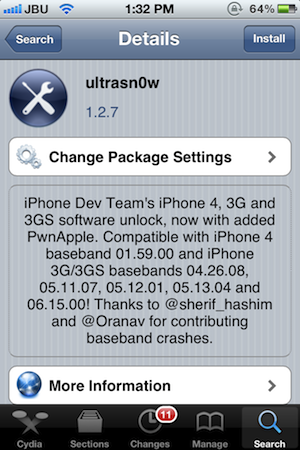
    Still own an iPhone 4 or a 3Gs, and need an unlock for your device? You are in luck! The dev-team has just released the latest version of Ultrasn0w i.e. 1.2.7 which will unlock all iPhone 4s  on baseband 01.59.00, while the older 3G / 3GS units on 04.26.08, 05.11.07, 05.12.01, 05.13.04 or 06.15.00. Also a new version of RedSn0w (0.9.12b1) for both Windows and Mac, was released.

    [Dev-Team Blog]

  • Absinthe 2.0 Jailbreaks nearly 1 Million iOS Devices over the Weekend.

    Absinthe 2.0 Jailbreaks nearly 1 Million iOS Devices over the Weekend.

    The new Jailbreak called Absinthe 2.0 for all iOS devices running 5.1.1 has been a huge hit. Its simple and easy to use jailbreak method has been the biggest possible reason behind nearly one million devices being jailbroken over the weekend.

    The exact number as tweeted by the Jailbreaking team is 973,086 iOS devices in a single weekend, out of which 211,401 were the new third Gen iPads. (two were ours!)

    If you want your device jailbroken, you can still do it before Apple closes the window with the next update.

    [VIA]

    [Chronic Dev Team]

  • Absinthe 2.0 arrives with less fanfare, jailbreaks all in one click , except iPad 2 35nm

    Absinthe 2.0 arrives with less fanfare, jailbreaks all in one click , except iPad 2 35nm

    Absinthe 2.0 has been released,  this tool developed by the “Jailbreak Dream Team” (Chronic-Dev and iPhone Dev), and will support all iPhone and iPad versions, with the exception of iPad2,4.

    The jailbreak tool can also be installed on iPod3,1 and 4,1 models. Assuming your iOS device is up and running with firmware 5.1.1 , you can download the latest tool for Mac or PC from the links below.

    Let us know if you want a quick tutorial video, in the comments section below.

    [greenpois0n]

  • iOS 5.1 gets untethered Jailbreak, even on the new iPad – Release Unknown

    iOS 5.1 gets untethered Jailbreak, even on the new iPad – Release Unknown

    iOS Hacker pod2g has released a video of an untethered jailbreak for all Apple iOS  devices including the new iPad. The video shows a jailbroken iPad 3 that manages to stay that way even after a reboot. pod2g has yet to announce a public release of this crack, or even if he intends to. Check out the video, but don’t hold your breath for too long.

    [@pod2g (Twitter)]

  • DIY : How to Jailbreak your iPhone 4s / iPad 2 Using Absinthe

    DIY : How to Jailbreak your iPhone 4s / iPad 2 Using Absinthe

    So ready to break your device free from the evil clutches of Apple? The highly awaited untethered jailbreak for iPhone 4s and iPad 2 is finally out. 

    Lets begin

    Here is what you need

    1. iPhone 4s / iPad 2 on iOS 5.o or iOS 5.0.1
    2. Download Absinthe from the links below
      [greenpois0n 1][ greenpoison 2]
    3. Apple computer/Hackintosh running MAC OS X / Snow Leopard
    4. Windows users will need to wait for the windows app

    Lets begin with Jailbreak

    Step 1

    • Make sure you backup your device with iTunes or have all you data synced with iCloud
    • For this jailbreak to work you have to disable backup passwords from iTunes.


    Step 2

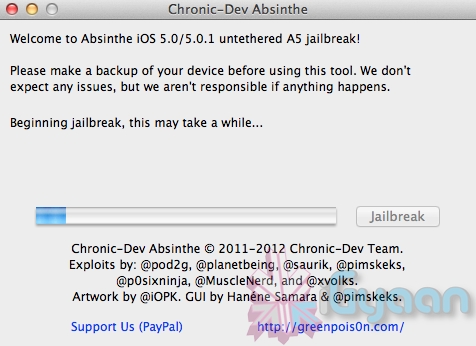
    • Download and Open Absinthe on your Mac

    Step 3 

    • Plugin your iPhone 4s / iPad 2 on your mac using the USB cable
    • Click the Jailbreak button on Absinthe and wait for the process to finish.


    Step 4

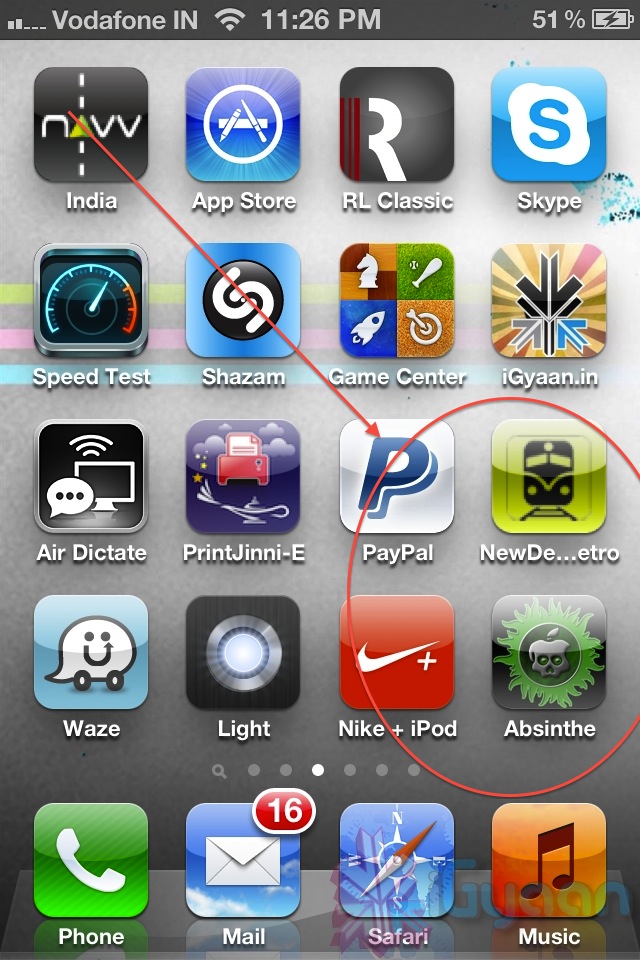
    • Once the process is complete you will see a new app on your iPhone/iPads screen – Absinthe


    • Tap the app to start it ( make your you have internet connectivity)
      Note: you might get error connecting to database – due to high usage currently) 
    • Once you do get a connection it will download the Jailbreak data and reboot your device.
    • Once the device reboots you will see the Absinthe icon replace with CYDIA!
     

    Enjoy your Jailbroken iPhone 4s / iPad 2 ! 

    Video Coming Shortly!


  • iPhone 4S and iPad 2 Untethered iOS 5.0.1 Jailbreak almost complete, few days away

    iPhone 4S and iPad 2 Untethered iOS 5.0.1 Jailbreak almost complete, few days away

    Two days after Christmas all non-A5 iDevices received an untethered jailbreak for iOS 5.0.1 from pod2g. The hacker worked for two months before announcing the release of the jailbreak solution dubbed Corona.

    However, as it was earlier known that all A5 chip based devices, namely the iPad 2 and the iPhone 4S, did not get a jailbreak solution primarily because of unavailability of a valid exploit. But,  good news was announced  by pod2g , confirming that he has almost completed the exploit and that it should be available shortly.

    I made a step today for the A5. With some luck we could expect a release in a week”.

    -pod2g, iPhone Hacker

    Now it just seems like a matter of days before people with iPhone 4s’ and iPad 2s will be able to enjoy the benefits add ons from jailbreaking, cydia et all.

  • RIM puts the Playbook on a massive sale 16, 32 and 64 GB versions all for US$ 299

    RIM puts the Playbook on a massive sale 16, 32 and 64 GB versions all for US$ 299

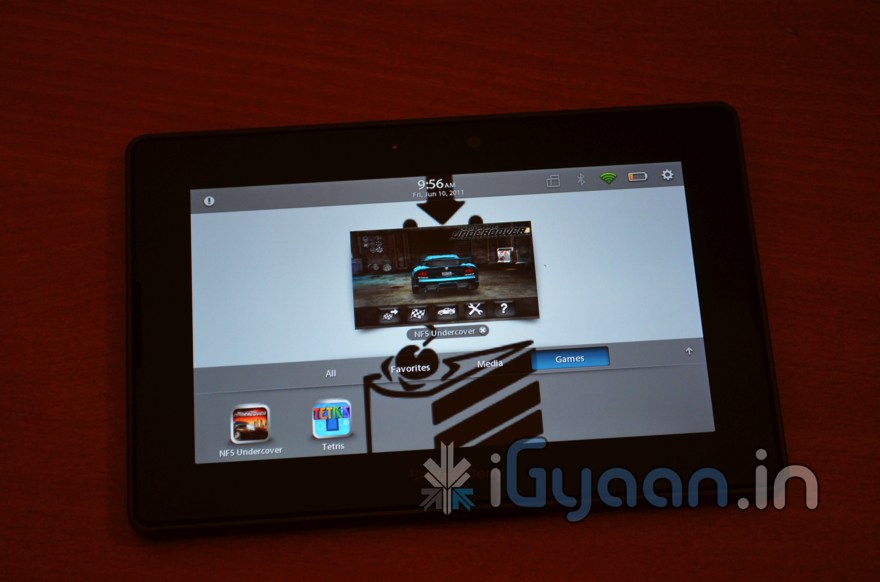
    Looks like RIM is following up in HP’s footsteps, and has decided to liquidate the Playbook all over the world. The US however seems to get the best deal,  RIM’s official webstore is offering the 16GB, 32GB and 64GB model for $299, the pricing is quite strange especially since no one would buy the cheaper ones. Those who have the tablet can get access to the Android market in a few easy steps detailed by the team at Crackberry. It requires a rooted PlayBook, WinSCP, the latest version of Cyanogen Google apps.

    In India the Playbook has been sold out at the lower pricing, with just an asking price of Rs. 13,500 for the 16GB, Rs. 15800 for the 32 GB and Rs. 24000 for the 64Gb versions. People are going gaga over the failed tablet simply because its priced right.

    We will try getting our hands on a such device for a better review.

    [RIM]

     [CrackBerry]

  • iOS 5 devices finally receive Untethered Jailbreak : No Luck for iPhone 4S and iPad 2

    iOS 5 devices finally receive Untethered Jailbreak : No Luck for iPhone 4S and iPad 2

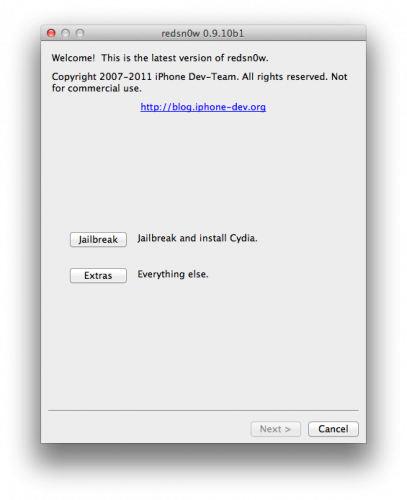
    iPhone and other iOS device users on iOS 5.0.1 will begin to rejoice as Untethered jailbreak for their devices is finally here. Just weeks after an exploit for untethered jailbreak was found for iOS 5.0.1, it has been incorporated into RedSn0w 0.9.10, the Pwnage Tool and Chronic Devteam’s Cydia package.  This will work on iPhone 3GS, iPhone 4 (including the CDMA version), iPad 1, iPod Touch 3G and iPod Touch 4G, so long as they’ve been updated to iOS 5.0.1.

    Steps are simple

    1. Head over to the Dev Team page here and download the RedSn0w for your OS (Mac/Win)
    2. Make sure your device has been updated to iOS 5.0.1 
    3. Run Redsnow on your PC or Mac and Follow instructions.


    Meanwhile pod2g who found the initial exploit, is also reportedly searching for a solution for iPhone 4s and iPad 2.

  • Bring Siri dictation to your favorite iDevice – Jailbreak and Siri0us required

    Bring Siri dictation to your favorite iDevice – Jailbreak and Siri0us required

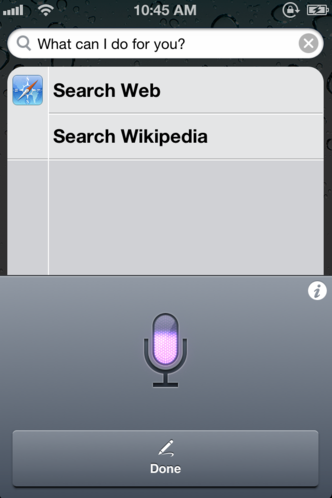
    A new package for jailbreak friendly iDevices has been released that enables Siri dictation on the iPhone 4 / 3GS and all those that run a Jailbroken iOS 5. The package is available to be downloaded from a repo that uses Siri Api (without permission) to connect to the servers that the speech recognition company hosts for apps instead. This method will allow only dictation on the iPhone and not Siri itself. We have a feeling that the package might be removed soon so get it before it goes.

    Check out the demo video below. 

iGyaan Network
Privacy Overview

This website uses cookies so that we can provide you with the best user experience possible. Cookie information is stored in your browser and performs functions such as recognising you when you return to our website and helping our team to understand which sections of the website you find most interesting and useful.