














DIY : How to Jailbreak your iPhone 4s / iPad 2 Using Absinthe
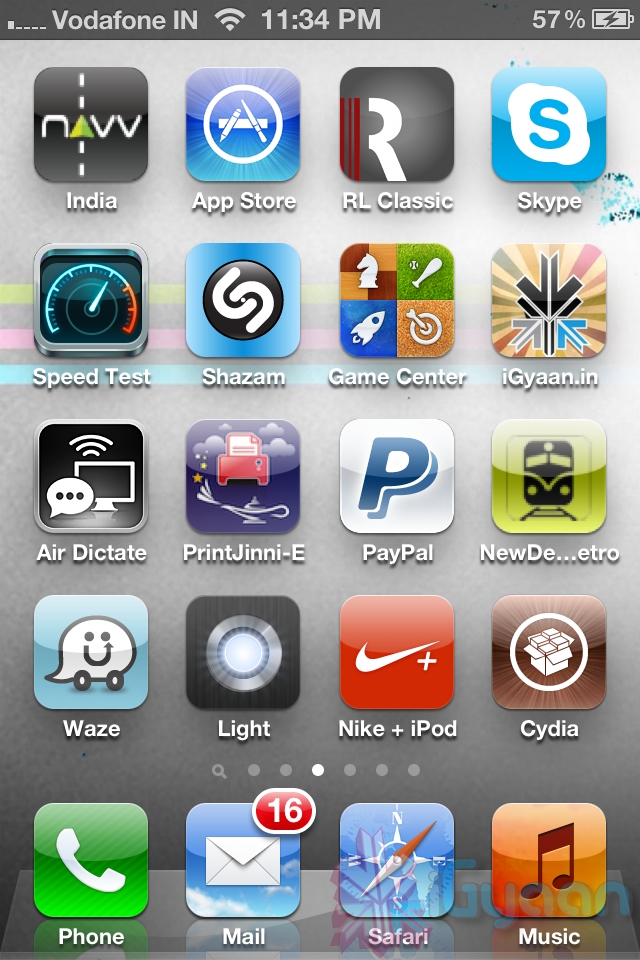
So ready to break your device free from the evil clutches of Apple? The highly awaited untethered jailbreak for iPhone 4s and iPad 2 is finally out.
Lets begin
Here is what you need
- iPhone 4s / iPad 2 on iOS 5.o or iOS 5.0.1
- Download Absinthe from the links below
[greenpois0n 1][ greenpoison 2] - Apple computer/Hackintosh running MAC OS X / Snow Leopard
- Windows users will need to wait for the windows app
Lets begin with Jailbreak
Step 1

- Make sure you backup your device with iTunes or have all you data synced with iCloud
- For this jailbreak to work you have to disable backup passwords from iTunes.
Step 2

- Download and Open Absinthe on your Mac
Step 3
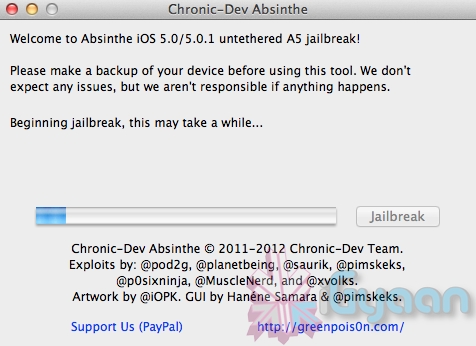
- Plugin your iPhone 4s / iPad 2 on your mac using the USB cable
- Click the Jailbreak button on Absinthe and wait for the process to finish
 .
.
Step 4
- Once the process is complete you will see a new app on your iPhone/iPads screen – Absinthe
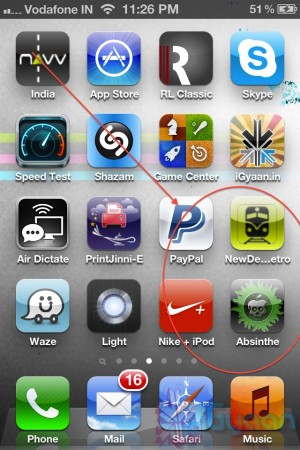
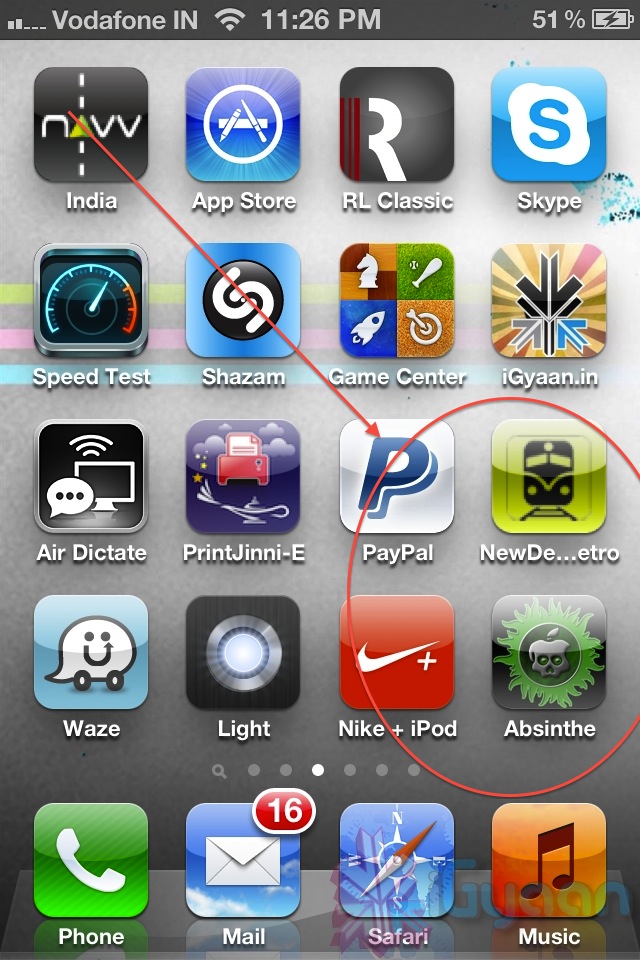
- Tap the app to start it ( make your you have internet connectivity)
Note: you might get error connecting to database – due to high usage currently) - Once you do get a connection it will download the Jailbreak data and reboot your device.
- Once the device reboots you will see the Absinthe icon replace with CYDIA!
Enjoy your Jailbroken iPhone 4s / iPad 2 !
Video Coming Shortly!
What's your reaction?
Awesome
0%
Epic
0%
Like
0%
I Want This
0%
Meh
0%

You Might Also Like