Tag: MacOsX

  • Dropbox adds automatic photo uploads for Windows and Mac : free 500 MB for using it each time

    Dropbox adds automatic photo uploads for Windows and Mac : free 500 MB for using it each time

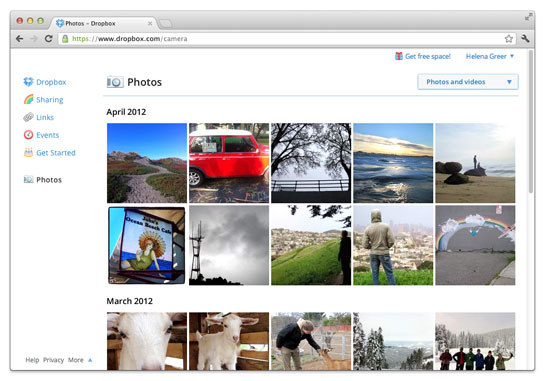
    While Google launched Drive Cloud with free 5 GB Data storage, Dropbox does not want to feel left out at the party. Adding new features for existing users, the company today announced a new app to allow automatic photo uploads from your Windows or Mac computer. 

    Thats not all, Dropbox will also offer upto 3GB free store for using the service, actually 500MB each time you use it to a maximum of 3 GB free.

    [Dropbox]

  • Apple developers get Mac OS X Mountain Lion downloads

    Apple developers get Mac OS X Mountain Lion downloads

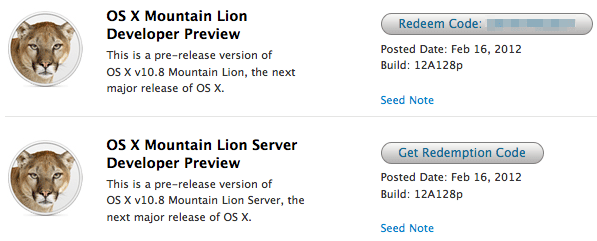
    If you continue to stay on the Apple Developer program then you can have yourself a developer preview download of the new exciting Mac OS X Lion. The new versions of Reminders , messages , gatekeeper, Notification center and iCloud and sharing capabilities can be experienced in this preview.  Hit the link below to sign into your member area and begin the download.

    [Apple]

  • Apple shows off OS X Mountain Lion

    Apple shows off OS X Mountain Lion

    Apple has already begun the next update cycle of the OS X platform with just over a year ago Apple unleashed OS X Lion on Mac owners. This time around the number is bumped to 10.8 and the name to Mountain Lion. The overall outlook of the OS remains the same with more integrations and basic app changes in tow.

    The biggest add-on for the OS has to be the Notification centre that has been inspired from the iOS notification centre.

    Notification Centre.

    The spotlight icon on the far top right of the screen is replaced with a circle with a dot in the centre, which lights up when you receive a message or a notification even a calendar reminder.

    Messages

    The other major release in OS X mountain lain will be the replacement of iChat with messages, which will allow you to message all iOS devices on iMessage and other macs on Messages. Using the service, you can send messages, documents, HD videos and photos (up to 100MB apiece) to one person or several, using phone numbers or email addresses as points of contact. Messages on Mac still incorporates chat services like AIM and GChat. Messages sent through the service are encrypted, and the app also uses a notification to let you know when messages have been delivered / read.

    Reminders

    The next cool thing of our liking that has been ported from iOS to Mac is Reminders. For those who don’t know , this is more of a glorified to-do list. It will sync with iOS reminders keeping the seamless architecture intact.

    Notes

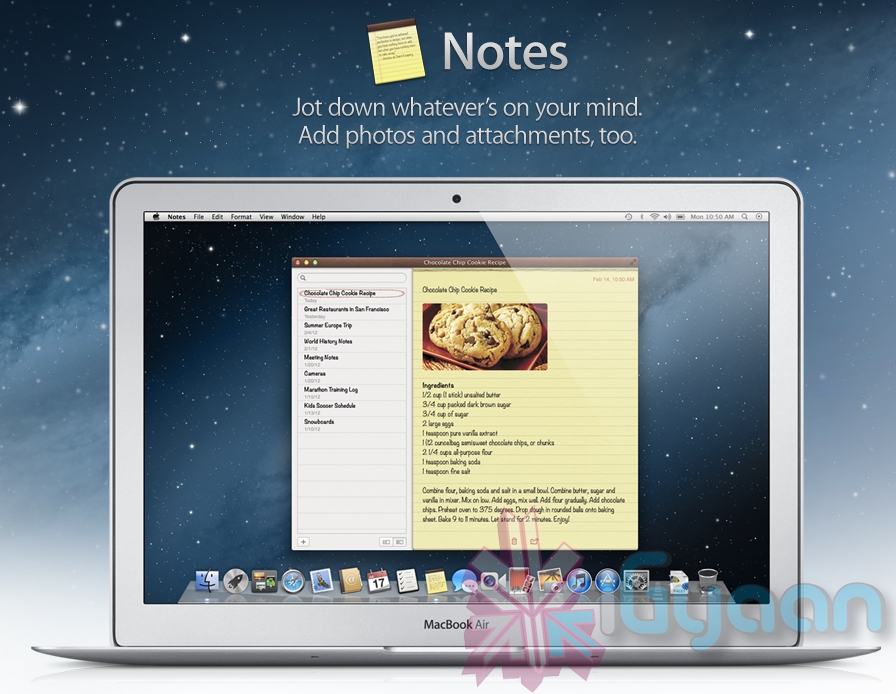
    Another addition to the Mac OS X Mountain Lion is the Notes app, which not only completely resembles the on on iOS but also syncs up with all your devices and email addresses via iCloud.


    Apple has added deeper integration of iCloud on Mountain Lion, allowing users to sync up and back up more data, also allowing seamless interconnectivity with all other Apple devices owned by a user. The other additions to Lion include Airplay mirroring, integrated Game center and included sharing – allowing you to instantly share content from your desktop via email, message, AirDrop and third-party services like Twitter, Flickr and Vimeo.

  • VLC Player gets to RC1 stage – Download links

    VLC Player gets to RC1 stage – Download links

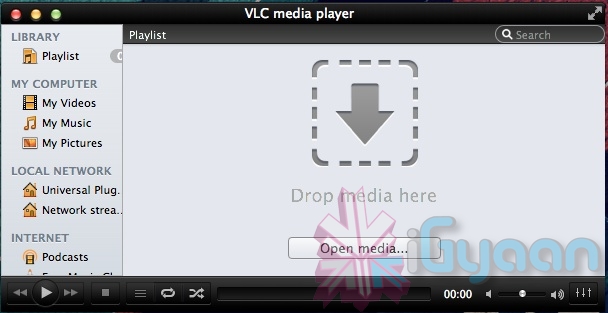
    Possible the most popular open-source video player that works cross platforms. VLC Player, has attained the much desired upgrade to version 2. Although still in its prime stage with the RC1 both Windows and Mac users will be greeted with a fresh new UI. Mac users will especially identify to the new Lion look styling. There’s also a new subtitle manager and support for multiple videos inside RAR files.

    The iOS version is all set to be returned with a bang, whereas Android app gets a development update. The new VLC 2.0 RC1 is currently not available for Windows 64bit platform.


    [VideoLAN]

  • OWC launches Mercury Extreme Pro 3G SSD, starting just $68 (PR)

    OWC launches Mercury Extreme Pro 3G SSD, starting just $68 (PR)

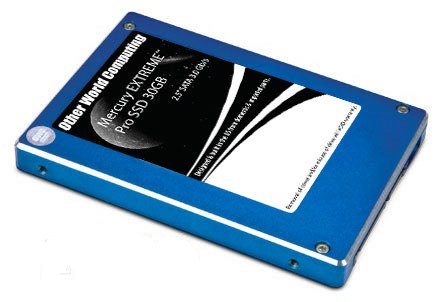
    OWC has announced its new budget 3G SSD lineup, latest 2.5-inch SSD, the 30GB variant of its Mercury Extreme Pro 3G series which has a 3GB/s transfer rate. The company claims that the drive is complaint with all OSs and will give sustained data rates throughout. The drives are on sale now, and the prices start at just US$ 68 or about INR 3000.


    [toggle title_open=”Press Release” title_closed=”Press Release” hide=”yes” border=”yes” style=”default” excerpt_length=”0″ read_more_text=”Read More” read_less_text=”Read Less” include_excerpt_html=”no”]

    OWC Announces Mercury EXTREME Pro 3G As Lowest Cost Of Entry In Award-Winning, Solid-State Drive Line


    $67.99 MSRP SSD Ideal for ‘Supercharging’ Macs and PCs with Faster App and OS


    Operation


    September 27, 2011 Woodstock, IL — Other World Computing (OWC®) http://www.macsales.com, a leading zero emissions Mac® and PC technology company, announced today the addition of its lowest-cost- of-entry Solid-State Drive to its award-winning SSD line. The new OWC Mercury EXTREME™ Pro 3G SSD combines award-winning SandForce® technologies and Tier 1/Grade A NAND to deliver data rates over 275MB/s in a noiseless, more reliable form factor over conventional magnetic hard disk drives. Designed and manufactured in the U.S. with imported parts, the new OWC Mercury EXTREME Pro 3G 30GB SSD’s $67.99 MSRP makes it one of the lowest-priced, high-performance SSDs on the market.


    Maximizes Any Computer’s 3G Data Bus


    Consumers using a Mac or PC equipped with the Serial ATA data bus will find the OWC Mercury EXTREME Pro 3G 30GB is able to deliver near bus saturating speed. Independent tests have confirmed the OWC Mercury EXTREME 3G SSDs delivers sustained data rates over 275MB/s and provides significant benefits in overall system responsiveness and sustained workflow.


    No Slow Down With Repeated Use


    While ordinary SSDs initially offer fast read/write performance; they experience significant write speed degradation over repeated usage. Independent simulation tests conducted by leading drive performance experts like MacPerformanceGuide confirm OWC Mercury SSD’s ultra-efficient Block Management & Wear Leveling technologies are able to eliminate virtually any reduction in data transfer speeds over heavy, long-term usage without dependency on less-than-effective OS TRIM management.


    Up To 100x Greater Data Protection


    By utilizing SandForce DuraClass™ technology along with no moving parts, the OWC Mercury EXTREME Pro 3G provides an increase of up to 100x in data protection, compared to ordinary SSDs and leading enterprise-class hard disk drives. By combining the highest level of Error Correction Code (ECC) and SandForce RAISE™ (Redundant Array of Independent Silicon Elements) technology, along with 7 percent over provisioning, the OWC Mercury EXTREME Pro 3G provides RAID-like data protection and reliability without loss of transfer speed due to parity.


    Risk-Free 30-Day Satisfaction Guarantee


    To ensure the highest level of customer satisfaction and confidence, the OWC Mercury EXTREME Pro 3G SSD comes backed by a 30-Day Money Back Guarantee. If consumers are not completely satisfied with their OWC SSD for any reason, they simply need to contact OWC’s award-winning Customer Service department – which offers 24/7 Live Chat support – to request a full, hassle-free refund.


    “While small in capacity, this new 30GB model offers a huge performance boost in application and OS operation,” said Larry O’Connor, Founder and CEO, Other World Computing. “At its price point, you can’t beat its use as a boot and app load drive while offloading storage and backup duties to platter based drives.”


    Includes Only Mac-Friendly Updater


    While the OWC Mercury EXTREME 3G 30GB SSD comes with the latest SandForce firmware revision, it also includes the industry’s first and only Apple/Mac-compatible firmware updater should the firmware need to be updated in thefuture. The firmware updater eliminates the need for a PC, ownership of Windows or other operating system, or the creation of a specially designated drive partition that other brand SSD updaters have required. For more information onOWC’s proprietary firmware updater, visit:http://eshop.macsales.com/tech_center/OWC/SSD


    Adapters From $3 Offer Easy Install In 3.5″ Drive Bays


    Desktop users wanting to experience the performance benefits of an OWC Mercury SSD can choose from one of five adapters OWC offers starting at $3 for utilizing 2.5″ drives in 3.5″ bays. For an overview of these to determine which adapter can meet particular needs, visit http://blog.macsales.com/11999-drive-adapters-galore%E2%80%94which-is-the-right-one-2


    Pricing, Availability


    Compatible with Macs, PCs and external enclosures that utilize 2.5″ drives, the OWC Mercury EXTREME 3G 30GB SSD is available now from Other World Computing as well as through select retailers. The $67.99 MSRP drive features 7% over provisioning, Tier 1/Grade A NAND, and a three-year warranty. For more information on the OWC


    Mercury EXTREME 3G 30GB SSD, including reseller inquires, visit: http://eshop.macsales.com/item/Other%20World%20Computing/SSDMX030/


    Industry’s Most Comprehensive SSD Line for Macs and PCs


    The new OWC Mercury EXTREME 3G 30GB model joins OWC’s existing line of performance-leading, world record-breaking ‘3G’ (3Gb/s) and ‘6G’ (6Gb/s) Mercury SSDs available for nearly every Mac and PC produced over the past decade in capacities from 30GB to 480GB starting from $67.99. For more information on the complete OWC Mercury


    SSD line, including expert benchmark reviews, visit: http://eshop.macsales.com/shop/SSD/OWC/. For more information on the OWC catalog of over 2,900 performance upgrades and accessories, or for reseller inquires, visit: http://eshop.macsales.com/


    [/toggle]


    [Other World Computing]

  • iTwin’s filesharing USB officially allows Mac OS and Windows to share files.

    The new iTwin USB dongles allow users to share files via USB between Mac and PC, now with Apple’s blessings.  iTwin is a double-sided splittable USB plug that allows you to remotely access files over the web under AES encryption with 256-bit secure coding. it will work between all combinations of 2 PC, 1 Mac 1 PC and 2 Macs.

    Price is INR 5000 or US $ 99.


    Check out official video below!


  • Lion Ultimatum Theme for Jailbroken iPhones brings Desktop looks to boring iOS

    Lion Ultimatum Theme for Jailbroken iPhones brings Desktop looks to boring iOS

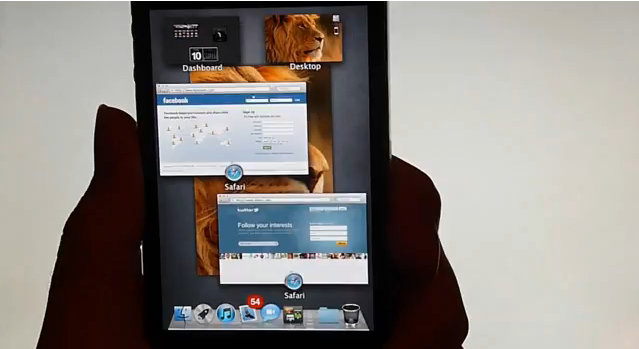
    Want to add flavor to your jailbroken iPhone? The new theme called LION Ultimatum from a theme creator SirTimothy1 brings IOS like looks on Dreamboard. The them also requires you to have your device already jailbroken. This theme comes with a functional file manager and Finder menus, a scrollable dock and draggable windows, along with Stacks, Launchpad, Mission Control and Dashboard. There’s also a customizable lock screen that provides access to the dialer, email and messages. The keyboard can also be modified to resemble the design of MacBook Pro or the traditional Apple Keyboard, thanks to integration with ColorKeyboard. 

    [ModMyi]

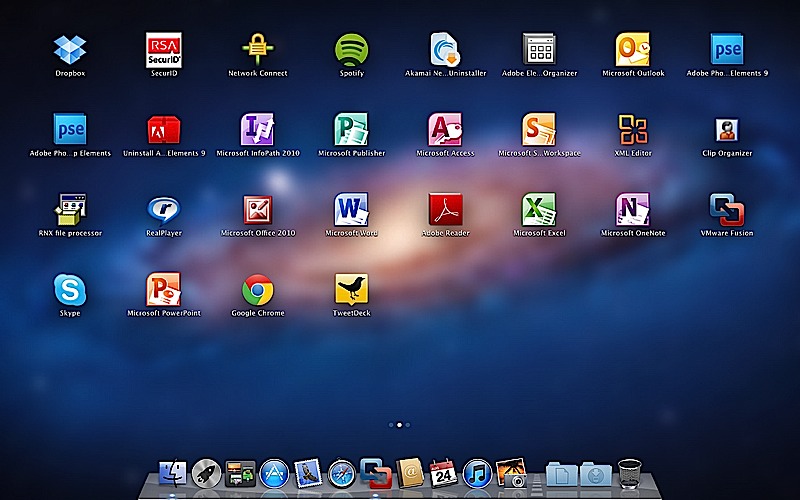
  • VMware Fusion 4 brings full Mac OS Lion support to Windows 8 – Mission Control et all

    VMware Fusion 4 brings full Mac OS Lion support to Windows 8 – Mission Control et all

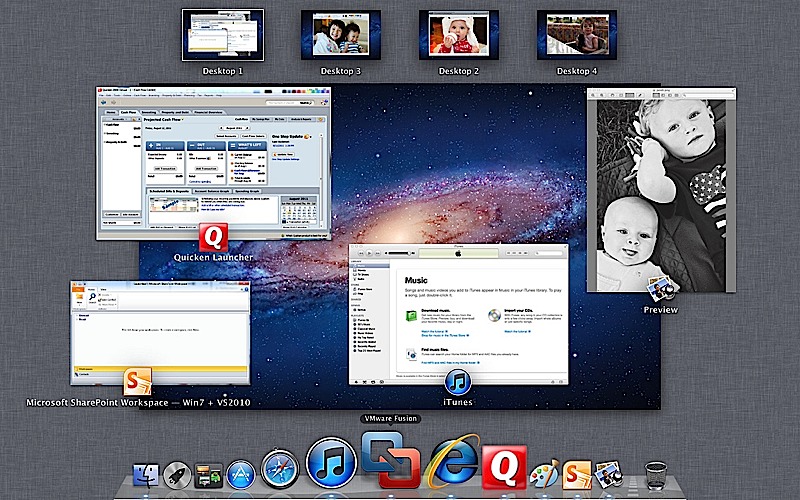
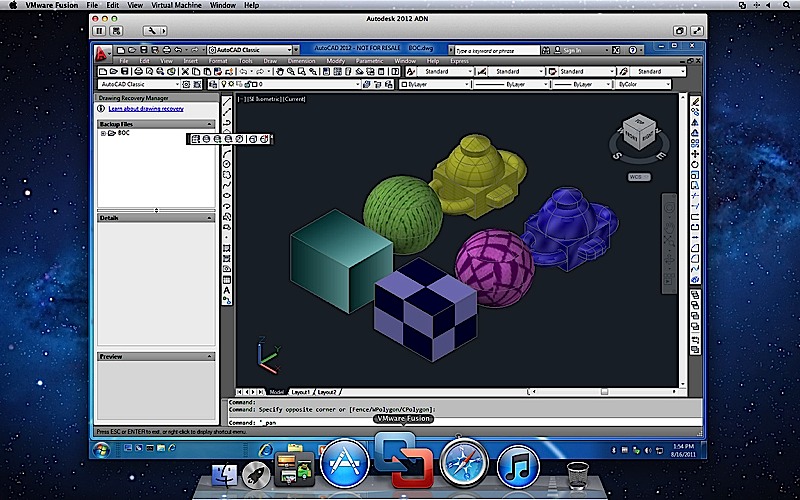
    To fully enjoy the killings of Microsofts new OS, VMware has introduced the new Fusion 4 the latest version of its virtualization software. This version fully works with Mac Lion, there is also support for Expose and Spaces on the Windows side, it also adds the ability to use Mission Control and launch Windows apps from Launchpad.

    The new software costs only US $ 50 or INR 2500 till december when the price goes up to US$ 80( do the math). If you recently bought VMware Fusion you get an upgrade free of cost. 

    The most important thing to note here is that our version of Parallels for Mac has already been doing this for about two months now. Full PR below.


    [toggle title_open=”Press Release” title_closed=”Press Release” hide=”no” border=”yes” style=”default” excerpt_length=”0″ read_more_text=”Read More” read_less_text=”Read Less” include_excerpt_html=”no”]VMware launches VMware Fusion® 4 – The Best Way to Run Windows on a Mac Just Got Better

    PALO ALTO, Calif., Sept. 14, 2011 – VMware, Inc. (NYSE: VMW), the global leader in virtualization and cloud infrastructure, today announced VMware Fusion® 4 – the best way to run Windows on a Mac. Available now at VMware.com for a promotional price of $49.99, VMware Fusion 4 makes it easier than ever for users to run Windows applications with Mac simplicity.

    “Enhancements to VMware Fusion® 4 make it a breeze to run Windows and Mac Applications side by side on a Mac,” said Pat Lee, director, client product management, VMware. “Offering full integration into Apple OS X Lion, VMware Fusion 4 builds on our proven, award winning platform to provide an easy, fast and reliable way to run Windows applications on a Mac.”

    With more than 90 new features and now optimized for today’s multi-core Macs and OS X Lion, key features in VMware Fusion 4 include:

    – Built for OS X Lion – VMware Fusion 4 is designed to provide the best Windows experience on OS X Lion. Add Windows programs to Launchpad, experience them in Mission Control, view them in full screen or switch between them using Mac gestures.
    · Better Performance and Faster Graphics – VMware Fusion 4 has been engineered to run Windows and Mac applications side-by-side with incredible speed and reliability. As a 64-bit Cocoa application, it is optimized for today’s multi-core Macs and delivers 3D graphics up to 2.5-times faster.
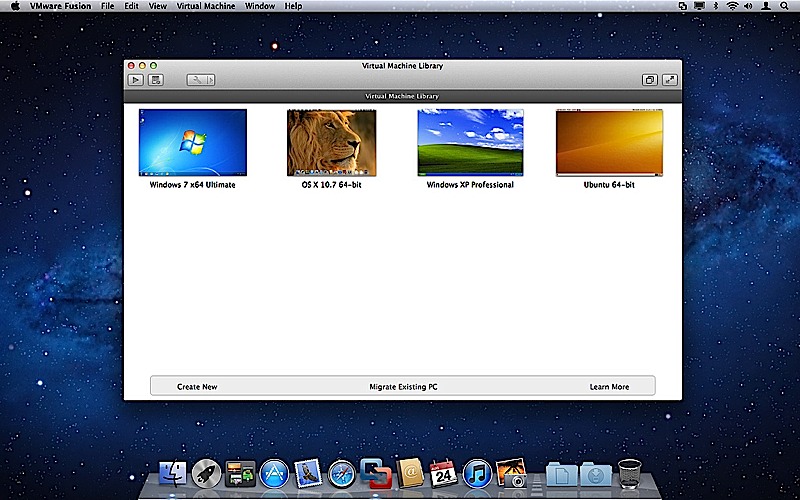
    – Even More “Mac-like” Experience – VMware Fusion 4 enhances the way Windows programs run on a Mac. From the brand new settings menu to the redesigned virtual machine library and snapshot menu, users have even more Mac-like experiences when running Windows programs.
    – Lion Squared – VMware Fusion 4 now supports OS X Lion in a virtual machine, allowing users to get more from their Mac by running OS X Lion, OS X Lion Server, Mac OS X Snow Leopard Server and Mac OS X Leopard Server in virtual machines.

    Switching Made Easy
    VMware Fusion’s migration assistant for Windows makes it easier than ever for users to transfer their entire PC to a Mac, allowing them to make the most of their existing Windows software investment. With VMware Fusion 4 users can get the best of both worlds and have access to Windows programs and files from their PC directly on their Mac, whenever they need them.

    Availability and Pricing
    VMware Fusion® 4 is available until the end of the year for a promotional price of only $49.99. The suggested retail price for VMware Fusion 4 is $79.99. Customers who have purchased VMware Fusion 3 on or after the July 20, 2011 are eligible for an electronic upgrade to VMware Fusion 4 at no additional cost. Volume pricing for corporate users is available from select resellers and www.vmware.com/fusion.

    VMware Fusion 4 is available immediately for download and purchase from vmware.com. VMware Fusion box products will be available at key resellers including Apple, Apple.com, Amazon.com, Best Buy, Fry’s Electronics and many other stores in the coming days. VMware Fusion is available in English, German, French, Italian, Spanish, Simplified Chinese and Japanese.

    Additional Resources
    Learn more about VMware Fusion on the VMware Fusion Blog[/toggle]

  • Apple Faces Patent Infringement, For LG owned Fast Boot up process

    Apple Faces Patent Infringement, For LG owned Fast Boot up process

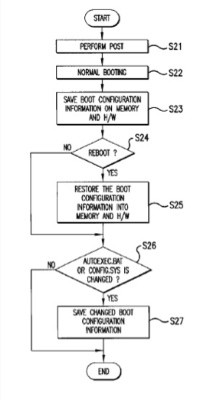
    A company called Operating Systems Solutions (OSS) is suing Apple for OS X’s fast booting operation.Apple’s function, seen the the Macbook Air launched this year, violates at least one protected claim, which details a four-step method for speedy booting, and involves files like config.sys and autoexec.bat.

    The patent was originally granted to LG Electronics, back in 2002, but is now currently owned by  Operating Systems Solutions (OSS).

    [Patently Apple]

  • Apple launches iCloud and iWork betas, Pricing for advanced users.

    Apple launches iCloud and iWork betas, Pricing for advanced users.

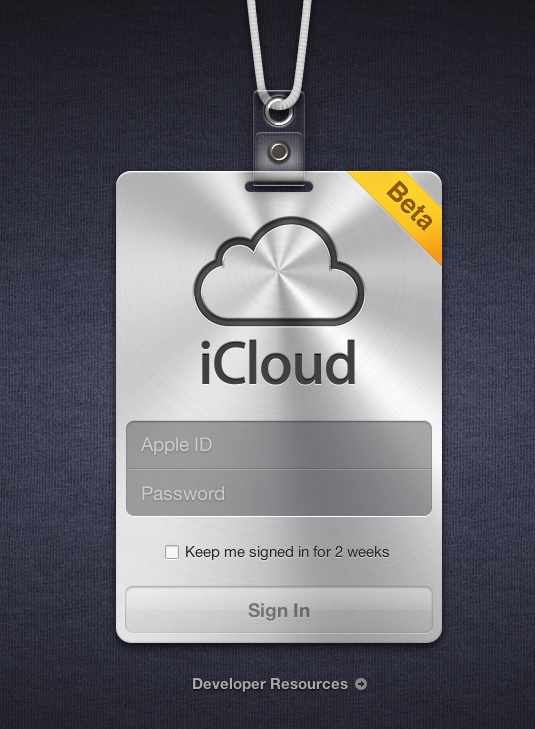
    Apple’s iCloud goes into a beta test mode , with the official site iCloud.com now a host to the beta signup page for a developer only preview of the cloud madness.  For those on iOS5 and Lion 10.7.2 in the test phases can login with their dev account ID and ease the cloud sweetness.

    If you exhaust the free 5Gb of data and need more, then the following pricing applies

    10Gb : US $ 20

    20GB: US $ 40

    50Gb: US $ 100

    A screenshot below shows the iWork icon already included in the beta.


    [MacRumors]

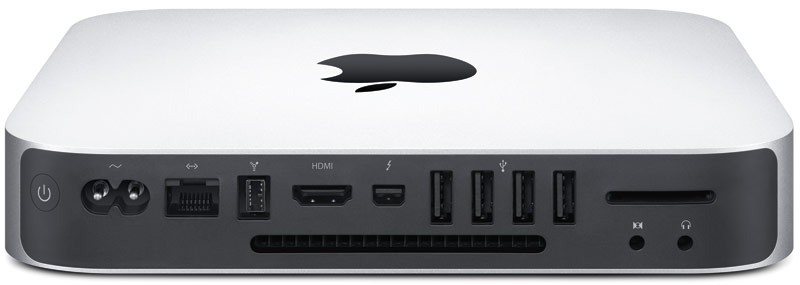
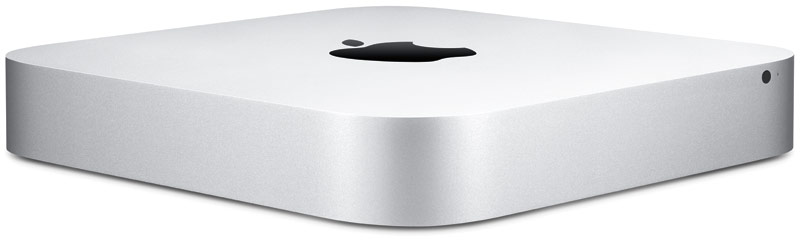
  • Apple Refreshes The Mac Mini with Core i5 and i7, Thunderbolt and AMD Radeon HD (PR)

    Apple Refreshes The Mac Mini with Core i5 and i7, Thunderbolt and AMD Radeon HD (PR)

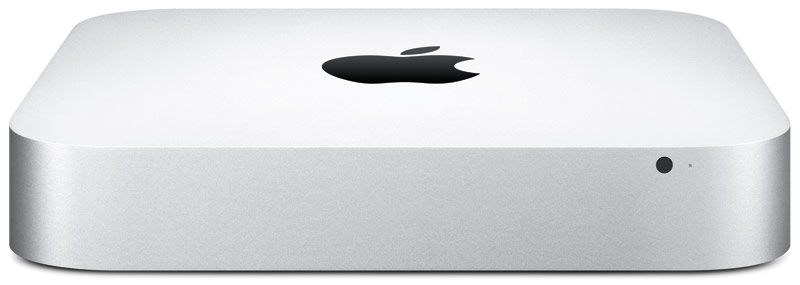
    Apple has dropped a new load of goodies on us today, as we suspected, Apple has updated the Mac Mini to include new hardware and Thunderbolt Ports.

    The new Mac mini packs an Intel Core i5 or i7 processor, Thunderbolt, AMD Radeon HD graphics, and Mac OS X Lion. 

    Starting at $599 with a 2.3GHz Intel Core i5 they offer a cheap alternative for owning a Mac.

    The 2.3 GHz dual-core Intel Core i5 Mac mini with 2GB of memory and a 500GB hard drive starts at a suggested retail price of $599 (US), with options to add memory up to 8GB and a 750GB hard drive.

    The 2.5 GHz dual-core Intel Core i5 Mac mini with 4GB of memory and a 500GB hard drive starts at a suggested retail price of $799 (US), with options to upgrade to a 2.7GHz dual-core Core i7 processor, up to 8GB of memory, and a 750GB hard drive with an option to add or replace with a 256GB solid state drive.

    The 2.0 GHz quad-core Intel Core i7 Mac mini with Lion Server, 4GB of memory and dual 500GB hard drives starts at a suggested retail price of $999 (US). Options include adding memory up to 8GB, two 750GB hard drives, or up to two 256GB solid state drives.

    [toggle title_open=”Collapse” title_closed=”Expand and Read Press Release” hide=”yes” border=”yes” style=”default” excerpt_length=”0″ read_more_text=”Read More” read_less_text=”Read Less” include_excerpt_html=”no”]Apple Updates Mac mini

    CUPERTINO, California-July 20, 2011-Apple® today updated the Mac® mini with next generation Intel core processors, new discrete graphics, high-speed Thunderbolt I/O technology and Lion, the world’s most advanced operating system. The new Mac mini delivers up to twice the processor and graphics performance of the previous generation in the same amazingly compact and efficient aluminum design.* Starting at just $599 (US), the new Mac mini is available for order today and in stores tomorrow.

    “Mac mini delivers the speed and expandability that makes it perfect for the desktop, living room or office,” said Philip Schiller, Apple’s senior vice president of Worldwide Product Marketing. “With faster processors, more powerful graphics and Thunderbolt in an incredibly compact, aluminum design, the new Mac mini is more versatile than ever.”

    At just 7.7-inches square and 1.4-inches thin, the new Mac mini maintains its compact aluminum design while delivering amazing performance and graphics capabilities. Available in three different configurations, customers can choose a Mac mini with the latest dual-core Intel Core i5 or Intel Core i7 processors, AMD Radeon HD 6630M discrete graphics, or a quad-core Intel Core i7 powered server configuration. Designed without an optical disc drive, Mac mini can access the optical drives on other PCs and Macs, and works with the MacBook Air® SuperDrive®. Configure-to-order options include up to 8 GBs of memory, a faster 7200 RPM hard drive and a 256GB solid state drive.

    Mac mini now comes with Thunderbolt I/O technology for expansion possibilities never before available to Mac mini users. With a Thunderbolt port, Mac mini can connect to peripherals such as high-performance storage devices, RAID arrays and the new Apple Thunderbolt Display, a stunning 27-inch IPS widescreen display that’s great for making FaceTime® HD video calls, surfing the Web and viewing movies and photos.

    With ultra-fast Wi-Fi, you can wirelessly download apps from the Mac App Store™, get music and movies from iTunes®, back up data to Time Capsule® and share files with AirDrop, which makes transferring files quick and easy. Mac mini includes Bluetooth for wireless peripherals and four USB ports for easy connectivity for the wired and wireless devices you use every day.

    The new Mac mini remains the world’s most energy efficient desktop, meets Energy Star 5.2 requirements and achieves EPEAT Gold status.** Mac mini has a highly recyclable aluminum enclosure, PVC-free components and cables, no brominated flame retardants and features material-efficient system and packaging designs.

    Every new Mac mini comes with Mac OS® X Lion, the latest major release of Mac OS X, the world’s most advanced operating system, and iLife® apps for creating and sharing great photos, movies and music. Lion introduces more than 250 new features to the Mac, including Multi-Touch® gestures and system-wide support for full screen apps; Mission Control, an innovative view of everything running on your Mac; the Mac App Store, the best place to find and explore great software; Launchpad, a new home for all your apps; and a completely redesigned Mail app.

    Pricing & Availability

    The new Mac mini is available through the Apple Store® (www.apple.com) today and in Apple’s retail stores and Apple Authorized Resellers starting July 21.

    The 2.3 GHz dual-core Intel Core i5 Mac mini with 2GB of memory and a 500GB hard drive starts at a suggested retail price of $599 (US), with options to add memory up to 8GB and a 750GB hard drive.

    The 2.5 GHz dual-core Intel Core i5 Mac mini with 4GB of memory and a 500GB hard drive starts at a suggested retail price of $799 (US), with options to upgrade to a 2.7GHz dual-core Core i7 processor, up to 8GB of memory, and a 750GB hard drive with an option to add or replace with a 256GB solid state drive.

    The 2.0 GHz quad-core Intel Core i7 Mac mini with Lion Server, 4GB of memory and dual 500GB hard drives starts at a suggested retail price of $999 (US). Options include adding memory up to 8GB, two 750GB hard drives, or up to two 256GB solid state drives.
    [/toggle]
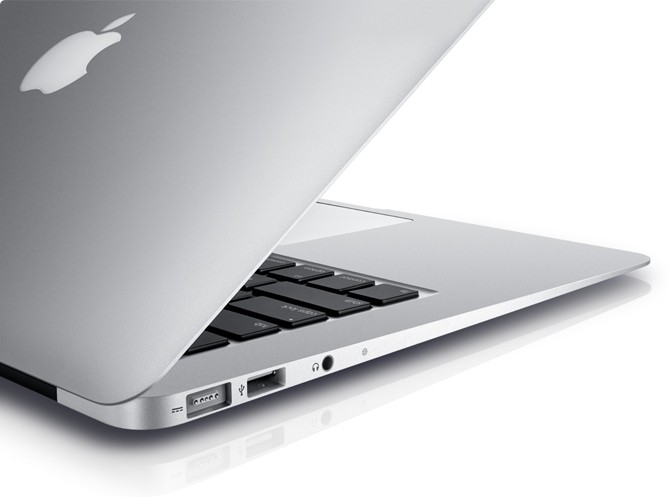
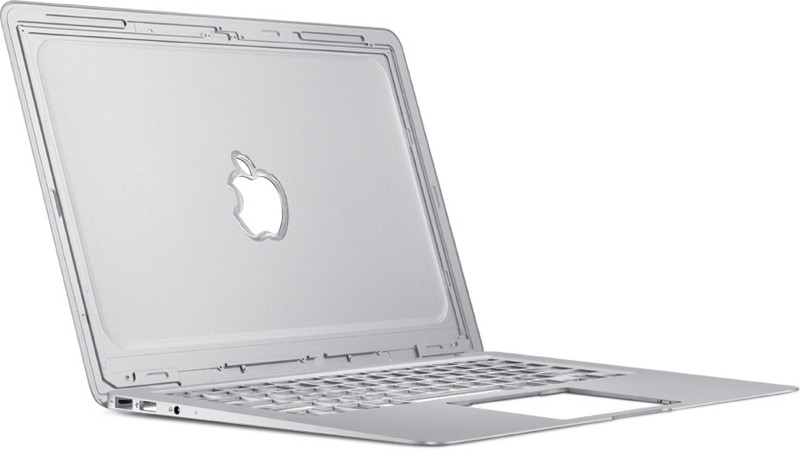
  • Apple refreshes MacBook Air with Sandy Bridge, Thunderbolt, and backlit keyboards (PR)

    Apple refreshes MacBook Air with Sandy Bridge, Thunderbolt, and backlit keyboards (PR)

    Apple has dropped a new load of goodies on us today, as we suspected, Apple has updated the Macbook Air to include new hardware and backlit keyboards.

    Still this as ever the Macbook Air now has a refreshed price as well, 

    • 11 inch , Core i5, 1.6 Ghz, 2GB RAM, 64GB SSD, $999 
    • 11 inch, Core i5, 1.6 Ghz, 4GB RAM, 128 GB SSD, $1199
    • 13 inch, Core i5, 1.7 Ghz, 4GB RAM, 128 GB SSD, $1299
    • 13 inch, Core i5, 1.7 Ghz, 4GB RAM, 256 GB SSD, $1599
    Read the Full Press Release Below
    [toggle title_open=”Collapse” title_closed=”Expand The Press Release” hide=”yes” border=”yes” style=”default” excerpt_length=”0″ read_more_text=”Read More” read_less_text=”Read Less” include_excerpt_html=”no”]Apple Updates MacBook Air With Next Generation Processors, Thunderbolt I/O & Backlit Keyboard
    CUPERTINO, California-July 20, 2011-Apple® today updated the MacBook Air® with next generation processors, high-speed Thunderbolt I/O technology, a backlit keyboard and Mac OS® X Lion, the world’s most advanced operating system. With up to twice the performance of the previous generation, flash storage for instant-on responsiveness and a compact design so portable you can take it everywhere,* the MacBook Air starts at $999 (US) and is available for order today and in stores tomorrow.

    “Portable, affordable and powerful, MacBook Air is the ultimate everyday notebook,” said Philip Schiller, Apple’s senior vice president of Worldwide Product Marketing. “MacBook Air features our most advanced technology and is an ideal match for Lion, especially with its new Multi-Touch gestures, full-screen apps, Mission Control and Mac App Store.”

    MacBook Air is available in 11-inch and 13-inch models that easily slip into a briefcase, purse or bag. The MacBook Air’s durable aluminum unibody enclosure measures an incredibly thin 0.11-inches at its thinnest point and 0.68-inches at its thickest. Flash storage allows MacBook Air to turn on instantly and deliver fast data access, improved reliability and incredible energy efficiency. The 11-inch model weighs 2.38 pounds and provides up to 5 hours of battery life, while the 13-inch weighs 2.96 pounds and provides up to 7 hours of battery life.**

    With the latest Intel Core i5 and Core i7 dual-core processors, the new MacBook Air is up to twice as fast as the previous generation and has all the power you need for editing photos and movies, making FaceTime® calls, playing games, and working with documents and presentations. MacBook Air also features Intel HD Graphics 3000 and offers up to 4GB of faster 1333 MHz memory.

    Thunderbolt I/O technology provides expansion possibilities never before available to MacBook Air users. Through a single cable, users can connect to high performance peripherals and the new Apple Thunderbolt Display, the ultimate docking station for your Mac® notebook. Thunderbolt can easily be adapted to support legacy connections such as FireWire® and Gigabit Ethernet.

    MacBook Air comes with a full size backlit keyboard and an innovative glass Multi-Touch™ trackpad. Designed for comfort and ease of typing, the backlit keyboard uses a sensor to automatically detect a change in ambient lighting and adjusts the keyboard brightness for any environment. The Multi-Touch trackpad supports Lion’s new Multi-Touch gestures such as momentum scrolling, tapping or pinching your fingers to zoom in on a web page or image, and swiping left or right to turn a page or switch between full screen apps.

    MacBook Air also features a brilliant, high resolution LED backlit display that is amazingly thin yet has the resolution of a much larger, bulkier screen. With ultra-fast Wi-Fi, you can wirelessly download apps from the Mac App Store™, get music and movies from iTunes®, back up data to Time Capsule® and quickly and easily share files using AirDrop. MacBook Air includes Bluetooth for wireless peripherals and two USB ports for easy connectivity for the wired and wireless devices you use every day.

    Apple makes the industry’s greenest notebook lineup and the new MacBook Air meets Energy Star 5.2 requirements and achieves EPEAT Gold status.*** Each unibody enclosure is made of highly recyclable aluminum and comes standard with energy efficient LED-backlit displays that are mercury-free and made with arsenic-free glass. Mac notebooks contain no brominated flame retardants, are PVC-free and are constructed of recyclable materials.

    Every new MacBook Air comes with Mac OS X Lion, the eighth major release of the world’s most advanced operating system, and iLife apps for creating and sharing great photos, movies and music. Lion introduces more than 250 new features to the Mac, including Multi-Touch gestures; system-wide support for full screen apps; Mission Control, an innovative view of everything running on your Mac; the Mac App Store, the best place to find and explore great software, built right into the OS; Launchpad, a new home for all your apps; and a completely redesigned Mail app.

    Pricing & Availability
    The 11-inch and 13-inch MacBook Air are available for order on the Apple Store® (www.apple.com) today and in Apple’s retail stores and Apple Authorized Resellers starting July 21. The 1.6 GHz 11-inch MacBook Air is available in two models, one with 2GB of memory and 64GB of flash storage for a suggested retail price of $999 (US), and one with 4GB of memory and 128GB of flash storage for $1,199 (US). The 1.7 GHz 13-inch MacBook Air comes in two configurations, one with 4GB of memory and 128GB of flash storage for a suggested retail price of $1,299 (US), and one with 4GB of memory and 256GB of flash storage for $1,599 (US). Configure-to-order options and accessories include a 1.8 GHz Core i7 processor, additional flash storage, MacBook Air SuperDrive® and a USB Ethernet Adapter.

    Additional technical specifications and configure-to-order options and accessories are available online at www.apple.com/macbookair.

    *Testing conducted by Apple in July 2011 using preproduction MacBook Air configurations. For more information visit www.apple.com/macbookair/features.html.

    **The new Wireless Web protocol testing was conducted by Apple in July 2011 using preproduction MacBook Air configurations. Battery life and charge cycles vary by use and settings. For more information visit www.apple.com/macbookair/features.html.

    ***EPEAT is an independent organization that helps customers compare the environmental performance of notebooks and desktops. For more information visit www.epeat.net.

    Apple designs Macs, the best personal computers in the world, along with OS X, iLife, iWork and professional software. Apple leads the digital music revolution with its iPods and iTunes online store. Apple has reinvented the mobile phone with its revolutionary iPhone and App Store, and has recently introduced iPad 2 which is defining the future of mobile media and computing devices.
    [/toggle]
  • Apple Mac OS X Lion Now Available (PR) : Download

    Apple Mac OS X Lion Now Available (PR) : Download

    Just like that Mac OS X Lion / 10.7 is now available to download from the Mac App store. Remember it only works with Mac’s Intel Core 2 Duo, Core i3, i5 or i7 processor. The OS is available to download now for US $ 29.99 and can be purchased later in August on a USB pen Drive for US $ 69

    Download it from the Links Below

    US STORE INDIA STORE

     OS X Lion - Apple®

    OS X Lion – Apple®

     OS X Lion - Apple®

    OS X Lion – Apple®


    [toggle title_open=”Collapse” title_closed=”Read The Press Release” hide=”yes” border=”yes” style=”default” excerpt_length=”0″ read_more_text=”Read More” read_less_text=”Read Less” include_excerpt_html=”no”]Mac OS X Lion Available Today From the Mac App Store

    CUPERTINO, California-July 20, 2011-Apple® today announced that Mac OS® X Lion, the eighth major release of the world’s most advanced operating system with more than 250 new features, is available today as a download from the Mac® App Store™ for $29.99. Some of the amazing features in Lion include: new Multi-Touch® gestures; system-wide support for full screen apps; Mission Control, an innovative view of everything running on your Mac; the Mac App Store, the best place to find and explore great software, built right into the OS; Launchpad, a new home for all your apps; and a completely redesigned Mail app.

    “Lion is the best version of OS X yet, and we’re thrilled that users around the world can download it starting today,” said Philip Schiller, Apple’s senior vice president of Worldwide Product Marketing. “Lion makes upgrading a Mac easier than ever before; just launch the Mac App Store, buy Lion with your iTunes account, and the download and install process will begin automatically.”

    Additional new features in Lion include:

    Resume, which conveniently brings your apps back exactly how you left them when you restart your Mac or quit and relaunch an app; Auto Save, which automatically and continuously saves your documents as you work; Versions, which automatically records the history of your document as you create it, and gives you an easy way to browse, revert and even copy and paste from previous versions; and AirDrop, which finds nearby Macs and automatically sets up a peer-to-peer wireless connection to make transferring files quick and easy.

    Pricing & Availability

    Mac OS X Lion is available as an upgrade to Mac OS X version 10.6.6 Snow Leopard® from the Mac App Store for $29.99 (US). Lion is the easiest OS X upgrade and at around 4GB, it is about the size of an HD movie from the iTunes Store®. Users who do not have broadband access at home, work or school can download Lion at Apple retail stores and later this August, Lion will be made available on a USB thumb drive through the Apple Store® (www.apple.com) for $69 (US). Mac OS X Lion Server requires Lion and is available from the Mac App Store for $49.99 (US).

    Lion requires an Intel-based Mac with a Core 2 Duo, i3, i5, i7 or Xeon processor and 2GB of RAM. Lion is an upgrade and can be installed on all your authorized personal Macs. Details regarding Business and Education licensing can be found at apple.com/macosx.

    The OS X Lion Up-to-Date upgrade will be available through the Mac App Store at no additional charge to all customers who purchased a qualifying new Mac system from Apple or an Apple Authorized Reseller on or after June 6, 2011. Users must request their Up-to-Date upgrade within 30 days of purchase of their Mac computer. Customers who purchased a qualifying Mac between June 6, 2011 and July 20, 2011 will have until August 19, 2011 to make a request. Additional information can be found at apple.com/macosx/uptodate.
    [/toggle]

  • Mac OSX Lion Coming Today to the Mac App Store!

    Mac OSX Lion Coming Today to the Mac App Store!

    The word is official Apple CFO Peter Oppenheimer during today’s earnings call pointed out that the Mac OS 10.7 Lion will be available to download from the Mac App Store for 29.99 US$ The download is only a 4 GB download and has over 250 new features including a Launcher which is based on Apple highly popular mobile Operating System – iOS.

    Of course we will be getting it and will have an Initial hands on with it shortly after release. We will also take an in depth review of the OS soon after. So stay breezy for the impending launch of the king of the Jungle! Also Mac server will be available for US $ 49.99 if anyone is asking!


  • Mac OS 10.6.8 Released, The Last Version Before Lion

    Mac OS 10.6.8 Released, The Last Version Before Lion

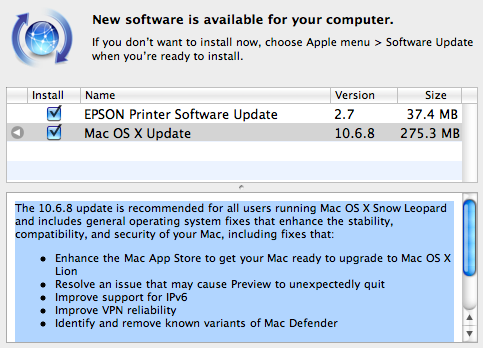
    Apple has just released version 10.6.8 of Mac OS X Snow Leopard. Mac OS 10.6.8 prepares Macs for the Lion upgrade through the Mac App Store and also fixes some errors and bugs in the current build.

    The 10.6.8 update is recommended for all users running Mac OS X Snow Leopard and includes general operating system fixes that enhance the stability, compatibility, and security of your Mac, including fixes that:
    • Enhance the Mac App Store to get your Mac ready to upgrade to Mac OS X Lion
    • Resolve an issue that may cause Preview to unexpectedly quit
    • Improve support for IPv6
    • Improve VPN reliability
    • Identify and remove known variants of Mac Defender

    [Apple]

iGyaan Network
Privacy Overview

This website uses cookies so that we can provide you with the best user experience possible. Cookie information is stored in your browser and performs functions such as recognising you when you return to our website and helping our team to understand which sections of the website you find most interesting and useful.