Tag: Marshmallow

  • Galaxy S7 to Run on Marshmallow, Flagships from Last Year to Get the Update Post Launch

    Galaxy S7 to Run on Marshmallow, Flagships from Last Year to Get the Update Post Launch

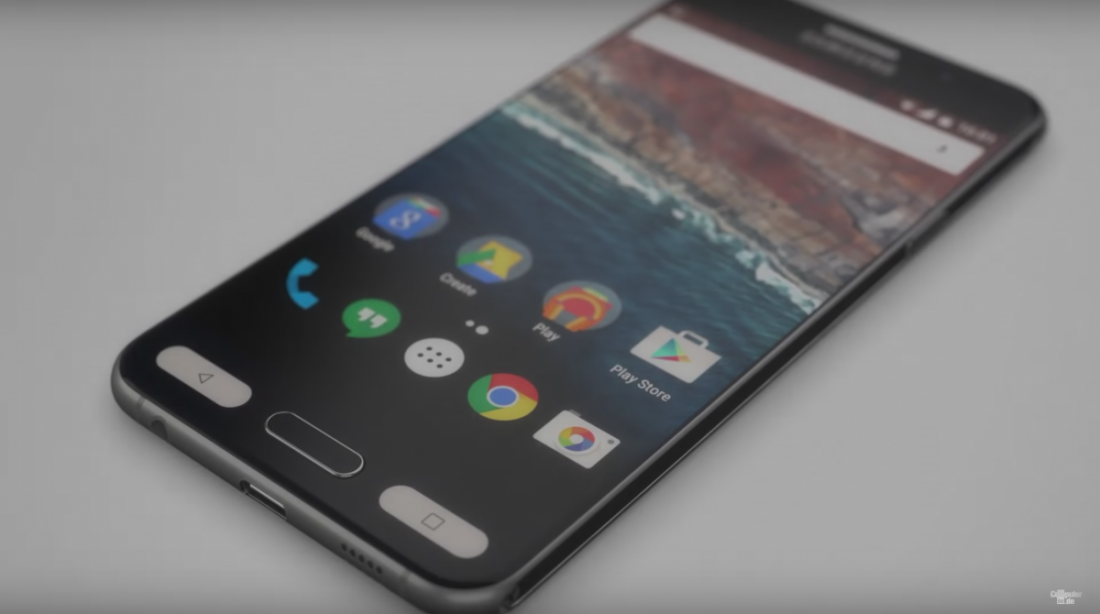
    Samsung Galaxy S7, the company’s much-anticipated flagship device is all set to launch at the Mobile World Congress on the 21st February. The phone would run out of the box Android Marshmallow as its operating system. Galaxy S7
    To recap a bit about the specifications of the phone, the Samsung Galaxy S7 upon launch is expected to  to feature a 5.1-inch Super AMOLED display with Quad HD resolution, a new 12 MP BRITECELL camera with f/1.7 aperture, and a 5 MP secondary cam. Two SoC configurations are expected. One being a Exynos-based version and the other a Qualcomm-powered model. The battery is expected to be upwards of 3500mAh.

    Other Samsung flagship devices from last year, Galaxy S6, S6 Edge, S6 Edge+ and Note 5 would get the update post the S7 launch. For those who are using one of these Samsung devices, here’s a quick look at their specifications.

    The specs for both S6 and S6 Edge remain the same and the new colours would be available in 32, 64, and 128 GB variants. S6 Edge has a 5.1 inches display with a resolution of 1440X2560 pixels. Powered by Exynos 7420, it is further equipped with 3 GB of RAM, 16 MP main and 5 MP front camera, along with a non-removable Li-Ion battery marked at 2600 mAh.

    The Galaxy S6 Edge+ has a 5.7” Quad HD Super AMOLED 2560 x 1440 (518ppi) dual edge screen and is protected by the Corning Gorilla Glass 4. The device runs on the Android OS, v5.1.1 (Lollipop) with an Octa core (2.1GHz Quad + 1.5GHz Quad), 64 bit, 14nm processor. The device comes in two variants – 32GB and 64 GB both with a 4 GB RAM.

    The Note 5 runs on the Android OS, v5.1.1 (Lollipop) with an Exynos 7420 chipset, a Quad-core 1.5 GHz Cortex-A53 & Quad-core 2.1 GHz Cortex-A57 CPU and a Mali-T760MP8 GPU. As far as storage capacity is concerned, this handset comes in two variants – 32 and 64 GB along with 4GB of RAM. However, it does not have an expandable microSD card slot.
     

  • Google’s Now on Tap Makes it Easier to Take Screenshots with Android

    Google’s Now on Tap Makes it Easier to Take Screenshots with Android

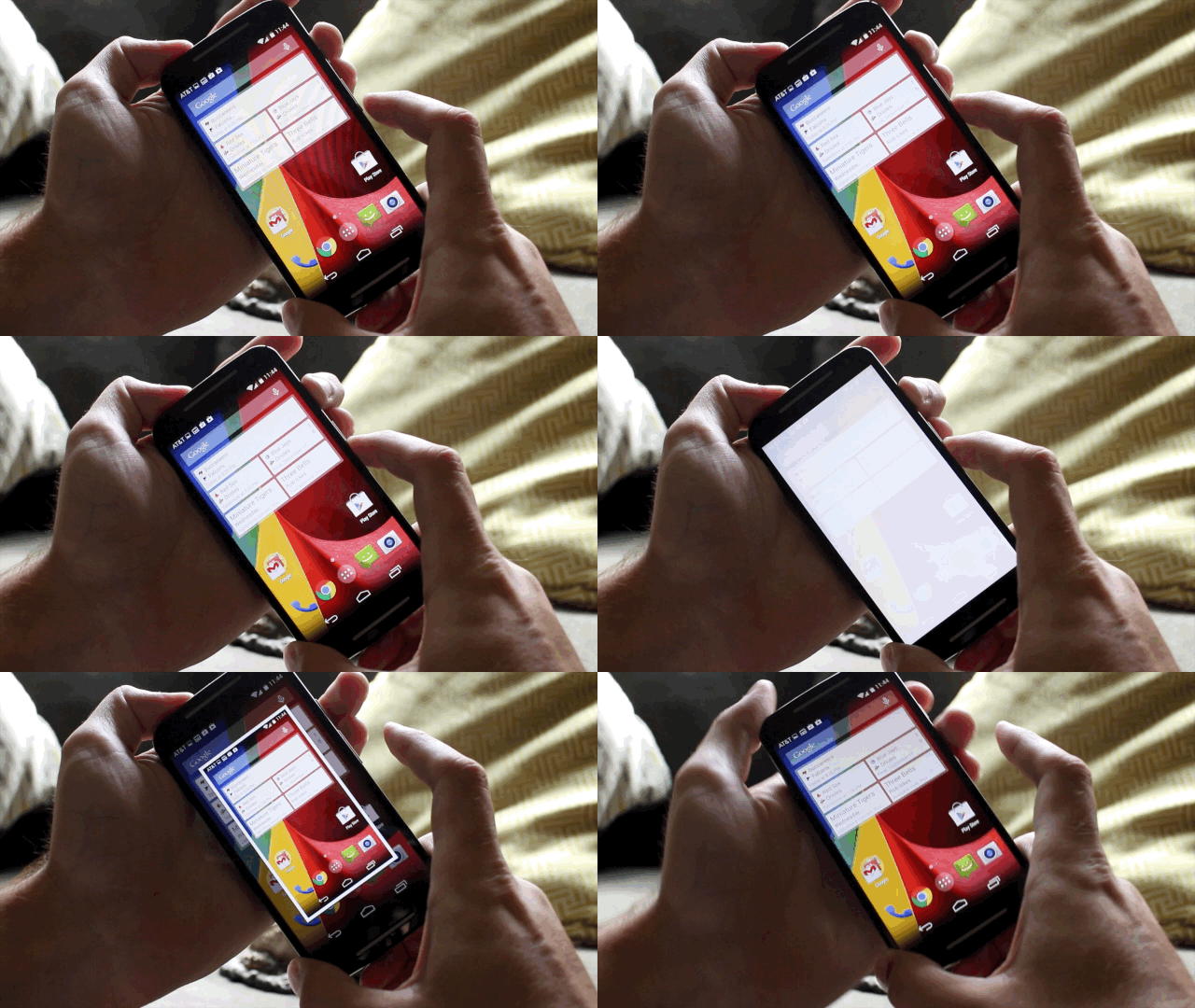
    Android users running on Marshmallow will no longer need to awkwardly take screenshots. A new update to Now on Tap gives you an easy option to take screenshots minus the lingering in your Gallery. Yes, the new update will let you take temporary screenshots, share it with whomsoever you want, and will get rid of the image after you’re done.

    You will now see a share button at the bottom left corner of Now On Tap’s pop up menu. Generally, screenshots are for instant sharing of say a game score you want to brag about or some interesting meme you found on the internet and just had to send it to your friends, after which you really won’t be needing that ever again.

    Furthermore, there needs to be a better way to take screenshots without having to press down on the Volume Down and Power Button together. And let’s admit it, getting the timing right isn’t always easy.

    moto-g-screenshot

    Now on Tap takes care of both these issues. When you tap the share button, it takes a temporary screenshot that you can share through Twitter, post it to Facebook, or send it as a text. Once you’ve shared the image, the screengrab disappears rather than fill up your precious internal storage. However, if you do choose to keep it around for a while longer, you can by simply sharing it Google Photos or Gallery.

    It’s a neat little update that helps declutter your phone of screenshots as well as provides an elegant way to take them as well. The update will rollout everywhere over the next few days.


  • Xiaomi To Roll Out Marshmallow Update For the Mi 4 and Mi Note Soon

    Xiaomi To Roll Out Marshmallow Update For the Mi 4 and Mi Note Soon

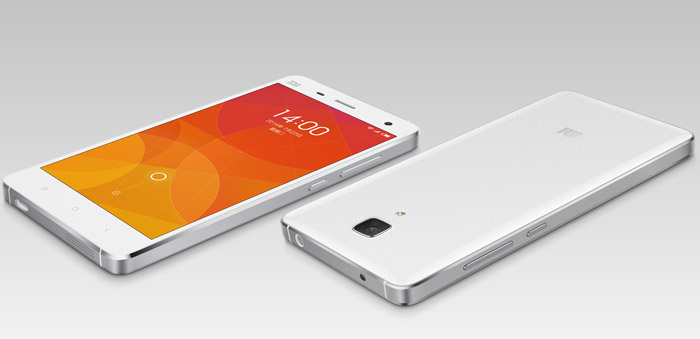
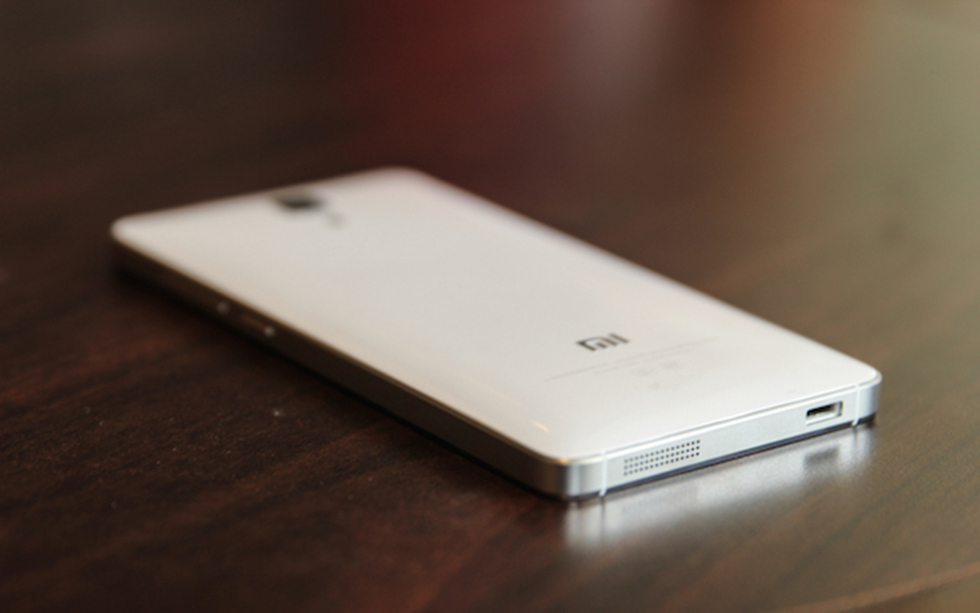
    Android 6.0 Marshmallow has been making the rounds pretty efficiently and is now expected to reach Xiaomi’s Mi 4 and Mi Note very soon. This piece of information was revealed in a Weibo post by Xiaomi’s MIUI operations manager.

    Xiaomi Mi 4
    Xiaomi Mi 4

    If this does happen, then the Mi 4 and Mi Note would be the first of Xiaomi’s devices to receive the Marshmallow update. Further reports also suggest that the update will not bring a change to the company’s interface.

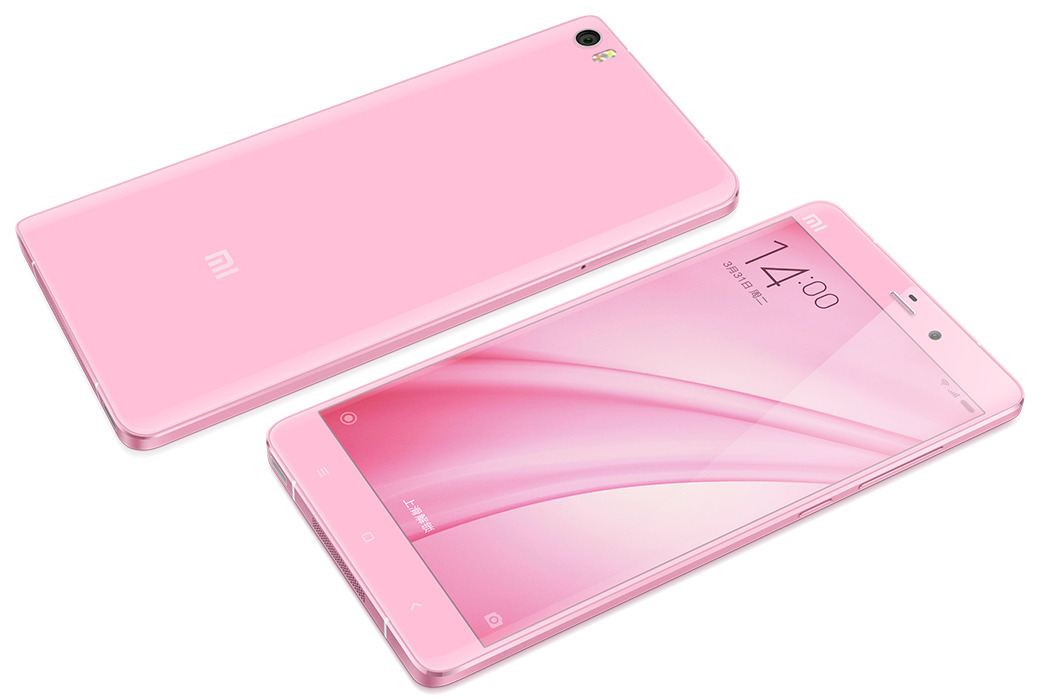
    mi note pink
    Mi Note Pink Edition

    The Xiaomi Mi 4 flaunts a 5 inch 1920 x 1080 pixels IPS display and is powered by a 2.5 GHz Quad-core Snapdragon 801 processor paired with 3 GB of RAM. The handset gets in juice from a 3,080mAh battery.

    The Mi Note flaunts a 5.7-inch 1080p display, is powered by a Snapdragon 801 processor and comes with 3 GB RAM. The phablet is available in 16 and 32 GB variants and is fueled by 3000mAh battery.

  • LG G3 To Receive Android 6.0 Marshmallow Next Month

    LG G3 To Receive Android 6.0 Marshmallow Next Month

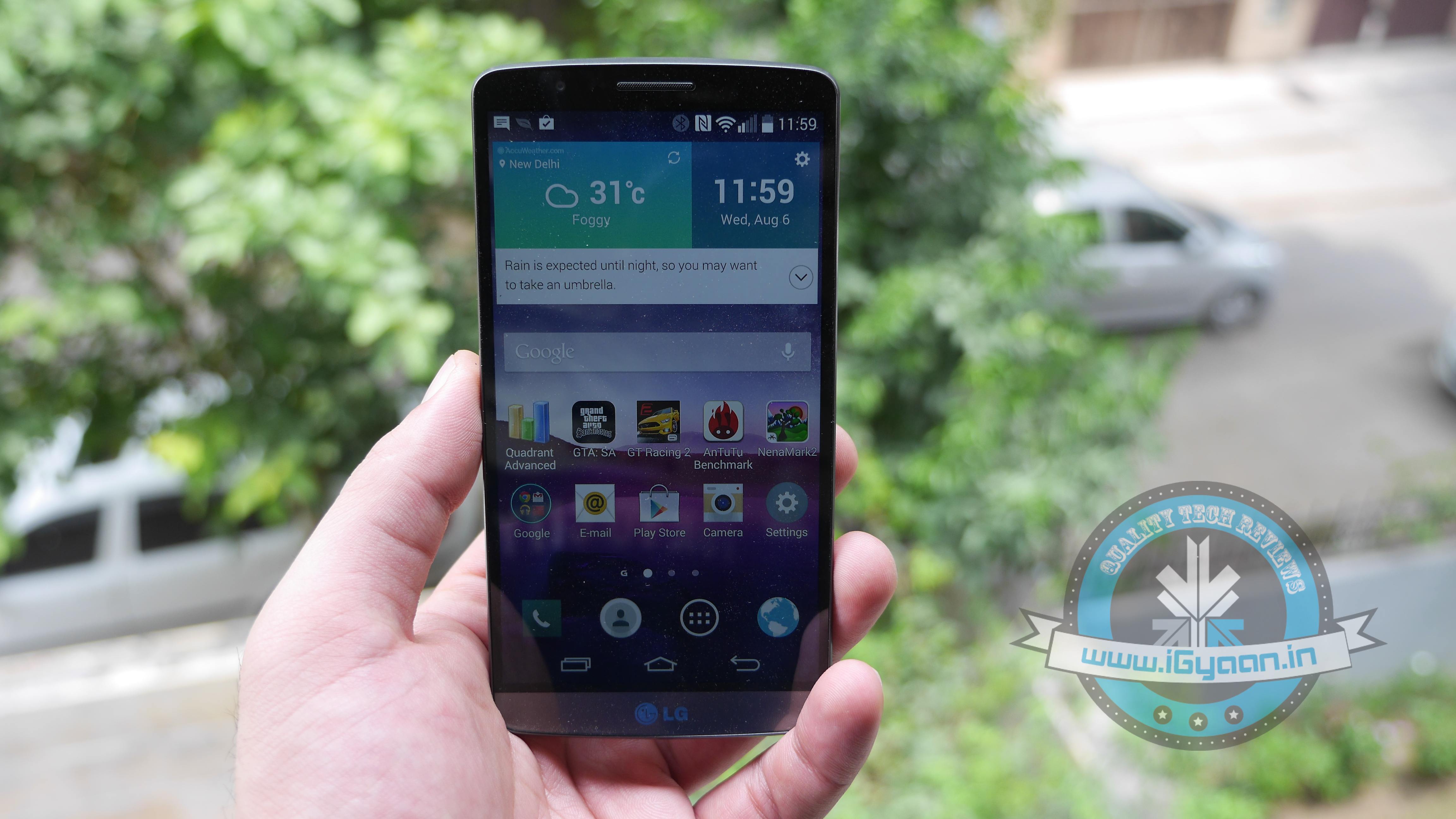
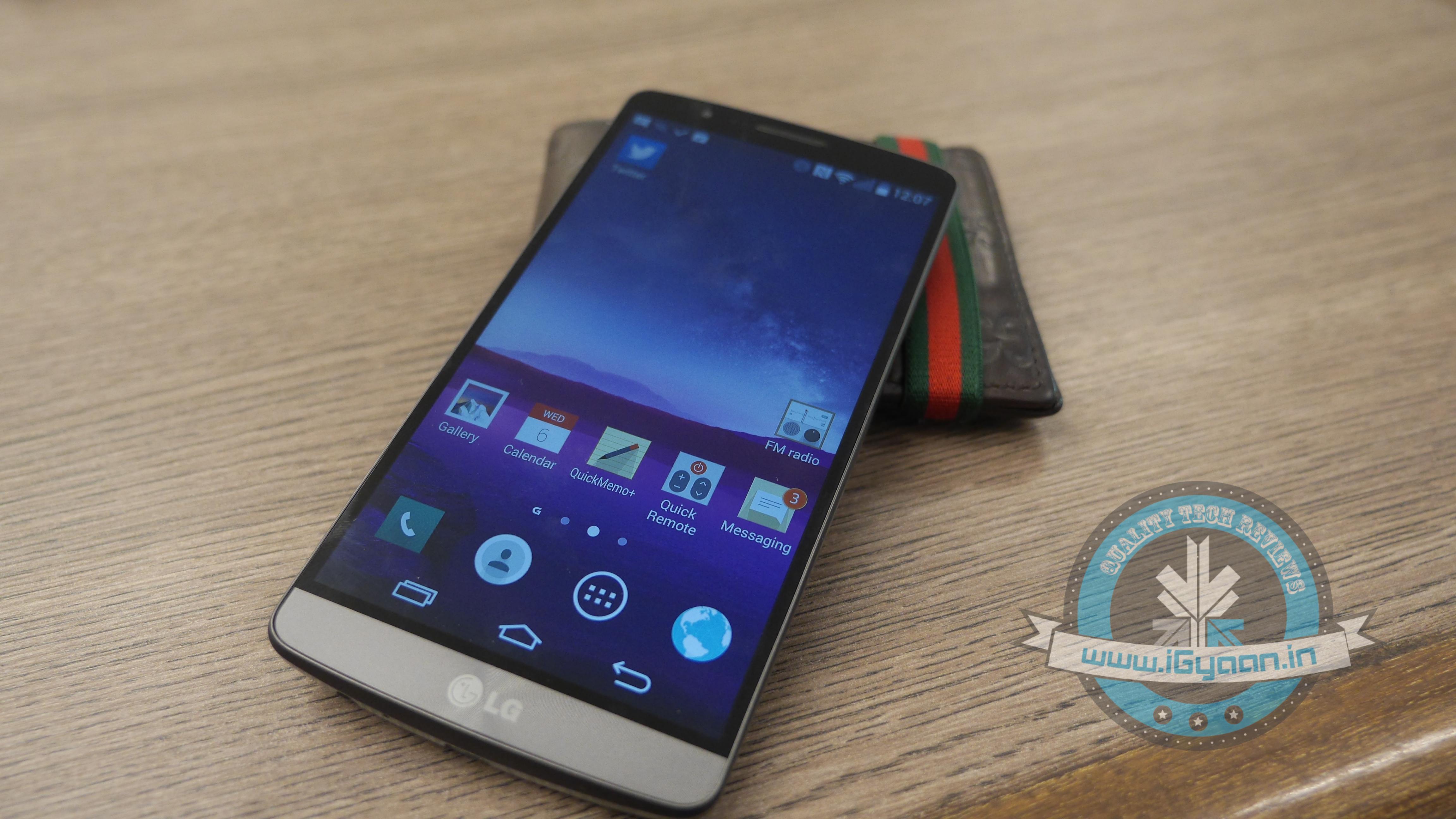
    An executive from LG’s Poland offices tweeted that the LG G3 will start receiving the Android 6.0 Marshmallow sometime between the 16th and 18th of December 2016.

    LG G3 review 21

    If reports are to be believed, then the update is already in the last stages of testing and will be rolled out first in Poland. Other regions worldwide will also receive the update right after Poland does. But, we do not have a concrete list of the regions.Let us just hope that we are on the list too.


  • OnePlus Android 6.0 Marshmallow Update Cycle Announced for One, Two and X

    OnePlus Android 6.0 Marshmallow Update Cycle Announced for One, Two and X

    Users with OnePlus devices, time to rejoice for the company has announced its Marshmallow update schedule. Even though the company has still not revealed exact dates, the announcement mentions updates in early 2016.

    This is what the company had to say in an official statement.

    “For the OnePlus One, Cyanogen OS will be updating to Marshmallow in the first quarter of 2016. We created a community build of OxygenOS for the OnePlus One, but this isn’t what the product officially ships with. We will be updating the community build of OxygenOS for the OnePlus One when time allows.

    The OnePlus 2 will also be updated in Q1, and the update will include the new standard Marshmallow API for the fingerprint sensor… We are working hard to bring Marshmallow as soon as possible to the OnePlus X, and will update you on a time frame at a later time.”

    OnePlus has been in news lately after releasing one device after another – OnePlus 2 and OnePlus X respectively, both having wooed customers in their own special ways. And now the Android M update will be here too to provide customers with a smoother, more efficient experience.

  • List of Smartphones to Receive Android 6.0 Marshmallow Update

    List of Smartphones to Receive Android 6.0 Marshmallow Update

    By now you’re probably aware that the latest Android 6.0 Marshmallow update has begun rolling out. You might also have an idea of what the new update offers such as the Now on Tap and Doze features, among other things. But what’s really making everyone wonder is whether or not their Android devices are eligible for the update.

    Well, you don’t have to wonder anymore. We have a list of devices of major smartphone companies that will receive the Marshmallow update in due time. The Nexus phones are the first devices eligible for the updates, as it has usually been the case. Google’s recently launched Nexus 5X and 6P come pre-installed with the Android 6.0 OS, also called Android M. Other OEMs will soon be releasing it for their smartphones as well.

    Major flagships will first receive the update followed by the second batch of phones. Here is the list of smartphones from Samsung, LG, Motorola, HTC, Xiaomi, Asus and other brands that are scheduled to get the update. Check it out to see if your phone made the cut.

    Samsung

    • Galaxy Note 5
    • Galaxy S6
    • Galaxy S6 Edge and Edge+
    • Galaxy S5
    • Galaxy Note 4
    • Galaxy Alpha
    • Galaxy A7, A8 (A3, A5 and Galaxy E series to receive it later on)

    LG

    • LG V10
    • LG Class
    • G3, G4
    • Flex 2
    • G2
    • G2 Pro
    • G Flex

    Motorola

    • Moto X Pure Edition
    • Moto X Style
    • Moto X Play
    • Moto (Gen 2)
    • Moto G
    • Moto Turbo
    • Droid Turbo
    • Moto Maxx

    Sony

    • Sony Xperia Z5 series
    • Xperia M5
    • Xperia C5 Ultra
    • Xperia Z3+
    • Xperia Z3 series
    • Xperia Z2
    • Xperia Z Ultra GPE
    • Xperia Z1

    HTC

    • HTC Desire Eye, 816, 820 and 826
    • HTC One M9, M9+, E9, E9+, M8 and M8s.

    Xiaomi

    • Mi 4
    • Mi 4i
    • Mi Note
    • Mi Note Pro
    • Redmi Note 2
    • Redmi 2 Prime
    • Redmi 2
    • Redmi Note (2014)
    • Redmi 1S

    Asus

    • ZenFone 2 series
    • ZenFone Laser
    • ZenFone Deluxe
    • ZenFone Selfie
    • ZenFone 6
    • ZenFone 5
    • ZenFone 4.
  • Hands On with Android 6.0 Marshmallow

    Hands On with Android 6.0 Marshmallow

    The latest Android Marshmallow is out and we all want to know if the new features, that have been hogging the spotlight for a while, are what they boast of or not. An early hands on with the latest operating system will give you an idea of what to expect.

    We look at a few key features that are touted to be big game changers for Android.

    Now on Tap

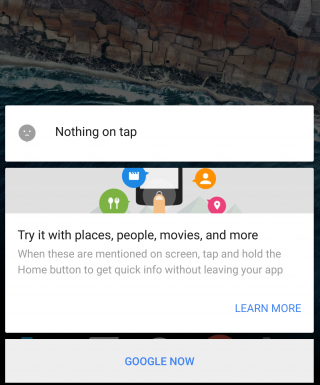
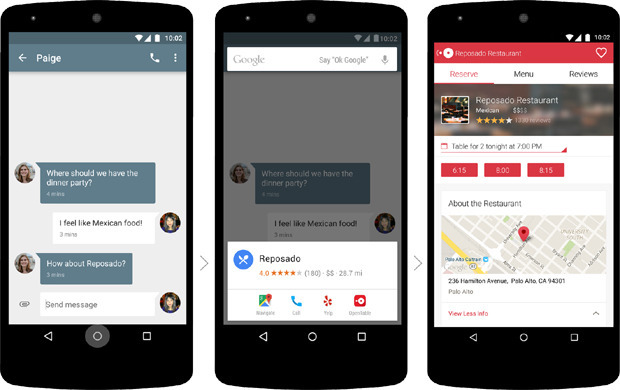
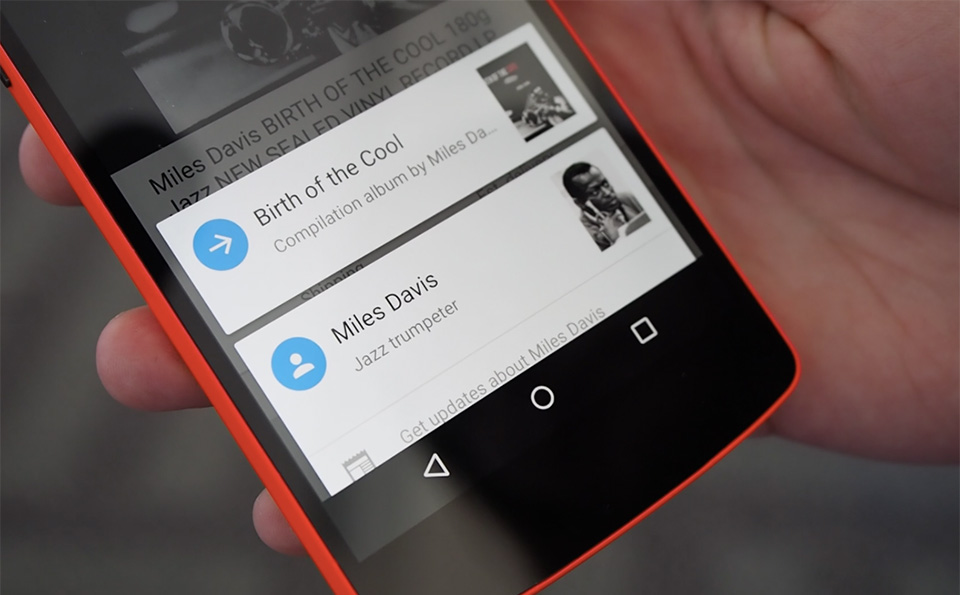
    This is the biggest feature of Android Marshmallow and one that the company is banking on the most for the success of the latest operating system. Now on Tap is a feature that can be launched in any page by pressing and holding the Home button. Once you do that, the feature will suggest some helpful information based on certain important keywords on that page. So, for example, if you’re reading some news article, Now on Tap will provide you some suggestions based on that particular news story, which could be certain names that figure in the story, or a google search of the background of the story.

    Marshmallow

    While this feature suggest usefulness, there are times when Now on Tap just doesn’t offer much information at all. It basically depends on the page you’re in. Another thing is that Now on Tap comes up with what it thinks are useful information and not necessarily what you may find useful. You could be looking for A but shows you M instead.

    However, Now on Tap does provide information when it finds something good, there’s no doubt about that. It makes it easier to find out things if you’re lucky to get the right keyword info. You no longer have to leave one app to begin search in another. It’s a good start but a perfect one.

    Cut, Copy, Paste made easy

    Marshmallow (2)

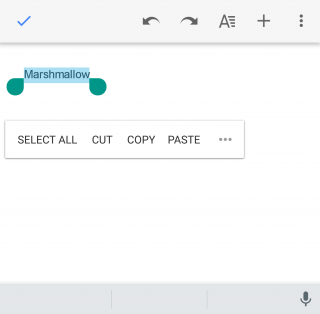
    This may not look like a big change but even small ones are welcomed if it makes life just one second faster. The new cut, copy, paste option now features just below the text, rather than at the top of the screen, which makes reachability that much better. You’ll find you can get work done faster that way if you’re working on some document.

    Doze

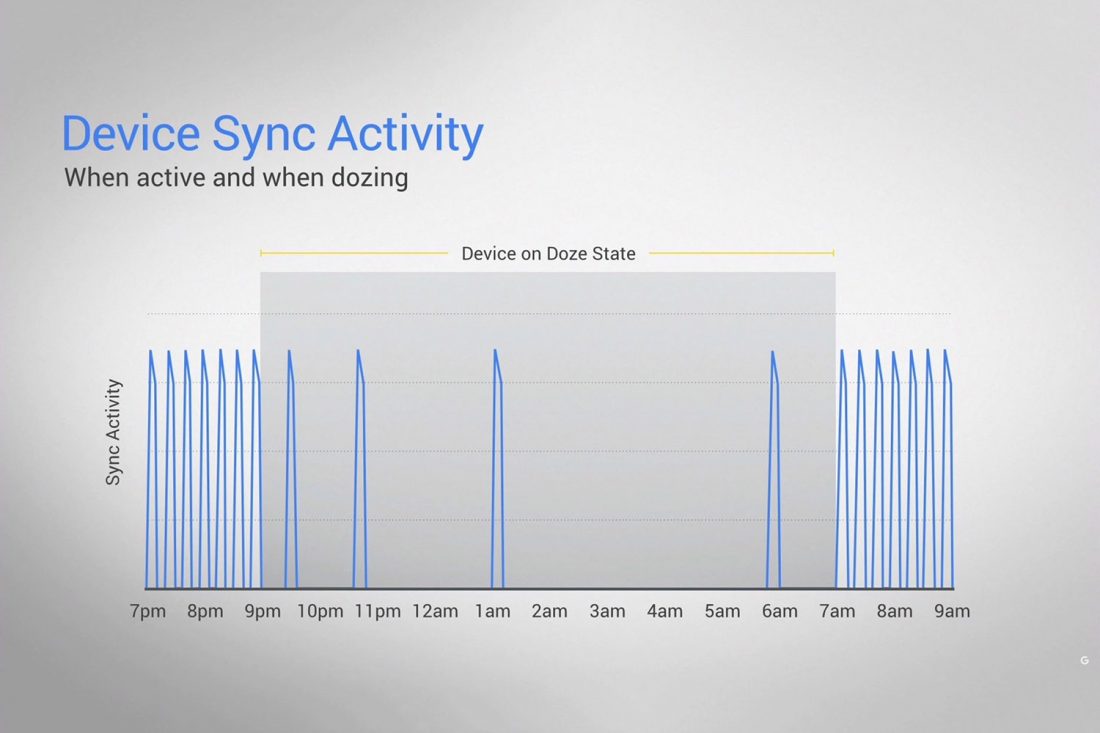
    This is a feature that will find acceptance from all. Who doesn’t appreciate a feature that helps save battery life? Here’s the thing about Doze – you won’t see it work with your eyes. Everything happens in the background. The phone detects when it’s not being moved or touched and then reduces the background activity to conserve battery.

    Marshmallow Doze

    Does it really work? We kept the phone untouched for half an hour and made notes of the change in battery percentage, and based on what we’ve found it does seem to work. It’s safe to say that you can expect at least 30 minutes of extra battery life with the latest update, which is what Google has promised.

    Doze uses your phone’s accelerometer to know when your phone is at rest. The ‘Doze’ feature, however, will only work if your phone is kept on a table or hard surface and will not work if you’ve kept it in your pocket, or if it senses motion.

    “By offloading sensor processing from the main CPU to the Android Sensor Hub, we’re able to run at a fraction of the power budget.” Google’s Dave Burke explained last week.

    Control over Permission and Privacy

    Marshmallow (3)

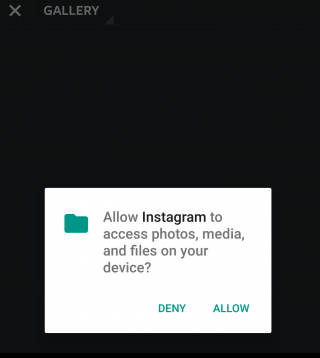
    It’s always good to know just how much your phone is accessing your apps. Before the Marshmallow upgrade, you were basically allowing your newly downloaded apps to access everything from your location to your photos. Now, however, you can say yes or no to specific permissions within an app, which gives you more control over the information that is given to the app.

    This feature has already been seen in the iOS and it is perhaps one of the more obvious influences here.

    App waterfall

    Marshmallow (4)

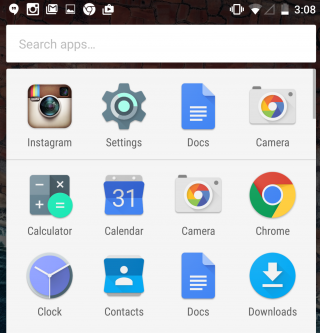
    Your ‘app drawer’ is the place all your apps are kept, both used and unused ones. It exists so that you don’t have to clutter your Home screen with all the native and foreign apps that are there in your phone. Android has not neglected that. You will now see that the drawer moves horizontally making it a simple scroll screen rather than swiping your thumb from right to left. What’s more, you also have a search bar on top of the drawer that allows you to type the app you’re looking for instead of wasting time searching for it normally. A similar feature appeared with the iOS 9 upgrade that had a search bar in the Settings menu.

    These are just a few features that we thought to mention on our initial use. The Marshmallow upgrade promises a lot more and we’re sure to find new things as we continue to explore. Here’s a list of devices that are eligible for the Android upgrade. If your device is in it we suggest you go ahead and download it and have a little fun yourself.

  • Google Officially Begins Rolling Out Android Marshmallow

    Google Officially Begins Rolling Out Android Marshmallow

    Android 6.0 Marshmallow is finally out and ready for Nexus users. The latest OS upgrade began rolling out yesterday and is destined for universal acceptance. The Marshmallow update is perhaps the most juiciest Android update to come out in a while with features such as Now on Tap, Doze, and many others that is sure to deliver some happiness for users. We have already mentioned some of the best new features of the Marshmallow.

    Just a quick recap. There are features that will make your life a little more easier such as the new ‘cut, copy, paste‘ option that can now be found right above the text, he ‘Doze‘ feature that reduces background activity to give you a longer battery life, and ‘Now on Tap‘ that offers a variety of suggestions on practically any page you visit, among other things.

    Android M install 0

    Furthermore, security permissions for apps is now more like iOS where you will be asked for permission while performing a particular task rather than having to worry about what all you end up accepting when downloading a new app.

    Brian Rakowski, VP of Product Management, released a blog yesterday welcoming the launch of the new Marshmallow update and listed out some of the highlights of the new operating system. He also mentioned the Nexus devices that are scheduled to receive the update “over air”, which are Nexus 5, Nexus 6, Nexus 7 (2013), Nexus 9 and Nexus Player. The recently launched Nexus 5X and Nexus 6P will be released with the Marshmallow update pre-installed.


  • Motorola Ditches Some of its Bloatware with the Latest Android Upgrade

    Motorola is removing bloatware in a big way, keeping its current lineup of smartphones something special for Android enthusiasts. The company plans to keep the phones light and clean without stuffing them with their own software and application. In an attempt to make the phones more Android pure, Motorola has announced which of its devices will be getting the Marshmallow upgrade and also announced that it would be deleting a few of its own software.

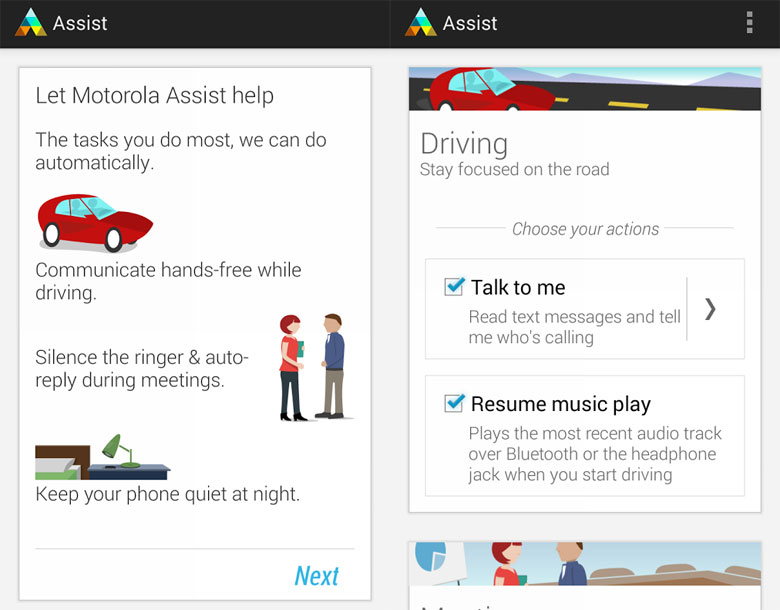
    Specifically, Motorola will be removing in-house apps and services like Moto Assist, Motorola Migrate and the Motorola Connect (Chrome extension) and won’t preload them onto devices anymore.

    moto-assist

    Here’s why this is a good thing – Bloatware takes up a lot of storage space and resources. The extra weight causes slower upgrade process. Many OEMs have taken advantage of Android’s wide scope of applications and have generally stuffed their phones with applications that not only take up space but also don’t particularly enhance user experience since most of the apps are hardly ever used.

    Motorola senior VP of software engineering Seang Chau understands why the company doesn’t need to add bloatware to its phone – because if users want an extra application, they can download it from the Google Play, that likely does better than what OEMs offer.

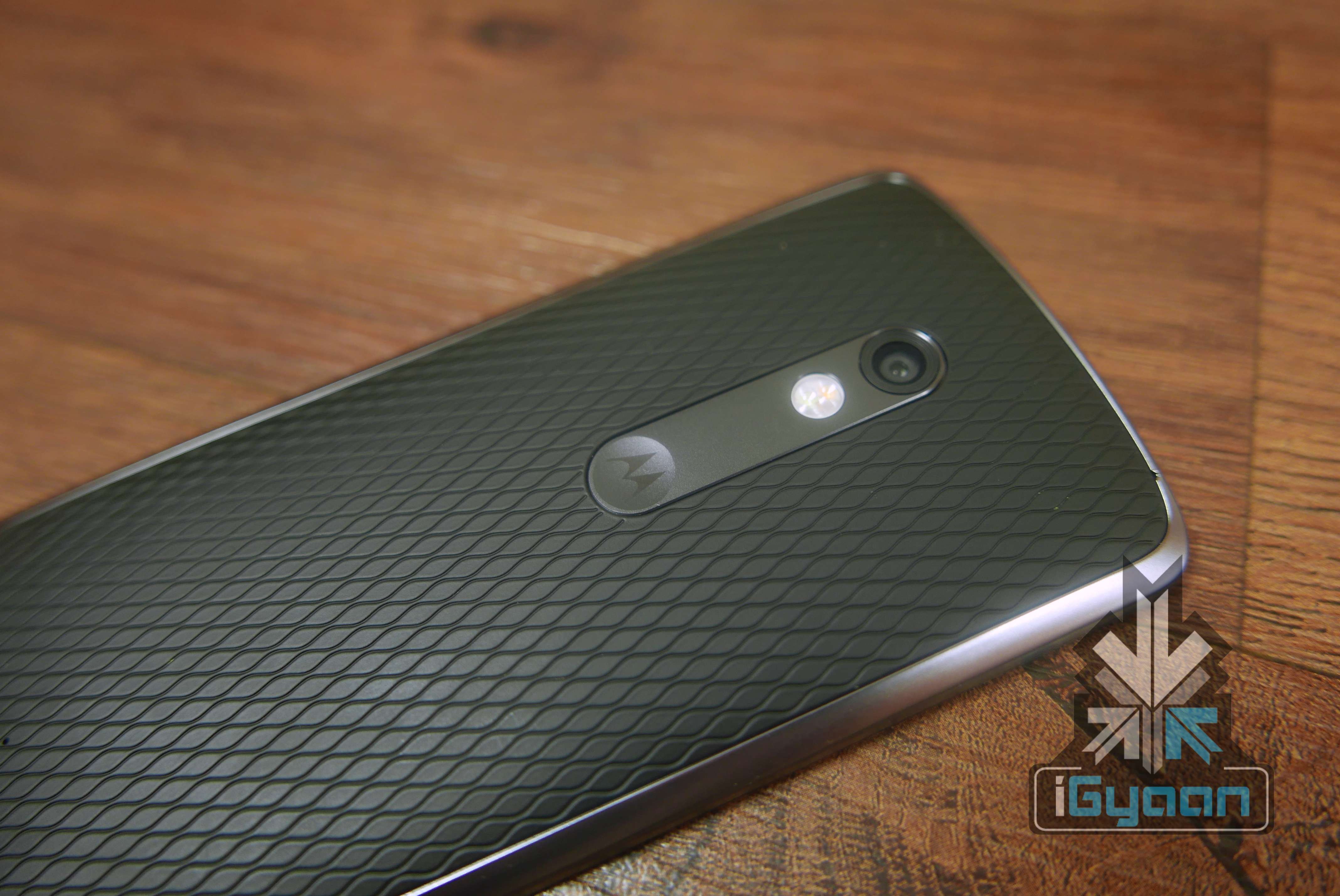
    Moto X Play 3

    “The release of a new Android version is a great time to take a fresh look at our signature Moto Enhancements to ensure we’re complementing Android (not competing with it),” Motorola explains. “Both of these products were valuable in their time but the world has moved on and they no longer add enough value to justify taking up space in your device.”

    This is how Motorola is finding acceptance among Android fans. Not many companies out there would accept that their own services don’t actually improve the overall user experience. Motorola has come to stand out as one of the very best Android OEMs when it comes to not taking up storage space and resources with its own applications.

    For existing Motorola users, here’s a full list of devices that will be getting the upgrade to Android 6.0 Marshmallow with the deleted bloatware:

    • 2015 Moto X Pure Edition (3rd gen)
    • 2015 Moto X Style (3rd gen)
    • 2015 Moto X Play
    • 2015 Moto G (3rd gen)
    • 2014 Moto X Pure Edition in the US (2nd gen)
    • 2014 Moto X in Latin America, Europe and Asia2 (2nd gen)
    • 2014 Moto G and Moto G with 4G LTE2 (2nd gen)
    • DROID Turbo
    • 2014 Moto MAXX
    • 2014 Moto Turbo
    • Nexus 6

    The company will be releasing more information on the timing of these phone upgrades in the coming weeks.

  • HTC Reveals List of Devices to Receive Android Marshmallow

    HTC Reveals List of Devices to Receive Android Marshmallow

    A new report suggests that HTC is all set to give their smartphones an update to the new Android Marshmallow 6.0. Obviously, this update will not be available to all their smartphones, but a select few which include the HTC One M9 and HTC One M8 before the end of this year.

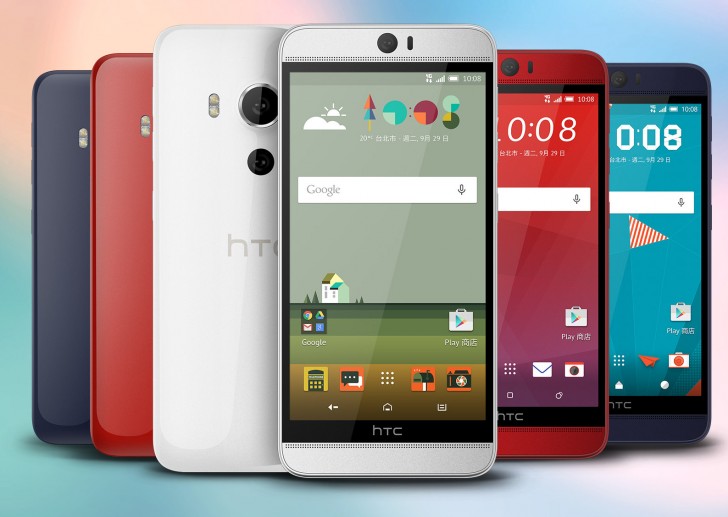
    The list is however longer than this, since it also includes – the One M9+, One E9+, One E9, One ME, One E8, One M8 Eye and the HTC Butterfly 3.

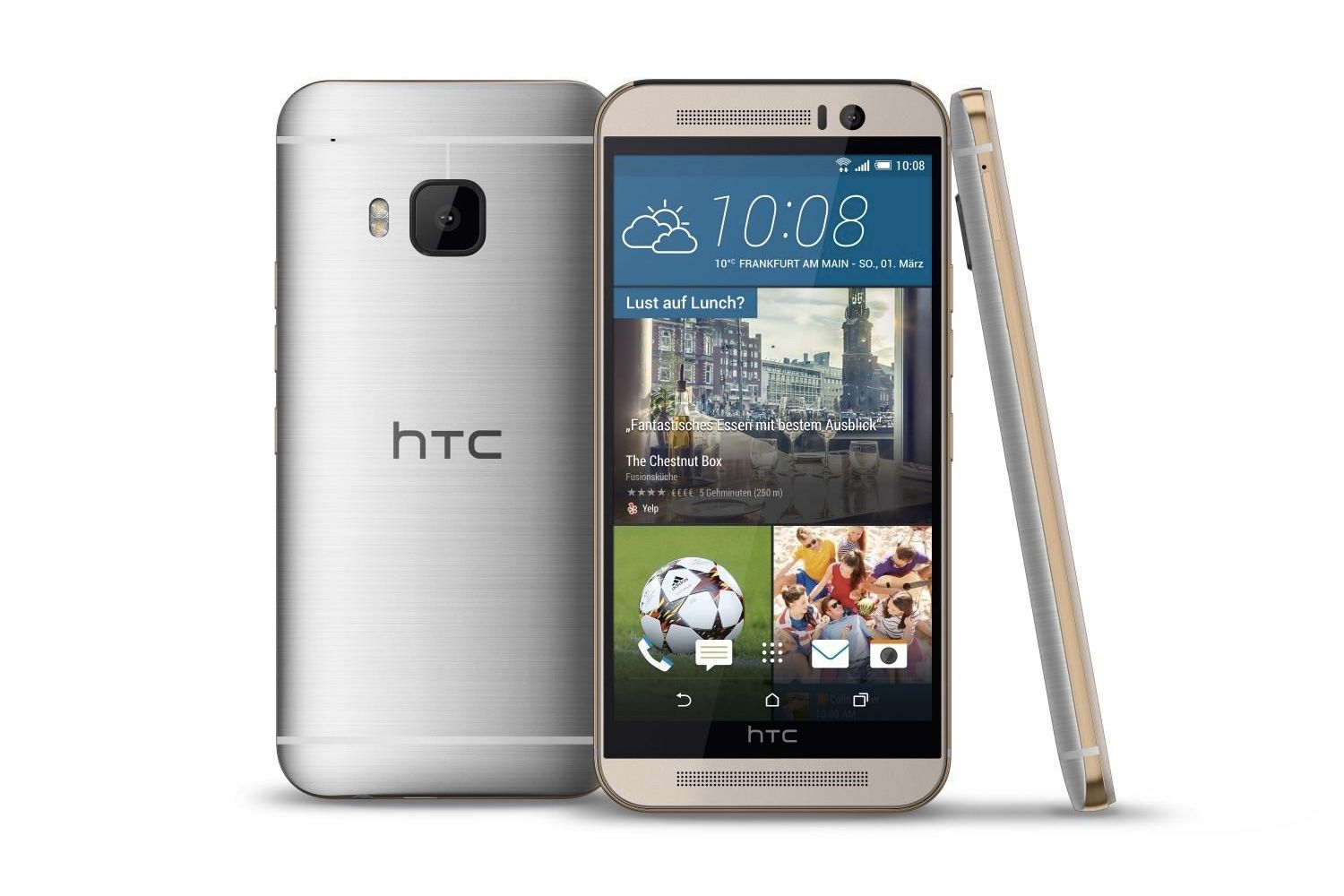
    HTC One M9

    All the above phones are HTC’s high-end phones, but it has also been said that HTC’s mid-ranged Desire 826, Desire 820, and Desire 816 will also be updated in the future. No dates have been confirmed for this update, but what we also know is that HTC will be adding more devices to this list. So sit tight and hope that one of them is yours.

  • Google Announces All New features For the Marshmallow

    Google Announces All New features For the Marshmallow

    By now, we’re all mostly aware of the Android Marshmallow and how it’s different from the previous versions. However, at its mega event, Google has announced a couple of new features to its already new Marshmallow version, and here they are.

    Firstly, they’ve announced that you can voice stream from the lock screen itself. Basically you have to swipe from a corner to launch it and it’s up and running.

    Google also detailed its charging abilities, so now, the Marshmallow can tell you whether you are on the fast-charging mode and also tells you how long until your phone is fully charged.

    android m marshmallow

    Google also talked about the app drawer and revealed that the new app drawer will help us look for apps much faster, because it will arrange the apps according to our usage of it. Bringing the most used apps at the top of the app drawer, making them much faster to access.

    The company also announced something exciting – the new Nexus devices which come with the Android marshmallow will not have as many ‘pre-loaded’ app. Which means, that since they’re going to be “post-set up”, you can eventually uninstall them, if necessary.

    Next, they elaborated further about the ‘Now On Tap’ feature, which basically allows you to search Google automatically from any app, if you press the home button for long enough. They’ve added voice interactions to this, so now you can control apps with your voice. Google also mentioned that the “Okay Google” detection will now work when the screen is switched off too.

    nexus logo 3

    Here’s something new about the battery too. The Android Marshmallow will also come with a new “doze” mode that informs apps to sleep (for lack of a better word), when the phone hasn’t been used for awhile. So, when the screen is switched off, the battery life will be 30 percent longer than in previous versions.

    The Android marshmallow will roll out on the new Nexus 6P and 5X next week. Till then if you want to brush up on your Android Marshmallow history then look no further and click here.

  • Everything You Can Expect Google’s Upcoming Nexus Event

    Everything You Can Expect Google’s Upcoming Nexus Event

    Here’s some exciting news for today – Google has an event on the 29th of September 2015 where they will be releasing the new Nexus phones along with revealing more details about Android Marshmallow.  Google will reportedly reveal the new Chromecast and a partnership with Spotify.

    Here are a few details about what we know about the upcoming products so far via public reports and rumours.

    Nexus 5X

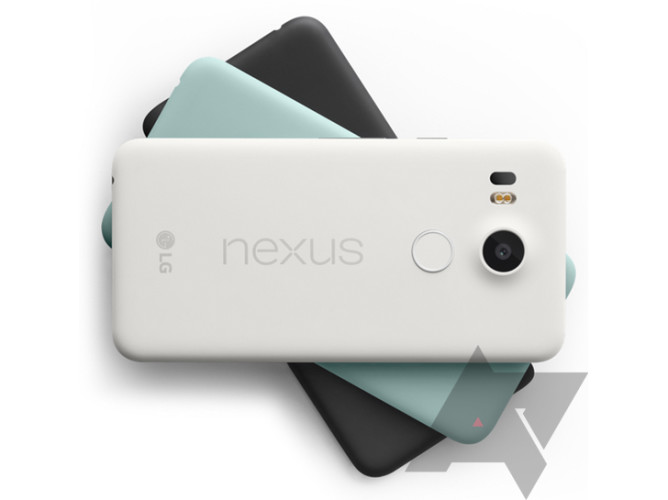
    Firstly, the LG Nexus 5X is expected to come with a bigger 5.2 inch display and a 1080p resolution. The second feature that has been suggested by leaked images, is a support for fingerprint scanners. On the camera front, the Nexus 5X seems to provide a protruding camera, however it is one that will have an increased 13MP sensor. Apart from that, there could also be a 5MP front camera. This handset is rumoured to be powered by the Snapdragon 808 processor with a 2 or 3 GB RAM along with storage options that are expected to be 16GB and 32GB. The smartphone might also come with a USB Type-C.

    Nexus 5X (1)

    Nexus 6P

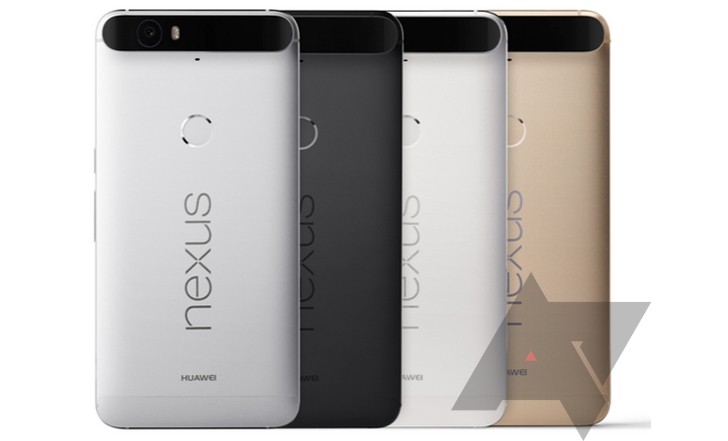
    The next device which is the Huawei Nexus 6P will come with a new design, if reports are to be believed. The leaked images show a rectangular frame with curved edges and a flat metal pack, and is expected to come in four colour variants of silver, black, white and gold. The phone will also come with a new fingerprint scanner but a smaller display of an estimate 5.7 inches. The Nexus 6P could be powered by Snapdragon 810 and can come with a 3GB RAM. The storage of this device is expected to start at 32GB and go all the way up to 128GB. However, the camera seems to be lower in quality with an 11MP sensor at the rear but a rather impressive 7MP on the front.

    Nexus 6P

    Android Marshmallow

    The other exciting thing that is going to be announced at the event is the launching of Android Marshmallow. Google is expected to give us a date for the release of this version. Let’s see whether Google has anything else to add apart from what we know.

    android marshmallow

    Chromecast Second Gen & Audio

    Google is also expected to release two new chromecast devices – the second gen chromecast and the chromecast audio. The new Chromecast second gen is expected to come with a new rounder looking design, thereby doing away with the whole ‘dongle’ look. Other upgrades include faster WiFi and something called Fast Play. The Chromecast Audio, on the other hand, supports every feature that a music lover might need, like podcasts, radio, and a multi-room audio. This device is also rumoured to partner with Spotify and thereby enhancing its features.

    chromecast-despicable-me

    That is all that we know till now. So stay tuned and we’ll bring you all the latest updates from the Google evnt on the 29th of September 2015.

  • Android 6.0 Marshmallow Will Release on October 5

    Android 6.0 Marshmallow Will Release on October 5

    According to latest leaks, Google’s most recent Nexus smartphones – Nexus 5 and Nexus 6 – will get an Android 6.0 Marshmallow upgrade on the 5th of October. Which means those of you who own either of the devices will be updated to the new software on that date. The information was spotted by MobileSyrup in a release schedule posted by Canadian wireless carrier, Telus.

    This may also suggest that Android 6.0 Marshmallow will soon be available for other Android devices as well, however, the latest Nexus smartphones will be the first to get the upgrade since they run pure Android and don’t have any carrier bloatware that needs updating along with the basic software.

    Android Marshmallow

    Android 6.0 promises improved performances and new features such as ‘Now on Tap’ that provides more information by pressing and holding the Home button on whichever screen you’re on, native fingerprint support, and individual app permissions, to name a few.

    We know that Google is planning to launch two new Nexus devices on September 29 – the LG Nexus 5X and Huawei Nexus 6P – and will also run on the latest Android 6.0 Marshmallow in addition to the last two Nexus phones. Nothing is known yet as to when the latest Android software will start rolling out for other Android devices.

    Source : [tw-button size=”small” background=”#07ABE2″ color=”” target=”_blank” link=”http://mobilesyrup.com/2015/09/24/android-6-0-marshmallow-rollout-october-5/”]Mobile Syrup[/tw-button]


  • List of Samsung Devices First in Line to Receive Marshmallow

    List of Samsung Devices First in Line to Receive Marshmallow

    We had recently announced the introduction of Android’s new update called the Android 6.0 Marshmallow. New reports now suggest that there are plans for this new edition to be updated on a few Samsung smartphones, once it is released. The Marshmallow is said to bring with it features such as – app permissions, memory usage tracking, power saving, auto back up etc.

    A rumour suggest that the initial batch of Samsung’s Android gear could be updated to the Android 6.0 Marshmallow. This list includes the:

    • Samsung Galaxy Note5
    • Samsung Galaxy S6 Edge+
    • Samsung Galaxy S6
    • Samsung Galaxy S6 Duos
    • Samsung Galaxy S6 Edge
    • Samsung Galaxy Note 4
    • Samsung Galaxy Note 4 Duos
    • Samsung Galaxy Note Edge
    • Samsung Galaxy ALPHA
    • Samsung Galaxy Tab A

    However, this information has not been confirmed by Samsung but according to the rumours, these devices should get updated by early 2016.

    For more information on Android Marshmallow, click here.

    Source

  • Top 5 Features of Android Marshmallow

    Top 5 Features of Android Marshmallow

    Three days ago, Google announced the sweet its Android OS was named after; Marshmallow. Now that it’s out in the open, let’s take a look at 5 noteworthy features it has:

    1. App Permissions : You’re the Boss

    This feature has gotten a makeover and Google will now allow users to take a call on which permissions they want to allow or revoke, based on the usage of these functions. Unlike right now, where you don’t have a choice but to agree to all app permissions on first install or updates, in Android M, you will get a notification asking you to allow an app to use a specific function.

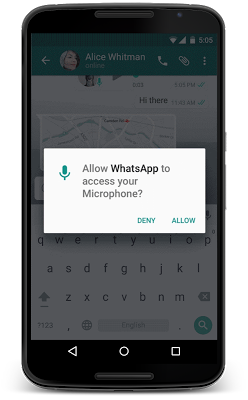
    Google helps to give permission in parameters like, location, camera, contacts etc. So if you’re using WhatsApp and you want to send a voice message, the App Permissions tab will pop up, asking you for permission to use the microphone. You can also revoke the permission later if you so wish. This is exactly the way Apple handles it on iOS.

    android m

    2. Better Web Experience: Custom Chrome Tabs

    The web browsing experience has been further enhanced with Chrome Custom tabs, a new feature, that will let you include webviews within a particular app, without switching to the Chrome browser on your phone. Features such as automatic sign-in, saved passwords, autofill etc., will work on the apps seamlessly. The Chrome Custom tab also blends with the colours and fonts of the app it is being opened with to make it more seamless than it already is.

    3. App Linking

    Known as Intents, Android currently supports the app linking system, which lets you open a web link in a web browser or app. Before, if you had a Twitter link in, say your inbox and you clicked on it, you got a prompt asking if you want to open the link in your browser or within the Twitter app, which is installed on your phone.

    So now, Android M will first let developers add an auto-verify feature within their code, which will, in turn, help open the link within the respective app (provided the app is installed on your phone). Instead of giving you the option. Don’t worry about the security because it is only after post-authentication and verification, that this feature will follow through.

    4. Android Pay

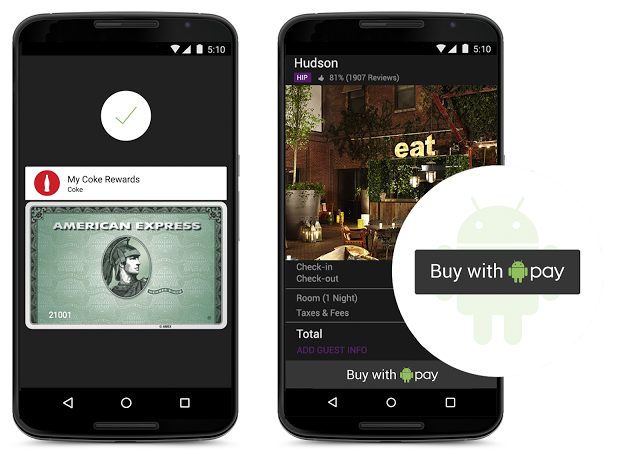
    With this feature, all you need to do is unlock your phone, keep it near and NFC (near-field communication) terminal and voila, your payment is done. You don’t even have to open the app for this because payments are done by using NFC and host card emulation techniques for smooth tap-to-pay services.

    Worried about security again? Google claims that once you share your credit card details, it creates a virtual account number. So, your real card number isn’t actually shared with the store you’ve shopped from.

    android pay

    5. Power management

    Since battery is a perpetual problem, Android M will feature something called ‘Doze’ that will optimally manage the background processes.The OS keeps a watch on the motion detection sensor and if it sees no activity for a while, it shuts down some processes. However, alarms and high priority notifications can still be activated on this mode. Confident about this feature, Google claims that it helped the Nexus 9 to increase its stand by time by almost double, as compared to Android 5.0 Lollipop.

    Although those were just top 5, features like the standardised finger support and the USB Type-C for charging support, will just make your life easier. You can authorise an Android Pay transaction, unlock your device or make Play Store purchases, all with the sensor. Similarly, a USB Type-C has a bi-directional port which you can use to charge the phone along with another device.

iGyaan Network
Privacy Overview

This website uses cookies so that we can provide you with the best user experience possible. Cookie information is stored in your browser and performs functions such as recognising you when you return to our website and helping our team to understand which sections of the website you find most interesting and useful.