Tag: metro

  • Skype gets up to Version 6.0 Integrates Microsoft Accounts and brings Retina Support

    Skype gets up to Version 6.0 Integrates Microsoft Accounts and brings Retina Support

    skype 6.0

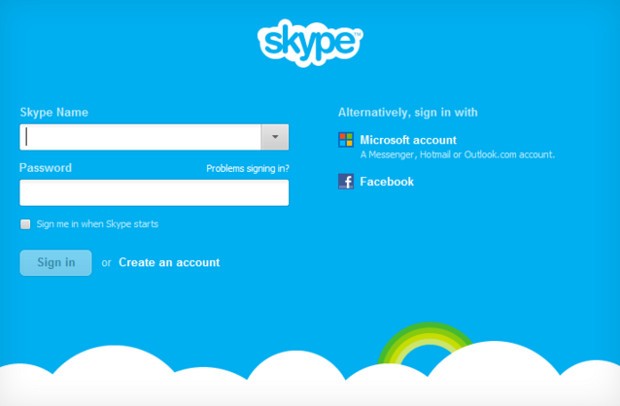
    Skype 6.0 gets a host of new features along with compatibility with Retina display Macs and future similar display PC’s. The new Skype adds the ability to sign in directly with your Facebook or Microsoft account including Hotmail, Live or Outlook. Skype 6.0 will also add Modern UI friendly look on Windows * machines/ tablets to up it game. Now you can instant message your Windows Live Messenger, Hotmail and Outlook.com contacts via Skype all in one place. Skype 6.0 also brings localization languages in Thai, Croatian, Slovenian, Serbian, Catalan and Slovak, bringing the total languages Skype supports to 38.


    [toggle_box title=”Skype Blog” width=”Width of toggle box”]

    Today we have released a new version of Skype for Desktop. Get it now for Windows orMac.

    What’s new:


      • Microsoft and Facebook Account Integration

    Sign up and sign-in is easier than ever. You can now sign into Skype 6.0 using your Microsoft or Facebook account – there’s no need to create a new Skype account. This makes it even easier to connect with friends on Skype without having to set up another account.

      • IM friends on Messenger

    Now you can instant message your Windows Live Messenger, Hotmail and Outlook.com contacts via Skype all in one place. If you use a Microsoft account today, merging your accounts is easy – just sign in to Skype with your Microsoft account.

      • Calling with Messenger friends is coming soon

    We’re working on polishing a feature which will enable audio and video calls to Windows Live Messenger customers using Skype 6.0 desktop clients. The feature will be available in coming weeks.


    We want to hear your feedback. Discuss what matters to you on Skype Support Network or report glitches on our public issue tracker.

    Here’s more of what’s new with Skype 6.0 for Windows Desktop:


      • Skype localized to six more languages

    We are excited to support our growing community around the world with new localized versions of Skype 6.0 in Thai, Croatian, Slovenian, Serbian, Catalan and Slovak, bringing the total languages Skype supports to 38.

      • Visual user interface refresh

    We have refreshed and flattened the Skype 6.0 UI with a simpler and less cluttered look. We have updated the look of the instant messaging and SMS areas as well.

      • Removal of online user count

    We have removed the online user counter at the bottom of your Skype Contacts list to unclutter the UI and make more space for your friends within the contacts list.

      • Display previously created profile pictures

    When you change your profile picture, we will now show you all of your previous Skype 6.0 profile pictures so you don’t have to look through old files if you want to use a previous image.

      • Improved telemetry

    We are constantly looking for ways to improve the quality of our product. To that end we are adding additional “opt-in” telemetry reports for users who choose this option: “Tools>> Options>>Advanced>>Tick “Help improve Skype…” The reports may contain your Skype ID and or Microsoft Account ID but we will not use it to identify or contact you.


    Here’s more of what’s new with Skype 6.0 for Mac Desktop:


      • Open Chats in Multiple Windows

    We hear your feedback! With this release we’ve added support to open chats in multiple windows.

      • Retina Display Support

    We also added another feature you’ve asked for – support Retina display. Now you can take full advantage of improved usability and of higher resolution screens.


    Known issues for Skype 6.0 for Mac:


    Category Description Workaround
    Account On Mountain Lion the profile image picker does not work as expected – recent images can’t be seen and effects can’t be added None available


    Release build for Skype for Windows is 6.0.0.120 and on Skype for Mac is 6.0.0.2946.

    Volunteer localization of Skype for Windows has been done by:


    • Bulgarian: Nikolina Filipova & Nikolay Filipov
    • Chinese (Simplified): Wang Miao (TOM.com)
    • Chinese (Traditional): Penny Yang, Carlos Lee (PChome)
    • Czech: Petr Silon
    • Dutch: Kees Koenders
    • French: Fabrice Imperial & Bruno Lépaulard
    • German: Claudius Henrichs & Dick Schiferli
    • Hungarian: Mark Bender
    • Italian: Daniele Conte
    • Lithuanian: Viktoras Kriukovas
    • Norwegian: Stig Auestad
    • Polish: Karol Szastok
    • Portuguese: Francisco Ferreira
    • Romanian: Péter & Mónika Henning
    • Turkish: Ömer Emin Dede
    • Ukrainian: Vitaliy Kupchynskyy


    Volunteer localization of Skype for Mac has been done by:


    • Bulgarian: Nikolay Filipov
    • Brazilian Portugese: Fabio Roselet
    • Dutch: Alexander Henket
    • Estonian: Triin Tähema
    • French: Jean-Pierre Kuypers
    • German: Claudius Henrichs
    • Norwegian: Kenneth Stevenson
    • Polish: Bohdan Zielinski
    • Portuguese Portuguese: Francisco Miguel Ferreira
    • Spanish: Carola Clavo

    [/toggle_box]

    [Skype]
  • Microsoft to drop ‘Metro’ name for Windows 8

    Microsoft to drop ‘Metro’ name for Windows 8

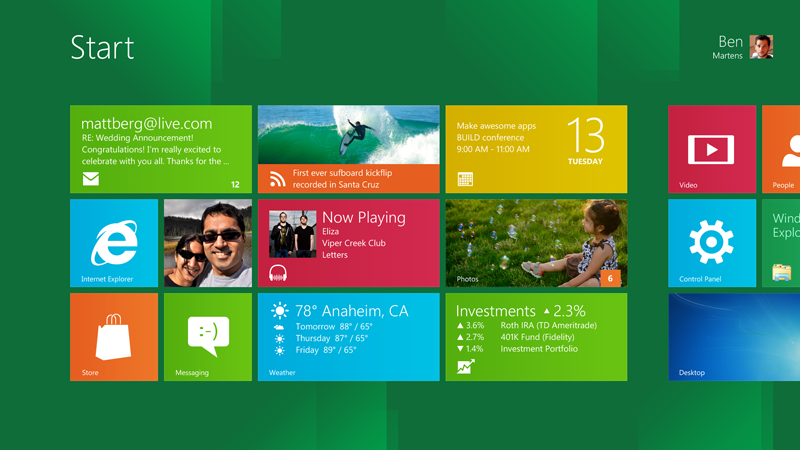
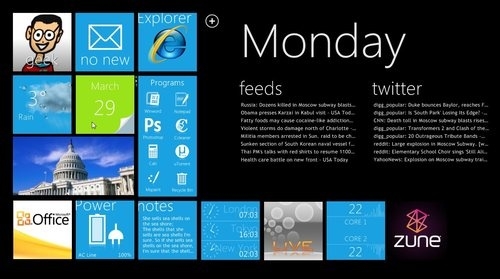
    A potential trademark dispute has forced Microsoft to drop the Metro name for Windows 8’s blocky, tile-based interface.

    Talks with an “important European partner” have brought about the change according to internal memos seen by tech news site The Verge.

    The partner is believed to be German retail giant Metro AG.

    Microsoft is currently working out what to call the interface and said the new name would be announced soon.

    The tiled interface is used on both Windows 8 and Windows Phone and has been called “Metro” ever since Microsoft started showing off its designs for the software.

    Elements of it have also been used on older products such as the Zune media player.

    In documents sent out to developers and media months ago, Microsoft said Metro was the “code name for our design language”.

    It added that Metro was picked because the name was “modern and clean. It’s fast and in motion”.

    Now documents sent out to developers are warning coders to avoid using the word when referring to the distinctive interface.

    The warning is believed to follow on from an internal memo sent by Microsoft’s Legal and Corporate Affairs department which said the company had been threatened with legal action over its use of the name.

    The threat is believed to have been made by German retailer Metro AG, which owns trademarks on the word. Metro AG declined to comment on the claim.

    Instead of Metro, Microsoft has told developers to simply refer to the blocky display as a “Windows 8 style UI” for the time being.


    [quote]

    In a statement, Microsoft said: “We have used Metro style as a code name during the product development cycle across many of our product lines.


    “As we get closer to launch and transition from industry dialogue to a broad consumer dialogue we will use our commercial names,” it said.

    [/quote]

    Source : BBC


  • Leaked Hotmail Metro Style teases the future

    Leaked Hotmail Metro Style teases the future

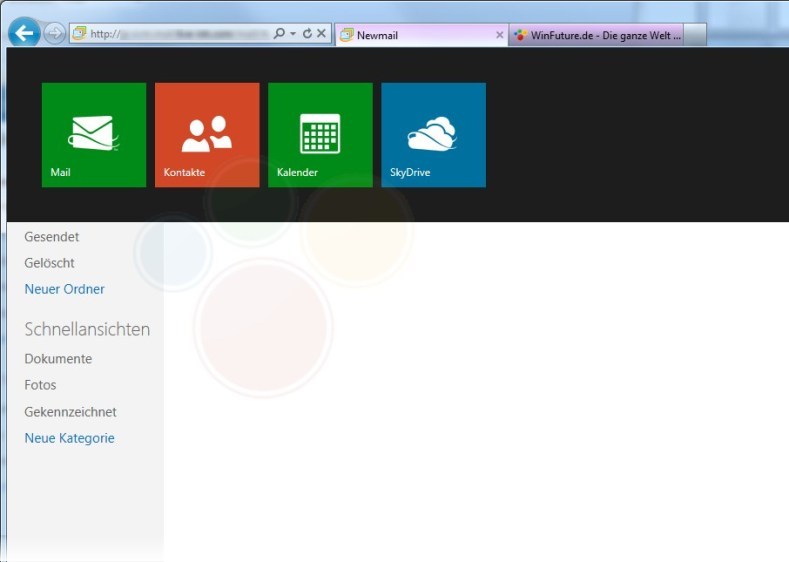
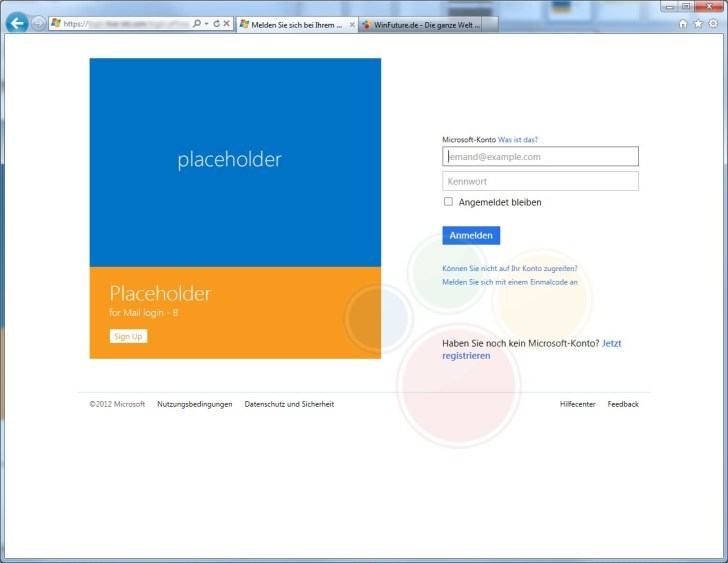
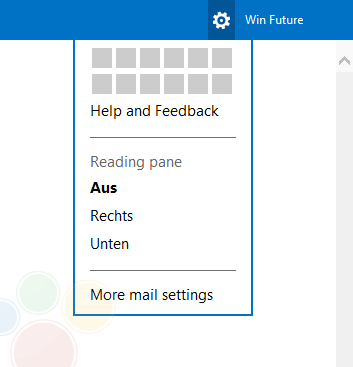
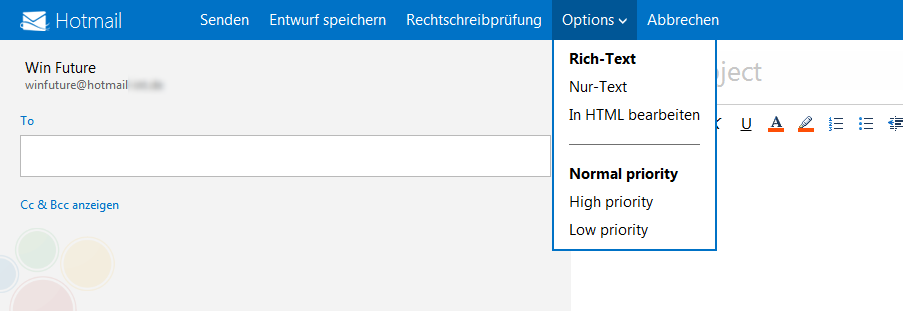
    Leaked images of a future build of Hotmail suggest that Microsoft is bringing it into Metro style. It seems like Microsoft has been able to keep the development of this project under wraps, until it is almost ready to be released.

    In the images you will see certain metro elements, but, also the fact that it all looks very incomplete. Certain icons aside everything else looks very bland and generic hotmail. 

    Details on tool out of the upgrade are still sketchy, most rumors point to alongside the final release of retail Windows 8.

    [WinFuture]

  • Windows 8 Consumer preview hits one million Downloads in one Day

    Windows 8 Consumer preview hits one million Downloads in one Day

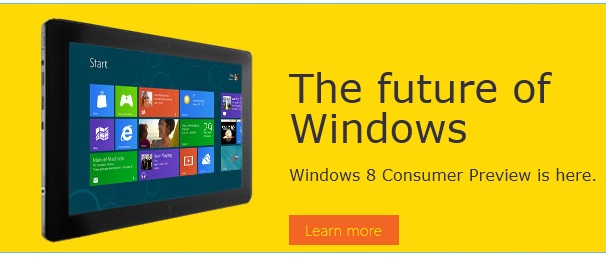
    The Microsoft Windows 8 Consumer Preview went up just a day ago and has already hit the million download mark. Microsoft’s next major software update is built around the Windows 7 platform merged with the Live Tile – Metro UI of Windows Phone 7. 

    Although the downloads are 1 Million, it may not mean that 1 million people downloaded the software. Get yours in the link below.

    Windows 8 Consumer Preview

  • Windows 8 Reset and Refresh options shown off!

    Windows 8 Reset and Refresh options shown off!

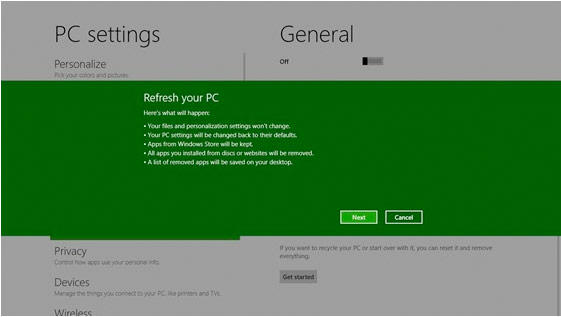
    Windows 8 is becoming more and more like the mobile counterpart.  Windows 8 will offer a pair of similar features; ‘Reset your PC’ will allow you to remove all personal data, apps, and settings from the PC, and reinstall Windows, while ‘Refresh your PC’ enables your to keep all personal data, Metro style apps, and important settings from the PC, and reinstall Windows. This seems very convenient, especially for those who have often been bugged by crowded and laggy machines.


    [MSDN]

  • Microsoft Metro Apps Shown in a Video

    Microsoft Metro Apps Shown in a Video

    Windows is using videos to get users accustomed to the new OS. With over 3 million Downloads. the new Windows 8 is gathering a lot of attention. Check out the full video of it in action below

  • Windows 8 Developer Preview Launched, Downloads Commenced(PR)

    Windows 8 Developer Preview Launched, Downloads Commenced(PR)

    With the commencement of the Microsoft Build conference, the company has also launched the Developer version of Windows 8.

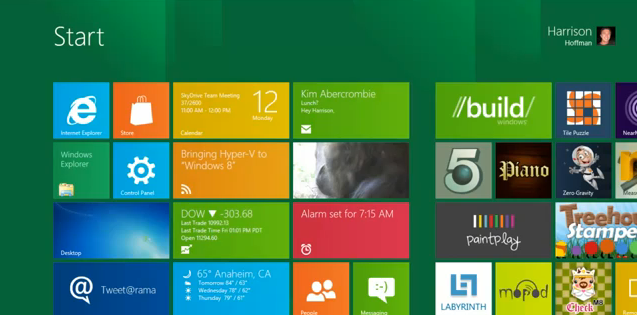
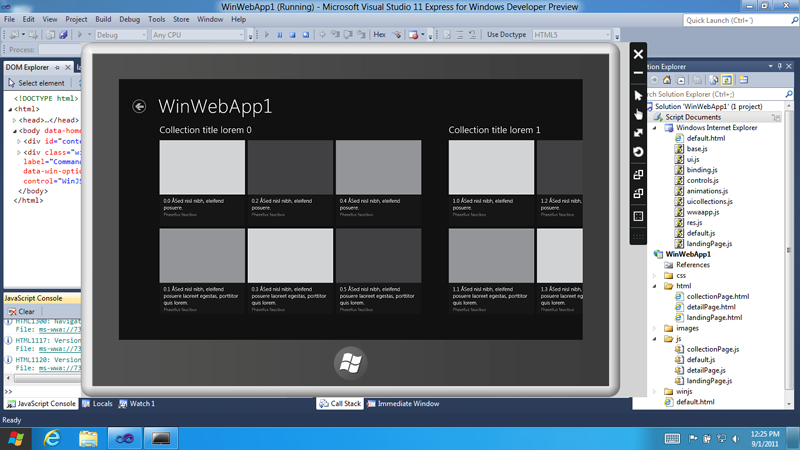
    Widows 8 is a remained version of Windows, that offers a practically new way to interact with the personal computer. The new platform also bring a new range of capabilities that can let developers bring the easy and graphics of the Windows Phone 7 Metro UI .

    Steven Sinofsky- President Windows.


    Get Your version of the Dev Preview Here : Link – Microsoft Dev Downloads


    [toggle title_open=”Press Release” title_closed=”Press Release” hide=”no” border=”yes” style=”default” excerpt_length=”0″ read_more_text=”Read More” read_less_text=”Read Less” include_excerpt_html=”no”]Microsoft Reimagines Windows, Presents Windows 8 Developer Preview

    BUILD Conference attendees and developers get first access to new operating system.

    LOS ANGELES – Sept. 13, 2011 – Today at its developer-focused BUILD conference, Microsoft Corp. showcased a detailed preview of the next major release of Windows, code-named “Windows 8.” The company also detailed new tools for developers to help write applications for more than 1 billion people around the world who use Windows every day.
    “We reimagined Windows,” said Steven Sinofsky, president of the Windows and Windows Live Division at Microsoft, in his keynote address to the thousands of developers in attendance. “From the chipset to the user experience, Windows 8 brings a new range of capabilities without compromise.”

    The company also highlighted a variety of new features in Windows 8, including the following:

    Touch-First User Interface
    • Metro style. Windows 8 introduces a new Metro style interface built for touch, which shows information important to you, embodies simplicity and gives you control.
    • Touch-first browsing, not just browsing on a touch device. Providing a fast and fluid touch-browsing experience, Internet Explorer 10 puts sites at the center on new Windows 8 devices.
    More Ways to Engage With Powerful, Connected Apps
    • Powered by apps. Metro style apps built for Windows 8 are the focal point of your experience, filling your entire screen so there are no distractions.
    • Apps can work together. Apps communicate with each other in Windows 8. For example, you can easily select and email photos from different places, such as Facebook, Flickr or on your hard drive.
    • The content you create syncs across your devices. Live roams all the content from the cloud services you use most – photos, email, calendar and contacts – keeping them up-to-date on your devices. With Windows SkyDrive, you can access content anywhere with your Microsoft account.
    Enhanced Fundamentals
    • The best of Windows 7, only better. Windows 8 is built on the rock-solid foundation of Windows 7, delivering improvements in performance, security, privacy and system reliability.
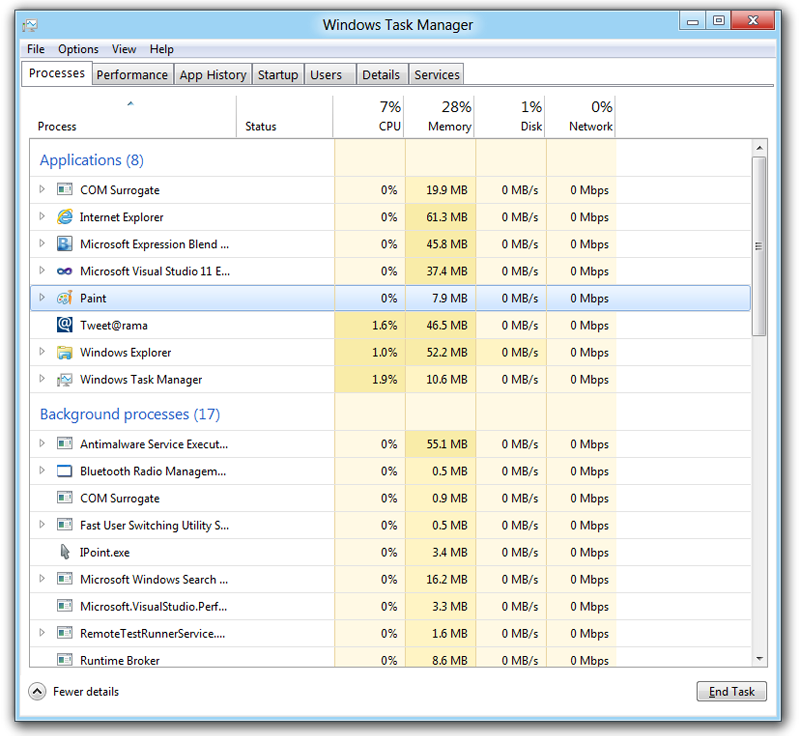
    • Preserving power-user favorites and making them better. For those who push the limits of their PC, Windows 8 features an enhanced Task Manager and Windows Explorer and new, flexible options for multimonitor setups.
    New Developer Opportunities
    • Windows Store. The Windows Store will allow developers to sell their apps anywhere Windows is sold worldwide, whether they’re creating new games or familiar productivity tools.
    • Build using more languages. Windows 8 lets you leverage your existing skills and code assets to create great experiences using the programming language you prefer.
    • Rich hardware integration leads to richer experiences – particularly for games. DirectX 11 gaming power underlies Windows 8, allowing the easy creation of full-screen games with smooth, flicker-free action.
    New Generation of Hardware
    • One Windows – many shapes and sizes. Support for ARM-based chipsets, x86 devices, touch and sensors means Windows 8 works beautifully across a spectrum of devices, from 10-inch tablets and laptops to all-in-ones with 27-inch high-definition screens.
    • Always connected. With Windows 8, new ultrathin PCs and tablets turn on instantly, run all day on a single charge and stay connected to the Internet so your PC is ready when you are.
    • Tap the full power of your PC. Windows 8 runs on PCs and is compatible with the devices and programs you use today on Windows 7, without compromise, to deliver the performance you expect of a PC.

    Developers will be able to download the Windows Developer Preview via the new Windows Dev Center later this week. Webcasts of sessions will be posted on the BUILD site as well.
    Founded in 1975, Microsoft (Nasdaq “MSFT”) is the worldwide leader in software, services and solutions that help people and businesses realize their full potential.
    Some information relates to a prerelease product, which may be substantially modified before it’s commercially released. Microsoft makes no warranties, express or implied, with respect to the information provided here.[/toggle]

  • Internet Usage up by 50% in Tier-2 Cities

    Internet Usage up by 50% in Tier-2 Cities

    Last year, the majority of interet users in India were from the Metros. However, the trend in internet usage is shifting towards non-metro cities. Senior Director Nitin Mathur, Yahoo India, had this to say:

    [quote]”Internet penetration is very low in India right now as compared to other nations. It would surely touch 24 crore by 2015 and given the size of India’s population this too would not be enough. But we see more and more people using internet through mobile devices rather than PC’s. Even right now of the 8 crore internet users more than 2.5 crore access it through mobile devices. As 3G enabled handsets become cheap mobile internet would be the next big thing in the country which would take penetration to the remote corners of the country”[/quote]

    He also said that the company was working towards implementing Yahoo Mail in regional Languages. The company has also started a “Learn with Yahoo” program which educates and trains new users on various aspects of the internet including email, search, and internet safety etc.

  • WP7 Metro UI on iPhone 4 – We go Hands on!

    WP7 Metro UI on iPhone 4 – We go Hands on!

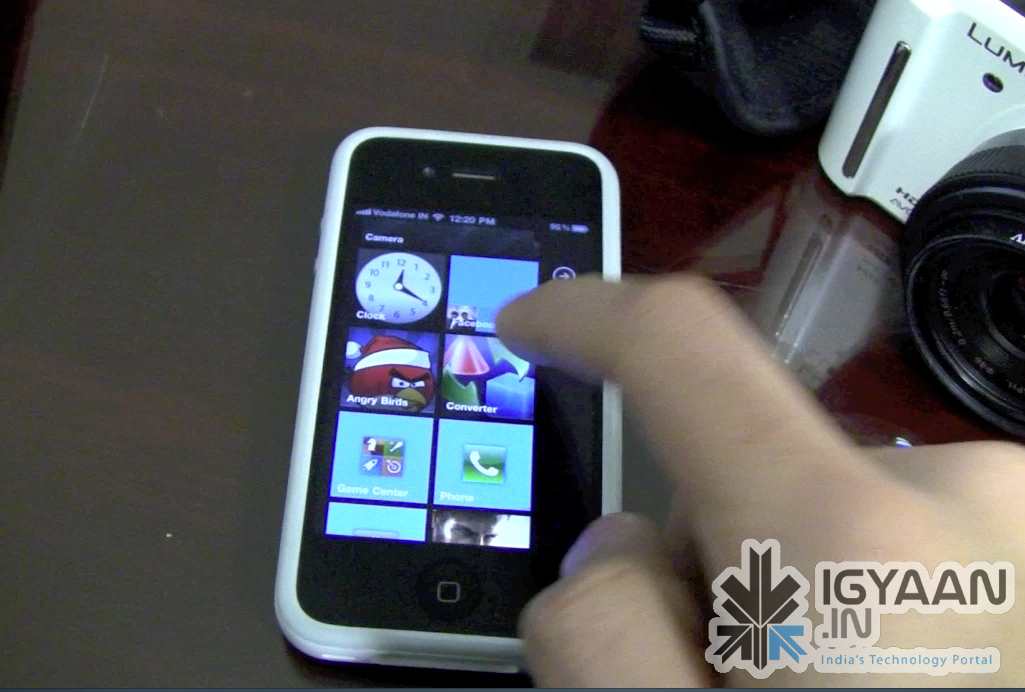
    You have a Jailbroken iPhone/iPod/iPad? Do you love the new Metro UI from Microsoft Windows Phone 7?  Then this bit of information might just make you very very excited! Don’t get naughty!

    The video below previews a beta version of a Theme designed by Wynd, The theme is called OS7 and is fairly easy to Install. Check out the video Below and head on over to the source link to try it for yourself.


    Source modmyi

iGyaan Network
Privacy Overview

This website uses cookies so that we can provide you with the best user experience possible. Cookie information is stored in your browser and performs functions such as recognising you when you return to our website and helping our team to understand which sections of the website you find most interesting and useful.