Tag: OS

  • BlackBerry Confirms Security Updates for BB 10, New Android Device for 2016

    BlackBerry Confirms Security Updates for BB 10, New Android Device for 2016

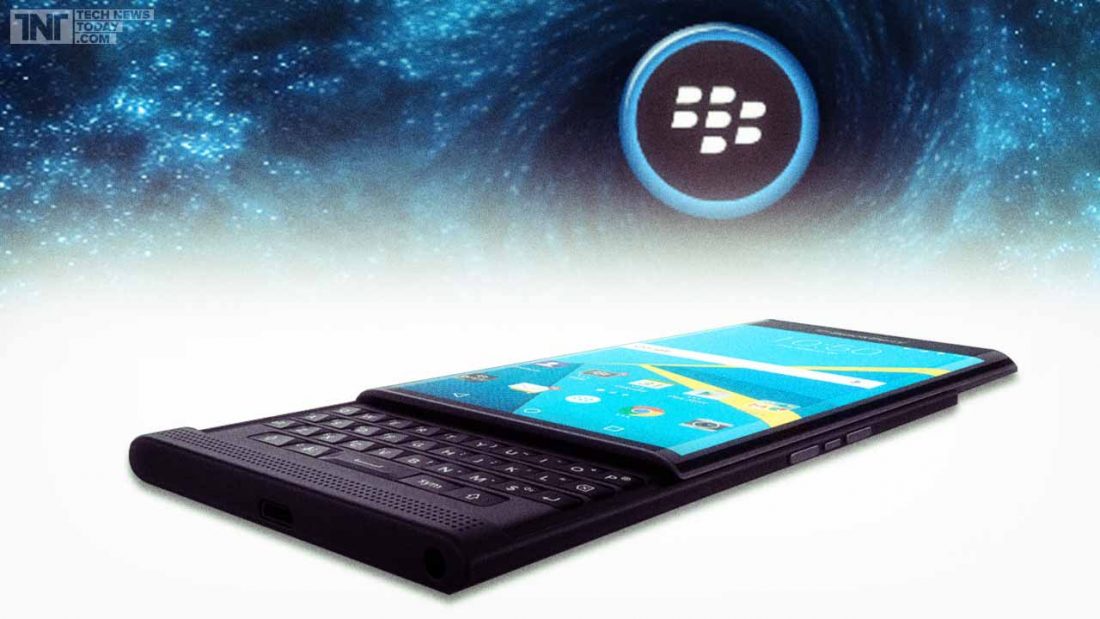
    BlackBerry has seen a lot of ups and downs in the past couple of months. From being one of the most popular mobile brands at one time with its innovative BlackBerry Messenger to becoming a company struggling to keep itself on its feet -it has seen it all.Blackberry Priv

    We recently heard rumours about how BlackBerry might be letting go of its operating system BB 10. However, these rumours have been proven false by a post on the official BlackBerry blog. John Chen, the company’s CEO revealed that the operating system is “far from” dead and that BlackBerry devices like Passport, Classic and other phones by the company running on BB 10 would receive updates for the operating system soon.

    There will be security and privacy updates for BB 10 this year, along with an enhanced 10.3.4 version of the OS slated to arrive later this year with more security and privacy related features.

    Additionally, BlackBerry which is all set to bring out more of its own Android devices in the future also confirmed that 2016 will see the launch of only one such device. Would you be willing to put your trust in BlackBerry’s Android devices?

    Source

  • Over 70% Android Users Run an OS Which is More Than 2 Years Old

    Over 70% Android Users Run an OS Which is More Than 2 Years Old

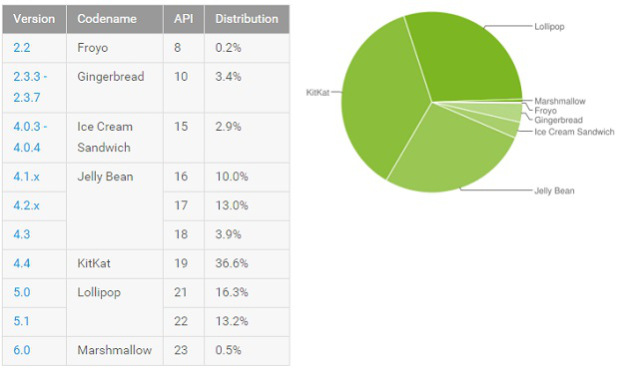
    Google revealed earlier this week that 71.6% of Android users are still using the pre-Lollipop version of the OS. The divisions are as follows: 36.6% of devices are still running Android 4.4 KitKat, while a 26.9% of users are still running various versions of Jelly Bean. While the latter was released in 2012 and hasn’t seen an update since October 2013, the former first arrived two years ago.Google Android OS

    As for iOS users, a huge 70% of them are  running iOS 9 which came out only in September this year. Additionally, iOS 8 is being used to run about 92% Apple devices, an OS released not more than 16 months ago.

    Though Android 6.0 Marshmallow has enough things to like about it, many users will have to wait another couple of months before they are able to run it on their devices. The contrast between iOS and Android updates offers an interesting picture. Perhaps the inertia and stagnation which sets in once the users become accustomed to running a specific OS makes them shy away from updates. Other than the availability of the OS what else do you think could keep users away from updating their Android devices?

    Source: BGR

  • List of Smartphones to Receive Android 6.0 Marshmallow Update

    List of Smartphones to Receive Android 6.0 Marshmallow Update

    By now you’re probably aware that the latest Android 6.0 Marshmallow update has begun rolling out. You might also have an idea of what the new update offers such as the Now on Tap and Doze features, among other things. But what’s really making everyone wonder is whether or not their Android devices are eligible for the update.

    Well, you don’t have to wonder anymore. We have a list of devices of major smartphone companies that will receive the Marshmallow update in due time. The Nexus phones are the first devices eligible for the updates, as it has usually been the case. Google’s recently launched Nexus 5X and 6P come pre-installed with the Android 6.0 OS, also called Android M. Other OEMs will soon be releasing it for their smartphones as well.

    Major flagships will first receive the update followed by the second batch of phones. Here is the list of smartphones from Samsung, LG, Motorola, HTC, Xiaomi, Asus and other brands that are scheduled to get the update. Check it out to see if your phone made the cut.

    Samsung

    • Galaxy Note 5
    • Galaxy S6
    • Galaxy S6 Edge and Edge+
    • Galaxy S5
    • Galaxy Note 4
    • Galaxy Alpha
    • Galaxy A7, A8 (A3, A5 and Galaxy E series to receive it later on)

    LG

    • LG V10
    • LG Class
    • G3, G4
    • Flex 2
    • G2
    • G2 Pro
    • G Flex

    Motorola

    • Moto X Pure Edition
    • Moto X Style
    • Moto X Play
    • Moto (Gen 2)
    • Moto G
    • Moto Turbo
    • Droid Turbo
    • Moto Maxx

    Sony

    • Sony Xperia Z5 series
    • Xperia M5
    • Xperia C5 Ultra
    • Xperia Z3+
    • Xperia Z3 series
    • Xperia Z2
    • Xperia Z Ultra GPE
    • Xperia Z1

    HTC

    • HTC Desire Eye, 816, 820 and 826
    • HTC One M9, M9+, E9, E9+, M8 and M8s.

    Xiaomi

    • Mi 4
    • Mi 4i
    • Mi Note
    • Mi Note Pro
    • Redmi Note 2
    • Redmi 2 Prime
    • Redmi 2
    • Redmi Note (2014)
    • Redmi 1S

    Asus

    • ZenFone 2 series
    • ZenFone Laser
    • ZenFone Deluxe
    • ZenFone Selfie
    • ZenFone 6
    • ZenFone 5
    • ZenFone 4.
  • 9 New Features of the OS X El Capitan

    9 New Features of the OS X El Capitan

    Apple released the latest upgrade to its desktop operating system on Wednesday. The OS X El Capitan is now available as a free upgrade for all Mac users using a 2009 model or newer, and also for some 2007 models as well.

    Apple has tried to redefine the Mac experience with a host of new improvements, both big and small, that adds a little something extra to your Mac. From Notes and Safari to Spotlight and Split View, there’s something to be found everywhere.

    Find the cursor

    This is perhaps the smallest improvement, but an improvement nonetheless. Mac users have found it a bit of problem when it comes to locating the little mouse on the screen. However, with the new upgrade, all you have to do is quickly move your fingers across the trackpad or shake the mouse quickly and the cursor grows in size so that you can spot it easily on screen.

    Split View

    splitview-mac

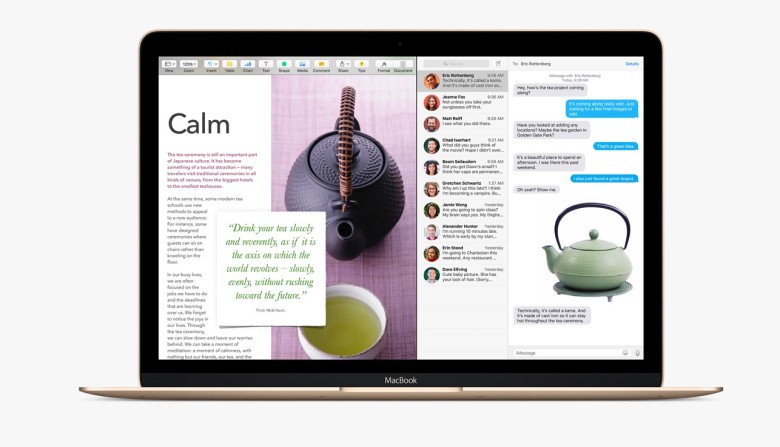
    Apple has already introduced the Split View feature with the iOS 9 for the iPads, now El Capitan OS follows suit. Split view allows two applications to run side by side. There are two ways you can get the split screen activated. You can click and hold the green zoom button of a window and then drag it into place, or open up Mission Control (F3) and drag the two apps of your choice into the same thumbnail at the top.

    Spotlight search with natural language

    By natural language we mean the way you would naturally speak when looking up something. For example, you could enter “find mail from Sam regarding flight details” and you will get exactly what you were looking for. Basically, Spotlight now has a better grasp of language.

    New Mail gestures

    mail-gestures

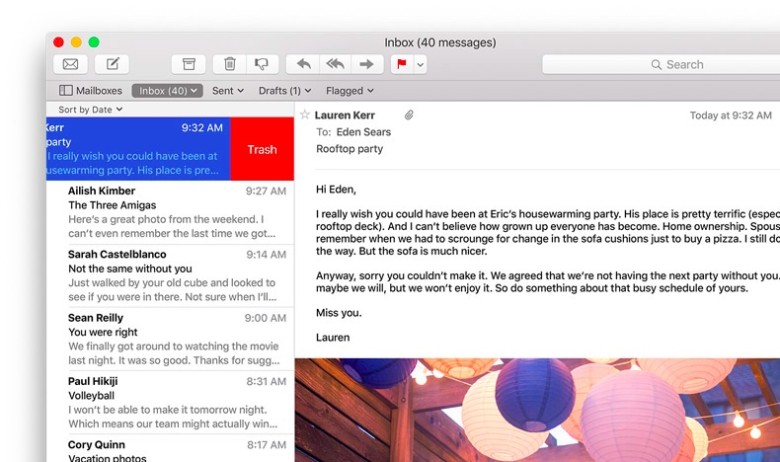
    Like the Split View, Apple has borrowed from iOS for the Mail app as well. OS X El Capitan can now allow you to delete mails and access other options by using two fingers to swipe on an item. Mail also recognizes contacts and events in you messages and helps you call or add events to your calendar.

    More to do with Notes

    The latest iOS 9 brought a whole bunch of changes to the Notes app. The same changes can now be found in the Mac. You can create checklists, import maps and pictures, or insert text formatting. The improvements are still short of Evernote, but the company is getting close.

    Send individual videos via AirPlay

    Earlier, if you wanted to send a video from Safari to your friends or to the AppleTV, you would have had to share your entire browser window for that. With the new upgrade you can now send just the video. In Safari, click on the AirPlay option just below a YouTube video and you can select your desired destination. It works with YouTube right away, with support for other services to come soon.

    Pin tabs in Safari

    pintab-safari

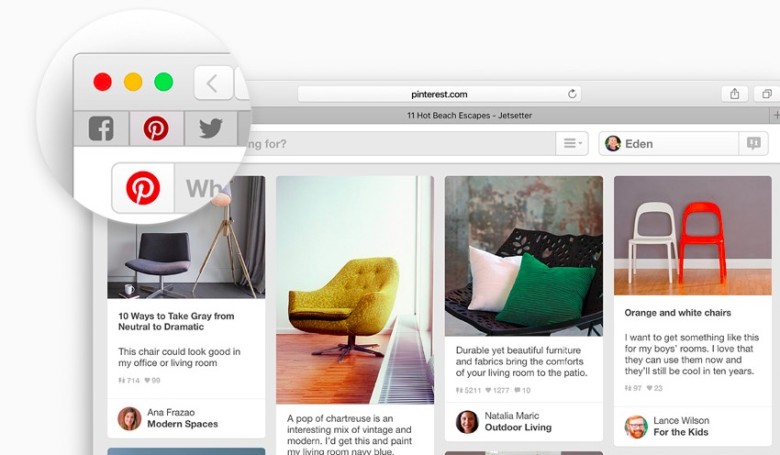
    You can now pin sites that are most frequently visited to a new browser tab at the left-hand side of the tab bar. This allows you to quickly access them with just a click. Pinned sites automatically open when the browser is opened.

    Skip the Trash

    Trash-Mac

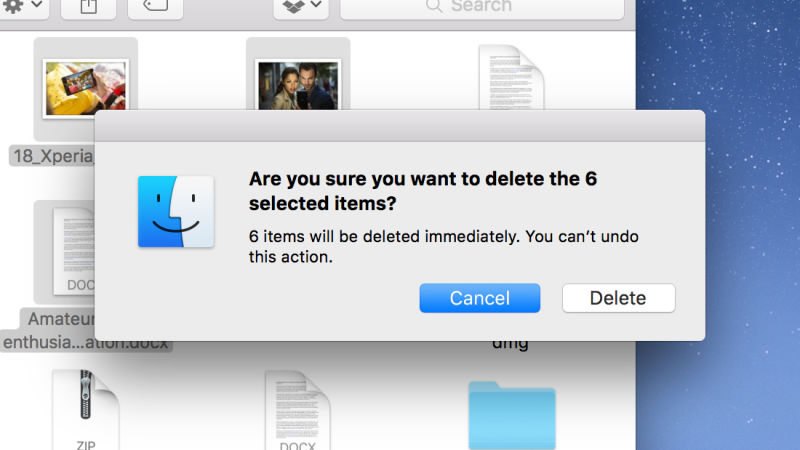
    This gives you the option to permanently delete any file you like rather than temporarily deleting them. It saves you the trip of having to go to the trash bin. Press Option+Cmd+Delete to erase files immediately. You can find the option in the Files menu once you select the files you want deleted.

    Hide menu bar

    The new update gives you more screen space by making the menu bar disappear at the top of your interface automatically the same way as the bottom dock. Go to System Preferences via Apple menu, then go to General heading, and select Automatically hide and show the menu bar.

  • Apple OS X El Capitan Available Today as a Free Update

    Apple OS X El Capitan Available Today as a Free Update

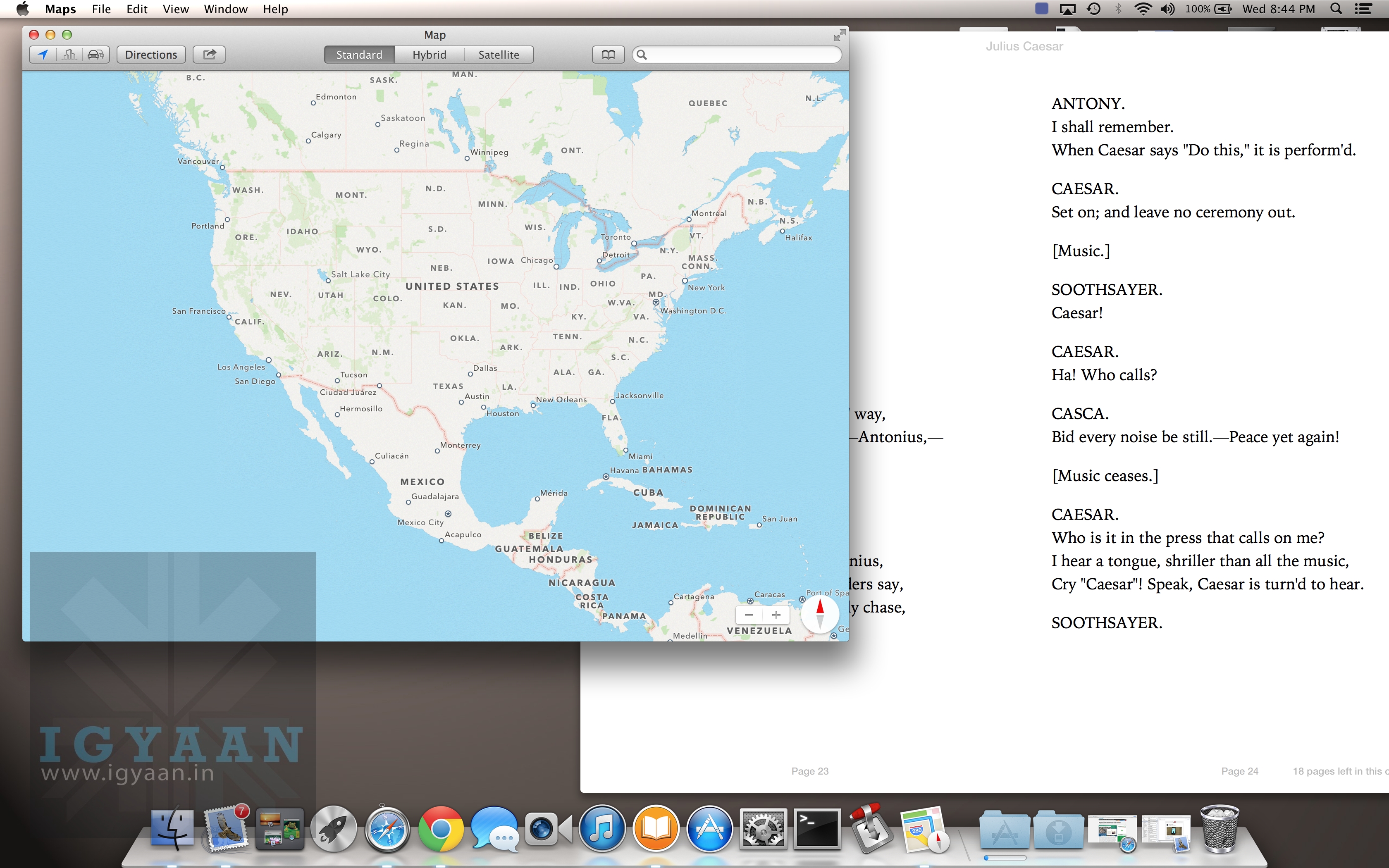
    Apple announced today that the latest update to its desktop operating system will be available for free for all Mac users. Apple claims to make features like Windows Management, built-in apps and Spotlight search part of its OS X EI. Performance improvements, to make everyday activities like launching and switching apps, opening PDFs and accessing email, will also be made part of it.Windows on Mac 1

    These added features are expected to make the Apple experience more refined and provide better system performance. Apple promises dozens of new features with this one, but we’ll have to wait before the company can deliver them smoothly and successfully. Its hands have been a little more than full with App Store glitches, crashing iOS updates and malware attacks in the recent past. Let’s see if Apple manages to steer clear of them and prove why it has been an undisputed name in the tech world for so long now.

    OS X El Capitan is available as a free update starting Wednesday, 30th September from the Mac App Store. It supports all Macs introduced in 2009 and later, and some models introduced in 2007 and 2008.

  • Micromax to Create Its Own Forked Android OS Soon

    Micromax to Create Its Own Forked Android OS Soon

    Micromax is now the newest company to start its own operating services and apps. Taking a cue from Xiaomi, Microsoft and Samsung the new OS, as reported, will run on all of Micromax’s devices.

    This project has been started by the new technology head at Micromax, Ashish Agarwal. This OS is said to be a platform developed on Google’s Android. The first few smartphones that will come with this OS are expected to arrive by the end of the financial year and will be affordable.

    Micromax co-founder Vikas Jain told ET:

    “We’re excellent with partnerships and we don’t want to reinvent the wheel,”

    The above statement has confirmed the fact that the new OS will not break away from Android. Micromax’s goal is to invest in software in order to differentiate itself without alienating its consumers and developers.

    Previously, we have seen Micromax tie up with Cyanogen for the Yu range, through a fully owned subsidiary. They are also investing in start-ups such as Healthifyme and MiMedia – services that can be integrated into their devices.

    Final reports suggest that the new forked Android OS is being developed in Bengaluru. Stay tuned for more updates.

  • Top 5 Features of Android Marshmallow

    Top 5 Features of Android Marshmallow

    Three days ago, Google announced the sweet its Android OS was named after; Marshmallow. Now that it’s out in the open, let’s take a look at 5 noteworthy features it has:

    1. App Permissions : You’re the Boss

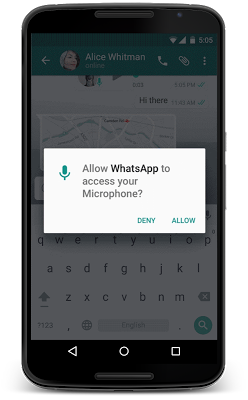
    This feature has gotten a makeover and Google will now allow users to take a call on which permissions they want to allow or revoke, based on the usage of these functions. Unlike right now, where you don’t have a choice but to agree to all app permissions on first install or updates, in Android M, you will get a notification asking you to allow an app to use a specific function.

    Google helps to give permission in parameters like, location, camera, contacts etc. So if you’re using WhatsApp and you want to send a voice message, the App Permissions tab will pop up, asking you for permission to use the microphone. You can also revoke the permission later if you so wish. This is exactly the way Apple handles it on iOS.
    android m

    2. Better Web Experience: Custom Chrome Tabs

    The web browsing experience has been further enhanced with Chrome Custom tabs, a new feature, that will let you include webviews within a particular app, without switching to the Chrome browser on your phone. Features such as automatic sign-in, saved passwords, autofill etc., will work on the apps seamlessly. The Chrome Custom tab also blends with the colours and fonts of the app it is being opened with to make it more seamless than it already is.

    3. App Linking

    Known as Intents, Android currently supports the app linking system, which lets you open a web link in a web browser or app. Before, if you had a Twitter link in, say your inbox and you clicked on it, you got a prompt asking if you want to open the link in your browser or within the Twitter app, which is installed on your phone.

    So now, Android M will first let developers add an auto-verify feature within their code, which will, in turn, help open the link within the respective app (provided the app is installed on your phone). Instead of giving you the option. Don’t worry about the security because it is only after post-authentication and verification, that this feature will follow through.

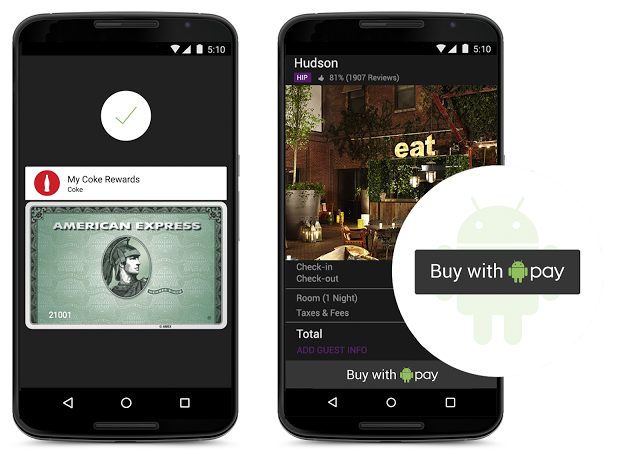
    4. Android Pay

    With this feature, all you need to do is unlock your phone, keep it near and NFC (near-field communication) terminal and voila, your payment is done. You don’t even have to open the app for this because payments are done by using NFC and host card emulation techniques for smooth tap-to-pay services.

    Worried about security again? Google claims that once you share your credit card details, it creates a virtual account number. So, your real card number isn’t actually shared with the store you’ve shopped from.
    android pay

    5. Power management

    Since battery is a perpetual problem, Android M will feature something called ‘Doze’ that will optimally manage the background processes.The OS keeps a watch on the motion detection sensor and if it sees no activity for a while, it shuts down some processes. However, alarms and high priority notifications can still be activated on this mode. Confident about this feature, Google claims that it helped the Nexus 9 to increase its stand by time by almost double, as compared to Android 5.0 Lollipop.

    Although those were just top 5, features like the standardised finger support and the USB Type-C for charging support, will just make your life easier. You can authorise an Android Pay transaction, unlock your device or make Play Store purchases, all with the sensor. Similarly, a USB Type-C has a bi-directional port which you can use to charge the phone along with another device.

  • Xiaomi Shows Off Their New OS, The MIUI 7

    Xiaomi Shows Off Their New OS, The MIUI 7

    In addition to the much awaited Redmi Note 2 that was only launched in China, Xiaomi also released its OS which is the new version of the company’s Android-based operating system. The MIUI 7 OS was announced in China and the international launch took place today, in India.

    We will get to see a lot more features and information on the MIUI 7, this time so before we take a look, let us show you a video that shows the performance of the MIUI 7:

    This UI was announced on August 16th 2010, and now has 48 official ROMs by various MIUI developers, and 480 community ROMs.That seems to be substantial growth in the last 5 years as the MUI has over 150 million users today spread across a 156 countries. Naturally then, it has a lot of expectations riding on its back.

    Firstly,  it has a feature called ‘System UIs’, which is basically a bunch of theme sets that allow you to customise your phone according to your own taste.  It has 4 choices; Rose, Pink Blush, Ocean Breeze and High Life.

    A second cool feature would be ‘Showtime.’ This allows you to attach animated videos to certain contacts that you’ll be able to view when they call you. Cool, right? The most amazing part is that we don’t need to keep waiting for it either. Contrary to how launches usually work, this time we will get to see this particular feature in India first, and then it will roll out in other areas. Let’s feel special for a moment.

    Thirdly, it has a feature called ‘Auto DND’ that can be used in combination with your Mi Band fitness tracker, if you own one, of course. What it does is, if a Mi Band detects you’re sleeping, it will automatically put the device in a Do Not Disturb (DND) mode, and silence your device. Once you wake up, the DND will be disabled. It’s like your personal butler, in a way.

    source: Gsmarena
    source: Gsmarena

    The ‘XXL Text’ is something that most elderly people ought to use. It’s a feature that allows you to apply  huge fonts on your smartphone, whilst promising that your Xiaomi UI won’t become dysfunctional. Another feature called The ‘MIUI Data Saver’ is actually powered by Opera Max’s compression tech. This will release worldwide, in a month and will offer you data saving across all apps. Why is this a good thing? Because Opera’s cloud compresses data, and hence can save you a lump sum of cash when it comes to mobile data (up to 50% less data consumption).

    The MIUI 7 even has a feature called The ‘Baby Album’ that uses face recognition to identify adorable babies and group their photos with you.  And lastly, The ‘Daily Lockscreen’ feature chooses a picture to put on your lockscreen, on a daily basis. Once again, we have the privilege of seeing these features first in India, before they roll out elsewhere.

    Thus those are a list of features you should be looking out for, starting 24th August which is when the MIUI 7 update will be available. You’ll get the taste of the new OS on the Redmi 1S, Redmi 2, Mi 3, 4, 4i and Redmi Note 3G/4G.

  • Name Game: Google Teases the Name of the New Android M

    Remember the last time we asked you to guess what the next version of Android will be named? It’s entertaining to see which candy will get to hold the coveted title of being the latest Android OS’ name. Last year, it was Lolllipop and this October, we should hopefully see what Android M is going to stand for.

    Googlers Nat and Lo were seen having some fun with the names as well as giving us a sneak peak of the new Android statue that will be displayed in the front lawn of the Google HQ, like every year. Take a look at the video below:

    Apart from a new name, the Android OS will see a hoard of updates like support for Android’s version of Touch ID, better battery life management,  improved permissions settings for apps and a smarter Google Now.

    Th funfilled video leaves you thinking of all the delectable edibles that start with the letter M. So go ahead, tell us what you think it’s going to be as we wait for October to come.

    Source: [tw-button size=”medium” background=”#07ABE2″ color=”” target=”_self” link=”http://www.in.techradar.com/news/phone-and-communications/mobile-phones/Google-starts-the-guessing-for-the-official-name-of-Android-M/articleshow/48501688.cms”]Techradar.india[/tw-button]

  • Microsoft Might Release Windows ‘Threshold’ Preview Next Month

    Microsoft Might Release Windows ‘Threshold’ Preview Next Month

    Microsoft’s new update of the Windows operating system codenamed as Windows Threshold should be available as soon as September. The software maker has been gradually working on the release over the past several months, adding and tweaking features ready for a “technology preview” release to the public.

    According to a ZDnet report, Windows Threshold would likely have the official ‘Windows 9’ name, when the ‘technology preview of the OS starts seeding late next month. People who would like to install the Windows 9 ‘Technology Preview’ will have to sign up to receive automatic regular monthly updates that Microsoft is expected to seed, once the preview build gets an official rollout.

    Windows 9 leaks present a refreshing new look while keeping the classic Windows look.
    Windows 9 leaks present a refreshing new look while keeping the classic Windows look.

    The Windows 9 preview will be similar to how Microsoft first let developers test Windows 8, with features not fully complete or missing. It is said that the updates will be pushed to users who install the preview on an automatic basis, meaning the release will change rapidly over the coming months before it’s finally ready.

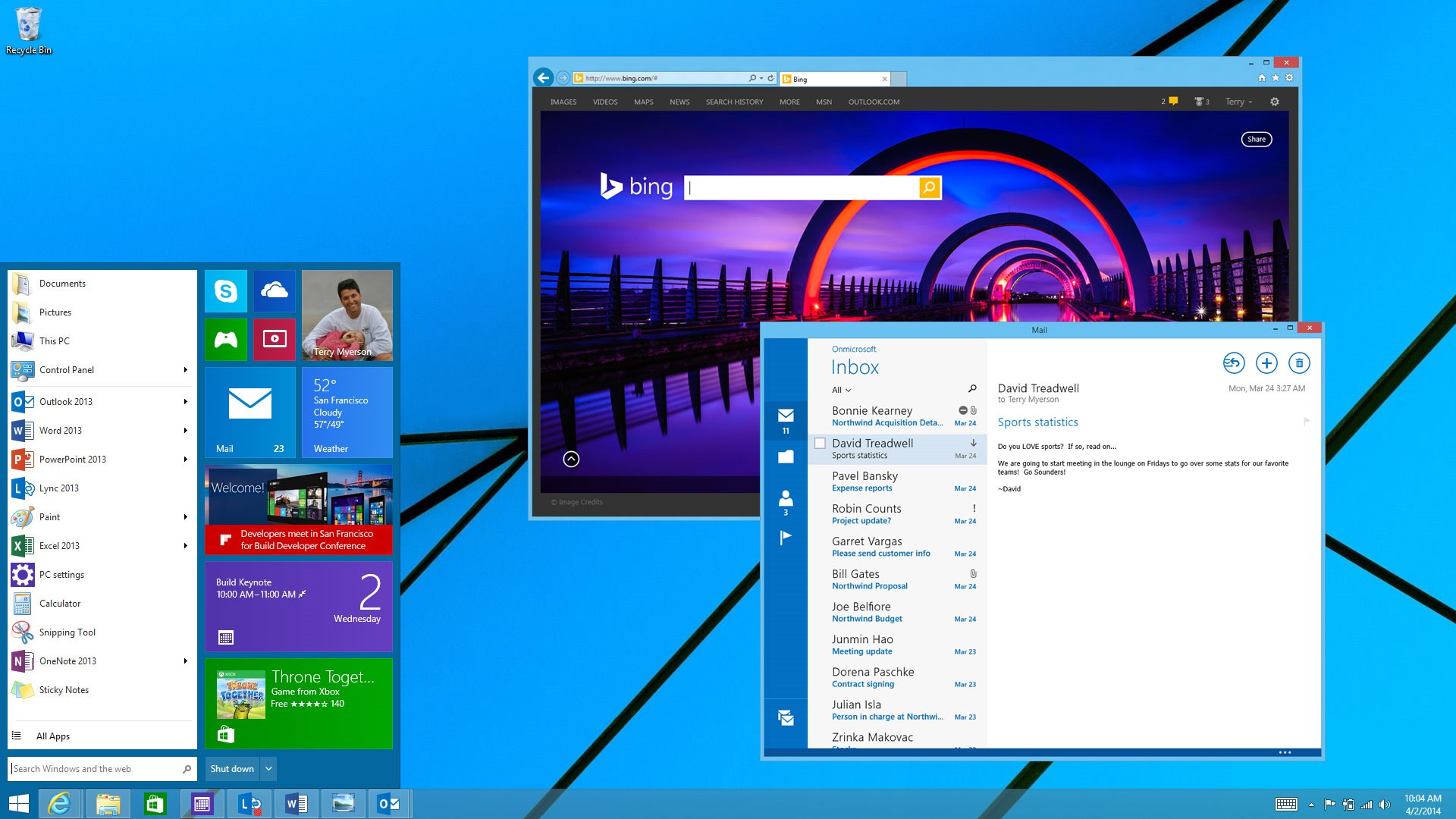
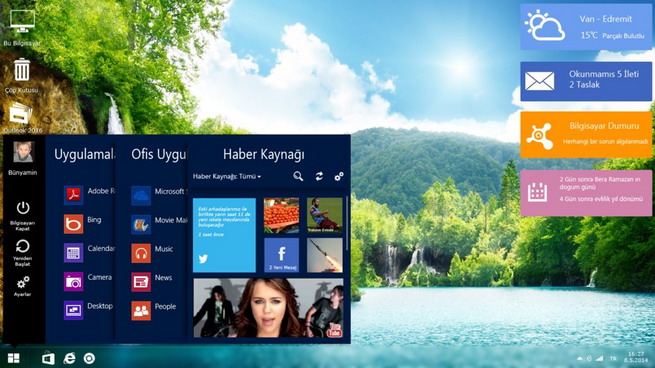
    Existing internal versions of Threshold include a new mini Start Menu, “Metro-style” apps that float in separate windows on the desktop, a virtual desktops feature, the removal of the Charms bar feature, and an early version of Cortana. Microsoft is also making several UI changes to Windows 9, including some tweaks on the desktop to improve upon Windows 8.

    windows-9-design-concept

    On desktops, Windows 9 ‘Threshold’ interface is expected to boot as default rather than letting users choose between the traditional Windows and metro-style user interfaces.Windows 9, once official, is expected to dynamically fit in the device, which it runs.

    Microsoft CEO Satya Nadella has said Windows 9 will be an all-around OS that will be compatible with personal computers, tablets, smartphones and video-game consoles. In particular, differences between Windows Phone software and standard PC software should be removed. As of now, Windows 9 stable version is expected to start rolling out by spring 2015, though this is yet to be confirmed by Microsoft. The pricing details of this OS are yet to surface.

  • Has Apple Ended it for Paid Operating Systems with OS X Mavericks

    Has Apple Ended it for Paid Operating Systems with OS X Mavericks

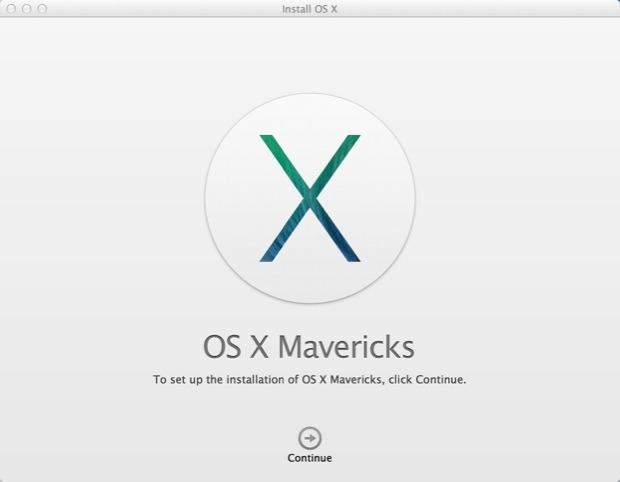
    Apple yesterday announced a flurry of new products from the new iPad Air to the iPad Mini with Retina Display, brand new Mac Pro and a revamped Macbook Pro with retina display. Possibly the most subtle and less talked about are the software launches. Apple launched the new Mac OS X 10.9 Mavericks and 7 new applications including a revamp of popular iMovie, iPhoto and Garage Band which made the iLife suite and work based Pages, Numbers and Keynote which made the iWork suite. The best part being the fact that all of the above comes free to Mac owners. 

    Logically all these Apps and Operating System updates are meant for consumption on Apple products, and by making these crucial applications and a major Operating System update free, Apple may have stirred the industry and the likes of Microsoft who basically survive by selling their operating systems and apps.

    Highlights
    Highlights

    Prices of Apple’s Mac OS X have dropped in cost considerably over the years. Apple charged users US $129 for four main OS updates, then Apple dropped the operating system’s upgrade price to $29 with 2009’s OS X 10.6 Snow Leopard, and then to $19 with last year’s OS X 10.8 Mountain Lion. 

    Microsoft was forced to lower the price of its expensive Windows 8 to a mere US $ 29 to compete with Apple last year, where the Redmond company offered its previous OS owners a cheaper upgrade to the new Operating System. However post a golden period the price was returned to a whopping US $ 199 which the company charges for their PRO variant of Windows 8. Microsoft this year however offered Windows 8.1 as a free upgrade to Windows 8 owners, and while many may call it an incremental upgrade, Microsoft continues to claim that Windows 8.1 is a major software overhaul which is “worthy of a price tag”.

    Back in the 80’s software was a part of commuters as a vertically integrated product. Apple with OS X Mavericks has suddenly sprung that era into present day. Since Apple is the only company that manufactures hardware for their software or vice versa, it makes sense for the company to gain profit from hardware sales and make the software free. In essence the user sees it as a freebie especially since it had a price tag prior to it being free. 

    Apple has also ensured that anyone with a Mac computer upto 4 years ago can update to the new Mac OS X Mavericks, which will make old owners of Apple computers happy, since they won’t need to spend money for new operating systems each year. 

    What’s more, Apple has also enabled users to get Apple own apps like the iLIfe suite and iWork suite free of cost, making it a boon for students and daily users. Apple used to drive huge profits from selling applications and operating system upgrades. Most people don’t upgrade their Operating Systems till they buy a new computer, Apple however has sort of changed that, or has tried to change it. Just like software updates on the iPhone that drove more than 80% iPhone owners to upgrade to iOS 7, it is expected that a whole chunk of Mac owners have probably already upgraded to Mac OS X 10.9 Mavericks, or plan to over the weekend. 

    Installer
    Installer

    The upgrade process is simple, hit the Mac App Store download the Mavericks installer, run the installer and about 20 minutes later you are upgraded. As Steve Jobs would say “It just Works!”,  exactly how upgrading a modern operating system should feel like. It gets done with the minimal of fuss and fanfare, and then the operating system steps aside and lets the user get back to work. 

    For Apple owners this may not seem as a big deal, however the folks over at Microsoft are probably festering out new plans as we speak to keep their investors happy. Do you think OS should be free? Let us know below!

  • LG Launches Fireweb a Firefox OS Smartphone in Brazil

    LG Launches Fireweb a Firefox OS Smartphone in Brazil

    LG is not only limited with Android devices, be it Nexus or any other device as LG has launched a Firefox operating system based smartphone. The Mozilla based smartphone is named Fireweb.

    fireweb

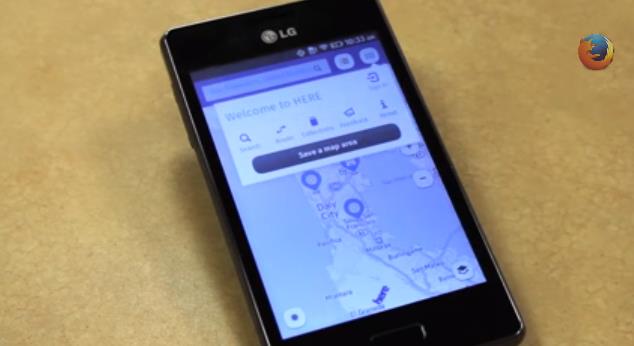
    Fireweb sports a 4 inch HVGA display –large screen as said in the video below– with a resolution of 480 x 320 pixels. The device is powered by a 1 GHz 3G Qualcomm processor and 2 GB of memory, not clear as per the press release. The device is equipped with a 5 MP camera, the camera also features auto-focus and keeps the tittle of being the first Firefox OS phone to have auto-focus and LED flash. Vivo Brazil is selling the Fireweb at a price of 449 BRL ($207 US). 

    Jay Sullivan, COO of Mozilla, states, “We built Firefox OS as part of Mozilla’s mission to put the power of the Web in people’s hands and offer the best Web experience possible. We’re happy to see Firefox OS gain momentum with partners launching new devices in new markets and developers around the world being inspired to innovate. Our partnership with Telefónica Vivo demonstrates the rich, new experiences offered on Firefox OS by combining the best global and local content with LG’s elegant new device experience.”

    [youtube id=”t_7sTP7IRn4″ width=”100%” height=”300px”]

  • Report : BlackBerry Might Be Broken Into OS And Patents Divisions

    Report : BlackBerry Might Be Broken Into OS And Patents Divisions

    Reuters reports that some potential bidders are looking at breaking BlackBerry apart and keeping only the operating system and the patents around its keyboard. 

    For several years many investors have been pushing BlackBerry to be split up into several parts: network, device and patents. Unfortunately, something of this nature just might happen.

    According to a report in Reuters, several unknown bidders have signed confidentiality agreements and are looking into ways to break the company up into two parts – operating system (BlackBerry 10 and the network assets) and its vast collection of patents, specifically highlighting its keyboard. Possibly vanishing from the plan is its hardware production. However, there is a glimmer of hope as the report states there might be interest from “a Canadian pension fund to team up with an investor to buy the whole company, which is currently worth a little more than $5 billion.”

    Reuters notes that “According to analysts, BlackBerry’s assets include a shrinking, yet well-regarded services business that powers its security-focused messaging system, worth $3 billion to $4.5 billion; a collection of patents that could be worth $2 billion to $3 billion; and $3.1 billion in cash and investments. Even at a conservative estimate, that is more than the company’s $5.4 billion market value. Analysts said the smartphones that bear its name have little or no value and it might cost $2 billion to shut the unit that makes them.”

    BlackBerry announced in August that it was looking into “strategic alternatives”, including selling itself to help figure out its future. Its market value has fallen to $5.4 billion, from $84 billion at its peak in 2008. 

    [Via]

  • Google and Intel Announce New Haswell Chromebooks

    Google and Intel Announce New Haswell Chromebooks

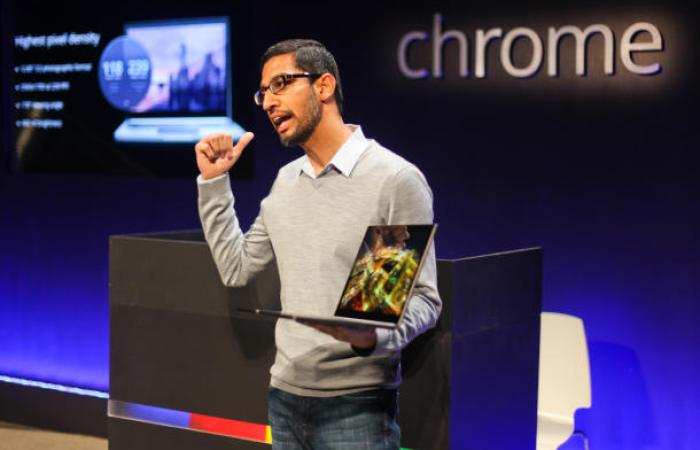
    Google and Intel introduced three new Chromebooks and a Chromebox, each of them running Intel’s Haswell processors. This was announced on Wednesday at Intel Developer Forum keynote in San Francisco, as Intel VP Doug Fisher and Sundar Pichai, the head of Google’s Android and Chrome divisions, showed off the new hardware.

    They revealed two new laptops from existing partners HP and Acer, a Chromebook from Toshiba and a Chromebox from Asus. These devices makes Asus and Toshiba’s first devices into Chrome OS hardware. Doug Fisher promised battery life improvements of up to 50 percent and performance jumps as high as 15 percent for Haswell Chrome devices over their previous generation chipsets.

    There are customers telling us they are interested in new operating systems and in particular Chromebooks,” said Ron Coughlin, senior vice president and general manager, Consumer PCs, Services and Solutions, HP. “We built the HP Chromebook to offer a great experience, choice and affordability, with a design that is truly unique.”

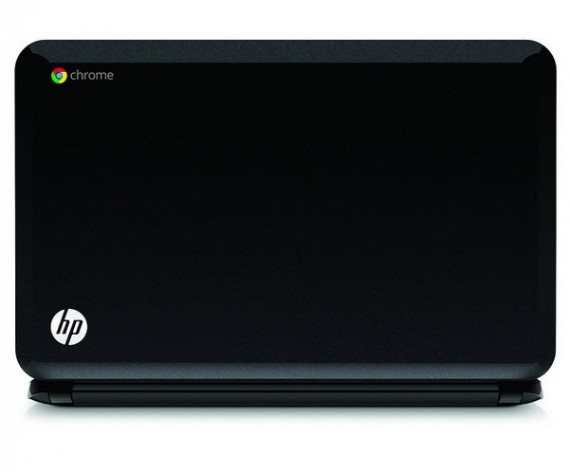
    The HP Chromebook 14 offers a fast and easy way for customers to connect to favorite websites in seconds. It also offers a gateway to the Google experience, including Google Chrome apps like Gmail, YouTube, Google Drive and Google+ Hangouts for users daily routine.

    HP-Pavilion-Chromebook-14-

    Some time back Chrome was just a browser and nothing else. But if Chrome OS is going to grow up and truly take on Microsoft and Apple, it will need both better applications and good hardware.

    The HP Chromebook14 is expected to be available in the US by end of the year, starting at $299.99.


  • The New Xbox One will run 3 Operating Systems including trimmed down windows

    The New Xbox One will run 3 Operating Systems including trimmed down windows

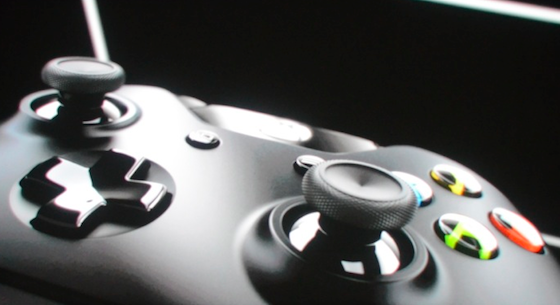
    While the Microsoft Xbox One has just been announced, the next-generation Xbox will run three operating systems simultaneously. A new revision of the Microsoft Windows 8 /RT designed for tablets, has been re-engineered for the main UI of the Console. This version will be used to run apps like Skype and other non-game titles downloaded from the Xbox storefront. A new virtualization technology similar to Microsoft’s Hyper-V will be used to allocate the bulk of system resources to a second, dedicated “Xbox OS” when the user loads up a game. The Final OS is a sort of mediator between the two operating systems. 

    The triple OS technology will allow the console to have layers on the screen, allowing users to Skype , play games and watch TV simultaneously. These  visual “panes,” which are full 1080p layers generated independently and displayed one on top of the other. 

    Whats more coders will be able to convert their apps to work on this Windows variant opening up a whole new marketplace (one of the biggest) for the developers.

iGyaan Network
Privacy Overview

This website uses cookies so that we can provide you with the best user experience possible. Cookie information is stored in your browser and performs functions such as recognising you when you return to our website and helping our team to understand which sections of the website you find most interesting and useful.