Tag: pinterest

  • Pinterest To Launch New In-App Visual Search Feature

    Pinterest To Launch New In-App Visual Search Feature

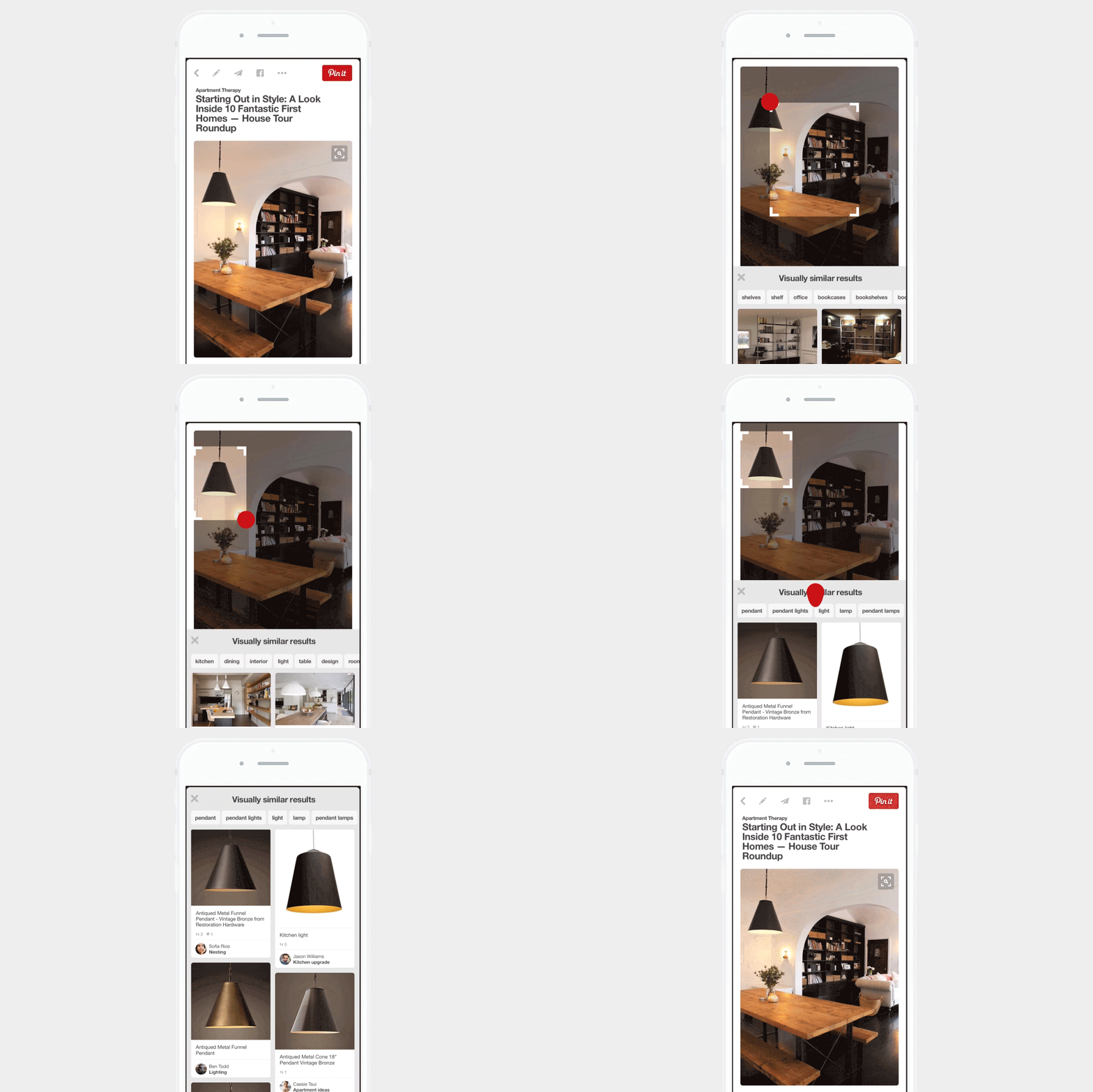
    Pinterest has teamed up with Berkeley Vision and Learning Center to create a new feature on the addictive browsing website which will help enhance your search. This feature will allow you to select an item of your choice in a pinned photo and search for similar items within Pinterest. Basically, what we’re trying to say, is that, Pinterest is going to launch a new visual search feature within the website.
    Pinterest Visual Search

    The new search feature works very simply, you just have to click on the search button, and then use an adjustable box over the photo to zoom in on the item of your preference. Furthermore, you can even add key words to specify your search.

    “We optimize on visual similarity, not just duplicates to power Pinners to discovery exact results, as well as unexpected results that may be similar in style or pattern or shape.” says Pinterest engineer Andrew Zhai.

    This new feature will also help you save time in two possible ways. Firstly, you won’t have to Google search an image, and can instead stay within the website and fine similar items that you might be interested in. Secondly, it saves us the time of browsing endlessly on this website. We all do it, and it is completely enjoyable, unless we have something very important to do and instead of doing that, we’re just browsing through Pinterest.

    This feature will go live on today and will be available on iOS, Android and the web.

    For more information, click here.

     

  • Pinterest Rolls Out its Own Messaging Feature

    Pinterest Rolls Out its Own Messaging Feature

    With the ever-growing market of instant messaging app, every social networking company is coming up with innovative new ways to get in touch with your friends and families. Facebook recently announced the stand alone Messenger and dropped chat window in the app. Meanwhile, new startups are also coming up with innovative ideas to make instant messing fun such as Fling.

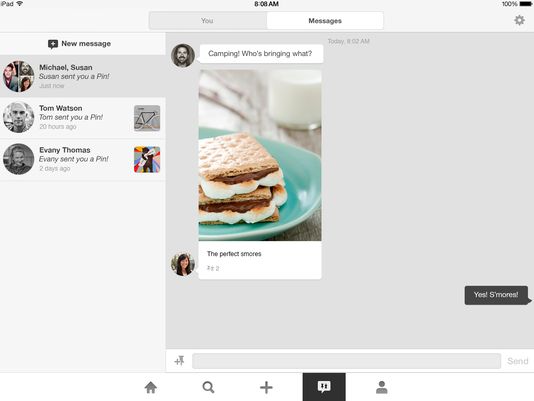
    Now, Pinterest is joining this race by rolling out a new messaging product called “Conversations”. It seems to be growing up to become a true social network. The digital scrapbooking service announced on Wednesday that its users can now send each other direct messages.

    1407364087000-iPad-conversations

    “Say you’re organizing a camping trip with friends – try sending Pins to the whole gang so you can figure out where to go and what meals to make,” Pinterest product designer Tom Watson wrote in a blog post. “If you need a reminder of who’s bringing what, just pull up the conversation right from your notifications.

    Direct messaging is meant to be an addition to the “send a pin” feature Pinterest rolled out in May 2013. The idea now is that when users receive a pin, they can reply with a message or send back another pin.

    Starting today, the company is rolling out messages on Android, iOS, and the web. Like Facebook’s ‘chat heads,’ the recent messages pop up to the left of the feed as bubbles with your friends’ faces. You’ll find the others under the pin icon where notifications pop up.

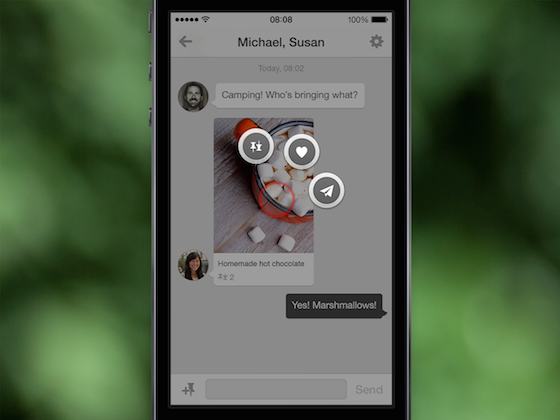
    messages_2_US

    Just click the ‘+’ icon, type in the name of a friend on Pinterest, and you can send a pin or a standalone message. The impressive thing about Pinterest messages is that the pins you send within the app retain all the functionality of a pin you see anywhere else on the site.

    Anything you can do with a pin on Pinterest’s web site, you can do inside a message: pin it to a board of your own, send it to another friend, or click the ‘heart’ to add it to your list of favorites. You can even drag a pin from the site into a message.

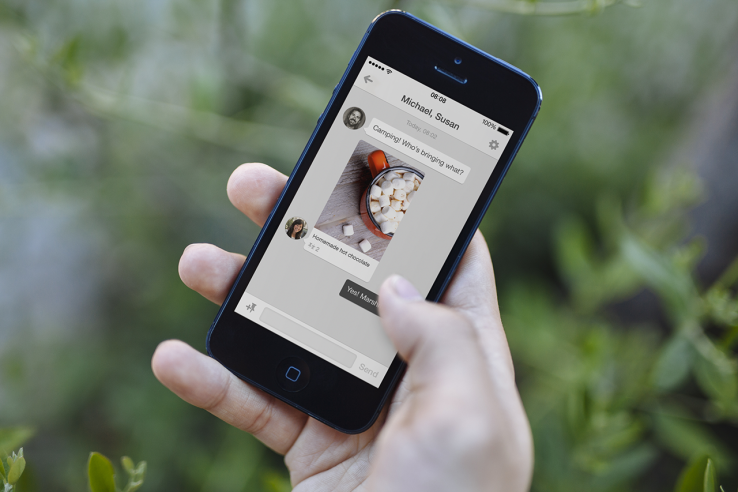
    messages_3_en-us

    Earlier this year Pinterest launched “guided search” which recommends keywords to help refine searches on the service. The feature helps people find the stuff they are looking for and the stuff they didn’t know they were looking for.

  • Pinterest Now lets you send pins directly to friends.

    Pinterest Now lets you send pins directly to friends.

    The Pinterest app got updated, along with a tiny overhaul of the mainframe, now allowing users to send pins directly to their friends. On the web however you can only email the pins as of now, the send pin option  is currently only available to mobile app users. 

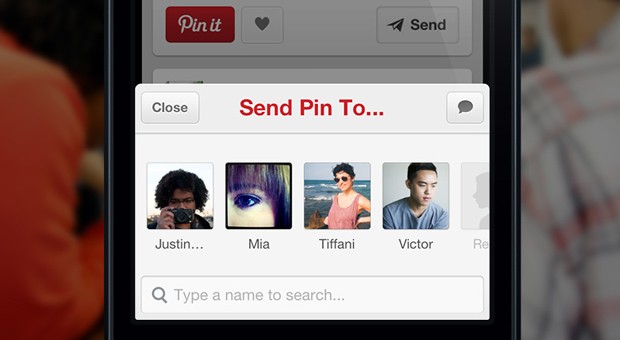
    2013051602


    Have you ever seen a pin you knew a certain friend or family member would love? Now you can send pins directly to your friends and fellow pinners from the web or your phone. You can even include a message to give it a more personal touch!

    Just tap Send from either web or mobile to send a pin. You can send pins to fellow pinners (if you both follow each other), Facebook friends, or email contacts. We’ll show you the most recent people you’ve sent pins to for easy access.


    [Pinterest]

  • Google+ gets new Multi-Column card design and Auto-Hashtags

    Google+ gets new Multi-Column card design and Auto-Hashtags

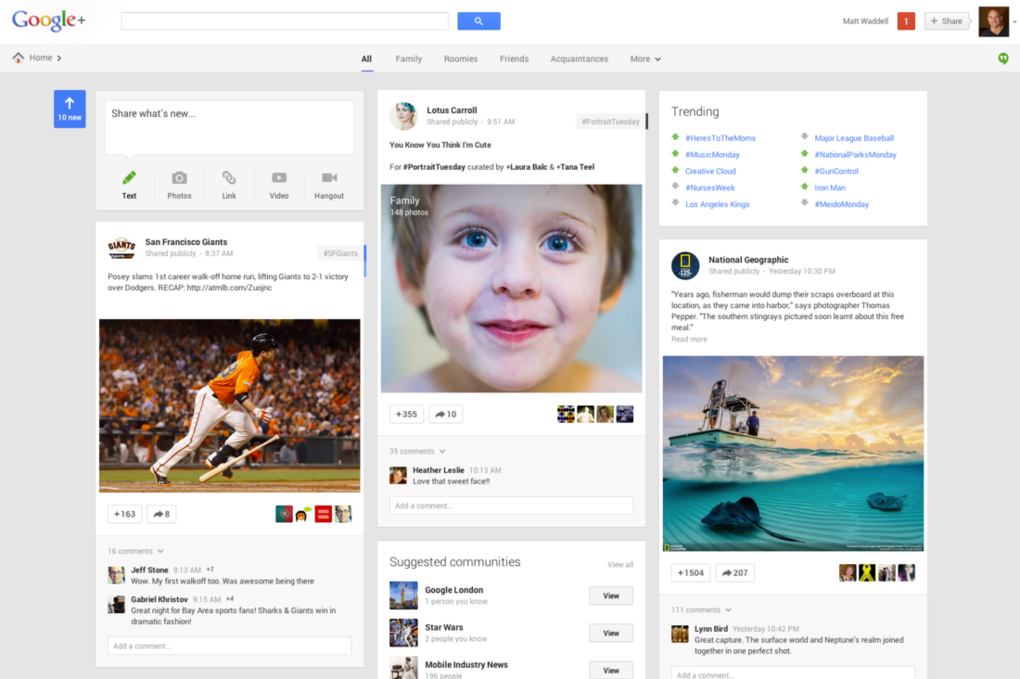
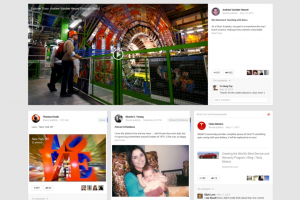
    Google at the I/O conference has launched a new design of their social networking site, Google+. Users on Google+will be seeing their social content in a new way thanks to a multi-column format fit for any size screen.

     The design consists of a maximum of 3 columns populated with individual cards for posts and pictures, almost to replicate Pinterest type UI. Columns appear or disappear depending upon the size of your screen, and cards can be flipped to reveal editing options, the cards can also be moved around. 

    Identical to Facebook’s left side menu, Google+ has also added a similar menu to help in the navigational traits. The Videos and Pictures will span to the width of the screen across multiple columns for a nicer looking experience.  Google clarified that the new design is responsive and will adjust to screen sizes. In addition, this 3-column layout will make its way across devices.

    Incase you like the original format, you can continue on the old design and say boo to the new Google + format. 

    Among the new features of Google+ is the ability to flip an image and look at related pictures under similar Hashtags. A feature called Auto Enhance will analyze and apply tweaks to your uploaded photos. The auto enhance feature will include fairly simple adjustments like brightness, contrast, color correction, noise reduction, tonal distribution, and saturation, but it will also make some more intensive changes. 

    “Auto Awesome” detects the kinds of photos you take, Google is going to try to make other improvements. Uploading a series of similar photos taken in a short period of time,  will automatically make an animated GIF out of it on Google+.

    Auto_Awesome_GIF

    The new Social Network design will also automatically pick out best pictures and ignore the blurry ones. This feature will choose the “best” photos to show off. To cite an example, Multiple images from an event will be scanned and only the good ones will be automatically shared, the remaining will remain pending for approval.

    Google also focuses on unified messaging service with the new Hangouts which is now integrated into the Google+ redesign. Google is releasing Hangout apps for Android, iOS, and Chrome (as well as integration with Gmail). In this move Google will get rid of Google Talk, Google Messenger, and Video Hangouts and everything will be replaced with the new Hangouts.

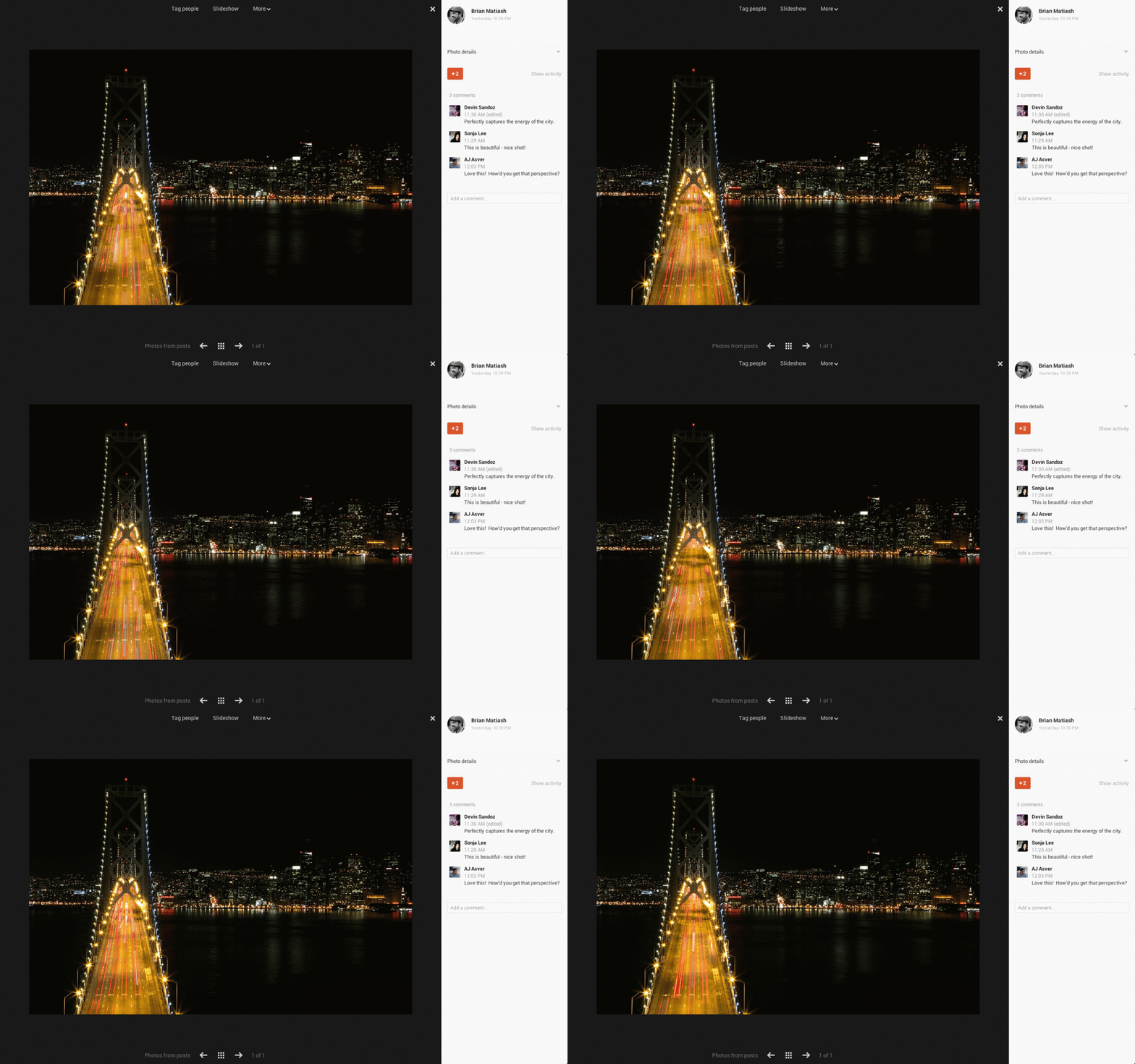
    Google still promises the features launched earlier for Google+ like unlimited uploads for photos under 2048-pixels wide, a fullscreen picture viewer, and 15GB of free space for for photos that cross the size limit.


iGyaan Network
Privacy Overview

This website uses cookies so that we can provide you with the best user experience possible. Cookie information is stored in your browser and performs functions such as recognising you when you return to our website and helping our team to understand which sections of the website you find most interesting and useful.