Tag: Spartan

  • Spartan Vs Internet Explorer : 6 Factors That Give Microsoft’s New Browser an Edge

    Spartan Vs Internet Explorer : 6 Factors That Give Microsoft’s New Browser an Edge

    When Microsoft made official its biggest innovation of the year, Windows 10, everybody was excited to hear about all the modifications it brought with it. It was not just another Windows upgrade, but was a whole new effort to push something fresh. Among other revelations that thrilled the audience, a huge amount of attention was gathered by the modern browser Spartan.

    Spartan is an entirely new web browsing platform for Windows 10 that holds a bunch of really cool new features. The browser has been designed to meet the demands of the today’s fast striding world with a pinch of simplicity. Spartan is the way ahead for Internet Explorer (IE) and a dive into the revolutionary world of the future.

    Here are some of the major differences that makes Spartan stand apart from the fast-fading Internet Explorer.

    1. Faster Rendering Engine:
    spartan edge

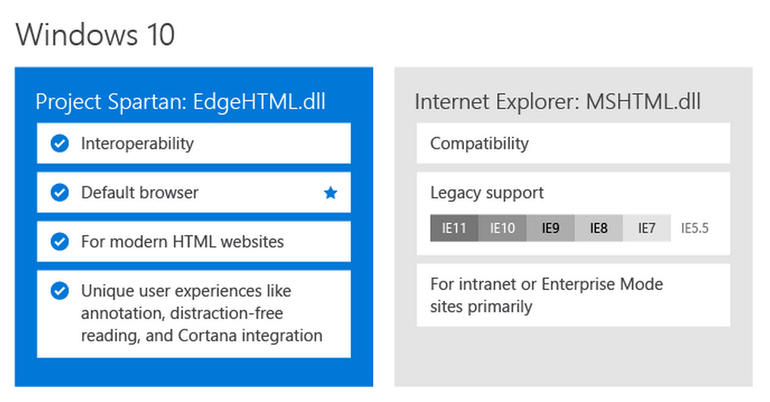
    The most vital and unnoticeable change that makes Spartan a real spartan is the all-new rendering engine ‘Edge’. It is the core of Spartan and is much faster than the existing renderer, Trident. It loads complex pages many times faster than the IE, making it a strong competitor of Google Chrome.

    Meanwhile, Windows 10 comes with two rendering engines as the latest Windows version comprises of two browsers. The Explorer works on Trident, while Spartan is powered by Edge; the latter is the default rendering engine on Windows 10.

    2. Voice Assistant Cortana:
    cortana-03

    Cortana is another significant development that has made Windows and Chrome users restless to try their hands on it. The web browser assimilates with the company’s digital assistance service, Cortana. Through the smart assistance, Windows 10 users can get information on flights, hotel bookings and other vital data on their browser. One can track a particular flight just by typing its name and all the data like departure time, arrival time and current status will appear.

    3. Note-Taking Mode:
    project spartan

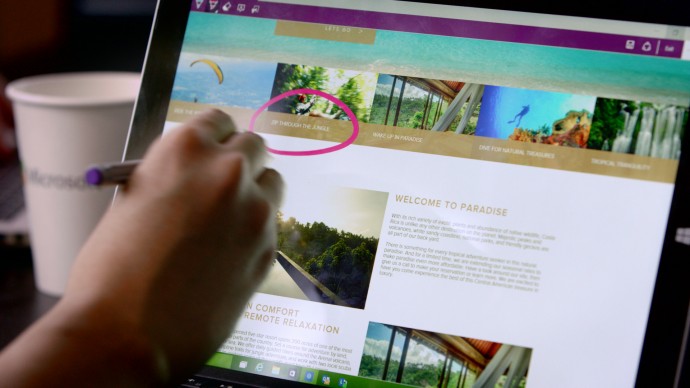
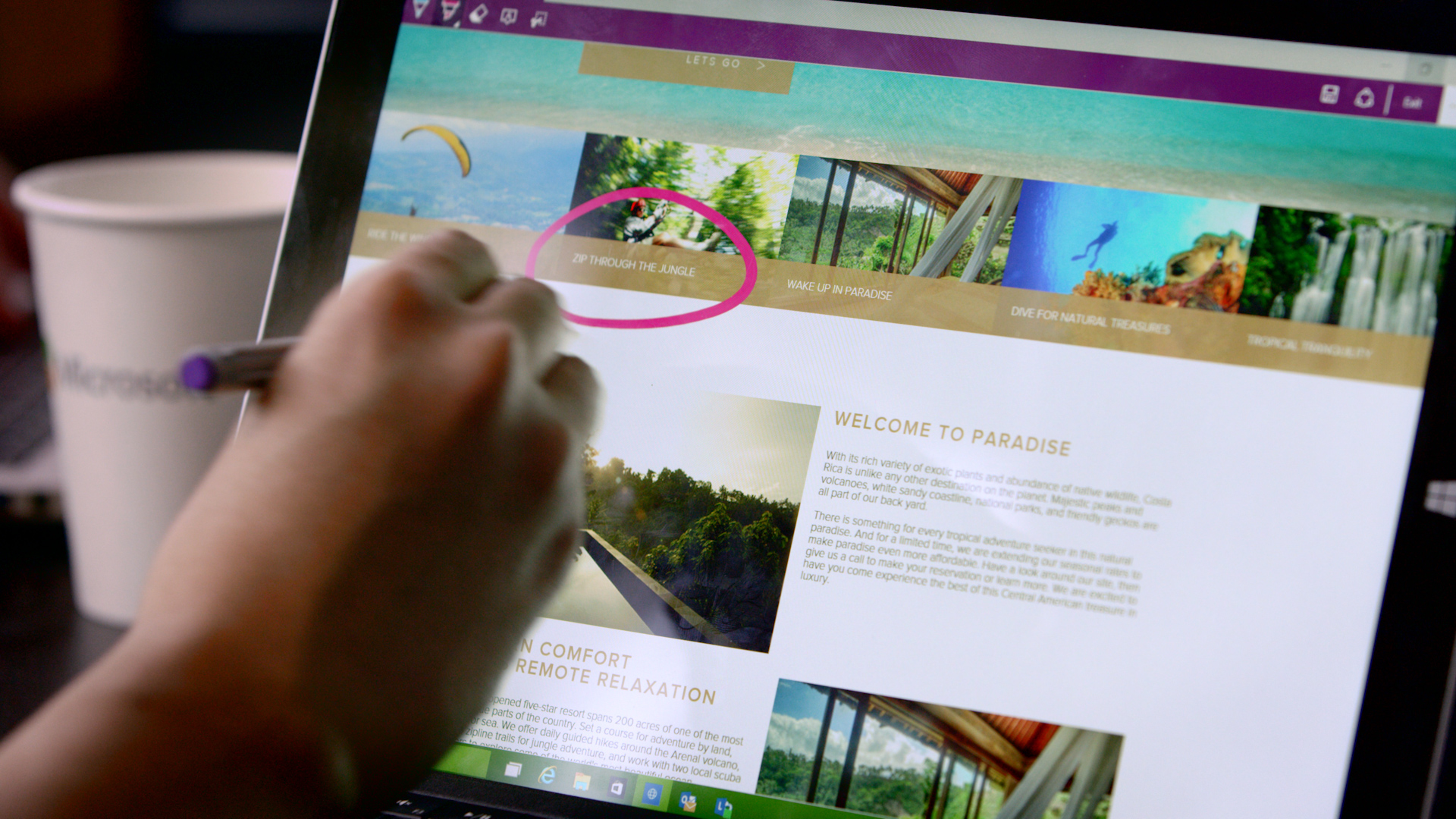
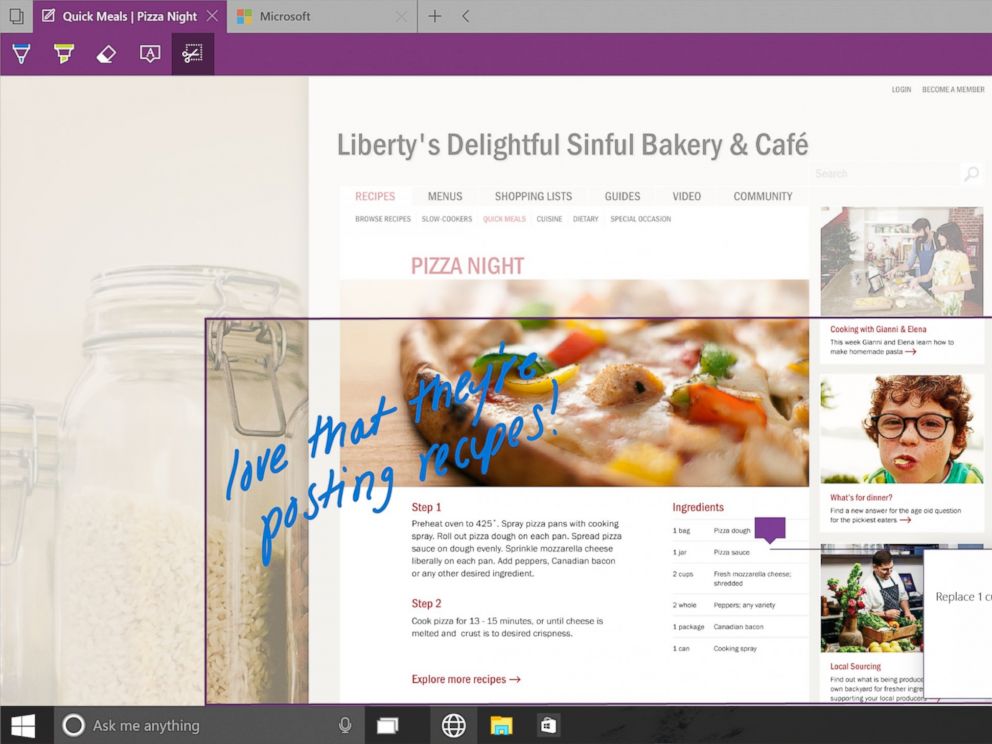
    Spartan has made it easy for users to highlight a specific section on the web page. The note-taking tool facilitates users to add comments and annotations to the web pages with the help of stylus. These pages can also be sent to a friend. As all the browsers support the web note service, the messages can easily be read by any of your friends or colleagues using a different version or OS.

    4. Clutter-free reading mode:
    IE will be replaced with Spartan which will be the browser of the future for Microsoft.
    IE will be replaced with Spartan which will be the browser of the future for Microsoft.

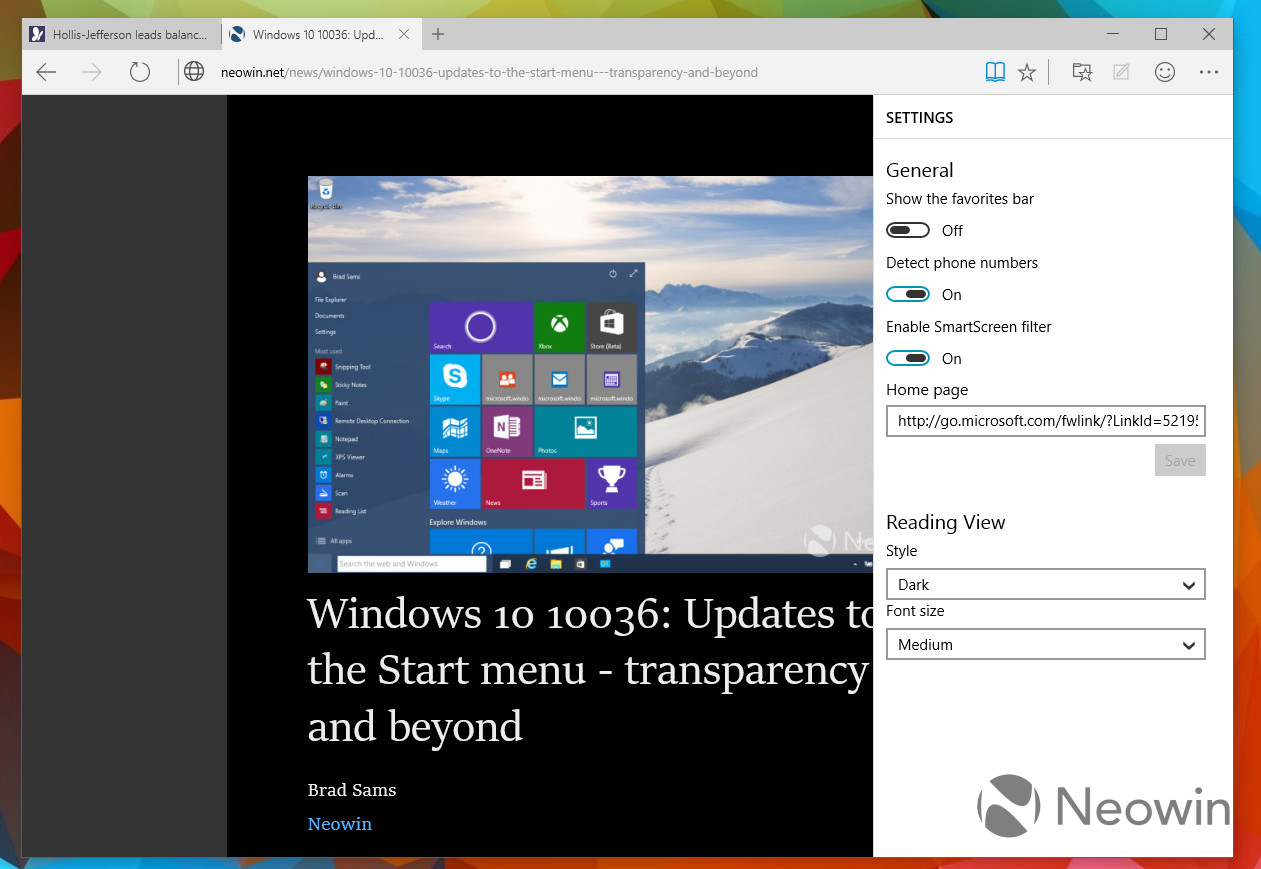
    One of the major modulation that is sure to mesmerise users is the clutter-free reading mode. The feature crops the important details and throws it ahead to focus on the information. The rest unwanted stuff is dumped in the background by default, giving users a de-cluttered view of the web page.

    5. Customizable reading list:
    spartan reading list

    It’s an another new feature in Spartan that offers users a facility of read PDFs and web pages offline. It’s a cross-platform feature that syncs URLs between devices. The feature is almost exactly like what Apple has already offered with its Safari browser.

    6. Simple interface with Group Tab Feature
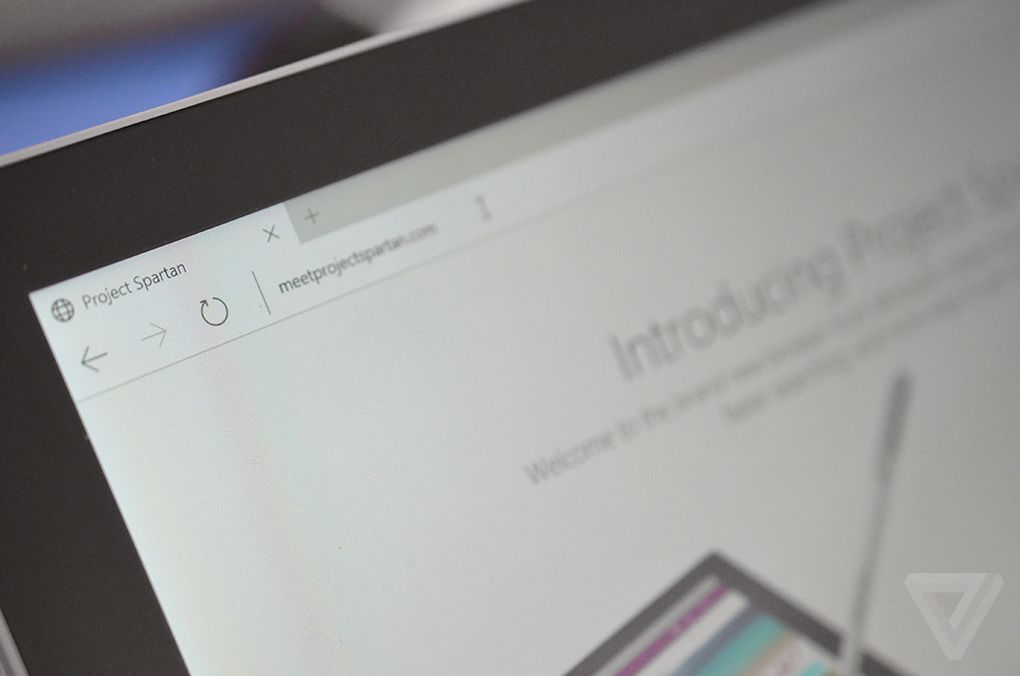
    spartan interface

    Microsoft has kept its web browser simple because the more simple, the more elegant it looks. The interface is quite light, which makes it all the more appealing, and the icons have been designed for easy and quick understandability. Along with that, there’s a group tab feature that keeps multiple tabs in an organized manner. One can split work tab from personal tab to declutter the messy screen.

    With the launch of Spartan, Internet Explorer – one of the vital means to bring internet to the masses since 1995 – has taken a backseat in Windows 10. It is estimated that Project Spartan will soon be a pivotal part of the golden tech history.
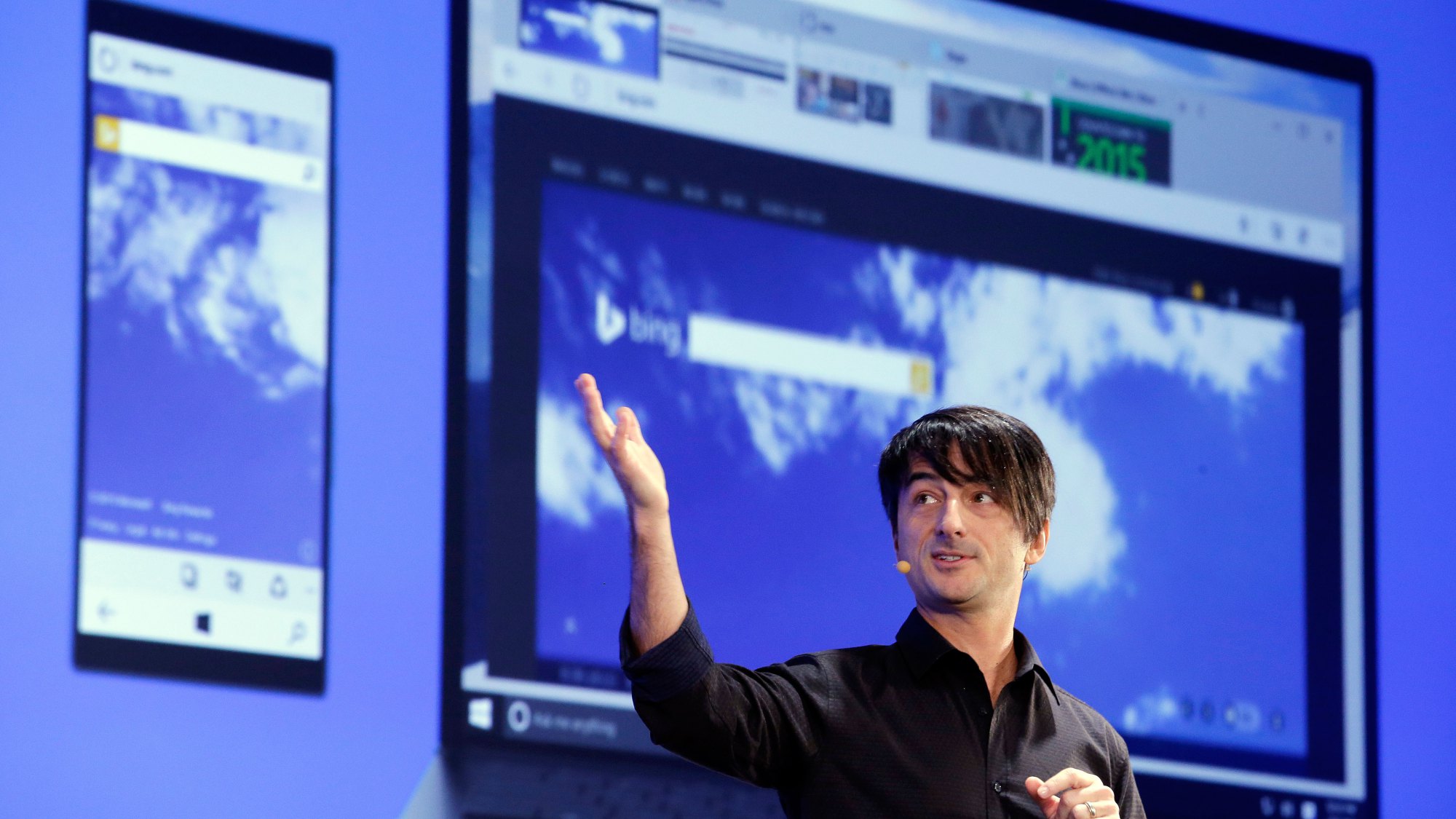
  • Check Out Microsoft’s New Browser ‘Project Spartan’

    Check Out Microsoft’s New Browser ‘Project Spartan’

    Anyone who has been a fan of Windows, has also made fun of Internet Explorer. With the rise of new and lighter internet browsers like Google Chrome and Mozilla Firefox, Internet Explorer lost the race miserably. The main reason was the heavy size of the browser and its inability to catch up with the latest trends such as extension support, tools and much more.

    However, with an exciting new announcement at yesterday’s event, Microsoft has taken its first step to change all that. At the Windows 10 event, Microsoft announced the much-talked about browser app which is codenamed Project Spartan. Microsoft’s new browsing app is a clean browser with a lot of shiny new features and convenient integrations with other Microsoft services.

    There’s a “note-taking mode” that lets you draw over the pages with a stylus or add comments with a keyboard, then save the results on OneNote. So picture this, while you’re browsing through a webpage, you spot an important sentence; you can use this tool to highlight the section and then share it further.

     A clean “reading mode” formats a page like a book and adds a syncable reading.

    spartan
    Note Taking Mode

    But these are not the major features of the new browser app. Just like everything else Microsoft announced yesterday, Spartan has Cortana built into it. Microsoft has taken a big leap with Cortana for Windows 10. Considering that the company joined the race much later than rivals Apple and Google, it’s good to see that Cortana has been deeply integrated in the company’s offering.

    With a slew of interesting new features, Spartan seem like a great replacement for the Internet Explorer. It promises to be a simple, fast and smart browser that efficiently ditches Internet Explorer’s dismissal brand image.

  • What to Expect from Microsoft’s 21st January Windows Event

    What to Expect from Microsoft’s 21st January Windows Event

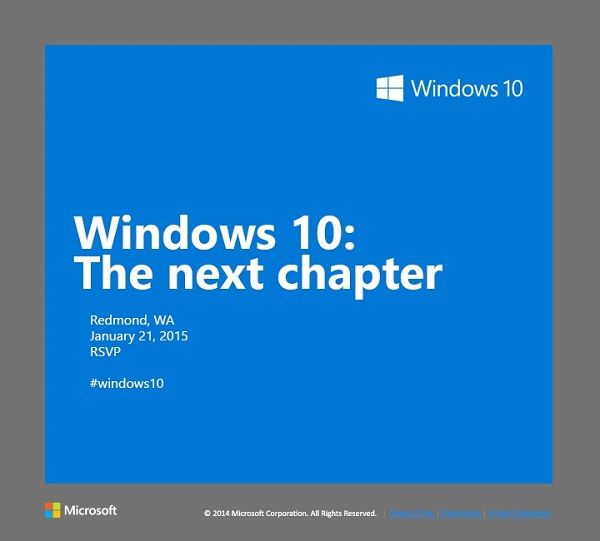
    Microsoft is holding a special Windows 10 event in Redmond on January 21st. The software giant has already rolled out invites to members of the press, asking them to be a part of the unveiling of “the next chapter.” The new OS is expected to bring new advancements in the consumer-end of the software. The 21st will give us the first glimpse into how Microsoft plans to compete in the consumer field of tablets and phones.

    Let’s look at what we can expect for Microsoft’s January 21st event:

    windows10invite.0

    Windows Phone 10

    It is no secret that Windows Phones so far has been a failure, with Android and iOS giving it a tough competition. According to IDC, Windows Phone holds petty 3% of market share which is the result of drastic dip in 2014. With Windows Phone 10, Microsoft is betting to change this scenario. The company is expected to take wraps off the first version of Windows Phone 10 on January 21. According to the reports, the next mobile OS will be a combination of the Windows Phone and Windows RT operating systems. Microsoft is aiming to take advantage of its universal applications model to align its tablet and phone software to run the same apps across tablets and phones.

    Windows-Phone-8-Update-3

    Windows 10

    Windows 10, in particular, is a crucial tipping point for the company. It’s first and foremost an opportunity for the company to follow through on its promise to make good with consumers, many of whom were turned off by the company’s last version, Windows 8. The most important change in the next installment will be the unification of the OS’s touch and traditional software. Another significant change is the return of Start Menu which was eliminated in Windows 8.

    In a recent tweet, Microsoft teased Windows 10’s ability to handle multiple desktops on a single device – saying that more is coming 1.21.15. Multiple desktops allows users to open a number of “virtual desktops” and spread their work out amongst them all – imagine them as virtual monitors you can flip between.

    Microsoft will be presenting a consumer preview of Windows 10 on January 21

    ‘Spartan’ Internet Browser

    Microsoft’s new Windows 10 internet browser, codenamed Spartan, is expected to debut with Windows 10 as a separate app along with Internet Explorer. Various leaks and rumors suggest that Spartan will be one of the major elements of Microsoft’s upcoming Windows 10 operating system and will come with some ground-breaking features which are currently missing in competing browsers such as Chrome and Firefox.

    spartan-browser

    According to the reports, Spartan will include digital inking support which allows Windows 10 users to annotate a web page with a stylus and send the notes and annotations to a friend or colleague. It is also said that Spartan web browser will be heavily linked to Microsoft’s Cortana digital assistant.

    PC Gaming

    A post on Xbox Wire noted that Phil Spencer, head of Microsoft’s Xbox unit, will be shedding light on Windows 10’s consumer experience, by including the role of gaming in consumer products.  According to the post, the company’s goal is “to help PC gaming flourish”, part of which will involve extending the Xbox experience across Windows 10 gaming PCs and other devices.

    Microsoft-PC-gaming

    The company previously announced that Windows 10 will ship with DirectX 12, which promises to help developers deliver better performance from hardware, in addition to bringing benefits to integrated graphics solutions such as Intel’s HD Graphics series.

  • Top 5 Expected Features of Microsoft’s Windows 10 Browser, Spartan

    Top 5 Expected Features of Microsoft’s Windows 10 Browser, Spartan

    Microsoft’s new Windows 10 internet browser, codenamed Spartan, has started to garner attention. Various leaks and rumors suggest that Spartan will be one of the major elements of Microsoft’s upcoming Windows 10 operating system and will come with some ground-breaking features which are currently missing in competing browsers such as Chrome and Firefox.

    We’ve listed the top 5 expected features of the Windows 10 internet browser, Spartan.

    1. Digital Inking Support

    Spartan-Microsoft

    Word has it that Spartan will include digital inking support which allows Windows 10 users to annotate a web page with a stylus and send the notes and annotations to a friend or colleague. According to The Verge, the annotated Web pages will be capable to be stored on OneDrive, “which can be accessed by any browser across multiple platforms”.

    2. Cortana Integration

    cortana-03

    The recent rumors claim that the Spartan web browser will be heavily linked to Microsoft’s Cortana digital assistant. Moreover, current features that work with Bing on Internet Explorer will be used on the Cortana interface in Spartan. Given that the company has already revealed that Cortana will form an integral part of the Windows 10 operating system, this speculation makes sense.

    3. Group Tabs

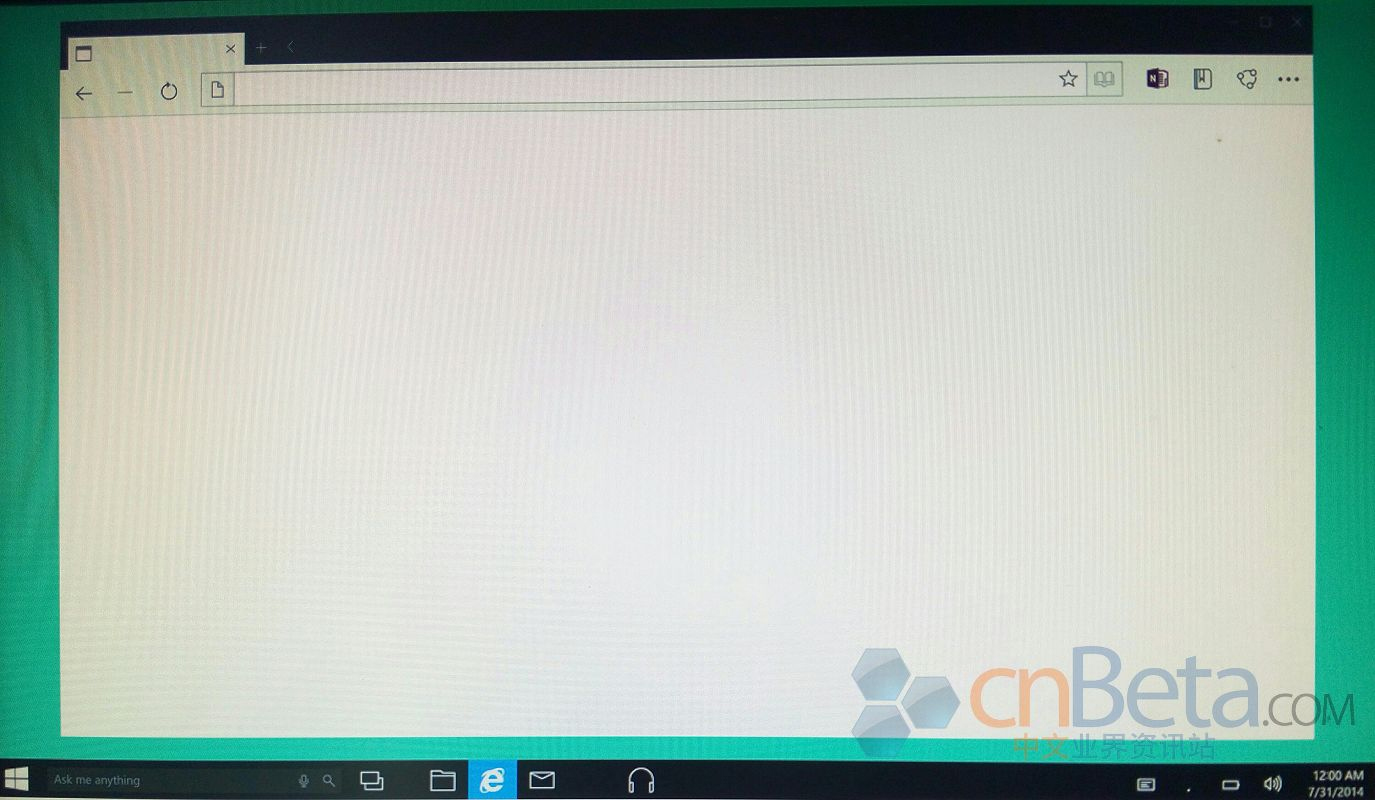
    Leaked images of Spartan  by Cnbeta
    Leaked images of Spartan by Cnbeta

    A third major feature of Spartan will be a new way to group tabs together which will help declutter the occasionally messy interface of multiple browser tabs. Spartan may allow users to open multiple sites in grouped tabs together, so they can do things like compare prices of a new phone without having to switch between tabs or split up personal tabs from work ones.

    4. Fast Updates

    spartan-browser

    According to leaks, Microsoft is planning to feature Spartan as an app in order to facilitate smooth and faster updates. Right now, Internet Explorer isn’t an app that Windows 8 or Windows Phone users get via the Windows Store or Windows Phone Store; it’s part of the OS platform. By making Spartan an app, Microsoft should be able to update it more quickly.

    5. Minimalistic Design

    cortanaspartan.0

    Spartan will use the Trident rendering engine and the Chakra JavaScript engine that are a part of the Internet Explorer. It is expected to look and work more like lightweight browsers such as Google’s Chrome and Mozilla’s Firefox. It will allegedly support extensions. Also, the company originally was expected to add custom themes to the new browser. It appears that will not be the case at launch. However, it is possible custom themes may come in future updates.

    Microsoft has said that the browser is not just a newer version of the Internet Explorer but a different browser altogether. Microsoft is expected to show off and discuss Spartan during the 21st January Windows 10 preview event it is hosting in Redmond, Wash.

iGyaan Network
Privacy Overview

This website uses cookies so that we can provide you with the best user experience possible. Cookie information is stored in your browser and performs functions such as recognising you when you return to our website and helping our team to understand which sections of the website you find most interesting and useful.