Tag: storage

  • WD gets go ahead to buy Hitachi’s HDD business

    WD gets go ahead to buy Hitachi’s HDD business

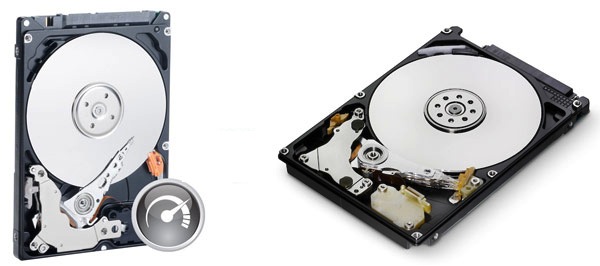
    Western Digital had announced its plans to buy Hitachi’s (or Acquire) Hard Drive business for a total of 4.3 Billion US $. Regulators only approved the Western Digital deal after assurances that the company would sell off some its production assets, including a manufacturing plant, and transfer some intellectual property to the new unit being put on the auction block.

    So as soon ad WD can sell off their existing plant, they will be ready to take over Hitachi’s units.

  • Pogoplug Joins many clouds to offer free 5GB cloud storage to new Users, Free Apps (PR)

    Pogoplug Joins many clouds to offer free 5GB cloud storage to new Users, Free Apps (PR)

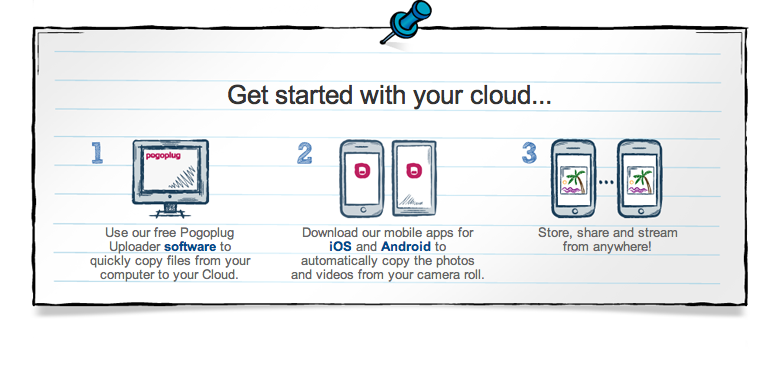
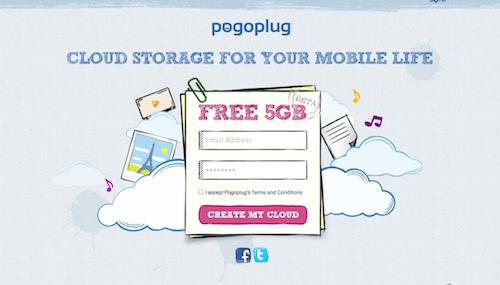
    Pogoplug joins the long list of free cloud services with its new Pogoplug cloud. With apps for all major platforms for smartphones as well as computers. The new cloud offers seamless connectivity b/w all platforms.

    The first 5Gb is free and you can upgrade to a bigger 50GB or 100GB for US $ 9.95 & $19.95 / month respectively. You also have the ability to make and share folders just like dropbox, and if you are the social type you can even share your activity of Facebook and Twitter.


    [toggle title_open=”Press Release” title_closed=”Press Release” hide=”yes” border=”yes” style=”default” excerpt_length=”0″ read_more_text=”Read More” read_less_text=”Read Less” include_excerpt_html=”no”]Pogoplug Introduces Free Cloud Storage for Mobile Phones
    Share and Stream Directly From Your Phone

    SAN FRANCISCO–(BUSINESS WIRE)–Pogoplug, creators of the award-winning line of streaming and sharing devices, today unveiled a new service: Pogoplug Cloud. The service provides users with a secure online space to store personal content and instantly share and stream it from their mobile device. Users sign up directly from any mobile phone, tablet or web browser and immediately receive their free 5GB Pogoplug Cloud.

    Pogoplug is the only service to offer infinite expansion. Users can purchase additional online storage from Pogoplug, or host a private, unlimited cloud for no monthly fees by buying a Pogoplug box and connecting it to a home or office network.

    Pogoplug Cloud enables users to:
    – Store: Automatically upload photos and videos from your mobile phone to your Pogoplug Cloud-no sync required.

    – Share: Instantly share anything in your cloud through email, Facebook, Twitter and Google+. Create shared folders and collaborate with friends and colleagues.

    – Stream: Stream HD videos, photos and music from your Pogoplug Cloud to your phone.

    “Mobile users are asking for more storage for their devices,” said Daniel Putterman, CEO and co-founder of Cloud Engines. “We designed Pogoplug Cloud to give everyone the freedom to interact with all of their personal content straight from their mobile phone.”

    Pricing and Availability
    Pogoplug offers 5GB of free cloud storage. 50GB and 100GB of additional cloud storage are available for $9.95/month and $19.95/month, respectively. Pogoplug Cloud is available today at www.pogoplug.com. Pogoplug’s iOS and Android apps are FREE and available for download in the iTunes Store and Android Marketplace. The full range of Pogoplug hardware and software products are available at www.pogoplug.com.

    ABOUT POGOPLUG

    Pogoplug is cloud storage for your mobile life. The service enables users to store, share and stream personal content from any mobile device. Pogoplug is the only service that provides flexible expansion options by allowing users to purchase additional cloud-based storage or to host a private unlimited cloud for no monthly fees by purchasing a Pogoplug box.

    Pogoplug is led by experienced entrepreneurs from the digital media and security space and backed by Foundry Group, Softbank and Morgan Stanley. The company is headquartered in San Francisco, with a satellite office in Tel Aviv. For more information, please visit http://www.pogoplug.com.[/toggle]

  • 3TB Hardrives go Head to head – Seagate Barracuda XT Tops charts

    3TB Hardrives go Head to head – Seagate Barracuda XT Tops charts

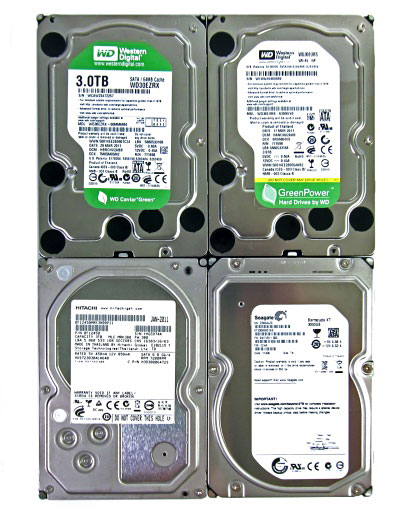
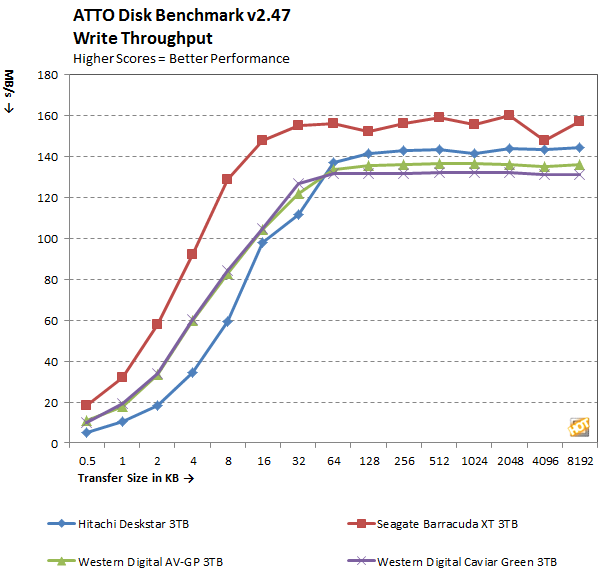
    Folks over at HotHardware decided to put all the new 3TB HDDs to test and up to their claims. The Seagate Barracuda XT came out like a winner from the whole fight, considering it has an 4GB ssd built onto the platter, it was quite obviously leading.

    Check out the full test at link below

    [HotsHardware]

  • WIMM – The Wearable Android Module

    WIMM – The Wearable Android Module

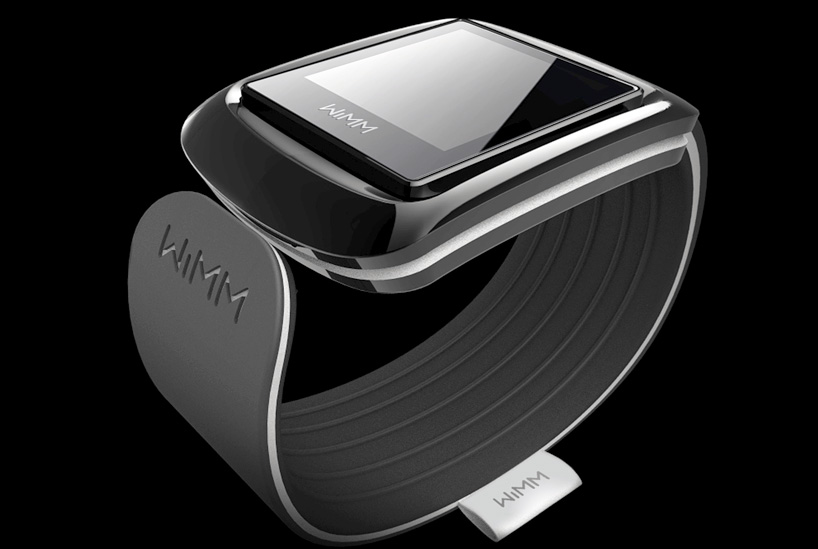
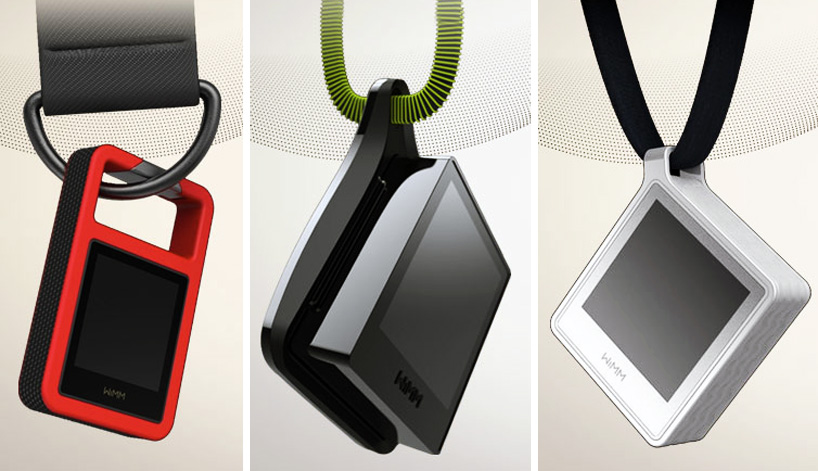
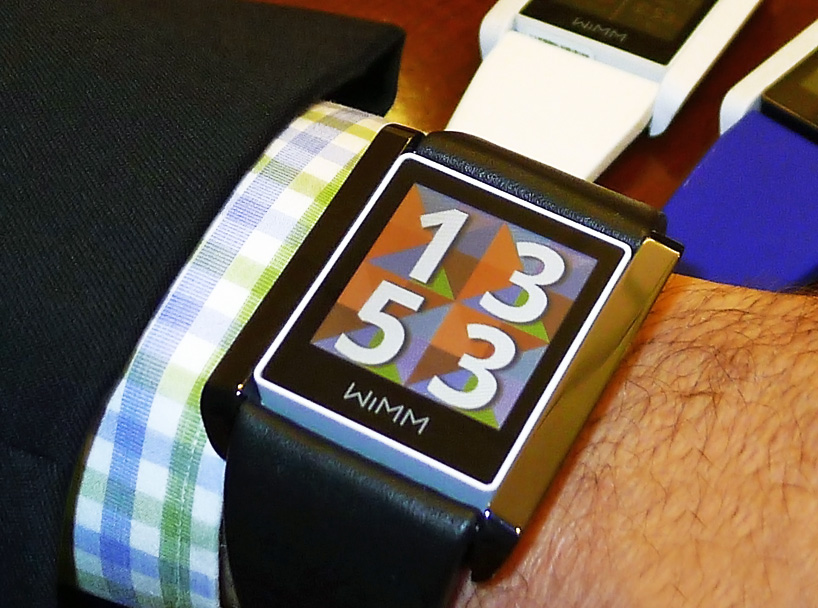
    The Wimm Module has been developed by Wimm Labs to be an extensible and customizable touchscreen module that can be incorporated into devices such as watches, remotes, and other modules that can be small enough to be integrated with wearable products.

    The device sports a 1 inch square, full colour 160x160px capacitive touch screen display and its wifi and bluetooth ready versions also feature an accelerometer as well as a magnetometer. The devices run a modified version of the Android operating system and are compatible with most devices running Android, Blackberry or iOS.

    Weighing only 22 g, the Wimm Modules are designed to be integrated into a wide range of products from watches and pendants to ‘Smart’ wallets. Possible applications include use as calendars and appointment books, pedometers, calorie counters and other health trackers, mobile payment solutions, music and video players, file storage, and universal remotes.

  • DropBox Security Failure

    DropBox Security Failure

    On Monday, DropBox, the cloud storage giant revealed that for four whole hours on Sunday, its entire storage system was available to the public without providing a password. From 1:54PM to 5:41 PM their entire security system failed. DropBox co-founder and CTO Arash Ferdowsi wrote on the company blog that:

    [quote]This should never have happened. We are scrutinizing our controls and we will be implementing additional safeguards to prevent this from happening again.[/quote]

    The site has 25 million members and has emerged as the the leader in the cloud storage market. The company claims that it is dedicated to security and that during the time of the failure, less than 1% of its users were logged in. When they discovered the breach, the company said they ended all logged in sessions immediately. On Tuesday they also notified users who were logged in about the event.

    Such events highlight the problems with cloud storage services. Is your data really safe when you hand it over to another company to hold for you? This is the main reason lots of large enterprises have witheld from the move to the cloud.

  • How many GB does your average filing cabinet hold?

    How many GB does your average filing cabinet hold?

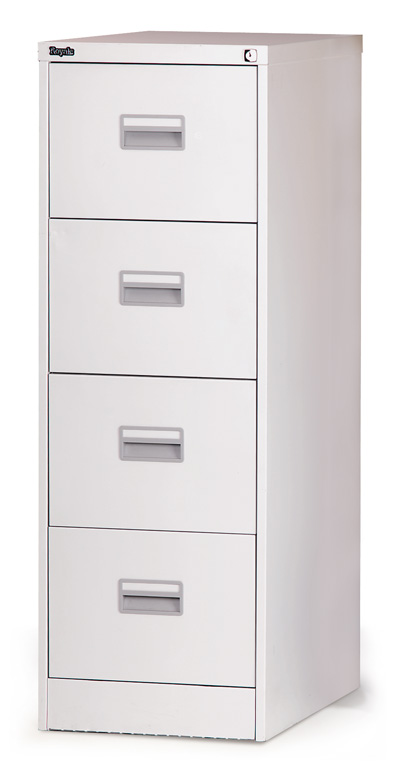
    What if you wanted to store all your data in a Filing Cabinet? How many GB could it possibly hold? Lets find out using songs as our data…

    • Well, we can say that the average song is 4MB
    • 4MB = 33554432 bits
    • One bit would be a 1 or 0
    • One printed page hold approx 6460 characters
    • So one song would take 5194 pages
    • Average paper is 24lb/ream or .0048″ per sheet
    • So, we’re looking at about 25″ of space needed for one song
    • Looking at a file cabinet of average thickness, we would say that one drawer is about 18″ deep
    • And the average file cabinet has 4 drawers
    • So we have a total of 72″ of space
    • Or 2.88 songs per cabinet
    • So one cabinet holds about 11.52MB of space
    • Or, about .01125GB

    So we can conclusively say that a file cabinet stored about as much data as one and a half IBM 2311 Direct Access Storage Facility Hard Disks.

  • Western Digital acquires Hitachi GST for $4.3 Billion

    Western Digital acquires Hitachi GST for $4.3 Billion

    WD is one of the worlds best hard drive manufacturing and selling companies and they have just announced a deal  to acquire one of its primary competitors, Hitachi Global Storage Technologies Steve Milligan, president and chief executive officer of Hitachi GST, will join WD at closing as president. In the deal the acquisition will include $3.5 billion in cash and $750 million in WD common stock.

    The takeover is said to be finalized by Q3 2011.


    Official Press


    Western Digital to Acquire Hitachi Global Storage Technologies

    Combination of Hard Drive Companies Will Create Industry’s Broadest Product Portfolio and a Significant Pool of Resources for Innovation

    IRVINE, Calif. and SAN JOSE, Calif., March 7, 2011 /PRNewswire-FirstCall/ — Western Digital (NYSE: WDC) and Hitachi, Ltd. (NYSE: HIT / TSE:6501) announced today that they have entered into a definitive agreement whereby WD will acquire Hitachi Global Storage Technologies (Hitachi GST), a wholly-owned subsidiary of Hitachi, Ltd., in a cash and stock transaction valued at approximately $4.3 billion. The proposed combination will result in a customer-focused storage company, with significant operating scale, strong global talent and the industry’s broadest product lineup backed by a rich technology portfolio.

    Under the terms of the agreement, WD will acquire Hitachi GST for $3.5 billion in cash and 25 million WD common shares valued at $750 million, based on a WD closing stock price of $30.01 as of March 4, 2011. Hitachi, Ltd. will own approximately ten percent of Western Digital shares outstanding after issuance of the shares and two representatives of Hitachi will be added to the WD board of directors at closing. The transaction has been approved by the board of directors of each company and is expected to close during the third calendar quarter of 2011, subject to customary closing conditions, including regulatory approvals. WD plans to fund the transaction with a combination of existing cash and total debt of approximately $2.5 billion.

    WD expects the transaction to be immediately accretive to its earnings per share on a non-GAAP basis, excluding acquisition-related expenses, restructuring charges and amortization of intangibles.

    The resulting company will retain the Western Digital name and remain headquartered in Irvine, California. John Coyne will remain chief executive officer of WD, Tim Leyden chief operating officer and Wolfgang Nickl chief financial officer. Steve Milligan, president and chief executive officer of Hitachi GST, will join WD at closing as president, reporting to John Coyne.

    “The acquisition of Hitachi GST is a unique opportunity for WD to create further value for our customers, stockholders, employees, suppliers and the communities in which we operate,” said John Coyne, president and chief executive officer of WD. “We believe this step will result in several key benefits-enhanced R&D capabilities, innovation and expansion of a rich product portfolio, comprehensive market coverage and scale that will enhance our cost structure and ability to compete in a dynamic marketplace. The skills and contributions of both workforces were key considerations in assessing this compelling opportunity. We will be relying on the proven integration capabilities of both companies to assure the ongoing satisfaction of our customers and to bring this combination to successful fruition.”

    “This brings together two industry leaders with consistent track records of strong execution and industry outperformance,” said Steve Milligan, president and chief executive officer, Hitachi Global Storage Technologies. “Together we can provide customers worldwide with the industry’s most compelling and diverse set of products and services, from innovative personal storage to solid state drives for the enterprise.”

    Hiroaki Nakanishi, president, Hitachi, Ltd. said, “As the former CEO of Hitachi GST, I always believed in the potential of Hitachi GST to become a larger and more agile company. This is a strategic combination of two industry leaders, both growing and profitable. It provides an opportunity for the new company to increase customer and shareholder value and expand into new markets. Additionally, it is important to us that WD shares common values with Hitachi GST to create a more global company that is well positioned to define a broader role in the evolving storage industry.”

    WD’s exclusive financial adviser on the transaction is Bank of America Merrill Lynch; its lead legal adviser is O’Melveny & Myers LLP. Goldman, Sachs & Co serves as financial adviser to Hitachi, Ltd. and Hitachi GST. Legal advisers to Hitachi, Ltd. and Hitachi GST are Morrison Foerster LLP and Skadden, Arps, Slate, Meagher & Flom LLP & Affiliates, respectively.

  • DIY : How To Revive An Old Computer Part 1

    DIY : How To Revive An Old Computer Part 1

    Lots of people today are looking for a new computer. Their reasons for doing so are varied but there are many common complaints that people have with old computers. The primary complaint i receive from users is that their computer is ‘too slow’. While the day to day tasks of the end-user remain pretty much the same (using Microsoft Office, surfing the web, watching movies,playing games etc.), the computing power required to perform those tasks has increased significantly.  So does this mean that your old desktop/laptop is now useless and obsolete? Should you throw it away or let it collect dust in a corner? NO. There are many uses for an old computer, a few of which i will be listing below:


    Make a Home Server

    The home server is one of the easiest and most common uses for an old computer. The basic home server can do simple tasks like sharing files over your home network, while more advanced setups can perform a plethora of tasks such as file sharing, website hosting, torrent downloader,  a dedicated firewall for your network, controlling electronic devices in your house etc. The requirements of each user will be different and you should decide the tasks that you would like your server to perform in advance to ensure an easier setup.


    The Basic Setup:


    I recommend using FreeNAS as an OS for your home server. It is an open-source OS based on FreeBSD which means it is free to download, use and distribute. The most basic task performed by FreeNAS, as the name suggests, is to provide Network Attached Storage in your home.  It can perform a wider variety of tasks but we’ll get to that later.


    Things you’ll need:

    • FreeNAS Live CD (Link Below)
    • Old Computer
    • Monitor & Keyboard for installation only (you can disconnect them after the install)
    • A few Hard Disks (minimum 1)
    • A 512mb or larger Pen Drive


    Download FreeNAS 32-bit Live CD

    Download FreeNAS 64-bit Live CD


    Insert the Live CD into your CD drive and wait for the computer to boot up. This can take some time, 5-10 minutes, and you will hear a *chirp* from your PC speaker when the system is ready. At this moment, the system is ready to use as-is from the Live CD or it can be installed onto our hdd or pen drive. I would personally recommend installing the system on your pen drive if your PC supports USB Boot. This leaves more SATA/IDE ports free to attach extra storage.

    When you reach the above screen, the system is booted. Since we dont want to run our system off a CD, choose option 9.

    We are going to be installing our system on a pen drive so we will choose option 1.


    You will receive a warning, Press OK.


    Choose your installation media and press OK. In most cases you will have only one option in this step.

    Choose your install destination and press OK. In most cases you will have a few options here. Please remember to choose your pen drive at this stage. If the device names (ad0, ad1, etc.) are confusing, you can identify your device with the capacity or manufacturer details.

    After this step, FreeNAS is installed on your system. Press Enter and choose the Exit option and you will be returned to the main menu. Choose option no. 7 to reboot your system. To ensure that the system boots from the pen drive, please remove the Live CD  and ensure that the pen drive is selected as the primary boot device in your BIOS.


    After the reboot, the first thing you have to do is to configure your network interface and LAN IP. These are the last things you need to configure on your FreeNAS box. When you get to the Console Menu, Choose option 1.

    Select your Primary interface. If you have multiple interfaces, you can select optional interfaces from the same menu.

    After assigning all interfaces select none and press OK.


    You will be given a list of assigned interfaces. Press OK and you will be taken back to the Console Menu.

    Select option 2 to assign your ip address. I recommend assigning a static ip to your server, so select No when given the option to use DHCP. Enter your ip address, subnet mask, internet gateway and DNS addresses. You do not need to configure an ipv6 address.
iGyaan Network
Privacy Overview

This website uses cookies so that we can provide you with the best user experience possible. Cookie information is stored in your browser and performs functions such as recognising you when you return to our website and helping our team to understand which sections of the website you find most interesting and useful.