Tag: tablet pc

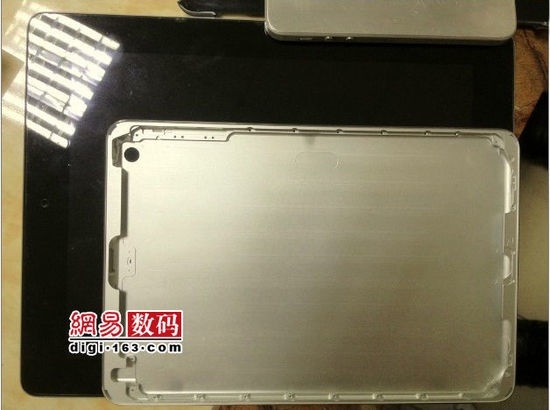
  • iPad Mini’s Shell gets re-leaked !

    iPad Mini’s Shell gets re-leaked !

    The rumoured iPad mini shell that was leaked earlier has gotten a new life thanks to new images prior to the 12th Sept 2012 iPhone 5 launch. The shell appears to be thicker in size and the claimed iPad mini will not have a sim card slot, making a stab at the success of the Kindle Fire and Nexus 7 tablets. The tablet also touts dual speaker arrangement and the new style dock connector that is seen in the leaked mockups of the iPhone 5 as-well.


  • Google+ Update lets you open iOS links in Chrome, Allows Androids to join Hangouts on Air.

    Google+ Update lets you open iOS links in Chrome, Allows Androids to join Hangouts on Air.

    Google has let out a sly update to their Google+ apps on Android and iOS. The biggest addition is now allowing, Android phones to join Hangouts on Air, a feature we might use as soon as Today.

    For iOS the app, it now allows you to open links in Chrome instead of Safari, making the dreams of a default chrome browser more real than ever.

    What’s in this Android version:

    – Teens can now create and join Hangouts from mobile
    – Join Hangouts on Air from mobile
    – Floating timestamp in photos view
    – Shortcuts for post creation
    – Ability to report abuse in Events

    What’s in this iOS version :

    ? Web links in posts now open in Chrome (if installed)
    ? Teens can now join and create Hangouts 
    ? Instant Upload bug fixes to improve performance

    [App Store] [Google Play]

  • Apple Starts seeding iOS 6 Beta 2 to Devs

    Apple Starts seeding iOS 6 Beta 2 to Devs

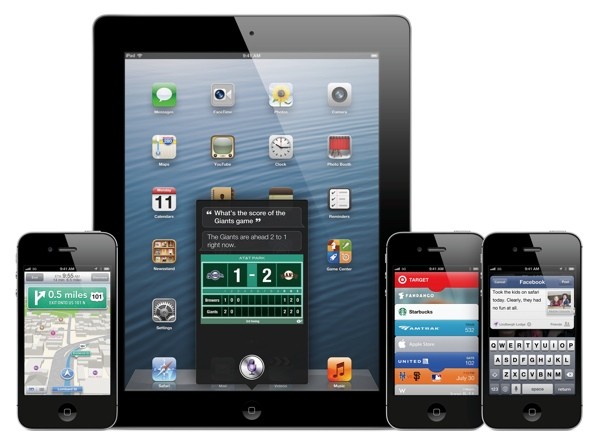
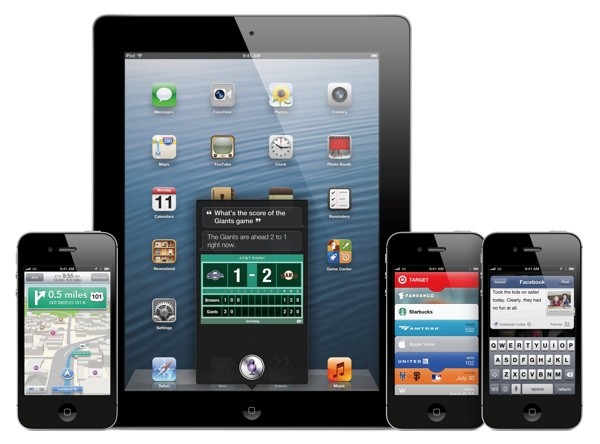
    While everyone waits the arrival of the next big OS for your iDevice, Apple is working hard to get it ready. The company has pushed out Beta 2 to the developers for testing, there are no special additions the primarily focus is on the bug fixes leading the software closer to a final release. There are still other betas expected before the final release comes out, So, hold on to your horses. 

    Those who have active developer accounts can download the latest betas from their accounts now.

    [9to5 Mac]

  • Google Nexus Tablet ready to be sold US $ 199 or Rs 11,000

    Google Nexus Tablet ready to be sold US $ 199 or Rs 11,000

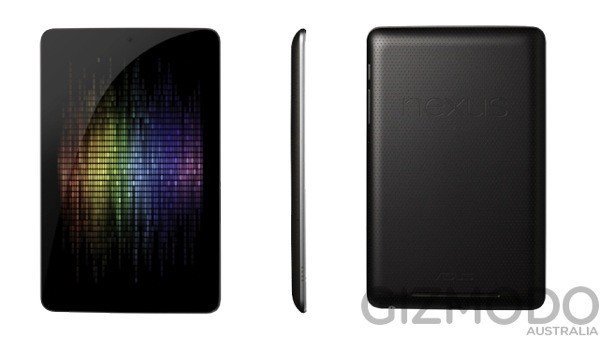
    Google’s long rumored Nexus tablet has been rendered and now has a price, $199 to be precise. Specs of this upcoming tablet are expected to be a 7-inch, quad-core Tegra 3 slate with a front 1.2-megapixel camera, NFC, 8GB to 16GB of storage and a 1280 x 800 IPS-based LCD.

    Google’s I/O conference should reveal more information about this elusive device, especially wen it is finally showcased.

  • Developer teases iOS apps running on BlackBerry PlayBook

    Developer teases iOS apps running on BlackBerry PlayBook

    A developer working on the Playbook has been able to  run iOS apps on the BlackBerry PlayBook. The developer likens his project to WINE, which doesn’t do hardware emulation, but rather relies on a custom set of APIs to make the apps boot and run on the Playbook. The dependency of the said port is only possible properly if the app does not rely on Apple’s UIWebView or CoreData frameworks. businesscat2000 the developer, has yet to make the software publicly available, although he’s expressed a bit of interest. It remains to be seen whether this project will ever see the light of day.

    check out the demo videos posted by him below.

  • Which iOS device will get what features of iOS 6 : Here is the roundup

    Which iOS device will get what features of iOS 6 : Here is the roundup

    Do you own an iOS Device? Are you eagerly waiting for the iOS 6 update? 

    If the answer is yes, you will be surprised to know that not all features will come to all iOS devices for iOS 6.  Apple has gone to the trouble of alerting would-be upgraders just what features they’ll get when they check for the update this fall.

    Only if you own an iPhone 4S will you be able to enjoy all the features of the iOS 6 else the most compatible device will be iPAD 3rd Gen. Check out the full list of upgrade features below also see what your device gets.


        iPhone 3GS

    iPod touch

    iPhone 4 iPhone 4S iPad 2  iPad (2012)
    Chinese service integration   X X X X X X  
    Facebook integration   X X X X X X  
    FaceTime over 3G/4G   X X  
    Flyover and turn-by-turn GPS   X X X  
    Guided Access   X X X X X X  
    Made for iPhone hearing aids   X  
    New content stores   X X X X X X  
    Offline Reading List   ? X X X X  
    Passbook   X X X X  
    Phone replies and reminders   X X X  
    Safari tab syncing   X X X X X X  
    Shared Photo Streams   ? X X X X  
    Siri   X X  
    VIP list, flagged/VIP mailboxes   ? X X X X
  • Android Activations up to 900,000 a day, says Google’s Andy Rubin

    Android Activations up to 900,000 a day, says Google’s Andy Rubin

    Android activations are at an all time high, considering companies are hell bent on stuffing the OS into anything possible. At MWC 2012 Andy Rubin had announced that Android activations were at about 850,000 a day, now the number is higher. Much Higher at 900,000, or just short of a million devices a day (woot!) 

    Just a day before WWDC (Apple’s Developer Event) Andy Rubin has dropped this information to crunch the usual numbers you can expect from Tim Cook’s Keynote event.

    Incidentally we will have all the information on iGyaan.in

  • Edit : How The Micromax P300 Booklet will Change the Tablet game in India

    Edit : How The Micromax P300 Booklet will Change the Tablet game in India

    Micromax was the first Indian Mobile phone manufacturer to make a global mark, a year and some months ago they introduced their first Android Phone the Andro A60, which changed the face of Android phones in India. 

    Today the company stands at a different crossroad in between their future as a brand, with a new identity, and what they possibly aim to achieve. They have a long way to go to achieve the brand snob value they wish to achieve. The consumer feedback speaks of the lack of unique products from the company and more importantly the lack of after sales support. Micromax is today considered a glorified china-manufactured product seller in India, infact Micromax is probably aware of their market image.

    The story does not end here infact it changes completely from here, Micromax is now bent on changing their market appeal in a big way. Of-course their re-branding is the first step, but the biggest possible change is going to be their overall process revamp. Lets read about their latest marvel:

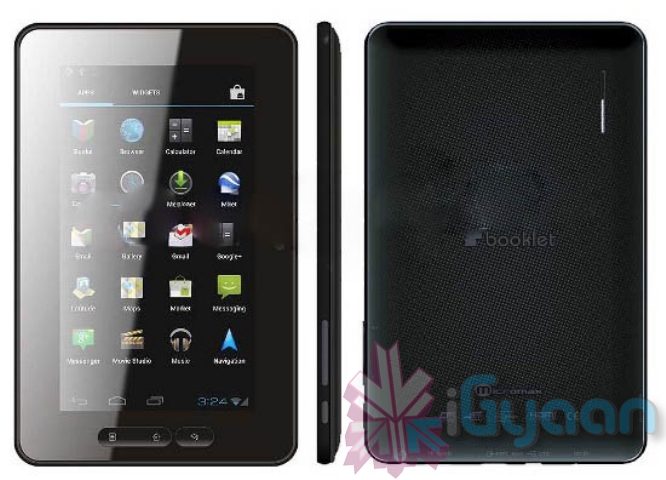
    The Micromax P300 Booklet

    Yes many already know about this tablet from the company, recently a popular online retailer outed the tablet in the inter webs sparking a cracker that refuses to go down.

    Hardware

    A sub Rs. 8000 tablet that includes a 7.0-inch TFT-LCD multitouch capacitive screen along with a 1 Ghz processor(rumors suggest a dual core processor) and Bluetooth, Wi-Fi,USB port and a 3.5mm AV. we have come to know that the tablet will also possibly support 3G data and voice calls/ video calls using a Micromax dongle, possibly supplied with the tablet bundle. The image appears to show a front camera and no rear camera, but the fact remains that a 0.3mp camera makes more sense on the front than it ever did on the back. Yes there is also HDMI out and HD video playback.

    India Inc.

    Yes the tablet will be manufactured in India (or so is the buzz), so expect better after sales support and spares for the device. This is also set to change the company’s image in the market giving the P300 Booklet a “Made in India” moniker, that might actually do owners proud to own the Tablet.

    P300 will succeed where others have Failed

    Lest we bring up the failure of the Indian Government in bringing a budget Tablet to the market. The Aakash Tablet, a well heard name, yes we felt excited when the product actually came to market, but all was lost. The performance matched expectations, but their deliveries couldn’t. With more than hand-able orders the company “data wind” seems to have imploded and is unable to deliver to the millions waiting for any sign of their tablet.

    Others like the Beetel tab, Reliance tab, HCL Me Tab, etc have one big thing in common, they are imports built on a system type that is bound to fail. The performance levels and specs in those tablets don’t come anywhere close to the supposed specs of the P300 Booklet.  Not to forget they all are priced way over 10,000 rupees, with the old Android 2.3 and some with Android 2.2, never to get updated to ICS. The Micromax P300 will come out of the box with Android 4.0.3, with possible customizations to make an impact on the user market.

    The Future

    The tablet is expected to launch in the coming weeks, and should do immensely well in our consumer market. The specs and features, if anywhere close to the ones discussed, will deliver a promising experience. The ID of the tablet will also be unique because the Company (Micromax) is making an extra effort to define themselves as unique manufacturers. 

    Made in India, tablets and phones could also mean that Micromax actually invests in a company to start manufacturing their own equipment, which could result in better service and unique new Research into the Mobile sector.

    Hopefully the tab is more than we expect it to be and a total joy to review for you guys.

  • Samsung announces Galaxy Tab 2 (10.1) (PR)

    Samsung announces Galaxy Tab 2 (10.1) (PR)

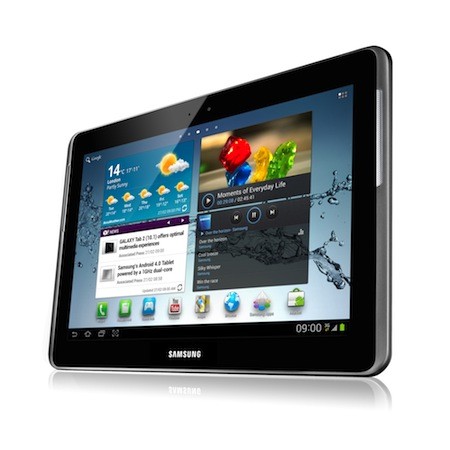
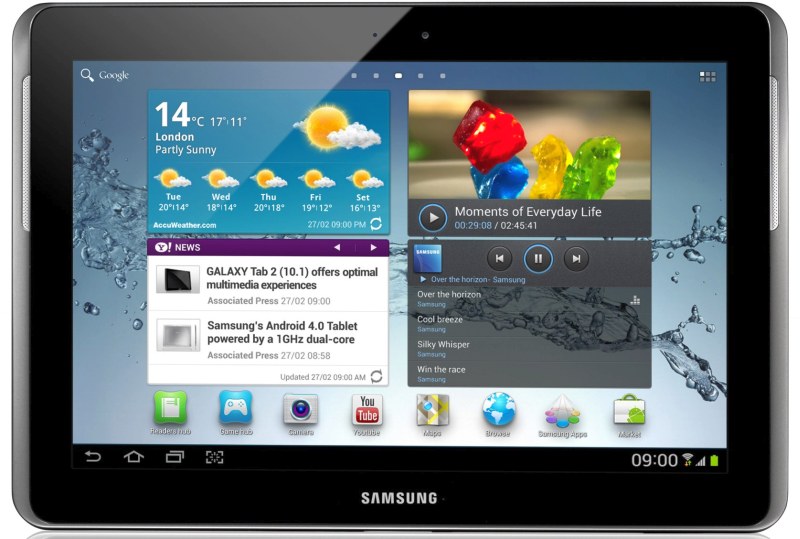
    Samsung has just announced the new Galaxy Tab 2 10.1 inch at the MWC 2012. This new upgraded version of the tablet features a higher  1280 x 800px resolution, the same 1Ghz dual-core processor, 1GB of RAM, Bluetooth 3.0 connectivity, front and rear cameras (VGA and 3-megapixels, respectively) as in the first Tab. In case of the 3G version you get 21Mbps HSPA+. The tablet has a 7,000 mAh battery and TouchWiz UI on top of Ice Cream Sandwich. The Tab 2 10.1 retains its 9.7mm thickness and 588g of weight.

    The Tab 2 also has 16/32 GB capacities along with an expandability microSD slot of upto 32GB. The tablet will be available in March in the UK and the rest of the world soon afterwards. Check out the full spec list in the PR below

    [toggle title_open=”Press Release” title_closed=”Press Release” hide=”yes” border=”yes” style=”default” excerpt_length=”0″ read_more_text=”Read More” read_less_text=”Read Less” include_excerpt_html=”no”]


    Samsung’s new GALAXY Tab 2 series offers optimal multimedia experiences in life

    February 26, 2012

    Samsung introduces its first line-up of tablets for 2012 with the launch of the GALAXY Tab 2 series, expanding the choice of tablets to customers. The GALAXY Tab 2 series includes a 7″ version and a 10.1″ version. Starting from UK, the GALAXY Tab 2 series will be launched in global market from March.

    The GALAXY Tab 2 series is available in 3G and WiFi versions, as well as in 7″ and 10.1″ variants. Light and portable, the GALAXY Tab 2 (7.0) is the ideal personal on-the-go device; while the larger GALAXY Tab 2 (10.1) is well-suited for home and family use.

    The GALAXY Tab 2 series is exhibited at Samsung stand (Hall 8), Mobile World Congress 2012. For multimedia content and more detailed information, please visitwww.samsungmobilepress.com.

    Samsung GALAXY Tab 2 (7.0) Product Specifications

    Network
    HSPA? 21Mbps 850/900/1900/2100
    Processor
    1 GHz Dual-Core Processor
    Display
    7″ WSVGA(1024×600) PLS TFT
    OS
    Android 4.0(Ice Cream Sandwich)
    Camera
    Main(Rear): 3 Megapixel Camera
    Sub(Front): VGA for Video Call
    Video
    Codec: MPEG4, H.263, H.264, VC-1, DivX, WMV7, WMV8, WMV9, VP8
    Format: 3GP, ASF, AVI, MP4, WMV, FLV, MKV, WebM
    Playback/ Recording: Full HD@30fps, HD@30fps
    Audio
    Codec: MP3, AAC, AC-3, AMR, FLAC, MID, WMA, WAV, OGG
    Music Player with SoundAlive
    3.5mm Ear Jack
    Value-added Features
    Samsung TouchWiz/ Samsung L!ve Panel
    Samsung Apps
    Samsung Hub?
    – Readers Hub/ Music Hub/ Game Hub/ Video Hub
    Samsung Hub Widget?
    – Music Hub/ Game Hub/ Video Hub
    Samsung S Suggest? (App recommendation service)
    Samsung ChatON mobile communication service
    Samsung AllShare Play?
    Samsung Kies / Samsung Kies air
    GoogleTM Mobile Services
    – Android Market™, Gmail™, YouTube™, Google Maps™,
    Syncing with Google Calendar™, Google Search, Google ?
    Polaris document editor
    A-GPS, Glonass
    Connectivity
    Bluetooth technology v 3.0
    USB 2.0 Host
    Wi-Fi 802.11 b/g/n, Wi-Fi Direct
    Sensor
    Accelerometer, Digital compass, Light
    Proximity(? Available on 3G version only)
    Memory
    8/16/32GB User memory ? 1GB (RAM)
    microSD (up to 32GB)
    Dimension
    193.7 x 122.4 x 10.5 mm, 345g
    Battery
    Standard battery, Li-ion 4,000mAh
    ? Availability and launching time of the services may differ by region.
    ? All functionality, features, specifications and other product information provided in this document including, but not limited to, the benefits, design, pricing, components, performance, availability, and capabilities of the product are subject to change without notice or obligation.

    Samsung GALAXY Tab 2 (10.1) Product Specifications

    Network
    HSPA? 21Mbps 850/900/1900/2100
    Processor
    1 GHz Dual-Core Processor
    Display
    10.1″ WXGA(1280×800) PLS TFT
    OS
    Android 4.0(Ice Cream Sandwich)
    Camera
    Main(Rear): 3 Megapixel Camera
    Sub(Front): VGA for Video Call
    Video
    Codec: MPEG4, H.264. H.263, VC-1, DivX, WMV7, WMV8, WMV9, VP8
    Format: 3GP, ASF, AVI, MP4, WMV, FLV, MKV, WebM
    Playback/ Recording: Full HD@30fps, HD@30fps
    Audio
    Codec: MP3, AAC, AC-3, AMR, FLAC, MID, WMA, WAV, OGG
    Music Player with SoundAlive

    3.5mm Ear Jack
    Value-added Features
    Samsung TouchWiz / Samsung L!ve Panel
    Samsung Apps
    Samsung Hub
    – Readers Hub/ Music Hub/ Game Hub/ Video Hub
    Samsung Hub Widget?
    – Music Hub/ Game Hub/ Video Hub
    Samsung S Suggest? (App recommendation service)
    Samsung ChatON mobile communication servicea
    Samsung AllShare Play
    Samsung Kies / Samsung Kies air
    GoogleTM Mobile Services
    – Android Market™, Gmail™, YouTube™, Google Maps™,
    Syncing with Google Calendar™, Google Search, Google ?
    Polaris document editor
    A-GPS, Glonass
    Connectivity
    Bluetooth technology v 3.0
    USB 2.0 Host
    Wi-Fi 802.11 b/g/n, Wi-Fi Direct
    Sensor
    Accelerometer, Digital compass, Light
    Memory
    16/32GB User memory ? 1GB (RAM)
    microSD (up to 32GB)
    Dimension
    256.6 x 175.3 x 9.7 mm , 588g
    Battery
    Standard battery, Li-ion 7,000 mAh

    [/toggle]

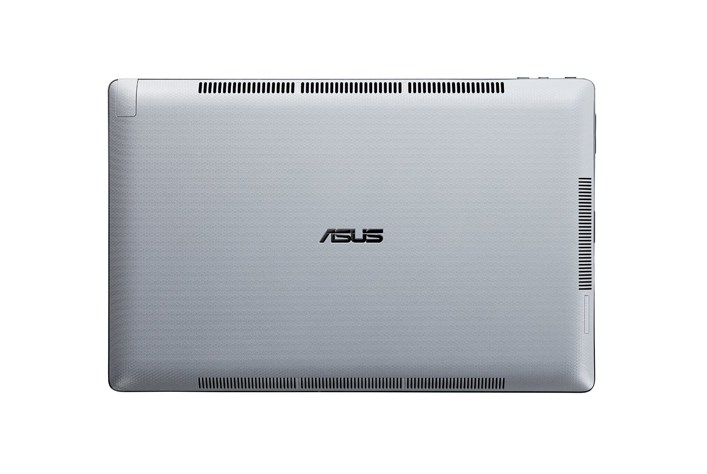
  • Asus being targeted for locked bootloader in Transformer Prime Tablet

    Asus being targeted for locked bootloader in Transformer Prime Tablet

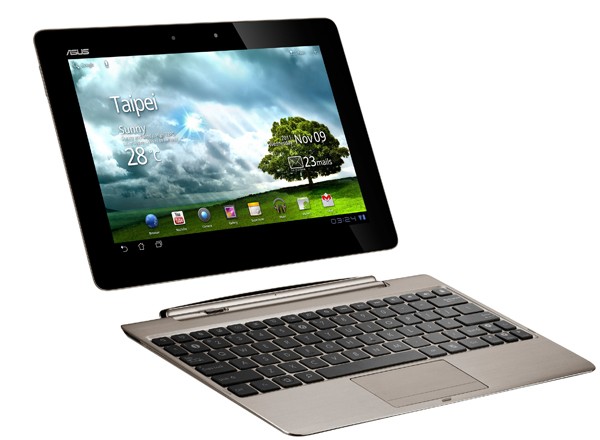
    Companies have often been targeted for locked boot-loaders of Android devices. HTC is one such case who then decided to unlock boot loaders in exchange for end of warranties. The modding community of Android which is quite large is now lashing out at ASUS for locking the bootloader of the Wifi Only Transformer Prime tablet. In most such cases companies will give in to demands of the consumer, but we are not sure if ASUS is going to go in that direction.

    Read the full flames at xda-developers.


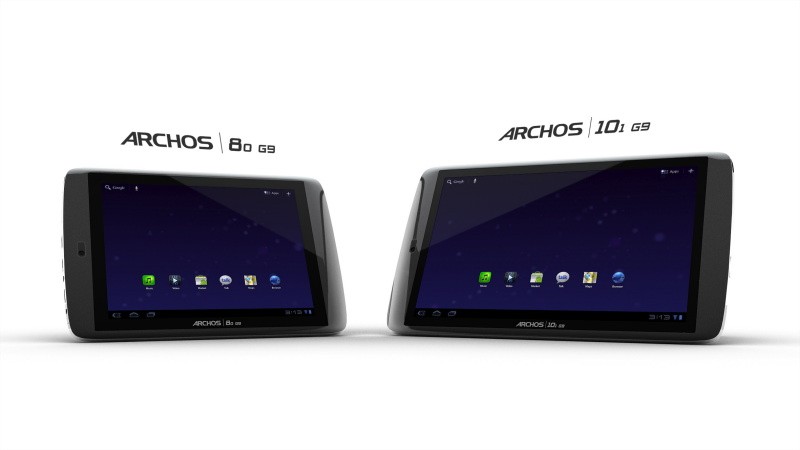
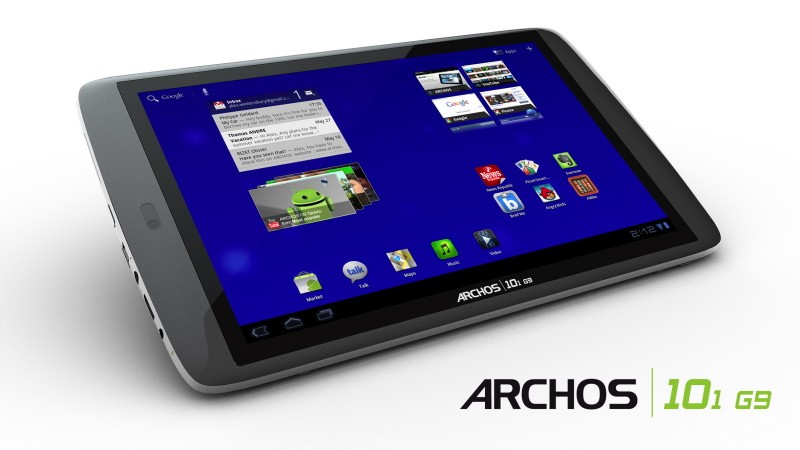
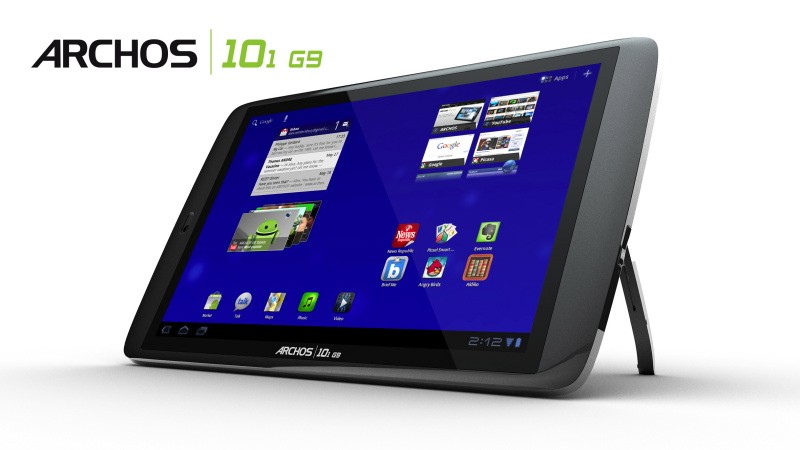
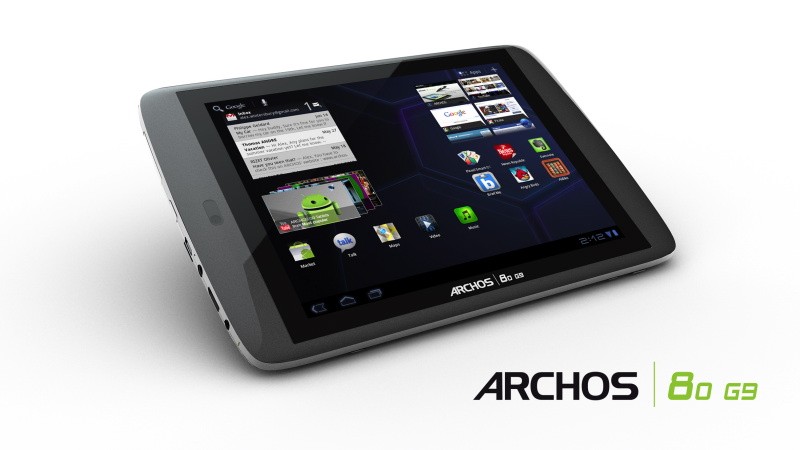
  • Archos launches 80 G9 and 101 G9 Android 3.1 tablets: Dual Core 1.5 GHZ

    Archos launches 80 G9 and 101 G9 Android 3.1 tablets: Dual Core 1.5 GHZ

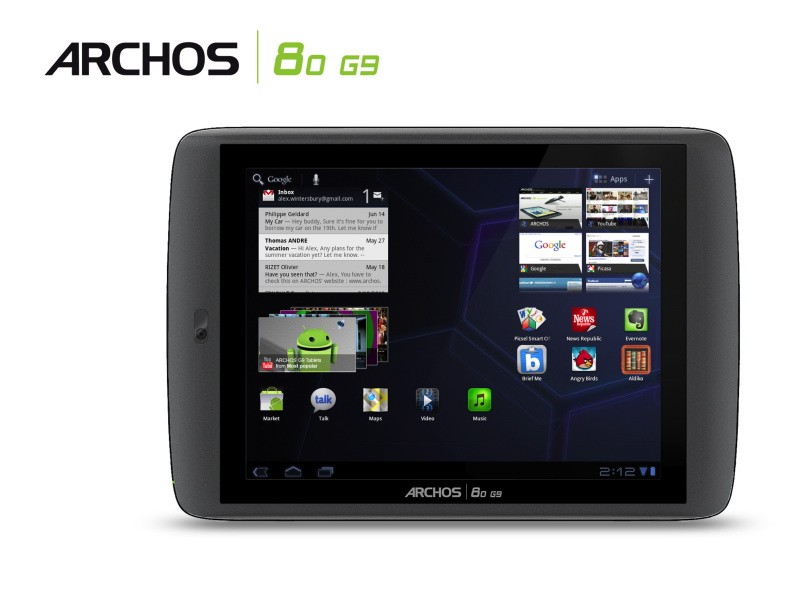
    Archos has just announced the new  80 G9 and 101 G9 Android tablets with good specs and a low pricing. Available in 2 modes the 8 inch 80 G9 and the 10.1 inch 101 G9.

    Specs include

    • Dual-core OMAP 4 processor (1.5GHz ARM Cortex A9)
    • Flash
    • Android Market
    • USB port
    • HDMI output
    • 1080p playback

    Archos claims that browsing speed is much faster than nVidia Tegra 2 based Tablets.

    [quote]with the 1.5 GHz OMAP 4 processor the ARCHOS G9 tablet enhance a user’s web browsing experience with page load time reduced by up to 50% over tablets running the Nvidia Tegra 2TM processor at 1 GHz.[/quote]

    [quote]The ARCHOS 80 G9 is the portable tablet with perfect size for web browsing, ebook and newspaper reading with its 8″ 4:3 screen and a resolution of 1024 x 768.[/quote]

    [quote]The ARCHOS 101 G9 is the perfect entertainment tablet to share the Android Honeycomb experience. With 250GB of storage space, users will be able to carry over 50 hours of full 1080p HD to watch on their 10.1″ wide 1280 x 800 16:10 screen.[/quote]


    Prices are set Cheap at

    80 G9 for $279 / Rs. 11000 and the 101 G9 for $349 / Rs. 16000

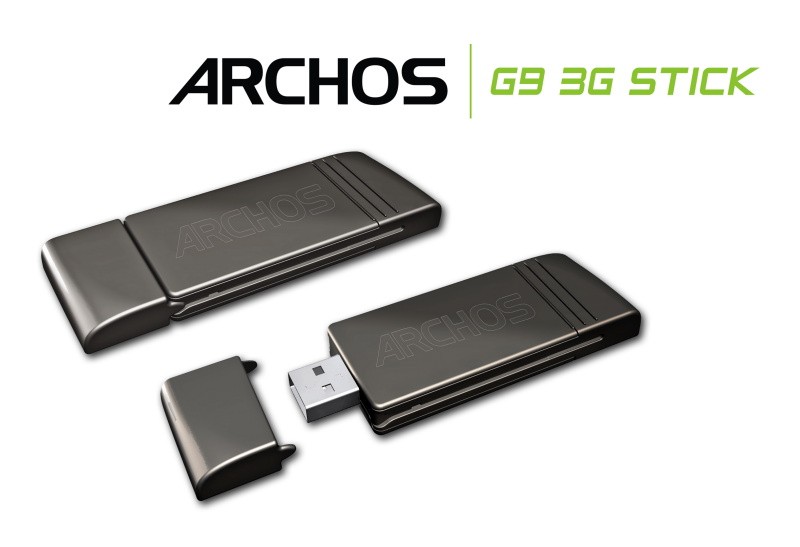
    The G9 3G WWAN stick $49 / Rs. 2000


    [toggle title_open=”COLLAPSE ” title_closed=”READ THE PRESS RELEASE” hide=”yes” border=”yes” style=”default” excerpt_length=”0″ read_more_text=”Read More” read_less_text=”Read Less” include_excerpt_html=”no”]ARCHOS Unveils Fastest Tablets with G9 Tablet Range

    The G9 range features the industry’s fastest dual-core 1.5 GHz processor, the largest storage capacity with a Seagate 250GB Hard Drive, Honeycomb 3.1, Android MarketTM, 1080p HD video and 3G capability

    DENVER, CO – June 23, 2011 – Today, ARCHOS, an award winning technology innovator and pioneer in the tablet market, introduces an unrivaled combination of speed and storage with its latest tablets featuring an OMAP 4 processor with an ARM® Cortex™ dual-core A9 running at 1.5 GHz and Seagate’s 250GB Hard Disk Drive (HDD) capacity.

    The 8″ ARCHOS 80 G9 and 10″ ARCHOS 101 G9 are powered by AndroidTM 3.1 “Honeycomb,”* the latest Android version. ARCHOS G9 tablets come with Google’s full suite of mobile applications and Android MarketTM, giving users access to over 200,000 applications such as games, books, social media and news. With the latest version of Honeycomb, G9 tablets also offer a full web experience complete with Adobe® Flash® support for on-the-go web browsing, communication and applications.

    Additionally, the G9 tablets feature a unique 3G ready solution where customers no longer need to choose between WiFi and 3G models at purchase. ARCHOS 3G Stick is a standard 3G stick for laptops which has been designed to be compatible with all ARCHOS G9 tablets. All G9 tablets come with a concealed USB port on the back of the device that when paired with the ARCHOS 3G USB Stick will enable 3G connectivity.

    The G9 tablet range continues to push technological boundaries and features the following innovations.

    Fastest Tablet Experience Ever
    ARCHOS have decided to push their G9 tablets even further by loading them out with a 1.5 GHz dual-core OMAP 4 processor from Texas Instruments™. With 50% more raw computational power, ARCHOS G9 tablets have the power needed for a great Android experience.

    For example, with the 1.5 GHz OMAP 4 processor the ARCHOS G9 tablet enhance a user’s web browsing experience with page load time reduced by up to 50% over tablets running the Nvidia Tegra 2TM processor at 1 GHz.

    All your HD multimedia in your hands or on TV
    With the best multimedia experience, ARCHOS G9 tablets are the only tablets able to decode 1080p H264 High Profile videos whilst current standard tablets are not even able to play 720p H264 High Profile smoothly.

    ARCHOS have replaced the standard multimedia apps with ARCHOS boosted apps for video and music to give to users more format compatibility and a unique user interface.

    With film and TV series metadata automatically downloaded, even video files are automatically organized by title, actor, director, year, season and episode, ARCHOS have redefined the tablet device category by providing consumers more ways to experience HD entertainment.

    ARCHOS G9 tablets also feature an HDMI output, giving users full access to their Android experience on TV including movies in 1080p resolution.

    WiFi or 3G, no need to choose, it’s up to you whenever you want
    This patented solution lets the consumer add a standard PC 3G stick to his tablet whenever and wherever. The ARCHOS G9 3G Stick has been specially designed to fit perfectly into the back of any G9 tablet. Just remove the cover and slide in the ARCHOS G9 3G Stick to unleash the full portability of your ARCHOS G9 tablet.

    With this innovative USB 3G stick, consumers will no longer have to choose between a WiFi and a 3G tablet at purchase. For just a $49 upgrade, the users can purchase the ARCHOS G9 3G Stick and start enjoying 3G connectivity on his ARCHOS tablet or PCs compared to other tablets where 3G modules add over $100 to the cost and there’s no option to add it later.

    This cutting edge 3G stick offers one 3G solution for both a tablet and a laptop and uses just one data plan1. Offered as a Pay-As-You-Go Plan, there is no subscription required and the consumer need only pay for what they need when they need it.

    Top performance, best value
    While the competitors’ tablets are priced starting at $499, ARCHOS is offering an 8” tablet starting at $279 and 10.1” tablet starting $349.

    ARCHOS is offering cutting-edge performance such as a more powerful and faster processor, unique 3G solution, enhanced multimedia experience and more storage capacity with the built-in 250GB HDD from Seagate.

    ARCHOS are the first in the industry to offer a tablet with a hard drive, bringing 8 times more storage at the same cost of a standard 32GB tablet.

    ARCHOS are also the first to offer such high performance at such affordable price, making ARCHOS G9 tablets the best cost-performance value.

    The ARCHOS 80 G9 and ARCHOS 101 G9 will be available at the end of September and will be shown beginning of September at IFA.

    Two tablets to fit your lifestyle: ARCHOS 80 G9 and ARCHOS 101 G9
    The ARCHOS 80 G9 is the portable tablet with perfect size for web browsing, ebook and newspaper reading with its 8″ 4:3 screen and a resolution of 1024 x 768.

    The ARCHOS 101 G9 is the perfect entertainment tablet to share the Android Honeycomb experience. With 250GB of storage space, users will be able to carry over 50 hours of full 1080p HD to watch on their 10.1″ wide 1280 x 800 16:10 screen.[/toggle]

  • ASUS to Launch Eee Slate EP121-1A010M 12.1-Inch core i5 Win 7 Tablet PC in India

    ASUS to Launch Eee Slate EP121-1A010M 12.1-Inch core i5 Win 7 Tablet PC in India

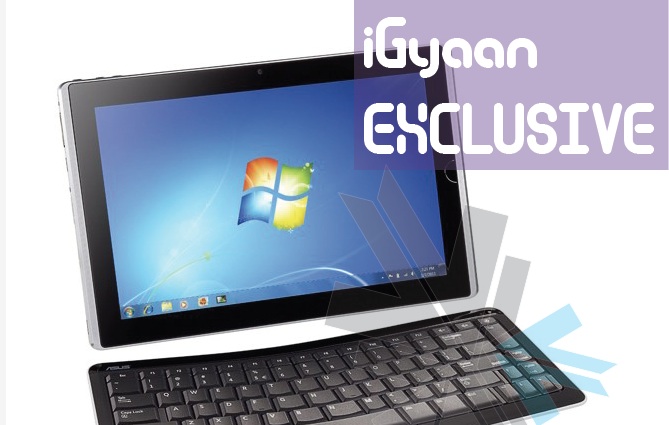
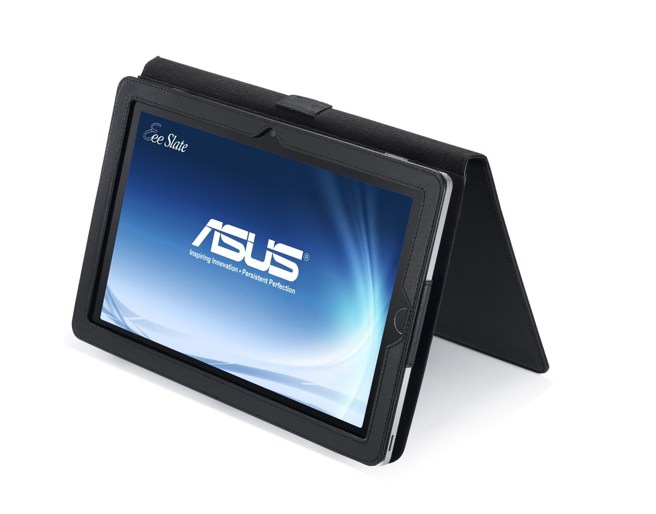
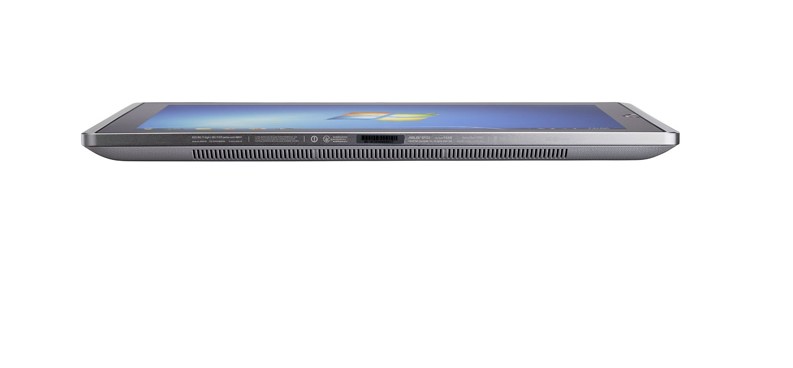
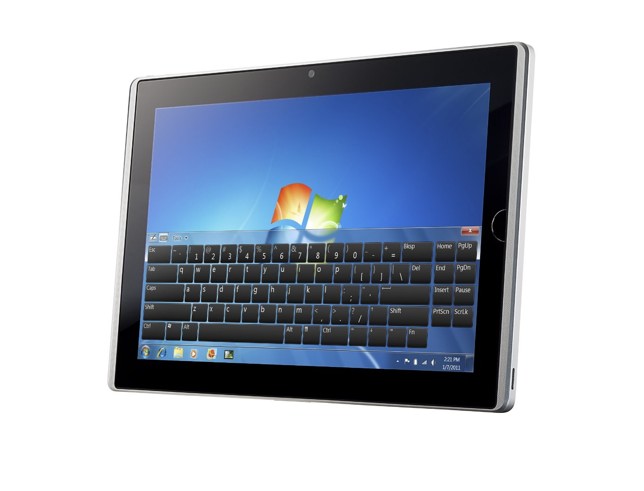
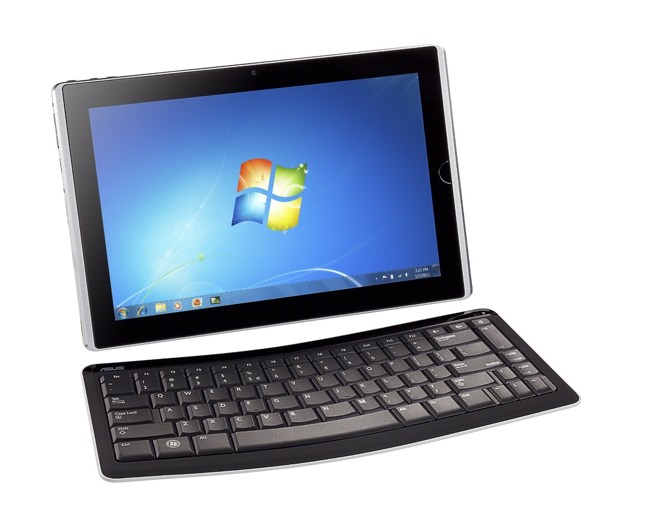
    According to a reliable source at ASUS, the company is ready to launch its  Eee Slate EP121-1A010M 12.1-Inch Tablet PC in India. The launch will happen within the coming weeks and we will have full coverage for your viewing pleasure. Its quite an interesting device, the only of its kind from a reputed manufacturer to run  house a Core i5 processor and Windows 7 in a full tablet format. Specs of the Core i5 tablet include:

    • 12.1″ WSVGA (1280×800) Capacitive LED Touchscreen
    • Pen or Finger Touch
    • Windows 7 Home Premium (64 bit) Operating System
    • Intel Core i5-470UM CPU
    • 4GB of DDR3 1333MHz SDRAM, 1x4GB; 1 slot, 4GB Max
    • Intel HD Graphics
    • 64GB Solid State Drive
    • Wireless 802.11bgn
    • Bluetooth 3.0
    • 2.0MP Webcam
    • Internal Speaker
    • Internal Microphone
    • Mini HDMI Port
    • 2 USB 2.0 ports
    • 2-in-1 Card Reader (SD & MMC)
    • 4 Cell 34W/h Battery (Up to 3 Hours Battery Life)
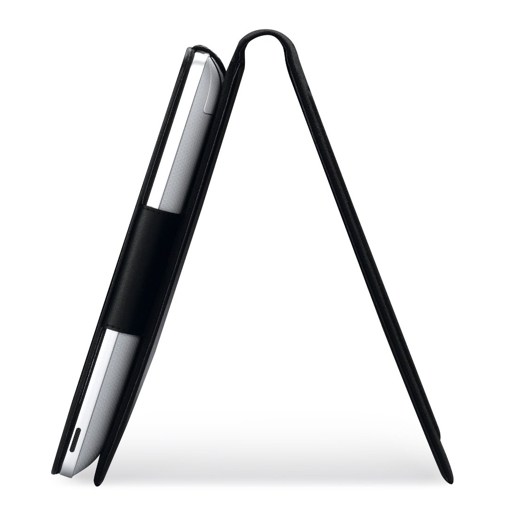
    • Includes Digitizer Pen; Folio Case; Bluetooth Keyboard

    Pricing still remains a factor, and since the tablet will come in 2 variants 32GB and 64GB . for 55,000 and 65,000 INR respectively.

  • Acer Iconica 6120 Dual Screen TouchBook Gets a Price – PreOrder

    Acer Iconica 6120 Dual Screen TouchBook Gets a Price – PreOrder

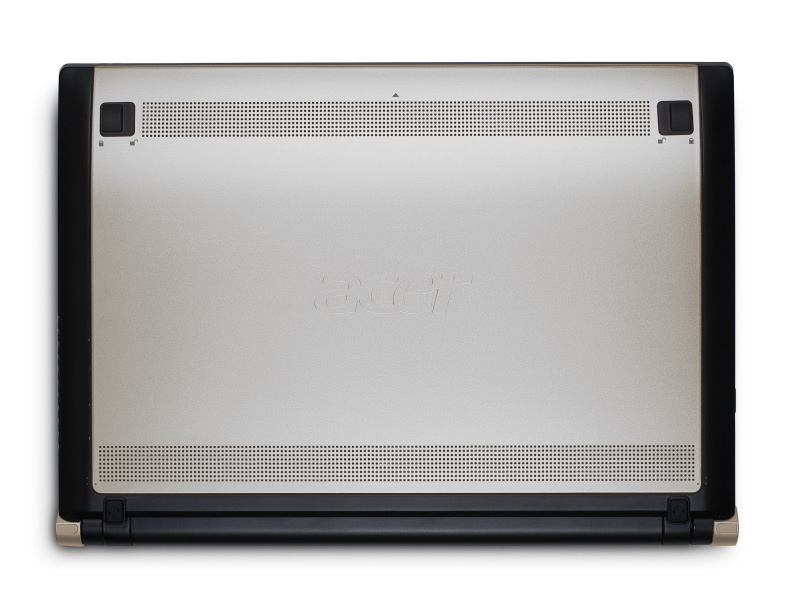
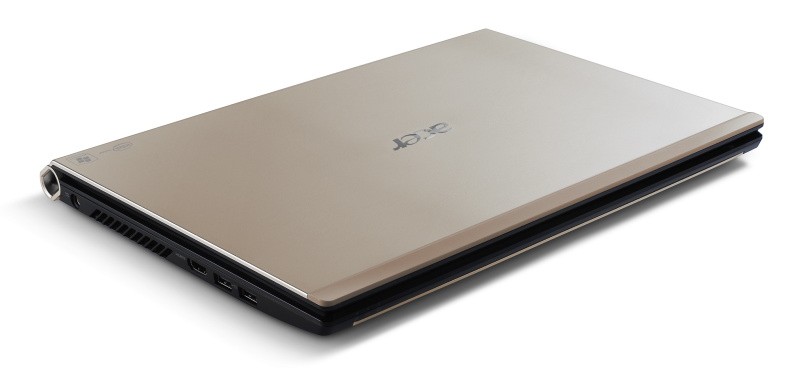
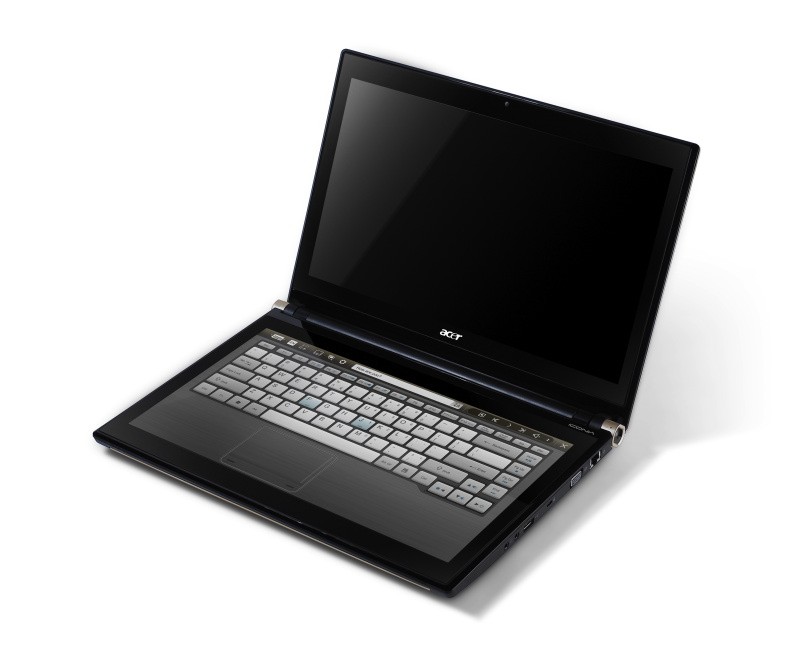
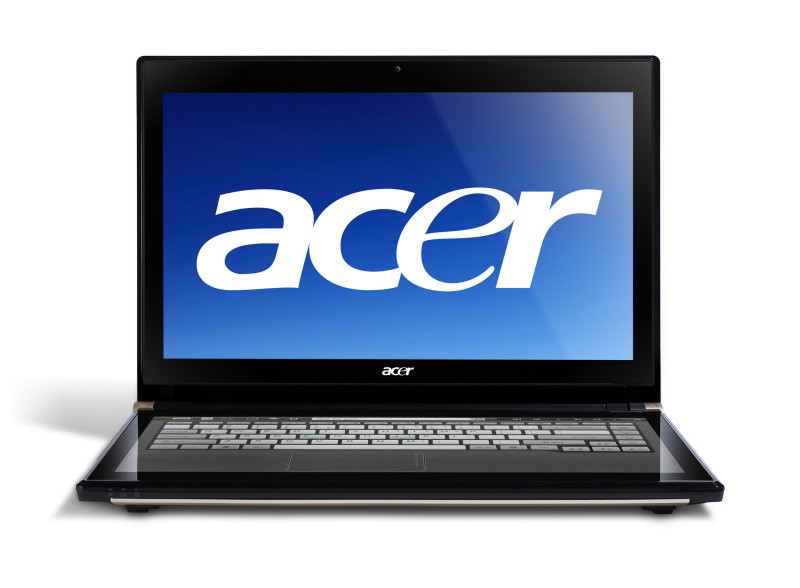
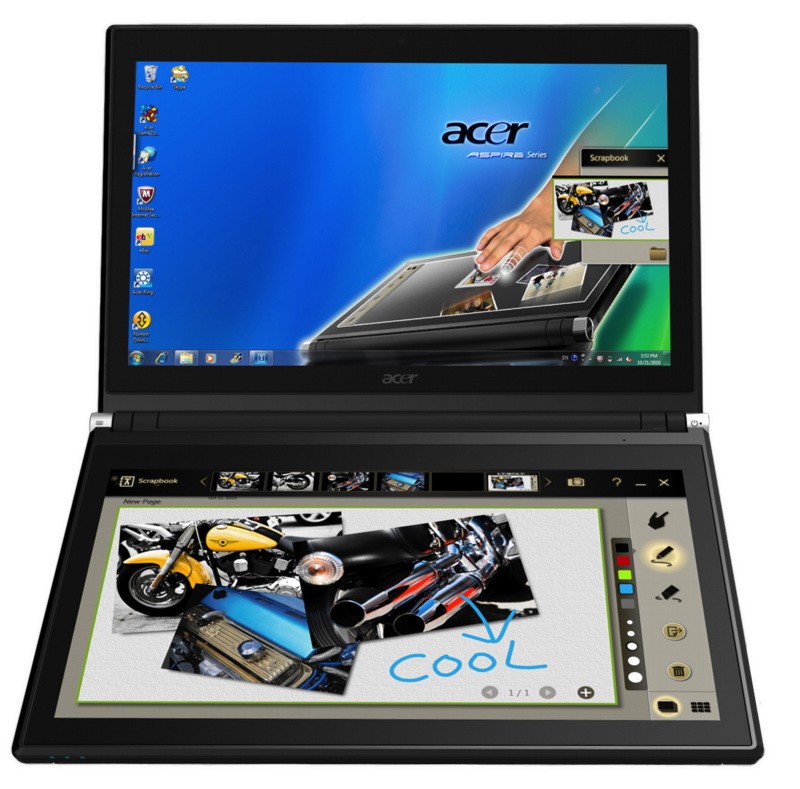
    Acer has announced the Pre-Order of its new Iconica Dual Screen Touch Notebook .

    • Price $1,199.99 ( US and CAD)
    • Dual 14-inch Gorilla Glas TouchPanels
    • Core i5 CPU
    • 4GB of memory
    • Intel HD graphics
    • 64-bit
    • Windows 7 Home Premium
    • USB 3.0 support
    • 640GB hard drive
    • 1.3 megapixel camera
    • 802.11b/g/n WiFi
    • HDMI output
    • Gigabit Ethernet
    • Weight 5.95 Pounds or 2.7KG (thats heavy!)


    Acer Iconia Touchbook Dual-Screen Tablet
    Provides Engaging, Natural Way to Interact with Digital Data

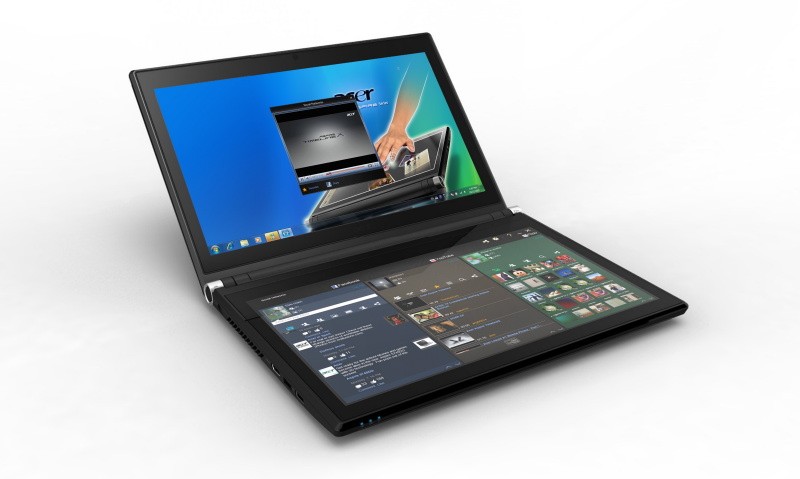
    World’s First and Only Tablet Featuring Two 14-inch Touch Screen Displays
    Now Available for Pre-Sale in the U.S. and Canada

    SAN JOSE, CA – March 29, 2011 – Acer today announced that its much anticipated dual screen tablet, the Iconia-6120 Dual-Screen Touchbook is now available for pre-sale in North America. Providing a powerful, immersive touch experience like no other, it is the world’s first and only tablet to offer two touch-enabled 14-inch high-definition widescreen LED backlit LCDs.

    Intuitive to use and customizable to individual needs, it combines the power of Intel Core i5 processing with the familiarity of Windows 7, and is destined to change how people use technology to engage with the world. A winner of this year’s prestigious “Last Gadget Standing” award at CES, the Iconia was noted for incorporating the best features of any notebook or tablet device.

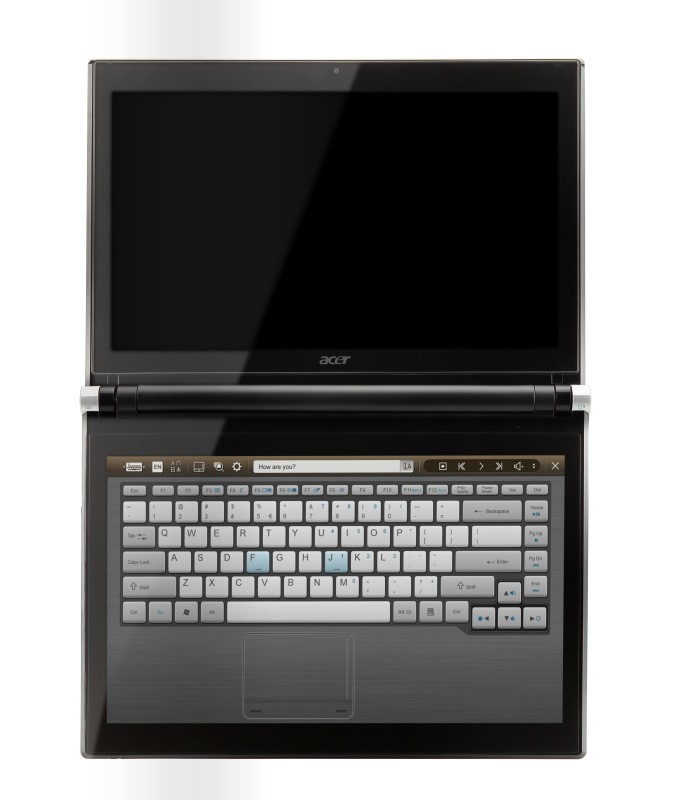
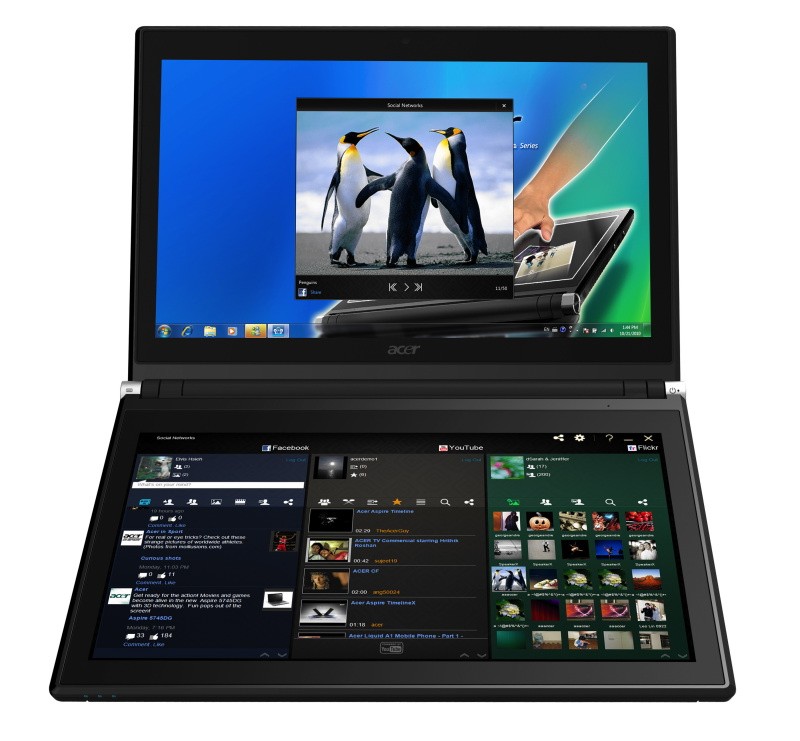
    With the flexibility to use a finger, type on a virtual keyboard, or use a combination of both, the Iconia Touchbook provides many ways to make the computing experience a truly personal one. Consumers can customize what is shown on each screen, allowing them to watch a video on the top screen and browse their multimedia library on the bottom one, or view a single web page across the two displays. Using the bottom screen to manage and control the action on the top screen keeps presentations, movies or web pages free of icons and other navigational tools.

    Extremely durable and scratch resistant, the Iconia’s 14-inch LCDs are made of ultra-thin Gorilla® Glass from Corning, a renowned manufacturer of extremely durable glass. With a wipe and clean coating, it’s easy to keep the displays shiny and smudge-free.

    “The Acer Iconia Touchbook delivers a computing and visual experience like no other,” said Eric Ackerson, senior product marketing manager, Acer America. “Whether the Touchbook is used by a small business owner or a student, its unique dual screen design enhances the interaction they will have with their digital data. Our compelling design and applications will let them discover new and much more personal ways to communicate and enjoy the computing experience, regardless of whether it’s work related or for personal enjoyment.”

    The Heart of Iconia – the Acer Ring Control Interface
    The unique Acer Ring Control Interface makes navigating by touch simple and intuitive. By placing five fingers in a circular pattern on the bottom display, the Acer Ring appears, providing instant access to favorite applications and features. From this point, consumers can use their fingertip or launch the virtual keyboard to change the tablet’s settings, surf the web, capture screen images, post photos and status updates to a social network, watch a movie and more, all in the manner most comfortable and natural to them.

    AppCards Provide Quick and Easy Access to Productivity and Entertainment-Based Applications
    Appearing on the either side of the Acer Ring is a unique set of Iconia touch-based applications, called AppCards. Using a finger, users can scroll to the one they want, and simply tap it to have instant access to a range of compelling programs ideal for either business or home use.

    • TouchBrowser is specifically designed to offer a more comfortable web surfing experience when using touch input. Upon launching, web content will flow across both screens. A toolbar at the bottom of either screen provides easy control over the open pages. To enter a website address, consumers can use the virtual keyboard or enter it using handwriting gestures. A pinching action will zoom in on the content on the page. Pages can be added to Favorites by simply tapping the Add Favorites icon.

    • MyJournal is a handy place to keep clippings of websites and other information. Images can be captured from any web page and organized onto a single, easy-to-view page. It includes pre-set tabs for News, Sports, Entertainment, Politics and Business. The selected website content on the tabbed pages is automatically updated each time it’s opened. A toolbar at the top of the page makes it easy to edit, resize, rename and move clips to other pages. In a business environment, a professional will find this feature useful in tracking news on competitors or to keep an eye on the stock market. A consumer can follow a local news story, their favorite sports team or keep an eye on their favorite celebrity’s latest antics.

    • Social Jogger simultaneously connects to three of the most popular social networking sites — Flickr, Facebook, and YouTube, presenting them a simple interface on one screen. Users can check posts and updates on one screen at a glance, and use the other screen to view one of the sites in more detail, surf the web, view photos or work on a spreadsheet.

    • Scrapbook is a convenient place to store website and photo images and other content. It includes a pen tool for drawing or entering handwritten text, such as adding comments or reminders. From there, images can be exported to the clipboard for insertion into other applications, or saved as an image file.

    • TouchPhoto, TouchMusic and TouchVideo provide direct access to multimedia files stored on the tablet.

    “The Acer ICONIA Dual Screen is a great demonstration of how hardware and software together enables new ways to interact with your PC,” said Soren Lau, senior director of marketing in the Original Equipment Manufacturer Division at Microsoft. “With Windows 7, you get the familiarity of Windows with support for multi-touch, so you can flick through videos and files with a fingertip, or use the touch-based on-screen keyboard.”

    Easy-to-use Tools Make Navigating Intuitive and Fun
    Appearing directly on the Acer Ring are a number of useful functions and tools, including Virtual Keyboard, Gesture Editor, Capture, Webclip, Window Manager and Device Control. Tapping the desired tool’s icon brings it up for immediate use.

    • The Virtual Keyboard gives users the ability to enter data and navigate in a familiar fashion. Combined with its touch capabilities, the Iconia Touchbook is a flexible and powerful tablet designed for maximum efficiency and productivity. When both palms are placed on the bottom screen, the virtual full-sized keyboard instantly appears. Adaptive typing and predictive text allows for quick data entry and minimizes mistakes. A numeric touchpad with handwriting recognition converts handwriting to text. The palm rest area can also be customized with any image on the computer – a company logo or a scenic background — so users can personalize the tablet even more.

    • Gesture Editor is a simple and quick way to instantly launch specific applications, access favorite websites, or even to lock the computer with a simple finger motion. A set of pre-defined gestures is included, but customized gestures can be created in just five easy steps. For example, simply drawing a $ (dollar sign) on the screen can launch a financial or accounting application, or a (checkmark) can open a to-do list.

    • The Capture tool allows users to clip parts of an image (a photo, illustration or a webpage) and save it to the Scrapbook application for further editing. It’s a great way to collect images for use in a PowerPoint presentation. And it couldn’t be easier to do. With the picture on the top screen and the Scrapbook page opened on the bottom display, users just tap the Capture tool, run their finger around the desired image and then tap the area to open a menu that will allow them to drag and drop it onto the Scrapbook page. The captured image will automatically be added as a thumbnail image above the scrapbook page for quick and easy viewing. They can then drag and drop the desired thumbnail onto the page, where it can be rotated or resized with pinching actions.

    • The Web Clip tool is specifically for clipping parts of web pages to save to MyJournal. Tap the screen, select the area to crop, tap and drag on any of the corners of the selected area to size it, and then tap the area again to open a menu to paste the content into MyJournal, Scrapbook or copy it to the clipboard. It can also be saved as a bitmap file.

    • Window Manager provides a touch-friendly interface for controlling the various open windows on the displays. Users can customize which screen the application appears on as well as its size.

    • Device Control is an easy way to access and adjust power, display and volume settings, wireless connections and various devices connected to the HDMI, VGA and USB ports.

    Clear.fi makes data sharing convenient in small office environment or the home
    Making it easy to share multimedia content, the Acer Iconia Touchbook features clear.fi, Acer’s digital media sharing solution. Clear.fi automatically connects all Acer devices on a network (smartphones, notebooks, desktops, HD media players and storage devices) and then gathers and organizes media files by type (video, music, photo, pre-recorded TV). Users can browse the categories and then drag and drop the media to any of the connected PCs or devices for playback.

    No-Compromises Tablet Features Leading Technology for Maximum Productivity and Fun
    A super charged tablet filled with enough leading technology to rival many desktop and notebook PCs in performance, the Iconia-6120 Dual-Screen Touchbook is powerful enough to handle demanding applications and graphic intensive multimedia files. Featuring an Intel® Core™ i5 Processor with Intel® Turbo Boost Technology(2), 4GB of memory and Intel® HD graphics, the Touchbook is equipped for heavy lifting. In addition, Dolby® Advanced Audio™ v3 brings vibrant sound to business presentations, movies, music, and games.

    Windows 7 Home Premium 64-bit provides a familiar computing environment and is compatible with today’s most popular applications and media formats, and supports full web browsing with Adobe® Flash® Player 10.1. For professional environments, customers can upgrade using Windows Anytime Update to Windows 7 Professional to attain business-class PC: manageability, security and the ability to run the applications used within most organizations today, including Microsoft Office.

    To maximize productivity, the Touchbook includes the new USB 3.0 standard with a top speed that’s 10 times faster than standard USB 2.0; a 25GB high definition video file can be transferred from an external USB 3.0 storage device in just 70 seconds and stored on the roomy 640GB SATA hard drive(3). Two 2.0 USB ports and an HDMI port are also included.

    A 1.3 megapixel HD webcam is ideal for face-to-face videoconferencing or for staying in touch with business associates, friends and family. Connect reliably with 802.11b/g/n Wi-Fi CERTIFIED™ or Gigabit Ethernet LAN from work, home or while on-the-go. Weighing in at just 5.95 pounds(4), it’s as convenient to carry as any notebook computer, and fits comfortably in a briefcase or backpack.

    U.S. Configurations, Pricing and Availability
    With an MSRP of $1,199.99, the Acer Iconia-6120 Touchbook is available for pre-sale now and will be available in April at leading retailers nationwide.

    Canada Configurations, Pricing and Availability
    With an MSRP of $1,199(CAD), the Acer Iconia-6120 Touchbook will be available in April through authorized Canadian resellers.
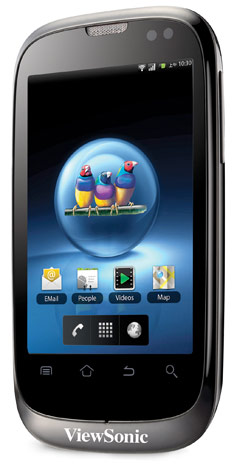
  • ViewSonic launches dual-SIM V350 smartphone, Windows 7 / Android dual-boot ViewPad 10Pro tablet

    ViewSonic launches dual-SIM V350 smartphone, Windows 7 / Android dual-boot ViewPad 10Pro tablet

    ViewSonic is stepping up its game in the market this year, and has just announced two knocker products.
    First up – the V350 smartphone shown above,

    • Dual-SIM
    • 3.5-inch HVGA capacitive touchpanel
    • Android 2.2
    • Five megapixel camera
    • microSD card slot
    • WiFi
    • Bluetooth 2.1
    • A-GPS

    Up next, as seen below, is a quite an interesting and innovative tablet.
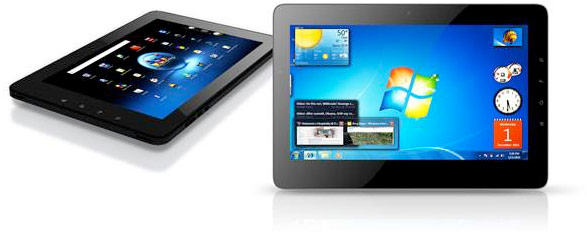
    ViewPad 10Pro

    • 10-inch
    • dual-boot functionality
    • Android 2.2 or Windows 7 Professional
    • Oak Trail platform
    • 1024 x 600 LED-backlit capacitive multitouch screen
    • Inbuilt 3G
    • WiFi
    • Bluetooth
    • 6 hours Battery

    The ViewPad 10s, with the ViewPad 10s 3G (predictably) gaining integrated 3G functionality.

    ViewSonic Europe targets prosumer market with Dual-SIM Android Smartphone and Windows/Android dual-boot Tablet device

    Devices to be previewed for the first time in Europe at Mobile World Congress on stand 2B77 Hall 2.

    Mobile World Congress, Barcelona, 11 February 2011 – ViewSonic Europe, a global provider of computing, consumer electronics and communications solutions, today announced the launch of its new Dual-SIM Android Smartphone, the V350 and its new 10 inch professional tablet PC, the ViewPad 10Pro. Both products have been designed to enable users to easily access both their work and personal life via just one device and will be previewed for the first time in Europe at Mobile World Congress (2B77 Hall 2) on 14 February 2011.

    The V350 Smartphone with 3.5 inch display is an active Dual-SIM device running the Android 2.2 Froyo operating system, enabling the use of two network services at the same time. Its Dual-SIM capability is ideal for businesses wishing to provide staff with a mobile device that can offer separate numbers and bills for both personal and business use. This feature also enables travellers to carry just the one phone whilst still be able to take advantage of different pricing plans and network offers for voice and data in various countries. The V350 however does not compromise in other areas, with Android 2.2, a HVGA capacitive touch screen, 5-megapixel auto-focus camera, Micro-SD expansion, Wi-Fi, Bluetooth® 2.1 and assisted GPS navigation.

    The ViewPad 10Pro is a 10″ professional tablet PC with dual boot functionality, offering a quick switch capability between Windows® 7 Professional for business use and Google Android 2.2 for personal and social entertainment. Dual-boot enables users to access business software that only runs on Windows and investigate Android without switching completely. Many users enjoy the familiarity of Windows but want to get to know Android and configure their preferences before using it more widely. The ViewPad 10Pro is one of the first tablets to have the Intel Oak Trail processor combined with support for flash 10.1 and the new interface provides an excellent navigation experience. It has a 1024×600 LED backlit capacitive multi-touch panel, is fully connected with 3G, Wi-Fi and Bluetooth and has at least six hours of battery life.

    “Last month Deloitte predicted, in its annual sector forecast, that UK companies will buy more than 10 million tablet devices in 2011. ViewSonic is well placed to capitalize on this market and offers users the best of both worlds from one device” said Derek Wright, Product Marketing Manager at ViewSonic Europe.

    “Our V350 Smartphone is one of the most functional Dual-SIM phones on the market. With Android GMS for access to more than 200,000 Google applications, it has powerful multimedia capabilities and with both SIM cards active, you can place and receive calls on each at any time. The Dual-SIM proposition is compelling and will generate considerable market uptake this year.” Wright concluded.

    For the first time in Europe, ViewSonic will also show its ViewPad 10s 3G. Launched at CES in January, the ViewPad 10s now benefits from 3G functionality that enhances current features that include GPS, Wi-Fi 802.11 b/g and Bluetooth 2.1+EDR.

    About ViewSonic


    ViewSonic® Corporation is a leading global provider of visual display and computing products. ViewSonic develops, markets and supports a broad range of innovative products, including computers, LCD monitors, projectors, LCD TVs, digital signage solutions, digital photo frames and other consumer electronics products. For further information, please contact ViewSonic Corporation at 0871 855 3355 or visit http://www.viewsoniceurope.com/uk/.

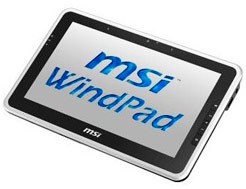
  • MSI Announces WindPad 100w a windows 7 Tablet : UPDATE : Launched in INDIA

    MSI Announces WindPad 100w a windows 7 Tablet : UPDATE : Launched in INDIA

    A Whole year after the launch of the iPad companies are talking about Windows 7 Tablets. The first to do this is MSI (HP slate limited to corp clients) the specs of the WindPad 100w

    • 10.1-inch d
    • Windows 7 Starter
    • Intel’s Atom Z530 1.6GHz single-core processor
    • 2GB of memory
    • 32GB SSD
    • 6 hour battery life
    • MSI WindTouch, EasyFace, Taskbar Magnifier Tool, Photo EasyViewer
    • Supports Multi-Touch, Screen Rotate, Light Sensor Detect, G-sensor

    Priced at 710$

    Update : Looks like the WindPad is officially been announced in India at a premium price of 34,990/- (which roughly translates 710$ in INR). Pricing loos okay to us for the first generation of Windows 7 Tablets. Expect it to fall to 20-25k range in a matter of months.

    We are also trying to get a review unit.

    Thanks : Abhinav

iGyaan Network
Privacy Overview

This website uses cookies so that we can provide you with the best user experience possible. Cookie information is stored in your browser and performs functions such as recognising you when you return to our website and helping our team to understand which sections of the website you find most interesting and useful.