Tag: update

  • 5 Cool Features of iOS 9

    5 Cool Features of iOS 9

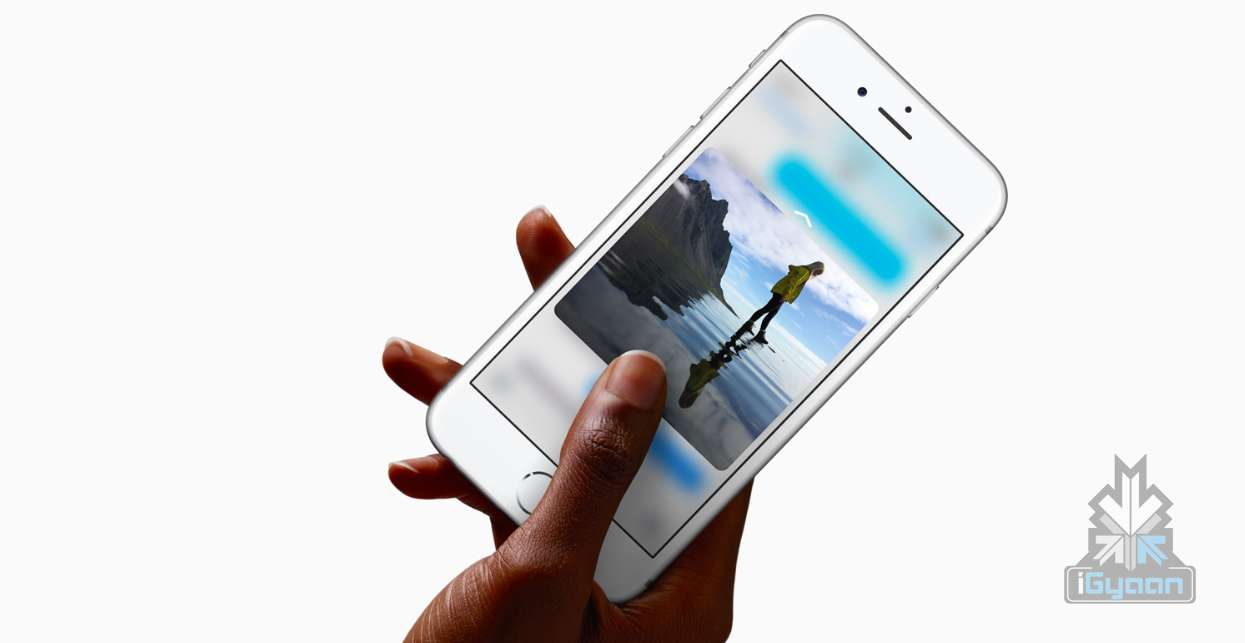
    iOS 9 is finally out, and those of you who haven’t updated your iPhones and iPads yet can do so while we tell you some of the neat new features of the latest operating system.

    New icons
    011ed5879fb24339be3910d11b899362dbe85caca7

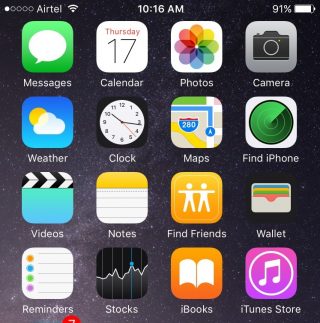
    Whenever we do an update it’s obvious our eyes are going to search for something new from the get go. While the iOS 9 is mostly the same as the iOS 8 in terms of the look of it, users will find three brand new icons in their home screen (Well, two actually and one revamped). The two new default apps are called Find iPhone and Find Friends. Both these apps were already available for download in the App Store. Find Friends/iPhone is pretty useful if you want to know if a friend is nearby for a cup of coffee, or if you’ve suffered a mini heart-attack from losing your iPhone.

    The Passbook has been renamed as Wallet, which is a cleaner name and suits that fact that the app can now store all your credit cards, reward cards and membership cards.

    A back button

     

    0119e9620c5dde814972d8d7fd656a5d8bf3cd8f13


    The iOS 9 has plenty of new features that are hidden away from the usual ones. Once you start using your device as you normally would, you’ll find subtle changes and additions in your iPhone that really make a difference to your usability.

    Take for instance the new back button that appears on the top-left corner of your screen when you switch from one app to another. And if you open a link from your Mail that takes you to Safari, the back button will appear that will take you back to Mail. Now you won’t have to double-click the Home button every time you want to go back to the previous app.

    New Low Power Mode
     

    0166c8c88067dc3e5379a40cde8644836efd09e44f

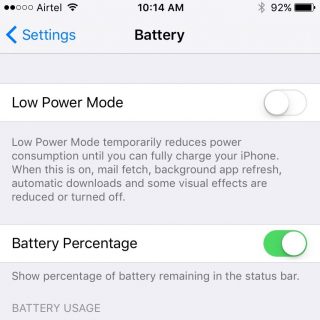
    This is perhaps one of the best new features Apple could have provided. The new Battery settings comes with The Low Power Mode which promises to give you an additional 3 hours of battery life, if you find yourself on really low power and still need the phone to stay alive for a few more hours.

    The Low Power Mode disables background app refresh, automatic downloads, mail fetch and visual effects to give you as much extra battery life as it possibly can. Battery information will be displayed in the Notification Center for the iOS device and the Apple Watch.

    Changes to the shift key
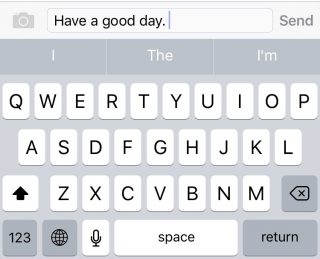
    0176c86e7956390bad0ac2100fd11fdc647ce80d25


    Apple has made another subtle but much needed change to the keyboard. You can actually see the capitalized letters when you turn on the caps lock. The letters change to upper case when ‘shift’ is on and change back to lower case when ‘shift’ is turned off.

    New Notes app
    01fa1ab0a97825190ae34c2a65ce175ca6c905631f

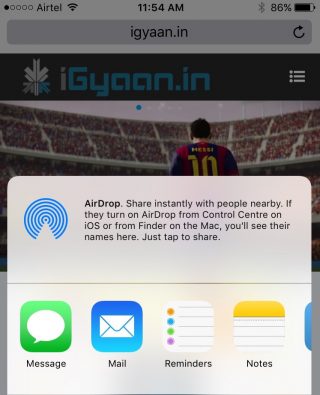
    Notes has undergone some major changes. You now have the feature to add Photos to your notes, make a checklist, and draw and doodle using your fingers. The Notes app also allows you to embed websites, photos, maps, and more without having to leave the app.

    You can take a photo from within the Notes app as well. Finally, you can arrange the items attached to your notes with the new Attachment Browser.

    These are but a few of the subtle and not-so-subtle changes that come with the new iOS 9. Other features also include split-screen multitasking and picture-in-picture for the iPad, a new and improved Siri, with a Proactive feature when you swipe right on the homescreen, transit directions in Maps, new search bar in Settings, and much more. Though some of these features are yet to work well in India.

    What are your favorite updates from the new iOS 9? Let us know in the comments below.
  • Top 4 Ways to Get Your Apple Device Ready For iOS 9

    Top 4 Ways to Get Your Apple Device Ready For iOS 9

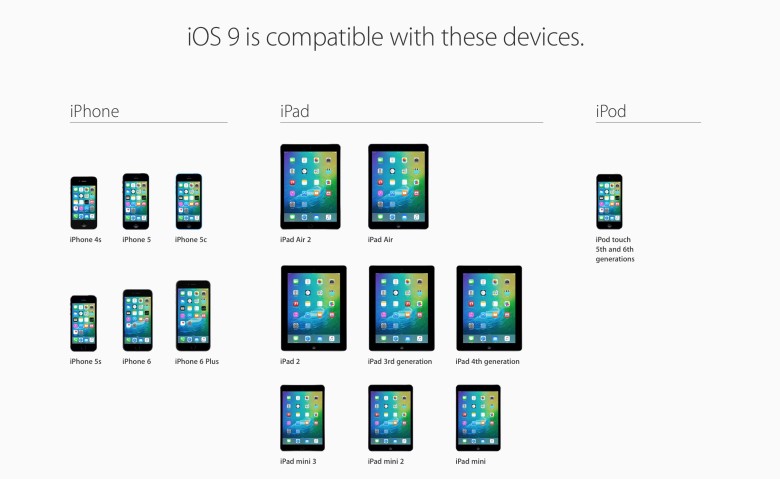
    Those of you who were up-to-date with the Apple event that took place last week will remember that the new iOS 9 update is scheduled for a September 16 release, which is today. The update is compatible for all current iPhones and iPads.

    However, before you press that ‘Download and Install’ button, here are a few things you can do to prepare your phone for the update.

    Check Compatibility

    All the way back to iPhone 4s and iPad 2.

    Before you get too excited, you should check whether you iPhone is compatible for an iOS 9 update. This is especially the case for those who are using really old Apple devices (we’re talking almost ancient). The new iOS 9 is compatible devices as old as the iPhone 4s, iPad 2, and 5th generation iPod touch, but will not work for the iPhone 4.

    Free up some storage

    The new iOS 9 comes as a huge relief for 16 GB users as it will take up only 1.3 GB of space compared to iOS 8’s massive 4.58 GB. We can almost here the cries of joy over this news. However, before you can enjoy all that extra free space chances are that you’ve already filled up your 16 GB device to the brim. Any update requires some free space, so now would be a good time to delete some of the really old apps that you no longer use. You can press and hold on an icon till it does its little jig and then tap the X on the upper left to delete it, or you can go to the Usage option in Settings to find out which app is taking the most space and delete it from there.

    Back-up your data

    There’s always that hint of fear when you go for a new update. Sometimes due to some bugs, your device may crash a lot like it did with iOS 8 in its initial months, or you may find that some of your data missing. Hence, we suggest you back-up your data using either iCloud or iTunes to be on the safe side.

    If you’re backing up using iCloud simply go to Settings > iCloud > Storage & Backup and toggle iCloud Backup to ON and finally tap on Back Up Now.

    If you wish to back up using iTunes simply open iTunes and go to File > Devices > Transfer Purchases and once that is done go to File > Devices > Back Up.

    Clean up your media

    iPhone 6s 8

    The iOS 8 recently introduced the Apple Music in which you can stream unlimited music for a monthly subscription. Those who have subscribed to it most likely stream all their music freeing up a lot of space. However, those who still have a lot of music or videos saved to their devices should take some time out and delete the ones you no longer listen to or watch.

    Once you’ve sufficiently freed up your space, you can go ahead and download the new iOS 9. Wait for your Settings app to show a little red circle on the top-right corner sometime today, and update away.

  • Like, Unlike and Now a Dislike Button For Facebook

    Like, Unlike and Now a Dislike Button For Facebook

    Our favourite social networking site, Facebook is now expected to come out with a new ‘dislike’ button. Why? Well, you know all those sad posts about bad things happening to someone, or a world crisis that is so appalling and you can’t really do much to help, but you still have an opinion about it? This button is for that. So, now when your friend posts a status about losing a dear one, you don’t have to ‘like’ the status and later feel awkward that you didn’t feel the need to comment but yet wanted to express support, so you went ahead and ‘liked’ the fact that your friend just lost a loved one. These kind of situations can hopefully be avoided in the future.

    The unique element about Facebook that seems to keep it running, is its ability to stay updated with all the current trends, and today the world seems to have moved on from merely ‘liking’ things or ignoring things that they’re not comfortable with. Today, if you don’t like something you’re expected to give an opinion about it, ignoring things is apparently cowardly, escapist and spineless etc. nowadays. So therefore, ‘dislike’ and let the world know.

    However, Facebook’s reason for introducing the ‘dislike’ button is more constructive than merely voicing an opinion for the heck of it. This button is expected to help Facebook build their NewsFeed better. As of now the content for each person’s NewsFeed is basically constructed by an algorithm that takes into account many actions of the user, but is mostly guesswork. This algorithm can’t tell what exactly the user dislikes and does not want to see. So, the introduction of the ‘dislike’ button will now help Facebook to not only show us things we like, but will also make a conscious attempt to hide the things we dislike.

    In conclusion, we would just like to say that you have nothing to worry about, Facebook should not become a hateful and sad place for people with complex issues. But yes, you may see a lot of Taylor Swift haters and Miley Cyrus lovers being more vocal as ever. So, if you’re not a celebrity you should be fine. No one is going to hate on your new Facebook display picture more than they already do. The solution: Take it all with a pinch of salt!

    What do you think about your new right to dislike on social media?

  • Flipkart Will Now Let You ‘Ping’ Your Friends While Shopping Online

    Flipkart Will Now Let You ‘Ping’ Your Friends While Shopping Online

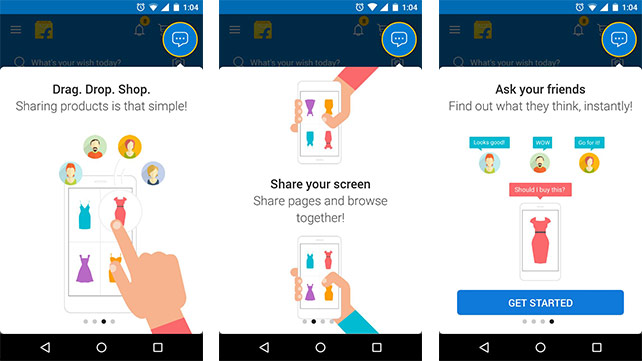
    Flipkart has announced a social networking service called ‘Ping’ today. It is a part of the Flipkart app and is an initiative by the company to bring a social element to your e-commerce shopping experience.

    How does it work? Ping essentially allows you to talk to your friends and family when you are shopping for a particular product. So now, the store experience will come alive, whether you’re buying a gift for your mother on her birthday and you need your dad’s opinion or if you’re simply contemplating on buying shoes that you’ve been eyeballing for a while.

    Ping allows you to share photos, wish lists and the products in your cart so that you can show them off to your loved ones and get an opinion. It automatically adds your friends through your smartphones Phonebook too. All you have to do is send them a text inviting them to Ping and if they don’t already have the feature, they will be asked to install it. 
    Flipkart-Ping

    Flipkart’s Chief Product Officer Punit Soni stated that Ping’s design was original but the deign and UI look pretty similar to Facebook messenger. This app has been optimised to suit India and the network problems our country faces. Hence, Ping is 2MB in size, consuming less data, battery and is compatible with any smartphone running on Android 2.1 and above.

    For now though, Ping is available only between you and your friends. However, the chat will soon become available to sellers, customer service and stakeholders in the e-commerce chain. You’ll be able to chat with anyone you like then.

    Right now Ping has been launched with an invite model which means that only those who have an invite will be able to use the service and will also be able to share 10 invites with their friends.

    Whatever said and done, this feature seems to be a well thought out and a convenient one.

  • List of Samsung Devices First in Line to Receive Marshmallow

    List of Samsung Devices First in Line to Receive Marshmallow

    We had recently announced the introduction of Android’s new update called the Android 6.0 Marshmallow. New reports now suggest that there are plans for this new edition to be updated on a few Samsung smartphones, once it is released. The Marshmallow is said to bring with it features such as – app permissions, memory usage tracking, power saving, auto back up etc.

    A rumour suggest that the initial batch of Samsung’s Android gear could be updated to the Android 6.0 Marshmallow. This list includes the:

    • Samsung Galaxy Note5
    • Samsung Galaxy S6 Edge+
    • Samsung Galaxy S6
    • Samsung Galaxy S6 Duos
    • Samsung Galaxy S6 Edge
    • Samsung Galaxy Note 4
    • Samsung Galaxy Note 4 Duos
    • Samsung Galaxy Note Edge
    • Samsung Galaxy ALPHA
    • Samsung Galaxy Tab A

    However, this information has not been confirmed by Samsung but according to the rumours, these devices should get updated by early 2016.

    For more information on Android Marshmallow, click here.

    Source

  • Xiaomi Shows Off Their New OS, The MIUI 7

    Xiaomi Shows Off Their New OS, The MIUI 7

    In addition to the much awaited Redmi Note 2 that was only launched in China, Xiaomi also released its OS which is the new version of the company’s Android-based operating system. The MIUI 7 OS was announced in China and the international launch took place today, in India.

    We will get to see a lot more features and information on the MIUI 7, this time so before we take a look, let us show you a video that shows the performance of the MIUI 7:

    This UI was announced on August 16th 2010, and now has 48 official ROMs by various MIUI developers, and 480 community ROMs.That seems to be substantial growth in the last 5 years as the MUI has over 150 million users today spread across a 156 countries. Naturally then, it has a lot of expectations riding on its back.

    Firstly,  it has a feature called ‘System UIs’, which is basically a bunch of theme sets that allow you to customise your phone according to your own taste.  It has 4 choices; Rose, Pink Blush, Ocean Breeze and High Life.

    A second cool feature would be ‘Showtime.’ This allows you to attach animated videos to certain contacts that you’ll be able to view when they call you. Cool, right? The most amazing part is that we don’t need to keep waiting for it either. Contrary to how launches usually work, this time we will get to see this particular feature in India first, and then it will roll out in other areas. Let’s feel special for a moment.

    Thirdly, it has a feature called ‘Auto DND’ that can be used in combination with your Mi Band fitness tracker, if you own one, of course. What it does is, if a Mi Band detects you’re sleeping, it will automatically put the device in a Do Not Disturb (DND) mode, and silence your device. Once you wake up, the DND will be disabled. It’s like your personal butler, in a way.

    source: Gsmarena
    source: Gsmarena

    The ‘XXL Text’ is something that most elderly people ought to use. It’s a feature that allows you to apply  huge fonts on your smartphone, whilst promising that your Xiaomi UI won’t become dysfunctional. Another feature called The ‘MIUI Data Saver’ is actually powered by Opera Max’s compression tech. This will release worldwide, in a month and will offer you data saving across all apps. Why is this a good thing? Because Opera’s cloud compresses data, and hence can save you a lump sum of cash when it comes to mobile data (up to 50% less data consumption).

    The MIUI 7 even has a feature called The ‘Baby Album’ that uses face recognition to identify adorable babies and group their photos with you.  And lastly, The ‘Daily Lockscreen’ feature chooses a picture to put on your lockscreen, on a daily basis. Once again, we have the privilege of seeing these features first in India, before they roll out elsewhere.

    Thus those are a list of features you should be looking out for, starting 24th August which is when the MIUI 7 update will be available. You’ll get the taste of the new OS on the Redmi 1S, Redmi 2, Mi 3, 4, 4i and Redmi Note 3G/4G.

  • Facebook Would Now Like to Become a Blogging Platform

    Facebook Would Now Like to Become a Blogging Platform

    Most of us may not know that Facebook did have a small ‘Notes’ feature back in 2006, where one could write longer statuses, pictures, articles etc. This feature got buried, when the Timeline came into being in 2011. However, with blogging currently being the hottest trend amongst college graduates and job-seekers, Facebook has decided to bring back its ‘Notes’ feature with a bang.

    FB Notes 1

    With Facebook now testing design updates for Notes; it is said that the new features include nearly full-width images without cluttered sidebars, and big cover images like Facebook profiles.

    “We’re testing an update to Notes to make it easier for people to create and read longer-form stories on Facebook.” – Facebook

    The new Notes’ sleek design caters to both business entrepreneurs, politicians, and other public figures alike. However, questions have been asked as to whether Facebook is willing to put the power of the feed behind it. With the design still being updated, it is yet to be seen, whether the new Notes gathers momentum and helps Facebook expand over the internet, even more than it already has.

    Source:[tw-button size=”medium” background=”#07ABE2″ color=”” target=”_blank” link=”http://thenextweb.com/facebook/2015/08/17/through-the-medium-of-facebook/”] NextWeb[/tw-button]

  • Google Hangouts Breaks Free from Gmail, Gets its Own Website

    Google Hangouts Breaks Free from Gmail, Gets its Own Website

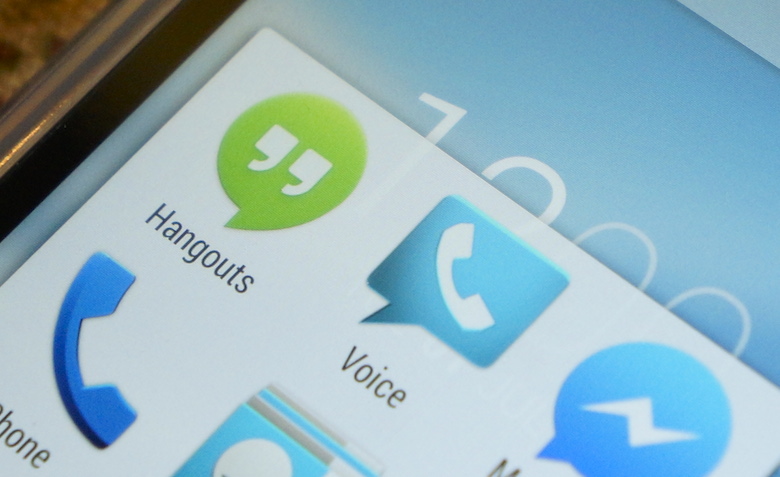
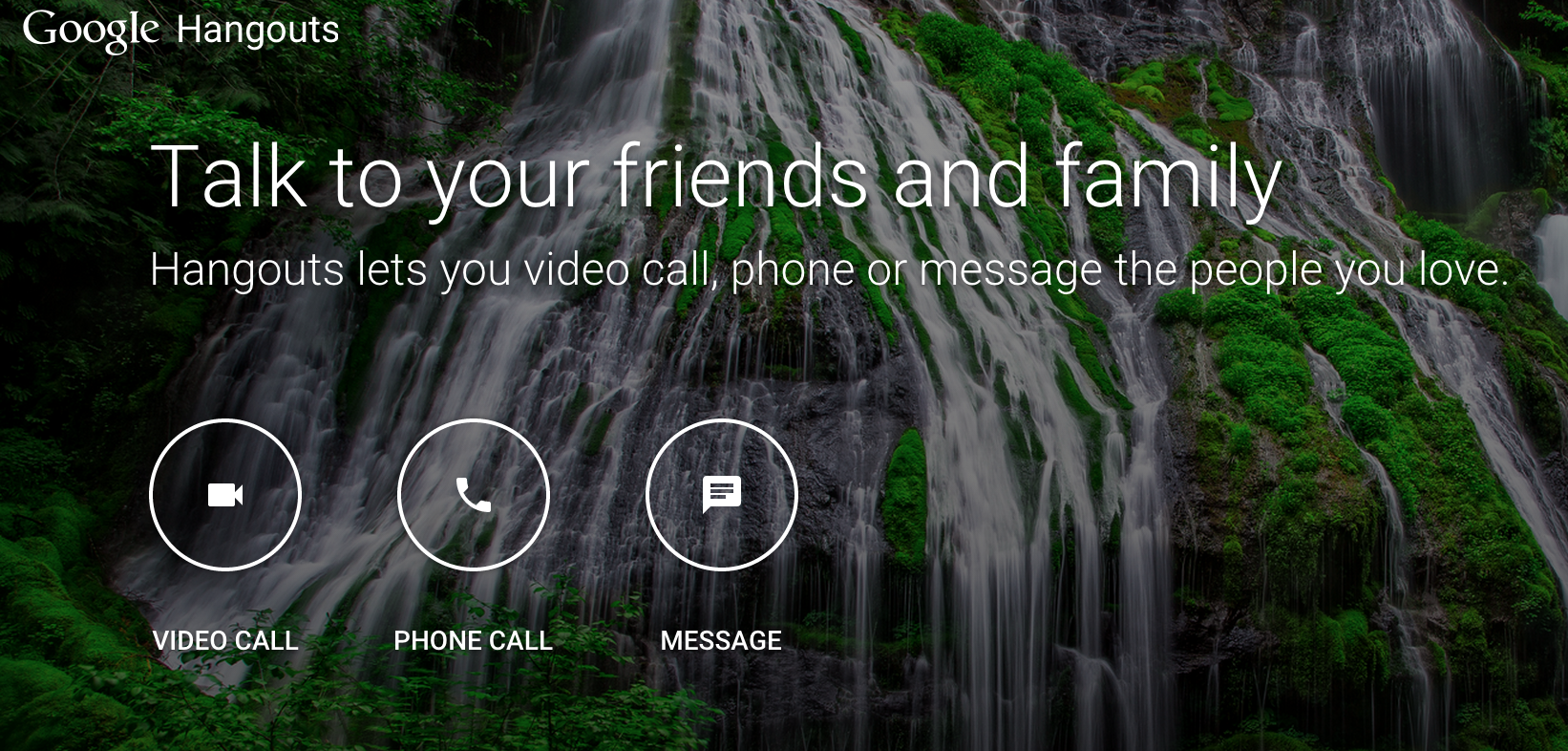
    The site puts Hangouts’ three key features — instant messaging, voice calls, and video chats — front and center, with big buttons to start up each of them. Thus, this change is going to allow every type of user to be on hangout in comparison to just those, who were always on Gmail and could hence use the facility.

    google hangout

    It is natural for Google to have invested their time into giving Hangouts its own web service and a modern design. There are a large number of people using Google accounts and it only made sense for the company to pick up on that and make it easier and convenient for everybody, just like Facebook did, by separating its messenger.

    The Verge stated that the Hangouts app has been overhauled on both iOS and Android, bringing it up to date with Google’s Material Design style and making the service a bit easier to use. So now, anyone can use Hangouts in any manner they wish, without its strings being attached to Gmail or Google+.

  • Twitter Officially Got Rid of the 140-Characters Limit From Direct Messages

    Twitter Officially Got Rid of the 140-Characters Limit From Direct Messages

    We had earlier brought you the exciting news that Twitter was going to get rid of the 140 character limit that was put on its Direct Messages. Now it is has been officially followed through.

    If you logged in today and checked your Direct Messages you will find that the 140 character limitation is missing and now you can chat away to your hearts content, in a single Direct Message.

    While the whole concept of Twitter is supposed to have you sharing your opinions on a public forum, Direct Messages allows you to have personal chats about the memes, news, movements, and events that unfold on Twitter. Therefore, Twitter aimed to work on the Direct Message feature to make it personal, but fun.

    As for the public side of it, nothing changes. You will have to say what you need to in 140 characters itself, coupled with memes, videos and emojis, if you wish.

    The relieving and drastic change will be executed on Android and iOS apps, as well as twitter.com, TweetDeck and Twitter for Mac. The company says that the rolling out of the change worldwide, will continue in the next couple of weeks.

    If you’re dying to try a restriction free Twitter, make sure you have the latest version of the app so that you get the update right away, Sending and receiving Direct Messages via SMS will continue to be limited.

    So go ahead, speak your mind.

  • This Windows 10 Feature May Be Using Up Your Internet Bandwidth

    This Windows 10 Feature May Be Using Up Your Internet Bandwidth

    As people are slowly learning and getting used to the Windows 10 updates, some of them stand out, here is one. A feature called the Windows Update Delivery Optimization gives Microsoft the permission to share parts of your Internet bandwidth, with others.

    This feature saves and uploads parts of your updates files that have been downloaded via Windows Update & Windows Store service, then depending upon your settings, will share that with people on your local network, or people on the internet.

    “Delivery Optimization downloads the same updates and apps that you get through Windows Update and the Windows Store. Delivery Optimization creates a local cache, and stores files that it has downloaded in that cache for a short period of time,” says the description.

    This feature is enabled in all desktop editions of Windows 10 by default; however it only shares files on the local network. There is an option to turn off this feature, one needs to go to the Settings > Update & security > Windows Update > Advanced options. After that, select the ‘Choose how updates are delivered’ and turn off the ‘Dicovery Optimization’ feature.

    Image Source: NDTV Gadgets
    Image Source: NDTV Gadgets

    The feature, is one of the few that could annoy users, just like the Wi-Fi Sense did. The Wi-Fi sense is a feature that was previously available on Windows Phones, whereby it shares the user’s Wi-Fi credentials to all contacts on Facebook, Outlook & Skype.

    Source: [tw-button size=”medium” background=”#07ABE2″ color=”” target=”_blank” link=”http://thenextweb.com/microsoft/2015/07/30/windows-10-steals-your-bandwidth-to-send-other-people-updates/”]TheNextWeb[/tw-button]

  • Google Maps Now Helps You Retrace Your Every Step

    Google Maps Now Helps You Retrace Your Every Step

    One of the features of the modern day lifestyle is the GPS tracking devices on our Android or iOS phones and laptops, with the most famous tracking app being, Google Maps. We all know how this works regardless of whether we own a smartphone or not. Google Maps already knows your location so you just have to add your destination address and voila, it shows you the way.

    Image Source: Mashable
    Image Source: Mashable

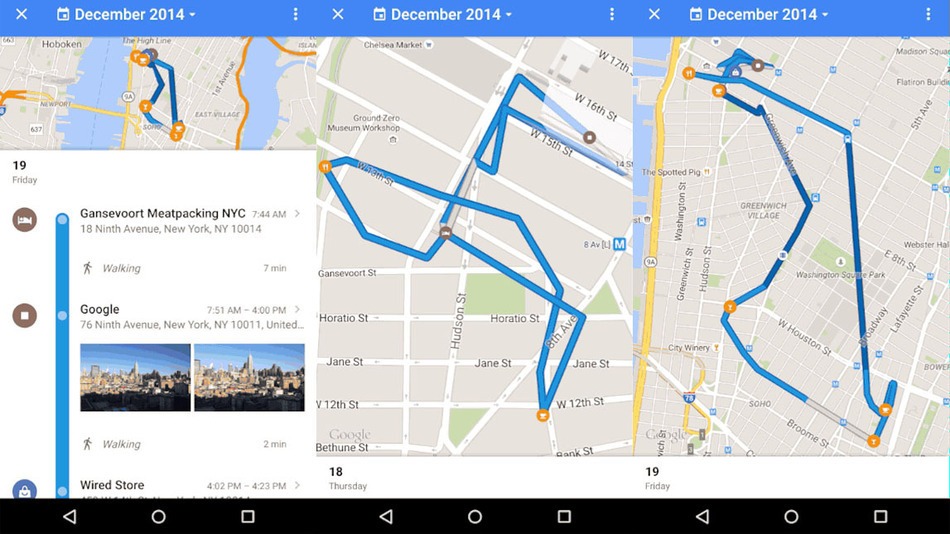
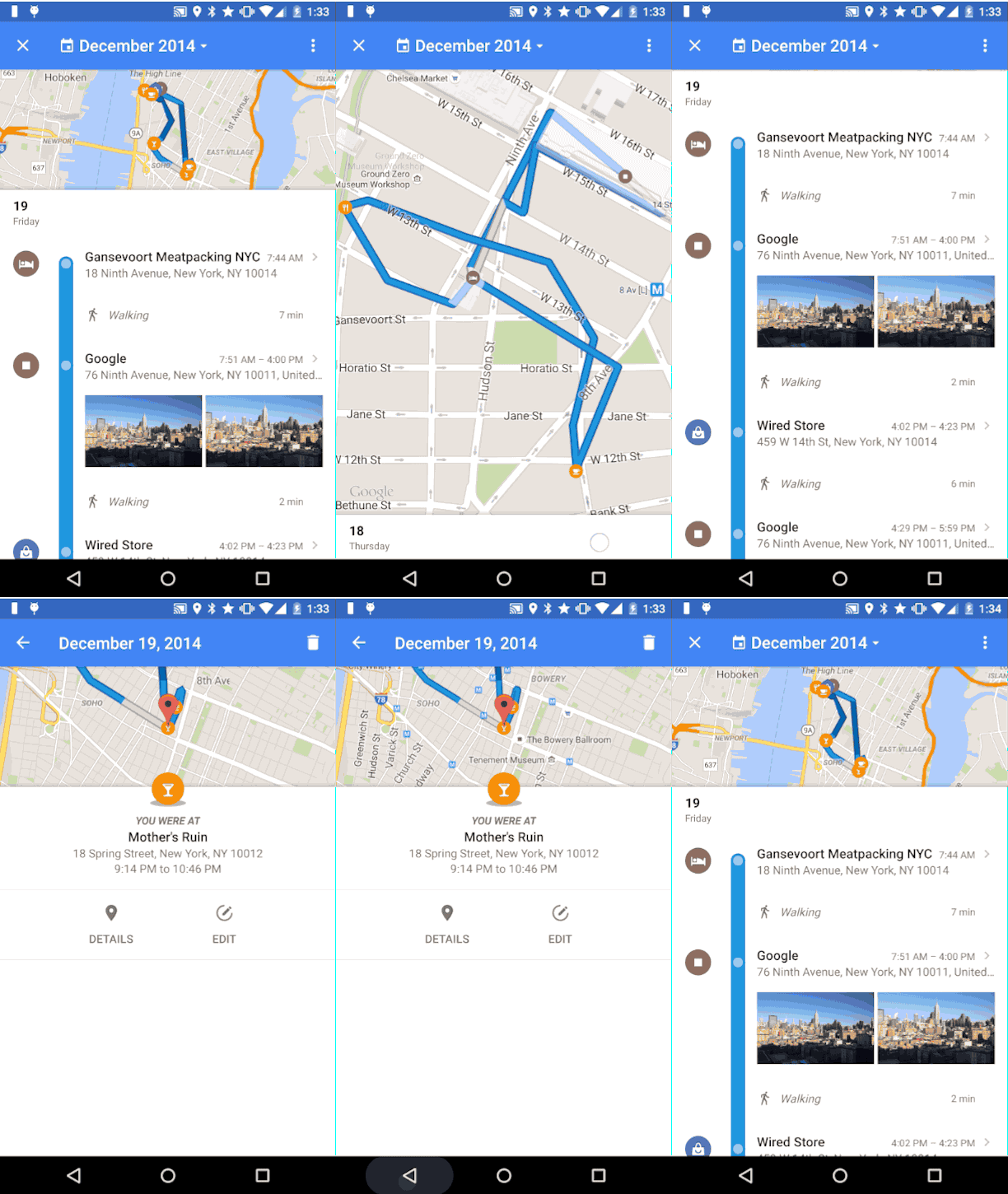
    This app is usually helpful, but there are times when Google Maps either takes you to some remote location or you forget which road to take etc. Although, Google Maps previously did have a location history setting, now, it has come out with a new feature called Your Timeline.

    Google Maps Gif

    The new Timeline is curated in a more efficient way than the location history and allows you to rename a location or remove a location and allows you to check where you were at any given time.The location history of the Timeline is private and can be deleted by the user from the settings menu. The new feature also allows you to control your account settings if you don’t want Google to track your location history.

    The new Your Timeline feature is soon to be out for desktop users too.

    Source: [tw-button size=”medium” background=”#07ABE2″ color=”” target=”_blank” link=”http://mashable.com/2015/07/22/google-maps-your-timeline/”]Mashable[/tw-button]

  • List of the First Smartphones Most Likely to Run Android M When it Launches

    List of the First Smartphones Most Likely to Run Android M When it Launches

    While Android Lollipop was a complete overhaul from its previous iteration (in terms of design and features), Android M is said to be a mere improvement. At the Google I/O conference, Senior VP Sunder Pichai announced that the company has spent effort on improving the software, rather than redesigning it. Nonetheless, we can’t wait to have the brand new set of features on our smartphones.

    Well, we’ve now decided to take on the burning question everyone wants answered, “Will my smartphone be upgraded to Android M?”.

    Here’s a list of smartphones that are most likely to receive the update first.

    Nexus Devices

    Google Nexus 6 3

    No surprise here. The Developer Preview is already out for Nexus 5, Nexus 6, Nexus 9, Nexus Player; and it sure looks good. As tradition goes, Google’s very own line-up of Nexus devices will be the first ones to receive the official update.

    The Moto Brigade

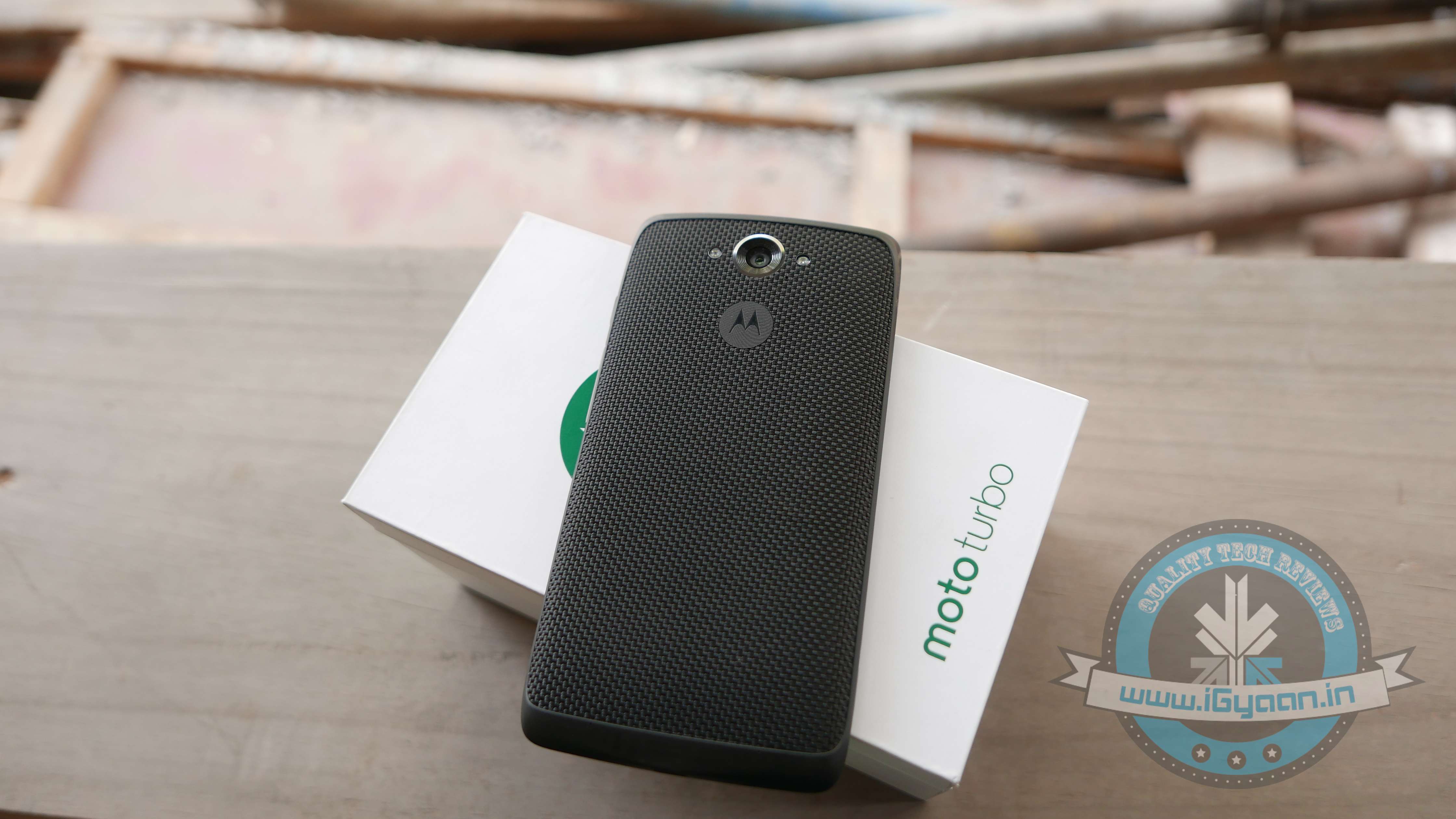
    Moto Turbo India 5

    Motorola has always been efficient in providing timely software updates. Even when Android Lollipop released, Motorola ensured its customers had it before many others. Moto X and Moto Turbo are first in line to get the Android M update, followed by the Moto G. Unfortunately, Moto E may not make the cut.

    OnePlus

    cyanogen oneplus

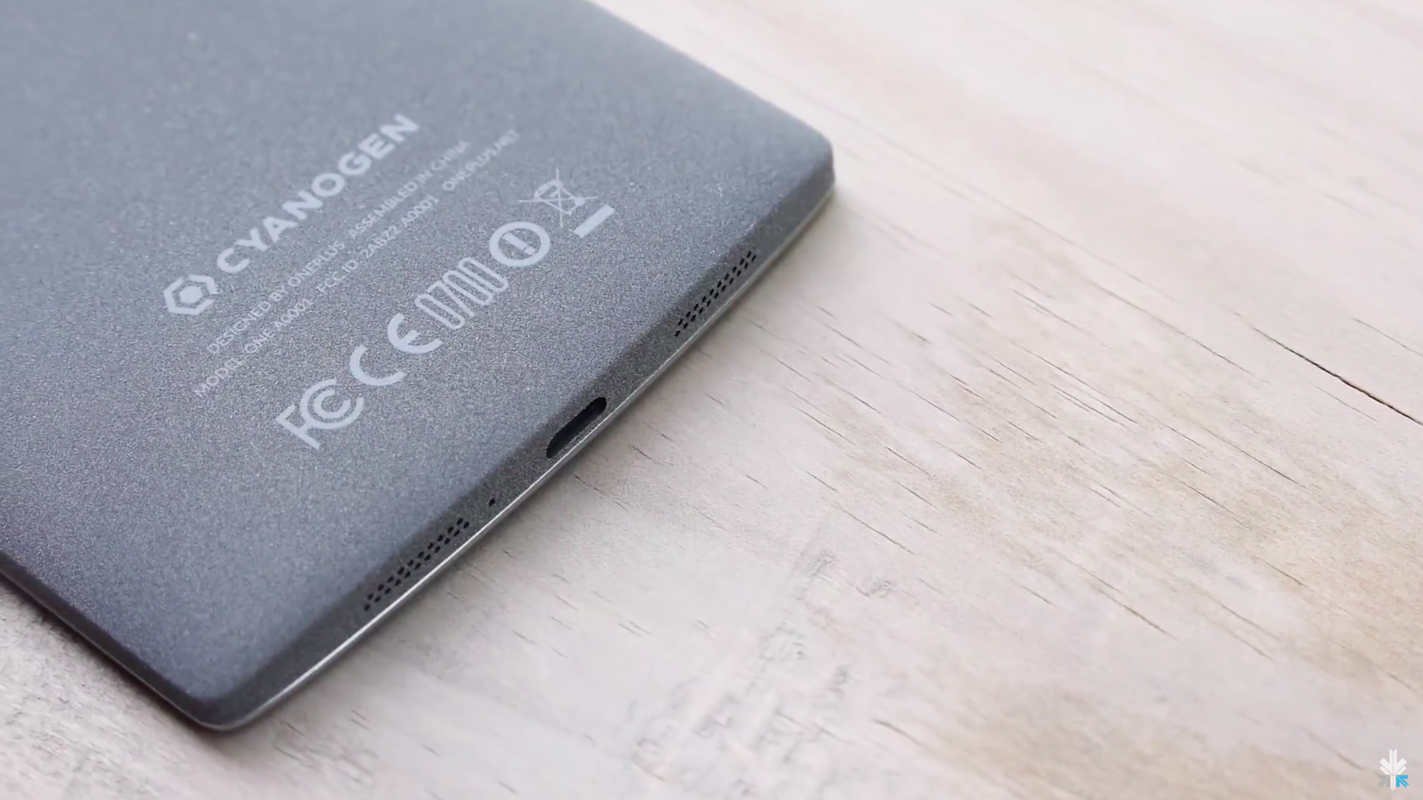
    By the time Android M rolls out, we expect OnePlus would have announced its next flagship, the OnePlus Two. The company, just like Motorola, has been known to provide timely updates. Also heeding to the fact that the company has buried the hatchet with Cyanogen, we can expect both, OxygenOS as well as Cyanogen to be out in their Android M versions soon. In fact, all devices powered by Cyanogen (such as Yuphoria, Yureka) would be the privileged ones to receive Google’s latest update.

    Samsung Devices

    Samsung Note 4 2

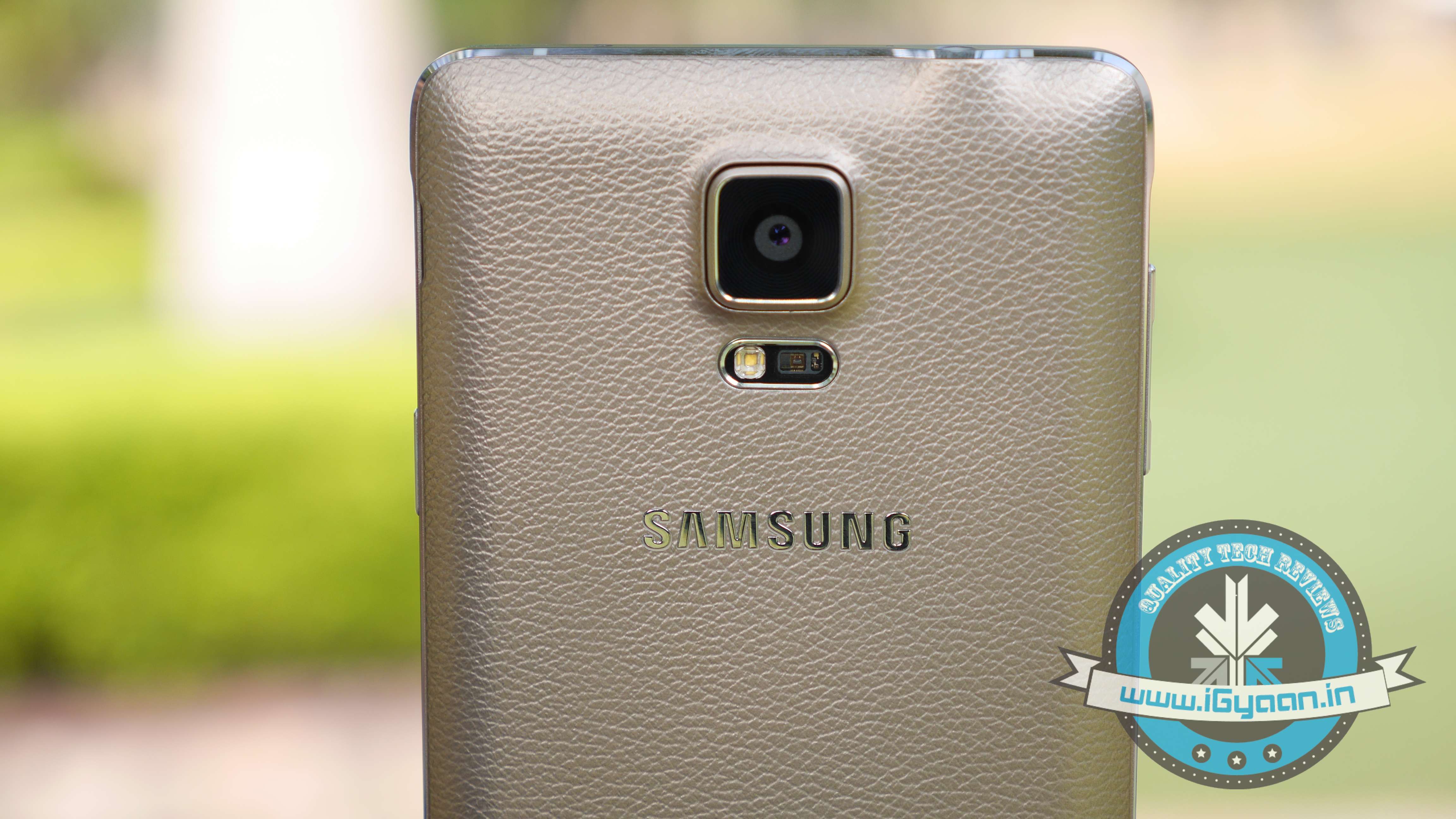
    While there is no official word from the company, Samsung Galaxy S6, Galaxy S5 and Samsung Note 4 are expected to be the first few devices to receive the Android M update. Also, the Samsung Galaxy Note 5 which is expected to launch between October and September 2015, will be upgraded to Android’s latest operating system.

    HTC

    HTC ONE M9 iGyaan 26

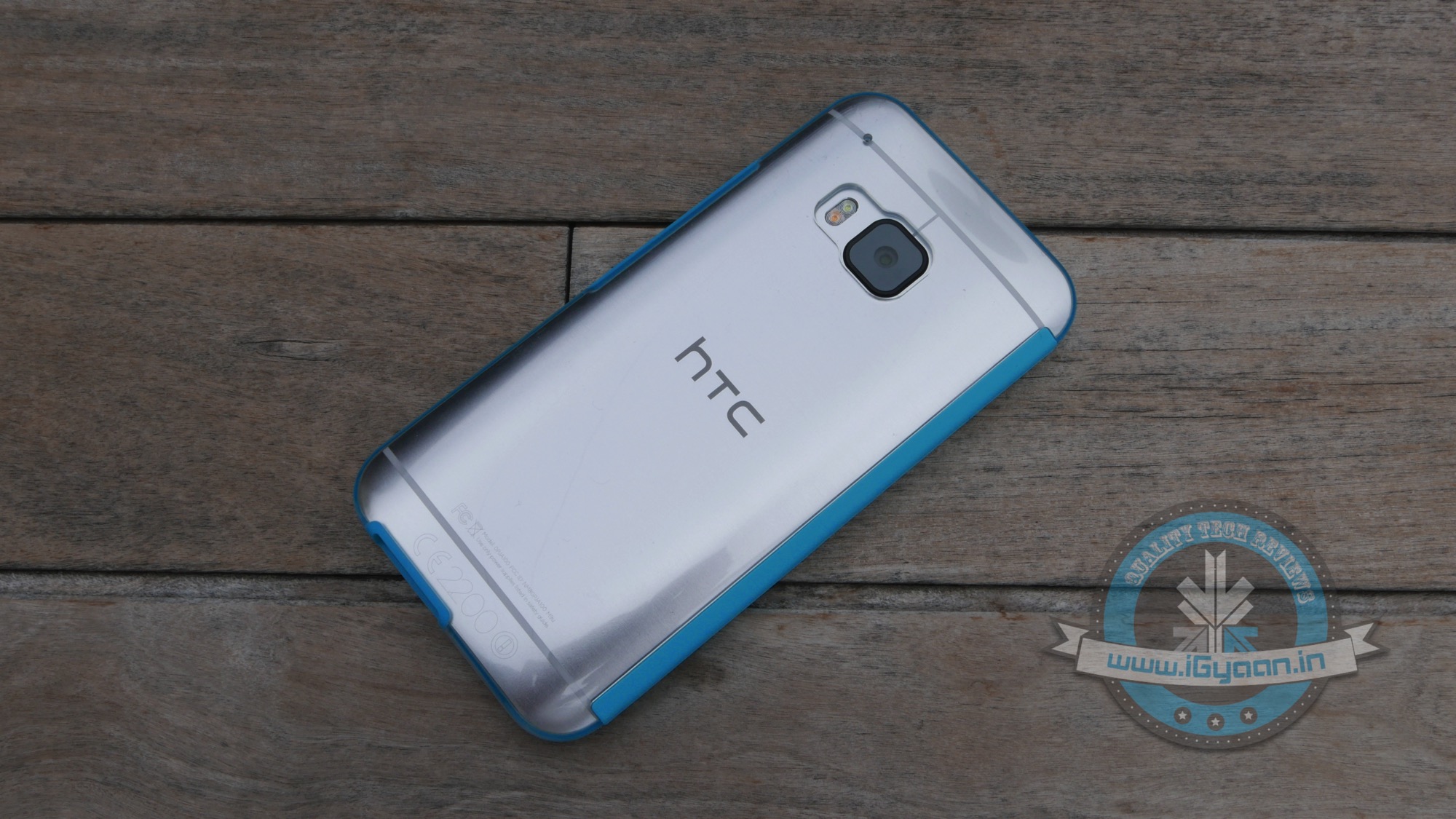
    HTC is one of the few companies that has jumped the gun and officially announced that their line-up of smartphones will be receiving the Android M update. The company recently stated that HTC One M9 and One M9+ are going to get it first, followed by other devices. The company was unclear about which these ‘other devices’ might be, we’re guessing they were talking about the HTC One E9 and the previous-gen One M8.

  • Asus ZenFone Devices in Line to Receive Android Lollipop This Month

    Asus ZenFone Devices in Line to Receive Android Lollipop This Month

    Google’s latest operating system Android Lollipop with Material Design components is making its way to more smartphones this month. The handsets to mark themselves in the list of updated Lollipop devices are the ZenFone series phones from Asus like ZenFone 4, ZenFone 5, ZenFone 6, ZenFone 5 LTE and PadFone S. The update will roll out in different weeks of May for the devices.

    Asus stated on its consumer forum –

    We’ve sent the new version for the final verification and we expect to release the upgrade soon. We would request the kind consideration and understanding of our customers with regards to any inconvenience caused by this schedule changing.

    The latest OS is expected to hit ZenFone 5 LTE in May first week, whereas the ZenFone 4, the ZenFone 5 and the ZenFone 6 may receive it by mid-May. The PadFone S is speculated to be last to find the Lollipop update on the handset.

    The Taiwanese equipment manufacturer was supposed to roll it out in April, but some technical glitch kept the company away from making it public for the listed handsets.

    Considering the changes that will come with Android 5.0 Lollipop, users will experience improved natural touch screen interactions. Besides that, the new Android update lets users have a look at the notifications on the lock screen itself and facilitates dismissing them without unlocking it. All in all, it offers users a pure, bloatware-free and seamless Android experience.

iGyaan Network
Privacy Overview

This website uses cookies so that we can provide you with the best user experience possible. Cookie information is stored in your browser and performs functions such as recognising you when you return to our website and helping our team to understand which sections of the website you find most interesting and useful.