Tag: whatsapp voice calling

  • WhatsApp’s Latest Update for Android Now Available on Google Play Store

    WhatsApp’s Latest Update for Android Now Available on Google Play Store

    WhatsApp is out with their new update and is sure to easy on your eyes. Earlier, WhatsApp had released the new update with a new Material Design and UI, but only to a handful of users as beta versions. After a month of anxious waiting, the update is now available for everyone to download through the Google Play Store.

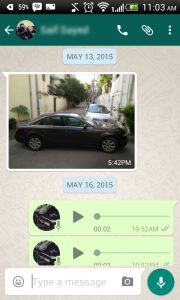
    The new build (version 2.12.87) has a dark green background that earlier was grey in colour. The top bar that holds the Search and Setting buttons has been enlarged as compared to the previous update. This top bar hides itself when you scroll downwards. When you click on a friend’s profile, you will find that the person’s picture is big enough to be viewed easily as a profile picture. The new chat screen looks very light and bright, maybe because of the fresh aura of the dark green interface. From the Emoji perspective, the only change you will see is a white background on the emoji list.  While calling through WhatsApp, the caller’s name will be highlighted in bigger fonts with smaller and more minimalistic icons.

    This update can now be downloaded on Android devices from the Google Play Store. As of now, we do not have any knowledge about the new update for the iOS, Windows or Blackberry devices. Keep checking this page out to stay updated.

    Just to be made clear, some users received this update few weeks ago. This update was actually the beta version of the same. The final version is being talked about in this article.

    Click here to read more about WhatsApp Voice Calling feature.
  • Here’s an Important WhatsApp Update for iOS That Everyone Missed Out On

    Here’s an Important WhatsApp Update for iOS That Everyone Missed Out On

    Most iPhone users have trouble admitting it, but iOS comes with several limitations. One of the major restrictions has been the absence of easy inter-app sharing; more specifically, sending images from the Photos app to WhatsApp directly.

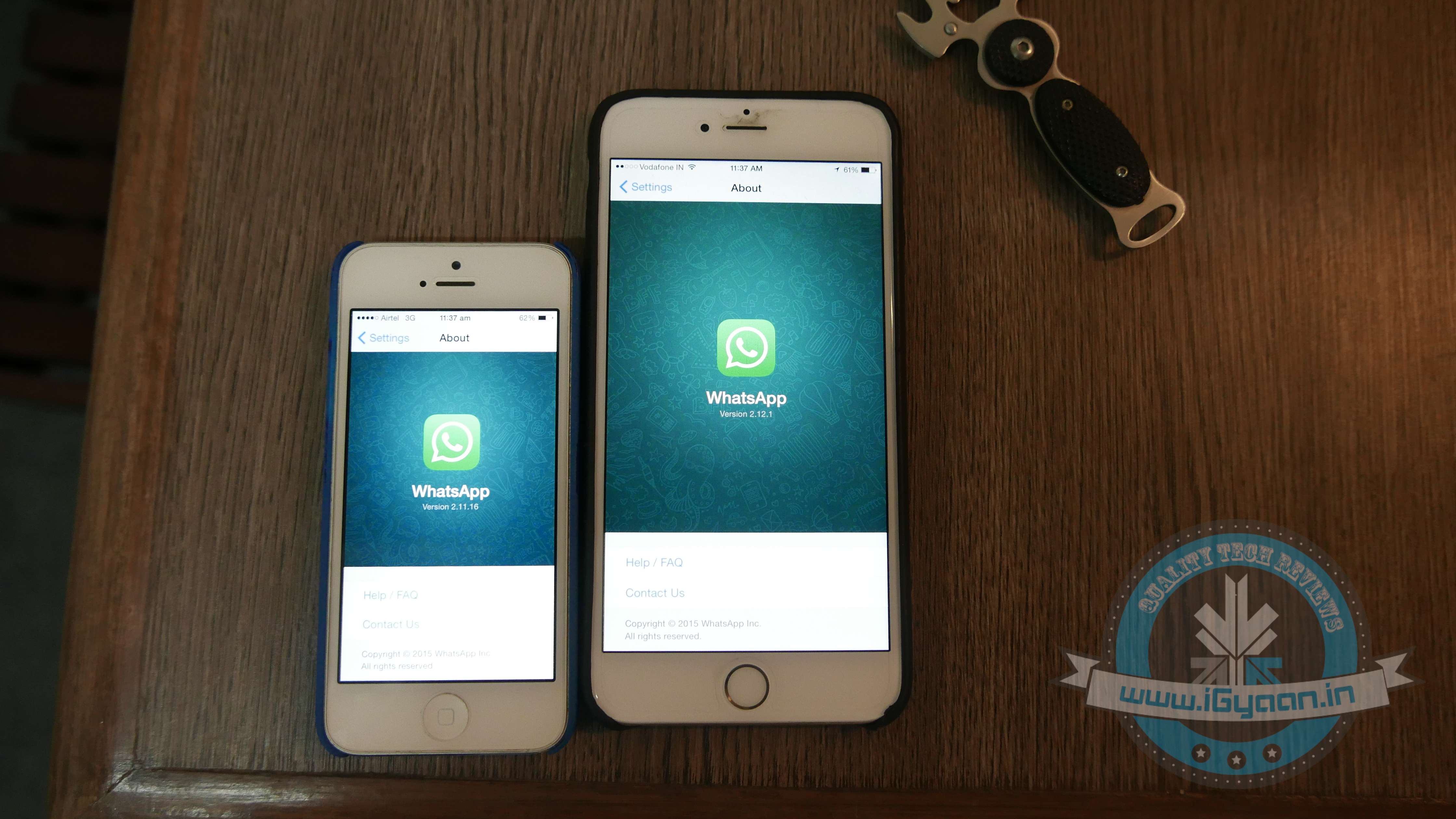
    The new WhatsApp update, Version 2.12.1, other than adding the much-awaited voice calling feature, finally gives iPhone users the right to directly share an image from the Photos app with a WhatsApp contact.

    WhatsApp 3
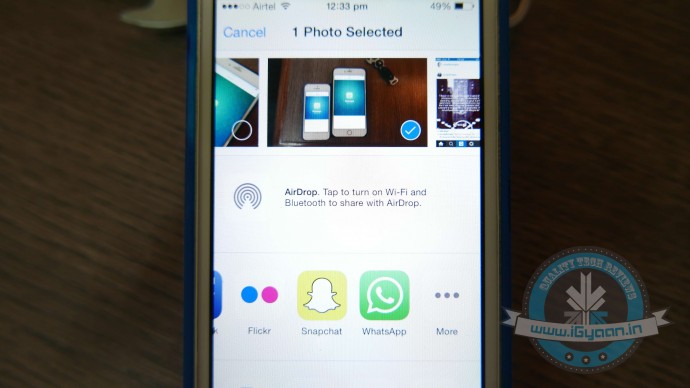
    The WhatsApp icon has been added to the list of ‘Share’ options.

    A feature that Android users have always enjoyed, was a tiresome detail missing from iOS. Earlier if an iPhone user was scrolling through old pictures on his/her smartphone and decided he/she wanted to share one that was clicked in 2013 with a friend via WhatsApp. They would have to open the WhatsApp app, find the friend, and then scroll back in time to retrieve the picture. The new WhatsApp update now cuts back on the long procedure and makes it super easy to share images.

    To enable the setup, you would first need to install the update. Then open the Photos App, choose an image and click on the Share button. Scroll through the end of the list and click on ‘More’. From the list of apps, you now have WhatsApp added as one of the sharing options. Enable it, and you’re good to go.

    For more details on the new update, click here.

  • WhatsApp Brings Voice-Calling to iOS Along With Few More Features

    WhatsApp Brings Voice-Calling to iOS Along With Few More Features

    It’s been a while since the cross-platform mobile messaging app debuted its much-talked about free calling service on Android platform. The iOS users were left behind with no access to this feature, but now WhatsApp has released the calling tool for iOS users as well.

    WhatsApp update with version 2.12.1 hit the iTunes Store, which states that upgraded app will feature voice-calling on iPhone. Users can make a call to any of their friends and relatives across the globe using the cellular data. WhatsApp stated that it has started rolling out the service, and it will slowly reach all iOS devices “over the next several weeks.”

    The latest version is not just about the voice-calling update and introduces a slew of other features, making use of iOS 8’s sharing extensions. With the new version installed, users would be able to share photos, videos, and links right to WhatsApp from other apps. To know more about the useful inter-app sharing improvements, click here. 

    iPhone users can now also edit contacts directly from the app. One can capture photos and videos within WhatsApp and can send multiple videos before cropping them. A caption can also be added along with the photos, just like Android app.

    Meanwhile, WhatsApp recorded a steep increase in its active user base. The CEO of the company said that it now serves 800 million active users, which was 600 million nearly four months back. Covering the iOS users as well, Windows is the only platform left where the voice-calling is still to arrive.

  • WhatsApp Hits 800 Million Monthly Active Users

    WhatsApp Hits 800 Million Monthly Active Users

    WhatsApp is one of the biggest success stories in the tech industry; the app is miles ahead of its competition. To announce another major accomplishment, CEO and Founder of WhatsApp, Jan Koum took to his official Facebook page and stated that the popular messaging app now has 800 Million Active users.  He also stressed upon the fact that there is a major difference between registered users and active users.

    On the other hand, Facebook announced last month that its Messenger app had managed to acquire 600 million active users within the short span of four months. Facebook, which owns both its Messenger as well as WhatsApp, has decidedly kept the two apps separate.

    [quote text_size=”small” author=”Jan Kuom” author_title=”CEO and Founder of WhatsApp”]

    WhatsApp – now serving 800,000,000 monthly active users. Reminder for the press out there: active and registered users are not the same thing :)

    [/quote]

    In the past couple of months we’ve been hearing about WhatsApp’s slow takeover in the voice calling segment. Android users have been the first ones to receive the voice calling update, while iOS and Windows users wait in line.

  • WhatsApp To Bring Voice Calling To Windows Phone

    WhatsApp To Bring Voice Calling To Windows Phone

    Android users of WhatsApp are elated to find the voice calling feature of the messaging app has finally come to their devices. At its recent developers conference, it was announced that the voice calling feature might be available for the iOS ecosystem soon. This lead many Windows Phone users to ask whether they’ll be getting the feature soon. Well looks like the Facebook owned messaging giant now has good news for its Windows users.

    WhatsApp has confirmed that the voice calling feature is in its developmental stage. This was revealed when one Windows user inquired about the arrival of the feature on their devices.

    There is no timeframe mentioned as of yet for the arrival of the voice calling feature on Windows phones. WhatsApp’s founder had stated during the developers conference that voice calling would be available on its iOS app in a few weeks. So as of now it isn’t sure which of the two will get the feature first, but considering the massive user base of Apple, our bet is on iOS devices.

  • iOS Users to Get WhatsApp Voice Calling in a Couple of Weeks, Says Founder

    iOS Users to Get WhatsApp Voice Calling in a Couple of Weeks, Says Founder

    WhatsApp recently led a direct assault at telecom companies’ core business, voice calling. By introducing the voice calling feature, WhatsApp became a complete phone utility in itself. The feature is being rolled out gradually on Android and WhatsApp’s founder has announced that iOS users of the app will be bestowed with voice calling feature really soon.

    WhatsApp’s co-founder, Brian Acton was speaking at Facebook’s F8 developers’ conference when he made the announcement. He said iOS users will be getting the voice calling update in a “couple weeks”.

    There have already been a few unofficial efforts towards bringing the feature on iOS through jailbroken iPhones, but an official version is definitely better and secure.

    As the date mentioned by the company is still vague, you can expect it to take a few weeks more. Facebook Messenger chief, David Marcus had said that WhatsApp had spent years creating and testing the voice calling feature before bringing it to Android phones. So maybe it’s better to wait a few weeks to get a fully functional voice calling feature instead of bug filled versions that may be available now.

    It would also be interesting to see how the telecom companies respond to this as it’s a major threat to their core business. If past is an indication, they might steeply increase the price of data packs and may also try to take initiatives to break the internet. This is no ordinary feature, and we should anticipate a major legal battle soon between the old powers and the new innovative tech developers over the future course of communication technology.

  • WhatsApp Voice Calling Feature Decoded; Here is What the New Version Looks Like

    WhatsApp Voice Calling Feature Decoded; Here is What the New Version Looks Like

    WhatsApp voice-calling is the feature Android users have been waiting for, for a long long time. The company has finally rolled out the update and the tool functions amazing on smartphones (on good network, of course.)

    Now you don’t need to figure out a way to get an invite, users just need to download the latest version of the cross-platform mobile messaging service i.e. 2.12.5. Once downloaded, the free voice-calling service will be activated on your phones. It’s observed that some people, especially Samsung users, still don’t have access to the new calling feature, but it’s likely that they will receive it soon.

    Screenshot_2015-03-16-10-33-54

    We tried the new WhatsApp free calling feature on an HTC model. Here’s what we found new in the mobile messaging service:

    Split screen

    The new version of WhatsApp has a divided screen, just what we saw in the leaked images, a few months back. The page is split into three parts with categories: Calls, Chats and Contacts. Earlier there used to be one screen with Chats where you could find the chat history with your WhatsApp contacts.

    1

    Call Log

    Just like the chat history, there is a call history option in the updated version. Just tap on Calls to see incoming calls, outgoing calls and missed calls. The feature is very much similar to the call log option on your phone, with notifications about the date and time of the calls as well.

     3

    New WhatsApp Panel

    WhatsApp has done major modifications in the app along with embedding the voice-calling tool. The Contacts section is shifted to the bottom and given it a place in one out of the three split columns of the screen. A dropdown option sits at the top right of the new panel, and on its left is Contacts field to add more contacts. The dropdown menu comprises of three options: Refresh, Status and Settings.

    Uncluttered Format

    WhatsApp has become more organised with the new version. Earlier, users have to go to the user’s profile to see a particular profile picture, but now it’s pretty easy. Click on the image of the contact and the picture appears in another window with options to start a call or chat.

    WAPP

    Tried and Tested:

    We tried the voice-calling feature from an HTC phone with a Samsung S3 device, which doesn’t have the access to the upgrade. The calling was average, and there was a gap of a mere few seconds while sending out one conversation and receiving it at the other end.  Overall, it’s not as smooth as a regular call, but again it depends on the strength of your internet.

  • WhatsApp Adds Voice-Calling Button on iOS, Tests Voice Calls on Select Android Devices

    WhatsApp Adds Voice-Calling Button on iOS, Tests Voice Calls on Select Android Devices

    WhatsApp’s big plans for the new voice calling feature have been received well by the crowds. After receiving news that the instant messaging service is being tested for Android devices, the company has released a voice-calling button for iOS users.

    The news broke out yesterday evening and it is very easy to use. A calling button in WhatsApp appears on iOS handsets within the chat window. This button is placed next to the contact name and profile picture. The app uses phone’s dialler for making outgoing calls.

    Whatsapp Voice calling
    The voice calling button, next to the profile picture.


    Though, the changelog of the update doesn’t notify about the calling feature and mentions addition of Dynamic Type support throughout the app, quick camera button in chat that let’s you quickly choose a recent camera roll photo, but it’s there in the new update.

    For Android, WhatsApp is currently passing on the feature to a select number of users, so we’d recommend you to keep a lookout for the update. Once WhatsApp is satisfied with the response of the service, it would be available for everyone to use.

    The reason that this upcoming feature is so popular is that it would allow users to make calls without having to pay for the call (only for their data service.) Few days back, WhatsApp rolled out the voice-calling feature to select users became viral and only people with invite could use the new tool. But it was barely useful as other people with the same feature could only be contacted.

  • Things to Know About the New WhatsApp Voice Calling Feature

    Things to Know About the New WhatsApp Voice Calling Feature

    After launching WhatsApp on the Desktop, the instant messaging service WhatsApp has finally started rolloing out the much-awaited voice calling feature to select users for beta testing.

    Here are three things you should know about the recently added voice calling tool:

    Invite System

    whatsapp voice calling2

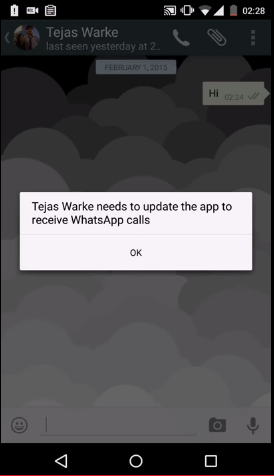
    As the voice calling feature on WhatsApp is releasing to selected customers, all the users will not be able to enjoy it on their devices as of now. The company said that there is an invite system and a person with the update can send invites to their friends by giving them a call.

    Easy calling

    whatsapp voice calling1

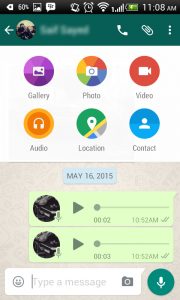
    The instant messaging service has kept things simple. Until now there was an attachment option in the chat record of every person, but now a call icon has been added to make a call. Also, there would be an option to put the phone on speaker while calling.

    Call Log

    whatsapp voice calling

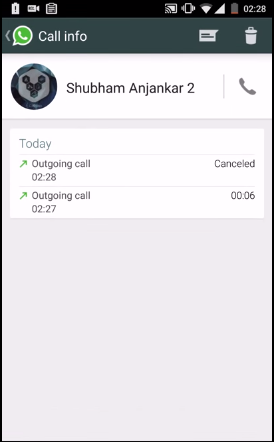
    If you think you can just make and receive a call, then this may surprise you. WhatsApp has an organised call log system where the app keeps a track of your recent calling history. That means you will be notified of the missed calls as well.

    Have a look at this video to better understand the voice calling feature:

iGyaan Network
Privacy Overview

This website uses cookies so that we can provide you with the best user experience possible. Cookie information is stored in your browser and performs functions such as recognising you when you return to our website and helping our team to understand which sections of the website you find most interesting and useful.