Tag: Windows tablet

  • Microsoft Pushes Windows Update For Surface RT To Fix WiFi Issues

    Microsoft Pushes Windows Update For Surface RT To Fix WiFi Issues

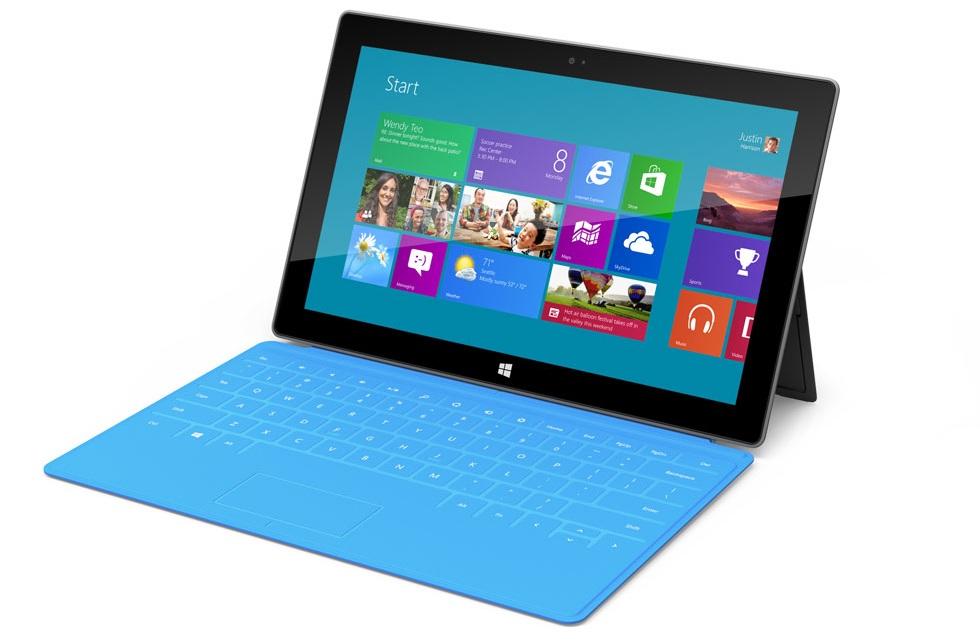
    Microsoft will finally try to repair the Surface RT Wi-Fi bug today as part of its monthly Patch Tuesday updates that will also comprise several fixes for Windows RT platforms.

    The update addresses “limited Wi-Fi connection issues and contains driver updates to improve performance with Windows as well as the volume and power buttons”.

    The Surface team confirmed in an AMA session on Reddit a few days ago that Microsoft would release two different patches for the bug, one expected to be released on February 12 and another one due in March.

    “Wifi connection robustness has been improved with the Feb 12 Windows Update. Another version is in the works and will release Mar 12,” the team said on Reddit.

    To see if you received the update, you can click on the upper right portion of the screen or swipe in from the right edge. Click on Settings, and tap onChange PC settings. Then, tap on Windows Update and Check for Updates.

    Unlike Apple or Google, Microsoft doesn’t provide a very clear numbering system for its Windows RT updates. Apple, for example, uses nomenclature like “iOS 6.1.1”, while that seems to be nonexistent on the Microsoft side. This update is simply being called the “February update.”

    At any rate, it’s good to see Microsoft addressing issues that users may be seeing, relatively quickly.

  • HP is dubious about the past, Releases the new Slate 2 (PR)

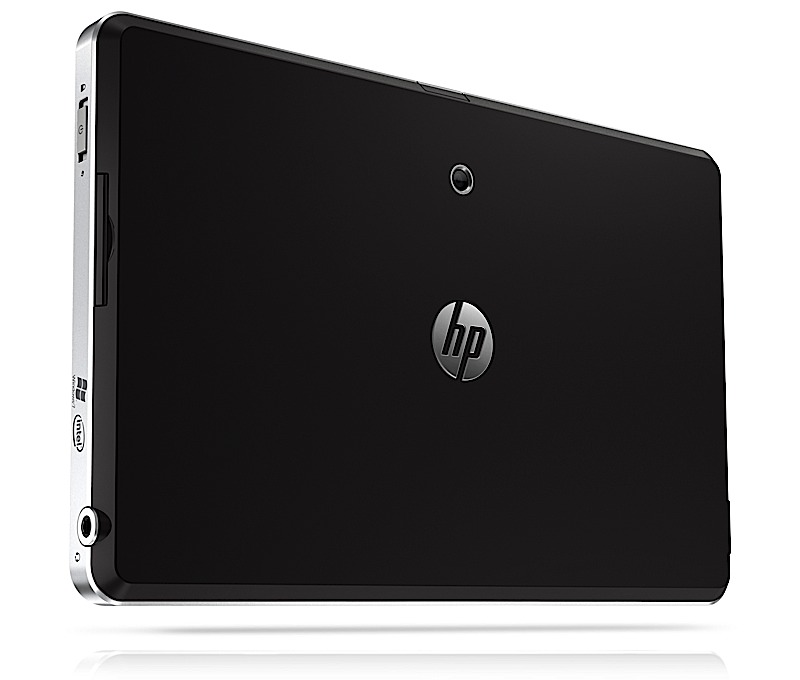
    HP is dubious about the past, Releases the new Slate 2 (PR)

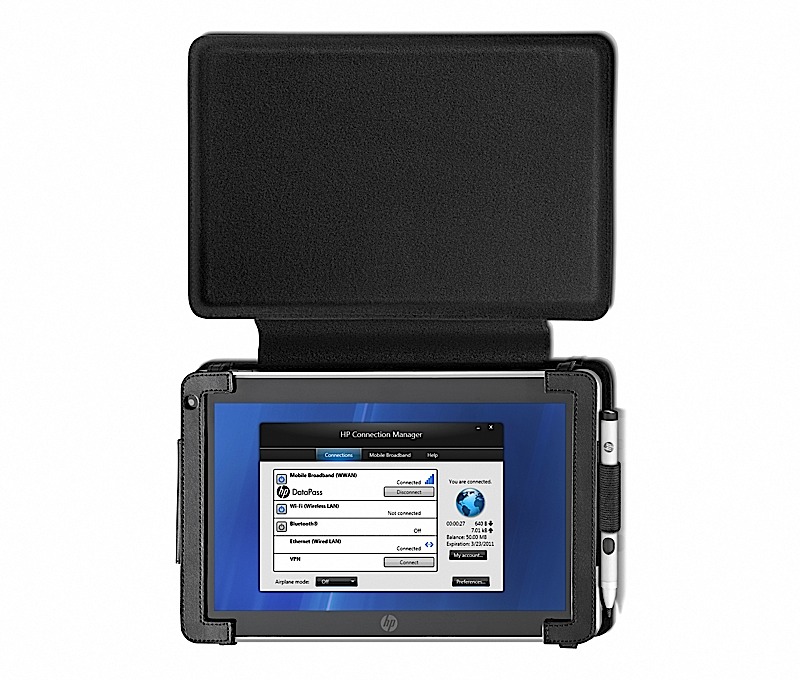
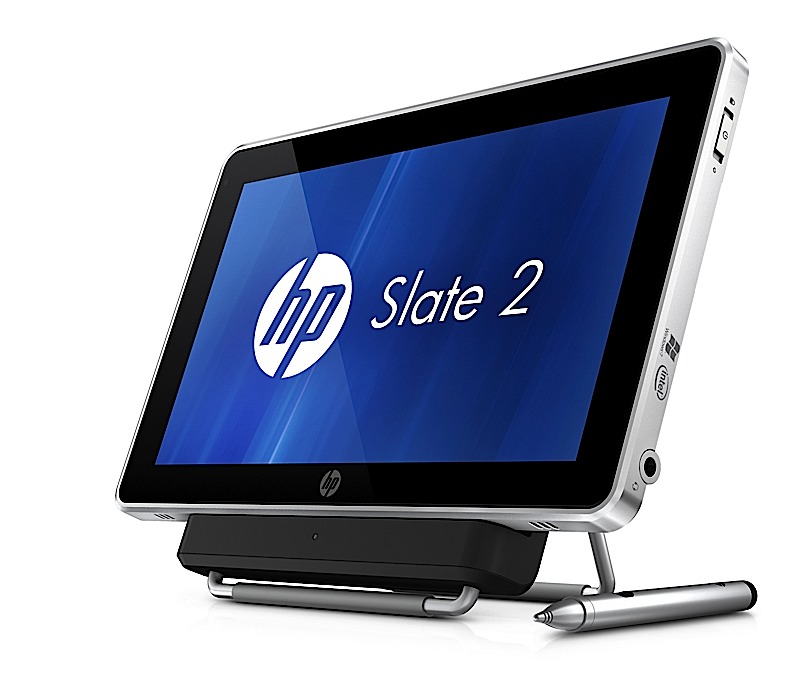
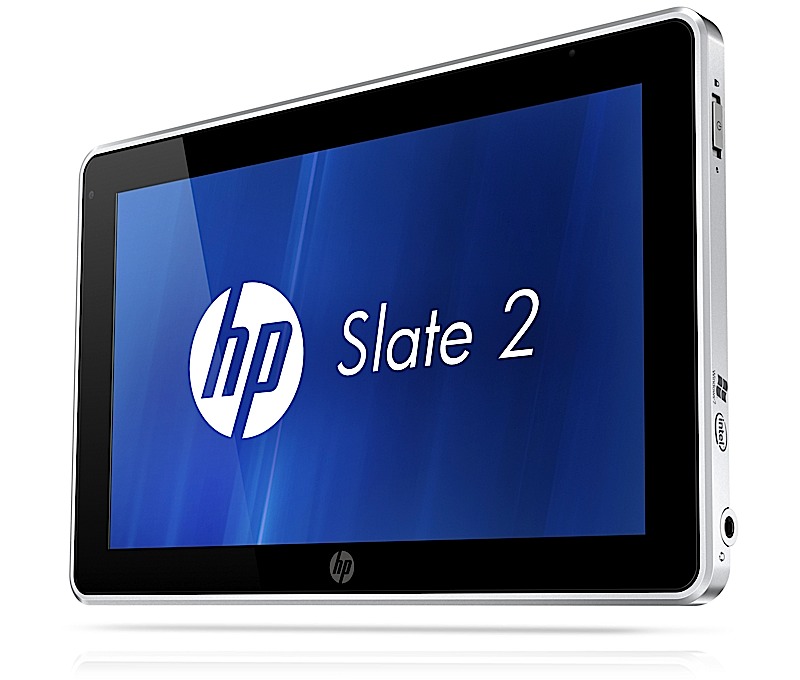
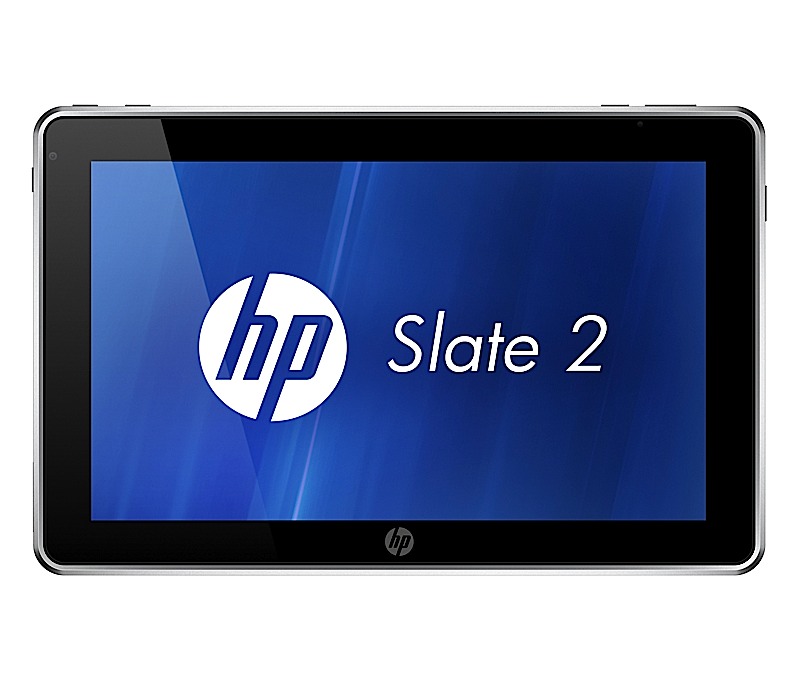
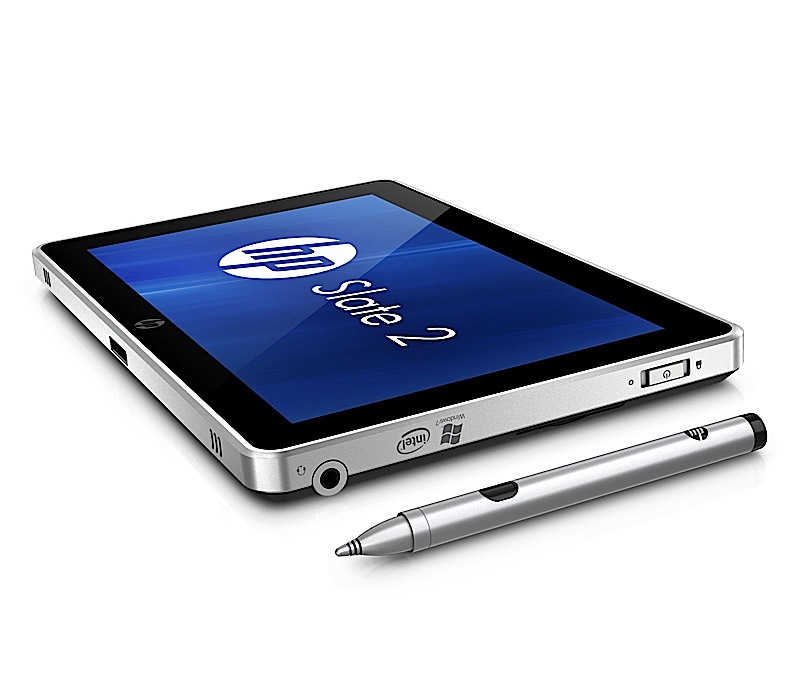
    Remember the HP Slate 500? Well we don’t either. Thats possibly because it never made it to consumers let alone India. But, HP plans to change that with the new HP Slate 2, the next version of the unpopular HP Slate 500.The device still remains mostly targeted at the enterprise level users, but will be available to the general public as well. The device still looks and feels the same with the same outer shell and an 8.9 ” display. The price however has been lowered to US $ 699 ( approx. INR 35,000/-) . The interior however is a bit changed, it packs Windows 7 with a HP UI on top, a Z670 Intel Atom processor and a smaller 32GB SSD. The added layer of security includes TPM circuitry and Computrace Pro for tracking lost or stolen laptops and then deleting the data remotely. The device goes on sale worldwide by the end of this month.


    [toggle title_open=”HP Slate 2 Press Release” title_closed=”HP Slate 2 Press Release” hide=”yes” border=”yes” style=”default” excerpt_length=”0″ read_more_text=”Read More” read_less_text=”Read Less” include_excerpt_html=”no”]HP Introduces Multitouch Slate Tablet PC for Business
    PALO ALTO, Calif., Nov. 3, 2011 – HP today announced the HP Slate 2 Tablet PC with expanded touch capabilities, enhanced multitasking performance and embedded security, providing added flexibility to mobile business users.

    The company also announced a new notebook PC targeting business, education and government customers.

    The HP Slate 2 Tablet PC provides instant deployment for business and vertical markets such as education, healthcare, government and retail, where jobs frequently take users away from a traditional desk. With a full-featured Microsoft Windows® environment, the 1.5 pound HP
    Slate 2 Tablet PC provides professionals with the flexibility to create, edit and review content on one highly mobile and lightweight device.

    “HP is dedicated to the tablet PC category and continues to listen to customers and improve the product in ways that best address their business needs,” said Dan Forlenza, vice president and general manager, Commercial Managed IT Segment, HP. “The HP Slate includes the right mix of rich features, support for custom-built applications, and the security and connectivity needed for today’s highly mobile and rigorous day-to-day professional environment.”

    The HP Slate 2 Tablet PC features an 8.9-inch diagonal capacitive multitouch display for touch and pen input plus includes a new Swype keyboard. The Swype applet enhances the touch experience with comfortable and efficient data entry via one continuous finger or stylus motion across the screen keyboard.

    The HP Slate 2 Tablet PC comes with an Intel® Atom Z670 processor with mSATA SSM technology to deliver faster boot times, improved battery life of up to six hours and increased performance for business customers.

    “The Slate Tablet PC’s combination of an Intel Atom processor and flash memory deliver excellent performance,” said Dr. Rick LeMoine of Sharp HealthCare in San Diego. ?I don’t know how they do it, but sometimes it seems to me that the Slate runs these applications faster than my desktop PC does.”

    Additional hardware and software enhancements to the HP Slate 2 Tablet PC’s security and experience include:
    – A TPM Embedded Security Chip protects data – from email to information on the hard drive.
    – Embedded Security for HP ProtectTools provides user control and management of the TPM chip to increase secure user authentication, improved personal secure drive integrity, secure email and support protected digital certificate applications.
    – BIOS support for Computrace Pro helps protect against data theft by allowing customers to remotely delete data at the file, directory or operating system level and keep confidential information more secure.
    – Through a single user interface, HP Connection Manager offers easy control over wireless connections, including Wi-Fi, Ethernet, Bluetooth® and optional integrated 3G Mobile Broadband for convenient internet and intranet access from more places around the world.

    For remote workers, a front-facing VGA webcam enables videoconferencing, and a 3-megapixel camera on the back allows for still image and video capture. SRS Premium Sound provides optimized audio settings for voice and multimedia applications and an SD card slot allows for expanded storage and sharing capabilities. The HP Slate Dock provides device connection via two USB 2.0 ports and an HDMI port.

    Flexible HP Slate solutions for business
    The HP Slate 2 Tablet PC comes with optional additional accessories and business solutions including the HP Retail Mobile Point of Sale (POS) Case, which features an integrated magnetic stripe reader and barcode scanner for retailers. The case attaches to the HP Slate 2 and creates a secure portable POS solution that personalizes transactions, boosts productivity and sales, and integrates into existing application and hardware infrastructure. In addition, the HP Slate 2 helps retailers combine online and enterprise access to applications and services including task management workflows, inventory data and custom orders. The optional HP Slate Bluetooth® Keyboard and Case accessory is a new sleek, stylish executive-class carrying solution that bundles the HP Slate 2, a rechargeable Bluetooth keyboard, HP Slate Digital Pen, and ID, business, or credit cards inside a single case.

    Lightweight business notebooks
    Designed for mobile professionals, the HP 3115m offers up to 11.5 hours of battery life, flexible wireless capabilities, an 11.6-inch diagonal LED-backlit HD display, Beats Audio™ and a high-definition webcam for collaboration with peers. The new AMD E450 dualcore Fusion APU with AMD Radeon HD 6320 graphics provides greater performance than a netbook without weighing professionals down.

    Pricing and availability
    – The HP Slate 2 Tablet PC starts at $699 and is expected to be available worldwide later this month.
    – The HP 3115m starts at $429 and is expected to be available Nov. 11 in the Americas only. More information about the products, including product specifications and images, is available at www.hp.com/personal.[/toggle]

  • HP Announces the ProBook 5330m, EliteBook 2560p, and EliteBook 2760p tablet (PR)

    HP Announces the ProBook 5330m, EliteBook 2560p, and EliteBook 2760p tablet (PR)

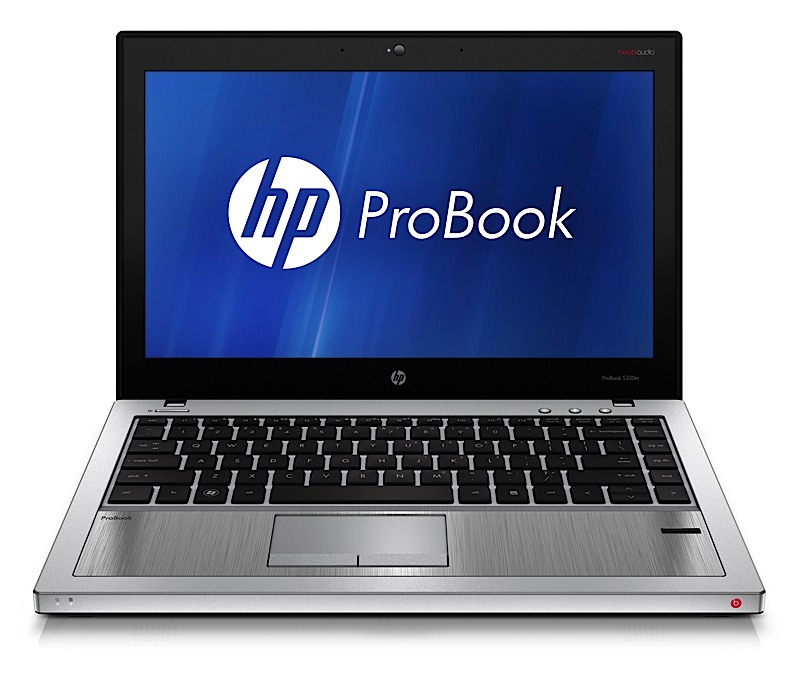
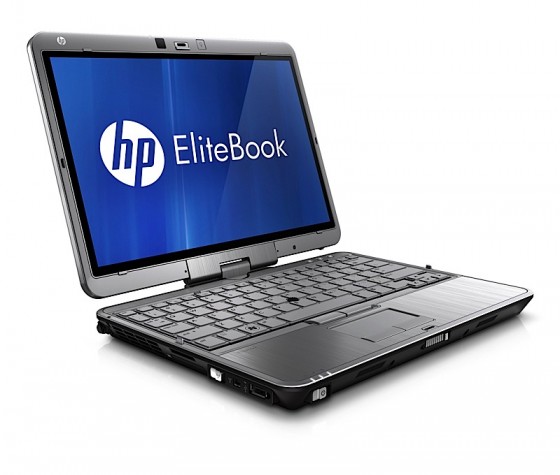
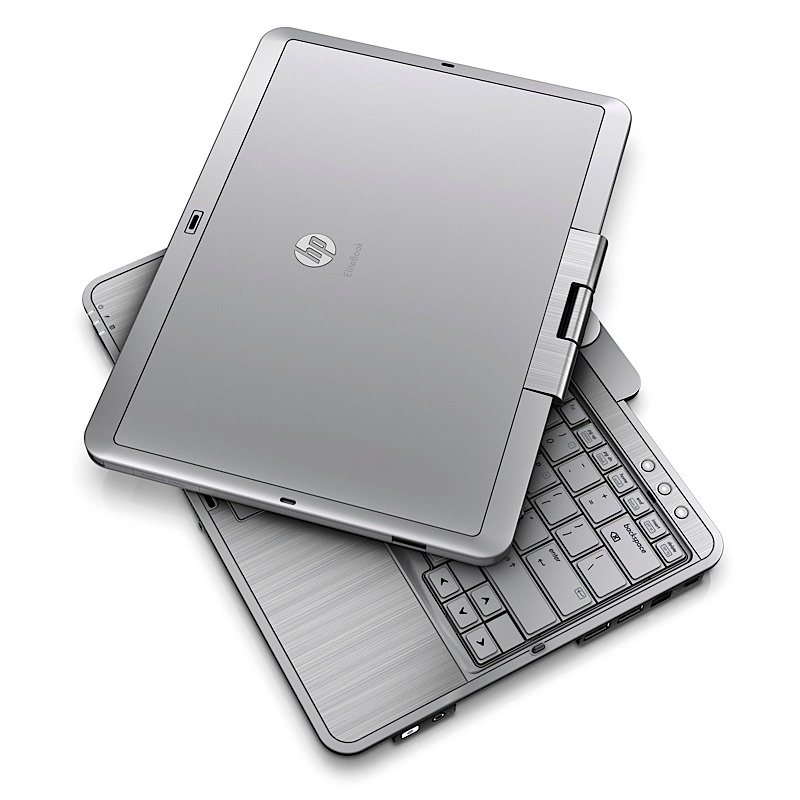
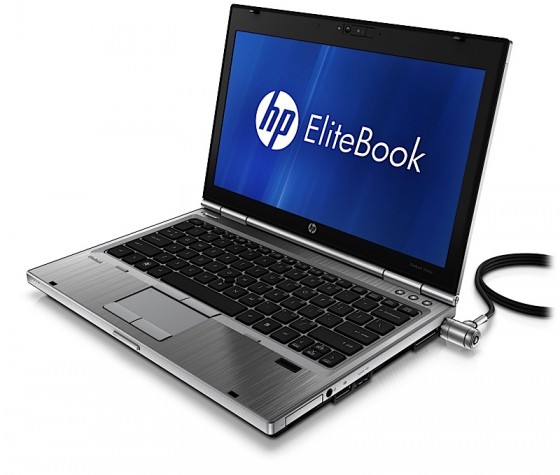
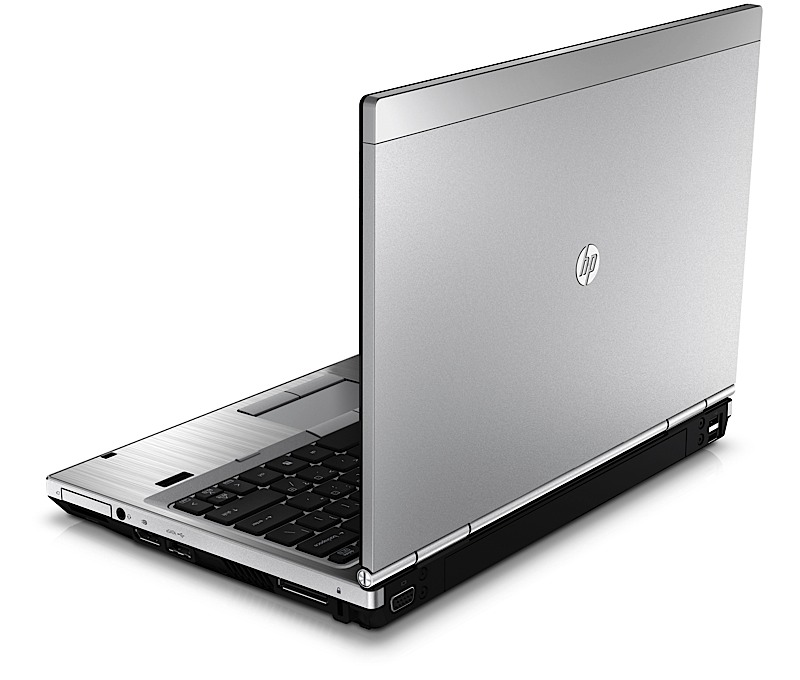
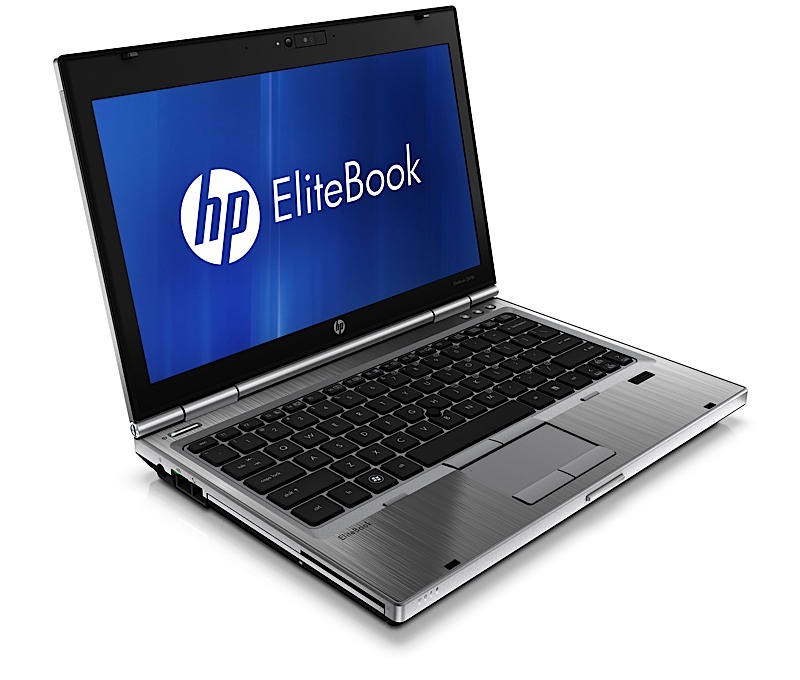
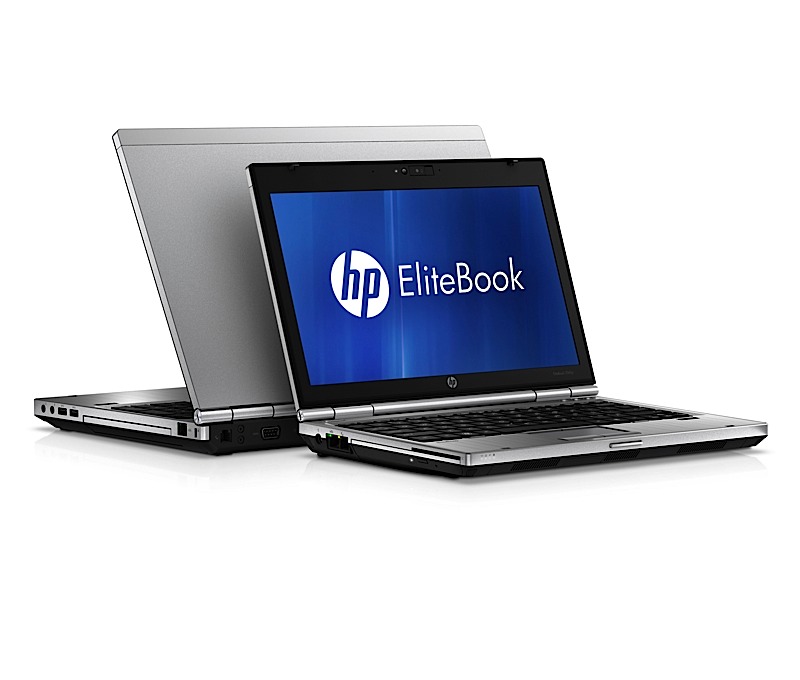
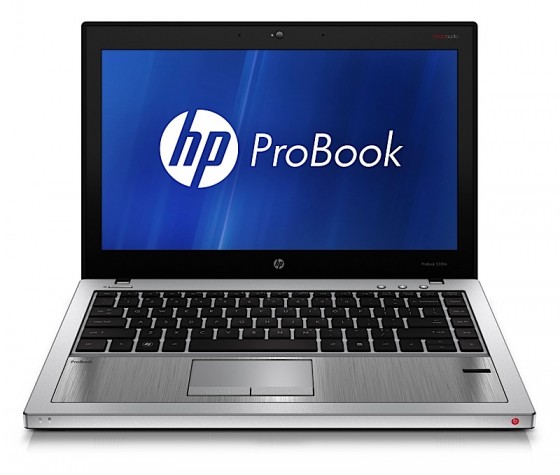
    HP has just announced a huge bunch of revamped notebooks for the Business and consumer Line, The  ProBook 5330m, EliteBook 2560p, and EliteBook 2760p tablet are targeted at the business user, including the 12.1-inch EliteBook 2760p convertible tablet.

    • Sandy Bridge Core i5 and Core i7 CPU options
    • 5.5 hours of battery life
    • Windows 7 tablet edition
    • Priced at $1,500

    EliteBook 2560p laptop

    • Aluminum-and-magnesium-alloy build
    • Sandy Bridge
    • 12.5-inch display : 16:9 screen
    • built-in optical drive
    • Starting price of $1,100

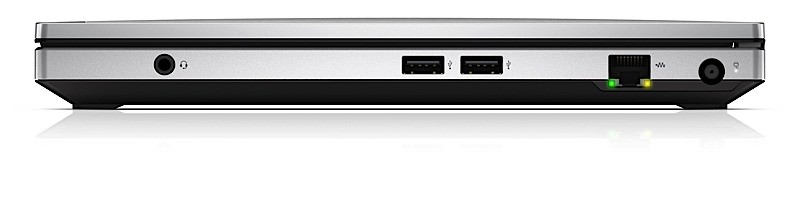
    ProBook 5330m

    • 13.3-inch Screen
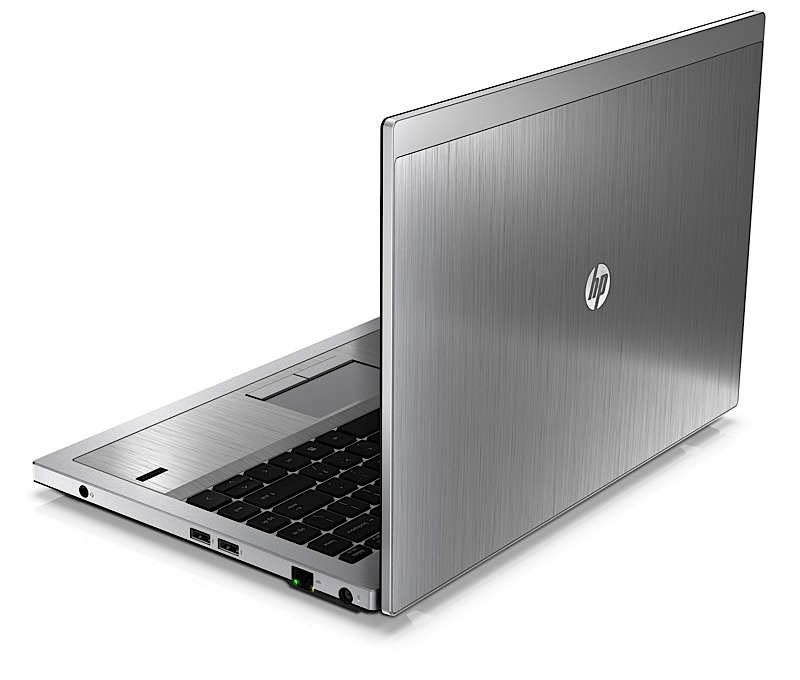
    • Dual-tone aluminum chassis
    • Backlit keyboard
    • Sandy Bridge Core i3 and i5 CPU
    • Beats Audio
    • TPM circuitry
    • Intel vPro processors
    • Price Starting at $800.


    PRESS RELEASE

    HP Brings Style, Performance and Portability to Notebook PCs
    PALO ALTO, Calif., May 9, 2011 – HP today expanded its notebook PC line with products and services that provide an optimal combination of sleek style, ultra-portability and high performance to deliver an outstanding mobile experience.
    The company also launched HP DataPass, a pre-paid 3G mobile broadband service available in the U.S. across HP’s business notebook lineup and expanded HP Beats Audio technology to a business notebook and consumer Mini PC.
    HP furthered its FORGE business notebook design framework with the HP ProBook m-series and EliteBook p-series models and built upon its MUSE consumer notebook design philosophy with the HP Mini 210, Pavilion dv4 and ENVY 14.

    New products and services include:
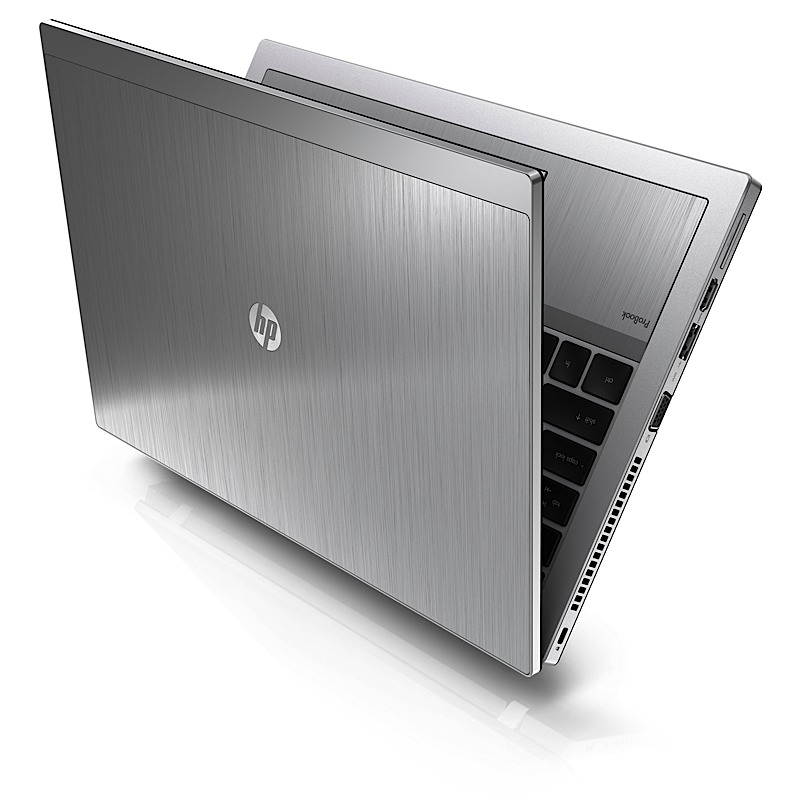
    – Less than 1-inch thin, the HP ProBook 5330m features a dual-tone color scheme, brushed aluminum chassis and backlit keyboard and is HP’s first business notebook to offer BeatsTM Audio, which allows listeners to hear music the way the artist intended.
    – HP’s smallest and lightest EliteBook at only 3.68 pounds, the newly designed HP EliteBook 2560p includes a 12.5-inch diagonal high- definition (HD) display, high-performance Intel® processor, and is the only notebook in the industry with an integrated optical drive in this form factor.
    – The redesigned HP Mini 210 sports vibrant new colors, HP Beats Audio and HP QuickWeb 3.0, creating an ideal mobile companion for on-the-go consumers.
    – HP DataPass is a pre-paid 3G mobile broadband service that allows users to purchase wireless broadband data using major mobile carriers in the U.S. without being tied down by contracts, hotspots and set-up fees.

    HP ProBook 5330m – thin, stylish and affordable
    Designed for savvy business professionals who value style, performance and affordability, the HP ProBook 5330m measures less than 1-inch thick, weighs 3.9 pounds and sports a 13.3-inch diagonal HD screen for exceptional portability. It also includes a backlit keyboard, making it easier to type in low-light environments.

    The new ProBook is powered by the latest second-generation Intel Core i5 and i3 dual-core processors and includes the HP Fingerprint Sensor and TPM for enhanced hardware-based data security. Optional Intel vPro technology helps deliver cost savings and improves security and remote manageability.

    HP EliteBook 2560p and 2760p – light, powerful and travel-ready
    Available in a stylish platinum color, the ultraportable HP EliteBook 2560p Notebook PC and EliteBook 2760p Tablet PCs blend modern design and precision engineering.
    The HP EliteBook 2560p sports a thin, clamshell design with a lightweight 12.5-inch diagonal LED-backlit HD, 16-inch x 9-inch display, and an integrated optical drive for added on-the-go convenience. Offering the same functionality as a conventional business notebook along with the flexibility of a writing tablet, the 12.1-inch HP EliteBook 2760p allows for pen use or finger touch.

    Both EliteBook models offer second-generation Intel Core i7 or i5 dual- core processors, Intel Turbo Boost Technology 2.0 and vPro technology. They also feature full-size 7,200 RPM hard disk drives and solid-state drives (SSDs) for longer battery run time, increased durability and quieter, cooler operation.

    HP Mini 210 – stylish, on-the-go computing
    With the addition of Beats Audio, the redesigned HP Mini 210 is the ultimate companion PC, offering high-quality entertainment plus productivity while on the go. Weighing under 3 pounds and measuring less than 1-inch thin, the stylish HP Mini 210 delivers up to 9.5 hours of computing.

    The new Mini 210 design provides a modern, streamlined aesthetic with a sleek upswept back and is available in five colors – sweet purple, charcoal, crimson red, luminous rose and ocean drive.

    The Mini 210 also features HP QuickWeb 3.0, allowing users to be more productive by connecting to the web within seconds of powering the mini. QuickWeb 3.0 includes a customizable widget dashboard and syncs to Windows® bookmarks. Users can chat with friends on Skype, update Facebook posts or tweets, and view their social calendars all in one place.

    Innovative technologies for enhanced consumer experiences
    The sleek, full-performance HP Pavilion dv4 features improved HP CoolSense technology that includes a simplified user interface of on, off and auto. CoolSense uses advanced hardware and intelligent software for a notebook that feels noticeably cooler. Weighing under 5 pounds, the dv4 boasts a 14-inch diagonal HD LED BrightView screen and comes in two HP Imprint colors – espresso black and pacific blue.

    Also featuring HP CoolSense technology is the award-winning HP ENVY 14 notebook PC. Combining power, mobility and aesthetics, the ENVY 14 includes new second-generation Intel Core processors, USB 3.0 and a new HP imagepad that uses image sensor technology for advanced gesture support and more fluid control. The premium machine boasts a precision-etched metal alloy case with a 14.5-inch diagonal, HD BrightView Infinity LED display for an eye-popping viewing experience and Beats Audio for fuller, more detailed sound.

    Protecting personal information and simplifying password management is easy with HP SimplePass with One Time Password, now available on the Pavilion dm4, dv6 metal and dv7 metal notebook PCs. HP SimplePass helps prevent phishing fraud by providing unique ?one-time? passwords that are linked to each individual user’s fingerprint. These one-time passwords, generated every 60 seconds, grant more secure access to websites that store financial information.

    Docking and display solutions for a customized workspace
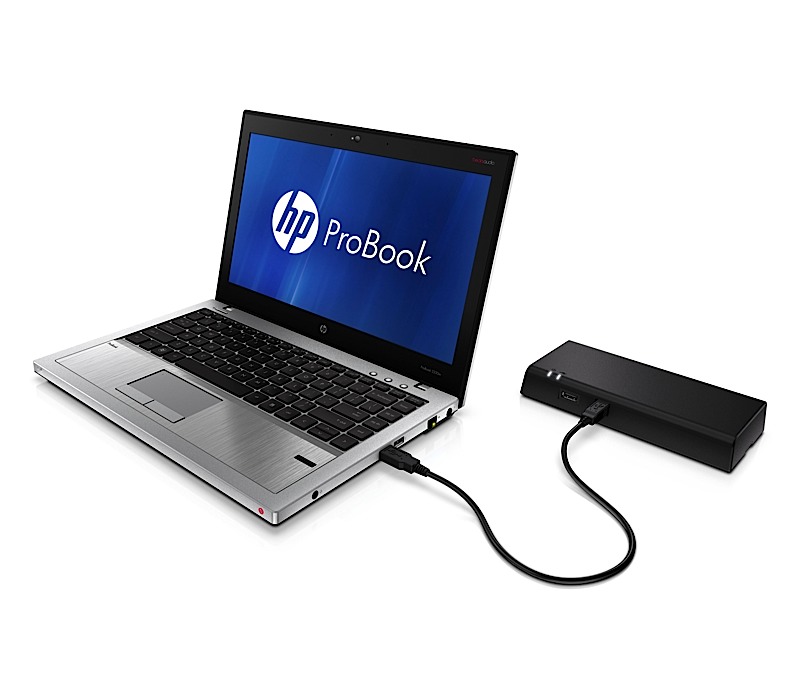
    The new HP 2560p Docking Station makes it easy for business professionals to maintain the connectivity and comfort of their notebook while working from a fixed station. The docking station offers four USB ports and eSATA, DisplayPort and VGA ports for added connectivity to peripherals and compatibility with an array of video devices.

    HP’s slimmest business display to date, the HP Elite L2201x display easily connects to a notebook with a single DisplayPort connector. Its sleek easel stand design and external power supply free up limited desk space in smaller office cubicles and the brushed-metal finish matches HP’s EliteBook business notebooks. The HP Elite L2201x features a wafer-thin display panel measuring less than 0.4 inches thick and a 21.5-inch diagonal, LED backlit panel that eliminates the use of mercury and provides solid state reliability.

    Pricing and availability
    All products will be available in the United States.
    – The HP ProBook 5330m starts at $799; the HP EliteBook 2560p starts at $1,099; and the HP EliteBook 2760p starts at $1,499. The HP EliteBook 2760p and 5330m are expected to be available on May 9 and the HP EliteBook 2560p will be available on May 23.
    – The HP Mini 210 starts at $299.99 and is expected to be available on June 15.
    – The HP Pavilion dv4 starts at $599.99 and is expected to be available on May 18.
    – The HP ENVY 14 starts at $999.99 and is expected to be available on June 15.
    – HP DataPass pricing starts at $5, for an amount of 75MB, for a duration of 5 hours.
    – The HP 2560p Docking Station starts at $149 and is expected to be available on May 23.
    – The HP Elite L2201x starts at $249 and is expected to be available on June 1.
    More information about the products, including product specifications and images, is available at www.hp.com/personal.

  • Acer Iconica 6120 Dual Screen TouchBook Gets a Price – PreOrder

    Acer Iconica 6120 Dual Screen TouchBook Gets a Price – PreOrder

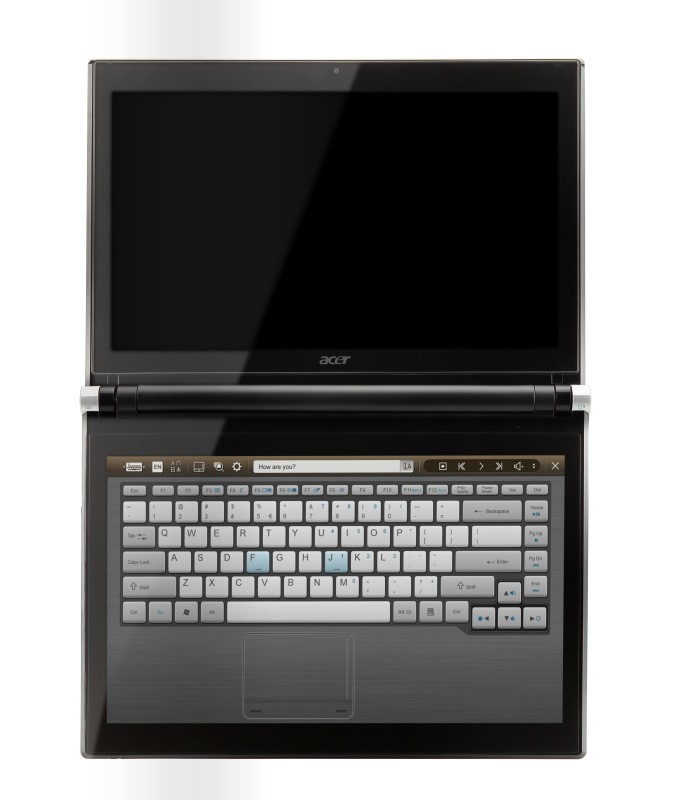
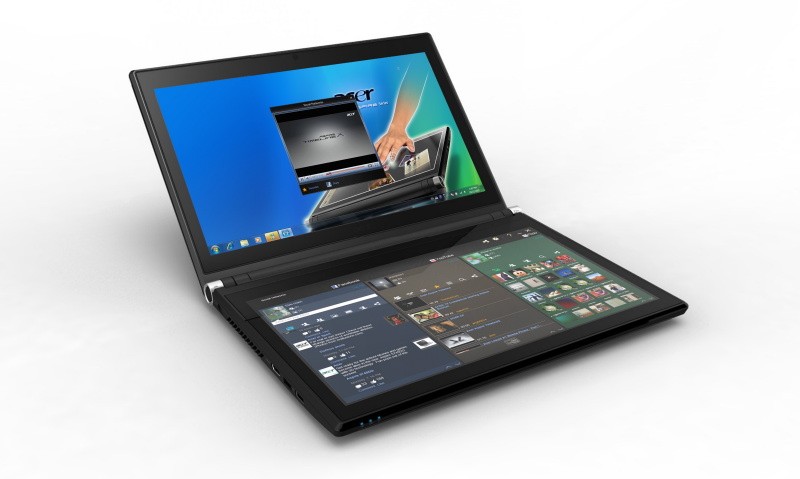
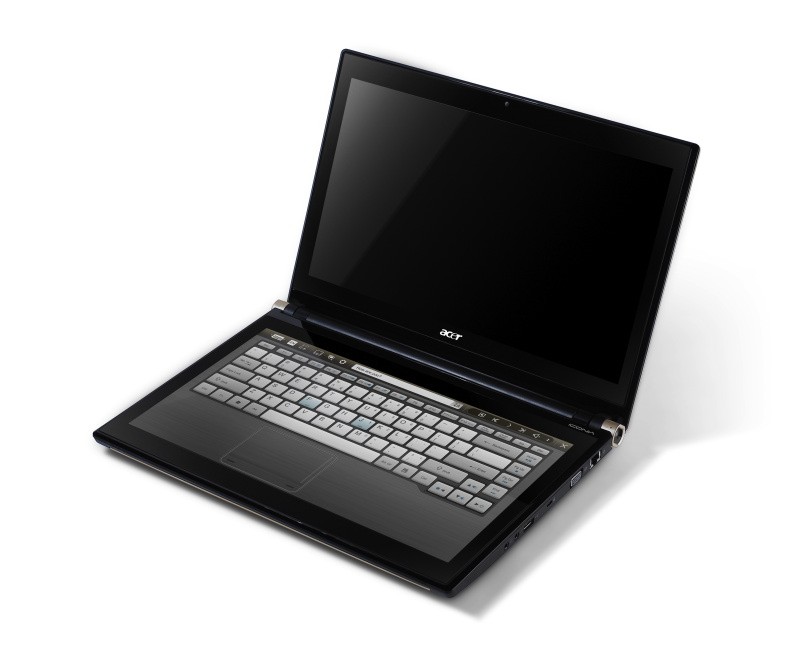
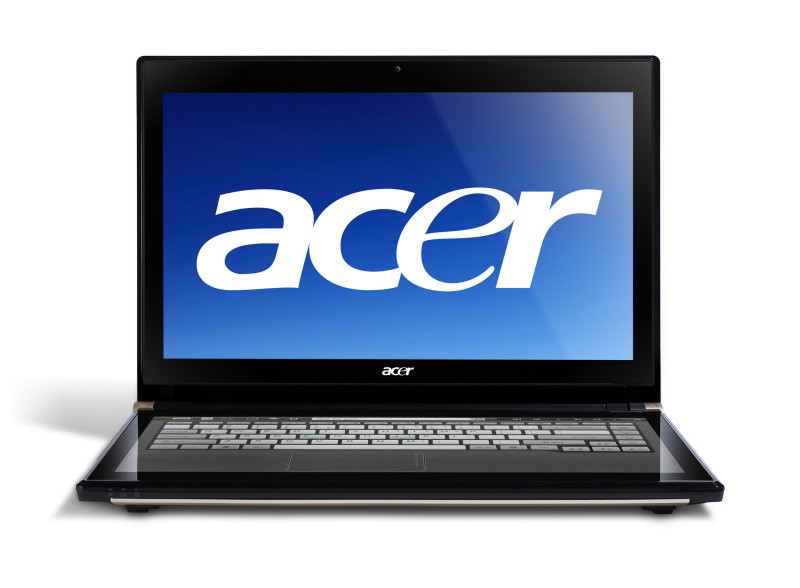
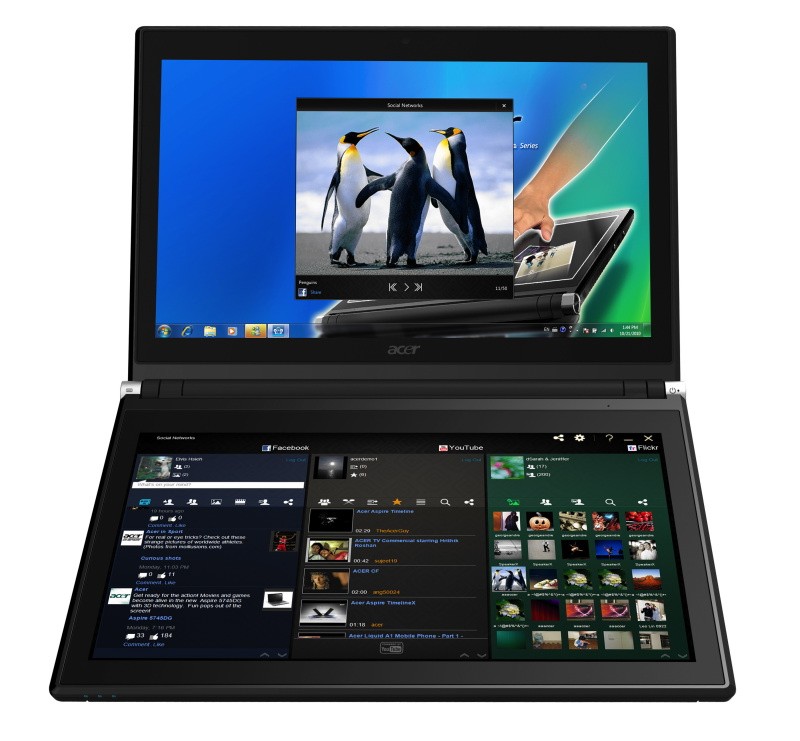
    Acer has announced the Pre-Order of its new Iconica Dual Screen Touch Notebook .

    • Price $1,199.99 ( US and CAD)
    • Dual 14-inch Gorilla Glas TouchPanels
    • Core i5 CPU
    • 4GB of memory
    • Intel HD graphics
    • 64-bit
    • Windows 7 Home Premium
    • USB 3.0 support
    • 640GB hard drive
    • 1.3 megapixel camera
    • 802.11b/g/n WiFi
    • HDMI output
    • Gigabit Ethernet
    • Weight 5.95 Pounds or 2.7KG (thats heavy!)


    Acer Iconia Touchbook Dual-Screen Tablet
    Provides Engaging, Natural Way to Interact with Digital Data

    World’s First and Only Tablet Featuring Two 14-inch Touch Screen Displays
    Now Available for Pre-Sale in the U.S. and Canada

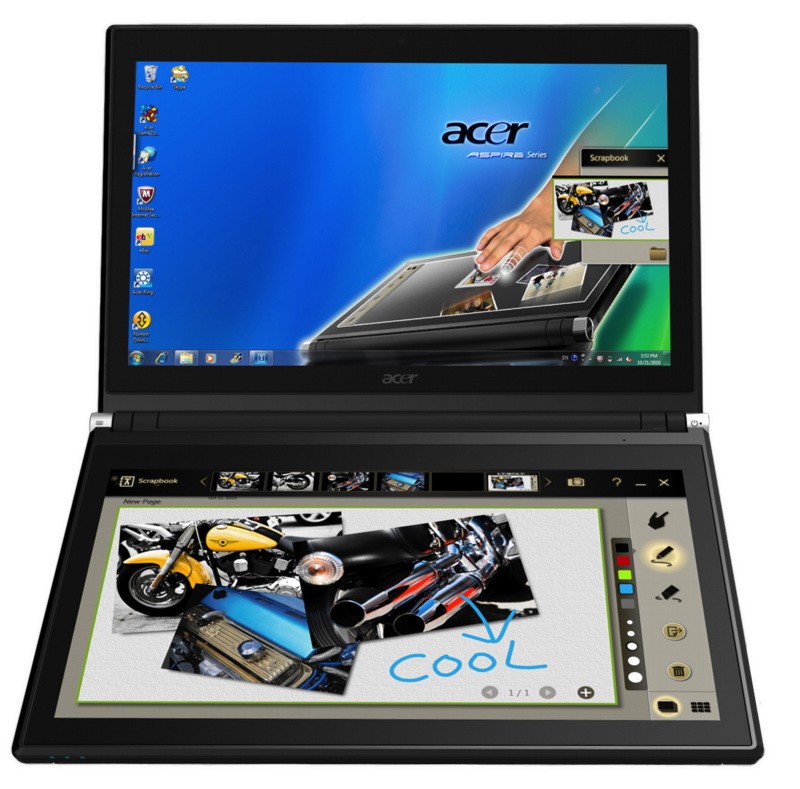
    SAN JOSE, CA – March 29, 2011 – Acer today announced that its much anticipated dual screen tablet, the Iconia-6120 Dual-Screen Touchbook is now available for pre-sale in North America. Providing a powerful, immersive touch experience like no other, it is the world’s first and only tablet to offer two touch-enabled 14-inch high-definition widescreen LED backlit LCDs.

    Intuitive to use and customizable to individual needs, it combines the power of Intel Core i5 processing with the familiarity of Windows 7, and is destined to change how people use technology to engage with the world. A winner of this year’s prestigious “Last Gadget Standing” award at CES, the Iconia was noted for incorporating the best features of any notebook or tablet device.

    With the flexibility to use a finger, type on a virtual keyboard, or use a combination of both, the Iconia Touchbook provides many ways to make the computing experience a truly personal one. Consumers can customize what is shown on each screen, allowing them to watch a video on the top screen and browse their multimedia library on the bottom one, or view a single web page across the two displays. Using the bottom screen to manage and control the action on the top screen keeps presentations, movies or web pages free of icons and other navigational tools.

    Extremely durable and scratch resistant, the Iconia’s 14-inch LCDs are made of ultra-thin Gorilla® Glass from Corning, a renowned manufacturer of extremely durable glass. With a wipe and clean coating, it’s easy to keep the displays shiny and smudge-free.

    “The Acer Iconia Touchbook delivers a computing and visual experience like no other,” said Eric Ackerson, senior product marketing manager, Acer America. “Whether the Touchbook is used by a small business owner or a student, its unique dual screen design enhances the interaction they will have with their digital data. Our compelling design and applications will let them discover new and much more personal ways to communicate and enjoy the computing experience, regardless of whether it’s work related or for personal enjoyment.”

    The Heart of Iconia – the Acer Ring Control Interface
    The unique Acer Ring Control Interface makes navigating by touch simple and intuitive. By placing five fingers in a circular pattern on the bottom display, the Acer Ring appears, providing instant access to favorite applications and features. From this point, consumers can use their fingertip or launch the virtual keyboard to change the tablet’s settings, surf the web, capture screen images, post photos and status updates to a social network, watch a movie and more, all in the manner most comfortable and natural to them.

    AppCards Provide Quick and Easy Access to Productivity and Entertainment-Based Applications
    Appearing on the either side of the Acer Ring is a unique set of Iconia touch-based applications, called AppCards. Using a finger, users can scroll to the one they want, and simply tap it to have instant access to a range of compelling programs ideal for either business or home use.

    • TouchBrowser is specifically designed to offer a more comfortable web surfing experience when using touch input. Upon launching, web content will flow across both screens. A toolbar at the bottom of either screen provides easy control over the open pages. To enter a website address, consumers can use the virtual keyboard or enter it using handwriting gestures. A pinching action will zoom in on the content on the page. Pages can be added to Favorites by simply tapping the Add Favorites icon.

    • MyJournal is a handy place to keep clippings of websites and other information. Images can be captured from any web page and organized onto a single, easy-to-view page. It includes pre-set tabs for News, Sports, Entertainment, Politics and Business. The selected website content on the tabbed pages is automatically updated each time it’s opened. A toolbar at the top of the page makes it easy to edit, resize, rename and move clips to other pages. In a business environment, a professional will find this feature useful in tracking news on competitors or to keep an eye on the stock market. A consumer can follow a local news story, their favorite sports team or keep an eye on their favorite celebrity’s latest antics.

    • Social Jogger simultaneously connects to three of the most popular social networking sites — Flickr, Facebook, and YouTube, presenting them a simple interface on one screen. Users can check posts and updates on one screen at a glance, and use the other screen to view one of the sites in more detail, surf the web, view photos or work on a spreadsheet.

    • Scrapbook is a convenient place to store website and photo images and other content. It includes a pen tool for drawing or entering handwritten text, such as adding comments or reminders. From there, images can be exported to the clipboard for insertion into other applications, or saved as an image file.

    • TouchPhoto, TouchMusic and TouchVideo provide direct access to multimedia files stored on the tablet.

    “The Acer ICONIA Dual Screen is a great demonstration of how hardware and software together enables new ways to interact with your PC,” said Soren Lau, senior director of marketing in the Original Equipment Manufacturer Division at Microsoft. “With Windows 7, you get the familiarity of Windows with support for multi-touch, so you can flick through videos and files with a fingertip, or use the touch-based on-screen keyboard.”

    Easy-to-use Tools Make Navigating Intuitive and Fun
    Appearing directly on the Acer Ring are a number of useful functions and tools, including Virtual Keyboard, Gesture Editor, Capture, Webclip, Window Manager and Device Control. Tapping the desired tool’s icon brings it up for immediate use.

    • The Virtual Keyboard gives users the ability to enter data and navigate in a familiar fashion. Combined with its touch capabilities, the Iconia Touchbook is a flexible and powerful tablet designed for maximum efficiency and productivity. When both palms are placed on the bottom screen, the virtual full-sized keyboard instantly appears. Adaptive typing and predictive text allows for quick data entry and minimizes mistakes. A numeric touchpad with handwriting recognition converts handwriting to text. The palm rest area can also be customized with any image on the computer – a company logo or a scenic background — so users can personalize the tablet even more.

    • Gesture Editor is a simple and quick way to instantly launch specific applications, access favorite websites, or even to lock the computer with a simple finger motion. A set of pre-defined gestures is included, but customized gestures can be created in just five easy steps. For example, simply drawing a $ (dollar sign) on the screen can launch a financial or accounting application, or a (checkmark) can open a to-do list.

    • The Capture tool allows users to clip parts of an image (a photo, illustration or a webpage) and save it to the Scrapbook application for further editing. It’s a great way to collect images for use in a PowerPoint presentation. And it couldn’t be easier to do. With the picture on the top screen and the Scrapbook page opened on the bottom display, users just tap the Capture tool, run their finger around the desired image and then tap the area to open a menu that will allow them to drag and drop it onto the Scrapbook page. The captured image will automatically be added as a thumbnail image above the scrapbook page for quick and easy viewing. They can then drag and drop the desired thumbnail onto the page, where it can be rotated or resized with pinching actions.

    • The Web Clip tool is specifically for clipping parts of web pages to save to MyJournal. Tap the screen, select the area to crop, tap and drag on any of the corners of the selected area to size it, and then tap the area again to open a menu to paste the content into MyJournal, Scrapbook or copy it to the clipboard. It can also be saved as a bitmap file.

    • Window Manager provides a touch-friendly interface for controlling the various open windows on the displays. Users can customize which screen the application appears on as well as its size.

    • Device Control is an easy way to access and adjust power, display and volume settings, wireless connections and various devices connected to the HDMI, VGA and USB ports.

    Clear.fi makes data sharing convenient in small office environment or the home
    Making it easy to share multimedia content, the Acer Iconia Touchbook features clear.fi, Acer’s digital media sharing solution. Clear.fi automatically connects all Acer devices on a network (smartphones, notebooks, desktops, HD media players and storage devices) and then gathers and organizes media files by type (video, music, photo, pre-recorded TV). Users can browse the categories and then drag and drop the media to any of the connected PCs or devices for playback.

    No-Compromises Tablet Features Leading Technology for Maximum Productivity and Fun
    A super charged tablet filled with enough leading technology to rival many desktop and notebook PCs in performance, the Iconia-6120 Dual-Screen Touchbook is powerful enough to handle demanding applications and graphic intensive multimedia files. Featuring an Intel® Core™ i5 Processor with Intel® Turbo Boost Technology(2), 4GB of memory and Intel® HD graphics, the Touchbook is equipped for heavy lifting. In addition, Dolby® Advanced Audio™ v3 brings vibrant sound to business presentations, movies, music, and games.

    Windows 7 Home Premium 64-bit provides a familiar computing environment and is compatible with today’s most popular applications and media formats, and supports full web browsing with Adobe® Flash® Player 10.1. For professional environments, customers can upgrade using Windows Anytime Update to Windows 7 Professional to attain business-class PC: manageability, security and the ability to run the applications used within most organizations today, including Microsoft Office.

    To maximize productivity, the Touchbook includes the new USB 3.0 standard with a top speed that’s 10 times faster than standard USB 2.0; a 25GB high definition video file can be transferred from an external USB 3.0 storage device in just 70 seconds and stored on the roomy 640GB SATA hard drive(3). Two 2.0 USB ports and an HDMI port are also included.

    A 1.3 megapixel HD webcam is ideal for face-to-face videoconferencing or for staying in touch with business associates, friends and family. Connect reliably with 802.11b/g/n Wi-Fi CERTIFIED™ or Gigabit Ethernet LAN from work, home or while on-the-go. Weighing in at just 5.95 pounds(4), it’s as convenient to carry as any notebook computer, and fits comfortably in a briefcase or backpack.

    U.S. Configurations, Pricing and Availability
    With an MSRP of $1,199.99, the Acer Iconia-6120 Touchbook is available for pre-sale now and will be available in April at leading retailers nationwide.

    Canada Configurations, Pricing and Availability
    With an MSRP of $1,199(CAD), the Acer Iconia-6120 Touchbook will be available in April through authorized Canadian resellers.
  • Nokia tablet in works, suggests patent

    Nokia tablet in works, suggests patent

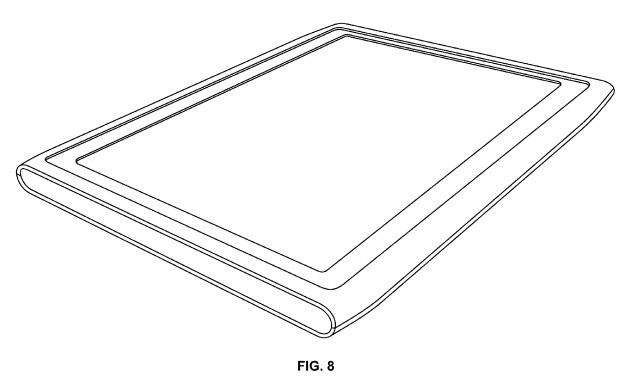
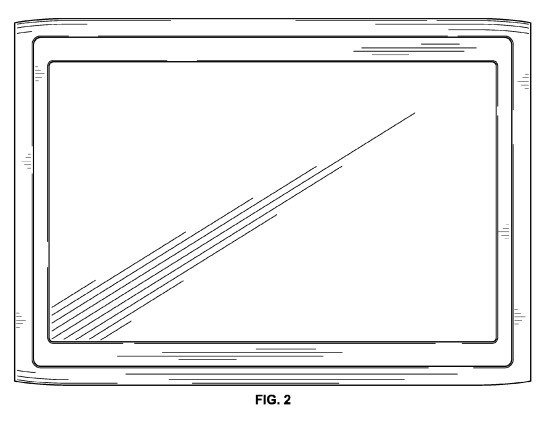
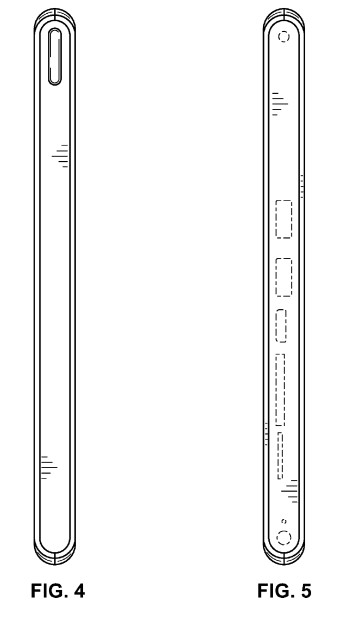
    Nokia has been talking about the Tablet market since early 2010, and their latest patent filing suggests a N8 style tablet heading towards us. The question remains, if the device will actually run Symbian optimized for tablets or Windows Phone 7 for tablets.
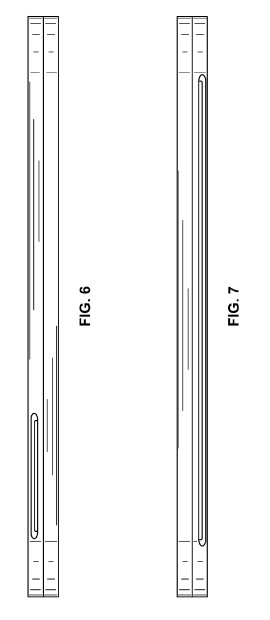
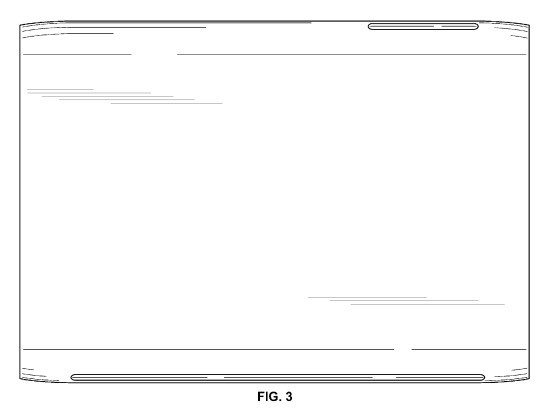
    The render Suggests a 9-10 inch tablets with a thickness around 12mm. The device also has sd card slots and 2 usb slots. Check out the patent images below.

    [USPTO (D634,317)(D634,318)]

  • MSI Announces WindPad 100w a windows 7 Tablet : UPDATE : Launched in INDIA

    MSI Announces WindPad 100w a windows 7 Tablet : UPDATE : Launched in INDIA

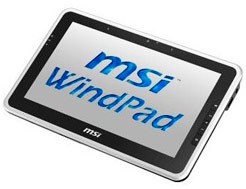
    A Whole year after the launch of the iPad companies are talking about Windows 7 Tablets. The first to do this is MSI (HP slate limited to corp clients) the specs of the WindPad 100w

    • 10.1-inch d
    • Windows 7 Starter
    • Intel’s Atom Z530 1.6GHz single-core processor
    • 2GB of memory
    • 32GB SSD
    • 6 hour battery life
    • MSI WindTouch, EasyFace, Taskbar Magnifier Tool, Photo EasyViewer
    • Supports Multi-Touch, Screen Rotate, Light Sensor Detect, G-sensor

    Priced at 710$

    Update : Looks like the WindPad is officially been announced in India at a premium price of 34,990/- (which roughly translates 710$ in INR). Pricing loos okay to us for the first generation of Windows 7 Tablets. Expect it to fall to 20-25k range in a matter of months.

    We are also trying to get a review unit.

    Thanks : Abhinav

iGyaan Network
Privacy Overview

This website uses cookies so that we can provide you with the best user experience possible. Cookie information is stored in your browser and performs functions such as recognising you when you return to our website and helping our team to understand which sections of the website you find most interesting and useful.