Tag: wwdc 2013

  • Apple Macbook Air Mid 2013 goes on Sale in India Starting Rs. 67900 (PR)

    Apple Macbook Air Mid 2013 goes on Sale in India Starting Rs. 67900 (PR)

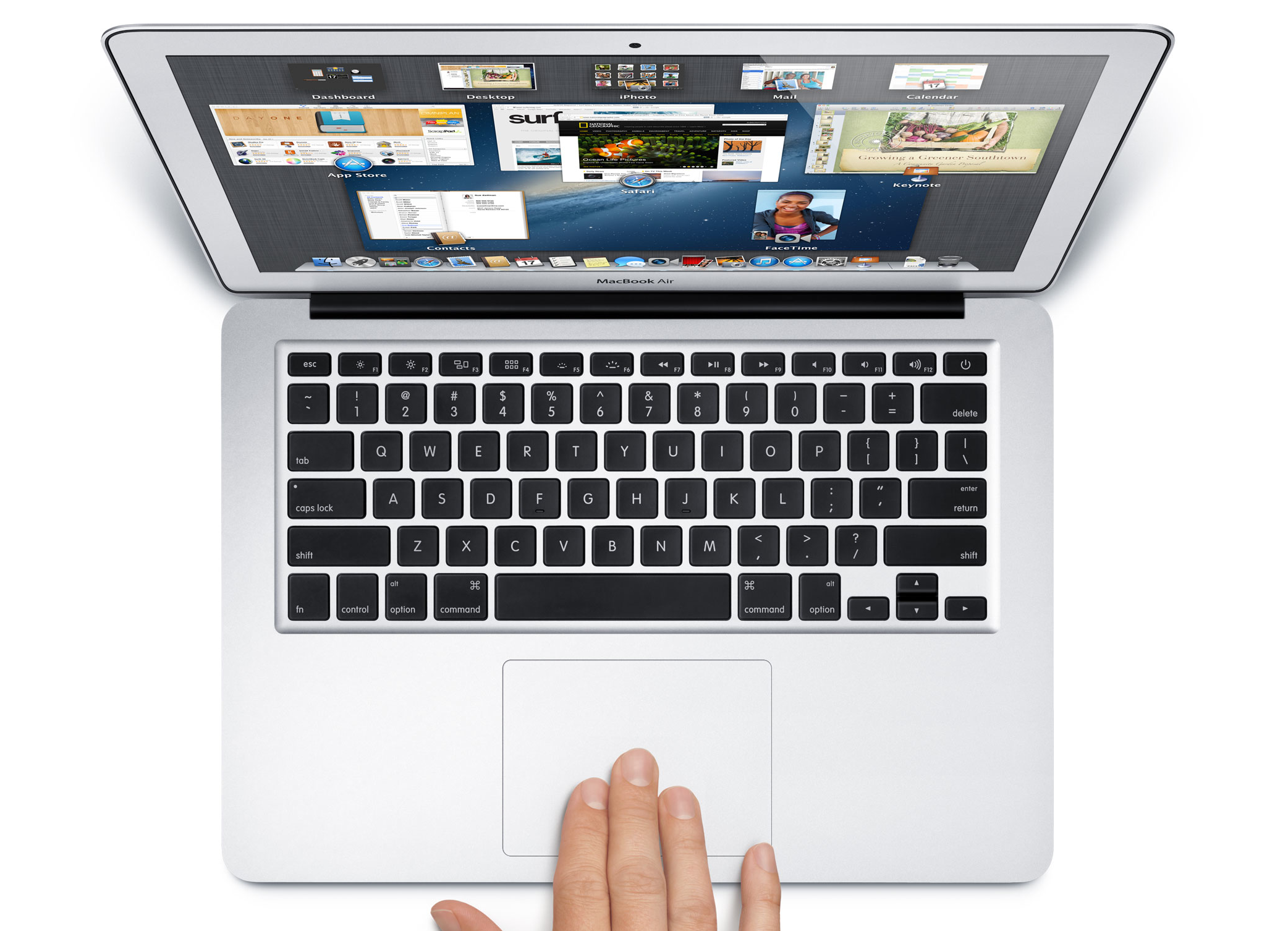
    Apple has officially announced the launch of the Macbook Air in India aswell, starting off the new Macbook Air at a price of INR 67,900 inc VAT.

    The 11-inch MacBook Air comes with a 1.3 GHz processor with Turbo Boost speeds up to 2.6 GHz, 4GB of memory and is available with 128GB of flash storage starting at INR 67,900 inc VAT (INR 64,666.67 ex VAT), and 256GB of flash storage starting at INR 81,900 inc VAT (INR 78,000 ex VAT). The 13-inch MacBook Air comes with a 1.3 GHz processor with Turbo Boost speeds up to 2.6 GHz, 4GB of memory and is available with 128GB of flash storage starting at INR 74,900 inc VAT (INR 71,333.33 ex VAT), and 256GB of flash storage starting at INR 88,900 inc VAT (INR 84,666.67 ex VAT). Configure-to-order options include a 1.7 GHz Intel Core i7 processor with Turbo Boost speeds up to 3.3 GHz, up to 8GB of memory and up to 512GB flash storage.

    The new generation of Macbook Air from Apple feature Intel’s new Haswell chipsets, designed to be very powerful yet energy efficient. According to Apple, the 13-inch MacBook Air will last up to 12 hours of battery life and up to 10 hours of iTunes movie playback. The 11-inch MacBook Air delivers up to 9 hours of battery life and up to 8 hours of iTunes movie playback.

    The new Macbook Air features 802.11ac Wi-Fi for wireless performance that is up to three times faster when connected to an 802.11ac base station. Just to make a point Apple also launched the new AirPort Extreme and AirPort Time Capsule base stations that feature three-stream 802.11ac Wi-Fi technology with a maximum data rate of 1.3Gbps, almost three times faster than 802.11n.

    The new AirPort Extreme and AirPort Time Capsule base stations are available today through Apple Authorised Resellers. AirPort Extreme is available for a suggested retail price of INR 14,200 inc VAT (INR 12,511.01 ex VAT). AirPort Time Capsule comes in two models: 2TB of storage for INR 19,900 inc VAT (INR 18,952.38 ex VAT) and 3TB of storage for INR 25,900 inc VAT (INR 24,666.67 ex VAT).

    [toggle title=”Press Release”]Apple Brings All Day Battery Life to MacBook Air

    SAN FRANCISCO—June 10, 2013—Apple today updated MacBook Air with all day battery life, fourth generation Intel Core processors with faster graphics, 802.11ac Wi-Fi and flash storage that is up to 45 percent faster than the previous generation. The ultimate everyday notebook is now an even better value, with 11-inch models featuring double the storage and 13-inch models starting at a new lower price of INR 74,900. Apple today also introduced completely redesigned AirPort Extreme and AirPort Time Capsule base stations featuring 802.11ac Wi-Fi for up to three times faster performance.

    “MacBook Air is the industry leader for thin and light notebooks, and now with longer battery life, we’ve set the bar even higher,” said Philip Schiller, Apple’s senior vice president of Worldwide Marketing. “With faster flash, more powerful graphics and up to 12 hours of battery life, the new MacBook Air packs even more performance into the portable and durable design our customers love.”

    The new MacBook Air features power-efficient fourth generation Intel Core i5 and Core i7 processors that give the 13-inch MacBook Air up to 12 hours of battery life and up to 10 hours of iTunes movie playback. The 11-inch MacBook Air delivers up to 9 hours of battery life and up to 8 hours of iTunes movie playback.* MacBook Air now supports next generation 802.11ac Wi-Fi for wireless performance that is up to three times faster when connected to an 802.11ac base station. New Intel HD Graphics 5000 gives MacBook Air up to 40 percent faster performance for gaming and graphics intensive apps, and new flash storage provides speeds up to 45 percent faster than the previous generation and nine times faster than traditional hard drives.**

    The incredibly thin and light design features dual microphones, a FaceTime HD camera, a high-speed Thunderbolt port and two USB 3.0 ports. MacBook Air also supports dual displays and video mirroring while simultaneously supporting full native resolution on the built-in display.

    Continuing Apple’s commitment to energy efficiency and the environment, the new MacBook Air meets stringent Energy Star 5.2 requirements and achieves an EPEAT Gold rating.*** Each unibody enclosure is made of highly recyclable aluminium and comes standard with energy efficient LED-backlit displays that are mercury-free and made with arsenic-free glass. Apple notebooks contain no brominated flame retardants, are PVC-free and are constructed of highly recyclable materials.

    MacBook Air ships with OS X Mountain Lion, bringing Messages, Notification Center, system-wide Sharing, AirPlay Mirroring, Dictation, Game Center and the enhanced security of Gatekeeper to your Mac. With iCloud built into the foundation of OS X, Mountain Lion makes it easier than ever to keep your content up to date across your Mac, iPhone, iPad and iPod touch.

    Apple also introduced redesigned AirPort Extreme and AirPort Time Capsule base stations that feature three-stream 802.11ac Wi-Fi technology with a maximum data rate of 1.3Gbps, almost three times faster than 802.11n. The new AirPort base stations include high-powered radios and a six-element beam-forming antenna array to maximise range and performance. With setup built right into OS X and iOS, users can create a high-speed Wi-Fi network in just a few clicks, and the intuitive AirPort Utility makes it easy to view and manage a network graphically. Featuring 2TB or 3TB hard drives, AirPort Time Capsule works in conjunction with Time Machine in OS X and is the simplest way to wirelessly backup multiple Macs. Measuring just 3.85-inches by 3.85-inches and 6.6-inches tall, these new base stations can be placed almost anywhere in the home.

    Pricing & Availability
    MacBook Air is available today through Apple Authorised Resellers. The 11-inch MacBook Air comes with a 1.3 GHz processor with Turbo Boost speeds up to 2.6 GHz, 4GB of memory and is available with 128GB of flash storage starting at INR 67,900 inc VAT (INR 64,666.67 ex VAT), and 256GB of flash storage starting at INR 81,900 inc VAT (INR 78,000 ex VAT). The 13-inch MacBook Air comes with a 1.3 GHz processor with Turbo Boost speeds up to 2.6 GHz, 4GB of memory and is available with 128GB of flash storage starting at INR 74,900 inc VAT (INR 71,333.33 ex VAT), and 256GB of flash storage starting at INR 88,900 inc VAT (INR 84,666.67 ex VAT). Configure-to-order options include a 1.7 GHz Intel Core i7 processor with Turbo Boost speeds up to 3.3 GHz, up to 8GB of memory and up to 512GB flash storage. Additional technical specifications, configure-to-order options and accessories are available online at www.apple.com/macbook-air.

    The new AirPort Extreme and AirPort Time Capsule base stations are available today through Apple Authorised Resellers. AirPort Extreme is available for a suggested retail price of INR 14,200 inc VAT (INR 12,511.01 ex VAT). AirPort Time Capsule comes in two models: 2TB of storage for INR 19,900 inc VAT (INR 18,952.38 ex VAT) and 3TB of storage for INR 25,900 inc VAT (INR 24,666.67 ex VAT). Additional technical specifications are available online at www.apple.com/airport-extreme and www.apple.com/airport-time-capsule.

    *The Wireless Web protocol testing was conducted by Apple in June 2013 using preproduction MacBook Air configurations. Battery life and charge cycles vary by use and settings. For more information visit www.apple.com/macbook-air.

    **Testing conducted by Apple in June 2013 using preproduction MacBook Air configurations. For more information visit www.apple.com/macbook-air.

    ***Claim based on energy efficiency categories and products listed within the EPA ENERGY STAR 5.2 energy database as of June 2013. EPEAT is an independent organisation that helps customers compare the environmental performance of notebooks and desktops. Products meeting all of the required criteria and at least 75 percent of the optional criteria are recognised as EPEAT Gold products. The EPEAT program was conceived by the US EPA and is based on IEEE 1680 standard for Environmental Assessment of Personal Computer Products. For more information visit www.epeat.net.

    Apple designs Macs, the best personal computers in the world, along with OS X, iLife, iWork and professional software. Apple leads the digital music revolution with its iPods and iTunes online store. Apple has reinvented the mobile phone with its revolutionary iPhone and App Store, and is defining the future of mobile media and computing devices with iPad.[/toggle]

  • iOS 7 A Quick Review (Recap)

    iOS 7 A Quick Review (Recap)

    Apple today announced the next version of their popular mobile os platform dubbed simply “iOS 7”. While it is traditional “Apple” to bring out requested changes with a lot of hype, this time around Apple has actually overhauled the entire OS.

    iOS 7 actually puts together a great mix of design and usability and the fact that Apple has incorporated features that were missing from the OS makes it a lot more exciting. Lets start off with a few of the highlighted features.


    ios 7 screen shots 17

    iOS 7 Control Center:

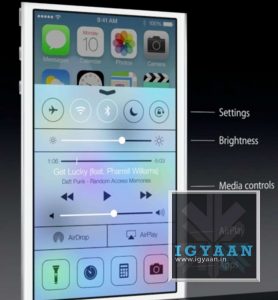
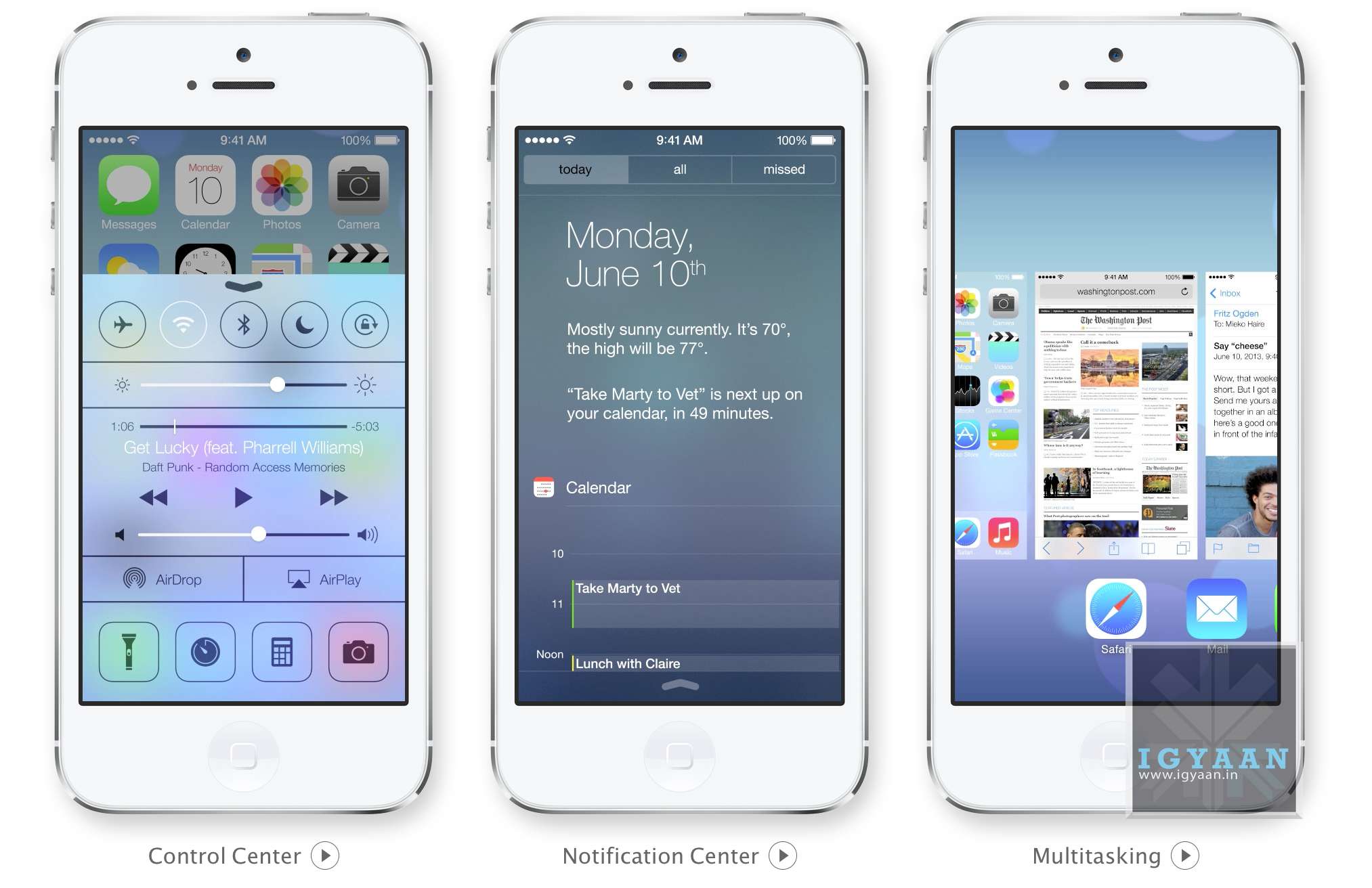
    Apple has simply added all you could ask toggles into iOS, Wifi, Bluetooth, Airplane mode, and even brightness can now be accessed by simply swiping from the bottom of the screen. Access Do Not Disturb or Lock your screen’s orientation or Play, pause, or skip a song. Connect to AirPlay-enabled devices. Quickly access your flashlight, timer, calculator, and camera.

    This has been one of the most anticipated features on iOS especially after the huge success of the toggles in Android, Apple has created a whole new gesture to access just toggles from the bottom of the screen.


    ios 7 screen shots 13
    Notification Panel in iOS 7

    iOS7 Notification Center : Today 

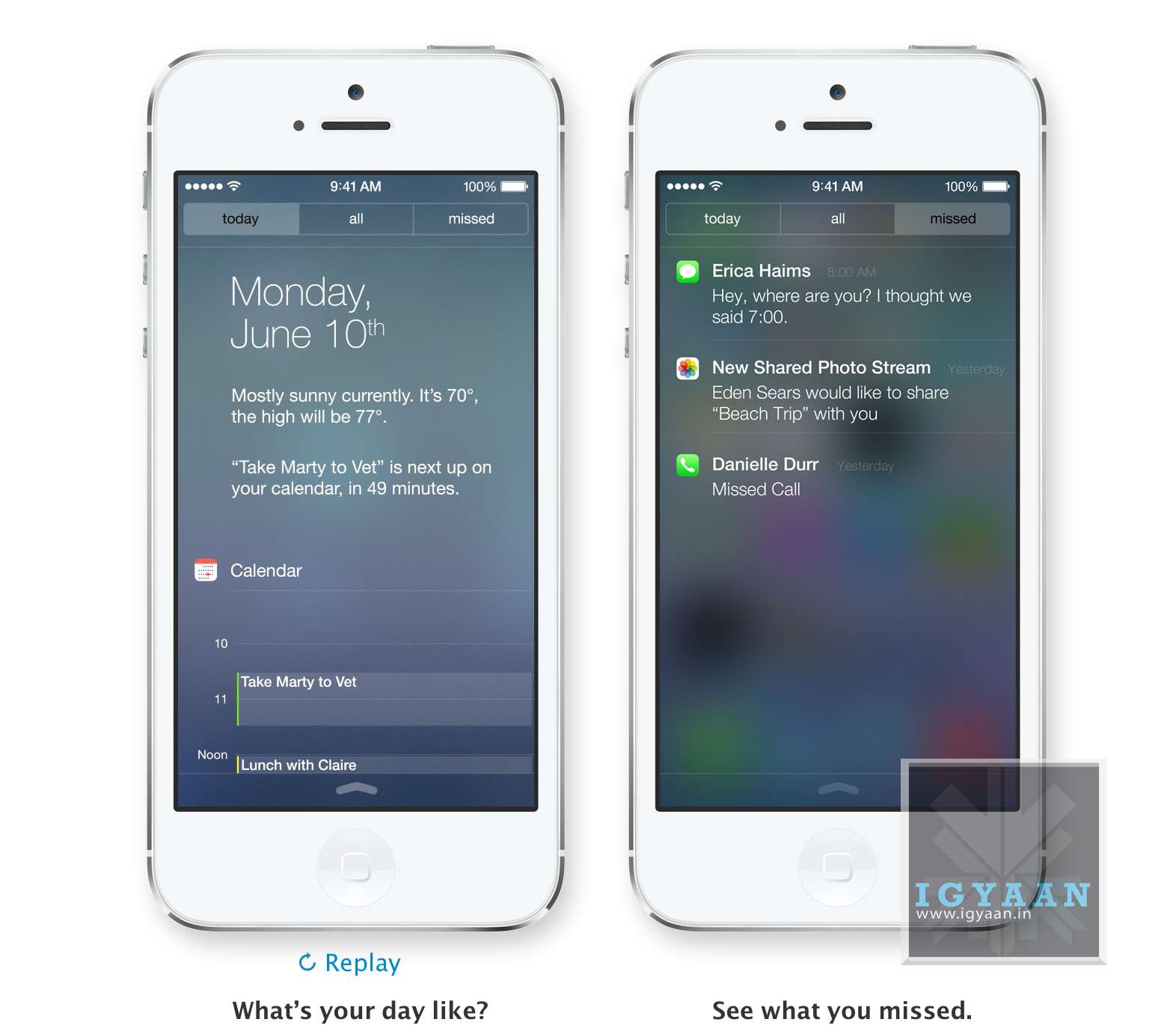
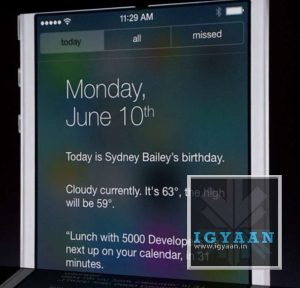
    The Notification center in iOS 7 will come with a Today tab, that will only give you notifications that are relevant today; birthdays, reminders, appointments and weather etc. You can access Notification Center from any screen, including the Lock screen. Just swipe down.


    ios 7 screen shots 16iOS 7 Multitasking

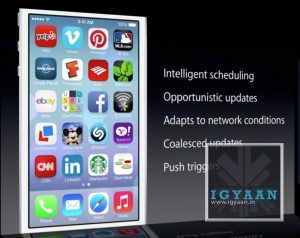
    With iOS 7 Apple has allowed all App developers to access Multitasking built into the OS, which will now enable better battery utilization and allow apps to run in the background while you focus on other tasks. The good thing is that iOS 7 learns when you like to use your apps and can update your content before you launch them. So if you are up every morning checking up on Facebook and Instagram, the feeds will be updated just before you check daily. 

    Quitting and managing background apps uses the new card style design. Press the Home button twice to see preview screens of the apps you have open. To quit an app, just swipe it up and out of preview. iOS 7 also automatically schedules updates during power-efficient times. Like when your device is on and connected to Wi-Fi you device will be magically updated.


    iOS 7 Camera and Photos

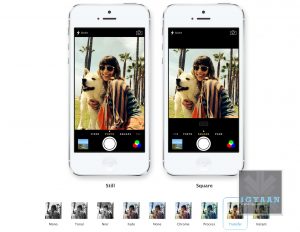
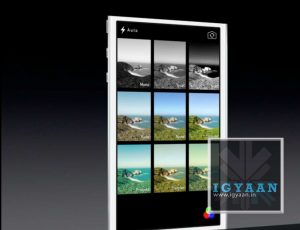
    Along with changing the design of the camera interface Apple has added a square picture feature right into iOS 7, allowing users to create those famous 4×4 stills and add filters. Honestly, we can’t wait to try out the new filters.

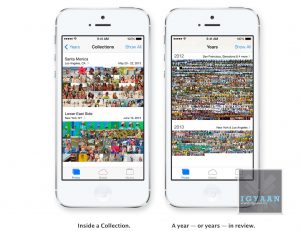
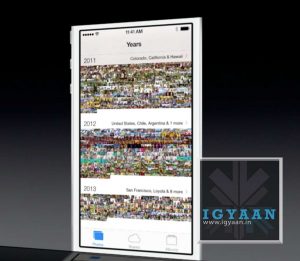
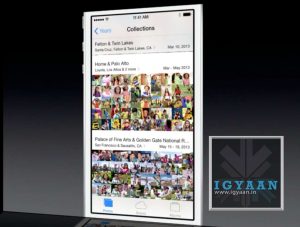
    iOS Photos app has been a long list of clicked images from a camera roll, almost impossible to navigate, and that changes with iOS 7. Apple has added new features into the photos app called Collections, Moments, and Years ; essentially smart groupings of your photos and videos based on time and place. Tap Years and all your shots fill the screen. Each year holds Collections, like your trip to out of town and in that Collection are distinct Moments like from a monument on the trip or even a restaurant. An incredibly wonderful way to use all the meta data collected by the camera.

    Photo Streams have also been updated to allow other users to add into your Photostream to allow for one consolidated Photostream between groups or even between 2 people.


    AirDrop on iOS 7
    AirDrop on iOS 7


    iOS 7 AirDrop

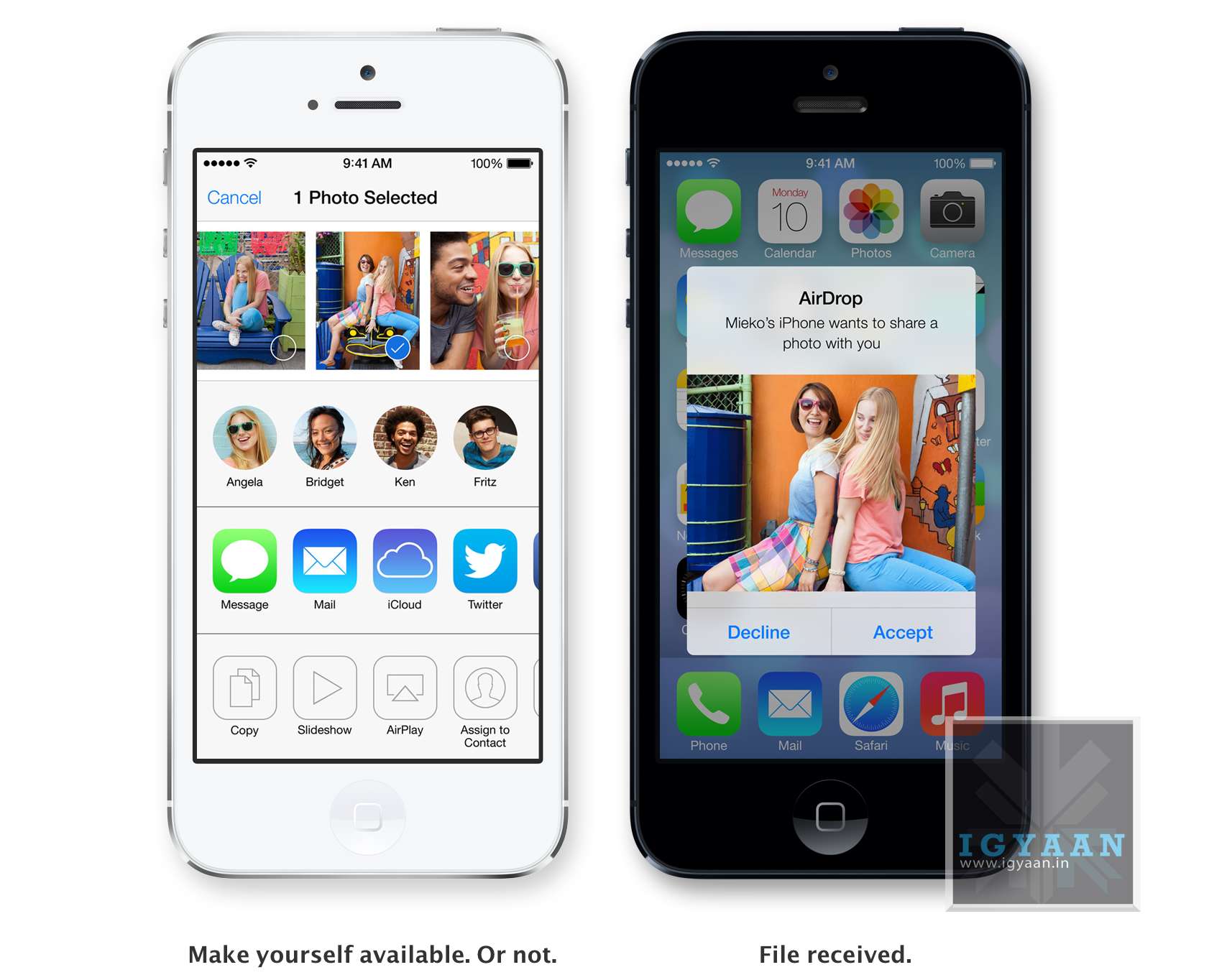
    Airdrop has been excellent on the Mac, and sharing files is easier than ever. Apple has implemented the same features into iOS and now finally after almost 7 years of existence Apple devices will be able to share files amongst themselves via Airdrop.  The feature will allow users to easily share photos, videos, contacts — and anything else from any app with a Share button. This will be available to other developers so they can build it into their apps. 

    iDevices on iOS 7 are automatically visible in AirDrop to the contacts nearby running iOS 7. But you can also make yourself visible to anyone nearby using iOS 7 or to no one at all, almost like bluetooth, but via WiFi. Recipients can choose to save whatever you send. When they do, the content is saved right where it needs to be and files can be shared to multiple users together.


    ios 7 screen shots 7
    Safari


    iOS 7 Safari

    Safari was updated on the new Mac OS X Mavericks and the same features comes to the new Safari on iOS 7. Buttons and bars stay hidden until one scrolls to reveal them, more content is then available on the screen.Browsing is now based on swipes , swipe left or right to go back or forward a page. 

    Just like with Safari on mac, the URL bar now allows you to search and Safari automatically suggests the closest match to what you’re looking for. The new Safari on iOS 7 lets you scroll your tabs in a new Vertical Cover-flow type UI. Shared links allows users to see all the URLs in theTwitter timeline, who posted them, and what they had to say about them. The new Reading list also enables you to remember something you read about. 

    However, one of the best features of iOS 7 Safari has to be the integration of iCloud Keychain. iCloud can now remember your account names, passwords, and credit card numbers for you. And Safari can enter them automatically whenever you need to sign in to a site or shop online. It works on all your iOS 7 devices and your Mac computers running OS X Mavericks. This feature makes life a lot easier for everyone, while security may be a concern initially, but one consolidated password vs a hundred makes life easier. Passwords are also suggested by Safari automatically for new signups, but we are unsure if this feature comes to Mobile Safari.


    ios 7 screen shots 8
    iTunes Radio


    iOS 7 iTunes Radio

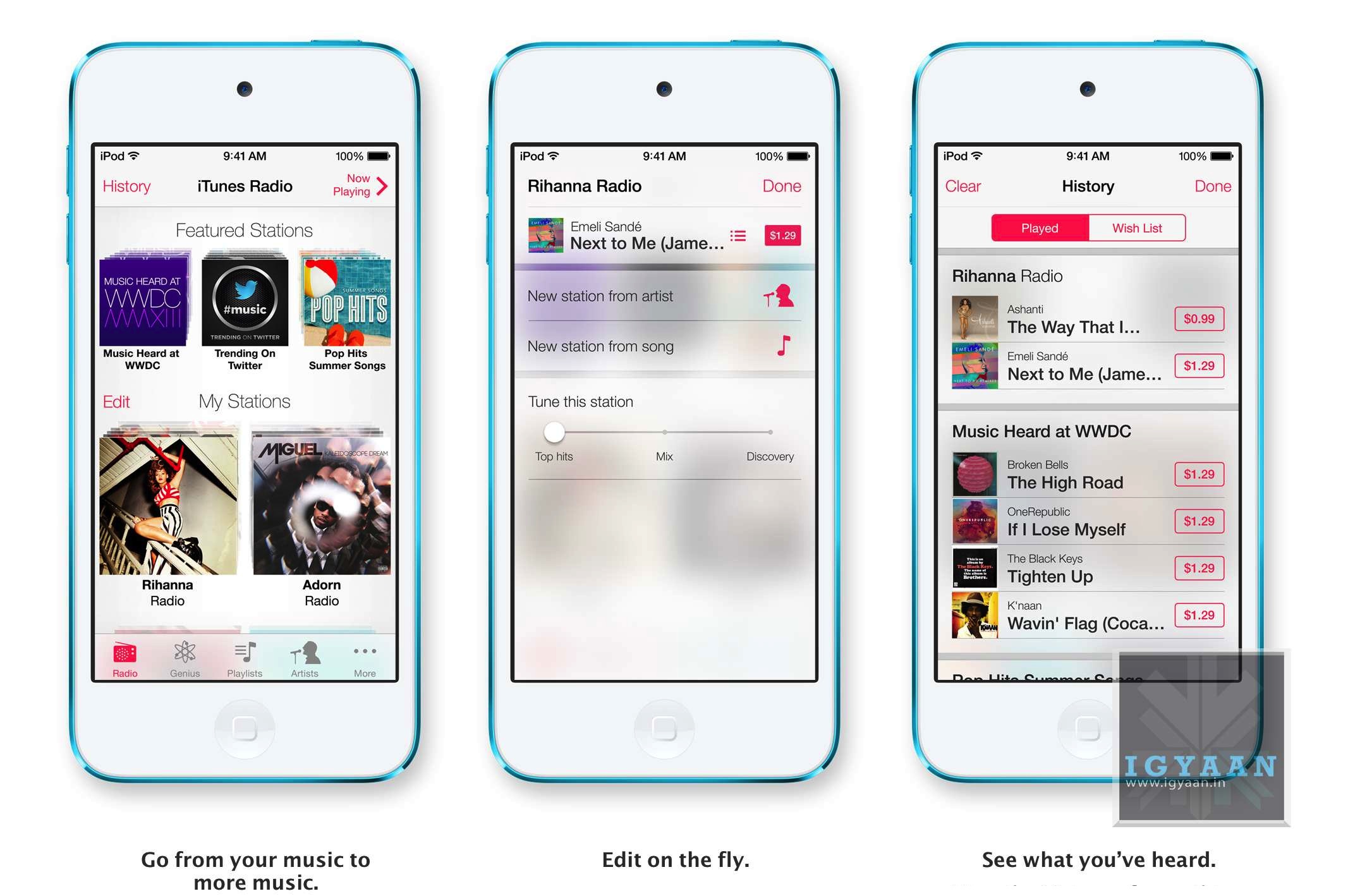
    Apple’s answer to all the streaming music services, iTunes Radio features streaming radio stations directly in the Music App. It personalizes your listening experience as you listen more and more and makes songs play automatically to your preferences from the past. You can access Featured Stations, stations inspired by music you choose or already listen to, and more than 200 genre-based stations. The Ability to create new playlists ; stations while you listen in is great and you can also see a list of all the songs you have heard and instantly purchase them if you like from the iTunes Store. The only downside iTunes Radio will only be available to the US at launch. 


    ios 7 screen shots 10
    Siri on iOS 7


    Siri on iOS 7

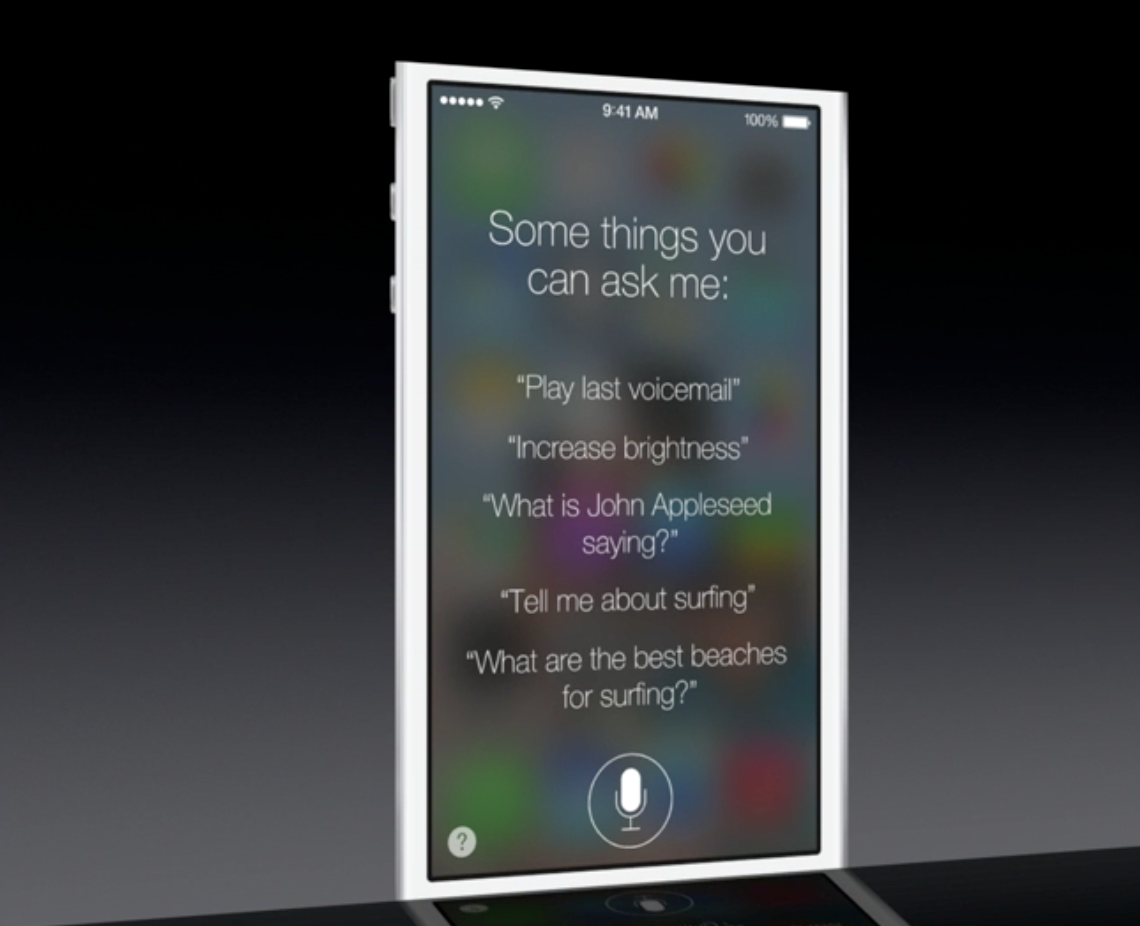
    Siri has been a true driver of sales for Apple, and rebuilding Siri was one of the things Apple was expected to do. The new Siri has a brand new voice, which is less robotic and more fluid. You can also change the sex of the voice from Female to Male and even select between several languages. 

    Siri is faster at answering questions and checks more sources, such as Bing, Wikipedia, and Twitter. And it takes on extra tasks, like returning calls, playing voicemail, controlling iTunes Radio, and more

    The new Siri UI looks good too, when you ask Siri something, audio waves move across your screen, letting you know Siri is listening and processing your request. Answers are now shown directly in Siri, including web search results. You now also get results from Wikipedia and Twitter. 


    ios 7 screen shots 3
    Find My iPhone


    iOS 7 Find My iPhone

    The biggest most notable change in Find My Phone is the ability to lock the lost device from future activations, making a stolen iPhone a simple paper weight. In case a lost phone cannot be recovered, the person who finds it cannot own it, because turning off Find My iPhone or erasing your device requires your Apple ID and password. Find My iPhone can also continue to display a custom message, even after your device is erased. And your Apple ID and password are required before anyone can reactivate it. Which means your iPhone is still your iPhone.


    ios 7 screen shots 15
    App Store on iOS 7


    iOS 7 App Store

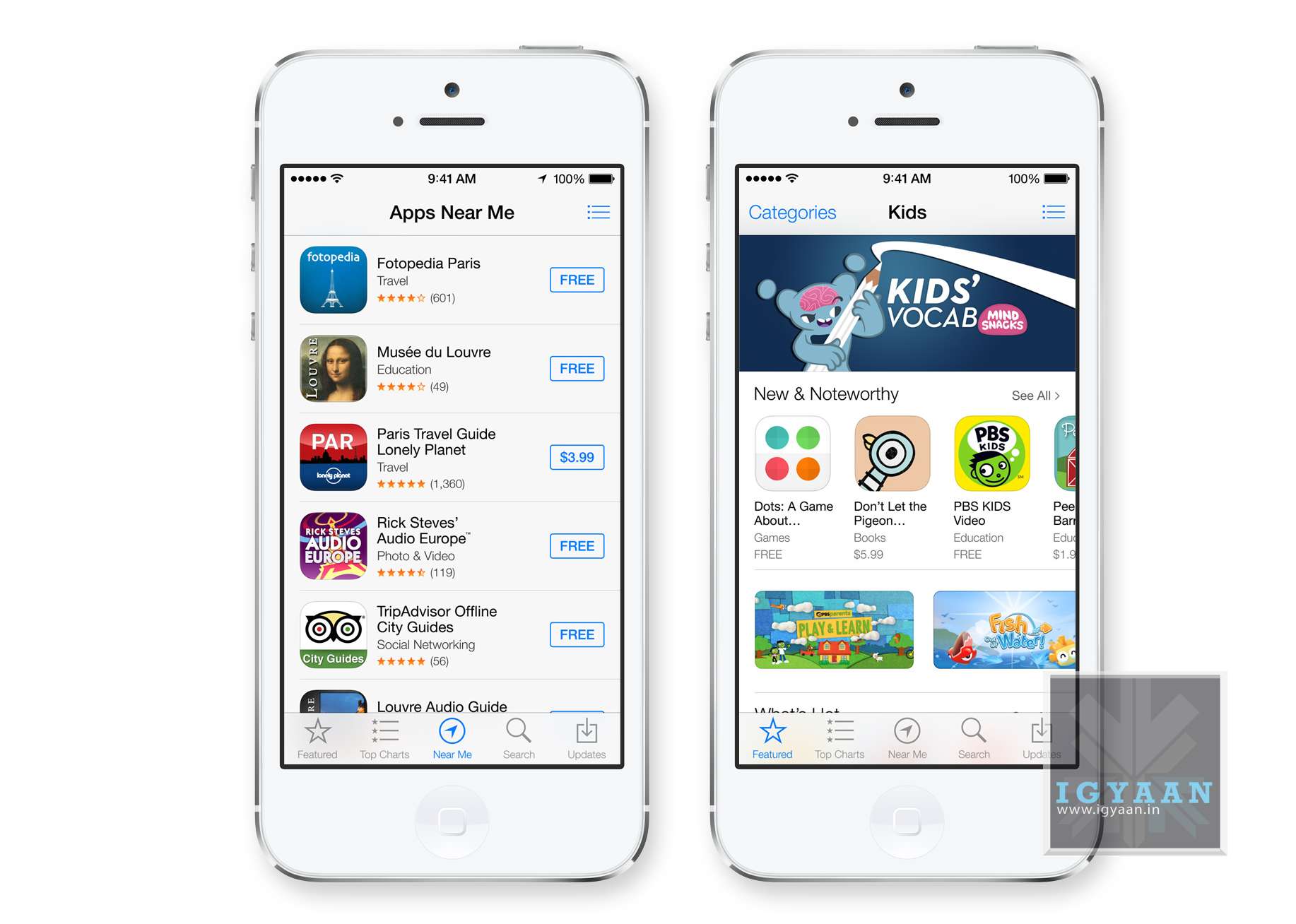
    Apple has really played with location based services in the past and with the new iOS 7, the App Store shows you a collection of popular apps relevant to your current location.A special Kids category spotlights the best apps for children based on age. So now selecting apps for toddlers will be easy. iOS 7 also keeps your apps up to date automatically so you don’t need to go into the App store and update them manually. 


    ios 7 screen shots 2


    iOS 7 in Car

    While this feature may never reach Indian cars, it is worth noting that this may lead a revolutionary change to the way mobile devices connect with vehicles. I

    If your vehicle is equipped with iOS in the Car, you can connect your iPhone 5 and interact with it using the car’s built-in display and controls or Siri Eyes Free. Now you can easily and safely make phone calls, access your music, send and receive messages, get directions, and more. It’s all designed to let iPhone focus on what you need, so you can focus on the road.

    Many companies have claimed to offer these features via Bluetooth, and apps within ecosystems of iOS and Android but a total package of in car access would be great to have. 


    Apple has finally delivered on expectations for a lot of anticipating owners of iDevices. Even though most of the features could have been implemented in previous edition of the mobile OS, Apple’s new iOS 7 brings a refresh to an almost stale OS in desperate need for change. Has Apple managed to woo the audience? We think so! But, how these features actually work will determine the capability of the new iOS 7, because no body would like another iMaps fiasco!

     [youtube id=”sqyJrUCxp0k” width=”100%” height=”300px”]

  • Apple Announces iOS 7

    Apple Announces iOS 7

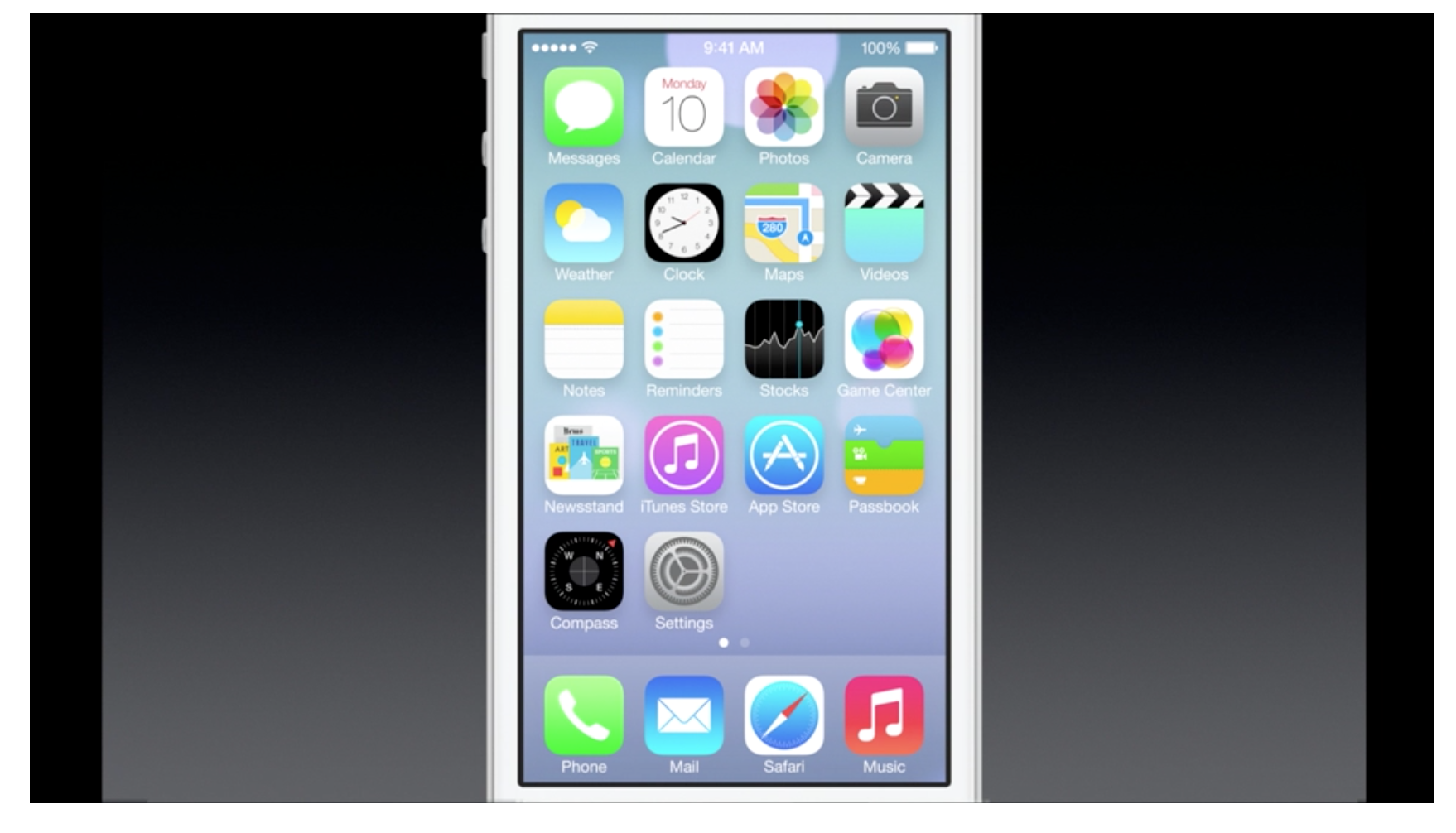
    Apple has just announced “the biggest change since the launch of the original iPhone” ; iOS 7. The new interface is beautifully designed with a new layer of colors and icons. Transparency plays an important role here, along with gestures.

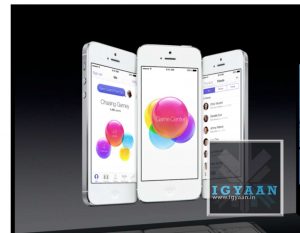
    Folders have pages, for multiple apps and the Game Center now does not have any green felt.

    Notification center has a today view and can be accessed from the lock screen. But the most awaited feature : control center has been made available , simply swipe from below and all your quick toggles are front and center even from the lock screen.

    Multitasking is available to all Apps now, allowing better battery life.


    iOS now features Air Drop, allowing sharing of files through wifi just like on mac.  Select multiple people by tapping, “no need to run around the room bumping your phone” hah.

    The new features of Safari from Mac have been brought to the iOS, tabs reading lists, auto fill keychains and passwords.

    The new Camera allows square cropped photos with filters for apps like Instagram, along with new Photos app which features moments and collections for better organization of photos. Of Course sharing of 


    Siri now has been updated to look great and do more functions, Siri also has a new voice in both male and female tones. 

    Siri can now Increase Brightness and toggle functions.

    Screen Shot 2013-06-11 at 12.17.21 AM


    more developing..

  • WWDC : OS X Mavericks Announced

    WWDC : OS X Mavericks Announced

    At its WWDC event today, Apple announced the next edition of its Mac OS, the OS X Mavericks. 

    The previous edition, the Mountain Lion, launched last year, shipped 28 million copies. 35% of Mac users are using Mountain Lion. In comparison, 8% of Windows users are using Windows 8.

    Craig Federighi, Senior Vice President Software Engineering, came on stage to talk about the OS X Mavericks : ” We want names that will carry us for the next ten years. The answer was really obvious. It’s those places that inspire us here in California. For our first California themed release, we went to OS X Mavericks.”

    OS X Mavericks is released a with deep technology focus on extending battery life and responsiveness. 

    The first big feature of OS X Mavericks is the new tabs feature in the Finder – Safari-esque tabs that can drag content across tabs. Finder now goes full screen as well.

    The next new feature is ‘Tags’ — As the name states, it brings tagging to the Mac. In addition to its location and name, you can tag a file. It’ll appear right in the Finder sidebar. You can tag things wherever they are. This is a really great feature for Power Searches. 

    Federighi then showcased the Multiple Displays feature – you can get your menus across multiple displays. Your dock is accessed across multiple displays and when you take an app full screen, it doesn’t mess with your desktop on the other display. If you have an AirPlay connected HDTV, it can act as a full-powered HD display with individual control spaces and Mission control on each display.

    OS X Mavericks features Timer Coalescing: When you look at battery life, the real factor that software has the most influence over is CPU activity. “Intelligently align work reducing transitions between idle and work mode.” It reduces CPU utilization up to 72%.

    New Safari

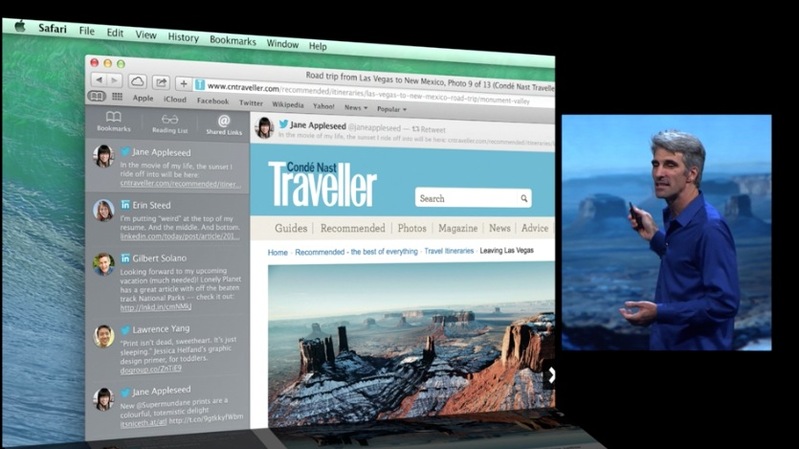
    Clean new homepage in Safari, new sidebar, browser right from bookmarks, Reading List. It also features Shared Links: See links posted by people you’re following on Twitter or LinkedIn. It also features 60fps scrolling. 

    OS X Mavericks

    App Nap shuts off CPU work when a window is unseen in the background. If a window is covered, the CPU stops processing as much, saving battery life.

    Calendar on the Mac has been redesigned with a flat redesign. “No virtual cows were harmed in the making of this UI. We’ll be adding that to our environmental checklist.”

    Improvements to notifications: Can reply within notifications for emails and messages, can delete emails from notifications.

    OS X Mavericks

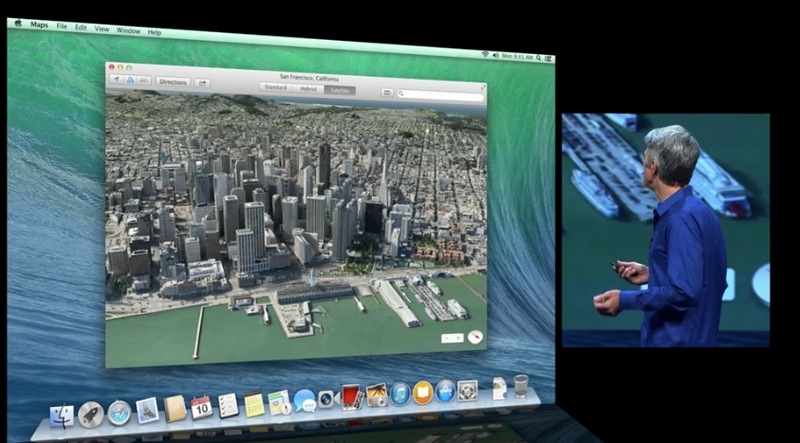
    New Maps – Maps team has been making great improvements and Mac users are going to benefit. Fantastic new Maps app. Street maps, 3D, flyover data, POI, info cards, turn by turn directions.

    “Mavericks makes your digital life follow you from device to device.” Remembers what page you’re reading, remembers your passwords across devices. Bookmark location and travel routes. Fantastic release full of some great features for power users.

    Final release coming this fall.

    More features coming up!

  • Apple WWDC iOS 7 and MAC OS 10.9 Event happens today : What to Expect

    Apple WWDC iOS 7 and MAC OS 10.9 Event happens today : What to Expect

    Its 2013, and what has been almost 6 years from the announcement of the original iPhone back in 2007, Apple will today announce a new version of iOS deemed “iOS 7”. WWDC or the Worldwide Developer Conference is Apple’s yearly conference with its developers to show off what the company has designed for the developers to make functional apps in the oncoming year. 

    Apple iOS 7

    Apple’s prized possession; the mobile os to power their extremely popular portables, has led the company for over 5 years into undeniable success. This year around John Ive’ design philosophy takes over that of Scott Forstall, which makes the design exceptions of the iOS 7 a lot flatter vs the skeuomorph designs of Forstall. 

    Apple may also change their closed nature towards third party apps allowing them to be set as default apps (eg. presently default browser cannot be changed from Safari), this might make the experience of iOS 7 a lot more personal.

    Apple removed all Google based apps from the default apps list on iOS, including Youtube and Maps to replace with their own, this time around we are hearing of partnerships with Yahoo to provide Flickr integration along with Tumbler posting, possibly directly from the notification panel, a spot presently secured by Facebook and Twitter. 

    There is a also a possibility of Apple integrating quick toggles in the Notification panel or even as direct apps, something that would be widely appreciated. 

    Apple has also signed a deal with Sony Music among other major music companies, enabling the possibility of “iRadio” a music streaming service directly from Apple. As “the Guardian” points out a mix of iRadio and Genius playlists would put Apple in the forefront of all competition simply because the Genius playlists would automatically play music like the music you already like listening to.

    Mac Mountain Lion 10.8

    Mac OS X (10.9)

    Apple will also announce the next version of Mac OS dubbed 10.9 and will also include a Lion in its commercial name, this iteration of the OS for their portables and desktop is expected to be midway between a tablet and a pc, allowing more direct availability of Apps.

    Apple is also expect to update key features of the OS, including notification center and Siri Integration within the OS. 


    Other Expectations and Rumors

    iWatch : Apple wearable control device which has been heavily rumored ever since Apple changed the design of the multitouch iPod Nano from the Square watch band friendly to a vertical more media player-esque design. Although a wearable Apple product sounds interesting, many previous editions have failed to grab market attention.

    Apple TV: Apple has also been toying with the TV industry for years hinting at a piece of hardware that will revolutionize the Television industry. Whether this “Jesus TV” will ever be launched is unknown. But Apple will need to update its current gen Apple TV (box), so atleast a refresh of the 100 $ TV is expected.

    App Ecosystem: Rumors have suggested in the past that Apple will launch a better App Store allowing more flexibility in a way a user buys an app. Possible examples could include renting of Apps and even trial periods as seen on Windows Phone. 

    While it is almost always impossible to know what Apple has up its sleeve, it is almost certain that no new iDevice hardware is expected to be launched at WWDC, no new iPhone, iPad or even iPOD is expected. But, with everything so well under wraps, the world might just be shocked as Tim Cook walks onto stage with a shiny new hardware, that may set to create yet another category in the buying space. We will get you all the details during the launch.

iGyaan Network
Privacy Overview

This website uses cookies so that we can provide you with the best user experience possible. Cookie information is stored in your browser and performs functions such as recognising you when you return to our website and helping our team to understand which sections of the website you find most interesting and useful.