Author: Parul Ritvik Sood

  • 10 Super Useful Apps to Help Manage a Startup

    10 Super Useful Apps to Help Manage a Startup

    As apps become more prevalent and powerful, entrepreneurs and small business owners are relying on these savvy tools to help their businesses grow and run more smoothly. Some of the apps in this arsenal will help you get a lot done with minimal personnel, since things are just starting out and human resources may be limited at this point.

    We are listing top 10 apps to get you organized, connected, visible and will likely contribute to your start-up’s success.

    1. Slack

    slackSlack provides you with real-time messaging, archiving and integrations to other tools, such as Google Docs and Trello. This means less internal email communication and keeping things quick and on the go. Using Slack would mean no one will miss out on anything, and everyone is clear on what’s happening on each project. The app comes with a feature which allows you to be notified when certain terms or words are used by the team, meaning you are always on top of the urgent things.

    2. Zendesk
    Zendesk

    If your business targets for excellent customer service then Zendesk is one app that’ll help you take over the entrepreneurial world. It is vital to understand what your customers need and like everything in this world, each person has a varied requirement. In such a scenario, you need to keep a check where you are standing in comparison to all your competitors. Zendesk helps you do all this and much more.

    3. Salesforce Sales Cloud

    salesforce_cloudsSalesforce is the industry standard for CRM, and it’s a great starting point for your new business. Salesforce effectively primes your customer-interfacing business channels for sales. What’s more, due to its wild popularity, Salesforce Sales Cloud is also among the most compatible apps on the market.

    4. SurveyPocket

    surveypocket-SurveyPocket helps you put together mobile-friendly surveys. It helps get to know your target customers better than by surveying them – before you invest time, money, and effort in the wrong endeavours. SurveyPockets lets you get feedback from your audience, and it’s an app that is especially capable of mobile surveying.

    5. ZohoDocs
    ad1-1B-wall2

    In the course of running your new business, you’re going to generate tons of documents day one onward. Zoho Docs help you safely dump proprietary, sensitive documents that you can’t afford to lose, as well as accounting and tax reporting-related documents that you’ll need to store for years.  Zoho Docs is a great place to start with online file storage that adds user access control to an otherwise intuitive set of features.

    6. SureDone

    suredone

    It one of most relied upon online selling solutions. It allows you to easily sell from your e-Commerce website, as well as from marketplaces like eBay, Amazon, and Google Shopping. If your startup plans to offer any type of products, SureDone is the perfect choice to help you reach the widest market possible, easily.

    7. HootSuite

    hootsuite

    HootSuite is a social networking app that reduces the time it takes to manage your startup’s social media presence. Twitter, Facebook, and LinkedIn are requisites at this point. HootSuite not only lets you automate posting and sharing, but it tracks brand mentions and inquiries and reports them to you, all from a convenient dashboard.

    8. Expensfy

    ExpensfyExpensify, an app that keeps track of business expenses and mileage, while letting users scan and upload receipts. Users can even sort file receipts by trip and submit expense reports to employers with the click of a button. Founded by David Barrett, the app has exploded to almost 1 million users and processes over $2 million in expenses daily.

    9. TrackMaven
    trackmaven-1

    TrackMaven streamlines your ability to monitor data on your competition, without going through the hassle of consulting multiple sources. Filter the marketing activity you want alerts for and erase all the extra white noise.

    10. TimeStation
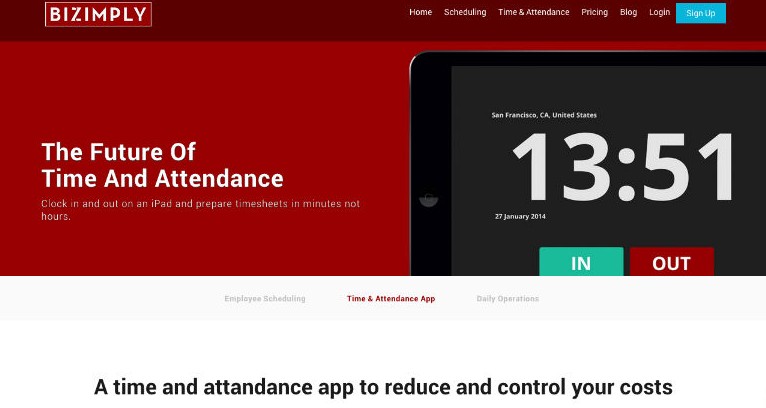
    Timestation is an app extention of popular employee managment website called Bizimply. It turns your iOS device into a cloud-based time and attendance system. Using our Fast-Scan technology, employees can punch In and Out in less than a second. The best thing is that TimeStation runs in the cloud, so there’s no software or servers to maintain. Managers can see who’s in and run time and attendance reports anytime, anywhere. TimeStation is the perfect solution for small and medium businesses looking to track time and attendance without the usual costs and overhead of traditional systems.


  • Tech Meets Sports : How Technology is Shaping the Future of Football

    Tech Meets Sports : How Technology is Shaping the Future of Football

    With the invention of television, tech changed the way we interacted with sports. Now, almost a century later, technology still strongly influences the way we watch, train for and play sports. These days, advanced fitness technology has been infiltrating professional sports, giving coaches and players detailed insights on how their bodies work and what they need to excel at, on the field. Taking it to a whole new level, with apps like Ubersense which provide real time video analysis and feedback on smartphones.


    Soccer being the most beloved sport in the world surely gets the most advanced treatment when it comes to tech. Earlier this year the smartphone manufacturer HTC and the “futurologist” Dr Ian Pearson collaborated on a document titled The Future of Football. In the next few decades, robot football could become common, shirts might come with tiny cameras and fans could end up controlling players with smartphones. It all sounds a little strange, yes, and from a rather distant future but recently we have witnessed many changes in the football scenario that have been fuelled by tech.

    Lets see how technology has taken soccer to a new level, promoting both player performance and comfort.

    Real Time Performance Analysis

    Ubersense_2-578-80

    With the advancement in technology, many developers have come up with sophisticated apps and softwares which can analyze players performance in real time. Such apps including UberSense, V1sports and many more saves the coaches and players the tiresome task of collecting data on a number of laptops, charts and spreadsheets to keep videos and stats of the players. Wearable technology has also made training easy as players are now getting the help of fitness devices to get an edge on their competition. Devices like Adidas, miCoach, Speed_Cell and various heart rate monitors lets coaches analyse various parameters important in the game. For example, the Speed_Cell clips on to shoelaces or adidas shoes and measures maximum speed, distance, stride rate and game time. Coaches then take that data and analyse it to find ways to improve each player’s performance.

    Wearable tech

    spurs

    Wearable tech in sports isn’t limited to fitness trackers anymore. Even the uniforms of soccer players have got a tech makeover. There are high-tech shirts with sensors that track information and promote player comfort during matches. In the 2014 world cup tournament, players wore shirts that were fit for the warm, humid conditions in Brazil, allowing players to keep cool and dry during the game, affecting overall stamina and performance.

    Protective gears also make use of technology to ensure the safety of players. Most notably; cleats, shin guards, athletic taping and compression-fit fabric work to micro-massage players’ muscles to prevent excessive vibration and promote muscle health and energy supply. Sensors in shin guards allow players and coaches to collect data and analyse performance, too.

    High Tech Soccer Balls

    02_Goal-Control

    One of the most important highlights of this year’s world cup was the inclusion of the GoalControl technology in the soccer balls. Also called the Goal-line tech, it helps referees to determine whether the ball has completely crossed the goal line or not. Also, there are balls  that measure impact and trajectory. Equipped with internal sensors, the ball sends feedback to its compatible app via Bluetooth technology. This data can help players improve their game.

    Sideline viewing system

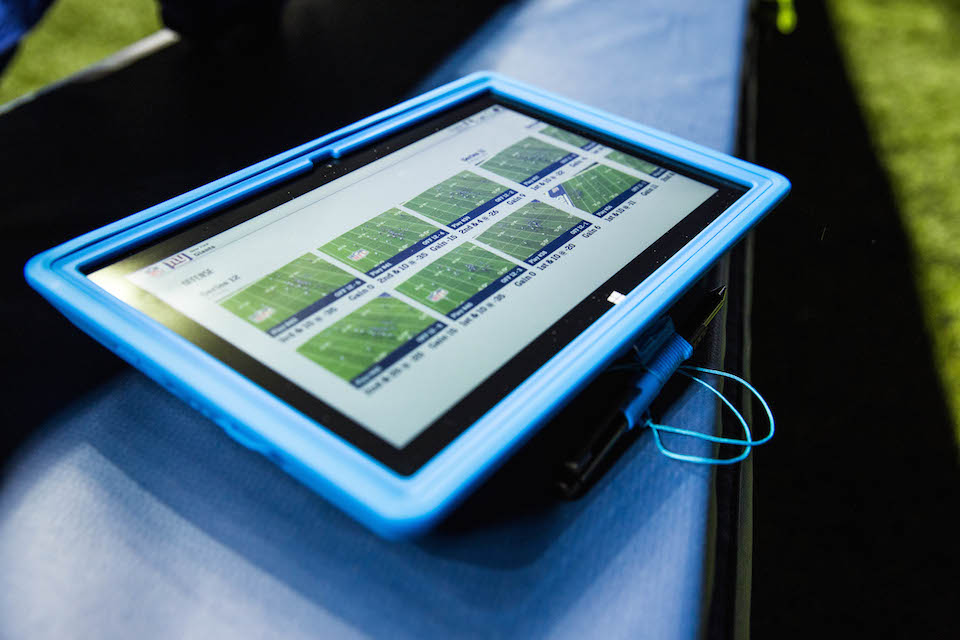
    NFLSurfacelead

    This is latest development in the field of NFL. Sideline viewing system hasn’t been used in Soccer as of now but the application of this system, which uses Microsoft’s Surface Pro, is much more practical for the soccer field. It allows NFL teams to review photos of plays instantly on the sidelines and up in the booths. For example, when the quarterback goes back to the bench, the Surface can then be used to see the opposing team’s defensive formation during the most recent drive and the same goes for the coaching staff that keeps an eye on the game from higher grounds. Even though the whole campaign was to promote Surface Pro, the application of this system is very beneficial on field for both players and coaches.

  • Top 5 Free Web-Based Photo Editing Applications

    Top 5 Free Web-Based Photo Editing Applications

    Being in a small business, you won’t have much funds to purchase industry leading software. And these days every business, whether small or large, need good images to woo customers on a social media platform. Don’t worry, there is an alternative. There are some great feature rich photo editing applications which are capable of enhancing your images and creatively adding effects without emptying your pockets.

    Here’s a list of 5 of the very best web-based photo editing applications.

    1. GIMP (Free)

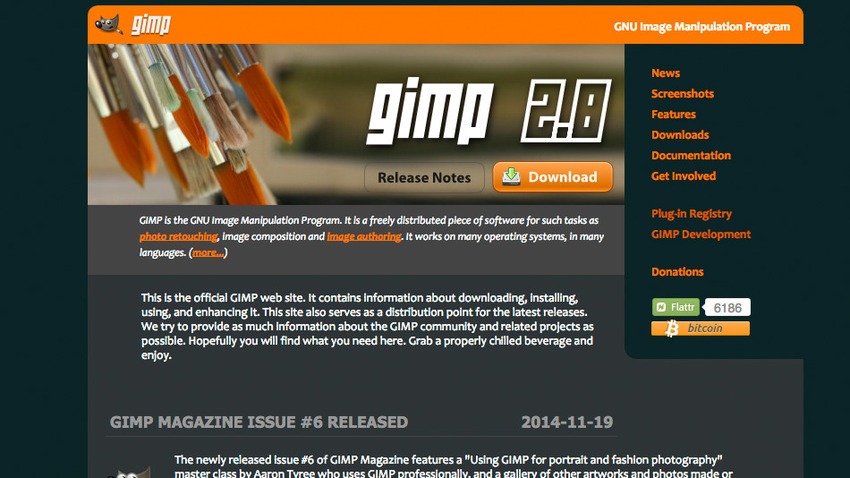
    1-gimp

    GIMP or GNU Image Manipulation Program is a free, open-source, image editor. It has been a go-to tool for Linux users for years. GIMP is a versatile image editor that allows you to customize the application view and behavior to suit your requirements. Menus are closely parallel Photoshop’s, with File, Edit, Select, View, Image, Filters, and help serving the same functions — although in a slightly different order. GIMP is expandable and extensive, with the advanced scripting interface allowing everything from simple tasks to complex image manipulation, to be completed.

    2. Picadilo (Free)

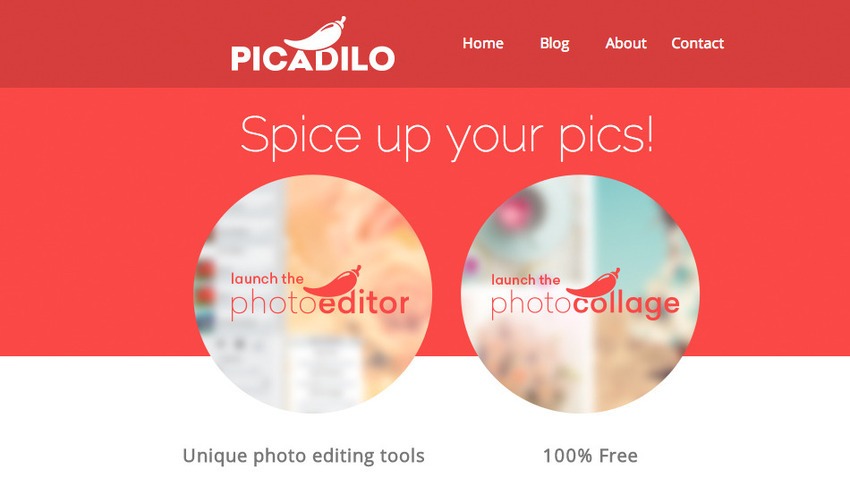
    5-picadilo

    Picadilo is a free photo editor app for the Chrome browser and requires no registration. Picadilo offers you a wide range of unique tools, including brushes, selections, text, effects and more. Once you upload an image you can resize, crop, retouch, add text and filters and even put frames around your image. With more than 100 fonts, 40 photo effects, 19 retouch tools and 140 unique stickers, there are enough features to easily edit any image.You can adjust the exposure, especially useful for either very dark or bright images and can also use the Magnify tool which lets you zoom in to any part of your image.

    3. Sumo Paint (Free or $4 per month for Pro version)

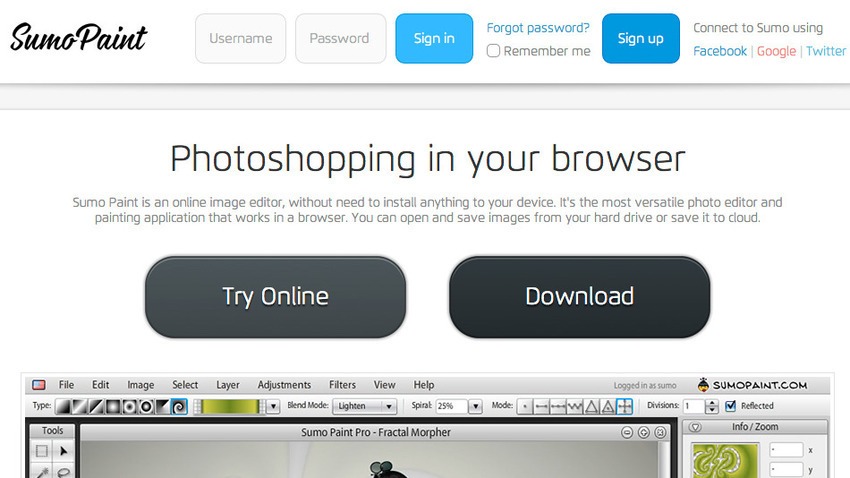
    sumopaint

    Sumo Paint is another browser-based image editor which gives you fantastic sets of tools, ranging from the basic to an advanced level. Unlike other apps, Sumo Paint has an online community of over 4 million users who share, update, retouch and rate the artwork of other members. You can open files from your computer, Sumo Paint or a URL and edit with a range of tools, including paint brushes, erasers, shapes, pattern palettes, eyedropper, paint, text and a variety of blend modes. You can also utilize the curves tool to control colors and contrast, and levels for adjusting tones just like Photoshop.

    4. BeFunky (Free)

    8-befunky

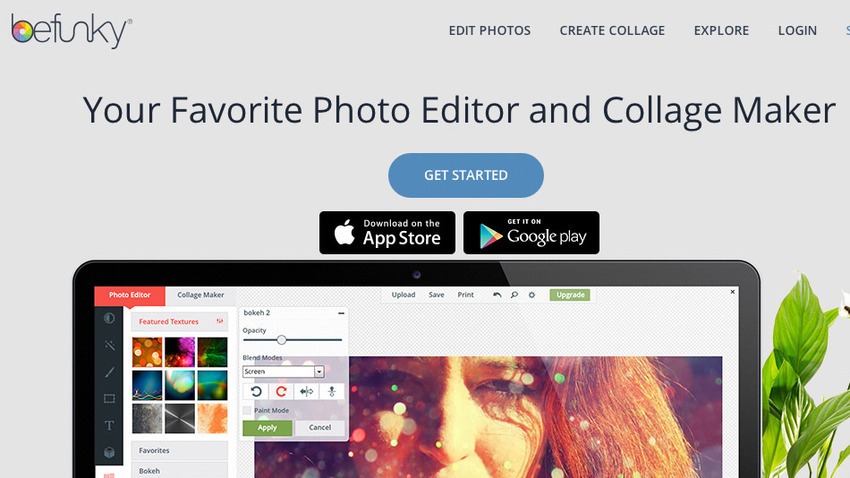
    Uploading an image to Befunky allows users to edit and create a variety of different styles from photographs including fixes and sizes. Using the basics of the flash-based tool, you can increase the colouration, sharpen the image, crop out specifics, resize and much more. You could add stamps to the images for an added touch including text in a variety of styles to fit nearly any need. Like Instagram, there are filters and social discovery, but it’s more organized, with categories for photo types, such as nature, pets, faces, and so on. Instead of spending money on expensive graphic design programs, this app could be one of your most visited websites.

    5. FotoFlexer (Free)

    11-fotoflexer

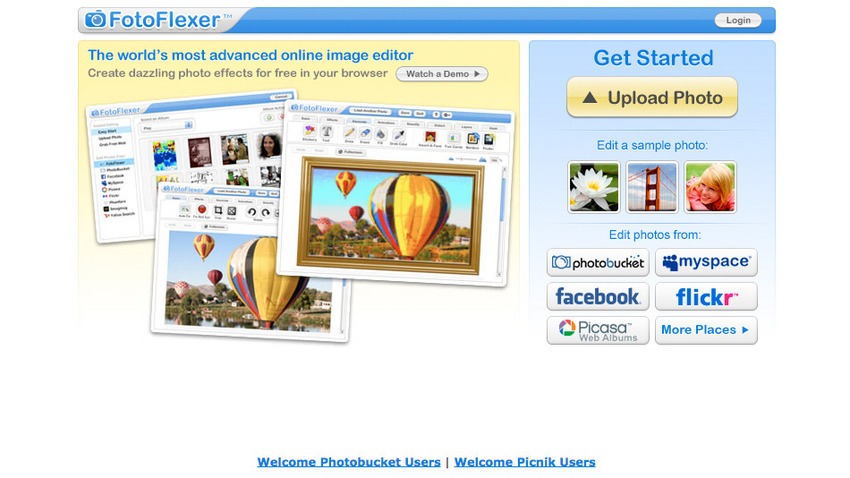
    FotoFlexer is one of the most advanced online editors offering a handful of features like red-eye removal, crop, resize and flip. There are advanced tools like smart resize, recolour, cutout, scissors, curves and morph. The interface is divided into tabs, each of which contain between eight to twenty effects that can add borders, fix mistakes and save the image in either JPG or PNG format when you’ve finished editing. With filters and effects, increased options for import and export and a visual history panel, FotoFlexer is likely to be one of the best online editor out there.

  • Top 5 Games We’d Love to Play in Virtual Reality

    Top 5 Games We’d Love to Play in Virtual Reality

    Well, the Oculus Rift’s consumer model edges closer to release and Sony is preparing ‘Project Morpheus’ for the PS4. We’re almost certain that the next chapter of gaming and entertainment is going to be ruled by Virtual Reality. Acknowledging what’s to come, we thought we’d take a look at the games we think could be the best suited for VR space.

    Here are the top 5 games we’d love to play in virtual reality:

    1. Mirror’s Edge 2

    Virtual_Reality_Header

    Perhaps the most obvious choice of game to feature Oculus Rift/Project Morpheus compatibility, even the idea of wall-running in virtual reality in Mirror’s Edge 2 is enough to empty your pocket and buy Sony already. If you’ve ever wanted to experience flying through the skyline of a freakishly white city, or getting a first-person view of plummeting to your death from the top of a skyscraper, then this is the best option to walk away from the experience alive. Mirror’s Edge‘s tough platforming and great aesthetic is ideal for virtual reality.

    2. Portal 2

    Portal2_1

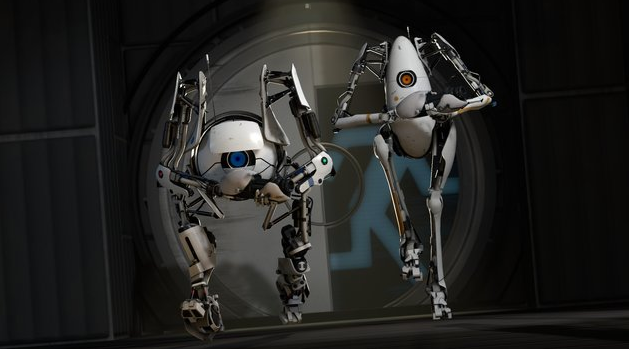
    If the Oculus Rift and Project Morpheus will tackle with the motion sickness issue, then playing Portal 2 in Virtual Reality would be the only thing you’d be doing on weekends. In this game you would be frequently chastised by sociopathic A.I. that has a penchant for breaking into song at the end of the ride. Puzzle-solving with added adrenaline.

    3. Star Wars: Battlefront

    Star-Wars-Battlefront-banner

    There is no news about the upcoming Star Wars: Battlefront game other than that it will be launching soon, but the idea of experiencing the Star Wars universe in virtual reality is an unexceptionally exciting one. While the Battlefront games were typically played in third-person, they’ve always featured a first-person mode, too, and one which will likely be focused in the new game. If this is to be the case, then Battlefront with Oculus Rift/Project Morpheus support would be amazing.

    4. Everybody’s Gone to the Rapture

    Everybody's_gone_to_the_rapture_logo

    Everybody’s Gone to the Rapture is being developed by The Chinese Room,who previously created ‘Dear Esther’, an atmospheric first-person game that suffered from being a little too pretentious and, frankly, dull. With its apocalyptic setting, Everybody’s Gone to the Rapture has the potential to be much more enjoyable than its earlier version, and if it can bring the atmosphere of Dear Esther to a more interesting game, then this upcoming PS4 title will be a great opportunity for Sony to show off Project Morpheus.

    5. Evolve

    evolve-1024x576

    Evolve’s under the development under Turtle Rock, same people behind the Left 4 Dead series, and from early impressions and screenshots it seems to be L4D with gigantic monsters instead of zombies. This would lend itself well to virtual reality, providing equal amounts of horror and hilarity, if the L4D series is anything to go by.

  • 5 Affordable Upgrades to Make Your Old Desktop More Efficient

    5 Affordable Upgrades to Make Your Old Desktop More Efficient

    Windows PCs slow down over time, that’s a long known fact. These day in the era of Bring Your Own Device (BYOD), your desktops must have been sitting in the corner, eating dust. However, it is also true that desktops come with better upgradation options than laptops. Meanwhile, these desktop also prove to be worthy companions to your laptop, if you want to work across multiple devices.

    Be it your personal PC or an office one, you can oomph these devices to work better without spending too much from your pocket. We are listing top 5 affordable upgrades that will make your old desktop more efficient.

    1. SSD Storage

    SSDIf your desktop is still running on a hard disk drive (HDD), the first and foremost step is to replace it with a solid-state drive (SSD). You will see a considerable speed-up in practically every aspect of your computing experience. One glitch you may experience is the high price of SSD for a large storage capacity. A simple hack to this problem is to install a smaller 128GB or 256GB SSD drive as the primary drive, and use a high-capacity HDD as a secondary drive for which you can use your existing HDD.

    2. Expand Your RAM

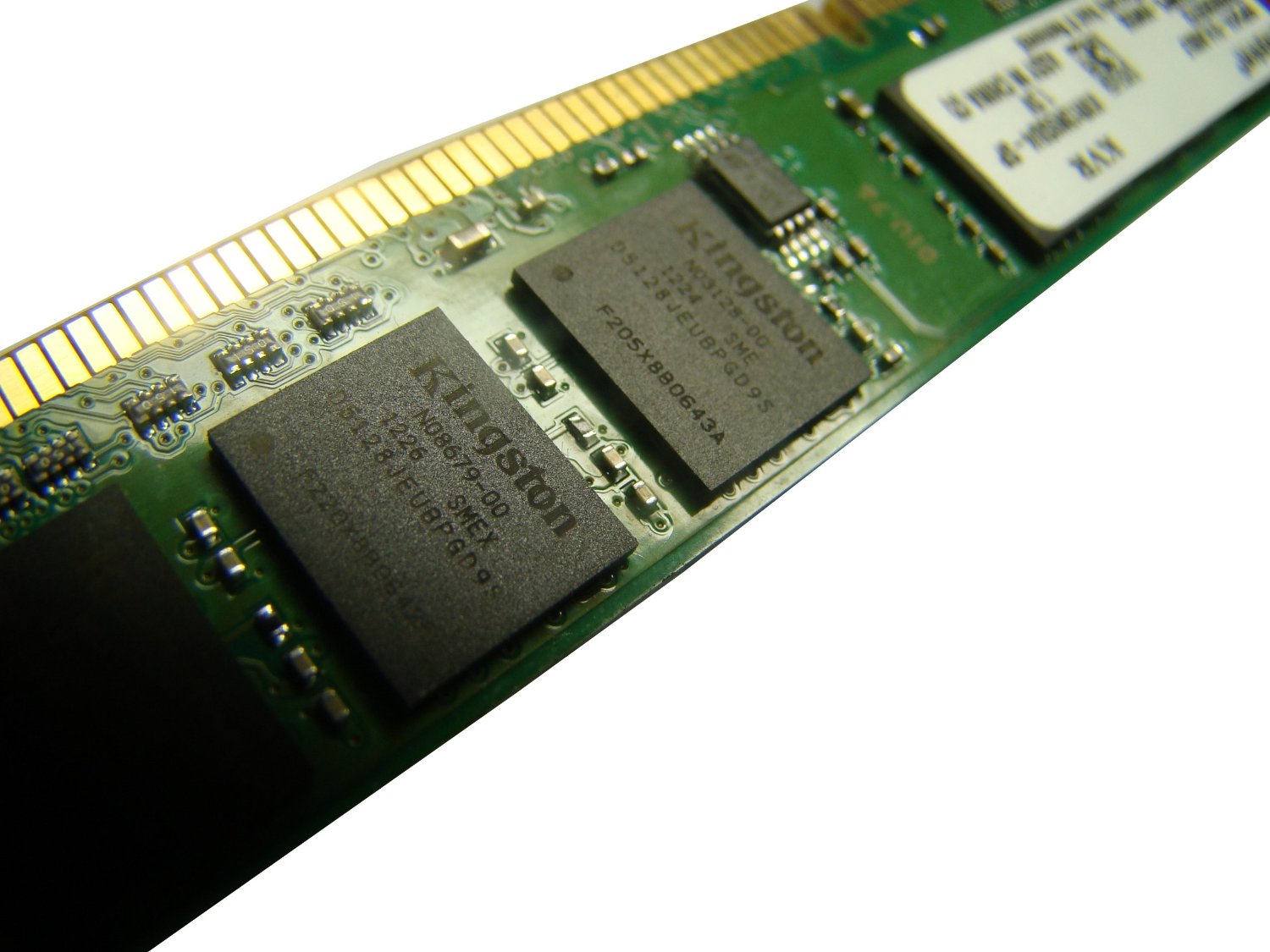
    4gb ram stick

    With a 4GB DDR3 RAM stick from Kingston costing less than Rs. 3,000, a RAM upgrade is something to seriously consider. This simple upgrade from 2GB to 4GB RAM will deliver a noticeable boost in performance.

    Most desktops have between two and four slots, and you will need to swap out lower-capacity RAM modules for higher-capacity ones if there are no empty slots available. And while most PCs should be using DDR3 RAM by now, some older machines use DDR2 RAM, which tend to be more expensive to upgrade.

    3. Speed up the Networking

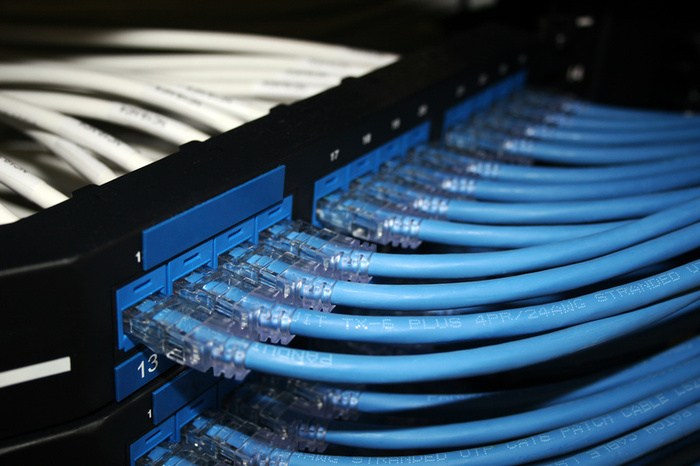
    Ethernet

    If you need maximum network performance, go for wired Ethernet connectivity instead of wireless networking. The Ethernet is far more reliable, offers dedicated bandwidth to your PC, and factors that commonly affect wireless signals such as office layout will not be an issue. You can also check weather your PC comes with Fast Ethernet (100Mbps) ports, so an upgrade to Gigabit Ethernet with an add-on network interface card (NIC) may also work on your benefit.

    4. Multi-monitor set-up

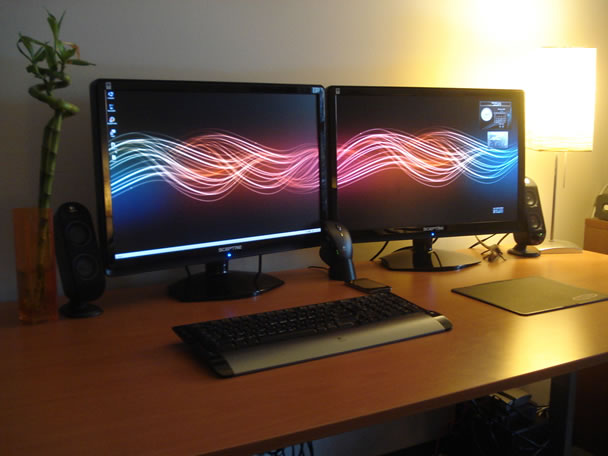
    multi-monitor setup

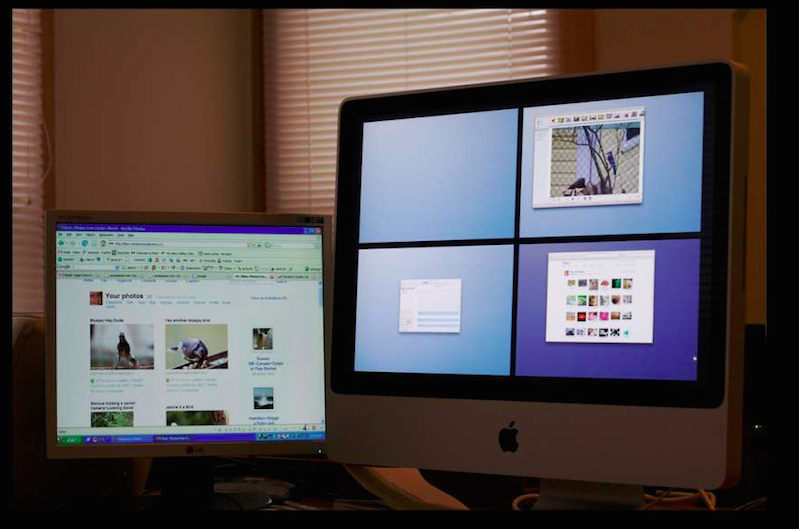
    Over the years, users and tech analysts have noted that multitasking is easier and smooth with two or more monitors. While laptops can run multiple monitors as well, it is much easier to set up desktop systems to do it. Indeed, many desktops can probably support at least two monitors without any external upgrades.

    5. Desktop casing

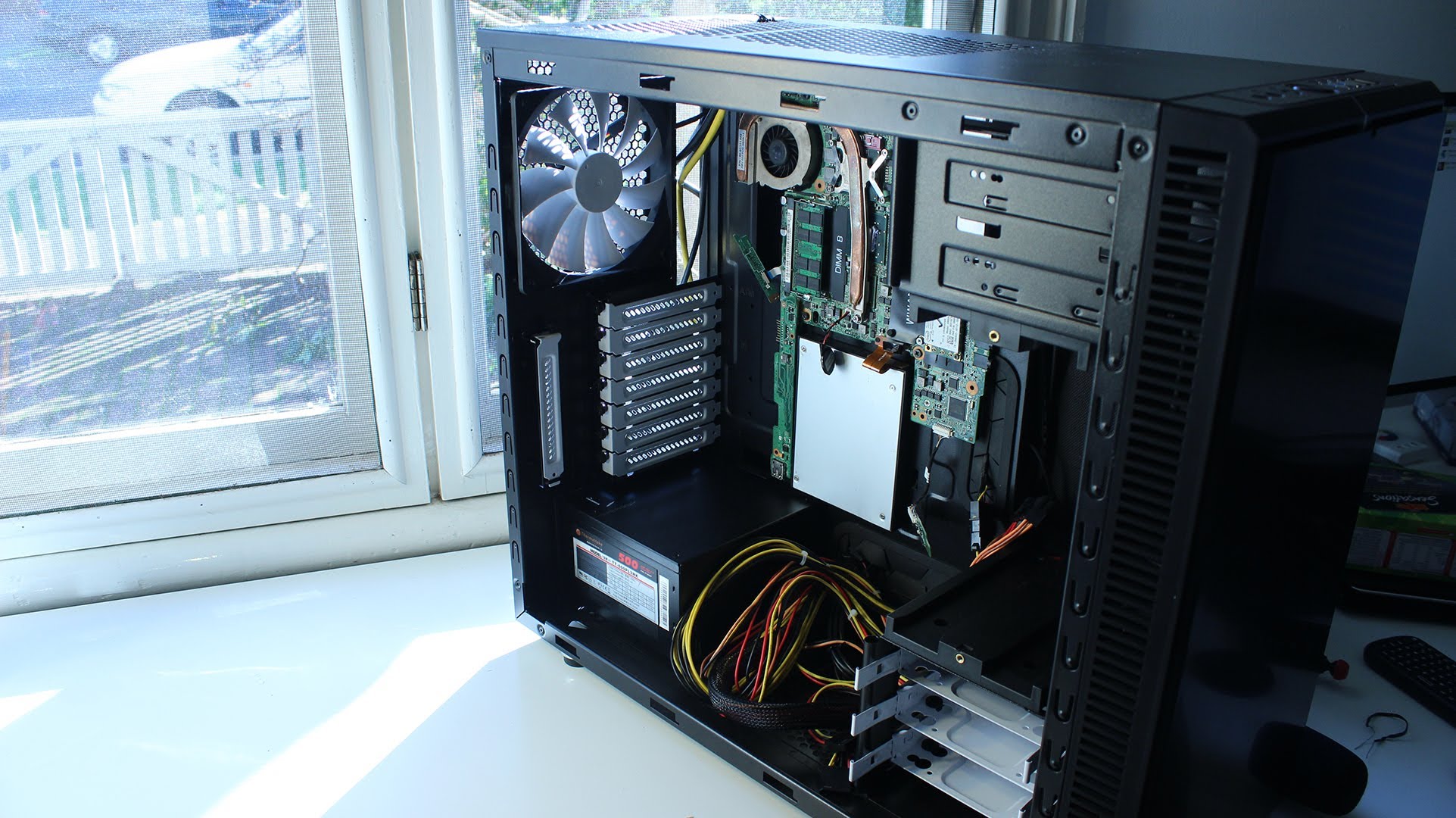
    desktop casing

    This one will make you work a little bit. Changing your desktop’s casing will open you up to many upgradable options. You can get space for more components and more cooling. You can also make your desktop look new with some fancy features such as clear side panels or glowing fans and lights. And yes, you can also upgrade your front-panel connectors to support the latest and greatest connection types.

  • New Update Brings Third-Party Integration to Google Now

    New Update Brings Third-Party Integration to Google Now

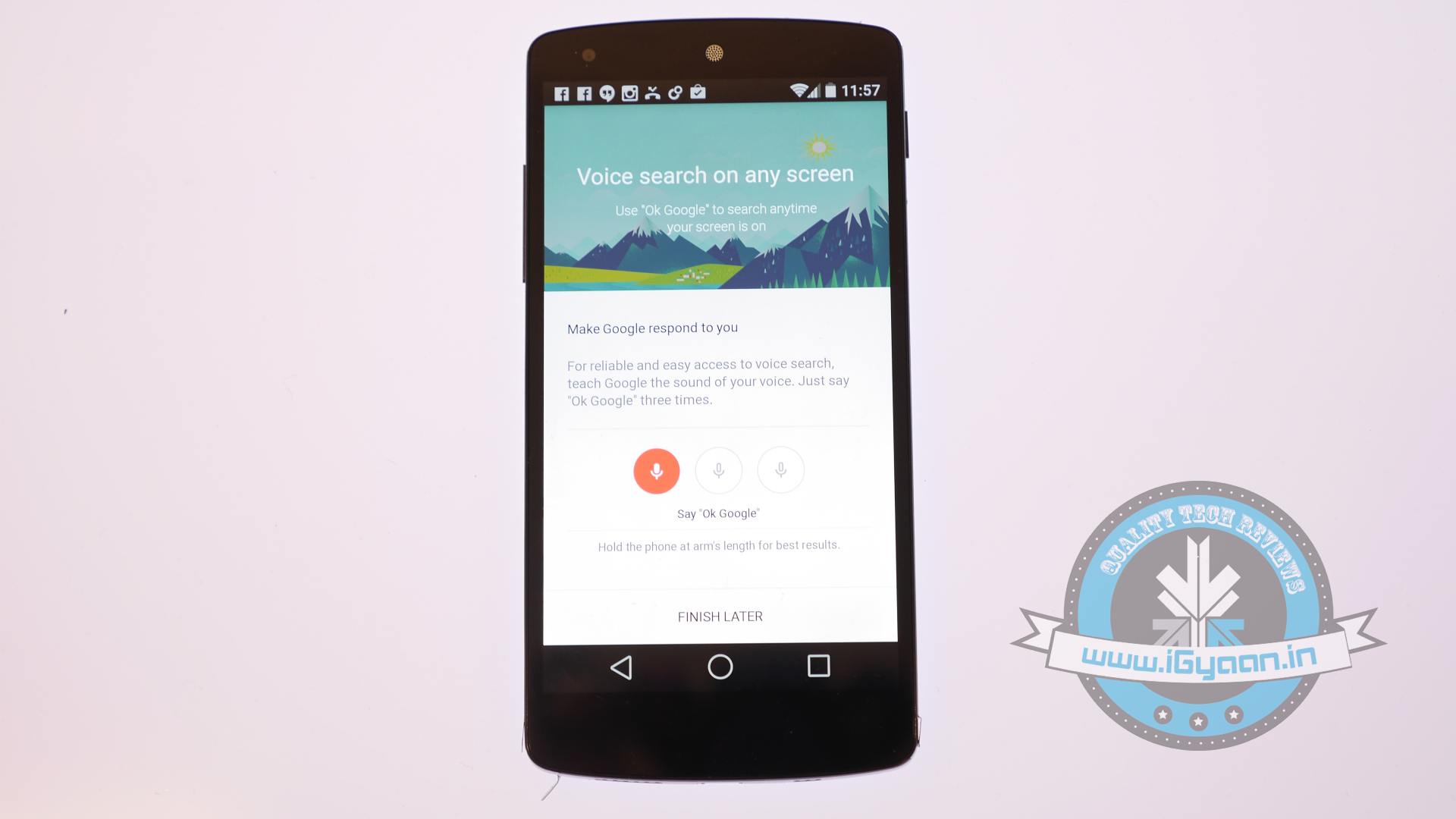
    Google Now, the service which focuses on bringing real-time information to your mobile device including traffic updates, scores, stock changes, travel times, your flight status, got a notable update today.

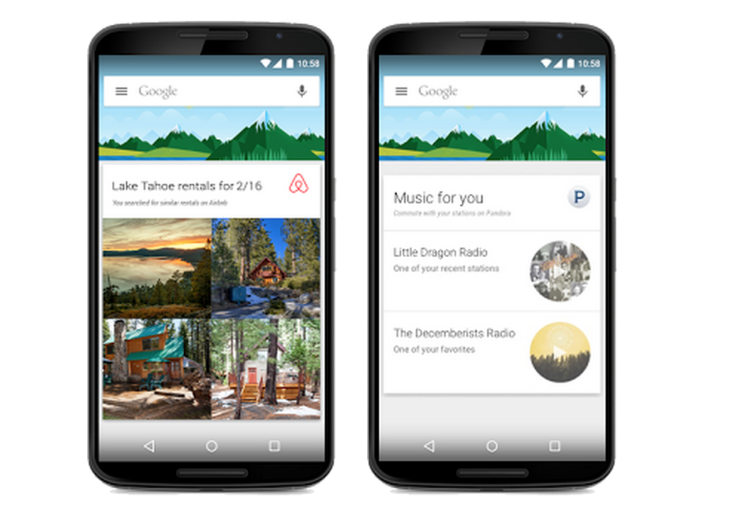
    The new update brings the information from over 40 Android applications, in order to show things like last-minute hotel deals to home-buying tip. The update integrates popular apps like Trip Advisor, Book My Show, CricInfo, Lyft, Ford, Runtastic and many more.

    google nowThe integration is optional, too, and you’ll be able to disable it from Google Now’s settings once the update is available on your device. Earlier, Google Now could pull lots of data from other apps through the email notifications they send you, but this direct app integration is new.

    The new card-based feature only comes with a third-party app download, of course. You wouldn’t see a Lyft  notification without the Lyft app installed. If you’re curious what you might end up seeing, Google has a full list of the new cards which is linked in teh source below.

    The update makes Google Now very powerful. Google’s idea behind all of this is that you should get the information you need when you need it, without even having to ask for it. Obviously, there are some privacy concerns related to this update, but Google assured that no private information will  be shared with third-party applications.

  • Netflix-Competitor HOOQ to Launch a Video Streaming Service in India

    Netflix-Competitor HOOQ to Launch a Video Streaming Service in India

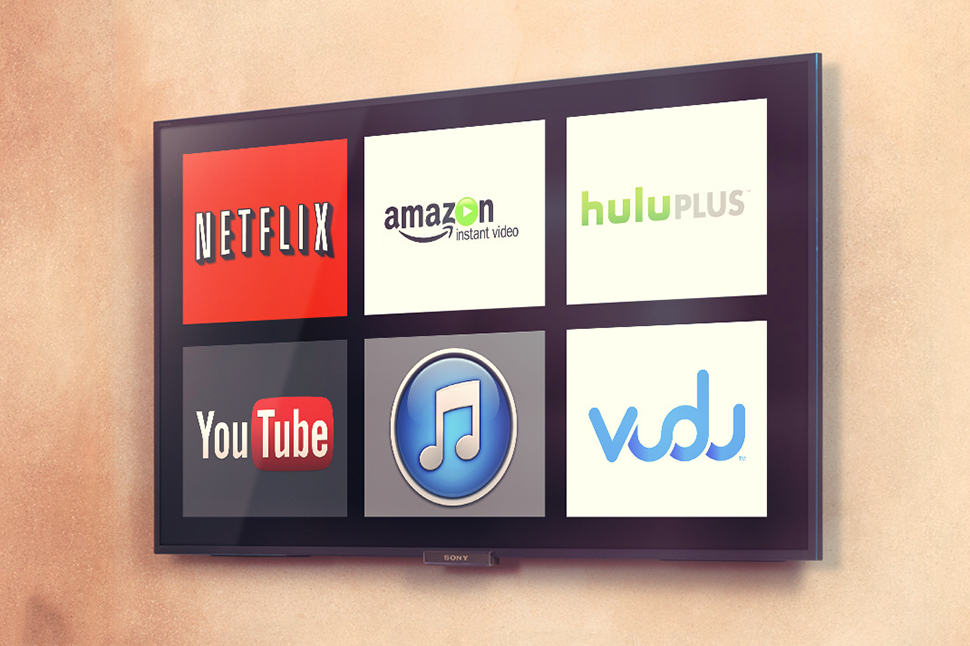
    Singtel, owner of Australian Telecom giant Optus, is planning to beat Netflix to push video streaming in Asia with its new partners, Sony Pictures’s AXN network and Warner Brothers.

    The new service which is called HOOQ, will work with Warner Brothers and AXN to buy, sell, market and produce films and TV products through an over-the-top (also called OTT, and sends TV and movies over any internet connection) service across a range of markets.

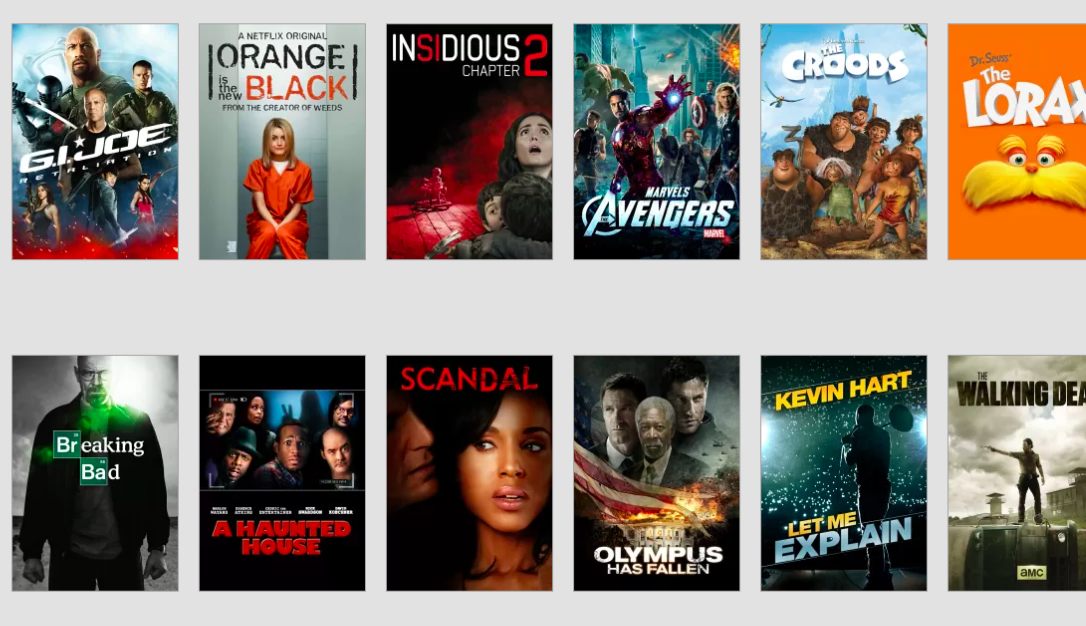
    It will offer Hollywood movies and U.S. TV shows alongside domestic content from India, China, Thailand, Philippines, Indonesia, Korea and Japan. In total, HOOQ will begin with an initial catalog of over 10,000 shows and movies.

    Best-media-streaming-services
    HOOQ will be the first video streaming service in Asia. Its biggest competitor is obviously is Netflix, but its expansion into Asia has been slow.

    HOOQ will be rolled out aggressively in the Singtel Group’s Asian footprint. First in the line is Indonesia, the Philippines, India and Thailand, in the first quarter of 2015.

    The company at the launch said that the service won’t be limited to credit card holders. Singtel said it will use its “billing capabilities” in countries where credit card ownership remains low.

    This will be the first video streaming service in Asia. Its biggest competitor, obviously, is Netflix, but its expansion into Asia has been slow. Netflix ventured into Australia and New Zealand last year, but there’s no word on when it’ll hit the other markets.

    Piracy and lack of awareness are often cited as major barriers for licensed streaming services in Asia. With peer-to-peer file sharing as well as VPN services at any user’s fingertips, people can easily access the latest shows as they are released. Even as local versions of Netflix become available, it sometimes fails to draw in audiences due to the limited range of programs caused by licensing issues.

  • Redmi Note 4G to Go On Sale Offline Today At Airtel Stores

    Redmi Note 4G to Go On Sale Offline Today At Airtel Stores

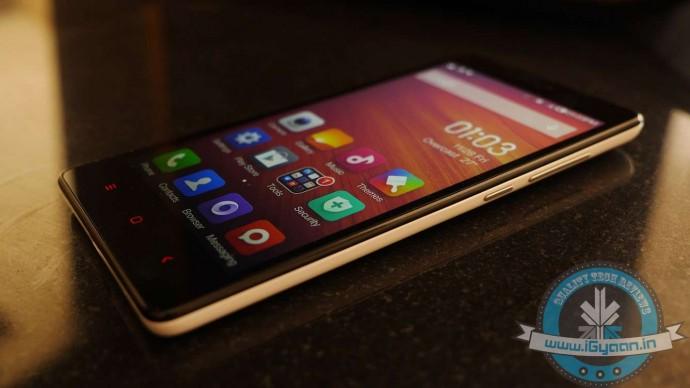
    Xiaomi Redmi Note 4G phones will be available exclusively in Airtel retail stores, today. Customers can walk-in to the nearest Airtel stores in six cities, including Bangalore, Hyderabad, Chennai, Mumbai, Delhi-NCR and Kolkata to get their Redmi Note 4G without any pre-booking.

    Xiaomi has ditched the usual online route, to make available the Redmi Note 4G in the Airtel Stores near you. Airtel, calling it Mi Day will sell Redmi Note 4G on first-come-first-serve basis till stocks last. Users can book the handset from Airtel’s dedicated Mi page and select their preferred Airtel store in the aforementioned cities where they wish to pick up the device.

    Airtel postpaid customers having at least 500 MB 3G data pack activated on their connection can easily move to the Redmi Note, however, Airtel prepaid and non-Airtel customers will have to first have to opt for an Airtel postpaid myPlan when they purchase the Redmi Note 4G.

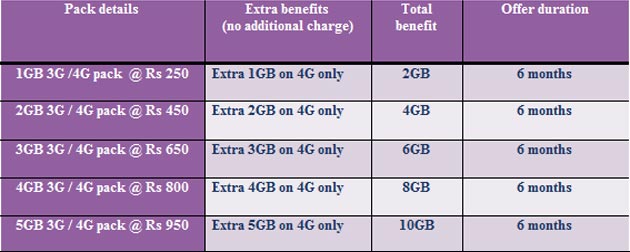
    Airtel postpaid users in Bengaluru, where Airtel already has a 4G network, can get up to 10GB free 4G data by logging on to company’s Airtel Live website via their Redmi Note 4G smartphones. In cities where there’s no Airtel 4G network, customers will automatically be upgraded to 4G whenever it is rolled out.

    Following are the tariff plan details on Airtel’s 4G services:

    Airtel-packXiaomi-RedmiNote

  • Motorola to Open Experience/Service Centres in India

    Motorola to Open Experience/Service Centres in India

    Motorola can be credited for bringing about the change in the budget smartphone segment. It was the first company to take the online route for sales of its handsets in India. Now, the company is looking at setting up offline experience centres in the country that would also be used as service centres.

    With the competition in the Indian smartphone market heating up, handset maker Motorola is focussing on user experience and after sales service, which is one of the main concerns when it comes to the online sale model.

    The US-based brand, which was acquired by Chinese technology giant Lenovo last year, sells its devices in India through e-commerce website Flipkart.

    Moto X 2nd Gen 2014 Review 9The experience centres will allow users to get a feel of the Moto devices before buying them off Flipkart. The company added that these experience centres would act as impromptu service centres for routine tasks like software updates, while they may also cater to bigger needs as well.

    However, this is not the only initiative the company is bringing for better service. The company is also experimenting with Moto Care Vans, a mobile service centre.

    Amidst all this, Motorola and Flipkart both confirmed that over 3 million Motorola smartphones have been sold in the less than a year long partnership.
  • Microsoft May Invest in Custom Android ROM Maker Cyanogen

    Microsoft May Invest in Custom Android ROM Maker Cyanogen

    In a surprising round of rumors, The Wall Street Journal has reported that Microsoft is putting money into Cyanogen. According to the report, Microsoft may invest in Cyanogen and strike a commercial partnership. While the companies are discussing the deal, Microsoft has not committed to an investment.

    Bloomberg also reported that the two companies are in negotiations to create a version of CyanogenOS that features Microsoft’s services. The deal seems quite similar to what Nokia did with the X series (smartphones running a heavily customised version of Android), which Microsoft killed back in July, 2014.

    The investment would be unusual, because Microsoft offers its own Windows Phone operating system. But Windows Phone has only about 3% market share, which may be prompting Microsoft to consider unconventional steps.

    Back in October 2014, some reports claimed that the Cyanogen CEO Kirt McMaster shrugged off Google Senior Vice President of Android, Sundar Pichai’s interest in purchasing the company. The interest of these tech giants in the hot start-up is natural, considering the popularity and enormous community associated with the company.

  • A Quick Guide on How to Use Snapchat’s New Features

    A Quick Guide on How to Use Snapchat’s New Features

    Snapchat revamped its whole interface with a massive new update.  Well, many are heartbroken after the update removed the ‘Best Friend’ feature. However, there is much more to it than that. Snapchat has added a new ‘Discover’ tool which seems like the beginning of a whole new chapter in the way we consume content online.

    We are listing all the changes and new features of the updated Snapchat.

    1. Discover Tool

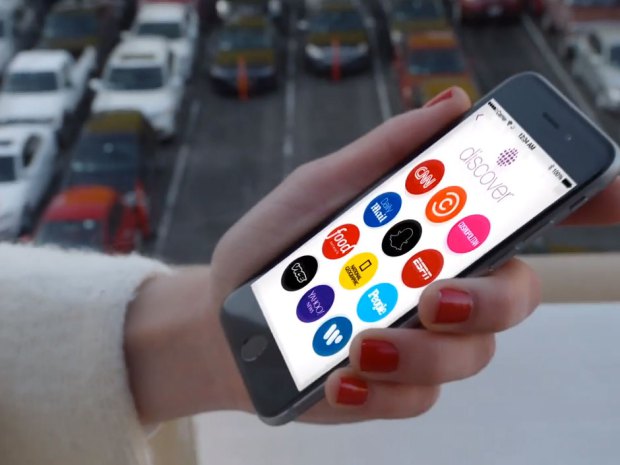
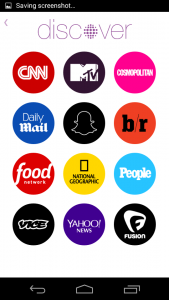
    This is the most major change in the app, affecting both the users as well as companies directly. The Discover tool is more like an online magazine than a social media platform. It is intended to feed Snapchat’s young audience a daily flow of content from major media companies. Imagine Flipboard combined with Snapchat.

    The discover tool features full screen photos and videos, awesome long form layouts, and gorgeous advertising. Discover seems like it will act as an always-on Snapchat “channel guide,” focused on delivering users advertising.

    How to Use it: To open the tool, swipe left to open the story page, on the top right side of this page there is a small purple dot. Clicking on it will take you to the Discover homepage and users can select the outlet they wish to view with a simple click. From here you are taken to the available content and swiping left or right allows you to check out everything they have to offer. If you like what you see, it is as simple as swiping up to view extended content such as videos, text and photos. Once you have finished exploring, all you have to is swipe down to return to the homepage of Discover.

    2. The Absence of the Best Friends feature

    This one caused teens everywhere to flip out of disappointment. The update quietly removed everyone’s Best Friends list.  The Best Friends feature was simply a list of people who a user interacted with the most frequently on the app. It’s similar to Myspace’s Top 8 friends, except users can’t control who shows up on their list. Best Friends lists were previously public, so that anyone in a user’s Snapchat contact list could see who they were sending the most snaps to. With this new upgrade, this list became private.

    Another new addition, instead of the long list of friends, there are only the recent updates visible, reminiscent of Blackberry’s BBM messenger updates.


    3. QR Snaptags

    One more BlackBerry-like feature is the new ‘Snaptags’. This creates a unique QR code for every Snapchat user. When someone points their Snapchat camera at a Snaptag, the app adds the corresponding person as a friend. All you have to do is swipe down on the landing screen and it will show your QR Snaptag. This not only easy but also a great way to fetch more followers. There is a whole community of creators who use Snapchat Stories to entertain millions of fans. They can easily toss their Snaptag up on Instagram, Twitter or Facebook to score more followers.


  • OnePlus Names its New Custom ROM OxygenOS

    OnePlus Names its New Custom ROM OxygenOS

    After the much hyped ban of OnePlus in India due to Cyanogen turning its back on the company, the cult-favourite Chinese smartphone maker started working on its own Android release for its phones.

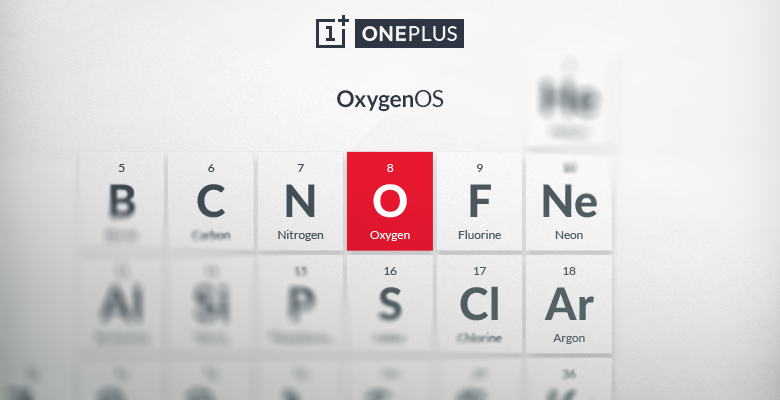
    Back in mid-December, OnePlus announced that it would hold a contest to determine the name of the custom Android ROM that it’s working on. Now, in a recent blog post, the company announced the name of the its custom Android ROM, the ‘OxygenOS.’ Announcing the new name, Brandon H (Forum Administrator for OnePlus) said in the official forum post:

    We realized that, like everything we do, our true goal is to make the product that we ourselves would want to use—to make great technology more accessible for everyone. With our ROM, that means software that is open, customizable, and free of bloat and unnecessary features.

    The company says that it likes this name because the element oxygen “is the epitome of simplicity, yet it’s also extraordinarily powerful,” going on to say that oxygen is everywhere, is part of everything that we do, and is an important building block to other “amazing things”.

    The new Oxygen OS will be based on Android 5.0 Lollipop, and OnePlus had already released the alpha version of Oxygen OS few weeks back which was basically just the stock AOSP version of Android 5.0 with no other customizations. There is not too much detail available on the OxygenOS as of now, but OnePlus says that more details will be shared on February 12, so it won’t be long before we learn more.

    Lately, the smartphone market has seen number of companies developing both smartphones and their customized operating system. Xiaomi was one of the first company which was commercially successful in doing this. Cyanogen has risen to prominence with its high profile tie ups with Micromax and OnePlus with its bloat free software.

  • Microsoft Office for Android Tablets is Out Now

    Microsoft Office for Android Tablets is Out Now

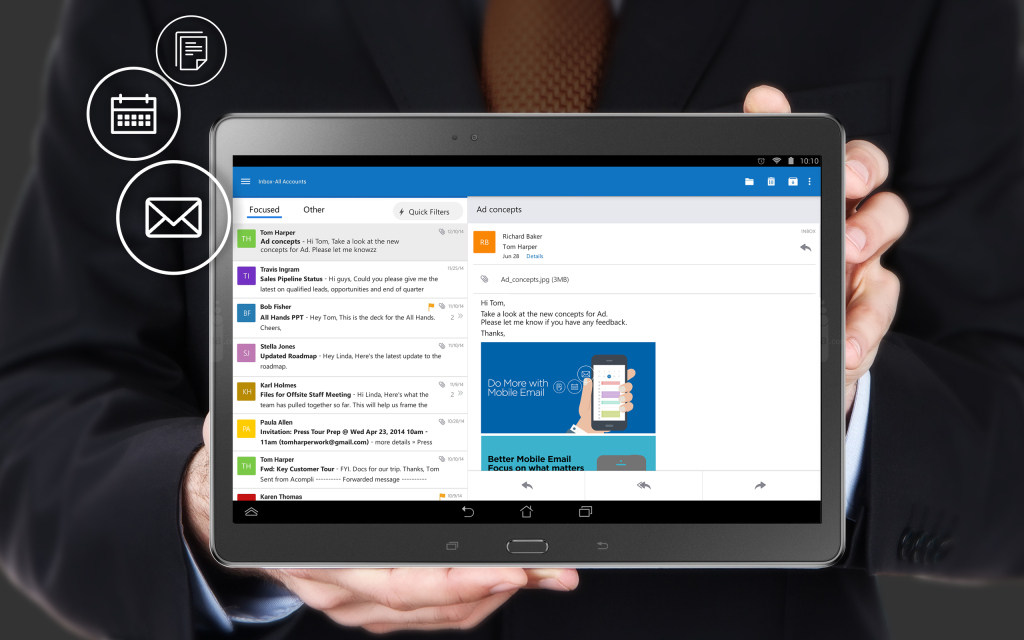
    After two months of beta testing, Microsoft has released the final version of Office for Android tablets. As with the iOS apps launched last year, Office is essentially free to use on Android for most consumers, though certain premium features and business functionality require an Office 365 subscription.

    The list of requirements to use the app include having a tablet that’s 7-inches or larger that’s also running Android 4.4 KitKat or newer. They also need to have to have an ARM-based processor and 1GB of RAM or above.

    office foe android

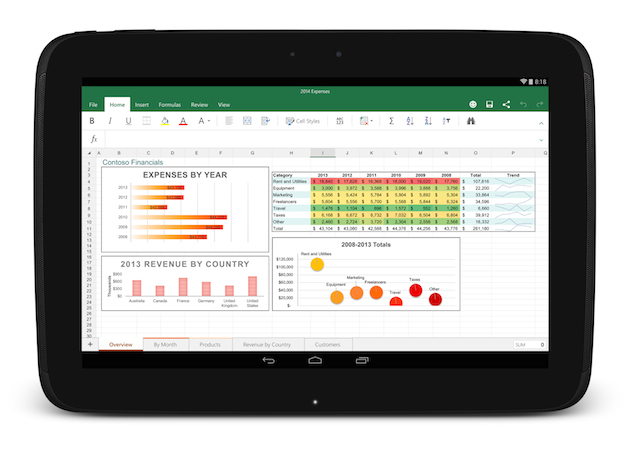
    All of the Office apps have a similar home screen. You can store your files either locally on your device, on your Microsoft OneDrive account, at a SharePoint location or on Dropbox. Once you sign in you’ll automatically be signed into OneDrive so you can sync files between devices, but the apps also feature Dropbox integration if that’s the file syncing solution you prefer.

    The one thing the new Android version of Office lacks is support for phones, which are still stuck with the older, more limited Office Mobile. The recent flood of Microsoft apps is a part of the company’s plan to put Office apps on all the popular devices whether they are running on Microsoft’s OS or not.

  • Here’s What Android Lollipop Looks Like on HTC One M8

    Here’s What Android Lollipop Looks Like on HTC One M8

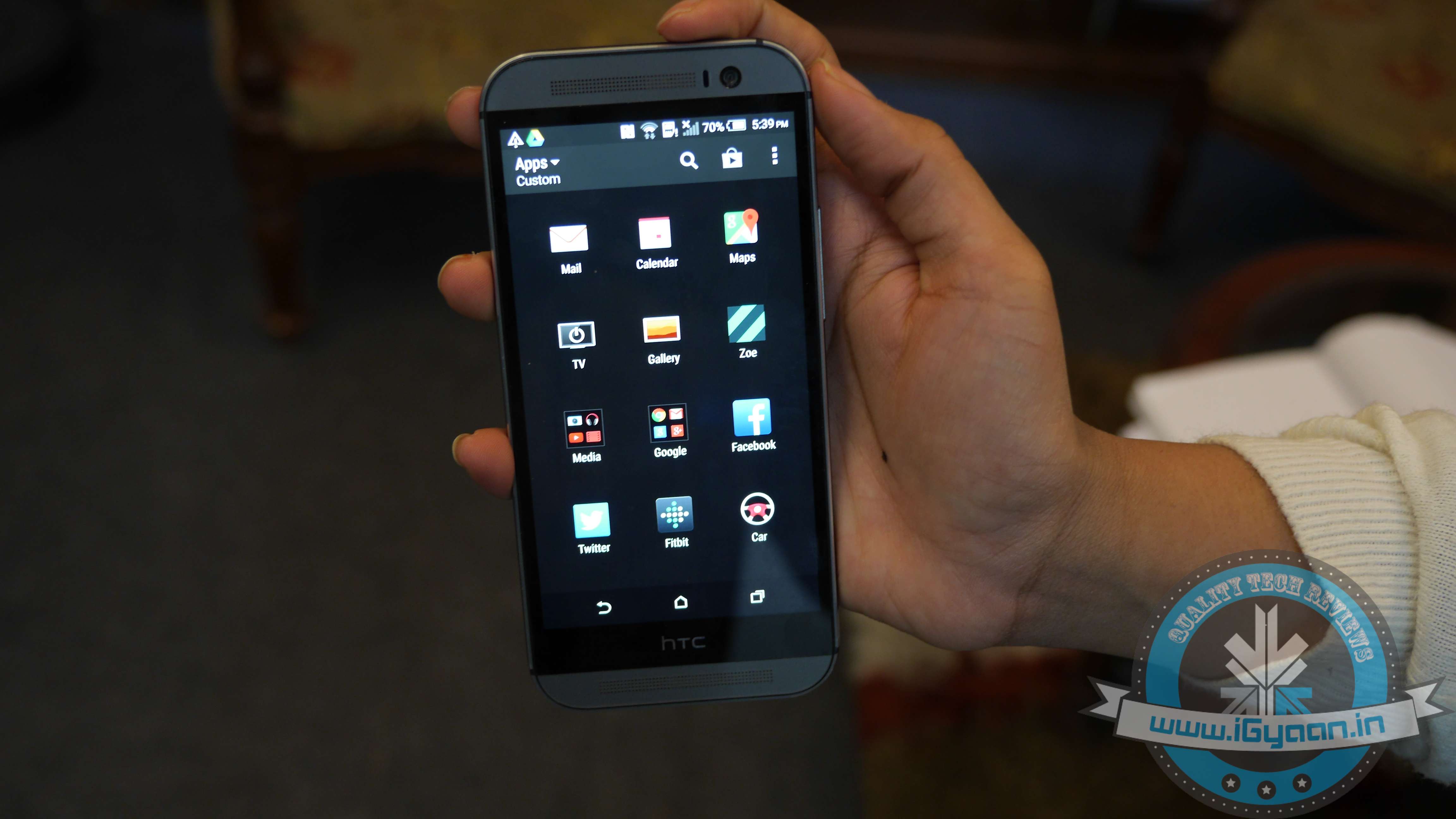
    HTC One (M8) owners can now rejoice as the Lollipop version of HTC’s Sense is rolling out. The roll out began today (28th January) and is likely to hit the majority of One (M8) users in the following days. We were lucky enough to get the update on our HTC device.

    Weighing in at the hefty 780MB, the update will probably hit your device in the following hours. Among its more notable new features is the revamped notification drawer/quick toggle settings and the recent tasks switcher, which have been inspired by the Material Design guidelines

    The majority of improvements make the UI more fluid and snappier than ever before. We are listing top changes in UI of HTC One (M8) with the Lollipop update.

    1. Lock screen

    HTC ONE m8 Lollipop 9

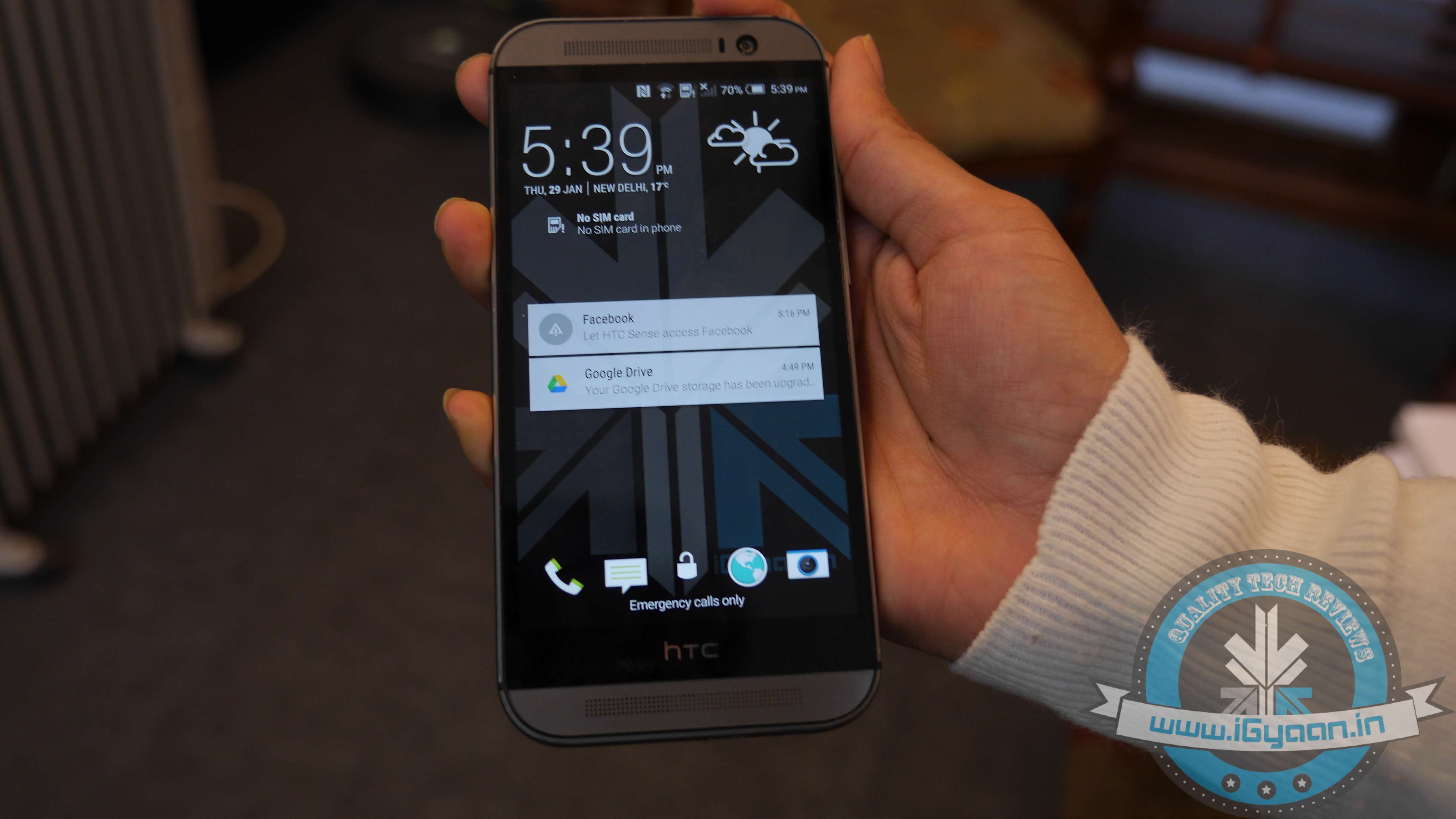
    First and  foremost, your lockscreen is going to look more sleeker and polished with the Material Design-inspired UI. Just like in stock Android, swiping dismisses the notification and double-tapping it opens the corresponding app. Apart from the slightly dimmed lock screen wallpaper at the bottom, you are also treated to an estimate of how long it will approximately take before your phone’s battery gets drained. The lock screen shortcuts at the bottom are untouched.

    2. New Camera Features and Weather app

    HTC ONE m8 Lollipop 6

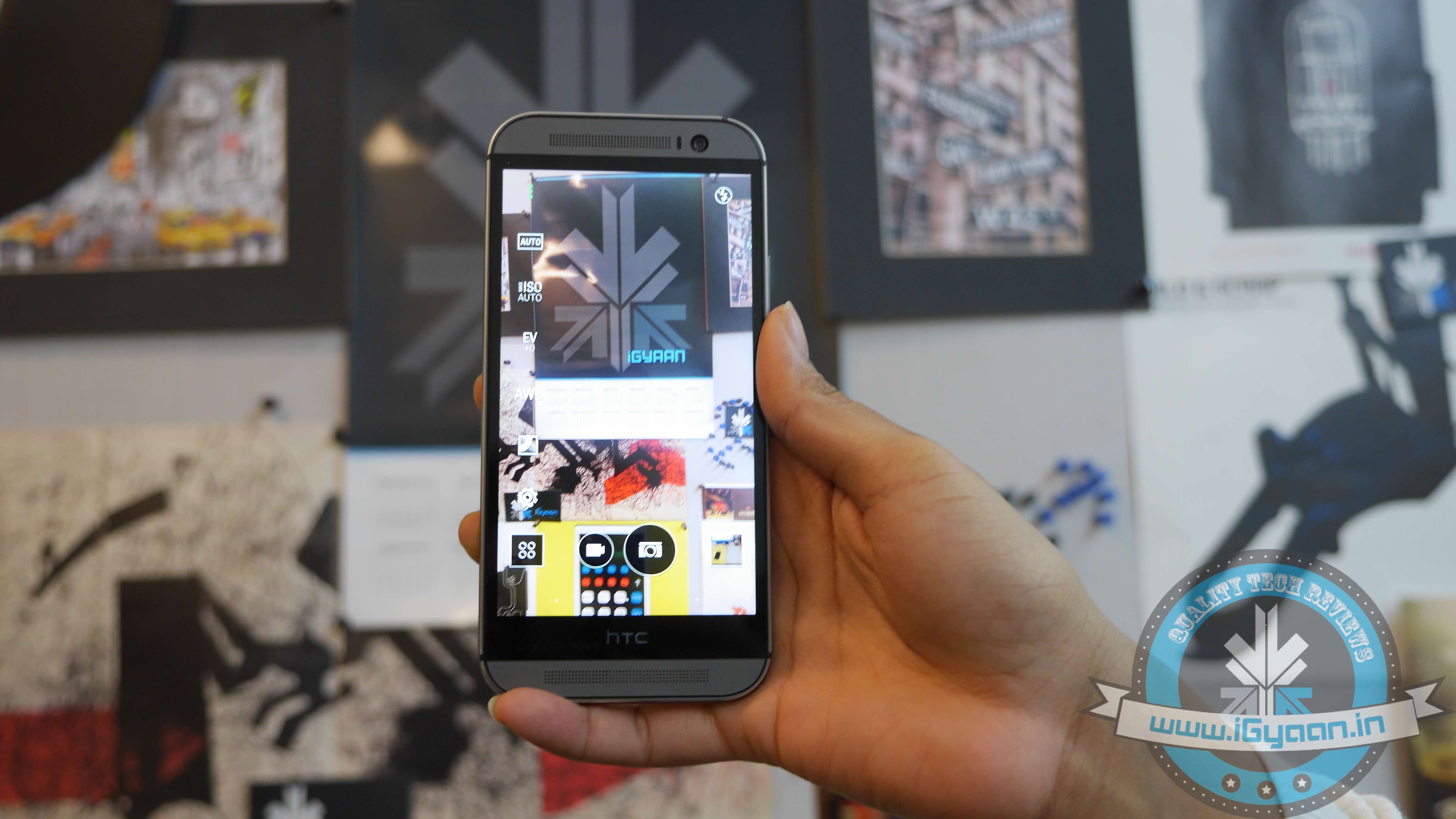
    The new update adds some camera features such as the Auto Selfie mode, along with some Zoey features as well. The HTC weather app has been removed and replaced with the AccuWeather app.

    3. Notification drawer

    HTC ONE m8 Lollipop 1

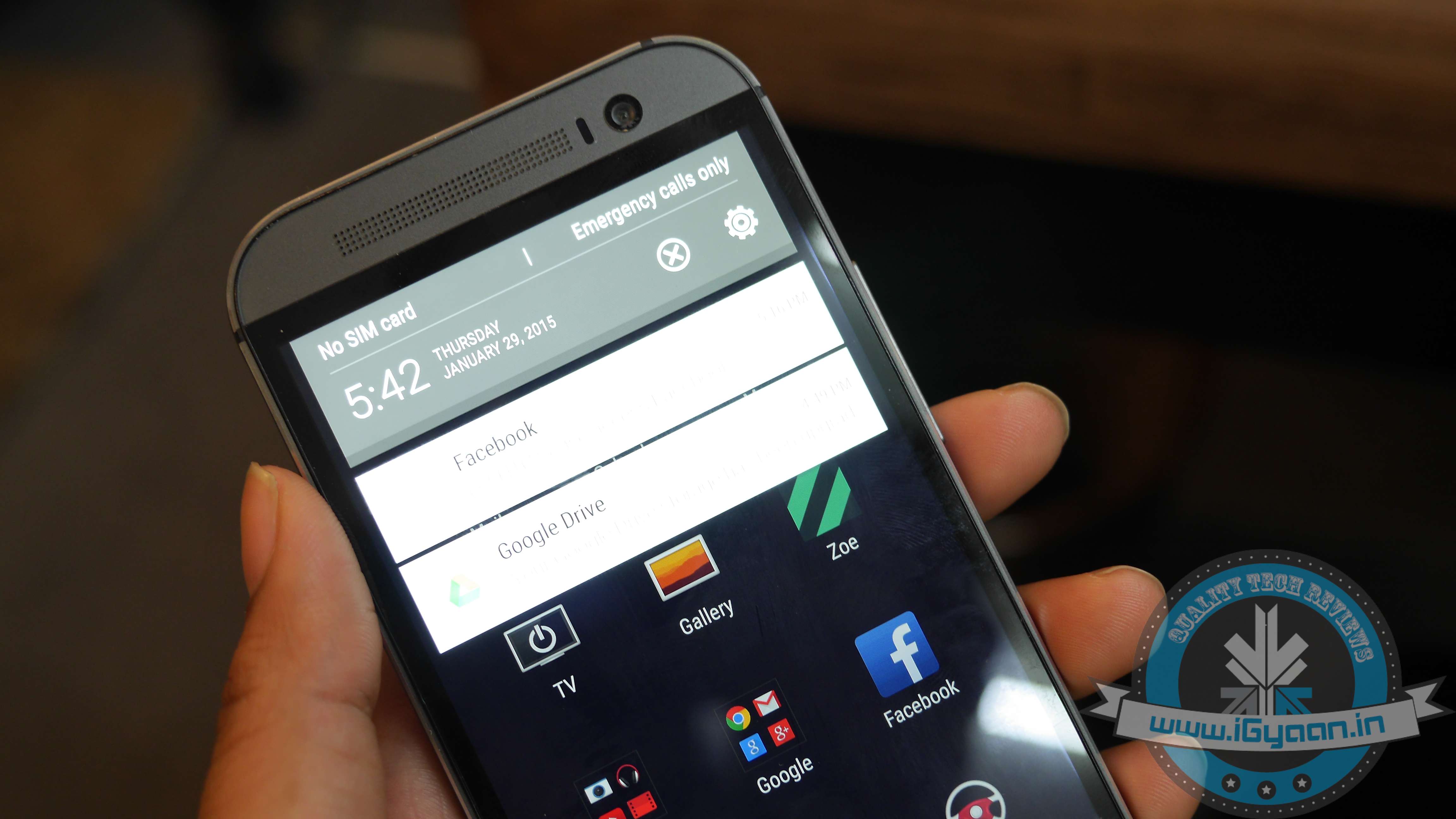
    The Lollipop update of Sense 6.0 has adopted a revamped stock Android notification centre. The One (M8) drops the separate side-by-side screens (one for your notifications and the other one housing your quick toggles) and now comes with  a slightly revamped Lollipop drawer. A single swipe brings down your notifications, while an additional one reveals the quick toggles shade, which has got a prominent Material Design makeover.

    4. Recent App Switcher and Menu

    HTC ONE m8 Lollipop 8

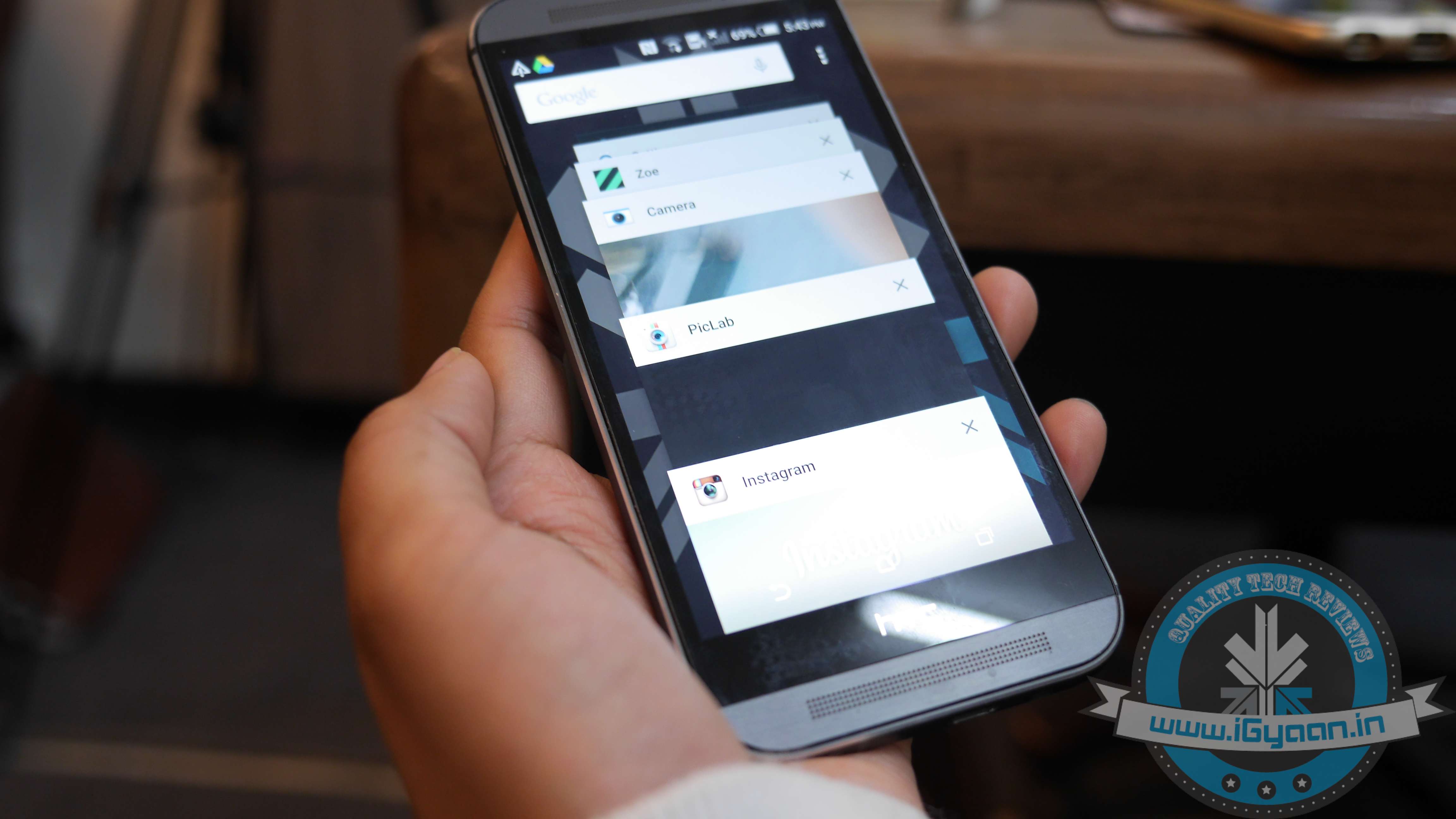
    The app switcher has undergone the most drastic change. Instead of the more classic, Sense UI-like grid menu with your recent apps, you will get the carousel-like menu inspired by the Material Design guidelines.

    5. Settings and Battery Menu

    HTC ONE m8 Lollipop 3

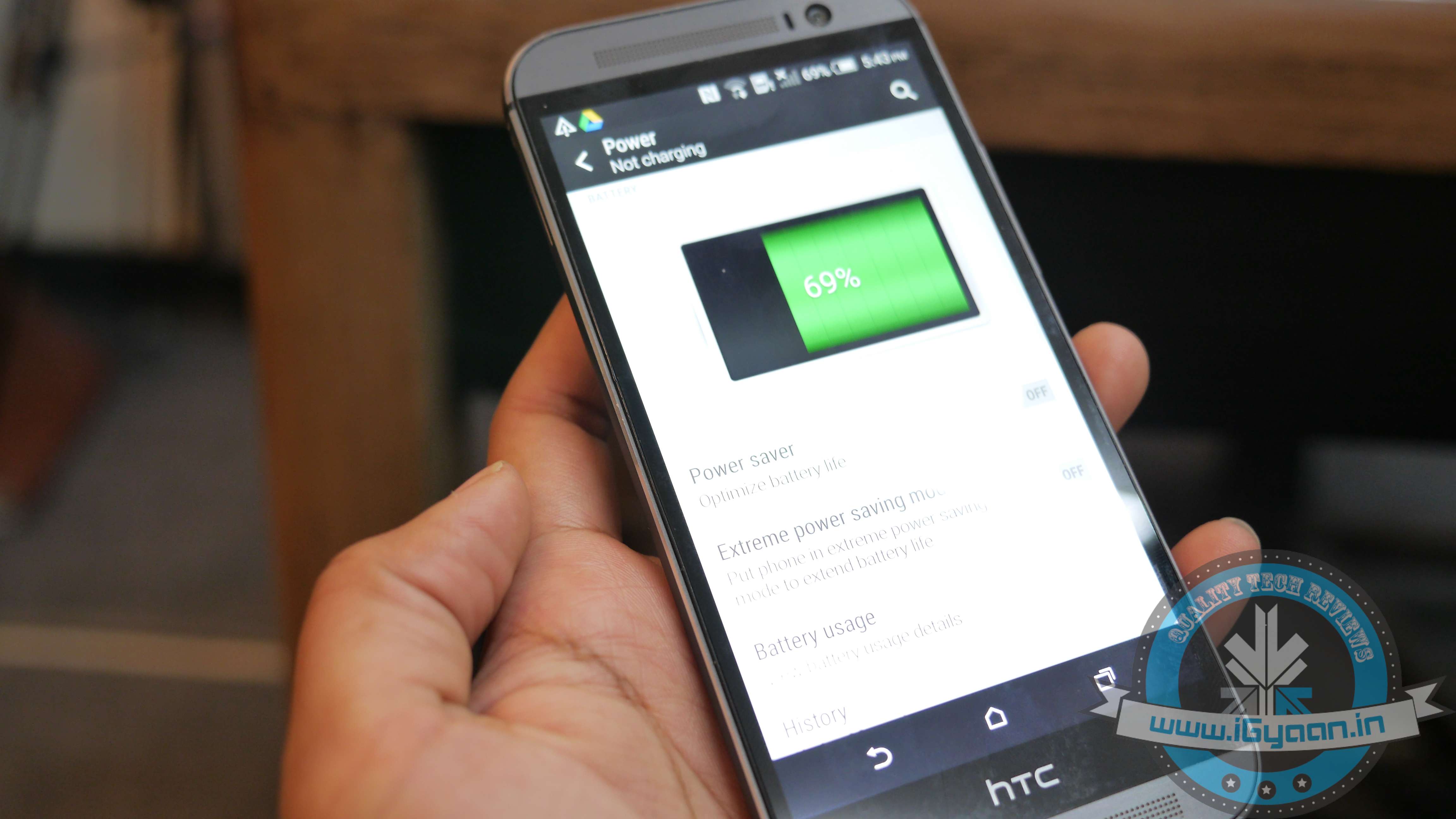
    The setting menu is untouched but with one very important addition – a search button in the upper right corner of Sense UI’s Settings. This probably may go unnoticed but adds the ease to search things in the Settings menu. Another noteworthy improvement can be found in the battery consumption menu of the Lollipop-based Sense UI. It’s pretty similar to the one in stock Android. It now provides you with a more in-depth breakdown of your battery usage. Apart from this, the Running Apps menu hidden in Settings has also been improved. It now displays a much more user-friendly breakdown of the current state of your 2GB of RAM, separating the system from the user-installed apps.

  • Microsoft Finally Brings Out an Outlook App That is Worth it

    Microsoft Finally Brings Out an Outlook App That is Worth it

    Matching Google at its best game, Microsoft has brought a fully featured version of Outlook to iOS and Android today. The new app is based on the application it acquired, called Acompli, last December.

    outlook_android_phone

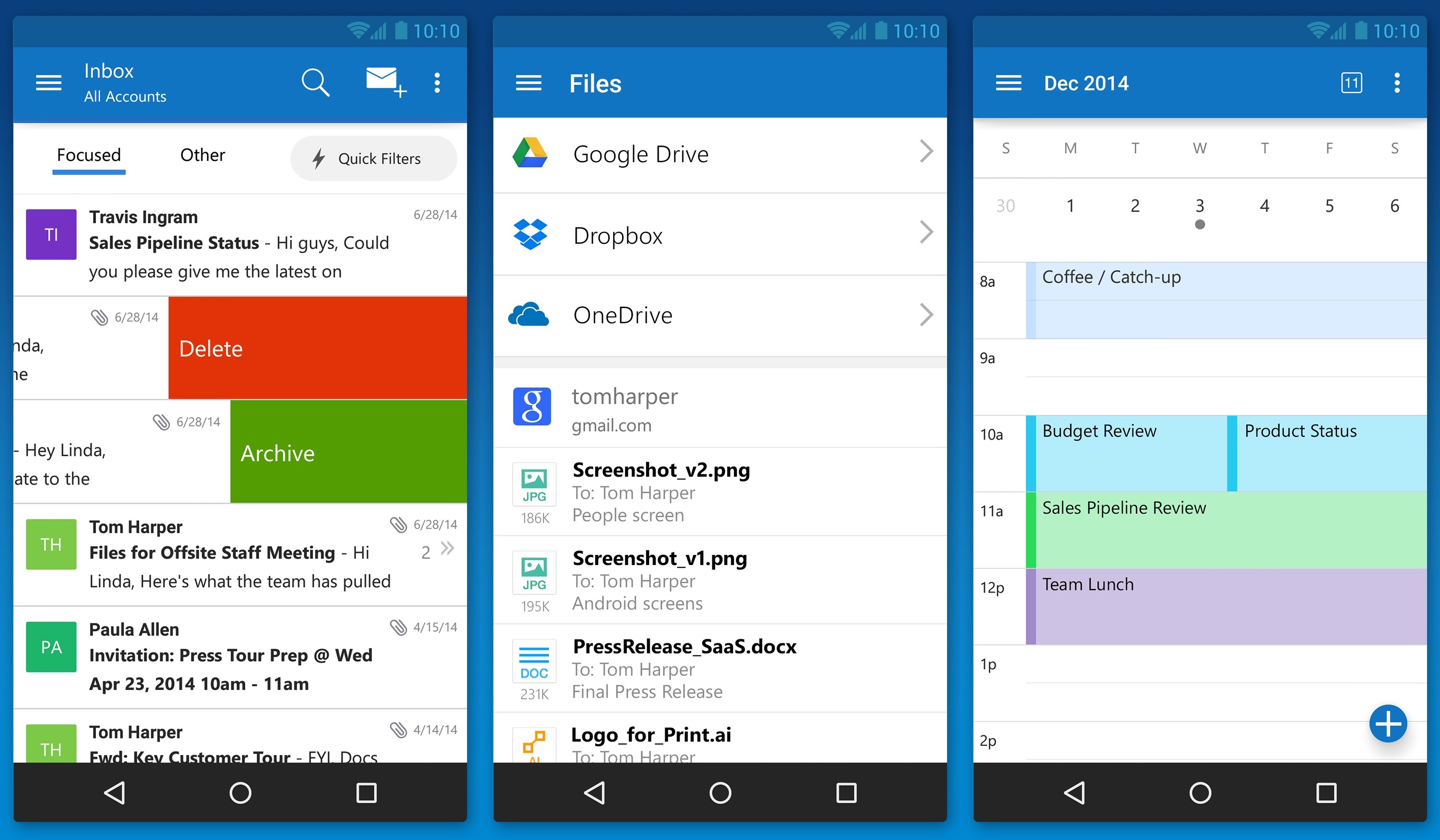
    Julia White, General Manager of Microsoft Office said that the Acompli team has already been integrated into the Outlook team, and today’s launch is a direct result of that. Acompli aimed to set itself apart from other email clients by focusing on multitasking. The app included a built-in calendar and features that made it easier to find attachments and contact information without digging through your inbox, all of which have now been carried over to the new Outlook-branded apps.

    Surprisingly, Microsoft is keeping powerful features such as integration with Google Drive and Dropbox. This ensures the same quick access to calendar, contacts, mail, and files; just like the desktop variant of Outlook. In the long run, these new apps will replace all of Microsoft’s current range of Outlook apps such as Outlook.com app for Android and OWA apps for Android and iOS.

    The new Outlook app experience will also carry over to the touch-optimized version of Outlook for Windows 10. As with Microsoft’s previous Android app releases, the first version of Outlook for Android will come with a “preview” label as Microsoft looks for feedback from users with different types of devices.

iGyaan Network
Privacy Overview

This website uses cookies so that we can provide you with the best user experience possible. Cookie information is stored in your browser and performs functions such as recognising you when you return to our website and helping our team to understand which sections of the website you find most interesting and useful.