Author: Shivaank Rana

  • Samsung Galaxy Mega 6.3 Review

    Samsung Galaxy Mega 6.3 Review

    Build Quality And Design

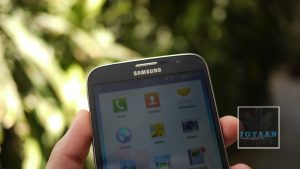
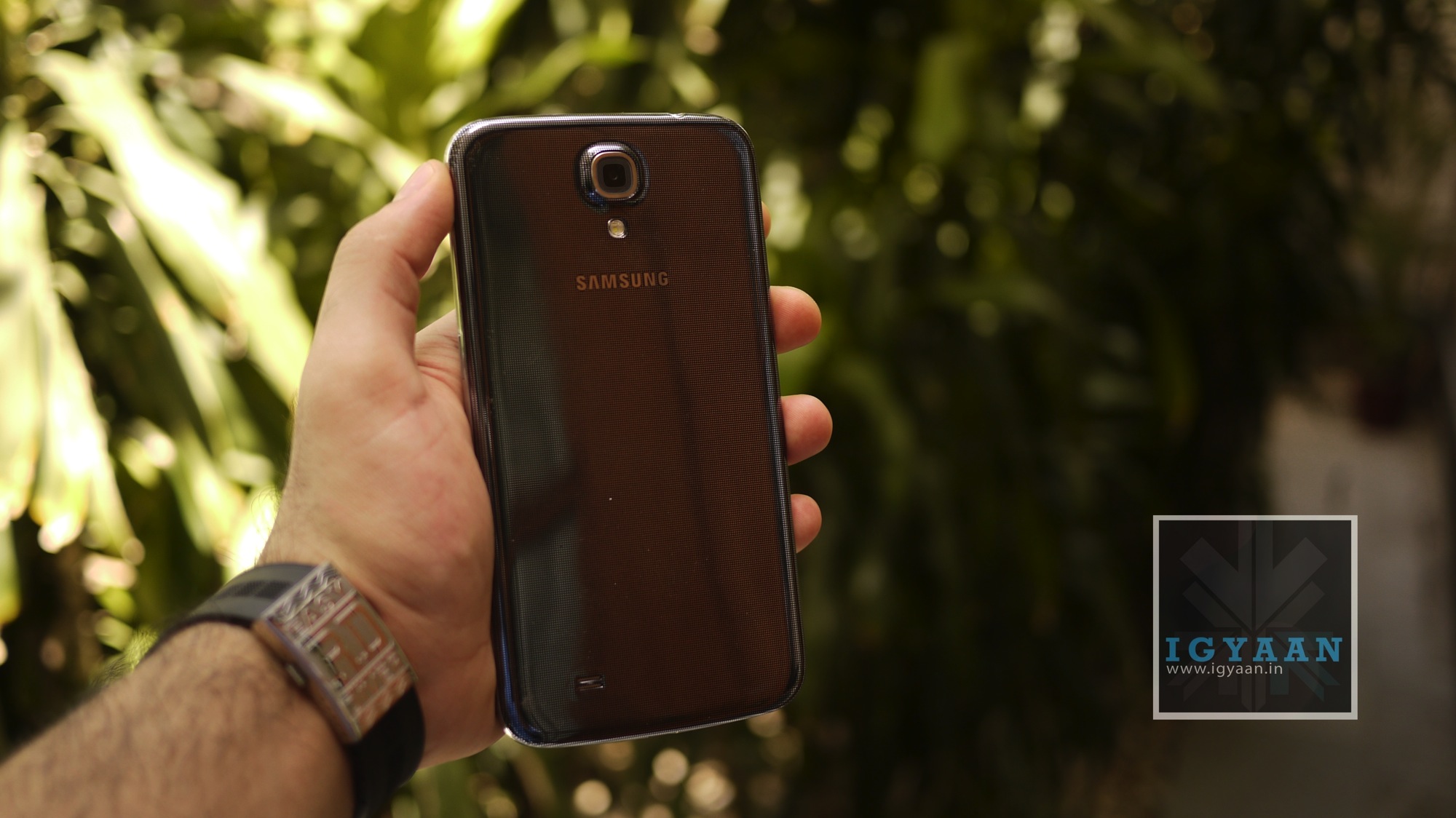
    Just like the rest of the Galaxy series, the Samsung Galaxy Mega 6.3 is a plastic-bodied phone with the same Galaxy S4-like template design. It has the same metallic edging, the silver-edged home button and shiny speaker grille. The back panel shares the same black and silver crosshatch pattern.
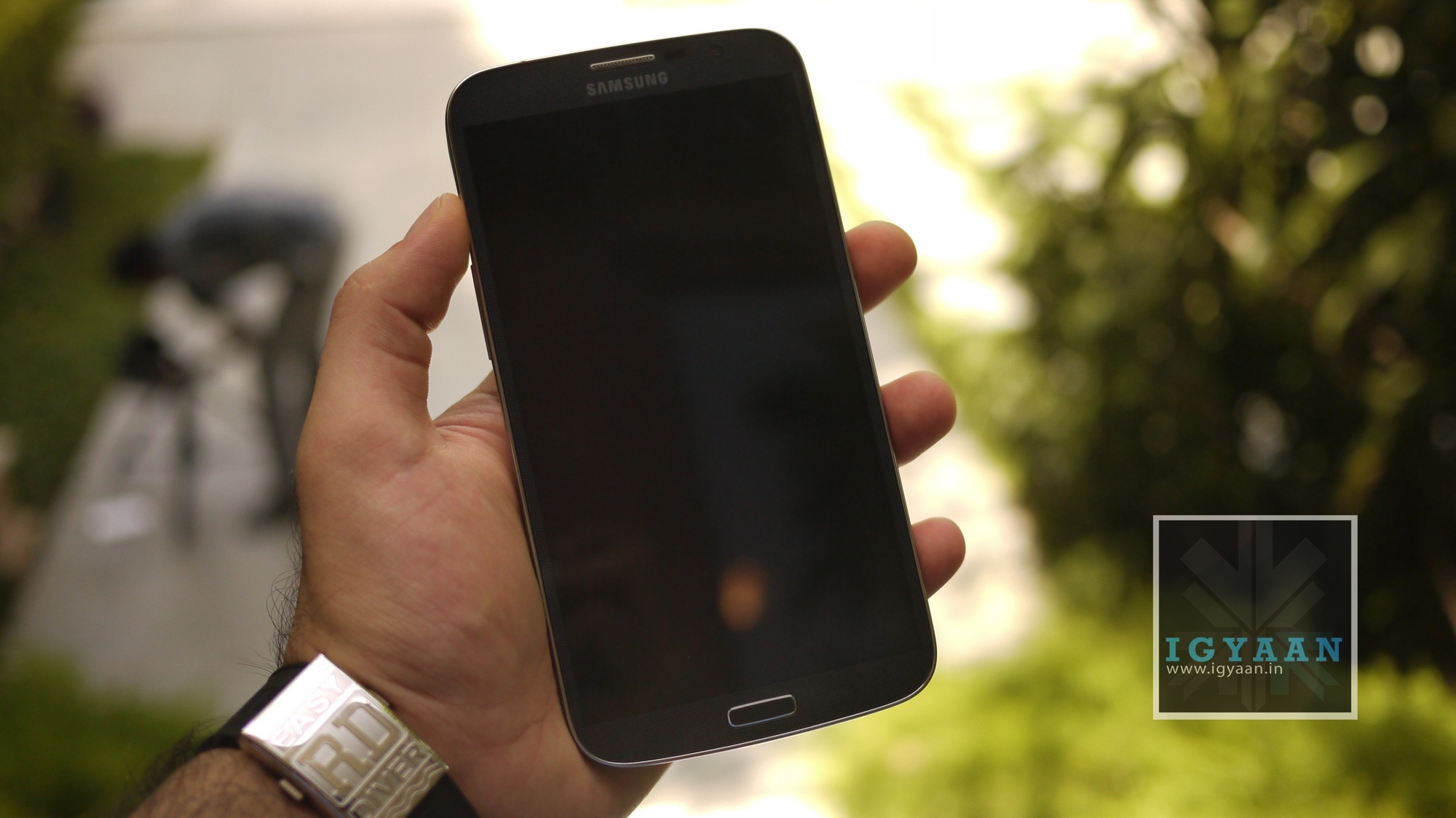
    samsung galaxy mega 6.3

    The Galaxy Mega 6.3 is absolutely huge. At 88mm wide and almost 198mm tall, this is the biggest smartphone we’ve ever reviewed. It weighs almost 200g, but it doesn’t feel overly heavy in the hand considering its size.

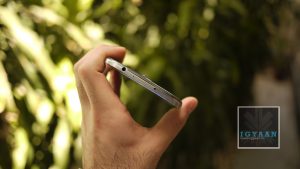
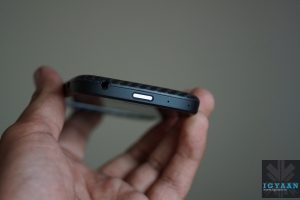
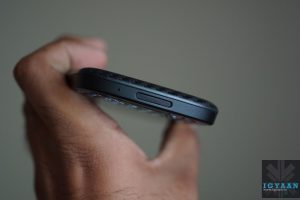
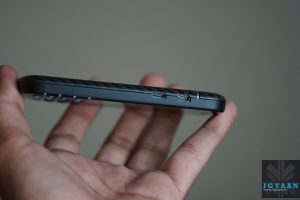
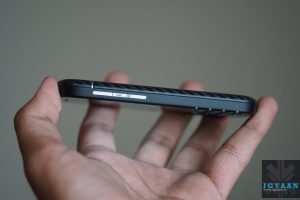
    Moving around the device, there’s a microUSB charging port on the bottom, a volume rocker on the left-hand side, a power button on the right-hand side and a 3.5mm headphone jack up top. There’s a microSD card slot for adding additional storage under the flimsy battery cover.
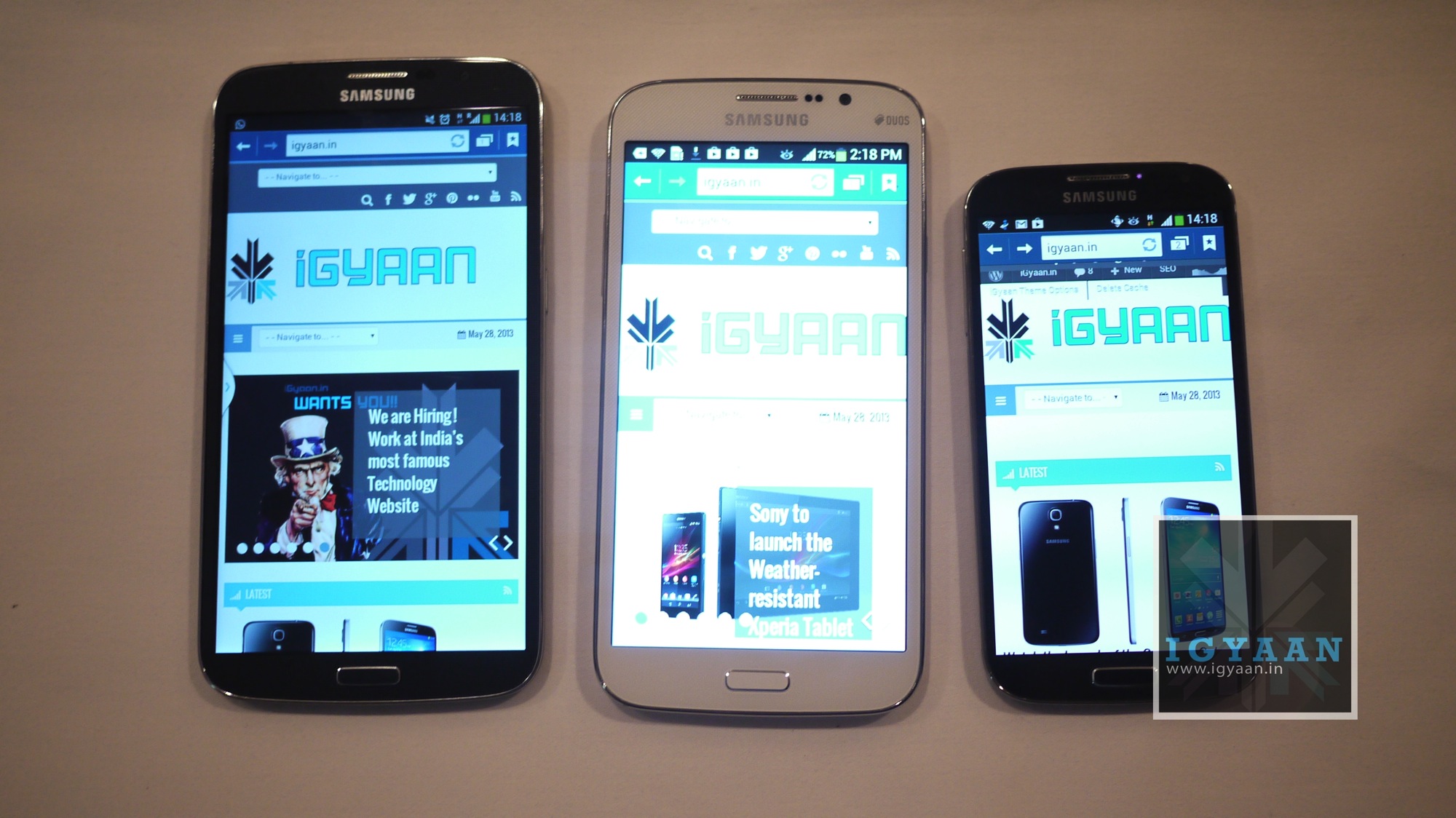
    samsung galaxy mega 6.3

    Overall build quality is like any other Samsung device, but the mammoth screen size raises a few questions over the durability of the Samsung Galaxy Mega 6.3.

    Specifications And Hardware

    The Samsung Galaxy Mega 6.3 sports a 6.3-inch 720×1280 display and features the same camera as that of the Galaxy Mega 5.8. It is powered by a dual-core processor clocked at 1.7GHz. The Galaxy Mega has 1.5GB of RAM, Bluetooth 4.0, Wi-Fi 802.11 a/b/g/n and A-GPS. The Samsung Galaxy Mega 6.3 comes with a 3,200 mAh battery and runs Android 4.2 Jelly Bean. The phone comes with 16GB internal storage capacity and has a microSD card slot for expanding the storage up to 64GB. 

    Display And Multimedia

    The USP of the Samsung Galaxy Mega 6.3 is its display. While the sheer size of the display is impressive itself, we were also pleased with the colour reproduction. Samsung opted for a Super Clear LCD display instead of their AMOLED panel, and this makes it one of the better Samsung devices to use outdoors.
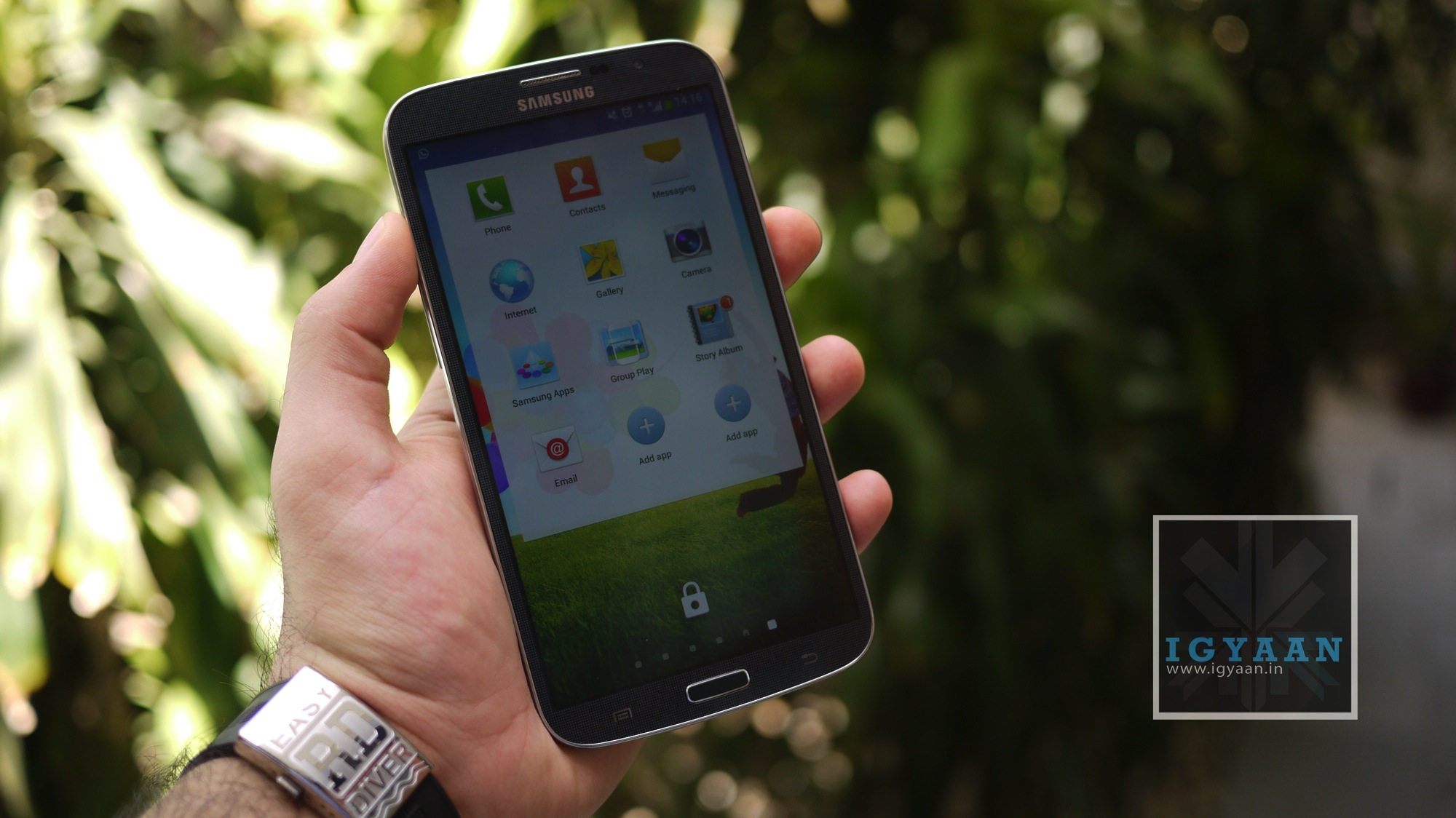
    samsung galaxy mega 6.3

    The thing that disappointed us though was the resolution of the display. At a time when companies are coming out with 5.5″+ Full HD displays on devices, and Samsung too will release the Note 3 with one, the 720×1280 resolution is a let down. A device of this size will by default be used for a lot of media consumption which involves a lot of text as well, so a 233 ppi pixel density is inadequate in our opinion. 

    The sheer size of the screen on the Samsung Galaxy Mega 6.3 though makes consuming media enjoyable and almost stress free, and the chipset is more than capable of handling HD video playback and streaming. 

    When it comes to general performance though, the Samsung Galaxy Mega 6.3 left us disappointed. The phablet lags while performing even the simplest of tasks sometimes, like scrolling through your apps grid. Samsung could have gone with a quad-core chipset on the Samsung Galaxy Mega 6.3 given the fact that it is priced above the Rs. 30,000 price mark, but instead it chose to extend its profits margin by using a dual-core chipset.

    We’re forced to believe this is poor optimization in TouchWiz more so than the capabilities of the chip though, as other Snapdragon 400 devices manage to perform smoothly, and the Snapdragon 600-powered Galaxy S 4 was also laggy until an update just before launch.

    The speakerphone on the Samsung Galaxy Mega 6.3 is fantastic, it is really loud, but not in a painfully distorted way, it sounds good through videos, music and even games.

    [youtube id=”_oIoZgw6-oU” width=”100%” height=”300px”]

    Camera

    The Samsung Galaxy Mega 6.3 has an 8-megapixel rear-facing camera and a front-facing 1.9-megapixel camera for video calls. The camera app is almost identical to the one used on the Galaxy S4 and we particularly like the excellent scrolling carousel to change camera modes.
    samsung galaxy mega 6.3

    Video is captured at Full HD and employs anti-shake if you need it from the main UI, the front camera however- captures 720p video. You can also add some effects to your pictures in the Auto Mode. Shooting modes like “Best Photo”, “Best Face” and “Sound and Shot” worked really well on the S4, and they work just as great on the Galaxy Mega 5.8 .

    Images are processed to give a punchy, high-contrast look that is high on impact, if not quite as great at producing an entirely natural look. 

    [youtube id=”Qv_q4IrY-sA” width=”100%” height=”300px”]

    Software

    The Samsung Galaxy Mega 6.3 runs Android 4.2 Jelly Bean, with the usual Samsung TouchWiz interface laid on top. Consequently, it looks and feels almost identical to the other high-end Galaxy phones, including the Galaxy S4.

    The old elements of the TouchWiz UI are intact too, with features like Direct call (lift the phone from within a message to call), Smart Alert, tilting to zoom into pictures or gallery. Pan device to move the Icons or browse a zoomed in Image and even Flipping the device to Mute or pause.

    Battery And Network

    One might think that such an enormous screen, coupled with a big flat form, would mean that the Samsung Galaxy Mega 6.3 battery life suffers. In fact, the very opposite it true. You can easily get a day and a half of moderate to heavy use out of this phone before it packs up. Given that there’s only two cores and that it’s not a 1080p screen, the quite large 3,200mAh actually goes a very long way, and that’s no small shakes if you’re looking at the Mega as both your tablet and phone.

    One area the Galaxy Mega 6.3 shines is call quality. The rear speaker for speakerphone and the earpiece speaker are both quite loud, and they provide crisp, clear audio.

    However, putting a phone as large as the Galaxy Mega against your head looks and feels odd. You may get used to it, but passers-by won’t any time soon. 

    Conclusion

    The Galaxy Mega’s name definitely refers to its size rather than specifications. The Galaxy Mega 6.3 is only slightly cheaper than the Galaxy S4, while having a less advanced screen, a much less powerful processor, less RAM, a worse camera and – worst of all – diminished usability. 

    The Galaxy Mega 6.3 is a phone that might as well be the next big thing, but, the problem here may be that its just too big to be an everyday phone.
  • DualShock 4 Controller Is Windows Compatible, Will Provide Basic Functionality

    DualShock 4 Controller Is Windows Compatible, Will Provide Basic Functionality

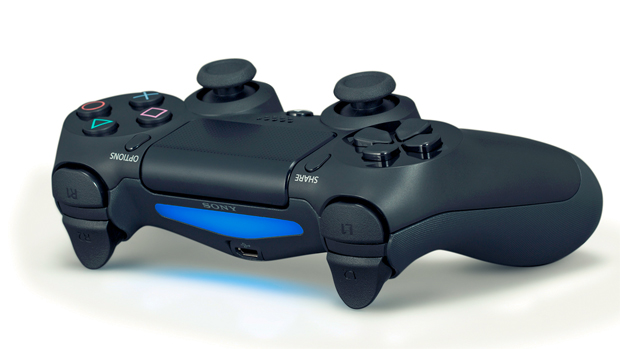
    PC gamers will be able to use the DualShock 4 controller for Windows-based games. The revelation comes courtesy of Sony Computer Entertainment Worldwide Studios President Shuhei Yoshida via Twitter.

    When the original poster followed up by asking whether the compatibility would be built in by default, Yoshida responded: “For basic functions, yes.”

    It’s presently unknown whether the gamepad will be recognized specifically as a DualShock 4 or will feature XInput API, which allows third party devices to register as Xbox 360 controllers. When pressed for clarity, Yoshida said to wait for until after the console’s November launch for a field report on the matter. 

    Love the Xbox 360 gamepad or hate it, it works wonderfully with compatible PC games — simply plug in and play. Being able to use the DualShock 4 with the PC will certainly have its advantages depending on the type of game you are playing. 

  • HTC One Max Leaks With US Carrier Verizon’s Branding

    HTC One Max Leaks With US Carrier Verizon’s Branding

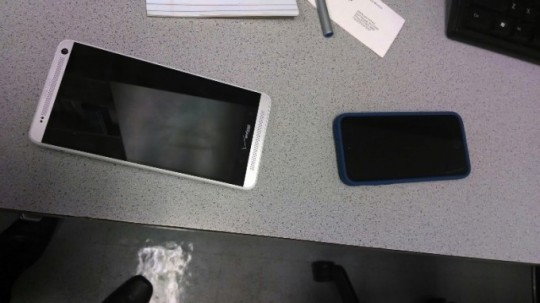
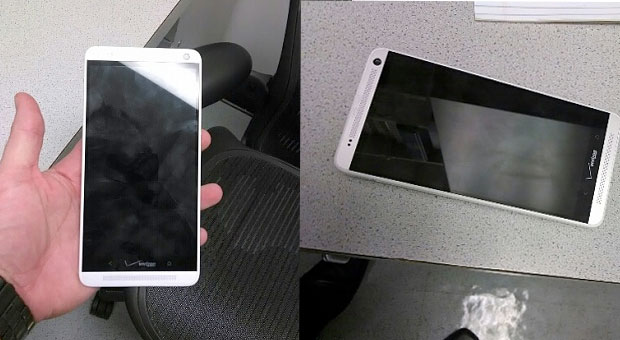
    A fresh batch of leaked photos depict the still unannounced HTC One Max yet again, and this time it comes with US telecom carrier Verizon’s logo.

    The two photographs, which appeared on Android Central’s forum, show the super-sized Max with a Verizon logo on the front. The person who posted them, Jeremy Kessous, claims that his friend works for Verizon and therefore has had access to the new phone.
    one max

    The Verizon employee who took the photos also says that the oversized smartphone has a fingerprint scanner and a removable back cover to get to the battery and other goodies. It’s been rumored that the HTC One Max would have a fingerprint sensor, and we keep hearing more confirmations that it indeed does have one.

    Rumored features include a Snapdragon 800 processor, Android 4.3 Jelly Bean, a large 3,300mAh battery, 2GB of RAM and a big 5.9-inch screen with a full 1080p resolution.

    Of course, all availability and pricing details of the One Max are still up in the air, so we’ll have to wait for HTC to finally reveal the device to the world, all in its own sweet time.

    We’re hoping HTC’s supply chain issues have been sorted by now as the company hasn’t had a great 2013 so far.

  • Google Forms An Alliance With Top Companies For Affordable Internet Worldwide

    Google Forms An Alliance With Top Companies For Affordable Internet Worldwide

    Google has kick-started an initiative to bring the Internet to third world countries with the help of its peers in the technology sector as well as a handful of American, British and other organizations.

    Called the Alliance for Affordable Internet, group aims to steer countries toward policy and regulatory change that will encourage better wireless and wired Internet access, CNet reported.

    Google says that A4AI will work with countries around the world to influence policy changes that will make Internet more affordable. How affordable? Google says that ISPs in developing countries charge up to 30 percent of a person’s monthly income for basic broadband services. With effective policy change, Google says it can bring down costs to the UN Broadband Commission’s recommended target of 5 percent of a person’s monthly income.

    “A4AI has a specific goal in mind: to reach the UN Broadband Commission target of entry-level broadband access priced at less than 5 percent of monthly income worldwide,” Jennifer Haroon, principal executive of Google’s access program, wrote in a blog post.

    Microsoft, Yahoo, Facebook, Cisco and Intel are just a few of the more than 30 members drawn from technology firms, public sector groups and foundations around the world.

    If A4AI achieves its goal, the two-thirds of the world that is not currently online will be able to connect to the Internet for a reasonable price.

  • LG Flexible Smartphone To Be Vertically Concave, Will Be Introduced This Month

    LG Flexible Smartphone To Be Vertically Concave, Will Be Introduced This Month

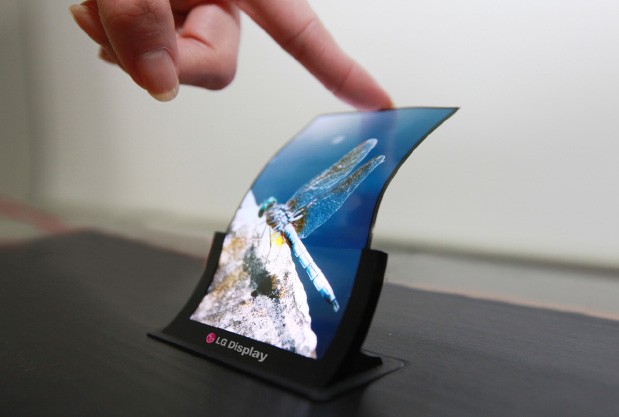
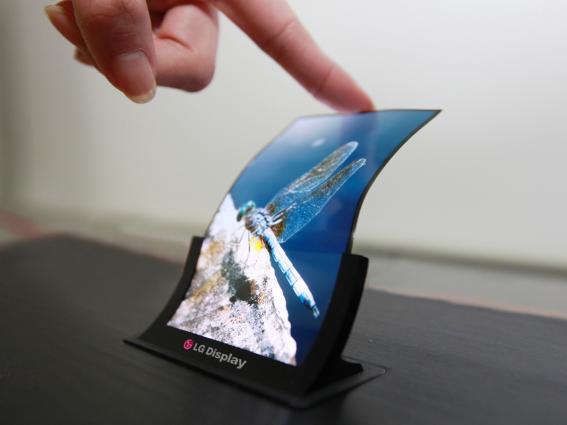
    LG is expected to introduce a smartphone with a curved display later this month, then mass produce and release it sometime in November. The name of the LG curved smartphone is currently pegged as being called the ‘G Flex.’

    As for a launch day, Reuters sources who are ‘familiar with the matter’ believe that LG plans to launch this curved phablet in November – will most likely hit Korea first, then roll out to other countries. There’s no indication on the OS, but it’s safe that LG will continue to use Google’s Android OS. The report also notes that unlike rival Samsung, LG will come to market with a plastic OLED (POLED) display that is curved from top to bottom, not side to side.

    LG also issued a press release and declared that the will introduce the world’s ‘First Flexible OLED Panel for Smartphones. LG notes that the ‘OLED panel is built on plastic substrates instead of glass’ and that they ‘made the panel bendable and unbreakable.’

    In addition, as expected, the display is ‘vertically concave from top to bottom with a radius of 700mm, opening up a world of design innovations in the smartphone market. And only 0.44mm thin, LG Display’s flexible OLED panel is the world’s slimmest among existing mobile device panels… it is also the world’s lightest, weighing a mere 7.2g even with a 6-inch screen, the largest among current smartphone OLED displays.’

  • Skype Enables Chat Sync Across Devices

    Skype Enables Chat Sync Across Devices

    If you’ve been using Skype for awhile, you know that there are quite few changes that need to be made to the application before its on par feature-wise with a lot of the other messaging applications on the market such as WhatsApp and WeChat. Thankfully, it looks like some much needed changes will be coming in the future.

    One particularly noteworthy feature specific to mobile users is the promise that chat synchronization across devices will be improved. This is something that anyone who used Skype on multiple devices will have noticed can be a problem. Send a large number of text based messages from the desktop version of Skype and when you launch Skype on another computer or a phone, you’ll currently find that there can be quite a delay as message history is downloaded. While no details are provided, Mark Gillet says:

    “We are working to synchronize chat message status across all of your devices so you will know the current status of all of your chats on every device you use to interact with Skype. This capability will be rolling out across clients over the next few months”.

    Skype is also in the process of moving from their original peer-to-peer (P2P) foundation powered by the desktops of yore to one that is cloud based. The benefit of the Skype Cloud is improved battery life for devices and better connections, at least according to the Skype team.

  • Rockstar Releasing GTA 5 Online Mode Patches For Xbox 360 And PS3

    Rockstar Releasing GTA 5 Online Mode Patches For Xbox 360 And PS3

    Gamers eager to play the new multiplayer version which went live on Tuesday have been met with frozen loading screens, connection problems and repeated error messages.

    Rockstar, the makers of the popular franchise, said the entire team was “working around the clock” to fix the problems as they arise and urged players to remain patient.

    A title update for Grand Theft Auto Online is now live on PlayStation 3, with a patch for Xbox 360 slated to launch later today, Rockstar announced in a press statement.

    Rockstar says that a PSN server issue was the culprit in PS3 users’ GTA Online woes, as it “was limiting the amount of possible concurrent users,” therefore “preventing most players from accessing GTA Online altogether and as of this morning, that problem was resolved.”

    The developer noted that players are having issues completing the introductory tutorial mission on both platforms as well, and that it is “working on unblocking this for everyone as soon as possible,” as well as improving GTA Online server stability. 

    GTA Online lets up to 16 players form teams and enter the world of Los Santos to carry out crimes, take part in races, complete missions and play sports.

    The company had apologised pre-emptively to fans on the eve of the launch in anticipation of problems following record sales of GTA 5 when it was released last month.

    The game made £500 million in its first 24 hours on sale and £1 billion after three days – believed to be the fastest entertainment product to reach the milestone.

  • Microsoft : Xbox One Kinect Won’t Fetch Data For Advertisments

    Microsoft : Xbox One Kinect Won’t Fetch Data For Advertisments

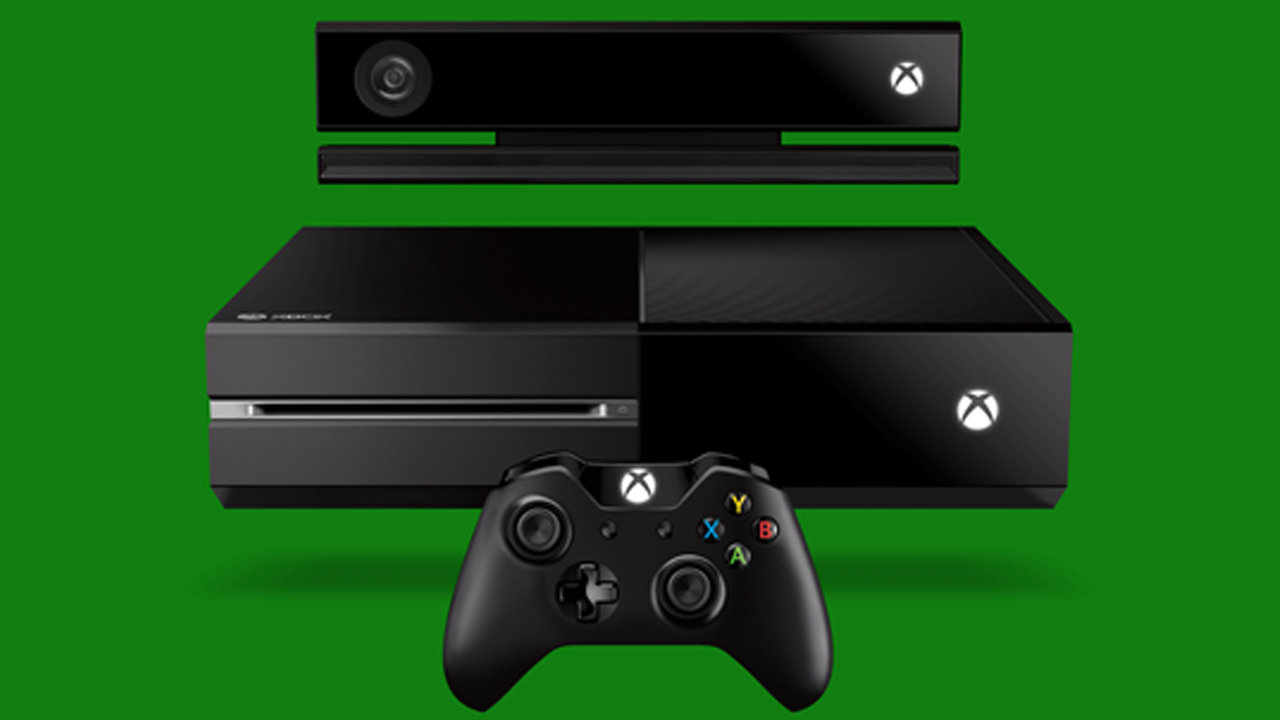
    The development team at Microsoft says that it currently has no plans to use the motion tracking and identification powers of the Kinect sensor to power personalized advertising that intrudes on a user.

    Albert Penello, one of leaders preparing the launch of the next-gen console, says that his team has more pressing concerns linked to the upcoming launch.

    In a previous interview, Penello suggested that because the Xbox One’s Kinect can read facial expressions and determine levels of engagement, Microsoft could provide this data to advertisers.

    “This is the point that seems to draw some controversy,” Penello said.

    However, “nobody is working on that” kind of technology at the moment, Penello said. “We have a lot more interesting and pressing things to dedicate time towards. It was an interview done speculatively, and I’m not aware (emphasis original) of any active work in this space.”

    If such an advertising initiative were to come to fruition, Penello said users can be sure that it would not happen without people having full control over it. “Period,” he said.

    Penello proceeded to illustrate how Microsoft is protecting users’ privacy on Xbox One. “First, Kinect can recognize your face and log you in automatically. There could be some cool features we could enable if we stored that data in the cloud, like being able to be auto-recognized at a friend’s. I get asked for that feature a lot. But, for privacy reasons, your facial data doesn’t leave the console.

    “Second: You’ll see us do some things around Skype that freezes the video when Skype is not in focus (meaning, it’s not the primary app). If you go back to the home screen, or launch another app, we actually stop the video stream. We do this so the user can’t even ACCIDENTALLY have the video stream going on in the background.

    “I’ll say this – we take a lot of heat around stuff we’ve done and I can roll with it,” he concluded. “Some of it is deserved. But preventing Kinect from being used inappropriately is something the team takes very seriously. Hope that helps.”

    [Via]

  • BlackBerry Looking To Rope In Google, Cisco, SAP For Potential Sale

    BlackBerry Looking To Rope In Google, Cisco, SAP For Potential Sale

    Another round of big name organizations are reportedly interested in BlackBerry. According to a report in Reuters today, Cisco Systems, Google and SAP are all ‘in talks’ with BlackBerry and considering purchasing the companies assets, specifically its secure server network and patent portfolio.

    In addition, the report also notes that BlackBerry ‘has asked for preliminary expressions of interest from potential strategic buyers, which also include Intel Corp and Asian companies LG and Samsung.’ This is particularly interesting as Samsung has repeatedly declared they have no interest in the Waterloo-based company.

    A week ago BlackBerry announced a $4.7 billion bid from Toronto-based Fairfax Financial, but the clause still ‘entitled to go-shop’ for other potential offers. New York-based Cerberus, who apparently specializes in investing in troubled organizations, is nowhere close to closing a deal and ‘is aiming to sign a confidentiality agreement that would allow it to access BlackBerry’s private financial information.’

    The WSJ also reports that there’s another ‘distressed-investing firm’ interested in snatching up BlackBerry, but the ‘person familiar with the matter’ didn’t want to disclose the name. In addition, as previously rumoured, BlackBerry co-founder, Mike Lazaridis is considering a bid for the business.

    BlackBerry declined to comment on the potential investor, stating “We do not intend to disclose further developments with the respect to the process until we approve a specific transaction or otherwise conclude the review of strategic alternatives.”

  • BlackBerry Q5 Review

    BlackBerry Q5 Review

    Build Quality and Design

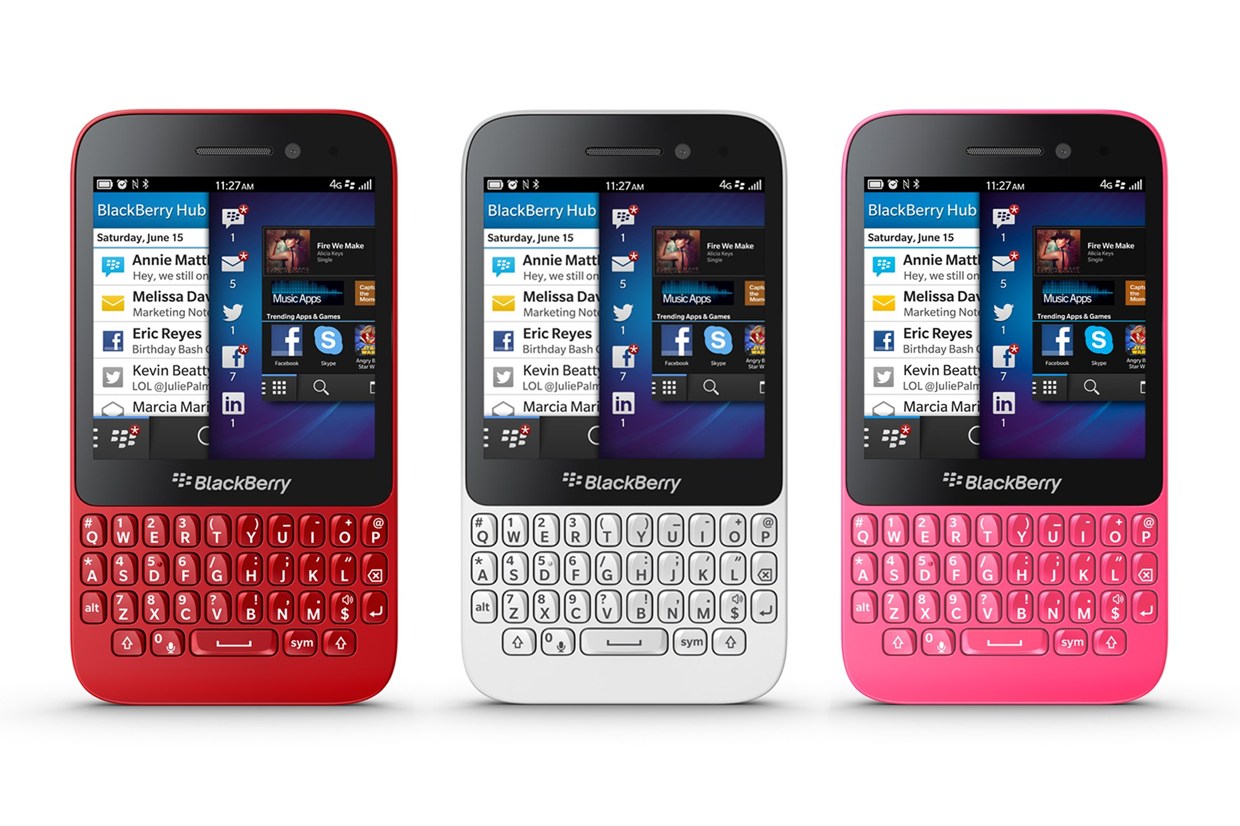
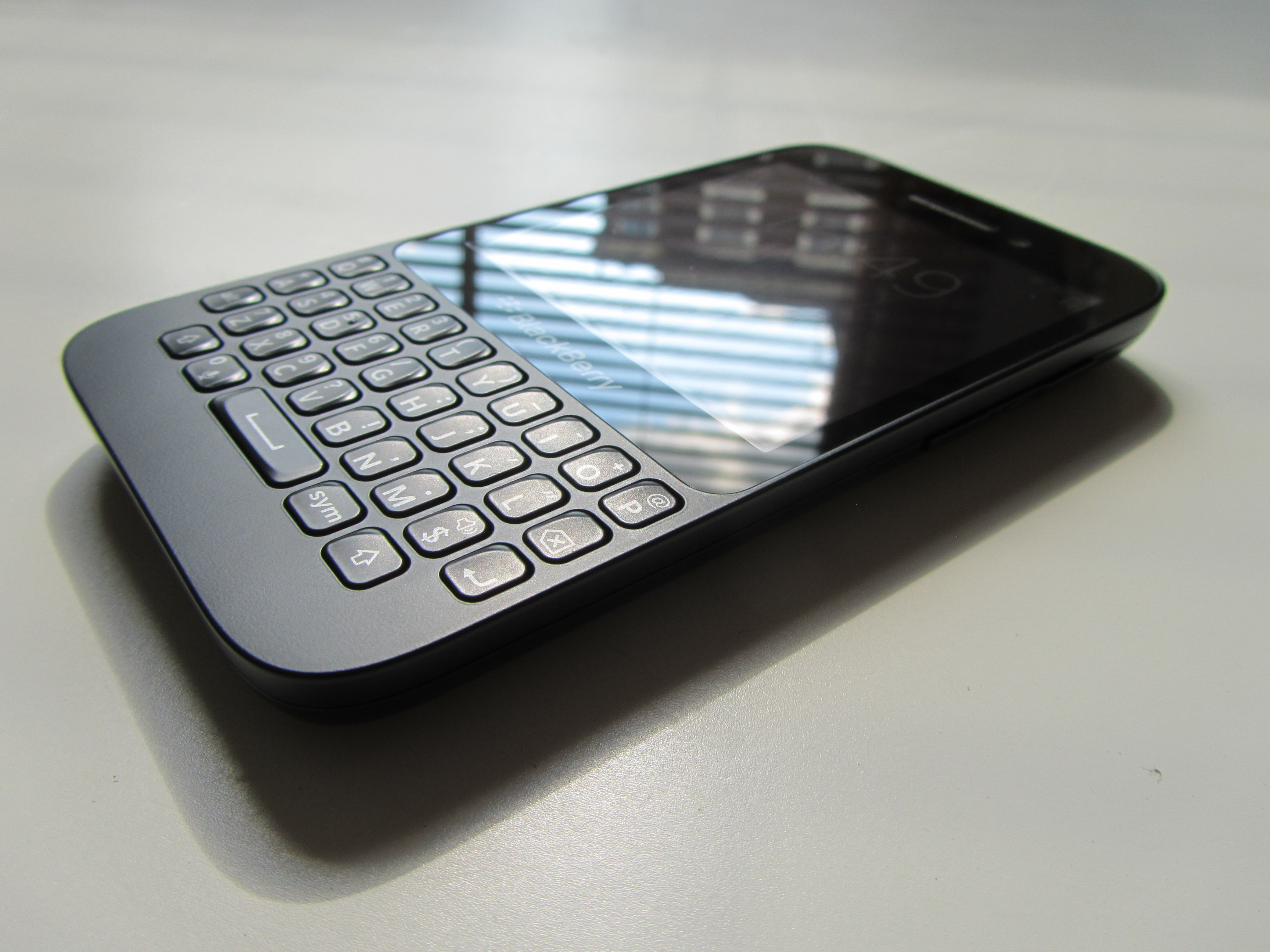
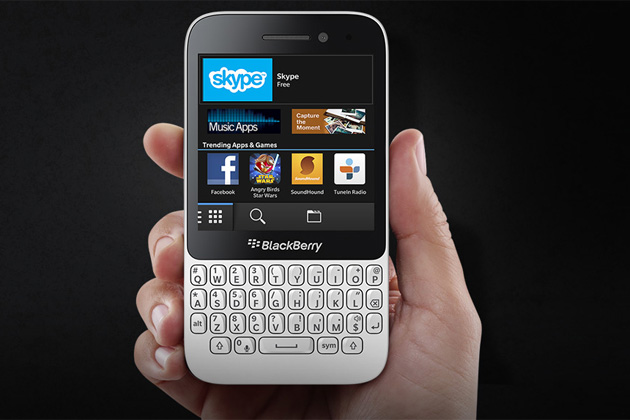
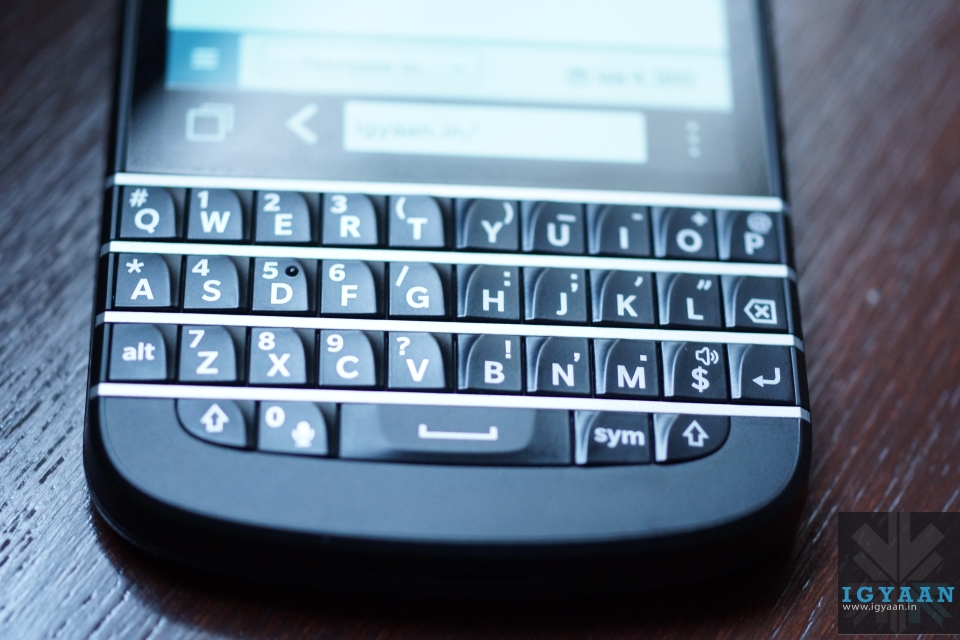
    Unlike the BlackBerry Q10 model, the casing of BlackBerry’s Q5 is made of polycarbonate. At first glance the BlackBerry Q5 could fit well into the Curve line thanks to the classic BlackBerry design and separated Curve-style keys, but once started up it’s obvious this is a new device for a new set of BlackBerry users. 

    blackberry q5

    It’s immediately obvious that this isn’t a premium device, with a sizeable bezel above and below the screen, and then a chunk of plastic below the keyboard too. This is utilitarian design sends the message that this smartphone is a workhorse, not a peacock.

    The casing is sealed, so you can’t get at the battery, but there’s a flap at the side for swapping your SIM and microSD cards. The volume buttons on the side flank a button that activates voice control. There’s also a power/sleep button and 3.5mm headphone jack on top and a microUSB power/sync port on the side.

    blackberry q5

    Overall, the build quality is solid, but the design feels dated.

    Hardware

    What you get on the BlackBerry Q5 is the same, oddly proportioned 3.1-inch, 720p IPS LCD display you find on the BlackBerry Q10, 1.2GHz dual-core processor, 2GB of RAM, microSD slot, 5MP rear camera, 2MP front camera, Wi-Fi, Bluetooth, NFC, 4G and a 2180mAh battery.

    Of course below that rather square screen you’ll also find a 35-key physical QWERTY keyboard, which sports isolated keys instead of the side by side layout on the BlackBerry Q10.

    Display and Multimedia

    As opposed to the SuperAMOLED screen of the Q10, the BlackBerry Q5 has an LCD screen which is what we’ve been accustomed to in the past. 

    Because the screen is square, you can’t turn the phone on its side to improve your browsing or video-watching experience either, as you can with most other smartphones.

    main-1-weekly-210713

    The resolution of the BlackBerry Q5 screen is 720 by 720 pixels (329ppi), which is why everything on it, from graphics and photos to small text in web pages, looks sharp and detailed. The colour representation is neutral, which is actually a good thing as all hues are as saturated as they should be. 

    All the standard features for consuming music, video and photos are included on the BlackBerry Q5, so you won’t be left completely in the lurch here. The music player app may not feature any of the bells and whistles you’ll find on some other smartphones, it’s a functional and intuitive offering.

    The BlackBerry Q5 does come with a dedicated video app, which thankfully means you don’t have to scrabble around in the gallery to find your clips – and its basic, unfussy design makes it easy to find what you want.

    Once again where BlackBerry 10 seems to excel is in the web surfing department, and while the BlackBerry Q5 may not be quite as fast as the BlackBerry Z10 and BlackBerry Q10, it still puts in a decent performance that it can be proud of.

    Camera

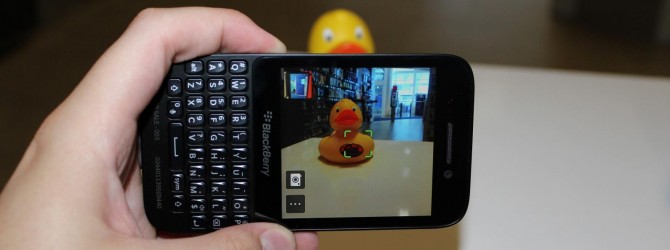
    The Canadian manufacturer makes cutbacks in the primary camera and installs a 5 MP lens. Although it also features an f/2.4 aperture as well as autofocus and LED flash like the Q10, the picture quality is not satisfying. The pictures exhibit intense image noise, look milky and lack focus and brilliant colors even in well-lit rooms. All in all, the camera modules cannot compete with the contenders.

    1371811449-large

    The front-facing camera rings in at just 2MP – just barely enough for decent Skype or BBM Video and maybe a selfie or two. The short of it – don’t expect too much from the cameras on the BlackBerry Q5. 

    Calling And Networks

    In terms of call quality, the BlackBerry Q5 has a decent volume, meaning you shouldn’t have trouble hearing the person at the other end of the line, even if you’re in noisy surroundings.

    The clarity of voice did become a little distorted as the earpiece volume was turned up, although we were still able to understand what was being said.

    We found the BlackBerry Q5 was able to hold onto signal pretty well, with no dropped calls experienced during our review period.

    Battery Life

    The 2180mAh battery in the Q5 is one of the largest to date in a BlackBerry and it’s big enough that most days we don’t need to worry about swapping a battery anyway (not that we can). We found that it kept going even on our busiest days.

    Conclusion

    If you’re a diehard Qwerty fan looking for a mid-range device, the BlackBerry Q5 may hold some interest. The screen is sharp and sensitive, even if it’s an unusual shape. The keyboard is excellent for messaging and the BlackBerry 10 OS is fast, slick and easy to get the hang of.

    However, build quality isn’t inspiring and while BlackBerry 10 is smooth with good features, a shortage of apps remains a downfall. The BlackBerry Q5 obviously won’t be competing with more modern devices, but for BlackBerry users on a budget or those looking to get started with BlackBerry 10, the Q5 is a good option.

  • Whoops! Chrome For iOS’s Incognito Mode Isn’t Really Incognito!

    Whoops! Chrome For iOS’s Incognito Mode Isn’t Really Incognito!

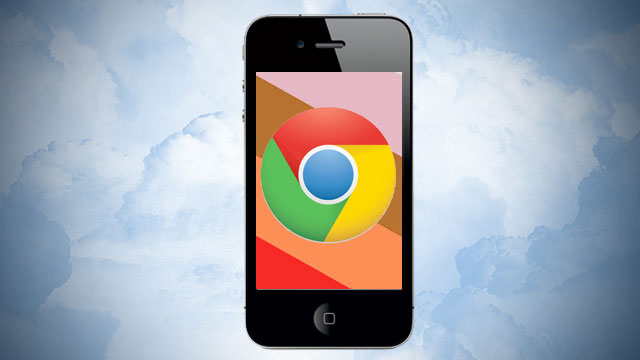
    If you’re a regular user of Google Chrome, you know how important its incognito mode can be to save some unnecessary embarrassment when you decide you need to search for something completely strange you would rather not let your family, friends or roommates be aware of. That’s why we thought you should know if you rely on the privacy of incognito mode in Google Chrome on your iOS device running iOS 7, you might want to hold off on using it for the time being.

    As TechCrunch reports, a new update for Chrome for iOS adds iOS 7 support, but there’s also a big flaw as discovered by UK development and design firm Parallax. It turns out that when you use the search/address bar in Incognito mode in Chrome, that history will show up when you return to standard browsing in Google’s mobile website search bar.

    [youtube id=”61SzHpGGFRs” width=”100%” height=”300px”]

    The above video is rather swift, and has no commentary, but what it shows is erasing history to start with a clean slate, entering Incognito Mode, visiting a website, returning to normal browsing and then viewing search history at Google – where the supposed private web session shows up.

    Note that you do need to visit Google to see the history: it doesn’t show up when simply using the combined URL/search bar.

  • BlackBerry Q10 Review

    BlackBerry Q10 Review

    Build Quality And Design

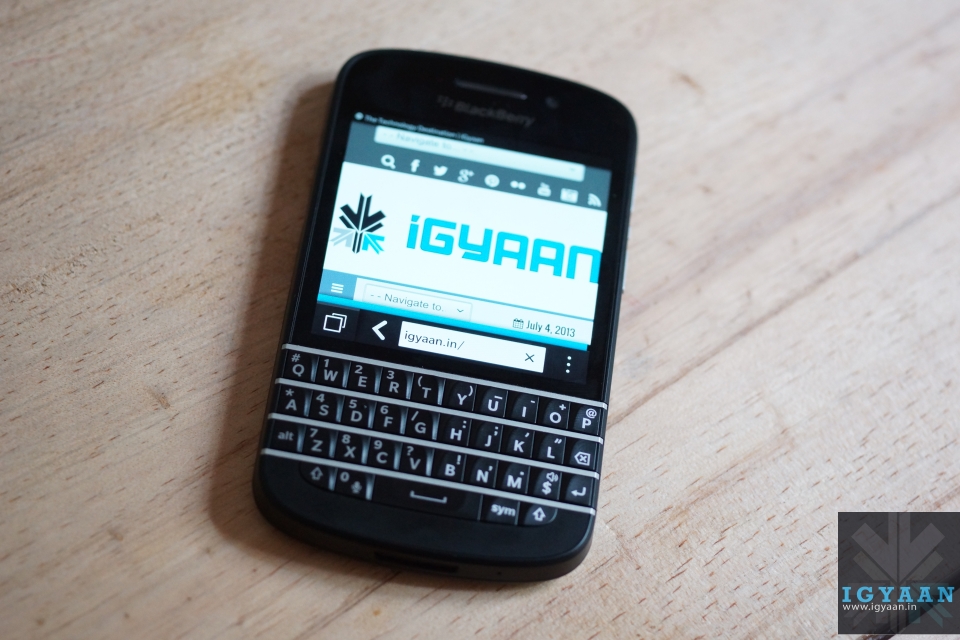
    At a time when every major manufacturer has shifted its focus towards touchscreen phones, Blackberry remains adamant on providing the QWERTY experience to their customers that they were once famous for. Hence, the Blackberry Q10.

    blackberry q10

    In terms of its design, the Blackberry Q10 will remind you instantly of any other QWERTY Blackberry ever made. It ditches the trackball/trackpad of the older BlackBerry devices in favor of a touchscreen display that works pretty well, though we still really miss the hardware buttons.

    The Blackberry Q10 is a compact phone, sporting a small display with a keyboard underneath. With a soft, rubbery rear case and a plastic band along the sides, the Blackberry Q10 shares obvious design cues with BlackBerry’s other new device, the full touchscreen Z10.

    blackberry q10

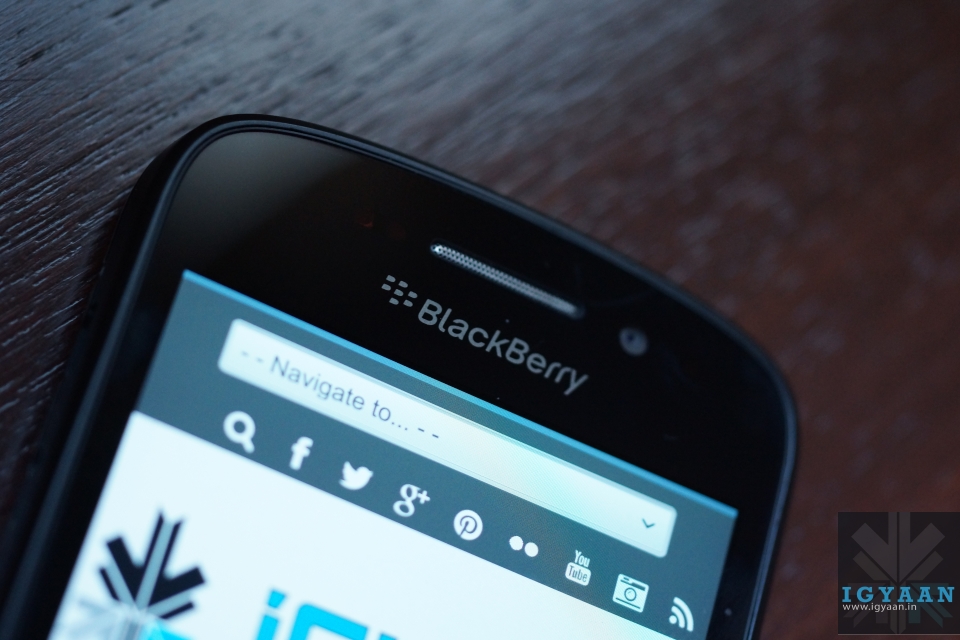
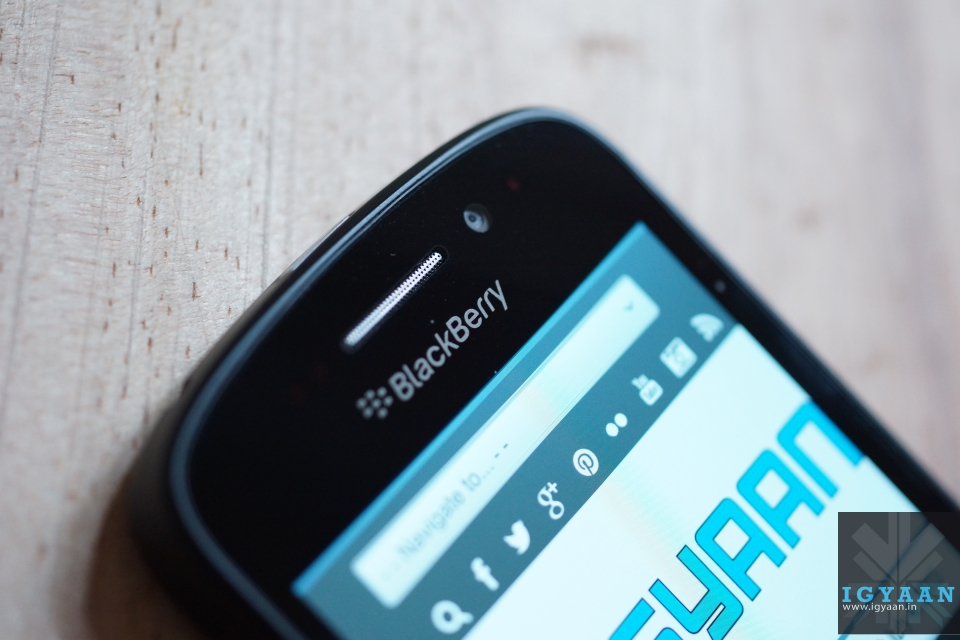
    Surrounding the square screen is a thin bezel on the bottom and sides, while above the screen is where you’ll find a BlackBerry logo, front-facing camera and its speaker. Below the screen is the star of the show, the QWERTY keyboard.

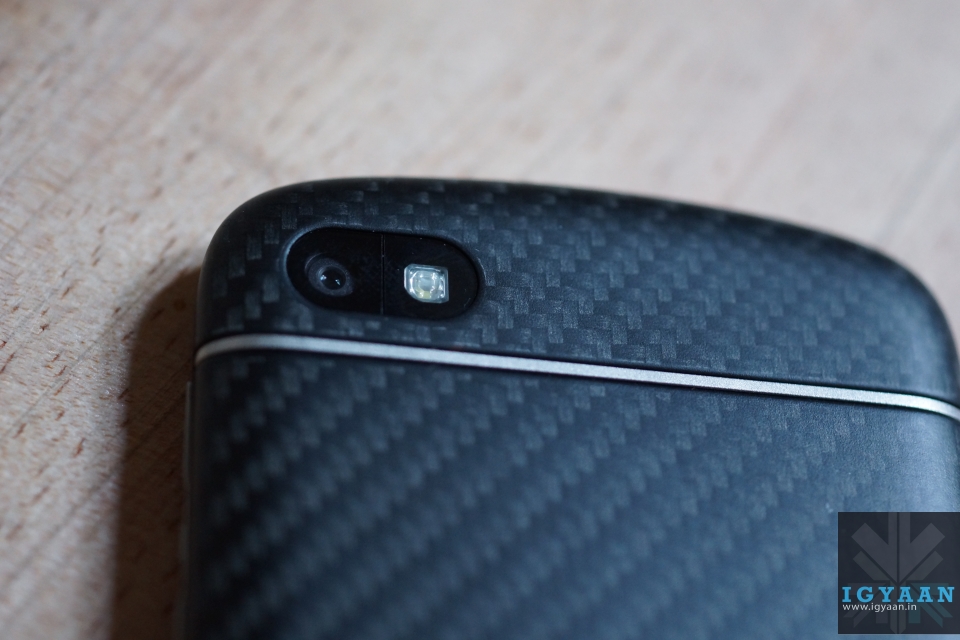
    The back panel of the black Blackberry Q10 has a carbon weave texture which Blackberry claims is unique to each device. 

    Overall, it looks and feels elegant, refined and professional. 

    Keyboard

    Blackberry Q10 34

    Moving on to the keyboard, one thing to note is that the once curved keyboard has now been straightened out and the metallic frets separating the rows of characters are now slightly raised for improved tactile feedback – in other words you should be able to feel where your thumbs are on the board more easily. The break in the keys is a nice clean look however and the overall size of the keyboard is similar to previous devices. 

    Specifications And Hardware

    The Blackberry Q10 is equipped with the famous Qualcomm Snapdragon S4 MSM8960 SoC, operating at 1.5 GHz, and the integrated Qualcomm Adreno 225 graphics card with 400 MHz core frequency and 2 GB of RAM. It has a 3.1-inch Super AMOLED touchscreen, albeit with a square 720 x 720 resolution rather than a widescreen aspect like a typical touchscreen phone. 16 GB flash memory and LTE round up the specifications of the Blackberry Q10. You can reach the entire specs list at the top.

    Display, Performance And Multimedia

    The 720 x 720 pixel, 3.1-inch square screen doesn’t feel too small at first glance, especially since the narrow bezel allows the screen to command maximum attention when it’s on. It’s also pixel dense, a key factor in readability. BlackBerry 10 defaults to a text size of 8 and small fonts need to be crisp to be legible.

    Blackberry Q10 32

    The Super AMOLED touchscreen isn’t as bright as we’d like, yet is good enough for sunlight visibility. Colors pop and blacks are deep, as we’d expect with AMOLED. Viewing angles are generally good, though off-center a blue tinge creeps in that’s really noticeable on light backgrounds.

    Just as with the Z10, the BlackBerry Q10 is powerful enough to run BlackBerry 10 smoothly with no lag or performance hiccups. If anything, the Q10 feels faster, potentially because the smaller screen requires less oomph or the update to version 10.1 sped things up all around.

    blackberry q10

    The square screen means that videos on the BlackBerry Q10 are letter-boxed, which is disappointing. Playback though is quite smooth.

    The speaker that sits on the bottom edge of the Q10 is well-placed; you’re unlikely to muffle with your hands. Overall audio quality is decent for a smartphone and loud enough to be heard over some background noise.

    Camera 

    The BlackBerry Q10 has the same 8-megapixel camera as the BlackBerry Z10. While it has some neat features that allows you to choose the best photo, the actual quality of the pictures left a lot to be desired. It’s just not on the same level with pictures we shoot with other smartphones from this price segment.

    Blackberry Q10 20

    There’s more noise in mixed light shots and little crispness or detail in outdoor pictures. We’re glad that the BlackBerry 10.1 update brought HDR to the feature set since there aren’t many at hand. It balances shadow and bright light better than Auto but requires a very steady hand. There’s no shutter icon in the camera app; to snap a picture you have to tap the display or press the space bar.

    Battery Life

    Battery wise, the Q10 is great. It requires less power to run than its Z10 cousin, but includes a larger 2100 mAH battery. With this size battery, the Q10 easily lasts all day and with regular usage, it can round out the day with around 15-20% of battery life left.

    Calling And Network

    Blackberry Q10 7

    During calls, voices came through the earpiece and speaker clearly and we only encountered a bit of static in a low bar area. Our voice came through loud and clear on the other end as well in quiet and semi-noisy situations. The phone though is able to latch on to cellular networks even in weak signal areas.

    Conclusion

    There are a million touchscreen smartphones in the world. There aren’t many phones with good physical keyboards (and the competition mainly consists of other BlackBerry devices). The BlackBerry Q10 too serves those people who still feel the need for a physical keyboard and for those who are still BlackBerry purists. 

    The actual BB10 operating system is great and its implementation is clean. For people who prioritize this above everything else, including good apps, the BlackBerry Q10 is a decent buy, but the pricing of the device is too high for most.

  • Report : LG G Flex To Come With A Flexible Display, Will Launch In November

    Report : LG G Flex To Come With A Flexible Display, Will Launch In November

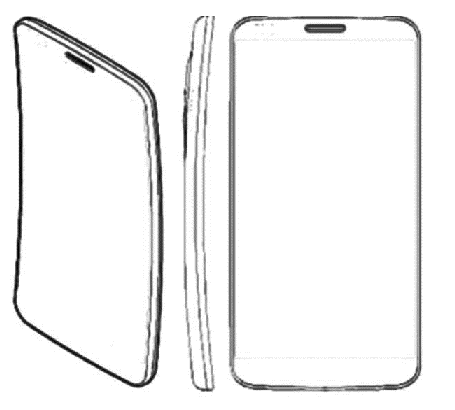
    LG is reportedly planning to launch the LG G Flex, a smartphone with a curved display.

    According to CNET, which has got its hands on the design sketch seen below, the LG G Flex is set for a November launch and will feature a 6in curved plastic OLED display.

    LG G Flex

    The LG G Flex seems to be the commercial name of the LG Z device that ZDNet Korea reported on yesterday. LG Z could be just an internal codename for the project, though the final name is allegedly still on the table. 

    LG touted this technology in a press release in May and introduced a curved 55-inch OLED TV panel and 5-inch plastic OLED panel as a demonstration at a trade show.

    As AndroidAuthority reports, a Japanese blog identified a device codenamed LG-F340L that fits the description of LG G Flex/LG Z in the GFXBench benchmark database. Here are the possible specs:

    • Qualcomm Snapdragon 800 MSM8974 @ 2.3GHz
    • HD resolution ( 1280 x 720)
    • Model info: lge / z_lgu_kr / zee: 4.2.2/JDQ39B/F340L_LAP8974JMR1R130820.1376962998: userdebug / test-keys
    • LTE-Advanced/W-CDMA/GSM
    • Android 4.2.2 Jelly Bean

    Other specifics remain unknown, but with Samsung and LG now both racing to be the first to bring a smartphone with a flexible display to market, it shouldn’t be too long before we actually start to see some in the flesh.

  • Grand Theft Auto 5 Online Mode Arrives

    Grand Theft Auto 5 Online Mode Arrives

    The update that will enable access to Grand Theft Auto 5 Online is now available for download. Just start up GTA 5, and you should get an automatic prompt to download an update for the game. After that, the “Online” tab within the game will be populated with Grand Theft Auto 5 Online options and information.

    Due to “unanticipated additional pressure on the servers due to a significantly higher number of players [than expected]”, Rockstar has warned that play might be “temperamental” for the first few days. “We are working around the clock to buy and add more servers,” said the game’s developers in a blog post.

    It’s essentially a massively multiplayer game, like World of Warcraft, but set in a modern city rather than a fantasy kingdom. Each time you play, you enter a server that is currently restricted to 16 players, but the entire universe is interconnected – there’s even a persistent economy and a stock market that changes dynamically based on what players all over the world spend their in-game cash on.

    Passive mode, rumours of which have leaked from the game’s closed beta apparently allows you to switch off all interaction with other players so that you can just drive around and go shopping without worrying about getting shot.

    In preparation for online play Rockstar has also outlined a slew of rules and recommendations to deal with the troubles of multiplayer, whilst also letting players known that the online portion of the game occurs “a few months prior to the events of Grand Theft Auto 5 single player story.”

  • Nvidia Introduces The Battlebox Gaming PC (PR)

    Nvidia Introduces The Battlebox Gaming PC (PR)

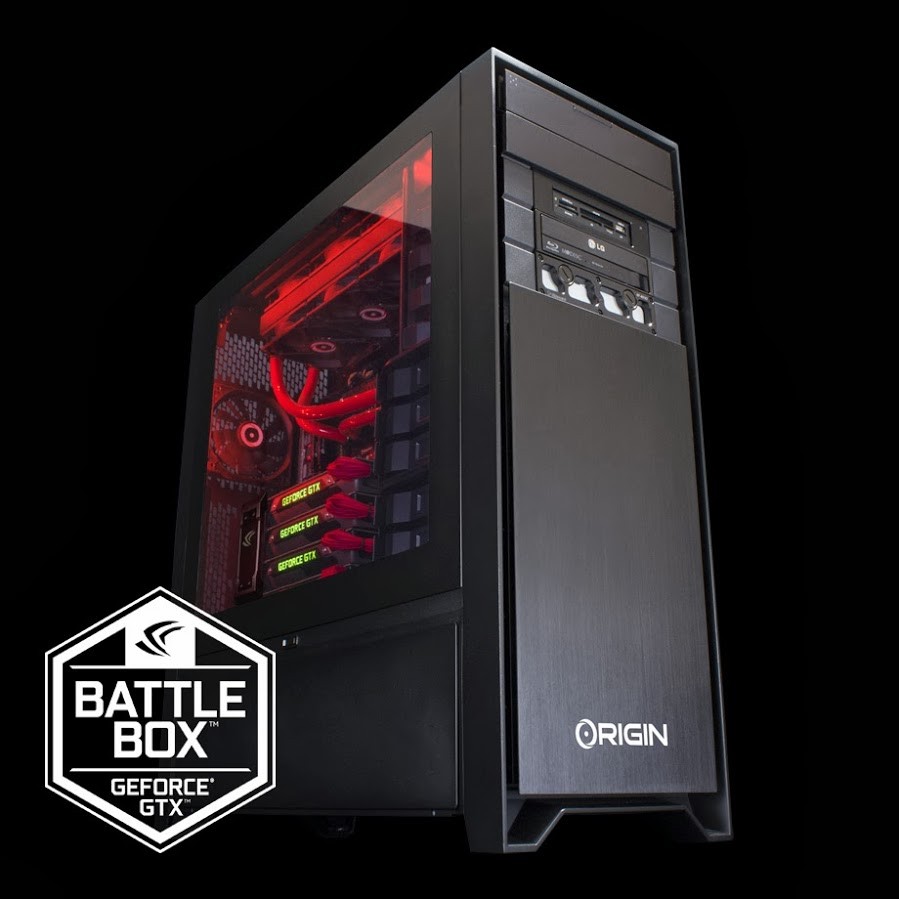
    An ‘elite gaming PC’ is heading to market from graphics card specialist Nvidia.

    Nvidia’s GeForce division has announced a new range of incredibly high-end gaming PCs called GeForce GTX Battleboxes, making a clear statement of intent as the AMD-powered next generation of consoles prepares to take the stage.

    A BattleBox is a desktop built by Origin PC, approved by Nvidia, and powered by GeForce GTX 780 graphics or better. A system that qualifies as a BattleBox will be capable of playing the latest games at 4K Ultra HD without feeling like you’re watching a slide show. That includes titles such as Batman: Arkham Origins, Assassin’s Creed IV: Black Flag, Watch Dogs, and Call of Duty: Ghosts. Key to each is an SLI configuration of GTX 780 or Titan cards, backed up by i7 processors and other high-end components. 4K output support is also high on the agenda.

    Systems that qualify as BattleBoxes are specially configured versions of Origin PC’s Millennium and Genesis lines, which are available now. The cost of entry for a BattleBox is $2,873 in the US.

    [toggle title=”Press Release”]ORIGIN PC announces their strategic partnership with NVIDIA’s GeForce team to design and build 4K-Gaming ready, “BattleBox”, high-performance GENESIS and MILLENNIUM desktops for all gamers and enthusiasts. Approved by NVIDIA and powered by GeForce GTX 780 graphics cards or better, ORIGIN PC’s BattleBox desktops gives you an unbeatable combination of GPU horsepower, NVIDIA SLI, and the highest-grade components available in the market place.

    It’s the most you’ll ever need to play this Holiday’s biggest action games, including Batman: Arkham Origins, Assassin’s Creed IV: Black Flag, Watch Dogs, and Call of Duty: Ghosts at buttery smooth frame rates and even capable of running them all at stunning 4K, ULTRA HD resolutions on your favorite 4K display. GeForce GTX cards also come loaded with an arsenal of game-changing technologies like PhysX, TXAA, Boost 2.0, and frame metering. This gives you the raw speed and performance to take on next-generation technologies like 4K, and experience the fastest, smoothest and most advanced ORIGIN PC BattleBox gaming desktop possible.[/toggle]

iGyaan Network
Privacy Overview

This website uses cookies so that we can provide you with the best user experience possible. Cookie information is stored in your browser and performs functions such as recognising you when you return to our website and helping our team to understand which sections of the website you find most interesting and useful.