Category: Apple

  • Apple Increases Efforts to Ready Electric Car by 2019

    Apple Increases Efforts to Ready Electric Car by 2019

    According to the Verge, Apple Inc. has trebled its 600-person team to increase the muscle of its electric car plans. The project is codenamed Titan and the company hopes to complete it by 2019. While Apple loyalists wait with bated breath for this addition to the tech world, it remains unclear if the car would be fully automated.

    Apple LOGO Store 2

    Additionally, the 2019 deadline does not necessarily mean that the car would be ready to enter the market and be up for shipping by then. This date is also a year ahead of the initial deadline for the automobile. Titan therefore becomes one of Apple’s most ambitious projects, especially after the company’s absolute lack of prior experience in the automobile industry.

    Source: [tw-button size=”medium” background=”#07ABE2″ color=”” target=”_blank” link=”http://www.theverge.com/apple/2015/9/21/9365833/apple-electric-car-2019-report”]The Verge[/tw-button]

  • Cyber-Attack: Apple iOS App Store in the Throes of Malware

    Cyber-Attack: Apple iOS App Store in the Throes of Malware

    In what was seen as a first of its kind of attack, Apple Inc has suffered major internet intrusion in its iOS App Store by a malicious programme called XcodeGhost. Though the company has now taken necessary steps to remove infected iPad and iPhone programmes and files, it has still not announced a way for users to determine whether or not their devices have been infected.

    AppleStore

    The affected apps include Tencent Holdings Ltd’s popular mobile chat app WeChat, car-hailing app Didi Kuaidi and a music app from Internet portal NetEase Inc. According to the cyber-security firm, Palo Alto Networks Inc, a total of five infected apps have been found in the app store since this cyber-attack.

    Christine Monaghan, the Apple spokeswoman, affirmed in an email,

    “We’ve removed the apps from the App Store that we know have been created with this counterfeit software. We are working with the developers to make sure they’re using the proper version of Xcode to rebuild their apps.”

    Though the malicious software was found embedded in hundreds of apps, Apple has not disclosed the exact number. Needless to say, this unprecedented incident has left Apple users more than just surprised all over the world.

  • Tim Cook: Apple to Make “Substantial Donation” to Refugee Relief

    Tim Cook: Apple to Make “Substantial Donation” to Refugee Relief

    Time for all Apple haters to sit up and listen as Apple announces donation to relief funds for refugees fleeing the Middle East. In an email to the Apple staff, published by The Telegraph, Tim Cook wrote,

    “Thousands of people have already lost their lives as families embark on long and dangerous journeys across land and sea.Our hearts go out to these refugees, and many of you have asked how we can help. Apple is making a substantial donation to relief agencies which provide humanitarian aid to refugees in Europe and around the Mediterranean.”

    Apple CEO Tim Cook speaks at the WSJD Live conference in Laguna BeachThe CEO also added that people can contribute using a donation page on iTunes. Currently advertised on the front page of the App Store, this would allow users to send money to the Red Cross. Cook further added that Apple would donate twice the amount of what employees donate to specific aid programs, including the Red Cross.

    Middle East Refugees

    As this mass exodus of people fleeing Middle Eastern countries unfolds before the world, it is comforting indeed to watch companies like Apple, and even Google which announced its own relief measures earlier this month, to come forward and do their bit.

    Source: [tw-button size=”medium” background=”#07ABE2″ color=”” target=”_blank” link=”http://www.telegraph.co.uk/technology/apple/11874717/Tim-Cook-Our-hearts-go-out-to-these-refugees.html”]The Telegraph[/tw-button]

  • Apple Users Disgruntled as iOS 9 Updates Crash

    Apple Users Disgruntled as iOS 9 Updates Crash

    The glitches count for Apple continues to increase as users all over the world have trouble updating their devices to iOS 9. A large number of customers took to social media to express their annoyance at the failure of the tech giant to live up to all the hype created around the recent Apple event and all their latest developments. Users of the older versions of iPads and iPhones faced the most problems. Apple’s head-quarter in San Francisco remained unavailable for comment.

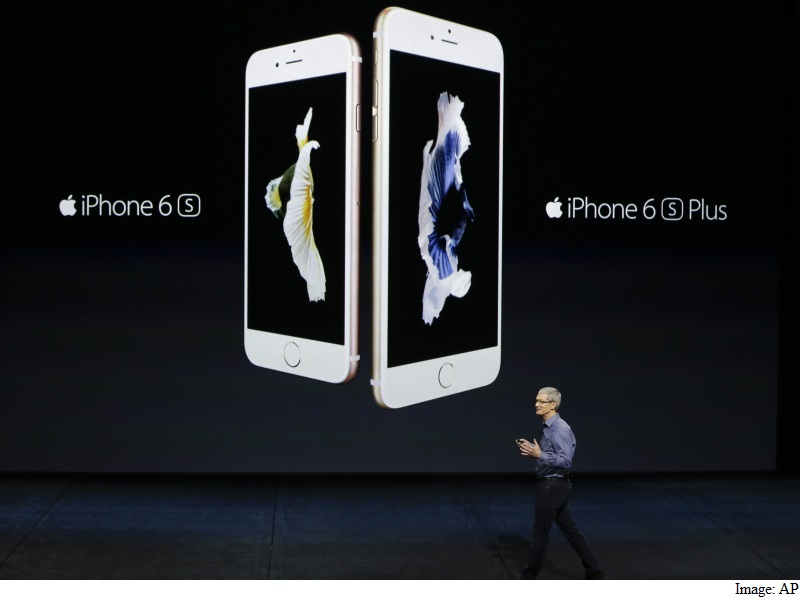
    iphone_6s_iphone_6s_plus_ap_01
    Tim Cook addresses the audience at the Apple event in San Francisco on September 9th.

    Despite rolling out new updates for iOS 8, some of the already existing bugs have still not been fixed. At the same time, many users found an error message being displayed on their screens, “Software Update Failed”, as they struggled with iOS 9 updates. Apple also delayed the launch of its new watch OS 2, the updated operating system for the Apple Watch due to the discovery of a bug in its development.

  • 11 Hidden iOS 9 Features That Everyone Should Know

    11 Hidden iOS 9 Features That Everyone Should Know

    By now most iPhone and iPad users must have updated their device to the new iOS 9. With the update users would have also found some changes and features that are brand new.

    We recently spoke about a few of the more visible changes that came with the new update. Today, we’ll look at some other new hidden additions that you might not have noticed as yet.

    Drag and select multiple pictures
    iOS 9 Photos

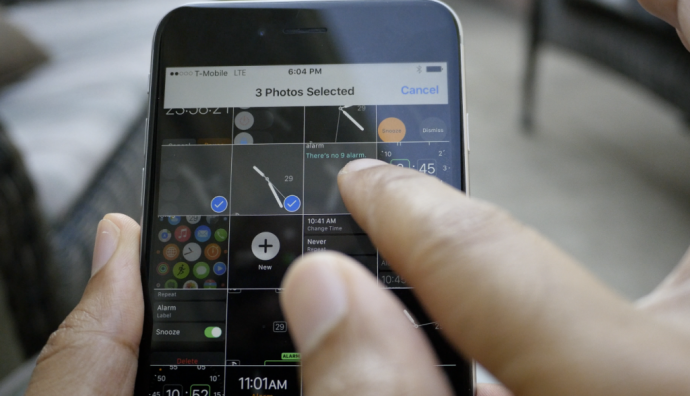
    Now, before you start thinking that the multiple select option already existed, we are not denying that. But now with the iOS 9, users can select multiple photos from within the Photos app more easily. After you tap on “Select” you can hold and drag around your finger to select as many photos as you wish without having to select every photo individually. Along with this is the ability to hide multiple photos at once.

    Siri can now recognize your voice

    Hey-Siri-640x557

    If you like to command Siri from a distance when your iPhone or iPad is on charge then you can enable the Allow “Hey Siri” option in General > Siri settings. However, this is not the new feature we’re talking about. Now, when you newly activate “Hey Siri” on iOS 9, you’ll be taken through a couple of steps which requires you to speak aloud a few sentences so that Siri can recognize your voice. Once you’ve finished the steps, Siri will now be able to recognize you and will respond to your voice when you say “Hey Siri”.

    Siri has a new audio wave
    Siri


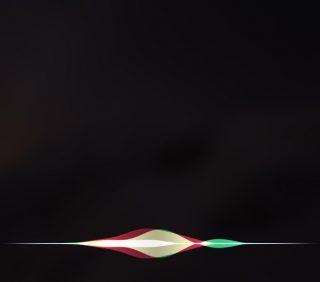
    Not only has Siri become smarter, but it’s groovier as well. The audio wave that shows up when you talk to Siri is now a lot more colorful and way cooler than the simple, old white colored waves. This little change does a lot more for the aesthetics of Siri rather than functionality. It’s simply a fashion change for Siri and we’re loving the new look.

    Quickly call and message people via Proactive
    iOS 9


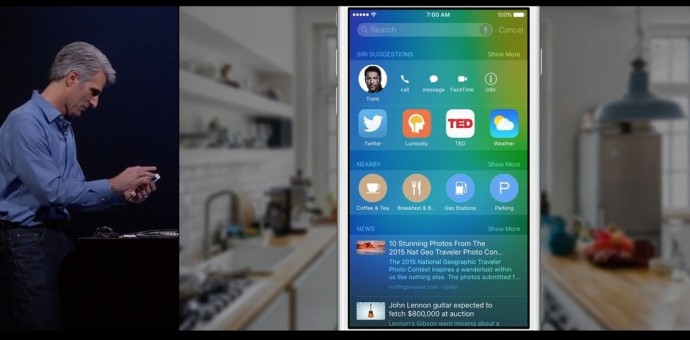
    Have you tried swiping right on your Home screen yet? You’ll find a new Siri Suggestions page with a search bar on top. Siri has indeed become more useful than ever. Type the name in the bar and you’ll find multiple options such as message, call, or mail for that person. This is also a neat way of finding emails of the person without having to search for it in the Mail app. Siri suggests just about everything you would want to find.

    Hidden iCloud Drive app
    018b0c4cb9e68560a1e287709c121ed320c06cd6fe

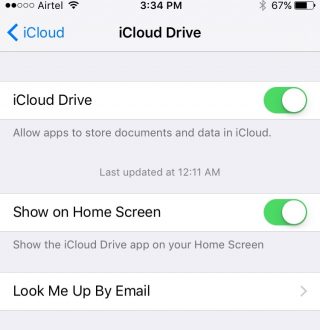
    You can now have an iCloud Drive icon on your home screen. The setting is switched off by default at first, so you’ll have to enable it by going to Settings > iCloud > iCloud Drive and turning on the “Show on Home Screen” option.

    Silence Siri using Ringer (mute button)
    01d7e79679173cc2ddeb973a1e1943235a79d4ac5f

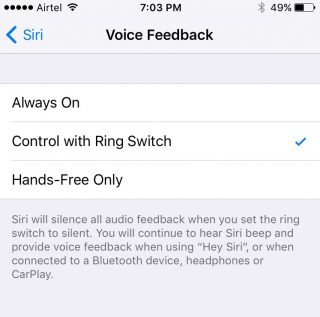
    If you don’t want Siri to talk and would rather just read the info text on screen, you have the option of muting it by simply flipping the Ringer switch. To activate it, you need to go to Setting > General > Siri, click on Voice Feedback and switch from “Always” to “Control with Ringer Switch”.

    Quick Reply for almost all apps


    iOS 9

    You can now Quick Reply for most third-party messaging apps. Earlier you could only Quick Reply for Mail and stock messenger, but now you can pull on the notification you’ve received from mostly any third-party app (including Twitter) and the option to quickly reply will be available.

    Larger multi tasking screen
    0165f852c5f9ca2274ec91c4cd5350c309e204ab4a

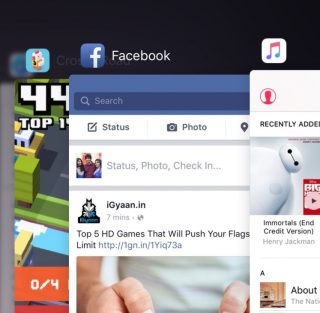
    When you double click the Home button, you’ll find that all your active apps are larger and more easily readable, taking up a good amount of screen space so that you can see what’s showing on the app without having to open it. It’s the little things that make life easier.

    Audio app suggestions

    iOS 9 Lock Screen


    When you plug in your headphone into the jack, you’ll notice that the music player opens up automatically in your lock screen or suggests the audio app you are most likely to use in the bottom left. The suggestion is not only based on the app you use most but also takes factors such as location into account.

    Search through Settings
    01c459edca1eb0abbc0501f0183f14913b8edb9718

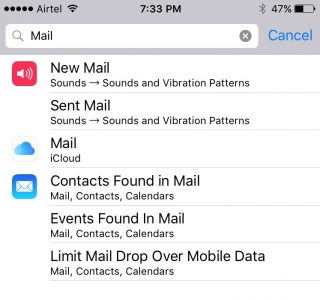
    If you have a particular setting in mind that you want to change, you don’t have to look through the entire Settings app. There is now a search bar on top of Settings where you can type in a particular query (e.g. “Mail”) and everything matching that query will appear in a list below.

    Wi-Fi Assist

    0147536242f5fe0da826e4b2a6f53bd41f8c528df1

    Another helpful addition is the Wi-Fi Assist option that is enabled by default once you update your device to iOS 9. This feature is for situations where your mobile data may be more powerful than your Wi-Fi. When enabled the feature will switch you to mobile data if your Wi-Fi connection shows some trouble.

    Along with our previous post on iOS 9, we’ve covered quite a few new hidden features, and yet the latest update offers a whole lot more. Keep exploring and tell us what new feature you’ve discovered in the comments below.

    Image Source : [tw-button size=”medium” background=”#07ABE2″ color=”” target=”_blank” link=”http://www.imore.com/ios-9-faq”]iMore[/tw-button]

    [tw-button size=”medium” background=”#07ABE2″ color=”” target=”_blank” link=”http://www.igeeksblog.com/quick-reply-from-lockscreen-on-iphone-and-ipad/”]iGeeksBlog.com[/tw-button]

  • The New Steve Jobs Trailer Is Here

    The New Steve Jobs Trailer Is Here

    There is one movie that has been on our minds since we heard about it first; yes, we’re talking about the new Steve Jobs movie. This movie comes with a lot of heavy names from showbiz, with Aaron Sorkin, acclaimed script writer with movies like the Social Network in his kitty, then they have Danny Boyle of Slumdog Billionaire acclaim as the director, and guess who’s playing Steve Jobs himself? Michael Fassbender. You’ll know him as Magneto, but he’s also done some great work with Quentin Tarantino and Steve McQueen. Oh, and he’s also going to be the new Macbeth soon.

    We could go on with the big names in this film, but I’m going to leave that for the trailer that you can watch here:

    This is the official trailer, but there have been other earlier trailers which seemed to have focused on different things than the official one. The final trailer focuses on his relationship with his daughter more than his genius, it seems to show him as a much more nuanced character than just being a complex genius. The film promises a lot with great reviews after its screening at the Telluride Film festival this year. Of course, there will be comparisons to the previous Jobs film, but then again even on the most shallow grounds of criticism you know who would emerge as the winner between Ashton Kutcher and Michael Fassbender.

    Steve Wozniak himself is quoted saying “I felt like I was watching Steve Jobs,” while Fassbender’s co-actors have commented on his almost creepy transformation into Steve Jobs. We will know whether it’ll all pay off once the movie releases on the 9th of October 2015.

  • iPhone 6s to Arrive In India Next Month Priced Starting Rs.53,500

    iPhone 6s to Arrive In India Next Month Priced Starting Rs.53,500

    The 9th of September, 2015 was quite an event for Apple and its million followers. Anything, Apple does is documented with as much urgency and importance as a political crisis. However ridiculous as this might sound, every news channel, in every part of the world was covering the Apple event. The company surprised us with their Apple Pencil, a uber cool iPad, and an ultra fashionable Hermes-Apple watch, amongst other things. The highlight of the event, or rather the product that all of us were looking forward to seeing, was the iPhone 6s and 6s Plus.

    Today we bring you more information about its availability in India – the iPhone 6s will arrive next month (October 2015) with a price tag of Rs. 53,500 for the 16GB variant. The expected price of the 64GB version is Rs. 60,500 and  Rs. 67,500 for the 128GB.

    Coming to the iPhone 6s Plus, the base model (16 GB) is expected to be priced at 62,500, 64GB at Rs. 69,500 and 128GB at Rs. 76,500.

    loading-spin

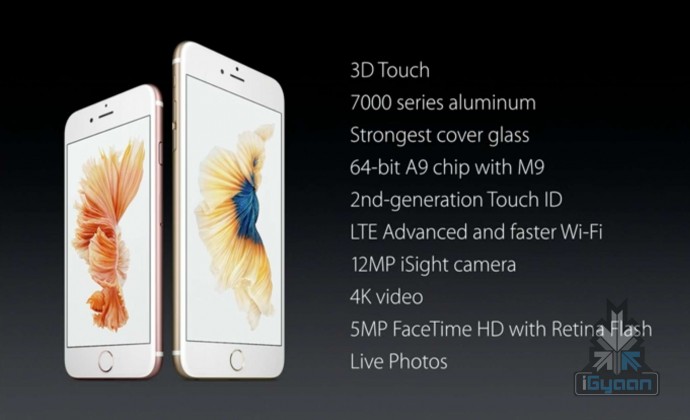
    Just for a recap, the iPhone 6s comes with a 4.7 inch display with 1334 X 750 pixel resolution. It has the special force touch technology embedded in its core system and an updated 12MP primary camera with 4K video recording. It is powered by the M9 motion coprocessor and an A9 chipset. Run on the iOS 9, the iPhone 6s comes in three storage variants – 16GB, 64GB and 128GB.

    Here is a specification sheet:

    Specifications iPhone 6s iPhone 6s Plus
    Display  Retina HD display with 3D Touch, 4.7-inch (diagonal) LED-backlit widescreen Retina HD display with 3D Touch, 5.5-inch LED-backlit widescreen
    Resolution  1334 X 750-pixel resolution at 326 ppi  1920-by-1080-pixel resolution at 401 ppi
    Processor  Embedded M9 motion coprocessor  Embedded M9 motion coprocessor
    Chipset  A9 chip with 64-bit architecture A9 chip with 64-bit architecture
    OS  iOS 9  iOS 9
    Internal Storage  16GB/64GB/128GB  16GB/64GB/128GB
    Exapandibility  N/A  N/A
    Rear camera  12-megapixel iSight camera with 1.22µ pixels, ƒ/2.2 aperture  12-megapixel iSight camera with 1.22µ pixels, ƒ/2.2 aperture, Optical image stabilization
    Rear Camera Video  4K video recording (3840 by 2160) at 30 fps  Optical image stabilization for video,  4K video recording (3840 by 2160) at 30 fps
    Front Camera  5-megapixel photos, ƒ/2.2 aperture, Retina Flash  5-megapixel photos, ƒ/2.2 aperture, Retina Flash
    Front Camera Video  720p HD video recording 720p HD video recording
    Body Dimensions  143 grams  192 grams
    Special Features  Fingerprint sensor, 3D force touch, live photo  Fingerprint sensor, 3D force touch, live photo
    Connectivity  23 LTE and faster Wi-Fi 23 LTE and faster Wi-Fi
    Battery 1,715mAh 2,750mAh
    Variants

    Silver, Gold, Space Gray, Rose Gold

    Silver, Gold, Space Gray, Rose Gold

    Price $199, $299 and $399 respectively for 16GB/64GB/128GB on contract.$649, $749, $849 for 16GB/64GB/128GB respectively unlocked $299, $399 and $499 respectively for 16GB/64GB/128GB on contract.$749, $849, $949 for 16GB/64GB/128GB respectively unlocked
  • 5 Cool Features of iOS 9

    5 Cool Features of iOS 9

    iOS 9 is finally out, and those of you who haven’t updated your iPhones and iPads yet can do so while we tell you some of the neat new features of the latest operating system.

    New icons

    011ed5879fb24339be3910d11b899362dbe85caca7

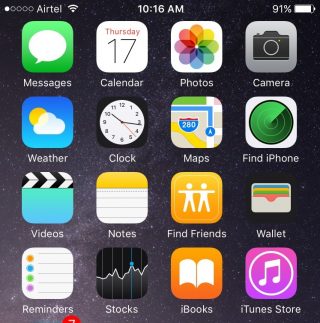
    Whenever we do an update it’s obvious our eyes are going to search for something new from the get go. While the iOS 9 is mostly the same as the iOS 8 in terms of the look of it, users will find three brand new icons in their home screen (Well, two actually and one revamped). The two new default apps are called Find iPhone and Find Friends. Both these apps were already available for download in the App Store. Find Friends/iPhone is pretty useful if you want to know if a friend is nearby for a cup of coffee, or if you’ve suffered a mini heart-attack from losing your iPhone.

    The Passbook has been renamed as Wallet, which is a cleaner name and suits that fact that the app can now store all your credit cards, reward cards and membership cards.

    A back button


    0119e9620c5dde814972d8d7fd656a5d8bf3cd8f13


    The iOS 9 has plenty of new features that are hidden away from the usual ones. Once you start using your device as you normally would, you’ll find subtle changes and additions in your iPhone that really make a difference to your usability.

    Take for instance the new back button that appears on the top-left corner of your screen when you switch from one app to another. And if you open a link from your Mail that takes you to Safari, the back button will appear that will take you back to Mail. Now you won’t have to double-click the Home button every time you want to go back to the previous app.

    New Low Power Mode


    0166c8c88067dc3e5379a40cde8644836efd09e44f

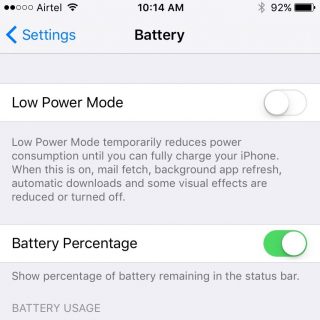
    This is perhaps one of the best new features Apple could have provided. The new Battery settings comes with The Low Power Mode which promises to give you an additional 3 hours of battery life, if you find yourself on really low power and still need the phone to stay alive for a few more hours.

    The Low Power Mode disables background app refresh, automatic downloads, mail fetch and visual effects to give you as much extra battery life as it possibly can. Battery information will be displayed in the Notification Center for the iOS device and the Apple Watch.

    Changes to the shift key

    0176c86e7956390bad0ac2100fd11fdc647ce80d25


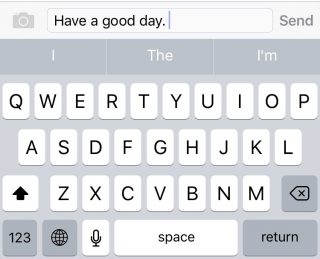
    Apple has made another subtle but much needed change to the keyboard. You can actually see the capitalized letters when you turn on the caps lock. The letters change to upper case when ‘shift’ is on and change back to lower case when ‘shift’ is turned off.

    New Notes app

    01fa1ab0a97825190ae34c2a65ce175ca6c905631f

    Notes has undergone some major changes. You now have the feature to add Photos to your notes, make a checklist, and draw and doodle using your fingers. The Notes app also allows you to embed websites, photos, maps, and more without having to leave the app.

    You can take a photo from within the Notes app as well. Finally, you can arrange the items attached to your notes with the new Attachment Browser.

    These are but a few of the subtle and not-so-subtle changes that come with the new iOS 9. Other features also include split-screen multitasking and picture-in-picture for the iPad, a new and improved Siri, with a Proactive feature when you swipe right on the homescreen, transit directions in Maps, new search bar in Settings, and much more. Though some of these features are yet to work well in India.

    What are your favorite updates from the new iOS 9? Let us know in the comments below.

  • Top 4 Ways to Get Your Apple Device Ready For iOS 9

    Top 4 Ways to Get Your Apple Device Ready For iOS 9

    Those of you who were up-to-date with the Apple event that took place last week will remember that the new iOS 9 update is scheduled for a September 16 release, which is today. The update is compatible for all current iPhones and iPads.

    However, before you press that ‘Download and Install’ button, here are a few things you can do to prepare your phone for the update.

    Check Compatibility

    All the way back to iPhone 4s and iPad 2.

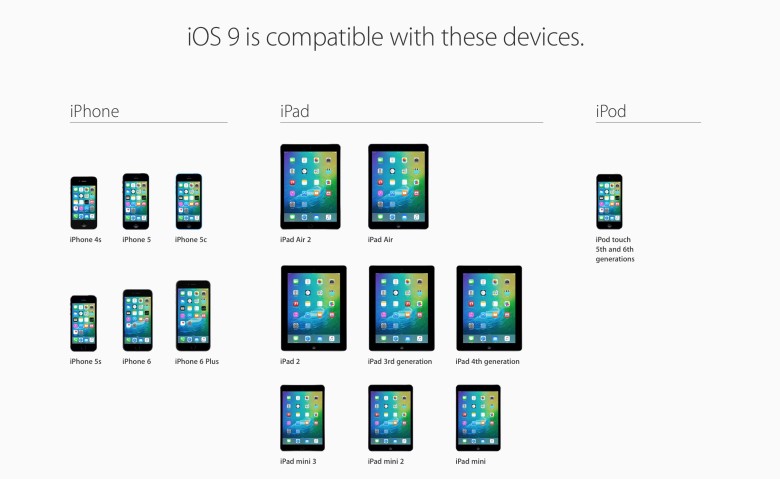
    Before you get too excited, you should check whether you iPhone is compatible for an iOS 9 update. This is especially the case for those who are using really old Apple devices (we’re talking almost ancient). The new iOS 9 is compatible devices as old as the iPhone 4s, iPad 2, and 5th generation iPod touch, but will not work for the iPhone 4.

    Free up some storage

    The new iOS 9 comes as a huge relief for 16 GB users as it will take up only 1.3 GB of space compared to iOS 8’s massive 4.58 GB. We can almost here the cries of joy over this news. However, before you can enjoy all that extra free space chances are that you’ve already filled up your 16 GB device to the brim. Any update requires some free space, so now would be a good time to delete some of the really old apps that you no longer use. You can press and hold on an icon till it does its little jig and then tap the X on the upper left to delete it, or you can go to the Usage option in Settings to find out which app is taking the most space and delete it from there.

    Back-up your data

    There’s always that hint of fear when you go for a new update. Sometimes due to some bugs, your device may crash a lot like it did with iOS 8 in its initial months, or you may find that some of your data missing. Hence, we suggest you back-up your data using either iCloud or iTunes to be on the safe side.

    If you’re backing up using iCloud simply go to Settings > iCloud > Storage & Backup and toggle iCloud Backup to ON and finally tap on Back Up Now.

    If you wish to back up using iTunes simply open iTunes and go to File > Devices > Transfer Purchases and once that is done go to File > Devices > Back Up.

    Clean up your media

    iPhone 6s 8

    The iOS 8 recently introduced the Apple Music in which you can stream unlimited music for a monthly subscription. Those who have subscribed to it most likely stream all their music freeing up a lot of space. However, those who still have a lot of music or videos saved to their devices should take some time out and delete the ones you no longer listen to or watch.

    Once you’ve sufficiently freed up your space, you can go ahead and download the new iOS 9. Wait for your Settings app to show a little red circle on the top-right corner sometime today, and update away.

  • Apple CEO Tim Cook Reveals His Favourite iPhone 6s Feature

    Apple CEO Tim Cook Reveals His Favourite iPhone 6s Feature

    Before the iPhone 6s launch, rumours and multiple leaks of the iPhone 6s had suggested that it would come with a massive battery, USB Type-C port and fast-charging tech. Unfortunately, we weren’t so lucky. The few new features Apple did announce were upgraded cameras, new Force Touch and an upgraded body.

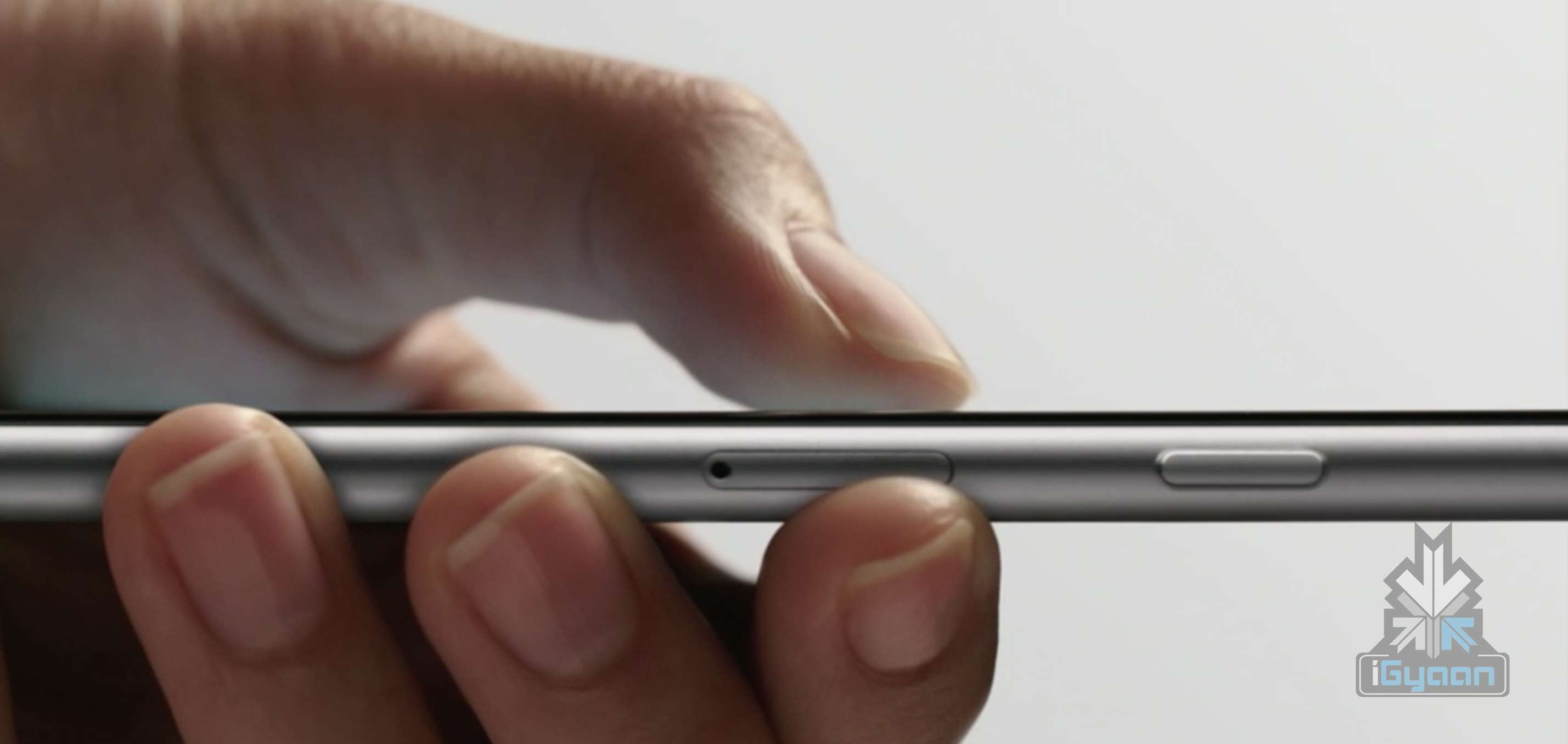
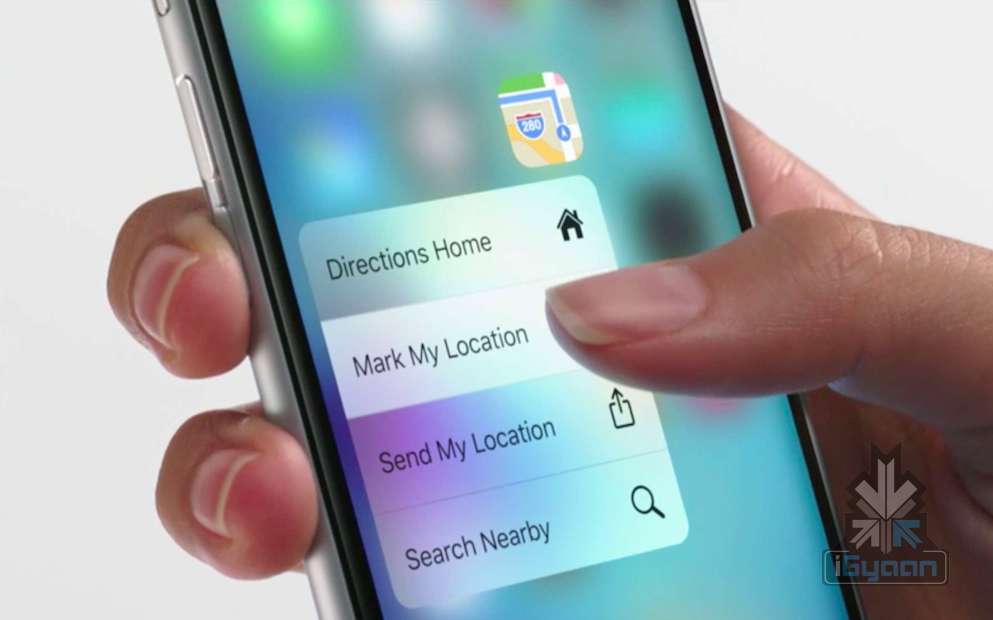
    Now, Apple CEO in a conversation with Buzzfeed News revealed his favourite new feature about the iPhone 6s – the 3D Touch. This feature is an ungraded version of Force Touch, which was introduced with the MacBook. Just like Force Touch, it also senses your action depending on the amount of pressure you apply on the iPhone screen. Adding to the multi-touch gestures like Tap, Swipe, Pinch, 3D Touch brings Peek and Pop. Tim Cook admitted that these features “save so much time.”

    iPhone 6s 18

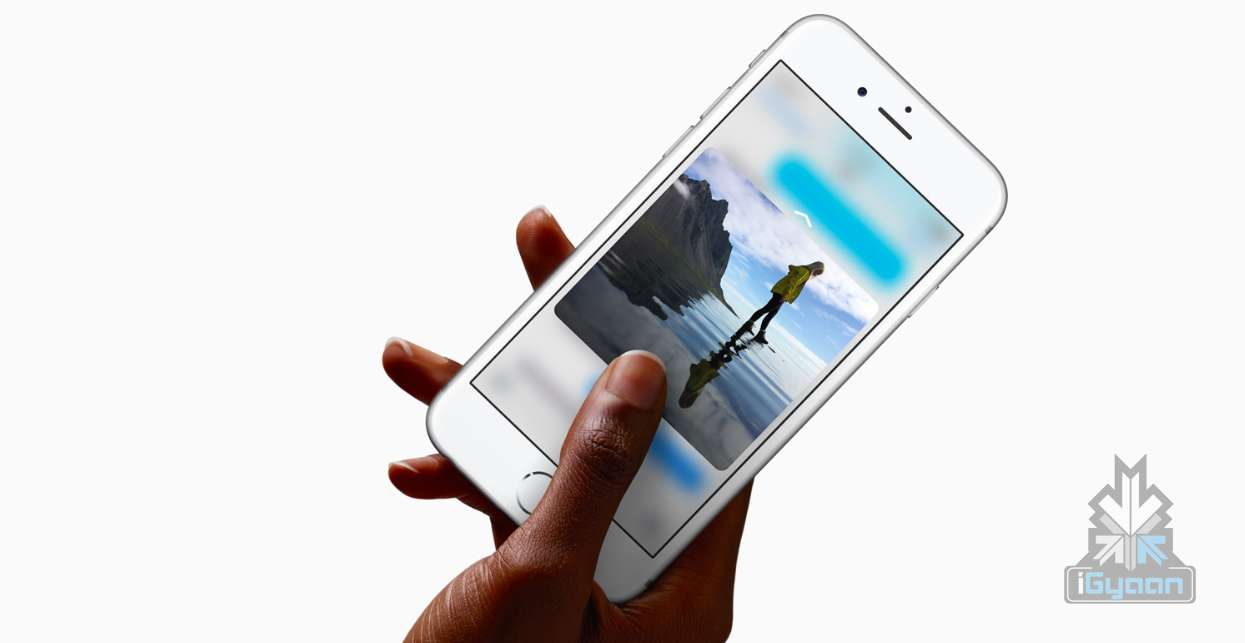
    With Peek and Pop you can preview the content without opening it entirely. For example, If someone sends you a link to a website, you can Peek at it without leaving the screen you’re on. If you want to open the full page in Safari, press the link a little more deeply to Pop into it.

    I personally think 3D Touch is a game changer, I find that my efficiency is way up with 3D touch, because I can go through so many emails so quickly. It really does cut out a number of navigational steps to get where you’re going.

    In the same interview, Tim Cook revealed that, going forward, the company may decide to make stock iOS apps optional.  Some of the apps we will be able delete are Tips, Podcasts, Compass, Stocks and iBooks. This would mean good news for people who have opted for the lower storage space iPhones.

    Source : [tw-button size=”medium” background=”#07ABE2″ color=”” target=”_blank” link=”http://www.buzzfeed.com/johnpaczkowski/twenty-minutes-with-tim-cook#.dxoNYbbmA”]Buzzfeed [/tw-button]
  • Apple May Give Us an Option to Delete Built-in iPhone Apps

    Apple May Give Us an Option to Delete Built-in iPhone Apps

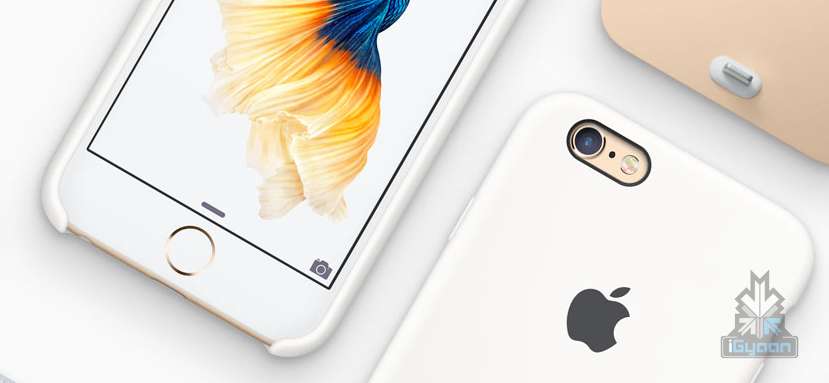
    Starting the day off with some good news – the current Apple Inc. CEO, Tim Cook, in a conversation with Buzzfeed News commented that a few in-house Apple apps may become optional. He didn’t indicate exactly when we should expect this change, but agreed that he understood that a majority of users wanted out. His comments suggested that the company was working towards making a bloatware-free iPhone a reality.

    apple bloatware

    However, Tim Cook also said that we won’t be able to do away with all of the apps. Some of more important stock iOS apps such as Mail, Messages or Safari are interlinked with other functions of the phone and removing them may affect the phone’s performance, if removed.

    We’ll figure out a way [for you to remove them]. It’s not that we want to suck up your real estate, we’re not motivated to do that. We want you to be happy. So I recognize that some people want to do this, and it’s something we’re looking at. – Tim Cook

    Some of the apps we will be able delete are Tips, Podcasts, Compass, Stocks and iBooks. This would mean good news for people who have opted for the lower storage space iPhones. Considering the amount a 128GB iPhone costs, this is an excellent development.

    Source : [tw-button size=”medium” background=”#07ABE2″ color=”” target=”_blank” link=”http://www.buzzfeed.com/johnpaczkowski/twenty-minutes-with-tim-cook#.dxoNYbbmA”]Buzzfeed [/tw-button]
  • Shipping of iPhone 6s Plus Likely To Be Delayed

    Shipping of iPhone 6s Plus Likely To Be Delayed

    Apple’s new iPhones – iPhone 6s and iPhone 6s Plus – were revealed last week. Pre-orders for the new models have already begun in the United States and other regions. However, due to some technical issues the shipping of the iPhone 6s Plus is likely to be delayed by 3-4 weeks.

    Reports suggest that the delay is due to issues with the backlight hardware of iPhone 6s Plus. Japanese supplier Minebea, which produces the backlight for the iPhone 6s Plus, is having issues related to supply. According to a note by KGI Securities analyst Ming-Chi Kuo to investors, Apple will hand over the order of the backlight to its other suppliers, Radiant, which will see orders upto 4-5 million units in September.

    “To accelerate availability, we believe Apple has been transferring substantial 6s Plus backlight module orders to Radiant. As such, we estimate the company’s iPhone 6s Plus backlight module orders to increase by 70-80 percent to 4-5mn units in September, boosting its order allocation from 35-45 percent to 70-80 percent,”

    Apple is looking to top the pre-orders of last year’s first-weekend record that sold over 10 million iPhone units. Apple is expected to have 1.5-2 million iPhone 6s Plus units ready to be shipped on 25 September, according to Kuo’s note.

  • Apple Watch Expected in India Next Week

    Apple Watch Expected in India Next Week

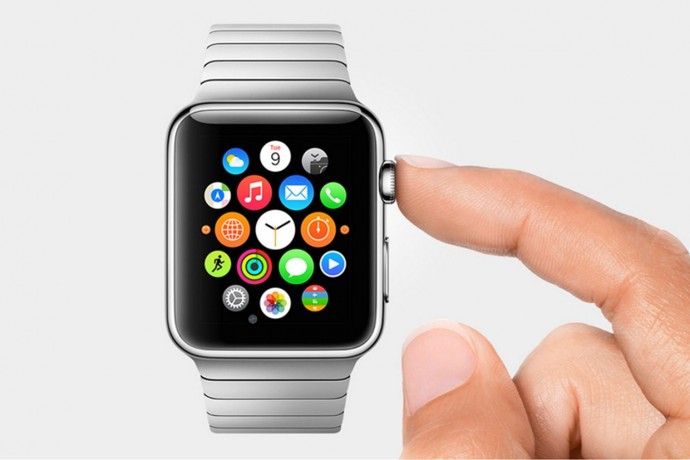
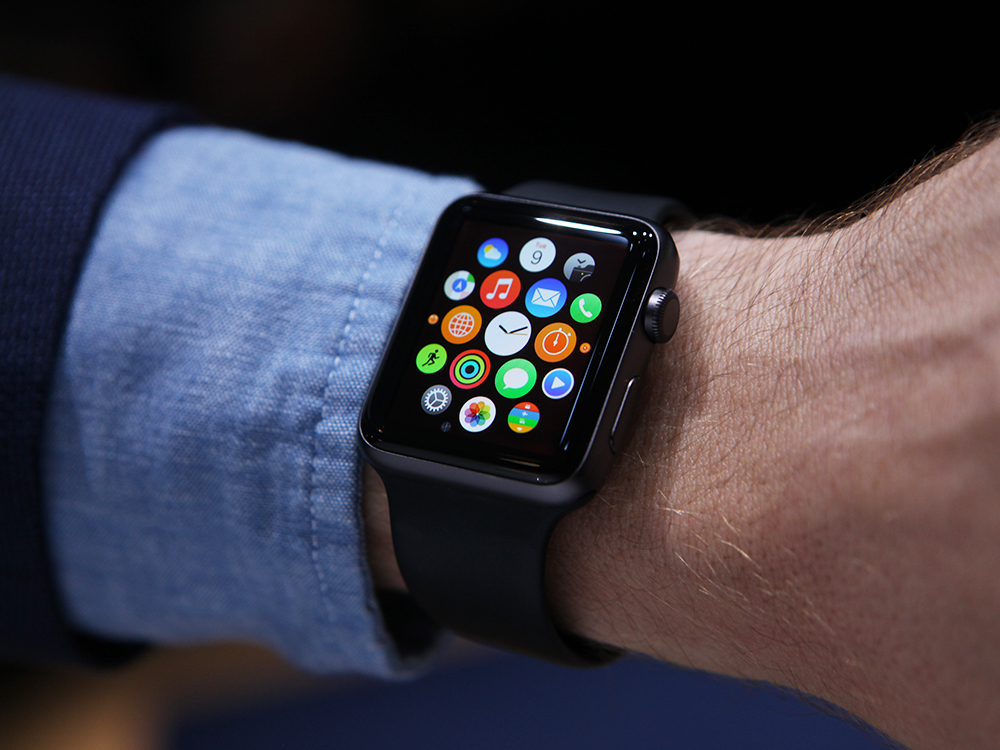
    The wait is almost over for Apple fanatics in India who have been itching to get their hands on the Apple Watch. The Economic Times reported that the Apple Watch will enter the Indian market next week. Just a few days ago, Apple had launched its new iPhones and iPads as well as an upgraded WatchOS 2 to the Apple Watch.

    apple-watch-6_1

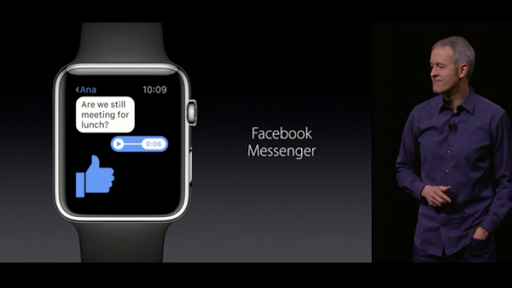
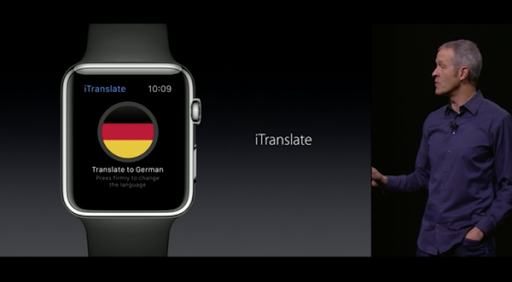
    While the new iPhones are scheduled to come out in mid-October, the Apple Watch will be here before the festive Navratri period which starts in October. The Apple Watch has been introduced in limited countries and the company is also set for the software upgrade. The upgrade will introduce Facebook Messenger and an app called iTranslate.

    COeiE10WEAAI2-Y COeiFQIWEAAmYUv

    Apple has tied up with Hermes for brand new bands. But whether the gold and rose gold bands will make it to India next week is still not known, though Apple CEO, Tim Cook, has stated that the new options will be available in all the 24 markets where the watch is currently sold.

    The Apple Watch is expected to be priced somewhere in between Rs 25,000-30,000. It will be interesting to see whether the watch will make it big in the Indian market as it has not seen much popularity in wearable technology, yet.

  • iPhone 6s Plus vs Samsung Galaxy Note 5

    iPhone 6s Plus vs Samsung Galaxy Note 5

    With the launch of the iPhone 6s, comparisons between Apple and Samsung, two of the most prominent names in the tech world are driving tech-freaks up the wall.

    While Apple has always been a leader when it comes to UI, Samsung boasts of better features on paper. The former may not be able to compete with the latter in terms of numbers and stats, but it definitely is a smoother device to work on. The fluidity and smoothness of any Apple device is unmatched by even the best gadgets in the market. Therefore, the new iPhones; 6s and 6s Plus, can be expected to deliver the same fluidity to the user. Apple gadgets, after-all, have always been more than just big numbers.

    However, Apple is likely to lose the race with Samsung in terms of design. While iPhones have followed pretty much the same pattern in its external features, Samsung has an edge because of its constant innovation with design.

    Let’s take a closer look at the features both Apple and Samsung have to offer, this time around.

    iPhone 6s 8

    Screen and Display:

    At a 5.7 inches, Samsung Galaxy Note 5 has a larger panel than the 4.7 inches of the iPhone 6s. Note 5 comes equipped with a pixel-packing quad-HD display with a resolution of 2560 X 1440 and 518ppi pixel density. iPhone 6s loses out to its Samsung counterpart in the pixel-war with a 1334 X 750-pixel resolution and 326 ppi.

    Design:

    Samsung Galaxy Note 5 27

    As mentioned above, this is a category in which Samsung is almost certainly going to have an edge over the iPhone 6s. Metal and glass have now replaced the plastic and faux-leather combination Samsung had been employing in its phones so far, as was seen in last year’s Note 4. The design of Note 5 seems slightly disappointing, especially in contrast with its sturdier, smarter predecessor. At the same time, it also seems like an echo of the S6 Edge. However, the glass back seems to be a bit of a concern, in terms of the phone’s hardiness.

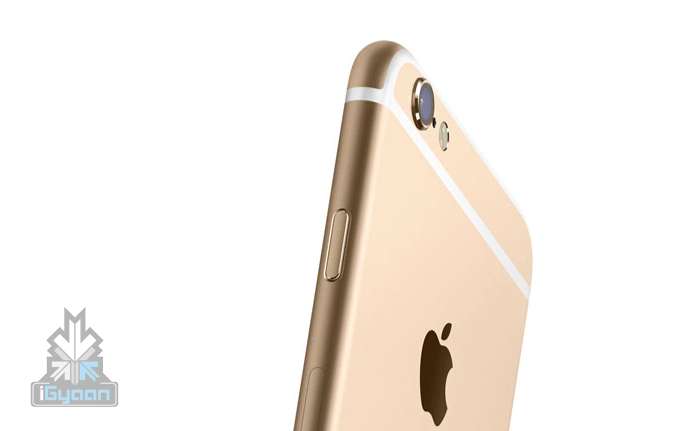
    iPhone 6s pretty much follows suit with its predecessors without having much to offer in terms of innovation in design.

    Features:

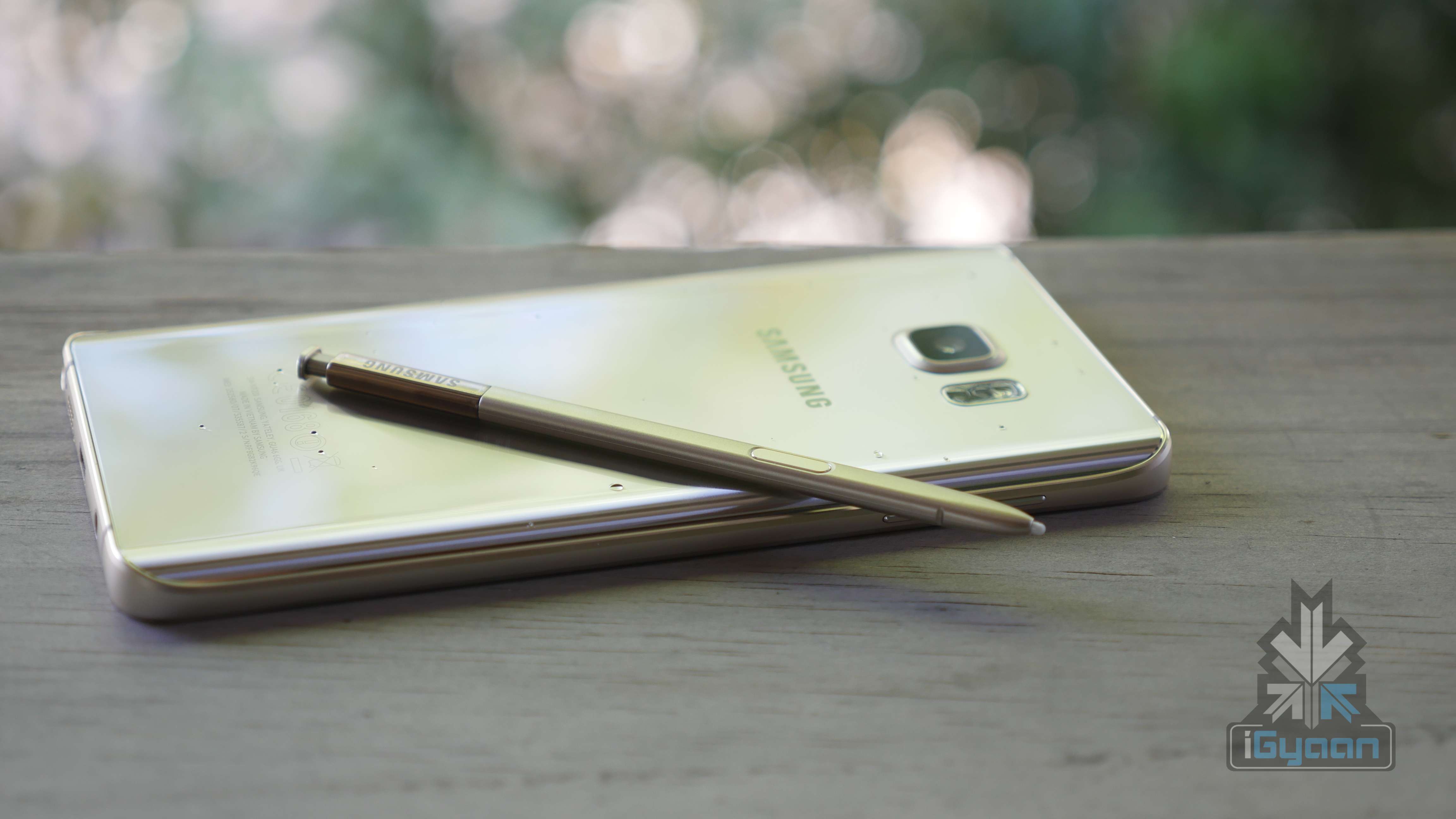
    The S-Pen, a little stylus that enables one to doodle away on their phone, is by far one of the best features of the Note series. It has continued to evolve ever since its inception and now Note 5 too, will come equipped with the stylus in its new, improved version. Its abilities have expanded with each new release and we’re happy to say it’s still here with the Note 5. Though the highly speculated auto-eject feature won’t be part of it, the stylus will pop out when pressed down. Also, it will be slimmer than before. Samsung will have an edge over Apple in terms of software as well, which in this case will be especially made for larger phones. Two apps can be simultaneously opened on the Note 5 and can be made into floating windows as well, if need be. Similar multi-tasking features have been part of Apple’s iPads in the past.

    What 6s has to offer in reply to this is the 3-D Force Touch Display.The phones feature a next-generation version of a Force Touch seen in the latest MacBook trackpads and the Apple Watch. While the trackpads and Apple Watch work on two levels, namely of press and tap, this updated version of Force Touch features a deeper press, in addition to these. Thus, the feature has been rightly termed ‘3-D Touch’. The sensors take into account three different types of touch rather than two.

    Samsung Galaxy Note 5 29

    Memory:

    This is another feature in which iPhone 6s loses out to its counterpart because even though there are three options to choose from -16 GB, 64 GB and 128 GB, Apple has gotten rid of its 32 GB iPhone as opposed to Samsung’s 32 GB version, along with a 64 GB one, of course.

    Power:

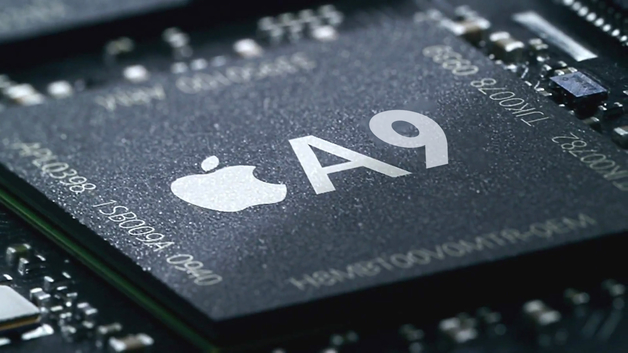
    Note 5 is pretty much a twin to Galaxy S6 in terms of its internal features with an Exynos 7420 chipset with a 2.1GHz quad-core and a 1.5GHz CPU. It also boasts of a Mali -T760MP8 GPU and, most importantly – 4GB RAM. This is four times the amount of RAM of the A8 chip that the iPhone 6 Plus brings with it. Though the iOS is very efficient at making the best of limited amounts of RAM, buyers still hope for a 2 GB version at least.

    If speculations are to be believed, A9 is expected to be a better performer than the Exynos of S6. With the new iPhone less than a week old, there are only a couple of hazy expectations and hopes minus any concrete facts so far.

    iphone-7-release-date-a9_0

    Battery: 

    Note 5 has a new battery of 3,000 mAh, but this makes it only slightly bigger than the 2,915 mAh version on the iPhone 6 Plus which doesn’t even need to sustain a quad-HD display.

    The older iPhone model of the 6 Plus matches up to its Samsung rival in being able to run for two days without needing full charge. After the disappointing battery performance of Galaxy S6, it would be interesting to see what Apple has to offer in its new iPhones. The Note 5, on the other hand, allows the feature of wireless charging, along with QuickCharging, both of which are missing from the iPhone 6 Plus.

    A Force Touch promotional video released by Apple seems to confirm that the battery of the newest iPhone will be less than its predecessor. Speculations about the reduced battery capacity of the iPhone 6s Plus have been doing the rounds for weeks now. Finally this video comes across as some sort of an acknowledgement of the rumours. According to GSMArena, it shows the battery at a “1715 mAh”, less than the iPhone 6’s 1810 mAh. Along with this, an updated 4G LTE chip is likely to consume less power and therefore make the iPhone 6s more power-efficient. Find the full story here.

    iPhone 6s 2

    Camera:

    Like the similarity in the internal features of both S6 and Note 5, the camera in the latter is a twin to that of the former. In front of  the puny 8 MP of the 6s Plus, Note 5 boasts of a 16 MP with UHD video recording. However, both cameras come equipped with optical image stabilisation for low-light, blur-free shots.

    The front cameras of both the Note 5 and 6s Plus are worth a comparison. While the former stands at 5 MP, the latter is no more than 1.2 MP. While both Samsung flagship phones have a 16 MP camera, the 6s Plus does not go beyond 12 MP. However, the iSight camera will now allow you to record videos in 4K resolution like the two Samsung phones.

    Here are the specs of the two phones, and just for added fun, we have added S6 Edge Plus to the list as well.

    Samsung Galaxy Note 5 Samsung S6 Edge Plus iPhone 6s
    Display 5.66 inch Quad HD 5.5 inches Retina HD display with 3D Touch, 4.7-inch
    Resolution 1440 x 2560 pixels (~518 ppi pixel density) 1080 x 1920 pixels (~401 ppi pixel density) 1334 X 750-pixel resolution at 326 ppi
    Processor Octa core (2.1GHz Quad + 1.5GHz Quad), 64 bit, 14 nm process Quad core 1.5 GHz Cortex-A53 & Quad-core 2.1 GHz Cortex-A57 Embedded M9 motion coprocessor
    RAM 4 GB 4 GB  –
    Storage 32 GB 32 GB  16, 64, 128
    Expandable Upto Not expandable Not expandable  Not expandable
    Rear Camera 16 MP 16 MP 12 MP iSight
    Front Camera 5 MP 5 MP  5 MP
    Battery Li-Po 3000 mAh battery Li-Po 3000 mAh battery  Not yet declared
    Processor Lollipop v5.1.1 Lollipop v5.0.2 A9 chip with 64-bit architecture,  iOS 9
  • Sony Takes a Jibe at iPhone 6s Battery

    Sony Takes a Jibe at iPhone 6s Battery

    Sony tweeted an image similar to the one Apple had used for its invites to have a laugh at the expense of Apple’s newest phones. The image (below) read as: “Hey Siri, what about the battery life?”, followed by “Switch to Sony”.

    The tweet also included a message which says, “A battery life worth talking about… Up to 2 days’ battery with #Xperia Z5 series SwitchToSony”. The new range of Sony’s Xperia Z5 series is indeed a formidable rival in the smartphone industry. It includes some interesting features among which high capacity batteries is an important one. Mostly around 3,000 mAh, Sony has managed to accommodate a battery of 3,430 mAh in its Z5 Premium range for phones with a physical structure as big as iPhone 6s Plus which has a battery capacity of 2,915 mAh.

iGyaan Network
Privacy Overview

This website uses cookies so that we can provide you with the best user experience possible. Cookie information is stored in your browser and performs functions such as recognising you when you return to our website and helping our team to understand which sections of the website you find most interesting and useful.