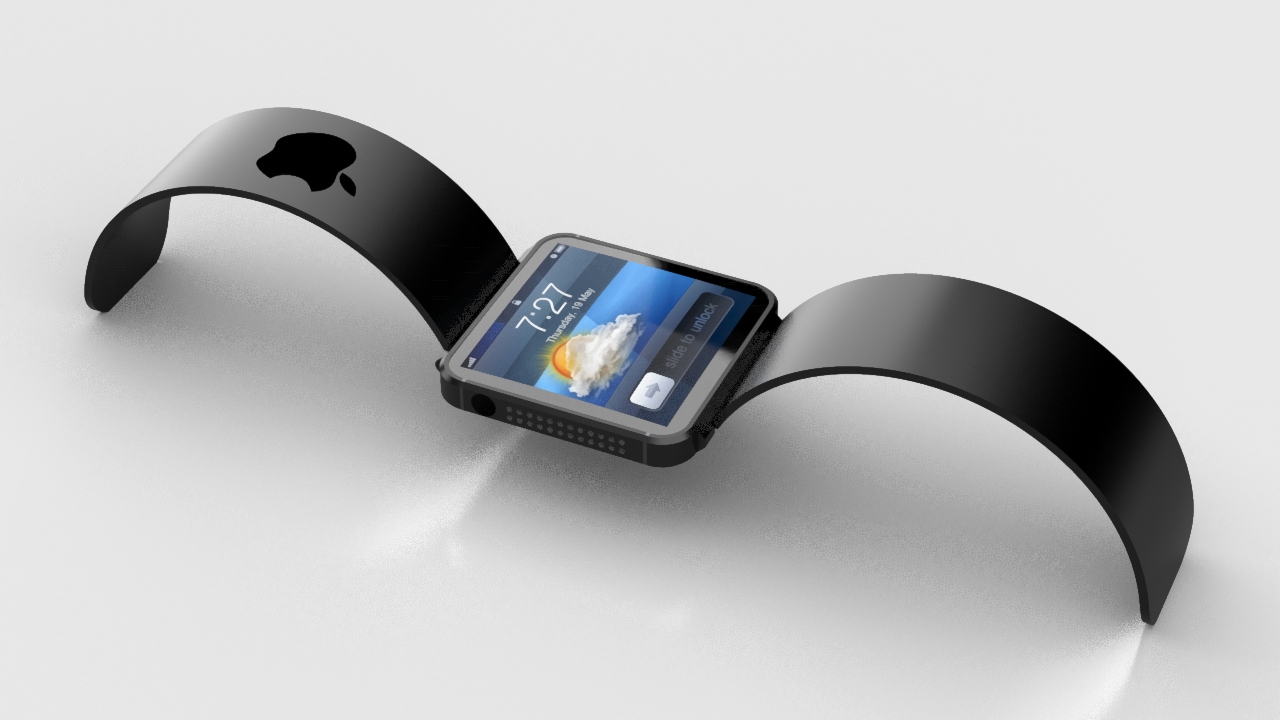
Rumors have been flying since the beginning of this year that Apple is getting set to launch a watch-like device. The iWatch which consumers can connect with their smartphones.
The fact that Apple didn’t announce any hardware during WWDC 2014 disappointed everyone. We now have to wait a few more months before we can get any new hardware from the company. Hopes are high as everyone is buzzing about how iWatch might be launched along with much-awaited iPhone 6 and iOS 8.
The reports further tell us that this smart watch’s screen will be made of rounded organic light-emitting diode (OLED). The device will be able to track most of our important body functions like calorie consumption, blood glucose, sleep activity and blood oxygen levels. It may also use Apple’s new HealthKit platform for health and fitness tracking.
Since it will be connected to your iPhone, you will also get phone notifications on the watch. It is predicted to come with a sapphire glass display, which was one of the biggest investments of Apple recently. It seems like it’s the new go-to material for Apple, since one of the major rumors for the upcoming iPhone 6 includes the same screen.
Samsung had tried its hand at something similar. But the Samsung Galaxy Gear Watch didn’t quite attract the eye of users. The iWatch might come with wireless charging, which Samsung failed to deliver in its smart watch. Now, since Apple is all set to launch its smart watch, we’re curious to see how the users will respond to this device. Is this gadget going to be the next big game-changer?
WWDC 2014 unveiled some of the most important upgrades since the introduction of the App Store. One of the most highlighted upgrade was the iOS 8. The company added tons of developer tools for home mechanization, heavy gaming performance and extensions in abundance. There’s a lot of polished new apps and add-ons that will earn rave reviews from fans, once it drops later this fall.
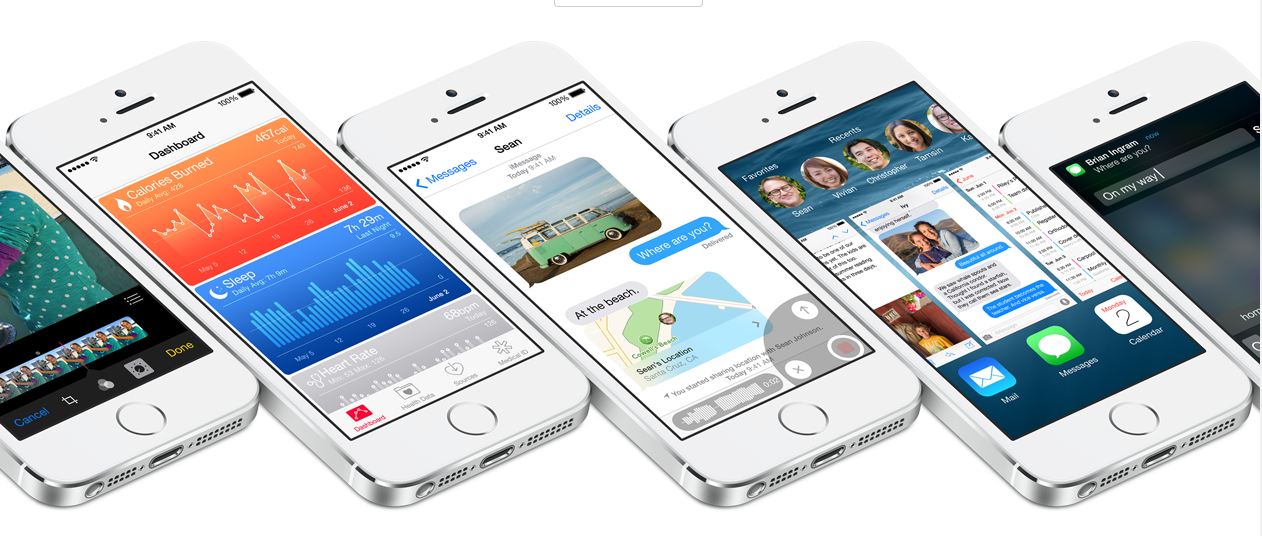
Let us introduce you to the Apple iOS 8. We tested out the Beta version on iPhone 5, and like they’ve said – it’s quicker, more productive and more integrated than ever before. Here’s what’s new on board:
Photo Library and Photography
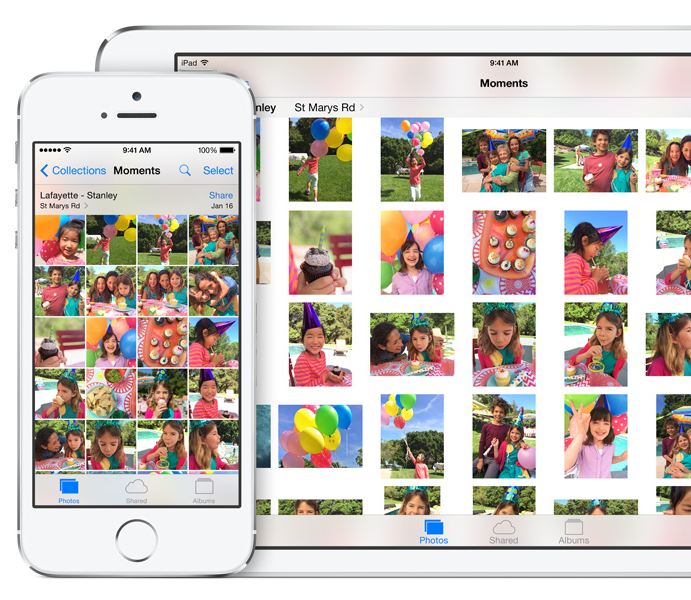
Apple added the powerful iCloud Photo Library which ensures all your edits are automatically synced between devices. The new iOS 8 also includes new photo editing tools which give users manual control over the exposure, shadows and color of the photograph. If a user is focusing on clicking an overly bright object, the brightness can be directly reduced by swiping the screen and reducing the exposure. Along with the new editing functions, Apple has made the Photo Library more user-friendly by adding the ability to search based on location, time or albums.
Bye-Bye Snapchat
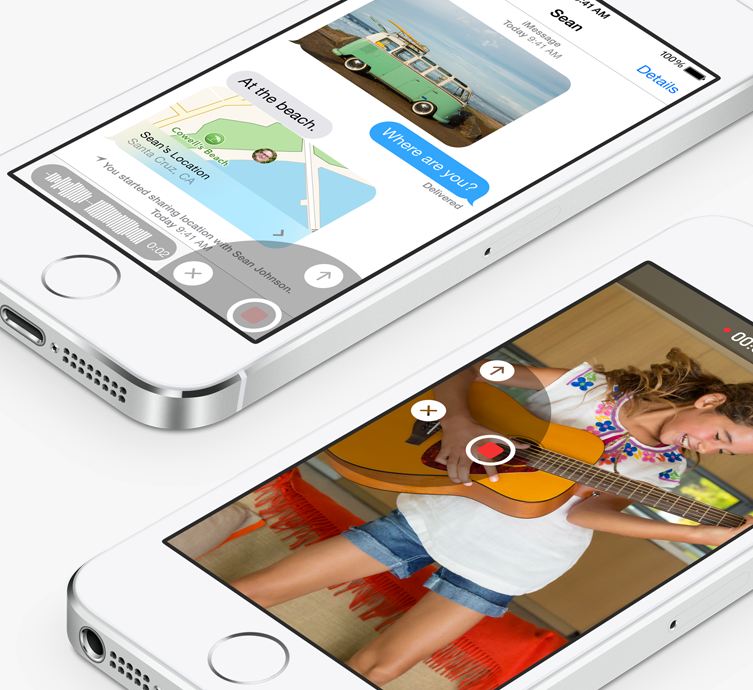
Apple has taken a great leap with the iMessage by including features such as ability to not only send quick video and voice messages, but also the option to make them expire. The Tap to Talk feature lets you share video and photos with a simple gesture, option to leave a conversation, label threads and add/remove contacts mid-convo. The option to add DND to specific threads will put all the leading chatting apps to shame.
QuickType and Third-party Keyboards
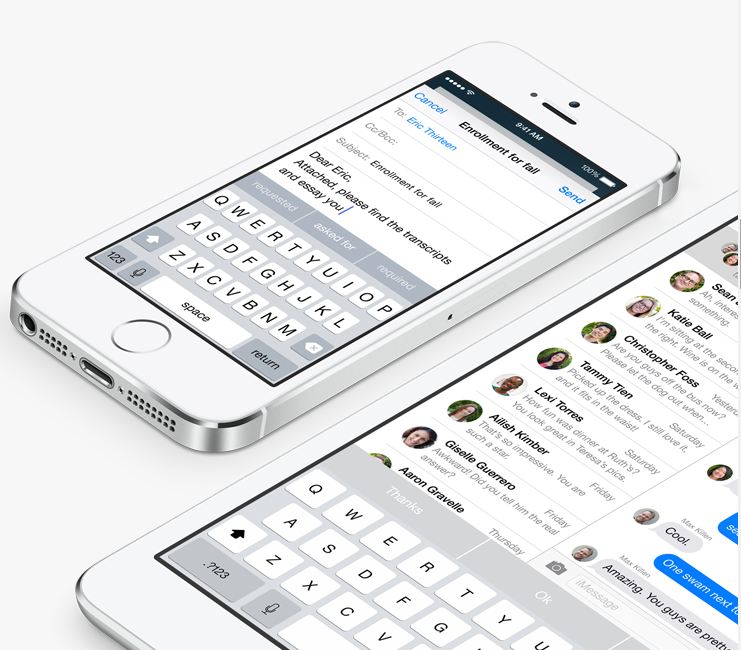
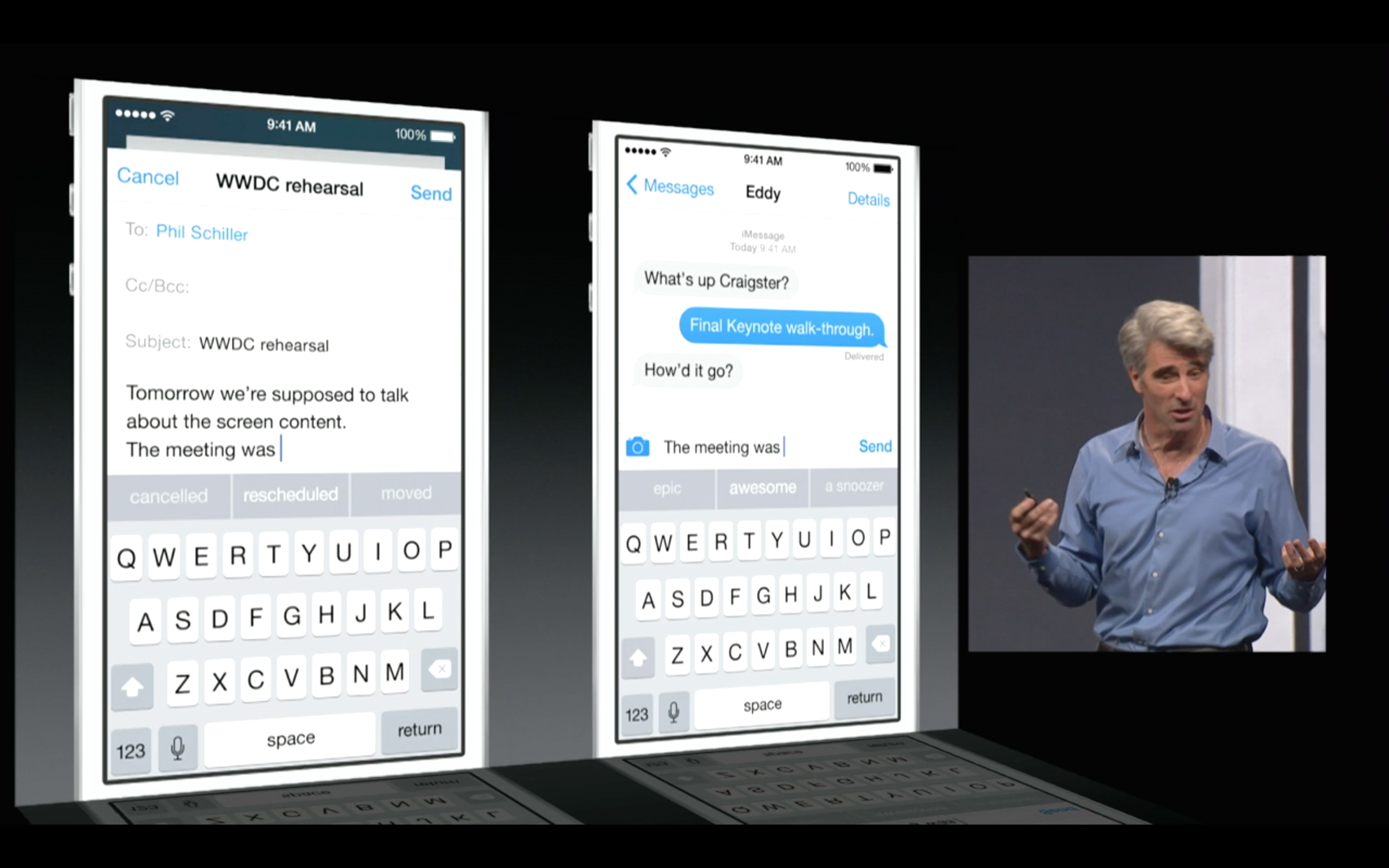
Apple is including third-party keyboards to the new update as well, so you can Swype with the best of them, or you can find a keyboard where you actually understand when the Shift key is on. They have also introduced the new predictive typing feature called QuickType which gives personalized suggestions while taking content in the context. It not only helps while you’re tying out a message, but when you receive a message, it understands it and offers possible responses. As the name suggests QuickType is quicker and easier than ever.
Health Connect
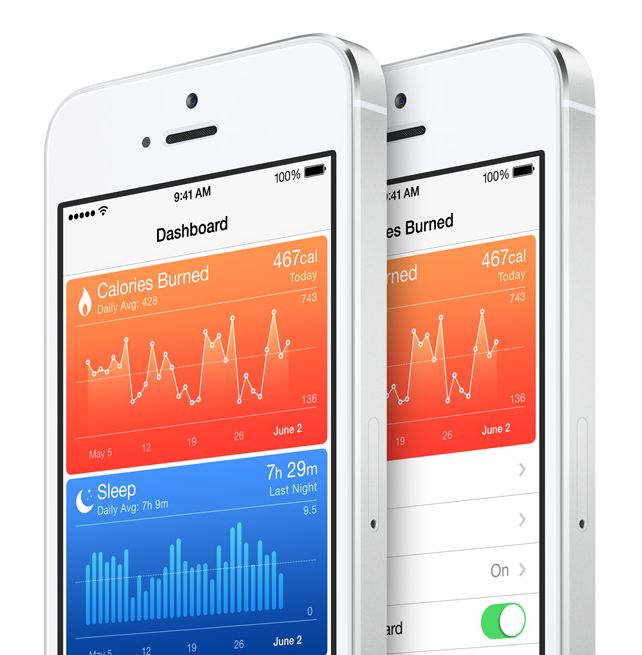
Apple introduced a new integrated programming system called HealthKit. Through this, users will be able to connect applications and develop a central database of all their health data. It has an extensive list of functions. The fitness tab has integrated Nike Fuel and can monitor and record your fitness numbers which includes your Body Fat Index, distance that you run, calorie intake, the steps climbed and the hours you’ve slept.
The new Health feature will also include the information from other apps you have purchased in the app store, as well as connect with your personal doctor through a dedicated application. If you get your blood pressure or your sugar blood checked from your hospital, your iPhone will receive a notification and store the results. You will be able to store it privately or share this information easily with other doctors. So essentially, a combination of your entire medical and fitness history will be in your hands, all the time.
Sharing is Caring
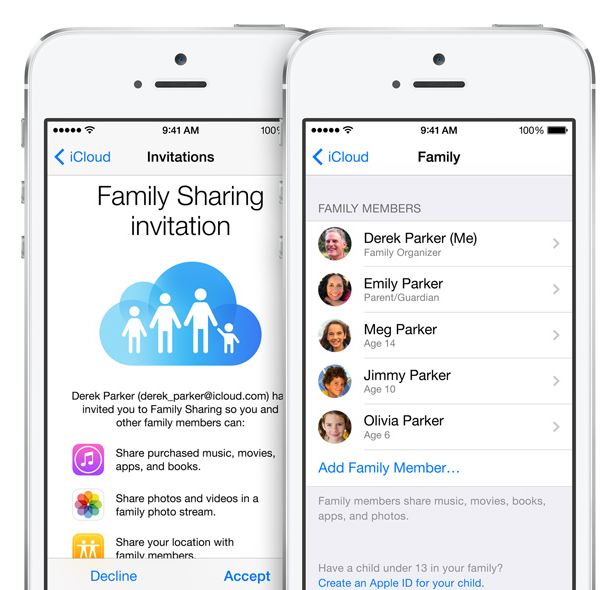
Apple’s innovative Family Sharing lets you share your apps with up to 6 different people so they can enjoy all your apps without buying them on their own. The new feature will be connected through your credit card to their account. But don’t fret about the privacy settings, iOS 8 will require a consent from you before anyone cause use the privy information.
App Store Makeover
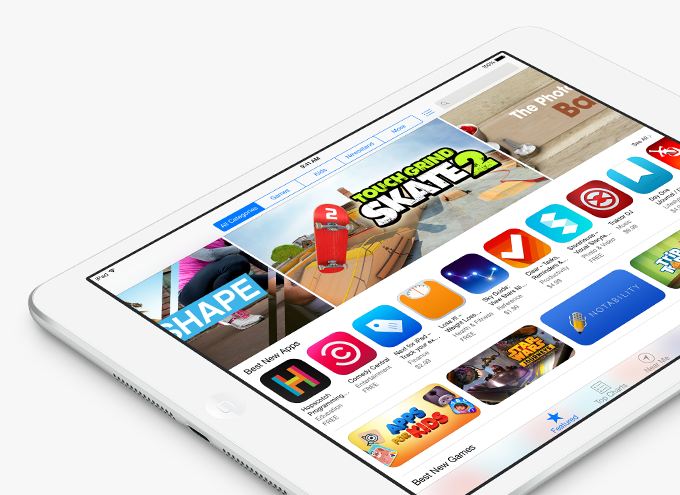
One of the most exciting new feature in iOS 8 is the updated App Store. It has new searching features and they’ve also added categories for easy excess. They’ve added the facility to create video previews of their apps, so you get a better idea what you’re buying, and if you’d like to test new apps, the new TestFlight feature gives developers the ability to propel you access. And yes, there’s finally providing “App Bundling”, so you can get big deals on a number of apps at once.
Siri Becomes Cooler
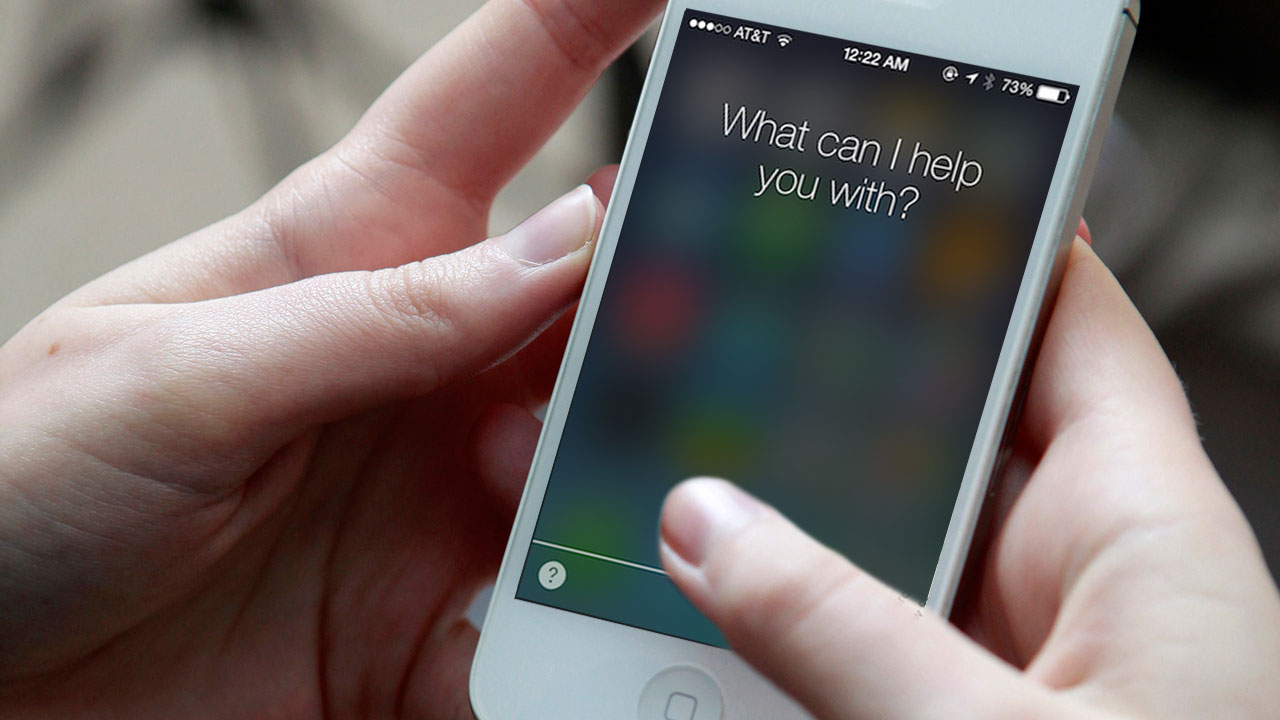
Siri can now be activated by saying “hey Siri,” rather than pressing the home button. She can now understand more languages and accents. The best part? Apple has gone ahead to integrate a music-recognition feature, so you can know which tune is being played instantly, without wasting time to open an app. You have the option to download the song instantly from the iTunes, and if you’ve installed Shazam, you can save the song in your tabs.
Last Bits of Improvements
Some of the last bits of new features include: iOS 8 allows you to directly reply to your messages from the NC panel, Touch ID can now be used with third-party apps so you not at all have to enter your password again, phone calls can be answered from your Mac, and AirDrop is now attuned with iPhones and Macs.
Like it always happens, the features of iOS 8 Beta 1 are subject to change, but based on the specification of WWDC’s offerings and the added APIs for developers, iOS 8 will be an exciting update once it’s accessible for users later this fall.
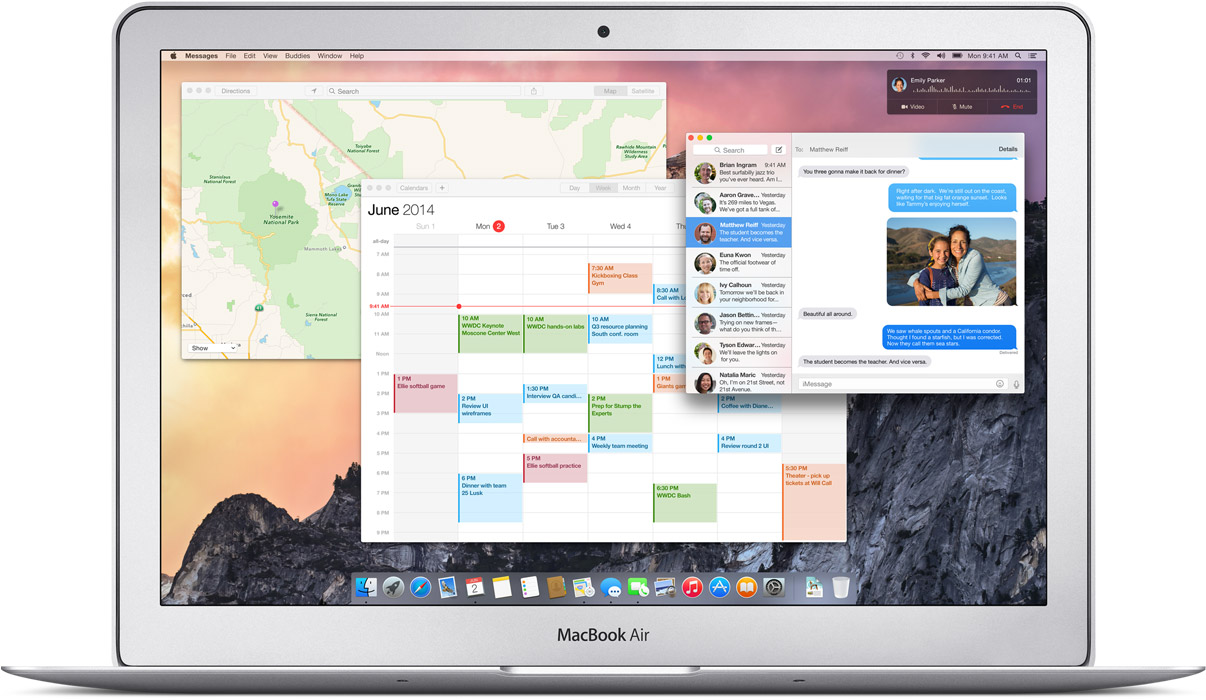
The Mac OS X Yosemite is out and for the first time mobile devices and computers can interact seamlessly across the Apple universe. You can trust Apple to learn from existing technology and create a refined version, with some sweet graphics and names added to it.
The possibilities on the Yosemite may be revolutionary. Of course they took their “inspirations” from existing technologies, but what they have come out with is indeed progressive for the entire industry.
After taking a departure from naming OS X after the big feline family, the naming conventions for the OS X will now be based cities of California, starting with the Mavericks. BTW, we do agree that OS X Weed was a pretty chill name for an OS but Yosemite does just fine.
We will now tell you why you should get really excited about the OS X Yosemite’s connection capabilities.
Seamless Interconnectivity Between Yosemite and iOS
Connectivity never seen before
Apple has absorbed the value of “Continuity” based apps and has given it the Apple spin. Using the benefit of their conformed device ideology they are able to do multi device interconnection way more easily than others. Apart from giving Airdrop the ability to work between the iOS and the Mac they have added an ingenious new feature called the Handoff.
Handoff:
Handoff set a milestone in terms of inter-connectivity
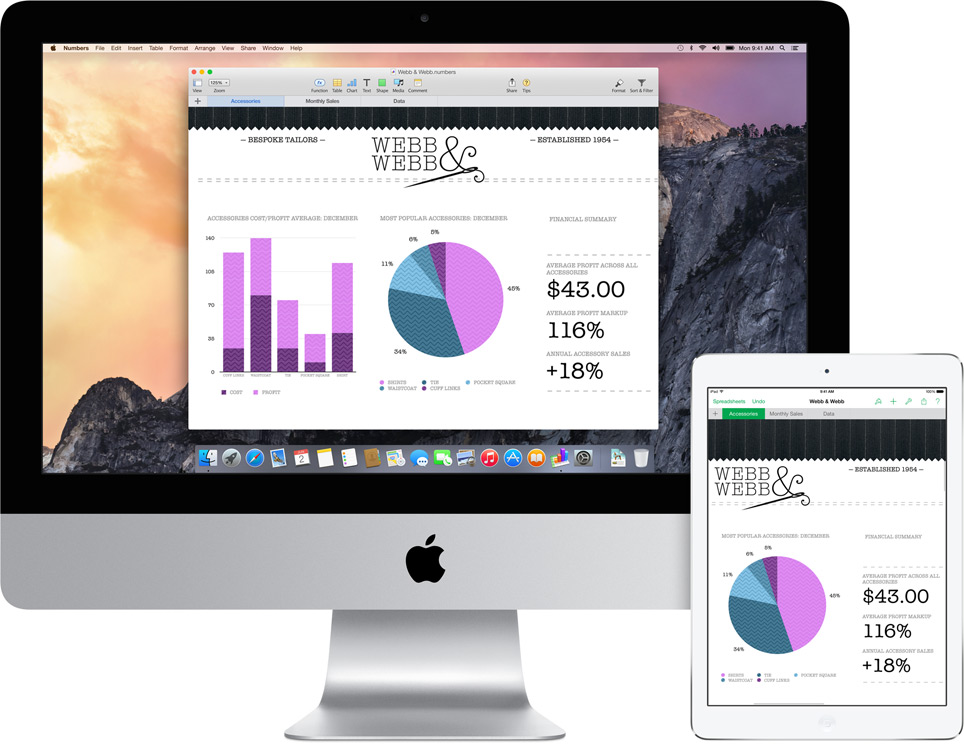
This is definitely a feature that will shut up the critics of Apple’s proprietary controlled devices. It gives you mirrored access across all Apple platforms for instant access. For example, the iPad recognizes what you’ve been working on and prompts you about it. You can stop working on the Mac, pick up your iPad and start working on your project right way without a second of lag.
There is no need for third party apps. There is no need to open a cloud app and download the file, it’s always there.
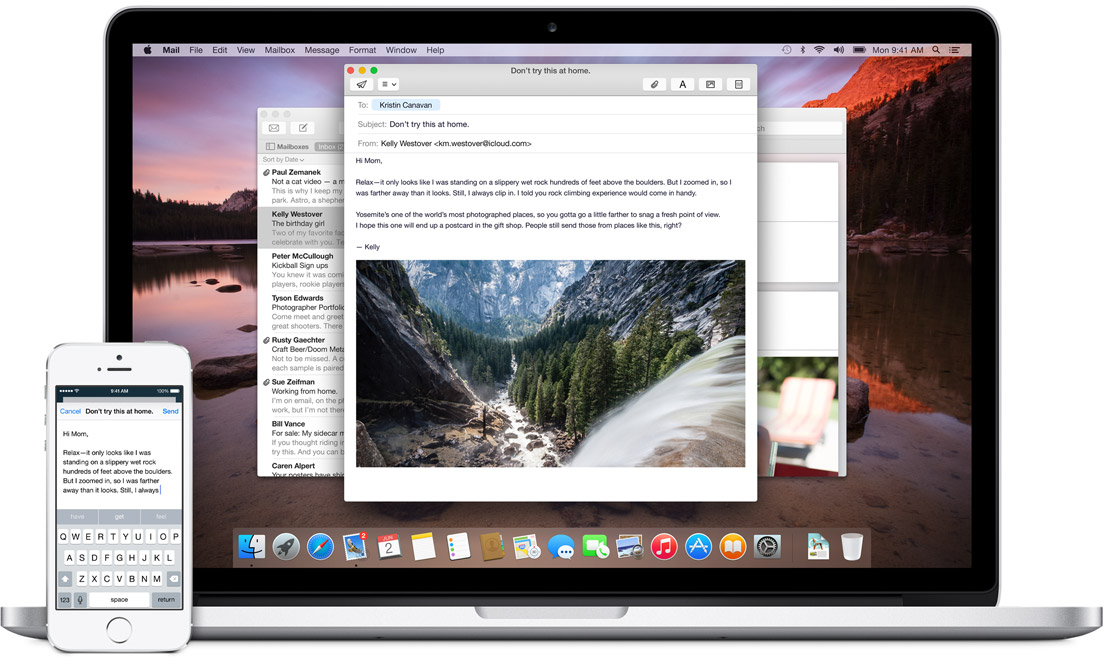
Not impressed yet? then check this out; you can start working on an email on your iOS phone and your Mac will recognize it and ask you if you want to work on its bigger keyboard. Who would not love that?
It is this ease of access that other hardware and software manufacturers should aspire to achieve.
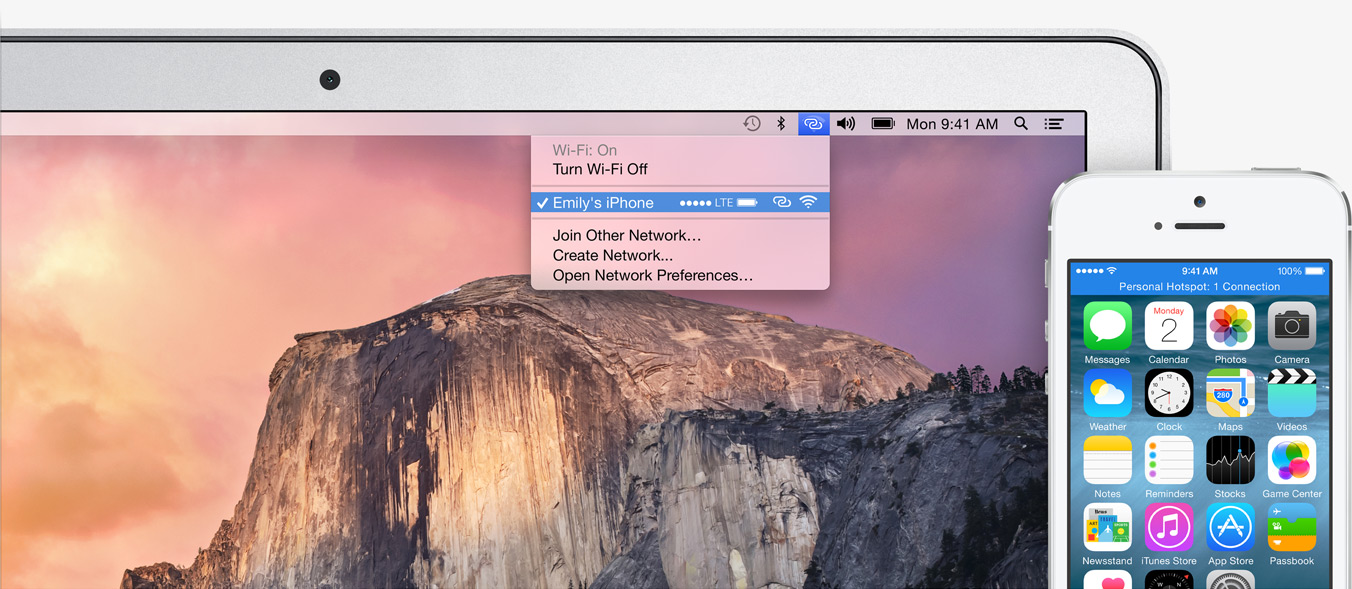
Instant Hotspot:
Effortless Wifi tethering through the iPhone
This will be a rather helpful feature for folks constantly on the move or have irregular access to a Wifi connection. The Mac’s wifi identifies your phone and without any configurations sets up a hotspot with the phone and voila, you are connected.
SMS and Phone Access from Mac’s:
This is definitely the future of interlinked digital devices. Apple definitely was to be the first company to benefit from this because of its enormous hardware ecosystem.
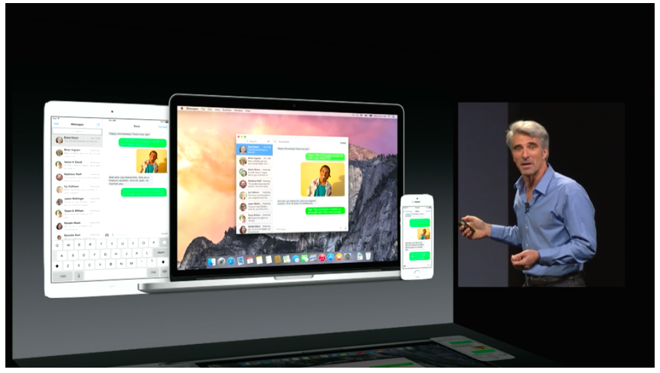
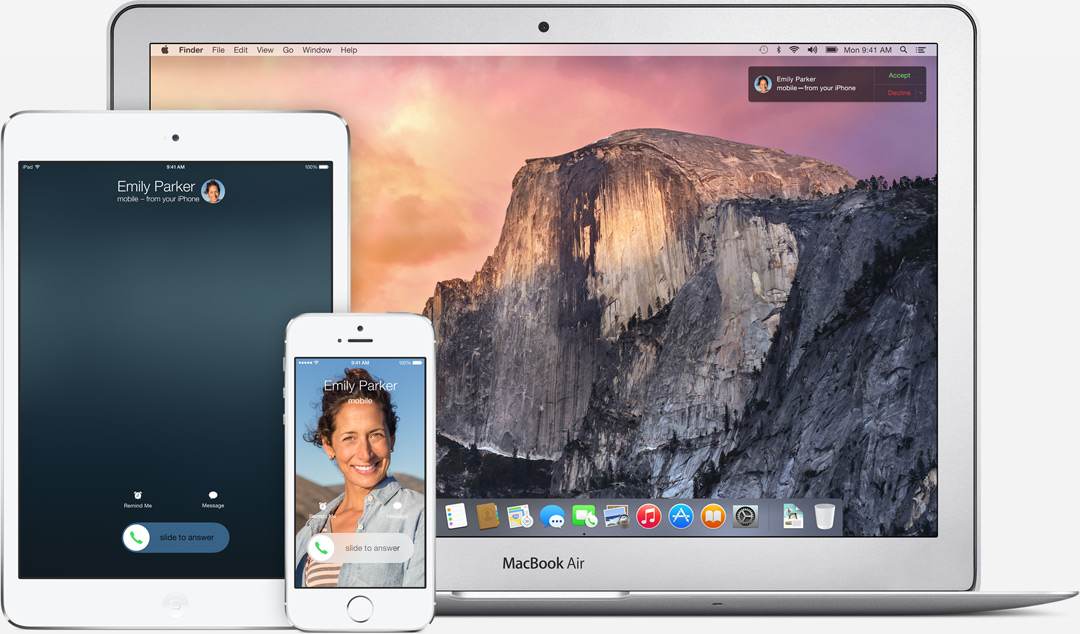
SMS can now be answered from all Apple devicesPhone calls can now be received and answered from all Apple devices
With the SMS and Phone integration in the Yosemite, you can send and receive text messages as well as phone calls across all Apple devices. Not just that, you can also dial a number you see on a website right away from your macs.
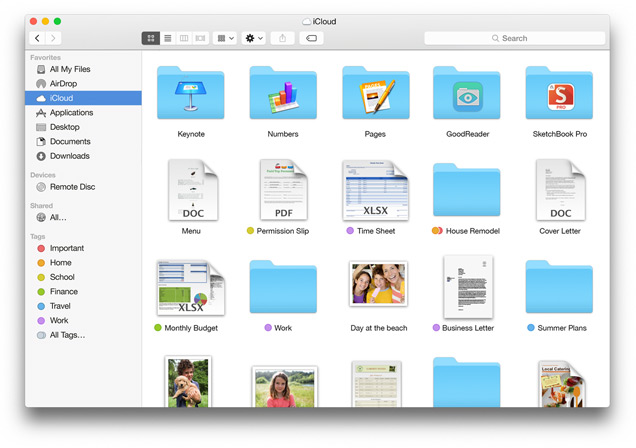
iCloud Drive:
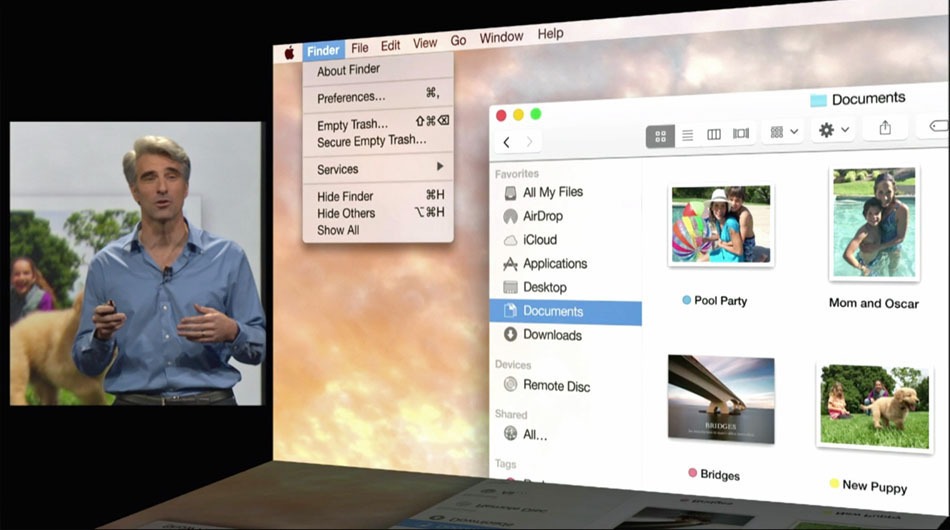
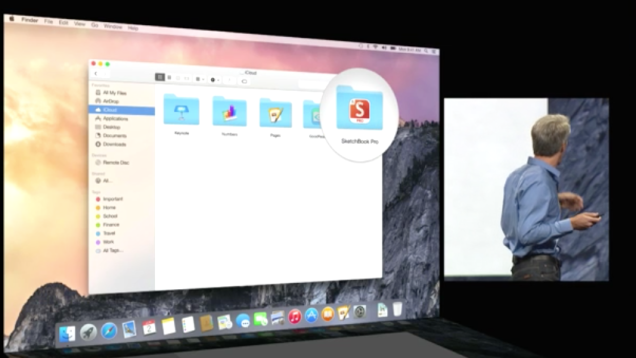
The iCloud is built in the Finder itself so you don’t need third party apps like Dropbox or Google drive. These apps and files will appear in the exact form you have customized it on any of your devices. Here is something to cheer for the iCloud drive, it works on Windows too (Truly Winning.) The apps you use also get individual folders on the drive.
Cloud to the next level
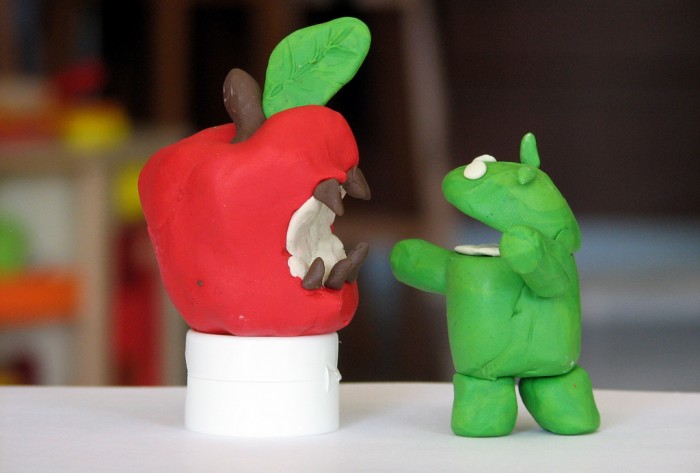
This update has the potential to fulfill Steve Jobs dream of destroying the Dropbox. (First the Android and then the Dropbox, Jobs sure wanted to kill a lot of jobs.)
Mail:
Maildrop is an interesting feature. It allows you to instantly send up to 5 GB(yes, you heard that right) from one Apple account to another. What it really does is use the iCloud as a transfer medium for the attachment to bypass size restriction on the mail server on receivers end. It will simply show up as an attachment may whatever be the size on the mail app. On a non-Apple PC, you will receive a link to securely download the file from iCloud.
We needed Markup, we just didn’t know
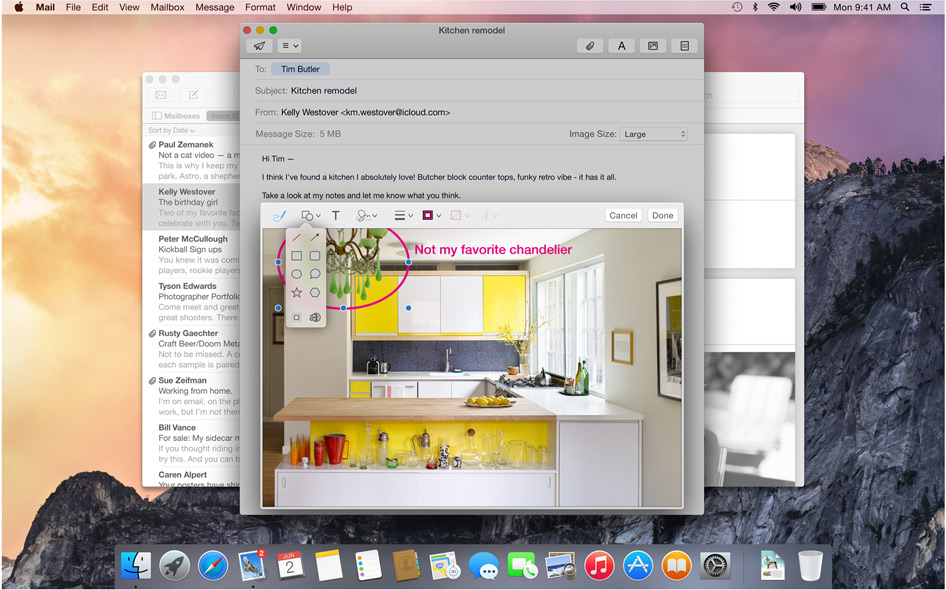
Markup feature allows you to add annotations or write texts on Jpegs. It even lets you sign PDF’s right in the mail itself. The feature also recognizes the hand drawn symbols and gives them a digital look instantly.
Safari:
Visual and Functional Reconstruction of Safari
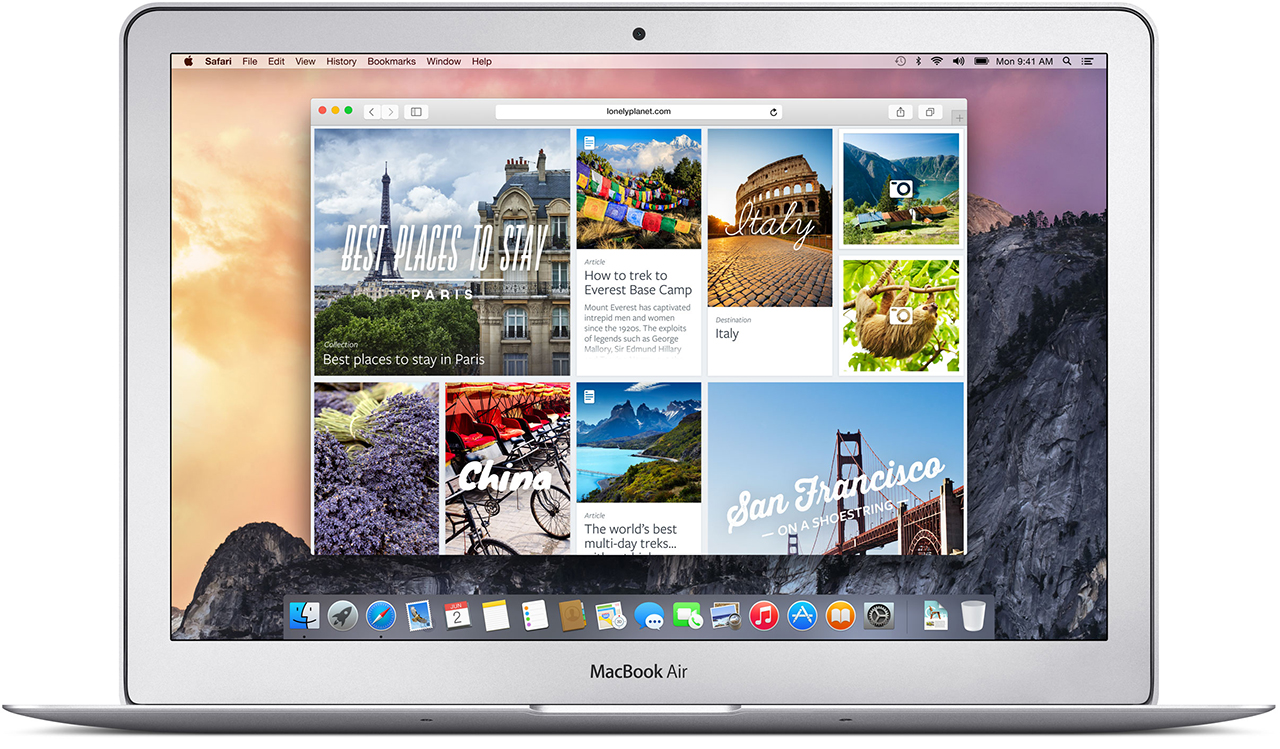
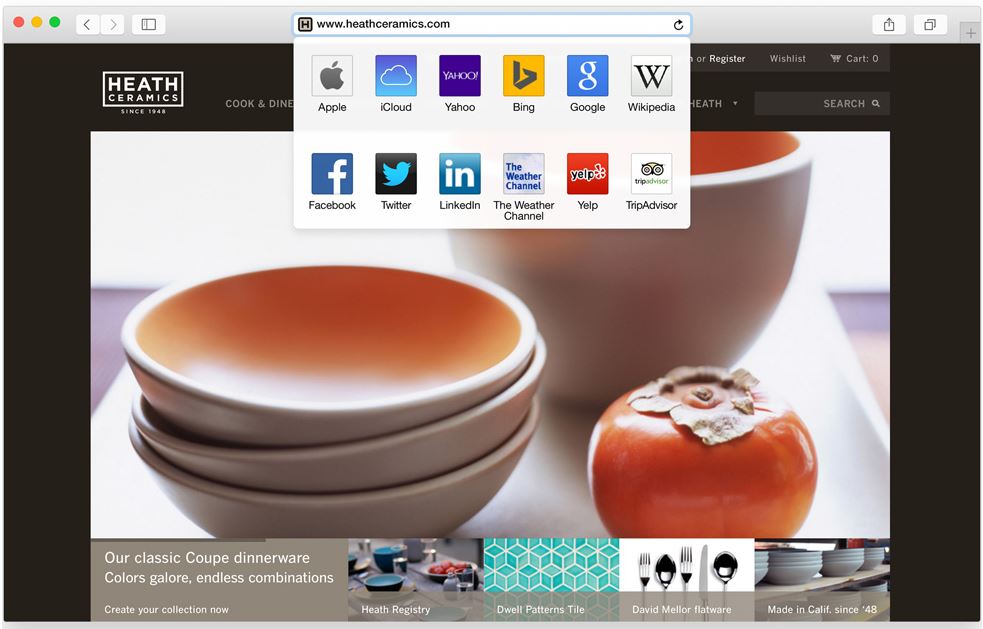
Safari has got a visual renovation with a sleeker look. The browser now has a slimmer address bar to maximize browsing area. The favorites links can be accessed by clicking on the search bar. Safari is now integrated with spotlight searches to give better results and undermine Google even in the browser where it has thrived since its inception.
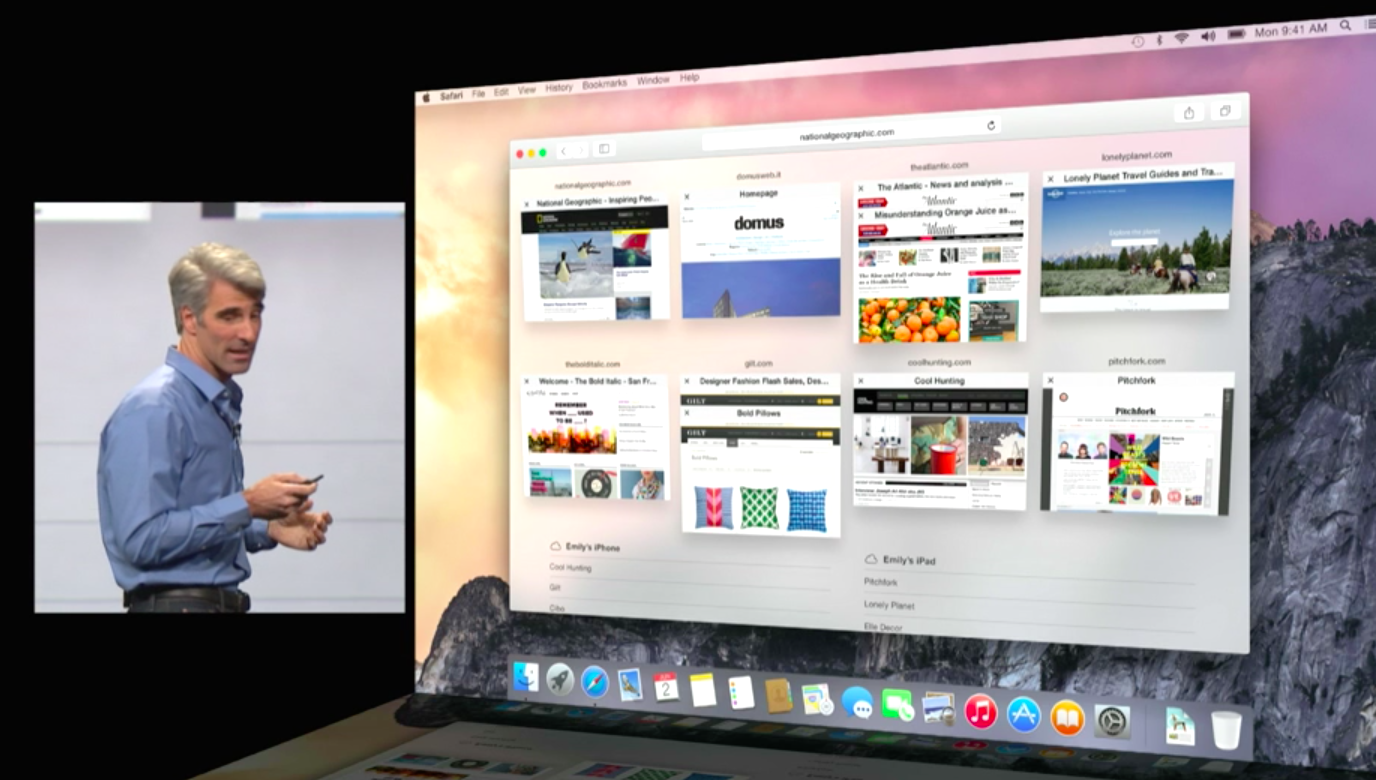
Tab view makes internet browsing simpler
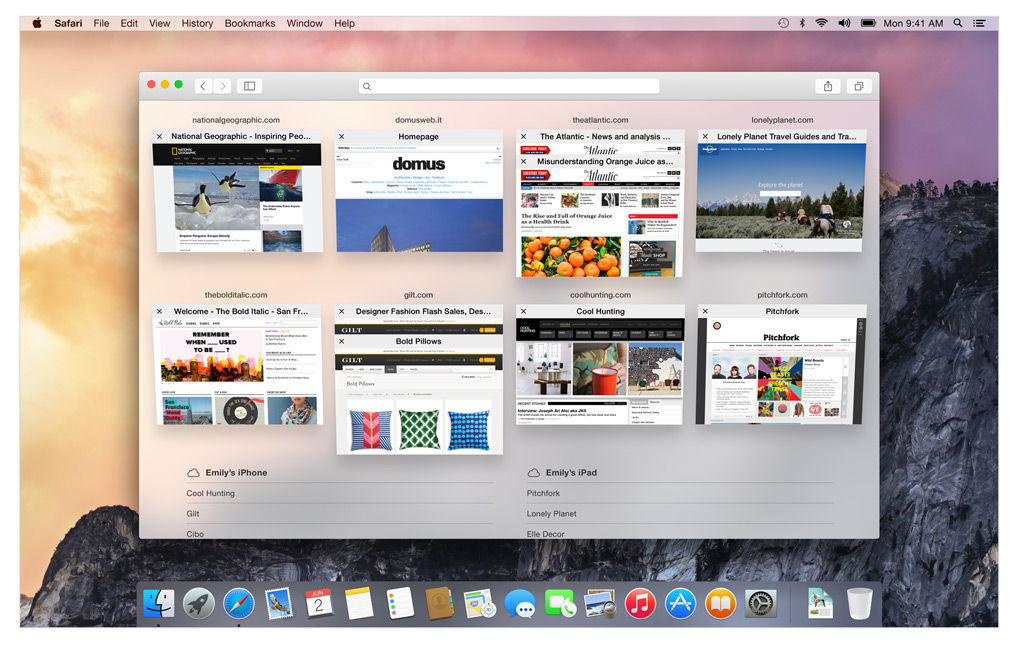
The Tab View is without a doubt the best feature on the new Safari. This gives a bird’s eye view of all the tabs and by organizing each tab according to its corresponding website it gives a cleaner and more efficient browsing experience. As has been with Apple, the animations are impressive.
Spotlight:
The only search you’ll need
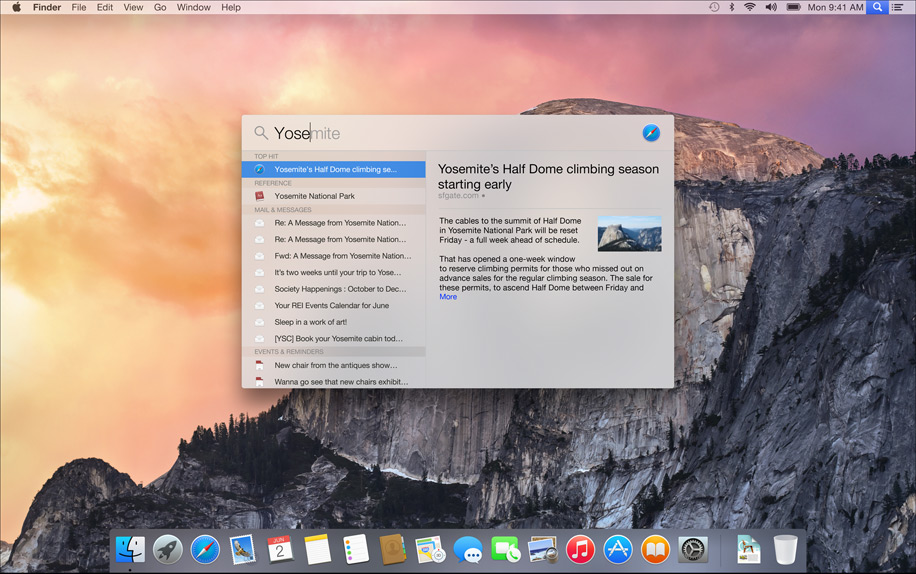
This is also where things got interesting, its almost like Spotlight got an adrenaline shot. When the magnifying glass icon is clicked a search bar opens in the middle of the screen. It is a fast and convenient way of opening Apps and files. While searching for a file, spotlight gives a preview of the content of the document.
Not just that Apple has integrated the internet sourcing ability on the Spotlight. This allows more in-depth search results for your query and would completely make Google obsolete on the Mac.
Spotlight can also be used for instant conversions and much more. This added utility will be really easy to get hands on and quite possibly make you wish your other systems had it too. It is essentially a one-stop shop for instant information.
Design:
Clarity is added through Translucence
Translucency is the key element inducted into the Yosemite. From the Docks, it is especially noticeable in the drop down menus and the finder. New toolbars and windows are giving it a fresh new look. The dark mode indeed looks enticing to start using right away.
The clean and consistent design throughout the OS gives a sense of, dare I say it again, continuity which will be really appreciated during extended uses.
The new Today view in Notification Center gives you a quick look at everything you need to know now — upcoming events, reminders, stocks, weather, and more. It is really handy and reminds you of the notification panel on the iOS 6 and 7. You can extend the panel to add widgets from the Mac App Store to customize according to your needs.
ITS FREE:
Yes, it is free, the most featured packed Apple OS is releasing this fall and it is for FREE. Not just that, there is also an update that’s gonna get a lot of people excited. Apple will let you be a part of the Public Beta program for the OS X Yosemite. Though there will be some glitches, but it will give the fan-boy a feel of being an Apple developer.
Conclusion:
In the 25th installment of the WWDC, Apple made a good bet of focusing only on its two operating systems and interlinking them together. This was one of the most feature intensive update in a long while. This will be a revolutionary idea and we will probably see all the Apple competitors trying to provide better integration across multiple platforms on the lines of the Yosemite. It’s time that the Apple naysayers should take a break and introspect about what they are doing with their lives.
So, its here, the moment you were all waiting for, the 25th edition of the Apple Developers conference. The WWDC 2014 brought out the Big Boy Mac OSX Yosemite. Now I should let you know I took incredible amount of pain to bring you this, battling through the laggy video on an Indian internet speed.
Lets see some of the most innovative new features of the new Yosemite.
The Looks:
Translucence is a dominating feature of the Yosemite
A lot of translucence added to the new OSX, it is especially noticeable in the drop down menus and the Dock. New toolbars and windows are giving it a fresh new look. The notification center brings it closer to a mobile device experience.
The new Today view in Notification Center gives you a quick look at everything you need to know now — upcoming events, reminders, stocks, weather, and more. You can also add widgets from the Mac App Store to customize what you see.
The entire cleaned up look is visually appealing.
Search Feature:
Spotlight has got the biggest Makeover
It seems like spotlight got an adrenaline shot. A Search bar is provided at the center of the screen. The search gathers information from the internet thereby giving you more in-depth results in terms of newsfeeds, Wikipedia and maps. It also adds better scrolling ability through the results.
Apple has gone out of its way to make Google obsolete for Mac users.
iCloud Drive-
iCloud Drive gives you more ease of access to the files on the cloud. It is now capable of 5 GB attachments and will work with any type of files. Now that’s some cloud storage we can get back on.
Safari:
Functional Reconstruction of Safari
Safari has also got a visual renovation with a sleeker look. The browser now has a slimmer address bar to maximize browsing area. Safari is stated to give 2 hours longer battery life on streaming video from Netflix. Apart from this, it gives more efficient tabbed browsing performance. You also get the ability to browse through all your open tabs more efficiently.
Tabbed Browsing overview makes internet even simpler
They have also powered Safari with better search capabilities; it reaches wider and includes sourced information from Wikipedia, Bing, Maps and iTunes. It has added a tab which gives easy access to favorite links without looking too cluttered.
A drop down menu with your favorite sites
Handoff:
Handoff set a milestone in terms of inter-connectivity
Apple has recognized the value of “Continuity” amongst the many screeens we posses now. Yosemite and even iOS 8’s primary function is to provide greater inter-connectivity amongst the devices. So here is this cool new feature that lets you do just that. It allows you to work on the same file from the Mac as well as your iPad while on the move. You can also work on an email from multiple devices. This is definitely one of the feature that all hardware and software makers should take notice of.
It is also a part of this increased inter-connectivity that the Yosemite now allows you to receive SMS texts on you Mac and iPads. By connecting to iCloud all your devices act as extentions of each other. You can get phone calls on these devices too. Also your Macs can now recognize your iPhone and give you the option of making it a hotspot.
Phone call, SMS can now be answered from all Apple devicesPhone call, SMS can now be answered from all Apple devices
There is also an update thats gonna get a lot of people excited. Apple will let you be a part of the Public Beta program for the OS X Yosemite. For Free. Though there will be some glitches but it will give the fan-boy’s a feel of being an Apple developer.
Conclusion
At the 25th installment of the most awaited tech conferences of the year, Apple seems to have found its groove back. The clean OS coupled with multiple new ease of access features makes Yosemite a better upgrade over the last few outings.
Apple’s new iOS 8 comes with a brand new keyboard that will predict content and learns the phrases you use most and fills them in. The new Keyboard isn’t actually new, and Android users have been enjoying this with SwiftKey and many other forms of Android Keyboards.
However, for iOS users this is something people have been asking for a very long time. the keyboard studies your messages and conversation patterns and delivers options based on that. Its about time we say!
Update: Apple has also announced that 3rd Party keyboards will be allowed to be installed onto your iPhone/ iPad (Finally!). So you can now finally get the Swype keyboard you always wanted.
Apple has just announced a new Mac OS at WWDC 2014, dubbed Yosemite, with great new feature and visual enhancements. However one new feature in the new redesigned Mail for Mac is taking a straight dig at Dropbox. Now with MailDrop every time you send an email with a file larger than the recipients server can accept, apple will automatically upload the large file to iCloud and create a download link for the user on the other end.
Unless the recipient is on a Mac, who will then see the attachment in MailDrop like a regular attachment, if you open it on a PC you will get a simple download link. The attachments can be unto 5 Gb in size and the service comes free.
The new iCloud drive lets you dump images or whatever files you want to to your online cloud, with access available on iOS and Mac. Basically urging all iDevice users to dump third party services (aka dropbox).
Seems like every techie journalists staple source of conflict beat is about to get over. On Friday, Google and Apple decided to call it quits on the incessant exercise of suing and counter suing each other. They have asked the courts to dismiss the remaining patent lawsuits and have decided to settle the matters outside the courts.
The conflict between the two Silicon Valley giants started in 2010. Steve Jobs’ disdain for Google became evident when he commented on the fact that Google had ripped off the iPhone. In a strong statement, he swore he was going to spend his last dying breath trying to destroy Android since he believed it to be stolen. Words which didn’t suit his stature.
The company has now made a sensible decision of discontinuing needless pursuit. After all Android is at the top of the charts with 52.5% of the smartphone operating system market. The Android and the iOS have evolved into completely different systems now.
This gives no indication that the companies are going for a license sharing agreement. They will though use the money they were spending on expensive lawyers on real innovation in the market. A fact that satisfies everyone. The battle will now be on real free market capitalism principles. This advancement also doesn’t put an end to the Apple-Samsung wars which was widely viewed as the Apple’s proxy war on the Android system. Apple had won a compensation of $930 million against Samsung in 2012.
Motorola Mobility was also waging a patent war with Apple. Google bought Motorola Mobility to access Motorola’s patent library thereby protecting other Android Vendors. With the acquisition Apple and Google directly came face to face. Google later sold the Smartphone businesses of Motorola to Lenovo while keeping a majority of the patents.
There is also a happy ending to the story. Like in clichéd endings of movies about warring factions, the two super giants also agreed to work together in the field of patent reforms. This can be good for the overall market too. In an era where knowledge is increasingly getting privatized, an initiative by familiar names would help boost the conversation on the concept of patents in our economies.
Since last morning tech columns and channels are abuzz with a takeover news. People are particularly elated with the fact that “Facebook” and “takeover” are not being said in the same sentence. Apple’s intention though is under serious questioning and there seems to be very few answers.
Beats headphones have quickly become the most visible brand across multiple medias. Especially the recent music videos have really gotten heavy on the “b” logo. But what does it mean for the company when one of the most creative corporations decides to spend $3.2 Billion on an audio equipment manufacturer who is currently valued at just $1 Billion.
Though the talks are still on and the deal could still be trashed, we try to comb through the noise to look at the facts as they stand now.
Apple has rarely invested in buyouts and takeovers. It mostly concentrates on getting technology from startups which helps it in its technological endeavors. It’s most recent purchase was of chipset manufacturer P A Semi, back in 2008 for their advanced chipset technology.
Beats on the other hand was a co-venture of Dr. Dre and legendary producer Jimmy Lovine back in 2008. The company recently took a $500 Million private equity firm Carlyle Group which took Beats’ present valuation at about $1 billion. This deal makes Dr.Dre the first billionaire rapper who could someday brag about his Spaceship in his rhymes. Which he totally deserves for giving humanity the gift called “Slim Shady”.
There is also a shadow loser in the game and it is HTC. The company even with its well appreciated products has recently been struggling keeping its market share. HTC owned half of Beats but sold all of its shares by September of last year.
The move also seems like Apple is putting its effort into creating some major hardware for the music industry, where the company has been prominent for a while with its iconic iPods. With the support from Dr. Dre and Jimmy Lovine, Apple may try to up its influence.
Steve Jobs had long emphasized that Apple’s greatest strengths lay in its software and in its ability to integrate hardware and software.
Beats had also released its music streaming service this January but it’s nothing the makers of iPod and iTunes can’t develop on their own. Also as the service is fairly new and area locked so it doesn’t have a massive consumer base like Whatsapp had when it was bought by Facebook.
It has also been contemplated that Apple would want to make profit in the non iPhone smartphone market. A healthy music equipment market seems like the right way forward.
So as of now between all the speculations the real intent of Apple behind such massive investment seems to be known only by Tim Cook’s men as of now. We just have to wait and see if this big step by Apple would bring next major leap in music industry or it will be a dud like the PowerMac Cube.
Late last night we got an “almost confirmation” by the Doctor himself, but we will still wait for the official announcement to confirm anything. You can absolutely feel the excitement in the air: It all starts with the words “Shit, the Forbes list just changed”.
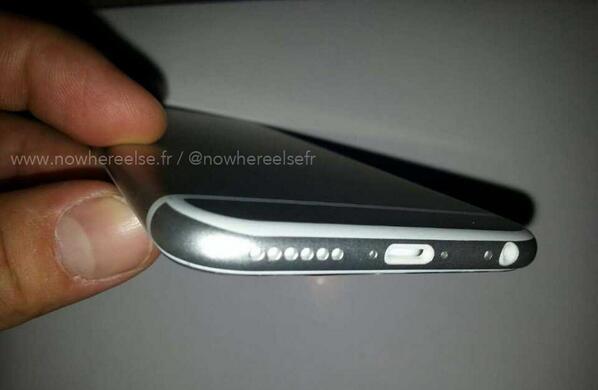
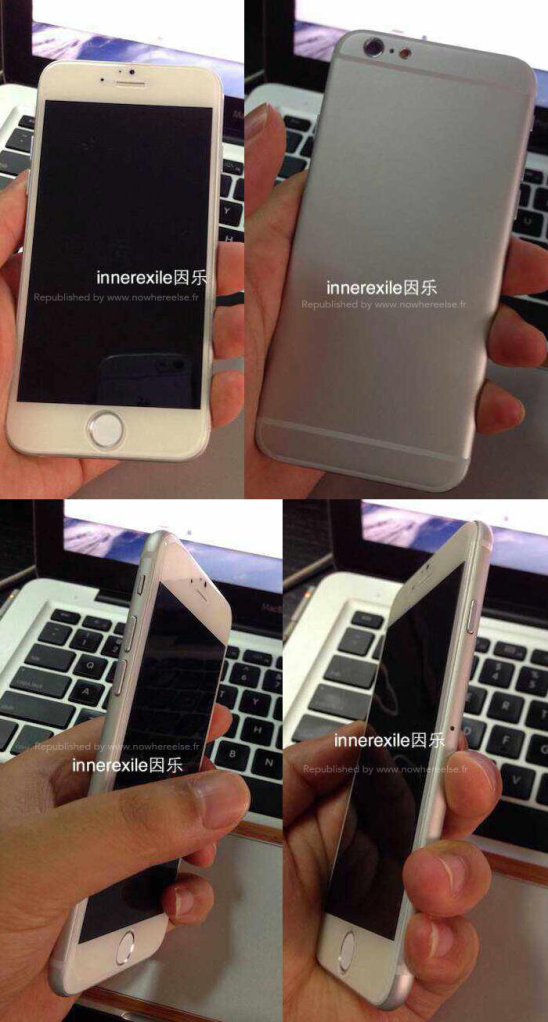
We saw leaked images of Apple’s next jesus phone appear a couple of days back, but they failed to show us the front and the back of the device. This time around Inner Exile a China based case manufacturer shows off how the phone will look from the front as well as the back. The power button has a new location and it resides next to the sim card tray on the right of the new iPhone 6, or so claim the images.
Apple will kick of WWDC 2014 in June and will possibly announce the new version of iOS aka iOS 8, with the expected launch of the iPhone 6 somewhere at the end of August.
Several Chinese companies have made mock dummies of the iPhone 6 based on the leaked schematics. Heck you can buy a dummy of your own and make your own rumors. But if anything is to be confirmed, till we do see an actual iPhone running the new iOS that looks like this, we will have to take each story with a pinch of salt and lime. Honestly these images look far from what Apple could possibly have in stock for us.
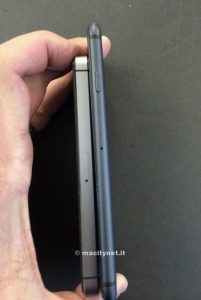
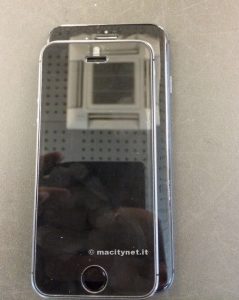
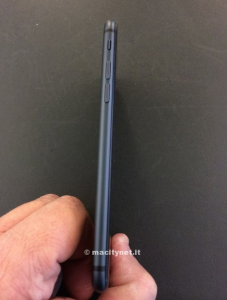
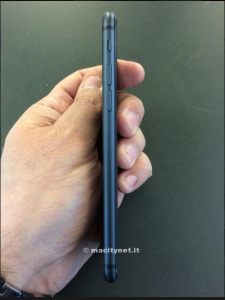
If you were waiting to get your eyes on the new Apple iPhone 6 before its launch, this is your best bet right now on what its going to look like. This latest leak comes courtesy Macitynet.it, who showed off photos of a phone that resembles the 1st generation iPhone, but is actually bigger and slimmer than the iPhone 5s.
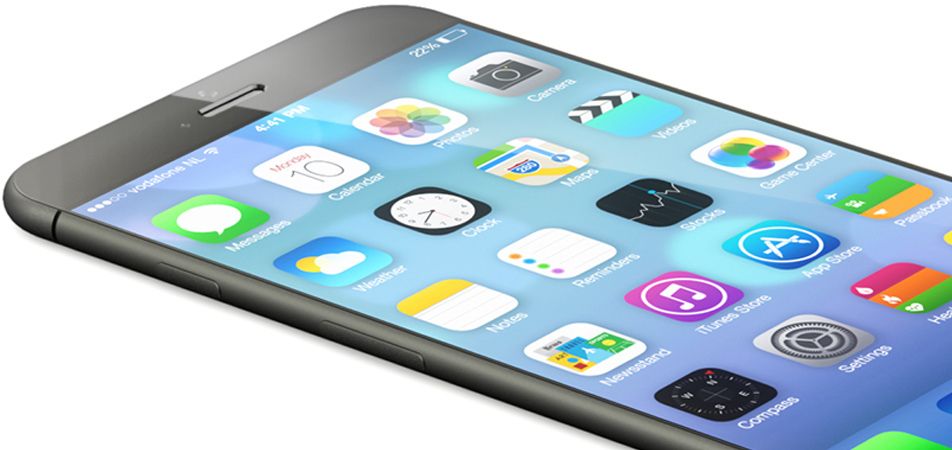
Previous rumors have always mentioned a 4.7 inch iPhone 6 from Apple, along side other upgrades like a faster processor and NFC capabilities. Till now we have mostly seen mockups of the alleged iPhone 6 (see top), which have sort of been confined to a slightly bigger size and lesser bezel.
Reports also mention a 5.5 inch Apple Phablet headed for launch somewhere in the latter part of the year, which some how seems unlikely.
Apple’s strong change in design is expected as the company changes the appearance every second year since the launch of the iPhone 3G. Whether this will or won’t be the next iPhone is surely unknown at the moment, and Apple is hell bent on keeping it that way especially since the iPhone 5s’ Touch ID sensor was heavily leaked prior to launch.
Apple has also closed down their leaks from accessory manufacturers, that we have seen in the past years, hinting towards a more secretive launch than we have seen in the past. However the next iPhone aka the iPhone 6 is a few months from being launched and we might have a lot happen in this time frame.
New documents filed in the never ending Apple vs Samsung battle have revealed that Google’s plans for Android back in 2006 involved physical keys for control and no touchscreen input support.
Google vice president of Android, Hiroshi Lockheimer, walked the jury through early development of Android and said engineers actually tried to make software that was very different from Apple’s iOS mobile operating system. He emphasised that the company liked to have its own identity and ideas, adding that it was very passionate about what it was doing, and it was important that it had its own ideas.
According to the file “the product [Android] was designed with the presence of discrete physical buttons as an assumption. However, there is nothing fundamental in the product’s architecture that prevents the support of touchscreen in the future.”
A lot of differentiating factors also came into light, including removable storage, third-party application support, widgets, notifications and all those Google services. The design of the 2006 Android beta build lacked touchscreen and required cursors and physical keys, this was changed to a “Touchscreen Required” minimum, in 2007 post the launch of the first Apple iPhone.
Sony India has overtaken Apple in their sales for smartphones in India becoming the second largest mobile phone shipper in 2014. This aggressive movement has been rewarded to Sony thanks to the company’s focus largely on the Rs 10,000-20,000 smartphone space, backed by Rs 300-crore marketing spend.
The number one spot was retained by Korean smartphone giant Samsung with 43% market value share. Sony took second place with 9.1% value share in the Indian smartphone market in the October-December quarter of 2013 against Apple’s 7% share.
This decline in Apple’s sales has been thanks to the company’s decision to withdraw sales of their largest selling unit the iPhone 4, and hence the disappearance of Apple from the under Rs. 20,000 price bracket. Apple did relaunch the iPhone 4 specially for the Indian market but failed to gather any response from the market who were hoping for a cut on the price of the iPhone 4s.
Sony Executives claim :
While this loss of sales prompted Apple to relaunch iPhone 4 once again in India in January, sales have not picked up since it is not at all spending on marketing or offering any buyback offer and even the initial euphoria around iPhone 5S has sobered down,
Kenichiro Hibi, managing director at Sony India, said the company’s smartphone business has attained similar revenues as its flagship television business in the fiscal ended March 31.
[quote text_size=”small” author=”Kenichiro Hibi, ” author_title=”Managing Director at Sony India”]The smartphone business doubled in last one year which led to 20% growth in overall sales in 2013-14. We expect to grow at a similar pace this fiscal as well to touch Rs 12,000 crore sales[/quote]
While this may be considered a big loss for Apple, the company has seen decline of sale during the months that lead up to the launch of their next flagship.
Apple’s Annual Developer Conference will run from June 2nd to 6th in San Francisco
Apple has just announced that its annual World Wide Developer Conference has been scheduled for the 2nd of June through 6th in San Francisco. To mix things around the company will now select attendees randomly instead of a first-come-first-served basis.
If you are a developer, you probably already got the email to register your account for a lucky draw to be able to attend the WWDC 2014. We can expect to see all of the latest iOS 8 madness alongside the next OS X developments, maybe even the elusive iWatch and Apple iTV that we have been long hearing rumors of.
Apple was recently in the news as the company is in talks to buy Renesas Electronics Corporation, a unit that designs liquid crystal display chips for iPhones for about ¥50 billion, Apple is expected to complete the stake purchase by summer.
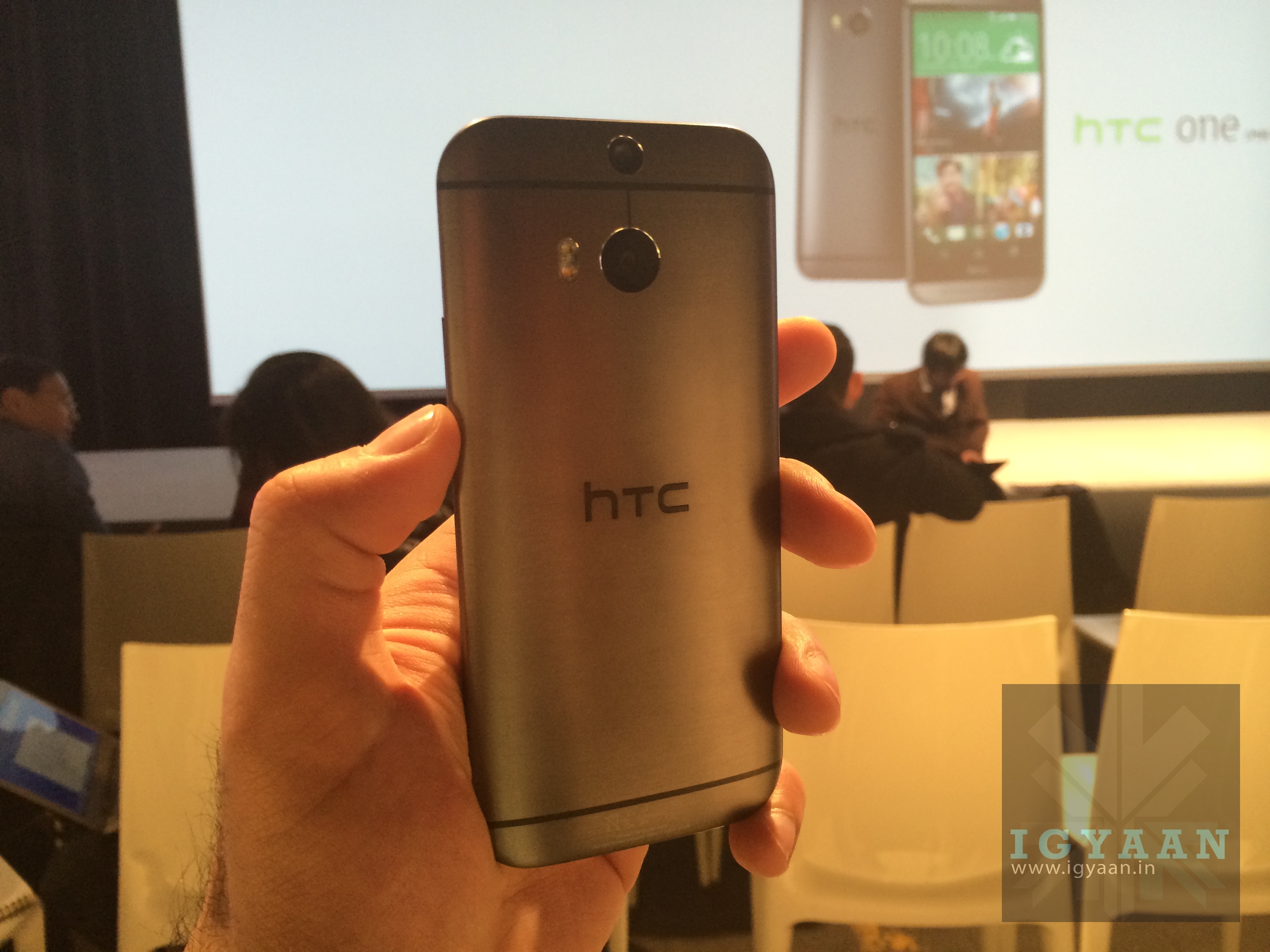
With the HTC One M8 officially announced, the list of flagship devices for many companies is now complete. The HTC One M8 sees only a few changes vs the previous generation and a lot of difference between the two main competition for this year the Galaxy S5 and the Xperia Z2.
The HTC One M8 misses out on few things that the company could have simply added. 4K video recording is one thing that HTC should not have left out on, the other being a fingerprint sensor. The HTC One Max had it and naturally the M8 should have had it as well.
The HTC One M8 also misses out on being a water resistant device like the Z2 and now the S5. check out the full breakup of differences below
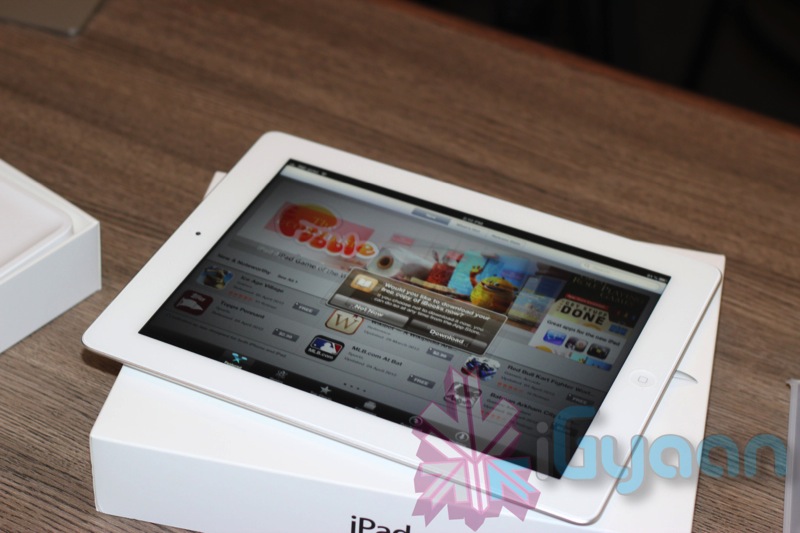
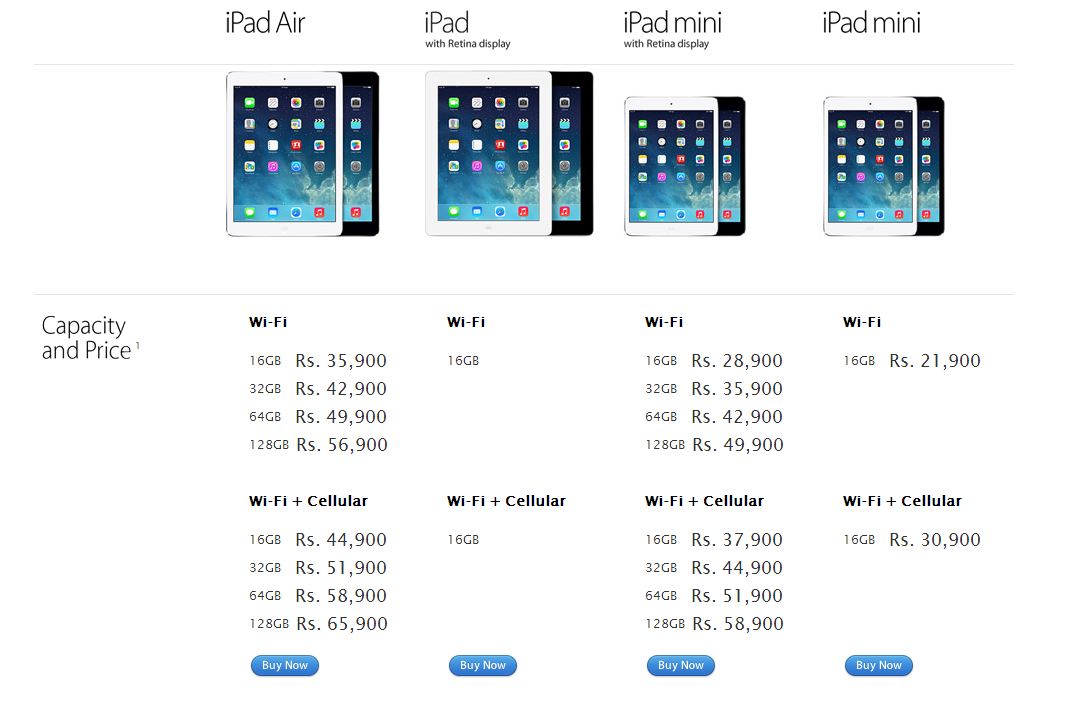
Apple has dropped the old iPad 2 from its range of tablets as an entry level tablet and replaced it yesterday with the relatively recent Apple iPad 4th Generation.
Doing this has not decreased the availability of the different variants, as the company has brought back the fourth-generation iPad with Retina display as the new entry-level full-size tablet at $399 for the Wi-Fi only variant. This relaunched 4th generation iPad comes with Retina Display and the new lightning connector.
The 16 GB iPad 2 was selling for 28,900 INR and 37,900 INR for the Wi-Fi and cellular models respectively. You can expect the new variants to be sold at the same price tag.