Category: Microsoft

  • Microsoft Outlook to Drop Facebook and Google Chat Support Soon

    Microsoft Outlook to Drop Facebook and Google Chat Support Soon

    Microsoft has today disclosed its plan of removing Google and Facebook chat from its email service Outlook.com. The support will be discontinued within next couple of weeks, as per an e-mail by Outlook to its customer.

    The official notification by Microsoft says that the company is removing the Google Talk integration ‘due to Google’s decision to discontinue the chat protocol used by the Google Talk platform’. No reasons have been disclosed as to why Facebook chat support too will be discontinued.

    outlook

    “We understand that this may disappoint some of our customers, but we hope that you’ll try Skype for Outlook.com chat, and voice, video calling, so you can take advantage of the more robust ways to keep in touch with friends and family,” the e-mail message from the Outlook.com team said.

    Microsoft says that however Facebook and Google chat are coming to a halt, the People feature that keeps contacts up-to-date will remain unaffected. Microsoft is now attempting to push its own Skype chatting and calling services as an alternative chat option. The email asked its customers to activate their Skype for Outlook.com. As earlier said, the services will be there in Outlook just for few more weeks, and then Skype will be the only option to connect to the people.

  • Microsoft Lumia 532 | Hands On

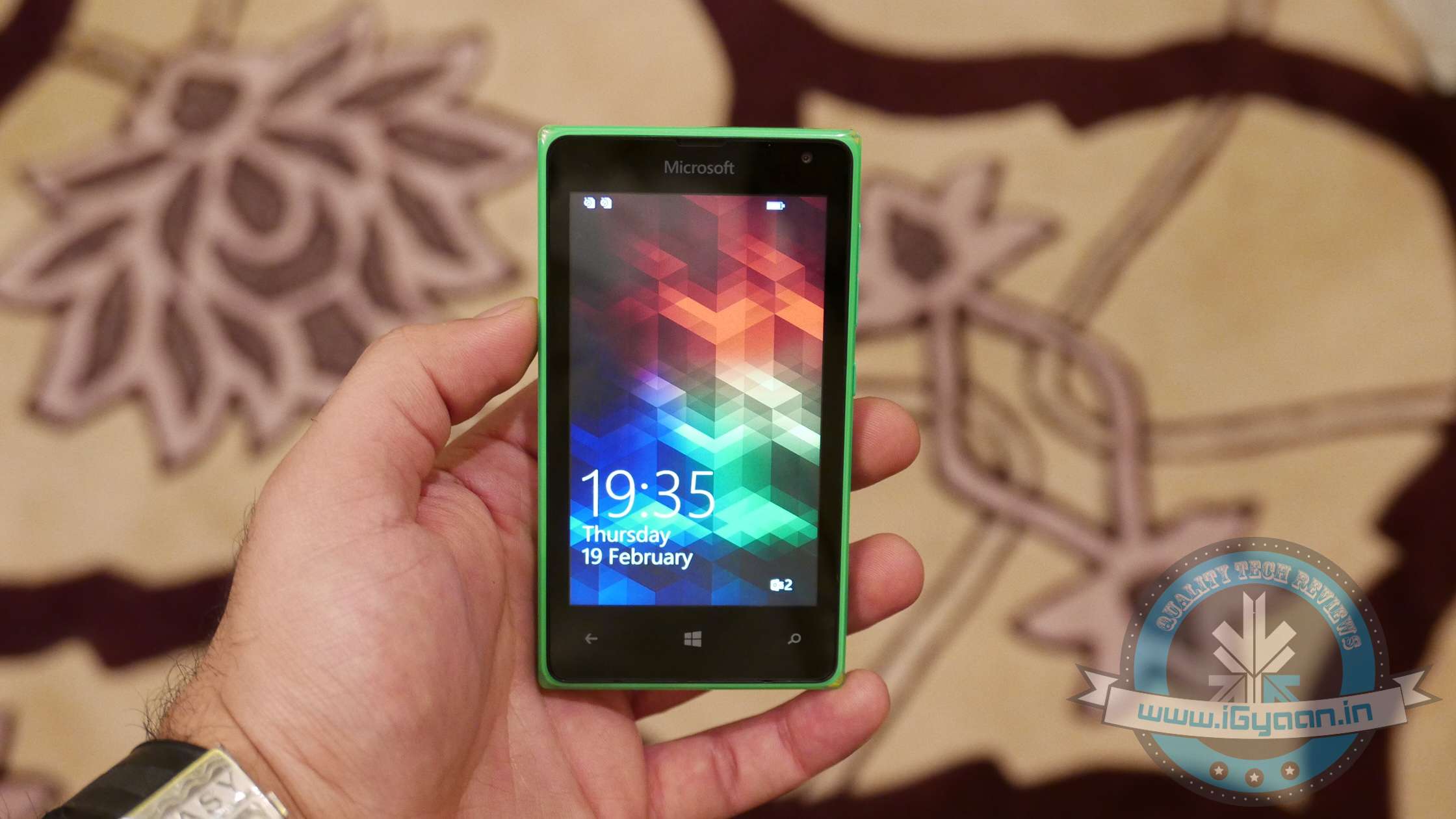
    Microsoft Lumia 532 | Hands On

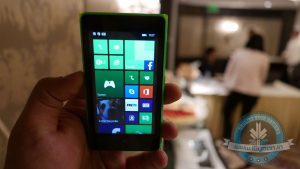
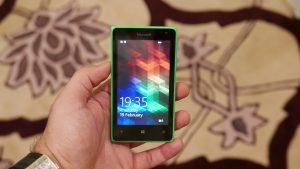
    Microsoft yesterday launched the Lumia 532 in India targeted at the affordable segment of the market. The phone runs on Windows Phone 8.1 OS and will be getting the Windows 10 update. Microsoft launched the devices with multiple offers like data connection and premium access to Truecaller for six months. But what has it really got to offer for its price tag of Rs.6,499, let’s have a look.

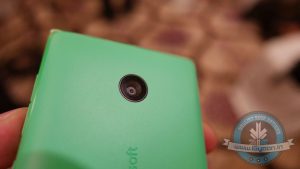
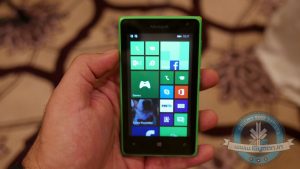
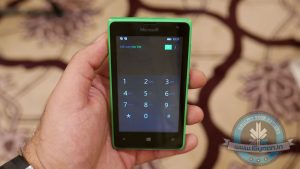
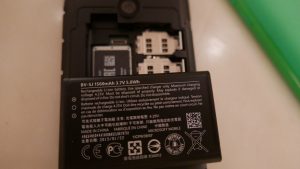
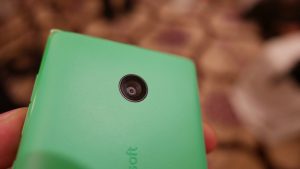
    The Lumia 532 comes from the Nokia inventory of devices that now feature a Microsoft logo. The phone is fairly fast and responsive. It features a 1 GB RAM and a 1.2 GHz Snapdragon 200 processor. You get a 5 MP shooter at the back and a VGA camera on the front that lets you make Skype calls from the device. This dual-sim, 3G device gets its power from a 1560 mAh battery.

    Microsoft Lumia 0

    Microsoft has said that the device will always get the latest operating system(OS) updates and will be getting the Denim update soon. Microsoft’s next major OS update is Windows 10, and the Lumia 532 will be getting it too.

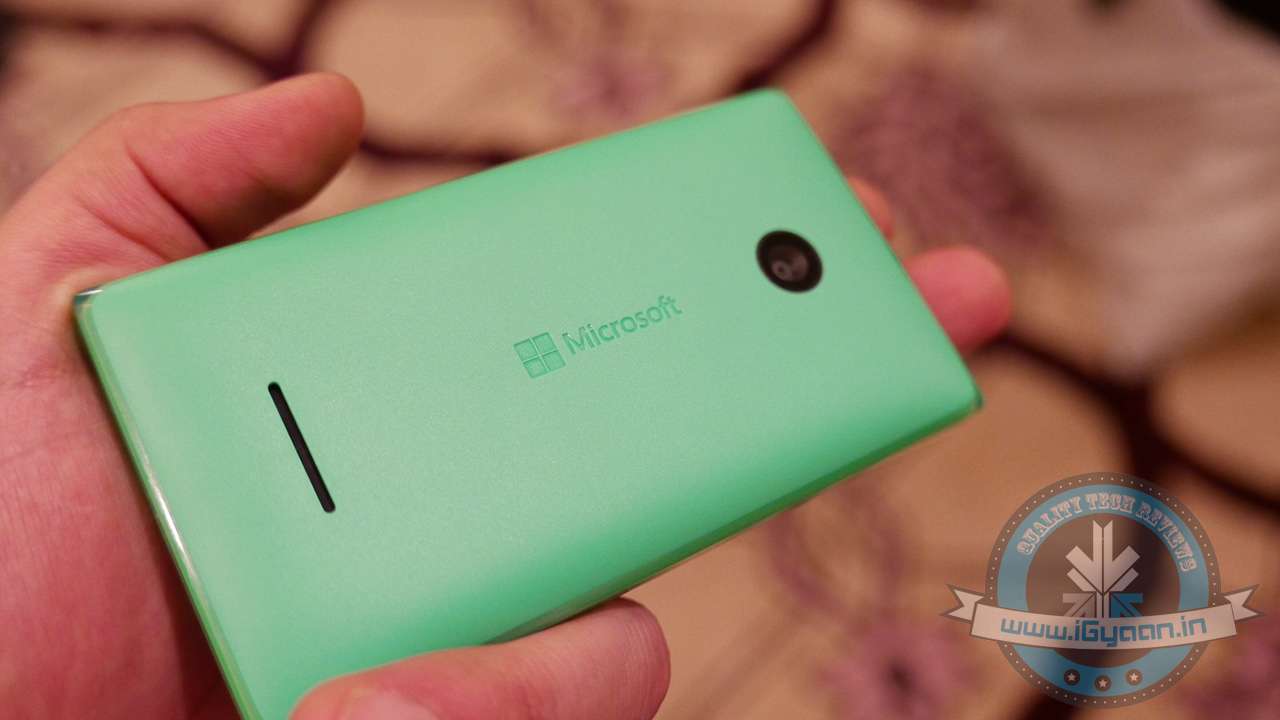
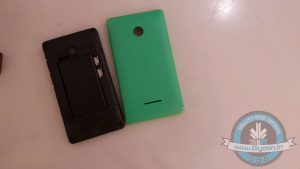
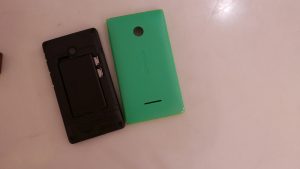
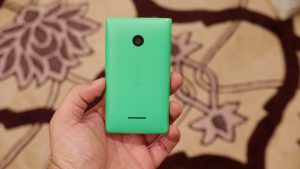
    Coming to build quality, the device does impress you with its exteriors. It carries on the legacy of the Nokia’s strong build, for which it is still appreciated (*Nokia 3310 memes). It has a robust, matte finish, polycarbonate back panel along with a strengthened front glass. The sides of the device have been given a glossy finish which is unique offering from Microsoft. It might be a bit tough to get the back panel out initially, but it will get easier once you understand the technique to open it.

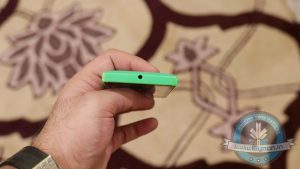
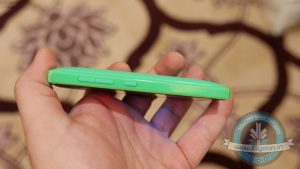
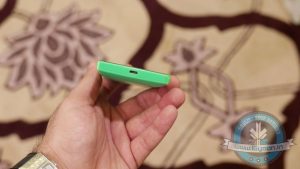
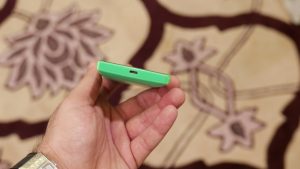
    The physical controls and ports are easy to access too. On the right side, you have the volume rockers and the power buttons. On the bottom, you get the microUSB port for charging and data syncing. On the top is a 3.5 mm jack for hands-free. The phone lets you expand storage to up to 128 GB which will be appreciated by multimedia hoarders.

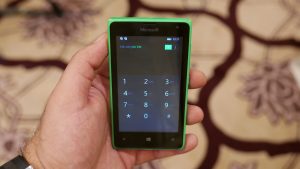
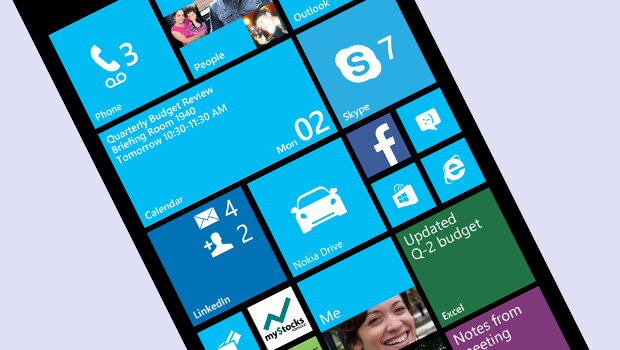
    Windows phones are known to be fast and responsive, and so is this device. The UI is really responsive, and the 1 GB helps you to get your tasks done with ease. You can customize the size of your live tiles just by holding them out and then selecting what size you want. You can also move the tiles as you desire. The device lets you change the basic color of the device, and you can get a back panel with the same color too. So this will be loved by the young folks. There is also a new predictive keyboard that will make it a lot easier to type messages.

    So the device overall offers some good features for its price tag of Rs. 6,499. The device will always be updated and has a lot of colors and customization features that will impress the youth market. We will bring out a full review out soon and if you have any questions and queries regarding the device then post it in the comment section below and we’ll try to address them in our review. Keep checking iGyaan for more.


    SPECS

    Microsoft Lumia 532

    Operating System Windows Phone 8.1
    Screen Size 4 inch
    480 x 800 pixels
    RAM 1 GB
    Battery 1560 mAh
    Processor  Snapdragon 200
    CPU Quad-core 1.2 GHz
    Internal Storage 8 GB
    Expandable Up to 128 GB
    Front camera  VGA
    Rear Camera 5 MP
    Price Rs. 6,499
  • Microsoft Brings the Lumia 532 to India

    Microsoft Brings the Lumia 532 to India

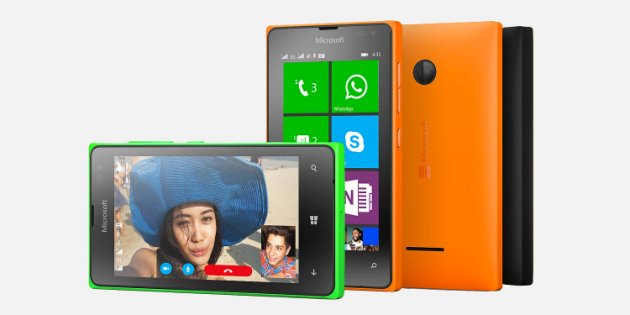
    Microsoft has today launched two new devices for the affordable segment of the Indian smartphone market. The company launched the Lumia 435 and the Lumia 532 here in Indian capital today. Lumia 532 is a dual sim device with a price tag of Rs. 6,499.

    Microsoft Lumia 532 has a 4 inch display with a resolution of 480 x 800 pixels and a pixel density of 233 PPI. It gets its processing might from a Quad-core 1.2 GHz, Snapdragon 200 processor along with 1 GB RAM. The internal storage of the device stands at 8 GB and can be expanded through a MicroSD card to up to 128 GB. Apart from that you also get 30 GB of free OneDrive cloud storage.

    On the camera front, the device sports a 5 MP camera on the back and a VGA camera on the front. It is juiced up through a 1560 mAh. The device runs on Microsoft Windows Phone 8.1 operating system and will receive the upcoming Windows 10 upgrade.

    As with its younger sibling the Lumia 435, the company is also offering free 500 MB data connection from Airtel for a duration of 7 months. A 6-month Truecaller premium subscription worth Rs. 360 is also added for free with this device.

    Overall, looking at the spec sheet it seems like Microsoft is trying to clear out the inventory of the devices it inherited from Nokia. There is a plus side to these devices too. As Microsoft is working towards creating a unified ecosystem with Windows 10, you can expect easier interaction between your Windows Phone and your Windows 10 based computers. But it does seem like you would have to overlook the competition that offers more features at present for a unified Microsoft ecosystem of the future.

  • Microsoft Launches the Affordable Lumia 435 in India For Rs.5,999

    Microsoft Launches the Affordable Lumia 435 in India For Rs.5,999

    Microsoft is a giving a push to its smartphone business in the affordable segment of the market. The company has launched the Lumia 435 in India to strengthen its portfolio at the lower end of the smartphone market.

    The Lumia 435 sports a 4 inch display with a resolution of 480×800 pixels with a pixel density of 233 PPI. It is powered by a Dual-core 1.2 GHz, Snapdragon 200 processor along with 1 GB RAM. It has 8 GB internal storage but can be expanded up to a massive 128 GB that is great for a budget device.

    This device has a 2 MP camera on the back and a VGA camera at the front. It gets its juice from a 1560 mAh battery. The device runs on Microsoft Windows Phone 8.1 and will be upgraded to Windows 10 in the coming future.

    To attract the customers to its ecosystem, Microsoft is offering a 500 MB data connection from Airtel for 7 months. Along with the data connection, the company is also offering a 6 months premium package of Truecaller.

    The device is priced at Rs. 5,999 which is identical pricing for the Moto E, which offers a 4.3 inch qHD ( 540 x 960) display and will also be getting the latest Android Lollipop update soon. The 435’a expandable storage and the free data plans are its only attractive features, so it remains to be seen how many takers it manages to find in the Indian market.

  • New Microsoft Office Update Extends Support to iCloud Storage

    New Microsoft Office Update Extends Support to iCloud Storage

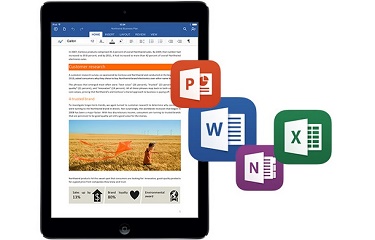
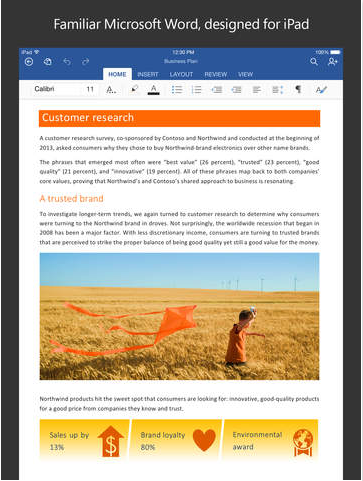
    Microsoft is expanding its horizon and is releasing app upgrades equally for all platforms. They’ve recently taken commendable steps to ensure everyone gets the chance to use their services, without being restricted to Windows. Today, the company updated the Microsoft Office app to Version 1.6, adding iCloud support for iOS customers. The new upgrade allows users on Apple devices running iOS 8 or above, to open, edit, and save Office documents to iCloud.

    microsoft office update

    With the new version, users don’t have to pay for an Office 365 subscription or to use OneDrive. They can view, edit and create docs for free. The upgrade could be a bit confusing for the regular iCloud users as the new version doesn’t allow you to add iCloud as a place in Word, Excel or PowerPoint.  One has to tap on ‘More’ section to access the saved documents on iCloud.

    File type is also a hurdle and users wouldn’t be able to overwrite the docs created with TextEdit on Mac. But you can always create a new document. Simply share your work with others by emailing a hyperlink, the file or a PDF.

  • Microsoft Releases Windows 10 Preview for Phones; Here is How You Can Install it

    Microsoft Releases Windows 10 Preview for Phones; Here is How You Can Install it

    Redmond giant Microsoft has released the first preview of Windows 10 for phones. Lumia owners can now install the preview and check out what the new OS has to offer. Several prominent Windows 10 features will be available in the preview, including the new UI, new action center, custom background images on the start screen and better voice dictation.

    In a blog post, Microsoft’s Gabe Aul says the company is looking for feedback.

    [quote text_size=”small” author=”Gabe Aul” author_title=”Microsoft”]

    This preview is still very much under development and you’re going to see some rough edges. We’re sharing it with you so you can be with us at every step, and provide your feedback to help make this the best release ever.

    [/quote]

    Though the preview does not get the new universal apps, the new Office apps, the Spartan browser, Xbox integration, Skype in Messaging and Cortana, among other things.

    We’ll hear more about Windows 10 for phones at Microsoft’s event at MWC on March 2, while the final OS launch is expected this summer.

    https://www.youtube.com/watch?v=ckzhX1O6Lto

    How to Install the Preview

    • To get the preview, you’ll need a Lumia 630, Lumia 635, Lumia 636, Lumia 638, Lumia 730, or Lumia 830.
    • Make sure you back up your data.
    • Go to insider.windows.com and sign up for the Windows Insider program. Then on your PC, go to the this link and click install to send the Windows 10 insider app on your phone.
    • When you access the Windows Insider app on your phone, you’ll get two options – ‘fast and ‘slow’ build schedules. Microsoft says the slow schedule has improvements coming less often, hence it’ll be less buggy.
    • This will be followed by a series of long downloads and restarts, and you’ll finally be running the Windows 10 Preview for phones.

    Users are advised to be patient as the whole process takes a significant amount of time.

  • Lower-End Microsoft 8.1 Smartphones May Also Get Windows 10

    Lower-End Microsoft 8.1 Smartphones May Also Get Windows 10

    Microsoft has presented its new operating system, Windows 10, and it has impressed a lot of its critics. The latest Windows offering will act as Microsoft’s initiative to create an ecosystem for its devices. It will work on all the Microsoft devices – from desktops to tablets to smartphones. Microsoft just announced that even the lower end smartphones running on Windows 8.1 will also be getting the Windows 10 upgrade.

    In a tweet, Joe Belfiore, the Corporate Vice President of Operating Systems Group for Microsoft has said that they are making a version of Windows 10 for devices running on 512 MB RAM. The tweet specifically mentions the Lumia 520. But he also added that the features would vary in these devices. It would probably be a stripped down version of the operating system made to run on devices with lower specs.

    Microsoft has been struggling with its smartphone business. Its smartphone operating system runs in just about 3% of the devices sold. It has some good features, but the mass appeal of Android and iOS from Apple has not given it a chance to grow.  Joe also announced that the insider build announced at the Windows event would be coming out sometime in February.

  • Microsoft Launches 500GB Xbox 360 with CoD, Other Variants Face Price Cuts

    Microsoft Launches 500GB Xbox 360 with CoD, Other Variants Face Price Cuts

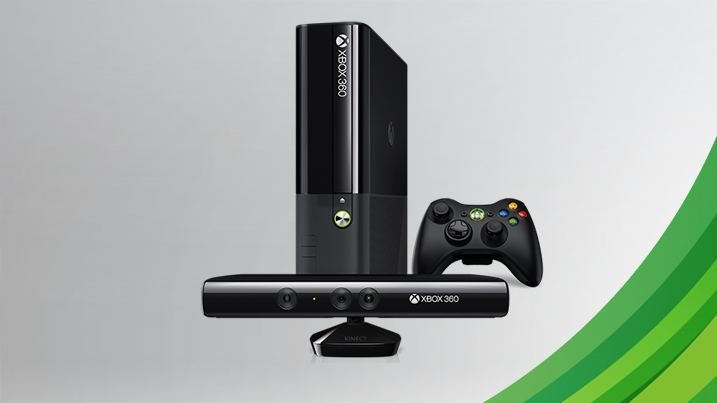
    A little too late or right on time, Microsoft has announced the launch of its Xbox 360 500 GB bundle for the Indian market priced at Rs.19,990. The bundle includes two popular Call of Duty titles – Black Ops and Ghosts. The bundle also includes a one month Xbox Live Gold membership.

    In addition, prices of other variants of the Xbox 360 have been slashed. The 4GB standalone version is now priced at Rs. 12,990, which gets a price cut of Rs 3,000. The 250GB Xbox 360 with Kinect now gets a price tag of Rs 29,990, while its earlier price tag was Rs. 31,990. The 4GB Xbox with Kinect price has been slashed to Rs 21,990 from Rs. 26,990.

    Xbox Variant New Price Old Price
    4GB standalone Xbox 360 Rs.12,990 Rs. 15,990
    250GB Xbox 360 with Kinect Rs.29,990 Rs.31,990
    4GB xBOX 360 with Kinect Rs. 21,990 Rs.26,990

    Meanwhile in November, Microsoft announced a new exclusive Xbox One Assassin’s Creed bundle with Kinect featuring Assassin’s Creed Unity.

  • Microsoft Announces Paid Windows 10 Service Plans for Enterprises

    Microsoft Announces Paid Windows 10 Service Plans for Enterprises

    Few days back, Microsoft unveiled the much-awaited consumer version of Windows 10. The company announced that the upgrade will be free for the buyers for one year, but unfortunately, the free deal doesn’t extend to the enterprise segment.

    The confirmation came from the General Manager of Security at Microsoft, Jim Alkove, who stated in a blog post –

    Windows 7 Enterprise and Windows 8/8.1 Enterprise are not included in the terms of free Windows 10 Upgrade offer we announced last week…

    He further added, “Windows 7 Enterprise and Windows 8/8.1 Enterprise are not included in the terms of free Windows 10 Upgrade offer we announced last week, given active Software Assurance customers will continue to have rights to upgrade to Windows 10 Enterprise offerings outside of this offer – while also benefitting from the full flexibility to deploy Windows 10 using their existing management infrastructure.”

    continuum windows 10

    The company wants to attract more business for upgrade and has rolled out two new operating system service plans for firms to get updates. These are Long Term Servicing Branch and the Current Branch for Business.

    The Long Term Servicing Branch is designed for the companies who don’t require all the features and plan for long-term installation. To such firms, Microsoft will dispatch security and critical updates. On the other hand, Current Branch for Business, is what Microsoft hopes most companies will opt for. In this, critical patches and security fixes will be installed automatically, and IT people will be able to experience many new features.

    The news is no surprise as Microsoft aims at making profit from Windows 10 and business sector is the primary source from which it produces maximum revenue.

  • Microsoft May Invest in Custom Android ROM Maker Cyanogen

    Microsoft May Invest in Custom Android ROM Maker Cyanogen

    In a surprising round of rumors, The Wall Street Journal has reported that Microsoft is putting money into Cyanogen. According to the report, Microsoft may invest in Cyanogen and strike a commercial partnership. While the companies are discussing the deal, Microsoft has not committed to an investment.

    Bloomberg also reported that the two companies are in negotiations to create a version of CyanogenOS that features Microsoft’s services. The deal seems quite similar to what Nokia did with the X series (smartphones running a heavily customised version of Android), which Microsoft killed back in July, 2014.

    The investment would be unusual, because Microsoft offers its own Windows Phone operating system. But Windows Phone has only about 3% market share, which may be prompting Microsoft to consider unconventional steps.

    Back in October 2014, some reports claimed that the Cyanogen CEO Kirt McMaster shrugged off Google Senior Vice President of Android, Sundar Pichai’s interest in purchasing the company. The interest of these tech giants in the hot start-up is natural, considering the popularity and enormous community associated with the company.

  • Microsoft Office for Android Tablets is Out Now

    Microsoft Office for Android Tablets is Out Now

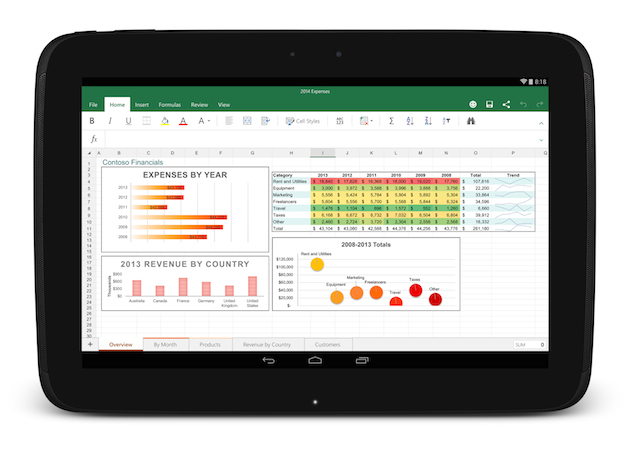
    After two months of beta testing, Microsoft has released the final version of Office for Android tablets. As with the iOS apps launched last year, Office is essentially free to use on Android for most consumers, though certain premium features and business functionality require an Office 365 subscription.

    The list of requirements to use the app include having a tablet that’s 7-inches or larger that’s also running Android 4.4 KitKat or newer. They also need to have to have an ARM-based processor and 1GB of RAM or above.

    office foe android

    All of the Office apps have a similar home screen. You can store your files either locally on your device, on your Microsoft OneDrive account, at a SharePoint location or on Dropbox. Once you sign in you’ll automatically be signed into OneDrive so you can sync files between devices, but the apps also feature Dropbox integration if that’s the file syncing solution you prefer.

    The one thing the new Android version of Office lacks is support for phones, which are still stuck with the older, more limited Office Mobile. The recent flood of Microsoft apps is a part of the company’s plan to put Office apps on all the popular devices whether they are running on Microsoft’s OS or not.

  • Microsoft Finally Brings Out an Outlook App That is Worth it

    Microsoft Finally Brings Out an Outlook App That is Worth it

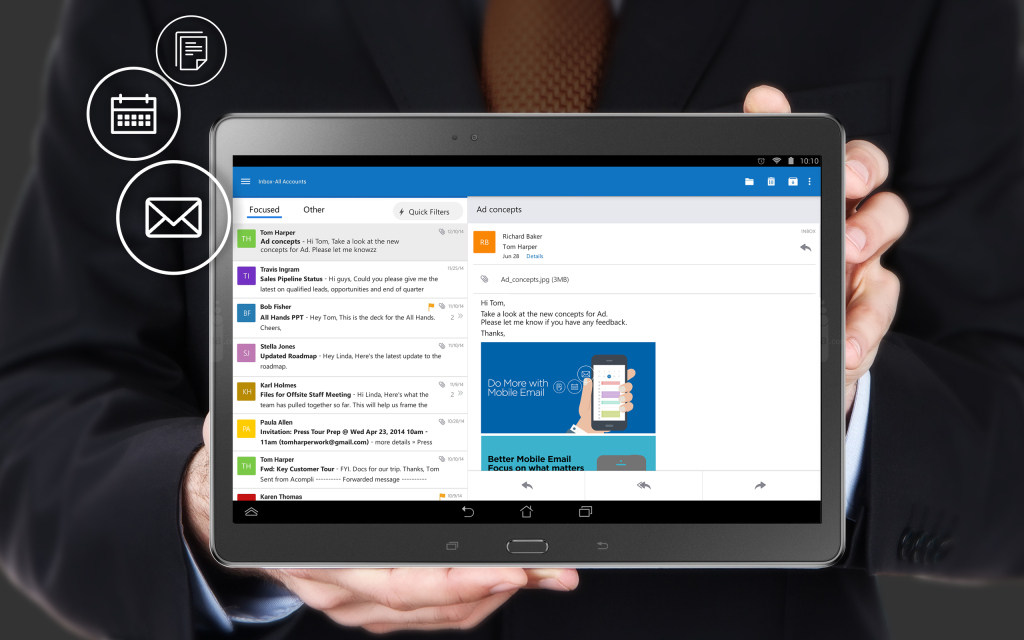
    Matching Google at its best game, Microsoft has brought a fully featured version of Outlook to iOS and Android today. The new app is based on the application it acquired, called Acompli, last December.

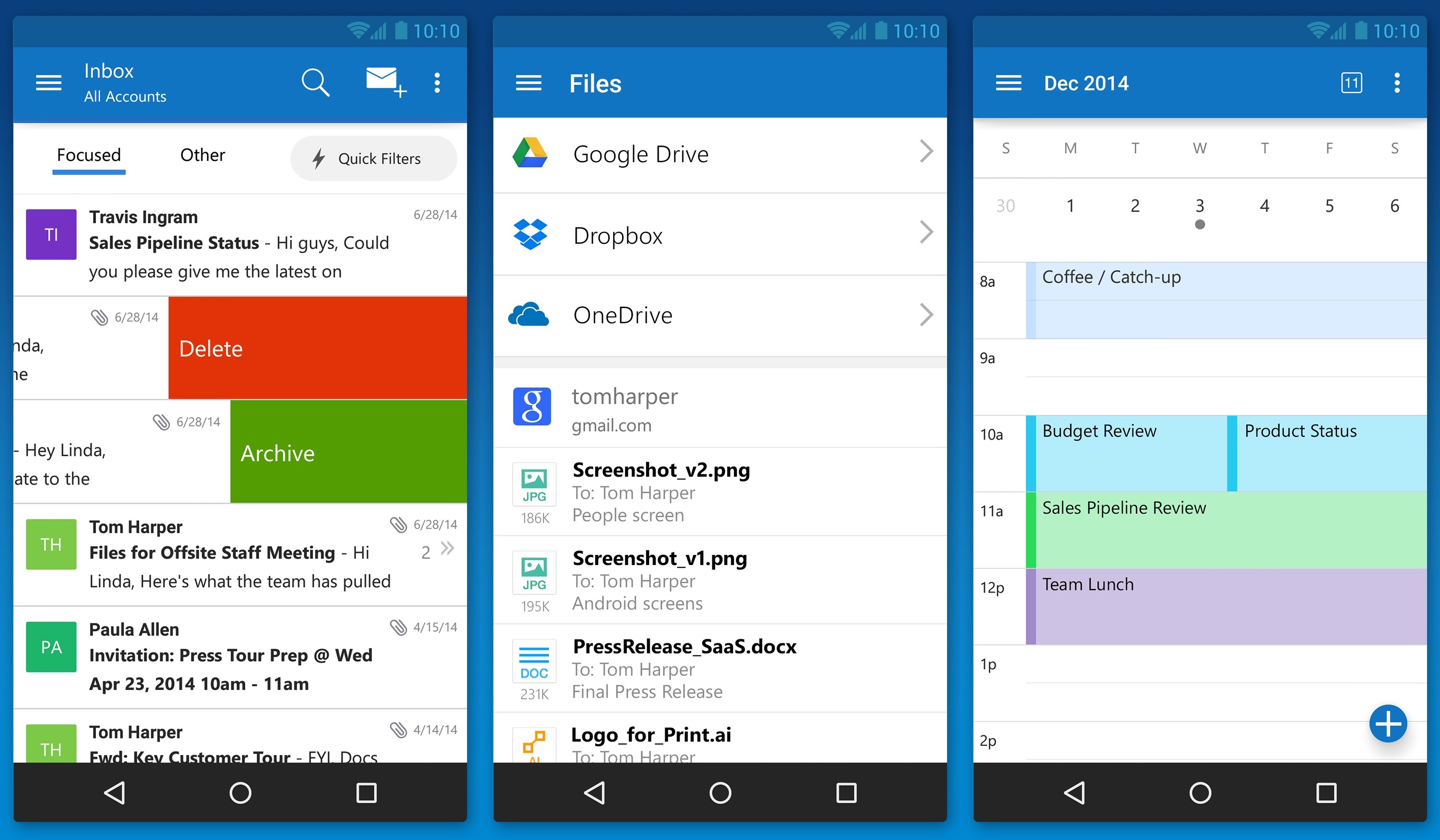
    outlook_android_phone

    Julia White, General Manager of Microsoft Office said that the Acompli team has already been integrated into the Outlook team, and today’s launch is a direct result of that. Acompli aimed to set itself apart from other email clients by focusing on multitasking. The app included a built-in calendar and features that made it easier to find attachments and contact information without digging through your inbox, all of which have now been carried over to the new Outlook-branded apps.

    Surprisingly, Microsoft is keeping powerful features such as integration with Google Drive and Dropbox. This ensures the same quick access to calendar, contacts, mail, and files; just like the desktop variant of Outlook. In the long run, these new apps will replace all of Microsoft’s current range of Outlook apps such as Outlook.com app for Android and OWA apps for Android and iOS.

    The new Outlook app experience will also carry over to the touch-optimized version of Outlook for Windows 10. As with Microsoft’s previous Android app releases, the first version of Outlook for Android will come with a “preview” label as Microsoft looks for feedback from users with different types of devices.

  • Microsoft Announces “The Next Chapter of Office”, Due Later This Year

    Microsoft Announces “The Next Chapter of Office”, Due Later This Year

    Amongst all the chatter regarding the Windows 10 event, Microsoft announced yesterday that it will be releasing its next big Office suite this year.

    Called the Office 2016, it will be generally released in the second half of this year. The company didn’t announce much more about Office 2016 , however, it is not hard to guess what to expect, given the history of the product.

    Microsoft has been focusing more and more on optimizing Office for mobile, but Office 2016 will be best for desktop computers. The platform will include “compelling new experiences” that will be highlighted more in the coming months. So for now, details remain vague.

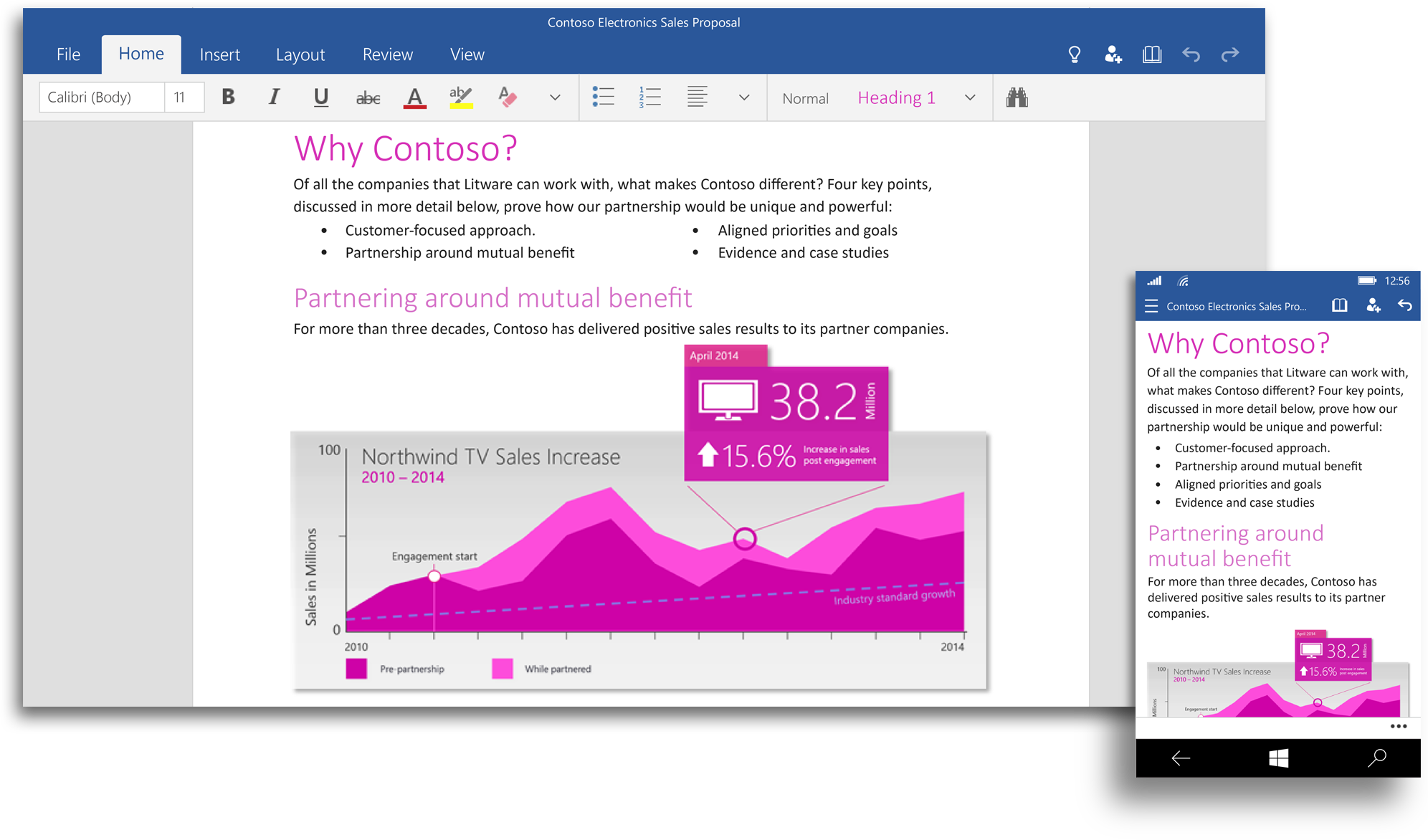
    office 2016Microsoft is also building a set of Office apps for Windows, designed to accept touch input, the company calls it “Office for Windows 10.” Office for Windows 10 offers touch-optimized versions of Word, Excel, PowerPoint, OneNote and Outlook that work great on small screen devices like your phone and tablet, as well as with the Microsoft’s giant Surface Hub.

    However, Office 2016 will be different from the unified Office for Windows 10. According to the company, the Office 2016 will remain the comprehensive Office experience we’re long familiar with, best suited for a PC with a keyboard and a mouse.

    The touch optimized Office apps will be pre-installed for free on phones and small tablets running Windows 10 and available to download from the Windows Store for other devices. The Office universal apps will be available with the Windows 10 Technical Preview in the coming weeks and general availability is on the cards for later this year.

    Watch below for the preview of Office for Windows 10:

  • 9 Super Cool Features of Windows 10

    9 Super Cool Features of Windows 10

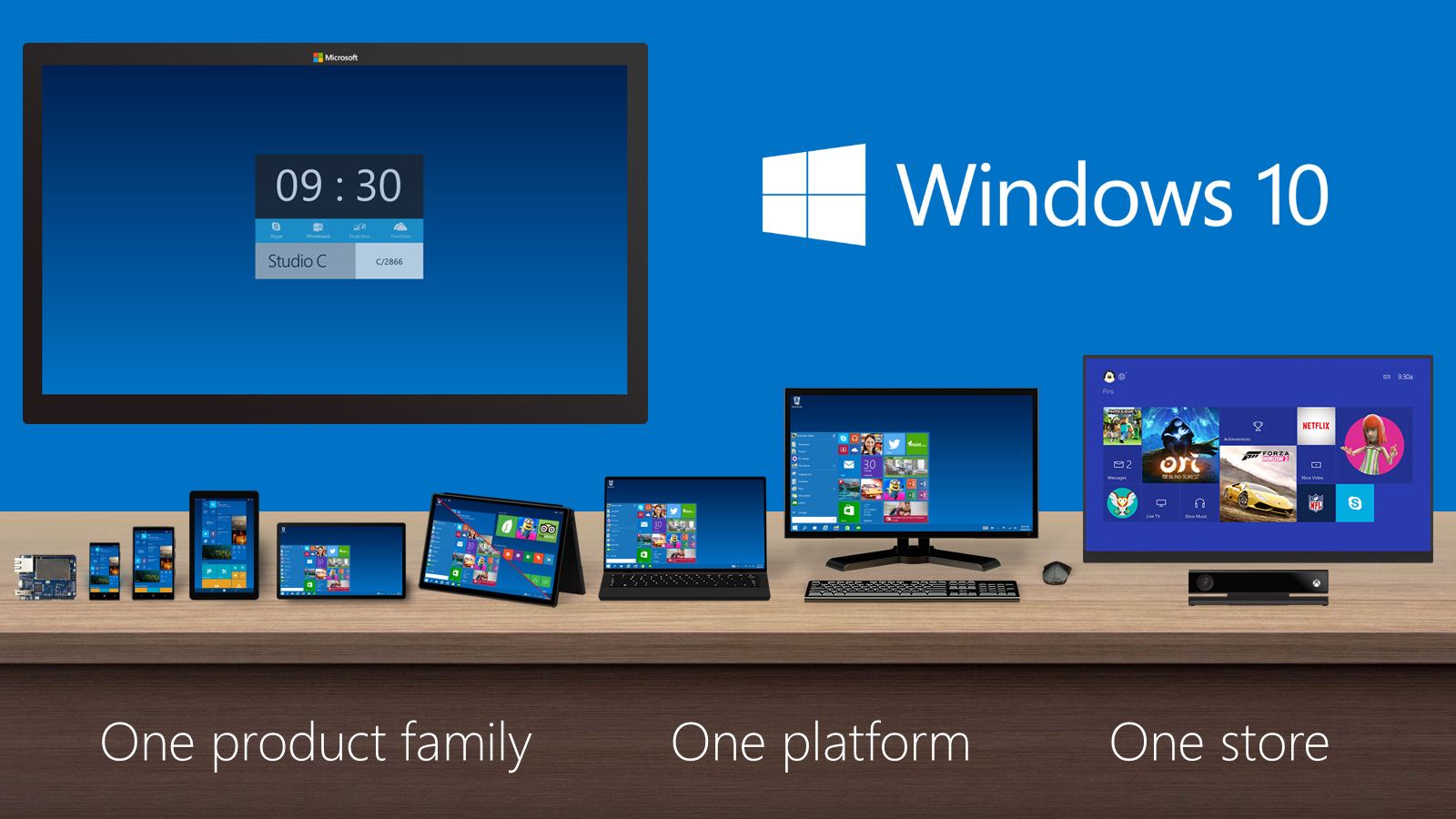
    Last night, Microsoft lifted the veil off the consumer version of its much-anticipated operating system Windows 10. The event saw some amazing offerings that were absent in the business version of Windows 10, launched in September the preceding year. Microsoft announced that its new upgrade would be same on all platforms and would be more user-friendly and impressive that ever before.

    We have summed up Top 9 features that make Windows 10 unique-:

    1. Start Menu
    Start-screen-in-Windows-10

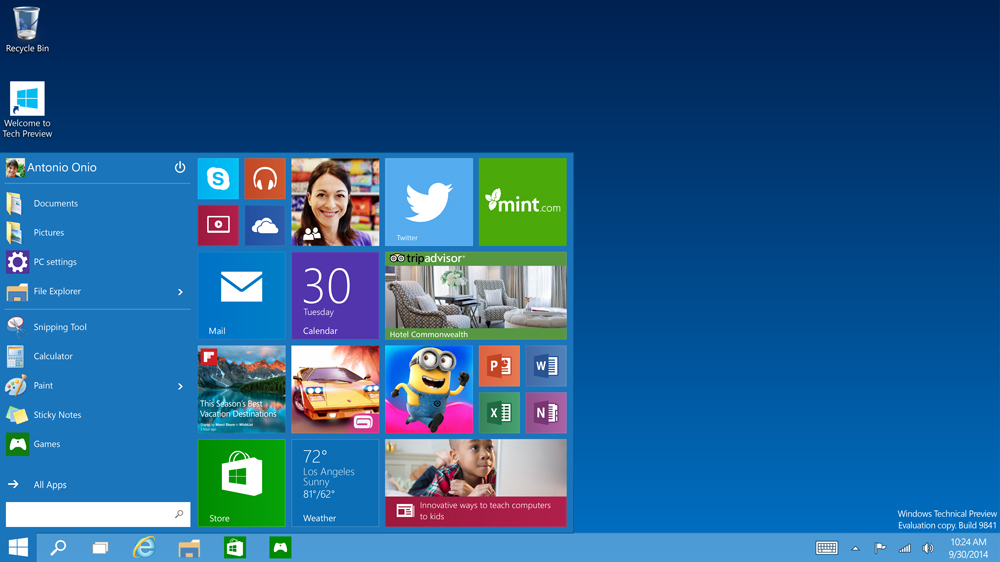
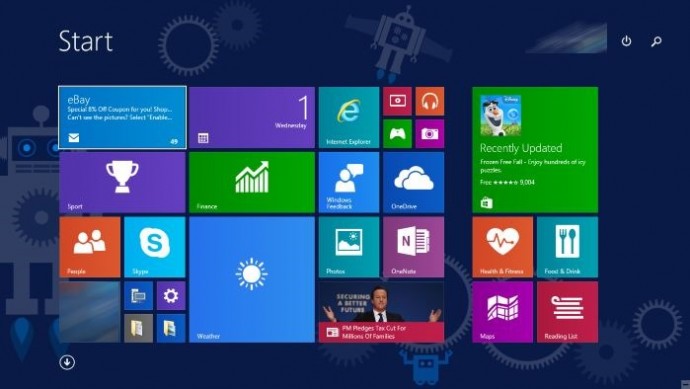
    To start off, Microsoft has added the much-needed tool that was absent from Windows 8 and 8.1 – the Start Menu. People longed to see this on their desktop for past three years, and finally Microsoft has put it back. The new Start menu combines the old-school start icon along with the modern user interface that makes it more comfortable for users to go through.

    2. Action Center
    Windows-10-Action-Center

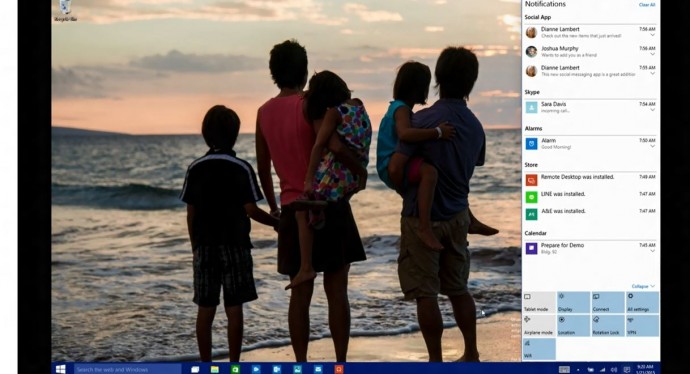
    Settings have tweaked, to give a cleaner and more understandable look. Windows 10 pushed the fragmented Settings menu and Control Panel out to encompass a unified settings menu called Action Center. Action Center brings together all the frequently used options like Wi-Fi, Bluetooth and more. The refreshed settings shelter all the regular buttons, through which one can instantly switch the Wi-Fi, Bluetooth and other selections on and off.

    3. Continuum
    continuum windows 10

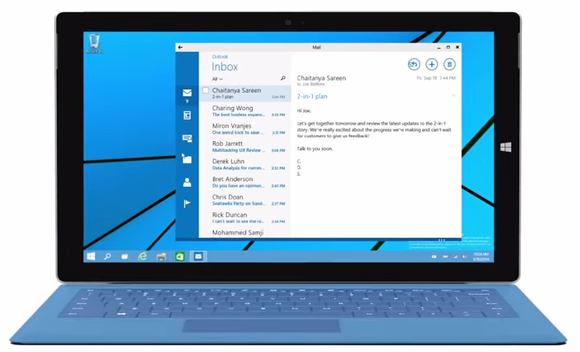
    Continuum is a highly anticipated addition to the Windows 10. Continuum is just like Apple’s Continuity feature that allows you to switch from PC to mobile or tablet from where you left. The feature is designed specifically for convertible devices, switching almost instantly from a mouse and keyboard to a tablet screen.

    4. Notifications Sync
    windows 10 sync

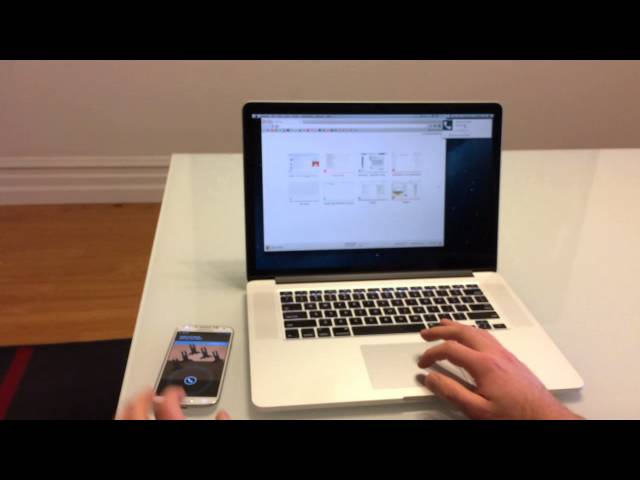
    Microsoft has made full use of its ‘common interface for all platforms’ and has included the notifications syncing feature. With this new tool, notifications will get synced across devices, and once you have dismissed some notifications on a mobile, it will not obstinately pop up again when you switch on your laptop or tablet. Now that’s something really thoughtful by Microsoft.

    5. Cortana
    cortana pc

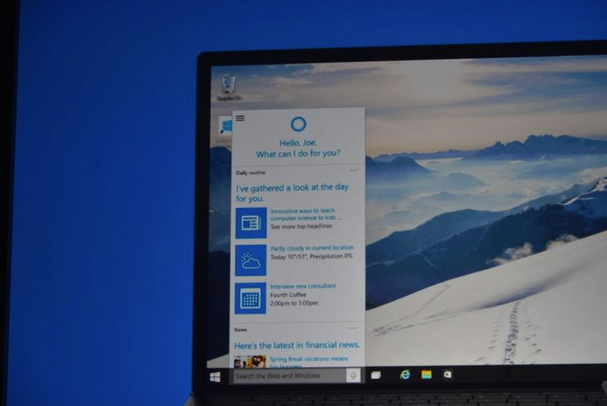
    The special feature that separates Windows 10 from its predecessors is the intelligent personal assistant Cortana. Cortana will serve as a primary search tool that will look for you. Its reminder capabilities are unparalleled. Not only this, Cortana is much more than a simple robot. Through Cortana you can interact with the device making lif very easy on the go.

    6. Universal Windows Apps
    Windows_10_universal app

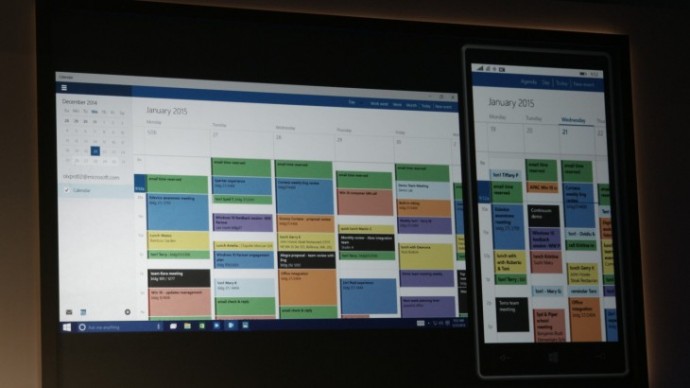
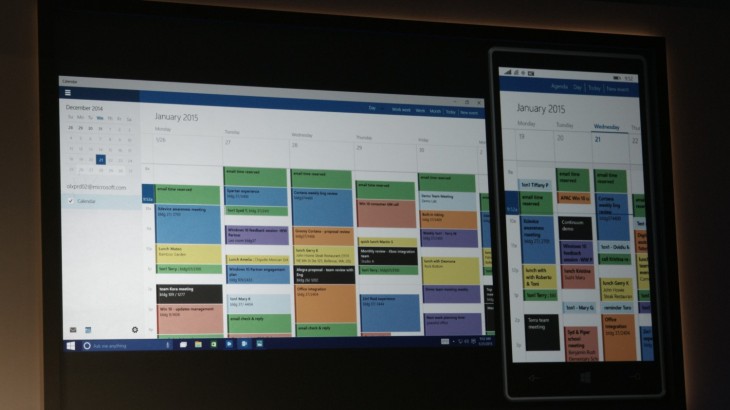
    One thing that will benefit Window Phone users is the universal Windows apps. The company has added some new apps that will run on computers, mobile, tablet and as well as on the Xbox One, and has improved the already existing apps. The list of new adoptions includes Outlook that has been modernised to cover comprehensive styling and extra formatting capabilities. Calendar app has been made consistent on all the platforms and Photos has been pinched to remove duplicates.

    7. Project Spartan
    spartan

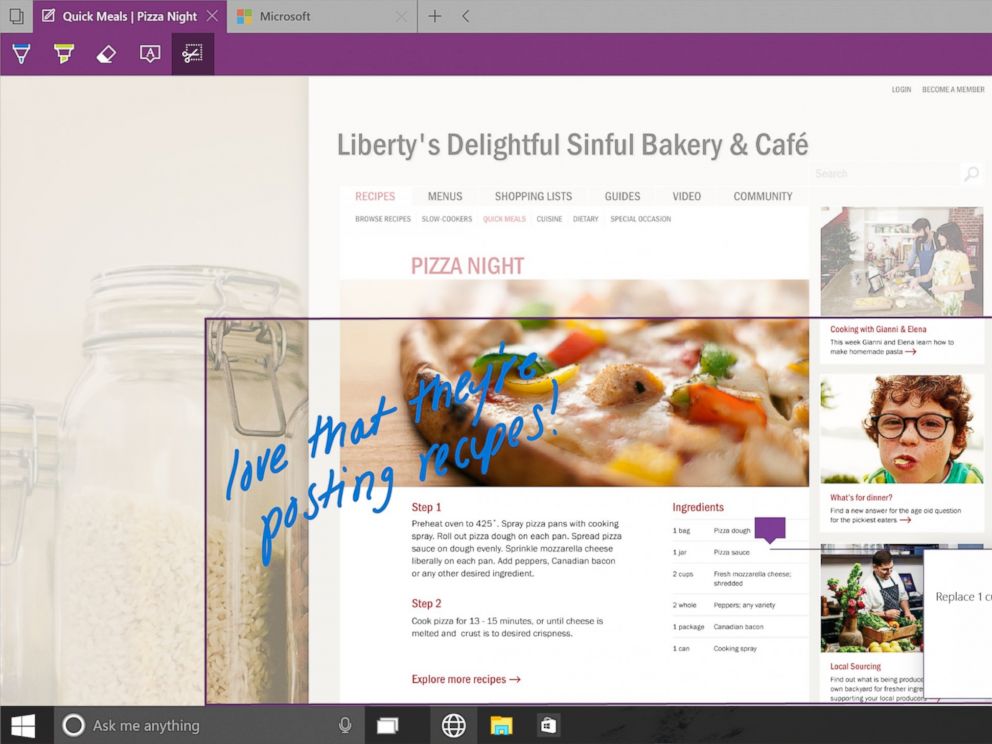
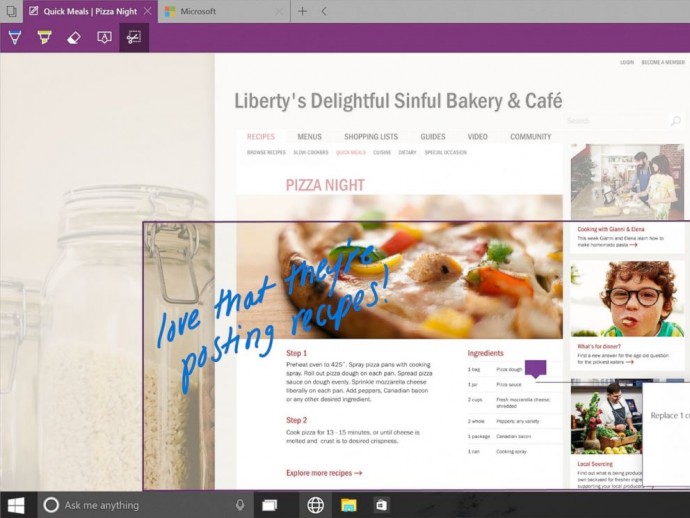
    The new browser that’s launched with Windows 10 is dubbed Project Spartan. The main highlight of this browser is its use in social networking. With Spartan, users can send websites with highlights and annotations added to them, something which is not available in any web browser right now. Also, Cortana is deeply integrated with Spartan to make life easier for the non savvy folk.

    8. Xbox Live
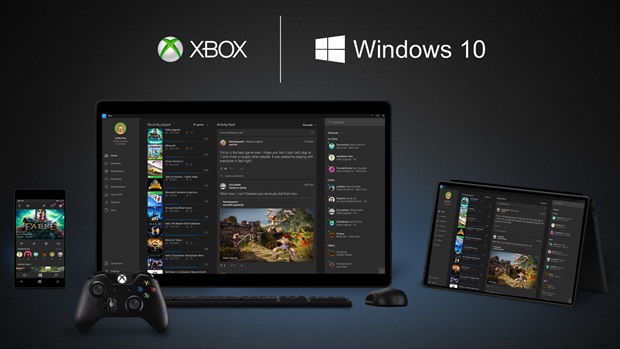
    xbox live windows 10

    There is something for hardcore gamers as well. With the new Xbox app, Xbox Live, on Windows 10, gamers can chat with their pals, share browsed video game clips and can record their games as well. The app also enables you to edit videos as per your willing.

    9. Improved Design and Interface
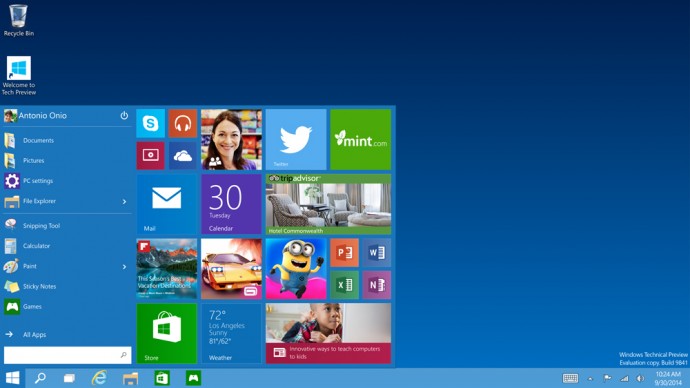
    windows_10

    Microsoft has proved that it has an eye for details. Users will notice the modern touch given to the icons. With fully-adjustable keyboard, integrated Message and Skype app, Windows 10 is more clean and swift.

  • The 7 Most Important Announcements Made at Microsoft’s Windows 10 Event

    The 7 Most Important Announcements Made at Microsoft’s Windows 10 Event

    Microsoft was serious when it called yesterday’s Windows 10 event as the unveiling of the ‘next chapter’ for the software giant. The company not only showed that it’s slowly moving away from its past failures but also managed to introduce some wildly futuristic concepts.
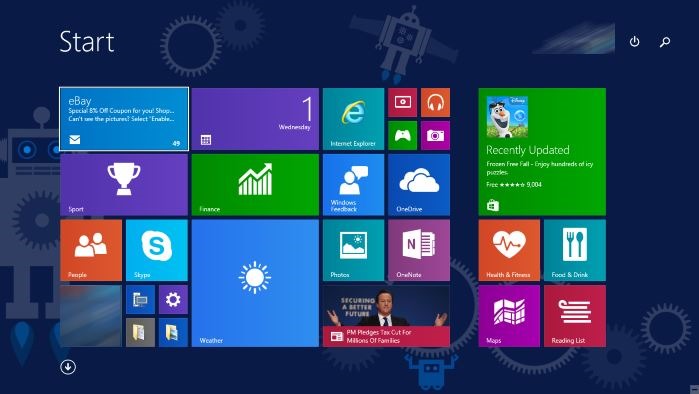
    We are listing the top 7 announcements from yesterday’s Windows 10 event.

    1. Cortana Comes to the desktop

    cortana pc

    Microsoft’s sassy virtual assistance has become first amongst others to get a desktop support. As rumored earlier, you can find Cortana just next to the task bar on your Windows 10 desktop. Cortana will be able to answer your typed or spoken questions and open documents from your local library or OneDrive. The PC version of Cortana can also take notes and tailor your experience. For example, Cortana is also integrated with a new Maps app which enables her to remind you where you have parked your car or how much time will it take to reach home. Along with this, Cortana will regularly pop-in with the latest updates on flights, football scores, stocks or whatever she understands you like, with course of time.

    2. Gamers Delight

    microsoft-xbox

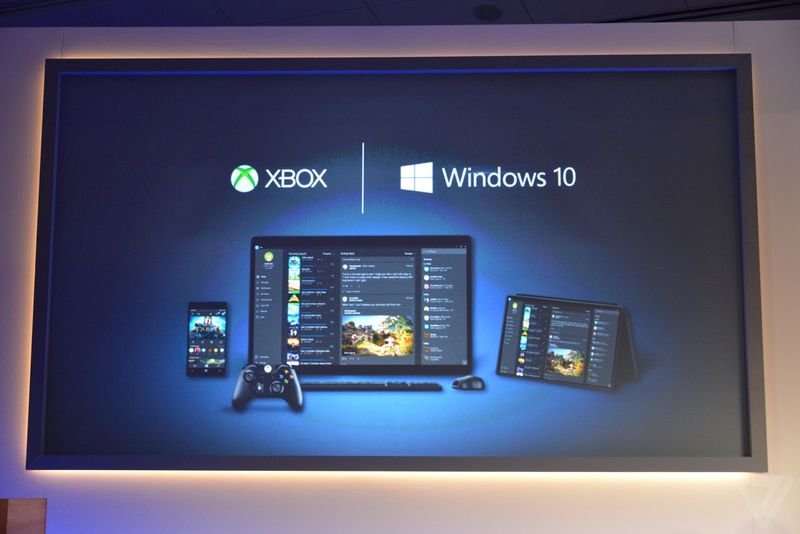
    This is the announcement that made us exclaim in delight. We have been ranting about the defunct PC gaming network and Games for Windows Live being inadequate. Well, Microsoft changed it with yesterday. The company announced a new Xbox app on every Windows device allowing you to view your games collection and chat with people on Xbox Live. And the bigger news is that with Windows 10, you can stream Xbox One games to any PC or tablet. You’re no longer restricted to the gaming console. Streaming will require a one-time set up to establish a relationship between the devices, after which Xbox One games can be accessed on a Windows 10 device by clicking on the game’s name in the Windows 10 Xbox App.

    3. Goodbye Internet Explorer, Hello Spartan!

    spartan

    Spartan has been in the news for sometime now. Microsoft’s new browsing app is a cleaner browser with a lot of shiny new features. There’s a “note-taking mode” that lets you draw over pages with a stylus or add comments with a keyboard, then save the results on OneNote. A clean “reading mode” formats a page like a book and adds a syncable reading list that’s basically “Pocket for Microsoft” or Safari’s page-saving feature. Another added bonus – Spartan has Cortana built into it.

    4. Return Of the Start Menu

    Start-screen-in-Windows-10

    The new OS update is so radical it prompted Microsoft to skip straight from Windows 8 to 10. One of the biggest iterations in Windows 10 is the return of Start Menu. It not only made its come back with the new upgrade but is also said be better than ever. Windows 10’s Start Menu will now expand to a full-screen view that looks like Windows 8.1’s home screen. A new Android-style Action Center provides quick access to Wi-Fi options, Bluetooth, and other settings. Along with this Microsoft has also added the Continuum feature which is designed specifically for convertible devices, switching almost instantly from a mouse and keyboard to a tablet screen.

    5. Giant Display For Enterprise

    surfaceHub

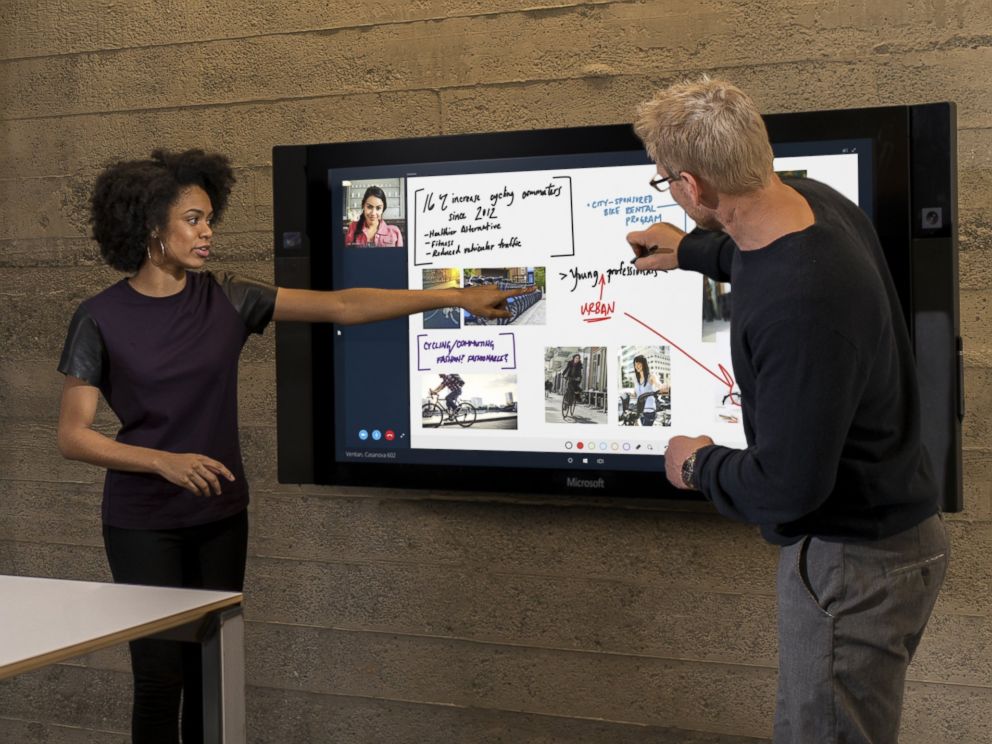
    Surface hub is a giant 84-inch 4K screen meant for the workplace.The 4K display has a built-in camera, speakers, mics, Bluetooth and NFC along with a stylus as a main input device for its touchscreen interface. The new display is the outcome of Microsoft’s acquisition of Perceptive Pixel, a research company it acquired in 2012. The idea is to provide enterprises with a one stop solution for meetings with members – appearing via Skype, drawing on screen and easily sharing work between everyone’s devices.

    6. HoloLens

    MSHoloLens_MixedWorld_LivingRoom_LongBrowser_RGB-500x333

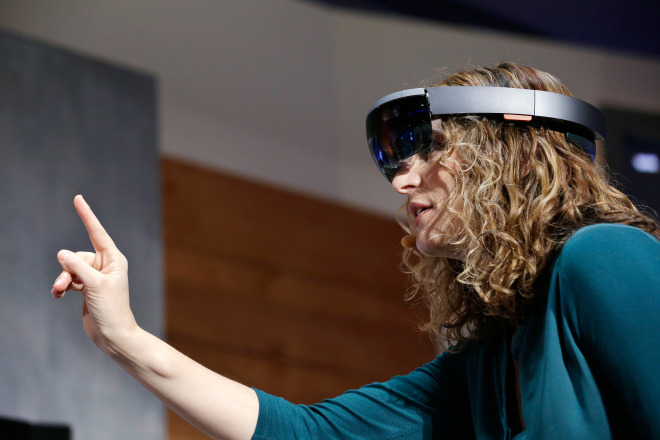
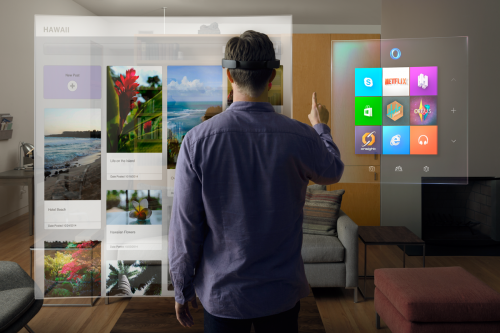
    As mentioned above, the company has also announced a wild and futuristic hardware. We were talking about HoloLens. The Microsoft HoloLens is a see-through visor that overlays holographic imagery over the real world. Born as the project codenamed as Project Baraboo, or sometimes just “B”, Hologram is powered by a new processor, what the company called a holographic processing unit. It’s equipped with sensors to detect the real world and gestures of the users, as well as holographic sound. It has no wires and doesn’t need to connect to phones or PCs.

    7. Unified Role of OneDrive

    microsoft_onedrive

    With Windows 10, OneDrive will become an important aspect of the unified app system. It will allow documents to sync across devices. Cortana has also been integrated with OneDrive and now can search documents in your cloud storage through your PC. OneDrive will also play a bigger role in photo and music section with Windows 10. For example, music will sync between devices using OneDrive. Up until now, OneDrive was focused on just photo and document sharing.

iGyaan Network
Privacy Overview

This website uses cookies so that we can provide you with the best user experience possible. Cookie information is stored in your browser and performs functions such as recognising you when you return to our website and helping our team to understand which sections of the website you find most interesting and useful.