Category: iOS

  • This Could Trick You Into Giving Away Your Apple ID Password

    This Could Trick You Into Giving Away Your Apple ID Password

    If you are an iPhone user, you must be used to the random popup asking for your Apple ID and password because of some app running in the background. It is as normal as it gets and we barely think twice before entering the password. However, there is a new phishing attack which can trick you into giving up your password and cause serious privacy concerns.

    A blog post from developer Felix Krause explains how a fake popup could be easily used to trick someone into handing over their Apple ID and password. The developer explains that creating a fake popup doesn’t require extraordinary coding skills. Any iOS engineer can make the Apple ID password prompt and send that popup. The password can then be logged in the app for anyone to access it. It takes less than 30 lines of code and could seemingly be dropped in any legitimate iOS app and sneak past App Store review teams.

    Showing a dialog that looks just like a system popup is super easy, there is no magic or secret code involved, it’s literally the examples provided in the Apple docs, with a custom text. I decided not to open source the actual popup code, however, note that it’s less than 30 lines of code and every iOS engineer will be able to quickly build their own phishing code.
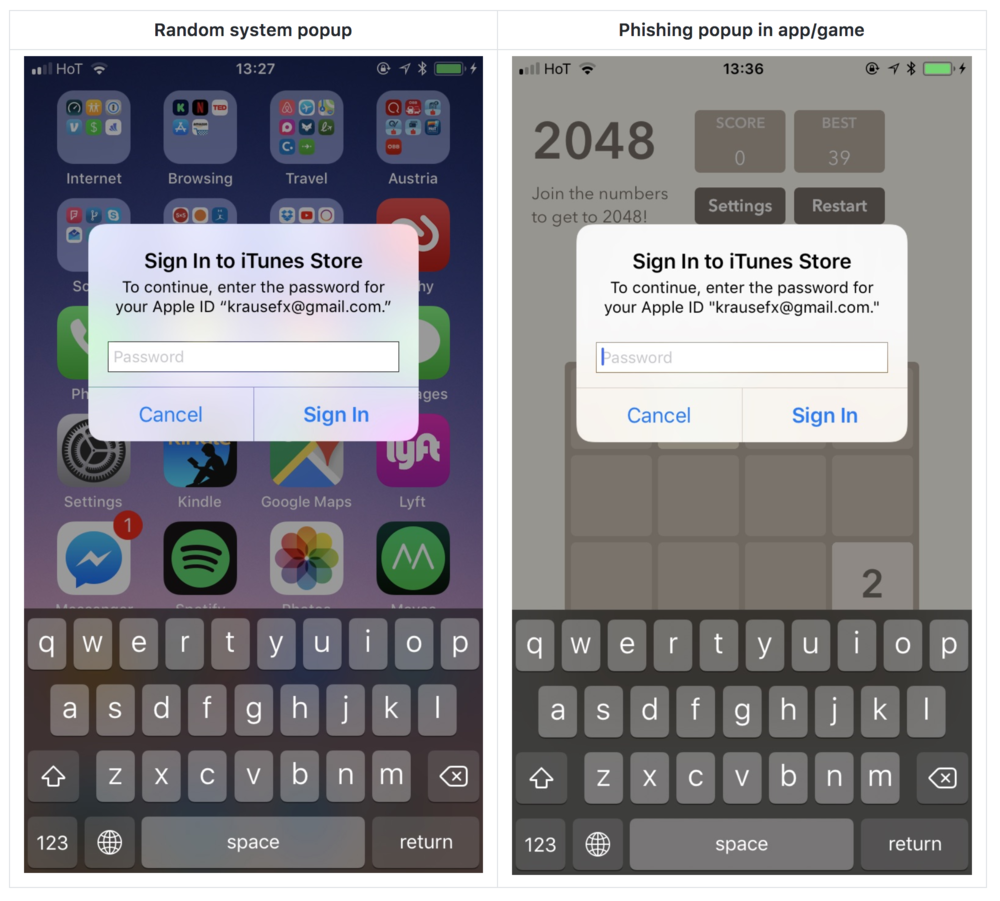
    He says he’s already filed this issue as a radar with Apple and explains that it could be fixed by Apple not allowing passwords to be entered in popups, but rather only in the Settings app/App Store. He notes in his blogs that this has been an issue with desktop browsers for years, with websites sending popups which look identical to the system popups.

    This seems like a serious issue and until Apple comes up with a solution, Krause has pointed out a few ways you can protect yourself from this phishing attack:

    Hit the home button, and see if the app quits:

    • If it closes the app, and with it the dialog, then this was a phishing attack
    • If the dialog and the app are still visible, then it’s a system dialog. The reason for that is that the system dialogs run on a different process, and not as part of any iOS app.
    • Don’t enter your credentials into a popup, instead, dismiss it, and open the Settings app manually. This is the same concept, like you should never click on links on emails, but instead open the website manually
    • If you hit the Cancel button on a dialog, the app still gets access to the content of the password field. Even after entering the first characters, the app probably already has your password.
  • Apple Rolls Out iOS 11.0.1 Update

    Apple Rolls Out iOS 11.0.1 Update

    The official roll out of the much-awaited iOS 11 began on September 19th. Soon after the release, there were reports of iOS 11 battery drain being 50% faster than that on the iOS 10. With iOS 11.0.1, Apple will be hoping to fix the battery issue.

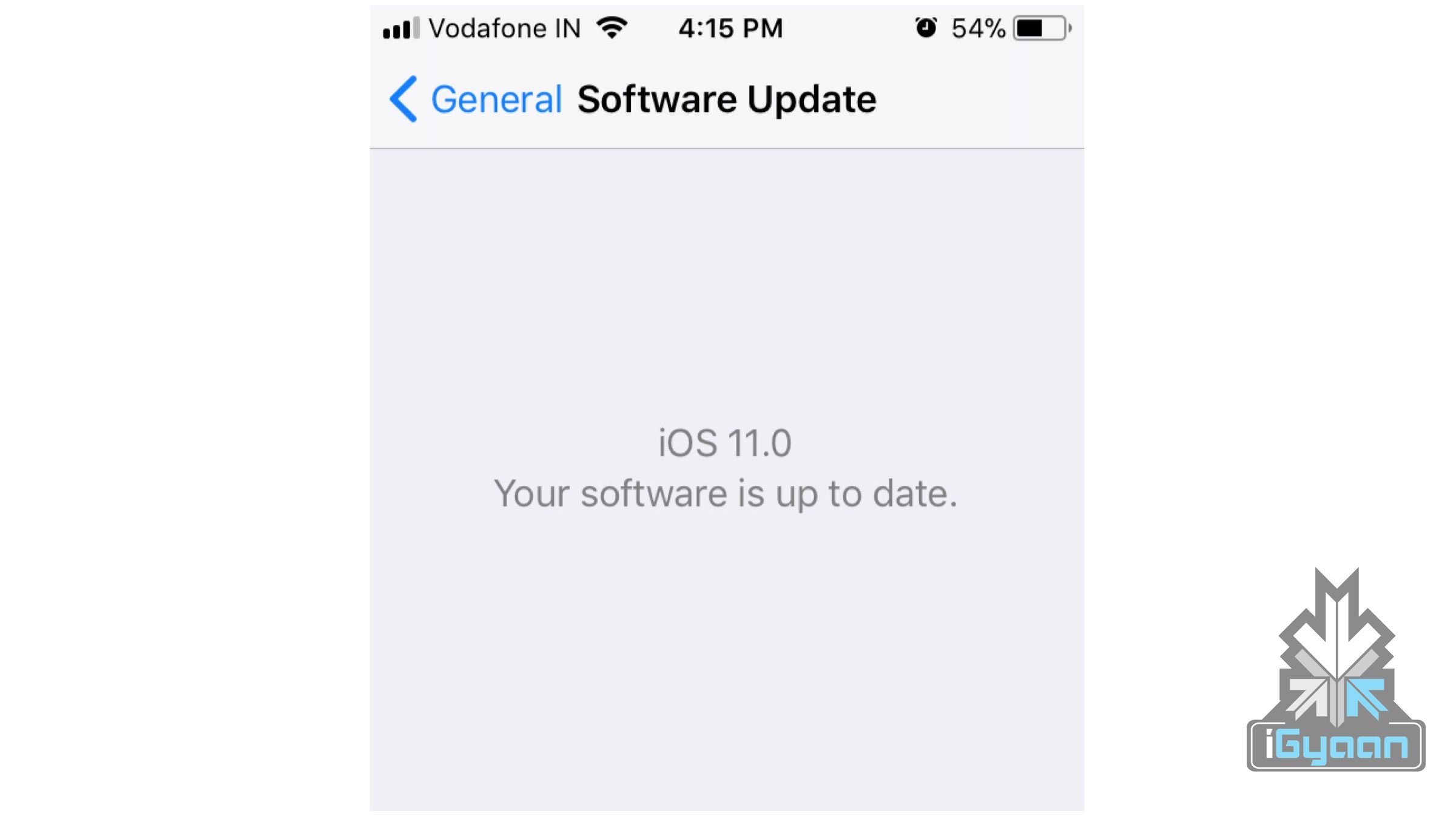
    The update is about 280mb in size and is compatible with all the devices that received the iOS 11 update a few days back. In order to check for the update, users need to go to Settings> General > Software Update to check for the update.

    According to a data collected by analytics company Mixpanel, iOS 11 is installed on 25.28% of iOS devices after its official release on September 19th. According to the same report iOS 10 is installed on 67.83% of devices, while 6.89% continues to run on an earlier version of iOS. Interestingly, the iOS 11 installation rates are much lower when compared to iOS 10. The iOS 10 was installed on 34% devices under a week of launch.

    You may also like – iOS 11: Top 5 Features, Eligible Phones And How To Upgrade

    The battery drain issue on the iOS 11 has overshadowed some of the best features introduced by Apple in the latest iteration of iOS. A redesigned control centre, cleaner look for the UI and an improved Notes app are some of the best new features on iOS 11 and with iOS 11.0.1 hopefully fixing the battery drain problem, more and more people will adopt the iOS 11.


  • Siri Will Now Search Google For Answers Instead Of Bing

    Siri Will Now Search Google For Answers Instead Of Bing

    Apple is dropping Microsoft’s Bing as the default search platform for Siri, Search inside iOS, and Spotlight on Macs in favour of Google search.

    According Apple. this move is to create a more “consistent web search experience” for its users, since Google is currently the default search engine on its Safari browser thanks to a reported $3 billion annual deal between the two companies. Bing, however, will continue to search for images for queries through Siri. A statement by Apple about the decision read:

    Switching to Google as the web search provider for Siri, Search within iOS and Spotlight on Mac will allow these services to have a consistent web search experience with the default in Safari. We have strong relationships with Google and Microsoft and remain committed to delivering the best user experience possible.

    Bing has been iOS’ default search engine since iOS 7 in 2013. Microsoft has since held on to this position but, it looks like the $3 billion deal between Apple and Google may have played a part in this decision swaying towards Google. However, this cannot be said for sure without knowing the terms of the deal. The new macOS High Sierra version has now rolled out for download and after the installation, Mac owners will observe that their Spotlight search will be powered by Google, and not Bing like it was before. iOS device owners should have the update, too.

    The fact that image search on Siri will still show Bing results is a little odd but it looks like this feature will also be phased out of iOS in time and Google will become the sole search engine for all iOS and macOS devices.

  • iOS 11: Top 5 Features, Eligible Phones And How To Upgrade

    iOS 11: Top 5 Features, Eligible Phones And How To Upgrade

    On September 12, Apple launched the iPhone 8, 8 Plus and the much awaited iPhone X. Along with the high-profile launches, Apple also announced that the global rollout of iOS 11, which was announced at the WWDC 2017, will start seeding to compatible iPhones and iPads on September 19. Apple has always supported older devices unlike Android, and there is no surprise in the case of iOS 11 update as well, as the iPhone 5s will also updated to the new OS. A

    As the official rollout has now begun, let’s take a look at the Top 5 new features of iOS 11 that should get you excited:

    New Control Center

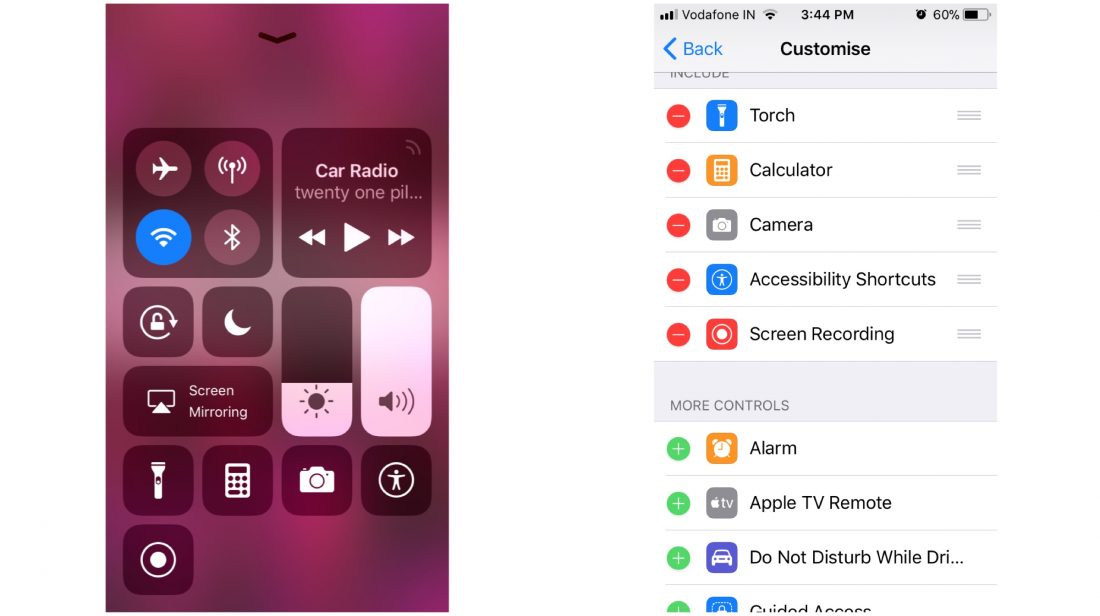
    The control center gets an overhaul here in iOS 11. You still have to swipe up from the bottom of the screen to bring up the control center, but, you have the ability to add or remove a lot of shortcuts and toggles. From the settings app, you can fill up the control center to the brim or keep it clean and empty. There are two vertical sliders, one for brightness and one for sound. You can tap and hold an icon for further settings even if your phone doesn’t have 3D touch. There is a new feature called screen recording which can be triggered directly from the control center. Tapping on the WiFi or Bluetooth icon disconnects you from the current device, rather than switching off the WiFi or Bluetooth.

    Siri

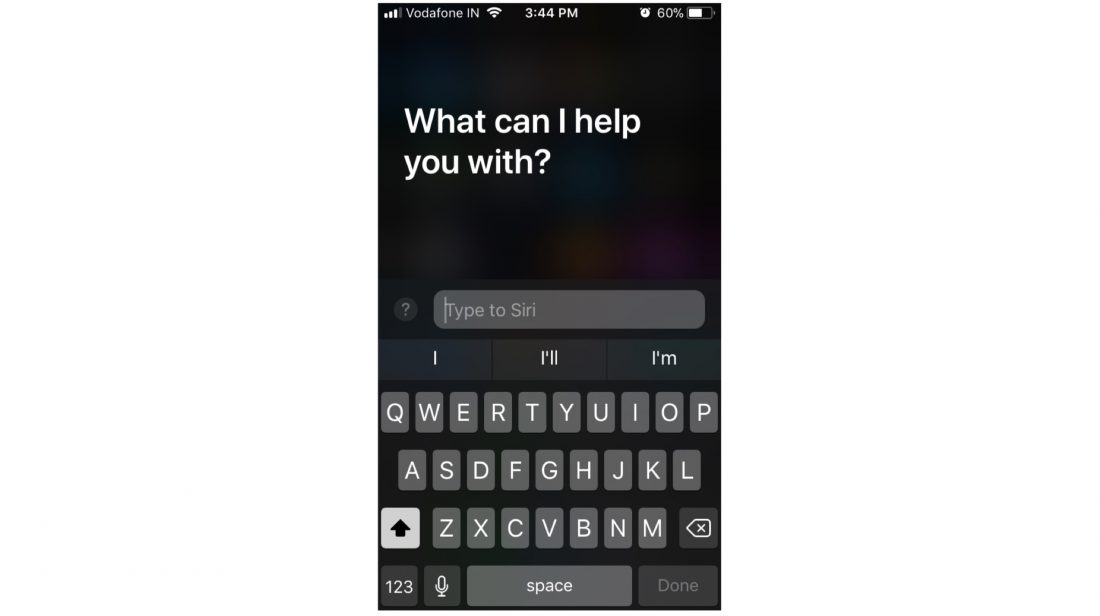
    Siri has received a massive overhaul as well. The Voice Assistant, since it was launched with the iPhone 4s, has become better with every iteration of iOS. In iOS 11, Siri is going to sound better, and it’ll have new capabilities, such as translating a lot of different languages, which can come in handy if you’re traveling to a foreign land. But, one of the most useful features Siri received in iOS 11 is the ability to respond to texts, which will come in handy when you can’t talk to the phone.

    Notes

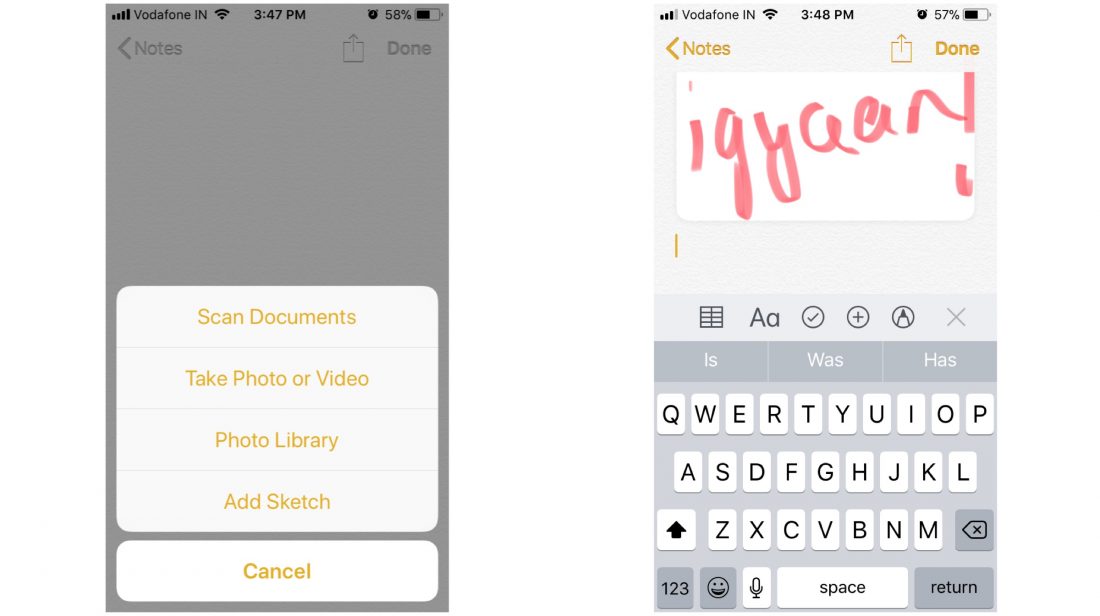
    One of the most used in-built apps is the Notes app. In iOS 11, Apple has added a lot of new features to the Notes app that can help the app stack up against other famous third-party note-taking apps. The notes app includes support for drag and drop, a built-in document scanner, markup tools (handwriting support included) and adding tables to your notes. These features will shine even more in the iPad because of a larger screen.

    Storage

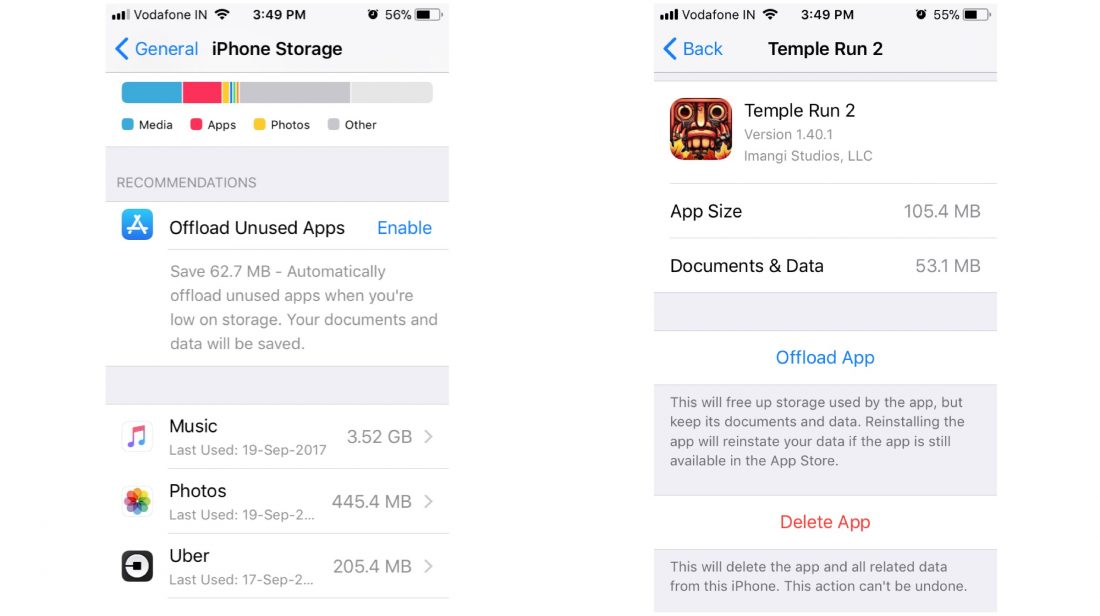
    The storage window in the settings app gets a new look as well. In addition to showing you what kind of data is cluttering your memory, the iPhone Storage menu in the Settings app will let you instantly free up space that you’re not actually using. At a glance, you’ll get suggestions for deleting old messages and pictures, as well as apps that you don’t really use. The menu also shows you all the videos and attachments you can remove to free up space, and lets you act on it.

    Files

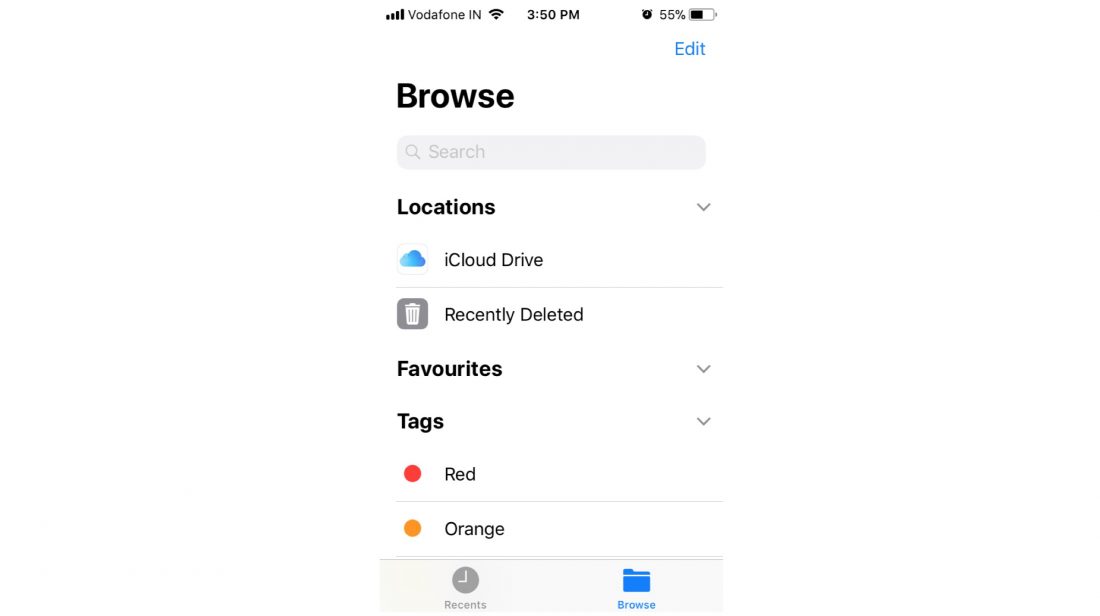
    Apple has introduced a new standalone Files app, which essentially replaces the iCloud Drive app. The Files app lets you browse the files stored in your devices locally and in your iCloud account. It is an app which has featured in Android devices for the longest time and now, iOS users will be able to manage their onboard storage better.

    All devices which will receive the iOS 11 update

    • iPhone 5s
    • iPhone 6/6 Plus
    • iPhone 6s/6s Plus
    • iPhone 7/7Plus
    • 12.9-inch iPad Pro (2017)
    • 12.9-inch iPad Pro (2016)
    • 10.5-inch iPad Pro
    • 9.7-inch iPad Pro
    • iPad Air 2
    • iPad Air
    • iPad (2017)
    • iPad Mini 4
    • iPad Mini 3
    • iPad Mini 2
    • iPod touch 6th generation

    How to install iOS 11:

    You need to back up your data before beginning the installation process. Connect your device to WiFi in order to download the software update file.

    • Go to Settings>General>Software Update. Your phone will now look for a software update and ask your permission to install the update.
    • Once downloaded, your phone will again ask permission to install the update.

    Once the necessary permissions are granted, your phone will restart and iOS11 will be installed.


  • iOS 11 GM Reveals iPhone 8 Features And LTE Apple Watch

    iOS 11 GM Reveals iPhone 8 Features And LTE Apple Watch

    The launch of the iPhone 8 is upon us but, new leaks seize to fade out. The golden master version of the iOS 11 has been leaked, shedding more light on the features of the upcoming iPhone 8 and an LTE Apple Watch.

    In the leak, there are references to FaceID, which might be the name of the new facial recognition system. There are images of the bezel-less display and a notch on top for the camera and sensors. The display of the device may feature True Tone support like the iPad Pro.

    Two screenshots give us an idea about the new navigation system on the iPhone 8. Pulling upwards on the bar brings up the Home screen and a longer pull brings up the App Switcher. The elongated sleep/wake button will activate Siri and bring Apple Pay cards and passes. A new ‘Portrait Lighting’ mode which will work with the flash on, offering  Contour Light, Natural Light, Stage Light, Stage Light Mono, and Studio Light. New camera options reveal recording modes

    – 1080p HD at 240 fps 480 MB
    – 4K at 24 fps (film style)
    – 4K at 60 fps  400 MB

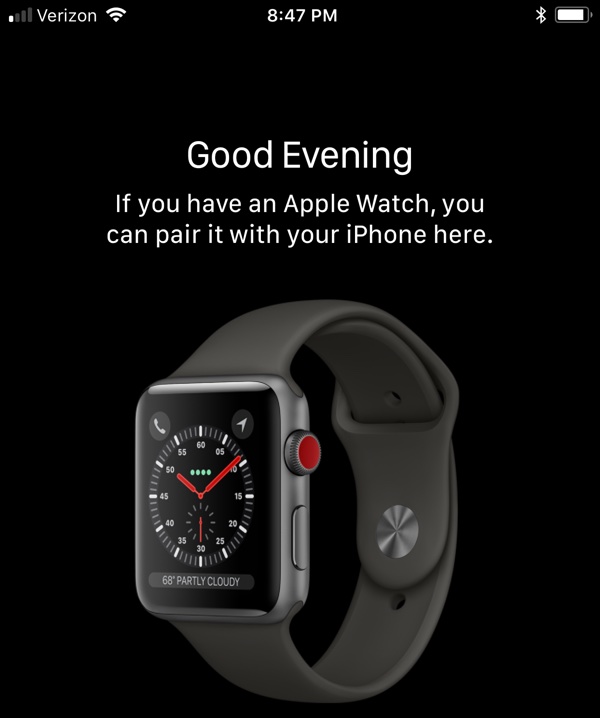
    In the Apple Watch app, there’s an image of what looks like the LTE enabled Apple Watch. The device has the same design language as the current Apple Watch but, it has a bright red Digital Crown.

    There are references to animated emoji for iMessage and AirPods 1,2, which may be an updated version of the current AirPods and may be launched on September 12 along with the new iPhones and the LTE enabled Apple Watch.

  • The Rock is Making a Movie With Siri

    The Rock is Making a Movie With Siri

    Remember last year’s Taylor swift and Apple music collaboration, well Apple is back at it.

    Rumours about the Siri integrated wireless charging have barely subsided and now Siri has been reported to star in a movie along with Dwayne “The Rock” Johnson.

    While most of us are busy bossing Siri around, the voice assistant has managed to get its own movie titled, The Rock x Siri: Dominate The Day. Dominating the day or not, Siri is definitely dominating Hollywood now.

    https://www.youtube.com/watch?v=ufBLI6bB9sg

    Despite initially describing it as a “Movie”, Johnson now says that his partnership with Apple is a commercial.


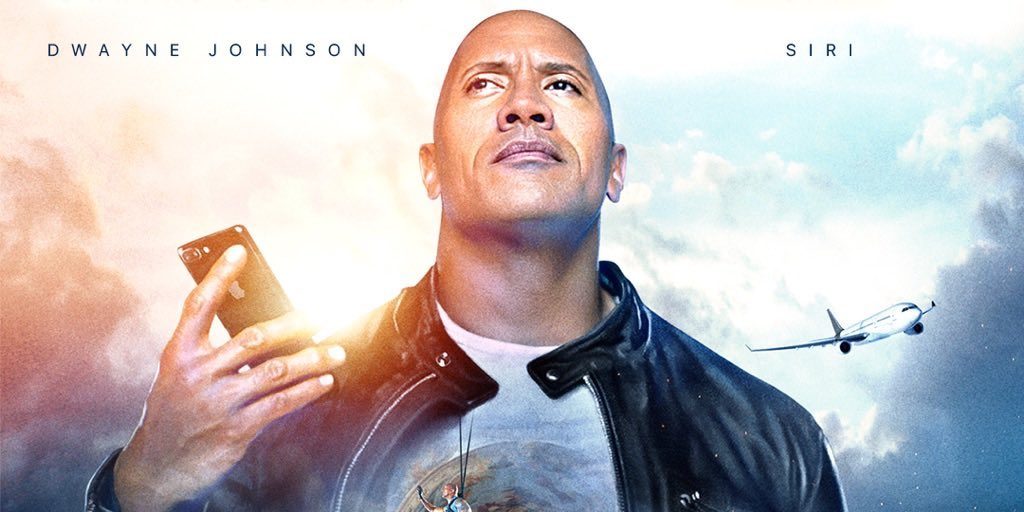
    The extended commercial or a movie is a collaboration between Johnson and Apple. The “movie” made quite an entrance with an over-the-top poster featuring automobiles, satellites, space, car crashes etc.

    The Rock also tweeted along with the poster of The Rock x Siri: Dominate The Day. 


    By the looks of his Facebook page, Johnson seems quite excited about the collab. In his own words, the movie will be the “dopest” and was made to “motivate you to get out there and get the job done.”

    The film itself will be released on July 24th, on Apple’s YouTube channel. Unlike most of the content being exclusive to Apple Music, Apple’s Siri co-starring movie with The Rock will be available for free on YouTube.

    With Apple releasing the Siri integrated HomePod in a couple of months, this seems like an excellent opportunity to show that Apple’s virtual assistant can be held at par with Amazon Alexa and Google Assistant.

  • Apple Showcases New Emoji Heading To iOS and Mac

    Apple Showcases New Emoji Heading To iOS and Mac

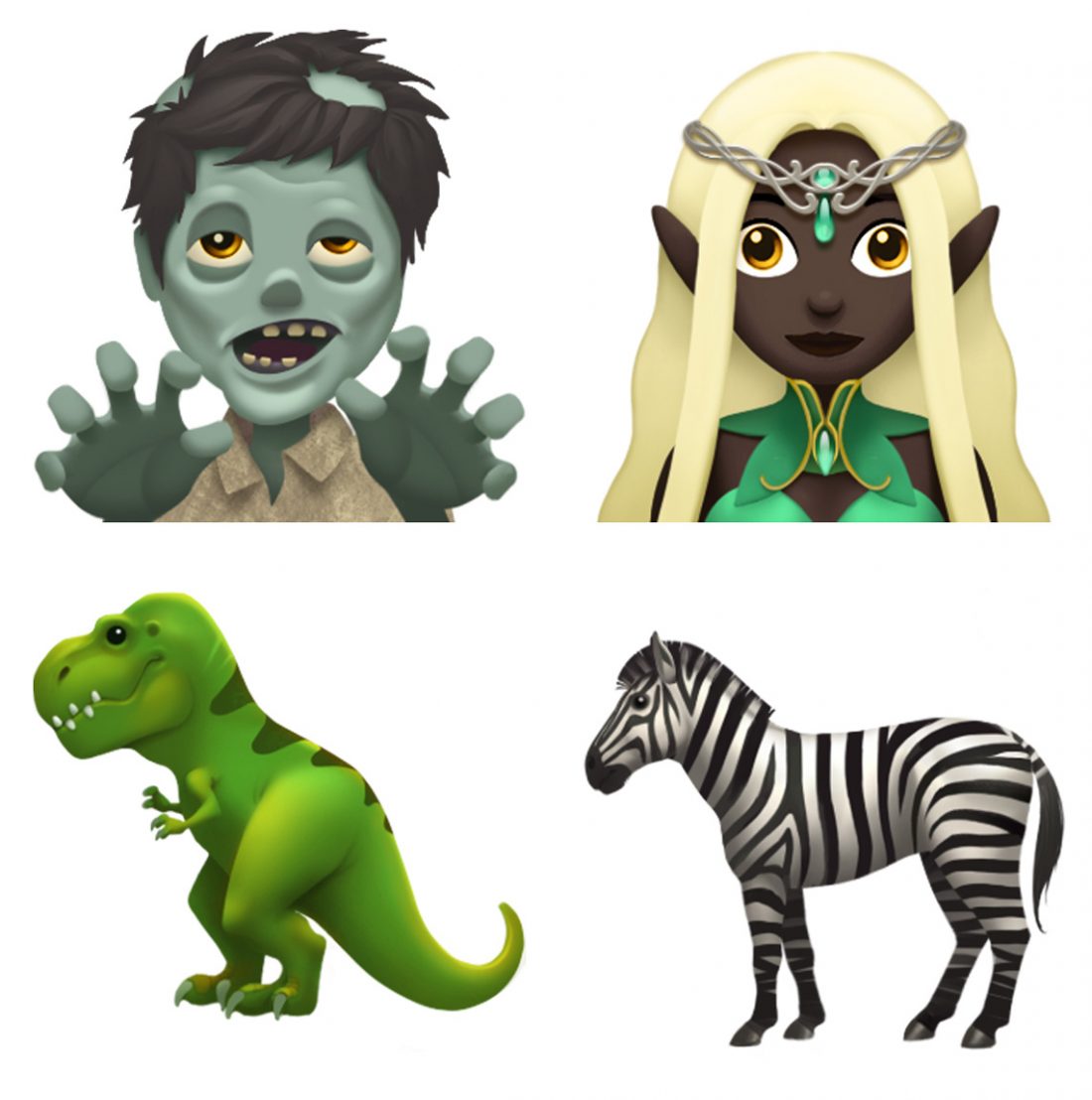
    To celebrate World Emoji Day, Apple has shown off some of the new emoji heading to iOS, MacOS and WatchOS later this year. The new emoji set include some interesting emojis, including a zombie emoji, a “mind blown” emoji, a new puke emoji and for overtime you needed to express a dinosaur in your conversations the new T-Rex dinosaur emoji.

    Emojis have become popular of the past few years, and while every company showcases emojis differently, the essence of the conversation remains the same, and allows people to express what they are feeling in an otherwise bland textual conversation.

    But Emoji also keeps up with the trends now days as Apple will also add Daenerys Targaryen, aka the Mother of Dragons, from the Game of Thrones as an emoji.

    Apple is also celebrating World Emoji Day in the App Store. By highlighting a number of emoji-themed apps available for download for emoji lovers in the App store, including

    Emojily, which helps you create your own characters

    Swiftmoji-Emoji Keyboard, which is essentially an emoji search

    Gymoji, which promises to. Perfect for those Gym selfies.

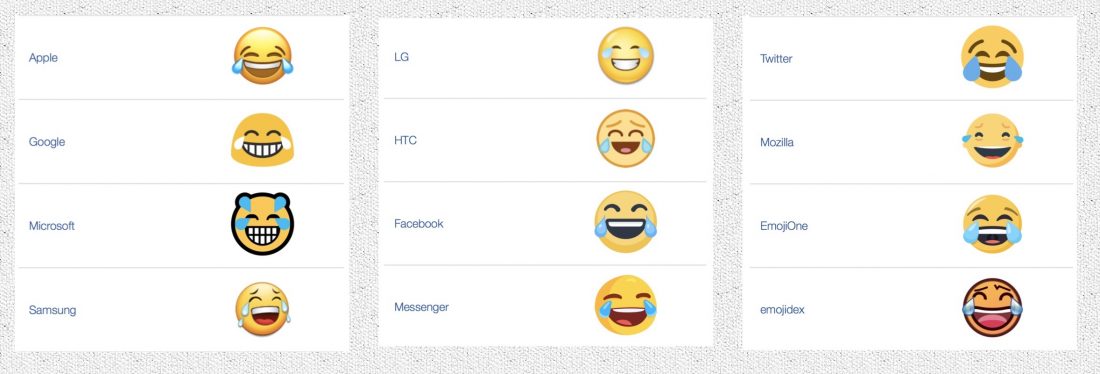
    The Emoji Movie, a Sony pictures Animated comedy production hits theaters on July 28, only to show how mainstream emoji has become. In total there are 2,666 emojis in the Unicode Standard as of May 2017. This includes some sequences for gender or skin tone, flags, and the components that are used to create keycap, flag, and other sequences. On iOS alone an estimated billion emojis have been shared on iOS alone. The most popular emoji used by people is the “Face With Tears of Joy ” emoji also known as the “lol” emoji. Here is how the emoji looks on different platforms.


  • The OnePlus 2 Will Not Get The Android Nougat 7.0 Update

    The OnePlus 2 Will Not Get The Android Nougat 7.0 Update

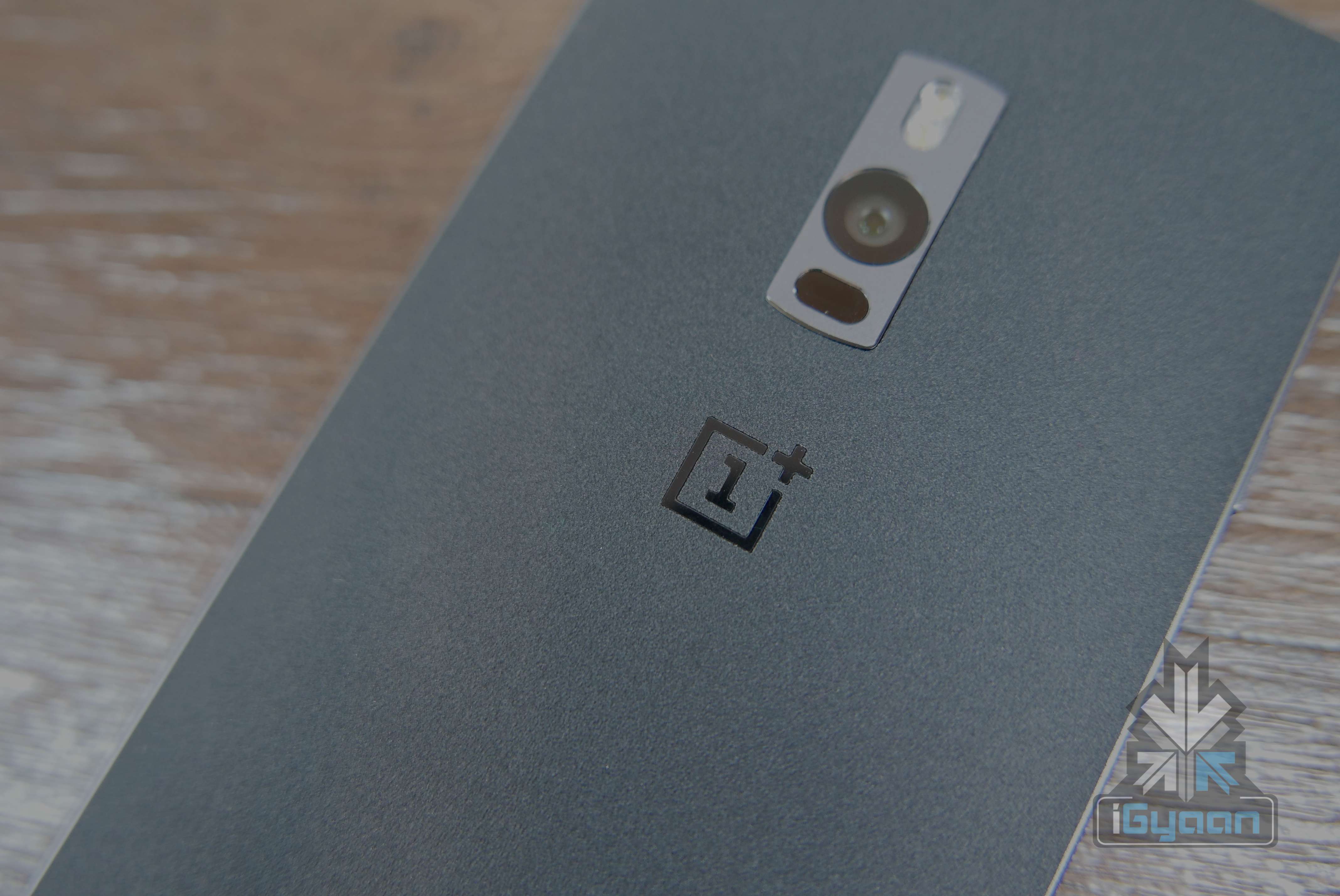
    Oneplus has confirmed that the OnePlus 2 will not officially get the Android Nougat 7.0 update. This will leave a lot of bitter taste in the mouths of OnePlus 2 owners. The device which was supposed to get software updates for at least 24 months only received one incremental update before it was abandoned by the company.

    OnePlus has reportedly confirmed that Android Nougat isn’t new, and the company is happy with what they are doing with software, so it won’t be pushing official Nougat update to the OnePlus 2.

    “When we built the OnePlus 2 we didn’t have the software infrastructure team in place we do now.”  said OnePlus in an interview.

    This is becoming a usual standard for most manufacturers who are constantly promising updates but are unable to deliver. OnePlus has, however, claimed that the company will ensure that both the OnePlus 3 and OnePlus 3T do not fall under the same umbrella, ensuring updates to Android O builds when they release later this year.

    For those who were impenitent lots of third part methods of getting the latest builds of Android are easily available, including installation of custom ROMs. And while it may not be the best and the most popular way, looks like owners of the OnePlus 2 will only be left with few options; ignore the lack of updates, install bootleg software, or shift phones.

    Do Check out:


  • iOS 10 Rolls Out To All Supported iPads and iPhones Today

    iOS 10 Rolls Out To All Supported iPads and iPhones Today

    Apple will seed the final release iOS 10 to all those who own supported Apple iPhone and iPads. The release marks many improvements in design and performance, and is also considered to be really secure.

    For those who decide agains the update will get nagging, popup windows up unlit you update. However, our recommendation for those using iPhones older than iPhone 6 and 6 Plus, is to avoid the update, as it will eventually slow down the performance on those iPhones. The iPhone 7 and iPhone 7 Plus ship wit iOS 10 out of the box.

    https://www.instagram.com/p/BKG2ROPjsAU/?taken-by=igyaan


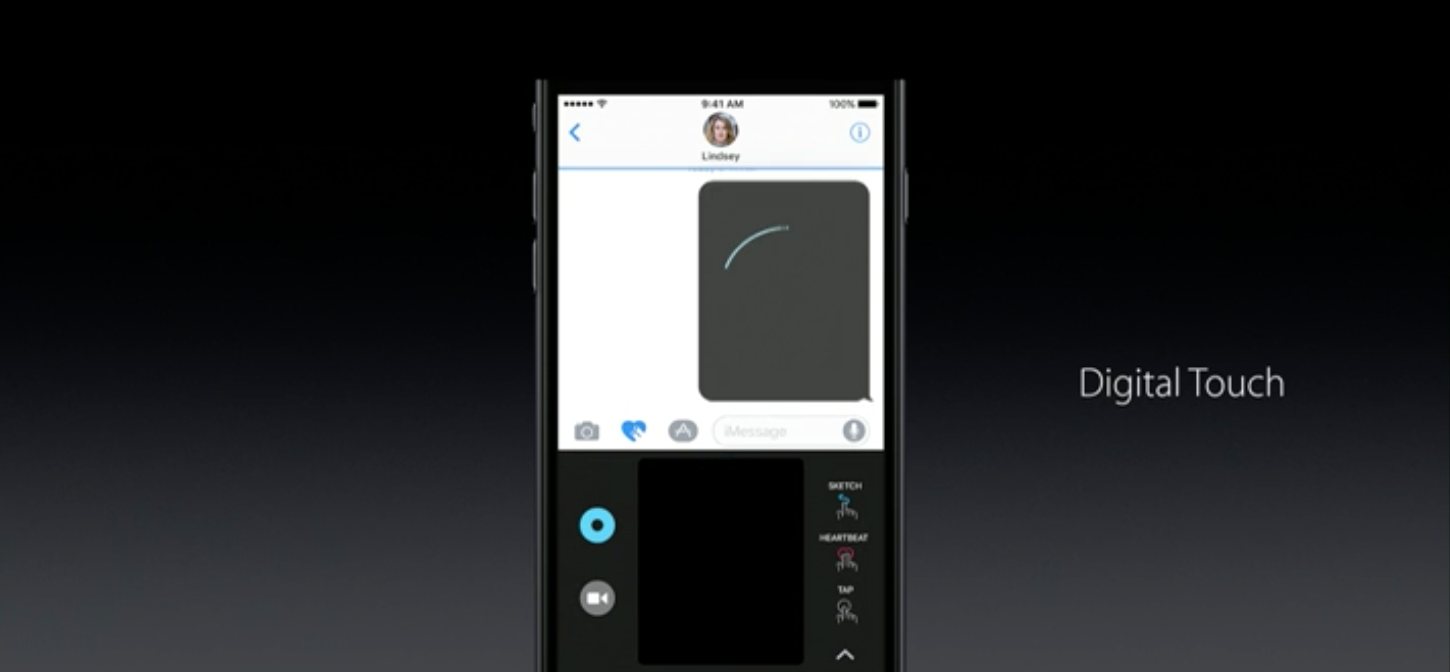
    iOS 10 comes with many new features, including the new iMessage app, with digital touch, and scribble features. You will also get new design and look emoji along with stickers and gifs.

    Many improvements to 3D touch, apps like Music and photos get an overhaul too. The new Bedtime mode in the Clock app will remind you to hit the sack and wake you up with a soothing sound of your choice.

    Interesting new overhaul to the control centre and notifications in general  along with a big boost to battery life. Apple iOS 10 will be available to all iOS devices in India by 2230 IST.

  • You Will Finally Be Able To Delete Apple Apps You Don’t Use On Your iPhone

    You Will Finally Be Able To Delete Apple Apps You Don’t Use On Your iPhone

    The new iOS 10, which ships this fall, possibly after Apple releases a new iPhone, will enable a bunch of new features and also the new iMessage. But, in a move not expected from Apple, you will finally be able to delete 23 of the Apple Apps that come on the iPhone, that you may not use ever.

    Apple will allow the removal of 23 Apps that come pre loaded, iso you can finally get rid of that annoying “Stocks” app and even apps like Tips, Compass, Music, Maps, and FaceTime.

    Getting rid of these apps may give you upto 150MB of space, which might be crucial for those still on a 16GB iPhone and not using any of these apps.

    All these apps will be downloadable from the App Store, incase you feel guilty for getting rid of them.


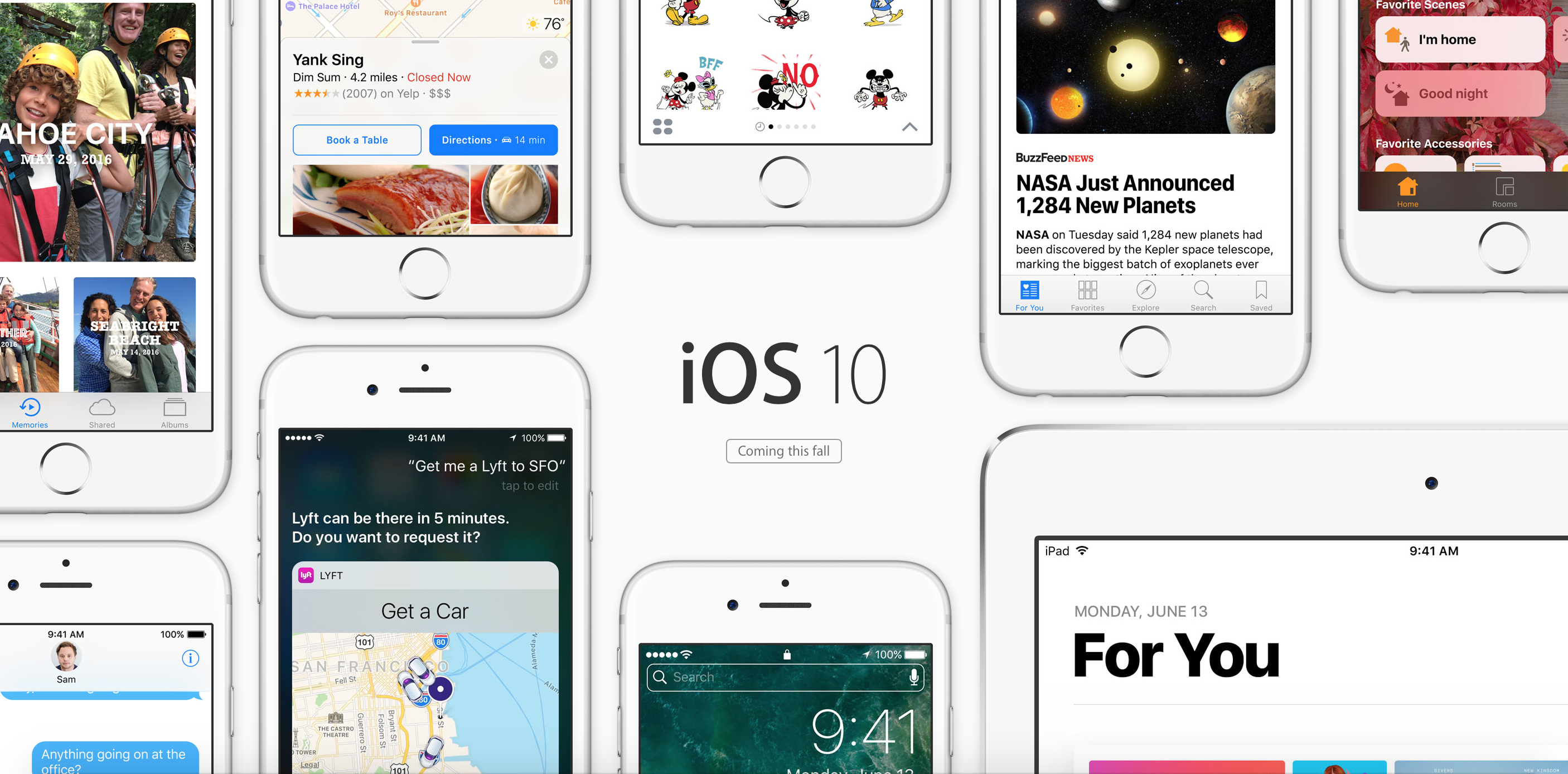
  • Apple announces iOS 10, Focuses Big on User Experience

    Apple announces iOS 10, Focuses Big on User Experience

    Apple has updated iOS to iOS 10, and now it focuses big on user experience.

    Lock Screen

    Apple has improved the look of the lock screen, with the support for 3D Touch, you can now swipe right to access the camera and swipe left to get to the today screen.

    Apps will now be able to showcase their live content in widgets including images and video streams on the today screen.

    You can 3D touch to reply and have conversations from lock screen which will include media responses.

    Siri

    Siri gets a big update and gets open to developers, now allowing you to book rides, and respond to messages on WhatsApp or book tickets using your favorite app. You can also initiate Skype calls among many other things you will be able to do later on thanks to developers utilizing this entirely.

    QuickType

    Using a new, predictive long type, algorithm the keyboard can predict what you are trying to say. The keyboard will share your location or automatically fill out calendars for you using your recent messages. Even remember addresses you were browsing and fill out a new address entry for you.

    Photos

    Photos now will use billions of algorithms on each picture to find out what is in the picture to help you organize them quickly. You also get instant montages for your memories. You can also change the mood and music to these montages, much like what we have seen in Zoe from HTC.

    iOS 10 1

    Maps

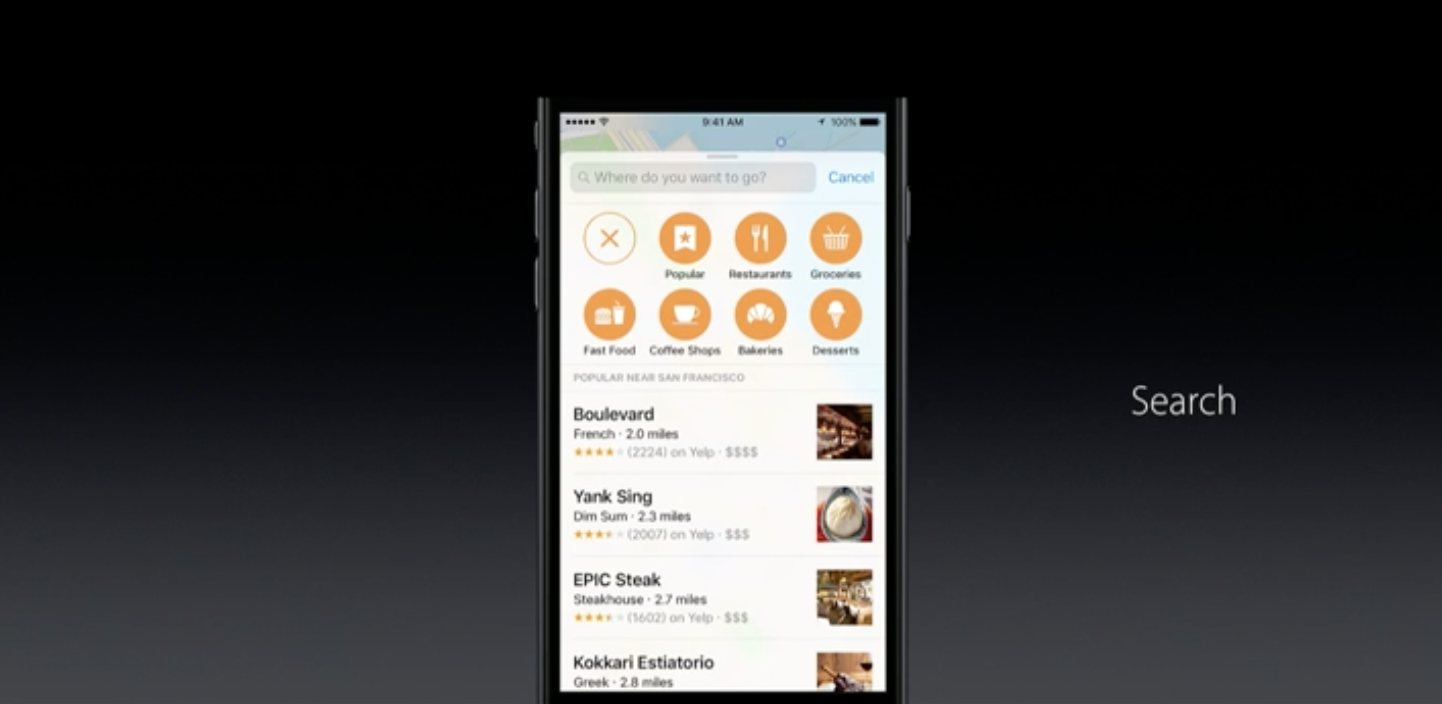
    Maps get a big update with respect to look and functionality. Maps now understands your schedule and suggests locations. You can also sort searches for the type of cuisine if you are searching for restaurants, or you can see suggestions on your route for cafe’s in case you are feeling sleepy. Apple is opening Maps to third party developers to allow usage of Maps within their apps.

    iOS 10 4

    Apple Music

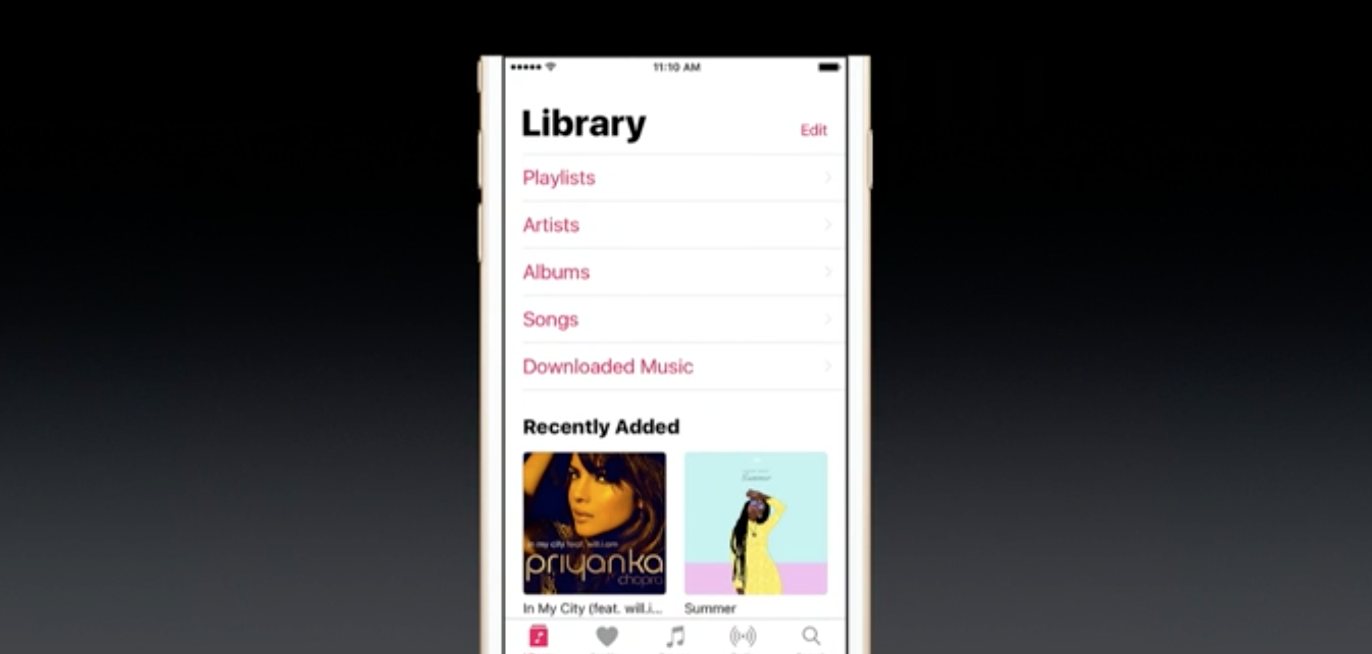
    Apple music app gets a redesign, and it reminds us a lot of Windows Phone’s UI. The newly downloaded music tap allows users to look at all their music downloaded from Apple Music and sort it in their preferred order. The now playing tab includes lyrics of every song on Apple Music, and you can read as the song plays.


    News

    Apple News gets a redesign as well; you can also get new breaking news notifications. The App will also allow for Subscriptions from your favorite publications.

    Apple Home

    Apple Home is the first major all-new app today. It builds on Apple’s HomeKit infrastructure to let you manage and control all your connected and compatible accessories around the home.

    Phone App

    The new phone app gets VOIP support so you will no longer see notifications, but a full fledged call for your VOIP calls.

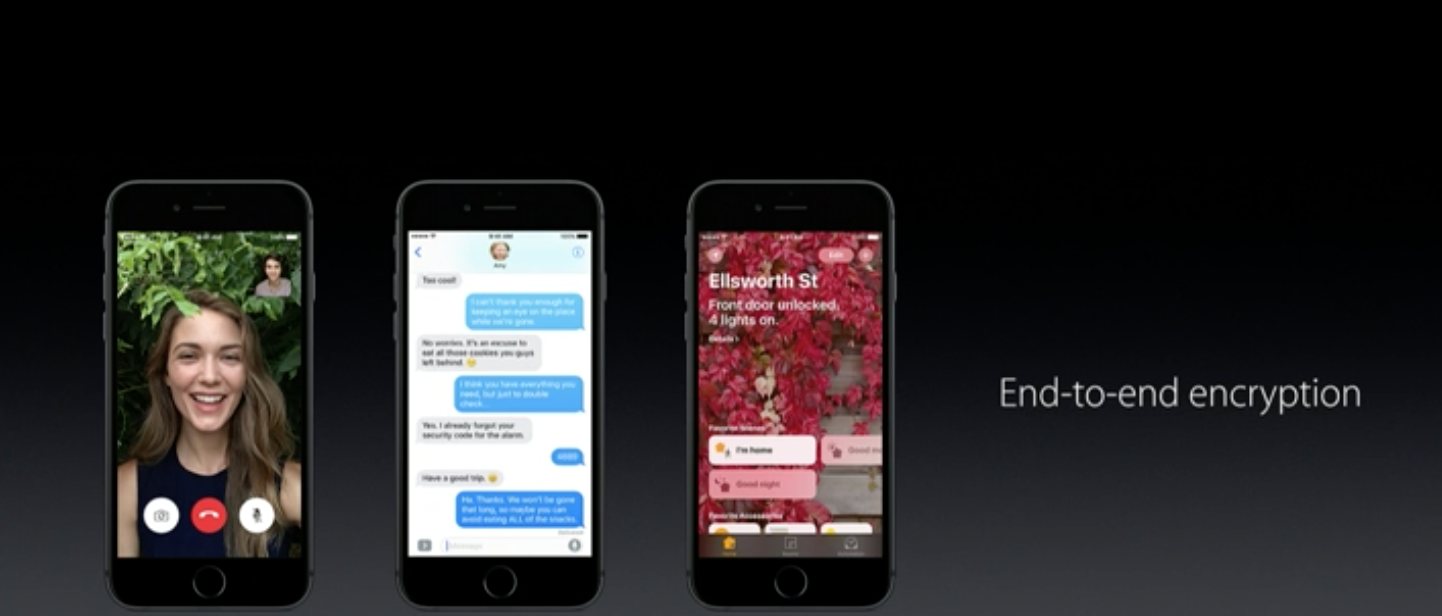
    Messages

    Messages gets a big update, with bubble effects, digital touch photos, and videos much like Snapchat. You can now play music directly from the messages app. You can also reply to images by double tap and send a small heart. The Emoji feature allows you to convert words to Emoji. Emoji is also three times bigger in the new Messages app. Replies can now have effects too. You can also send handwritten messages. Apple Messages  almost similar to Google’s Allo allowing you to collaborate over dinner orders or movie screenings primarily using apps to communicate with friends.

    iOS 10 10

    Finally, Apple is opening Messages to Developers.

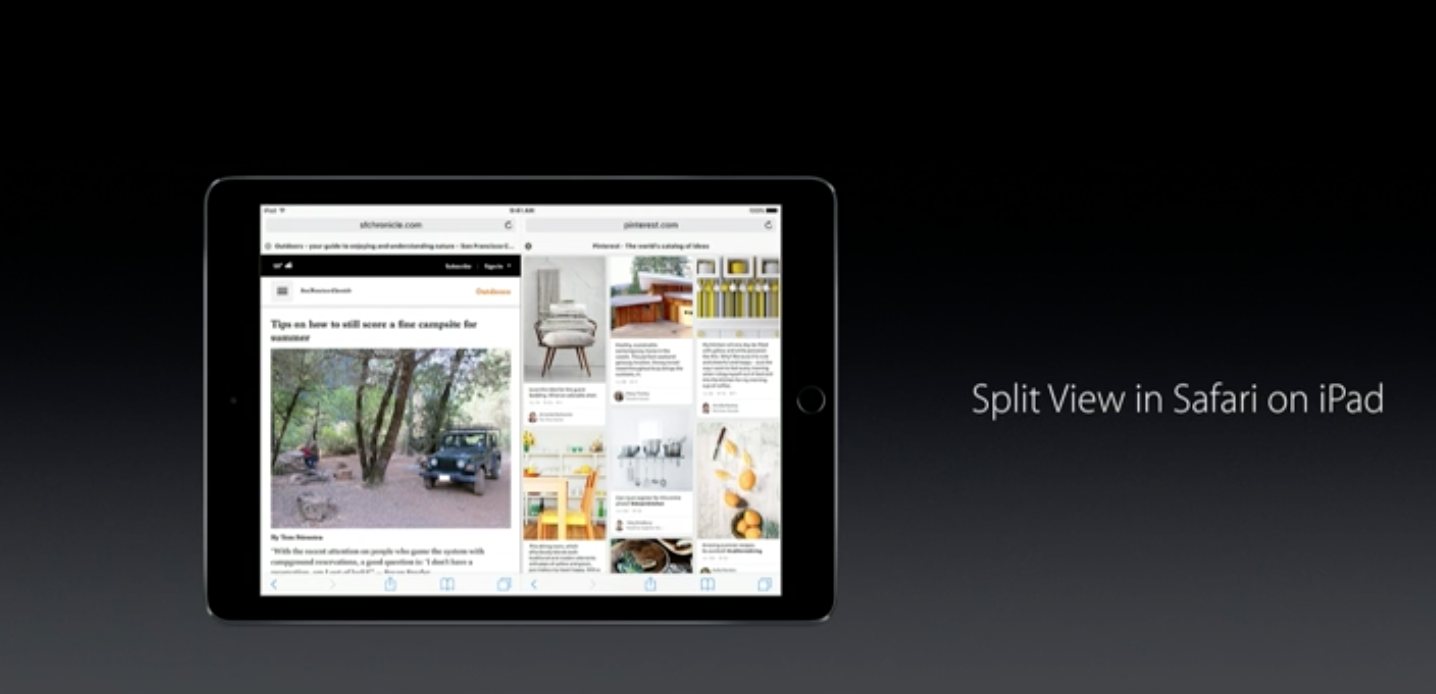
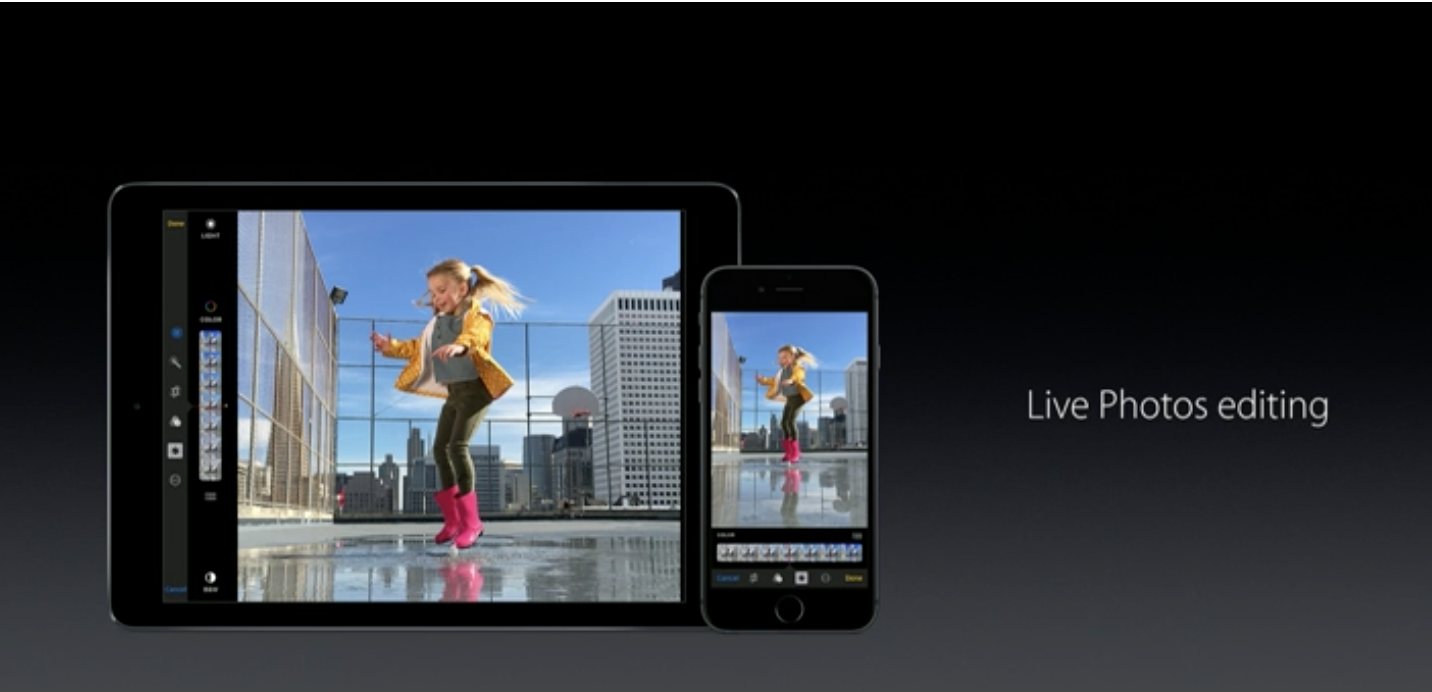
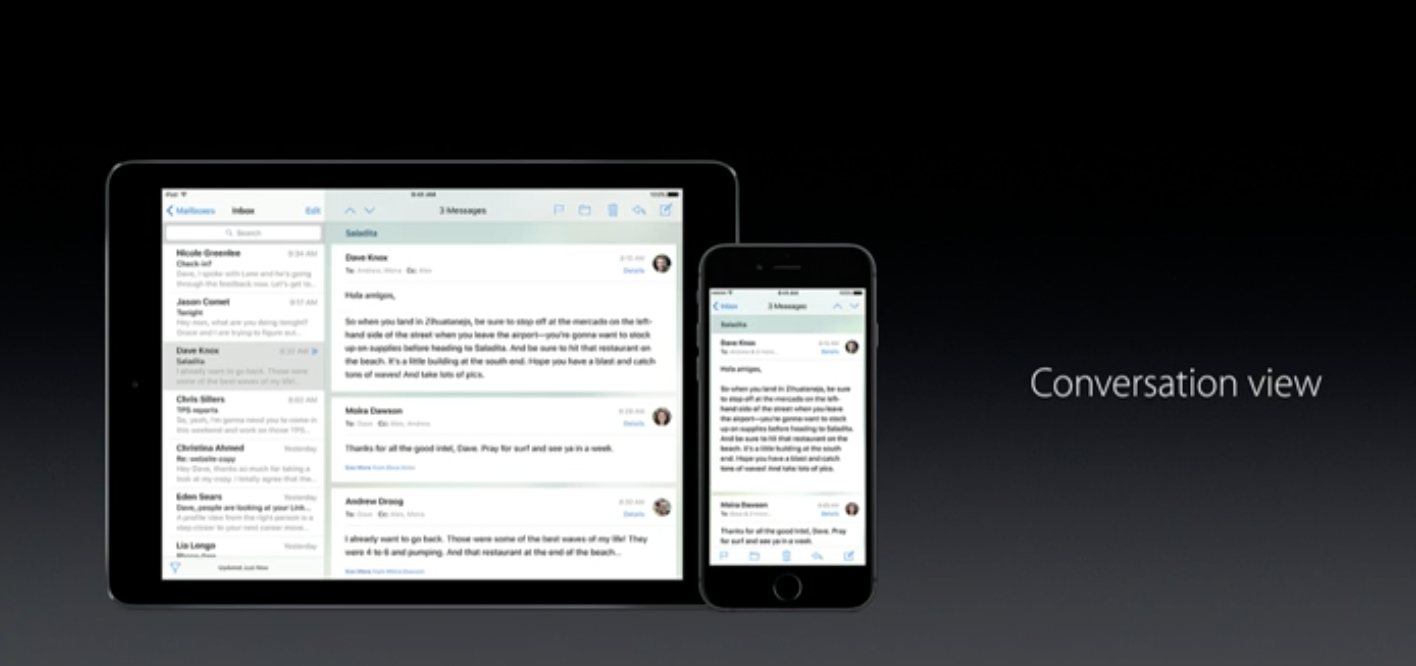
    Other features include Split View on the iPad to allow browsing two safari windows at the same time. You will get live photos editing, Conversation view on Mail and the whole eco system gets end to end encryption.


    iOS 10 13 iOS 10 16 iOS 10 15 iOS 10 14

  • Apple WWDC 2016 : What to Expect

    Apple WWDC 2016 : What to Expect

    Apple’s big WWDC 2016 announcement is hours away, and the Cupertino giant has a lot up its sleeve.  The company is expected to launch and announce several improvements to its software products and also possibly upgrade some hardware.

    Siri


    SiriApple is serious about making Siri better, not only by making it more open but also more connected. While Google showed off some major improvements at Google IO, Amazon has also been working on Alexa which has left users excited about what next to expect.

    However, with Siri being the most used assistant globally, thanks to Apple’s tight control, opening up to select third parties may be next on the agenda.

    MacOS

    mac_and_ios_mail_laptop

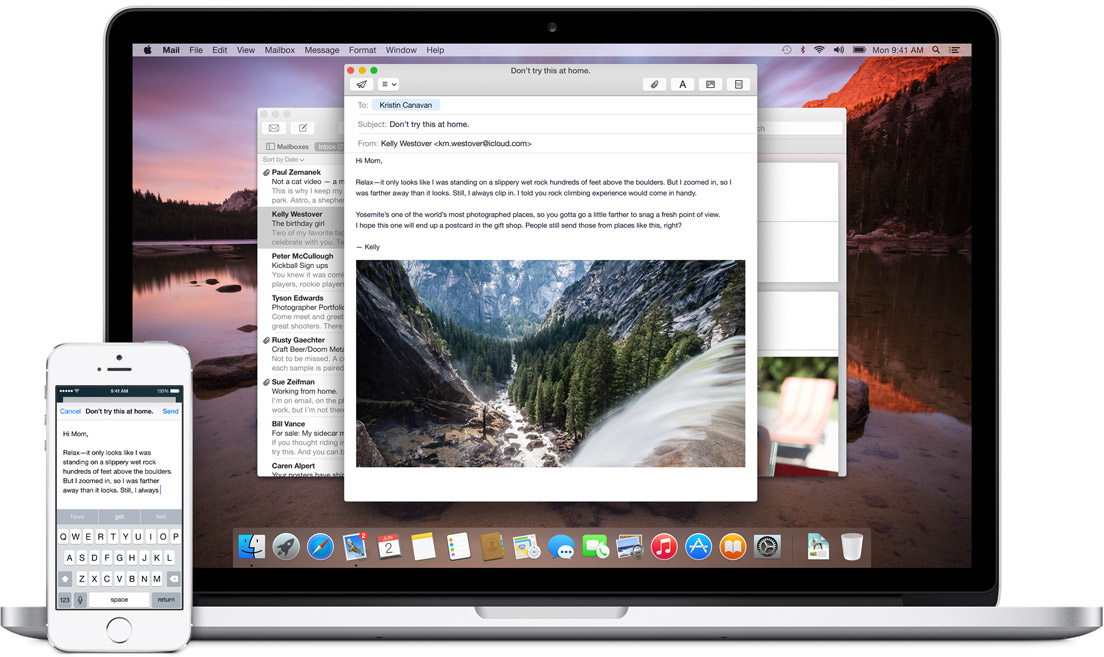
    Apple will rename Mac OS X to MacOS to continue its naming system across the board. The next in line is expected to be MacOS Fuji according to rumors. Apple is expected to make the seamlessness between iOS and MacOS smoother and sharing of files is expected to improve even though AirDrop is considered the best file sharing system.
    iOS 10

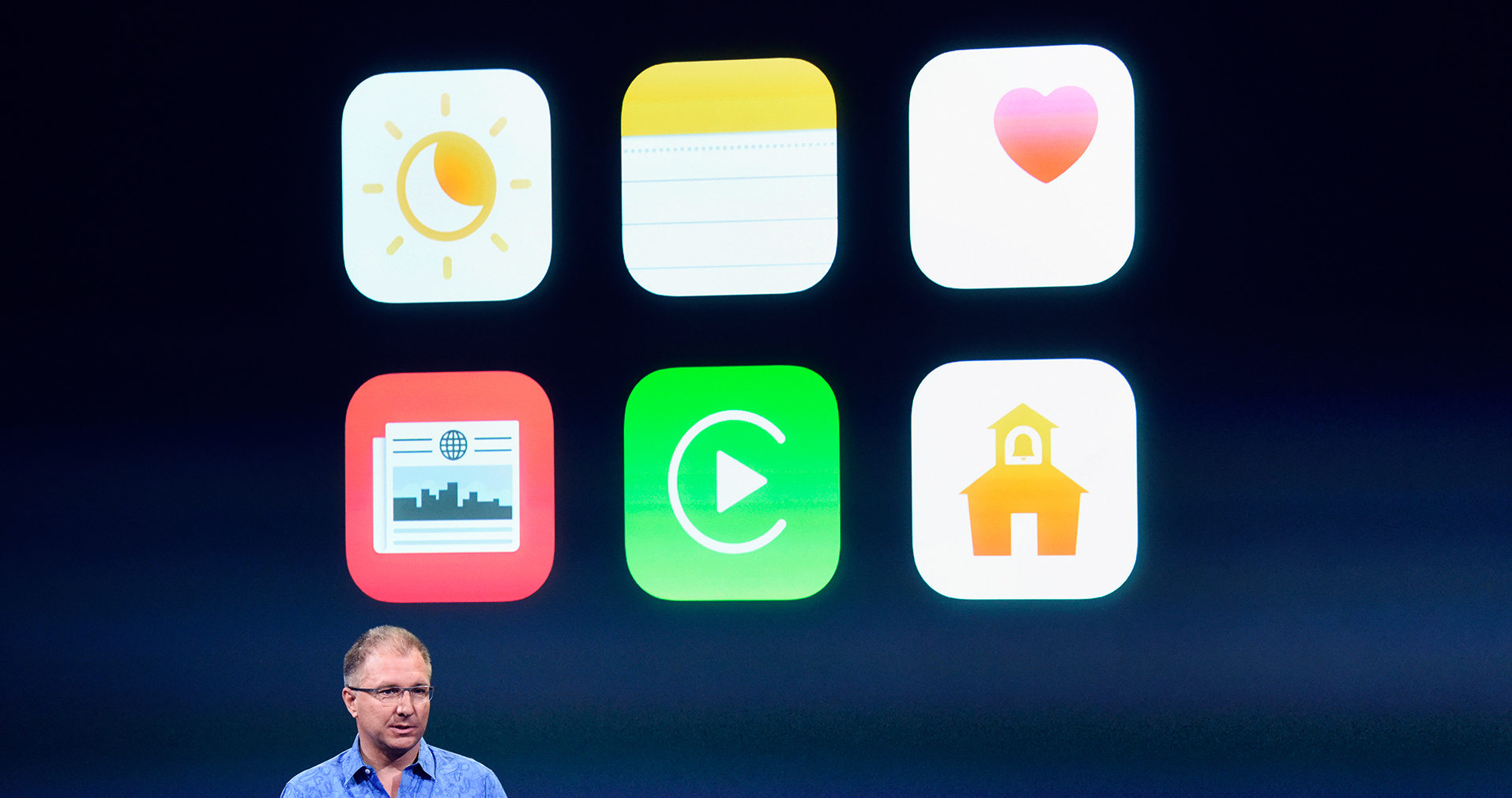
    Greg Joswiak, vice president of iPod, iPhone, and iOS product marketing for Apple Inc., speaks during an Apple event in Cupertino, California, U.S., on Monday, March 21, 2016. Apple Inc. Chief Executive Officer Tim Cook is expected to unveil a smaller iPhone Monday in attempt to woo those who are holding on to older versions. Photographer: David Paul Morris/Bloomberg *** Local Caption *** Greg Joswiak

    Apple will announce, and launch the developer preview of iOS 10. iOS 10 is expected to include major improvements across the board. Newer design and graphics overlay, improvements to apps and functionality and better multitasking.

    Macbook Pro

    Apple may announce, or quietly upgrade the Macbook Pro to newer hardware, improved chipsets, However, Apple’s next-generation MacBook Pros are expected to include an OLED touch panel that will replace the function keys on the existing MacBook Pro . Apple may hold off launching these new Macbooks at a separate event.

    macbook_pro_2016_case_top

    Apple Watch 2

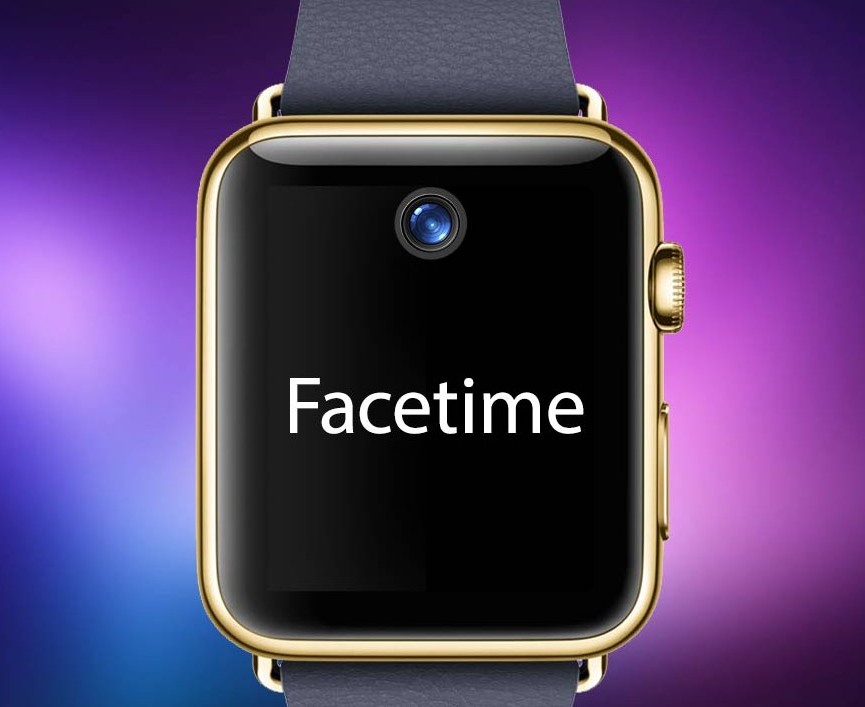
    Apple Watch Face Time

    Apart from a possible design revamp the Apple Watch 2 might also include a larger size, up to 47mm. Apple will also add functionality to straps by allowing third party developers to include large batteries which will sit on the straps and allow for much longer battery life, up to a week. Apple is also said to be working with brands like Hermes to launch higher end Apple Watches at WWDC.

    You can watch the keynote live here : 10:30PM IST 


  • Apple 21st March Event Round-Up, iPhone SE, iPad Pro 9.7 and More

    Apple 21st March Event Round-Up, iPhone SE, iPad Pro 9.7 and More

    Apple at their Town Hall event at Cupertino had what is possibly their last event at the old campus. As Tim Cook left the stage, he announced that Apple crew will be shifting into the new campus by end 2016-early 2017. While Apple made many announcements, here are a few that should matter.

    LIAM

    liam hires

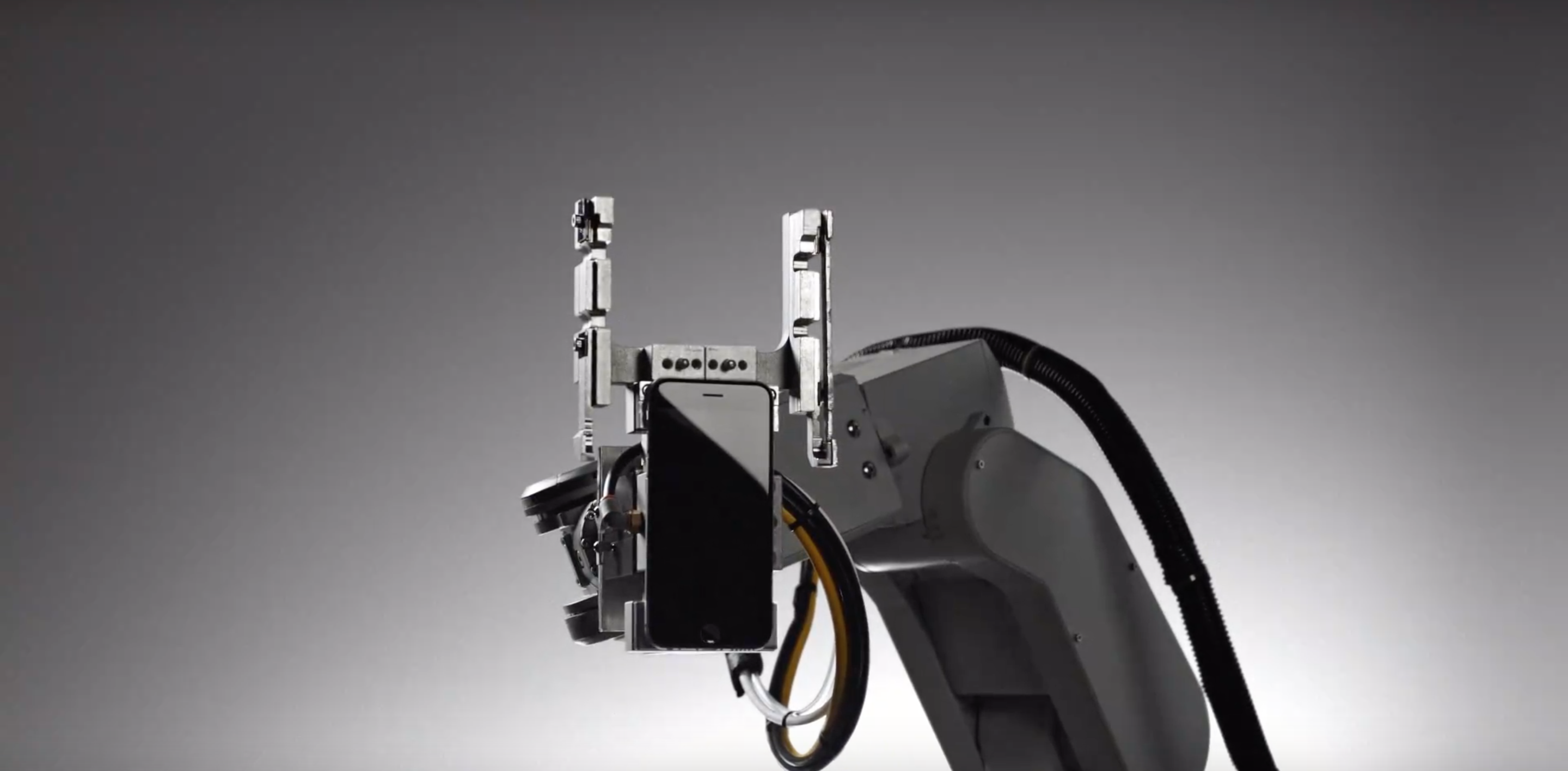
    Apple started the event by talking about their responsibility towards the environment. Then came LIAM an intelligent machine/robot that has been two years in development in Apple labs. LIAM is designed to sense and disassemble iPhones and other proprietary Apple Devices, and break them out into components that can then be recycled easily. This Robot/ machine will help Apple reduce their carbon footprint and help get back precious materials like gold, silver and platinum into the recycle chain so they can get back on newer devices and not get discarded in landfills.

    Apple Watch

    apple watch 2016

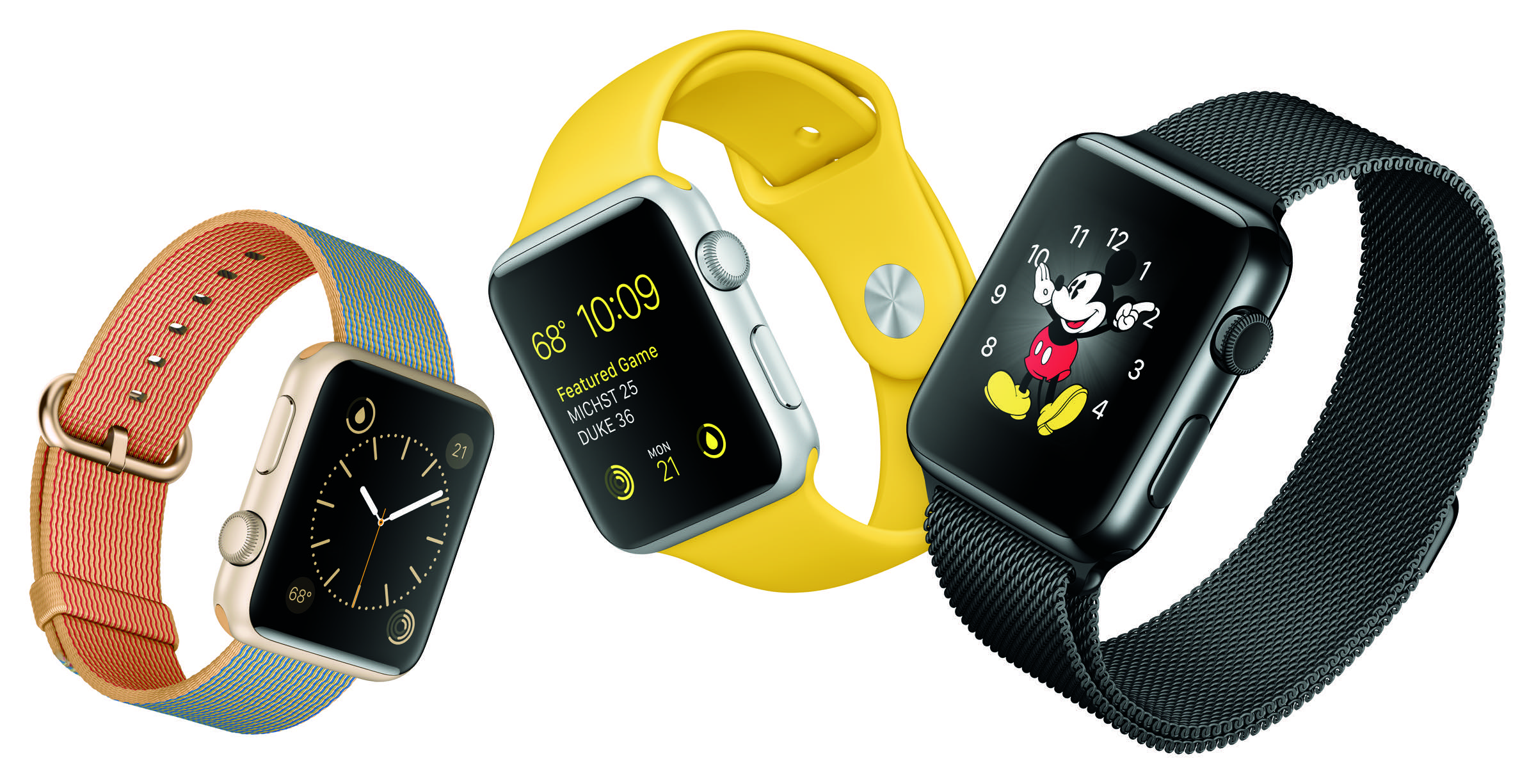
    While no major upgrades of the Apple Watch itself, Apple is offering new colors for their Sports band and new leather band colors. Apple has also dropped the price of the Apple Watch to US $ 299 as the starting price.

    Apple TV

    Apple TV 8

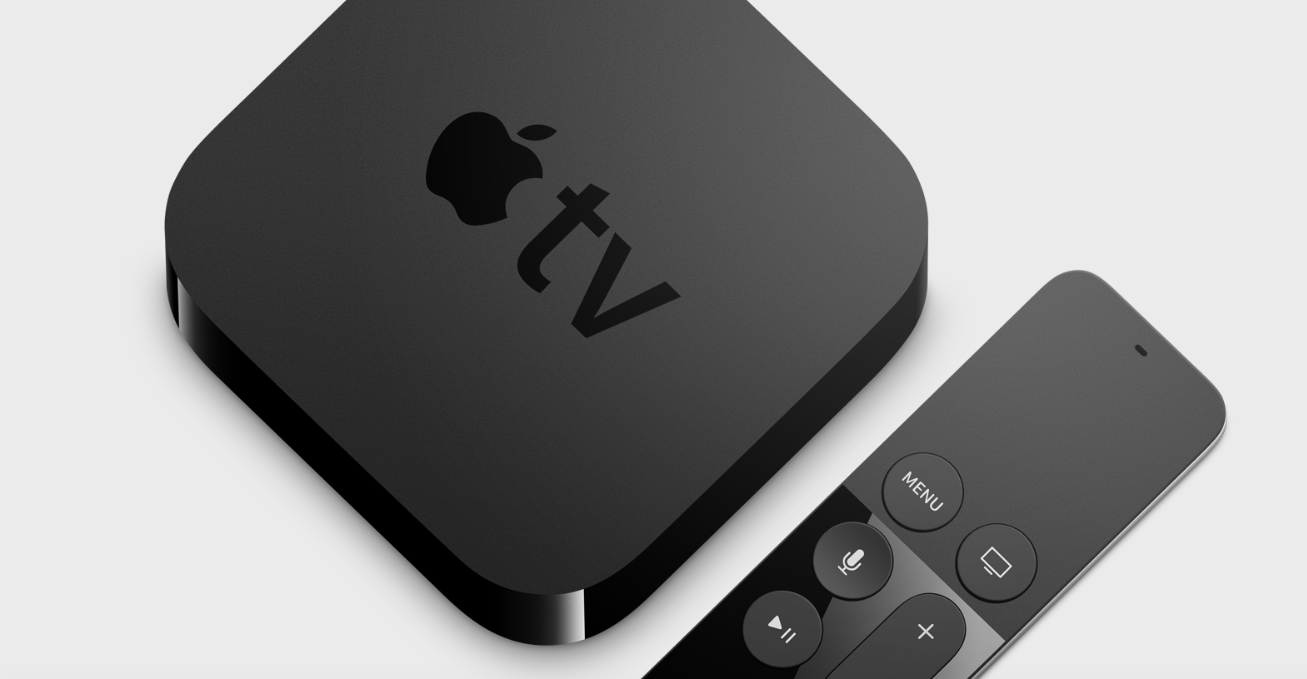
    Apple is updating the TVOS today and offering new features for their connected box on the largest screen in your house. The new update brings to you folder support and support for dictation, which will allow you to perform searches or even enter usernames and passwords using Siri.

    Siri can also be used to look up for apps in the App store and movies on Netflix. (#win)

    iPhone SE

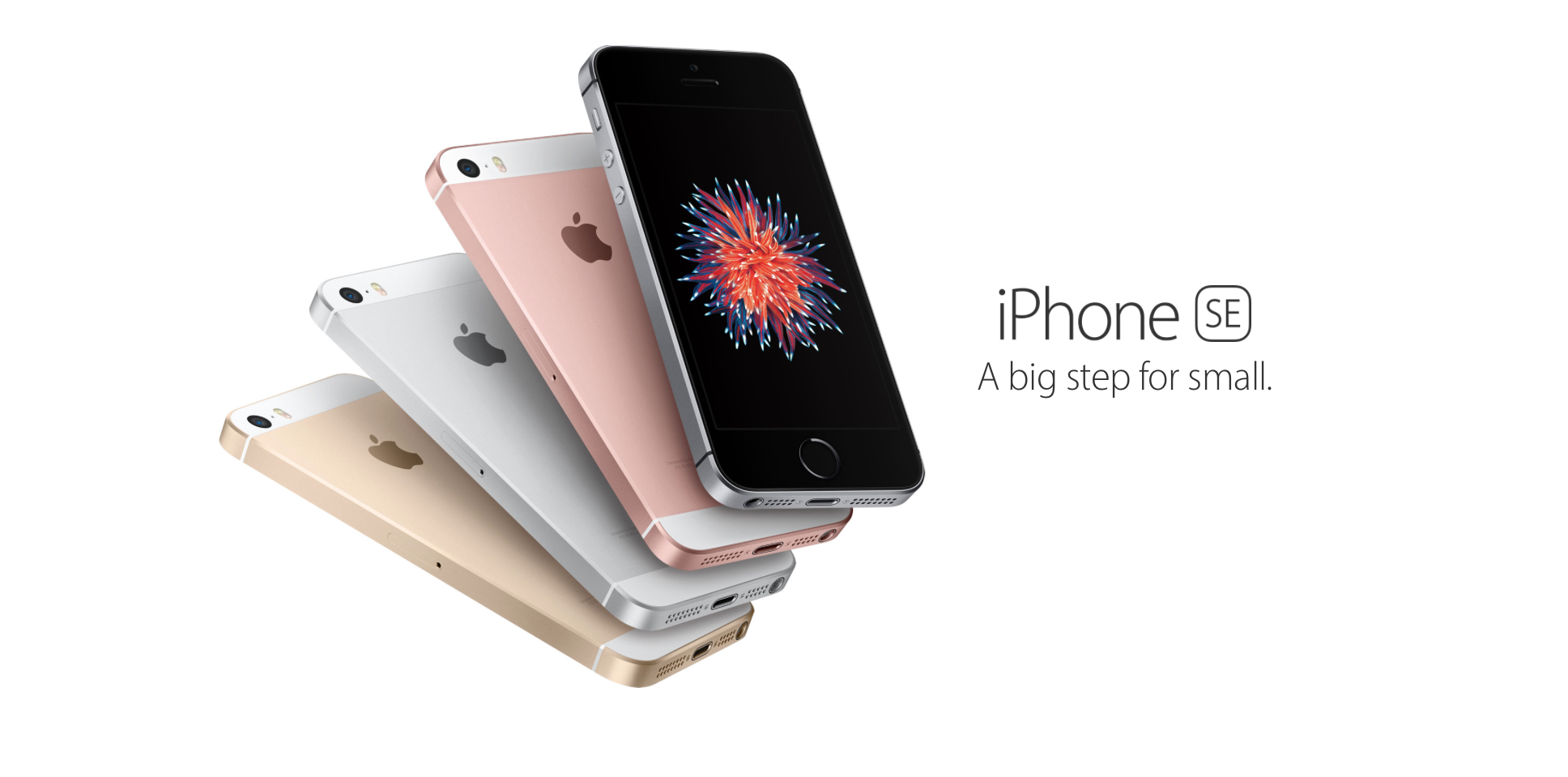
    iPhone Se colorsThe biggest announcement of the day was the launch of the iPhone SE. Apple’s update to the iPhone 5s. Apple claims they sold 30 Million 4 inch devices in 2015 alone and hence they are not yet ready to let go of their small screen size loving audience. Packed with specs almost identical to the iPhone 6s the iPhone SE is offered up at US $ 399 for the 16 GB version in the US and will launch in India for Rs 30,000 for the 16 GB variant.
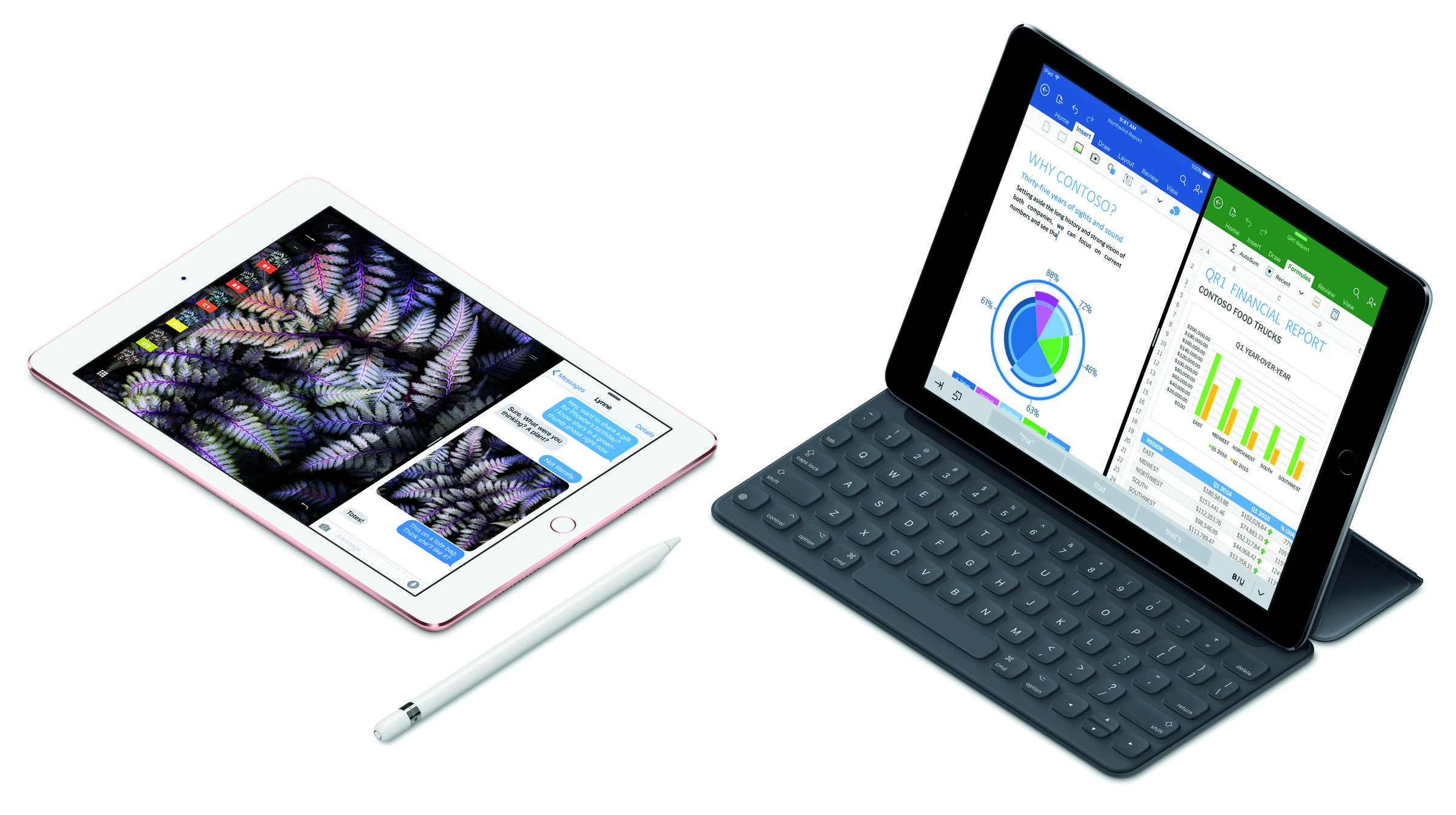
    Apple’s A9 chip powers the iPhone SE, which is the same chip that powers the iPhone 6s and iPhone 6s Plus. That means the new 4-inch iPhone will be two times faster than the iPhone 5s with three times better graphics performance. You will also get a 12 MP camera and Live photos, but the iPhone SE does not support 3D touch.

    iPad Pro 9.7

    The next big announcement was the iPad Pro 9.7. The new iPad weighs less than 1 pound and has the same specs as the iPad Pro 12.9 inch. You will also get Apple Pencil support and four speaker output. The 9.7-inch iPad Pro starts at US $599 for the Wi-Fi model with 32GB of storage and is available up to size variant of 256GB of storage.

    iPadPro10-ApplePencil-SmartKeyboard-Splitview_PR-PRINT copy

    The iPad Pro 9.7 has the same A9x chipset and 12 MP camera with 4K video capture.

    iOS 9.3

    ios 9.3

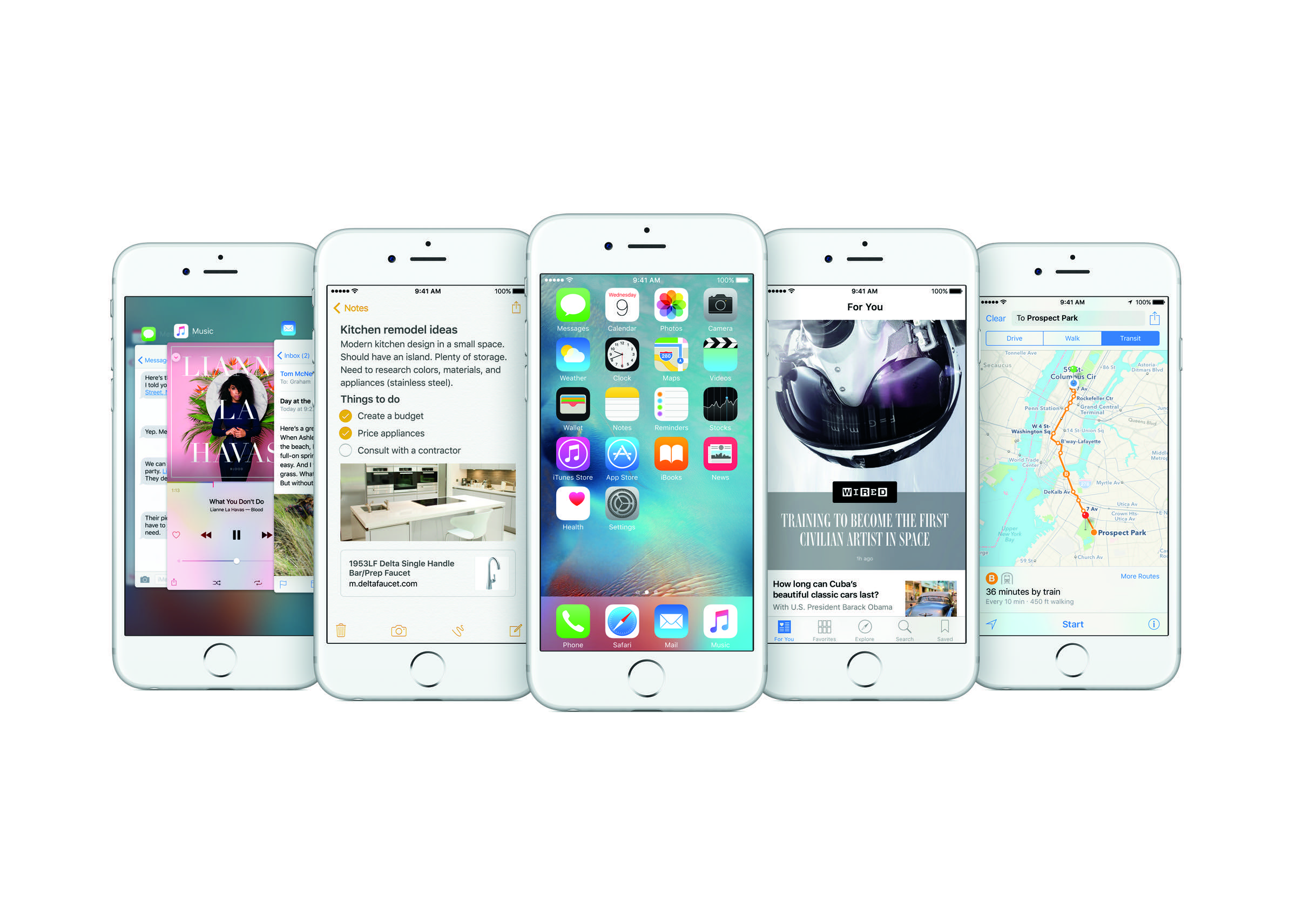
    Apple also announced that they will push out the new update for iOS aka iOS 9.3 which offers up night shift, improved 3D touch along with security for Notes and major bug fixes and battery improvements.

    Apple CareKit

    CareKit-4Up-PR-PRINT copy

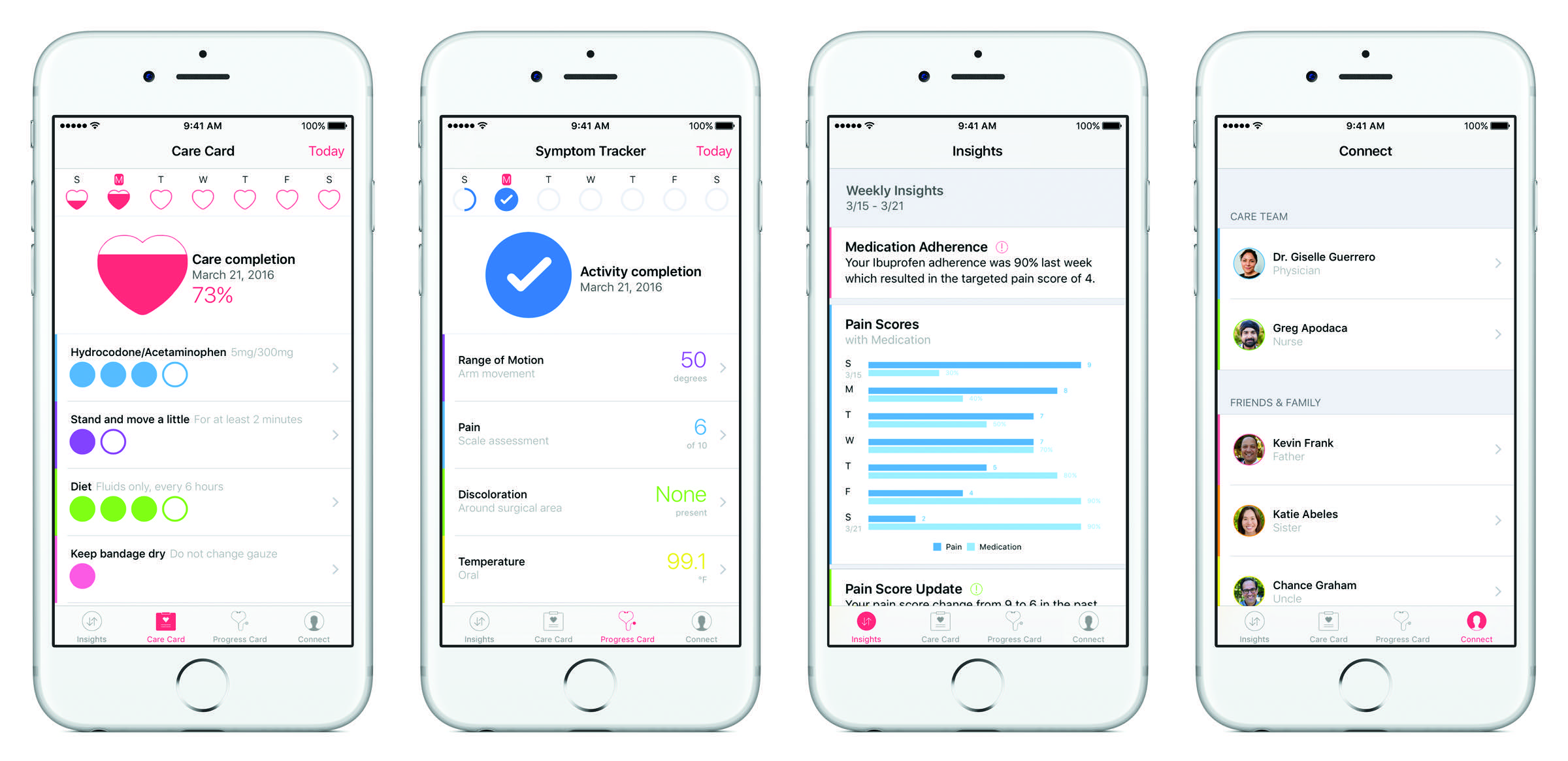
    Apple’s update to ResearchKit, now called CareKit has a whole slew of new features to allow users to monitor their health and share it with loved ones and care professionals like doctors. This opens up new opportunities in the health care system and allows people to manage everything related to their health or treatment online on iCloud and on the go.

    Care Card helps people track their individual care plans and action items, such as taking medication or completing physical therapy exercises. Activities can automatically be tracked and entered using sensors in Apple Watch or iPhone

    Symptom and Measurement Tracker lets users quickly record their symptoms and how they’re feeling, like monitoring temperature for possible infections or measuring pain or fatigue. Progress updates could include simple surveys, photos that capture the progression of a wound or activities calculated by using the iPhone’s accelerometer and gyroscope, like quantifying range of motion

    Insight Dashboard maps symptoms against the action items in the Care Card to quickly show how treatments are working; and

    Connect makes it easy for people to share information and communicate with doctors, care teams or family members about their health and any change in condition.


  • Apple Pushing iOS 9.3 Today with “Night Shift”

    Apple Pushing iOS 9.3 Today with “Night Shift”

    Apple has finally launched iOS 9.3, which the company has been testing for a while. The Update should pop up on your iPhones Sometime in the next few hours and will enable a slew of new features, including “Night Shift” which allows the display to sdjust automatically post sunset to reduce the blue tint on the display. This is done in order to help you sleep better.

    Another cool feature is the fact that Notes can now be password protected and unlocked using Touch ID. So you can now store your sensitive information on your Notes.

    Improvements are also present for 3D Touch shortcuts for Weather, Settings, Compass, Health, Stocks, and Store.

    Apple is also improving the News app in iOS 9.3 and Health now has Apple Watch integration, alongside improvements to tracking third-party apps.

    The new iPhone SE and 9.7-inch iPad Pro will come with iOS 9.3 preinstalled. Owners of the iPhone 6, 6 Plus, 6S, and 6S Plus should get a System Update alert to install the new OS on today.


  • Apple vs FBI: DOJ Threatens to Force Apple into Turning Over iOS Source Code

    Apple vs FBI: DOJ Threatens to Force Apple into Turning Over iOS Source Code

    The United States Department of Justice has decided to tighten the noose on Apple, and in its latest Communications has in harsh words revealed to Apple that it will force Apple to comply with the government body’s directives.

    The feds have threatened Apple that if the Cupertino-based tech giant does not accept the FBI’s request to help it unlock the San Bernardino terrorism case suspect, Syed Farook’s phone, then the feds will with all their might force Apple to give up the entire source code of the iOS and the “private electronic signature” that is required for access to the code.With these, the FBI can essentially build its own Govt.OS and unlock the Apple iPhone 5c that was used by deceased terrorist Syed Farook.

    Apple store 1

    This epic battle between the FBI and Apple is becoming more ugly by the day as only yesterday; Apple accused the DOJ of getting desperate, explaining why the government’s rhetoric bar has been raised in the last couple of days. Apple for its part has also been in attack mode as in-house attorney Bruce Sewell called the government’s filing a smear job.

    Apple will go head to head against the government in court on the 22nd of this month after which there will be more clarity about the direction where things would move ahead in this particular case.

iGyaan Network
Privacy Overview

This website uses cookies so that we can provide you with the best user experience possible. Cookie information is stored in your browser and performs functions such as recognising you when you return to our website and helping our team to understand which sections of the website you find most interesting and useful.