Category: Lifestyle

  • Pd.id : Portable Silent Guardian That Drug Tests Your Drink

    Pd.id : Portable Silent Guardian That Drug Tests Your Drink

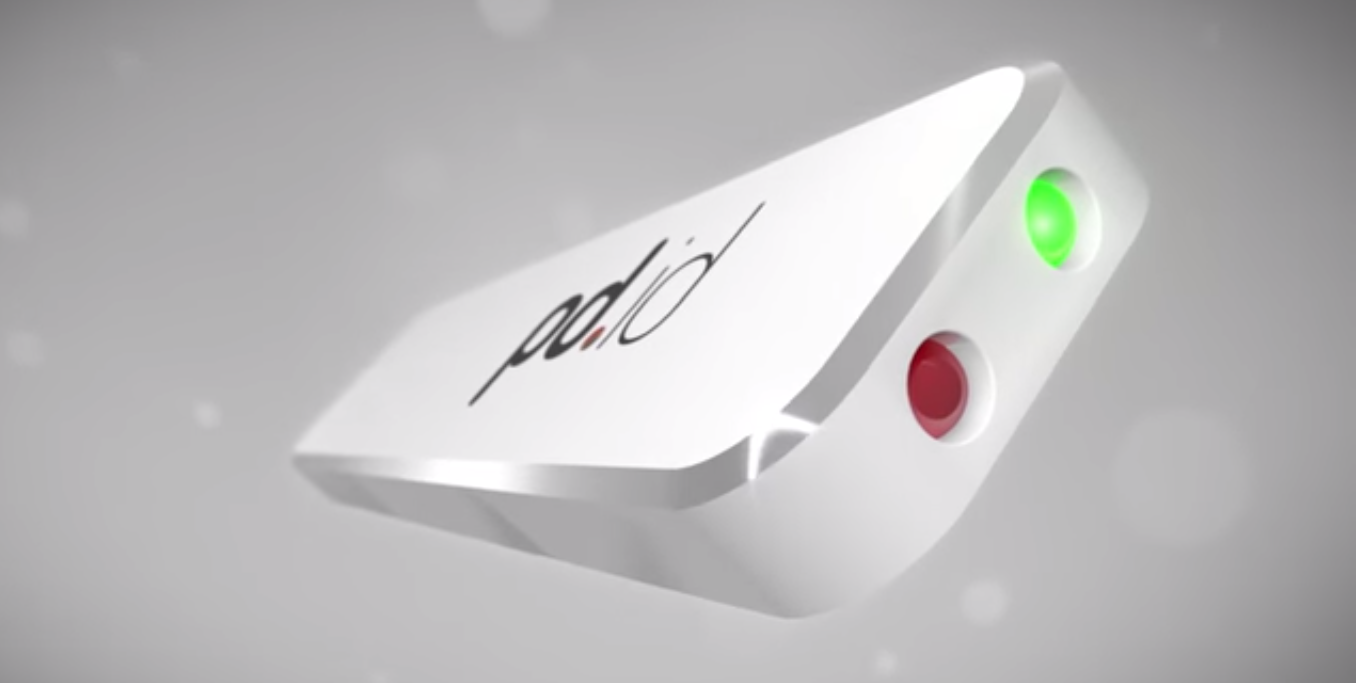
    If you are a lady or have lady friends you understand the constant vigilance that needs to be maintained while going out.  Does that taxi driver look trustworthy or is this drink I’m holding safe for consumption? Some of the constant questions going through a girl’s mind while out at night. Date Rapes are also one of the leading sexual assault cases against women. It seems like Toronto based, former IT consultant David Wilson might have found a perfect solution for this epidemic of date rapes, a tiny USB sized gizmo called Pd.id.

    Pd.id uses three different tests to identify if the drink has been drugged. The device uses light, conductivity and temperature to determine if the drink has been sabotaged. The two Red and Green indicators tell you if the drink you are holding is tainted or not. The best part is that the device can be used multiple times so it will be one of the essentials to pack before a night-out.  Pd.id also has a companion mobile app which lets you access the drink database from the company and visually confirm the purity of the drink.
    pd.id1
    The indicators help you figure out if the drink is safe for consumption

    The company claims that the drug recognition technology has been with the drug enforcement agencies for quite some time. They learned from them and created this miniaturized, consumer friendly version of the technology that can go in women’s purse.

    This is a phenomenal invention and should really be encouraged. This is how a real moral invention looks like; one of the several instances when technology can come to change the world and make it a better place.  If you can’t donate to the device, you can atleast spread the word. But no amount of gizmos can take the spot of a sex educated and gender sensitive mind.

    Of course the best part of this invention is that all the single ladies will have a good time going out without any worries. Pd.id sure is an awesome innovation. Also you don’t to worry about sanitizing the gizmo, the alcohol you are dipping it in will do the needful.

  • Facebook is Forcing Android Users To Download the Messenger App

    Facebook is Forcing Android Users To Download the Messenger App

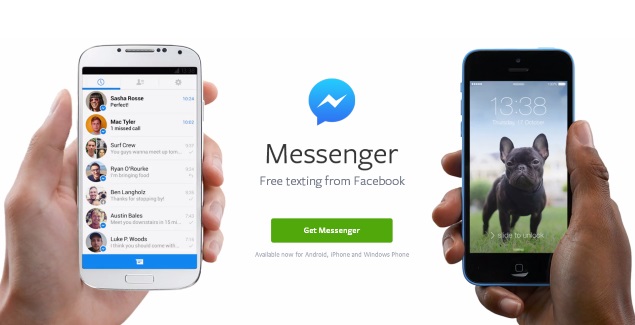
    Facebook announced on Monday that it will be removing the messaging feature from its mobile app over the next few days, and requiring people to use its standalone Messenger app instead. Hence, forcing users to download the Messenger app to chat with Facebook contacts on their mobiles.

    “In the next few days, we’re continuing to notify more people that if they want to send and receive Facebook messages, they’ll need to download the Messenger app,” a Facebook spokeswoman said.

    facebook_messenger_app_officialpage

    The change follows through on a plan announced in April and for now affects Facebook’s mobile app on iOS and Android. You’ll be able to send and receive messages on the desktop as before. The social networking giant told TechCrunch that it had seen “positive results” in Europe in terms of user engagement, and so decided to move ahead with rolling-out the standalone app to everyone.

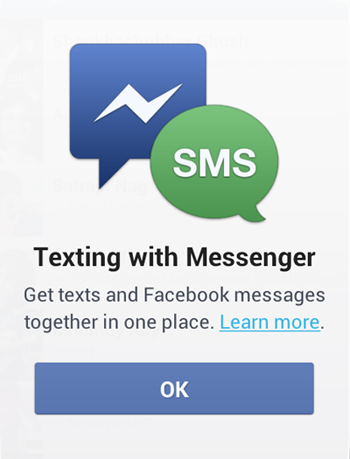
    Facebook-messenger-sms-integrationThe company notes that users can continue to chat via the main Facebook app on iPad tablets, feature phones, Windows Phone devices, via Paper app, and the Web-based desktop interface. The company said that this move is to make the Facebook messenger, the best app for messaging. It is also an effort to avoid any confusion that might arise from having two mobile products for the same thing.

    The move will also greatly increase the number of people who use Facebook Messenger. CEO Mark Zuckerberg said on the company’s earnings call last week that Facebook was looking to turn Messenger into an important business. Messenger currently has more than 200 million monthly active users—just under a fifth of Facebook’s total user base. It can handle Internet-based voice calls, group chats, and exchanging photos and short videos, as well as sending text messages.

    Facebook says the change will help improve the performance of both the apps over time. It’s already working to improve Messenger; the company recently hired the former PayPal President David Marcus as part of a push to build new capabilities for Messenger, possibly including payments.

    Earlier this year, Facebook had announced an agreement to acquire WhatsApp, which also handles Internet-based messaging. Along with that the company also launched its own Snapchat-like app called Slingshot which is not well received.

    Slingshot may not have performed to the company’s expectations, but when you have a billion plus subscribers, you have the freedom to force them to use an additional app which only performs a part of the function that the current app does. But we are ourselves are so addicted to this man’s creation that we will do as he commands and give some more of our phone storage and RAM to conquer.

  • Gunnar Optiks Review : Do You Want Or Need It?

    Gunnar Optiks Review : Do You Want Or Need It?

    Today’s scenario do not let you escape the eye strain of screens, displays, LCD, AMOLED and what not. Result is, all that gaming, cellphone and television takes a toll on your eyes. Issues like dry and itchy eyes, headaches among others are becoming a common complain from tech related workforce. Gunnar Optiks hopes that you’re willing to drop some bank on making your eyes more comfortable. The company says their glasses can save the stress on your eyes caused by constantly looking at the screen and possibly save you some eye life. 

    gunnar3

    Gunnar offers you a variety of glasses, ranging from usual display glasses to 3D and gaming glasses too. The gaming and display glasses are almost identical. They come in various designs to suite your frame and taste. The downside is that you can’t really try them before you buy the glasses. But you do get to choose from a variety of styles and sizes they offer.

    gunnar
    Intercept Computer Eyewear

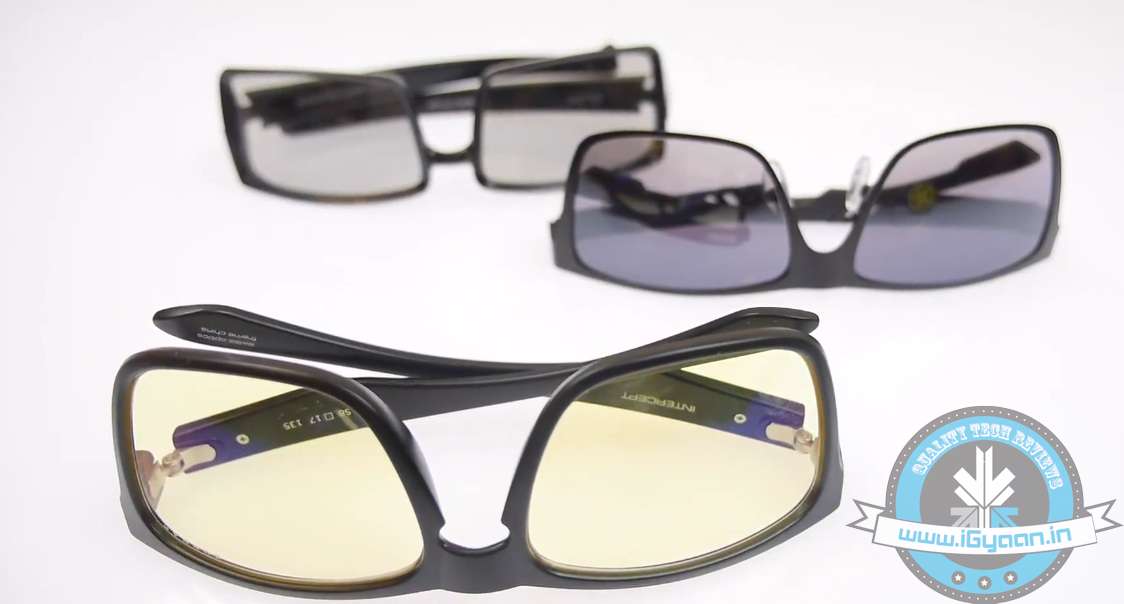
    The glasses range roughly from Rs. 2000 to Rs. 5000 in Indian market. The one we got for review are Regent and Intercept computer eyewear and Gliff 3d glasses. These are very comfy glasses and have a metal frame and the strain reduction glasses have yellow tint on them. The yellow tint do hinder with the your surroundings as well as the overall white balance of your view. 

    gunnar2

    So, if you’ve been viewing TV or playing your PlayStation a lot lately, wearing these glasses will, give a completely different hue that sort of tends to take away from original experience initially. After you have worn them for a while, you will go oblivious to its their existence on your head. Although again, the yellow tint may not be liked by some folks, but the glasses do reduce the strain on your eyes to quite an extent. If you are on screen for more hours than you sleep, these glasses will certainly help you reduce the effect on your eyes and help gi your eyes an extended shelf life.

    As far as the 3D glasses are concerned, they are very impressive. 3D glasses by Gunnar are much better than the ones you get at the movie theaters. They don’t darken up the whole view, they are light weight, and are really comfortable when compared to the usual 3D glasses. They give an actual 3D experience with better depth and clarity without compromising the picture quality.

    gunnar1
    Gunnar Intercept Gaming Eyewear

    Futhermore, there is not a big market for these product right now. In a normal day scenario, if you are not spending a lot of time on screen, you may not require these products. But, as we said earlier, if you spend more time on screen than you sleep, these might be worth a try. Honestly, the only downside here is that you will end up spending a couple or more thousand bucks for these glasses. But if you do get to save your eyes, it will be an automatic payback in long run.

    The end decision is obvious, need vs want. We can’t tell your accurate efficiency as there is no way we can measure it. But, it is surely a good bet if you are looking for a product that helps counter the heavy strain you subject our eyes to.

  • 5 Cool Messaging Apps You Could Use Other Than Whatsapp

    5 Cool Messaging Apps You Could Use Other Than Whatsapp

    Staying connected in a meaningful way makes us happy and sharing our thoughts, emotions and stories is what makes these connections rich and real. In a world where everything is moving too fast, messaging services offer you a way to connect and express yourself instantaneously.

    We are listing 5 messaging apps that might change the way you stay connected with your loved ones:

    1. Path Talk

    The new app includes a handful of features that are not available on most of the popular messaging apps, including one called ‘Ambient Status’ that automatically detects what you’re doing and shares that with others in your network. For example, the app uses geo-location on your phone to determine when you’re nearby another friend, in transit, or even working out. The app will also alert friends if you’re listening to music and what song you’re playing. All of these Ambient Status updates happen automatically, and can be altered in settings if users don’t feel comfortable with the app sharing on their behalf.

    2. Telegram

    unnamed

    Telegram is a messaging service combining the speed of WhatsApp with Snapchat’s ephemerality and advanced new security measures. Telegram feels in many ways like a straight-up clone of WhatsApp, from its green double-checkmark read receipts to its cartoonish wallpapers. There’s also the usual gamut of messaging app features including the ability to see a friend’s online status and attach photos, videos, your location, contacts, and documents to messages. But where it lacks in originality, Telegram makes up for it in speed and security features.

    3. MessageMe

    MessageMeLogo

    Message Me is a mobile free messaging app with a lot of visual features and personalization. It allows people to send SMS text messages and make voice calls to their friends for free, same as most instant messaging apps. One of its more popular features is the ability to draw or “doodle” on photos, making it easy to annotate and share images. When someone shares an image with you, you can draw right on top of it, dashing off a hand-scrawled comment or caption before passing it along to your own pals. That feature, plus the ability to grab images and other media from the Web and quickly share them in an SMS message to your friends and family, has made MessageMe a popular download since its launch.

    4. Mezy

    Mezy-Icon

     Mezy is a new social messaging app where friends post messages (photos/videos/text) to a location on a map. When a user’s followers go to the location chosen by the user, the message is unlocked and able to be seen and commented on by others who have discovered it.  Users can post a mezy anywhere in the world – not just their current location. When a follower enters the geographic location, the mezy then appears in their feed. No one else can see a mezy unless they have been granted access.

    5. Voxer

    Voxer-logo

    Voxer is commonly known as a “walkie-talkie” or “push-to-talk” app because when you click on its little talk button, you can send an instant voice message or multimedia message to a pal. The message is either instantly played through your friend’s phone speakers if their phone is turned on and the app is running, or it is received as a recorded message like voicemail. Voxer also enables text and photo messaging, like most mobile messaging apps do. It also enables VOIP voice calling like Skype does, and group messaging. Voxer is free for individuals and works with Android and iOS devices. A business version also is available with extra features for a fee.

  • Screen with Vision Correction to Eliminate the Need for Glasses

    Screen with Vision Correction to Eliminate the Need for Glasses

    We use a lot of screens now. If you are working at a technology based institution like coding, gaming or a BPO, you probably even dream of looking at a screen. But all these screens are have an intense adverse effect on our eyes. We are not evolutionary trained to look at light emitting displays all day. This has caused a lot many people to take trips to the ophthalmologists quite regularly. Now scientists from the University of California Berkeley has authored a paper which states that it is possible to create screens that can display their content based on the perception capabilities of the users eyes.

    The premise that the scientists put forward is fairly simple to understand. For the technology to work, it requires an algorithm that alters an image based on the glasses prescription of the users which works in tandem with a light filter in front of the display. The algorithm helps in altering the light emitted from each pixel which is then passed through a tiny hole in the plastic filter. These rays of light reach the retina in a way that recreates a sharp, focused image. The technology will be developed in cooperation with MIT and Microsoft.

    A lot can benefit from this technology, even folks with visual issues which cannot be corrected through the use of glasses, and no, it can’t cure blindness but can address visual issues cased by physical deformity.

    This technology can be embedded in almost all kinds of displays thereby almost eliminating the need for glasses. One major drawback is that it cannot be used by people with multiple optical needs. Also the technology depends of motion tracking to assess the users distance from the display. One of the authors of the paper believes though that these problems can be addressed by using the technology on bigger screens.

    Overall this is a great research for the mobile age. In times when we are forced more and more to look at screens all day with the mobile work cultures, the biggest losers have been our eyes. So what if this technology will still have us looking at screens, at least they will adjust the content as the eyesight devolves.

  • Russia Takes Out Contract to Unlock the TOR Network

    Russia Takes Out Contract to Unlock the TOR Network

    Russia is in a weird place right now. After months of unfavorable international gaze on the geographically giant nation and ex-superpower the country intends to crack down on dissenting opinions. With the incursion into Ukrainian territory and supporting separatist group in that country who recently shot down the Malaysian Airline MH 17, the country has constantly been under negative light.

    The country’s Interior ministry has taken out a tender to 3.9 Million Rubles ($111,290) to try to identify the anonymous users of the TOR network. The decision came to light when a group of human rights activist began protesting against the tender.

    The Russian Interior ministry issued a tender to unlock TOR network which will be announced on August 20
    The Russian Interior ministry issued a tender to unlock TOR network which will be announced on August 20

    TOR network hides the identity of the user by encrypting the data and sending user information through thousands of random pathways, therefore, making it harder to trace. This pathway is also used to access the unarchived Dark Net. Though the system has been used by anti-social elements too, but the anonymous features have helped information activists to reach their audience without being identified for persecution.

    Russia has enacted some major regressive laws to contain unfavorable opinions within territories. The nations new blogging law ask all bloggers with a daily audience of over 3000 have to register their identity. The ones protected by the decision are those bloggers who use the TOR network, and this is the government’s way of uncovering such hidden bloggers.

    The fact is that only a small number of internet users in Russia use the TOR network, but their burgeoning number has the Kremlin worried. It is estimated by Apparat.cc magazine that the number has grown from 80,000 in May to 200,000 by the month of July. Russian contemporary politics seems as a decisive factor that is encouraging people to opt an anonymous route to address their displeasure with their government.

    It is not the first time that there have been steps taken by the government to track anonymous service users. The world’s gossipy aunty who always wants to overhear every conversation, A.K.A the NSA has invested resources to uncover the network, but that involves a lot of time and expense. The anonymous network stands quite resilient in the face of opposition.

    This whole scenario is also a reminder that internet needs to be protected from prying eyes and its independence needs to stand. Information and dissent go hand in hand. A free internet has the potential to change the world of tomorrow.

  • Rumor : Apple To Launch an iWallet With The iPhone 6

    Rumor : Apple To Launch an iWallet With The iPhone 6

    We have been waiting to get our hands on the Apple’s new iPhone 6 with its new design. But while we wait, there are many other rumours flying high. Most recently, the rumors are that along with the launch of the highly anticipated iPhone 6, Apple will also launch a Google Wallet rival.

    According to these rumors, Apple is in talks with major credit card company Visa to collaborate and create an iWallet technology that could revolutionize the way consumers pay for goods. As noted by the publication, a direct partnership with Visa — or  any similar company — would be a huge step in bypassing the payment processing chain, saving both merchants and customers money.

    Apple is aiming to proceed with its payment system without handing over any control to wireless carriers, which may allow it to avoid difficulties that its competitors have faced. It has been expected for some time now that Apple would step into the mobile wallet sector and use the millions of shoppers who already store their card information with its iTunes Store and App Store. The iPhone maker has had to be cautious after seeing Google Inc. and others fail to rally users to make payments using their phones.

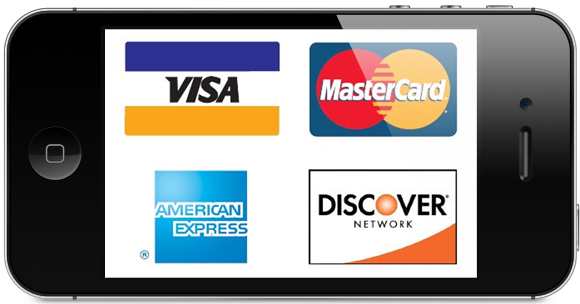
    iPhone-4S-E-Wallet

    With partnership talks ongoing, Apple is also working out the technology behind a mobile payment system. The reports illustrate that the company at one point planned to integrate Near Field Communication (NFC) modules in its iPhone lineup, though other rumors claim the system will rely on Bluetooth and Wi-Fi.

    In either case, sensitive customer information is likely to be stored in the iPhone’s secure enclave or alternatively in the cloud.

  • 5 Ways Technology Can Change The Way We Shop

    5 Ways Technology Can Change The Way We Shop

    Guilty pleasure shopping sprees have turned into couch surfing with the increasing popularity of e-commerce websites. Some latest surveys show that the by 2020 sales in shopping centers and on the high street will have shrunk by 27%.

    However, these real life retailers are prepared to fight back with the very same technology that threatened it in the first place. Retailers have only just started to explore the potential uses new technology could have. By mimicking and adapting how technology has been used in online retail, real-life retailers could combine all the advantages of online shopping with the benefits of shopping in-store.

    Here are 5 ways real-world retail is using new technology to adapt to changing consumer habits.

    1. Virtual Reality

    vurtual reality

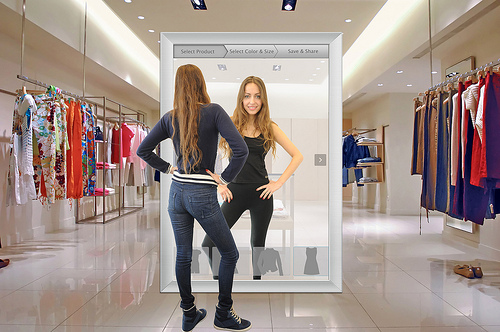
    With virtual reality being the next big thing in technology ecosystem, it is no doubt that it will be one of integral part of the new-age shopping. However, we have to wait till virtual reality breaks through the developer mode and comes to commercial market to explore full potential of the technology. Leading fashion brand Burberry has virtual reality mirrors in its flagship store on London’s Regent Street. The mirrors read chips hidden in each item and change instantly into a screen displaying information about the product. In a world where an item’s provenance is becoming increasingly important to the modern consumer, Burberry is providing the backstory of their products in store.

    2. Google Glass

    shopping-glass3

    Google Glass, Google’s biggest bet on wearable technology, opens up a huge number of possibilities for retailers and a guaranteed improved customer experience. In stores, Google Glass and iBeacon technology could be used to recognise frequent customers and transmit the information to employees. Virgin Atlantic, Tesco and Waitrose in USA have already begun experimenting with the technology.

    3. Personalised purchases

    safeway

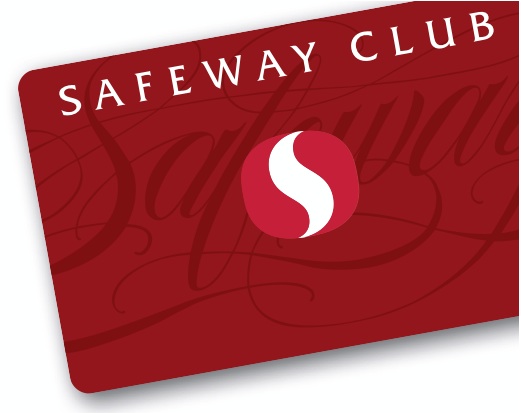
    Instead of having set prices, a number of stores are experimenting with personalised ones. US supermarket Safeway’s Just For U scheme alters prices based on the customer’s purchasing habits. Offers are loaded onto a customer’s club card that can then be used in store.

    4. iBeacons

    53397-beacon_teaser1

    iBeacons are Apple’s low-power transmitters that are already being installed in shops. iBeacons can recognise iOS devices in their vicinity and send them specific notifications. For example, customers could enter a shop and receive messages about new products and even localised offers on their Apple devices.

    5. Visual Light Communication

    vlc

    Emart, a South Korean megastore, has introduced a new technology to their stores that enables customers to find their way to specific offers.  Called VLC (Visual Light Communication) technology was installed into the store’s lighting fixtures, which gives real-time location information to customers with the correct app on their phone. Users just have to put their smartphone in a special holder on their trolley and follow directions to the nearest deals. When they get close enough to an offer item a discount coupon appears on their phone.

  • Unlock Your Motorola Device With A ‘Digital Tattoo’

    Unlock Your Motorola Device With A ‘Digital Tattoo’

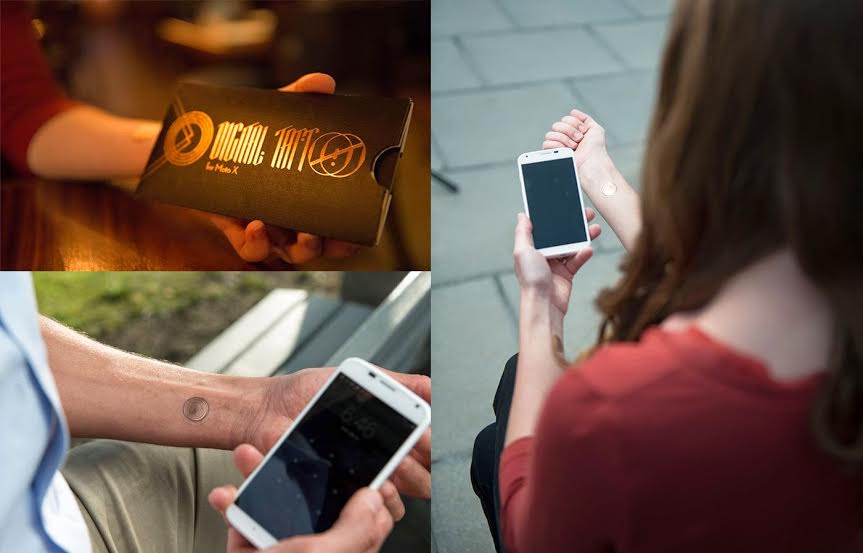
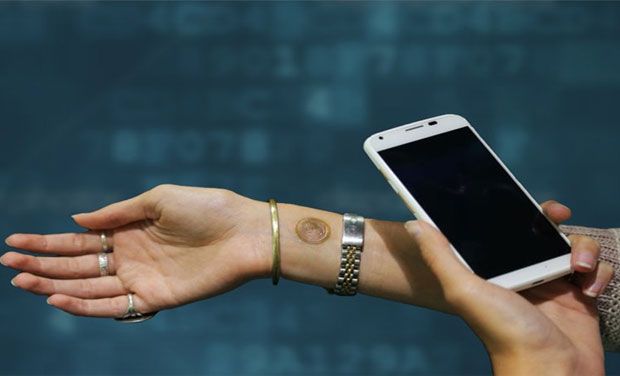
     This is what we love about wearable technology. They keep on trying to simplify your life even further. This time it’s Motorola’s turn, and they have teamed up with a company called VivaLnk to create a ‘digital tattoo’ that unlocks your phone when you simply tap the phone against it. Yes, it’s that simple.

    digital tattoo 3
    Tap on the tattoo to unlock your phone without a password

    Now Motorola says that an average user unlocks their device 39 times a day. Out of these, 50% find punching in their password/PIN too cumbersome, leaving their data and personal information exposed to theft and other malpractice. This was why they introduced the Motorola Skip last year. The Skip is a small clip that attached to any of your clothing, and unlocked your Moto X with a simple tap. The concept was simple, and it saved the user from the annoyance of typing in the password every time they wanted to use their phone. This ‘digital tattoo’ aims to take it a step further, using the same technology in an even simpler form.

    The tattoo, as was the case with the Motorola Skip, uses Near Field Communication (NFC) to interact with your smartphone. The device recognizes it within a second, and forgoes the password entering stage to unlock your smartphone.

    So basically put, the ‘digital tattoo’ is an ultra-thin NFC circuit, wrapped up in medical grade 3M adhesive that won’t harm your skin. It is also water resistant, and should be able to survive showers and exercise routines just fine.

    A 10 piece pack comes with at a price of $10.
    A 10 piece pack comes with at a price of $10.

    While the $10 asking price for 10 such tattoos sounds like a fair bargain, prospective buyers should keep in mind that a single piece would last you only 5 days on a stretch, so that 10 piece pack optimally lasts you around a month and a half.

    Another catch is that the tattoo currently works only with the Moto X. That is understandable, because every niche product is first tested with a limited customer base. If you’ve got any other phone, you’re going to have to wait, and still waste all of 2.3 seconds fumbling in your password each time you want to use your phone.

    By Pranav Arora

  • New Facebook ‘Save’ Feature Helps Bookmark Content For Later Viewing

    New Facebook ‘Save’ Feature Helps Bookmark Content For Later Viewing

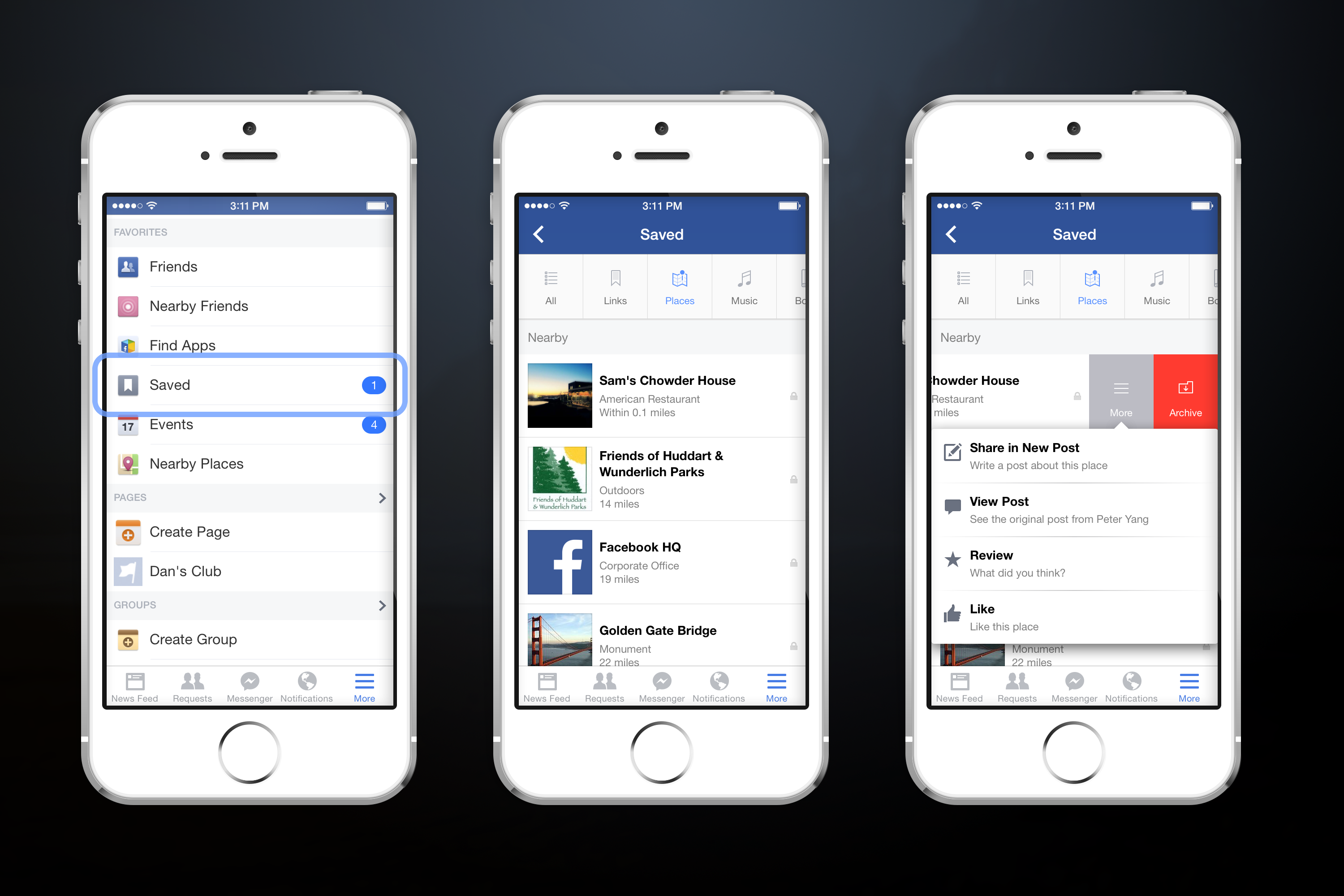
    Well Facebook updates usually take time to get accustomed to but this new feature seems to solve a huge problem for the people who use Facebook on the go regularly. The new ‘Save’ feature, as it is called, lets you save links, pictures, places, music etc. to go through later when you have time.

    “Every day, people find all sorts of interesting items on Facebook that they don’t have time to explore right away,” said Daniel Giambalvo, software engineer at Facebook, in a blog post. “Now you can save items you find on Facebook to check out later when you have more time.”

    facebook save

    Facebook’s Save feature rolls out to all iOS, Android, and web users over the next few days. You’ll notice the option in your newsfeed either as a button on the bottom of some posts or in the drop-down menu beside each post. Users can then re-visit their saved items using the “More” tab on mobile, or by hitting the “Saved” link on lefthand rail of the desktop version. The save option can only be seen by you on your your phone or web browser.

    The new feature, like almost all components of the social network is to keep you inside Facebook. Instead of saving items to Pinterest, Instapaper, Pocket, or other read-it-later services, you can use Facebook as a bookmarking service. It’s also a good way to keep track of restaurants and stores you may want to visit.

    screen-shot-2014-07-21-at-10-13-46-am

    There’s a very good reason Facebook may not be caching content: it would rob its publisher partners of ad views. If Facebook simply scraped the destinations of links for their text, images, and videos, and let you view them on a stripped down page in Save, why would you go to the actual Page? It seems Facebook likely doesn’t want to offend these publishers since they contribute content to its service through Pages, and buy Facebook ads to grow their audience.

  • Top 4 Cloud Office Suites To Make Your Working Life Easy

    Top 4 Cloud Office Suites To Make Your Working Life Easy

    Working online has become an integral aspect of the corporate world. The cloud, as we call it, contains everything we need to work on the go and is available 24X7. Online office suites make that work easy with their varied tools, document and slide show creators and much more.

    Three features that particularly help the Cloud stand out: the ability to access files from any internet-connected systems, ease of file-sharing, and automated back up with versioning. The suites may not be as comfortable to use as Office, nor as feature-packed, but as long as the basics are in place, most users are unlikely to complain – especially if they’re getting them for free, as is usually the case for personal use.

    We are listing 4 of the best online office suites you should use while working:

    1. Google Drive/Docs

    google drive

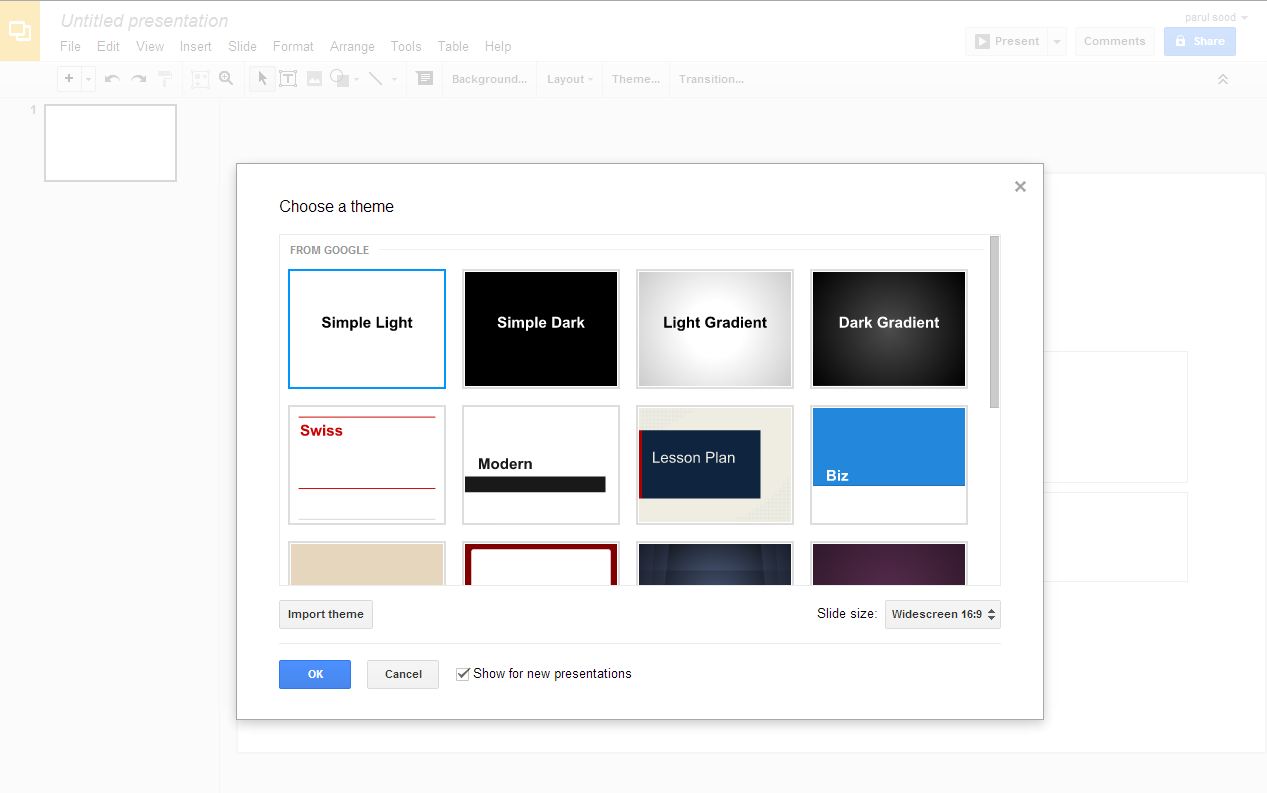
    Google Docs was the first online office suite which actually worked as needed, and is still one of the most popular ones out there. Compared to when it was first launched, it has improved tremendously. Now it looks and feels far more like Microsoft Office, from the virtual sheet-of-paper view used by its word processor to the availability of multiple fonts, including Office’s current default, Calibre. Docs doesn’t offer anything close to Office’s power. It rather focuses on the basics that everyone needs for word processing, spreadsheets, presentations and simple vector-based drawing. Along with this it provides online storage space for additional files and decent file conversion options from Office formats. Google adds features on a regular basis, but don’t hold your breath for specific improvements. Development on Docs feels slow – too slow, and there is still a long way to go.

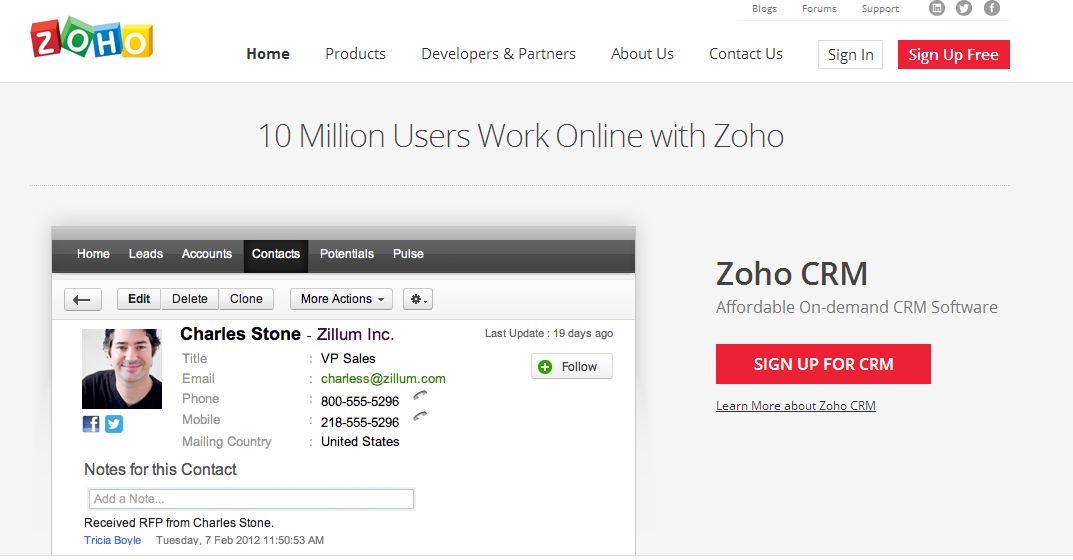
    2. Zoho

    zoho

    Zoho is the king of online office suites and the reason is the variety of feature provide by this office suite. With text documents, accounting, spreadsheets, presentations, mail, calendars, notebooks, wikis, discussion groups, invoicing and more, Zoho offers a jaw-dropping number of features. Better yet, all of them are available free for personal use. They’re geared towards business use though, with the idea being that you pay for additional users and features in specific apps. The website doesn’t do a great job of explaining this up front, but at least you can try everything without having to pay first. You can’t argue with its power though. If you want all of your business and editing tools in one place, this is where you’ll find them waiting for you.

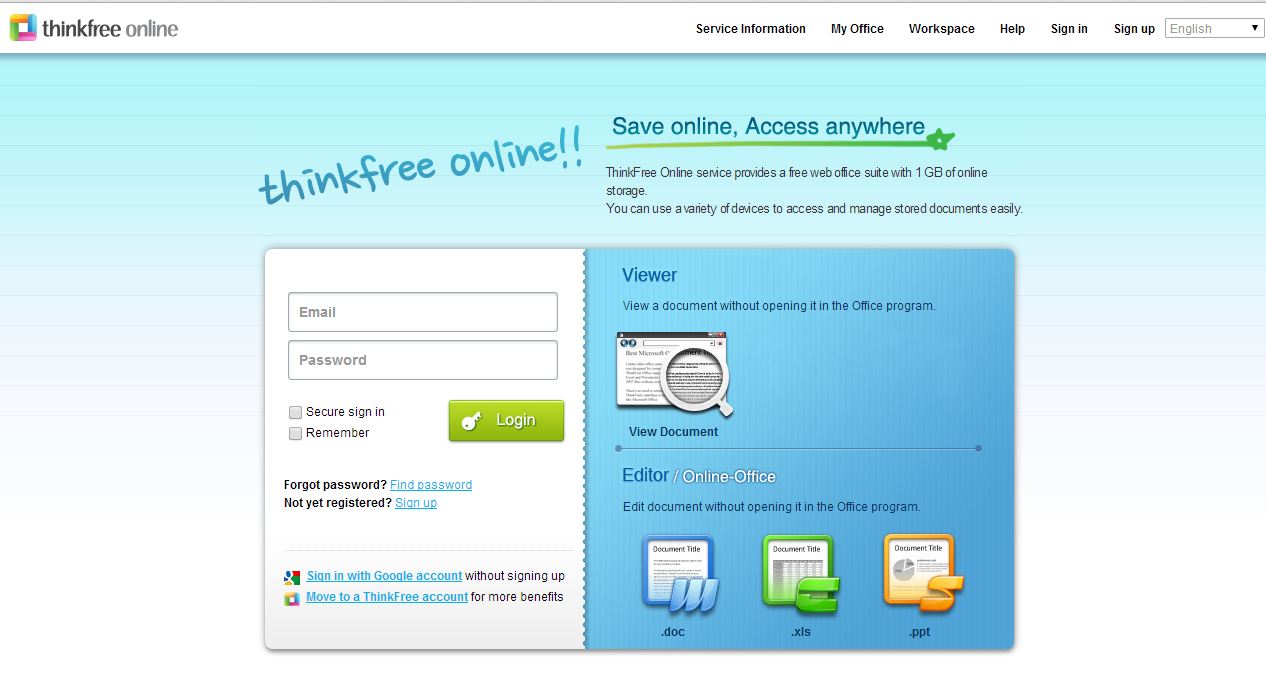
    3. ThinkFree Online Office

    thinkfree office

    ThinkFree is a Java-based office suite, which needs a download on your desktop. Being a Java app, it’s not the speediest – and you don’t get to use it offline just because you’ve installed it. If you want to do that, you have to buy the slightly misnamed ThinkFree Office, which costs £35. Not a huge amount compared to a copy of Microsoft Office, but still lightens up your wallet. There is, however, a dedicated syncing tool that you can download, so that you can at least fire up another tool and continue working until your internet connection resumes, and there are mobile apps available to access and share files too.

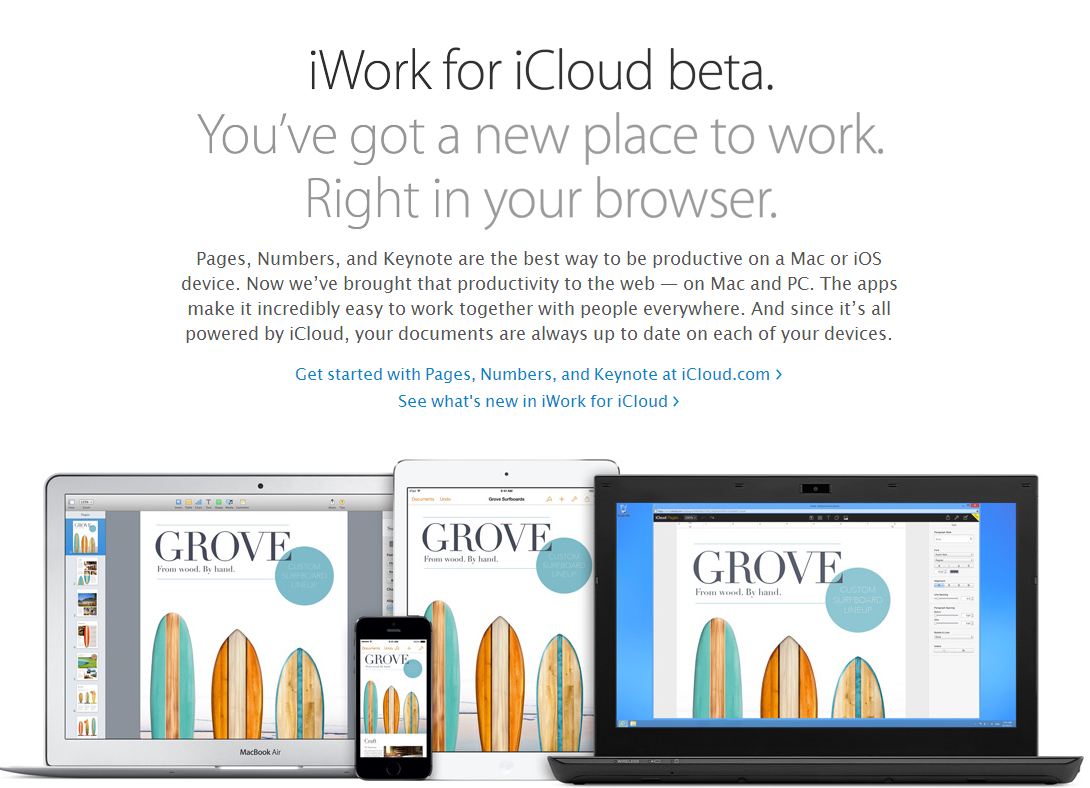
    4. iWork

    iwork

    Apple’s hallmark intuitive interface and extensive help and support make their feature-rich products a pleasure to use. If you’re an all-Mac (or mostly Mac) business or a personal Mac user/student, iWork is the Mac office software for you. It will provide you with all of the power you will need to make your work look professional and well-polished. The different programs Pages, Numbers and Keynote give you the ability to tackle just about any assignment, whether it’s for school or work. If you need the more ubiquitous presence and collaborative options of Microsoft, you’d be well-advised to choose Microsoft Office for Mac.

  • No Signal? Pocket-Sized Device ‘goTenna’ Will Help You Stay Connected

    No Signal? Pocket-Sized Device ‘goTenna’ Will Help You Stay Connected

    Stuck in the desert or the mountains or even at home with no signal on your smartphone? Here’s the best way to communicate. GoTenna, a Brooklyn-based startup is offering a solution for off-the-grid travelers who need low-cost connectivity for their smartphone – and it doesn’t even rely on satellites.

    gotenna1
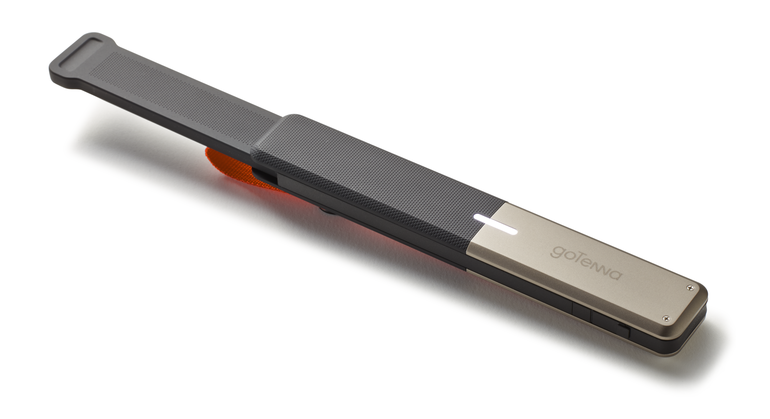
    GoTenna is a pocket-size communication tool that lets smartphones talk to one another without cell service.

    This device connects to your phone via Bluetooth and turns it into a low-frequency radio with a range of several miles (up to 50 miles). Using an iOS or Android app, that’ll let you text or share GPS locations (no voice calls) over an unlimited, free ad hoc network with other goTenna users.

    gotenna
    GoTenna is 5.8 inches in length and weighs 2 ounces. This pocket size device is easily portable and allows easy communication in the times of need

    The team behind it says that everything is encoded, and the app will automatically retry until your message goes through. goTenna, however, doesn’t give your smartphone LTE-style data, so no Twitter scrolling or Facebook browsing.

    The device is a little too big for your pocket, but it clips easily to a belt or a backpack. The company’s planning on selling a limited number for $150 per pair on their site to raise $50,000 in funding, after that, it’ll sell for $300.

  • Say Hi to Jibo: World’s First Family Robot

    Say Hi to Jibo: World’s First Family Robot

    If you remember watching Robin Williams’ forgettable Bicentennial Man, you must have felt the thrill of having a robotic companion in your family. The best part about Robin Williams’ character is that it was a robot capable of human emotions and learning new things just like a human being. Now a company called Jibo Inc, founded by an ex-MIT professor, Cynthia Breazel has brought an incredible new family pet in Jibo.

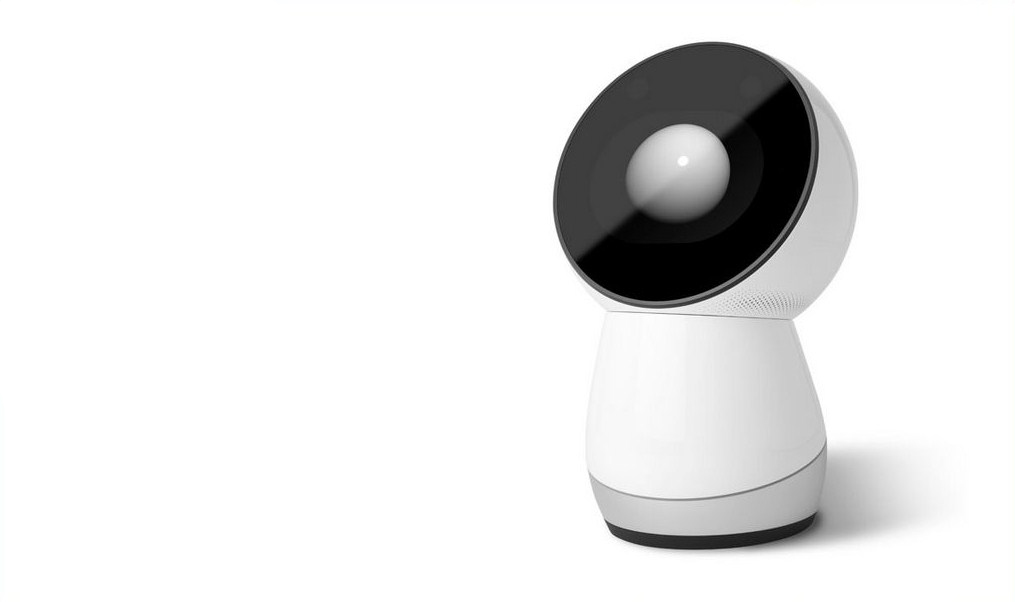
    This Linux powered robot has a cylindrical base and a circular screen which makes it look like a smaller and rather enthusiastic version of Marvin the Paranoid Android from The Hitchhiker’s Guide to the Galaxy. Alan Rickman as a sad robot was the only humorous part of that movie.

    jibo 2Jibo is about a foot tall family friendly robot that is capable of doing everything your dog can’t do. It has six microphone inputs that help Jibo to take voice instructions and reply back. Jibo can take pictures; assist you in your daily chores, read out your messages. But here is the best part; it can be a cute little tutor to your kids, which is surely going to make a lot of private tutors angry, especially in India.

    One of the feature that is really impressive is the boost tele-presence will get with Jibo. With Jibo the person on the other end can physically move about and interact with all who are present in the room. This is our favorite feature. Jibo also seems fun to interact with and even though some of its functions can be currently done by a smartphone but the fun interaction aspect is missing from them.

    In future, the company wishes to integrate Jibo with your home automation system so it can take care of the security of your house and the power management. They also intend to add health features so that it can gather up information from devices like heart rate monitors, glucometers and scales and can maybe become your personal trainer.

    Unfortunately you can’t buy Jibo just yet, but you can surely pre-order it and you can also contribute towards the project through their Indiegogo page. Jibo will arrive at the doorstep of folks who have preordered. Guess the robots are finally ready to invade our houses and if they are as cute as Jibo, they’ll be sure welcomed with an elation from everyone in the house.

  • Top 5 Gadgets Every Tech Geek Should Have

    Top 5 Gadgets Every Tech Geek Should Have

    A man’s greatness can be measured by the number of cool gadgets in his home, or at least, the number of cool gadgets he’d like to have at home. We’re talking about the kind that are so cool that you’ve just gotta own them. So in the spirit of all things awesome, we bring you this list of gadgets every tech geek should have, or at the very least, want to have.

    1. Star Trek Style Glasses

    Geordi-La-Forge-Gets-Downgraded-to-Google-Glass

    If you don’t mind looking like Star Trek’s Geordi La Forge, this pair of virtual television glasses are for you. With these glasses, you can watch movies and even play console games. There are several manufacturers including China-based Teleplus Electronics with an offer price of around $120. It also offers an 80-inch screen model which will set you back an additional $100. Brookstone’s iDesign Digital Video Glasses serve up a 50-inch screen for use with the iPhone or iPod and will cost you back about $150.

    2. Print Your Toaster

    printing-your-toast-2-500x430

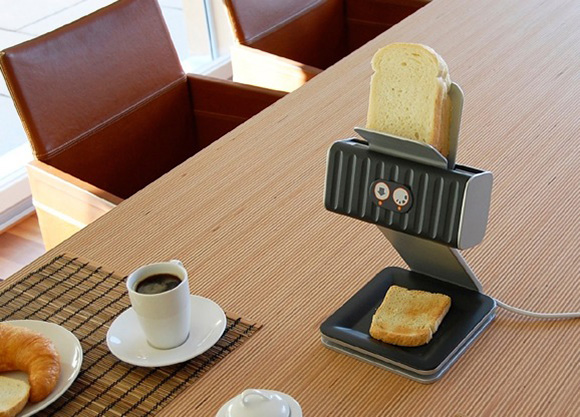
    Designed by Othmar Muehlebach, this toaster thinks that it’s a printer. The idea is to lay a stack of bread on the top and it runs through the toaster, and each slice comes out with a print. It could be modified to burn any kind of graphics on the bread and run ussing USB. While it’s still just a concept product, the big question is — would you like to spend all morning wrangling with jammed pieces of toast?

    3. Roomba

    roomba1

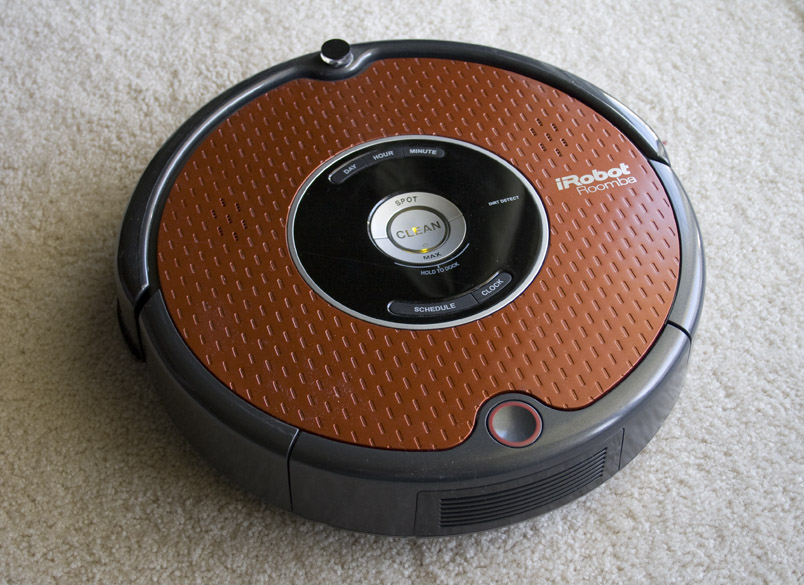
    Roomba is a series of autonomous robotic vacuum cleaners sold by iRobot. Roomba can change direction on encountering obstacles, auto-detect dirty spots on the floor and detect steep drops to keep it from falling down stairs. It is the perfect solution for Post-Star Wars Marathon cleaning.

    4. Nvidia Shield

    nvidia-shield-root

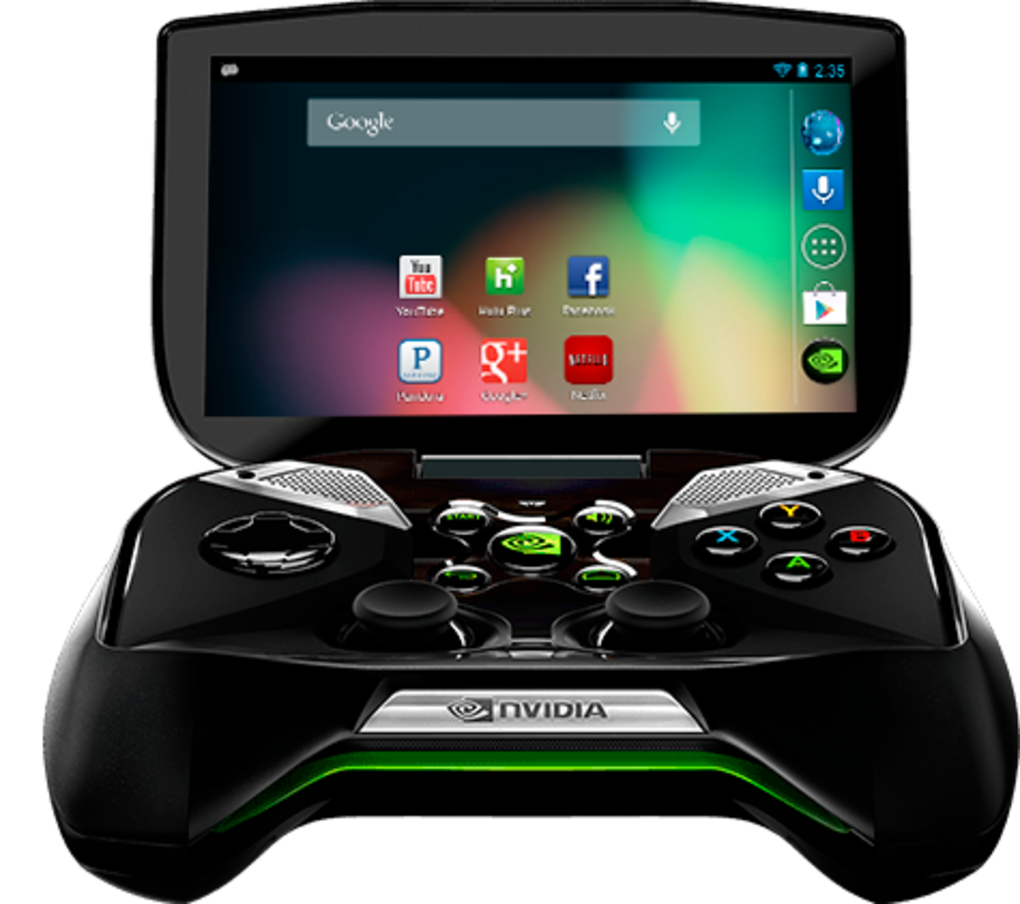
    This Android Console is portable enough to play on a bus. As well as having access to hundereds of games via Google Play, the shield can stream full PC titles from your PC. Pretty damn cool.

    5. Trikke Tribred Pon-E

    trikke_lean_med

    Possibly the most exciting three-wheeler we have ever seen, this electric scooter runs for a good 40 KM on a single charge and hits a top speed of 25 kmph. To top it all, you don’t even need a license to ride one of these on the road.

  • 5 Ridiculous Apps That You Won’t Believe Exist

    5 Ridiculous Apps That You Won’t Believe Exist

    App stores offers the plethora of programs that can do everything from turning your iPhone into a gaming console and a TV remote to software that helps you scout out the best restaurants. But for every useful app, there are ten fairly pointless ones. Let’s face it, stupid apps are becoming commonplace on the smartphones. So which are the worst of the worst? Narrowing them down was tough, but we’ve dug up 5 of the most painfully pointless apps:

    1. Hair Clinic for Man and Woman

    264439_larger

    Your iPhone holds the power to make sure your hair looks good. Seriously? Hair Clinic For Man and Woman claims to be the “World’s First Mobile Hair Clinic System”. Its makers say the app generates inaudible frequencies that “promote blood circulation around hair root..” All you have to do is move the handset around your scalp while the app sends the frequencies. Um, hopefully nobody is stupid enough to believe that.

    2. Pocket Girlfriend

    Parental-Advisory-psd20206

    Who needs a real girlfriend when you can have a pocket girlfriend. Customize her with hundreds of different options so that she’ll respond and converse with you, fulfilling your every need. The only person who would find comfort in a ‘Pocket Girlfriend’ would be Dr Rajesh Koothrappali from the TV show Big Bang Theory. 


    3. Yo!

    yo-app-2Twitter with 140 words is so cliche, Yo! is the the new scene. This app doesn’t do anything apart from sending the message ‘Yo!’ to your friends. The way it works is: You choose a username. You “add friends” by typing in their usernames. Then, when you want to message them, you hit their name. It sends a “Yo”. If they hit your name, they send a Yo back. That’s all you can do with this app, it has no other use. The fact that this app has around 800,000 users makes it even more bizarre.

    4. Drunk Dialer

    drunk-dialer-t-shirt-1344971065

    This one was made in hoped of avoiding the embarrassment that comes with drunk dialing. Drunk Dialer is like a sobriety test: If you can type the numbers that keep jumping around on your screen, hit the Call button and you’re good to go. But if you’re not quick enough, the harder it is to hit the right key. Do we really need an app that protects us from drunk dialing?


    5. Beer Opener

    d6fbc8c3-761a-4bf8-aa3e-b63e0490d4cc

    I can best describe the problem with Beer Opener by quoting its App Store description: “Experience the joy of opening a cold refreshing beer bottle without the inconvenience of actually consuming beer!”. Beer Opener lets you pretend to open a real-world bottle. You hold your iPhone over the bottle, grab the virtual cap that pops up on the screen, and open away – without the terrible hassle of having to drink the thing. Are we missing something?
iGyaan Network
Privacy Overview

This website uses cookies so that we can provide you with the best user experience possible. Cookie information is stored in your browser and performs functions such as recognising you when you return to our website and helping our team to understand which sections of the website you find most interesting and useful.