Category: Apps and Software

Games, Apps, Softwares, Operating Systems and Software Hacks

  • Facebook Admits its App is Sucking Your iPhone’s Battery Dry

    Facebook Admits its App is Sucking Your iPhone’s Battery Dry

    Last week we had mentioned that the Facebook app for iOS may be the reason why your iPhone’s battery is draining faster than usual. Facebook has now confirmed that it is indeed their iOS app that is causing the battery issue. Many users have reported that the Facebook app in the battery menu shows as consuming quite a bit of battery even when usage is at a minimum.

    “We found a few key issues and have identified additional improvements, some of which are in the version of the app that was released today,” wrote Facebook’s Ari Grant yesterday.

    The first issue we found was a “CPU spin” in our network code. A CPU spin is like a child in a car asking, “Are we there yet? Are we there yet? Are we there yet?”with the question not resulting in any progress to reaching the destination. This repeated processing causes our app to use more battery than intended. The version released today has some improvements that should start making this better.

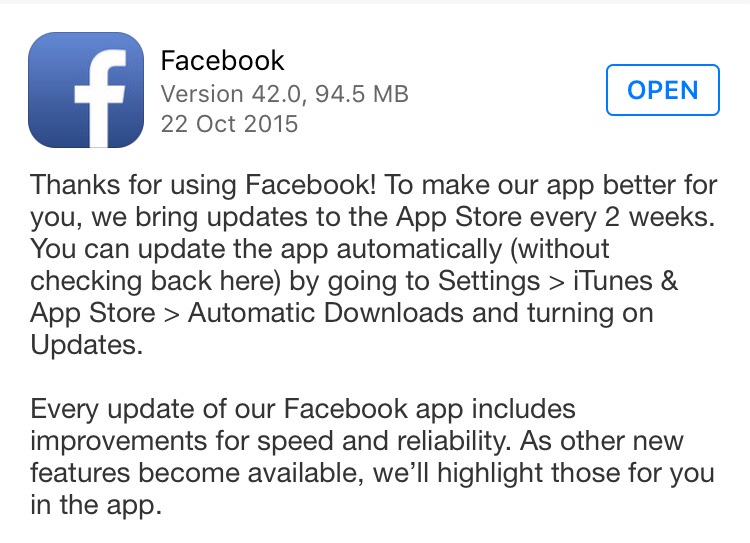
    Indeed, Facebook did come out with an iOS update yesterday (as it usually does every 2 weeks for improvement in speed and reliability). The update description did not mention any ‘bug’ fixes, but going by the word of Grant, you may start seeing some improvements once you’ve updated the app.

    Facebook Update

    Another issue for battery drain is due to the way Facebook handles audio playback. “If you leave the Facebook app after watching a video, the audio session sometimes stays open as if the app was playing audio silently. This is similar to when you close a music app and want to keep listening to the music while you do other things, except in this case it was unintentional and nothing kept playing. The app isn’t actually doing anything while awake in the background, but it does use more battery simply by being awake,” Grant said, promising that their new fixes will solve this issue and will remove background audio completely.

    You can download the update now, if you haven’t already. Don’t expect the update to solve all the battery issues at once. It may take a couple of more updates for Facebook to completely be rid of bugs that are sucking all the juice.

    Source: [tw-button size=”medium” background=”#07ABE2″ color=”” target=”_blank” link=”https://www.facebook.com/arig/posts/10105815276466163?pnref=story”]Facebook[/tw-button]

  • Why Apple Limited Functionality of 3D Touch

    Why Apple Limited Functionality of 3D Touch

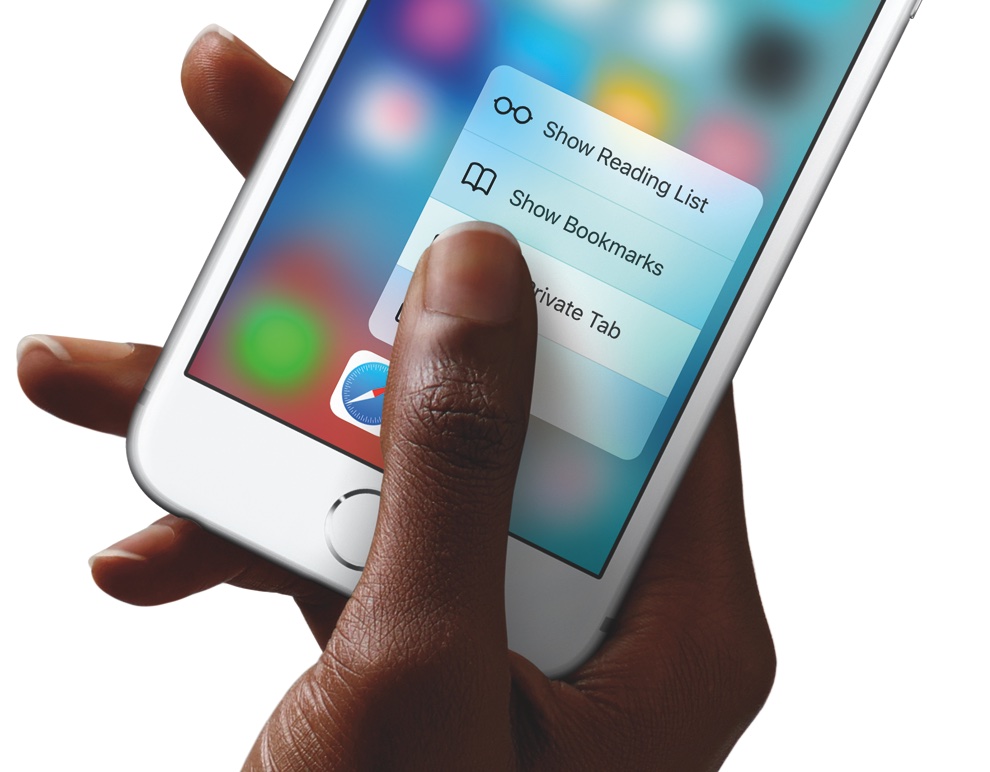
    3D Touch is definitely one of the most talked about features of the new iPhones. This is a highly sensitive touch technology which is able to differentiate between three different kinds of touch. In simpler terms it means easier, quicker shortcuts for the iPhone 6s and 6s Plus users.

    However, Apple deliberately limited the functionality of this new feature, according to sources. Developer Victor Baro says,

    “We need to take into account that, because 3D Touch is only available in iPhone 6S and 6S Plus, no action should be completed just by using this feature,” he said. “The user should be able to achieve any action without using 3D Touch (just like Peek & Pop does), and 3D Touch should only provide an extra level of interaction.”

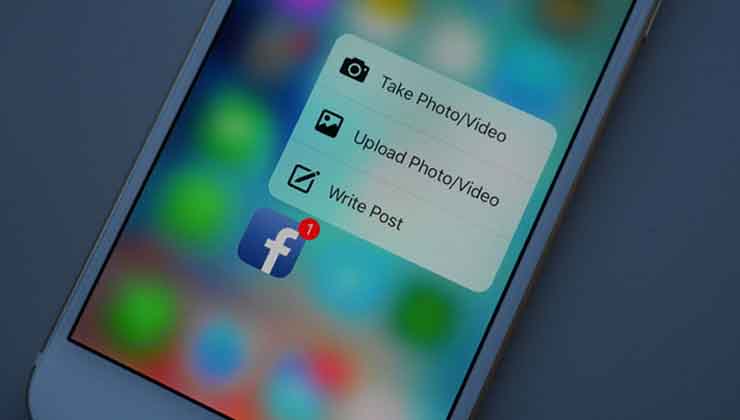
    Similarly, other developers have also pointed out how 3D Touch would allow users an entire range of features likethe ability to apply filters to images only using force on the screen, being an example. Take a look at developer FlexMonkey’s blog post right here to see what else 3D Touch has to offer.facebook-3d-touch

    One of the main reasons why Apple didn’t introduce many features with 3D Touch this time is that the company wants users to be more familiar with the technology first. The introduction of 3D Touch to iPhone 6s and 6s Plus is an attempt to familiarise users before they can be introduced to a more complex technological advancement.

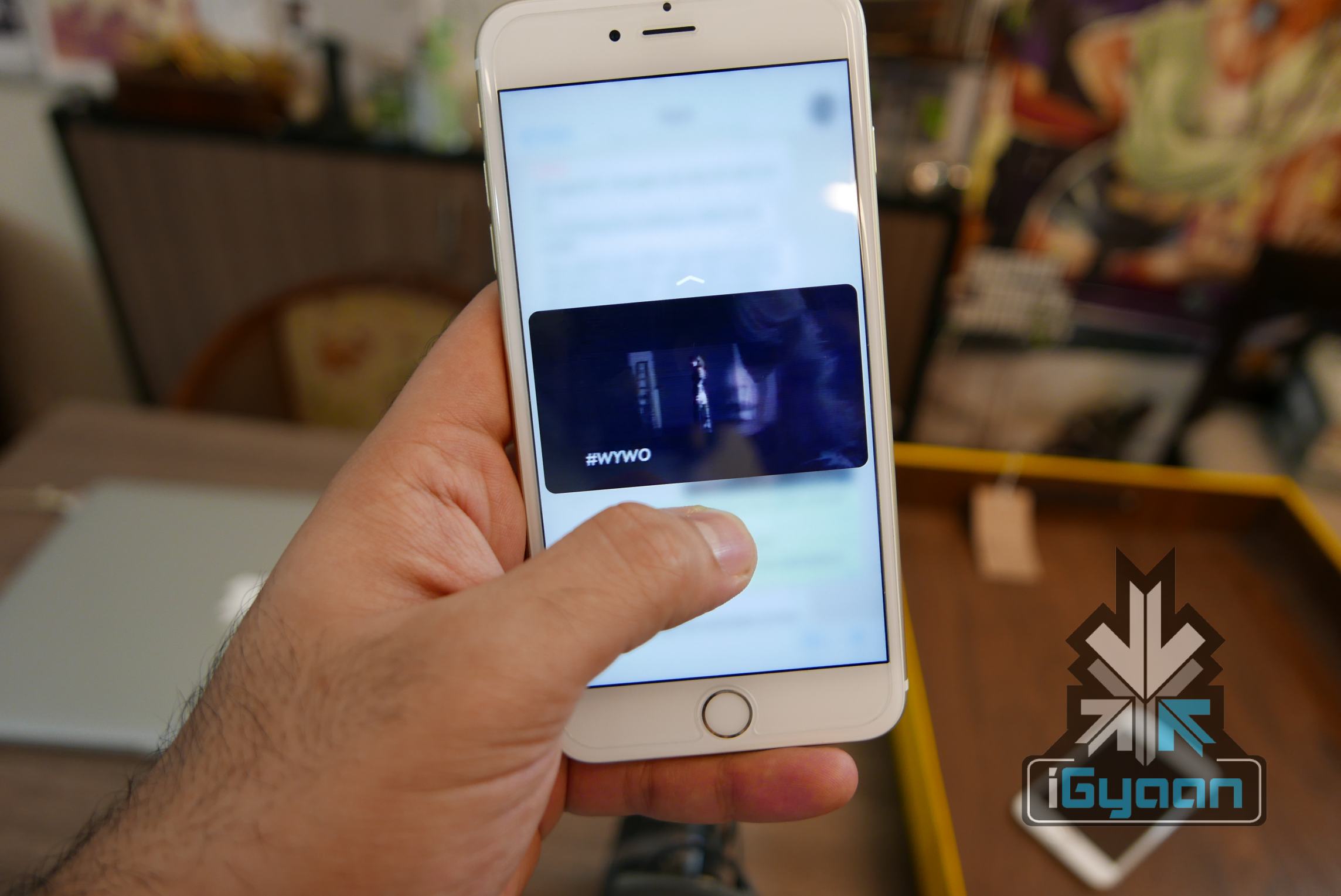
    Additionally, Apple also wants the same set of core features for all iOS users, irrespective of the device they’re using. Granted, all such devices are different from each other in many ways, but the essential requirements for apps to run is quite similar in all iOS 9 gadgets. Apple has thus made life easier for developers by making sure 3D Touch is only used for shortcuts at the moment.iPhone 6s and 6s plus igyaan 0

    iPhone 7 is the Apple device which is likely to bring in more 3D Touch features with it. Following from the rumours of getting rid of the home button we talked about yesterday, 3D Touch might be used to take care of tasks by replacing it. It seems like a long wait until iPhone 7 for us to find out more about 3D Force, but waiting is what we shall do for now.

  • Making a GIF has Never Been Easier

    Making a GIF has Never Been Easier

    You know the feeling you get when you come across a cool GIF someone posted on Facebook and wish that you could do it too? GIFs are the new way to communicate feelings because, let’s face it, emojis and memes have run its course. So, it’s time to catch up with the trend and learn how to make GIFs the easy way. Well, Giphy, the GIF website, has done just that. They have launched a GIF creator that is so easy that even monkeys can work it.

    GIF Maker

    Giphy’s GIF Maker lets you turn that GIF-worthy YouTube video that you saw into a GIF in the simplest way possible. Here’s a step by step instruction.

    Step 1: Drop your desired YouTube link or video URL in the drop bar. Your video will the pop up below.

    Step 2: Navigate to the point where you want your GIF to begin in. It could be somewhere from the start, the middle, or the end.

    Step 3: Choose how long you want the GIF to run for. Since GIFs are essentially short looped videos, you’ll get a maximum duration of about 10 seconds while the minimum is 0.24 seconds, which is as good as no GIF. So you should try and keep your GIF length somewhere above 1 second.

    Step 4: The last step is to add a caption for your GIF and then all you have to do is hit the ‘Create GIF’ button at the bottom and you’re good to go.

    Using the GIF Maker is really simple and if you have the right video, you can create a GIF in less than 3 minutes. We know this because we tried it, of course.

    Although GIF Maker is not the first of its kind easy-to-make GIF application out there (Imgur came out with one of its own back in January), it still gives you a better caption option than many others. Giphy’s GIF Maker offers direct video links from YouTube or you can upload a video from your library.

    Giphy has been experimenting with GIFs for a while. It also came out with an easy GIF making app for iOS called Giphy Cam, which is again extremely fun lets you creat GIFs using your iPhone’s camera. Now that you know, go ahead and GIF on.

  • Apple Music Has Over 15 Million Users Now

    Apple Music Has Over 15 Million Users Now

    Apple Music has been growing since its inception back in June. Apple CEO Tim Cook recently gave an update on how people are taking to the new music streaming service, and he feels delighted, to say the least. “It’s going really well,” he told Wall Street Journal editor-in-chief Gerard Baker on stage at WSJD Live. “Fortunately, lots of people are liking it.”

    There are over 15 million users right now with 6.5 million users already paying for the service and the rest still enjoying the 3-months free trial period. After the trial period users have to pay $9.99 for individual subscriptions or $14.99 for families. In India, it costs Rs. 120 per month for individual subscription and Rs. 180 for families after trial period ends.

    Given the number of users – both paying and non-paying – on Apple Music right now, the service is getting closer and closer to Spotify, which has over 20 million paying users.

    Apple Music

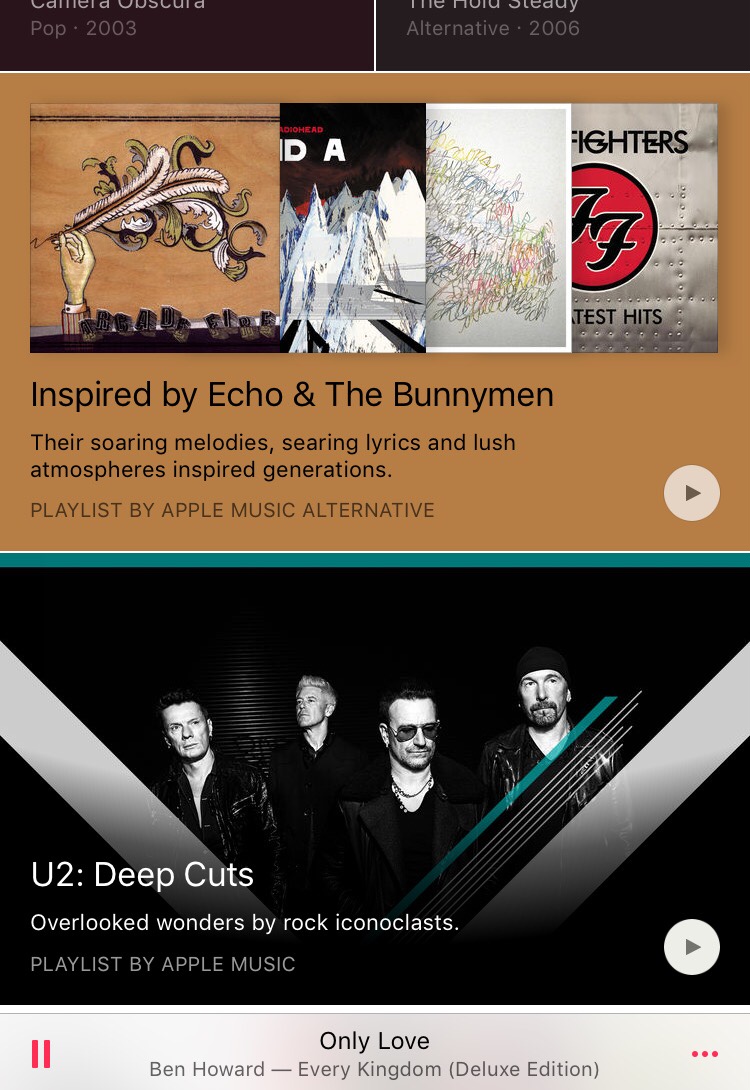
    The free-trial for June users ends this month. So October is the first month Apple has started collecting payments. There are people still joining the service for the first time this month. Apple Music has seen mixed opinions from people. There are those who especially love the curated playlists offered in Apple Music, while others are happy staying with Spotify.

  • Apple Removes Over 250 Apps That Accessed Personal Information of Users

    Apple Removes Over 250 Apps That Accessed Personal Information of Users

    In an attempt to up its security, Apple got rid of over 250 apps from its App Store. These apps were using a software developed by a Chinese firm called Youmi which allowed them access to the user’s personal details like email address and the serial number of their smartphone. According to sources, the apps received a total of 1 million downloads.apple

    The apps which relied on Youmi’s SDK, mostly made by companies and firms based in China, may not have willingly or knowingly violated Apple’s secutrity. As is backed by SourceDNA’s blog post:

    “We believe the developers of these apps aren’t aware of this since the SDK is delivered in binary form, obfuscated, and user info is uploaded to Youmi’s server, not the app’s. We recommend developers stop using this SDK until this code is removed.”

    This security issue was brought to light by SourceDNA when they were updating their own product called Searchlight. Searchlight inspects the security and checks apps for security violations. SourceDNA later on went ahead to comment in their blog post, “We’re concerned other published apps may be using different but related approaches to hide their malicious behavior.”

    Apple on the other hand, issued the following statement:

    “We’ve identified a group of apps that are using a third-party advertising SDK, developed by Youmi, a mobile advertising provider, that uses private APIs to gather private information, such as user email addresses and device identifiers, and route data to its company server. This is a violation of our security and privacy guidelines. The apps using Youmi’s SDK will be removed from the App Store and any new apps submitted to the App Store using this SDK will be rejected. We are working closely with developers to help them get updated versions of their apps that are safe for customers and in compliance with our guidelines back in the App Store quickly.”

    Source: [tw-button size=”medium” background=”#07ABE2″ color=”” target=”_blank” link=”https://sourcedna.com/blog/20151018/ios-apps-using-private-apis.html”]SourceDNA[/tw-button]

  • Here’s How You Can Jailbreak Your iOS 9 iPhone Or iPad

    Here’s How You Can Jailbreak Your iOS 9 iPhone Or iPad

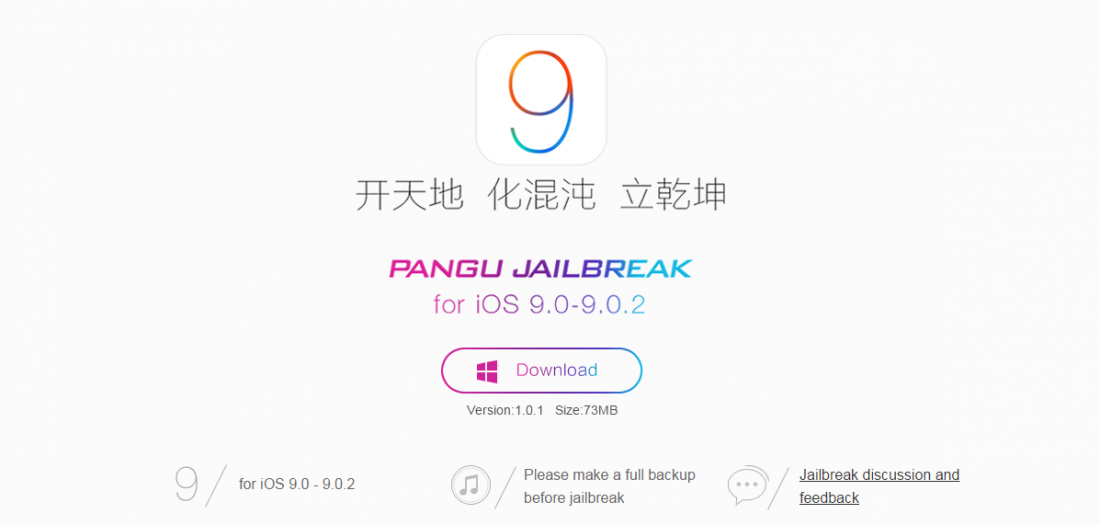
    Jailbreak for iOS 9 is now official thanks to the team at PanGu. For the uninitiated, Jailbreak is what you do when you want more from your operating software. Jailbreaking allows for more customization of your device and gives you apps that are otherwise not found in the app store. Jailbreak for iOS is especially useful because Apple has a tougher screening process when it comes to the apps it selects for the App Store.

    The name suggests that this is something that can involve some risks. With jailbreaking, you are in fact changing the way your iPhone or iPad functions in certain areas and you also have access to features that Apple has not incorporated. So, jailbreaking does come with its own set of risks, and it’s always advised to backup your data in iTunes before you proceed with jailbreaking your iPhone or iPad.

    How to Jailbreak iOS 9:

    1. Download an anti-bug/ bug-fixing app

    Jailbreaks often have some bugs. Before jumping straight to jailbreaking your device, you should download a tool that fixes the various bugs. So the first thing you want to do is download Pangu’s jailbreak tool.

    Jailbreak

    2. Back up your device

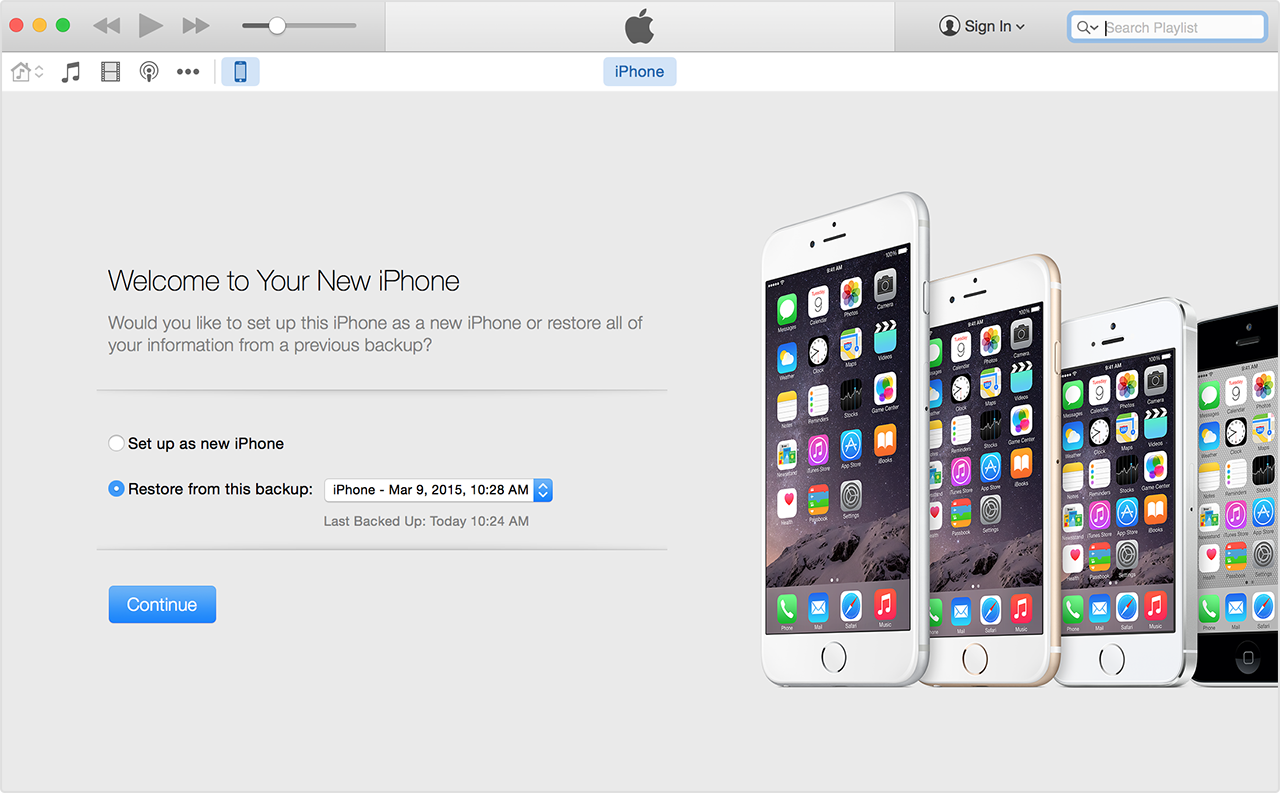
    While your tool downloads, you can use the time to backup your iPhone in iTunes. You need a fresh install of iOS 9.0.2  and set up your device as a new device to apply the jailbreak. So, you need to download iOS 9.0.2 through your PC via USB. It is advised that you shouldn’t download through Wi-Fi as that may cause some issues.  Once you’ve backed up your device, click ‘set up as new iPhone’.

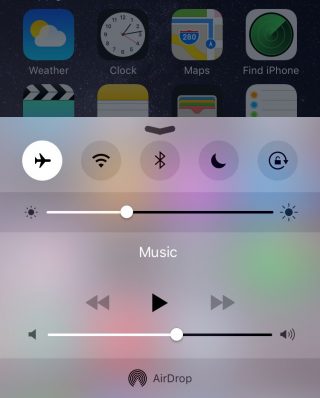
    A couple of more steps before you begin jailbreaking require you to switch off ‘Find my iPhone’ and Wi-Fi, disable passcode and switch to airplane mode.

    Airplane Mode

    3. Follow the instructions running on the PanGu tool

    Run the PanGu tool and the program will tell you if your phone is ready. Follow the instructions clearly when the program begins. After about 50 percent, the device will restart and you will have to unlock your phone and enable airplane mode once again as well as click on the PanGu icon on your device.

    4. Watch out for the Cydia icon

    You’ll know your jailbreak has worked when you see the Cydia icon in your device. If it’s there it means you’ve had a successful jailbreak and you may proceed to restore your backed up data. Once you restore your data, all your files will be there including Cydia.

    cydia

    5. Restore your device and check out the tweaks

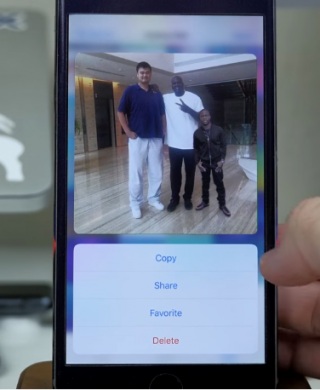
    There are some pretty neat tweaks offered here. A tweak called Universal Force brings the latest 3D Touch feature to your older devices. You won’t get the full features of the 3D Touch, though, but what Universal Force does offer is that it gives you the peek and pop functionality for your apps, pictures and mail. You can press and hold on a picture in your gallery for a quick peek along with options to Copy, Share, Favorite or Delete the picture all from your Photos grid.

    Jailbreak 1

    A Better5IconDock tweak lets you have 5 icons in your dock rather than just 4. So there is extra room to add your most frequented app.

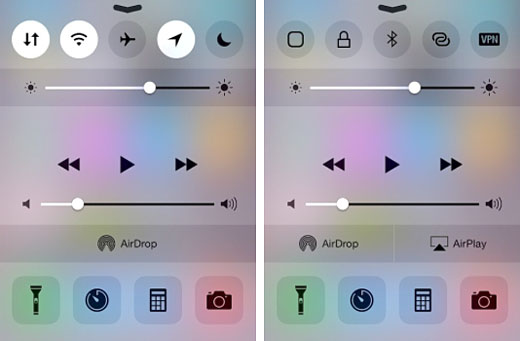
    Finally, CCSettings for iOS 8 gives you one of the best tweaks where you can now have a ton of different toggles in your Control Centre rather than the traditional 5 limit.  There are loads of other tweaks that give your iPhone and iPad some flavour and some fun features to play around with.

    Source: [tw-button size=”medium” background=”#07ABE2″ color=”” target=”_self” link=”http://www.forbes.com/sites/antonyleather/2015/10/18/how-to-jailbreak-your-ios-9-ipad-or-iphone/3/”]Forbes[/tw-button]

  • A Revamped Google Play Store Coming Out Soon

    A Revamped Google Play Store Coming Out Soon

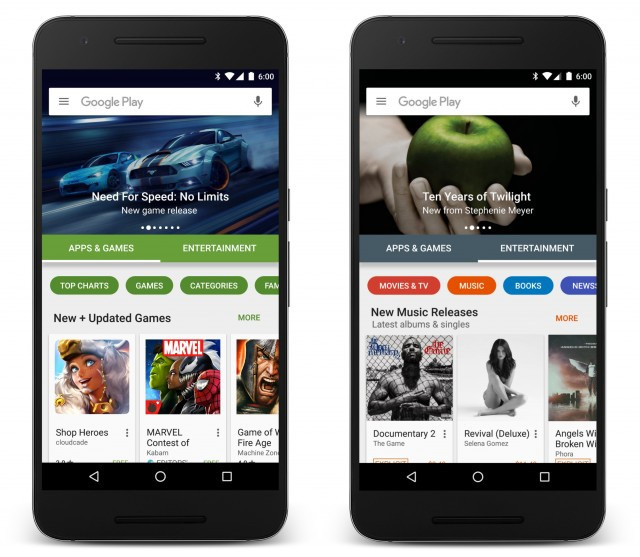
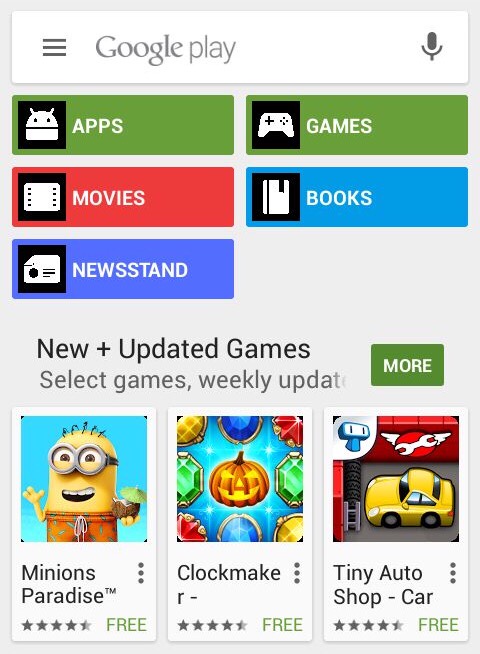
    Google is revamping its Google Play Store. A redesigned version of the Play Store began rolling out on Thursday and the changes are quite evident. The homepage has a whole new look to it with horizontal scrolling and improved search features.

    One of the first things you’ll notice on opening the new Play Store is the two clearly divided sections: Apps and Games and Entertainment. Previously there were six categories, but now they will be found under these two major sections, which makes it easier to navigate. In the Apps and Games section you’ll find all your social media apps and games, and basically all your chart topping apps for your smartphone and tablets. In the Entertainment section you have your movies, TV shows, news, music, books, and more.

    Play-Store-new
    Image: Google

    The search and discovery features also come with improvements. You’ll now get better recommendations and more relevant results based on what you’re looking for. Google promises an impressive selection and richer apps in the new Play Store.

    The revamped Play Store also comes with a new header that gives room for latest and popular apps, games, movies, books, and more. You can scroll through the suggested apps right from your homescreen and find out what’s trending. It is likely that the apps will also show tailor-made suggestions based on the users Play Store downloads.

    Google Play Store
    Current Version

    The new Play Store update will roll out gradually to Android users over the next few weeks.

  • Gaming Apps of the Week: Nibblers and Jetpack Joyride ‘Back to the Future’

    Gaming Apps of the Week: Nibblers and Jetpack Joyride ‘Back to the Future’

    There are so many apps and games that come out every week that it is a little difficult to sort through the mess. Not all of them succeed in drawing users attention. It takes a while for an app to accumulate a base. And then there are some games that don’t really require too much thought. It’s usually the simplest ones that become highly addictive and popular. So, in today’s app(s) of the week, we have two games to please your addictive soul.

    Nibblers

    Nibblers

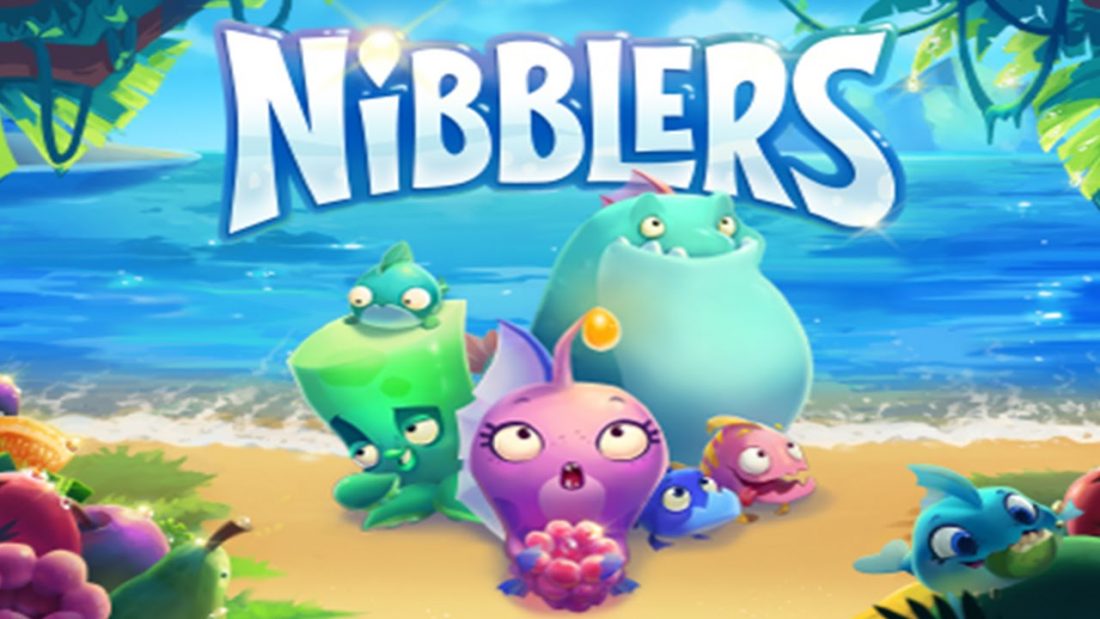
    Nibblers is the latest game developed by Rovio. The company behind Angry Birds is trying to bounce back with its newest match 3 game. For the past few years Rovio has been trying to regain the glory it achieved with Angry Birds. The sequel to Angry Birds did not meet with the same level of enthusiasm. With Nibblers, Rovio might be on to something.

    Nibblers

    Nibblers is a simple yet addictive game where players must match up fruits to take out monsters and continue along the game. The game is similar to many match 3 games out there like Candy Crush, but Rovio has added something extra just to stand apart. You can knock enemies off of bushes and sand before they get the jump on you, power ups, obstacles and hidden fish power give the game a bit of flair. The levels also constantly shift from the currents of the water. These little additions to the standard 3 match game makes Nibblers a fun play with some twists and turns.

    As simple as the game may sound, it is not as easy as most other game in this genre. The difficulty is in matching the fruits that border the lizards in order to cause damage. Damaging the lizards enough time will cause them to go up in a puff of smoke and the whole ordeal can be a little challenging. You win the level when all the lizards have been defeated.

    With up to 200 levels that can be played for free, you can spend loads of free time on the game. We think the game is worth a visit if you’re looking for something new to play this week. You can download it on Google Play Store and App Store for free.

    Jetpack Joyride

    jetpack-joyride-back-to-the-futu

    Yes, it’s not a new game and it’s been there since 2011. But what is new is the new Back to the Future-themed update that was released just last week. Halfbrick Studios launched this new mode celebrating the 30th anniversary of the cult favorite sci-fi film franchise Back to the Future.

    The new mode is set at Hill Valley, home of the film’s main character Marty McFly. It’s a time trial mode so players will get to drive the DeLorean Time Machine car or the hoverboard and will have to collect flux capacitors that add an extra 5 seconds to the remaining time. However, if you collide with the surrounding in your screen, your time will reduce by 10 seconds.

    Jetpack Joyride

    Collect enough flux capacitors and you will get to unlock a total of three beloved characters from the film – Marty McFly, Doc Brown and Biff Tannen. The game is only free for this month, after which you will have to pay to play the Back to the Future themed mode.

    This latest update by Halfbrick has once again brought the addictive game that many have grown out of  back in the limelight. So if you thought you were done with the game then think again. All we’re saying is that you get to control the DeLorean and the hoverboard, and that’s reason enough to go for it. You can download Jetpack Joyride from Google Play Store and App Store and have a little fun.

    So these are the two games for this week. Be sure to let us know what you think about the games in the comments below.

  • WhatsApp Rolls Out 3D Touch Support For iPhones 6s

    WhatsApp Rolls Out 3D Touch Support For iPhones 6s

    Apple introduced the 3D Touch with their latest iPhone 6s and iPhone 6s plus. It is, without a doubt, one of the coolest technological improvements from the company in a long while. As you may know already, the 3D Touch makes navigating apps a whole lot easier with the ability to ‘Peek and Pop’, as Apple calls it.

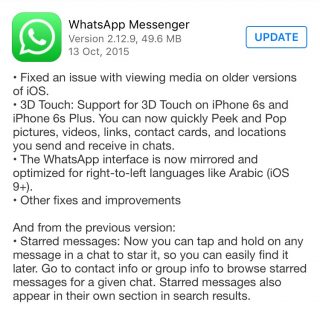
    Apps like Instagram, Twitter and Facebook have already begun rolling out updates that make use of the 3D Touch feature. Now WhatsApp joins the list as well. The messaging service rolled out its latest version yesterday and the description mentions how you’ll be able to make use of the 3D Touch feature with your latest iPhone.

    WhatsApp Update

    While not many found the previous update (starring a message by tapping and holding the message) all that useful, the new update is sure to be a treat for iPhone 6s and iPhone 6s Plus users out there who want to get as much out of the 3D Touch feature as they can. As the update mentions, the 3D Touch feature will now allow you to quickly Peek and Pop pictures, videos, links, contact cards, and locations that you send and receive in chats.

    Another update is not 3D Touch related but worth a mention. The WhatsApp interface is now mirrored and optimized for right-to-left languages like Arabic.

  • NHAI Expected To Launch Mobile App To Keep a Check On Traffic Violation

    NHAI Expected To Launch Mobile App To Keep a Check On Traffic Violation

    The National Highways Authority of India (NHAI) will be creating an app for the public, in order to check traffic violations. If reports are to be believed, then you will soon be able to report rash driving, speeding and whatever other horrible things people do while driving.

    Highway

    Reports suggest that it will be a couple of months before the app is launched, after which you can even take photographs of the vehicle that you want to report for violation of traffic rules. NHAI Chairman Raghav Chandra said –

    “All the complaints will get registered in the ledger pertaining to that vehicle whereupon the police/transport department can take further action about it.”

    This is expected to help in acquiring data and policing the roads more efficiently. Moreover, the Chairman also added that the NHAI was working towards building an accurate data bank of all the highways. This project is already underway and is being called the Road Asset Management System or the RAMS.

    All this data is also expected to help the NHAI in their plans to rectify the road structuring problems in order to help in guidance and planning of roads in the future.

  • Facebook Launches Messenger App on Apple Watch OS2

    Facebook Launches Messenger App on Apple Watch OS2

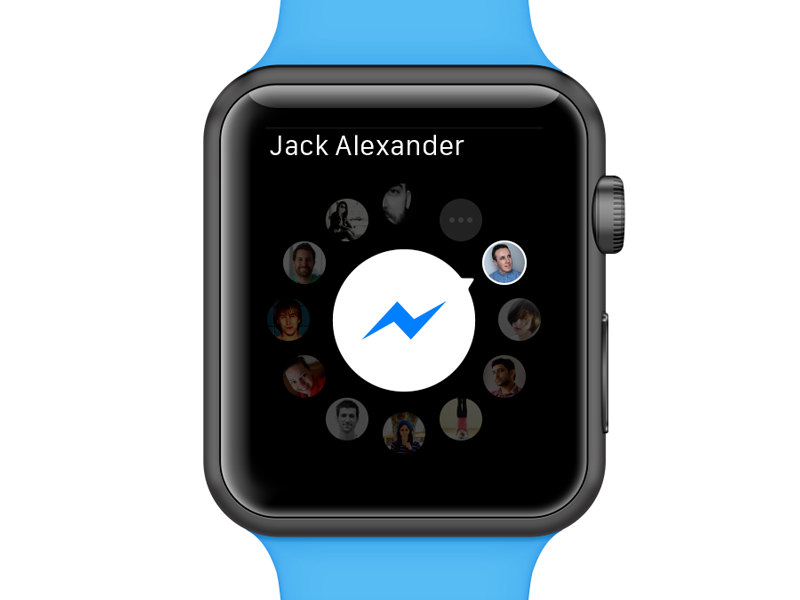
    Facebook launched its Messenger app on the Apple watch, just as it had promised to do in September. The update was rolled out yesterday on October 8th and is capable of supporting iOS 9 features, universal search and multitasking for iPads.

    Facebook Messenger app

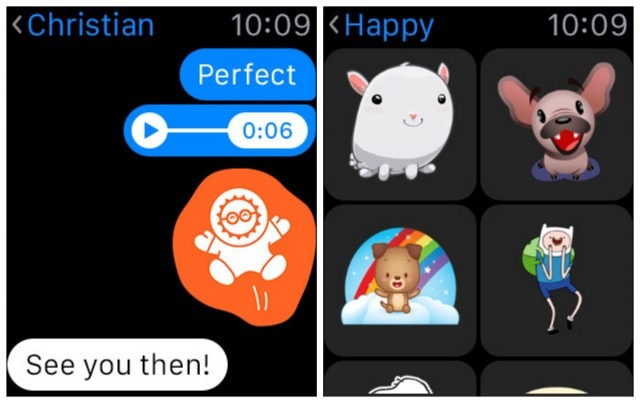
    The Apple Watch runs on the OS2 software and so the messenger app is also compatible with it. However, the messenger app is a little different from how it is on a smartphone. This means, that you won’t be able to type out full messages, but will be able to choose from a list of answers already available. You can send a “like”, post stickers and also record and send voice messages. Apart from the active sending actions of the app, you can open pictures, videos and voice messages on the receiving end.

    Messenger app on Apple Watch

    There is one small downside though, the app will support all the Facebook stickers but won’t be able to display them in their original GIF form. They’ll appear static on the watch.

    There’s some good news for Android users too, the Messenger app will also be compatible with Android Wear. Therefore, Facebook  has yet again ensured that everyone is happy and feels included at its party.

  • Google India Launches Public Transport App for New Delhi Residents

    Google India Launches Public Transport App for New Delhi Residents

    Commuting in Delhi is about to get a whole lot easier. Google India announced a new app today called Delhi Public Transport. It is an experimental app from the Google Maps team designed for New Delhi residents to get around on public transport.

    Public Transport

    The idea is to make life easier for those who use buses and metros to commute. The app works in offline mode so you won’t have to worry about choppy connectivity when looking for transit directions. It also provides directions and timetable of Metros and buses. You will now get directions from any bus or metro stops, and find out if they are running late.

    “In addition to having lots of useful information available offline, Delhi Public Transport also provides you with public transport news and delay information when you do have a connection, all packed into a small app of about 1 MB download size.”

    Public Transport App

    Initial reviews of the app have been very favorable. Users have requested the company to launch the app in other parts of the country as well. The app is still in its early days and Google India is looking to improve on it through customer feedback. So go ahead and download the app, now available on Google Play Store, and let the team know what you think about it.

  • YouTube’s iOS App Now Let’s You Edit Videos On the Fly

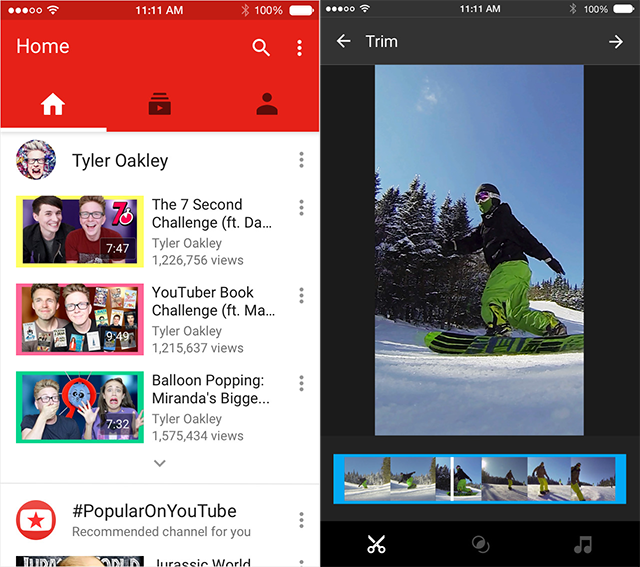
    Recent reports suggest that Google has updated its YouTube iOS app with some basic in-app editing features. The new YouTube version 10.38 was released on Monday in the App Store for the iPhone, iPad and iPod Touch.

    YouTube 10.38

    The in-app editing features include trimming a video, applying filters, and changing background music. So, if you want to upload a video on YouTube you can now just film it using your iPhone and upload it accordingly, instead of going through the long process of uploading it on to your PC and then using a third-party editing app. However, the editing features on YouTube are still quite basic, so if you’re going in for some serious editing, then it’s probably best to use the third-party apps for now.

    YouTube iOS

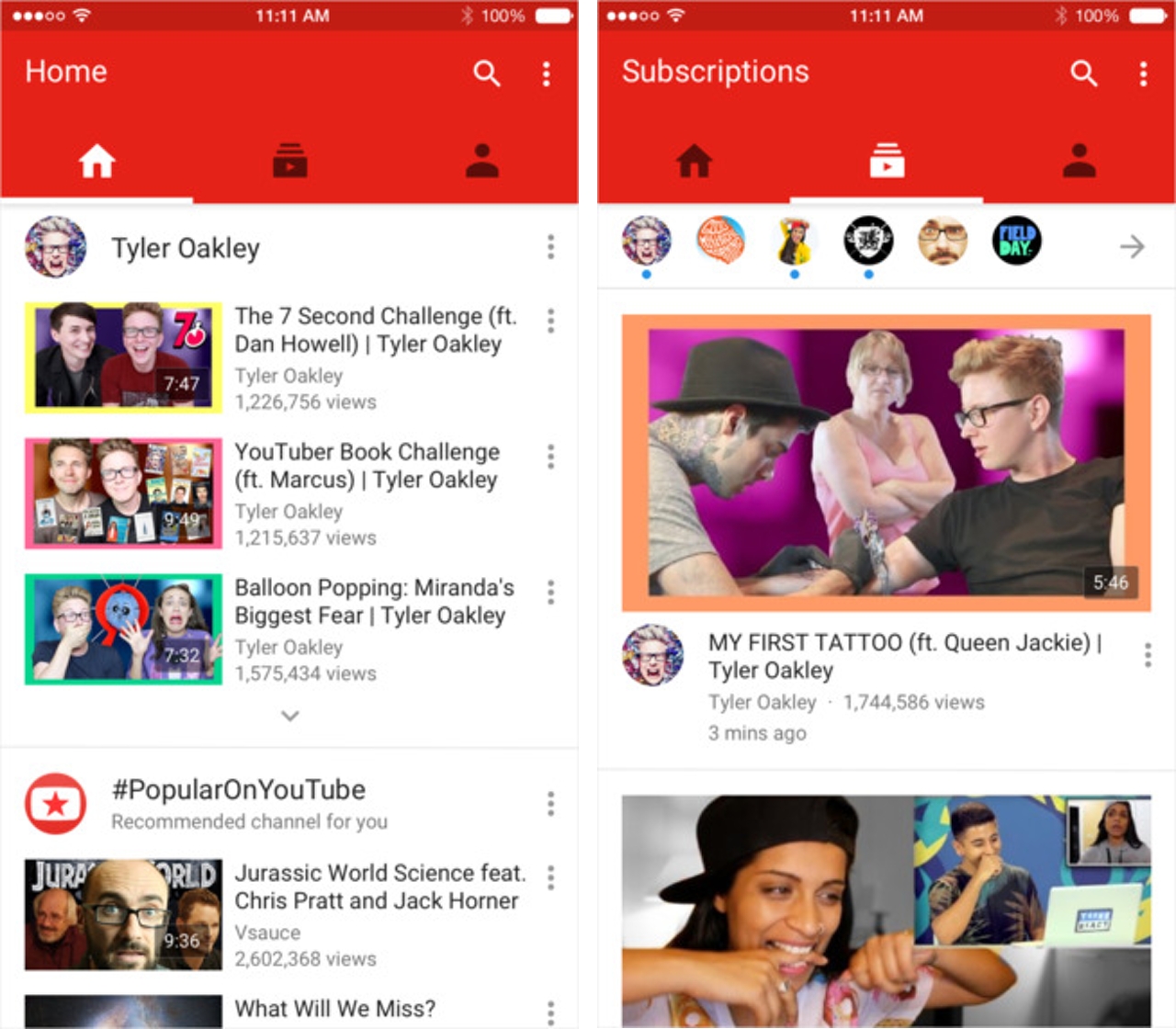
    The update is not just for users who create videos and upload them. YouTube has also gone through a minor display makeover for the lay YouTube user. So, if you watch videos on YouTube to waste your life away then the new updates help you. You can now swipe left to see your subscribed channels and swiping once more to the left will reveal your account page.

    You can also just tap one of the three icons at the top of the page to navigate between your home page, subscriptions page and the account page. There’s one last thing, there are three dots at the upper right of your screen which can lead you to your YouTube settings, help screen and other features.

    You can download the YouTube app for free on the iTunes App Store.

  • Twitter is Moving Beyond the Trademark 140 Character Limit

    Twitter is Moving Beyond the Trademark 140 Character Limit

    Twitter is finally moving past the 140-character limit that has long been the company’s trademark. Twitter recently announced that it is working on a product that will allow users to share long tweets that exceed 140 characters.

    Over the past few months, the company has been loosening its 140-character rule. In April, Twitter added a ‘retweet with comment’ option to give more room to comment on tweets they share. The company also did away with the 140-character rule back in June.

    As of now it is unclear what this new product will  look like or how it will work. There are existing apps such as OneShot that allows you to post images of texts, or TwitLonger, which directs users to a website to read a full tweet. But it looks like Twitter is working on one that will solve the problem within the app itself.

    Twitter is also looking at ways to remove links and user handles from the count so that frees up more characters.

    In addition to the long-form product, execs have been openly discussing the idea of tweaking how Twitter measures its 140-character limit by removing things like links and user handles from the count, multiple sources say. In the past, Twitter has tinkered with the limit in other ways. Twitter Cards are still beholden to the 140-character limit but are intended to help people (and advertisers) share lots of information, and Twitter added a “retweet with comment” option in April to give people more room to comment on tweets they share.

    Users have, for a long time, criticized Twitter on character restriction. And for many years Twitter has paid no heed to the hate, but it finally looks like the company is ready to make some sacrifices for the greater good.

iGyaan Network
Privacy Overview

This website uses cookies so that we can provide you with the best user experience possible. Cookie information is stored in your browser and performs functions such as recognising you when you return to our website and helping our team to understand which sections of the website you find most interesting and useful.