Category: Apps and Software

Games, Apps, Softwares, Operating Systems and Software Hacks

  • Apple is About to Add Some Beats to its iOS Devices

    Apple is About to Add Some Beats to its iOS Devices

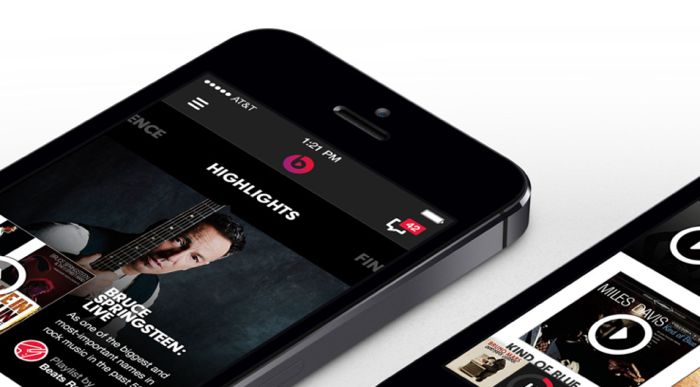
    Apple’s acquisition was a big news for the music industry. This multi-billion dollar deal gave Hip-Hop its first billionaire in Dr. Dre. There were no clear directions though as to what the company was planning to do with the popular audio equipment brand. Looks like the first step in the Apple-Beats saga is about to unveil itself. Financial Times reports that the Cupertino-based tech giant will be integrating Beats Music app on all the iPhone and iPads.

    Beats Music is a subscription-based music service that uses algorithms to curate music according to your interests. Beats also has tie-ups with some of the major labels in the music industry and thus, has a huge library of songs that you can listen. The songs are downloadable, so you can listen to the tunes when you are not online. The service will be a part of the default offerings of Apple such as iMovie, Garageband amongst others.

    By forcing the Beats Music on its customers, Apple will be benefitting a lot. The company already has iTunes that let you buy music, but with this music streaming service, the company can take on market leaders like Spotify. Be ready for some Apple power, dear music industry.

  • Nexus 7 Experiencing Performance Issues Post Lollipop Upgrade

    Nexus 7 Experiencing Performance Issues Post Lollipop Upgrade

    Well, Android 5.0 Lollipop got all of us excited when we got hold of it. The new operating system (OS) update is described as a ‘quantum leap forward’ by Google and has got an overwhelming response from the critics, escalating the desire for the software exponentially.

    However, it’s just one side of the story. Many early adopters of the Android’s latest upgrade are complaining about the new OS. One of the most talked-about issues is that the update causes Google’s own Nexus 7 tablet to run slowly and crash repeatedly.

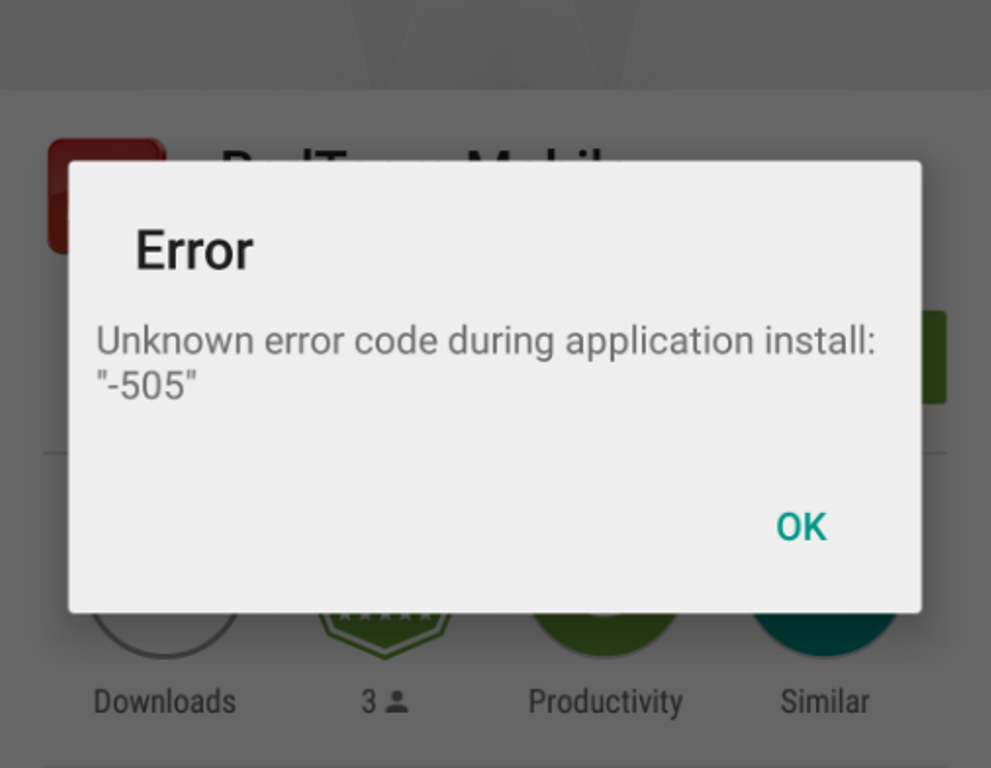
    The users have also complained on Adobe forums that installing Air apps would show a non-descriptive error message, “-505”. On this, Adobe said that it had not been aware of this ‘critical’ bug before Tuesday and had escalated it to Google. According to a post by Program Manager Chris Campbell, the issue has been ‘escalated to Google,’ seemingly pointing the finger at the search giant rather than in its own camp. Campbell said that the company had not been aware of what he described it as a ‘critical’ bug before November 18.

    error 505

    Although, the first wave of the update has already reached the users, many Android-based smartphone makers are withholding the OS till the device testing is complete. It is quite notable that most of the complaints appear to be related to Google’s own-branded smartphones and tablets.

    Nvidia, LG and Motorola have also released Android Lollipop update for some of their handsets and tablets. Dozens of complaints have been posted to Google’s forums stating that owners of the 2012 version of the Nexus 7, in particular, are experiencing performance issues. If nothing else, Google is likely working quickly to ensure these problems are fixed as more devices are expected to receive the update soon.

    It has been a weird year for both the mobile operating system giants. Even the new iOS launch was mired in complaints regarding decreased performance and Apple had to face some flak for that. The pressure of bring new product in the earliest possible time to leads to bugs like these. Updates are fast becoming the buzzword for judging an operating system so it is advisable to the companies to take time with their homework so that they can give a quality update. As the old saying goes slow and steady gives the best bug-free update, or something like that.

  • IBM Verse Integrates with Social Media to Declutter Your Inbox

    IBM Verse Integrates with Social Media to Declutter Your Inbox

    IBM has launched a new e-mail application, for its enterprise customers, that integrates social media, file sharing and analytics to learn a user’s behavior and predict interactions with co-workers.

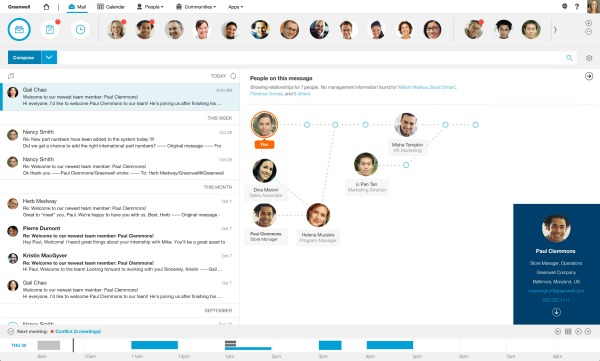
    Verse e-mail application is built to eliminate as much clutter as possible. The app learns your habits and puts the highest priority people and tasks at the top level. You’ll know if a key team member e-mails you during lunch hours, or that you have a meeting in 10 minutes.

    In fact, IBM Verse is said to have a certain level of sentience. Since it is capable of picking up your e-mail habits, and at the same time sends the highest priority people and tasks right to the very top, it minimizes the chance of you missing out on an important e-mail.

    2014-18-November-IBM Mail Verse

    It also allows users to transform e-mail content into a list of blogs and social media, view the relationships between different employees in an e-mail, mute a chain and search through attachments. The e-mail’s interface pins a user’s most frequent contacts, schedule and lists of assignments to a dashboard for easy access.

    “We came at this from the perspective that this is about changing the game, not just incremental improvements in e-mail,” said Jeff Schick, IBM’s General Manager of Social Solutions. “Guided by analytics, IBM Verse learns your behaviors to adapt to the way you work, wherever you work. And because it’s built for business, it understands you have special security and privacy needs, too.”

    IBM Verse runs on IBM’s SoftLayer cloud with the company’s enterprise-grade security. IBM officials say that a beta release will be available to select clients and partners this month. A freemium version delivered via the IBM Cloud marketplace will be available in the first quarter of 2015. IBM Verse will also be offered as an app for both iOS and Android.

  • Nokia Gets Overwhelming Response on Play Store for The Z Launcher

    Nokia Gets Overwhelming Response on Play Store for The Z Launcher

    Nokia may be down but in no way out. After announcing its upcoming N1 tablet, the Finnish giant has now declared its Z launcher on the Google Play Store. Originally announced earlier this summer with a limited beta program, Z launcher is a third-party Android home screen and launcher for Android. The app has received an overwhelming response from its users. It has been downloaded over half a million times within few hours of its announcement.

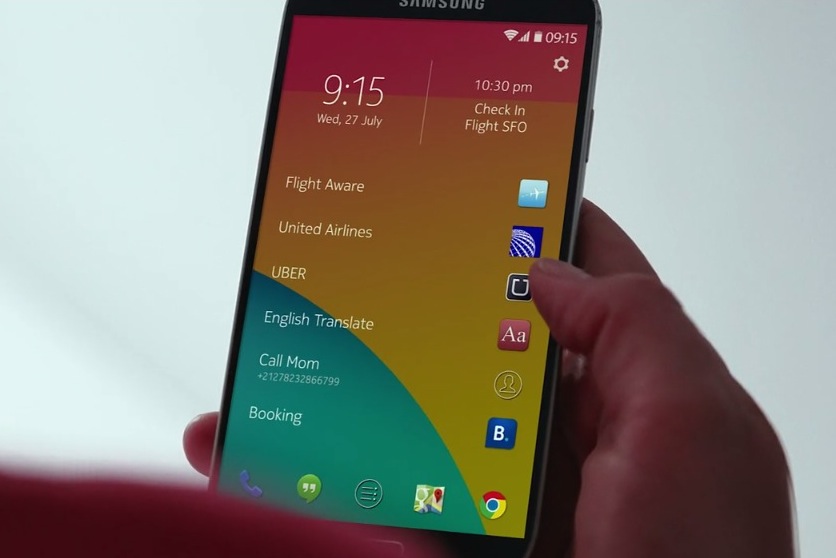
    The Z launcher has an entirely different take on the home screen. It removes the hassle of multiple home screens and provides users with one single page. The new launcher can analyse users’ habits and displays apps that they need most depending on the time of the day. It also allows users to search apps quickly on the surface of the screen; for instance, an F shape will pop up Facebook and other apps that start with the letter F.

    zlauncher

    Nokia has done some fine-tuning with the Z launcher with improvements to speed and performance, scribble recognition and better prediction algorithm. The app is available for devices running on Android 4.1 to Android 4.4. As of now, the Lollipop version has not been rolled out, but we can expect Nokia to release a compatible version very soon.

  • Goofy New App ‘Super’ is the Perfect Place to Make Bold Statements

    Goofy New App ‘Super’ is the Perfect Place to Make Bold Statements

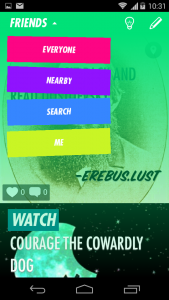
    After failing at its recent project Q&A app Jelly, Twitter co-founder Biz Stone has come up with another light-hearted app called Super. As simply as it can be put, Super is Twitter with the style of Jersey Shore. Yes, Super lets you share statements starting with ‘The Best’, ‘The Worst’, ‘I Wish’, ‘Check Out’, ‘Don’t Ever’, or a few other prompts. You can sign your name if you wish, and people will be able to see your declaration in ‘Friends’, ‘Everyone’, and ‘Nearby’ feeds.

    1416287050822Creating a new Super post gives you a template ‘sentence starter’ word for your thought on the top left, like ‘we should’ or ‘I love’ before an area for typing your thought. On the lower right, you can add a further message, attribution or quip. Then, you are required to add an image; either from your own camera/library or from a library of art that’s built-in. Users can also add location data to their images so that it can be discovered by those in the area using the nearby feed.

    Like Twitter, it offers you limited words, letting people use witty words and clever wordplay. However, this app is just not about words, pictures are equally an important part of the app. Hence, making it feel equally interesting as Instagram. So, what’s special about Super? The app scans what you write, and then automatically adds a background image and offers a few alternates based on your keywords.

    Super also has an anonymous element like Secret called ‘anonymish’ where you can throw a switch when posting. This removes your username from the post. The company pointed out that people could figure out who you are though, as ‘it isn’t designed as an anonymous sharing platform.’

    Even though Biz’s last app flopped miserably, Stone doesn’t want to stress this launch that much. “I’ve decided not to come up with some slick and pithy marketing description for Super,” he wrote in a blog post. “I’m also not going to proclaim that it’s the most innovative thing ever or that it’s going to save the world. It’s not, it’s just fun.”

  • Snapchat Will Now Let You Send Money That Won’t Self-Destruct

    Snapchat Will Now Let You Send Money That Won’t Self-Destruct

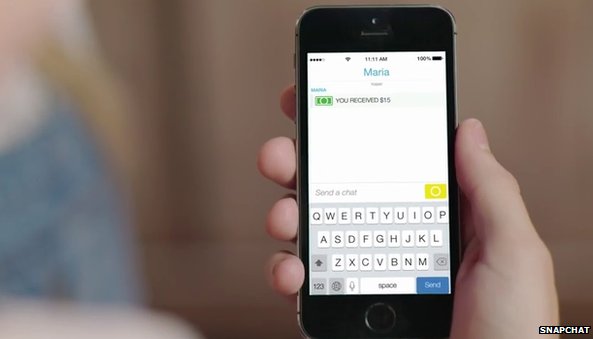
    Snapchat has recently unveiled a new feature that will let users send money to other users through the self-destructive messaging app. To send money to friends, users need to connect their debit cards to their Snapchat accounts through a partnership with Square Cash.

    The service will only be available to Snapchat users in the United States who are above 18. None of the user’s personal financial information will be stored on Snapchat’s server. However, the company’s privacy is almost the first concern. The question arises – Would you trust Snapchat for your financial details? We won’t.

    demo_02_sendcash-298610262In May, Snapchat settled with the US Federal Trade Commission (FTC) over allegations that it misled users over data collection and failed to inform them that their messages could be saved. The company agreed to be monitored by the FTC for 20 years. And in January, at least 4.6m user accounts were compromised by hackers, who posted usernames and phone numbers on the web.

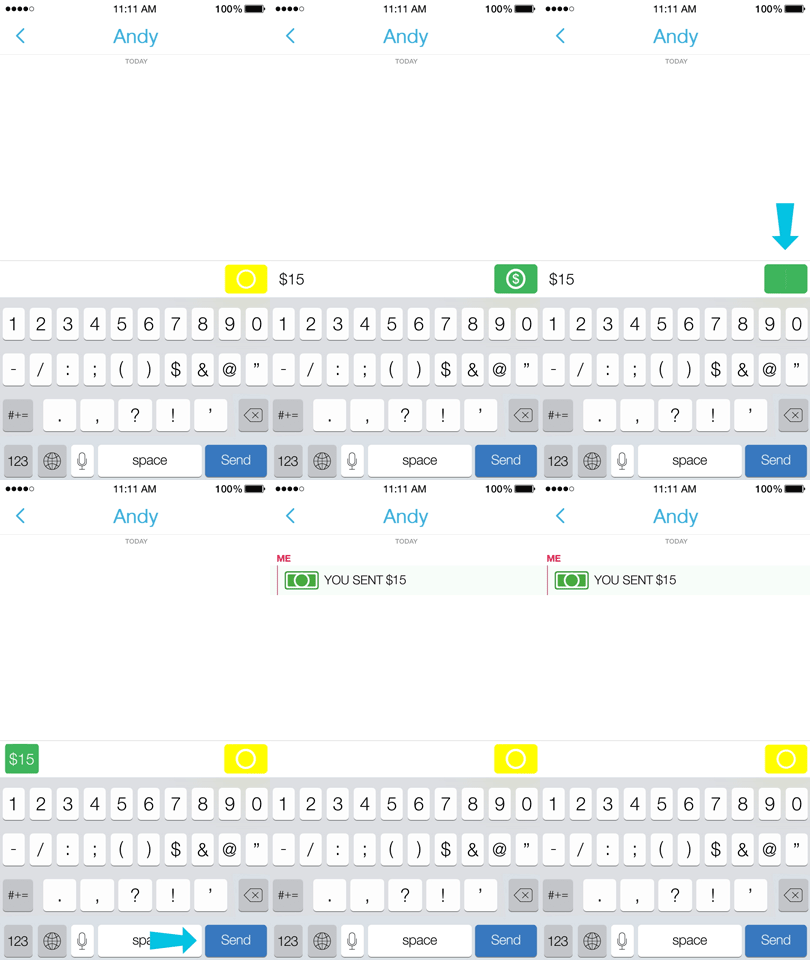
    To send a payment, all what a Snapchat user needs to do is type in the amount they’d like to send in a private message. The app then recognises the dollar amount – say $10 – and eventually, a green payment button appears. The tapping of this button sends the amount to the other user. The payment system is similar to other mobile payment services, such as Venmo and PayPal. It is a part of Snapchat’s broader push to expand beyond its core messaging business, by both adding advertising and branching out into live events.

    The company announced last month that users will start receiving ads from brands under the ‘Recent Updates’ section of the app. This is the same portion of the Snapchat inbox where you find ‘Stories’, a product that threads together multiple snaps (both video or photo) into one, long snap.

    However, the problem is that the app doesn’t know much about its users beyond their made-up username, IP location, volunteered age, phone number, and who they watch on Snapchat Stories. Although it does get some name info from contact books, but without the targeting prowess of apps like Facebook and Twitter, it may be forced to stick with ads for things with broad appeal, like films and top 40 music.

  • Top 5 Apps That Already Feature Android’s Material Design

    Top 5 Apps That Already Feature Android’s Material Design

    Back in Google I/O 2014, we first learned about Google’s Material Design language. Since then, we have slowly but surely seen bits and pieces of it rolling out to various Google and 3rd-party apps. And now with Lollipop rolling out gradually, Google has been pushing hard to bring Material Design to all its possible apps while encouraging developers to do the same. Third-party developers are already moving forward with the help of Google’s guidelines.

    We are listing top 5 apps that already feature Material Design.

    1. Wally

    wally

    One of the first to adopt Material Design, Wally offers a database of wallpapers, which is sorted by category and colours. This app has provided an example how Material Design can be achieved without the Android 5.0 Lollipop update, after which many developers adopted this strategy.

    2. Androidify

    Google recently updated the Androidify app to version 2.0. The update has more to do with branding and avatars related to the Lollipop version of the Android. The surface of the app has also been improved with a flatter design that Material Design inspires.

    3. Numix Calculator

    Yes, even calculators have been given a makeover with Material Design. The updated Numix Calculator will make you love Algebra more. Well, we guess so.

    4. Local Cast

    local-cast-material-design

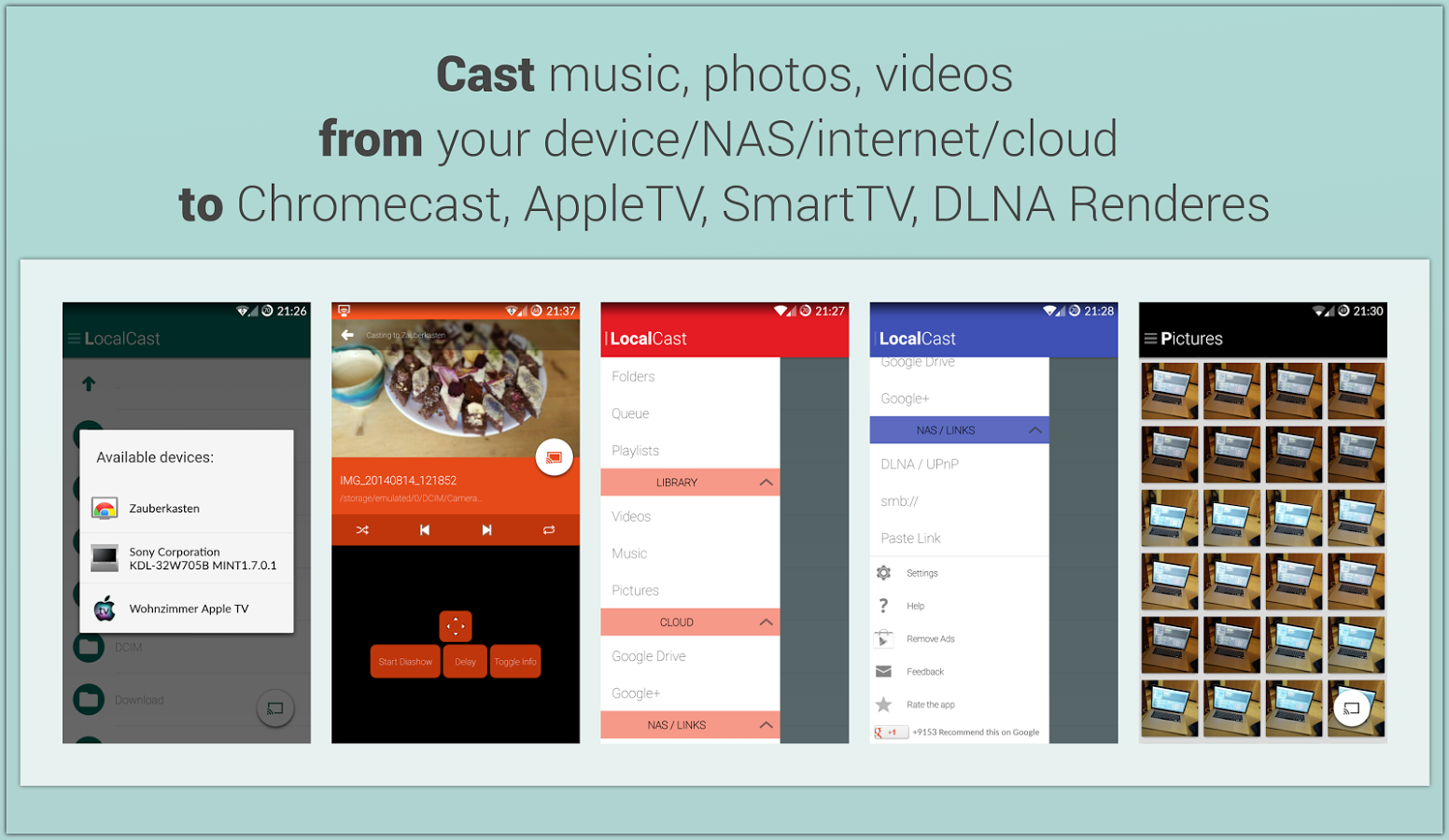
    This free ad and donation-supported app offers services of streaming PDFs, images, videos and music locally from one Android device to other. The developers are clearly paying close attention to not only the Material Design, but also to the current Google+ app, which shares the ever-present floating circular button. This button gives it a very Google-like look.

    5. Reddit News Free

    redditnewsscreencap-850x560

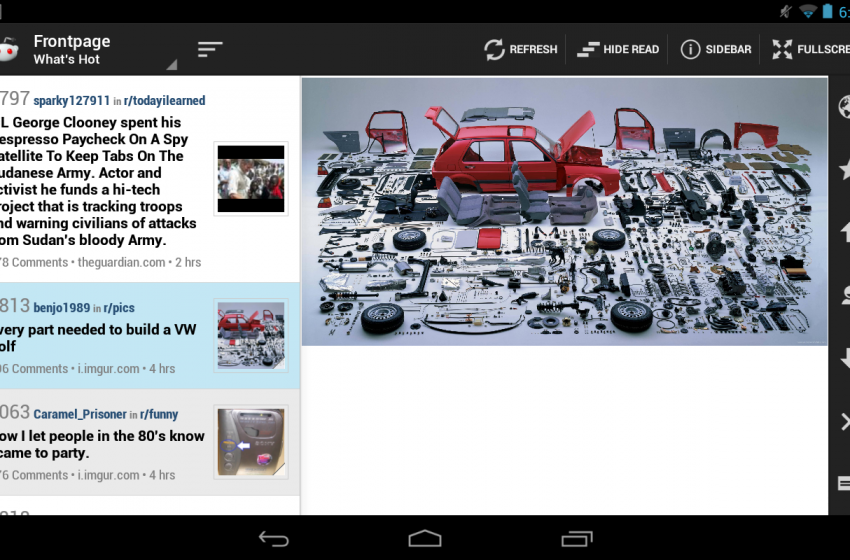
    Reddit News Free has updated their app to include Material Design elements and it has been for the best so far. It’s a highly-rated Reddit app with a bunch of features and a lot of happy users. If you’re looking for a modern Reddit experience, this is it!

  • Here’s How You Can Get Android Lollipop 5.0 Right Now on Your Nexus 5

    Here’s How You Can Get Android Lollipop 5.0 Right Now on Your Nexus 5

    Google has started rolling out Android Lollipop 5.0 update for Nexus 5. You can expect the new update soon on your device via OTA in the coming days. However, there are some of us who don’t want to wait anymore. It is true that the OTA method is the most convenient way to upgrade your phone. However, we don’t mind doing some hard work to get the new upgrade.

    So, here is how you can get Android Lollipop 5.0 right now on your Nexus 5.

     Things you’ll need:

    • A Windows computer installed with ADB and Fastboot.
    • Android Lollipop ROM for the Indian version of the Nexus 5. Download it Here.
    • USB drivers for Nexus 5. Download it Here.

     How to do it:

    1. Go to the phone Settings and make sure the Developer mode is enabled.

    2. Put the downloaded Lollipop Zip file into a new folder in the desktop and rename it according to your preference.

    3. Make sure the USB debugging option is on; you can find it under Developers option in your phone’s ‘Setting’ window.
    Nexus 5 Lollipop3

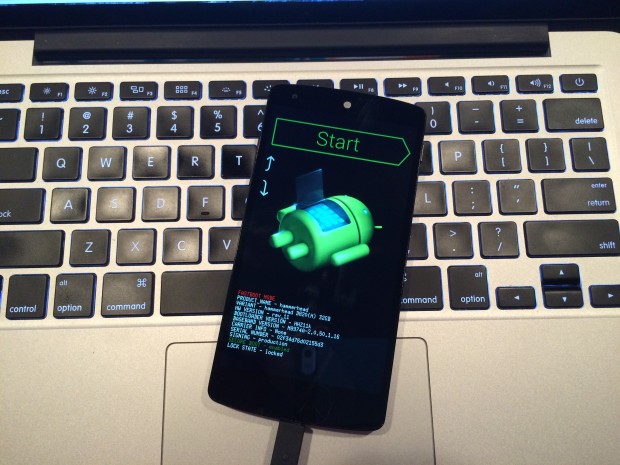
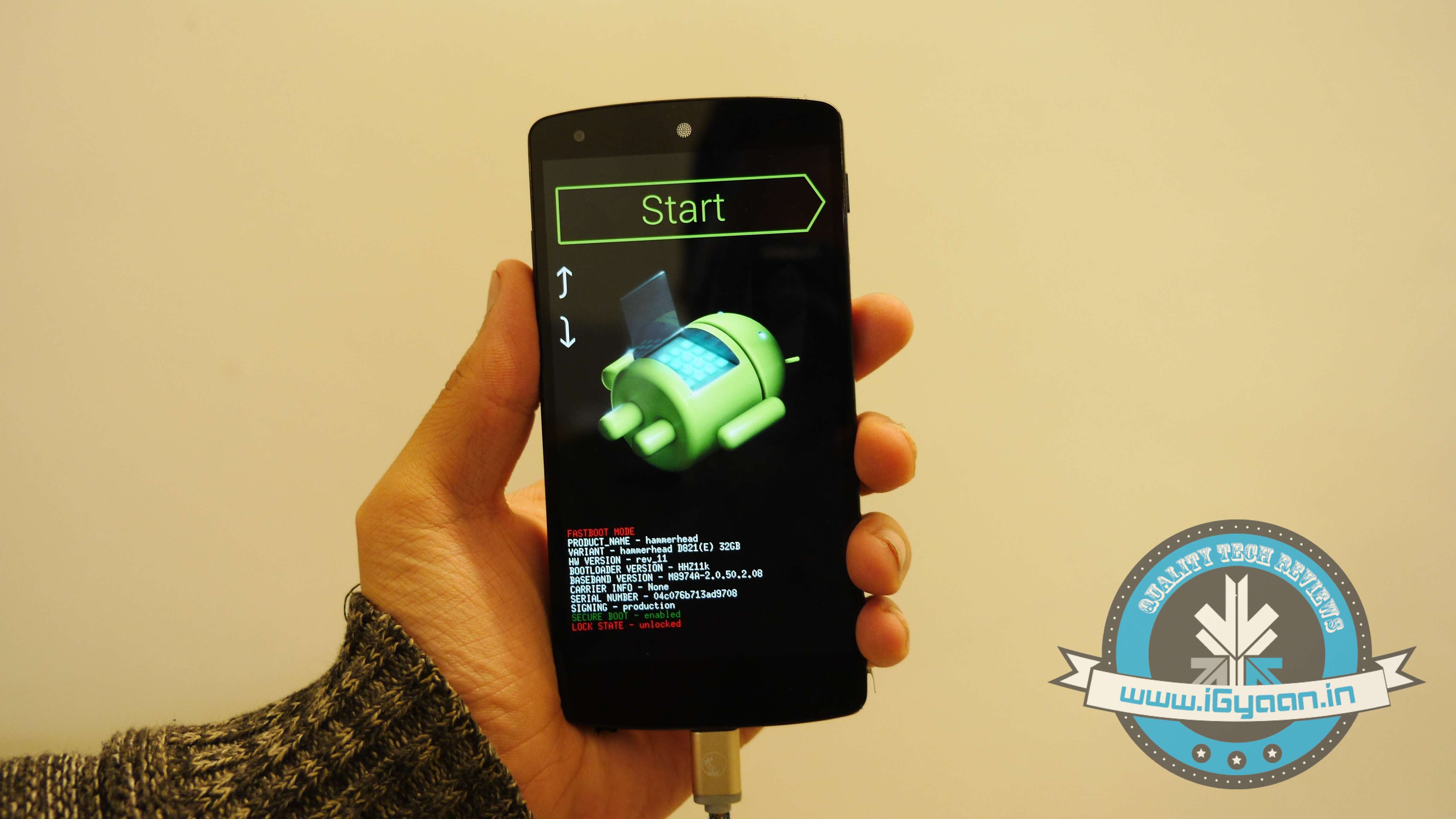
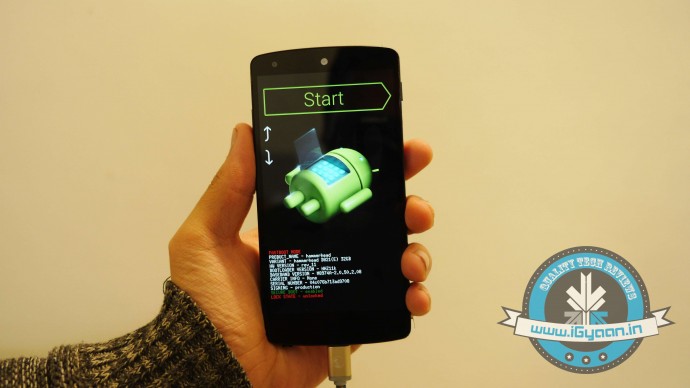
    4. Switch off your phone. Now press Volume Down + Power button simultaneously. This will switch on the phone in Fastboot. You will see Start written in big letters on the top of the screen. Use volume buttons to navigate to Recovery Mode. Once found, select it using the Power button.
    Nexus 5 Lollipop2

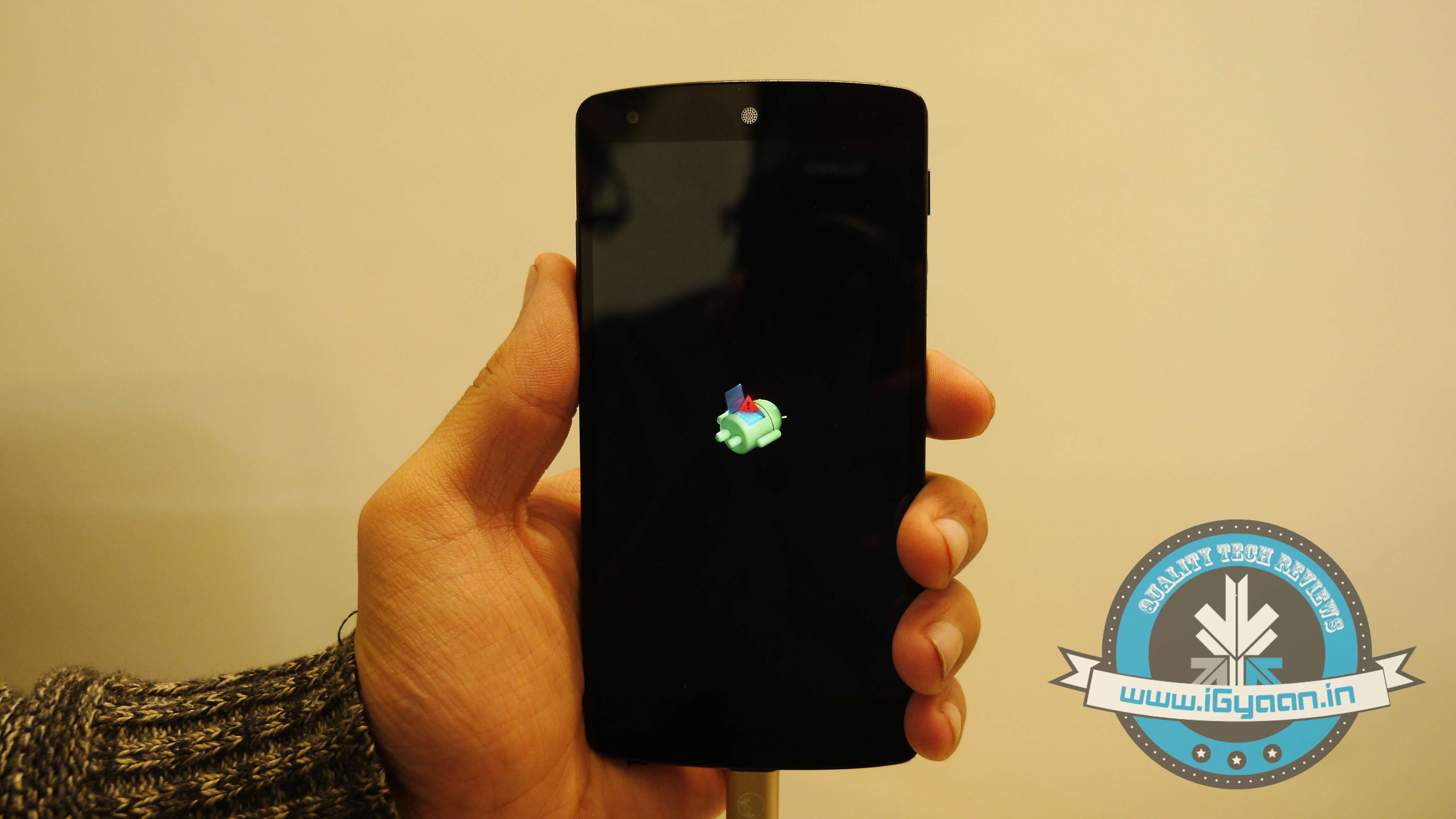
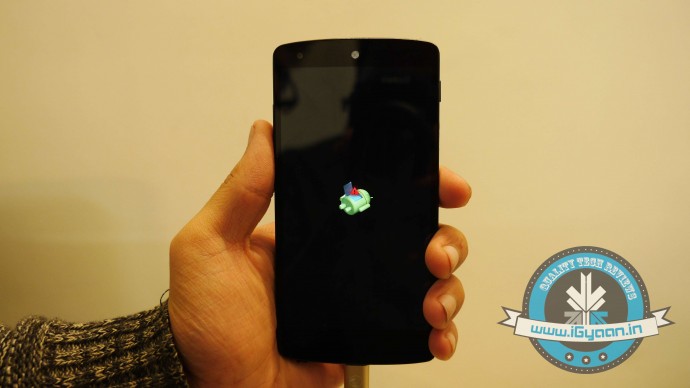
    5. You’ll see small Android robot lying flat with a red mark over its belly. Now press the Power button for a couple of seconds and press the Volume Up button once while holding the power button. This will turn on the ADB mode in your device. If it doesn’t, try it again starting from step 4.

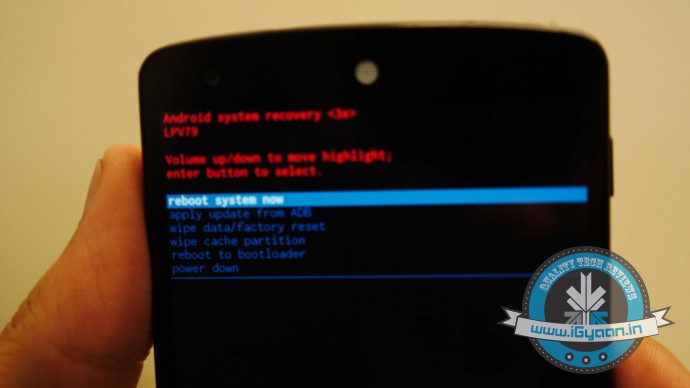
    6. Once the phone is in Recovery Mode, use volume buttons to highlight ‘apply update from ADB’ and press Power button to select it.
    Nexus 5 Lollipop5

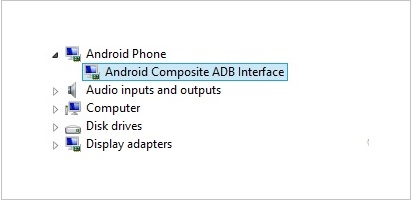
    7. Connect your phone with the PC via USB. Make sure the PC recognises the device as Android phone with Android Composite ADB Interface functionality in your computer’s Device Manager. If not, uninstall the drivers and install them again.
    Nexus-5-Driver-Installation-Completed

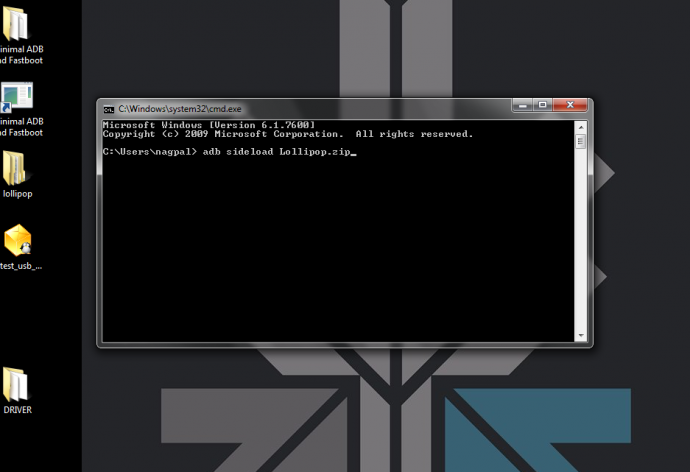
    8. Now press ‘Windows+R’ on you keyboard to launch RUN and type ‘cmd’ to open the Command window.

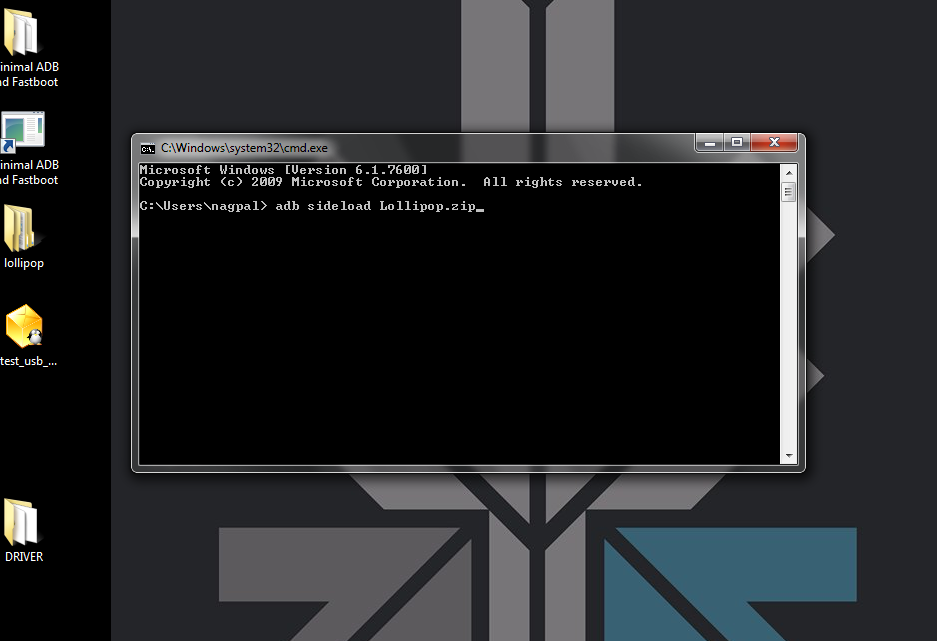
    9. Type ‘adb sideload <name of the Lollipop zip file>’. For example, if your file name is Lollipop.zip, then write: adb sideload lollipop.zip and press Enter.
    cdm

    10. Now,  you will see that the ROM will be copied onto your phone. This way, Lollipop will be installed. The whole process will take around 10 minutes.

    lollipop

    TIP: If you get confused or lose the track somewhere in between, press the Volume Up, Volume Down and Power buttons together to reboot the phone. And remember, never ever pull it off charging.
  • Here’s How Facebook Wants to Make Sure You Read Their Privacy Policy

    Here’s How Facebook Wants to Make Sure You Read Their Privacy Policy

    The online social networking giant Facebook has rolled out a privacy policy which is said to be more user-friendly. This rewritten policy being more user-friendly can be judged by the fact that it is summed up in just 2,700 words, rather than 9,000 words used earlier.

    With this, a new feature has also been launched and that is Privacy Basics. It is simply an easy-to-use guide through which you can control your visibility to the world. According to a report by Wall Street Journal, Facebook’s Chief Privacy Officer Erin Egan was quoted saying, “Our goal is to make the information about Facebook as clear as possible. Our hope is that it will not take long for people to read through this and really get it.”

    Facebook Privacy Basics

    The policy will surely be welcomed by the users as it now informs about what kind of information do the website collects and how you can manage and delete information about yourself. Also, the company shared the fact about how the payment data, credit card data, account authentication information, billing, shipping, and contact information is used.

    Meanwhile, users who have gone through this policy can comment on the website. Facebook will finally launch a new policy version next month on the basis of the comments.

  • Microsoft Plans to Upgrade All Windows Phone 8 Devices to Windows 10

    Microsoft Plans to Upgrade All Windows Phone 8 Devices to Windows 10

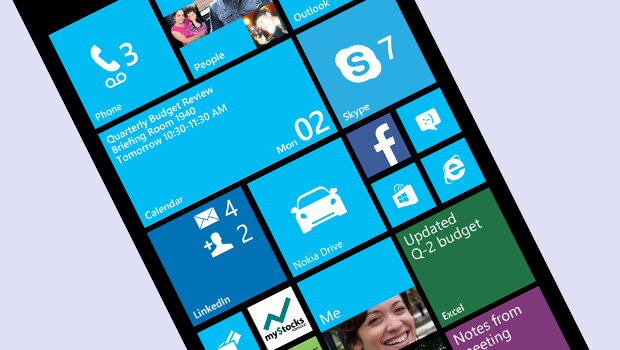
    There is no place for silly mistakes in the tech industry and Microsoft has realised that. After dropping the Nokia brand completely, the company has a lot of work to do in terms of brand image as all its key smartphone components are at stake. Windows Phone OS is one of them.

    The company, responding to a customer’s query on Twitter, has made it clear that it “plans to upgrade all Windows Phone 8 devices to Windows 10 in the future.” This also includes the Windows 8 devices launched under the name of Nokia. The next big Windows OS, Windows 10, is still in the early development stage, hence, Microsoft is tight-lipped about the arrival of the new OS.

    However, it is a sign of relief to the Nokia Lumia owners who felt backstabbed when the company completely dropped the Nokia branding. Earlier in 2012, Windows lovers were disappointed when Microsoft decided that the existing devices wouldn’t make the jump to Windows Phone 8.

    The new operating system was unveiled at San Francisco for Business customers. Microsoft has already released a technical preview version for selected users. It is expected to unveil new consumer features early next year. Windows 10 is expected to reach the market by mid-2015. Considering Microsoft nails its flagship operating system in every alternate release, we have a lot of hopes with this one.

  • Google App Gets Styled with Material Design Update, Features In-App Search Option

    Google App Gets Styled with Material Design Update, Features In-App Search Option

    Google’s Material Design is making its way to all the company’s services to make sure its apps look consistent once the new Android Lollipop 5.0 rolls out to the larger public. Well, recently, Google’s search for Android or Google Now has got its makeover, Material Design style.

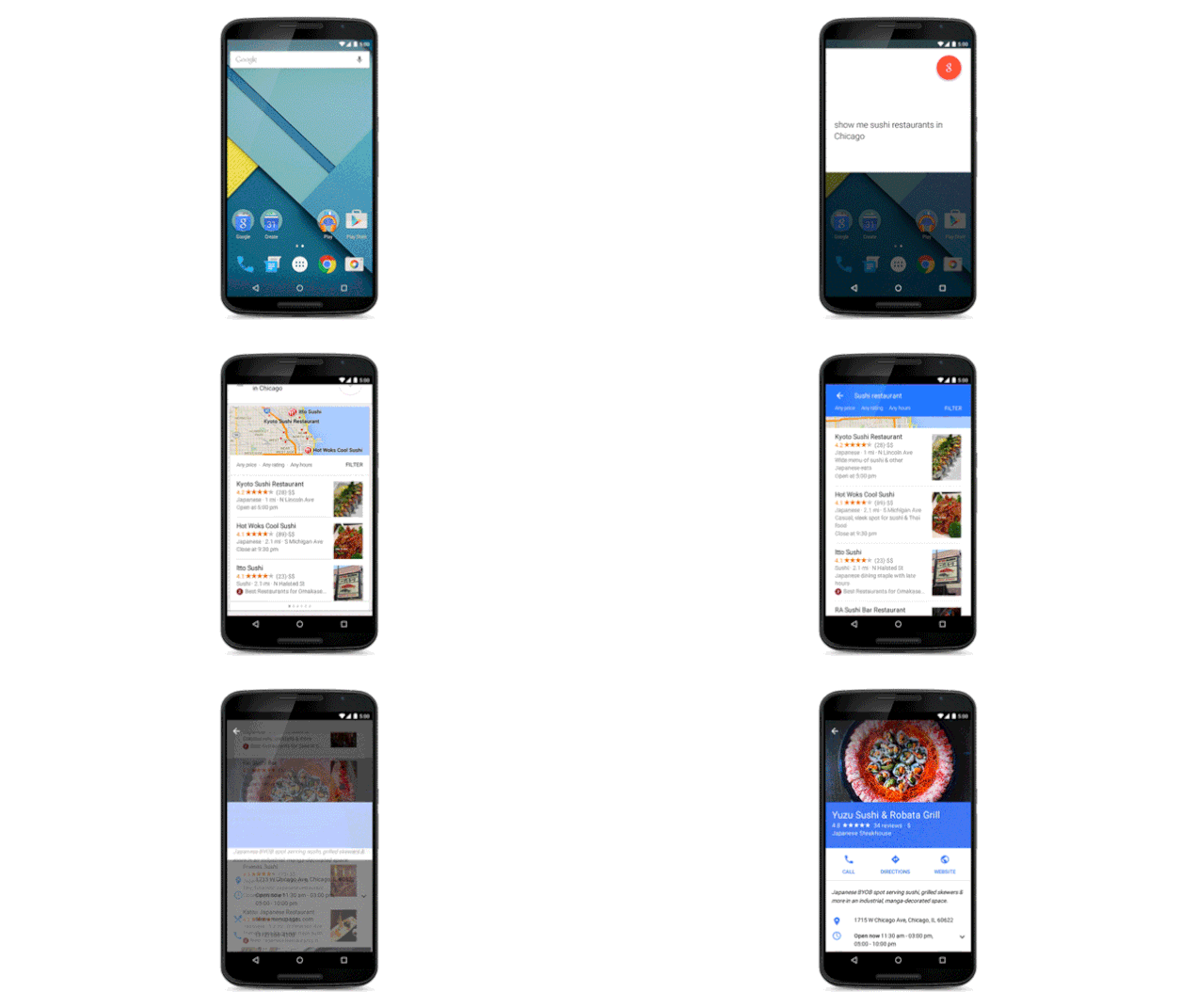
    However, the new update doesn’t only come with a new design, but also with the ability to search within apps installed on your phone. That means if you want to play a track from your Spotify’s playlist, Google Now will do it for you. In case, you need to check the dates of your next flight, you just need to say ‘Ok Google’.

    kbik5sldtc6upibswpek

    Of course, this won’t be working with all your apps right away, developers need to tweak their apps to enable the functionality first. Apart from this, the new update gives the app better voice search and also, the app will now prompt you regarding the plans you make on your mails and Hangout. This way, it will remind you that you have to meet a friend for a coffee on Sunday morning.

    Confirming your choice will at last add the event to your Google Calendar, something we have been expecting. Interestingly,Google has added another option for when you can’t decide to go or not, Google Now will decide it for you too.

  • Apple Faces Lawsuit for Text Disruption Caused by their iMessage Service

    Apple Faces Lawsuit for Text Disruption Caused by their iMessage Service

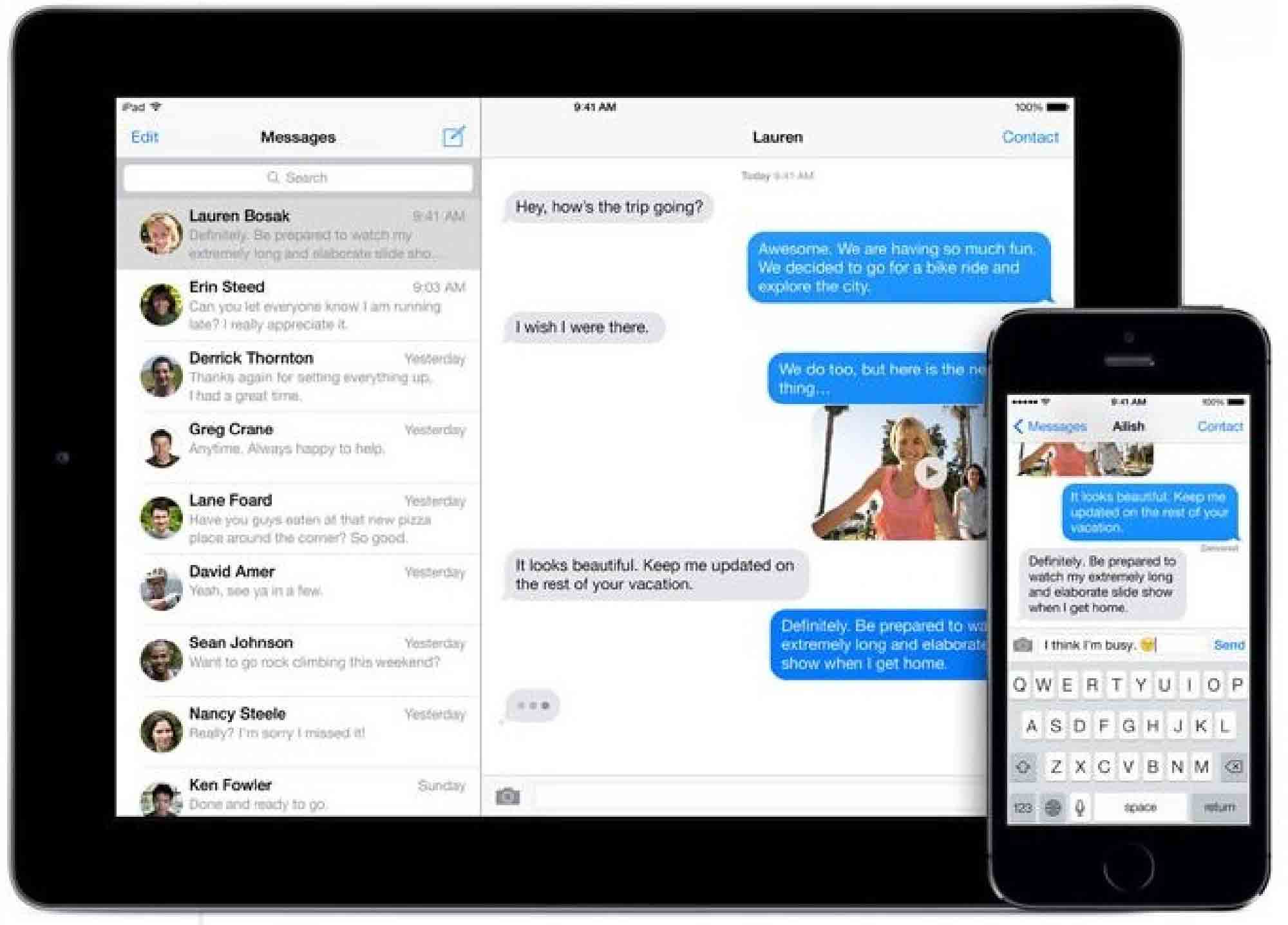
    Apple’s iMessage is a free messaging service. This service was announced in 2011, and it along with other free messaging apps have been blamed for the steady decline in the usage of SMS service. There was though a major flaw in iMessage that has got Apple another visit to the courthouse.

    Apparently, Apple’s messaging followed the users even after they bid their iPhones goodbye. When an iMessage user used a different device with the same number, Apple’s system was still automatically converting messages from iPhone users. This led to non-delivery of messages. This is an important issue as essential or emergency messages could have been disrupted because of this bug.

    Apple has fixed the issue now, but not before getting an invite to court. The company is now facing a class-action lawsuit alleging that the company failed to disclose the bug to the users. The court specifically alleged that Apple’s intentional acts have caused an ‘actual breach or disruption of the contractual relationship.

    In response to the allegation, Apple has stated that they have not intentionally kept the bug a secret. They added that there is no incentive in curbing the SMS feature considering that it needs the carriers to sell its devices.

  • Here’s How You Can Deceive WhatsApp’s Blue Tick

    Here’s How You Can Deceive WhatsApp’s Blue Tick

    In a recent attempt to intrude our private lives, WhatsApp added another layer of unnecessary information in the form of blue check marks, indicating that the recipient has indeed read the message.

    The addition of the blue check marks is utterly unwanted in our opinion, given that this brings back the social pressure to reply – what most users consider an interruption of privacy. In the interest of privacy, WhatsApp earlier added the choice to conceal the ‘last seen’ notification that informs the other party when that person was last available on the messaging platform.

    Well, there is a way around to avoid this new feature. Rahul Banker, a blogger and head of India’s Google Developers Group, has revealed the method to avoid this feature in a blogpost.

    whatsapp-convo

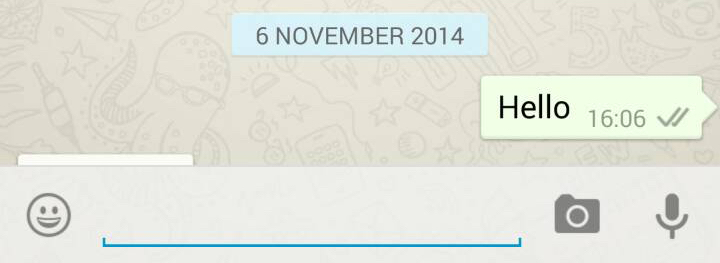
    Basically, when you read the message you received on WhatsApp, the app uses your Wi-Fi or Data connection to notify the sender that the message has been read via blue tick marks. So, if you read the message offline, the app won’t be able to send the information to the sender.

    So, if you don’t want the sender to know whether you have read the message or not, you just need to switch off your internet and Wi-Fi connections, then open WhatsApp and read the message. Close the app, reconnect to your data or Wi-Fi, and the check marks remain grey.

  • Microsoft Office 365 App is Now Free for Everybody

    Microsoft Office 365 App is Now Free for Everybody

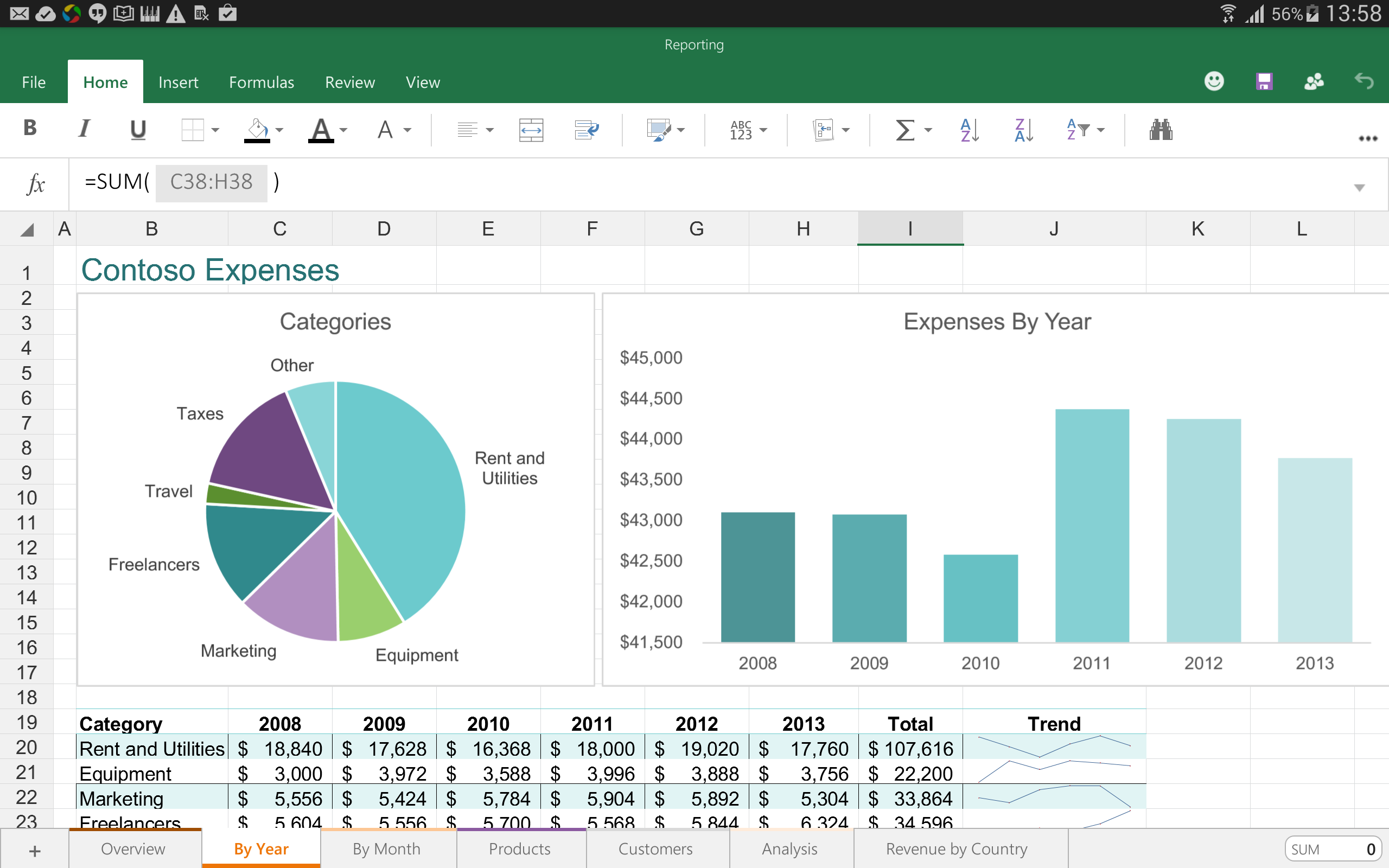
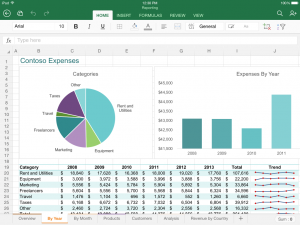
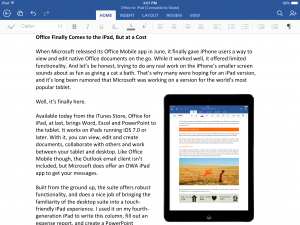
    Microsoft has prepped new versions of its popular Office apps for iPhones and iPads, along with a preview of the same app for Android. From now on, you can use an Office apps on Android or iOS without any Office 365 subscription. Microsoft has dubbed this move as ‘More of Office for everyone.’

    The company is also doing away with the Office Mobile for iPhone, with a standalone Word, Excel and PowerPoint. The new Office apps for iPhone will now be identical to the iPad version, which offers more functions and capabilities. Microsoft says that these new apps offer “the same beautiful iPad experience, optimised for the iPhone.”

    According to a report, Microsoft has worked closely with Apple to make sure the app could take advantage of the iPhone 5, iPhone 6, and iPhone 6 Plus. Word, Excel, and PowerPoint will now feature phone-optimised user interfaces. The iPhone Office apps, from now on, will facilitate a better look at documents, spreadsheets and presentations. There are features like Reflow view; Excel has a new Full-Screen view, while PowerPoit now has a new slideshow. The Office app for iPad has already seen a whopping 40 million downloads.

    Meanwhile, the Android version will be coming in a couple of weeks. Android phones will be getting a smaller update compared to the Android tablets. As of now, Office Mobile for Android phones has been updated with support for free editing, though will be identical to the iPhone version some point later, with individual Word, Excel and PowerPoint apps.

    screenshot_2014-10-20-13-58-05

    As far as Android tablets are concerned, they will have similar features and capabilities as the iPad apps. Microsoft said that apps for Android tablets should be available by early 2015.

    Meanwhile, Microsoft also announced a software partnership with Dropbox, with two companies merging their softwares. This would allow the stored documents in DropBox to be easily edited using MS Office tools.

  • Zuckerberg Reveals Why We Were Forced to Download the Facebook Messenger App

    Zuckerberg Reveals Why We Were Forced to Download the Facebook Messenger App

    Back in July, Facebook announced that it will be removing the messaging feature from its mobile app, and requiring people to use its standalone Messenger app instead. Hence, forcing users to download the Messenger app to chat with their Facebook contacts on their mobiles.

    The change followed through a plan which was announced in April and for now, affects Facebook mobile app on iOS and Android. According to the company, the plan had seen ‘positive results’ in Europe in terms of user engagement, and so decided to move ahead with rolling out of the standalone app to everyone. However, they never explained why this plan came into effect at the first place, until now.

    In a live Q&A conversation yesterday, Mark Zuckerberg finally explained why Facebook moved messaging out of its main app and made it into a separate, standalone app that needs to be downloaded.

    I’m grateful for hard questions. It keeps us honest. We need to be able to explain clearly why what we’re thinking is good. Asking everyone in our community to install a new app is a big ask. I appreciate that was work and required friction. We wanted to do this because we believe that this is a better experience. Messaging is becoming increasingly important. On mobile, each app can only focus on doing one thing well, we think.

    The primary purpose of the Facebook app is News Feed. Messaging was this behavior people were doing more and more. 10 billion messages are sent per day, but in order to get to it you had to wait for the app to load and go to a separate tab. We saw that the top messaging apps people were using were their own app. These apps that are fast and just focused on messaging. You’re probably messaging people 15 times per day. Having to go into an app and take a bunch of steps to get to messaging is a lot of friction.
    Messaging is one of the few things people do more than social networking. In some countries 85 percent of people are on Facebook, but 95 percent of people use SMS or messaging. Asking folks to install another app is a short term painful thing, but if we wanted to focus on serving this [use case] well, we had to build a dedicated and focused experience. We build for the whole community. Why wouldn’t we let people choose to install the app on their own at their own pace? The reason is that what we’re trying to do is build a service that’s good for everyone. Because Messenger is faster and more focused, if you’re using it, you respond to messages faster, we’ve found. If your friends are slower to respond, we might not have been able to meet up.
    This is some of the hardest stuff we do, is making these choices. We realize that we have a lot to earn in terms of trust and proving that this standalone messenger experience will be really good. We have some of our most talented people working on this.

iGyaan Network
Privacy Overview

This website uses cookies so that we can provide you with the best user experience possible. Cookie information is stored in your browser and performs functions such as recognising you when you return to our website and helping our team to understand which sections of the website you find most interesting and useful.