Category: Apps and Software

Games, Apps, Softwares, Operating Systems and Software Hacks

  • Google’s Reinvented ‘Inbox’ App to Ease the On-The-Go E-mail Experience

    Google’s Reinvented ‘Inbox’ App to Ease the On-The-Go E-mail Experience

    E-mails have been one of the greatest tools of the last decade. The speed of communication they introduced has helped significantly to help economies grow. Though their place in personal interactions has been taken over by social media, emails have managed to stay relevant by offering features such as video chat. Gmail, world’s most used email service now brings an app that can make using e-mail in the mobility era a breeze.

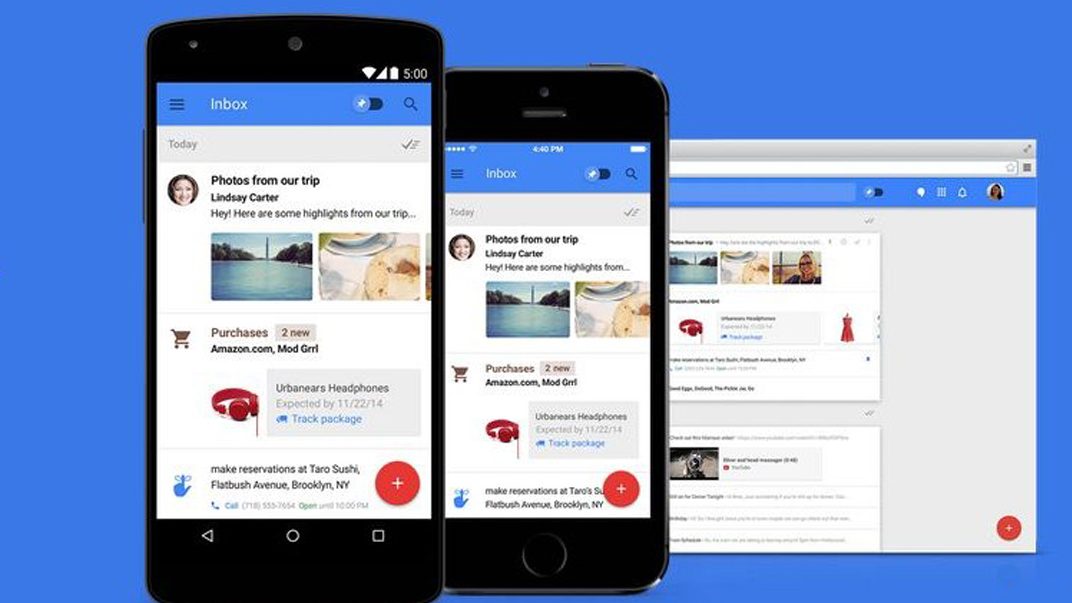
    “Inbox” is an email meant for folks who regularly use their mobile devices to check their emails. It is almost like a personal assistant neatly organizing your inbox so that you can just concentrate on the things you do.  The app offers multiple features to make your life easy.

    First of all is the ‘Bundles’. Google introduced an exciting feature on Gmail where emails were sorted into Primary, Social and Promotions which did the heavy sorting for you. Now with Inbox Google takes it a step further. Using technology that it had for Google Now, the app can read through your content and sort travel related mails into one bundle, and your purchase info into another. You can also create new bundles and customize your inbox according to your needs.
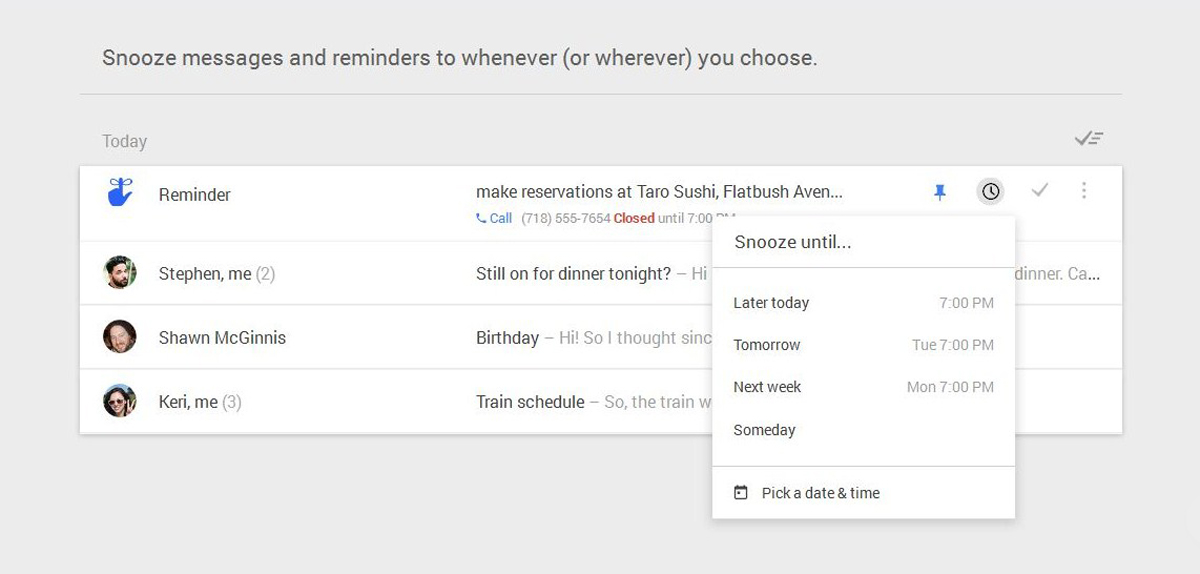
    The Snooze feature will help you get that well needed rest from your inbox.
    The Snooze feature will help you get that well needed rest from your inbox.

    Second feature it flaunts is ‘highlights’. Using this, you can see order updates, flight status, reservation details, and pictures without having to open the message.

    One important feature of the new inbox is ‘reminders’. You can easily set up reminders at the top of your inbox. This way they stay where you can always spot them. You can also use Google Keep for this but having reminders at one place does make sense.

    A feature that will be appreciated by most working professionals is snooze. Using this feature, you can choose to ignore the mountains of work emails during your rest time. Just set the snooze period you desire, and you won’t get any message or reminders during that period. If you snooze a message for office, the app will recognize when you’ve reached the office and it will show up again.

    The interface of the app is clean and lets you give quick access to all you need. Hope Google keeps this app to the basics and not try to add clutter like video chat. There are already too many video chat apps out there. The simplicity of this app is really inviting.

    Now all this sounds enticing enough to hit the Play store to score yourself an Inbox but, unfortunately, all good things ask for patience. Currently, the app is only available through invitation. You can send an email to [email protected] to request your invitation. We will give you a more in-depth review once we get our hands on the app. So stay tuned.

     

  • Facebook Brings Out an App for Anonymous Chatting Called ‘Rooms’

    Facebook Brings Out an App for Anonymous Chatting Called ‘Rooms’

    Facebook seems to be in the mood for experimenting with mobile applications. After bringing out Mentions, Slingshot, Paper and most recently, their independent messaging app, they’ve now brought out ‘Rooms’. Although they’re sticking to their key philosophy of connecting people, this time they’re going to be keeping their identities discreet.

    We had earlier reported that Facebook was working on building a standalone app that will let its users interact and communicate under the cloak of anonymity. This was said to be the outcome of recent criticism for Facebook’s stance on real names. Facebook’s policies require verified email addresses. Those policies clashed with drag queens, some of whom had their profiles removed from Facebook by algorithms.

    Facebook Rooms

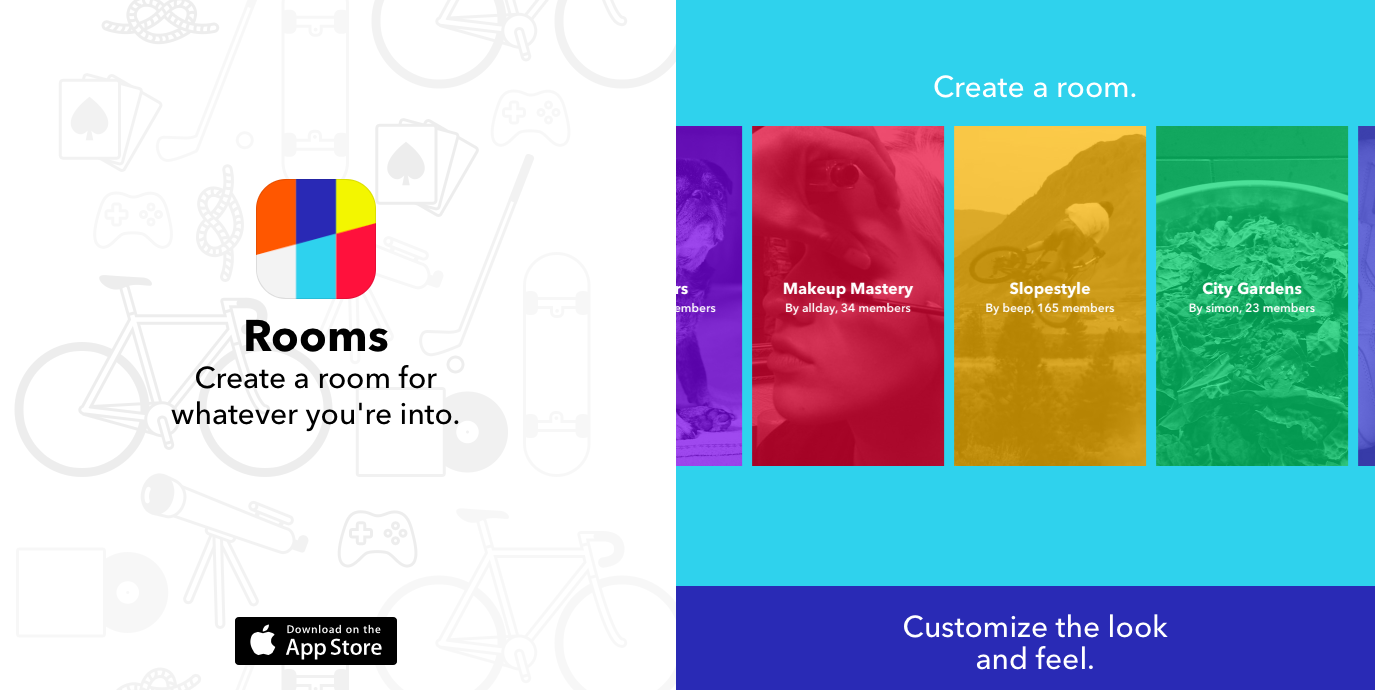
    On the other hand, Rooms doesn’t require the user to reveal any personal information and allows them to create chat rooms based of common interests (think fashion, photography, automobiles, gardering etc.)  These chat rooms can be made public or private. The private chat rooms are then made invite only, requiring a QR code that can be scanned with a smartphone. These Codes can also be shared on social media or via e-mail. Facebook’s new app doesn’t even allow you to import your contacts, it is entirely independant. Chat room creators or chosen moderators can customize the look, ban people from the room or set the room to be 18+.

    Currently the app is free and available on the app store, you can download it here.

  • Top 5 Android Tablet Apps That You Should Download Today

    Top 5 Android Tablet Apps That You Should Download Today

    Android tablets have evolved to become full-featured devices. But these tablets have been criticized for not having a mature ecosystem, they require good apps to take advantage of everything they have to offer.

    We are listing Top 5 tablet-specific apps to make your Android tablet work well for both professional and leisure activities.

    1. Adobe Photoshop Touch

    photoshopThis app certainly won’t replace its powerful desktop counterpart, but for the more serious designer, Photoshop Touch offers a plethora of tools that no other photo editing app suites can think of touching on Android, such as Layered images, magic wand selections, clone stamps and plenty more. You can also integrate it into Adobe’s Creative Cloud, which means that you can do minor editing on your tablet and then sync a file to your desktop to continue working on it on Photoshop.

    2. Pocket

    pocket

    One of the most comfortable uses of a tablet is sitting on the couch and reading. Pocket lets you set aside articles for casual browse later. Also, it automatically downloads saved articles for offline reading and is particularly handy if you want to load up a Wi-Fi-only tablet and take it with you when you leave home.

    3. AirDroid

    airdroid

    AirDroid is the only app on the list which is not specifically designed for a tablet. However, it is one of the best apps to work on a tablet. AirDroid allows you to access your files and data on your tablet remotely without having to plug it in to your desktop. You can even reply to text messages or update applications. If you spend a lot of time at your desk with your devices plugged in, AirDroid is a must-have.

    4. Dashclock Widget

    widget

    Dashclock widgets is one of the best suited widget app for tablets. With a variety of extensions that you can plug in, you can use this widget to keep updated of everything in your digital life. There are a ton of extensions available to customise the Dashclock and on a larger tablet, you can turn this widget into a veritable control panel, which is not available on any other widget app until now.

    5. Hipmunk

    hipmunk

    Hipmunk has raised the expectations from travel search every other travel app, offering a unique “misery index” algorithm for evaluating flights. Hotels get similar treatment, making this an ideal app for travel research.

  • IRCTC Launches its Official Android App

    IRCTC Launches its Official Android App

    Indian Railway Catering and Tourism Corporation Limited (IRCTC), which is responsible for online train ticket bookings in the country, has finally released its official Android application on Google Play, called ‘IRCTC Connect’.

    There are already quite a few third-party IRCTC apps available for Android, but they don’t offer the full functionality that’s available on IRCTC’s website. The official IRCTC Connect App can now be downloaded for free from Google Play India, and is about 12MB in size. The app is compatible with devices running Android 4.1 and above.

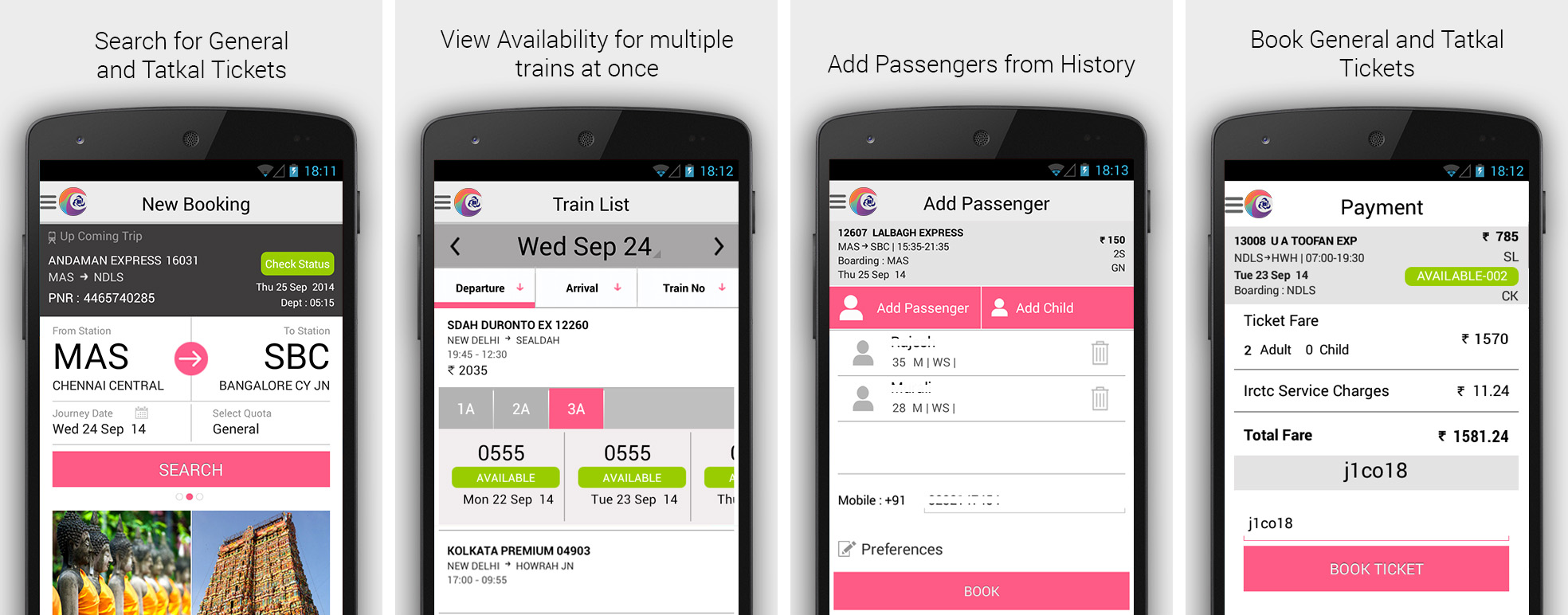
    The travellers will be able to search and book Indian rail tickets, check out their existing reservations or cancel them, and get upcoming journey alerts in the IRCTC Connect application.

    irctc-connect

    According to IRCTC, the app uses the existing IRCTC website login credentials to work and also allows the users to create new account directly within the app. In addition, the IRCTC Connect retains the passenger details for the recently booked train tickets, so that the travellers don’t have to enter their details again and again.

    The app listing says, “Rail ticketing now made simpler just by swipe and shuffle, select and book. Install the newly launched IRCTC android app and book a railway ticket anywhere in India at your fingertips.”

    Back in August, IRCTC launched its official ticket booking app for BlackBerry 10 smartphone users. The IRCTC app was available for download on BlackBerry World under the Navigation & Travel section, and was a 5MB download.

  • Apple Pay Expected to Launch on 18th October

    Apple Pay Expected to Launch on 18th October

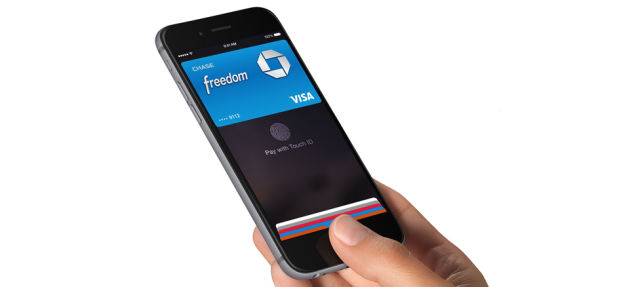
    Apple Pay, Apple’s NFC and Touch ID-based mobile payment solution, might arrive soon than anyone expected. Apple announced its first mobile payment system will launch this month, however the company did not not reveal a specific date. Now, a new leaked memo suggests Walgreens, America’s online pharmacy service, will begin rolling out the service next week on October 18. The training materials, shared by MacRumors, for the Apple Pay launch at Apple retail stores have also detailed some new specifics regarding the Apple Pay setup and transaction processes both on customer iPhones and in Apple retail stores.

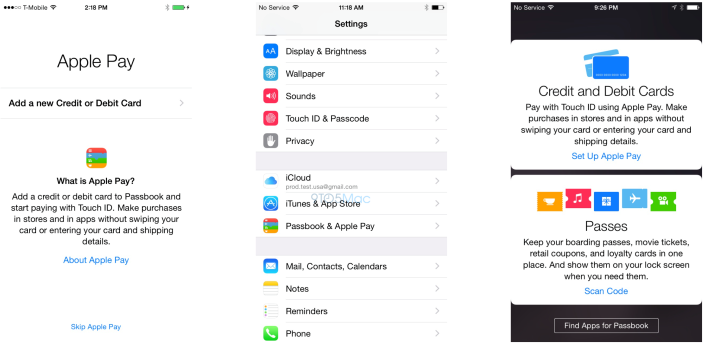
    It’s unclear if this is specific to Walgreens or if the memo is referencing a widespread rollout. However, according to the leak, it’s unclear if this is specific to Walgreens or if the memo is referencing a widespread rollout. Credit cards can be added to Passbook via an iTunes account or by using the iPhone’s camera to scan in details. Passbook will be able to store up to 8 credit/debit cards, according to the training materials.

    applepay1

    The date makes sense, as this Thursday (October 16th) is Apple’s iPad event, which would also be a logical time to announce the roll-out of Apple Pay.  As announced on September 9, popular drug store Walgreens is one of Apple’s major launch partners, along with other companies like McDonalds, Macy’s, Staples, and more. According to the Walgreens memo, customers who have an iPhone 6 will be able to use Apple Pay in Walgreens stores by tapping their devices “to the upper portion of the pinpad to pay for their purchase.”

  • Apple Unveils New App for Easier One-Handed Typing on Big-Screen iPhone 6

    Apple Unveils New App for Easier One-Handed Typing on Big-Screen iPhone 6

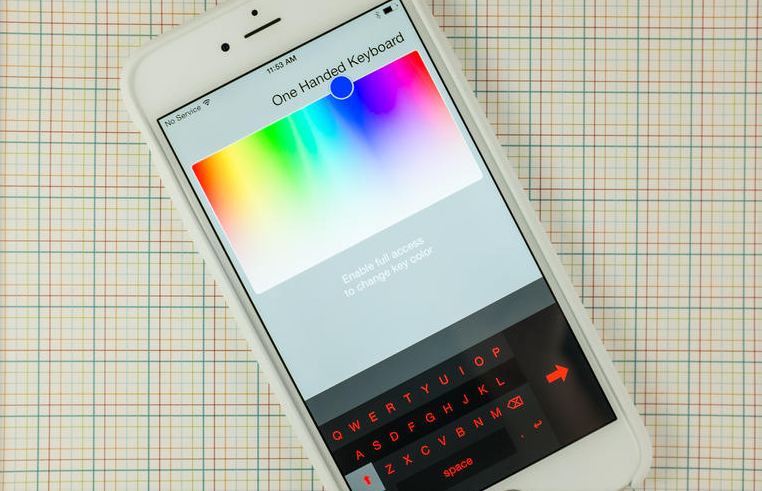
    Apple, the global technology giant, has introduced a new app called ‘One Handed Keyboard’ that allows iPhone 6 and 6 Plus users to type with one hand making it easier to handle the bigger screens.

    The aptly titled app, One Handed Keyboard, displays what it claims to be the same size of keyboard iPhone users have grown accustomed to over the years. The keyboard is still on its initial stage, offering only a smaller keyboard that docks to either side of the screen, with extra controls to adjust the theme or color of the keys.

    one hand keyboard

    However, the auto-correct library is missing from the app, meaning that whatever you type is what’s displayed, the new iOS will not correct it for you. Though the App Store listing does mention that this is a feature coming in an update soon.

    The California-based company has been appreciated for this as when it comes to entering text on the larger keyboards users are forced to give up one-handed use. Apple did its best to alleviate any issues for users switching to the bigger iPhone 6 and 6 Plus with its reachability feature.

  • Indian Govt and Facebook to Work Together on an App for ‘Clean India’

    Indian Govt and Facebook to Work Together on an App for ‘Clean India’

    Facebook founder Mark Zuckerberg on Friday met Prime Minister Narendra Modi. One of the highlights of the meeting was the prospect of launching a mobile application devoted to Clean India, while they also discussed the PM’s pet projects such as Digital India and his hopes to use the networking site’s use for social causes and prevent its misuse by terror outfits. Facebook will help in the creation of the Clean India Mobile App and it would be launched soon. This would give a strong impetus to the Swachh Bharat Mission, the Facebook boss told Modi.

    “Connecting more than a billion people with internet is not only going to improve lives of people in India but will help the innovation and imagination of Indian people to help turn around the world and we are very excited in opportunities in India,” Zuckerberg said after his meeting with the telecom minister.

    “About 2.7 billion people have access to the internet. But that’s only one-third of humanity. Almost 4.5 billion people don’t use the internet,” pointed out Zuckerberg, in Delhi on a two-day visit to India. “Connectivity cannot just be a privilege of the rich and powerful. It is a human right.”

    mark-modi
    Facebook CEO, Mark Zuckerberg in conversation with PM Narendra Modi

    According to The Economic Times report, Zuckerberg told the Prime Minister that he is extremely excited about the government’s Digital India initiative. Modi, a prolific user of social media platforms with nearly 7 million followers on Twitter and around 23 million people following him on Facebook, has asked Zuckerberg to identify domains of the program that it can get involved in and work with the government.

    In the conversation, the Prime Minister also expressed some concerns about social media, especially the use of such platforms by terrorist elements to recruit new members. “This is unfortunate and we need to think of the role social media can play to stop terror,” the PM said.  He also urged Facebook to promote India’s rich tourism potential and look at how to enhance internet literacy along with connectivity.

  • 200,000 Snapchat Pictures Leaked, Company Blames Third-Party Apps

    200,000 Snapchat Pictures Leaked, Company Blames Third-Party Apps

    The whole point of photo sharing app Snapchat is that photos, once sent, are supposed to disappear. However, thousands of these pictures have reappeared when hackers posted a database of purported stolen Snapchat photos and videos on the 4Chan message board. 4Chan, earlier, housed the first leaked nude photos of actress Jennifer Lawrence and other celebrities.

    As per reports, Snapchat has been breached of as many as 200,000 photos and videos, many of them extremely personal images. However, the company on Friday released a statement on Twitter saying,  “Snapchatters were victimized by their use of third-party apps to send and receive Snaps, a practice that we expressly prohibit in our ToU. We can confirm that Snapchat’s servers were never breached and were not the source of these leaks.”

    Although Snapchat has been hacked before, this time it isn’t the company’s fault. Third party apps, such as SnapSave or SnapKeep, seem to be the source of the hacking. These apps let recipients of Snapchat messages save them permanently. According to the reports, 4chan users have downloaded 13 GB worth of photos and videos and are creating a database to search the stolen images.

    snapch

    Even Snapchat users who did not use third-party apps could be victims, said Patrick Wardle, director of research at crowd-source security startup Synack. “This is an interesting scenario because the sender of an image doesn’t know if the recipient is using a third party service like SnapSaved.com or other third party applications. Therefore, everyone who sends a message using SnapChat’s service could be at risk,” Wardle said.

    In May, Snapchat settled charges with US regulators accusing it of deceiving customers by promising that photos on its service disappeared forever. According to the Federal Trade Commission, photos sent on Snapchat could be saved using several methods.
  • SwiftKey to Now Support 11 Indian Languages

    SwiftKey to Now Support 11 Indian Languages

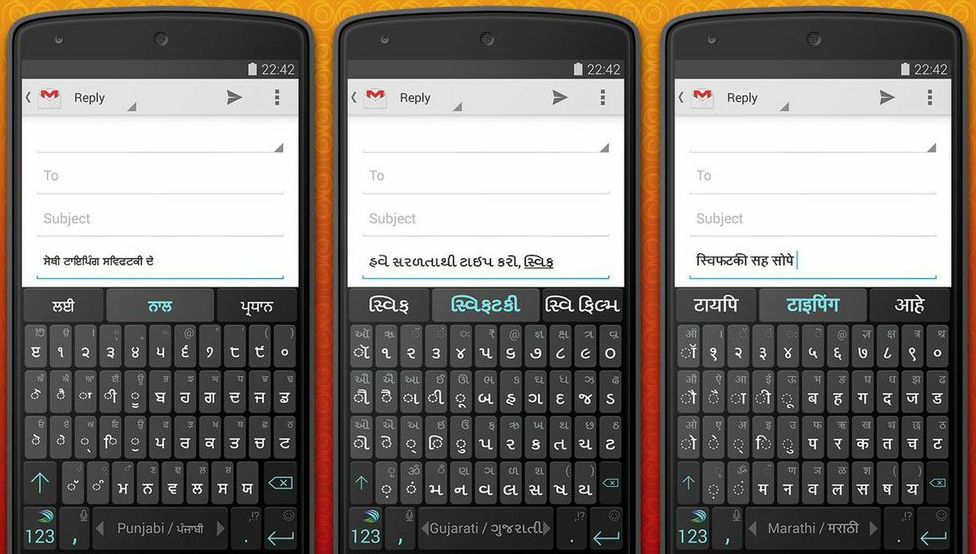
    SwiftKey has announced the launch of an updated version for Android which supports 11 regional languages, namely Assamese, Bengali, Gujarati, Kannada, Malayalam, Marathi, Oriya, Punjabi, Tamil, Telugu, and Urdu, as well as Nepali and Sinhala. And to celebrate the upcoming Diwali festival, Swiftkey has released a special Diwali theme.

    The company revealed that the updated Swiftkey app will be available later, however the language update will be available in beta on Google Play’s official beta channel. Meanwhile, the Diwali theme will be available today onwards.

    SwiftKey-Indic-Language-Support

    Swiftkey had earlier also added support for Hindi to Hinglish in its language support options back in 2012. The company also mentioned that it has changed the SSL certificates for better and secure connections used for SwiftKey Cloud’s Backup and Sync services.

    The availability of regional languages would certainly be appreciated by Indian customers. The app is currently taking user feedback for smoother adaption.

  • Facebook is Reportedly Working on an App for Anonymous Sharing

    Facebook is Reportedly Working on an App for Anonymous Sharing

    Facebook is reportedly building a standalone app that will let its users interact and communicate under the cloak of anonymity. This is said to be the outcome of recent criticism for Facebook’s stance on real names. Sources within the company told the New York Times that Facebook plans to release an app that would let people talk anonymously.

    Facebook’s long held policies require verified email addresses, and originally required college-specific email address logins per its collegiate origins. Those policies clashed recently with drag queens, some of whom had their profiles outright removed from Facebook by algorithms.

    Earlier this year, Mark Zuckerberg said that Facebook would branch out from real-name apps. “I definitely think we’re at the point where we don’t need to keep on only doing real identity things,” he said in an interview. “If you’re always under the pressure of real identity, I think that is somewhat of a burden.”

    facebook

    Little else about the software is known at this stage. We don’t know what it will be called, or whether it’s indeed meant to be a direct competitor to apps like Secret and Whisper, which are built entirely around the idea of staying anonymous. Facebook is also widely criticized for its use of user information. When Facebook made its Messenger app standalone and required more access to users’ information, many decided to drop the service entirely.

    Obviously this new app wouldn’t change Facebook’s overall strategy, but it could be an interesting experiment for both the company and its billion-plus users.

  • Skype to Terminate Free Local Calls Within India

    Skype to Terminate Free Local Calls Within India

    Skype has announced that it is withdrawing the Skype call service to Indian landlines and mobiles in India, starting from 10th November. The Microsoft-owned company has not given a concrete reason for the same.

    The discontinuity of the service is said to be the result of law and regulation in the country. As per current laws, VoIP calls originating from within India cannot be terminated on mobiles or landlines in the country, however the companies have been routing calls internationally to avoid this regulation until now.

    While Skype users in India will no longer be able call Indian landlines and mobiles, they will still be able to send SMS messages to mobiles within India.

    In a support page, Skype said, “If you’ve bought a subscription to India specifically to call within the country, you can cancel your subscription to avoid being billed in the future. Keep in mind that before 10 November 2014, you can still use your subscription and Skype Credit to call within India, so be sure to use up any remaining minutes or credit you have before then.”

  • Tips For a Happy Traveler: 5 Best Websites to Check and Apps to Download

    Tips For a Happy Traveler: 5 Best Websites to Check and Apps to Download

    All great travel apps have one thing in common: they all solve problems you don’t even realise you have. Whether they’re helping you in easy and quick navigation, pointing you in the direction of authentic local nosh or simply showing you how to ask after a toilet in Japanese, you need to pick and choose which one works for you best.

    Here are our picks of apps and websites for the best travel experience you can have:

    Ultimate Travel Packing Guide

    Ultimate-Travel-Packing-List

    Do you travel often, reach your destination, unpack your things, and ask yourself, ‘Where is my toothbrush?’. It happens to the best of us because it’s far easier to create a mental list of things to pack in the week leading up to your departure than it is to actually remember them all when you’re packing. The logical thing to do would be to create a small travel pack or make a list of things to pack as you remember them. Ultimate Travel Packing List is a little web app that generates a list of things you should pack based on your gender, the length of your trip, the climate you’ll be experiencing, and the nature of your trip. 

    Seatguru

    seatgurucom1

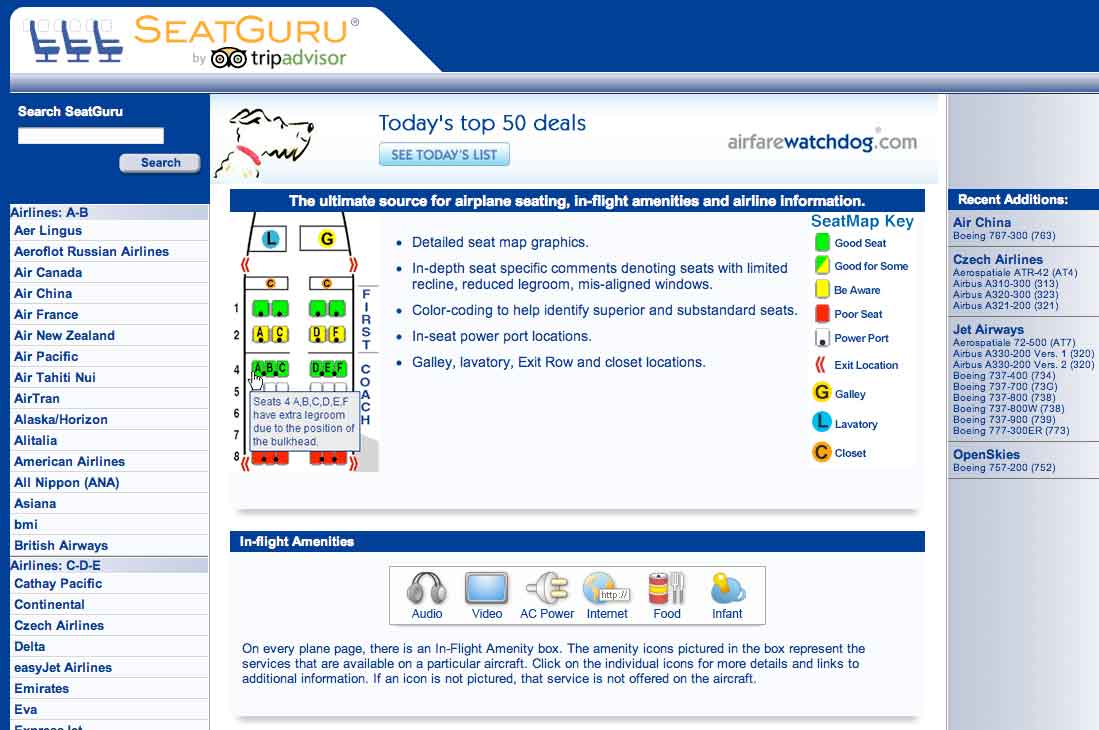
    Which seats are the best seats on the plane? Since airlines began charging for everything from a checked bag to a bag of peanuts, the answer is, “Whichever ones I don’t have to pay extra for.” SeatGuru provides commercial cabin seat maps, advising travelers which seats in the cabin to select or not select when booking a flight. The free app lets you access over 700 seat maps from over 100 airlines. It features advice and insights drawn from over 45,000 passenger reviews, so you can always find the best seat before you fly. Plus, the new app now helps you compare and find great low airfares from low-cost carriers, big online travel agencies, and the airlines themselves. You can even set up real-time flight alerts that monitor your flight arrival time and other information.

    Bing Travel App

    Screenshot.216116.1000004

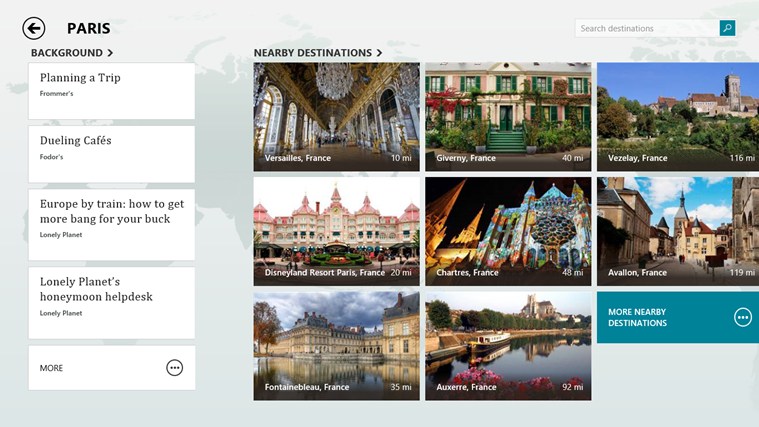
    The Bing Travel app lets you explore over 2,000 destinations from all over the world through beautiful photos and panoramas. Travel guides, booking tools, real time currency conversion, and weather provide everything you need to turn travel inspiration into your next great trip. Enable location services for Bing Travel Beta, so they can have more specific recommendations. For example, the destinations section recommends several places near New York. Each destination displays a summary syndicated from Frommer’s, traveler photos, attractions, restaurants, and hotels. Prices for hotel rooms are displayed by the app, grabbing rates from services like Booking, Kayak, Travelocity, Expedia, and more. Click on the rate you like and the web browser opens for you to continue the booking on that particular site.

    Tripit

    flight

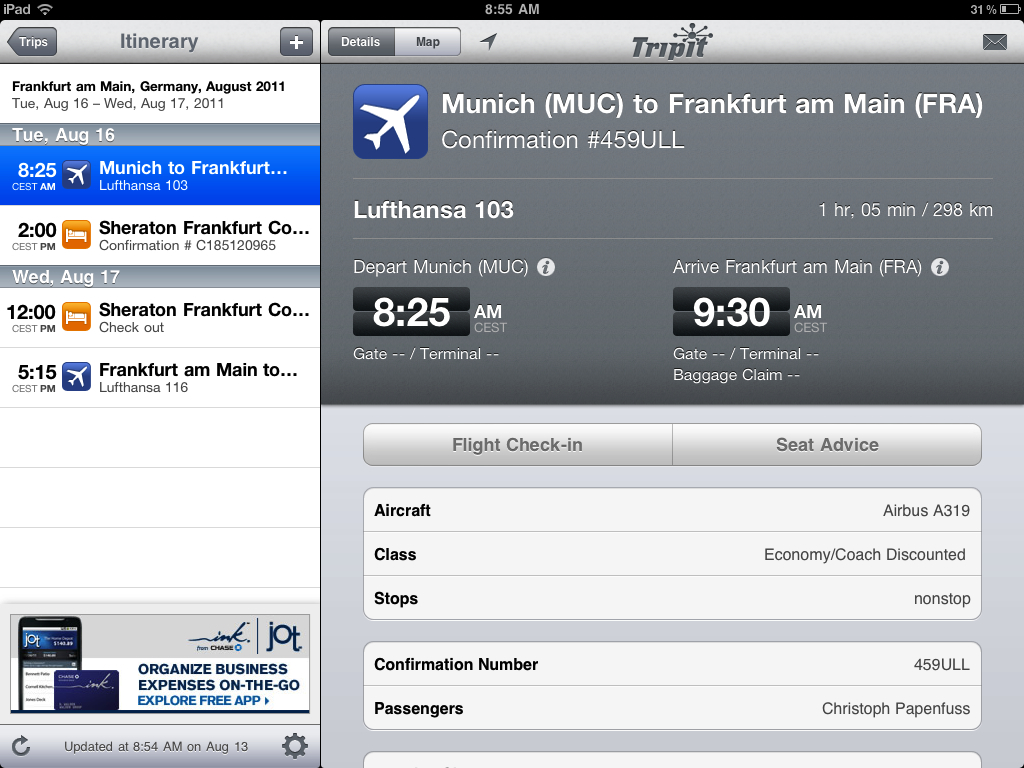
    The iPhone app TripIt offers a unique service to travelers. It automatically connects to your email accounts, finds travel-confirmation emails, and turns them into a neat, complete itineraries. TripIt is familiar with purchases you make on all the major search and booking sites, such as Orbitz and Kayak, as well as airlines, car rental services, hotels, restaurant reservations, and much more. If TripIt misses an important travel email, you can forward it along, and the service will either figure out what to do with info or stick it to the side until you can review and type in the details manually.

    Uber

    Uber-Taxi

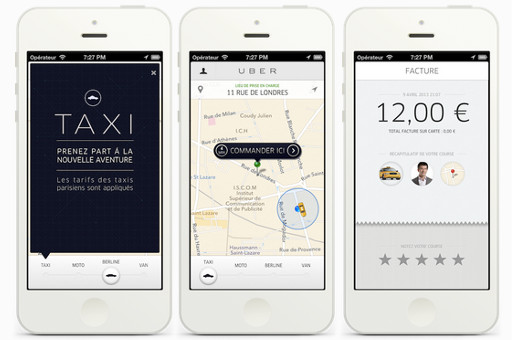
    Uber hit 100 cities recently, and what many call the fastest growing cab company in the world is adding more cities fast. When you open the app in any of the 100-plus Uber cities and order a car, the app will estimate the arrival time and send a text saying your driver is on the way. A small photo with the driver’s name and phone number pops up on the app, while a car icon on the map shows you in real time where the car is located. Cash isn’t an issue, Uber bills your credit card at the end of the ride. Both users and drivers can rate each other at the end of the ride using the app for other users to view. Rather than a cheap taxi app with prices similar to local cabs, in Asia Uber provides a luxury experience, with much higher prices and limo chauffeurs.

  • Windows 9 Will be a Free Upgrade for Windows 8 Users

    Windows 9 Will be a Free Upgrade for Windows 8 Users

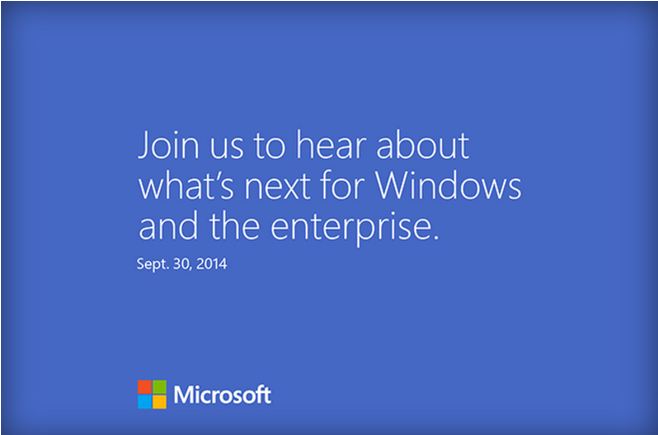
    Microsoft is all set to launch its new upgrade of the Windows operating system, the Windows 9. The company has already sent out invites for tomorrow’s event. They promise to reveal “What’s next for Windows and the enterprise.” It is certain that it will be the Windows 9, and most likely  it will be the release of a early developer version known as the ‘Technical Preview’.

    windows invite

    Earlier rumors have pointed out that the new update may come at a price. However, it was also said that it will be cheap, not more than $20. A report from Indonesian online publication Detik said earlier this week that President of Microsoft Indonesia Andreas Diantoro has confirmed this particular Windows 9 feature.

    According to Diantoro, the Windows 9 upgrade will be available free of charge to all existing Windows 8 users once it’s released. It is said that users will be able to easily install the Windows 9 update after downloading it from Microsoft website, which is how Apple’s OS X updates have been rolled out on Macs for a few years now. To make it more easy, some of the recent Windows 9 leaks did say that Microsoft already has a tool in place that will allow users to easily get software updates.

    878094801785562403

    It’s not clear whether other Windows users who are on older versions of the OS will get any other special offers. Even the actual price of Windows 9 has not yet been revealed. It is also said that Windows 7 users may have to pay a bit more than the others.

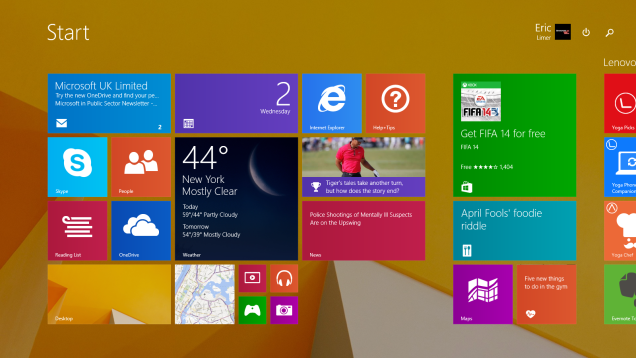
    The company is expected to roll out the “Windows Technical Preview” at the event or soon after, so that developers and enterprise customers can test the number of changes the company has made. The recent rumors and leaks have suggested the addition of a new Start Menu, a virtual desktop feature, and a Notification Center.

    Microsoft is also expected to fine-tune its desktop user interface to improve and flatten the traditional icons along with some changes in the taskbar for Cortana integration and the virtual desktop. Other changes are expected to come on a regular basis. The Windows Technical Preview will be available until the operating system is complete and ready for release next year.

  • CyanogenMod’s Camera App to Get Pressy-Like ‘Kate Upton’ Mode

    CyanogenMod’s Camera App to Get Pressy-Like ‘Kate Upton’ Mode

    Kate Upton, a name that keeps teenagers drooling will now be a feature in CyanogenMod camera app. The Android-based open source operating system will incorporate a Pressy-like feature on your phone.

    With the Kate Upton mode users can use the media button on the phones headset to take images, videos and panoramas along with setting focus. The play button on the headset will act as a shutter while the next and previous button will aid in focusing.

    This feature will ease the process of taking selfies. It lets you take the images without stopping your tunes. It will also let users experiment with their images. Your headphones literally become a remote control for the camera. The name of the update would surely change as its still in the developmental phase, but it’s a damn good name to attract attention to your feature.

    Experiments like these are great as they devise new uses for the existing peripherals and components of the product. It would also be cool if they bring in features for remotely accessing your camera. Considering not everyone is going to buy a Pressy, bringing software solutions sounds like a great plan. Cyanogen will be bringing out this update soon. Hopefully sooner than later Android will incorporate the feature in its regular updates.


iGyaan Network
Privacy Overview

This website uses cookies so that we can provide you with the best user experience possible. Cookie information is stored in your browser and performs functions such as recognising you when you return to our website and helping our team to understand which sections of the website you find most interesting and useful.