Category: Apps and Software

Games, Apps, Softwares, Operating Systems and Software Hacks

  • SHORE : New App for Google Glass That Can Recognize Human Emotions

    SHORE : New App for Google Glass That Can Recognize Human Emotions

    Well, Google Glass has been a topic of debate since it release and the new app called SHORE may fire that up again. SHORE is an app that runs a software which detects human emotions in real time. This exceptional technology can be used for the aid of people with various disabilities.

    The Sophisticated High-speed Object Recognition app (SHORE), uses the camera of the Google Glass to analyze the facial expressions of people and guess their feelings. The app was developed by researchers at the Fraunhofer Institute for Integrated Circuits in Germany.

    In addition to the person’s emotions, the app is also able to estimate the subject’s age and gender. The app, however, cannot determine the identity of the person. It guesses emotions through calculations that are based on the structures of the human face. It then uses learning algorithms and a database of more than 10,000 human faces to finish the calculation.

    Google-Glass-Shore-app-700x325

    The research team says that this type of technology can open several possibilities for further exploration. For example, the technology can help differently abled people, those suffering from autism to understand facial expressions. The results calculated by the app can be superimposed on the display using augmented reality techniques.

    In an attempt to sidestep any privacy concerns surrounding the app, the developers have promised not send any images or data to cloud storage. Since Google Glass application is not commercially available, it will be some time before regular folks can get our hands on a pair and test SHORE.

  • Top 5 Android Games that you Should Download Right Away

    Top 5 Android Games that you Should Download Right Away

    Android app market (Play Store) is flooded with both paid and free game apps. Whether you want games that will last the length of a commute, or want to be lost in a port of GTA where you spend hours mowing down pedestrians and making money out of murder, there is a game on here for you. In the recent time most of the apps that are free usually feature in-app purchases adding premium offerings, which in some cases are not half bad e.g. Smash it!

    We are listing top 5 Android games that you should download right away.

    5. The Room Two ( Rs. 190)

    room two

    The Room Two, a sumptuously strange but an amazing puzzle game. You spend minutes at a time examining a series of locked boxes, hunting for keys and mechanisms, deciphering puzzles, searching for signs through your sinister revelatory eyeglass. When you find the right one and put it in the right place, what follows is gorgeously rewarding: keys turn, doors unlock, boxes impossibly unpack themselves and become different, weirder boxes, always with the exact perfect sounds for the movements as they happen. This is a game of incredible polish wonderfully suspenseful sound and graphic design.

    4. Injustice : God Among Us (Free)

    Injustice

    Not every type of game can make the seamless transition from a console or computer onto the touch screen of your Android device. Injustice: Gods Among Us being no exception to this. However, if you compare it with other android games, it is one of the best game out there. The graphics of Injustce: Gods Among Us are, without doubt, quite stunning. The characters are the highlight of the game. It’s amazing to get to  fight with some of your favorite superheroes (and villains).

     3.  Apparatus (Free)

    appuratus

    It is one of the most addictive game you will ever play. Developers have done a good job by providing the Android world with such a creative and addictive game. You can create a complex structure from small parts and build a machine which can outclass other competitors in every respective field. Once you get hold of this game you won’t be able to put down your phone even for a second.

    2. Chaos Rings II (Rs. 750)

    chaos ring 2

     An amazingly beautiful fantastical world where life is at the brink of destruction, as usual, and the chosen one has to kill five people to save the world, and one of the five is an innocent child. Whether this hero can carry out his duty is the decision that lies in your hands. It is an exhilarating adventure ample for players of all ages who are devotees of science fiction and futuristic scenery. The game requires 1 GB of memory, so make sure you have it available before proceeding to download.

    1 Modern Combat 5: Blackout (Rs. 390)

    mordern combact

    Modern Combat 5: Blackout is the best first-person shooter on smartphones and tablets. You can create a squad, add your friends and test your individual and team skills against other squads in dynamic multiplayer warfare. Modern Combat 5 steals the show when it come to customization. Before a fight, or after dying, you can choose from Assault, Sniper, Heavy Assault, or Recon. Each of the classes has a number of weapons and accessories you can unlock by playing the game and gaining experience.

  • Samsung Galaxy Note 4 to Get New Fingerprint Features

    Samsung Galaxy Note 4 to Get New Fingerprint Features

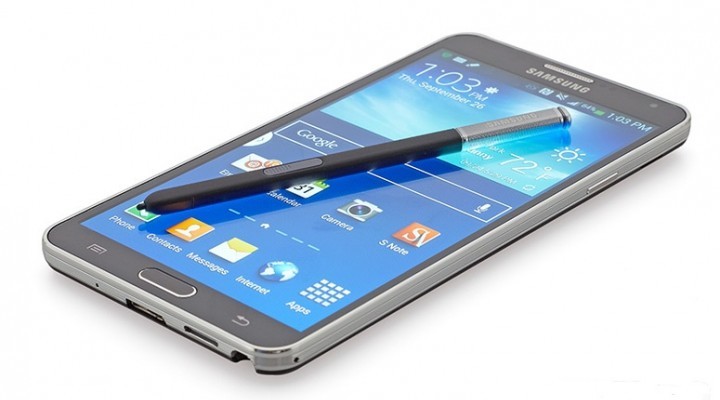
    Since it’s debut on the Galaxy S5, Samsung  has included a fingerprint scanner on a number of devices. There is no surprise that the Samsung Galaxy Note 4 will come with one as well, but this time it could be in for better features.

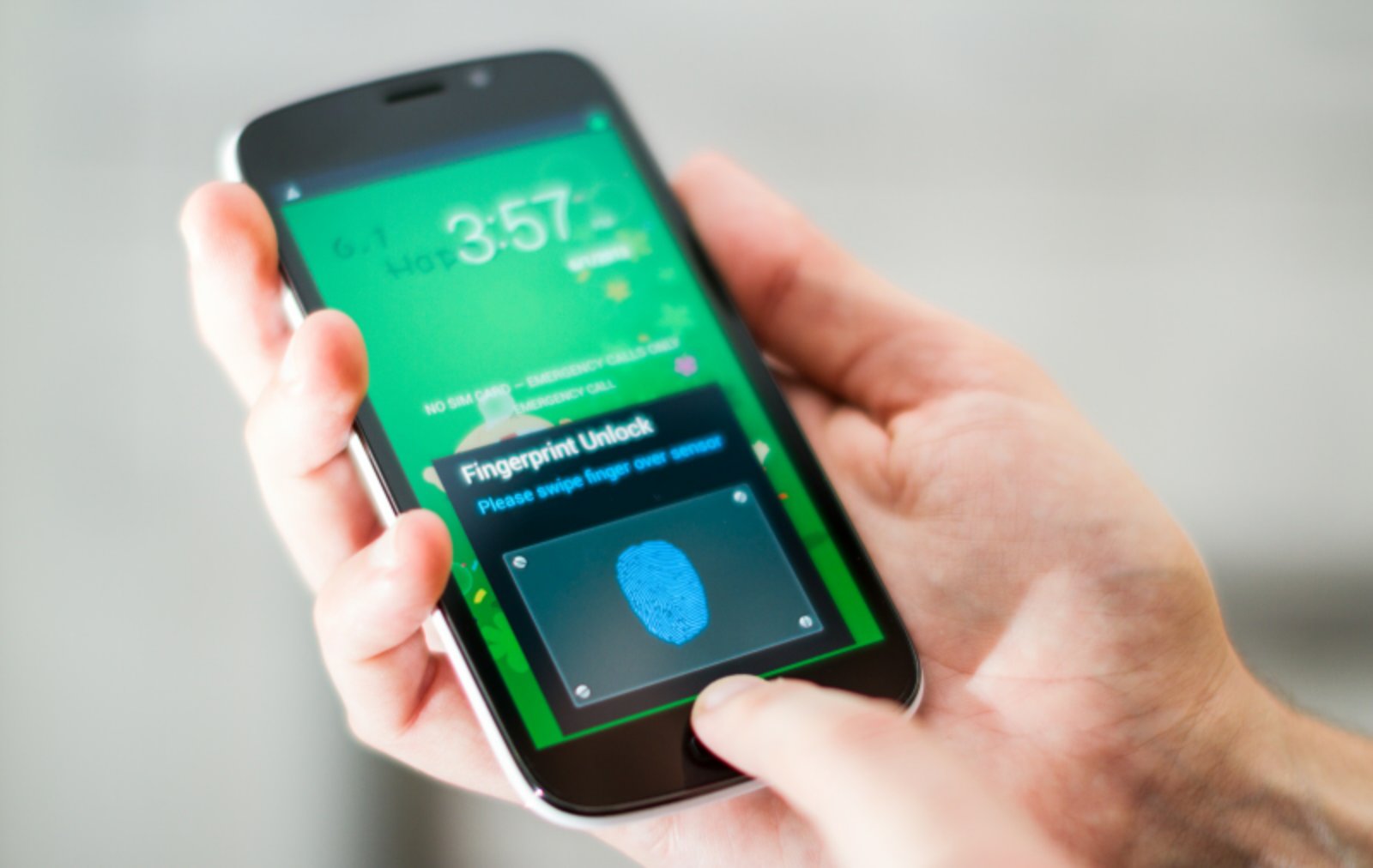
    Recently Sammobile, popular leakster, claimed that Samsung will use the Synaptics’ Natural ID solution, just like the Galaxy S5 and the Galaxy Alpha in Galaxy Note 4. Presently the Galaxy S5 and Alpha come with Private Mode authentication, and Samsung and PayPal account verification. However, the Galaxy Note 4 will sport some add on features like a Fingerprint Shortcuts and Web sign-in feature. The new feature will  allow users to assign specific application launches and functions to swipes of individual fingers.

    91

    Leaked Galaxy Note 4 tutorials have revealed  phone’s Fingerprint Shortcuts feature in full detail. “When you unlock the device with the registered fingers, you can make the finger shortcut to any applications or other functions directly from the lock screen,” the instructions read.

    Another new feature that’s said to be coming to the Galaxy Note 4 is ‘Web Sign-in’. This feature allows you to sign in to websites that can remember passwords by swiping your finger over the home key, thus saving your time and trouble of typing while being more secure alternative than simply leaving sites signed in.

    Since they’re software features, it’s quite possible that Web Sign-In and Fingerprint Shortcuts could make their way to the Galaxy S5 and Galaxy Alpha following the launch of Galaxy Note 4.

    The Samsung Galaxy Note 4 is expected to launch at  a pre-IFA 2014 event on September 3. Note 4 is stated to have a 5.7 inch QHD display and is expected to be powered by a Snapdragon 805 or an Exynos 5 Octa SoC. The device is also expected to sport a 16 MP camera on the back and a 3.7 MP front selfie shooter.

  • 5 Reasons Why You Should Consider Buying a Windows Phone

    5 Reasons Why You Should Consider Buying a Windows Phone

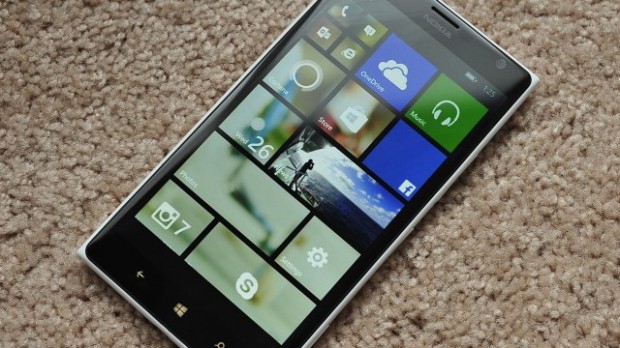
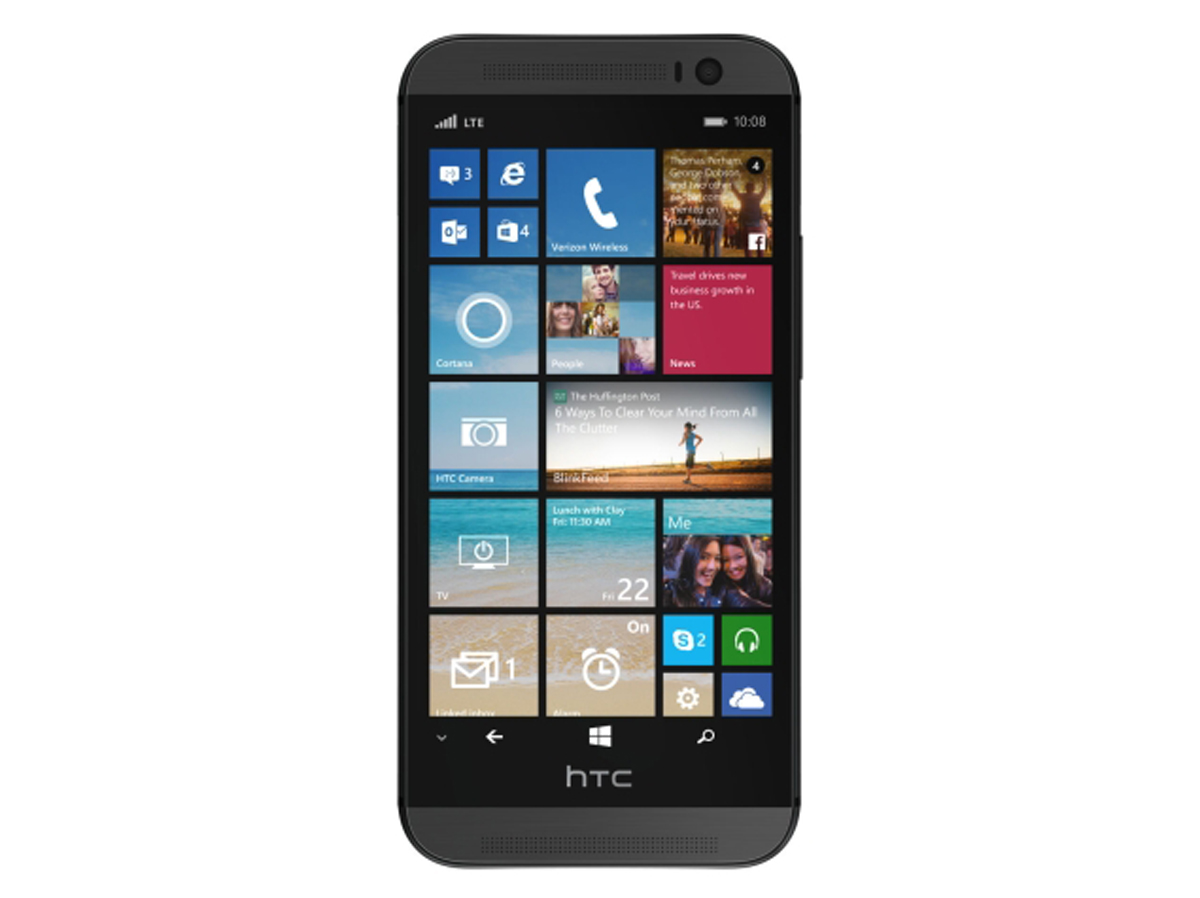
    The Windows Phone is making a comeback. This time the operating system has found a home in one of the most appreciated smartphones in the business. The new HTC One M8 with Windows has given a fresh new breath of life to the Windows Phone 8.1 and given users a chance to experience the operating system on a brilliantly designed phone. The success of this phone will definitely encourage other manufacturers to bring out Windows variants in their flagship space.

    So we dug deep, scoured through and looked into the Windows Phone 8.1 operating system. With this new Windows Phone 8.1 update the OS is catching up to the giants. We check out how a Windows phone can score over the champions of the smartphone game, Android and iOS.

    With the HTC One M8 running Windows Phone 8.1, the OS is back in view
    With the HTC One M8 running Windows Phone 8.1, the OS is back in view

    5. Its Customizability

    Windows phone 8 didn’t have many customizability features but much has changed since. The Windows phones of course don’t have as many customizability features as Android but it surely has more than the iOS. The  ‘Start background’ lets you personalize the homepage. The homegrown apps on the Windows Phone 8.1 are ready to take on the world and the OS is as competitive as others.

    4. Cortana

    Cortana has some nice quirky attitude.
    Cortana has some nice quirky attitude.

    This one will definitely be a plus for Microsoft. The digital assistant inspired by the widely acclaimed character from Halo is a lot of fun. Cortana is anthropomorphic which means that you can have a conversation with her and because of this, she wins over the robotic Google Now responses. Cortana is capable of doing what Google Now does but with a quirky attitude that you would love. Cortana’s Notebook is a feature worth mentioning. The user customizable Notebook is used by Cortana to find the best results for you.

    3. The Action Centre

    Action Center
    Action Center

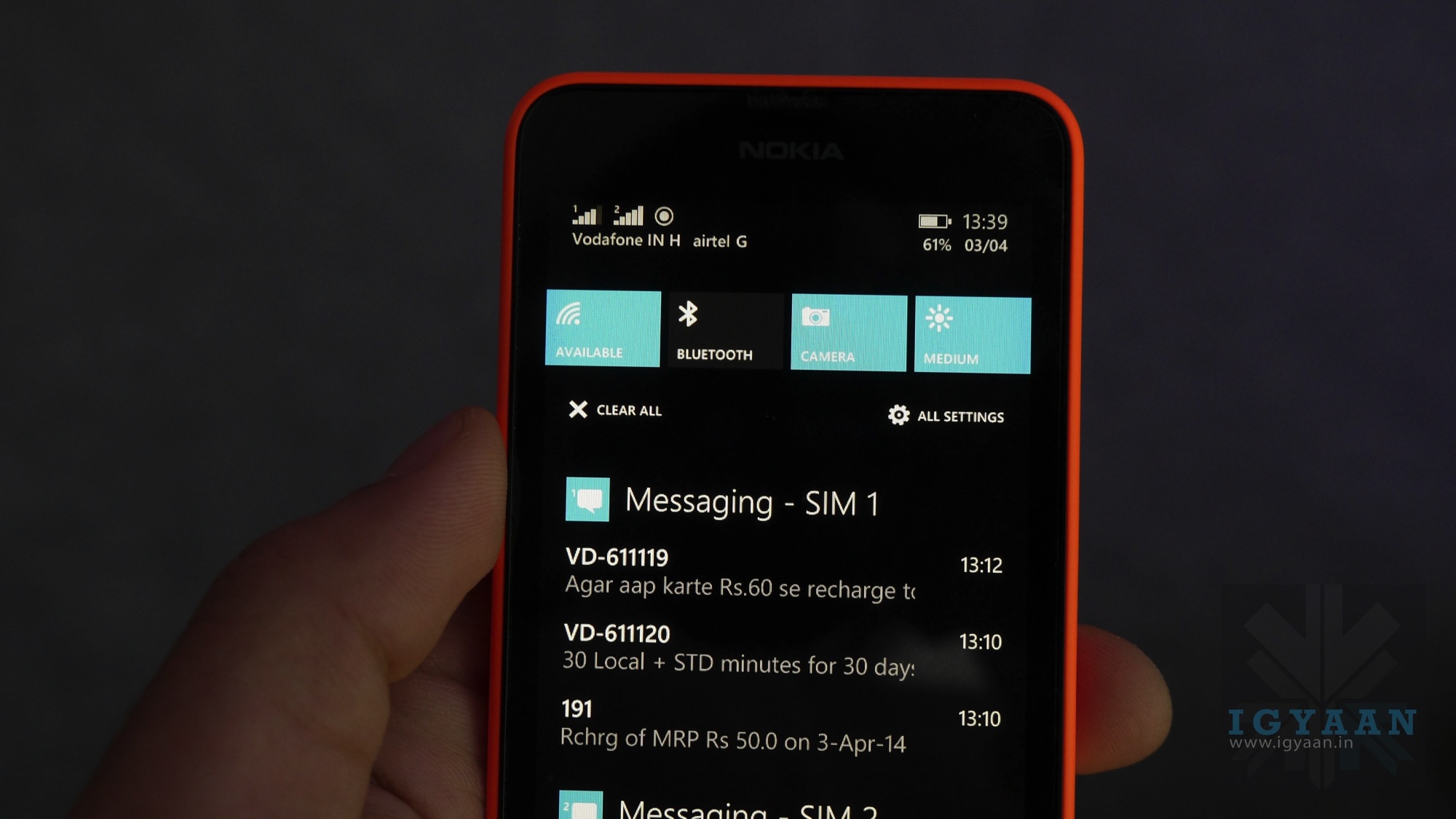
    The only thing missing from the main screen of a Windows phone was a notification menu. It’s here, Microsoft has brought the ‘Action Center’ in Windows Phone 8.1 which makes the OS fully functional now. The Action Center can be accessed by swiping down the screen from top, just like in Android.

    2. Integrated Skype

    skype

    Skype’s Video calling prowess is globally known. On a Windows system, Skype is the default video dialing client on the Windows Phone 8.1. The app is also integrated with Cortana so you can ask Cortana to video call someone from your contacts.

    1. Faster Software Updates

    windows-phone-update

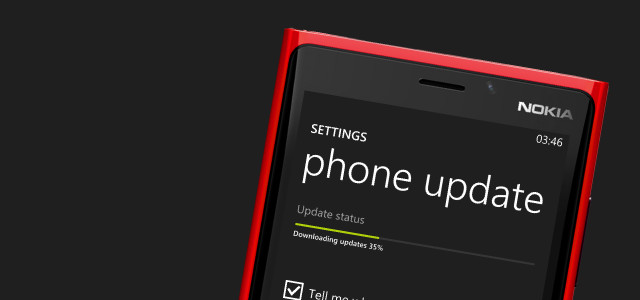
    Microsoft has said that the cycle of the updates delivery will be sped up to one new update every 6-8 months. The OS upgrade will take place every in one or two years. By speeding up the updates process, the company can generate trust in its consumers of a quality product.

    Overall, Windows Phone 8.1 update was one of the most advantageous updates over its predecessors. With Microsoft getting into the mobile game and taking its mobile operating system seriously, it will be interesting to see how the market treats it. With the promise of frequent updates, Windows Phone can surely attract enthusiasts first who are bored of the usual iOS and Android fare. There is a need for a third alternative in the OS market and Windows seems like a good option as it is backed by one of the biggest tech giants. The more attention given to the OS, more the developers will be interested in creating apps for the system.

    Now that the update to the Windows Phone 8.1 is days away, we hope to see it grow and give us viable alternatives in the market.

  • China to Bring Out its Own Operating System and Take On US-Based Systems

    China to Bring Out its Own Operating System and Take On US-Based Systems

    The Chinese, can be called the shop floor for all of the world’s smartphone needs. If it’s an electronic product, at least one bit of it is produced in China. The communist nation has seen phenomenal economic growth ever since the technocrats running the country transformed the country into a manufacturing giant. Inspired by the boom that the Chinese economy has seen, the Indian government urged the world to manufacture in India.

    The Chinese are now trying to stake a claim in one more important arena in the international business, the Operating System. China is proactively developing an operating system that will help it decrease its reliance of US-made OS like the ones from Windows, Apple and Google. In fact, China wants to take on the OS giants with their version.

    The new OS will be based on Android. It is being developed by a team which is headed by the co-founder of Lenevo, Guangnan Ni. It will be released this October. The OS will be available for the Chinese government offices as well as fr consumer use.

    Spying concerns have been cited a reason for China opting for its own OS
    Spying concerns have been cited a reason for China opting for its own OS

    China, in recent years, has tried to create an alternative to the US based OS’s. The Chinese Academy of Sciences released the China Operating System (COS), in January of this year, but it wasn’t appreciated as much. This new OS will be first released for desktop and later a mobile version will also be released.

    The recent revelation of software backdoors that can be used by agencies like NSA to spy on users was cited as one of the major reasons for the development of the OS. China had recently banned all Windows 8 systems in its government offices after terming Microsoft a monopolistic company.

    The country has intense information restrictions and prefers to use systems developed within the country. Getting an OS made at home will also add to the nationalistic pride in the communist nation.

    In India, the Rs. 1,13,000 Crore Digital India Project will work towards constructing a informational highway that connects the whole of India. The project will also encourage software systems to be programmed in India for the use of the nation. Clearly the goal of the government of India too is to reduce the dependency on foreign based products. This is a valid thought and if the government puts its money where its mouth is, it will be able to encourage a generation of tech entrepreneurs who are presently working to make foreign enterprises profitable. These entrepreneurs will help create a powerful economy for the future India.

    The Dragon has made its mark on the world and is standing as a formidable adversary. It’s for us to see if the Tiger can ever catch up.

  • 7 Reasons Why Android is The Undefeated King in India

    If you ever raise the question, ‘Which is the best OS for smartphones?’, it is inevitable that you will end up in an endless argument that is likely to turn into name-calling. While there are other mobile platforms, Apple’s iOS and Google’s Android have been dominant contenders in the game.

    Both companies enjoy the support of loyal fans who religiously follow every minute update and change made to the mobile platforms. But, we are the country of budget phones and a ‘value for money’ market. Android makes a perfect companion of these ideals.

    Here we are listing 7 reasons why Android is the undefeated king in the Indian smartphone market.

    7. Google Now works better than Siri in India

    google now

    Even Apple acknowledges this. Google Now is much better and functional in our country. It is not only faster than Siri at answering your questions but it also does a much better job at recognizing Indian accents. Furthermore, you also have an option of downloading the speech recognition files to the device for offline use in Android devices.

    6. App publishing in Android is a lot easier
    Android-Apps-Games

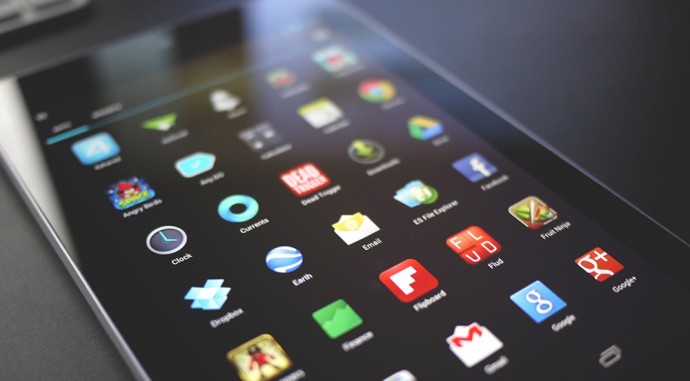
    Publishing an Android app is as easy as child’s play. Once you are done making the app, you just have to sign up via a handy Eclipse wizard, and you have an APK file that can run on any device. You can email it, put it up on a web site, or upload it to Google Play and make it available worldwide within the hour. Even better, you can check install statistics and crash reports, including stack traces which identify the exclusive line of code that went wrong, and you can upload a bug-fix version immediately. On the other hand, it is a nightmare to publish an Apple app.

    5. Wide range of sharing options

    sharing-icons-13

    Android powered devices gives option of sharing media files through any installed app with sharing capabilities. That means if you want to share media file through Blogger, Tumblr, Instagram or Pinterest or any other social media app you can do it easy on Android OS devices. However, iOS restrict you to the pre-installed apps such as Message, Mail, Twitter, Facebook, and Flickr for media sharing.

    4. No mandatory Multimedia apps for Android

    android-vs-ios-lightsaber

    Apple needs iTunes to sync your music and iPhoto for pictures to your iOS smartphones which is a huge drawback especially for people who use Windows on their PCs and Laptops. On the other hand, Android isn’t as bothered about where your music or pictures comes from. You can just plug in your device to your laptops or PC using a USB cable and transfer music and other multimedia files with an ease.

    3. Its customizability
    appdroids

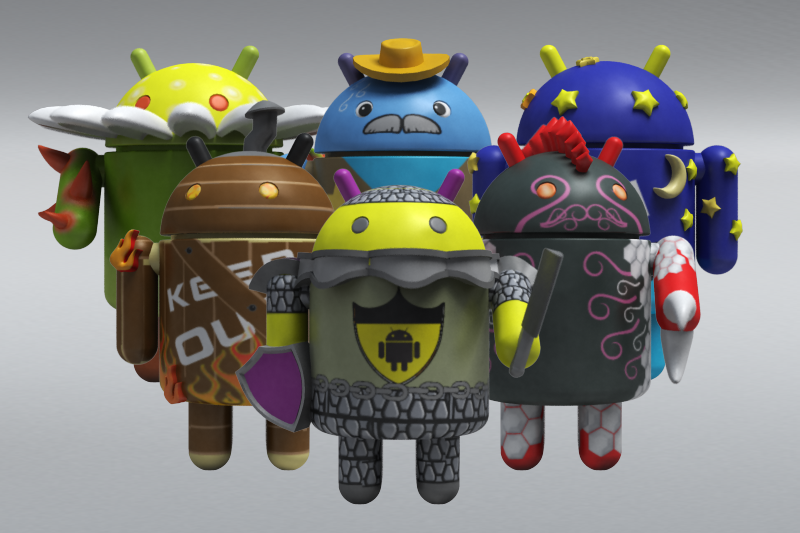
    If the stock Android look doesn’t suit your taste you can customise your Android smartphones. Sky is the limit with various launchers, themes and what not, available on the Play Store. You can even download an iOS 7 theme, if that is what you are into. And yes, on most Android phones, you can unlock your device to any app you want, which comes handy when you use certain apps regularly.

    2. Free Apps vs Premium Apps
    android-apps

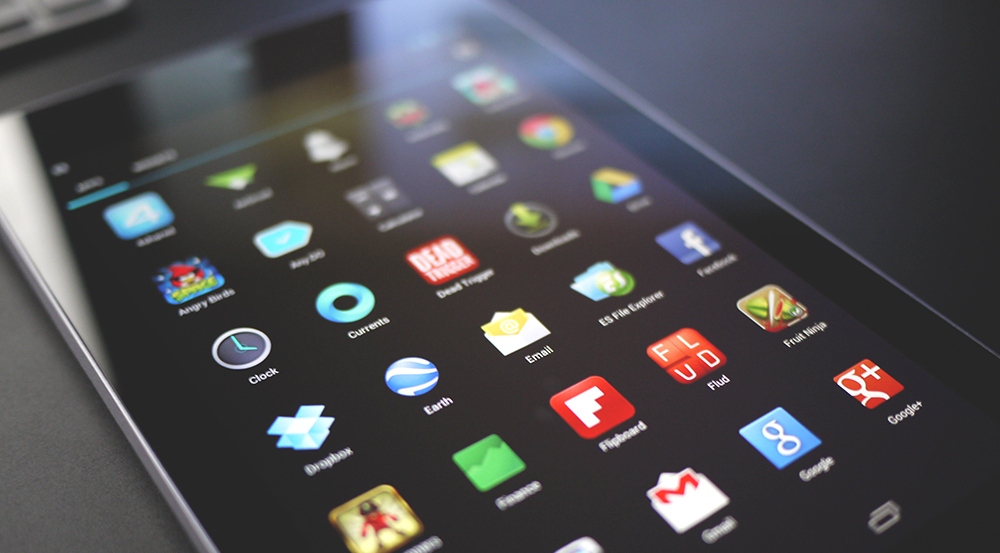
    It’s true Apple App store offer you many premium quality apps but most of them are paid. On the other hand, Google’s Play Store offers far more options than the App Store. Play Store has an array of genres and categories which offers amazing app (including third party apps) mostly for free or for minimal charges.

    1. Android comes in Budget Friendly phones
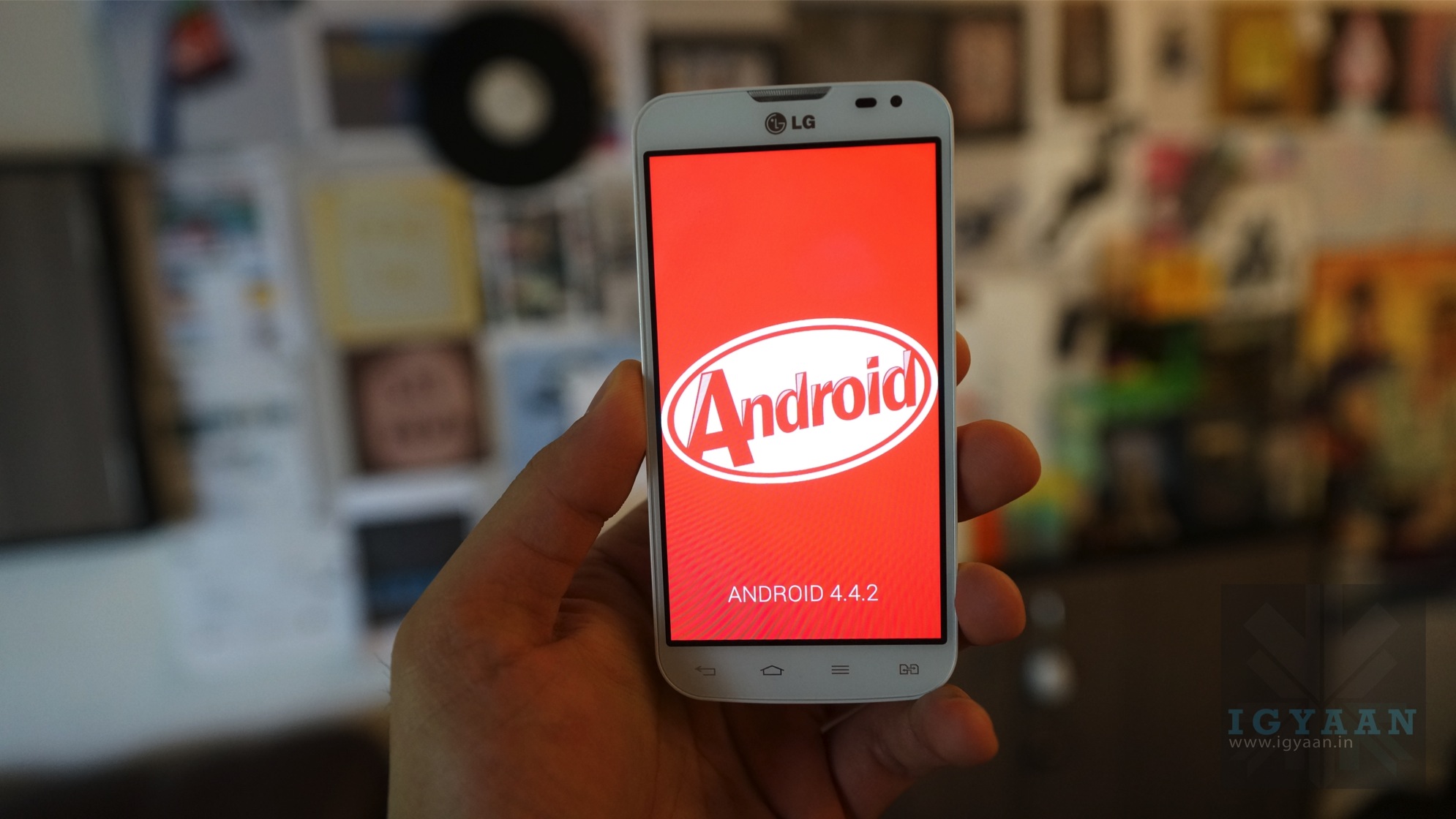
    android kitkat igyaan

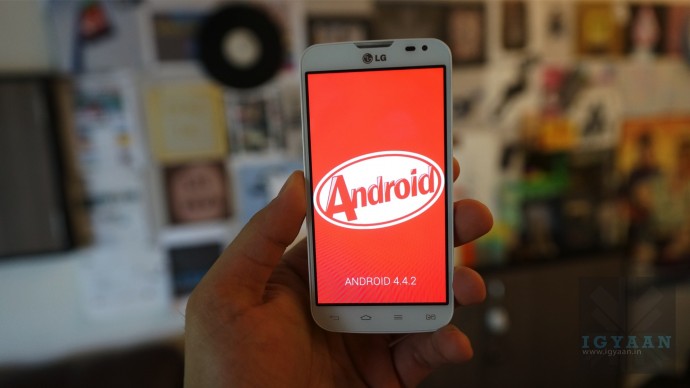
    Android is an open source OS and is available for any manufacturer to use, while iOS is available exclusively on the devices that Apple manufactures. This makes a huge difference as Apple’s iPhones are high-end expensive phones. For an Indian, value for money matters. You can find Android OS in the extensive price range from Rs. 3,000 to 70,000. Hence, we conclude, Android is the true king of smartphones in India.
  • Samsung Rolls Out 4.4.2 KitKat Update for Galaxy Note 3 Neo in India

    Samsung Rolls Out 4.4.2 KitKat Update for Galaxy Note 3 Neo in India

    Samsung has reportedly rolled out the Android 4.4.2 KitKat for Galaxy Note 3 Neo In India. The smartphone was launched with Android 4.3 Jelly Bean, back in February.  The update includes the usual KitKat uplifts like performance enhancements, cloud-print support, UI improvements, updated Hangouts app, improved downloads app and more. 495 MB in size,the update will also come with Samsung-specific customisations like lock-screen improvements, new launcher settings, improved stability and more.

    The Android 4.4.2 KitKat update is reported to be carrying build number N750XXUCNG6 and rolled-out over-the-air and via Samsung Kies update. Galaxy Note 3 Neo (SM-N750) users can also check for an update by tapping on the Settings> About Phone> Software Update. The update includes a camera option in the lock screen and shows album art while playing music. The status bar strip which contains icons like battery, is now coloured white, while notifications drawer icons have changed as well.

    A document leaked last month has reportedly shown the KitKat 4.2 update schedule for 5 Samsung smartphones. The handsets that are more likely to get the update were the Samsung Galaxy S4 Mini, Galaxy Grand 2 Duos, Galaxy Mega 5.8, Galaxy Mega 6.3, and Galaxy Note 3 Neo. The leaked document had suggested that Samsung has finished testing the Android 4.4.2 KitKat OS for these devices.

    The Galaxy Note 3 Neo sports a 5.5-inch Super AMOLED HD display with a resolution of 1280 x 720 pixels. The device is powered by a hexa-core processor dual-core 1.7GHz Cortex A15 + quad-core 1.3GHz Cortex A7. It is packed with a 2 GB of RAM and 16 GB of inbuilt storage that is expandable up to 64 GB. On the imaging front, it is equipped with an 8 MP primary camera with LED flash and BSI sensor, and a 2 MP secondary camera.

    The Samsung Galaxy Note 3 Neo has preloaded apps like ChatON, WatchON, Screen Mirroring, S Voice, S Health, Group Play, Smart Scroll, Smart Pause, Air View, Story Album and S Translator and more. The S Pen comes with Air Command and Easy Clip feature, and also supports multi-window and S Note.

  • Happn: An App That Makes Love at First Sight Easy

    Happn: An App That Makes Love at First Sight Easy

    If you are a romantic then you can imagine a scenario where you come across that perfect mate like in the movies. Things in real life though don’t work that way, most of the time its awkward smiles or just a struggle to avoid eye contact. To make life simpler to folks who are looking for a person with similar tastes but just don’t have the time to swipe through countless profiles, here comes Happn.

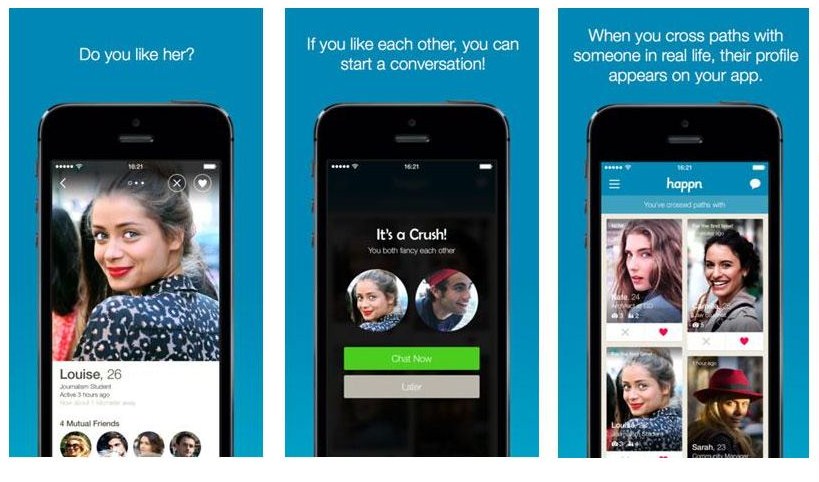
    But how in a world of online dating dominated by Tinder, what can this app do that the rest can’t? Well, instead of using many parameters to judge the suitability, Happn simply uses a phone’s GPS to bring you extremely localized lists of potential companions. The catch, of course is that both sides need to have the app on their ends.

    Distance is the prominent parameter used by Happn. The app scans an area of 250 meters to find an ideal mate for you. This is also a great way of just meeting new friends too.

    Happn 4

    Privacy and safety issues maybe a concern in people’s mind that might dissuade them from trying the app. The creators make it clear that none of the personal information is stored or saved. It basically tries to create a database of folks you randomly meet in the course of the day that you can scroll through at the end of the day to find the ones who interest you. Once you have found the right person, you can send them messages through the app.

    Apps like Tinder gives you a huge list of folks to swipe through. A Facebook profile is not an ideal judgment of a person. Happn clears all that mess and lets you meet people who are or have been in your vicinity and make it easy to find them.

    The app is rapidly broadening its user base and has a good number of users in the creators home country of France. The app is available for iOS as well as Android. So if you are lonely and ready to mingle, your perfect wingman, your smartphone, now has an extra trick up its sleeve. So what are you waiting for, go out and make things Happn.

  • Top 5 Apps to Help Boost Your Creativity

    Top 5 Apps to Help Boost Your Creativity

    Using smartphones and tablets is a big help for every creative person. A quick note of an idea that popped out of no where or to save blueprints that are worth checking out, apps these days not only help you save ideas but also allow you to share them with your friends. Even better, they inspire you to bring your creative insight out in the light.

    We are listing top 5 apps to help you inspire and manage your creative endeavours.

    1. Evernote

    Evernote

    The first recommendation for a creatively inclined person is a cross-device easy-to-use app which stores your notes, photos and to-do lists. Evernote is an easy-to-use, free app that helps you remember everything across all of the devices you use. It lets you stay organized, save your ideas and improve your productivity. Evernote lets you take notes, snap photos, create to-do lists, scan business cards, record voice reminders. Best part? It makes everything searchable, whether you are at home, at work, or on the go.

    2. TED

    unnamed

    If you are not familiar with TedTalks then, we don’t know which planet you are from. TedTalks believe in power of ideas to change attitudes, lives and, ultimately, the world.  The official app as simply as it can be named is called TED. It even sports a button called “Inspire.” Press it and get an earful from the geniuses, mavens, and rule-breakers who are changing the world.

    3. Paper Essential 

    paper-app-square

    This amazing drawing app has won numerous awards like  Apple’s App of the Year award, a Verge interaction-design award, and a Fast Company Crunchy for best design. Furthermore, it’s not all about drawing, you can start with just jotting down ideas, sketching, and outlining. If you want to see all the awesomeness it has to offer, there are loads of tutorials online that are very much worth checking out.

    4. Creative Whack Pack 

    icon_340

     The Whack Pack is a great tool for establishing innovative thinking as a daily habit or for pulling fresh ideas out of one’s subconscious. The app features the 64 cards offered in the physical deck – divided into 4 suits: Explorer, Artist, Judge and Warrior. Each card features a whimsical drawing by Von Oech and a snappy yet detailed explanation of the concept behind the card. For the app, Von Oech has also added 20 cards that illuminate the wisdom of the Greek sage Heraclitus, whom Von Oech refers to as “the world’s first creativity teacher.”

    5. Clear

    flat-clear

    Clear is a nice-looking list-keeping app that is really simple, quick and easy to use, no matter if you are creating notes or to-do lists. Clear’s playful and clutter-free interface makes it easier than ever to stay organized. It’s as easy to use as pen and paper: pull down to add a new item and swipe right to complete a task – it’s that simple.

  • Google Acquires Jetpac, an Intelligent Photo-Analysis App Maker

    Google Acquires Jetpac, an Intelligent Photo-Analysis App Maker

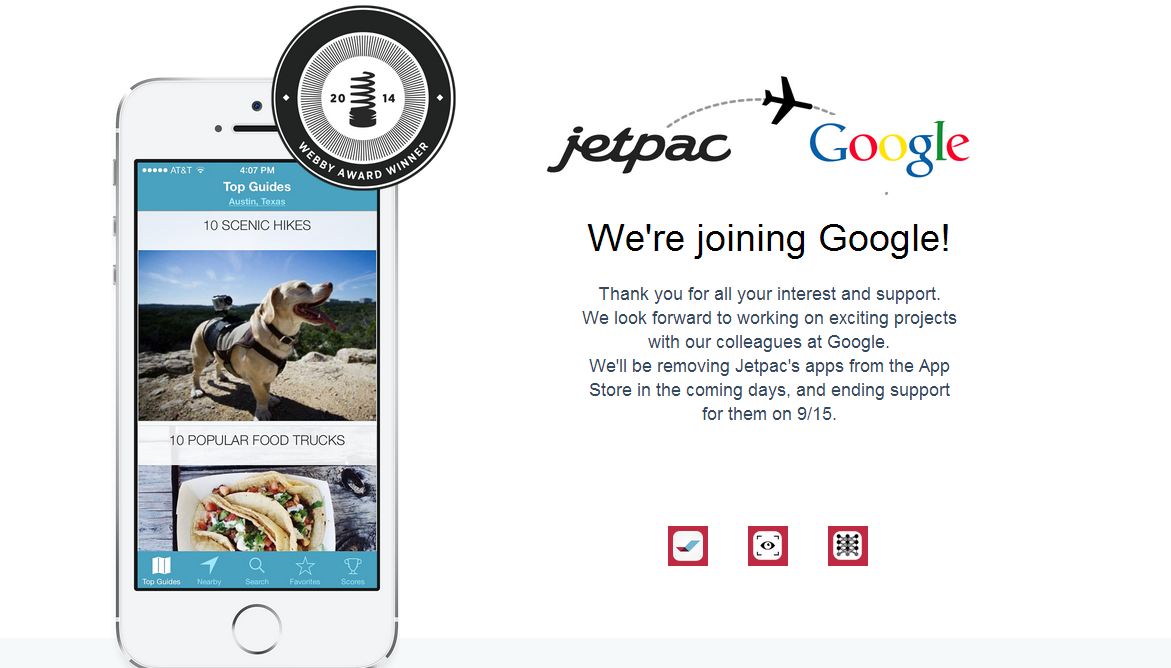
    Adding to the long list of artificial-intelligence hiring, Google Inc is buying Jetpac Inc, the startup that designs social travel applications. 

    In an official tweet, Jetpac Co-Founder and Chief Technology Officer Pete Warden directed people to a new company homepage that announced the news:

    We look forward to working on exciting projects with our colleagues at Google. We’ll be removing Jetpac’s apps from the App Store in the coming days, and ending support for them on 9/15.

    That may have been a disappointment for the existing users, but for people who use Google services there is some good news. As company managed to simplify a complex branch of artificial intelligence known as computer vision and make it easy for lots of people to use.

    More recently, Jetpac developed a mechanism for spotting smiles in pictures to discern how happy people are in a city.

    jetpac google

    The Jetpac team is highly skilled in this particular field which is an area Google has done plenty of work on, but it certainly could use more talent and ideas for ways to implement image-recognition technologies as plenty other companies, including Microsoft and Baidu, beef up their own deep-learning operations.

    Jetpac announced a $2.4 million funding round in 2012. The startup’s investors include Khosla Ventures, Morado Venture Partners, and Jerry Yang. Earlier in its life, the Jetpac app let people explore travel pictures from their Facebook friends and decide where they wanted to visit.

    Last January, Google also bought DEEPMIND, an artificial intelligence startup,  which was founded in 2011 by Demis Hassabis, Shane Legg and Mustafa Suleyman. The team is based in London and combine the techniques from machine learning and systems neuroscience to build powerful general-purpose learning algorithms. Also, earlier this year, Google bought Nest Labs Inc, which makes smart thermostat and smoke alarms, for $3.2 billion, making the deal one of the largest in Google’s history.

    Check this amazing video where the company explains how their app works.

  • Microsoft Opens New Site for Lumia Apps Beta Tests, Drops Nokia Beta Labs

    Microsoft Opens New Site for Lumia Apps Beta Tests, Drops Nokia Beta Labs

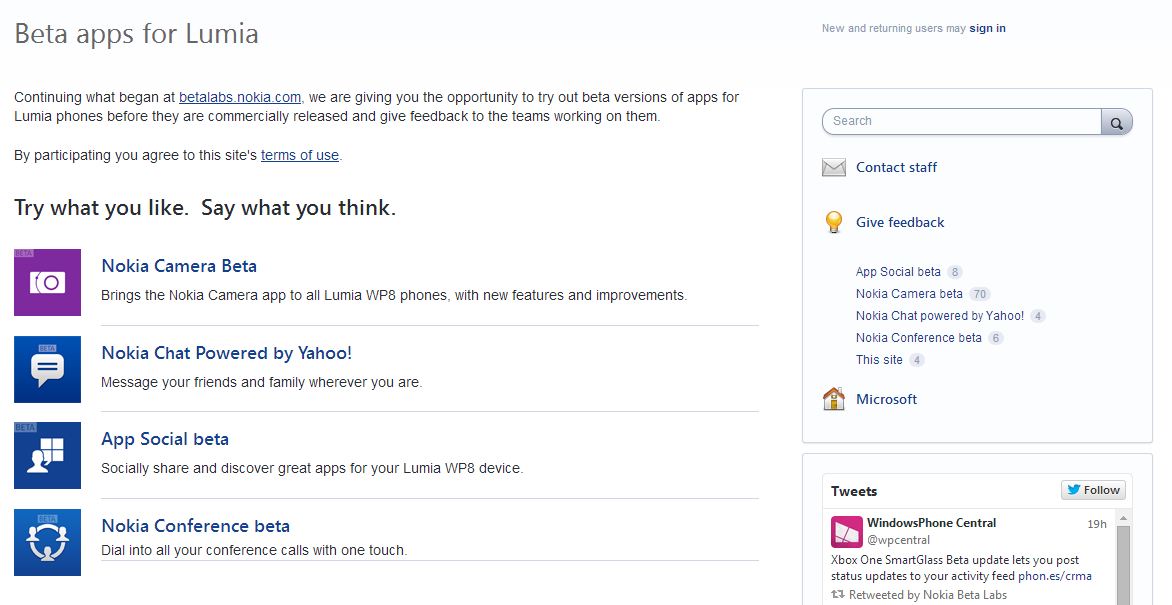
    Microsoft has recently announced that the company is closing the Nokia Beta Labs site, but users will still be able to test apps under development via the new Lumia Beta Apps site. Microsoft said that the new site is designed to elicit more feedback and make it easier for users to participate.

    The Nokia site betalabs.nokia.com will be discontinued from August 31, 2014. Thereafter, all links to the Nokia site will be redirected to Lumia Beta Apps. The new site is includes UserVoice, which also hosts the Windows Phone Feature Suggestion box page and more.

    On the Lumia Beta Apps site, users will be able to find information about ongoing trials, instructions on how to install apps, and notes about features and known issues. Each beta has its own feedback forum for interacting with other users and the teams developing the apps. The ongoing trials at Nokia Beta Labs will continue at the new site and users can continue to give feedback and interact there.

    lumia beta testing

    The beta apps can be downloaded via Microsoft’s Windows Phone store, by clicking on a link or by scanning a QR code. Anyone is welcome to participate, but Microsoft prefers if users have a “relatively new Lumia smartphone”, “are willing to tolerate rough edges” and aren’t afraid to share their opinions, company said.

    Presently, four apps – Nokia CameraYahoo-powered Nokia Chat, App Social and Nokia Conference are available in the beta version. These apps will be rolled out publicly following testing and app revisions based on the feedback given to their respective development teams.

    The change is a clear indication of the company’s plan of dropping Nokia as a brand image. Back in April, Stephen Elop, now Executive Vice President of the Microsoft Devices Group, said, “Nokia as a brand will not be used for long going forward for smartphones. Work is underway to select the go-forward smartphone brand.”

  • Amazon Launches Live App Testing for Android and Fire Devices

    Amazon Launches Live App Testing for Android and Fire Devices

    Amazon recently launched a new developer tool called Live App Testing. The new tool basically allows the developers to distribute your apps in the Amazon Appstore to a pre-defined set of testers for the purpose of gathering feedback, improving quality, increasing stability and optimizing the experience before their app goes live for everyone to download. This testing apps feature can also take advantage of Amazon’s full suite of developer services, including in-app purchases, in a production environment.

    Live App Testing creates a version of your app that is only distributed to select testers, which are invited by manually adding email addresses. Testers receive an invite via email with instructions to download the test app and begin testing against Amazon’s production environment (the full suite of Amazon services including in-app purchasing) on any Android or Fire device. Amazon ensures that only the set of testers you defined are the ones that can test your app. Once your app is running, you can either end your test, or promote your test to an upcoming version that has fixes and finishing touches in place.

    zdnet-amazon-live-app-testing-620x335

    What’s interesting is that Amazon is supporting Android devices, well it only further intrudes Google’s enclave, though it is not clear how far the support extends. It’s also worth emphasizing that this isn’t just for Kindle Fire devices: the tool offers support for all Amazon’s Fire devices, including the Fire TV and Fire phone.

    “In house testing with side-loaded apps is great for isolating and fixing bugs, but it’s not enough. To be certain that your customers are getting the experience you want them to have, you have to test your app against a production environment,” said Amazon’s Paul Cutsinger.

    fire-phone

    Live App Testing isn’t meant as a replacement for in-house testing via side-loaded apps. Once you’re done isolating and fixing all the bugs you can, Live App Testing lets you test your app “in the real world” without having to handle setting up the whole test system.

    The new testing service is one of many developer tools Amazon has rolled out in recent months. It also offers an A/B testing service, Amazon Maps, as well as APIs for in-app purchases, mobile ads, mobile Amazon Associates, device messaging, GameCircle (game data syncing), and login with Amazon. Earlier this year, Apple also acquired TestFlight, a popular mobile app testing service

  • Canword: All Your Information in One Place, Instantly

    Canword: All Your Information in One Place, Instantly

    “Wow, that was fast,” that was our first reaction when Canword installed on our smartphone, almost instantly. The company flaunts the fact that it takes 10 seconds to install and only 10 more to set up.

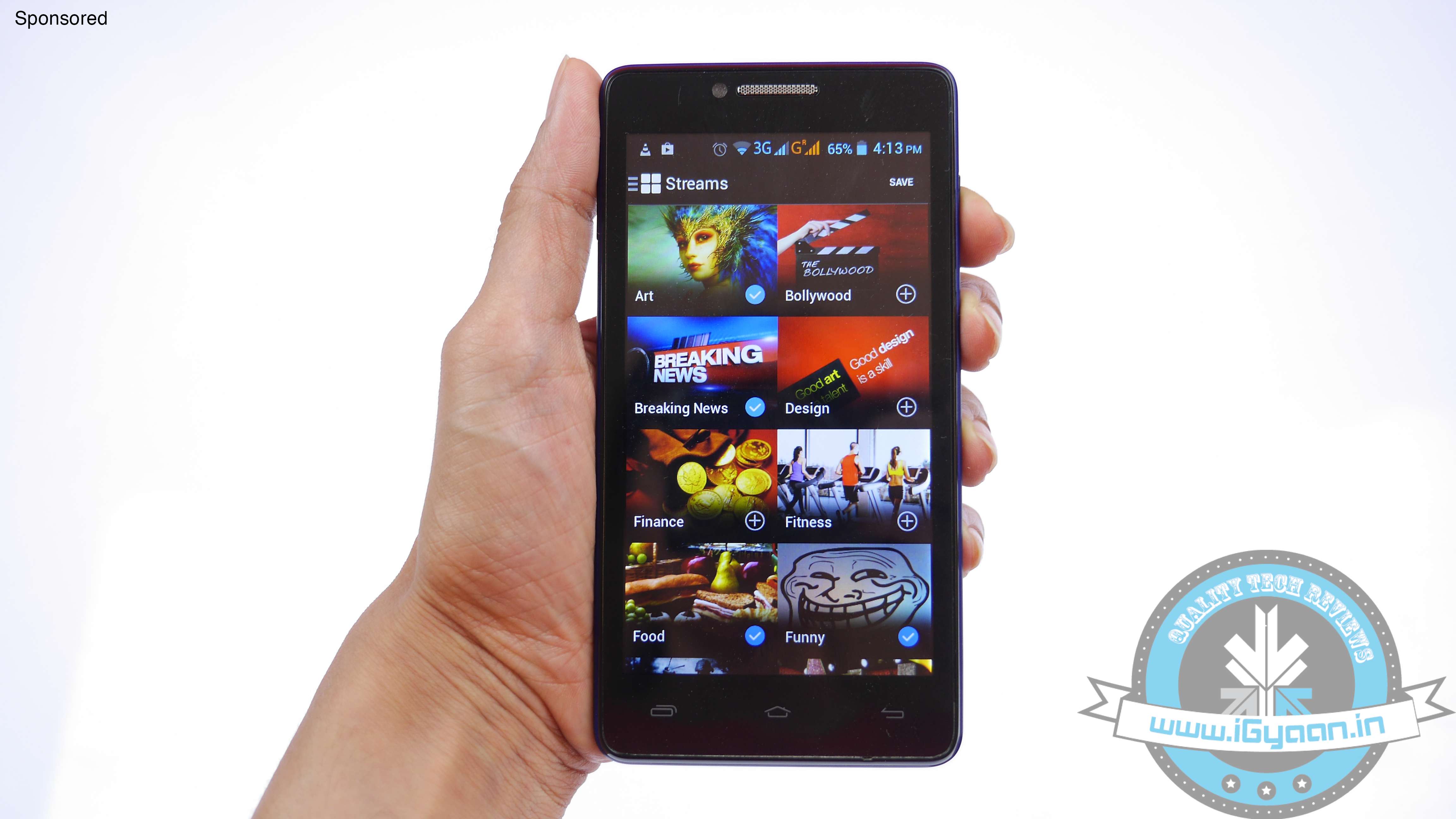
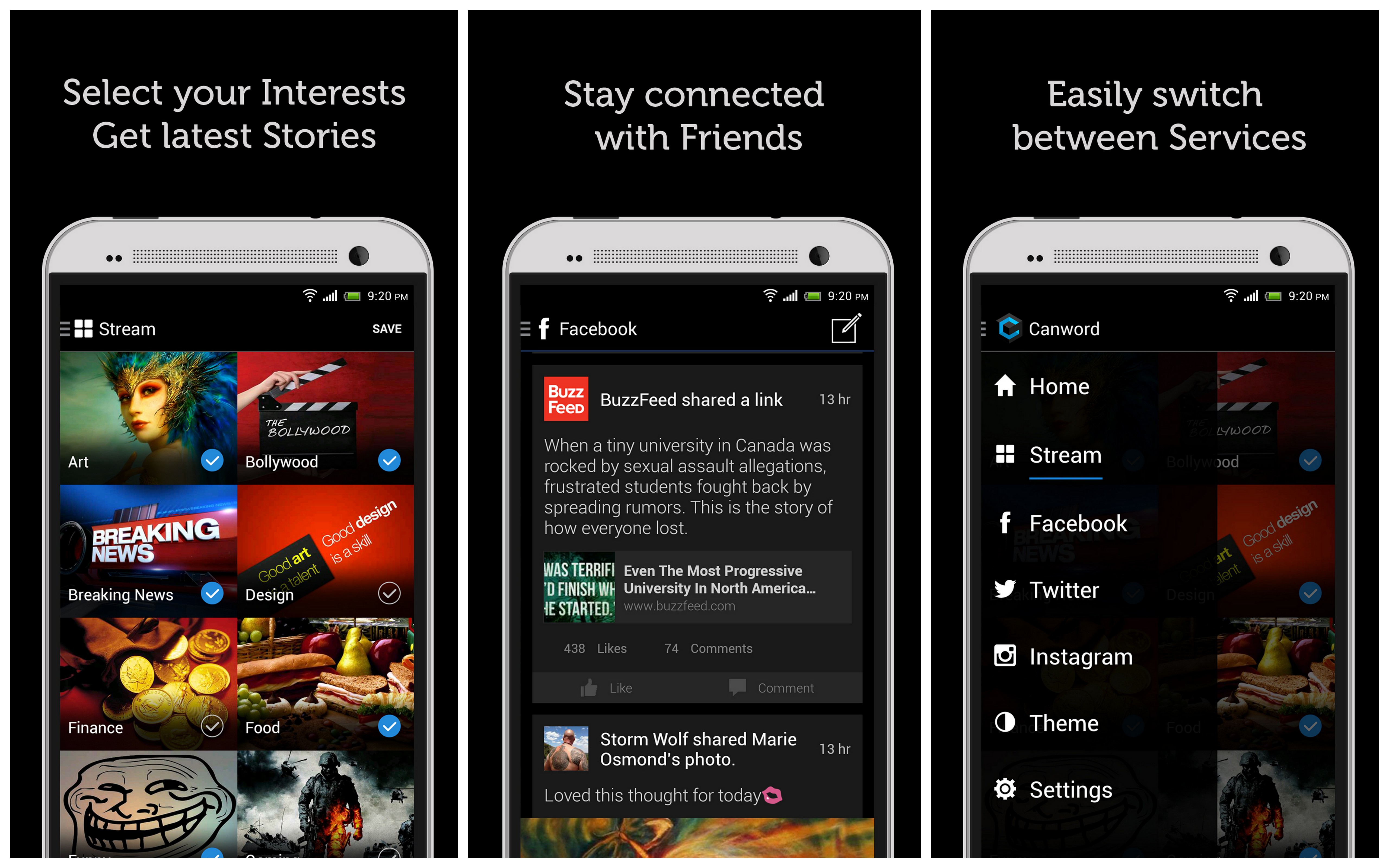
    Canword is a feature-laden compilation app for browsing feeds that you prefer. The app tailors the content according to your interests. You can select from a wide assortment of genres such as art, technology, breaking news, fun, food, etc.

    Canword is rather easy to set up; the home screen gives you the option to choose your interests from which it tailors a personalized feed. How is it different from the likes of LinkedIn Pulse or Google Currants? It has more functionalities in terms of saving the articles, seamless assimilation with social media and best of all, it’s Made in India. Also, it lets you get feeds from your social media accounts at one place to give you further convenience. Through Canword, you can share the stories you like to your Facebook and Twitter simultaneously.

    canword

    The features provided by this app are great for folks who want the information they need, consolidated in one place for a quick skim. Quite like the other readers, Canword lets you read the entire story in the app itself but some links do get directed to the original webpages. The app stitches the feed together using geographical locations. If you want a wider reading space and don’t want to be geographically restricted, it can easily be circumvented if you link the app to your Facebook account.

    The journal feature of Canword allows you to bookmark stories for later read.

    logo-2000It has a personalisation feature, through which you can change the appearance of the stories on the app. The option for increasing or decreasing text size will also come handy for folks with visual issues or people who prefer a bigger font size. The app is created by Harscelle Goenka and his team at Valvirt Technologies Pvt. Ltd. The team took three months from conception to launch this app. It was designed and developed right here in India. Being a startup themselves, the makers have a special category for start-ups, found only on Canword. The young team seems confident about their app and have received predominantly positive reviews on the Play Store.
    You can download the app for Android phones here, and for iOS devices here.

    This is a Sponsored Post
  • Pinterest Rolls Out its Own Messaging Feature

    Pinterest Rolls Out its Own Messaging Feature

    With the ever-growing market of instant messaging app, every social networking company is coming up with innovative new ways to get in touch with your friends and families. Facebook recently announced the stand alone Messenger and dropped chat window in the app. Meanwhile, new startups are also coming up with innovative ideas to make instant messing fun such as Fling.

    Now, Pinterest is joining this race by rolling out a new messaging product called “Conversations”. It seems to be growing up to become a true social network. The digital scrapbooking service announced on Wednesday that its users can now send each other direct messages.

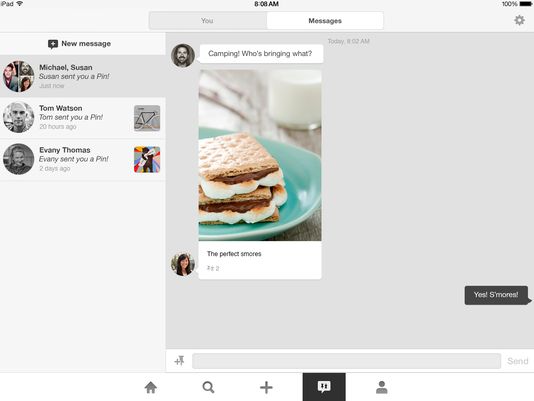
    1407364087000-iPad-conversations

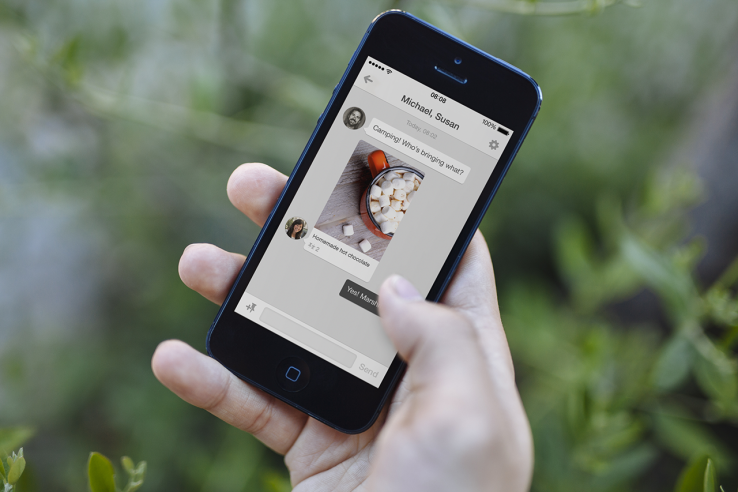
    “Say you’re organizing a camping trip with friends – try sending Pins to the whole gang so you can figure out where to go and what meals to make,” Pinterest product designer Tom Watson wrote in a blog post. “If you need a reminder of who’s bringing what, just pull up the conversation right from your notifications.

    Direct messaging is meant to be an addition to the “send a pin” feature Pinterest rolled out in May 2013. The idea now is that when users receive a pin, they can reply with a message or send back another pin.

    Starting today, the company is rolling out messages on Android, iOS, and the web. Like Facebook’s ‘chat heads,’ the recent messages pop up to the left of the feed as bubbles with your friends’ faces. You’ll find the others under the pin icon where notifications pop up.

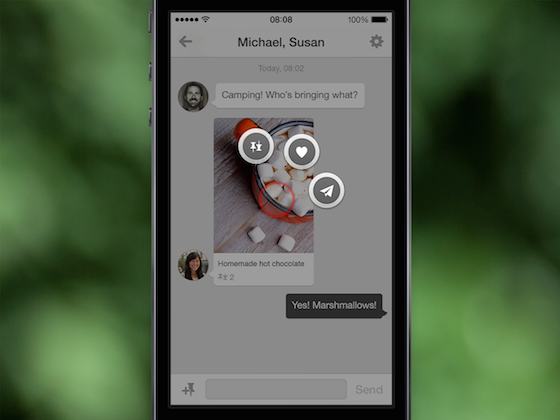
    messages_2_US

    Just click the ‘+’ icon, type in the name of a friend on Pinterest, and you can send a pin or a standalone message. The impressive thing about Pinterest messages is that the pins you send within the app retain all the functionality of a pin you see anywhere else on the site.

    Anything you can do with a pin on Pinterest’s web site, you can do inside a message: pin it to a board of your own, send it to another friend, or click the ‘heart’ to add it to your list of favorites. You can even drag a pin from the site into a message.

    messages_3_en-us

    Earlier this year Pinterest launched “guided search” which recommends keywords to help refine searches on the service. The feature helps people find the stuff they are looking for and the stuff they didn’t know they were looking for.

iGyaan Network
Privacy Overview

This website uses cookies so that we can provide you with the best user experience possible. Cookie information is stored in your browser and performs functions such as recognising you when you return to our website and helping our team to understand which sections of the website you find most interesting and useful.