It’s a myth that your Mac is the most malware-free PC out there. That perhaps used to be the case, and one reason behind it was that hackers were more attracted to Windows due to their larger presence in the market. But not anymore. Over the years there has been a change. Apple’s share of the PC has grown and, of course, hackers are all too aware of that.
There has been an increase in malware specifically targeting Apple’s Mac platform. What’s more is that the malware is a lot more dangerous and sophisticated than one would think. According to reports from BleepingComputer, 2015 was the most malware-ridden year for the Mac. The reports summarised the findings from Bit9 and Carbon Black that state that OS X malware this year was five times more prevalent than the preceding five years combined.
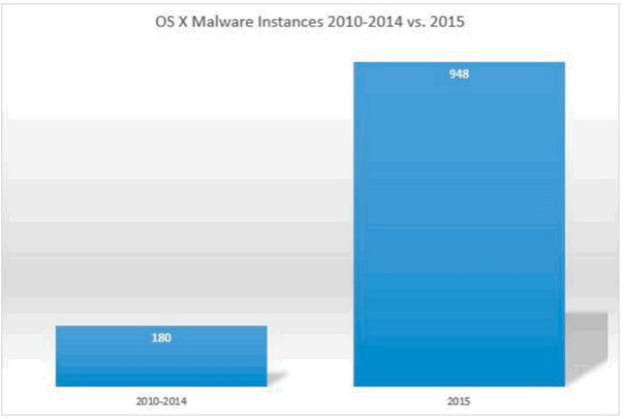
Bit9 and Carbon Black also released a chart that leaves everything quite clear.
According to the chart, there was about 180 instances of malware during the period of 2010-2014, while 2015 saw a whopping 948 instances, and there’s still a couple of months to the end of this year.
BleepingComputer also listed some of the most common OS X malware found this year. This is based on a 10 week study with over 1400 unique malware samples collected and analysed. The common ones are narrowed down were:
Lamadai – backdoor Trojan targeting a Java vulnerability.
Kitm – ran commands on machines for victims at the Oslo Freedom Forum
Hackback – ran commands on machines for victims at the Oslo Freedom Forum
LaoShu – spam via undelivered mail parcels
Appetite – Trojan targeting government organizations
Coin Thief – stole bitcoin login credentials via cracked AngryBird applications.
Another point to note is that while there are a number of malware being floating around these days, not all are dangerous. Apple has protected itself from most. The issue is, however, that there is a rise in the number of malware targeting Macs. The onus is on Apple to take this into serious consideration and work to make its future OS X updates safer.
In our previous post we spoke at length about Microsoft’s new Surface Book; the new notebook deserved the limelight. At the event yesterday, the company also unveiled other devices as well.
Here’s a quick look at what all we got to see:
Surface Pro 4
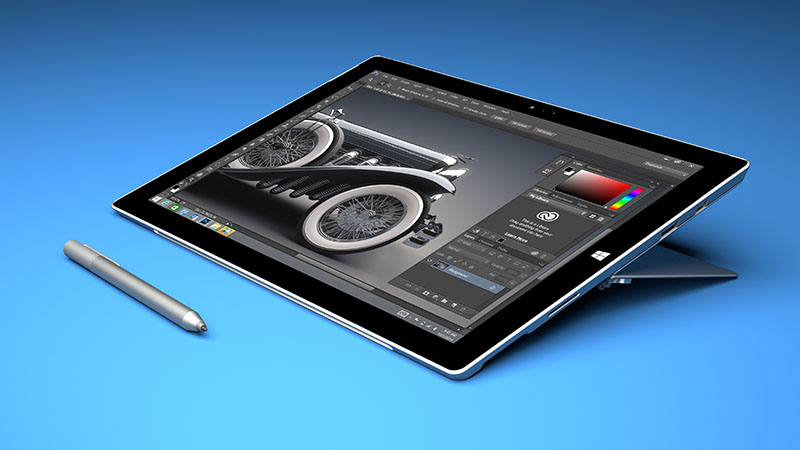
The widely expected follow up to the Surface Pro 3. The Windows 10-powered Surface Pro 4 comes with a 12.3-inch display, that is just slightly larger than its predecessor, and Intel’s latest 6th-generation Core M and i-series processors.
The Surface Pro 4 also features an improved backlit keyboard, a more responsive keypad, and a trackpad that has a five point multi-touch functionality and a fingerprint reader. Like the Surface Book, the Surface Pro can also use Microsoft’s new Surface Pen. The stylus offers 1,024 levels of pressure sensitivity and also comes with an eraser.
Quite clearly the Surface Pen is a direct challenge to the Apple Pencil, and Microsoft did not hesitate to take a few jabs at its competition. “It’s kind of funny, there’s a Pencil out there without an eraser,” said Microsoft’s Panos Panay just before unveiling the upgraded Surface Pen 4 stylus.
The Surface Pro 4 comes out on October 26th and will start at a price of $899.
Lumia 950 and Lumia 950 XL
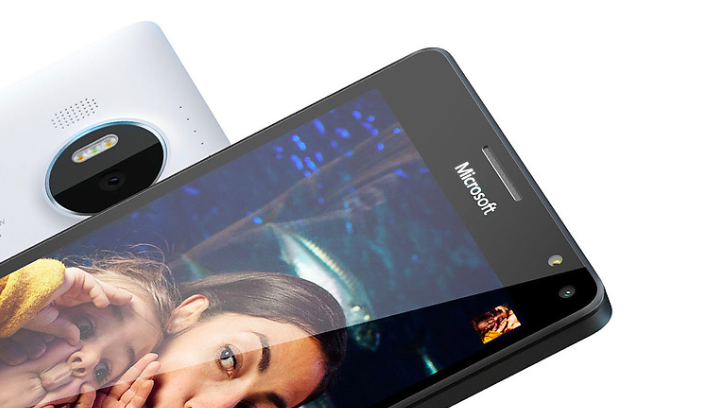
Now a look at non-Surface products. Microsoft unveiled the two new Windows 10 smartphones, the Lumia 950 and Lumia 950 XL.
As earlier leaks have suggested, the Lumia 950 sports a 5.2-inch OLED display with 564 ppi and Qualcomm 6-core Snapdragon 808, a 20 MP primary camera with optical image stabilization. The Lumia 950 XL, on the other hand, comes with a 5.7-inch display with 518 ppi,powered by an 8-core processor and will also feature a 20 MP primary camera like the 950.
Both phones come with 32 GB of internal storage, a microSD card, and USB Type-C connector. The devices will ship in November with a price tag of $549 and $649, with the XL version costing $100 more.
Continuum Mode
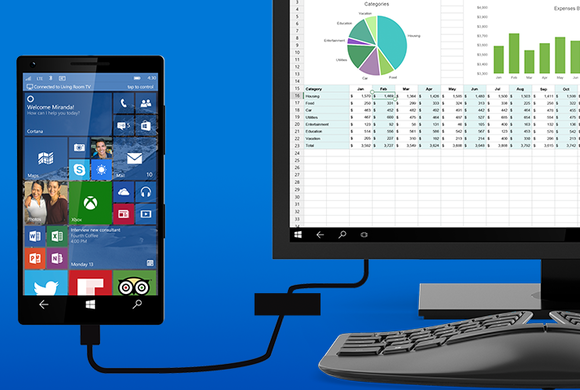
The Continuum Mode is for your Lumia devices, which allows you to plug your handsets into a special adapter that connects to your desktop monitor so that you can use your phone like a regular PC. It’s tiny, easy to carry around and looks like any old USB hub.
It’s basically like looking at a bigger version of your phone’s display. The mode creates a full Windows 10-style desktop that you can navigate using the keyboard and mouse or even your phone. Universal apps, such as Mail and Word are scaled up version of the mobile apps. This is Microsoft way of telling us what the future of computing looks like, and it’s pretty neat.
The Continuum Mode feature is also available for the Surface Book and Surface Pro 4.
Microsoft Band
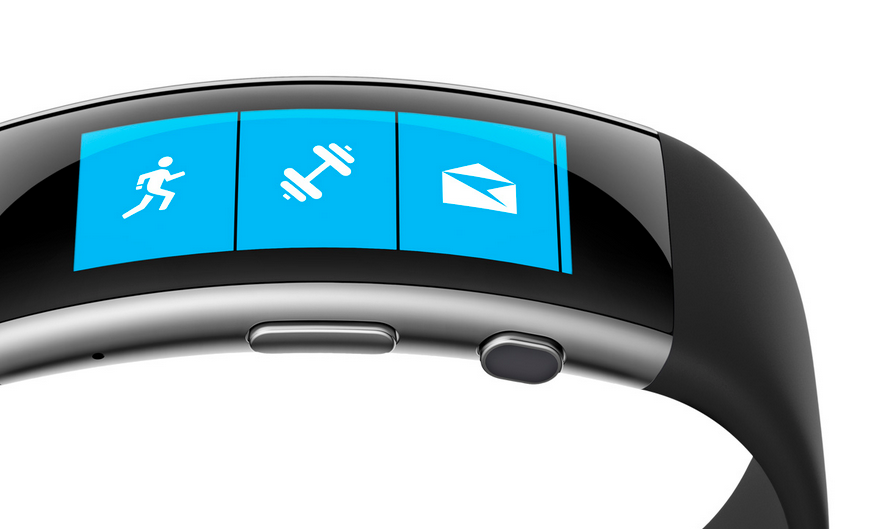
Here comes the Microsoft’s answer to smartwatches. The company unveiled the second version of the Microsoft Band. The first version that came out even before the Apple Watch was a bit confusing to say the least. It wasn’t a smartwatch and it wasn’t a fitness tracker, but rather a $199 device with a tiny display that showed you notifications and apps.
The second version hopes to fix the flaws. The new version has a more responsive touch and sports a tougher Gorilla Glass. The device also boasts of features such as an 11th senor (barometer) that tracks elevation changes in real-time for the fitness crazies out there. Microsoft Band is priced at $249 and will be available from the 30th of October.
If you want to put on a spectacular show, you need to learn a thing or two from Microsoft. Not only did the company showcase some jaw dropping devices such as the Lumia phones and the Surface Pro 4, along with a bunch of other delectables yesterday, but it also had an ace up its sleeve. We knew the devices that were expected to be revealed at the event, however, Microsoft cleverly managed to hide perhaps their best creation yet, until last night.
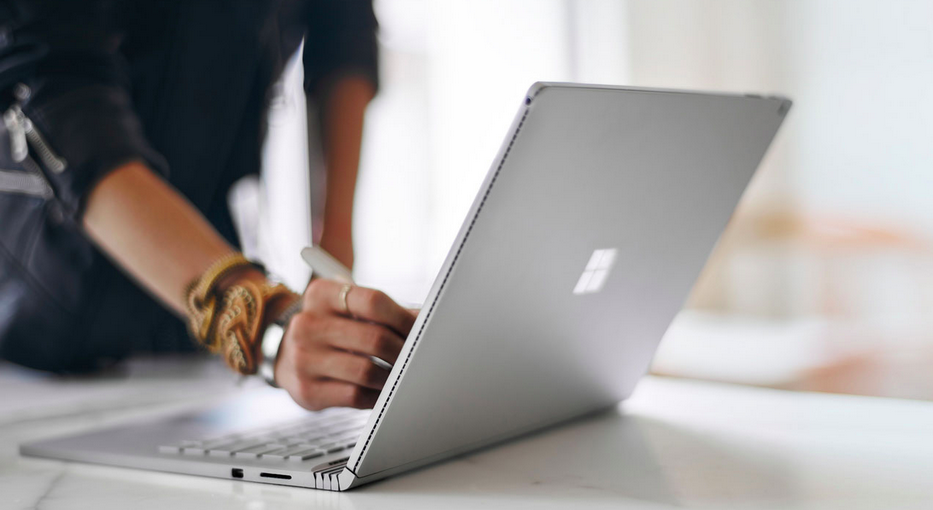
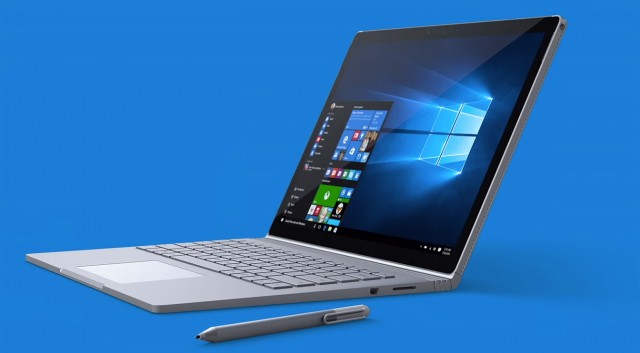
Arguably the star of the show, Microsoft unveiled the Surface Book laptop and it is simply gorgeous. The Surface Book is Microsoft’s very first laptop, so to say. Though it is surprising since the Surface Pro was pegged as the laptop killer. But once you’ve had a glimpse of the Surface Book all is forgiven. This 3.34 pound Windows 10 laptop features a 13.5-inch display with a ridiculously high 3,000 x 2,000 pixel resolution and 267 ppi optically bonded to the screen. So it goes without saying that videos and images are as crisp as it’s going to get.
It’s Microsoft’s first laptop but it’s more than just a laptop. Consider it a laptop-tablet hybrid if you will. The screen is fully removable so that it can be used as a tablet. You can also pop the screen back on and flip it around and have the keyboard as a stand.
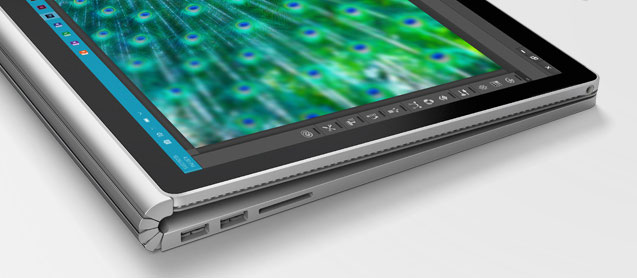
It is a silver metal laptop but looks different than the MacBook, but challenges the MacBook in every way. One of the highlights in the design is the Surface Book’s hinge, which Microsoft calls a “dynamic fulcrum.” From the side it appears it can flex and bend, and leaves a little gap when the laptop is closed, but also elevates the display at an angle.
More on the look of things, the Surface Book has a backlit keyboard and keys with 1.6mm of travel, which Microsoft is particularly proud of. It’s calling it “perfect” saying that it’ll type almost silently. And to top it off, the laptop comes with a large glass trackpad with five points of touch sensitivity. The Surface Pen stylus attaches magnetically to the side of the laptop as well as the Surface Pro 4.
Let’s talk about the interiors now. The laptop has the latest Intel Core i5 and i7 processors and Nvidia GeForce GPU with GDDR5 memory. The dock includes two USB 3.0 ports and an SD card slot. Here’s the cherry on the cake – the machine will give you 12 hours of battery life on a single charge. Are you listening, Apple?
Microsoft claims this is “the fast is the fastest 13-inch laptop ever made anywhere on any planet.” And the company also added that it will be twice as fast as the MacBook Pro. We can’t stress it enough, but the Surface Book is a beauty of a machine and the company seems to have nailed every aspect of it. The laptop will go on sale October 26th and is expected to have a steep price tag starting at $1,499. Follow this space as we’ll be looking at other devices Microsoft unveiled yesterday.
Till then, check out the video of the Surface Book below in all its glory.
There’s an event happening on October 6 and invites for it are already out. Microsoft is gearing up unveil the new Surface Pro 4 along with the Lumia 950 and Lumia 950 XL. We’ve already spoken about the Lumia phones and what you can expect. Now we have some dirt on the Surface Pro 4 as well.
Whispers suggest that Microsoft is planning to come out with two variants of the Surface Pro 4. While one is expected to have a 12-inch display, much like the Surface Pro 3, the other is rumoured to feature a huge 14-inch screen with a 1440 x 2160 resolution and 185 ppi. The Surface Pro line are known for their sharp displays and the Surface Pro 4 looks to maintain the name. This could be Microsoft’s answer to Apple’s new iPad Pro, but we can only confirm this once the device is out in the open.
Other features of the upcoming Surface Pro 4 suggest that the tablet will use the new Skylake Core chipset from Intel. Up to 16 GB RAM will be available, with internal storage as high as 500 GB, and will run on the latest Windows 10 OS. We could also see a better battery backup as that’s one area that has been wanting.
In terms of design, makers at Microsoft have expressed that they are likely to stick with the current Surface Pro 3 look. You can also expect to see a new stylus in the offing considering the new Microsoft Edge browser on Windows 10 uses some new handwriting functions.
No information of what the Surface Pro 4 will cost, but it is expected to be priced similar to its predecessor, which means you could see a base price tag of $799. The event will be held on Tuesday, October 6th in New York City. Follow this space for updates on the announcements.
Prime Minister Narendra Modi’s visit to the Silicon Valley was a lot more than just a meeting to bring the heads of Google, Microsoft and Facebook together to invest in India. Beyond the ‘Digital India’ campaign lies a call for young computer engineers in India to create.
The PM has seen the future, and it is a digital future. Think about it. Everything we see, hear about, learn, or need is most likely found on the internet or through an app. There’s practically an app for everything today. There was a time when standard phone messaging was all that existed until someone developed Whatsapp and Snapchat and completely changed the way people interact through messages. Now standard SMS has practically become obsolete.
Every programmer needs to know coding to bring their ideas online. If you’ve always dreamed of creating an iOS or Android app, or full-fledged website, then Siddhant Puri, an Electric Engineer and Computer Science graduate from UC Berkeley, has some tips and suggestions on how to get started.
Why learn coding?
“Obama & will.I.am tried to learn how to code. It’s strange how the tables have turned. Society suddenly respects that kid who used to be on the computer on IRC channels just derping on the internet and learning more about it.” – Siddhant Puri
Until a few years ago, you would be scouring all over your city looking for various products, and then there came apps such as Amazon and eBay that made sure you wouldn’t need to leave your house to buy something.
Apps have not only made life ridiculously easy for us but it has also opened up new possibilities and opportunities for those who have created the apps and made them what it is today. Anyone can create an app based on a simple idea. But before they can do that, they need to know the ‘how to’ aspect. This is where coding comes into play.
A programmer fails 10,000 times before progressing.
The first thing you need to do is know what you want to create. “Instead of learning for the sake of learning, learn with a purpose,” says Puri. It can be an app or a personal website, as long as it is something definitive. Secondly, patience is the key for any programmer. Every website or app will come with its own set of bugs and glitches which can drive you insane if you’re not patient enough about it.
You can always Google for help related to what you want to do and how to go about it. However, here are a few helpful sites suggested by Puri that can help you get started.
Treehouse: This is a paid website where you can learn practically everything from web designing to app development. The site offers hundreds of courses across various topics such as HTML, Javascript, WordPress, iOS, and Android that allows for an in-depth study. The website is useful for both beginners and professionals alike, and it’s worth every penny.
StackOverflow: This is basically Reddit for programmers. It is a place where questions related to bugs and glitches or any programming related queries can be posted and can be answered by anyone.
Coursera: This is a course conducted by University of Michigan. It is a 2-month course that covers the fundamentals of programming using Python and is useful for anyone who has a lot of time on their hands. The applications have already begun and the deadline for the current session (September 15 – November 9) end on October 6th.
Codecademy: With over 25 million users, Codecademy is a great place to learn the basics of coding and connect with other young entrepreneurs. Watch how one developer made it big by joining Codecademy.
Udacity: Offers full programs that guide you step by step. This is perhaps one of the most thorough sites out there that helps you immerse yourself in coding, but it is an expensive affair. “I’ve personally met the team and the course managers and they are a very determined group of people trying to make this process very fruitful for you. This would be my recommendation if money was not an issue,” Puri says.
Finally, whatever course you do plan on taking, and if you are determined to learn the art of coding, you need to stick to it. Having a mentor or finding a community will really help you with your goal.
“And make sure the first line of code you print is HELLO WORLD.”
Why ‘Hello World’? It’s because it is typically one of the simplest programs possible in most programming languages, it is by tradition often used to illustrate to beginners the most basic syntax of a programming language.
So get to it, dreamers.
A special thanks to Siddhant Puri for sharing his experience straight from Silicon Valley.
Apple released the latest upgrade to its desktop operating system on Wednesday. The OS X El Capitan is now available as a free upgrade for all Mac users using a 2009 model or newer, and also for some 2007 models as well.
Apple has tried to redefine the Mac experience with a host of new improvements, both big and small, that adds a little something extra to your Mac. From Notes and Safari to Spotlight and Split View, there’s something to be found everywhere.
Find the cursor
This is perhaps the smallest improvement, but an improvement nonetheless. Mac users have found it a bit of problem when it comes to locating the little mouse on the screen. However, with the new upgrade, all you have to do is quickly move your fingers across the trackpad or shake the mouse quickly and the cursor grows in size so that you can spot it easily on screen.
Split View
Apple has already introduced the Split View feature with the iOS 9 for the iPads, now El Capitan OS follows suit. Split view allows two applications to run side by side. There are two ways you can get the split screen activated. You can click and hold the green zoom button of a window and then drag it into place, or open up Mission Control (F3) and drag the two apps of your choice into the same thumbnail at the top.
Spotlight search with natural language
By natural language we mean the way you would naturally speak when looking up something. For example, you could enter “find mail from Sam regarding flight details” and you will get exactly what you were looking for. Basically, Spotlight now has a better grasp of language.
New Mail gestures
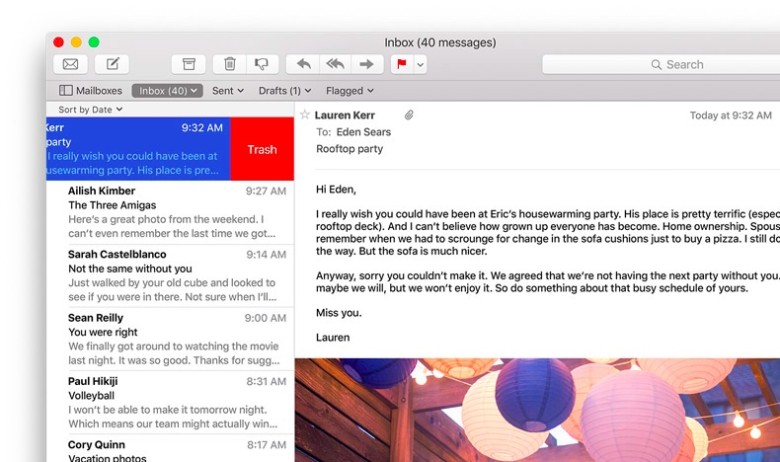
Like the Split View, Apple has borrowed from iOS for the Mail app as well. OS X El Capitan can now allow you to delete mails and access other options by using two fingers to swipe on an item. Mail also recognizes contacts and events in you messages and helps you call or add events to your calendar.
More to do with Notes
The latest iOS 9 brought a whole bunch of changes to the Notes app. The same changes can now be found in the Mac. You can create checklists, import maps and pictures, or insert text formatting. The improvements are still short of Evernote, but the company is getting close.
Send individual videos via AirPlay
Earlier, if you wanted to send a video from Safari to your friends or to the AppleTV, you would have had to share your entire browser window for that. With the new upgrade you can now send just the video. In Safari, click on the AirPlay option just below a YouTube video and you can select your desired destination. It works with YouTube right away, with support for other services to come soon.
Pin tabs in Safari
You can now pin sites that are most frequently visited to a new browser tab at the left-hand side of the tab bar. This allows you to quickly access them with just a click. Pinned sites automatically open when the browser is opened.
Skip the Trash
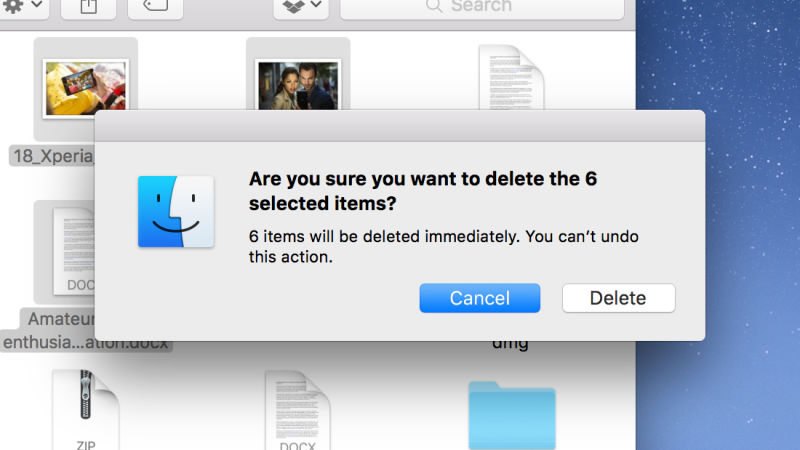
This gives you the option to permanently delete any file you like rather than temporarily deleting them. It saves you the trip of having to go to the trash bin. Press Option+Cmd+Delete to erase files immediately. You can find the option in the Files menu once you select the files you want deleted.
Hide menu bar
The new update gives you more screen space by making the menu bar disappear at the top of your interface automatically the same way as the bottom dock. Go to System Preferences via Apple menu, then go to General heading, and select Automaticallyhide and show the menu bar.
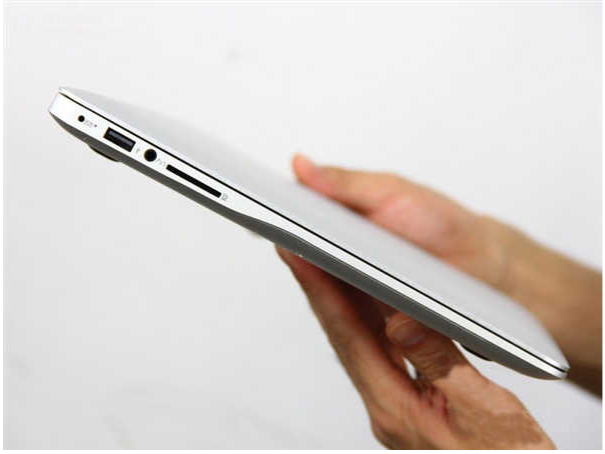
Xiaomi is moving onto bigger things. The Chinese company is now working on its first laptop, according to reports. Since the company’s inception in 2010, Xiaomi has grown rapidly to become the fourth biggest smartphone maker in the world. The company is looking to create the same magic in the laptop game. The notebook is being manufactured by Inventec.
Xiaomi has made an impact in the smartphone market by selling near-premium phones at budget prices. But whether the company will use the same formula for its first laptop is a different story. “I am not sure if the smartphone approach will be applicable to notebooks, but I expect Xiaomi’s entry into the notebook industry to bring something new to the market,” said Inventec chairman, Richard Lee.
The leaked pictures of this laptop uncannily resemble the Macbook Air.
Lee also stated that Xiaomi’s first laptops will start shipping in the first two quarters of 2016. “I am upbeat about the business outlook for Xiaomi’s notebook computers, as the firm has more than 200 million registered smartphone users,” Lee said.
The company recently launched the China-only Mi 4c smartphone and introduced the Mi Mobile service in China with which the company is looking to compete against other Chinese-based carriers.
Though the news of Xiaomi’s new notebook was made official on Wednesday, rumors of it have been circulating much before. Bloomberg reported earlier this month that Xiaomi’s first laptop is likely to be in the range of Apple’s Macbook Air, thereby stating who the Chinese company is planning to compete with. We will have to wait till next year to confirm the authenticity of those images.
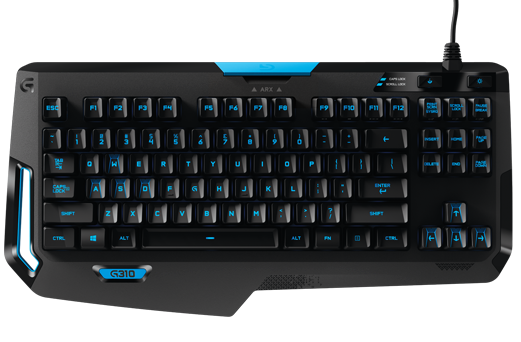
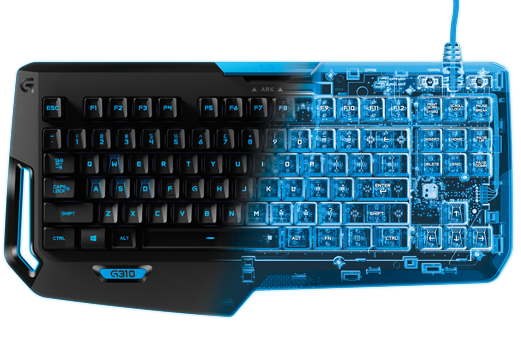
As a follow up to the G910 Orion Spark that had been brought to the market in late 2014, the new Logitech G310Atlas Dawn Compact Mechanical Gaming Keyboard has been announced. The G310 is a more slender version of the G910 without the macro keys, media control functions, and number pad. The G310 is designed to be convenient to carry around, making it ideal for traveling.
Along with this, the Romer-G mechanical switches can register key presses up to 25% faster than its competitors. It Sports a 1.5 mm actuation point with the switches featuring an average lifetime rating of 70 million keystrokes, which according to Logitech is 40% longer than any other switch in the market.
Source: Digital Trends
As quoted by Logitech G vice president and general manager Ujesh Desai:
“Having a keyboard that is compact and lightweight was important, but it also had to be durable and comfortable for hours of gameplay.”
The keyboard also supports a central backlighting system with the ability to control its brightness. It also allows users to dock their smartphones in the blue section, at the top of the board. This allows them to use the smartphone as a second screen that displays in-game information, system stats, and so forth, in conjunction with the Arx Control App conceived by Logitech.
The Logitech G310 Atlas Dawn Compact Mechanical Gaming Keyboard comes with a two-year manufacturer warranty and a price tag of Rs.8,795 in India and an MSRP of $180. Sounds exciting, doesn’t it?
Windows is by far one of the most widely used OS in the world. It’s also known that Windows XP has been the most popular version of Windows, to the length that it took two years for Windows 8.1 to surpass XP. With Windows 10, Microsoft has taken a multi-platform approach, meaning that your Xbox, phones and other Microsoft products will run on the same OS.
Microsoft is pulling out all the stops to make Windows 10 available worldwide. From free upgrade to new features, the company has been building up the hype for its new OS day by day. Still, existing Windows users are still confused about certain things like, whether they are eligible for free upgrade or when can they get Windows 10.
Here’s what we know about Windows 10 so far. We hope that we are able clear your doubts.
Am I eligible for free upgrade?
The most frequent question riding on Windows users’ minds, to which Microsoft has changed its answer from time to time. First, it was reported that anyone who uses a copy of Windows 7 or 8.1, genuine or not, will get a free upgrade. The company changed its statement saying that the users using pirated version will not get free upgrade.
If you use a genuine copy of Windows 7 or 8.1, you will get a free upgrade. You can simply click on the Windows logo on the right side of the taskbar and reserve your free upgrade.
If you use a pirated version of Windows 7 or 8.1, you will not get a free copy of Windows 10. There is a way to get a free copy though. If you decide to install a preview version of Windows 10 as part of the ‘Windows Insider’ program, you will get a free upgrade as long as you keep receiving the pre-release updates. If you install the preview version, upgrade to the final version on July 29th and then opt-out of pre-release updates, you will not receive the free copy.
When will I receive my free copy of Windows 10?
If you are a regular Windows 7 or 8.1 user, and have registered for your free copy of Windows 10, you will not receive it on July 29. On that day, Microsoft will roll out the new OS to the Windows Insiders. Since the majority of the world has registered for the free upgrade, it is obvious that not all of them will receive it on the same day. That is why Microsoft will start notifying reserved systems in parts, which means you will get your free copy of Windows 10 after you have been notified post July 29.
How do I register for my free Windows 10 upgrade?
You will see a Windows logo on the right side of your taskbar. Click on the logo will open up a window. Click ‘Reserve your free upgrade’ and enter your Microsoft Account ID. Select the menu and choose ‘View Confirmation’. If this window appears, it means you will be notified about your free upgrade:
How much space is needed for Windows 10 upgrade?
According to Microsoft, the Windows 10 upgrade requires only 3GB of space. How much time it takes to download 3GB will depend on your Internet connection.
Will I lose my personal data after I upgrade to Windows 10?
Microsoft says that your files and applications will be safe. However, we recommend you to create a backup of your personal files. As far as softwares are concerned, applications like anti-virus will be uninstalled during the update while keeping its settings. If you have a current subscription, Windows will reinstall using the preserved settings.
Now that your basic doubts have been cleared, we hope that you and us will enjoy Windows 10 when it comes on 29 July.
The world that we live in is surrounded by constant cyber threats and crimes, especially in the case of smartphones. You never know when your handset might get picked out from your pocket and be misused in many ways. Tech companies are aware of this fact, hence they are coming out with new innovations to prevent that from happening. We have retina scanning devices, highly secured passcodes, location tracking and more such measures. However, this new security technique will take smartphone security to another level.
We all thought of fingerprint scanning as a fictitious piece of design until recently, when Apple declared that it was going to include a fingerprint scanner in 2013’s iPhone 5s. Since then, many questions have emerged on the dependability of the scanning technique. As it turned out, the scanning feature was quite accurate and was received well when the iPhone 6 came out.
But even in the best of cases, the capacitive sensors used in the modern age of mobile devices are still subject to serious security leaks. One of them is that since these scanners use 2D images of your fingerprint, anyone could place a printed image of your fingerprint on the top of the sensor and gain access to your phone.
Scientists from Mechanical and Aerospace Engineering Department at the University of California have developed a unique ultrasonic 3D fingerprint scanner that could be used in smartphones and other devices to enhance and provide better protection against unknown access. Professor David Horsley and his team have developed the new fingerprint scanner by using low-depth ultrasound to image the ridges and valleys of the fingerprint surface (and the tissue beneath it) in 3D.
According to Professor Horsley, his team realised the need for a new fingerprint scanner due to:
Using passwords for smartphones was a big security problem, so we anticipated that a biometric solution was ahead. After Apple announced a fingerprint sensor in new iPhone in 2013, it was inevitable that more would follow.
To formulate their image, the group used existing micro-electro-mechanical systems (MEMS) technology, which smartphones rely on for functions like microphones and directional orientation. According to Horsley, the use of well known, high volume manufacturing methods means that his team’s sensor could be generated at a very low cost.
“The hope of the future is that beyond biometrics and information security purposes, the new technology is assumed to find many other applications, including low-cost ultrasound as a pharmaceutical diagnostic tool or for personal health monitoring,” Professor Horsley said.
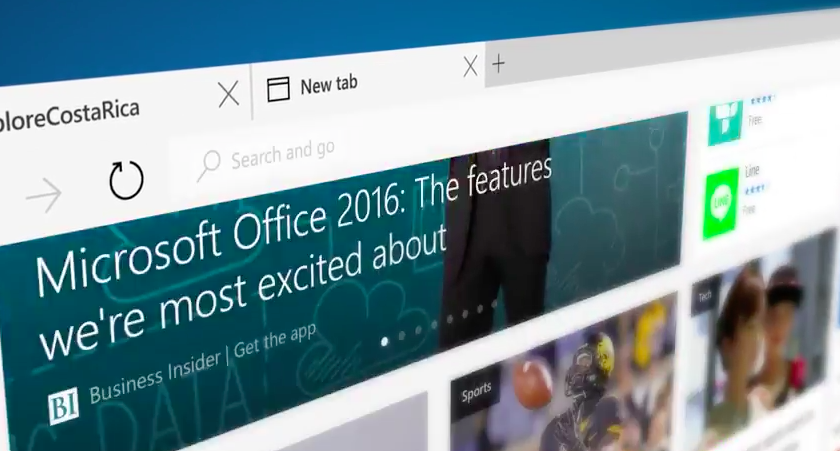
Work on a new browser for Windows 10 has been underway since January. For months it had been codenamed as Project Spartan, today Microsoft has finally unveiled this browser with a new name, Microsoft Edge. New features like faster rendering, voice assistant Cortana, note-taking mode, customizable reading note, these gave the Project Spartan an ‘edge’ upon the traditional Internet Explorer.
Here are the new developments:
Break-up with Internet Explorer
It is definitely a replacement for the Internet Explorer because it features a new and faster rendering machine called EdgeHTML. With a basic and minimal designing layout, it looks like a browser from the future. It will be set as the default browser for Windows 10 and, as claimed by Microsoft, the only one that will be used by the customers.
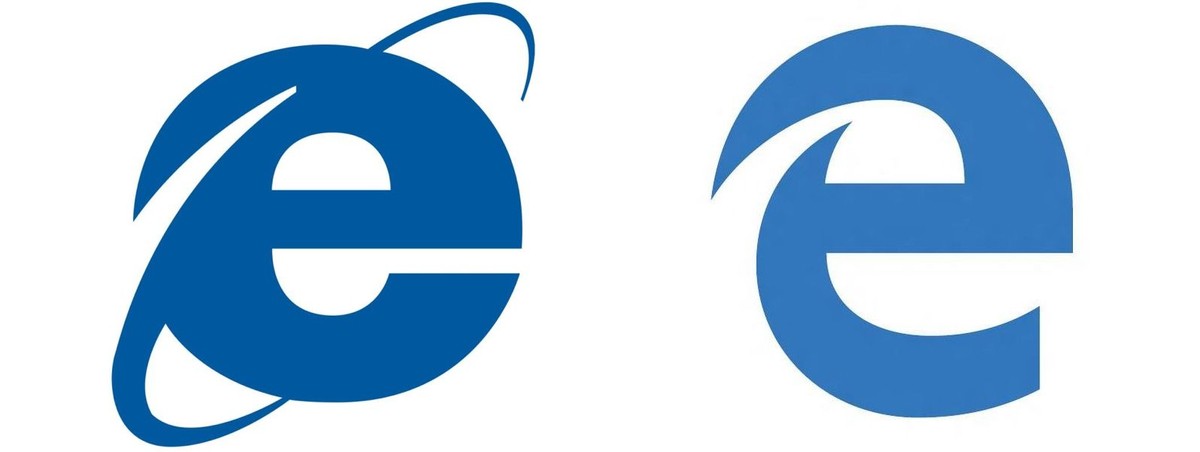
Microsoft Edge’s logo
Logo of the Edge browser does not stray far from its original logo of the Internet Explorer. The lower-case Explorer ‘e’ was not exactly a favourite among users after the entry of Mozilla or Chrome. The Edge’s logo is almost the same, just added a futuristic look to convey a message that it knows where it came from.
Then and Now
Edge will not support Extension until after RTM
Though the browser is loaded with new features like Cortana, customizable reading note, etc., the company says the browser is not yet ready to be integrate RTM support on Microsoft Edge. It has said the Edge will continue to iterate through updates in the Windows Insider Program. Although still far off, Microsoft is now making it easier for developers to port extensions from other browsers.
Check out the video below by Microsoft introducing Microsoft Edge
Microsoft had recently announced its plans for taking on one of its biggest business rivals, Google. The Redmond-based technology giant had announced that they would be bringing low-cost laptops to target the market of Chromebooks. Google decided to reply back in kind and has now unveiled a series of low-cost Chromebooks to capture the space before Microsoft arrives with its offerings.
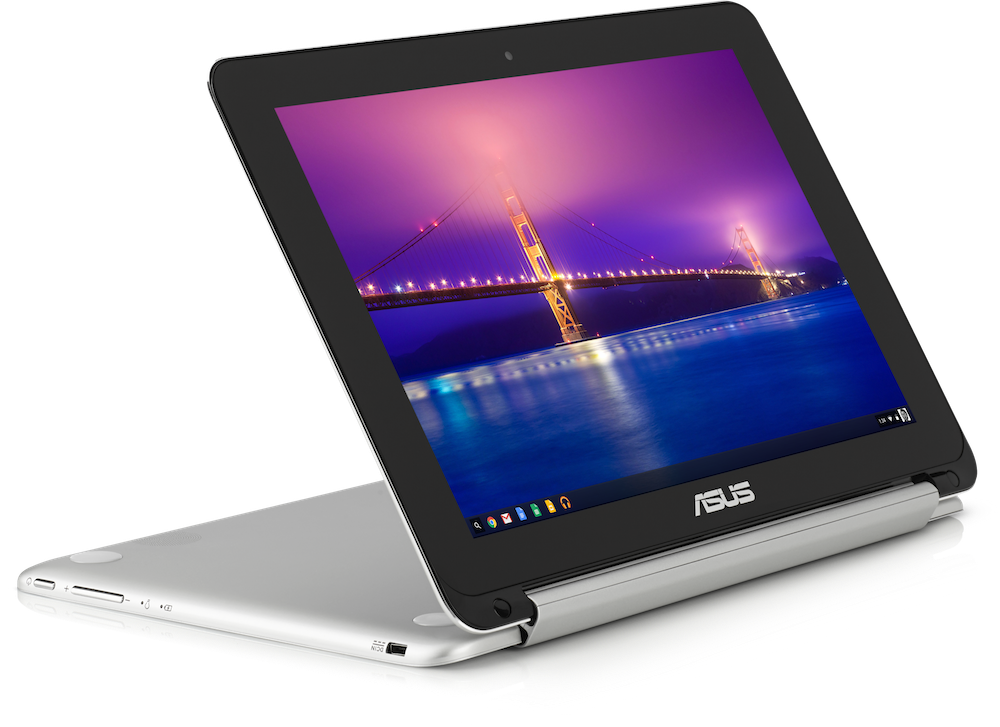
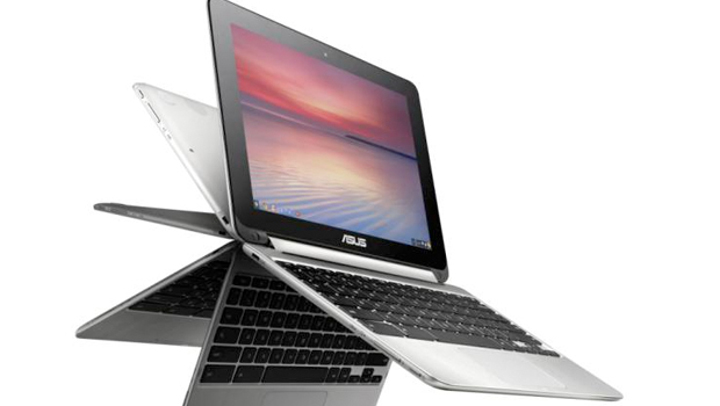
The first in the series of new launches is the Asus Chromebook Flip, which comes with a touch screen. It has a 10.1 inch display with a resolution of 1280×800 pixels which can be folded backwards so that you can use it as a tablet. This 2-in-1 notebook will be powered by a Rockchip 3288 processor with four ARM Cortex A17 cores. It offers 16 GB of internal storage and promises 10 hours of battery life.
Asus Chromebook-Flip
Along with the Asus Chromebook Flip, Haier and Hisense have also introduced their Chromebook options which have a dirt cheap price tag. Both the offerings feature 11.6-inch displays with a resolution of 1366×768-pixel. They are powered by ARM Cortex-A17 based processors along with 2 GB RAM. They offer 16 GB of storage space and feature two USB 2.0 ports, HDMI output, and a microSD card slot. They differ only in terms of battery life; the Haier model offer 10 hours while the Hisense model offers 8.5 hours of runtime on a single charge.
Asus Chromebook Flip is priced at $249 (approx Rs. 15,525) while the Haier and Hisense versions will be available for $149 (approx Rs. 9,300). They will be available in the US and may find their way to the Indian shores in the future. With such tempting prices, we can only hope they arrive here sooner than later.
Apple’s new product lineup unveiled at the recent ‘Spring Forward’ event. As expected, the event was mostly dedicated to Apple’s new product family, the Apple Watch. Apart from the Watch, Apple also brought out the new powerful yet slimmer MacBook, which is powered by Intel’s fifth-generation Core M processor.
Intel Core M processor was previously called Broadwell-Y. It is a dual-core chip based on 14 Nm architecture. It has 1.3 billion transistors on its tiny surface. The Core M chipset was launched to reinvent the notebook and looks like Apple has taken a lead in that game with the new MacBook.
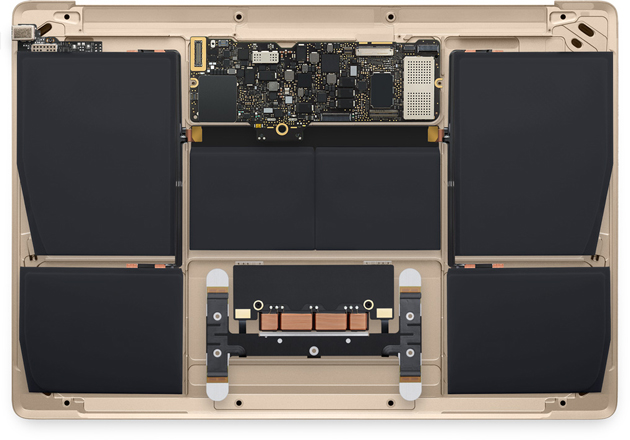
Core M is claimed to be one of the most energy efficient processors in the market. It requires 5 watts of power to perform its tasks. On the MacBook, it comes along with Intel HD Graphics 5300. The processor also helped to create a fanless device that would that you won’t be troubled by the never-ending buzz of the notebook’s fan ever again. The logic board is seated on top of an anisotropic graphite sheet, which helps disperse any heat that is generated out to the sides, thus removing the need for the fan.
Core M processor helped in creating miniaturized logic board and offer rest of the space to the battery.
This new processor also helped Apple to miniaturize the hardware components of the MacBook so that the maximum amount of space can be freed up for battery storage. The MacBook comes in two variants in India; one with a 1.1 GHz dual-core Intel Core M processor with Turbo Boost speeds up to 2.4 GHz while the other is offered with 1.2 GHz dual-core Intel Core M processor with Turbo Boost speeds up to 2.6GHz.
With this launch, Apple has put in its contender in the Intel Core M powered device market. Brands like Lenovo, Dell, HP, Asus and others have already introduced their Core M offerings. Samsung had already gone ahead and launched their fanless notebook called Ativ Book 9 in the market. Now with the Apple MacBook coming into the arena, this space will see some intense competition.
Apple launched their first Macbook seven years back in 2008, showcasing an unimaginable super slim laptop to the world. Now the legacy lives on with Apple announcing its newest Macbook, which surprisingly will be called just the ‘Macbook’. Apple has yet again pushed the boundaries of laptop innovation which are simply commendable, though might have negated certain aspects.
One can’t deny that the new Macbook reinforces Apple’s philosophy yet again that computers are an extension of the person itself. Here are the coolest features of the new Macbook:
Edge to Edge Retina Display
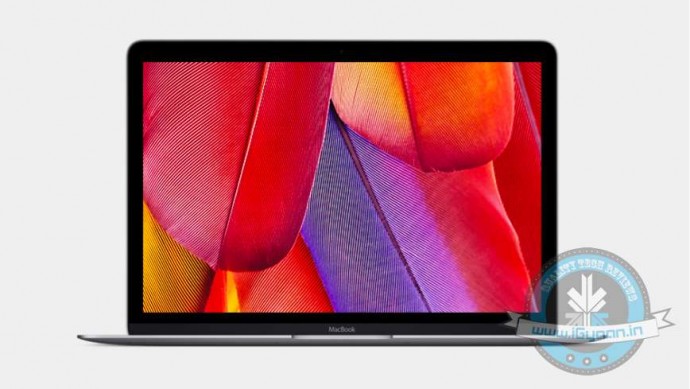
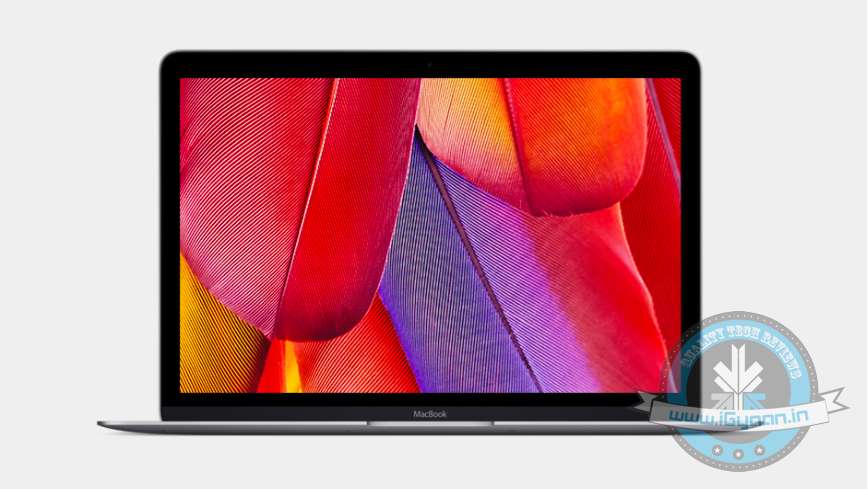
The latest Macbook gets a 12-inch Retina display with a very small bezel, with a resolution of 2304×1440, and an aspect ratio of 16:10. The display quality is certainly quite a notch up compared to the new Macbook’s predecessors, with the screen built into something that is as thin as a file folder. Apple has again manged to pull of something unimaginable bearing in mind the technical limitations with making something so skinny.
Thinnest and Lightest, Ever
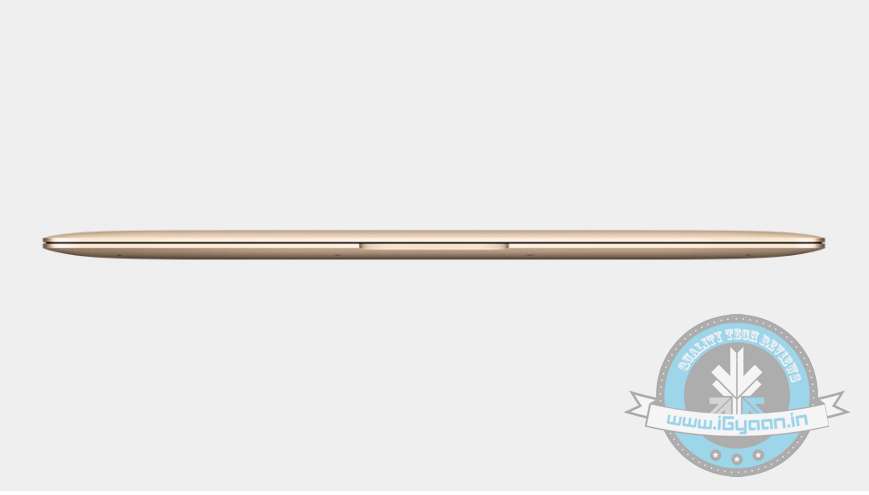
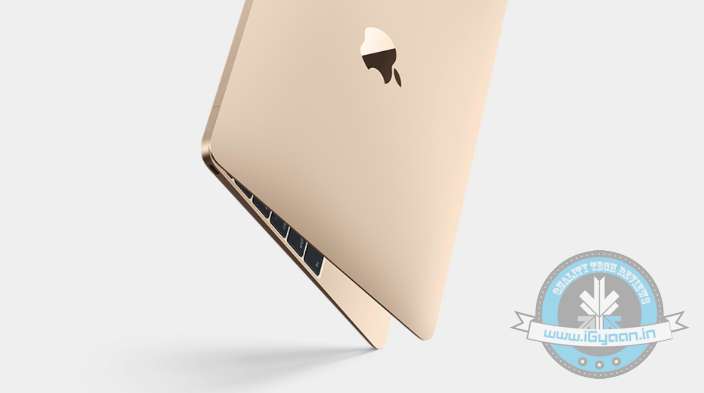
Talking about thin, the new Macbook redefines the concept of slim, it’s as thin as 13.1mm, compared to 17.3mm of the MacBook Air. It’s 24 percent thinner than the Air, the company mentioned at the event. The new Macbook weighs mere 2 pounds (lightest ever), which is amazingly only half a pound over the original iPad.
Redesigned Keyboard
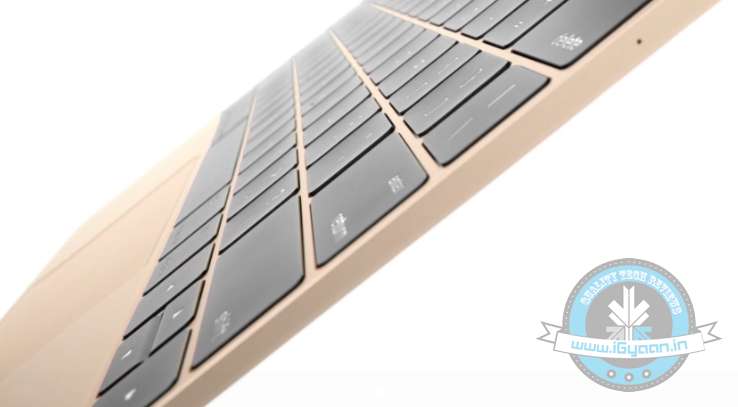
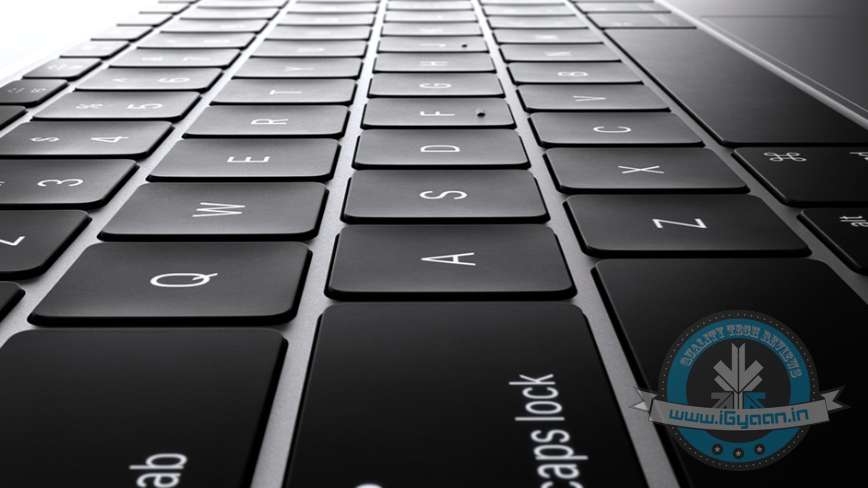
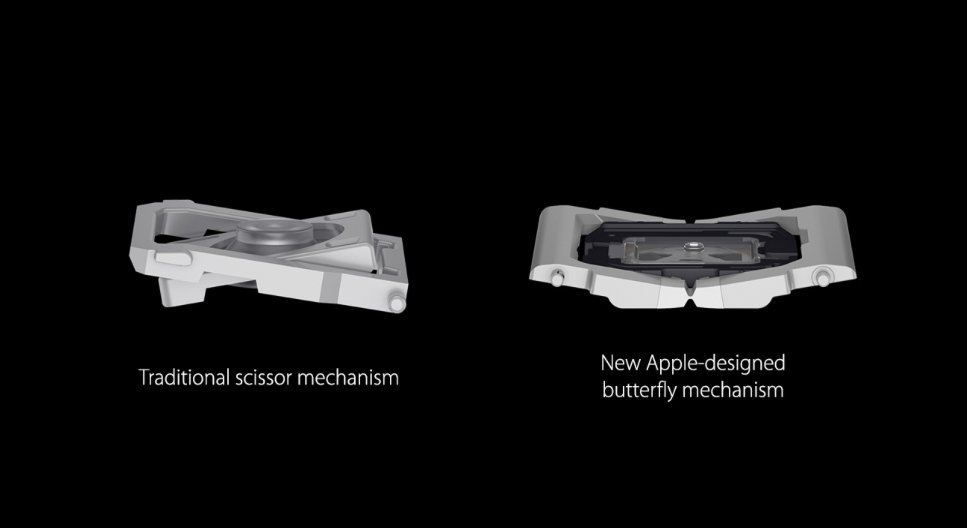
The new Macbook gets an entirely redesigned 12-inch keyboard. A welcome change compared to the Macbook Air which is less than the full size. The keys have been revamped to a new butterfly mechanism that Apple claims offers more stability with improved keystroke force distribution.
Death of the Right Click
Steve Jobs had a vision years ago that the mouse needed only one button, and it seems his vision is finally realised as Apple has added the Force Touch trackpad. One of the most nerdy aspects about the newly unveiled device is the fact that it comes with a Force Touch trackpad. Force Touch was introduced with the Apple Watch, it is the mechanism which senses pressure. The Force Touch trackpad has force sensors that detect how much pressure you apply on its surface. So basically, it can tell the difference between a light tap and a deep press.
Death of the USB Ports
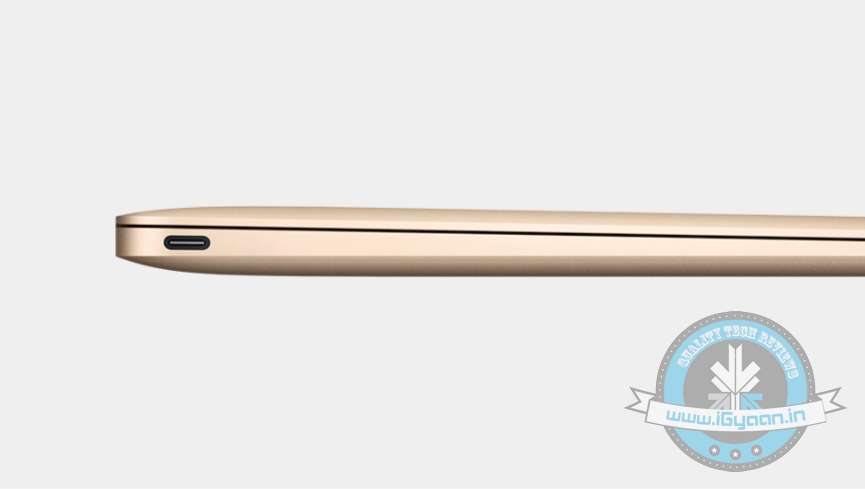
The new Macbook has a single USB-C which does everything from charging, to transferring data, sending videos etc. There’s only one port which means you cannot simultaneously charge your laptop or your phone. This is probably a byproduct of their quest to make the thinnest Macbook possible (and make our lives tange-free.)
Apple has yet again gone against industry standards. In 1998, Apple surprised everyone as its iMac G3 did not include a floppy drive.
Improved Battery Performance
Apple claims to have added a new, custom-shaped battery that maximizes every millimeter of space, helping the MacBook achieve an all-day battery life. It gets a slightly beefier battery unit than the 11-inch Macbook Air and can deliver 9 hours when on Wi-Fi, and 10 hours watching iTunes video.
What Lies Beneath
Barring all the phenomenal exterior changes, significant changes have been made under the hood. For starters, the new Macbook gets Intel’s Core M processor, which consumes less power and produces less heat. The exact model of the chipset is yet unknown but its likely a tweaked 1.1 Ghz Intel Core M, which offers slightly less processing power than your standard Core i5 or i7, though offer better and efficient power management.
Pricing
Okay this might be a “cool” feature, but for most of us pricing would play a major factor. The words ‘Apple’ and ‘budget’ don’t blend in so well, and this holds true for the new Macbook. It comes in two variants, 256GB (1.2GHz Intel Core M) priced at $1299, which is notably higher than the 11-inch Macbook Air. And the second configuration for $1599 features the 12-inch Retina display, 1.2GHz Intel Core M, Intel HD Graphics 5300, 8GB memory.
The new Macbook certainly has features that would give Mac buyers more than one reason to upgrade. The new Retina display, better power management, ultra portability and with significant price cuts, the new Macbook should attract new potential buyers.
Apple yesterday re-introduced the product line of Macbook, but this time, it comes with a complete makeover. It is thinner than any other product in the laptop market. Apple says one of the major changes in the new Apple Macbook is the addition of a new keyboard that helps to slim the device down further.
Apple has done away with the traditional “scissors” and inducted a new “butterfly” mechanism. This new design allows for a shorter keystroke that the company claims helps in more precise typing and fewer errors. The company also claims that the design of the keyboard is 40% thinner than the regular keyboards and is four times more stable in comparison.
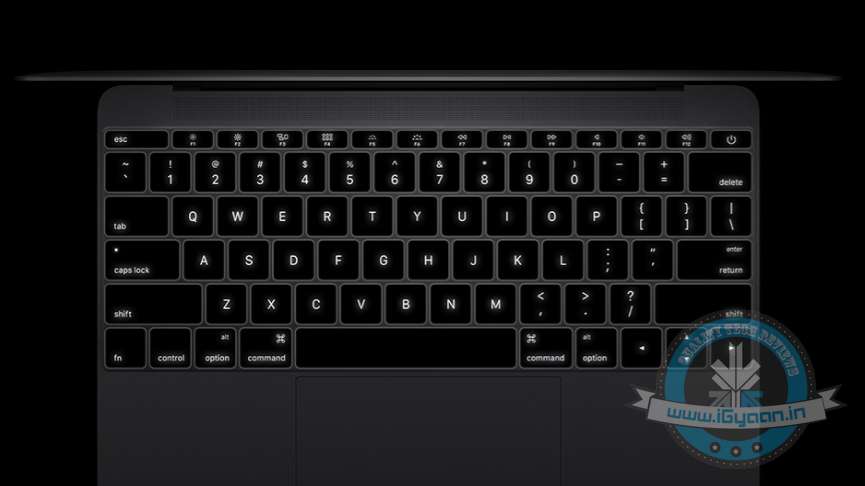
To make it easier to work in low light conditions, the keyboard also features a LED light under each key. This allows for more light and better visibility of the keys in comparison to other keyboards.
Check out how the new keyboard comes together in the video below.