Tag: apple ios

  • Apple Pushing iOS 9.3 Today with “Night Shift”

    Apple Pushing iOS 9.3 Today with “Night Shift”

    Apple has finally launched iOS 9.3, which the company has been testing for a while. The Update should pop up on your iPhones Sometime in the next few hours and will enable a slew of new features, including “Night Shift” which allows the display to sdjust automatically post sunset to reduce the blue tint on the display. This is done in order to help you sleep better.

    Another cool feature is the fact that Notes can now be password protected and unlocked using Touch ID. So you can now store your sensitive information on your Notes.

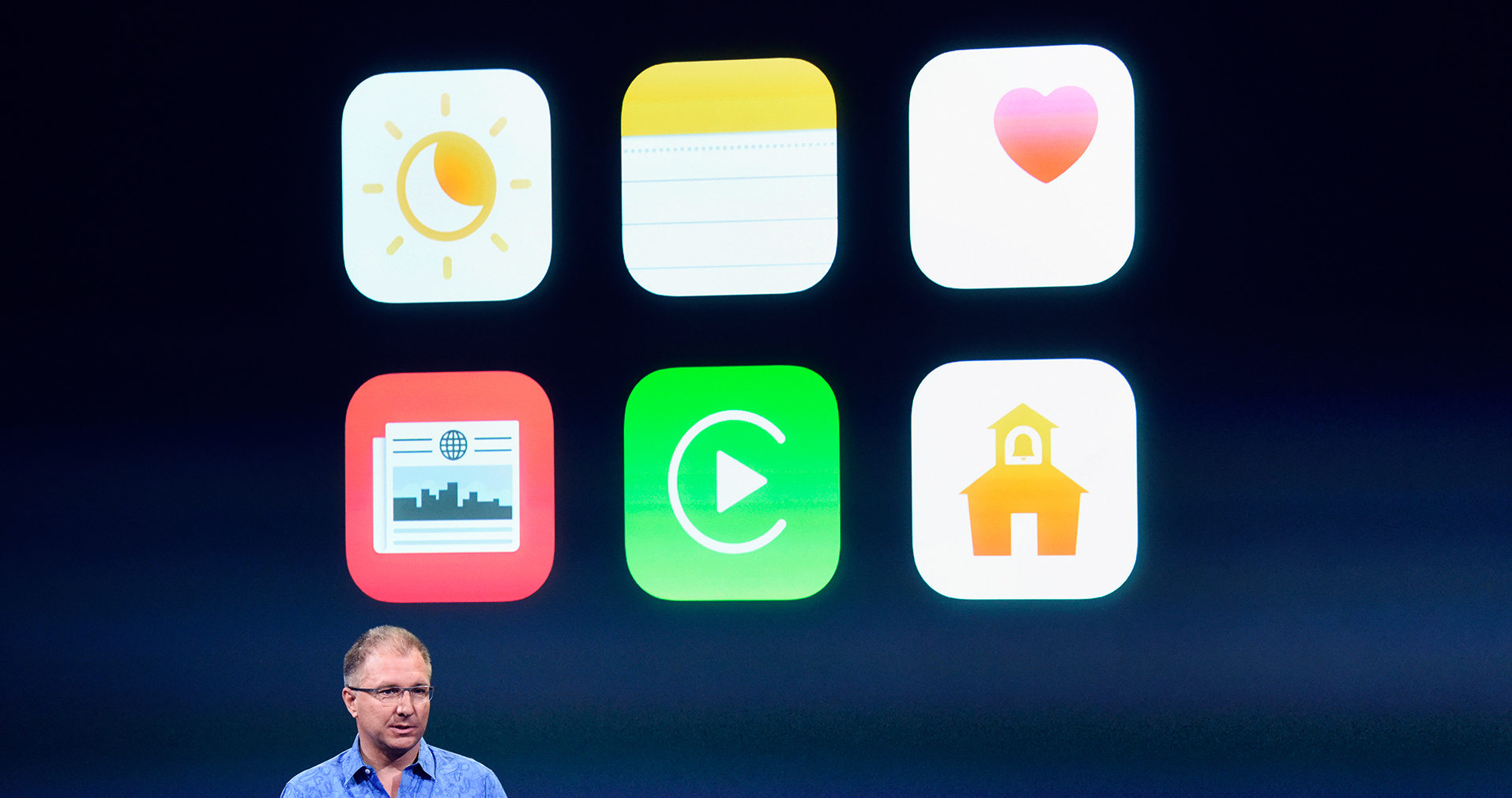
    Improvements are also present for 3D Touch shortcuts for Weather, Settings, Compass, Health, Stocks, and Store.

    Apple is also improving the News app in iOS 9.3 and Health now has Apple Watch integration, alongside improvements to tracking third-party apps.

    The new iPhone SE and 9.7-inch iPad Pro will come with iOS 9.3 preinstalled. Owners of the iPhone 6, 6 Plus, 6S, and 6S Plus should get a System Update alert to install the new OS on today.


  • iOS 8.1.3 Update Now Available, Demands Less Storage Space

    iOS 8.1.3 Update Now Available, Demands Less Storage Space

    Finally the Cupertino giant rolls out the iOS 8.1.3, a new update for its mobile devices that fixes a variety of bugs, and doesn’t even rob users of a major chunk of their phone’s storage, as the update is just about 247 MB. Users have been cribbing about free space with the launch of the iOS 8, as they had issues updating because of the massive size of the download. Other major fixes include zapping a bug that prevented app results from popping up in Spotlight search.

    In addition, it also fixes a bug that prevented users from using their Apple ID password for use with Messages and FaceTime. It also fixes a bug that did not allow multitasking gestures from working properly. Also added is a configuration option for education standardized testing via Apple’s devices.

    These issues might have resolved some of the more common users concerns about iOS 8, especially the amount of storage space the update demanded. To update the device, go to the Settings menu, select General and choose software update. For more information, you can head over to Apple support.

    Do let us know your thoughts about the new update.

  • Twitter Brings ‘While You Were Away’ Feature for iOS Users

    Twitter Brings ‘While You Were Away’ Feature for iOS Users

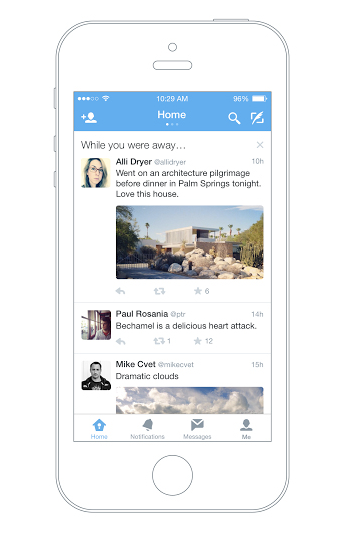
    Twitter has officially announced a feature that will help users recapitulate the tweets they have missed since the last login. Termed as ‘while you were away’, the feature is only available for iOS users as of now.

    twitter while you were away

    With this new feature, the iOS users will notice a snapshot once they are logged in. This snapshot will combine the missed tweets that can be those that are relevant to you or that are popular. While some may have queries about how the app could choose what users want to see; the new feature makes the selection as per an algorithm. This algorithm takes care of engagement along with other user habits. Based on all these facts, the app makes a list and pops it up at the time of login.

    The company says that it aims to keep up the users with the fast running world. The latest feature will dig out information and compile it for you so that you never miss out anything and stay up to date even if you are not on Twitter 24*7. The official blog post reads –

    No matter how much time you spend on Twitter. With a few improvements to the home timeline we think we can do a better job of delivering on that promise without compromising the real time nature of Twitter.

    Although, the feature is available only on iOS devices for now, the company has assured everone that they will soon roll it out on the Android app and website twitter.com.

  • iOS 8.1 Now Available for Download, Here’s Everything You Need to Know

    iOS 8.1 Now Available for Download, Here’s Everything You Need to Know

    Apple had launched the iOS 8 with some key features missing, which was a let down for many. One of the major problem with the update was that it demanded close to 5GB of free space on your device before you could update, which only meant users had to delete a lot of music, photos and apps to make space. The second important feature missing from iOS 8 was the absence of a Camera Roll.

    When the iOS 8.0.1 update released on September 24, Apple ended up pulling the update just hours after it became available. The bug-laden update has caused iPhones to lose cell network and affected the Touch ID.

    Apple studied and considered the user feedback before launching iOS 8.1. Now it has finally brought some key and impressive features to its mobile platform that were missing earlier. However, to have the best possible experience of these features, users will need to have the OS X Yosemite installed. If you have an iPhone 5s or higher, here’s what to look forward to in the latest iOS 8.1 update.

    Apple Pay

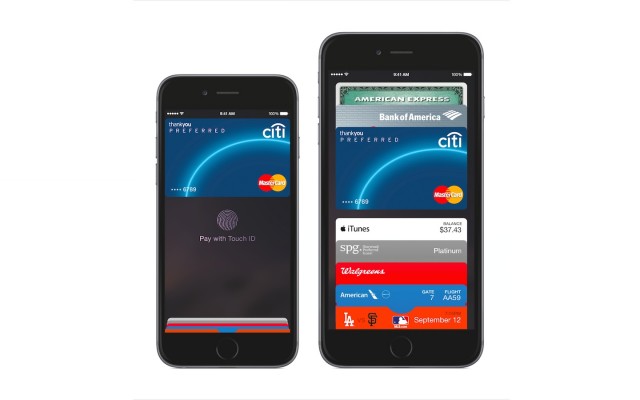
    Apple’s rumoured payment platform finally hits on iOS 8 devices running with the 8.1 update. In order to use Apple Pay, users need to add a card to Apple Pay by taking a snap of their card. After the card is verified from the bank, it is added to passbook, where users can finally access it for future purchases. Users can now open their Passbook in retail stores, a finger print scan via the Touch ID sensor completes the process. Though as of now, the feature is U.S locked, UK availability is expected to start some time early next year.

    apple-pay-iOS-8.11-640x400

    Personal Hotspot

    The 8.1 update brings about a significant improvement in communication sharing features between desktop and mobile. The new personal Hotspot allows the iPhone’s 4G LTE compatibility to be accessed from a nearby Mac. Once connected, the Mac acts as a phone.

    LibrarySymbolLaptop-WifiBl

    Camera Roll is Back

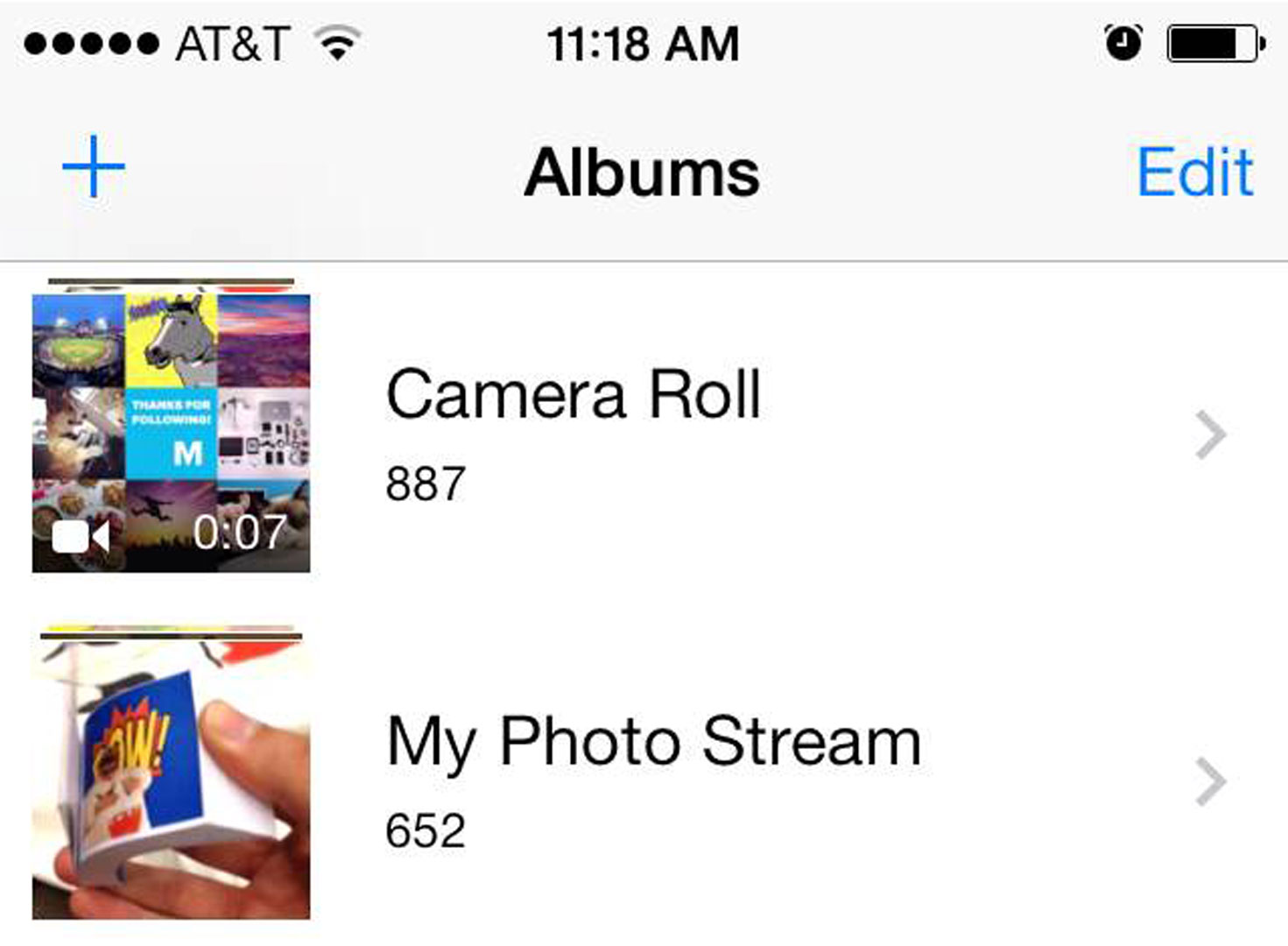
    When Apple launched the iOS 8 last month, it was missing the Camera Roll feature which was a major let down for users. Now with the 8.1 update, this feature is back where users can house all their photos again in one single folder.

    camera roll

    Beta iCloud Photo Library Access

    iCloud Photo Library returns as a beta in iOS 8.1. It stores as much as you want, provided you have purchased that much space in iCloud. Previously, iCloud only stored your last 1000 photos for 30 days. Therefore, all photos uploaded in the iCloud Photo Library will be a part of your total iCloud storage. You get 5GB of free storage for starters, with 99 cents a month you get 20GB, while $3.99 will get you 200GB.

    SMS Relay

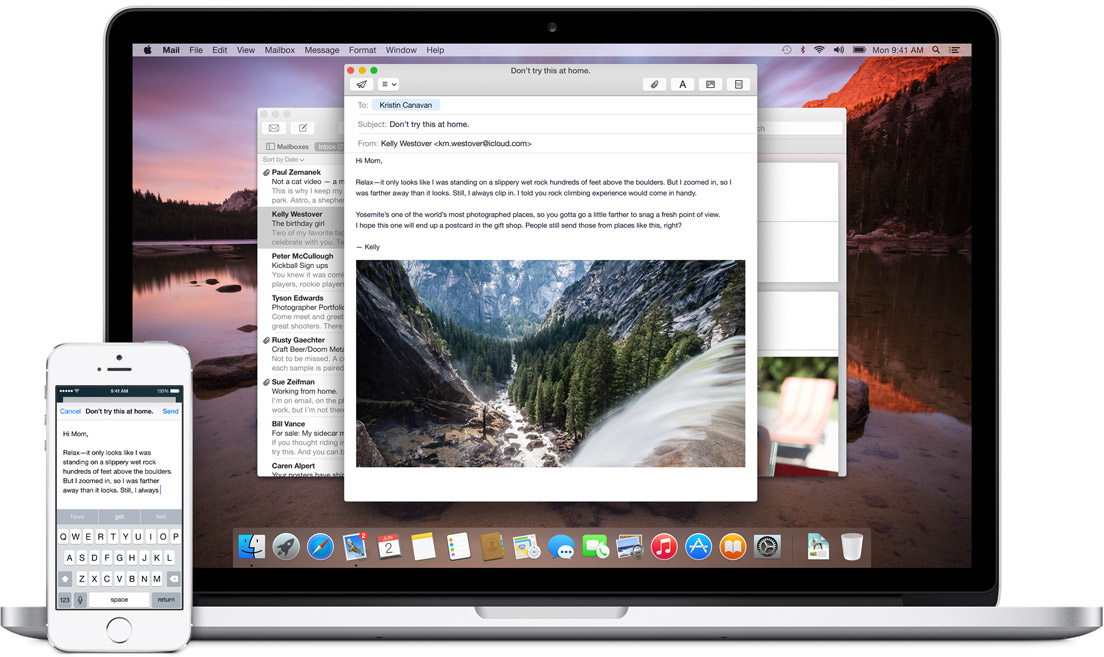
    A feature you’d probably already know about, deserves another mention here. With the SMS and Phone integration, you can send and receive text messages as well as phone calls across all Apple devices. This is definitely the future of interlinked digital devices. Apple definitely was to be the first company to benefit from this because of its enormous hardware ecosystem.

    mac_and_ios_mail_laptop

    The iOS 8.1 definitely looks much more promising from the the iOS 8, and is now available for download. Apple seems have really made an effort to bring about some refreshing changes based on consumer feedback that were missing earlier.

  • Apple Releases iOS 6.1.2 Update, Evad3rs Release Evasi0n 1.4 Jailbreak Tool

    Apple Releases iOS 6.1.2 Update, Evad3rs Release Evasi0n 1.4 Jailbreak Tool

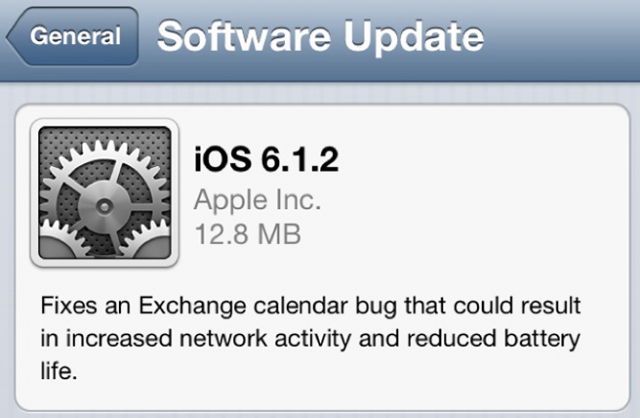
    Apple today released iOS 6.1.2, the latest iteration of the mobile operating system for iPhones, iPads and iPod touch devices, following widespread reports of errors caused by calendars connected to Exchange servers.

    The affects of the bug also caused the battery life on the iPhone or iPad to suffer significantly. 

    Microsoft came up with a few ideas to prevent the overloading, such as switching off the calendar function altogether or simply banning all iOS 6.1 users from accessing the network. 

    Just a few hours after Apple released its latest iOS update yesterday, the Evad3rs team was out with Evasi0n version 1.4 designed to work with iOS 6.1.2 devices. An Evad3rs team member tweeted the news late yesterday.

    Even the prior version of Evasi0n seemed unaffected by the iOS 6.1.2 update, at least according to preliminary testing. But Evasi0n version 1.4 makes it official.

    Apple hasn’t spoken out about publicly about the Evasi0n jailbreak. But the company did update its jailbreak warning page a day before the tool was unleashed earlier this month.

    The page cautions people about the side effects of the practice, such as instability, security vulnerabilities, shortened battery life, unreliable voice and data, disruption of services, and the inability to apply future software updates.

    Unfortunately, Apple failed to address a security vulnerability enabling hackers to bypass an iPhone’s lockscreen and access core device functions.

  • Apple To Release iOS 6.1.2 Next Week To Fix Major Security Issue

    Apple To Release iOS 6.1.2 Next Week To Fix Major Security Issue

    Apple’s promised fix for an iOS 6.1 bug that enables intruders to by-pass a user’s passcode and access certain areas of the phone, could be released this week.

    According to a report from German site iFun, which was dead-on about the release of iOS 6.1.1, the iOS 6.1.2 release date could come as soon as next week, possibly by February 20th.

    The rollout of iOS 6.1 hasn’t gone as smoothly for Apple as the company would have liked.

    Not only did the initial release introduce the security issues and battery problems, in addition to a wallop of a 3G connectivity bug for iPhone 4S users in Europe, the follow-up version, iOS 6.1.1 released last week, introduced a bunch of new issues.

    iPhone users are still reporting Exchange connectivity bugs, so severe that Microsoft is suggesting affected devices be booted from the server so as not to slow down the rest of the network.

    Earlier this week a video was posted online showing how a complex series of button pushes could nullify the passcode and unlock photo albums, calling logs, voicemail and enable the hacker to modify contacts.

    Apple has acknowledged the problem, which is almost identical to one which surfaced in 2010, and said it is hastily working on a fix.

  • Apple Releases iOS 6.0.2 To Fix Wi-Fi Issues

    Apple Releases iOS 6.0.2 To Fix Wi-Fi Issues

    apple

    Apple has released a small bug fix update for iPhone and iPad users. iOS 6.0.2 is rolling out now to phones and tablets, promising only one minor change: “Fixes a bug that could impact Wi-Fi.”

    There have been a number  of complaints  related to malfunctioning Wi-Fi connections on the iPhone 5, so this could be a welcome update for many users.

    Apple’s failure to provide more specifics on just what the Wi-Fi fix addresses means we can only guess at what issues the update really aims to correct. Some iOS 6 users have reported issues with cellular data getting used even when their iOS devices are connected to Wi-Fi networks.

    Apple has also been making strides in bringing iOS 6.1 to market and it should be available in early 2013.

    Apple encourages all users to download and apply the update, which can be accessed immediately by syncing your device with iTunes.

  • Android Winning Mobile War With Apple : Google Chairman Eric Schmidt

    Android Winning Mobile War With Apple : Google Chairman Eric Schmidt

    google

    Google is winning the smartphone war against Apple, says Eric Schmidt, the company’s Executive Chairman. In an interview with Bloomberg over the weekend, the outspoken executive said that, based on market share, Google doesn’t have to worry about the mobile game. It is clearly winning. With 75% worldwide market share as of Q3 2012, Android has infiltrated most developing markets to become the de facto entry-level smartphone OS. It has taken millions of users away from Symbian, BlackBerry, and is certainly the most affordable path to entry for users upgrading from “dumbphones.”

    [quote]“This is a huge platform change; this is of the scale of 20 years ago — Microsoft versus Apple,” he said. “We’re winning that war pretty clearly now.”[/quote]

    Schmidt’s remarks reflect Google’s growing confidence in its ability to attract users and advertisers as more customers rely on handheld devices and shun traditional computers. By giving away Android, Google cedes revenue to hardware partners, such as Samsung Electronics Co. Schmidt is willing to make that sacrifice because it drives demand for ads and other Internet- based services that benefit Google over time.

    [quote]“The core strategy is to make a bigger pie,” he said. “We will end up with a not perfectly controlled and not perfectly managed bigger pie by virtue of open systems.”[/quote]

    With high-quality core apps on both Android and iOS, it’s possible to stay within the Google ecosystem on either platform these days. Even though Android is its baby, Schmidt seems satisfied with the company’s iOS strategy.

    “The core strategy is to make a bigger pie,” he said. And what a tasty pie it is.

  • Apple Starts iOS 6.0.1 Carrier Testing, Releasing Soon To Fix Bugs

    Apple Starts iOS 6.0.1 Carrier Testing, Releasing Soon To Fix Bugs

    ios

    Apple is now apparently in the process of testing a minor iOS update, iOS 6.0.1, with carriers with the update likely to hit users in the coming weeks. The report comes from BGR who say that one of their Apple sources has let slip about the update and that numerous bugs will be fixed with the update, including enhanced Wi-Fi support and fixes for cellular data as well as the horizontal aberrations in iTunes when entering a password.

    Users have also reported issues with the camera flash not being timed properly with the shutter, leading to accidentally dark scenes. This should be fixed in the new software version, as well as a fix for iTunes Match incorrectly using data when WiFi is in use.

    Apple is also rumoured to be testing its next big iOS version, 6.1, which is expected to come by the end of the year. While one may expect the new iPad mini to come with a new version of iOS, it seems increasingly unlikely that iOS 6.1 will be ready to go by the smaller tablet’s early November release date.

  • Google+ Update lets you open iOS links in Chrome, Allows Androids to join Hangouts on Air.

    Google+ Update lets you open iOS links in Chrome, Allows Androids to join Hangouts on Air.

    Google has let out a sly update to their Google+ apps on Android and iOS. The biggest addition is now allowing, Android phones to join Hangouts on Air, a feature we might use as soon as Today.

    For iOS the app, it now allows you to open links in Chrome instead of Safari, making the dreams of a default chrome browser more real than ever.

    What’s in this Android version:

    – Teens can now create and join Hangouts from mobile
    – Join Hangouts on Air from mobile
    – Floating timestamp in photos view
    – Shortcuts for post creation
    – Ability to report abuse in Events

    What’s in this iOS version :

    ? Web links in posts now open in Chrome (if installed)
    ? Teens can now join and create Hangouts 
    ? Instant Upload bug fixes to improve performance

    [App Store] [Google Play]

  • Edit : Why I Use An iPhone

    Edit : Why I Use An iPhone

    Ok, so before I begin with this article, let me clarify that I haven’t been paid by Apple to write this, I don’t hate Android phones, and I most certainly am not a “fanboy”. Also, I am not Bharat Nagpal (I know most of you came here expecting Bharat to finally reveal why he uses an iPhone). 

    The question is simple yet one of the most debatable one this side of the century, “Why do you use an iPhone?” 

    Some background details first

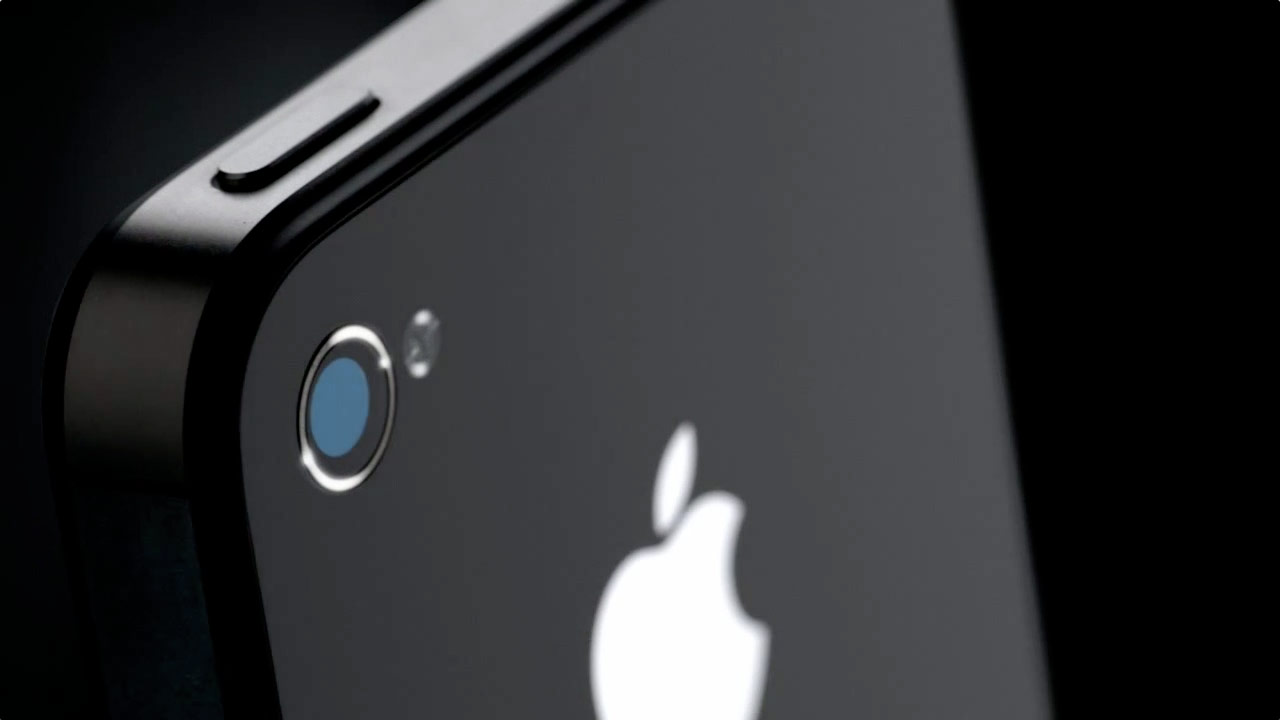
    [pullquote_right]working at iGyaan has its perks![/pullquote_right]I currently use a 16GB iPhone 4s, my first iPhone, which I’ve been using since January, 2012. Before this I had a Nokia 5230 “Express Music”, a Samsung Corby, a Samsung Metro, a Motorola flip phone (don’t remember its name now) and a Nokia 1100 (which I had to crush with a brick and then drown in a bucket full of water to make sure it was dead). Oh, and a couple of Android devices here and there (working at iGyaan has its perks!). 

    iPhone

    Now the Crux

    So, it took me only 1 day to realize that I had a phone in my hand that is perfect for me. Why so? Easy, because it’s is simple and uncomplicated!  I work around technology on a daily basis, but that doesn’t mean I want my products and services to be unnecessarily complex.  In fact, I tend to go the opposite way – I spend a lot of time working with wireless devices, dealing with random issues, playing with settings, and the likes.  In my time off, I’ll always migrate to the solution that’s the easiest.

    I want a device that works the same way every single time.  When I open an app, I expect it to take the same amount of time to open each and every time, when it doesn’t, it aggravates me. [pullquote_left]Having a sluggish phone with a 1.5 GHz dual-core is like having a Pulsar that moves like a Rajdhoot.[/pullquote_left] The iPhone is consistent, fast and ridiculously smooth! While you’ll never have a device that’s 100 percent fail-free, I’ve yet to find another device that performs as fluidly as the iPhone 4S. 

    One of the primary reasons I love the iPhone is the large selection of high quality apps. Even though more apps come to Android every day, I still prefer to buy (cough!) most of my apps and games on the iPhone.

    Not only do most of these apps look better, but i don’t have the same buyer’s (cough again!) remorse as I do with many Android apps I purchase. When given the choice between the same app on Android and on iPhone, I choose the iPhone app. I can’t recall looking at an Android app and complimenting its looks in comparison to its iOS and Windows Phone counterparts. 

    Daily Usage

    iPhoneTyping is a breeze with the auto-correct (though i have suffered some more than embarrassing moments due to it). The phone literally learns as you use it. Overtime Siri picked up on my “Indian Accent”and autocorrect started suggesting Hinglish words. I use dictation on the iPhone 4S to write entire articles with enough accuracy that only minimal editing needed. In fact, I am writing this article through the WordPress app on my phone! The new Voice Actions in Android 4.0 include many of the same features and work just as well as Siri and Dictation on the iPhone, but it is less polished. There is no use of relationships and Voice Actions doesn’t prompt for the message, requiring taps on-screen instead.

    Through iCloud, I have all my emails, contacts, data backed up effortlessly and accessible from anywhere. I don’t have to worry about subscription renewal or periodic updates. All I had to do was create an iCloud account and I was good to go!

    Camera and portability

    iPhoneThe camera is definitely the best I’ve seen on a mobile phone (do not mention the PureView!). It has eliminated the need to carry a separate camera while on a vacation. I am more than satisfied with it!

    One of the biggest feature of a phone for me is the screen, and the iPhone delivers in that aspect! The Retina display is a treat to use! Bright, vivid colours, great viewing angles, outdoor visibility and no pixilation at all! Texts are as crisp as they can be and even though the screen may not be the biggest, it definitely is the best for my needs.


    Jailbreak

    [pullquote_right]For all the things that Apple didn’t include in the iOS, there’s JailBreak![/pullquote_right] You can do anything, literally, once you’ve jailbroken your phone! Be it applying a custom theme (I am using the Windows 8 theme currently), add toggles to the homescreen and download unlimited apps for free!

    Out of all of the smartphones I’ve used, battery life continues to shine on the iPhone 4S in comparison to Android and Windows Phone equivalents.  It has taken a hit for sure with iOS 5 and the 4S’ dual-core processor, but it still outperforms other smartphones I’ve used. It charges ridiculously fast!

    Conclusion (The Only Answer)

    So basically, the iPhone has a smooth and fluid OS (I cannot emphasize this enough!), adequately powerful hardware, and tons of great features! Not to mention it looks great and I don’t have to deal with “minor bug fixes” now and then! So why should I switch to some other phone just because it has ridiculously speedy quad-core processor and an awfully powerful GPU when at the end of the day I have a phone which does what I need perfectly!

    Is it the best phone ever? Nope.  Would I go around recommending it to everyone?  Nope.  I can go off on a tirade of things I don’t like about it.  Email management has been especially bugging me. There’s a ton of features on the Android that I wish I had access to on my iPhone, and there’s no doubt that Android will continue to develop over time, but right now, I just want a phone that pretty much manages itself, so I can enjoy it, without having to worry about if I need to update permissions on my phone.  But for today, it’s the device that allows me to check off the most number of features on my list, so it stays!
  • iOS 6 Beta 3 Seeded to Developers

    iOS 6 Beta 3 Seeded to Developers

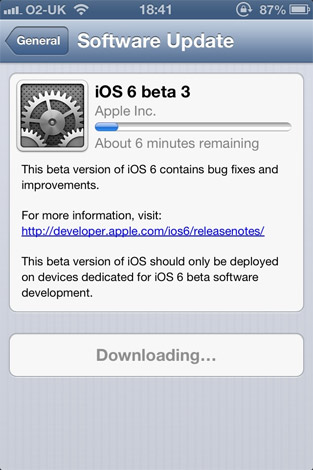
    Three weeks ago iOS 6 Beta 2 arrived, now apple is pushing out Beta 3 of the worldly OS to the developers and those with Developer accounts. This version of iOS6 inches closer with a lot of bug fixes and multiple tweaks that will now finally hit the end user. 

    SInce Apple has already closed down access for in-eligible downloads, its best to wait for the final build to arrive.

  • Apple Starts seeding iOS 6 Beta 2 to Devs

    Apple Starts seeding iOS 6 Beta 2 to Devs

    While everyone waits the arrival of the next big OS for your iDevice, Apple is working hard to get it ready. The company has pushed out Beta 2 to the developers for testing, there are no special additions the primarily focus is on the bug fixes leading the software closer to a final release. There are still other betas expected before the final release comes out, So, hold on to your horses. 

    Those who have active developer accounts can download the latest betas from their accounts now.

    [9to5 Mac]

  • Which iOS device will get what features of iOS 6 : Here is the roundup

    Which iOS device will get what features of iOS 6 : Here is the roundup

    Do you own an iOS Device? Are you eagerly waiting for the iOS 6 update? 

    If the answer is yes, you will be surprised to know that not all features will come to all iOS devices for iOS 6.  Apple has gone to the trouble of alerting would-be upgraders just what features they’ll get when they check for the update this fall.

    Only if you own an iPhone 4S will you be able to enjoy all the features of the iOS 6 else the most compatible device will be iPAD 3rd Gen. Check out the full list of upgrade features below also see what your device gets.


        iPhone 3GS

    iPod touch

    iPhone 4 iPhone 4S iPad 2  iPad (2012)
    Chinese service integration   X X X X X X  
    Facebook integration   X X X X X X  
    FaceTime over 3G/4G   X X  
    Flyover and turn-by-turn GPS   X X X  
    Guided Access   X X X X X X  
    Made for iPhone hearing aids   X  
    New content stores   X X X X X X  
    Offline Reading List   ? X X X X  
    Passbook   X X X X  
    Phone replies and reminders   X X X  
    Safari tab syncing   X X X X X X  
    Shared Photo Streams   ? X X X X  
    Siri   X X  
    VIP list, flagged/VIP mailboxes   ? X X X X
  • Apple App Store gets 650,000 apps, $5 Billion payed to Devs

    Apple App Store gets 650,000 apps, $5 Billion payed to Devs

    Apple’s WWDC Event has just kicked off and Tim Cook has just announced that the Apple App Store has hit 650,000 apps and over $5 billion have been payed out to App Developers. 225,000 of these apps  are specific to the iPad. Customers have downloaded 30 billion of the apps since they became an option four years ago. 

    Apple also wants its developers to know that they are taken care of.


    More developing ….

iGyaan Network
Privacy Overview

This website uses cookies so that we can provide you with the best user experience possible. Cookie information is stored in your browser and performs functions such as recognising you when you return to our website and helping our team to understand which sections of the website you find most interesting and useful.