Tag: Apple Watch

  • Apple Plans to Replace Transit Passes with iPhone 6’s NFC

    Apple Plans to Replace Transit Passes with iPhone 6’s NFC

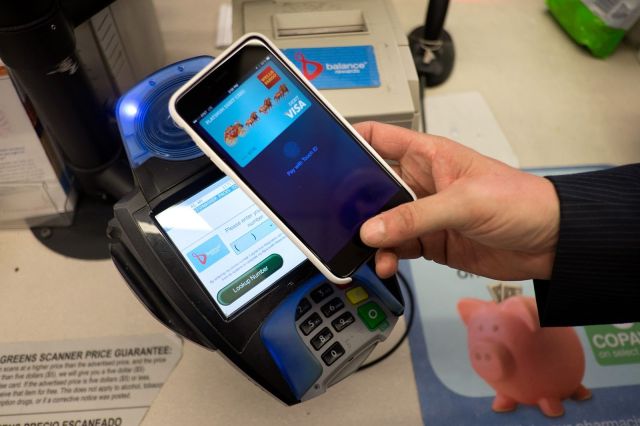
    iPhone users have just started using Apple Pay to make purchases at cash registers and online stores. But the application of this NFC-based payment system is not limited to just this. According to The Information, Apple is in talks with keycard maker HID Global and Cubic to enable security features through which the NFC-equipped iPhone can be used as a pass to enter buildings and transit fare systems.

    “The Apple representatives have spoken to technology providers like HID Global and Cubic, which enable secure access to buildings and transit fare systems respectively, briefed people involved in the discussions. Spokespeople for the companies declined to comment on any discussions with Apple, but executives there discussed how they could integrate their systems with the iPhone.” the report said.

    20141020_apple-pay_0073-640x426

    This could only mean that the iPhone 6 could soon come with the ability to unlock hotel room doors and even pay public transit fares. Back at the launch of Apple Watch, the company publicly announced a partnership with Starwood Hotels and Resorts Worldwide that would allow Apple Watch owners to unlock their hotel room doors using bluetooth. However, that specifically isn’t NFC technology, but the concept is the same.

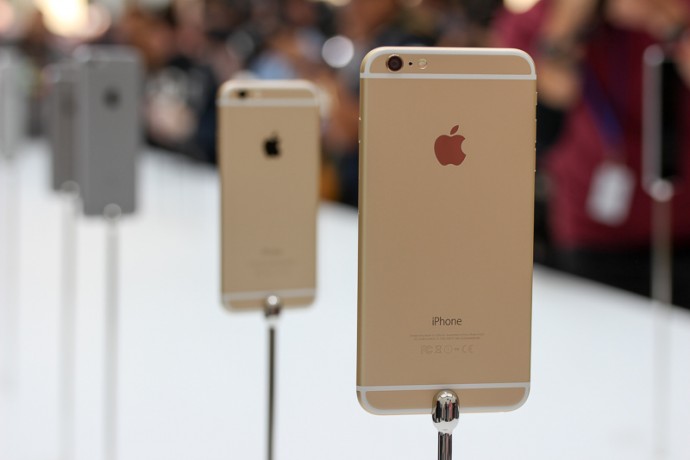
     Currently, developers are not allowed to tap into the NFC chip found in the iPhone 6 and iPhone 6 Plus. By allowing access to the NFC chip, the cards would be able to upload on the Passbook the same way credit cards are added. Users will then have to just tap on the home button at NFC-powered transit turnstiles to pay for their desired rides.

    Its functions remain exclusively tied to Apple Pay, which launched with the release of iOS 8.1 last week. Apple hasn’t indicated any plans to open up NFC access in the future. However, report from The Information illustrated that Apple may selectively partner in offering NFC support. Initially, Apple also restricted Touch ID support until the launch of iOS 8, which now allows developers to offer fingerprint-based access with applications.

  • The Best Twitter Reactions to the Arrival of Apple Watch and iPhone 6

    The Best Twitter Reactions to the Arrival of Apple Watch and iPhone 6

    Love it or hate it, the long-awaited Apple iPhone 6 is here to stay. For Apple lovers it was time to meet the world of multimedia friendly big screens with the company releasing two variants this time, the iPhone 6 and the 6 Plus.

    Folks on twitter were also pretty excited with the launch and here are some of their reactions:

    Some Were Appreciative:

    Some were hurtful:

    Some were really Imaginative:

    Some were just totally Bizzare:

    Some caught something unique:

    There were some foreign policy questions too:

    The Apple Watch also drew some attention:

    At the end, Samsung’s sponsored Twitter Trend didn’t go unnoticed:

    As Always no nerd fest is complete without a Star war reference:

  • Why We Love to Hate Apple

    Apple’s newest smartphones are finally unveiled for the world to see. In a world of lovers and haters, the phone was bound to get some of both. iPhone enthusiasts have overall shown appreciation for Apple’s latest introductions. The internet is also abuzz with Apple haters posting memes all over the place about how Apple is slow in adopting technology.

    So we decided to look into why Apple, which is loved all over the world, gets serious hate in countries like India.

    Price

    Indian Smartphone consumers have been really pampered recently with a lot of companies vying to impress the tech-friendly populace. The huge youth population of India loves their tech and aspires to buy products with good specs, which is pocket-friendly. With companies like Motorola, Xiaomi and others providing high-end specs for low price, the Indian consumer is getting a lot of choices.

    Apple watch 1

    In this situation comes Apple. The company invests a good amount of time in the aesthetics and specs of its products. It pays close details to the way their devices perform and look. It is the reason why it brings limited products in a year. This attention to detail involves costs that make the devices expensive by the time they hit the market. In countries like USA, the contract system lets people have the phone at a low initial price.

    In countries like India where the products tend to be on the heavier end of the price range, they are seen as premium products and hence are restricted to people who can afford them. This causes some hatred towards the company. Even its affordable phone, the iPhone 5C, was way out of reach for an average Indian. This creates Apple’s reputation of only catering to the rich folks.

    Compatibility

    The new iOS 8 and Mac OSX Yosemite have amazing interconnectivity feature. Features like ‘handoff’ are revolutionary. A new device also joins the Apple universe; the Apple Watch. All these devices can connect with each other with ease. But Apple is known for incompatibility with other devices.

    It’s no secret that Apple lovers love all their products, but the trouble comes when they wish to share data with others. This too restricts people from going for an Apple device.

    Slow Adoption

    Apple is slow in adoption of features that are available on devices such as the ones running on Android OS. Apple just inducted NFC in their devices for Apple Pay. When other companies have been giving Bluetooth file sharing options for a long while, Apple recently brought the feature called Airdrop that lets you do the same. Again, this feature is restricted between Apple devices.

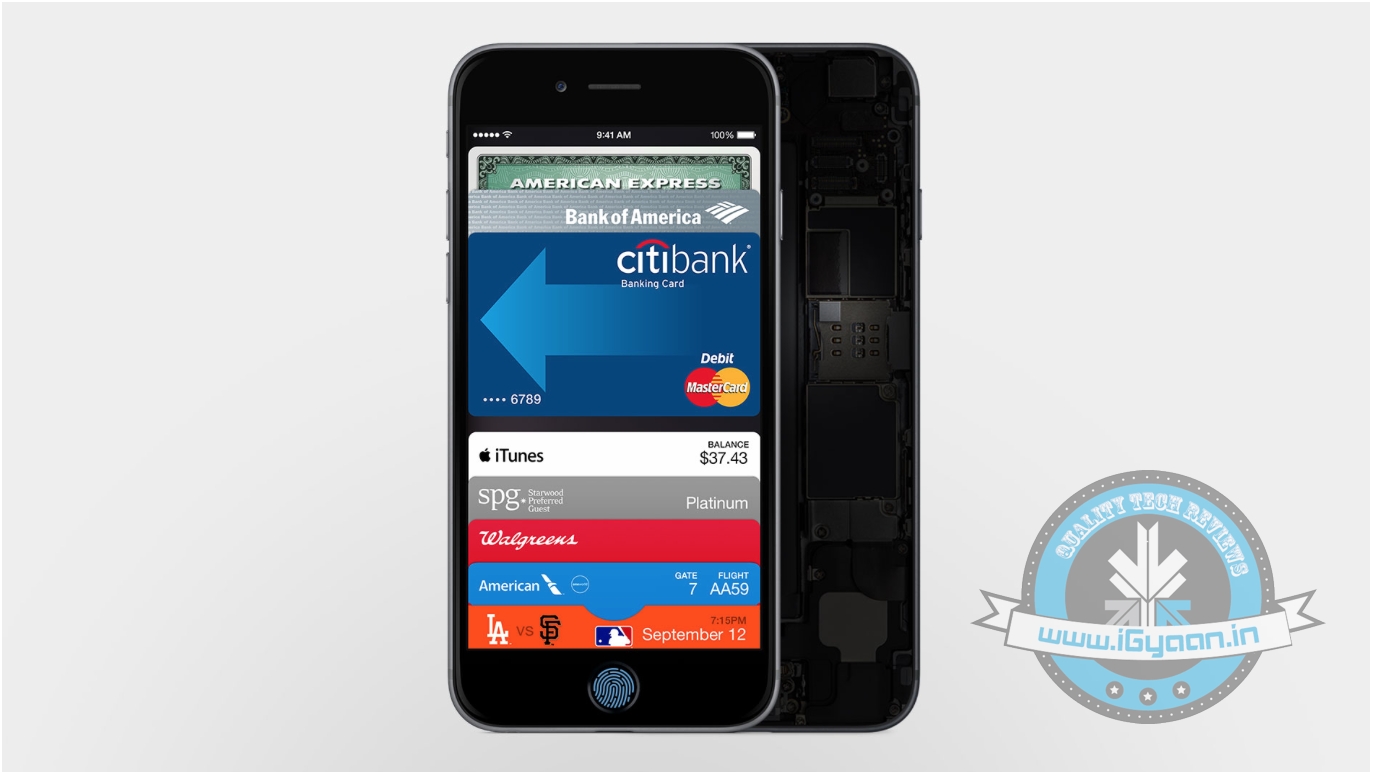
    The Passbook stores all the credit card details at one secure place.

    But these features were well cooked by the time they arrived on Apple. Take the example of Apple Pay, the system does use NFC but along with it, uses Touch ID and a Secure Element Chip. Even the software is well built and is easy and efficient to use.

    Overall, Apple needs to work harder to convince Indians that they are not at a loss for buying their products. Apple should also flaunt its superior service features to attract the consumers for this market.

  • Does the Apple Watch Make Sense For the Indian Market?

    Does the Apple Watch Make Sense For the Indian Market?

    Yesterday at the massive event held at Cupertino California, Apple announced its long-awaited smartwatch, the Apple Watch. And we have to admit, this revolutionary device looked stunning. Square face with detachable straps, Apple Watch has an easy to understand interface for working with standard applications. It’s user-friendly, equipped with the new ‘Apple Pay’ remote payment system, and, obviously, comes with amazing watchfaces. With three choices to choose from, Apple Watch, Sport, and Edition, there ought to be something for everybody.

    Well, everybody here might refer to be restricted to people from developed country. How much is Apple’s newest technology feasible for a country like ours, where tech such as NFC and Apple Pay wouldn’t be of much use?

    Apple watch Features Design 15

    Clearly, Apple has put lot of brains and research in the Watch. However, the starting range US$349 (INR 22,000 approx), Apple’s Watch seem quite expensive in Indian market which is ruled by value for money budget devices. The Indian handset market is ruled by Android-powered smartphones. It seems to be a major setback that the Apple Watch requires an iPhone to operate. Which makes its real price much, much higher.

    Second major setback, India doesn’t have kind of technology to fully experience the power of Apple Pay, which will be one of the selling points of this device other countries. In India, over the past year, there have been several NFC trials for ticketing in Delhi Metro, in Delhi buses and a movie halls in Mumbai, which failed.

    Apple watch 7

    Apple has also tied up with several app developers to create useful apps for their watch. One of the important features which was welcomed yesterday, with a round of applause from the audience, was the ability to open hotel room doors by simply tapping the Apple Watch to the door. This feature was brought out with collaboration with Starwood Hotels, a popular chain in the US. They’ve even teamed up with American Airlines, to automatically show you your flight information and a copy of your boarding pass on your watch. With such apps, Apple Watch eliminated the need to carry around magnetic plastic cards provided by hotels and the need to safe-keep your boarding pass. However, it will take a long time before Indigo Airlines or Taj Hotels invest to work on such technology.

    We wouldn’t say that this wearable would fail in our country. It still has several interesting features which would make life simpler, no matter where you’re located on the globe. Apple’s ecosystem is undeniably very strong. The way it lures consumers into the endless arena of iPods, iPhones, Macs, App Store, iTunes Store, and Apple TV is enviable.

    [poll id=”20″]

  • The Smartwatch Battle Begins! Apple Watch vs Moto 360

    The Smartwatch Battle Begins! Apple Watch vs Moto 360

    Apple’s first attempt on the still nascent wearable market was huge, with people eyeing Tim Cook’s wrist the moment he entered the stage. Apple Watch (not iWatch) will be priced at $349 and will be available by early 2015. It will come in three variations – Apple Watch, Apple Watch Sport and the Apple Watch Edition. The wearable will be compatible with iPhone 5, 5S, 5C, 6 and 6 Plus.

    There are already quite a few competitors trying to define what should a smartwatch look like on your wrist. However, Google beat Apple in that race by just a few months by releasing Android Wear. One of the crowd’s favourite is Moto 360 which was launched last week, priced a hundred dollars less at 250$.

    The smartwatch technology is still in its infant stage. Apple is known for its innovations and setting trends like it did with iPods and iPads; the Apple Watch is anticipated to have the same impact. However, both Moto 360 and Apple Watch both have their strengths and weaknesses. A quick rundown to help you decide which one to buy, once the devices are available.

    Interface
    Apple watch Features Design 18

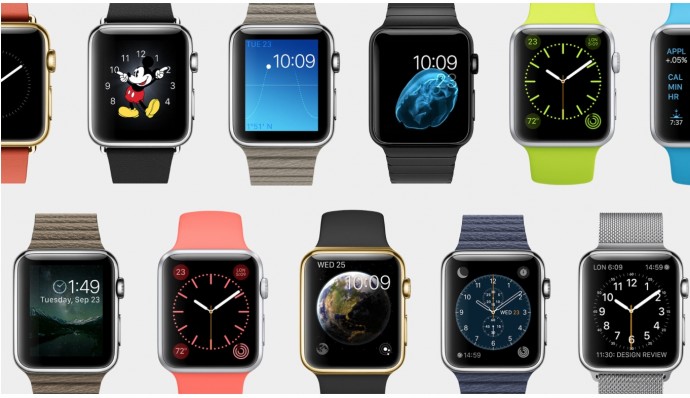
    Both companies have provided several interestingly themed watch faces which can be changed easily to suit your mood. Agreed that our watches are getting smarter, but the basic function of the watch is to tell time every time we look at the device. Apple Watch display turns off when you aren’t looking at it. When you turn your wrist, it’ll light up again only showing information when you want it.

    In Moto 360, colors pop on the display, and everything is easily viewable, even in direct sunlight. However, when the display is dimmed it darkens after a few seconds of inactivity, but the time is still visible. Though, it  is very hard to see outdoors. Waking up the watch is as simple as lifting your wrist; same as on the Apple Watch.

    On-The-Go Information and Notifications

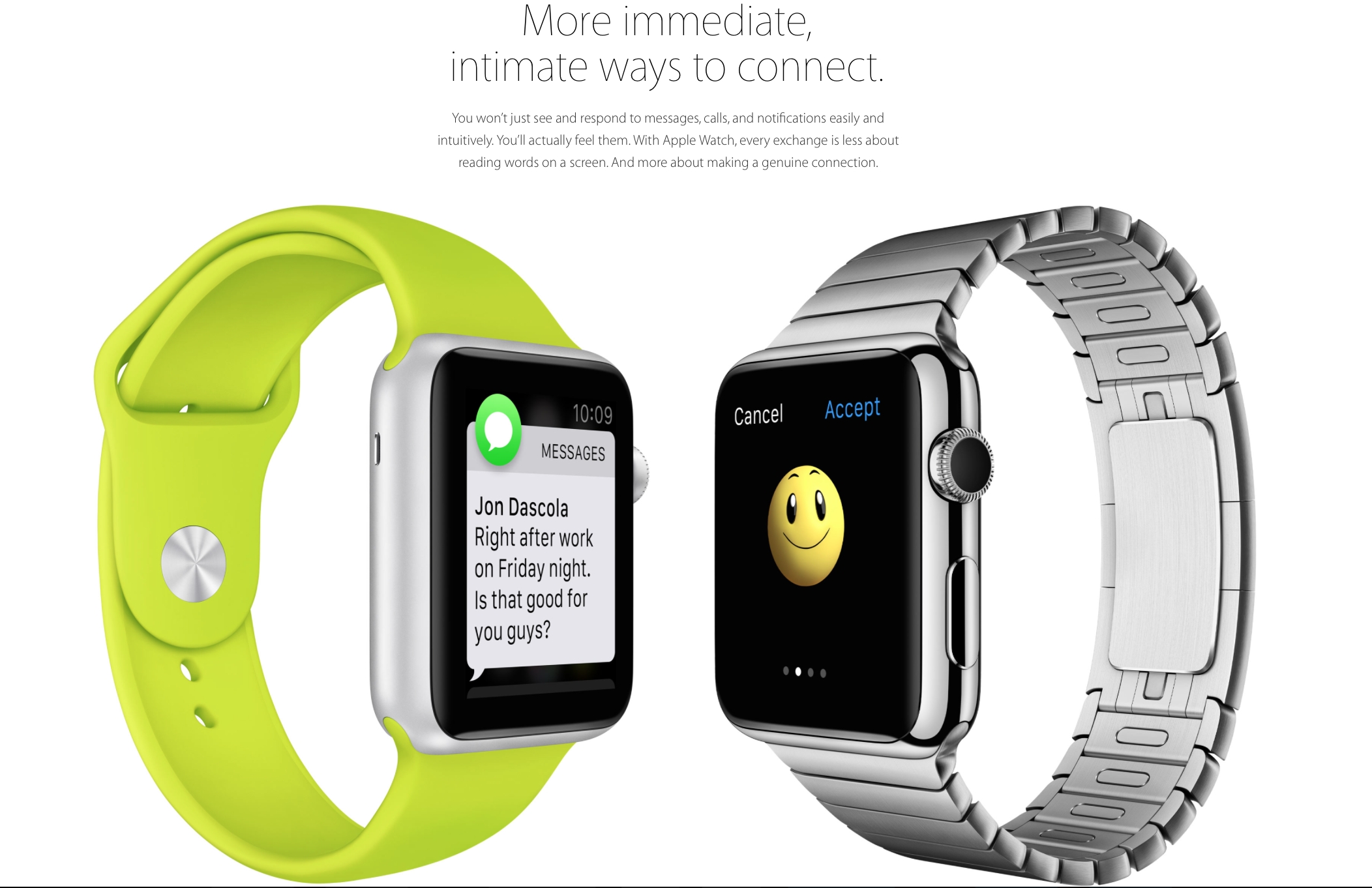
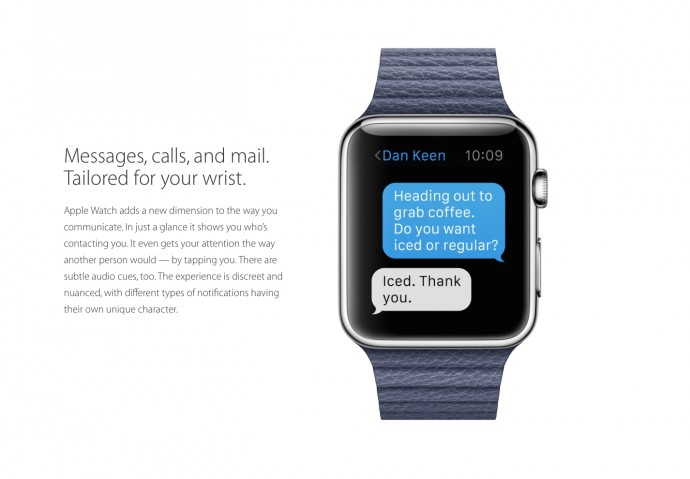
    Main aim of smartwatches since their earlier days has been to minimize handset use by integrating phone notification with the smartwatch on your wrist for a easy and more convenient experience. In Apple Watch all notifications coming through your phone will pop up on your watch. If the app developer chooses to, they can enrich that notification to let you do a lot more with it — replying to messages or even taking actions, like accepting a Facebook friend request. All together, it sounds fairly decent.

    Google’s smartwatch platform is all about notifications, which uses most of its interface. In Moto 360, all of your notifications are routed to it, and you can swipe through the phone to view them all, dismiss them, and even act on some of them. That said, you can’t use them as easily as Apple hopes to allow.
    Apple watch Features Design 13

    A good smartwatch, in my opinion, is the one gives you what you want, when you want it, without having to do to much. To some extend both Apple and Motorola have achieved that. Apple promises that the person sitting next to you would not be able to tell that you’ve received a notification. The notification buzz will simply give the effect as if someone is tapping you lightly on your wrist. You can customise the apps which you’d like notifications from. It will use the Bluetooth and Wi-Fi from the iPhone for all communication purposes. The built-in speaker phone and microphone can be used to receive calls and use the built-in Siri. With a simple tap on the digital crown, Siri can be activated.

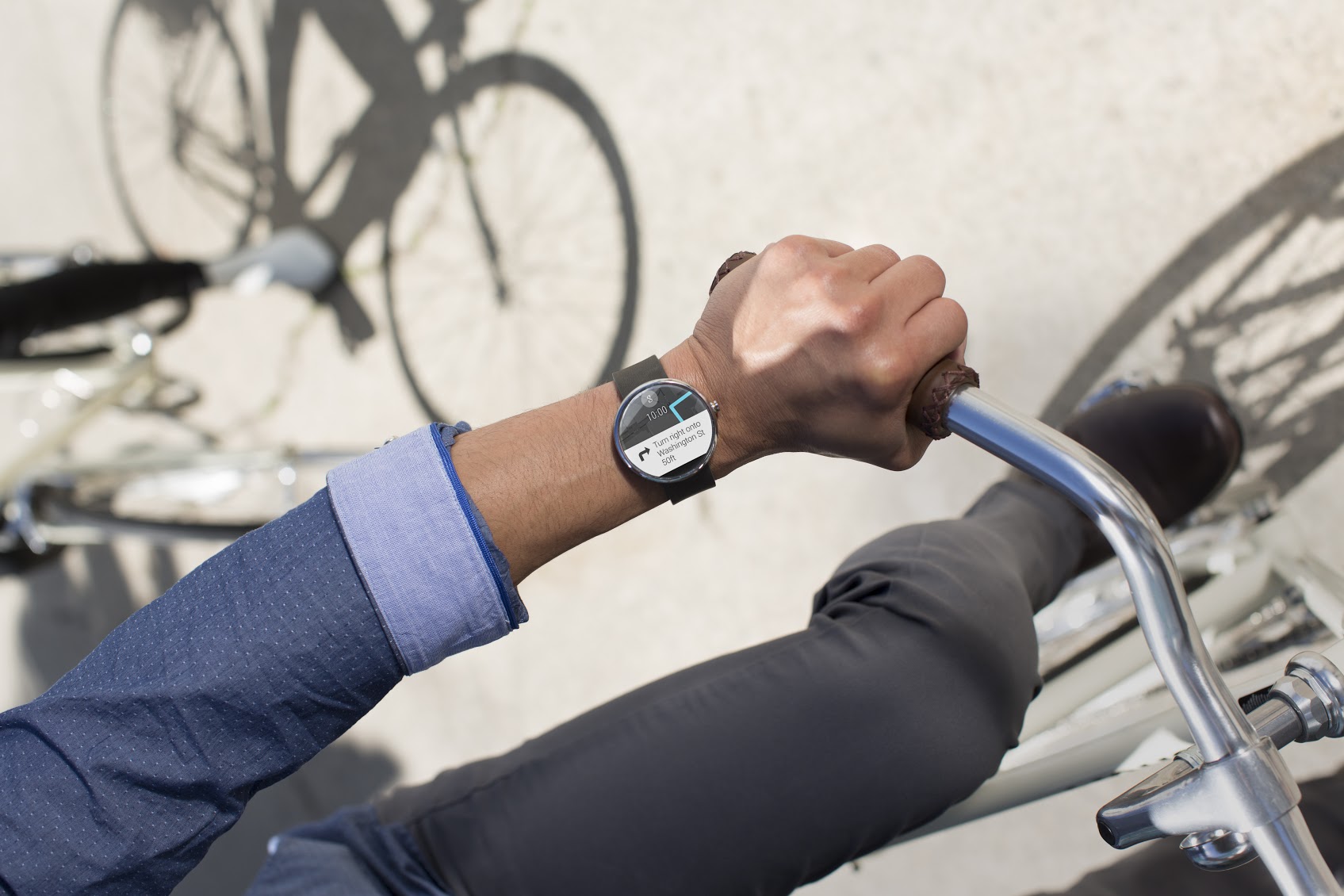
    The Moto 360 can do a number of things, such as display incoming calls and texts, measure your heart rate, pull up directions from Google Maps, count your steps, and tell you the weather. The idea behind Android Wear is that the watch should display contextual information before you even need to ask for it. Google Now has always been really capable, and its ability to predict and surface information that you’re interested in is built right into Android Wear. So, for example, if  your favorite IPL team has a match at 7 p.m. tonight, Android Wear would display that information on your wrist automatically.

    Health and Fitness

    The Moto 360 has a heart rate monitor on the underside, that’s good for getting a causal fix on your overall health, but it will not be much of use for vigorous workouts sessions. On the Moto 360 are three pre-installed apps for measuring your overall health. Fit shows how many steps you’ve taken during the day, can measure your heart rate, and lets you set a goal for the number of steps you take each day. In a similar vein, Heart Activity displays how many minutes you need to be active during each day (it’s set at 30 minutes), and how close you are to completing that goal.

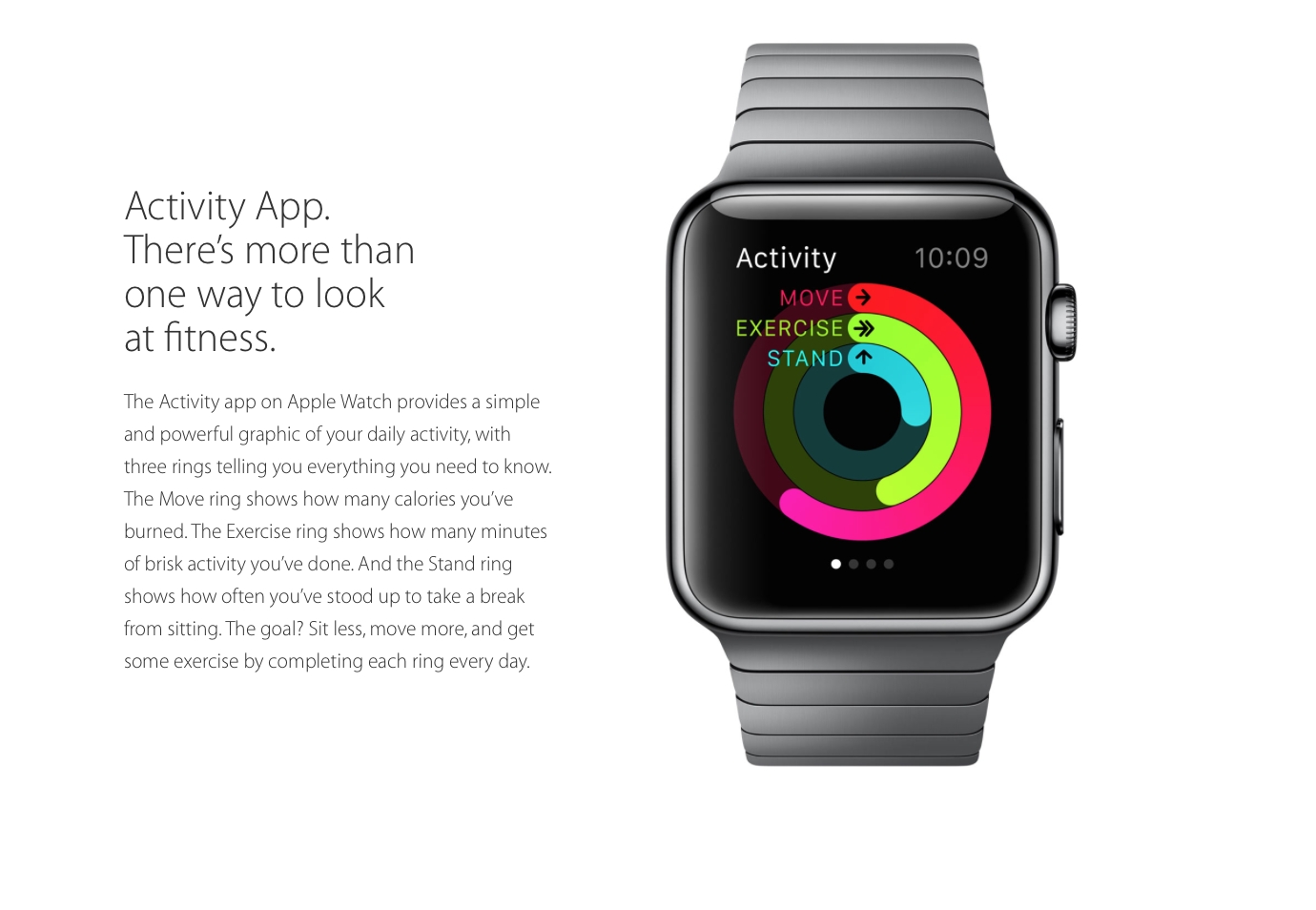
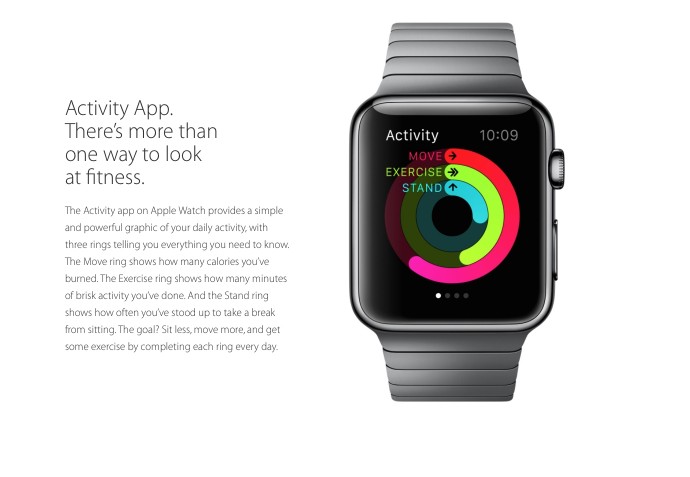
    Apple Watch promises to take over and take it to a whole new level. Instead of simply tracking daily activities, the watch will actually encourage you to be more active. It has two key apps for this; the first will map your fitness activity through the day, while the second and the more important one, will help you set goals and then help you achieve them.
    Apple watch Features Design 20

    Thirty-Party Apps

    For wearables to entice prospective buyers, third party apps were needed and both Motorola and Apple understood that. Apple has already experimented with certain third-party apps. Developers will be able to create custom notifications for the home screen. For example, the City Mapper will remind you to get off at the right station, the BMW app will direct you to where you would’ve parked your car and the Nike app will allow you to challenge your friends to go for a run.

    It’s been a few months, and Google says there are already thousands of apps that support Android Wear. Facebook Messenger, for instance, will now send messages to Wear and can accept responses dictated over voice. Though, we’ve seen a handful of good apps that run specifically on Wear, but no one has actually gave us any breakthrough app yet.
    Apple watch Features Design 17

    Style

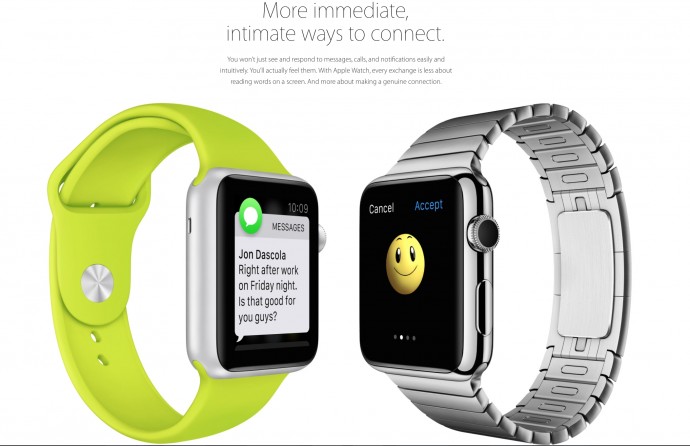
    Since watches are worn all the time, it’s important that they look good. The design and style should suit you well. The Apple Watch will be available in six designs. The watch comes with a mechanism which would make it super easy to switch between the straps. The straps include a sport band, soft quilted leather and stainless steel options. And since one size does not fit all, Apple has also developed smaller sizes.

     The Moto 360’s 1.56-inch-diameter round display is big, bold, and feels a lot larger than a square display. It has a 320×290 resolution, effectively, at 205ppi. Actually, it’s not fully round there’s a bit of a black bar on the bottom. Apple has done great job by giving us variety, but Moto 360’s round dial and sleek look has already garnered many fans.

    Moto 360 map

    A biggest setback is that the Apple Watch will be compatible with only with iPhone 5, 5S, 5C, 6 and 6 Plus, on the other hand the Moto 360 isn’t as exclusive or biased to its own brand. Apple definitely stands out with its sophisticated and extensive sensors. Unlike Moto 360, Apple Watch seems to do much more than just showing you notifications. It seems both the devices have the right components, they just need to get some developers to come up with more compelling apps.

    [poll id=”18″]
  • Everything You Need to Know About the Apple Watch

    Everything You Need to Know About the Apple Watch

    We had been waiting for the elusive Apple Watch to appear on Tim Cook’s wrist for a long long time. The day is finally here and we have to admit, it has been one of Apple’s most well-kept secret. At the massive Apple event held in Cupertino California, the audience couldn’t contain their excitement and stood up to greet Apple’s newest innovation. On the other hand, Tim Cook, CEO of Apple, managed to patiently walk the audience through a few of the exciting features of this insane device (he promised there was much more.)
    The Apple Watch will be priced at $349 and will be available by early 2015. It will come in three variations – Apple Watch, Apple Watch Sport and the Apple Watch Edition. The wearable will be compatible with iPhone 5, 5S, 5C, 6 and 6 Plus. We’re glad Apple decided against forcing people to invest in the newly released iPhone 6 and iPhone 6 Plus.
    Here are some things that you should know about the Apple Watch:

    Personalised Interface and The Digital Crown

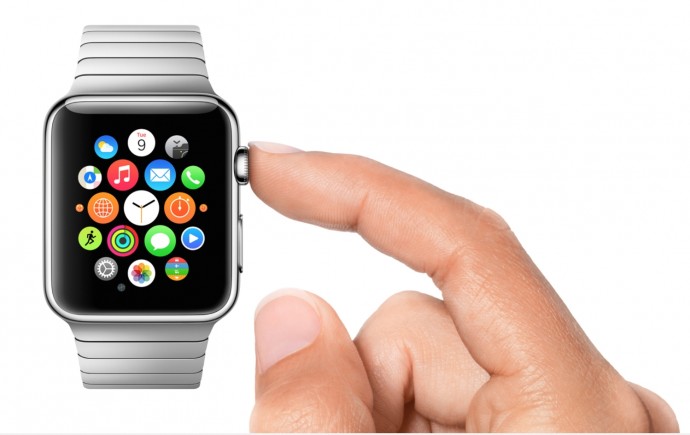
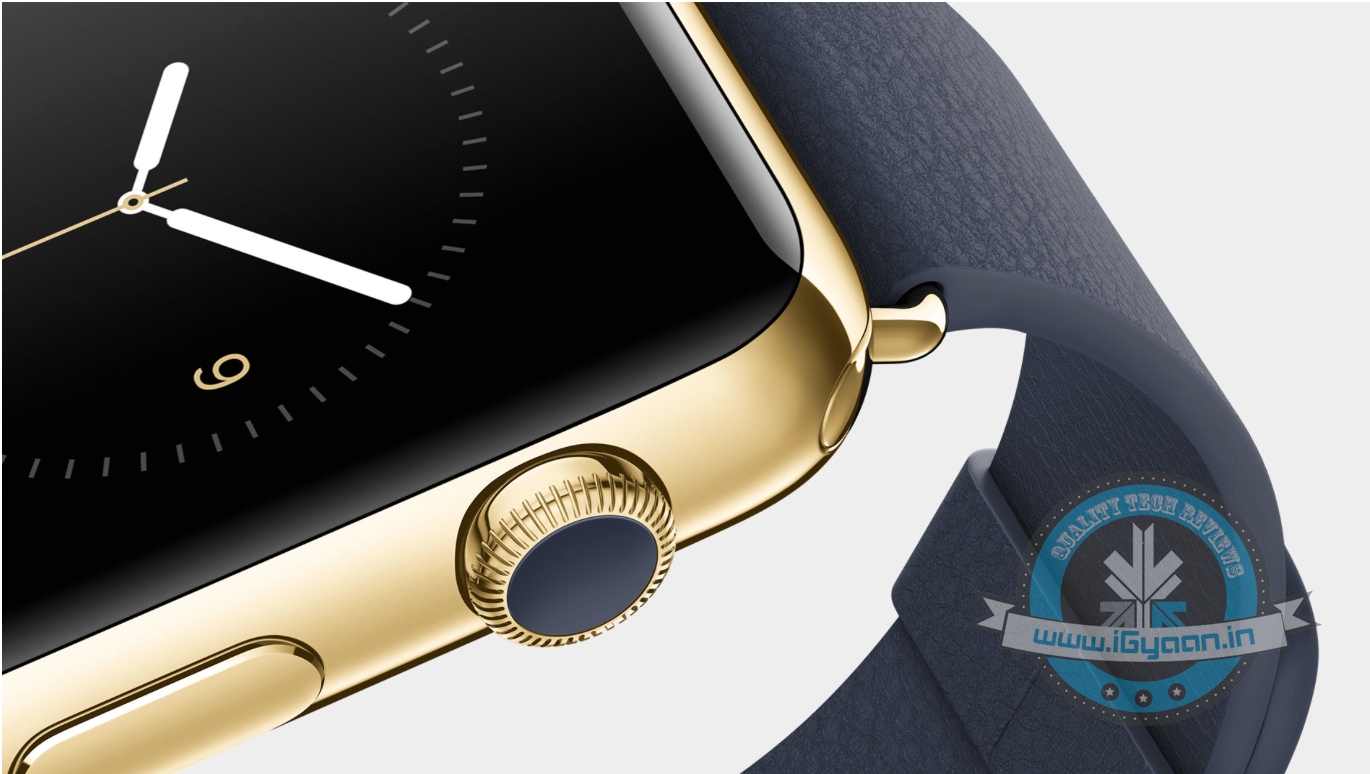
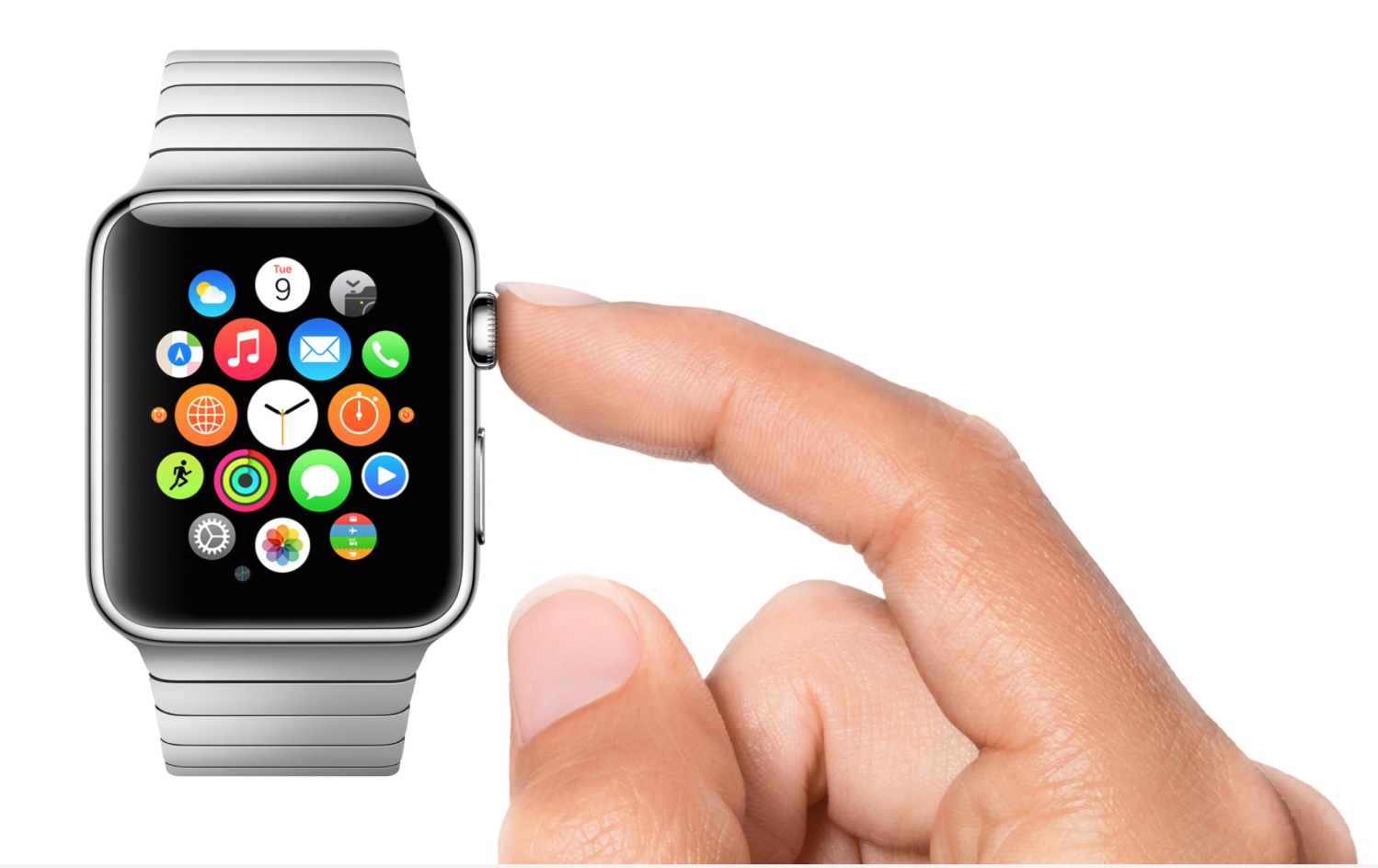
    The company assured the audience that they’ve haven’t simply decreased the size of the iPhone to put it on your wrist. They spent time and effort to make sure the interface was made-to-fit. For this, they’ve developed the very useful ‘Digital Crown’. The company compared it to the revolutionary mouse, iPod’s click wheel and the much more recent, multi-touch screens. Instead of using pinch-and-view touch screen, which would inevitably crowd the screen, the Digital Crown will help navigate through the interface better. It sits neatly on the right side of the watch face, helping users scroll through the screen without blocking it.
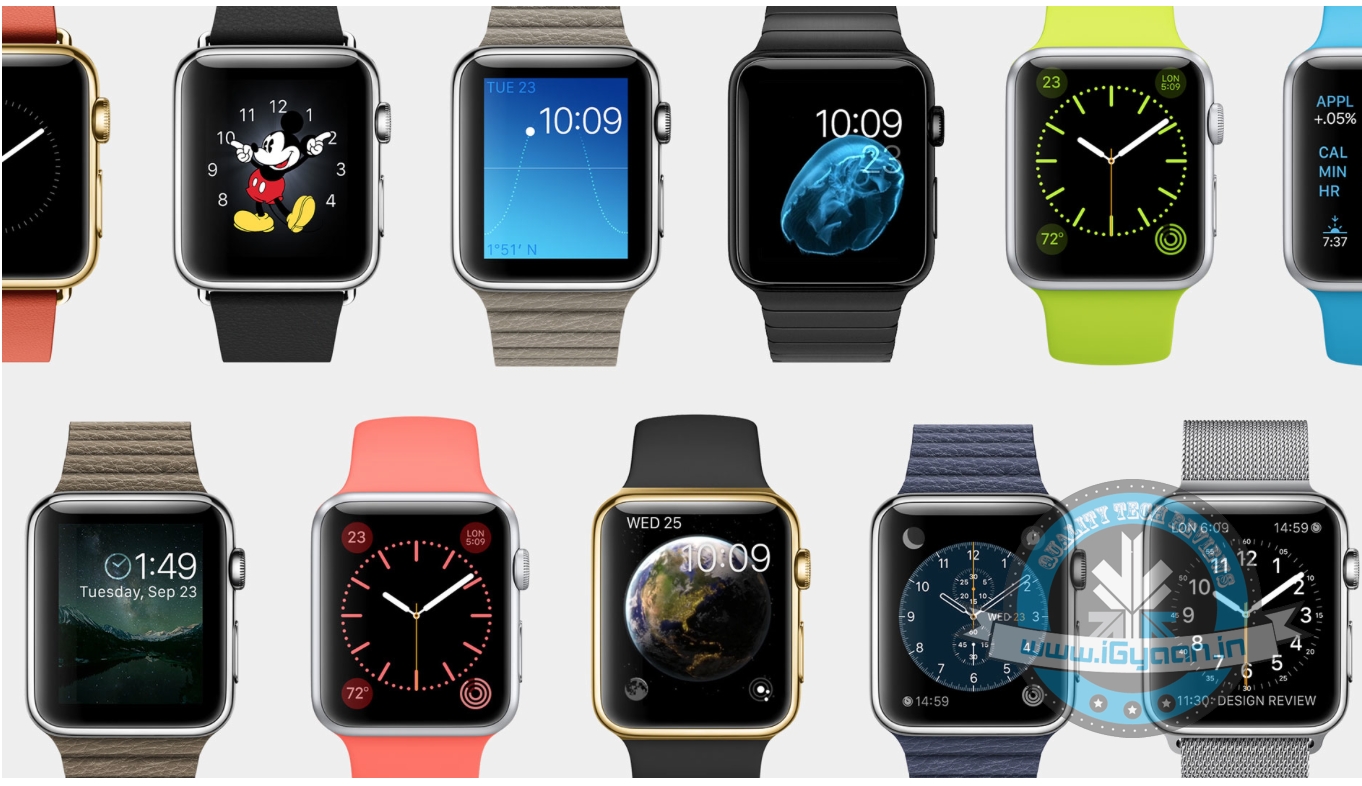
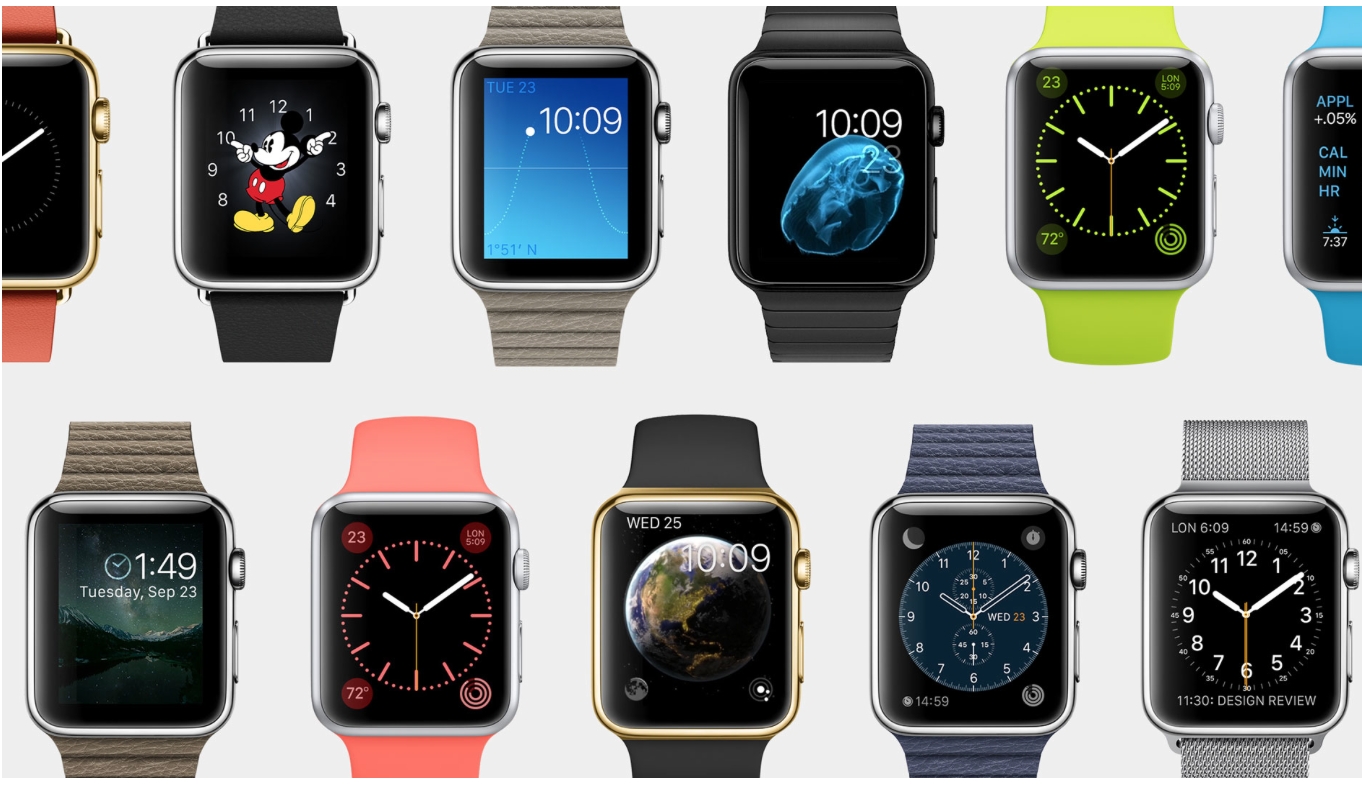
    Apple has also made the effort to provide a wide-variety of Watchfaces. Once you force touch the homescreeen, it instantly gives you options to change the style. Again, you can switch and check out different options using the crown. The Apple Watch uses a unique charging system, which doesn’t require alignment or exposed contact to charge.
    Apple watch Features Design 15

    Design

    Since you would wear the Apple Watch everyday, all the time, the company decided to make sure it suits everybody’s style. The Apple Watch will be available in six designs. The watch comes with a mechanism which would make it super easy to switch between the straps. Picture this: if you have a suave leather strap on for an important meeting, before stepping into the gym you can make a quick switch to the sport-friendly band.
    The straps include a sport band, soft quilted leather and stainless steel options. And since one size does not fit all, Apple has also developed smaller sizes.
    Apple watch Features Design 18

    Next-Level Communication

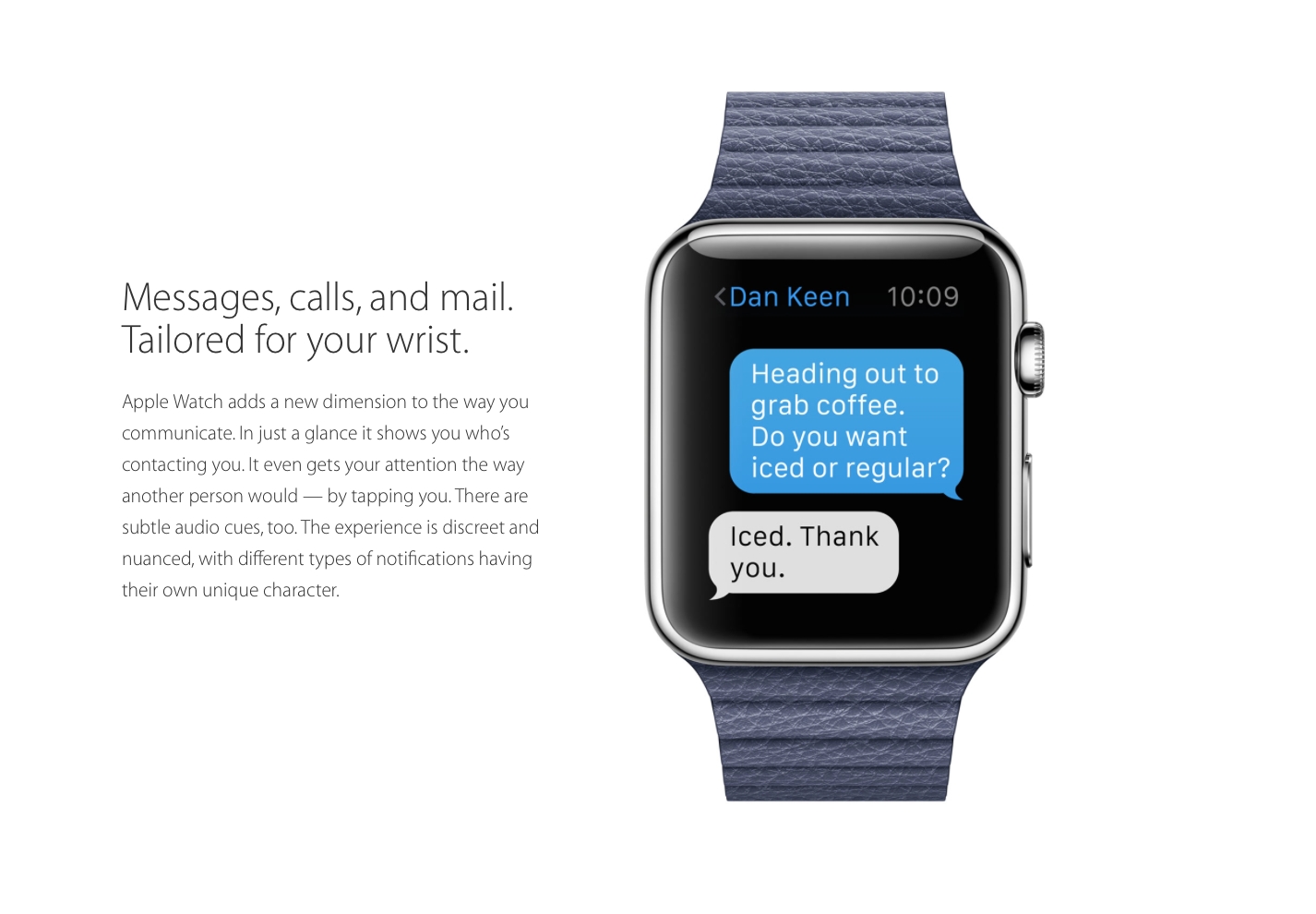
    Apple promises that the person sitting next to you would not be able to tell that you’ve received a notification. The notification buzz will simply gives the effect as if someone is tapping you lightly on your wrist. You can customise the apps which you’d like notifications from. It will the Bluetooth and Wi-Fi from the iPhone for all communication purposes. The built-in speaker phone and microphone can be used to receive calls and use the built-in Siri. With a simple tap on the digital crown, Siri can be activated.
    One of the coolest features, the Apple Watch reads and analyses your texts. Uses that information to give you options of short then gives you Smart Replies.
    Using the same NFC technology, which was also introduced on the iPhone 6 and the iPhone 6 Plus, you make short and direct payment. They’ve already roped in several partners in the US, where payments can be made with a quick touch. Apple now would like to replace credit cards and reduce the bulk from your wallets.
    Apple watch Features Design 13

    Focus On Fitness

    Health and Fitness has always been an important arena for Apple. This Watch promises to take over and take it to a whole new level. Instead of simply tracking daily activities, the watch will actually encourage you to be more active. It has two key apps for this; the first will map your fitness activity through the day, while the second and the more important one, will help you set goals and then help you achieve them. It takes it a step further. The Apple Watch would like us to sit less, move more and get some exercise.
    Apple watch Features Design 20
    It’ll help set goals according to the number of calories needed to burn, distance you’d like to achieve or the number of minutes spent exercising. These apps will take the extra effort to get to know you better, according to which it will then sent personal reminders to make sure you take care of your health. It will then share this data with third-party apps. Speaking of which..

    Third Party Apps

    Apple has already experimented with a few third-party apps. Developers will be able to create custom notifications for the home screen. For example, the City Mapper will remind you to get off at the right station, the BMW app will direct you to where you would’ve parked your car and the Nike app will allow you to challenge your friends to go for a run.
iGyaan Network
Privacy Overview

This website uses cookies so that we can provide you with the best user experience possible. Cookie information is stored in your browser and performs functions such as recognising you when you return to our website and helping our team to understand which sections of the website you find most interesting and useful.