Tag: cortana

  • 9 Super Cool Features of Windows 10

    9 Super Cool Features of Windows 10

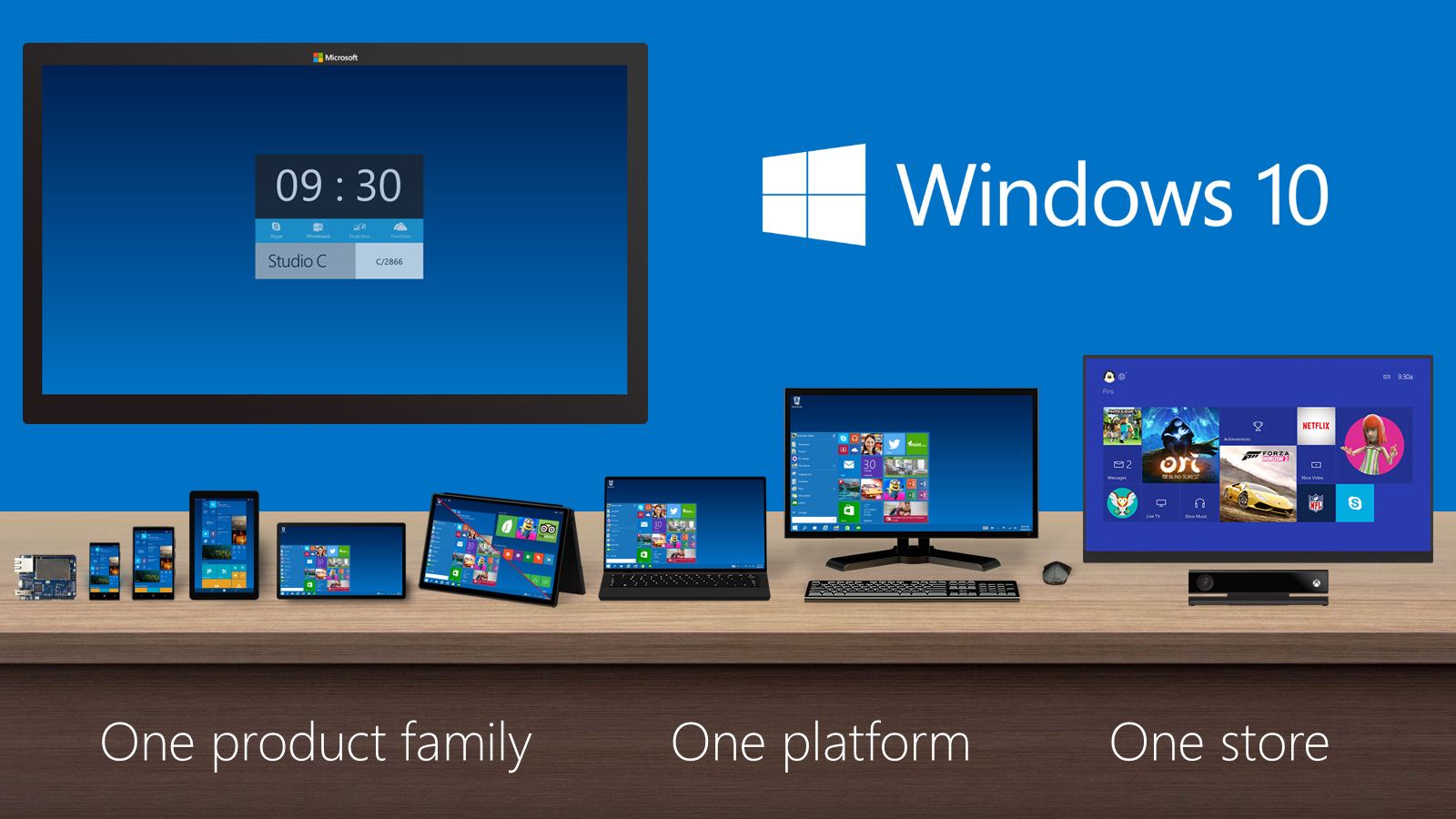
    Last night, Microsoft lifted the veil off the consumer version of its much-anticipated operating system Windows 10. The event saw some amazing offerings that were absent in the business version of Windows 10, launched in September the preceding year. Microsoft announced that its new upgrade would be same on all platforms and would be more user-friendly and impressive that ever before.

    We have summed up Top 9 features that make Windows 10 unique-:

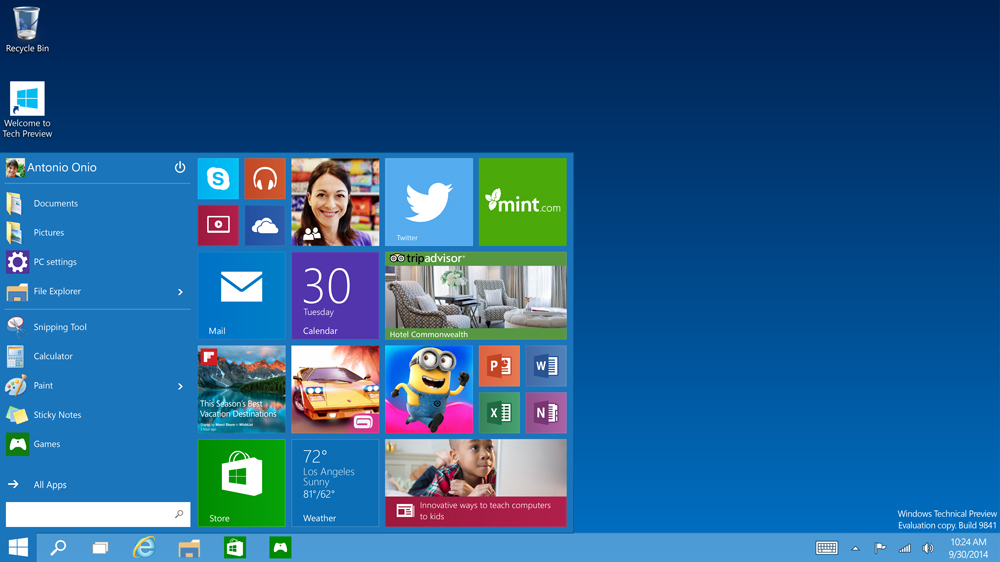
    1. Start Menu
    Start-screen-in-Windows-10

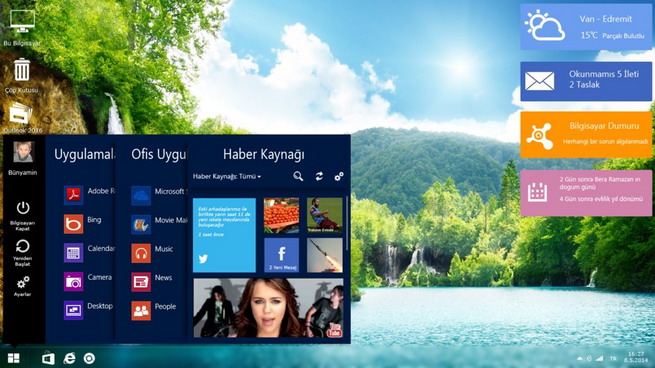
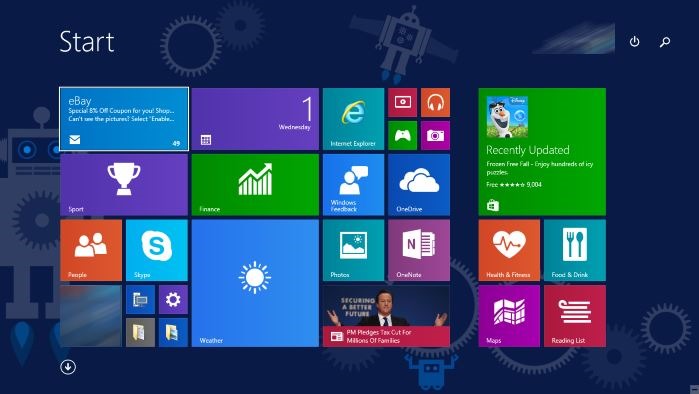
    To start off, Microsoft has added the much-needed tool that was absent from Windows 8 and 8.1 – the Start Menu. People longed to see this on their desktop for past three years, and finally Microsoft has put it back. The new Start menu combines the old-school start icon along with the modern user interface that makes it more comfortable for users to go through.

    2. Action Center
    Windows-10-Action-Center

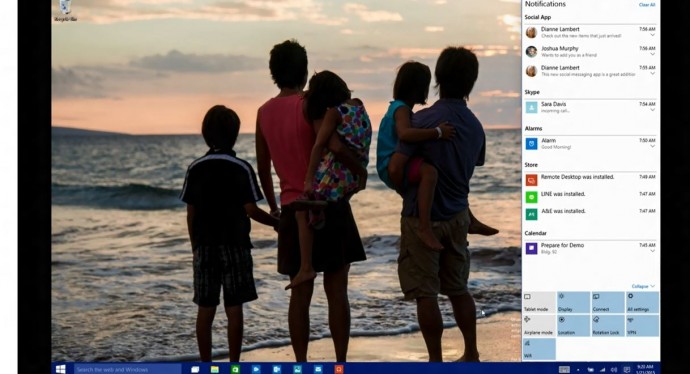
    Settings have tweaked, to give a cleaner and more understandable look. Windows 10 pushed the fragmented Settings menu and Control Panel out to encompass a unified settings menu called Action Center. Action Center brings together all the frequently used options like Wi-Fi, Bluetooth and more. The refreshed settings shelter all the regular buttons, through which one can instantly switch the Wi-Fi, Bluetooth and other selections on and off.

    3. Continuum
    continuum windows 10

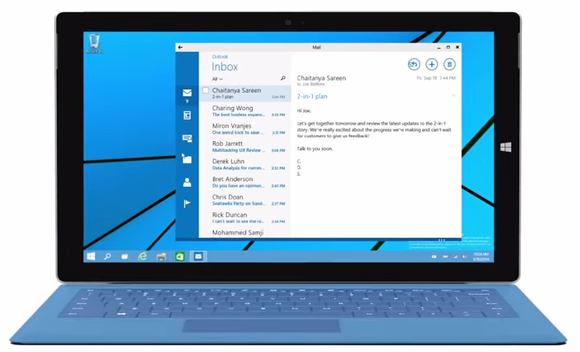
    Continuum is a highly anticipated addition to the Windows 10. Continuum is just like Apple’s Continuity feature that allows you to switch from PC to mobile or tablet from where you left. The feature is designed specifically for convertible devices, switching almost instantly from a mouse and keyboard to a tablet screen.

    4. Notifications Sync
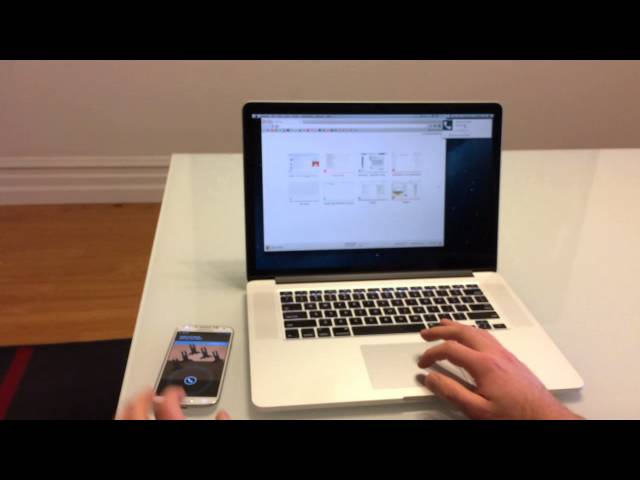
    windows 10 sync

    Microsoft has made full use of its ‘common interface for all platforms’ and has included the notifications syncing feature. With this new tool, notifications will get synced across devices, and once you have dismissed some notifications on a mobile, it will not obstinately pop up again when you switch on your laptop or tablet. Now that’s something really thoughtful by Microsoft.

    5. Cortana
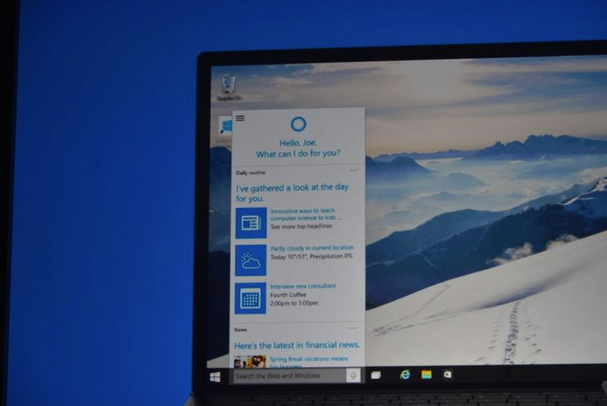
    cortana pc

    The special feature that separates Windows 10 from its predecessors is the intelligent personal assistant Cortana. Cortana will serve as a primary search tool that will look for you. Its reminder capabilities are unparalleled. Not only this, Cortana is much more than a simple robot. Through Cortana you can interact with the device making lif very easy on the go.

    6. Universal Windows Apps
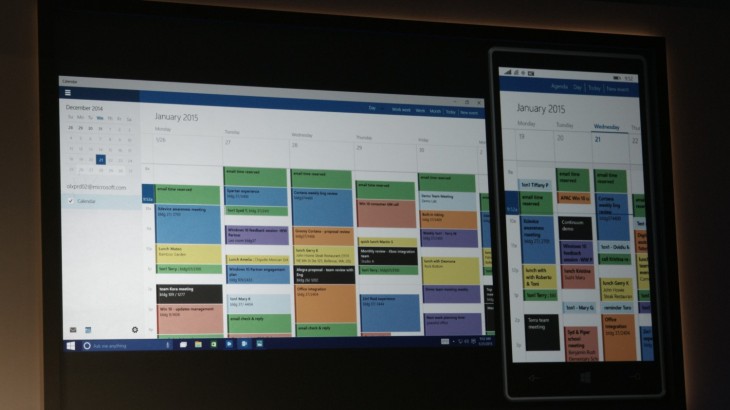
    Windows_10_universal app

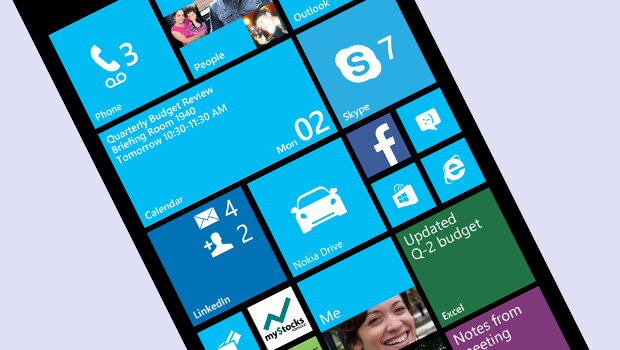
    One thing that will benefit Window Phone users is the universal Windows apps. The company has added some new apps that will run on computers, mobile, tablet and as well as on the Xbox One, and has improved the already existing apps. The list of new adoptions includes Outlook that has been modernised to cover comprehensive styling and extra formatting capabilities. Calendar app has been made consistent on all the platforms and Photos has been pinched to remove duplicates.

    7. Project Spartan
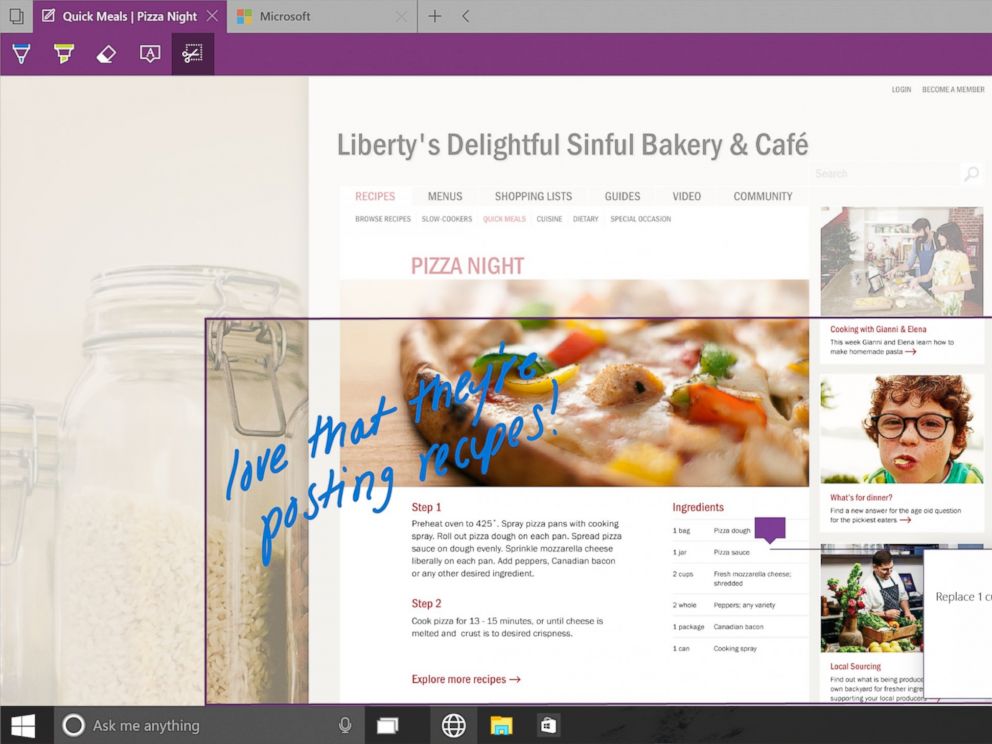
    spartan

    The new browser that’s launched with Windows 10 is dubbed Project Spartan. The main highlight of this browser is its use in social networking. With Spartan, users can send websites with highlights and annotations added to them, something which is not available in any web browser right now. Also, Cortana is deeply integrated with Spartan to make life easier for the non savvy folk.

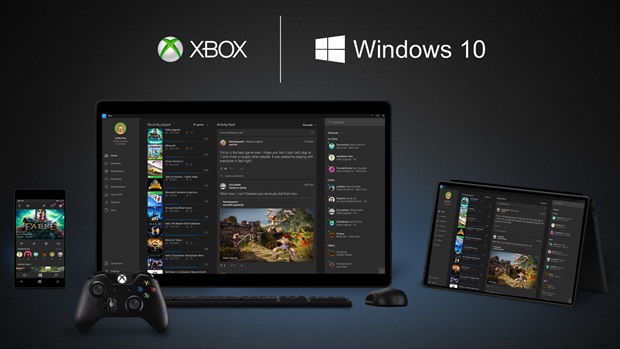
    8. Xbox Live
    xbox live windows 10

    There is something for hardcore gamers as well. With the new Xbox app, Xbox Live, on Windows 10, gamers can chat with their pals, share browsed video game clips and can record their games as well. The app also enables you to edit videos as per your willing.

    9. Improved Design and Interface
    windows_10

    Microsoft has proved that it has an eye for details. Users will notice the modern touch given to the icons. With fully-adjustable keyboard, integrated Message and Skype app, Windows 10 is more clean and swift.
  • Microsoft Windows 10 Official Makes Apps Universal

    Microsoft Windows 10 Official Makes Apps Universal

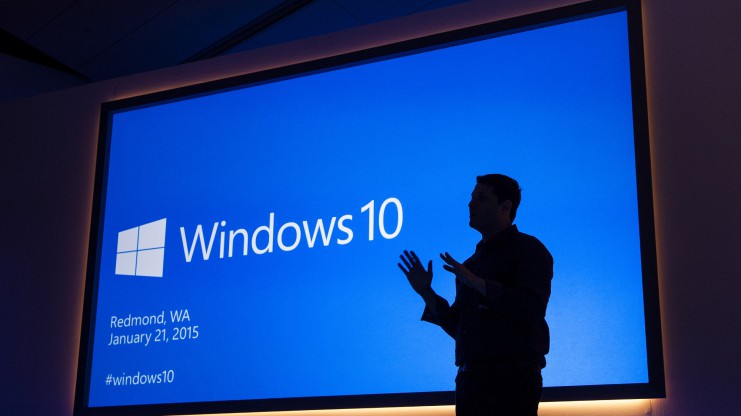
    Microsoft has taken the curtain off the next version of the largest used OS aka Windows and just like rumors suggested they skipped the 9. The next version of Windows aka Windows 10.

    Microsoft has followed in the lines of Apple and mostly Mobile methods by making an upgrade to Windows 10 free for all Windows 7, Windows 8.1 and Windows Phone 8.1 users. Calling Windows mostly a service and not a product.

    ms-event-2015-01-21-win10-46-741x416

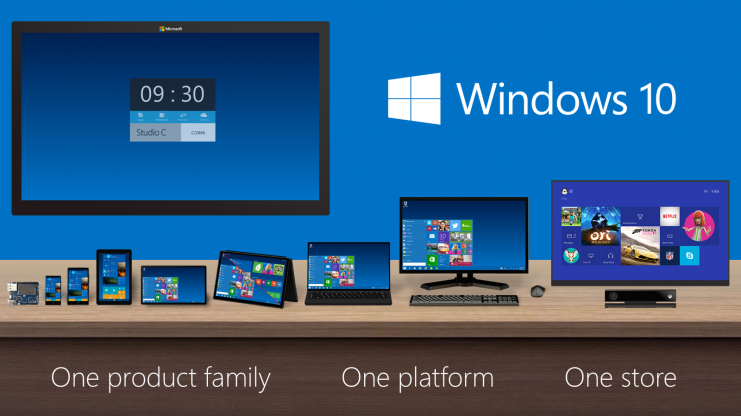
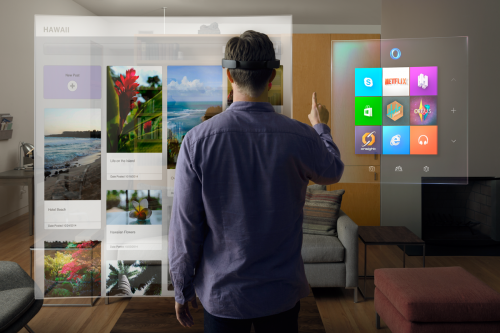
    The biggest news that fits into the picture is the seamless integration with Apps across hardware segments, Microsoft has been gunning for this and with Windows 10 it may have become more of a reality.

    Now coders will have to make one app which will work across platforms including mobile, tablet and PC.

    Windows_Product_Family_9-30-Event-741x416

    The new version of Windows will also come with voice assistant “Cortana”. The center of the Cortana experience is housed in the “Notebook”, which should be familiar with those on Windows Phone. Opening this Notebook will show you just what she knows about you.

    You can do voice search as well as voice to text typing, which will be a much appreciated add-on.

    With previous version of Windows leaving everyone complaining, Microsoft execs are pretty much sure that they have rebuilt their OS from the ground up, and unlike Windows 8 it is not a hasty decision or rollout.

    https://www.youtube.com/watch?v=teoZk3QEc40

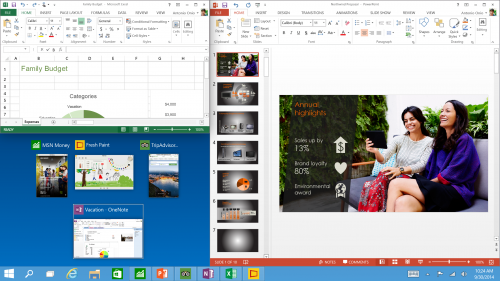
    Along with Windows 10 Joe Belfiore demonstrated new versions of Powerpoint and Outlook for a better productivity experience.

    Tech-Preview_Three-program-snap-and-suggestions-500x281

  • What to Expect from Microsoft’s 21st January Windows Event

    What to Expect from Microsoft’s 21st January Windows Event

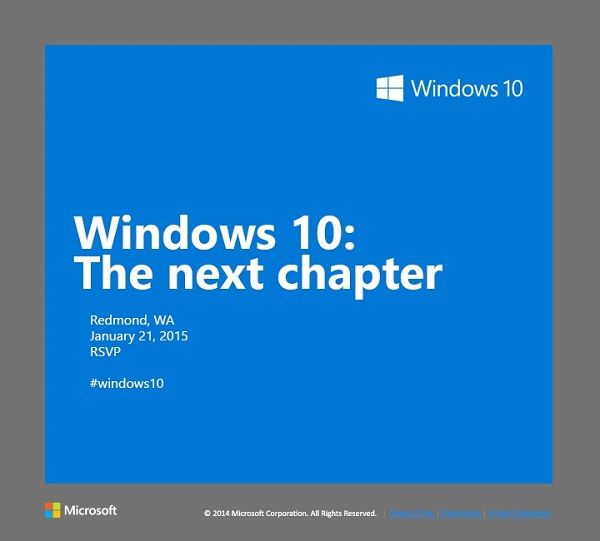
    Microsoft is holding a special Windows 10 event in Redmond on January 21st. The software giant has already rolled out invites to members of the press, asking them to be a part of the unveiling of “the next chapter.” The new OS is expected to bring new advancements in the consumer-end of the software. The 21st will give us the first glimpse into how Microsoft plans to compete in the consumer field of tablets and phones.

    Let’s look at what we can expect for Microsoft’s January 21st event:

    windows10invite.0

    Windows Phone 10

    It is no secret that Windows Phones so far has been a failure, with Android and iOS giving it a tough competition. According to IDC, Windows Phone holds petty 3% of market share which is the result of drastic dip in 2014. With Windows Phone 10, Microsoft is betting to change this scenario. The company is expected to take wraps off the first version of Windows Phone 10 on January 21. According to the reports, the next mobile OS will be a combination of the Windows Phone and Windows RT operating systems. Microsoft is aiming to take advantage of its universal applications model to align its tablet and phone software to run the same apps across tablets and phones.

    Windows-Phone-8-Update-3

    Windows 10

    Windows 10, in particular, is a crucial tipping point for the company. It’s first and foremost an opportunity for the company to follow through on its promise to make good with consumers, many of whom were turned off by the company’s last version, Windows 8. The most important change in the next installment will be the unification of the OS’s touch and traditional software. Another significant change is the return of Start Menu which was eliminated in Windows 8.

    In a recent tweet, Microsoft teased Windows 10’s ability to handle multiple desktops on a single device – saying that more is coming 1.21.15. Multiple desktops allows users to open a number of “virtual desktops” and spread their work out amongst them all – imagine them as virtual monitors you can flip between.

    Microsoft will be presenting a consumer preview of Windows 10 on January 21

    ‘Spartan’ Internet Browser

    Microsoft’s new Windows 10 internet browser, codenamed Spartan, is expected to debut with Windows 10 as a separate app along with Internet Explorer. Various leaks and rumors suggest that Spartan will be one of the major elements of Microsoft’s upcoming Windows 10 operating system and will come with some ground-breaking features which are currently missing in competing browsers such as Chrome and Firefox.

    spartan-browser

    According to the reports, Spartan will include digital inking support which allows Windows 10 users to annotate a web page with a stylus and send the notes and annotations to a friend or colleague. It is also said that Spartan web browser will be heavily linked to Microsoft’s Cortana digital assistant.

    PC Gaming

    A post on Xbox Wire noted that Phil Spencer, head of Microsoft’s Xbox unit, will be shedding light on Windows 10’s consumer experience, by including the role of gaming in consumer products.  According to the post, the company’s goal is “to help PC gaming flourish”, part of which will involve extending the Xbox experience across Windows 10 gaming PCs and other devices.

    Microsoft-PC-gaming

    The company previously announced that Windows 10 will ship with DirectX 12, which promises to help developers deliver better performance from hardware, in addition to bringing benefits to integrated graphics solutions such as Intel’s HD Graphics series.

  • Here’s the First Look at Cortana Running on Windows 10

    Here’s the First Look at Cortana Running on Windows 10

    Well, it has been a month since the technical preview of Windows 10 is out; although, it doesn’t run Cortana as for now. Cortana is Microsoft’s obvious response to Apple’s Siri, and with Apple looking to integrate Siri into OS X, Microsoft desperately needs to do it right. Right now, Cortana doesn’t have much of a personality in Windows 10, but we expect that it will be there by the time the company rolls it out to the public.

    Anyway, it is pretty much clear and evident that Cortana be will coming to desktops once Windows 10 is available commercially. We are still waiting to see Cortana in action on desktops.

    In a recent video post, WinBeta got access to Cortana on Windows 10. The early version of the Microsoft’s virtual assistant isn’t pretty, however, we can expect Microsoft to tweak it before the roll out of public version.

    This early version, which the popular publication got hold off, got most of the basic stuff in place, such as calling Skype contacts, reading out your calendar and setting reminders just like on Windows Phone. The hard truth is, there are not many Windows Phone users out there and so, this might be the golden chance for the company to push out Cortana to a larger user base.

    Google Now has been available on Chrome and other platforms for some time now. These companies’ devotion towards virtual assistants shows how important they have become. The mere fact that all the big names have come up with their virtual assistants and are looking out to integrate them into desktops defines the future of personal computing.

  • Cortana to Come to Your Desktops With Windows 9

    Cortana to Come to Your Desktops With Windows 9

    We all are familiar with the competition between Microsoft and Apple. Just last week we heard rumors about Apple integrating its virtual assistant Siri to its desktop. It looks like Microsoft might be planning the same thing by bringing the Windows 8.1 voice assistant Cortana to the Windows 9.

    maxresdefault
    Microsoft is preparing to include its Cortana digital assistant in the next major version of Windows, Windows 9

    It is said that like the Windows Phone 8.1 phone version, Cortana will be an app and not be integrated into the operating system. Unlike the Windows Phone 8.1 app, however, Cortana is not a ‘full screen experience,’ and rather, will allow users to ‘either type in your question or ask verbally inside a smallish window.’

    Microsoft has been gradually improving Cortana every two weeks by adding additional data points and features, and as the service is HTML driven, these improvements can be expected to make their way over to the Windows 9 version.

    windows-9-design-concept
    windows 9 design concept

    Well, we should keep in mind that a lot can change between now and Windows 9’s eventual release. Microsoft could decide to drop Cortana from Windows 9, at least at first, or reversely more updates to the virtual assistant could allow for even deeper integration into the OS.

    Not too long ago, we had seen leaked images with a revamped Start Menu. Microsoft is also expected to release a preview version of Windows 9 later this year with “Metro-style” apps floating in windows on the desktop, a virtual desktops feature, and the removal of the awkward Charms bar from desktop versions of Windows.


  • Meet Cortana , Microsoft’s Alternative to Siri

    Meet Cortana , Microsoft’s Alternative to Siri

    Microsoft has finally shown off its new mobile search assistant, Cortana, its version of Siri and Google Now.


    As a part of Microsoft’s new Windows Phone 8.1 update, Cortana is a new Voice Recognition based personal digital assistant. Named after the AI in the popular XBOX title “Halo” the “personal digital assistant,” has the ability to search the Internet, set up alarms, shift calendar appointments, find restaurants, send messages, place calls and more.

    Cortana is quite identical to Siri on an iPhone, tap a button and ask the ui a question, however like Google Now Coranta can also tap into applications and and the phone’s core services to deliver you contextual information.It can offer the weather where you’re located, deliver favorite sports scores, or scan email and provide updates on a flight status or package delivery.

    Cortana runs on Bing and has a lot of intriguing features, for example it learns from habits of its users when and how they do their tasks. One unique feature of Cortana is that it can actually push the results of its searches over to other apps. Also like competition, Cortana doesn’t need to learn your voice and tries to interact with you naturally.

    Cortana wasn’t the only new aspect of Windows Phone 8.1, which now has a notification drawer called Action Center, which collects text messages, emails, calls and updates from social networks and other apps. It also has quick toggles for things like Bluetooth and Wi-Fi seen on Android and iOS both.

    Microsoft Also plans to push this Windows for free for hardware makers to use on phones, tablets with screens under nine inches. This should considerably bring down the costs of hardware running Windows. 

iGyaan Network
Privacy Overview

This website uses cookies so that we can provide you with the best user experience possible. Cookie information is stored in your browser and performs functions such as recognising you when you return to our website and helping our team to understand which sections of the website you find most interesting and useful.