Tag: cyanogen

  • OnePlus and Cyanogen Officially Break Up

    OnePlus and Cyanogen Officially Break Up

    The two budding players in their respective fields, Cyanogen and OnePlus, are finally breaking their last thread. Both the companies went through ups and downs in the past few months and now, the two have decided to part ways. A confirmation came from Cyanogen at the Global Mobile Internet Conference in Beijing when Cyanogen’s co-founders announced about ending their relationship with OnePlus.

    The Co-Founder of Cyanogen, Steve Kondik spoke on the issue –

     That’s probably the last you will see from that partnership.… Two new companies are trying to do crazy stuff, a lot of people collide.

    Kirt McMaster and Steve Kondik, Co-Founders of Cyanogen stated that both the companies have different goals, and their visions are not coinciding at a point. The fledgling firms will now be heading with their own goals.

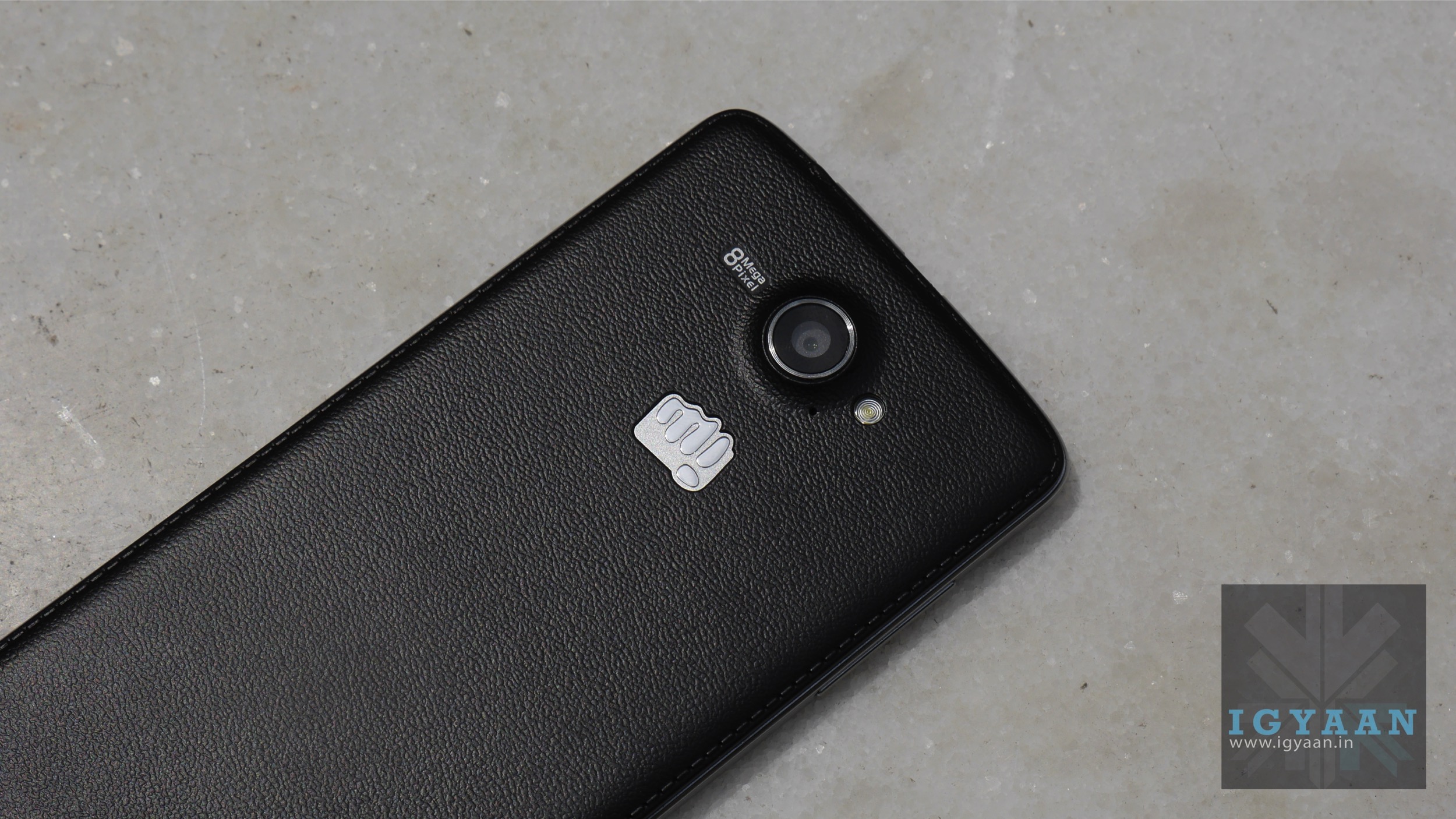
    The conflict between Cyanogen and OnePlus started when Cyanogen decided to jump into bed with Micromax. For a period, the One devices were banned by the Supreme Court of India. The two companies went back and forth for a while, but have now officially decided to part ways.
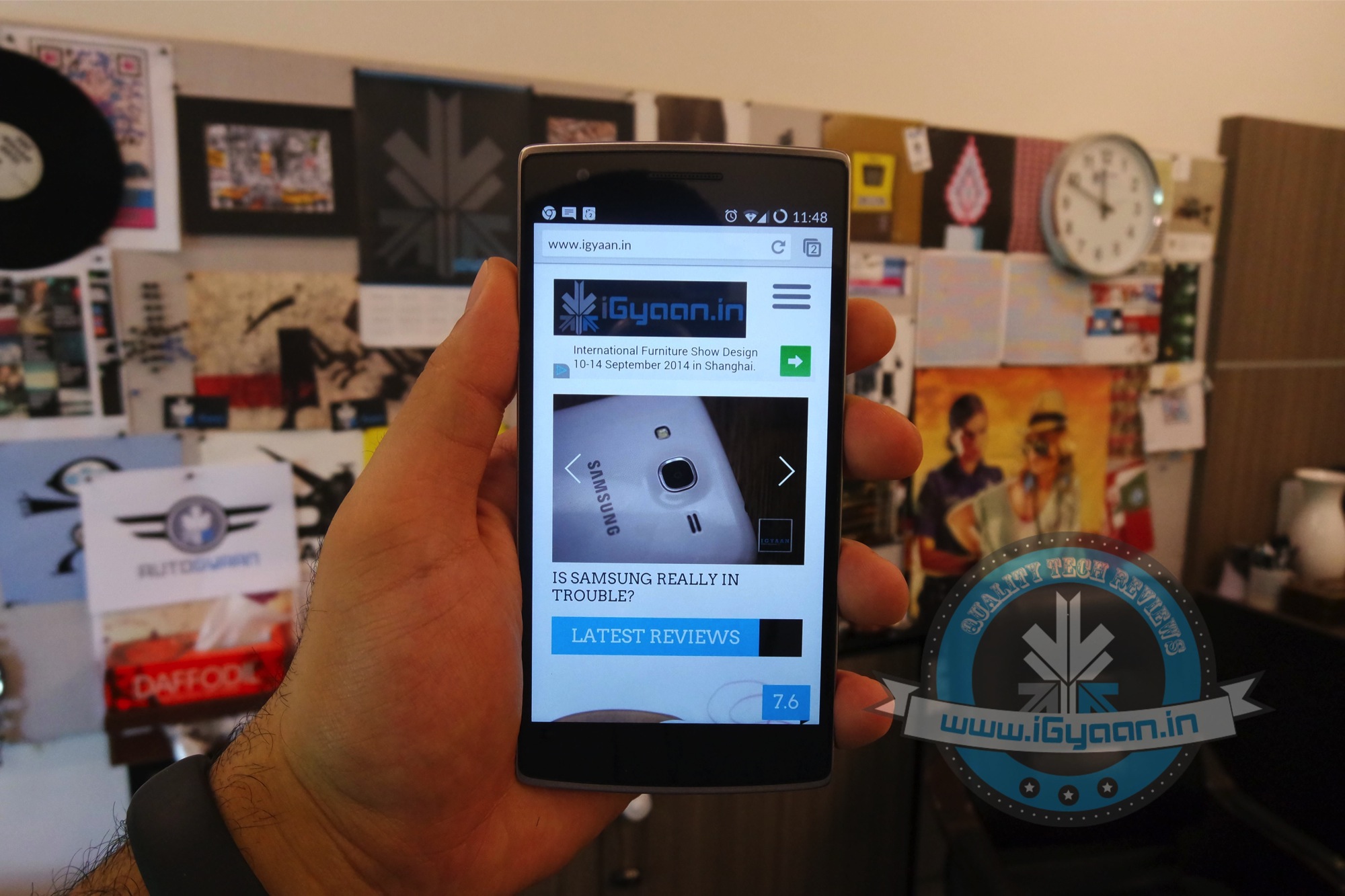
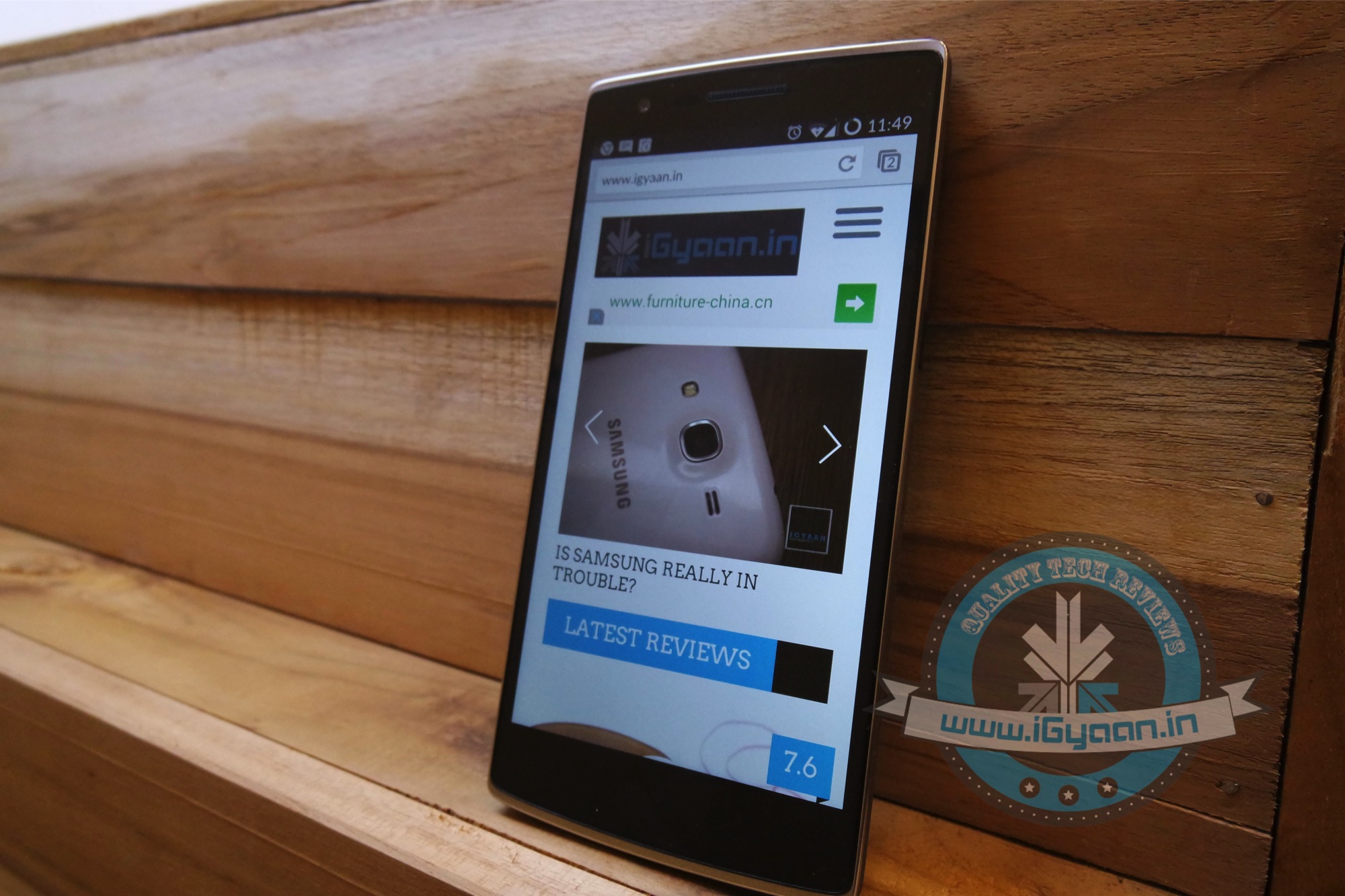
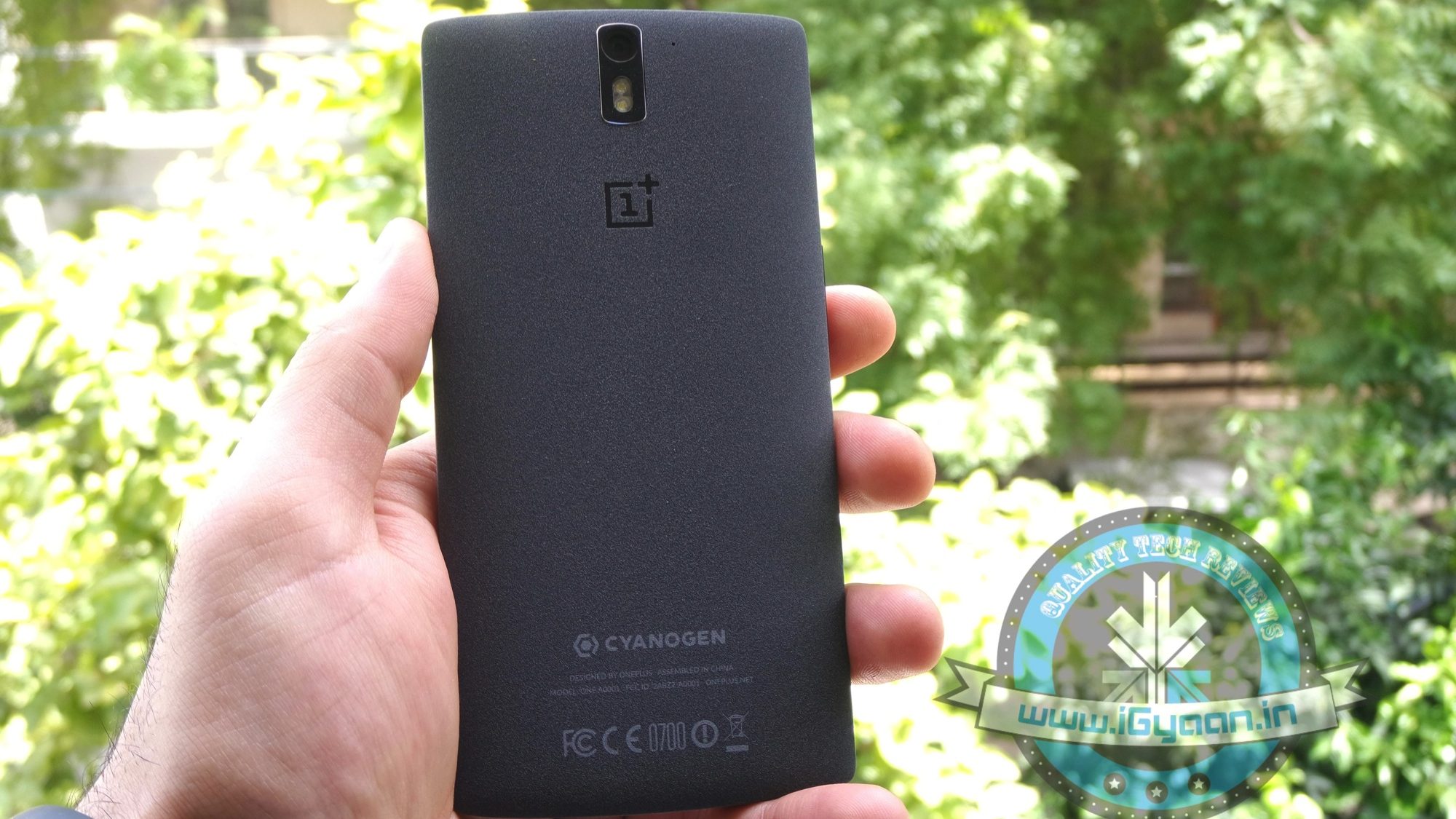
    OnePlus One iGyaan 3
    Happier Days : OnePlus running Cyanogen

    Meanwhile, it is learnt that OnePlus has moved on quickly, and is already working with new brand partners. This might help them scale up the production of the next software to reach the markets quickly. No names linked with OnePlus have come up till now, but it is likely to be an inexpensive Chinese manufacturer. The Chinese equipment maker confirmed on the separation and its association with other partners –

    OnePlus shipped reasonable volume, but nothing compared to what some of these other partners can ship… we are working with partners that can scale much quicker.

    For now, OnePlus has launched its first own OxygenOS that would fill in for CyanogenOS. After that, the new (unknown) software is expected to replace OxygenOS or provide an alternative for it.

  • Later This Year Microsoft Apps Will Come Bundled With Cyanogen

    Later This Year Microsoft Apps Will Come Bundled With Cyanogen

    After months of battling rumours, Cyanogen has officially confirmed that they are partnering with Microsoft. They commented that they will be bringing Microsoft’s useful apps integrated on their popular OS soon. The two companies have supposedly been negotiating for quite some time to create a Cyanogen version which features Microsoft applications.

    In an email to The Verge, Cyanogen CEO said:

    People around the world use Cyanogen’s operating system and popular Microsoft services to engage with what matters most to them on their mobile devices. This exciting partnership with Microsoft will enable us to bring new kinds of integrated services to mobile users in markets around the world.

    Cyanogen said that it would be pre-installing Microsoft apps on its modified Android OS, starting later this year. It means users will have access to Microsoft apps such as Bing, OneDrive, Outlook, OneNote and Microsoft Office. In turn, Microsoft will be experimenting with a number of Android apps. This project has been taken up to lure away consumers’ dependance on the Android applications. It seems like the win-win partnership between Microsoft and Cyanogen.

  • Cyanogen Announces Official Cyanogen OS 12 Update for Yureka Devices

    Cyanogen Announces Official Cyanogen OS 12 Update for Yureka Devices

    Cyanogen has started pushing its exclusive Cyanogen OS 12 update based on Android Lollipop to Yureka devices. The India-based smartphone firm revealed that the L update is a major design overhaul. Along with better touch and design of the UI, enhanced animation is said to add more depth to the interface. The update lets users personalize application notifications, which are now better integrated with the lock screen.

    Cyanogen took to Twitter to announce the same –

    The YU Founder Rahul Sharma commented on the update –

    The Cyanogen OS 12 update is a product of our passion and dedication towards reinventing and redefining the consumer experience and I am extremely excited to share it with our community.

    Many new tools and design options are incorporated in the L update along with two key features, App Themer and Cyanogen email. The App Themer offers extra theming features, down to the granular ability to theme individual apps. The novel Cyanogen email, powered by Boxer, adds Exchange support, multiple account integration, and canned responses for quick replies to the OS. The statement released by YU remarks, “Boxer has also included great customization bells and whistles that lets the consumers select a different LED color for email notifications, and choose what happens when they swipe left or right on a message.” Boxer’s premium version is free to all Cyanogen OS users.

    Other features of the L update include improved privacy on the smartphone; users can create guest profiles to effectively control the usage of their device and can also freeze app screens for restricted user actions. The update supports Indian languages like Malayalam, Marathi, Bengali, Tamil and Telugu.

  • Lollipop-Based Cyanogen 12 Starts Rolling Out to OnePlus One Devices

    Lollipop-Based Cyanogen 12 Starts Rolling Out to OnePlus One Devices

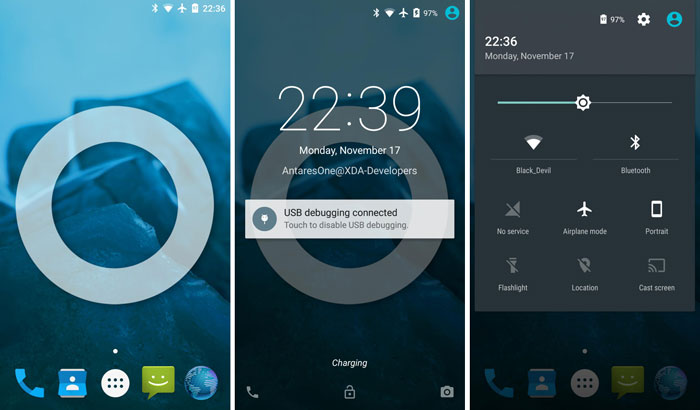
    Cyanogen 12 is officially out and is currently rolling out to OnePlus One devices first. The update for the rest of the devices will soon follow in the coming weeks. Cyanogen 12 brings Android 5.0 with Material Design language in all its glory on the modified OS.

    It also brings a new App Themer feature that allows users to change the styling of the interface, including third party apps. Once updated, users can avail a vast variety of themes, both paid and unpaid.

    oneplus-one-cyanogenmod-12

    Along with this, debuting for the first time is the new Cyanogen email, powered by Boxer. This version will be available for free to all Cyanogen OS users. The new Cyanogen mail brings features like Exchange Support, Multiple Account integration and canned responses for quicker replies. Boxer also added customization LED lights for email notifications. More news on the update will follow soon.

    It is highly probable that the Yu Yureka devices may receive the Cyanogen 12 update next. Yu announced last month it would soon be releasing the update and have already started working on the beta version.

    Till then, OnePlus One users, keep hitting that refresh button.

  • Qualcomm Joins Hands With Cyanogen to Give a Push to Snapdragon-Run Devices

    Qualcomm Joins Hands With Cyanogen to Give a Push to Snapdragon-Run Devices

    At the Mobile World Congress 2015, Qualcomm Technologies and Cyanogen announced a new surprise collaboration. The two renowned companies are joining hands with each other to facilitate users with more improved features on the unique user interface of Cyanogen OS.

    Chipset maker, Qualcomm will work in close coordination with Cyanogen to include features and UI enhancements on Qualcomm Snapdragon processors in the 200, 400 and 600 series. The software maker will make available all its unique features to the Qualcomm Reference Design (QRD) program.

    The CEO of Cyanogen Inc. Kirt McMaster announced about the collaboration –

    We’re delighted to collaborate with Qualcomm on their QRD program. We’re addressing the needs of device makers in developed and developing markets looking for a truly differentiated software experience that matter to consumers.

    Jason Bremner, SVP of Product Management, Qualcomm Technologies further elaborated saying that they have chosen to work with Cyanogen because of their deep Android expertise and innovative approach to enhancing smartphone software.

    Through the QRD program, the company aims to boost the production of low-cost smartphones. Qualcomm’s Reference Design program helps unrecognized companies to choose smartphone templates and launch them under their brand. Cyanogen’s Android version will replace Qualcomm’s own builds on devices embedded with a Snapdragon 200, 400 or 600 processor.

    Through this deal, Qualcomm will be able to revamp its devices running on Snapdragon and Cyanogen and can widen its user base, which is now restricted to limited devices. Cyanogen is the true Android experience for people who prefer to tinker with the user experience. Qualcomm’s active support will help boost the reach of this amazing user interface to a broader user base.

  • Flagship-Killer OnePlus One to Go Invite-Free for a Day in India

    Flagship-Killer OnePlus One to Go Invite-Free for a Day in India

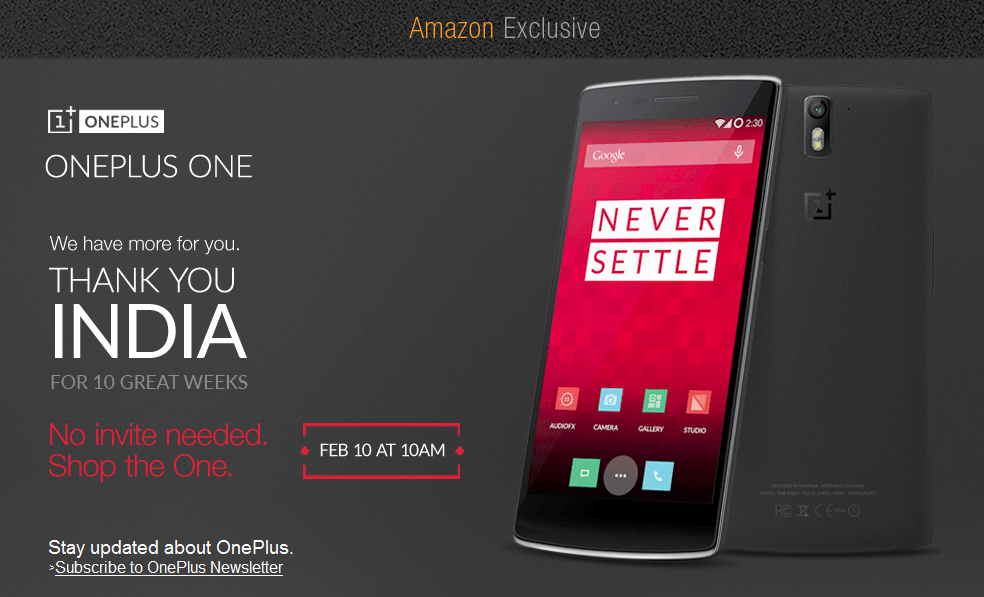
    All OnePlus One fans, hold your breath. The flagship killer is going on open sale tomorrow on Amazon India. The handset will be available without an invite on 10th February and the sale will kick off at 10am IST.

    The company confirmed the same via Twitter saying –

    The open sale is to celebrate the 10 brilliantly successful weeks of OnePlus in India. The same can be confirmed through the Amazon India website that reads – No invite needed. Shop the One. There is no announcement about the number of units going up for sale, however, the company has hinted limited stock with the statement ’till stock lasts’.

    oneplus one

    Amazon India egged the willing customers to hurry with the statement, “The sale would be for limited quantity which is expected to run out quickly given the high demand for the phone.” The flagship One will be available for Rs. 21,999 for the 64 GB model.

    OnePlus embarked on similar sales in other countries, but Indians haven’t had the opportunity to buy it without an invite. It’s the first time the One smartphones are going on open sale in our country.

  • OnePlus to Unveil Lollipop-Based Oxygen OS on 12th February

    OnePlus to Unveil Lollipop-Based Oxygen OS on 12th February

    After a long wait and facing the occasional ban in India, OnePlus is all ready to head strong into the future with its own operating system(OS). The Chinese company just posted a healthy annual report today and will be unveiling its home made OS on February 12th.

    This new operating system will be based on Android 5.0 Lollipop. The company today uploaded a video that shows a OnePlus One device running on Android Lollipop. The description of the video states “OxygenOS is almost here.” From the brief look of the video, it appears that keeping with its traditions, OnePlus hasn’t done any major tweaks to the visual appeal of the operating system. It has kept it close to the stock Android experience.

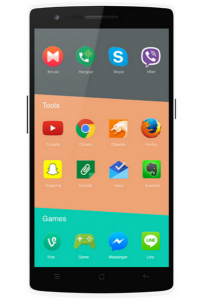
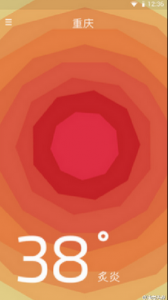
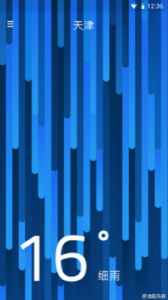
    A few photos have also appeared on the internet which are claimed to be from the upcoming Oxygen OS. Though we don’t vouch for the authenticity of the images, the categorized view of icons sure look appealing. Check out the images below.

    In the meanwhile, Cyanogen informed us that the Cyanogen OS 12S is in the final stage of testing and will be provided as an update for global OnePlus devices running Cyanogen 11S.

  • Lollipop-Based CyanogenMod Update to Roll Out to Global OnePlus One Devices Soon

    Lollipop-Based CyanogenMod Update to Roll Out to Global OnePlus One Devices Soon

    Despite all the discrepancies between Cyanogen and OnePlus, CyanogenMod 12S is in its final stages of testing and ready to roll out for OnePlus Global devices. This implies that most of the phones shipped with CyanogenMod 11 S are still going to get updates in the future. Though an exact date has not been announced yet, since multiple parties are involved.

    This is quite contrary to OnePlus’ recent announcement that they will be developing their own exclusive software called Oxygen OS. With Cyanogen no longer the partner of choice for OnePlus, there will still be support for all phones that shipped with CyanogenMod 11S.

    As most of us are already aware, OnePlus and Cyanogen had a tiff of sorts after Micromax bagged an exclusive deal for CyanogenMod in India. OnePlus One devices purchased outside of India, will get to keep their OS, while devices manufactured specifically for the Indian market will at some point get an update to OxygenOS. Now that is a bit of a bummer for OnePlus One owners in India.

  • Microsoft May Invest in Custom Android ROM Maker Cyanogen

    Microsoft May Invest in Custom Android ROM Maker Cyanogen

    In a surprising round of rumors, The Wall Street Journal has reported that Microsoft is putting money into Cyanogen. According to the report, Microsoft may invest in Cyanogen and strike a commercial partnership. While the companies are discussing the deal, Microsoft has not committed to an investment.

    Bloomberg also reported that the two companies are in negotiations to create a version of CyanogenOS that features Microsoft’s services. The deal seems quite similar to what Nokia did with the X series (smartphones running a heavily customised version of Android), which Microsoft killed back in July, 2014.

    The investment would be unusual, because Microsoft offers its own Windows Phone operating system. But Windows Phone has only about 3% market share, which may be prompting Microsoft to consider unconventional steps.

    Back in October 2014, some reports claimed that the Cyanogen CEO Kirt McMaster shrugged off Google Senior Vice President of Android, Sundar Pichai’s interest in purchasing the company. The interest of these tech giants in the hot start-up is natural, considering the popularity and enormous community associated with the company.

  • Cyanogen Ditches OnePlus in Favour of Micromax in India

    Cyanogen Ditches OnePlus in Favour of Micromax in India

    While Indian smartphone lovers were anticipating the launch of the ‘Flagship Killer’, OnePlus has dropped a bomb that was not expected by anyone. The company has shared some disappointing news on its official blog. Well, Cyanogen had granted exclusive rights in India over the Cyanogen system to another company.

    That means, the flagship killer will be reaching the country with the popular Cyanogen OS onboard for now. However, it won’t be getting any official support or future updates. The company also added that the One will continue to be supported globally and receive frequent OTAs.

    The reason for this disappointment is a recent agreement between Cyanogen and homegrown smartphone maker Micromax, through which the latter has exclusive rights to offer devices with the custom platform in India. So, while the company has no other choice than to bring the OnePlus One to the country with the CM11S OS inside, it’ll be developing its own firmware as a replacement in the future.

    The company estimated that they will be able to release our first community build to Indian users next month and have a production-ready build in February. The system will be based on Lollipop, the company said, and will be built to be stable, fast, and lightweight. The smartphone manufacturer also revealed that it will be bloatware-free and will only carry the features important to users. It further stated that they don’t have any intention to iterate Google’s Material design and stock Android experience.

    Cyanogen OS was one of the main reason a lot of people wanted to get their hands on the OnePlus One. The fact that Cyanogen saves users from the trouble of rooting, unlocking the bootloader and flashing a new ROM as well as assures them that the phone will be supported in the long run, have made it popular and it has built quite a following in recent years.

    As we reported earlier, OnePlus One is going to launch on 2nd December (tomorrow) in India and will be sold exclusively through Amazon.in. The device is expected to be priced around Rs. 24,990 for 64 GB and Rs. 19,990 for 16 GB variant.

  • Micromax Launches Cyanogen-Powered Brand ‘Yu’ for Advanced Users

    Micromax Launches Cyanogen-Powered Brand ‘Yu’ for Advanced Users

    Micromax, the second biggest smartphone company in India, has some great plans for the upcoming future. Now with the intention of providing a unique user experience, the company unveiled their new brand called Yu.

    According to the company’s Yu Televentures, will be a wholly owned subsidiary of Micromax Informatics. It’s the offspring of a tie-up between Micromax and Cyanogen. Cyanogen is, of course, known world over for making one of the best custom ROM’s for Android smartphones. So this tie-up will surely mean good things for the Indian consumers.

    Micromax co-founder Rahul Sharma said “This will be a game changer, not just in India, but globally too. Yu has been envisioned for building an ecosystem of connected devices and offer customized experience to users.”

    Considering the use for a device with heavy customizability is for advanced users, the products of the brand Yu will be sold online. The company is currently in talks with e-commerce companies to pave a path for the roll out of these devices. The first device from this brand will be introduced next month.

    In line with the open source nature of Cyanogen, Yu will be setting up a forum where the users can contribute with ideas and tweaks for the operating system. The suggestions from this forum might get incorporated in the fortnightly updates. For folks who complain about the unavailability of updates on Indian manufacturers, this should be welcoming news.

  • 64GB OnePlus One to be Priced Under Rs. 25,000 in India

    64GB OnePlus One to be Priced Under Rs. 25,000 in India

    One of the long-awaited phones in India has been the OnePlus One. This one of a kind phone has created waves all over the world. Its youthful design coupled with high specs and low price has made the device a darling of technology enthusiasts. The added value of exclusivity has made OnePlus One even more desirable. Lately, the company has opened up on what all Indians were till now waiting for, its price.

    The Chinese company will be selling its blockbuster phone through its India-specific invite system. In an interaction with The Indian Express, the company claims that this will prevent shortage of device for potential customers. The invite process is also much fair and transparent then the flash sale model.

    The company has mentioned the price of the 64 GB variant for less than Rs. 25,000 ($407 approx), which is a bit above the expected price range, but still is a great offering if its specs are taken into account. OnePlus One’s Cyanogen-based user experience has been appreciated for its customisability and regular updates. The phone will also be available in its 16 GB avatar, but its price isn’t known as yet.

    The phone doesn’t have much of a competition in its mid-segment price. It will compete with Nexus 5, Elife E7, Desire 820 and their likes. Considering the demand for the device, it is surely expected to repeat a Xiaomi act in India. Whatever may be the case, the winner will still be the consumer who will get this fantastic piece of gadgetry at an enviable price.

  • LG Optimus 4X HD gets Jelly Bean courtesy CyanogenMod Team

    LG Optimus 4X HD gets Jelly Bean courtesy CyanogenMod Team

    The CyanogenMod team has uploaded a video of an LG Optimus 4x HD running CyanogenMod 10 with Jelly Bean Android 4.1.  The build is still in early production and has trouble with Google’s new Search dynamics, but considering the Jelly Bean Source code just came out, the progress is quite impressive. 

  • CyanogenMod 10 will bring Android Jelly Bean 4.1 to all those on it faster than ever.

    CyanogenMod 10 will bring Android Jelly Bean 4.1 to all those on it faster than ever.

    Steve Kondik and the CyanogenMod team usually are really quick in bringing latest updates for Android to existing users. According to the team a few minor tweaks are needed to merge Google’s latest with the custom Android code, making CyanogenMod 10 easy to release.

    According to the team any device that runs CyanogenMod 9 will also run CyanogenMod 10 easy. Stay tuned for more updates.

    [CyanogenMod ]

  • Update : How to Install Android 2.3.4 Gingerbread on the Samsung Galaxy 5  (i5500 / i5503) + Cyanogen Mod 7.1

    Update : How to Install Android 2.3.4 Gingerbread on the Samsung Galaxy 5 (i5500 / i5503) + Cyanogen Mod 7.1

    Update : Oct 9th 2011

    The Guide has been updated to include the latest rom update. For those who have already used this guide and are on the Madteam rom v1.0 (those who used the guide from Aug 15th) use the steps at the bottom of the page to upgrade.

    New iGyaan Guide 

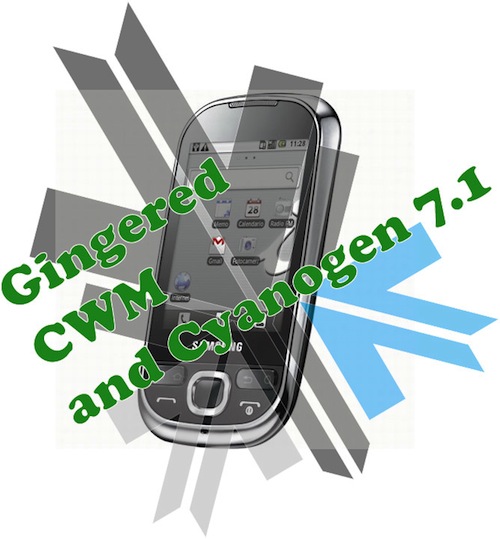
    Did you think it was possible?, we didn’t either!. But following various guides and tweaks we were able to get Cyanogen mod 7.1 running on the Samsung Galaxy 5, Yes the 1.5 year old device from Samsung.

    The big differences we saw:

    • Tremendous improvement in battery life, almost fixes any battery leaks.
    • Fast and responsive OS Android 2.3, no lag and no jitters.
    • Clean looking UI + Cyanogen mod tweaks
    • Best Part : Nexus S style : CRT TV lock animation

    This Guide was put together using our own experience, and its here to help you out.

    Note: Like any other unofficial guide, there is a high chance that you might brick your phone.  iGyaan is in no way responsible for that and you are following this at your own risk.
     
    Okay so lets begin!
    Here is what you need 
    1. The iGyaan Galaxy 5 Pack : Download Here
    2. A Galaxy 5 : Duh!
    3. Widows PC
    4. USB – Micro USB data cable
    5. Patience and Humility.
    6. A MicroSD card with over 1GB free space.

    Step 1 (Important)

    • Backup all your contacts and files.
    • Sync your device to your Gmail Accounts

    Step 2 (Device Prep)

    • Time to put your Galaxy 5 in download mode
    • Power off your Galaxy 5
    • Hold Volume Down + Home + Power Button 
    • You should see the Download Screen
     

    Step 3 (Install Recovery)

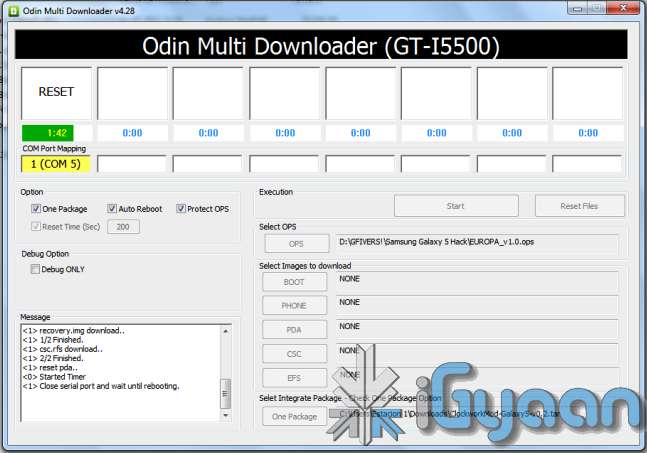
    • Fire up ODIN (found in the iGyaan Galaxy 5 pack)
    • Select the EUROPA_v1.0.ops  in the OPS field ( also in the iGyaan Pack)
    • Select One Package and ClockworkMod-Galaxy5-v0.4.tar in the one package Field
      (Also in the iGyaan Package downloaded earlier.)
    • Connect your phone to your pc via usb cable, wait for it to show up in ODIN
    • Once it shows up click START ( follow the images below)


    IMPORTANT 


    Your Device Should now boot up in Clockwork Recovery like the image below.

    WARNING : DONT UNPLUG OR REBOOT your PHONE HERE.


    Step 4 (Copy files)

    • Using the D pad or Volume +/- buttons browse to Mounts and storage
    • Once in mounts and storage select “Mount USB Storage”
    • Your memory card will show up on your PC
    • Copy the “update-cm-7.1.0-RC1-MADTEAM-v1.6-signed.zip” to the memory card ( found in the iGyaan package)
    • Once copied, Safely remove /eject the memory card mount from your PC
      (Do not remove it from the phone and do not reboot the phone
    • Press the  back button several times, till you reach the main screen as the image above.

    Step 5 (Backups)

    • Browse to Backup and Restore
    • and select backup ( let the device backup your existing rom on the memory card)
    • Once done press the back button to come back to the main recovery screen.

    Step 6  (Install Prep)

    • Browse to Wipe date /factory reset and initiate it by selecting “yes”
    • Browse to wipe cache / initiate it by selecting “yes.”
    • Browse to advanced : Wipe dalvik cache.

    Step 7 (Install the Rom)

    • Browse to “Install zip from SD card”
    • Choose “Select zip from SD card”
    • Select the “update-cm-7.1.0-RC1-MADTEAM-v1.6-signed.zip” we copied to the memory card earlier.
    • Initiate it by selecting “yes”

    Step 8 (One more thing!)

    • Once its done Reboot by selecting reboot system now from the main menu
    • At this moment your device will boot in Cyanogen Mod 7.1 for Galaxy 5. on Android 2.3.4
    • Its not over yet!
    You will still need the Google Apps package to get the Market , Gmail, etc

    Step 9 (Install Google Apps)

    • Once your phone is booted press the power button
    • Select “reboot”
    • Select “recovery” 
    • You will boot back into Clockwork Recovery
    • Go to Mounts and Storage and select “Mount USB storage”
    • Connect your device to a PC
    • Download and copy the following file to the memory card of your phone : Google Apps iGyaan.zip
    • Once copied  : come back to main recovery screen and select “Install zip from SD car”
    • Select the “select zip from sd card” and choose “google apps iGyaan.zip” : install by selecting “Yes”

    Step 10 ( Final Steps)

    • Once all the above is done : reboot your phone
    • You will be boot into Cyanogen Mod 7.1 , but this time you will get the “Tap Android to Start” screen.
    • Follow the directions on the screen.

    Enjoy your newly revamped Galaxy 5.!

    This rom comes highly recommended, we installed it on our Galaxy 5 and its almost like a new phone, its much faster cleaner and much more stable than the Samsung Official Rom. this rom also improves the battery life by more than three times.

    Leave your feedback below, and if you were able to do it properly.

    If you have any problems post all your questions in the iGyaanforum.com thread over HERE 


    Steps to Upgrade if you have used the Old Guide


    Step One

    • Download the new iGyaan Package : Here 

    Step Two

    • Use a usb cable / sd card reader to copy the file “update-cm-7.1.0-RC1-MADTEAM-v1.6-signed.zip” to the SD Card root folder (the file is in the iGyaan Package) 

    Step Three

    • Reboot into recovery using the Rom Manager And choose “backup and restore”

        Next Create a new Backup.

    Step Four

    • From the Recovery main screen select “install zip from SD Card”
      and choose the file you copied above

    Step 5

    • Once the install is complete reboot the device and wait for it to load : first boot can take upto 15 minutes


    Enjoy the update with tons of bug fixes !


    As always the guide here is for informational purposes, iGyaan is not responsible for any softwares being used here and are courtesy their original developers. We therefore take no responsibility for any damages that may occur to your device.

iGyaan Network
Privacy Overview

This website uses cookies so that we can provide you with the best user experience possible. Cookie information is stored in your browser and performs functions such as recognising you when you return to our website and helping our team to understand which sections of the website you find most interesting and useful.