Tag: features

  • 9 New Features of the OS X El Capitan

    9 New Features of the OS X El Capitan

    Apple released the latest upgrade to its desktop operating system on Wednesday. The OS X El Capitan is now available as a free upgrade for all Mac users using a 2009 model or newer, and also for some 2007 models as well.

    Apple has tried to redefine the Mac experience with a host of new improvements, both big and small, that adds a little something extra to your Mac. From Notes and Safari to Spotlight and Split View, there’s something to be found everywhere.

    Find the cursor

    This is perhaps the smallest improvement, but an improvement nonetheless. Mac users have found it a bit of problem when it comes to locating the little mouse on the screen. However, with the new upgrade, all you have to do is quickly move your fingers across the trackpad or shake the mouse quickly and the cursor grows in size so that you can spot it easily on screen.

    Split View
    splitview-mac

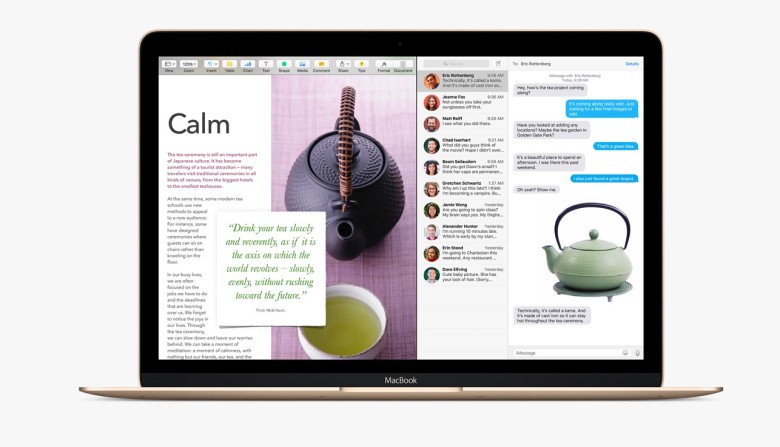
    Apple has already introduced the Split View feature with the iOS 9 for the iPads, now El Capitan OS follows suit. Split view allows two applications to run side by side. There are two ways you can get the split screen activated. You can click and hold the green zoom button of a window and then drag it into place, or open up Mission Control (F3) and drag the two apps of your choice into the same thumbnail at the top.

    Spotlight search with natural language

    By natural language we mean the way you would naturally speak when looking up something. For example, you could enter “find mail from Sam regarding flight details” and you will get exactly what you were looking for. Basically, Spotlight now has a better grasp of language.

    New Mail gestures
    mail-gestures

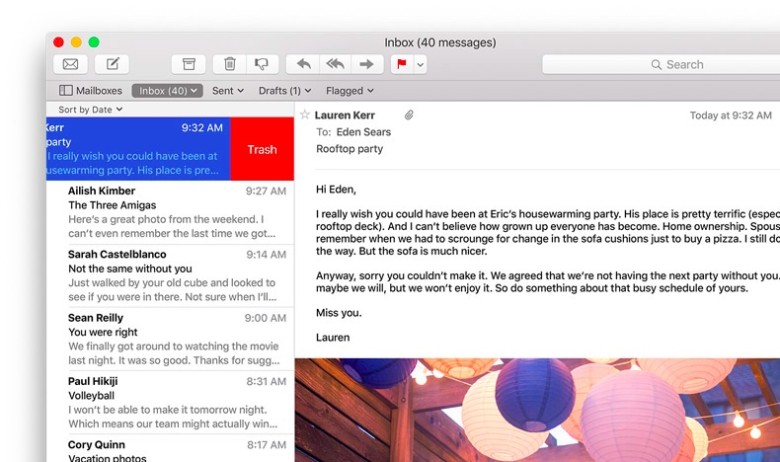
    Like the Split View, Apple has borrowed from iOS for the Mail app as well. OS X El Capitan can now allow you to delete mails and access other options by using two fingers to swipe on an item. Mail also recognizes contacts and events in you messages and helps you call or add events to your calendar.

    More to do with Notes

    The latest iOS 9 brought a whole bunch of changes to the Notes app. The same changes can now be found in the Mac. You can create checklists, import maps and pictures, or insert text formatting. The improvements are still short of Evernote, but the company is getting close.

    Send individual videos via AirPlay

    Earlier, if you wanted to send a video from Safari to your friends or to the AppleTV, you would have had to share your entire browser window for that. With the new upgrade you can now send just the video. In Safari, click on the AirPlay option just below a YouTube video and you can select your desired destination. It works with YouTube right away, with support for other services to come soon.

    Pin tabs in Safari
    pintab-safari

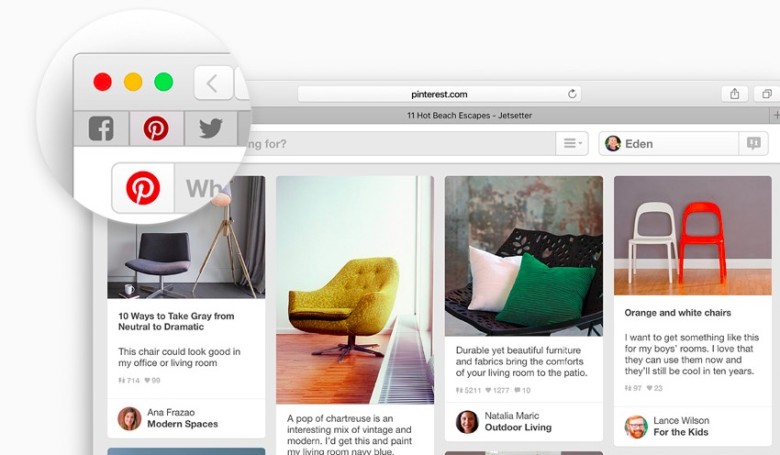
    You can now pin sites that are most frequently visited to a new browser tab at the left-hand side of the tab bar. This allows you to quickly access them with just a click. Pinned sites automatically open when the browser is opened.

    Skip the Trash
    Trash-Mac

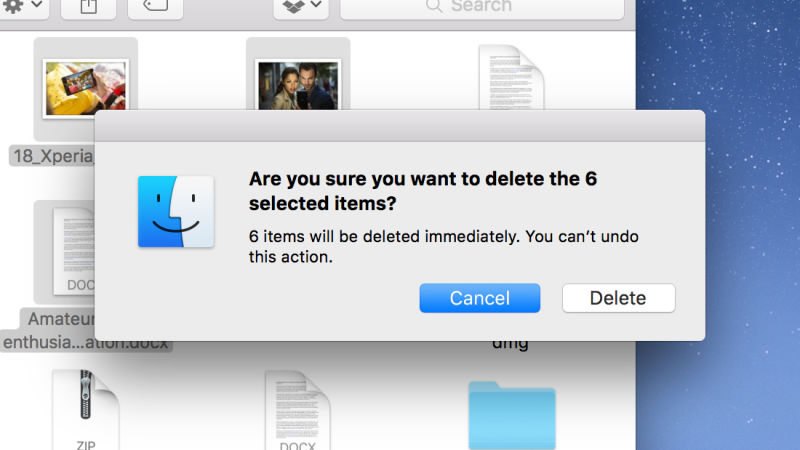
    This gives you the option to permanently delete any file you like rather than temporarily deleting them. It saves you the trip of having to go to the trash bin. Press Option+Cmd+Delete to erase files immediately. You can find the option in the Files menu once you select the files you want deleted.

    Hide menu bar

    The new update gives you more screen space by making the menu bar disappear at the top of your interface automatically the same way as the bottom dock. Go to System Preferences via Apple menu, then go to General heading, and select Automatically hide and show the menu bar.
  • 11 Hidden iOS 9 Features That Everyone Should Know

    11 Hidden iOS 9 Features That Everyone Should Know

    By now most iPhone and iPad users must have updated their device to the new iOS 9. With the update users would have also found some changes and features that are brand new.

    We recently spoke about a few of the more visible changes that came with the new update. Today, we’ll look at some other new hidden additions that you might not have noticed as yet.

    Drag and select multiple pictures

    iOS 9 Photos

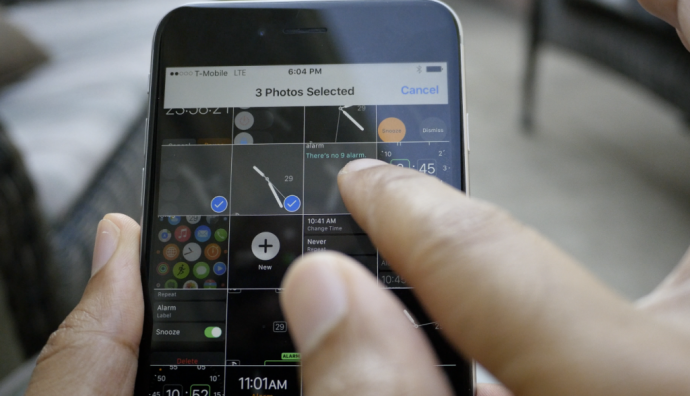
    Now, before you start thinking that the multiple select option already existed, we are not denying that. But now with the iOS 9, users can select multiple photos from within the Photos app more easily. After you tap on “Select” you can hold and drag around your finger to select as many photos as you wish without having to select every photo individually. Along with this is the ability to hide multiple photos at once.

    Siri can now recognize your voice

    Hey-Siri-640x557

    If you like to command Siri from a distance when your iPhone or iPad is on charge then you can enable the Allow “Hey Siri” option in General > Siri settings. However, this is not the new feature we’re talking about. Now, when you newly activate “Hey Siri” on iOS 9, you’ll be taken through a couple of steps which requires you to speak aloud a few sentences so that Siri can recognize your voice. Once you’ve finished the steps, Siri will now be able to recognize you and will respond to your voice when you say “Hey Siri”.

    Siri has a new audio wave

    Siri


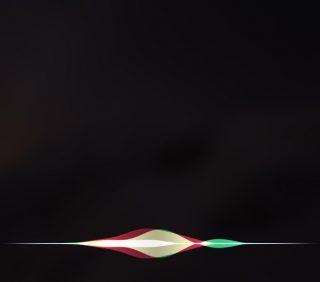
    Not only has Siri become smarter, but it’s groovier as well. The audio wave that shows up when you talk to Siri is now a lot more colorful and way cooler than the simple, old white colored waves. This little change does a lot more for the aesthetics of Siri rather than functionality. It’s simply a fashion change for Siri and we’re loving the new look.

    Quickly call and message people via Proactive

    iOS 9


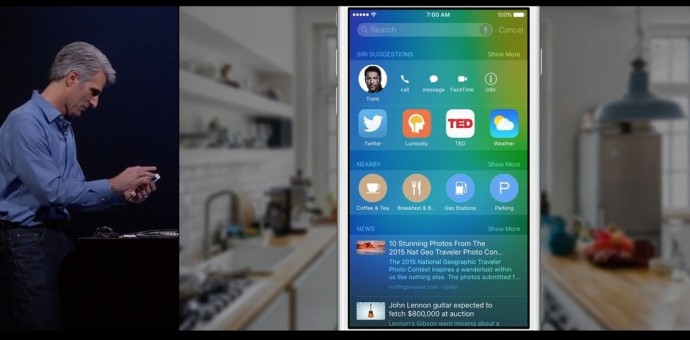
    Have you tried swiping right on your Home screen yet? You’ll find a new Siri Suggestions page with a search bar on top. Siri has indeed become more useful than ever. Type the name in the bar and you’ll find multiple options such as message, call, or mail for that person. This is also a neat way of finding emails of the person without having to search for it in the Mail app. Siri suggests just about everything you would want to find.

    Hidden iCloud Drive app

    018b0c4cb9e68560a1e287709c121ed320c06cd6fe

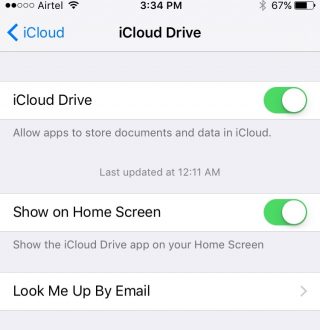
    You can now have an iCloud Drive icon on your home screen. The setting is switched off by default at first, so you’ll have to enable it by going to Settings > iCloud > iCloud Drive and turning on the “Show on Home Screen” option.

    Silence Siri using Ringer (mute button)

    01d7e79679173cc2ddeb973a1e1943235a79d4ac5f

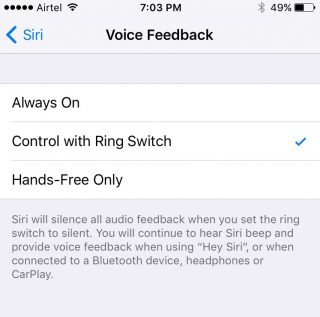
    If you don’t want Siri to talk and would rather just read the info text on screen, you have the option of muting it by simply flipping the Ringer switch. To activate it, you need to go to Setting > General > Siri, click on Voice Feedback and switch from “Always” to “Control with Ringer Switch”.

    Quick Reply for almost all apps


    iOS 9

    You can now Quick Reply for most third-party messaging apps. Earlier you could only Quick Reply for Mail and stock messenger, but now you can pull on the notification you’ve received from mostly any third-party app (including Twitter) and the option to quickly reply will be available.

    Larger multi tasking screen

    0165f852c5f9ca2274ec91c4cd5350c309e204ab4a

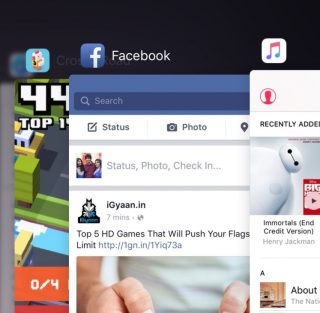
    When you double click the Home button, you’ll find that all your active apps are larger and more easily readable, taking up a good amount of screen space so that you can see what’s showing on the app without having to open it. It’s the little things that make life easier.

    Audio app suggestions

    iOS 9 Lock Screen


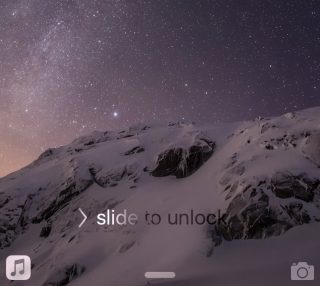
    When you plug in your headphone into the jack, you’ll notice that the music player opens up automatically in your lock screen or suggests the audio app you are most likely to use in the bottom left. The suggestion is not only based on the app you use most but also takes factors such as location into account.

    Search through Settings

    01c459edca1eb0abbc0501f0183f14913b8edb9718

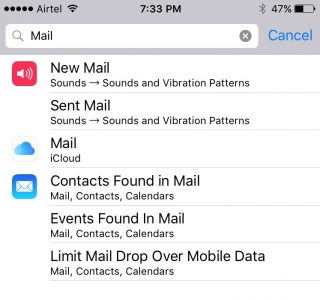
    If you have a particular setting in mind that you want to change, you don’t have to look through the entire Settings app. There is now a search bar on top of Settings where you can type in a particular query (e.g. “Mail”) and everything matching that query will appear in a list below.

    Wi-Fi Assist

    0147536242f5fe0da826e4b2a6f53bd41f8c528df1

    Another helpful addition is the Wi-Fi Assist option that is enabled by default once you update your device to iOS 9. This feature is for situations where your mobile data may be more powerful than your Wi-Fi. When enabled the feature will switch you to mobile data if your Wi-Fi connection shows some trouble.

    Along with our previous post on iOS 9, we’ve covered quite a few new hidden features, and yet the latest update offers a whole lot more. Keep exploring and tell us what new feature you’ve discovered in the comments below.

    Image Source : [tw-button size=”medium” background=”#07ABE2″ color=”” target=”_blank” link=”http://www.imore.com/ios-9-faq”]iMore[/tw-button]

    [tw-button size=”medium” background=”#07ABE2″ color=”” target=”_blank” link=”http://www.igeeksblog.com/quick-reply-from-lockscreen-on-iphone-and-ipad/”]iGeeksBlog.com[/tw-button]

  • Top 5 Features of Android Marshmallow

    Top 5 Features of Android Marshmallow

    Three days ago, Google announced the sweet its Android OS was named after; Marshmallow. Now that it’s out in the open, let’s take a look at 5 noteworthy features it has:

    1. App Permissions : You’re the Boss

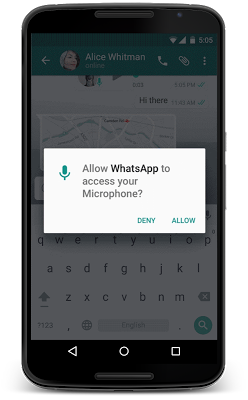
    This feature has gotten a makeover and Google will now allow users to take a call on which permissions they want to allow or revoke, based on the usage of these functions. Unlike right now, where you don’t have a choice but to agree to all app permissions on first install or updates, in Android M, you will get a notification asking you to allow an app to use a specific function.

    Google helps to give permission in parameters like, location, camera, contacts etc. So if you’re using WhatsApp and you want to send a voice message, the App Permissions tab will pop up, asking you for permission to use the microphone. You can also revoke the permission later if you so wish. This is exactly the way Apple handles it on iOS.

    android m

    2. Better Web Experience: Custom Chrome Tabs

    The web browsing experience has been further enhanced with Chrome Custom tabs, a new feature, that will let you include webviews within a particular app, without switching to the Chrome browser on your phone. Features such as automatic sign-in, saved passwords, autofill etc., will work on the apps seamlessly. The Chrome Custom tab also blends with the colours and fonts of the app it is being opened with to make it more seamless than it already is.

    3. App Linking

    Known as Intents, Android currently supports the app linking system, which lets you open a web link in a web browser or app. Before, if you had a Twitter link in, say your inbox and you clicked on it, you got a prompt asking if you want to open the link in your browser or within the Twitter app, which is installed on your phone.

    So now, Android M will first let developers add an auto-verify feature within their code, which will, in turn, help open the link within the respective app (provided the app is installed on your phone). Instead of giving you the option. Don’t worry about the security because it is only after post-authentication and verification, that this feature will follow through.

    4. Android Pay

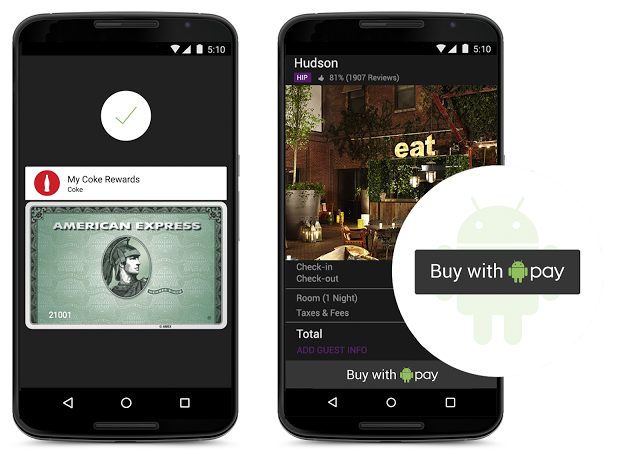
    With this feature, all you need to do is unlock your phone, keep it near and NFC (near-field communication) terminal and voila, your payment is done. You don’t even have to open the app for this because payments are done by using NFC and host card emulation techniques for smooth tap-to-pay services.

    Worried about security again? Google claims that once you share your credit card details, it creates a virtual account number. So, your real card number isn’t actually shared with the store you’ve shopped from.

    android pay

    5. Power management

    Since battery is a perpetual problem, Android M will feature something called ‘Doze’ that will optimally manage the background processes.The OS keeps a watch on the motion detection sensor and if it sees no activity for a while, it shuts down some processes. However, alarms and high priority notifications can still be activated on this mode. Confident about this feature, Google claims that it helped the Nexus 9 to increase its stand by time by almost double, as compared to Android 5.0 Lollipop.

    Although those were just top 5, features like the standardised finger support and the USB Type-C for charging support, will just make your life easier. You can authorise an Android Pay transaction, unlock your device or make Play Store purchases, all with the sensor. Similarly, a USB Type-C has a bi-directional port which you can use to charge the phone along with another device.

  • 6 WhatsApp Features Everyone Should Know

    6 WhatsApp Features Everyone Should Know

    WhatsApp is sure to have found a space on almost everyone’s handsets. The app with over a 800 million active user base, offers one of the best services to have a real-time conversation. Most of us must be using the app for a while now, but you probably didn’t know that WhatsApp is hiding many features that could make the wrinkles from your forehead, vanish. Mastering the tool can help you save the bandwidth, mute negligible groups, keep the stalkers at bay, and hence, have a good night’s sleep.

    Here are some of the features that can make your life a lot easier.

    Add Conversation Shortcut to the Home Screen

    whatsapp 1

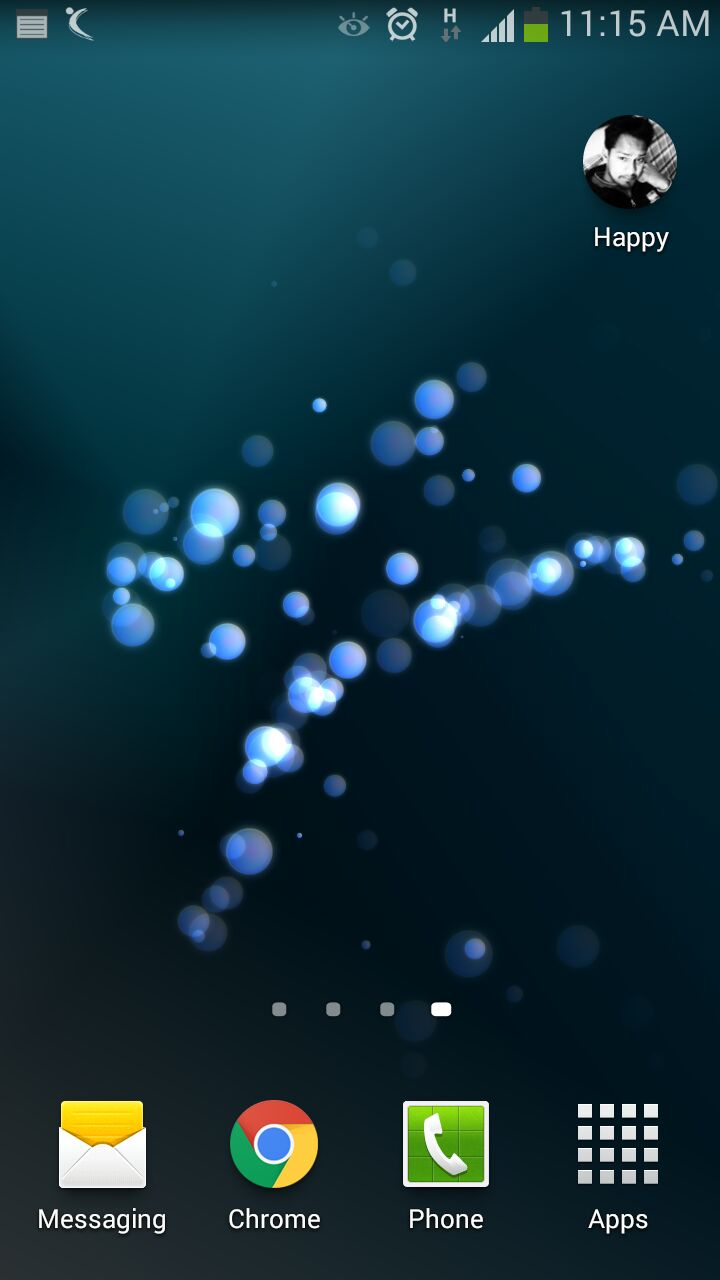
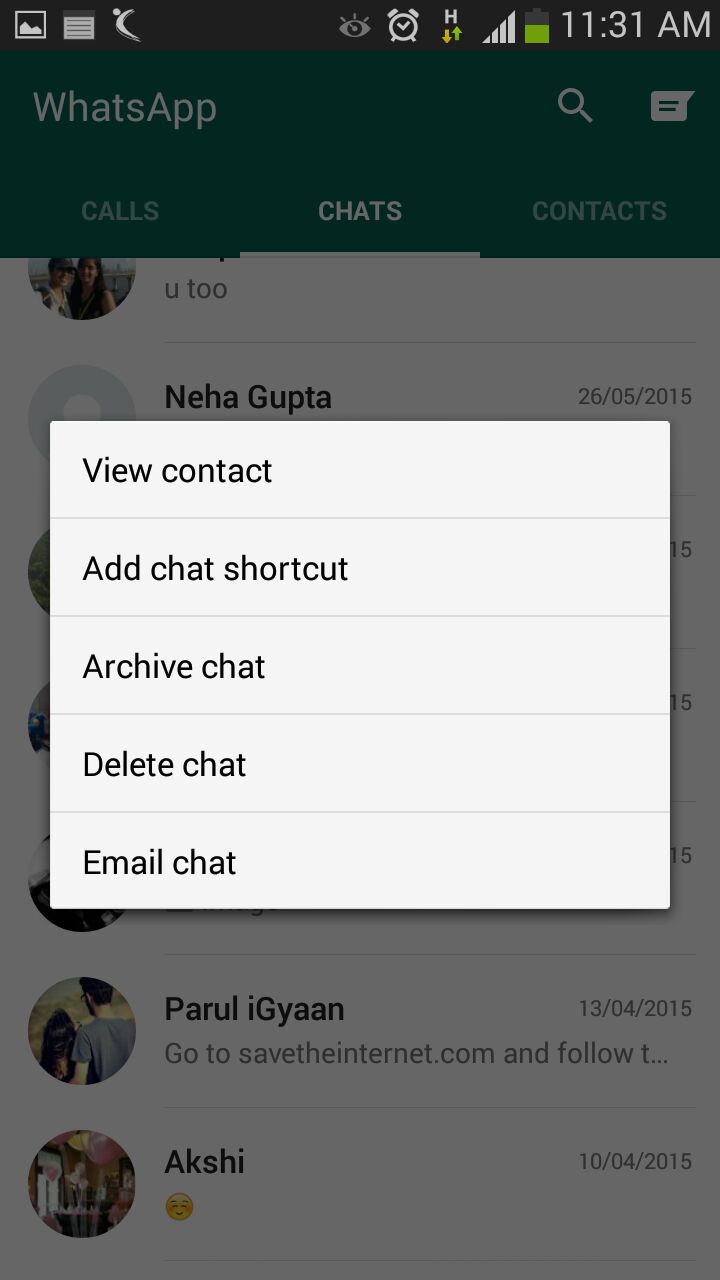
    There must be folks in your WhatsApp contacts with whom you talk frequently to. Bring them a step closer by creating a chat shortcut on Home screen. Long tap on the desired contact and click ‘Add chat shortcut’ present in the chat menu. An icon will add to your home screen through which you can chat directly with the person, without surfing through a list of contacts. A useful feature, unfortunately missing on Apple devices.

    Pop-Up Notifications

    WhatsApp

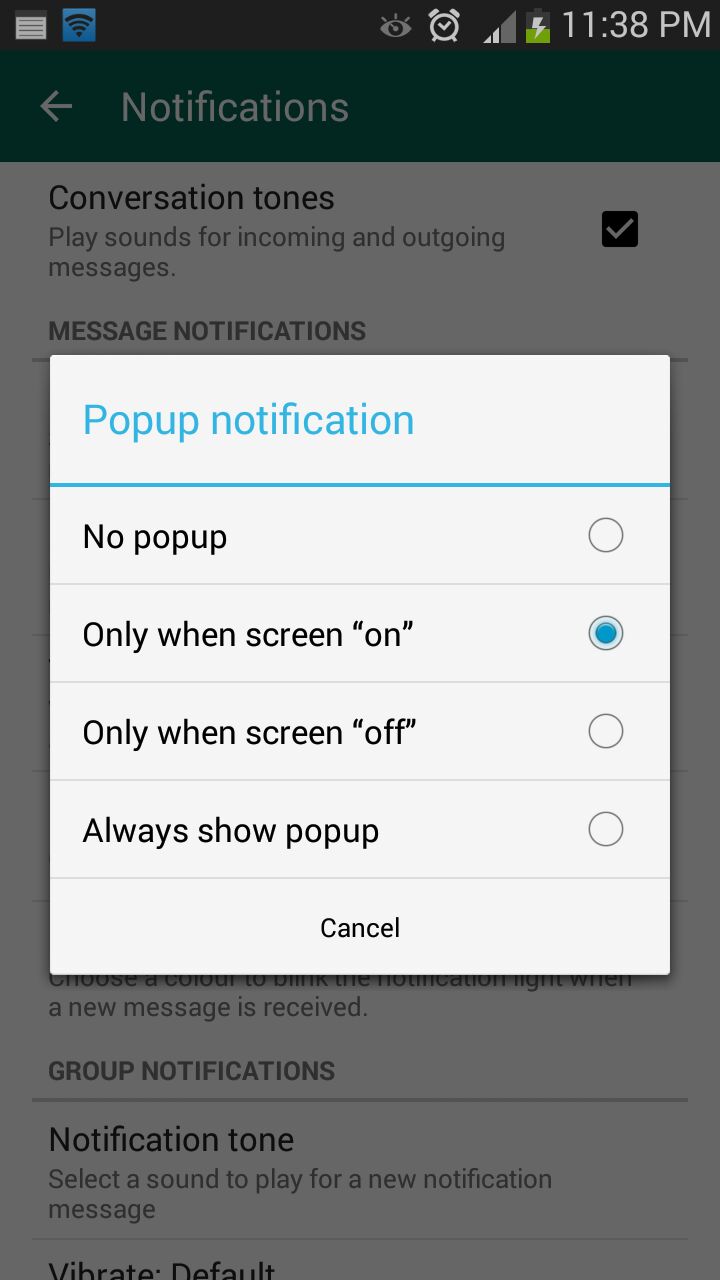
    This feature on WhatsApp lets you access messages even when the screen is locked. Go to Settings > Notifications > Popup Notifications and select ‘Only when screen is off’ to see messages and reply without unlocking the device. Pop up notifications put aside the hassle of unlocking screen to see received notifications and reply to them.

    Mute Group Chats

    whatsapp 5

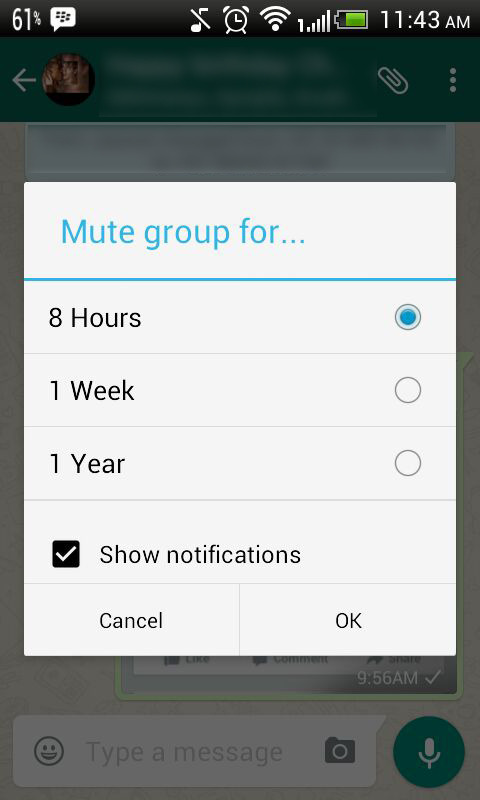
    Besides giving you the convenience of sharing things at one place, Group chats can be a bit noisy at times. No worries! Mute them and let your friends do the talking. Click on the group and from the drop-down menu, select Mute. Select the time frame for which you don’t want any updates and disable Show notifications.

    Disable Media Auto-Download

    whatsapp 3

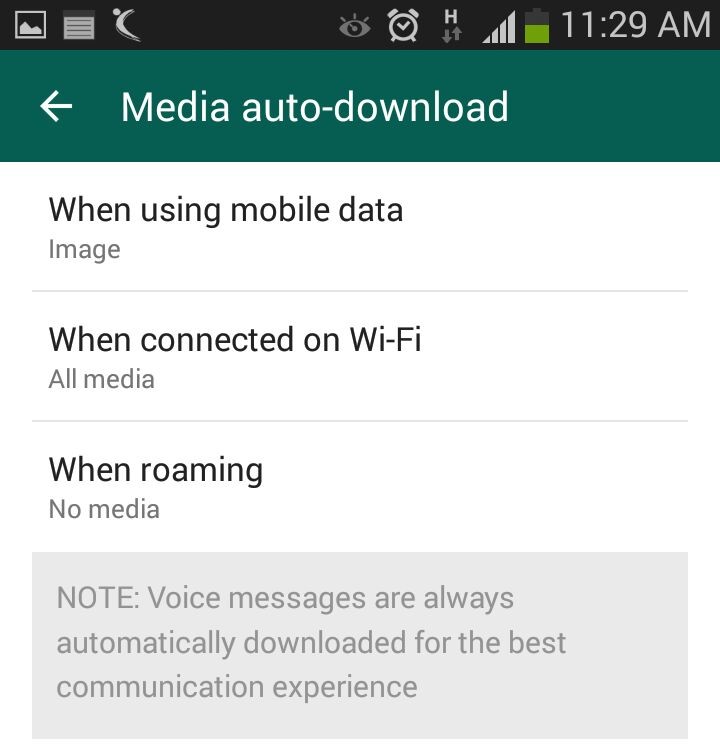
    Media auto-download gobbles up your internet data. Turn it off to save the bandwidth and specify WhatsApp when you want the audio and video files to be downloaded. Click on Settings > Chat settings > Media auto-download and choose from the options when using mobile data, Wi-Fi and roaming.

    Send Conversations Through Email

    whatsapp 4

    Users are going to love this feature, at least some of them. WhatsApp allows you keep a record of your chats on your PC or inbox by sending conversations through email. It’s as fast as any other mailing process and takes mere seconds. Long press the contact and tap on ‘Email chat’ from the chat menu. Add recipients’ email address and the conversation will be sent to the provided address. You can choose to include media file if you like.

    Avoid Blue Ticks

    whatsapp

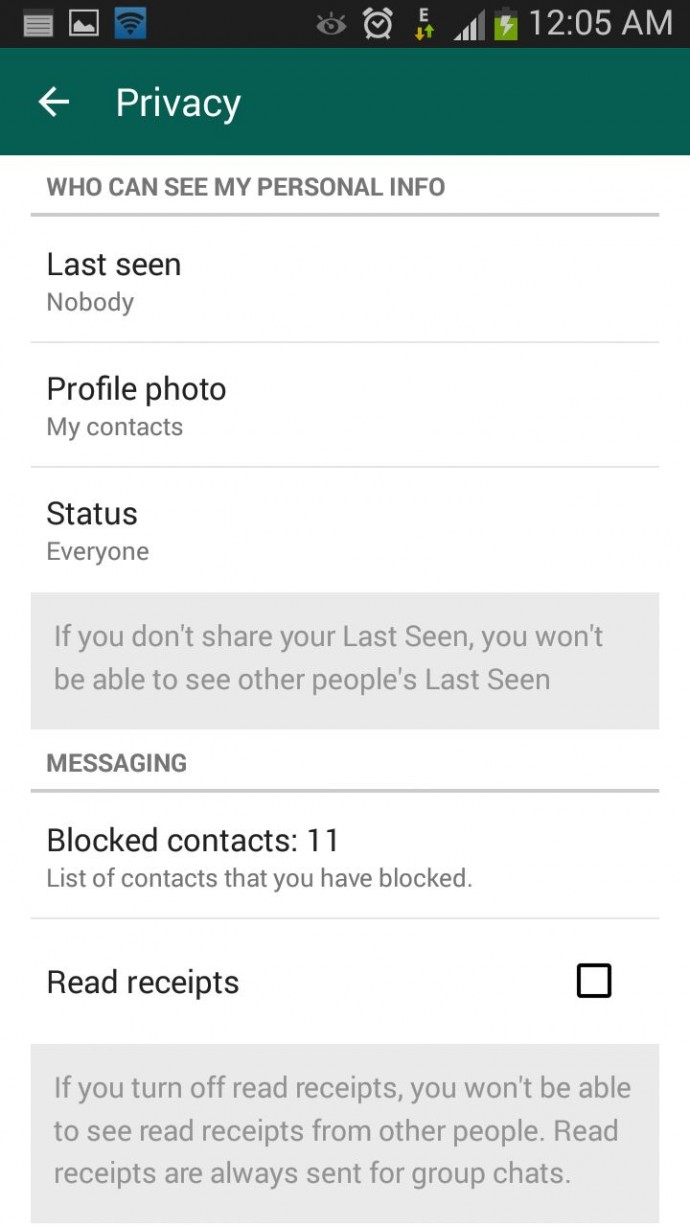
    Where the cross-platform social messaging service got acclaims for real-time conversation, blue ticks brought outrage for offering recipients with read receipts. The new WhatsApp version allows you to avoid this through a simple setting. Click on Settings > Account > Privacy and disable Read receipts if don’t want the sender to know about the delivery status. Now, neither you nor any sender will be able to see read receipts. Isn’t it useful?

  • LG G Flex Review

    LG G Flex Review

    LG has been an underdog in the mobile industry for quite some time. However, last year brought about a new beginning for the Korean manufacturer especially in the mobile space. LG broke the traditional association of “cheap products” when they successfully chased the market with a product like the LG G2.

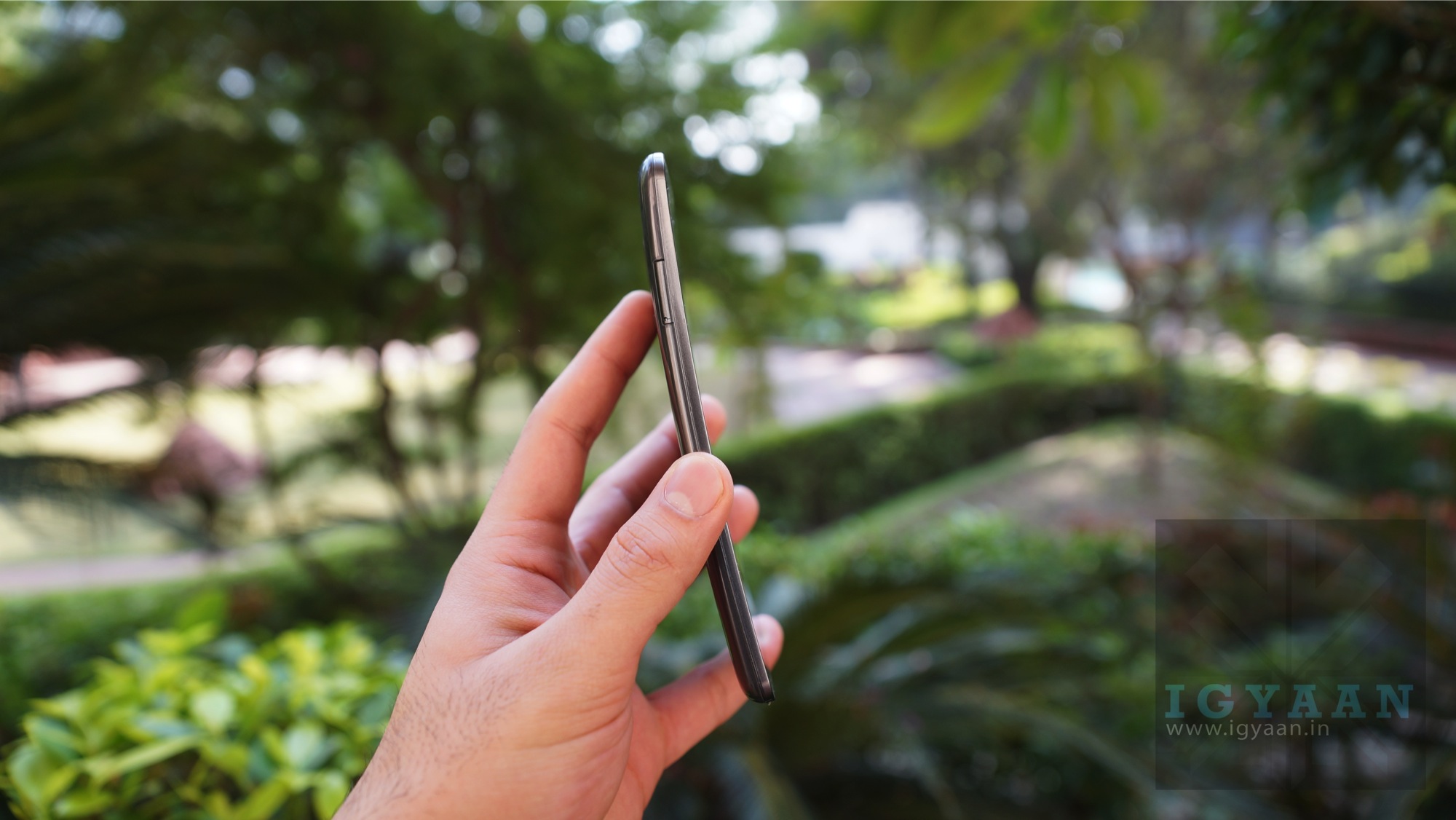
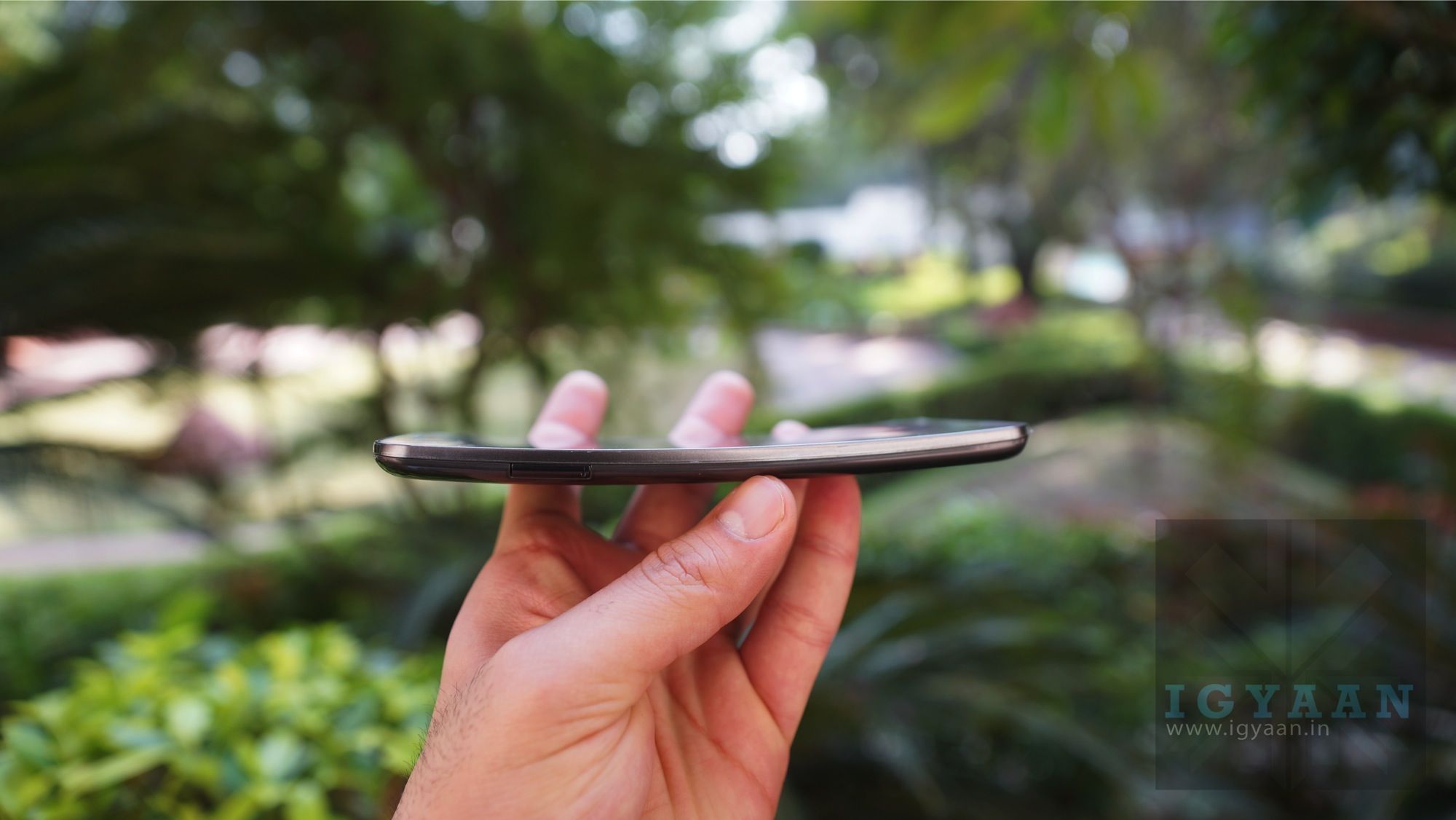
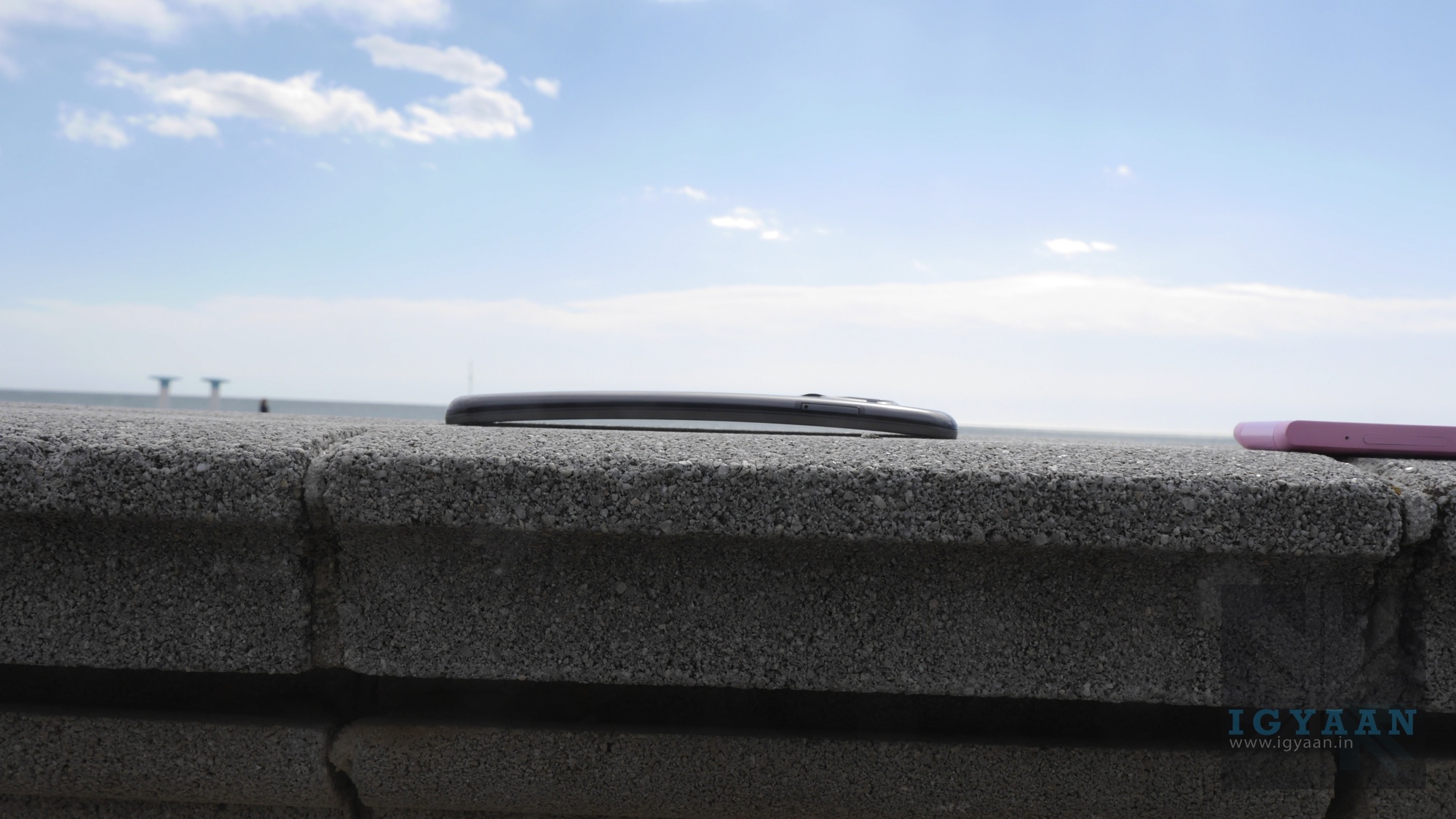
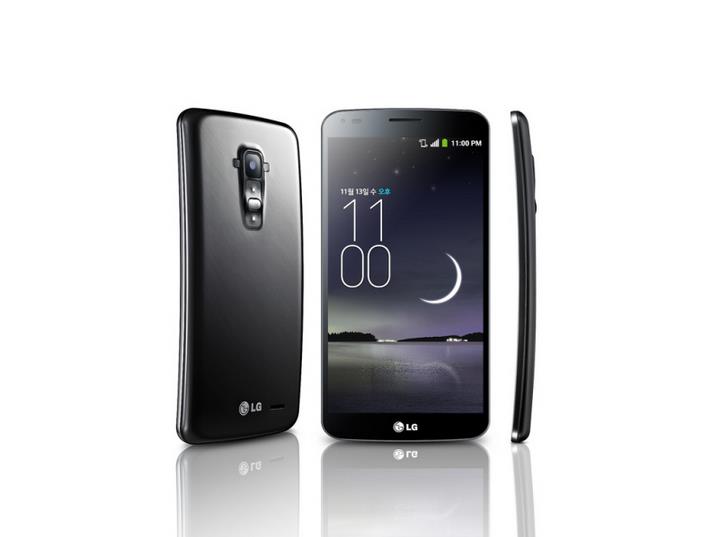
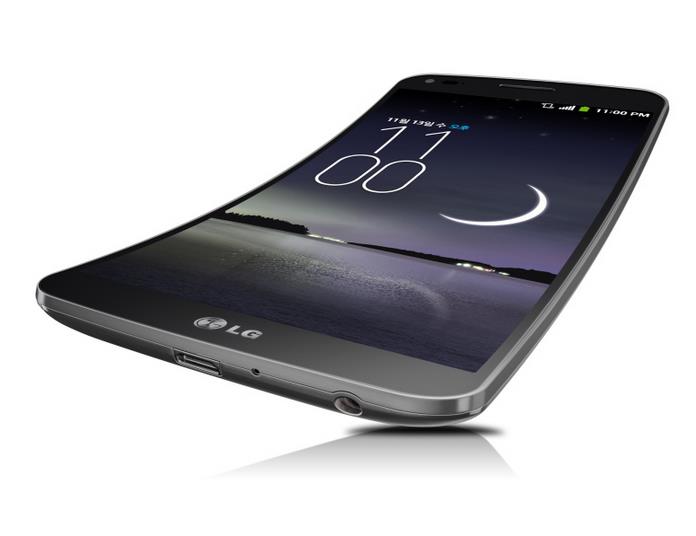
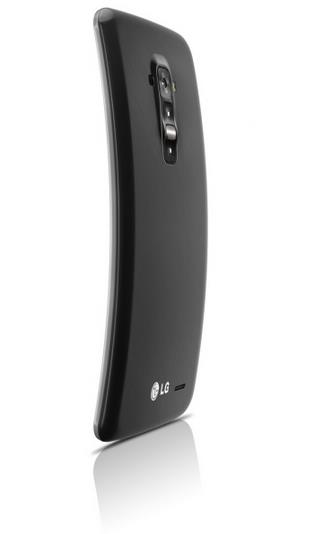
    The new G Flex is the company’s latest marvel and a first of a kind phone at that. The first phone with a curved display, a curved body and a curved battery. The G Flex is also capable of handling reverse tension of upto 40 kilograms  and then returning to original state.

    LG G Flex 9

    Specifications

    [row cols_nr=”2″ bg_color=”e0fce0″]

    [col size=”6″]

    Display

    Chipset

    Battery

    Camera

    RAM

    Storage

    Price

    [/col]

    [col size=”6″]

    6 Inch

    Qualcomm Snapdragon 800

    3500 mAh

    13 MP main / 2.1 MP Secondary

    2 GB

    32 GB

    Rs. 63000 / USD 899

    [/col]

    [/row]

    LG G Flex 10

    Build Quality and Design

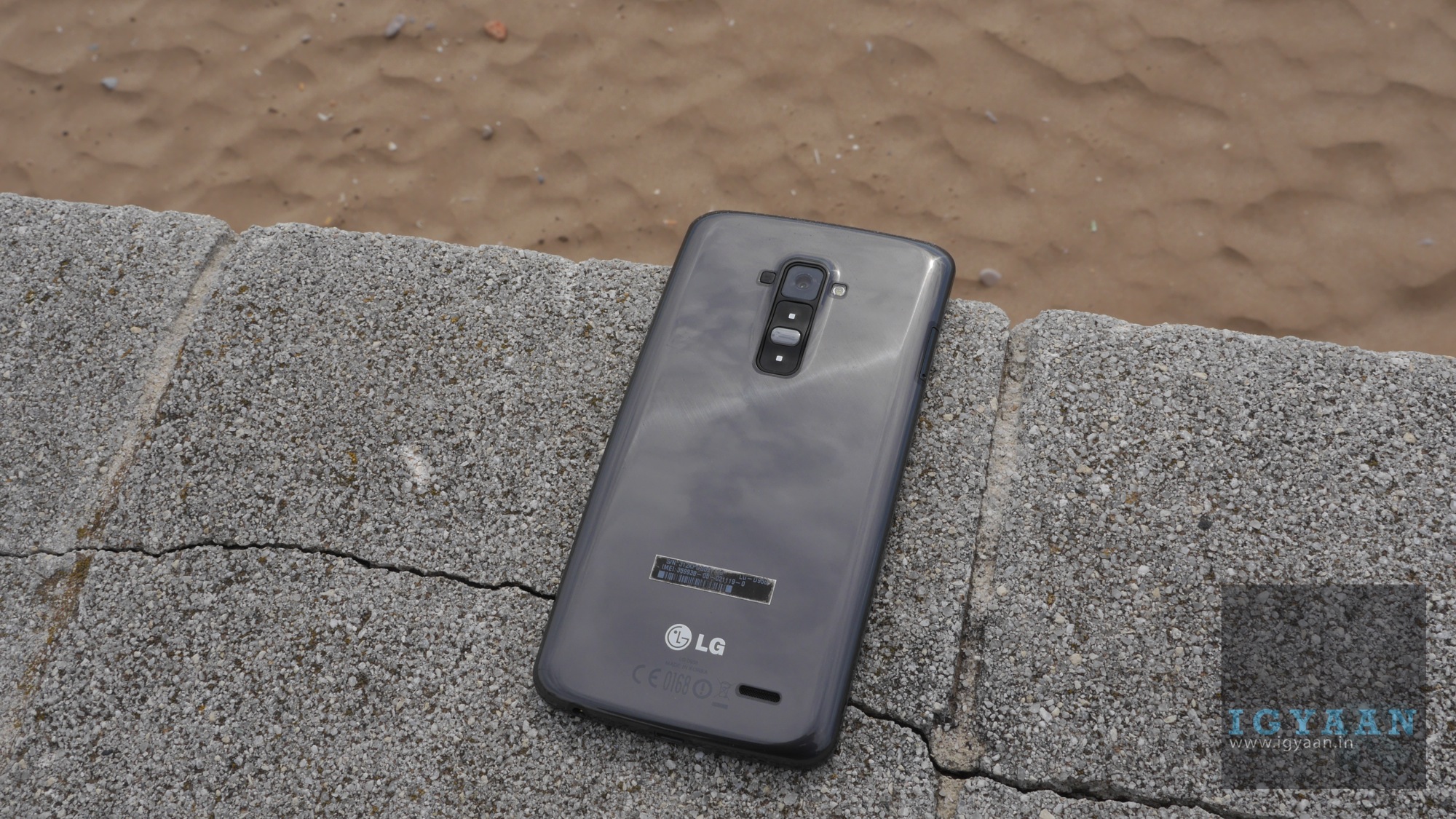
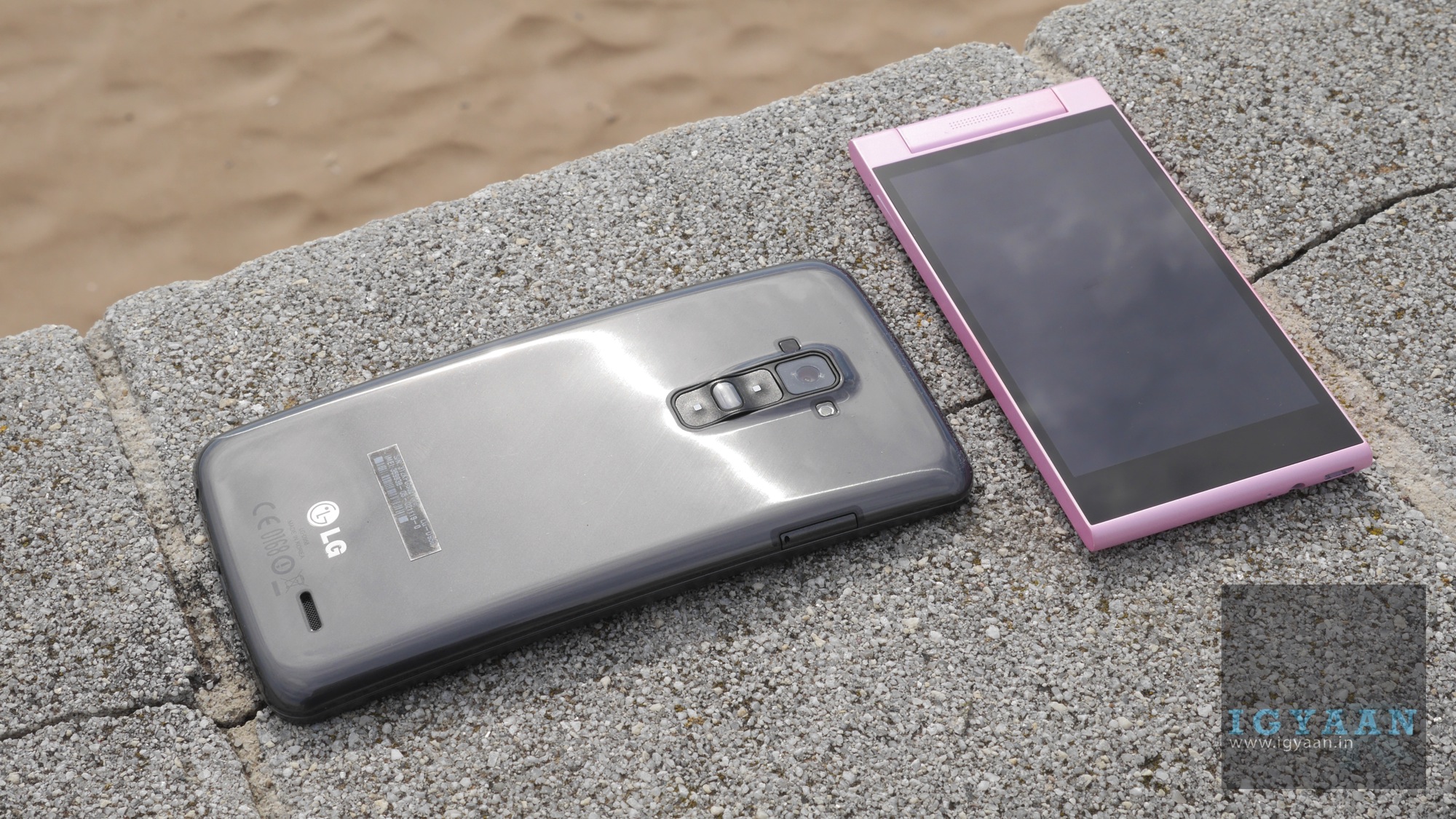
    The funny thing about the build quality of the LG G Flex is that on one hand, it has a brilliant build and design : it is the first curved phone, which flexes and returns to its original position. It also has great tensile materials that allow it to do that flex thing it does, including LG’s patented Plastic OLED (POLED) tech. However on the other hand, the phone is purely plastic, front to back, the Plastic Display adds to the plastic nature making the phone look : well not so premium.

    [quote text_size=”small”]Curved and Flexible makes it unique![/quote]

    The G Flex  however due to its design can be mishandled quite a lot. It has a very damage resistant design, including the  Gorilla Glass (er.. plastic) front, the self healing paint finish on the back that does a pretty decent job.  You can however scratch the back if that what you are trying to do, dropping the phone on concrete can have bad repercussions.

    LG G Flex 1

    Performance, Display & Multimedia

    The G Flex is a refreshing change for Android devices, just like the G2 the G Flex is responsive and fast and hold down on the lag quite a lot. Apart from daily chores, it does a brilliant job in handling heavy games and performance apps, especially a few architecture and calculation apps we tried.

    Even benchmarks are not a problem for the G Flex and you will find it hovering in the top range of the spectrum of devices. The graphics performance also takes a leap as it saves up on the lower 720p display. The limitation of the new “POLED” tech restricts the screen resolution to 720p and may be upped in the G Flex 2.

    LG G Flex 3

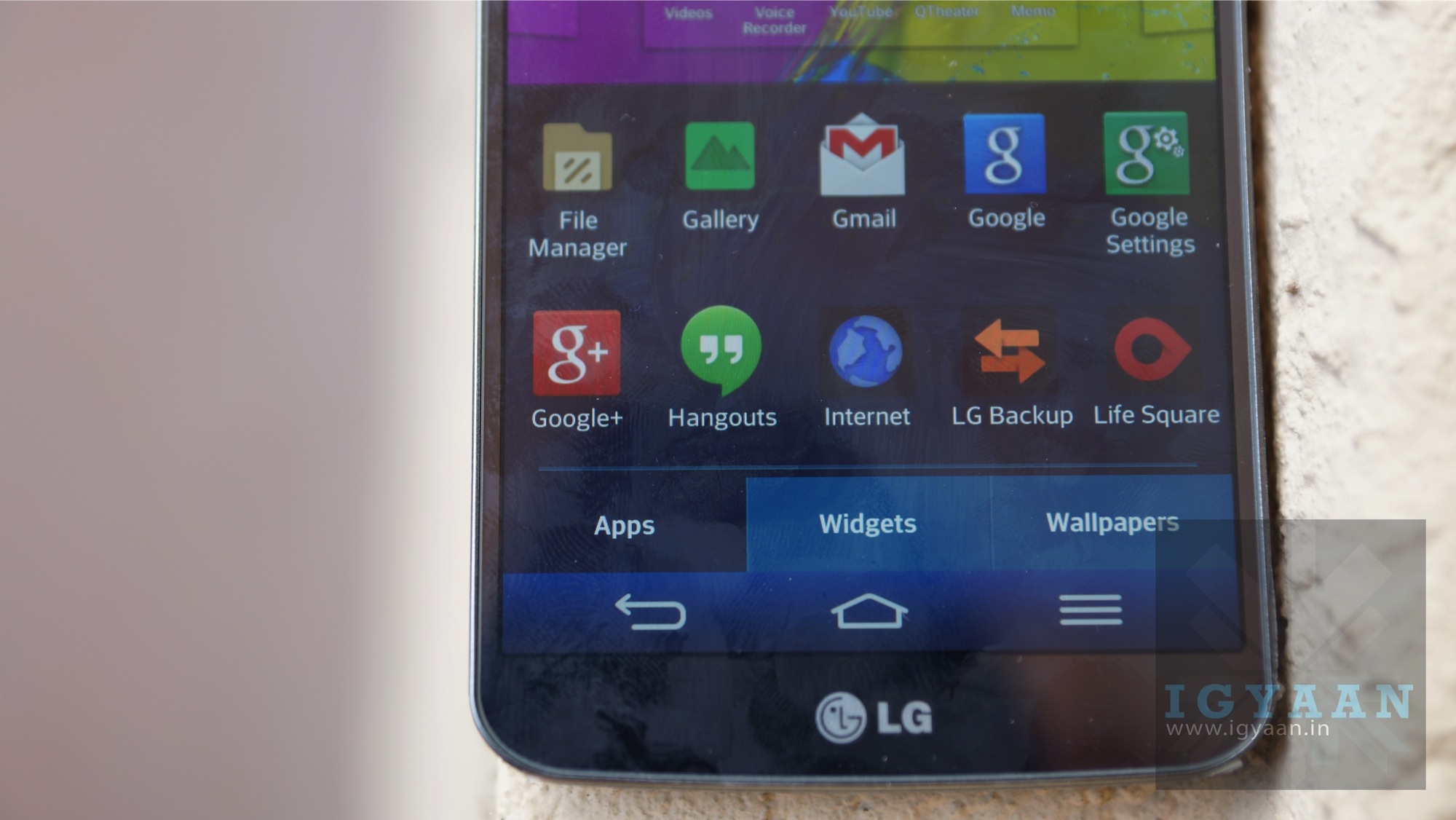
    For the time being the display is pretty fantastic, the vivid colors and exceptional brightness put it in the top their in our list. If you ignore the resolution which effective is pretty alright, considering the size of the display you are bound to hold it further away. You will not notice the lack of 1080p, and if you do its purely an irritation in the mind .

    Multimedia is a brand new experience, it fun even, simply because the curved display adds a strange magic to the viewing experience. The curve is pretty good and noticeable and anyone holding the device is impressed when viewing videos . The inbuilt sound may not be the top notch sound you would expect .

    The G Flex captures and plays back 4k video, which allows you to zoom into videos without loss of resolution. A new tech also allows you to zoom into the sound of the area you zoom into. LG calls it Audio Zoom and shockingly it works well.

    lg g flex review 3

    Camera

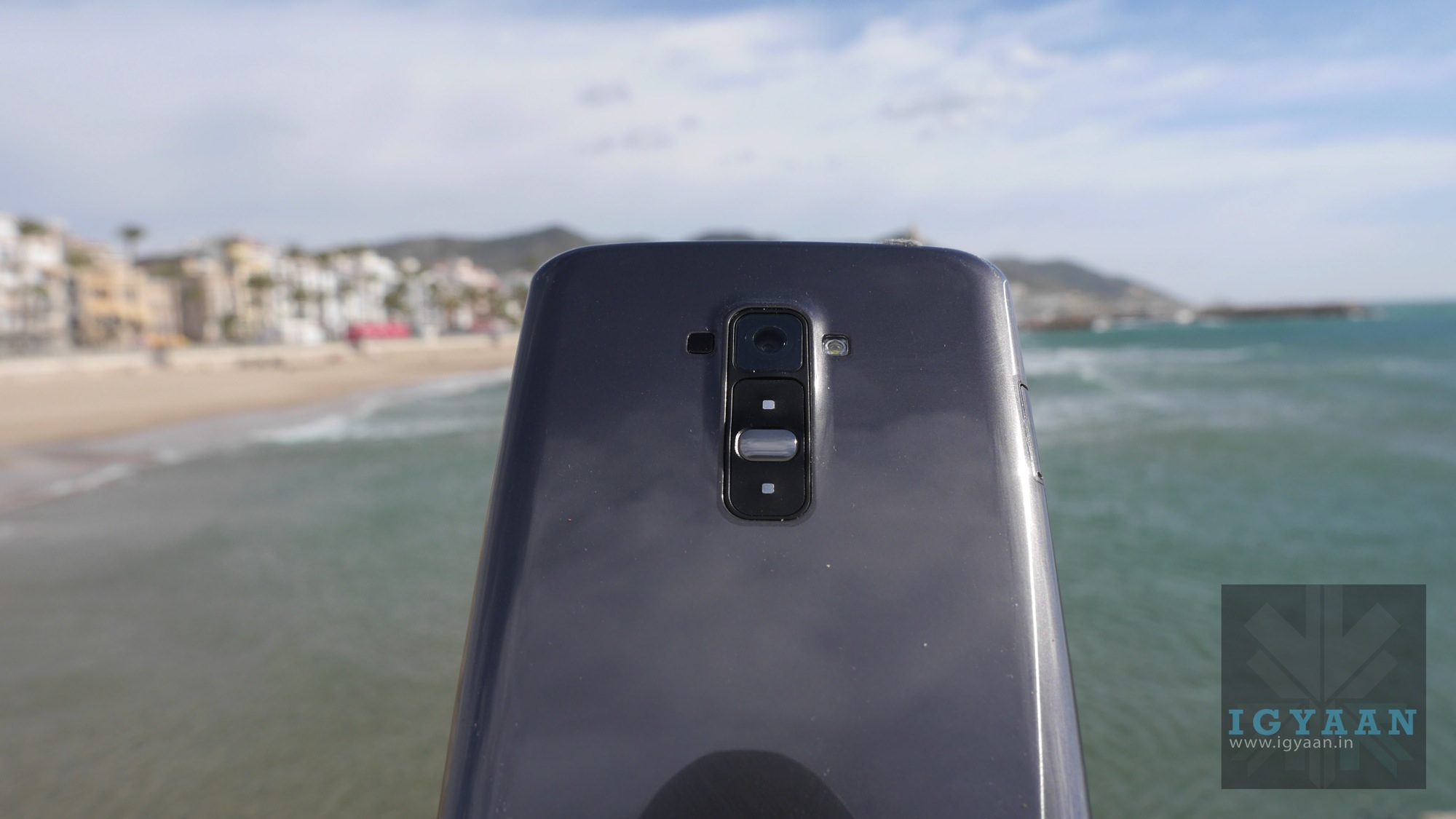
    The camera on this handset seems less polished than one would expect. Images are shabby, and mostly end up shaky. The lack of image stabilization also shows its dark side. Unlike the G2 the G Flex seems to have a slow and shabby shutter and mostly translates to less sharp images in the end.

    That all being said, its not a complete failure and one can really take pictures by being careful with the handset. On the plus side the sensor captures unaltered 4K video which is simply too good to talk about. Talk about portable Ultra High Def, the camera is highly capable and manages excellent video. There is some software stabilization which may not be very well appreciated but, applying stabilization in post works great and you can even select your areas from the 4k footage to make a nice 1080p video with the right kind of detail. Its like a lossless zoom in video. 4k Video is the future of mobile camera tech, we saw that at MWC, and the G Flex embraces it really well.

    [quote text_size=”small”]G Flex embraces 4k Video as it’s the future[/quote]

    lg g flex review 8

    Phone Networks and Battery Life

    The G Flex is a great phone too, with an excellent grasp on network towers the G Flex is able to get network where most phones failed. We used the G Flex primarily while traveling for MWC and while most people struggled with network problems, we were pretty happy.

    Battery life was also excellent, also possibly due to a great network antenna. The 3500 mAh battery is not only good on paper but also in real life usage. LG has managed processes and its display really well ensuring high battery life. Great apps like the power saver enhance the battery considerably and come out of the box. Oh and did we mention that he battery is curved!

    lg g flex review 9

    Conclusion

    The LG G Flex is a new age smartphone, it has all the matching pre requisites and it is a one of a kind device. It is not only curved, it flexes! The hardware is on the low side when compared to higher end of the spectrum, 720p display vs an 1080p and 2 GB of RAM vs 3 GB. However, those specs are arguably not needed.

    While the performance of the phone is really on the happy side, the camera especially for stills is the sad side. Video, especially 4k is good and the phone networks are solid and battery excellent. The G Flex is large and not easily handled with one hand, even with large ginormous hands.

    lg g flex review 15

    The G Flex brings in a new category, bendable phones, while its a step into the future we are not quite there yet and a long time from it. The design is unique and one of a kind, the build nice and resistance splendid. Honestly if LG made this phone slightly smaller we would have been happier, at 6 inches its more a mini tablet. So bring on the G Flex Mini and we we be happy soldiers.

    Even though its priced  high, its a new technology and may be worth the value for those who become first movers.

  • Samsung Gear Fit is the First Wearable Device With a Curved Super AMOLED Display

    Samsung Gear Fit is the First Wearable Device With a Curved Super AMOLED Display

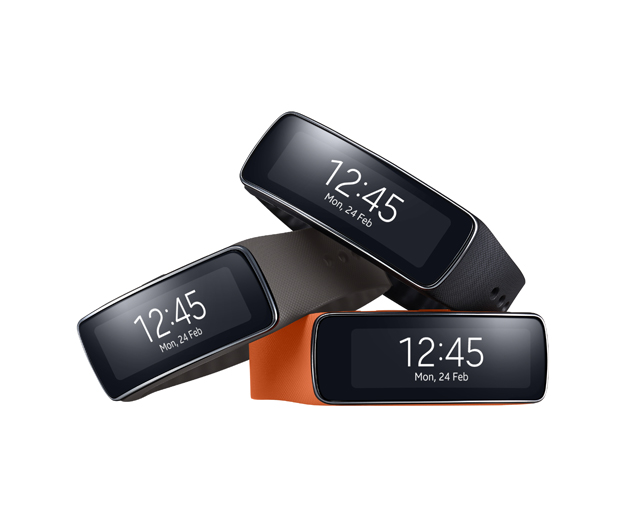
    Samsung has launched one of a kind wearable device with a curved Super AMOLED touch display, to which the company claims is the first wearable device with a curved Super AMOLED display. The Gear Fit is launched at the MWC 2014 along with the Gear 2 and the Gear 2 Neo.

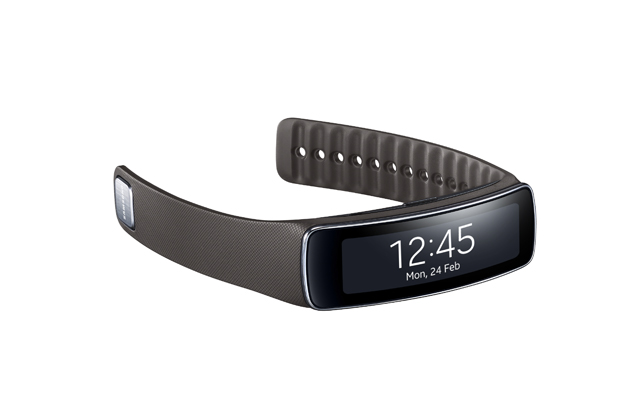
    02 Gear_Fit_Grey_01

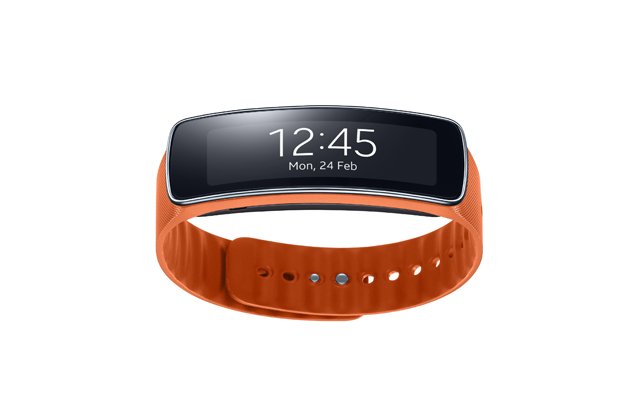
    The Samsung Gear Fit sports a 1.84 inch curved Super AMOLED display with a resolution of 432 x 128 pixels. This new wearable device is equipped with a pedometer, heart rate monitor, and a sleep monitor. Furthermore, the Gear Fit has a fitness app, an exercise mode, stopwatch, timer, schedule, smart relay, media controller.

    The Gear Fit wearable device is a fitness band which is focused on health. However, the company proudly says that this fitness wearable is different for any available alternative in the market as this has the capability to perform tasks like show notifications, reject calls, and play music.

    The Gear Fit is dust and water resistant with IP67 certification. This wearable device is loaded with Bluetooth 4.0 LE (low energy) wireless connectivity. The Gear Fit is powered by a  210 mAh battery, and the company claims will give usage of 3 to 4 days, and up to 5 days with low usage. 

    Samsung understands that the next generation of wearable mobile solutions must directly reflect of the diverse interests and needs of consumers,” said JK Shin, CEO and President of IT & Mobile Division, Samsung Electronics. “In response, our Gear product portfolio continues to expand with unique devices for a wide range of lifestyles, including the new Gear Fit designed to help those consumers striving to live more fit and active lives without sacrificing their own personal style or their ability to stay connected on the go.”

    Pricing information is not yet available, but we will update you once we hear more. Stay tuned!

     03 Gear_Fit_Orange_04

  • Samsung Galaxy S5 is Packed With Many Features: Here is Everything You Want To Know

    Samsung Galaxy S5 is Packed With Many Features: Here is Everything You Want To Know

    Samsung has officially unveiled  the Galaxy S5. As suggested by the trailer released sometime back, the Galaxy S5 brings in alot of new features. After the success of the Galaxy S4, Samsung is now ready to make more customers after selling more than 200 Million S devices. 

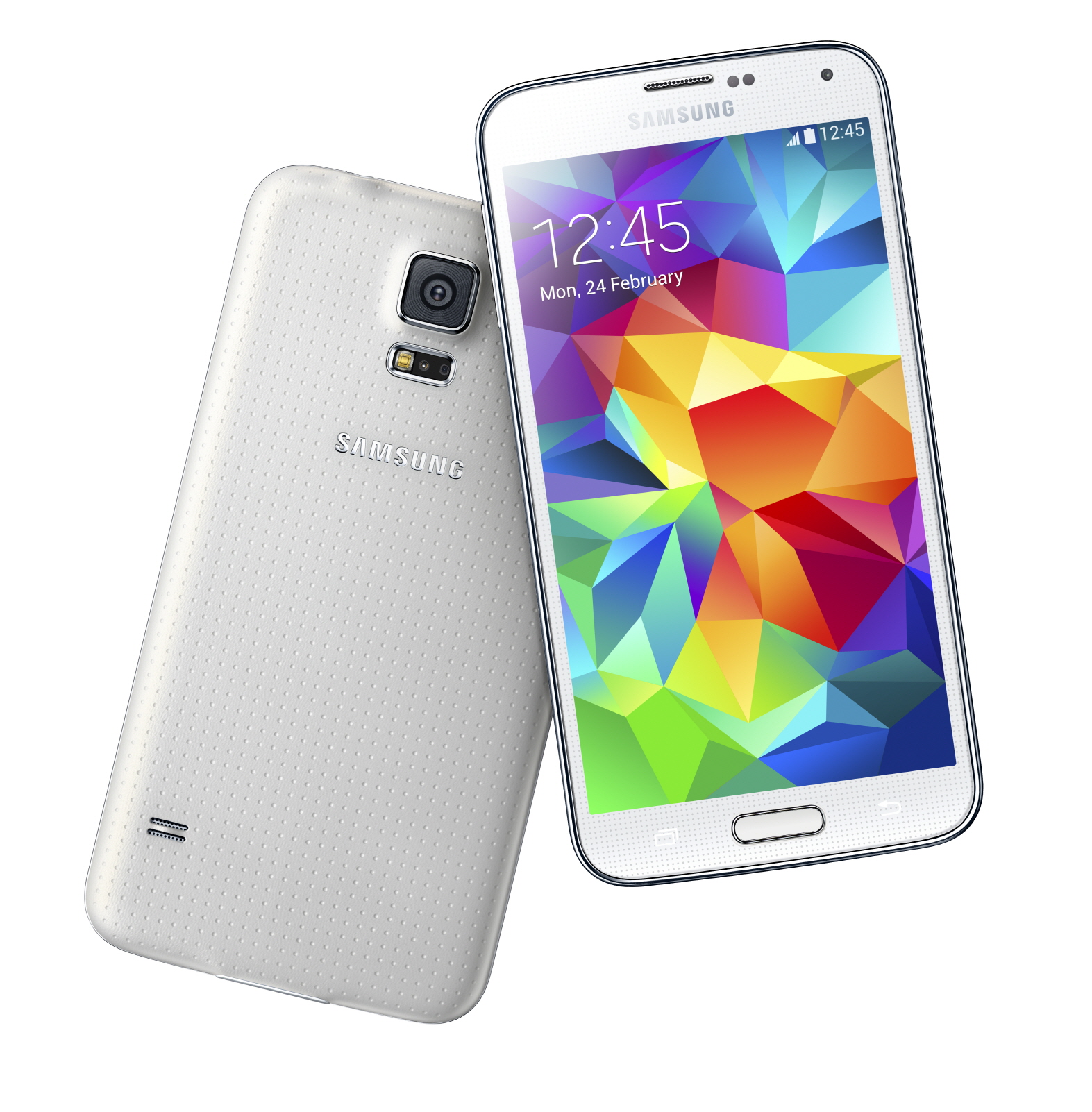
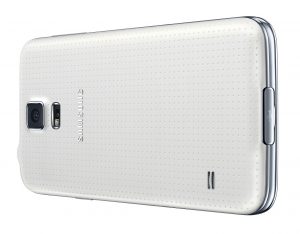
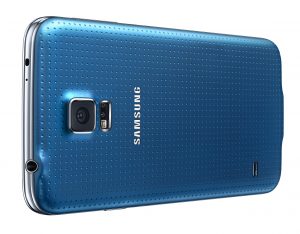
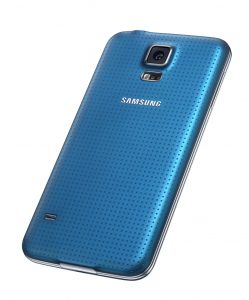
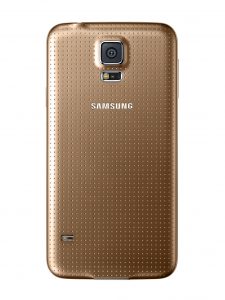
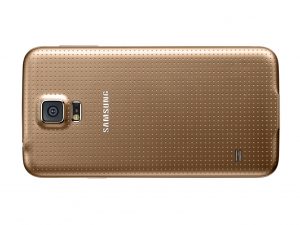
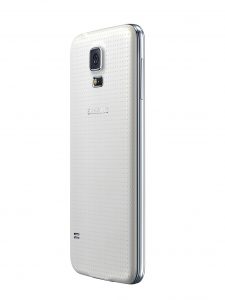
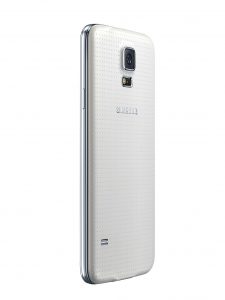
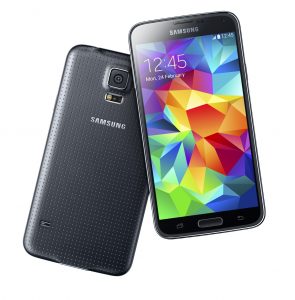
    Lets talk about whats new; When it is about Samsung, folks usually do not expect more, specially when it is about the looks. Keeping up to it the Galaxy S5 shares the same look as any other Galaxy device, however, with some enhancements. The Galaxy S5 has a leather like dotted back which is in any case better than the usual plastic on old devices. This new back design is not like what we have seen on the Note 3 and other recent devices, check out the image below:

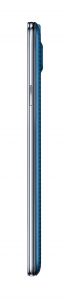
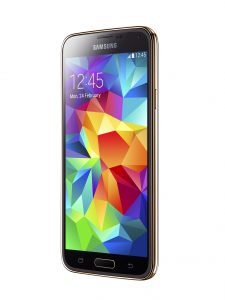
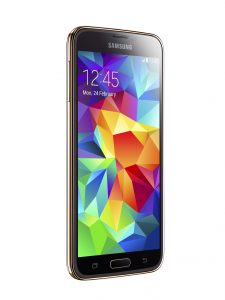
    Galaxy S5

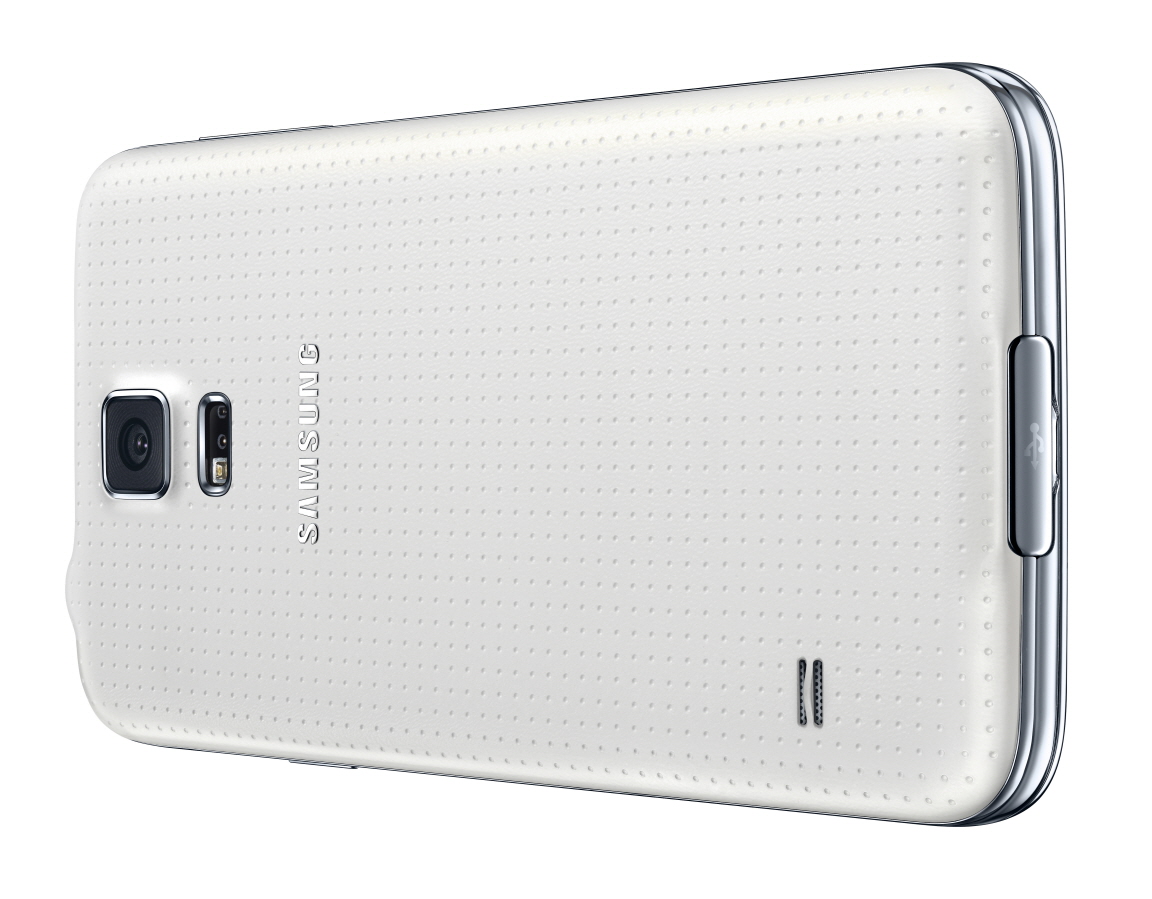
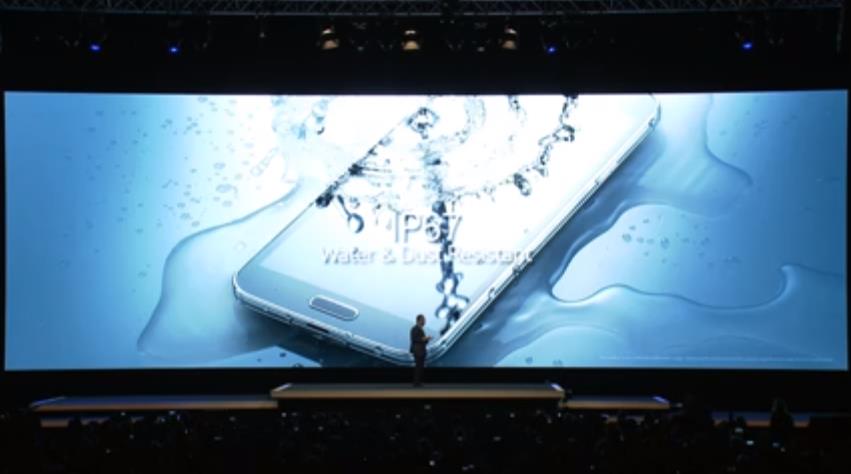
    Moving further in, the Galaxy S5 is launched with some unexpected features as well. To start with, the Galaxy S5 is IP67 Dust and water Resistant, which means; it can be used in rain, while swimming etc, but keeping in mind it is not water proof. The Galaxy S5 also features a hear rate sensor, located just below the back camera and aside to the flash light. It also offers a Finger Scanner, providing a secure, biometric screen locking feature and a seamless and safe mobile payment experience to the users. 

    With the Galaxy S5, Samsung is going back to basics to focus on delivering the capabilities that matter most to our consumers,” said JK Shin, President and Head of IT & Mobile Communications Division at Samsung. “Consumers are looking for mobile tools that inspire and support them as they improve their everyday lives. The Galaxy S5 represents an iconic design with essential and useful features to focus on delivering the ultimate smartphone on the market today through people inspired innovation.” 

    Galaxy S5

    The device has alot more features inside, but lets talk about the specifications first. The Samsung Galaxy S5 sports a 5.1 Full HD Super AMOLED display with a resolution of 1920 x 1080 pixels. The Galaxy S5 is powered by a 2.5 GHz Quad-Core CPU, Snapdragon 800 chipset and Adreno 330 GPU. 

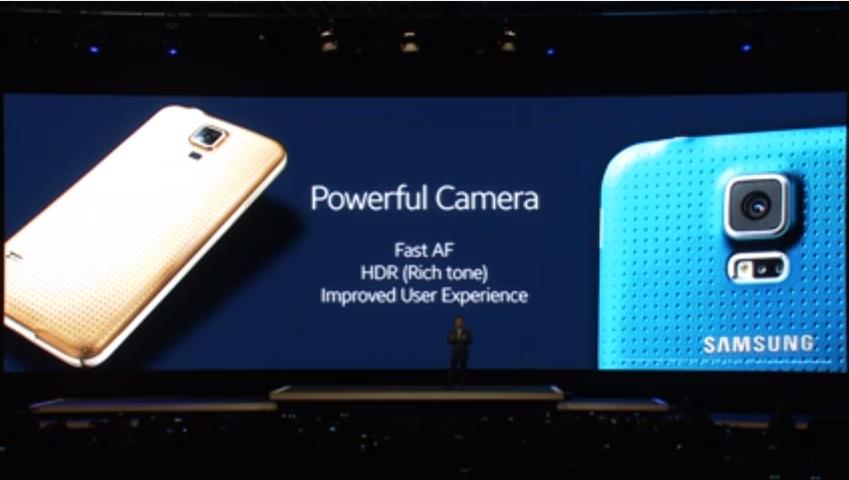
    This new Galaxy is packed with a 2 GB of RAM and 16/32 GB of storage which is expandable to 128 GB via MicroSD card. The Galaxy S5 sports a 16 MP camera with an enhanced menu and user interface that allow take, edit and share photos. The Galaxy S5 offers the world’s fastest autofocus speed up to 0.3 seconds. The new Selective Focus feature allows users to focus on a specific area of an object while blurring out the background. Most importantly, the Galaxy S5 also is capable to shoot 4K videos.

    The device is packed with a 2800 mAh battery which is removable if required. Talking about the battery, Samsung has introduced a Ultra Power Saving Mode which turns the display to black and white, and shuts down all unnecessary features to minimize the battery consumption. During the keynote, the company said if the S5 is at 10% battery level and if you switch on the Ultra Power Saving Mode, the device will further be active on standby for 24 hours. Connectivity options include WiFi: 802.11 a/b/g/n/ac HT80, MIMO(2×2), Bluetooth®: 4.0 BLE / ANT+, USB: USB 3.0, NFC and IR Remote.

    Galaxy S5

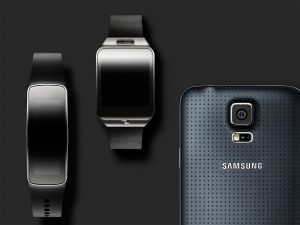
    Lets get back to the remaining features; S Health 3.0, the new Galaxy S5 offers more tools to help users stay fit and well. It provides a personal fitness tracker to help users monitor and manage their behavior, along with additional tools including a pedometer, diet and exercise records, and a new, built-in heart rate monitor. The new S Health app can sync with Samsung’s Gear line of wearables, including the Gear Fit fitness band, Gear 2 and Gear 2 Neo, and it offers guided coaching and feedback while you work out.

    The User Interface on the Galaxy S5 have also changed, with focus on icons, you will not see many tabs in this phone as all of it is mostly icons. Talking about the fingerprint scanner, it requires a vertical swipe over the home button to activate the scanner which might be difficult to do so holding the 5.1 inch/145 grams device with one hand. However, Samsung has reportedly tied up with PayPal to secure purchases using the fingerprint scanner which was first seen on iPhone 5s.

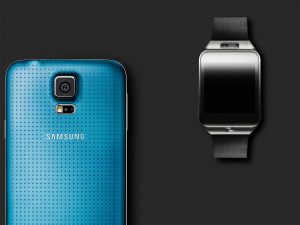
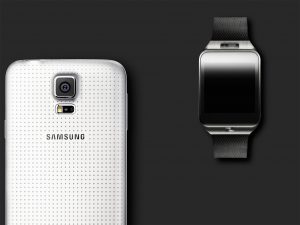
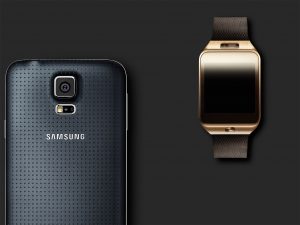
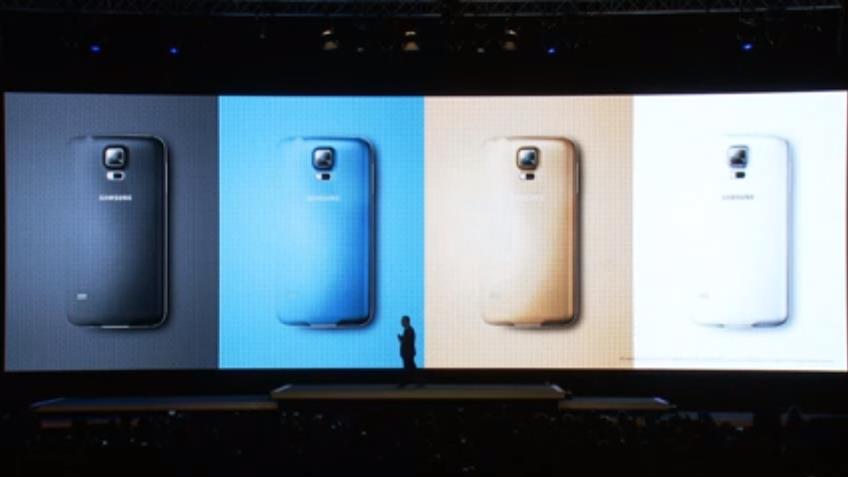
    The Galaxy S5 is scheduled to launch globally on April 11th and will be available in 150 countries. The Samsung Galaxy S5 will be available in new colors like charcoal Black, shimmery White, electric Blue and copper Gold. 

    Samsung has not shared any price information, but you can expect it to be as high as the number of new features added in this new Galaxy. We will bring you more information and our hands-on real quick. Stay Tuned!


  • Samsung Launches Galaxy S5 With Fingerprint Scanner, Water and Dust resistance and Heart Rate Sensor

    Samsung Launches Galaxy S5 With Fingerprint Scanner, Water and Dust resistance and Heart Rate Sensor

    Samsung has officially unveiled the Galaxy S5 globally. The Galaxy S5 was the most awaited launch at the Mobile World Congress 2014. 

    Coming straight to the point, Samsung Galaxy S5 features a 5.1 inch Super AMOLED Full HD display with a resolution of 1920 x 1080 pixels. The Galaxy S5 is powered by a 2.5 Ghz Snapdragon 800 processor and runs on Android 4.4 KitKat. This latest flagship from Samsung is packed with a 2 GB of RAM and 16/32 GB internal storage options along with expandability of 64 GB via MicroSD card.

    s5

    Furthermore, the Galaxy S5 is equipped with a 16 MP camera, which does Ultra High Definition Video. The camera application has alot of new features like Shot & More etc. The Galaxy S5 is also equipped with a 2.1 MP front shooter. Other connectivity options include an IR remote, NFC, Bluetooth 4.0 BLE/ANT+, Cat 4 LTE. The Galaxy S5 is packed with a removable 2800 mAh battery. 

    The Galaxy S5 shares the typical Samsung design, the Galaxy S5 has new hardware features like the fingerprint scanner, heart rate sensor, and a toned-down TouchWiz UI. The device has a leather like back, but not the one we have seen on the recent devices. Furthermore, the Galaxy S5 is IP67-certified, which water and dust resistance.

    s5 1


    Overall, Samsung has gone out of the box today, by including features like the fingerprint scanner, Heart Rate Sensor, the first Galaxy Device being a water and dust resistance. While you take a deep breath and realize that this just happened, we shall bring more information on this. Stay Tuned!

  • Nokia 220 and Asha 230 Launched, Adding to Its Vast Range of Feature Phones

    Nokia 220 and Asha 230 Launched, Adding to Its Vast Range of Feature Phones

    After the launch of Android Smartphones from Nokia, if you are still interested in feature phones the company will not disappoint you. As Nokia 220 and Asha 230 were also launched besides of the new X family from Nokia.

    [youtube url=”http://www.youtube.com/watch?v=mJMm0t-C7Wg”]

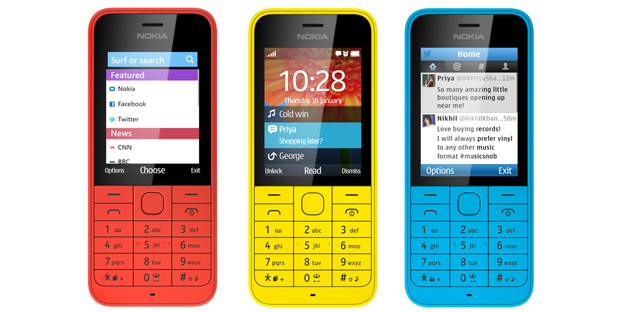
    The Nokia 220 features a 2.4 inch QVGA LCD display and  sports a 2 MP. This feature phone supports expandable storage up to 32 GB via microSD card. Has Bluetooth and supports Micro USB. Available in single or dual-SIM versions, users can take advantage of the pre-loaded Twitter and Facebook applications. The company proudly says that the new Nokia 220 has been built after seeing the success of the Nokia 110 budget phone. 

    [youtube url=”http://www.youtube.com/watch?v=VL5-RdMnVDQ”]

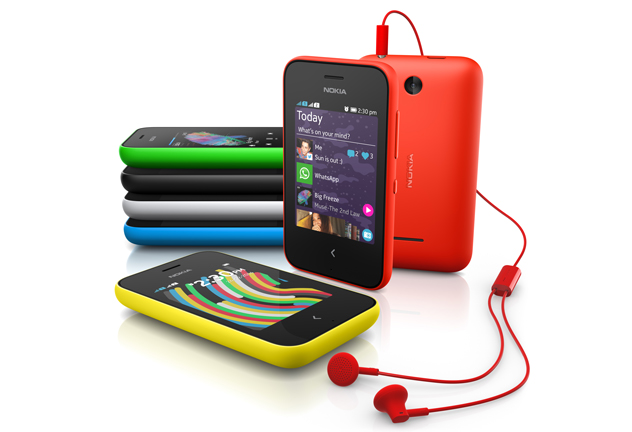
    On the other hand, the Asha 203 features the Fastlane UI, which is seen on Asha devices and now also on the X family. The phone comes preloaded with apps such as WhatsApp, Facebook, Twitter, LINE and WeChat. Keeping the name of Asha phones it will be available in Red, Green, Black, Cyan, White, and Yellow.

    Nokia-220-group

    The Nokia 220 feature phone is priced at 29 euros and the Nokia Asha 230 has been priced at 45 euros. More information to be out soon. 

  • The 12th Auto Expo 2014 App Will Help You To Organize Your Visit

    The 12th Auto Expo 2014 App Will Help You To Organize Your Visit

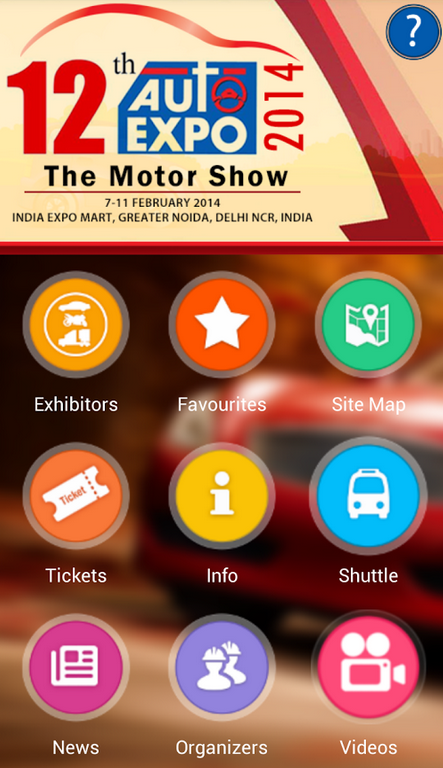
    The 12th Auto Expo 2014 is around the corner, it is fine if you did not organize your visit yet. With the upcoming Motor show, the company has also lunched a new application on all mobile platforms. ‘AutoExpo – Motor Show 2014’ is the app, and can be downloaded from Play Store, App Store, Windows Store and also on BlackBerry’s Store.

    Screen Shot 2014-01-25 at 2.02.57 PM

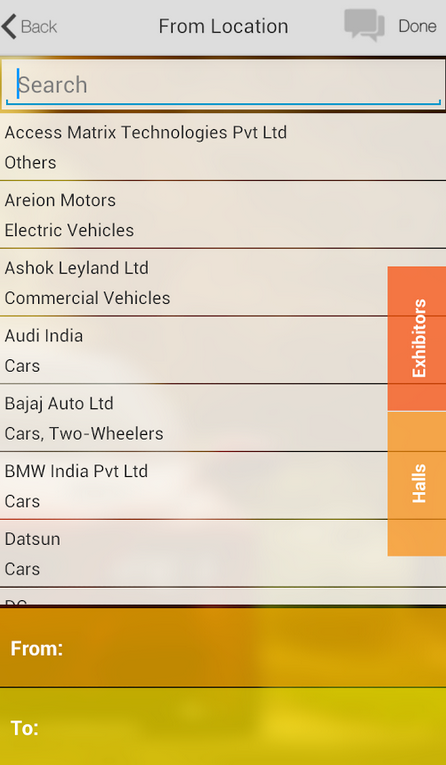
    To start with, the user interface of the application is fairly simple. The home screen will show you options like the list of exhibitors, from which you can choose your loved one and mark it as favorite. The application also showcases the Site Map of the new venue, which is the India Expo Mart, Greater Noida. Buying tickets for the much loved Auto Expo is easy as it can be done online, the charges for a reugular ticket on weekdays is 200 INR and on weekends is 300 INR. However, if you want to visit during the business hours, the money you will spend is 500 INR.

    Moving On, as the Auto Expo 2014 shifts from Pragati Maidan to India Expo Mart, it also takes the convenience of Delhi Metro. However, the organizers have also provided free shuttles from the nearest metro station. The Auto Expo 2014 will witness the launch of over 70 products from the Auto companies, this makes the Auto Expo 2014 to be the biggest ever auto show in sub-continent. 

    Screen Shot 2014-01-25 at 2.03.57 PM

    All this information is given to us via the Auto Expo app itself, once you enable the push notifications it will show you all the latest happenings in the event. The application does a great job of giving al the information a person might be looking for to attend the huge upcoming show. So, are you planning to visit the show ? Expect every new launch to be covered by us, Stay tuned to AutoGyaan.

  • Skype 4.5 for Android Tablets Brings Video Calls Anywhere and More

    Skype has again updated its Android application specially for tablets. The company seems to have focus on optimizing its application for Tablet users. The Skype 4.5 for tablets brings some new features like picture in picture window and new pinch to browse feature. 

    Skype is the first Android application to offer a picture in picture window that lets you see the video call even when you switch away to other applications. Which means, users can simply use the tablet for anything, surfing the web or playing games while the video call is still active. Skype is trying to create the Snap View type of experience that is currently used by Windows 8 users. 

    On the other hand, the company has also added a new scrolling feature to jump from one contact to another quickly. Users now just have to pinch the contact list to zoom out to an alphabet and tap on the letter to jump to that section. The company claims that this is alot faster than actual scrolling. 

    Alongside the addition of these two new features, Skype has also added some improvements to this version:

    • Improved Video Instant Messaging functionality overall, including fixes on latest Samsung phones
    • Added compatibility for the Hudl tablet
    • Fixed crashes on the Nexus 5
    • Drop down filter selections on the people tab are now persistent

     [Skype]

  • Android 4.4 KitKat Users Can Say ‘Ok Google’ to Search Without a Single Touch

    Android 4.4 KitKat Users Can Say ‘Ok Google’ to Search Without a Single Touch

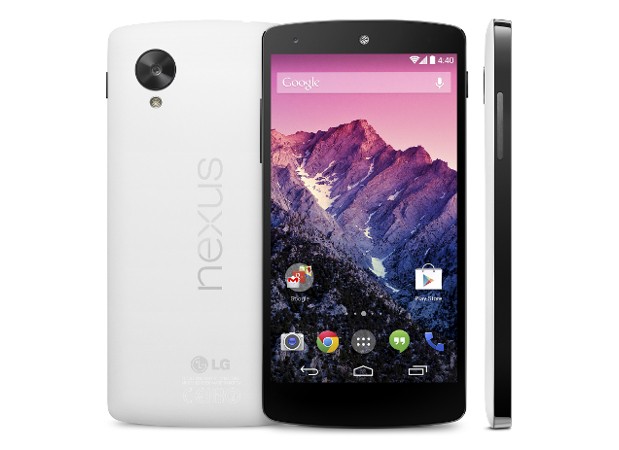
    Google has announced the “oh so leaked” Nexus 5 officially and this time around it has popped up on the Indian Play Store as well. The Nexus 5 has a lot of specs similar to the LG G2 a 2.2 Ghz quad-core Snapdragon 800 and 2GB of RAM, a 4.95-inch 1080p display. 

    However, what we are going to talk about is the benefits of the latest Android 4.4 aka KitKat. Google has added a plenty of useful features to the its latest version of Android, the Android 4.4 will have a new immersive mode which will hide everything in the background and will just show your up what you want to see, be it reading a book watching a movie or even playing a game. The Google Hangouts have been talked about lately and will supposedly allow to send and receive messages, all the SMS and MMS will be kept in the Hangouts app so that you do not miss any important message, claims Google. 

    ‘Okay Google’, these Touchless Controls are a part of the new Android, although these are not new but are advanced. With the Nexus 5 launch, users will have the ability to set hot keywords as a means of activating or “waking up” Now voice search. Which means you will be able to link any word you’d like to start voice commands on Google Now. Overall, speech recognition is said to be made 25% more accurate and manual access to Google Now can be triggered by a swipe to the left.

    Google Cards will be improved, as it will now display information based on a user’s current activity, for example if you are near a theater it might show up with ticket availability, or if you search for any TV show it might give you updates for the show itself.

    [youtube id=”6QHkv-bSlds” width=”100%” height=”300px”]

  • Google announces the Nexus 5 with Android 4.4, 16 GB for Rs. 28999

    Google announces the Nexus 5 with Android 4.4, 16 GB for Rs. 28999

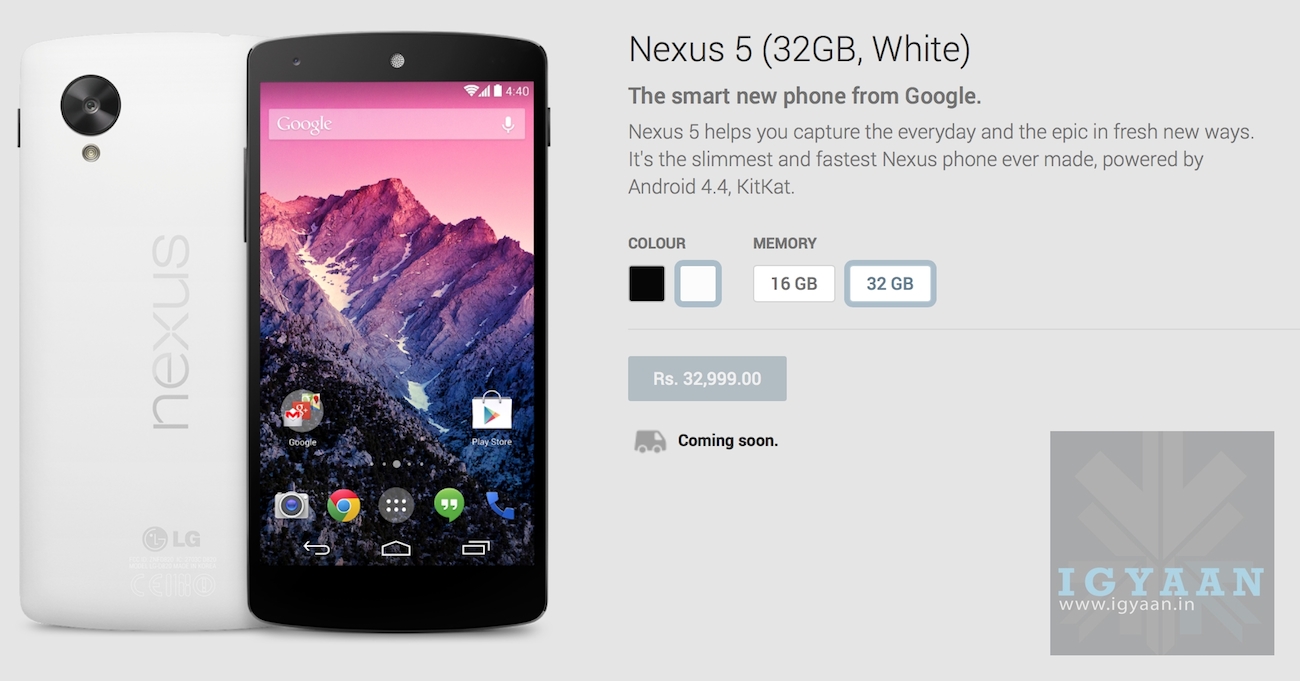
    Google has announced the “oh so leaked” Nexus 5 officially and this time around it has popped up on the Indian Play Store as well. The Nexus 5 has a lot of specs similar to the LG G2 a 2.2Ghz quad-core Snapdragon 800 and 2GB of RAM, a 4.95-inch 1080p display. 

    The Nexus 5 retains wireless charging and goes on sale in the US today for a price of US$ 349. You’ll also find LTE, Bluetooth 4.0, 802.11ac WiFi and NFC on the Nexus 5, along with Google’s latest Android KitKat (Aka 4.4). The front of the Nexus 5 is quite similar to the LG G2, and the bezels appear to be made of aluminum.


    Considering India a key market, in the official press release Google mentioned :

    Nexus 5 is available today, unlocked and without a contract, on Google Play in the U.S., Canada, U.K., Australia, France, Germany, Spain, Italy, Japan and Korea (and coming soon to India).

    Nexus 5 india 0

    Pricing seems a bit higher compared to the US$ variant, however that has been the case since the launch of the first Nexus Device. 


    [toggle title=”Press Release”]Android for all and the new Nexus 5

    Just in time for Halloween, we have two new treats for Android fans. First, we’re excited to unwrap our latest platform release, KitKat, which delivers a smarter, more immersive Android experience to even more people. And second, we’re introducing Nexus 5-a new Nexus phone developed with LG.

    The first thing you’ll notice about KitKat is we’ve made the experience much more engaging: the book you’re reading, the game you’re playing, or the movie you’re watching-now all of these take center stage with the new immersive mode, which automatically hides everything except what you really want to see.

    Bringing more Google smarts to Android
    Behind the polish on the screen is the power under the hood. Take the Phone app, which for most people hasn’t really changed since the days of flip phones. Now, we’re making calling easier than ever, by helping you search across your contacts, nearby places, or even Google Apps accounts (like your company’s directory), directly from within the app. And with the new Hangouts app, all of your SMS and MMS messages are together in the same place, alongside your other conversations and video calls, so you’ll never miss a message no matter how your friends send it. This is just a small taste of KitKat-learn more on our site.

    Google has always focused on helping users get immediate access to the information they need, and we want to bring this same convenience and power to users on Android. With the new Nexus 5 launcher, Google smarts are deeply integrated into the phone you carry around with you, so getting to the information you need is simple, easy and fast. Swipe once from the home screen to get Google Now literally at your fingertips. Put Google to work for you by saying “OK, Google” to launch voice search, send a text, get directions or even play a song you want to hear. And in the coming weeks, we’re enhancing Now with important new card types that bring you information about contextual topics that interest you such as updates from a favorite website or blog.

    Reaching the next 1 billion users
    Building a platform that makes mobile phones accessible for everyone has always been at the heart of Android. Until now, some lower-end Android phones couldn’t benefit from more recent Android releases due to memory constraints. With KitKat, we’ve slimmed down Android’s memory footprint by doing things like removing unnecessary background services and reducing the memory consumption of features that you use all the time. We did this not only within Android but across Google services like Chrome and YouTube. RAM (or memory) is one of the most expensive parts of a phone, and now Android can run comfortably on the 512MB of RAM devices that are popular in much of the world, bringing the latest goodies in Android 4.4 within reach for the next billion smartphone users.

    Introducing Nexus 5
    Along with our sweet naming tradition, we also introduce a new device with each platform release to showcase the latest Android innovations. For KitKat, we partnered with LG to develop Nexus 5 — the slimmest and fastest Nexus phone ever made. Its design is simple and refined to showcase the 5″ Full HD display. Nexus 5 also keeps you connected at blazing speeds with 4G/LTE and ultra fast wifi. The advanced new lens on Nexus 5 captures more light for brighter night and sharper action shots. And with optical image stabilization, you no longer have to worry about shaky hands and blurry pictures. A new HDR+ mode automatically snaps a rapid burst of photos and combines them to give you the best possible single shot. Learn more on our site.

    Nexus 5 is available today, unlocked and without a contract, on Google Play in the U.S., Canada, U.K., Australia, France, Germany, Spain, Italy, Japan and Korea (and coming soon to India), starting at $349. Just in the time for the holidays, Nexus 5 will be available soon at the following retailers: Sprint, T-Mobile, Amazon, Best Buy and RadioShack.

    Android 4.4, KitKat, which comes on Nexus 5, will also soon be available on Nexus 4, 7, 10, the Samsung Galaxy S4 and HTC One Google Play edition devices in the coming weeks.

    How’s that for a treat?

    Posted by Sundar Pichai, SVP, Android, Chrome & Apps[/toggle]

    [Play]

  • Samsung Competes With Apple, Prices Galaxy Golden Flip Phone At Rs. 51900

    Samsung Competes With Apple, Prices Galaxy Golden Flip Phone At Rs. 51900

    Ever since Apple’s got the idea to launch an iPhone in the Golden color, we have seen many phones opting the Gold color to name few, the HTC One and even the Galaxy S4. 

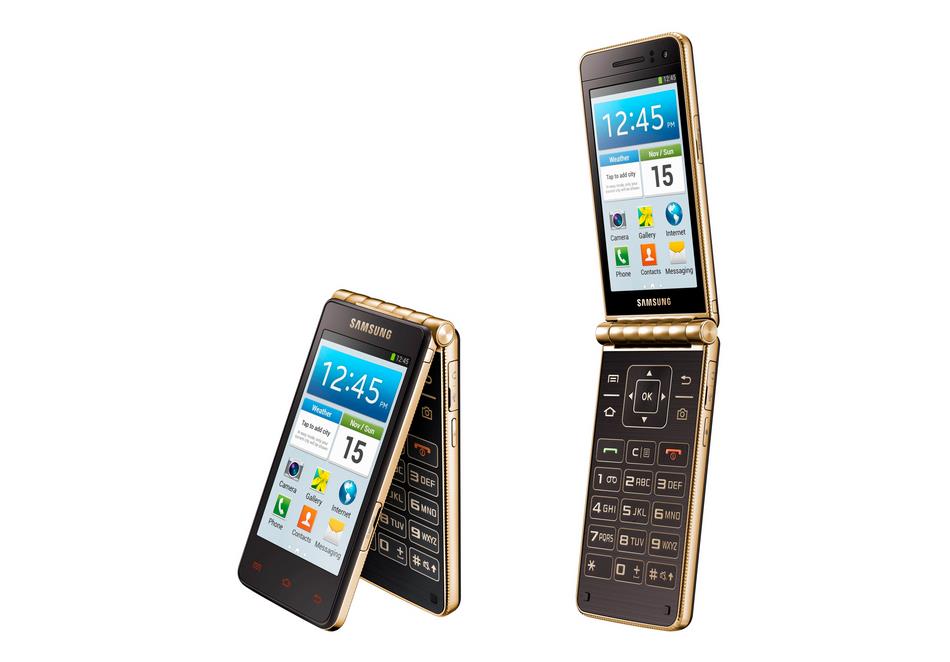
    Today Samsung has announced a new phone in the Indian market, Samsung Galaxy Golden Flip Phone is now available in the leading stores. Flipkart is taking pre-orders for the smartphone at a price of Rs. 49,900. The look alike of this phone was first launched in the Korean market in August this year and is now available in India probably at the right time, Diwali!

    llllllllllllll

    The company claims the device is made to give an easy to use and operate experience. It comes with ‘Easy Mode’, which comes with large fonts and icons and enables the users to access and search apps quickly. It also highlights certain features on the device like favorite apps and easy settings. Another feature is the ‘Hidden Receiver’ that allows users to take calls without opening the folder. 
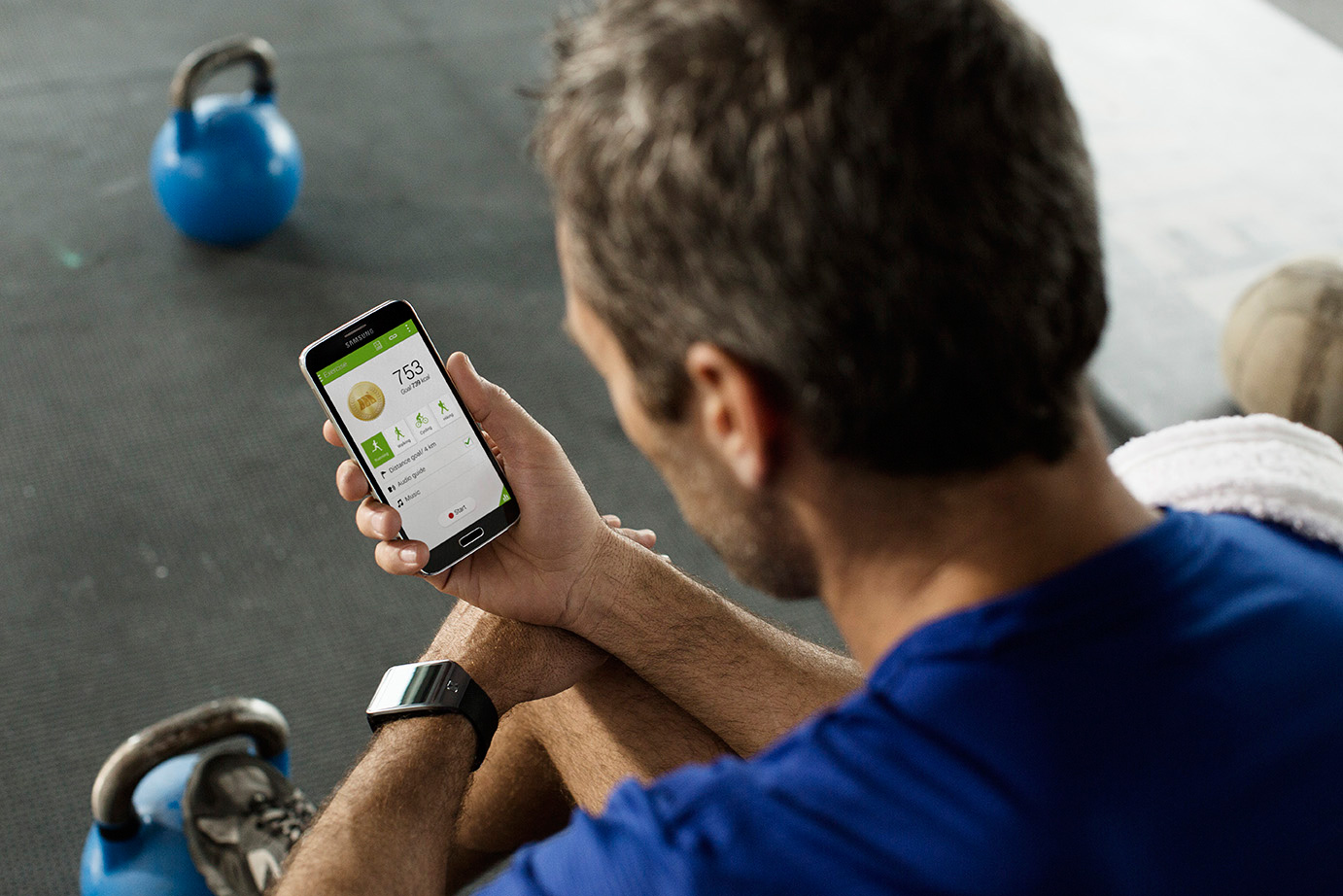
    Commenting on the launch, Vineet Taneja, Country Head, Samsung Mobiles and IT said, “At Samsung, we are committed to making lives easier and smarter for our customers and GALAXY Golden does exactly that. With its innovative dual display and premium golden finish, GALAXY Golden brings together the best of touch and type experience on a smartphone. This specially crafted device is aimed at consumers seeking seamless integration of stunning classic design and functionality to make their lives more efficient.”
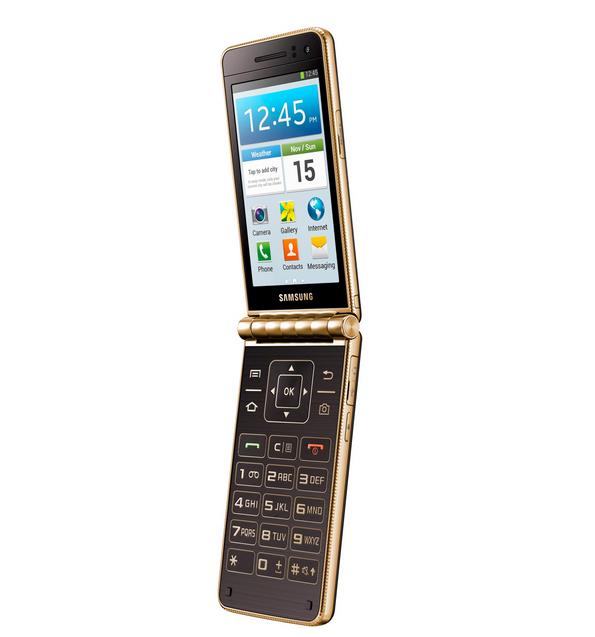
    The Samsung Galaxy Golden features two screens both are 3.7 inch Super AMOLED displays, on the inside and the outside of the top-half. The phone is powered by a  1.7 GHz dual-core processor and runs on Android 4.2 Jelly Bean. The Golden Flip Phone has a 1.5 GB of RAM and 16 GB of inbuilt storage which can be expanded upto 64 GB. Galaxy Golden features a 8 MP primary camera along with a 1.9 MP front facing camera. The device has a 1820 mAh battery and connectivity option include Wi-Fi, GPS and Bluetooth. 

    The Samsung Galaxy Golden should be available in the shops nearby you, the phone is priced at 51900 INR which seems overpriced for a phone with these specifications, while the price high could be because of the two 3.7 inches Super AMOLED displays. 


    Press Release 


    Samsung Launches the Exquisitely Crafted GALAXY Golden phone


    Premium folder design with dual screen and golden finish to add to Diwali festivities


    New Delhi, October 28, 2013: Samsung Electronics Co., Ltd, a global leader in digital technologies, today announced the launch of GALAXY Golden – a premium flip phone with a golden coloured accent. GALAXY Golden is specially designed for discerning consumers seeking innovation, stylish design and convenience.


    GALAXY Golden sports a differentiated premium folder design that provides users a unique touch and type smartphone experience. The phone is equipped with two 3.7” slim Super AMOLED screens to provide greater flexibility and convenience to the users. While the outer screen enables the users to expeditiously make and receive calls, flipping the phone open brings up the inner screen and a large 3×4 keypad with big and bold keys to help users operate the phone with greater ease. GALAXY Golden is a stunning looking smartphone with its rich black casing accentuated with an elegant golden finish. The back cover offers a smooth textured finish which gives the phone a premium feel and makes it easy to grip.


    Speaking about the launch, Mr. Vineet Taneja, Country Head, Samsung Mobiles & IT, said, “At Samsung, we are committed to making  lives easier and smarter for our customers and GALAXY Golden does exactly that. With its innovative dual display and premium golden finish, GALAXY Golden brings together the best of touch and type experience on a smartphone. This specially crafted device is aimed at consumers seeking seamless integration of stunning classic design and functionality to make their lives more efficient.”


    The innovative design is aimed at making the phone easy to use and operate. It comes with ‘Easy Mode’, which comes with large fonts and icons and enables the users to access and search apps quickly. It also highlights certain features on the device like favourite apps and easy settings, which makes it even simpler to use the phone. Another interesting feature is the ‘Hidden Receiver’that allows users to take calls without opening the folder and provides high quality sound in noisy areas.


    GALAXY Golden scores very well on the performance front. Powered by 1.7GHz dual-core processor coupled with 1.5GB RAM, the smartphone provides exceptional performance, smoother transitions and faster web browsing. It is based on the Android 4.2 Jelly Bean operating system enabling faster multitasking and easier applications management. It comes with an 8-megapixel rear camera that allows the users to capture rich and stunning images. It also sports a 1.9-megapixel front camera and comes with 16GB internal memory. On the connectivity front, the GALAXY Golden comes with Bluetooth, Wi-Fi and GPS/AGPS.


    The GALAXY Golden is available at all leading retail stores at Rs. 51,900/-.


    About Samsung Electronics Co., Ltd.

    Samsung Electronics Co., Ltd. is a global leader in technology, opening new possibilities for people everywhere. Through relentless innovation and discovery, we are transforming the worlds of televisions, smartphones, personal computers, printers, cameras, home appliances, LTE systems, medical devices, semiconductors and LED solutions. We employ 270,000 people across 79 countries with annual sales of US$187.8 billion. To discover more, please visit www.samsung.com.

  • LG Officially Announces G Flex a Curved Smartphone With Self Healing Back Cover

    LG Officially Announces G Flex a Curved Smartphone With Self Healing Back Cover

    LG Electronics today officially announced the LG G Flex, a smartphone which is curved and is said to to follow the contour of the face, it is the first device to offer such a design in the smartphone market claims LG.

    The LG G Flex is the best representation yet of how a smartphone should be curved,” said Dr. Jong-seok Park, president and CEO of LG Electronics Mobile Communications Company. “The LG G Flex with its distinctive design, innovative hardware and consumer-centric UX represents the most significant development in the smartphone space since smartphone became part of our regular vocabulary.”

    lgggg

    How can the curved display help ? here is what the company says: the vertically curved design of the LG G Flex reduces the distance between one’s mouth to the microphone when the device is held against the ear, as traditional telephone handsets used to. The LG G Flex employs a curvature arc that is optimized for the average face, to deliver improved voice and sound quality.That is not all, the company is offering the same back buttons that we saw it on its latest flagship the LG G2. 

    The LG G Flex also includes an array of new UX features:

    – QTheater gives users quick access to photos, videos and YouTube right from the lock screen. By touching the screen and dragging outward along the curved surface with both fingers, the apps appear with the effect of theater curtains being drawn.

    – Dual Window divides the wide 6-inch screen into two separate windows for more effective multitasking.

    – Swing Lockscreen alters the image on the lockscreen depending on how the G Flex is held.

    – Face Detection Indicator displays the LED on the Rear Key in green to confirm status of face detection and focus.

    – Camera Timer flashes the Rear Key LED to indicate that the countdown has begun.

    – Urgent Call Alert flashes the LED on the Rear Key in red when several consecutive calls from the same person go unanswered.

    Lets talk about the specs now, LG G Flex uses a flexible OLED screen technology is 7.9 to 8.7 mm thick at various points, weighs 177g, and features a 6 inch HD 1280 x 720 display. The device is powered by a 2.26 GHz quad-core Snapdragon 800 processor, a 2 GB of RAM coupled with 32 GB inbuilt storage and a 3,500 mAh battery. The device is equipped with a 13 MP primary camera along with a 2.1 MP front camera and the G Flex runs on Android 4.2.2.

    lgg

    Alright, so LG has added a new feature to the G Flex, the phone has a “Self Healing” coating on the back cover which is a elastic coating to which the company claims will help the back to recover from the usage scratches and nicks which will help the device to look new every time. This is something new indeed, but we cannot comment on it without our hands on with the device. The device will be available in Korea in November no word for availability in other countries.

    lggg


iGyaan Network
Privacy Overview

This website uses cookies so that we can provide you with the best user experience possible. Cookie information is stored in your browser and performs functions such as recognising you when you return to our website and helping our team to understand which sections of the website you find most interesting and useful.