Tag: gmail

  • Inbox App By Gmail Officially Making Its Exit On April 2

    Inbox App By Gmail Officially Making Its Exit On April 2

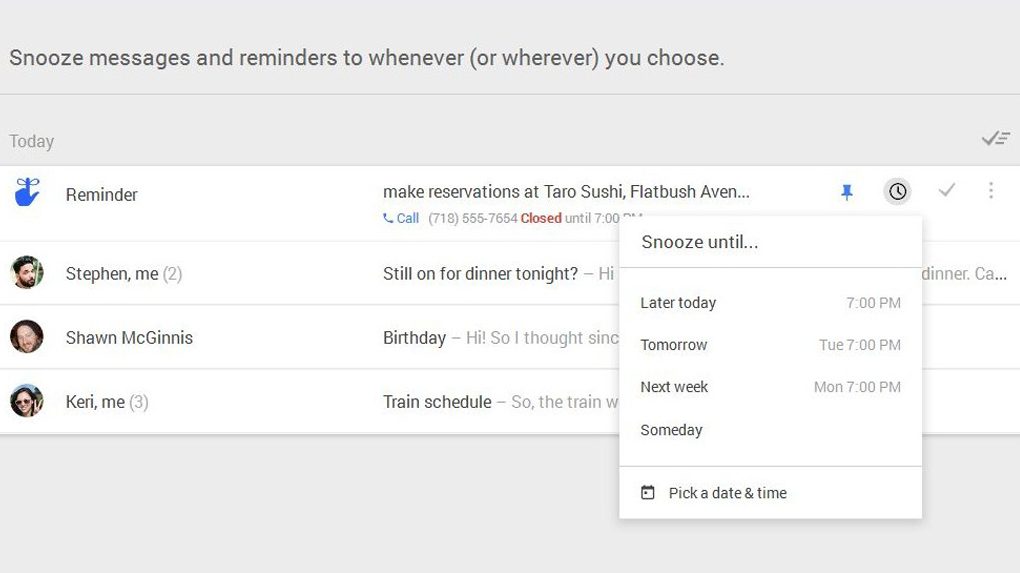
    Google will shut down its email service, Inbox on April 2. Originally aimed towards improving email productivity, the application will be taken down from the store. The shut down of Inbox will take place alongside the death of Google+, which is supposed to be terminated on the same day. The American technology company had previously listed its plans to part ways with Inbox in 2018.

    About The Application
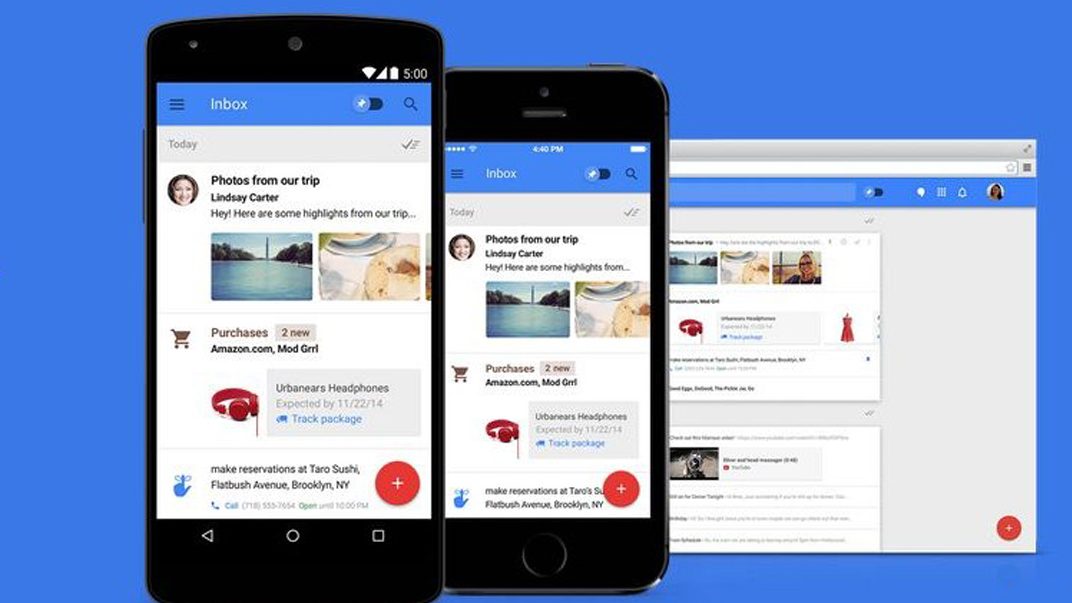
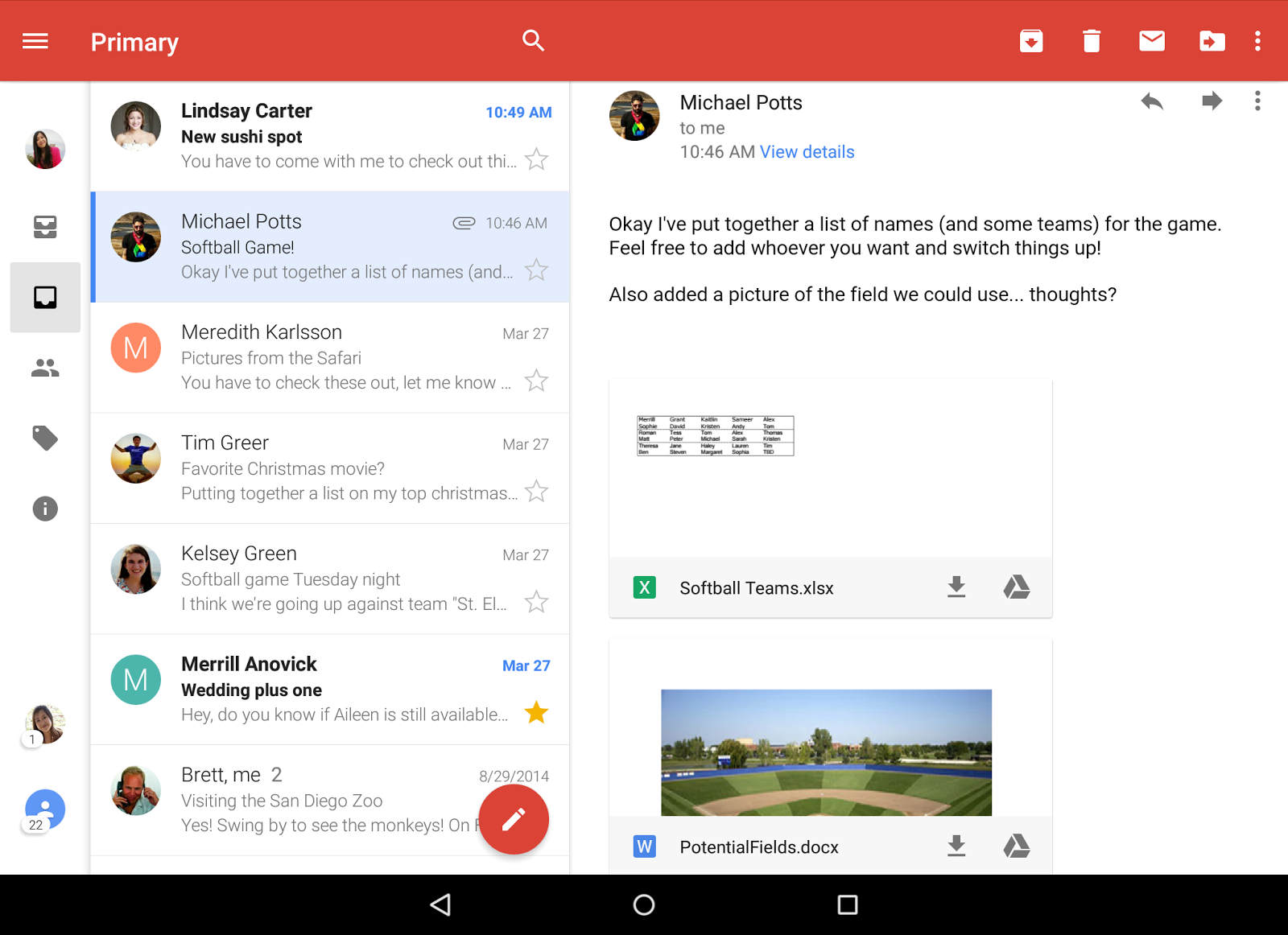
    First announced on a limited invitation-only basis in October 2014, the Inbox application was officially released to the public in May 2015. The app had some interesting features such as advanced filtering and message snoozing that appealed to a multitude of users. Moreover, the app was a fresh overhaul from the “cluttered” interface of the Gmail app, some users reported. For instance, the Inbox app gathered necessary information from the Gmail application and used it to provide just key bits of data to the user.

    Inbox faced both welcoming reviews and criticism at the time of launch. Some users referred to the interface as minimalistic and clean, whereas some users complained that the app required them to give up control of their own ability to organize emails. The app also featured Google’s Smart Reply feature, which enabled users to click on pre-tailored replies to emails in their inbox. Furthermore, Google stated in March 2016 that 10 per cent of all the replies on the Inbox Mobile App was generated via Smart Reply. 
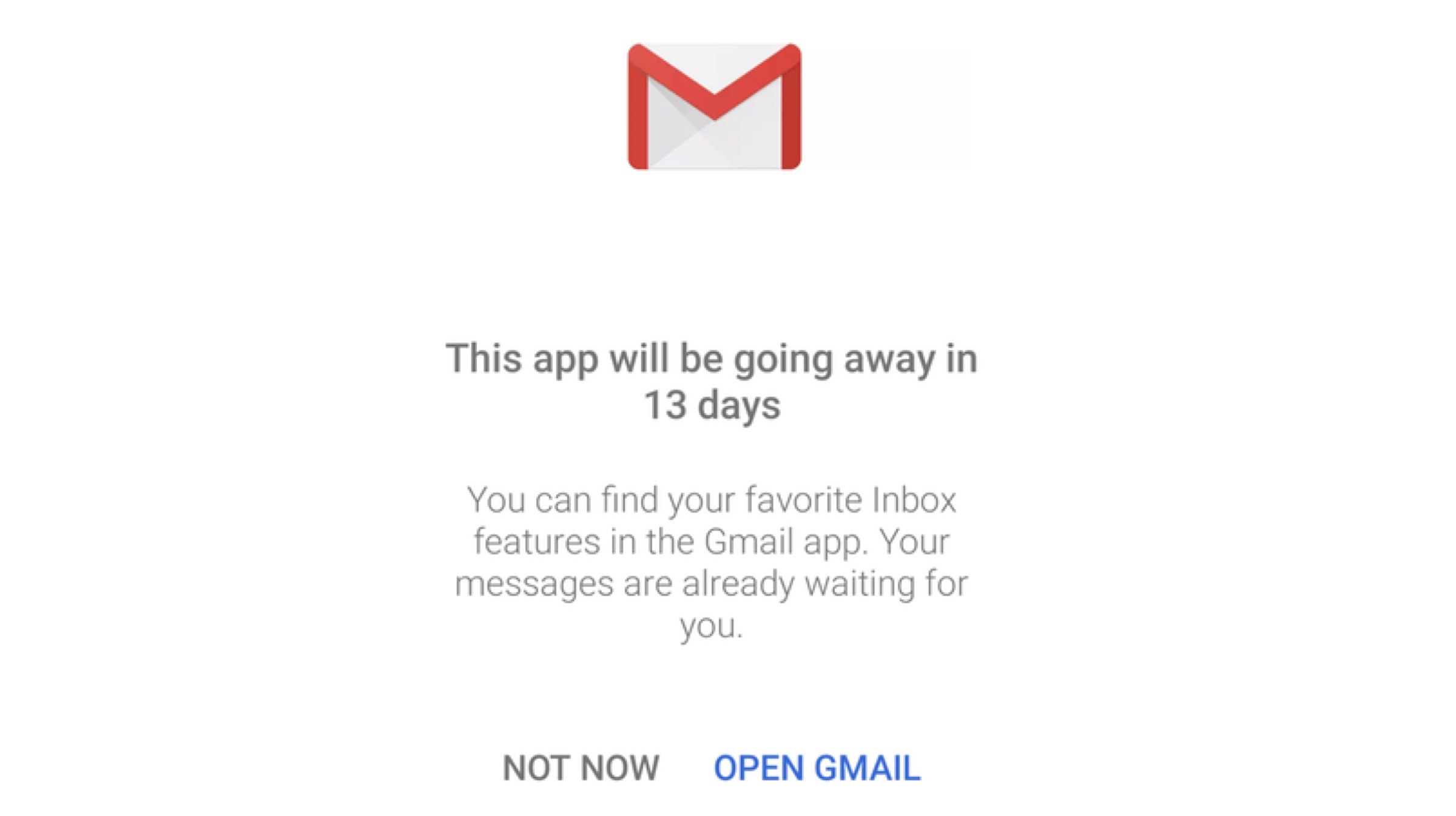
    Inbox users may see a notification while launching the application that displays a message from Google. The message says that the app will be going away in “X” days, where X is the number of days to April 2. The notification also informs users that all the helpful features of the Inbox app have been integrated with the Gmail app. Subsequently, for those who are trying to locate the application on the Play store, a lot of users are unable to find it too.
    Also Read: Huawei Enjoy 9e Leaks Before Official Announcement

    As mentioned before, Google+, which is Google’s social media platform will also shut down on the same date i.e. April 2. The company has already alerted its users to start archiving their posts and images if they want to hold on to them. Such is not the case with the Inbox app, which already derives its emails from Gmail.
  • Gmail’s Smart Compose Feature Rolls Out To More Android Devices

    Gmail’s Smart Compose Feature Rolls Out To More Android Devices

    Gmail introduced the AI powered Smart Compose feature for the desktop version in the year 2018, and it was a convenient feature for users who were familiar with auto-prediction texts. In October 2018, the feature was made available on smartphones with the launch of the Google Pixel 3. At the time of its release, Google announced that the feature will be exclusive to Pixel devices. However, the update is now being rolled out for non-Pixel Android smartphones as well.

    About Smart Compose

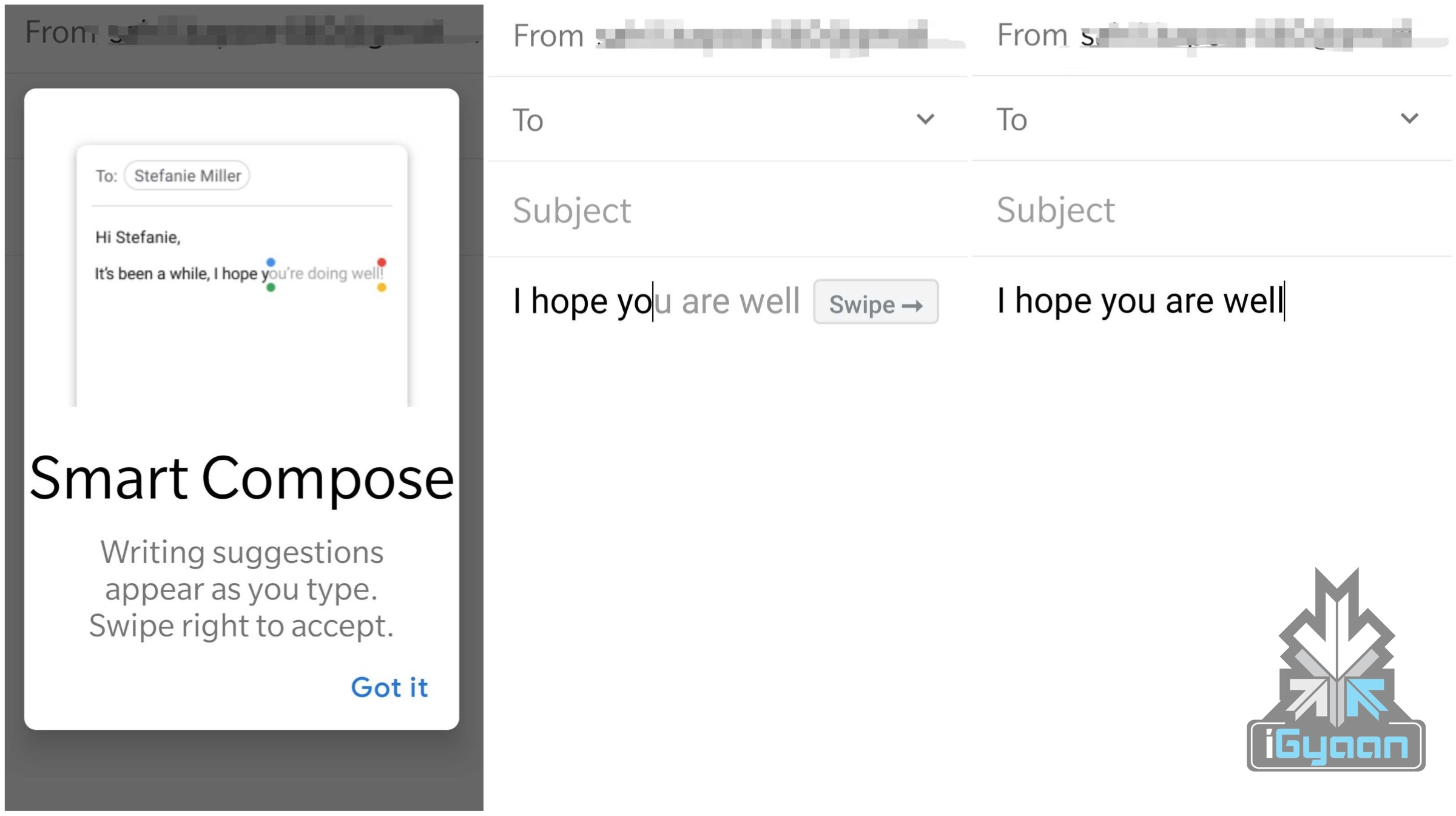
    The Smart Compose feature was spotted in the Gmail app version 9.2.3. When a user clicks on the compose button, Gmail will prompt them regarding the new feature and familiarise them with the feature. Dependent on the users choice, it can be manually turned off from the applications setting menu. But instead of pestering the user, the feature is actually quite functional. Once the user starts typing a reply or a new message, the Smart Compose feature will suggest words or even complete sentences that will help the user to finish the message faster. 

    How It Works

    As per users, the desktop version of Gmail even recommends the names of the recipients whenever necessary. The Gmail Android App plays it safe and just helps users finish their sentences. Since this is AI-powered, the feature is likely to improve over time. For instance, if a user is typing “Will my shipment arrive-“, Smart Compose will automatically recommend “Will my shipment arrive tomorrow” or whatever is more relevant to the context of the conversation. Some users may find this to be unnecessary, but it can be very beneficial for others.
    Also Read: Google Launches Bolo App To Improve Children Literacy In India

    Google Keyboard uses a similar prediction technique, where it suggests words and phrases based on a user’s previous message history. As mentioned before, it’s a feature that is still under development and will undergo a considerable number of revamps before it is perfected for use in day-to-day life.


  • Gmail Adds Useful Shortcuts, Allows Message Downloading

    Gmail Adds Useful Shortcuts, Allows Message Downloading

    Gmail is one of the most widely used email services in the world. Being that as it may, it constantly keeps evolving and changing to make the user experience better and more convenient. An enterprise UI needs to be simple, efficient and easy to use. Gmail, in its bid to simplify life for people who regularly use the service, has introduced a host of new features and shortcuts. 

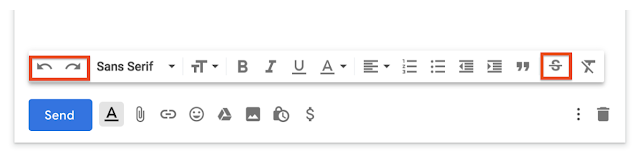
    One of the best features in the new update are the Undo and Redo shortcuts. These are specially great for people who like using their mouse to undo or redo words or sentences. The Undo button restores the previously typed text while the Redo button will reverse the changes. The buttons are added to the taskbar, preceding the font type and font size options. When you open the compose window it should appear right in the front of the taskbar. The positioning of the buttons are convenient and easily visible. These two commands are very frequently used by most people when composing an email. 

    Another great feature added to the taskbar is the option for Strikethrough. This allows a user to mark something as completed. It can also be helpful when suggesting edits in a text. The strikethrough button can also be found in the taskbar itself. 

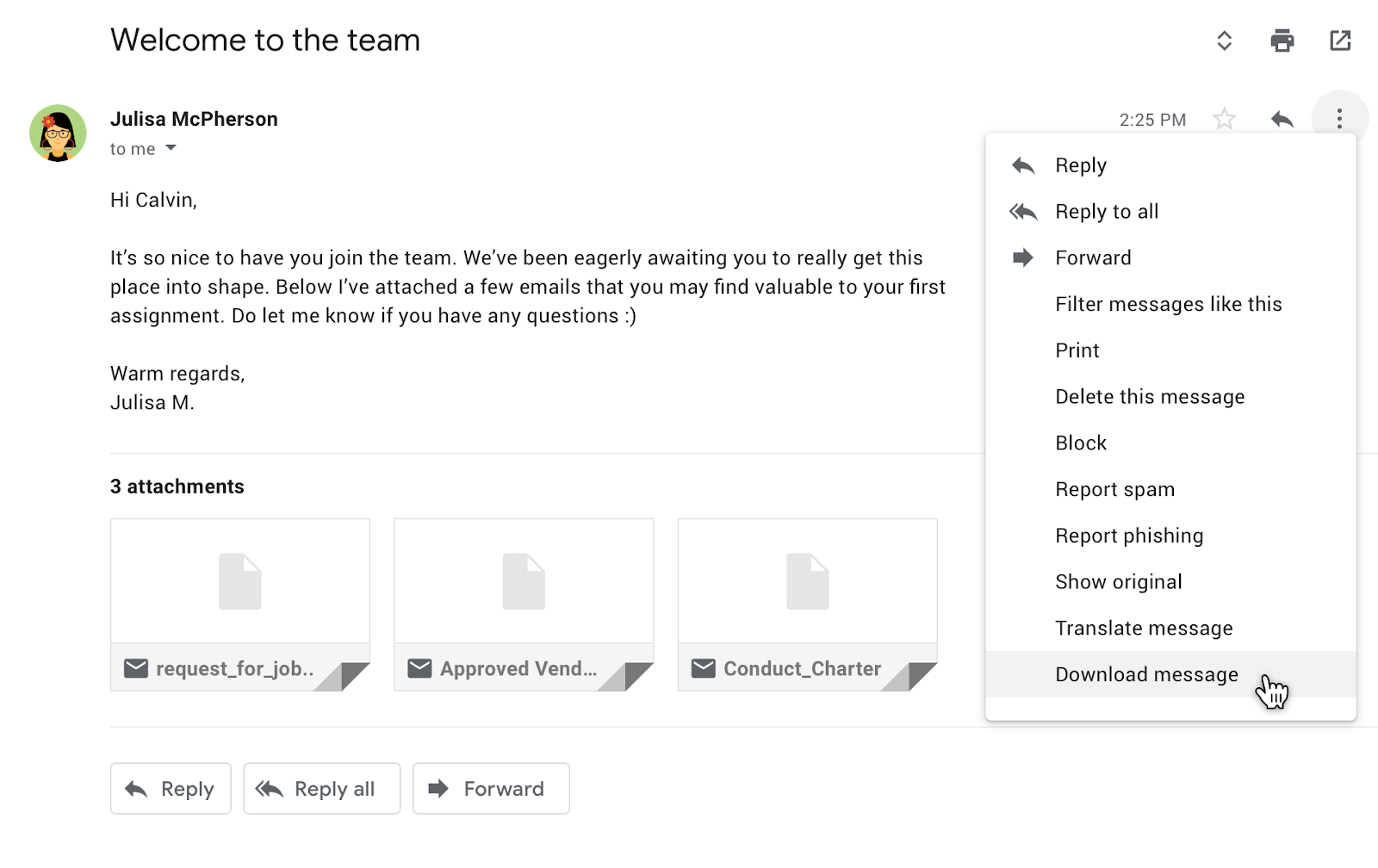
    A great feature, that Gmail has recently introduced and was much anticipated by people is the ability to download messages in the EML format. This feature allows one to view the Gmail content along with attachments within different email clients. Users will have the ability to add these downloaded messages as attachments in other emails. 

    The features are slowly being rolled out for Gmail and GSuit users. It will automatically be added to your Gmail UI soon. The rolling out of these features has started from January 22 and should be available globally in a few more days. These changes however are for the web clients and there is no news of these coming to the App clients anytime soon yet. 

  • Google Accused Of Allowing Third-Party Apps To Read Users’ Gmail

    Google Accused Of Allowing Third-Party Apps To Read Users’ Gmail

    Online privacy has been at the centre stage of a global conversation for quite some time now. Every move by big tech companies is scrutinised for potentially risking the privacy of online users. The latest to join this ever-growing list is Google. One of the biggest tech companies in the world has been accused of allowing third-party apps to read users’ Gmail.

    In a report published by The Wall Street Journal, it has been revealed that Google allows partner companies to read Gmail messages in order to offer better products and services. This is not the first time a company has been accused of using private user data for better-targeted advertisements. Facebook was involved in a global controversy after Cambridge Analytica was exposed.

    Must Read: Google Sued For £3.2 Billion For Secretly Tracking Browsing Data For 4.4 Million iPhone Users

    It has been a common practice by many companies to use machines to go through emails for keywords and phrases. This helps them identify what sort of goods or services that particular user is on the lookout for. This data once studied properly allows advertisers to make targeted ads and display them across the user’s web browsing experience. In fact, some companies allow human employees to read through the emails and not rely on machine learning.

    Google, too, has been previously exposed for reading emails of users. In 2017, Google promised its users that it would stop reading Gmail content of users. However, this report claims that Google has done little to nothing to preserve the privacy of users. It is also worth noting that Gmail has over 1.4 billion users, making it the most popular email service in the world.

    Must Read: New Facebook Patent Reveals Tech That Will Turn On Your Smartphone Microphone

    WSJ quoted many representatives of partners that snoop through Gmail, claiming that this is indeed a “common practice.” There are, however, strict rules in place as specified by user agreements.

  • Smart Compose For Gmail Will Help Users Write Better Emails

    Smart Compose For Gmail Will Help Users Write Better Emails

    Google has been trying really hard to make Gmail, the world’s largest email service better, for both mobile and web. At the Google I/O conference 2018, Sundar Pichai, CEO of Google announced a new Smart Compose feature for Gmail. The new feature, as expected, depends a lot on AI and machine learning and will essentially help users write better emails.

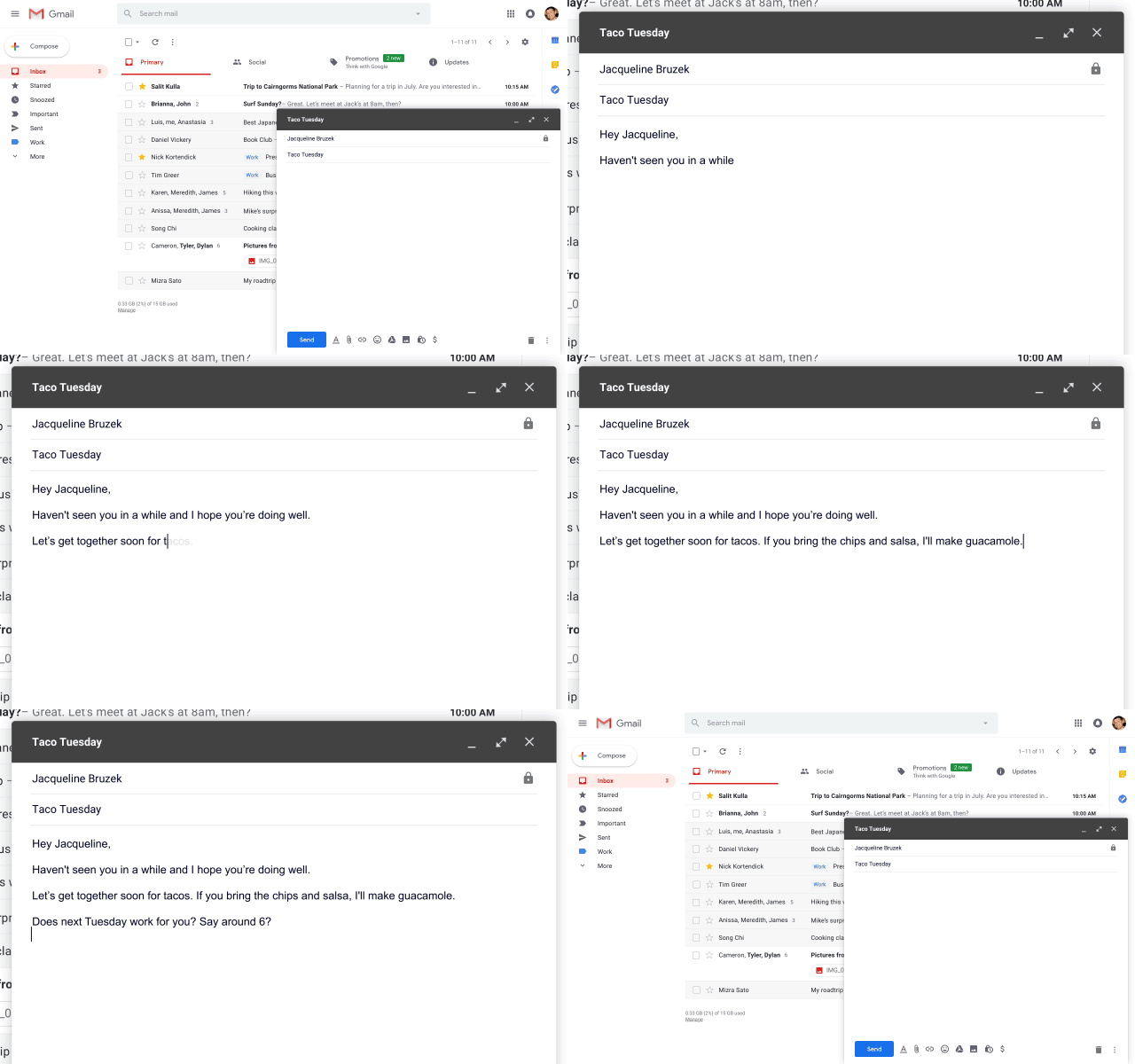
    The Smart Compose feature, from the looks of it, appears to be similar to the Auto Complete feature that Google uses for online searches. Smart Compose will use AI to suggest words and phrases as a user is typing an email to make the email look and sound better. To use a suggested word, users can simply hit the “Tab” button and the word will autofill.

    Google claims that not only will this help save time when writing emails, it will help reduce the chance of users sending an email with a grammatical error. In the world of smartphones and autocorrect, this could be a lifesaver for people who predominantly use Gmail on their computers. Nobody is immune to a grammatical error and AI appears to be ready to help us out. Although, Grammarly might feel hard done here if Gmail becomes self-sufficient in this area.

    Interestingly, Smart Compose will also understand context. For example, if a user is talking about tacos in an email, the feature will understand the conversation and suggest the word, “Guacamole.” The company has said the feature will roll out to users within the next few weeks and will be integrated for G Suite customers within the next few months. For the Smart Compose feature to work, users will have to be updated to the Gmail for Web that was introduced a few weeks ago.

    The Google I/O conference 2018 has kicked off and Smart Compose appears to be a very nifty feature. With autocorrect taking over many people’s typing habits, it was about time something like this was made available for PC users as well.

  • Google Updates Gmail For Web With New UI And Features

    Google Updates Gmail For Web With New UI And Features

    Gmail is the most popular email service in the world. It has over 1.2 billion active users and so far, there aren’t many rivals to it. Despite the popularity, Google has ignored Gmail for web for way too long. The UI has been the same for many years which, honestly, is the one thing that most users care about. However, that has finally changed as Google has announced a few changes for Gmail in a new blog.

    In its blog, Google has talked about the new UI design which is rolling out to all Gmail users along with a few but, important changes with regards to security. The new Gmail for web now looks more similar to the Gmail app in terms of design. Google has also added a new shortcut bar on the right-hand side of the inbox. In that bar, users can access the Calender app to set reminders about follow-up emails. There is also a marketplace where users can download shortcuts for apps like Trello etc. Gmail will also “nudge” users to follow up and respond to messages with quick reminders that appear next to their email messages to help make sure nothing slips through the cracks.

    The inbox has three modes, in Default, the attachments in an email are present right in the inbox, meaning users can cess attachments without clicking on the email. However, that can feel a bit congested hence, the other two modes, Comfortable and Compact move to a traditional way of showing attachments. One interesting feature trickling down to Gmail for web from the Gmail app is Smart Reply. It essentially allows users to send quick replies that Gmail suggests like “Got It,” “I’ll be there” and many more. These suggestions of quick replied obviously depends on the email users are replying to.

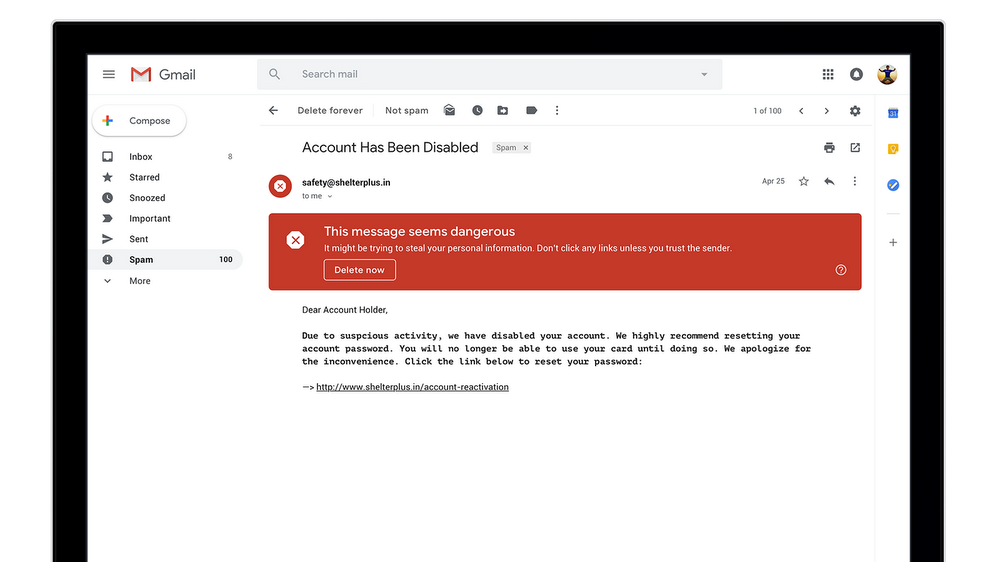
    In terms of security, Google has updated the warning message for risky emails. Now, it is a huge red box which is much harder to ignore and should help users identify risky emails and deal with them accordingly. A new Confidential Mode is Google’s email version of Snapchat. It allows users to remove the option to forward, copy, download or print messages—useful for when they have to send sensitive information via email like a tax return. Users can also make a message expire after a set period of time to help them stay in control of their information.

     Google has not rolled out this feature to everyone and is not readily available as a default option. To check if you have received this update, click on the settings icon in the top-right corner. If the new Gmail is available to you, the top option should be “Try The New Gmail.”
  • Google Testing Self Destructing Email For Gmail

    Google Testing Self Destructing Email For Gmail

    Google is revamping the web version of its popular email service, Gmail. The company might showcase new Gmail features at the Google I/O 2018, which will commence on the 8th of May. According to a new leak, Google is also working on a new feature that will enable users to send emails which expire after a specified time, a Self Destructing Email.

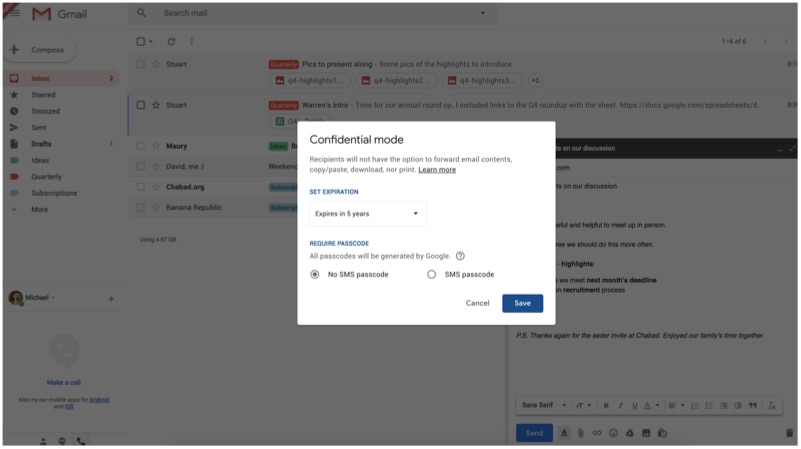
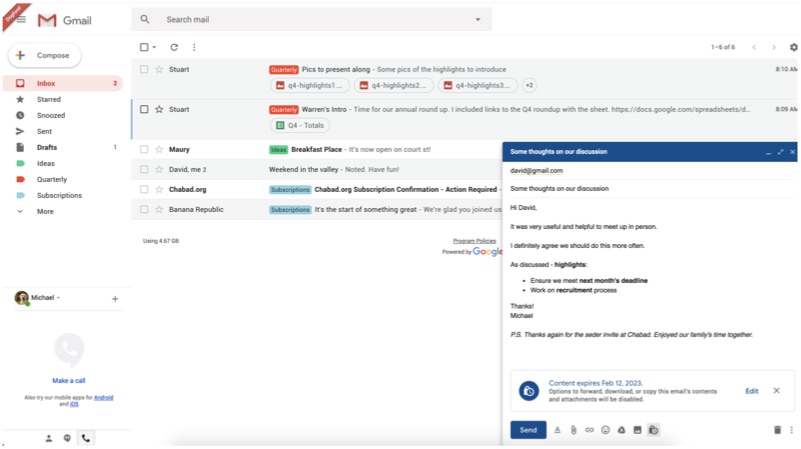
    According to leaked images, the confidential mode will work even with third-party email clients like ‘ProtonMail’. Before sending an email, users will be able to specify a time frame post which, the email will be deleted from the recipient’s inbox. The caveat here is that such email won’t be forwardable. However, the feature is still under development, as the option ‘Learn More’ currently redirects to a blank page.

    Gmail

    Self Destructing Email Is Straight Out Of Spy Movies

    According to the screenshot, one can set an expiry date for as long as 5 years. The user will also be able to set password requirement, where the recipient has to confirm their identity via a code/OTP sent to the recipient as a text message to access the email. The recipient will not be able to take a print out of this email or cannot copy/paste the content as well. However, the leaker was able to seize a screenshot of the email content.

    Gmail

    As of now, there is no information about this feature being available to non-Gmail users. When a user sends an email using the confidential mode, the mail will look like any other email. However, when it expires the email will disappear from the inbox. Google has not mentioned end-to-end encryption anywhere, which means the company is most likely to stick with non-encrypted emails.

  • Gmail’s New Features Help Save Time and Protect Privacy

    Gmail’s New Features Help Save Time and Protect Privacy

    Gmail has recently announced two new features that will be available on the emailing website. The first one is a minor change brought about within the search engine tab. Previously, when you wanted to look for a mail, you would have to navigate through all three different files – Inbox, Spam and Trash, separately. However, the new change will allow Gmail to look for your email directly from the main search tab on the inbox screen page. This search will automatically look for files throughout your Gmail profile, including the Trash and Spam. This feature will not be available on the phone apps but only on the web.

    gmail login

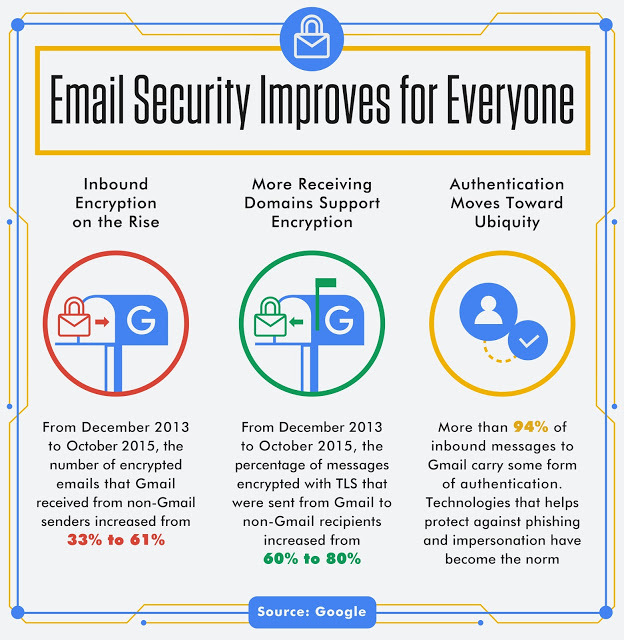
    Secondly, Gmail is increasing its security by warning you about emails that arrive over un-encrypted connections. Un-encrypted emails increase the risk of your personal information getting leaked and also makes you prone to getting attacked by viruses and other harmful activities. While Gmail to Gmail messages are mostly encrypted, there are still many email servers who do not use encryption. Therefore in the weeks to come, you might receive something like this:

    Gmail Encrytion message Hopefully, all of this protects us from everything that we stand to lose – time and privacy. Who says only celebrities get all the attention?

  • Here’s How You Can Destroy Sent Email Even After a Year

    Here’s How You Can Destroy Sent Email Even After a Year

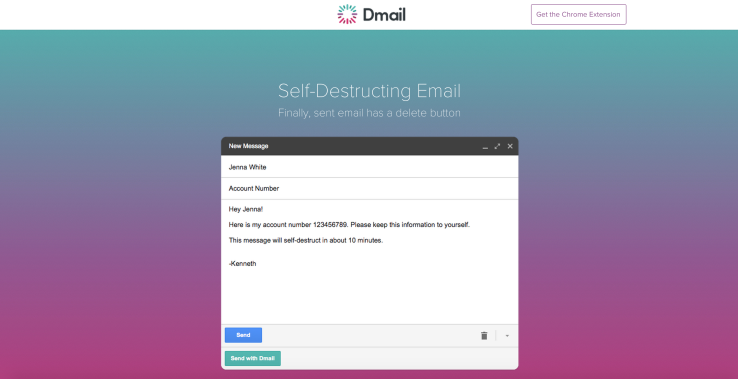
    Gmail had recently announced a new feature called the Undo save button, which allowed you to retrack your email within 30 seconds of the it having been sent. Now Gmail has an extention feature called Dmail created by Delicious (an online social bookmarking company) with a tagline that reads ‘Finally sent email has a delete button’.

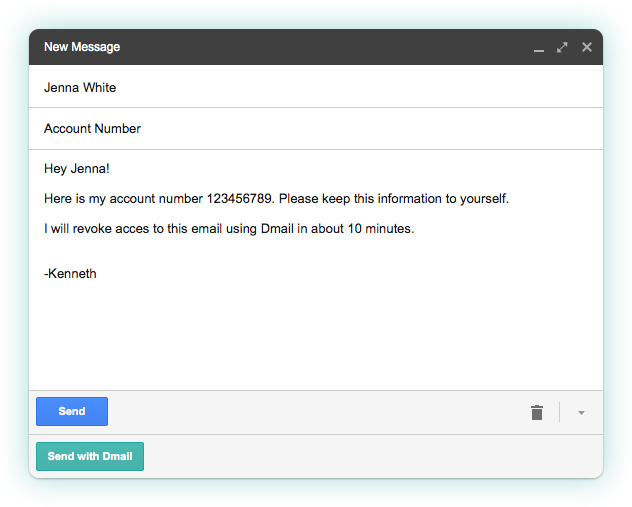
    Dmail 1 Dmail is well aware that the concept of re-tracking one’s email isn’t new and has therefore introduced its self-destruct feature, which needs to be installed by the user from the Google Web Browser Extension and for the first time allows you to destroy a sent email whenever you want to. The Dmail button can also be controlled by you with the help of a toggle switch.

    Dmail 2

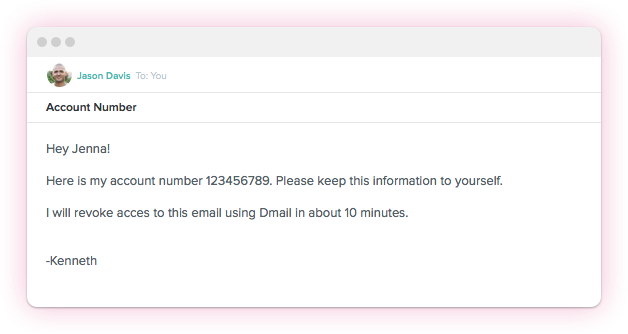
    How this works is, that, once loaded, you will have a new option on Gmail, within the ‘compose’ interface which allows you to turn on the Dmail service. Ahead of sending the email, you can specify as to when you want the email to destroy itself. The options given are ‘an hour’ to a day, week or never. And even if you choose the never option you can go back and click on the revoke email button which removes access to that email from all recipients.

    Dmail 3

    What is different about Dmail is that the recipent doesn’t need to be a user of the service in order to access the email. In case one is not a Dmail user and receives a Dmail encrypted mail, you will receive a message that says “This secure message was sent using Dmail. To view this message, simply click the button below.”   This will direct the viewer to a web view where they can read the email.

    The product has been in development for a long time and was built by a seven member subset of Delicious’s team. Currently, the feature is available online for all Gmail users, but not for smartphone users. Hence, the company is looking to expand their business by making this feature accessible to iOS devices in August followed by Android devices. They also plan on making Dmail a fremium service, this means that though some aspects of the service will remain free for individuals; power users and businesses will have to pay for other specific security features.

    Meanwhile, a document control feature is already in development, and Jones expects this feature to launch before this winter. Click here to download Dmail. Meanwhile, tell us what you think about this feature?

    Source: [tw-button size=”medium” background=”#07ABE2″ color=”” target=”_blank” link=”http://mail.delicious.com/”]Delicious[/tw-button]

  • Gmail Updates Its Web Interface By Adding New Themes And Emojis

    Since 2014, Gmail was the only service of Google that had not received updates or new features. However from March this year, Gmail has been bringing in new updates, slowly and steadily, the latest being the ‘Undo Send’ feature. Google had been working on this feature for the past six years, and the work is now an official setting in the Gmail interface. As the name suggests, Undo Send pauses posting your email for a few seconds after you click Send, so you can take it back and edit it, like for example, spelled someone’s name wrong or entered wrong details.

    gmail

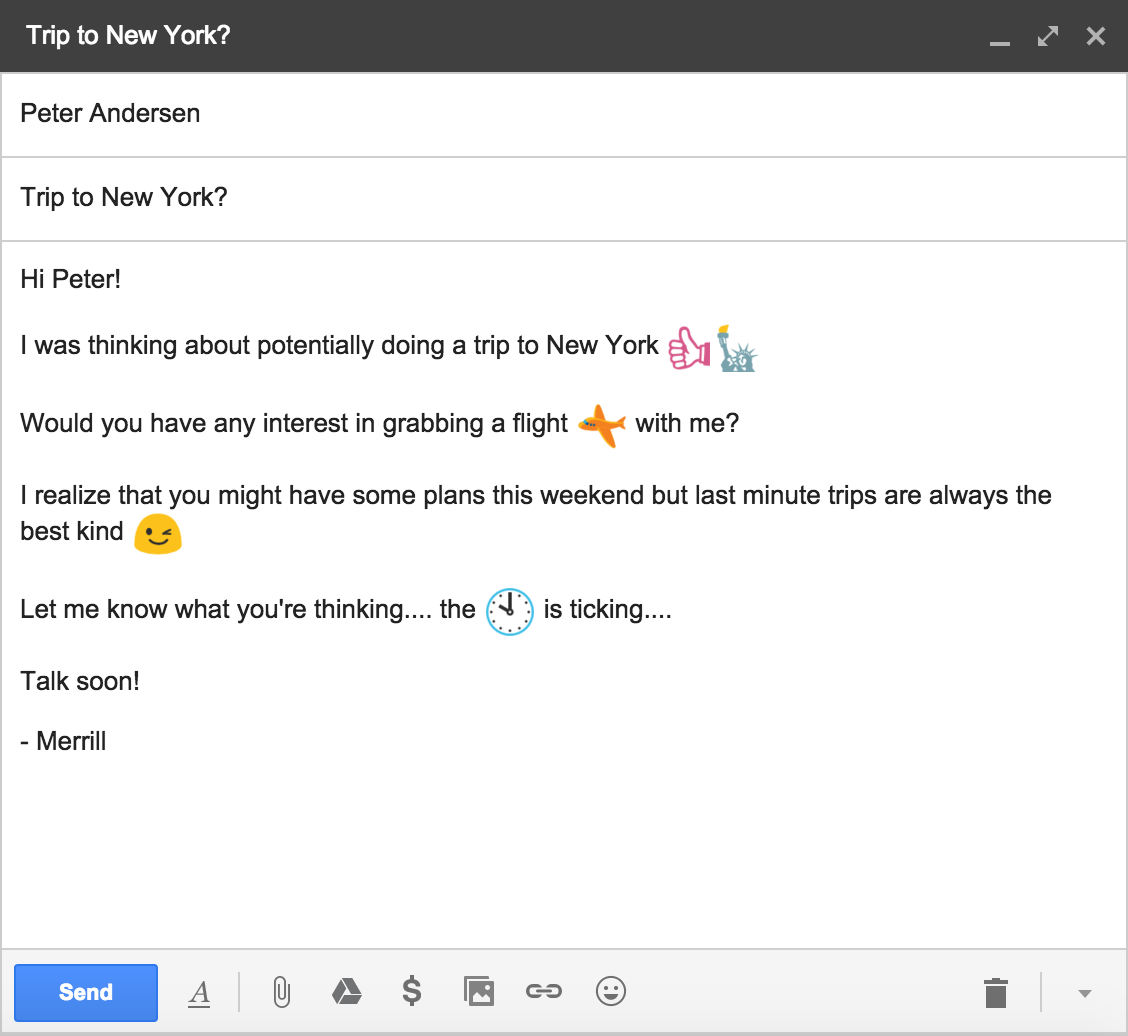
    Today, Gmail has rolled out yet another update for its web users. This new update focuses on fun, in a way we do while sending out emoji. Yes, Google’s updated and wider set of emoji characters, which we recently saw added to its Hangouts service, has now reached the company’s widely used Gmail. Now you can use all the same emoji you are already used to on Hangouts.

    Themes-GIF

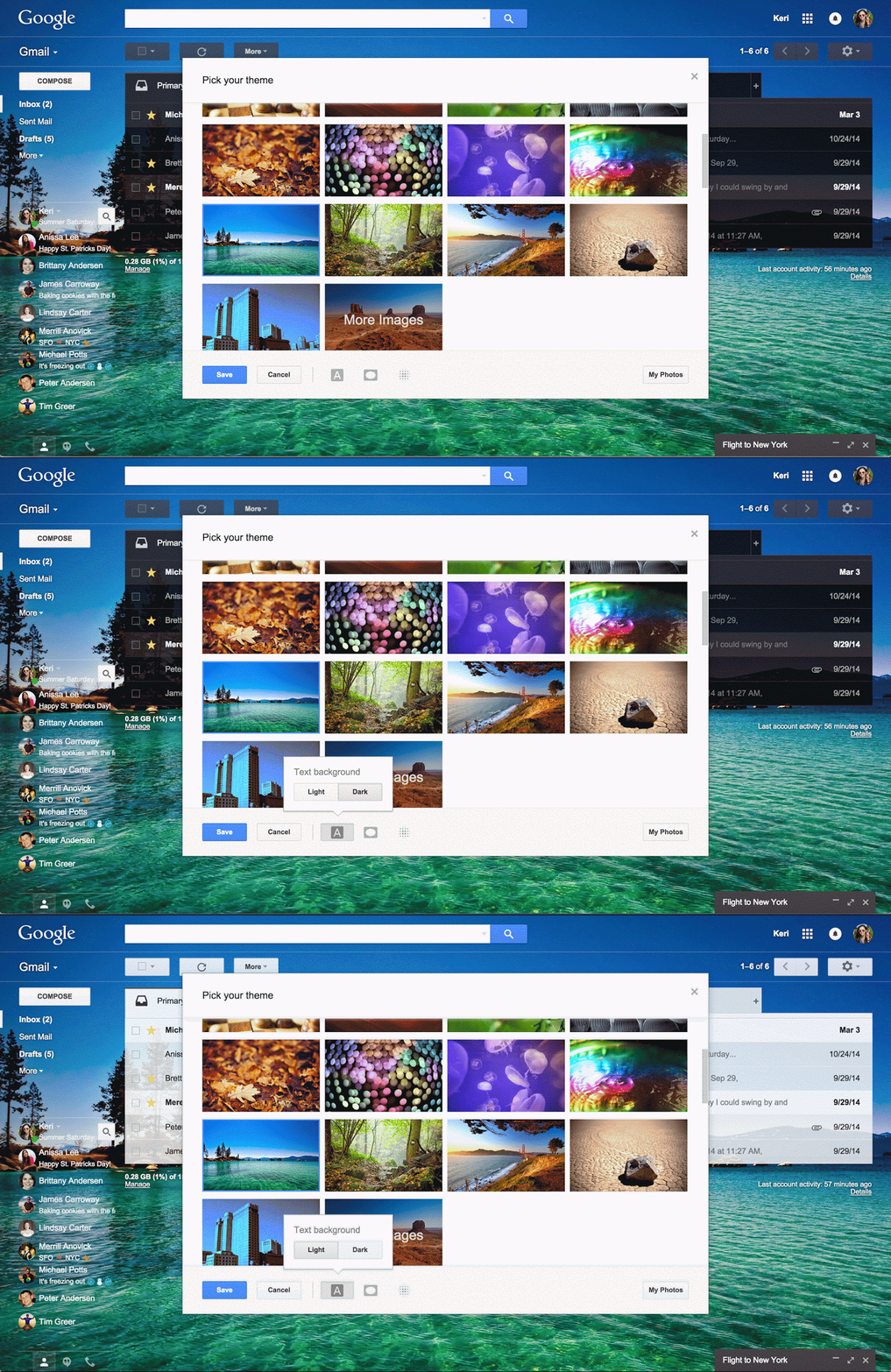
    Additionally, Gmail has also added hundreds of HD wallpapers and themes to its already stunning bank of themes. But, that’s just not it. If you wish, you can edit the wallpaper according to your wish- there’s vignetting and text backgrounds, blurs, and such for making changes. If nothing else, then you can upload your own image instead.

    The update has rolled out today. All the changes are available automatically in Gmail, with no download or opt-in necessary. Don’t worry if you have not received this update yet, as it will take some time to reach its users around the world.

  • Excited About Gmail’s ‘Undo Send’ Feature? Then You Should Check Out Sidekick

    Excited About Gmail’s ‘Undo Send’ Feature? Then You Should Check Out Sidekick

    Gmail has just rolled out, perhaps, the most useful update. Yes, we’re talking about the ‘Undo Send’ feature. Google had been working on this feature for the past six years, and the work is now an official setting in the Gmail interface. As the name suggests, Undo Send pauses posting your email for a few seconds after you click Send, so you can take it back if you, for example, spell someone’s name wrong. When it started in 2009, Undo Send would pause sending your emails for five seconds, but now, it lets users choose if they want to retain their mail for 5, 10, 20 or 30 seconds.

    Gmail Undo Send

    But, when you send an urgent email to someone, how do you know whether they have opened the mail or not? For example, when you are applying for a job, sending an email to a valued company, knowing when it is opened is necessary information. If you want to really control your email, Sidekick is what you should check out.

    Sidekick is developed by HubSpot, a software company formed by Brian Halligan and Dharmesh Shah from Massachusetts Institute of Technology in 2006. This app is installed as a Chrome extension and can be accessed using your Gmail account. But don’t worry; Sidekick can also be accessed by Outlook desktop, Apple Mail and Outlook.com.

    But, you should also know that Sidekick could be used against you. The next time you say, “I didn’t see that email,” when you actually have opened it, the sender may have proof that your statement just isn’t true.

    Here’s everything this nifty addition can do:

    To get started with Sidekick, you need to create a free account here. You can also login using your Google account, which is a convenient sign-up process. After that, you can install Sidekick Chrome extension from here.

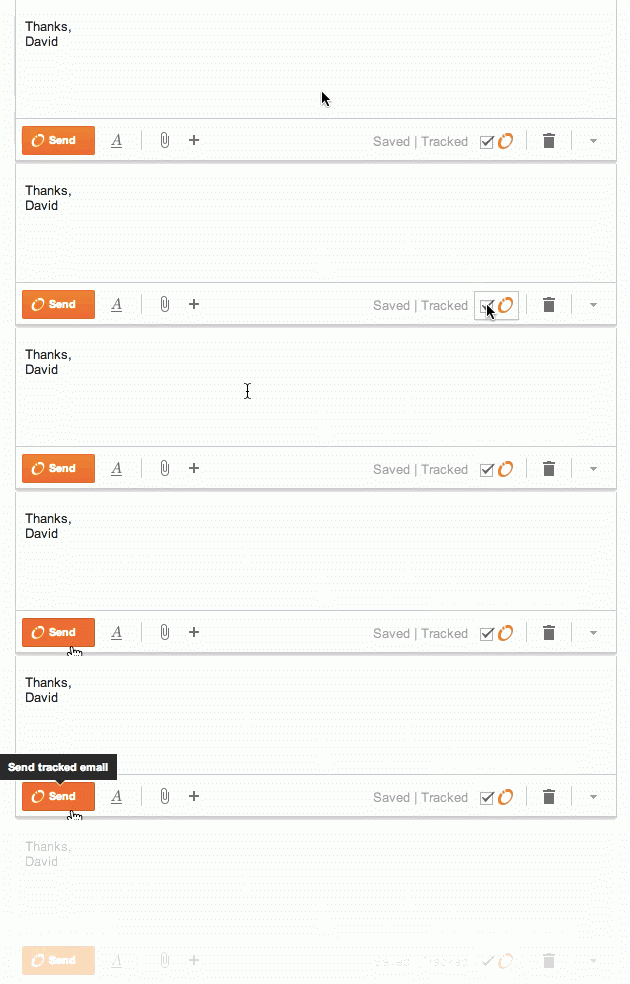
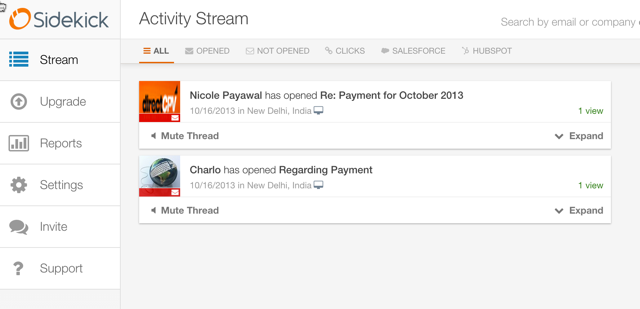
    Once everything is configured, Sidekick will take up the responsibility to track down which of your emails have been opened and which remain unopened. To make things more amazing, Sidekick also keeps track whether links inside the mail have been clicked on or not. You also have the option to ‘untrack’ any email too.

    sidekick

    Sidekick can also show you the information of people to whom you are sending a mail. When you receive an email, the Sidekick sidebar will show you your email history, links to their social media accounts and information about their company if the email was sent from a business account.

    Sidekick-dashboard

    But, the newest feature of this app is the Scheduling option. This is a gift especially for people who live in different time zones. After you have composed a mail, you will see an option to schedule the mail to whatever time fits you. Awesome, right?

    Schedule-Gmail-email

    Sidekick also has free iOS and Android apps, which let you track everything from your smartphone. Although the scheduling feature is yet to come out with the mobile version.

    Sidekick is free for unlimited tracking the first month you register. After that, you get 200 free tracks per month. If you find that you want unrestricted tracks, you can pay a monthly fee of $10.

    It is great that slowly, many mail apps are coming up that give users the power to monitor and control emails as per their convenience.

    Watch the video below to get a better idea about how Sidekick is helpful.

  • Gmail Quietly Rolls Out a New Login Screen

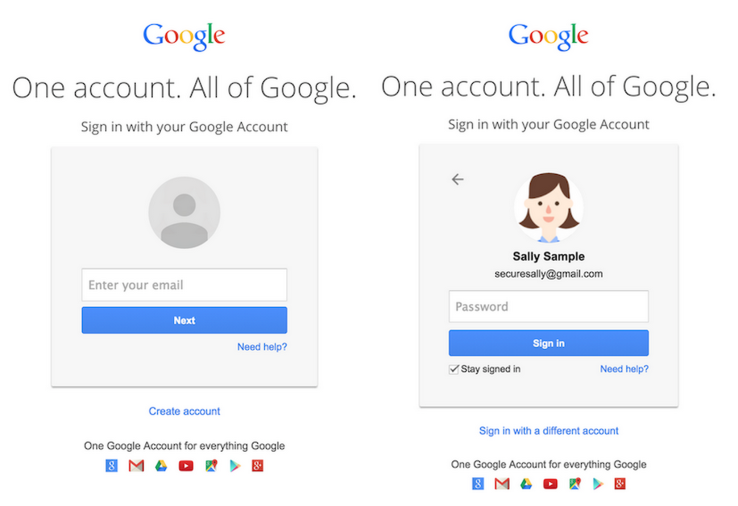
    Gmail was the only Google subsidiary that had not undergone many updates for a long time. But, Google has quietly rolled out a new update that may change the phase of web logins. According to TechCrunch, Gmail has rolled out a new login screen that would require you to go through two different pages, one asking for your Email ID and the other for your password.

    Before, to log into your Gmail account, you were required to enter your Email ID and password on the same page, which would later be directed to your inbox. With the new login screen, you will first have to enter your user id. The next page will ask you for your password, and then you will be directed to your inbox.

    gmail login

    Google’s official product forum reads that the new login screen will prepare for ‘future authentication solutions that complement passwords.’ It also claims that the new login screen will reduce confusion among people having multiple Gmail accounts. It also reads that a better experience is promised for SAML SSO users, like university users or corporate that sign in with a different identity other than Google.

    Google has not made clear what the above points meant. But the thread saw many users complaining about the change being unnecessary. Users have complained that the two-screen login process wastes time. Some users who have more than two accounts say the new screen have broken their ability to login using various password managers.

    TechCrunch also pointed out that the method is somewhat similar to the ‘Trusted Device’ option in Android devices that lets users unlock their devices when they come in vicinity of their smartphone or tablet while they have a chosen trusted device on their person.

  • Google Makes the Gmail App an Integrated Inbox for All Your Email Accounts

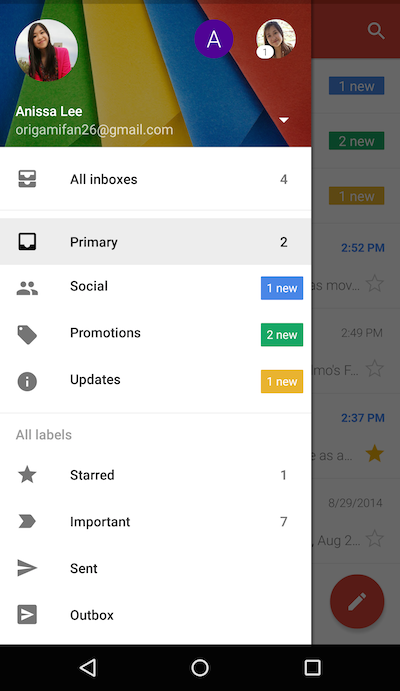
    Google understands the need of users to maintain several accounts at a time, and has found out a hassle-free solution to help  bring them all in one place. Google has announced a Gmail update for Android users that makes Inbox a unified place to access emails from your multiple accounts. Which simply means, whether you have a Yahoo account or an Outlook ID, you can add them all to send and receive messages through the consolidated Gmail app.

    The Gmail update holds a new option called ‘All Inboxes’. This option comprises of a list of all your added accounts and one can continue the conversation from different handles through ‘All Inboxes’. This upgrade relieves users from the inconvenience of hopping from one tab to another.

    gmail

    Along with providing a combined Inbox, the internet giant has added a slew of other features too. Like Gmail, Google has added a threaded conversation support to other accounts as well, which keeps the emails in an organized manner. The messages remain stacked at a place as one conversation. Also, the upgrade opts for a smarter search tool. Users can find better results with the improved auto-complete feature which makes their search quicker.

    gmail update

    Followed by them are a few other inclusions like more responsive animations and larger attachment previews. A button of ‘Save to Drive’ can be spotted in the update where users can save the files with a single tap.

    The official blogpost of Gmail states that the upgrade was made available from yesterday onwards, and Android users can update Gmail to find the changes. Meanwhile, the company hasn’t notified about its roll out for iOS users as of now, but it is expected to arrive soon.

  • Gmail’s Auto-Complete Glitch Results in Emails Being Sent to Unintended Recipients

    Gmail’s Auto-Complete Glitch Results in Emails Being Sent to Unintended Recipients

    Have you ever mistakenly sent an email to the wrong person? Usually it’s our fault for not double-checking before hitting the send button, but right now there is a glitch in Gmail which isn’t helping the cause. A bug is spotted that might, if you’re careless, help you send emails to unintended recipients.

    The ‘To’ section of Google’s Gmail is facing an auto-complete glitch because of which, it is prioritising the names of people that are less frequently mailed. The auto-complete feature is designed to suggest addresses regularly used. A number of people have reported on Twitter about being troubled because of the bug.

    Google itself confirmed and apologised about the malfunctioned auto-complete feature.

    We’re aware of an issue with Gmail and auto-complete and currently investigating. Apologies for any inconvenience.

    Google has been working aggressively to make its services better for its users, and this bug being in notice of the company, we can expect them to fix it soon. Until then, make sure to triple check the recipients bar before sending out that confidential email.

  • Google’s Gmail Service Blocked in China

    Gmail was banned in Mainland China earlier this year, however, people were able to exchange messages, videos, pictures through  the mailing service. Protocols like IMAP, SMTP and POP3 and third-party apps such as Microsoft Outlook and Apple Mail aided users to access Gmail but now, even that isn’t possible as the Chinese government closed the loophole. As per a recent revelation, the government has permanently shunned Gmail in the country behind the Great Firewall.

    Google has continuously been observing a major traffic dip in Gmail from China and this has been evident through Google’s Transparency Report. A spokesperson from the firm said that there had been no issues from the company’s side, which could have led to this action, “We’ve checked and there’s nothing wrong on our end.”

    The China-based freedom of speech advocacy group GreatFire.org argued that this is a step towards completely banishing Google from China,

    I think the government is just trying to further eliminate Google’s presence in China and even weaken its market overseas. Imagine if Gmail users might not get through to Chinese clients. Many people outside China might be forced to switch away from Gmail.

    The East Asia’s sovereign state has made a firm boundary around itself called Great Firewall of China, which it says is a sophisticated internet censorship mechanism. This wall restricts the Chinese audience to interact with rest of the world. The decision will lead to an awkward situation for companies doing business, as almost all use Gmail to exchange conversation.

    gmail-sign-google

    However, the Chinese government has regulated the ban, the Foreign Ministry spokeswoman Hua Chunying said that she has no clue about the ban. Chunying added to her statement that the government is committed to provide a healthy business environment to foreign investors, “China has consistently had a welcoming and supportive attitude towards foreign investors doing legitimate business here. We will, as always, provide an open, transparent and good environment for foreign companies in China.”

    Meanwhile, as the mailing service is blocked, the users out there are left with just one alternative, Virtual Private Networks (VPN). The Gmail ban hasn’t come a surprise decision as the country has a long list of restricted websites. Along with Google Docs, Google Drive, YouTube, Twitter and many more sites blocked earlier, the recent block record includes Instagram, Dropbox, Google Maps, Google and a few more.

iGyaan Network
Privacy Overview

This website uses cookies so that we can provide you with the best user experience possible. Cookie information is stored in your browser and performs functions such as recognising you when you return to our website and helping our team to understand which sections of the website you find most interesting and useful.